🏆 Our Verdict
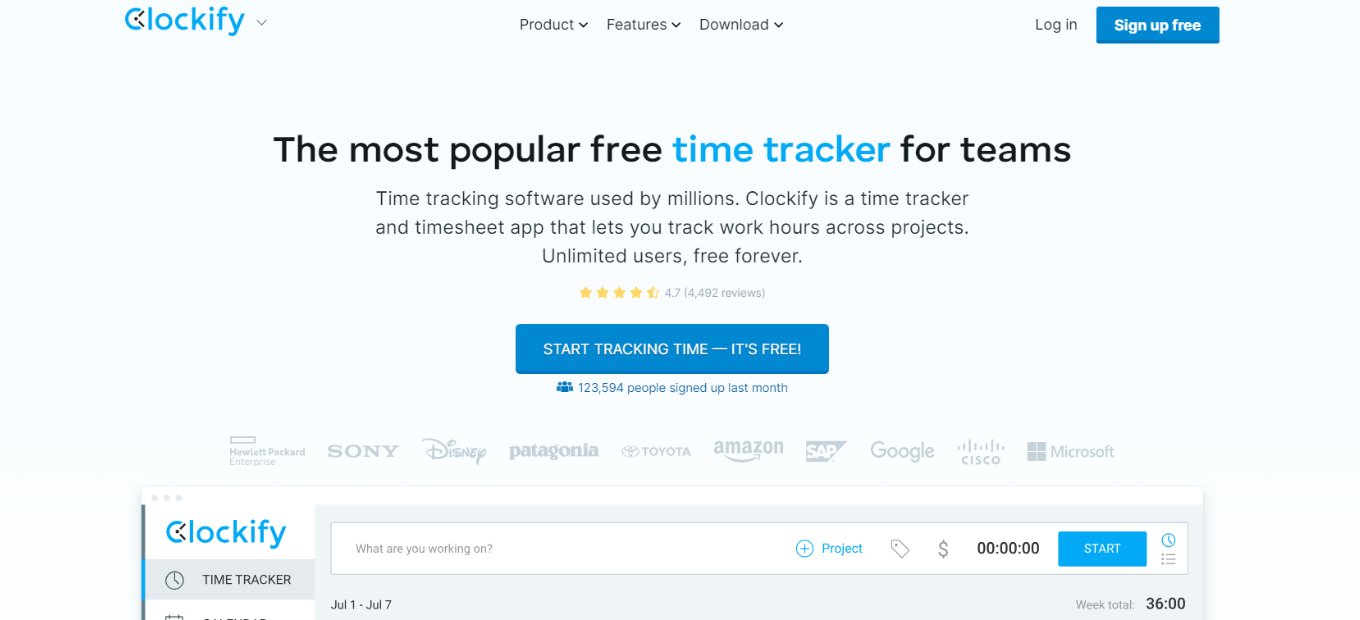
Clockify emerges as a robust time management solution, offering versatile tools suitable for businesses and individuals alike. With its user-friendly interface and comprehensive feature set, it provides efficient time tracking solutions across various industries and needs.
✅ Pros & ❌ Cons
Pros:
🔄 Flexible Time Tracking: Allows easy tracking of time for various tasks and projects.
🔗 Seamless Integration: Integrates smoothly with popular productivity tools for enhanced workflow management.
📊 Comprehensive Reporting: Offers advanced features for generating detailed reports on time usage and productivity.
🌐 Multi-Platform Accessibility: Provides cross-platform support, enabling users to track time from anywhere, anytime.
🆓 Free Plan: Offers a free tier with essential time tracking features, suitable for individual users and small teams.
Cons:
💲 Limited Features in Free Plan: Some advanced features are restricted to paid plans, limiting functionality for free users.
📈 Learning Curve: New users may experience a learning curve while familiarizing themselves with the platform’s features.
⚙️ Customization Options: Customization options may be somewhat limited compared to other time tracking tools.
📖 About Clockify
Established as a leader in the time tracking industry, Clockify aims to simplify time management for businesses and individuals. Its intuitive interface and extensive feature set make it a preferred choice for tracking and optimizing productivity seamlessly.
🕒 How It Works

Signing Up for Clockify
- Visit the Clockify Website: Navigate to the Clockify website to begin the signup process.
- Choose a Plan: Explore the available pricing plans and select the one that aligns with your needs.
- Create an Account: Provide your email address, create a password, and fill in the necessary details to create your account.
- Account Setup: Complete the setup process by entering your business information and customizing your time tracking preferences.
- Start Tracking Time: Begin tracking time for your tasks and projects using Clockify’s user-friendly interface and automation features.
💲 Pricing Overview
| Subscription Plan | Pricing (Annual/Monthly) | Features Included |
|---|---|---|
| FREE | – | – Unlimited tracking – Unlimited users – Unlimited projects – Kiosk mode – Reports – Multiple currencies – Apps and time tracking integrations (excluding QuickBooks) – Support – API |
| BASIC | $3.99 per user, per month (Annual) $4.99 per user per month (Monthly) | – All FREE features – Add time for others – Hide time and pages – Required fields – Bulk edit – Decimal format – Time audit – Customize reports – Project templates – Historic rates – Edit profiles – Import timesheets – PIN – Breaks on kiosk app – Breaks on web app |
| STANDARD | $5.49 per user per month (Annual) $6.99 per user per month (Monthly) | – All BASIC features – Time off – Invoicing – Time approval – Lock timesheets – Targets & reminders – Manager role – Task rates – Time rounding – QuickBooks integration – Force 2FA / MFA – Customize kiosk – Attendance & overtime |
| PRO | $7.99 per user per month (Annual) $9.99 per user per month (Monthly) | – All STANDARD features – Scheduling – Expenses – Labor cost and profit – Budget and estimates – Custom fields – User fields – Email reports – Assignment report – Alerts – Force timer – GPS tracking – Screenshots – Forecasting – Data regions – Assign currency to client |
| ENTERPRISE | $11.99 per user per month (Annual) $14.99 per user per month (Monthly) | – All PRO features – Single sign-on (SSO) – Custom subdomain – Control accounts – Audit log |
🌟 Pricing Tiers
Clockify offers a range of pricing plans to accommodate different user needs and scales. From a free plan for individuals to advanced solutions for teams and enterprises, there’s an option for everyone.
✅ Free Plan Overview: Clockify provides essential time tracking tools in its free offering, including unlimited users and basic reporting features.
LOOKING FOR A ONE-STOP SOLUTION TO YOUR GROWTH NEEDS?
💼 Paid Plans: Designed for teams and businesses requiring advanced time tracking capabilities, paid plans offer additional features such as project templates, time rounding, and priority support.
🥊 Competition
| Clockify | Toggl |
|---|---|
| Pros | Pros |
| Flexible time tracking | Intuitive interface |
| Seamless integration | Advanced reporting features |
| Comprehensive reporting | Project management capabilities |
| Multi-platform accessibility | Cross-platform support |
| Free plan available | Detailed time analytics |
| Cons | Cons |
| Limited features in free plan | Limited features in free plan |
| Learning curve for new users | Learning curve for new users |
| Limited customization options | Limited customization options |
📌 Conclusion
Clockify emerges as a reliable time tracking solution, offering essential features and flexibility to meet the needs of both individuals and teams. With its user-friendly interface, seamless integration, and range of pricing plans, it’s an ideal choice for optimizing time management workflows.
“Effortlessly Track Your Time with Clockify.”