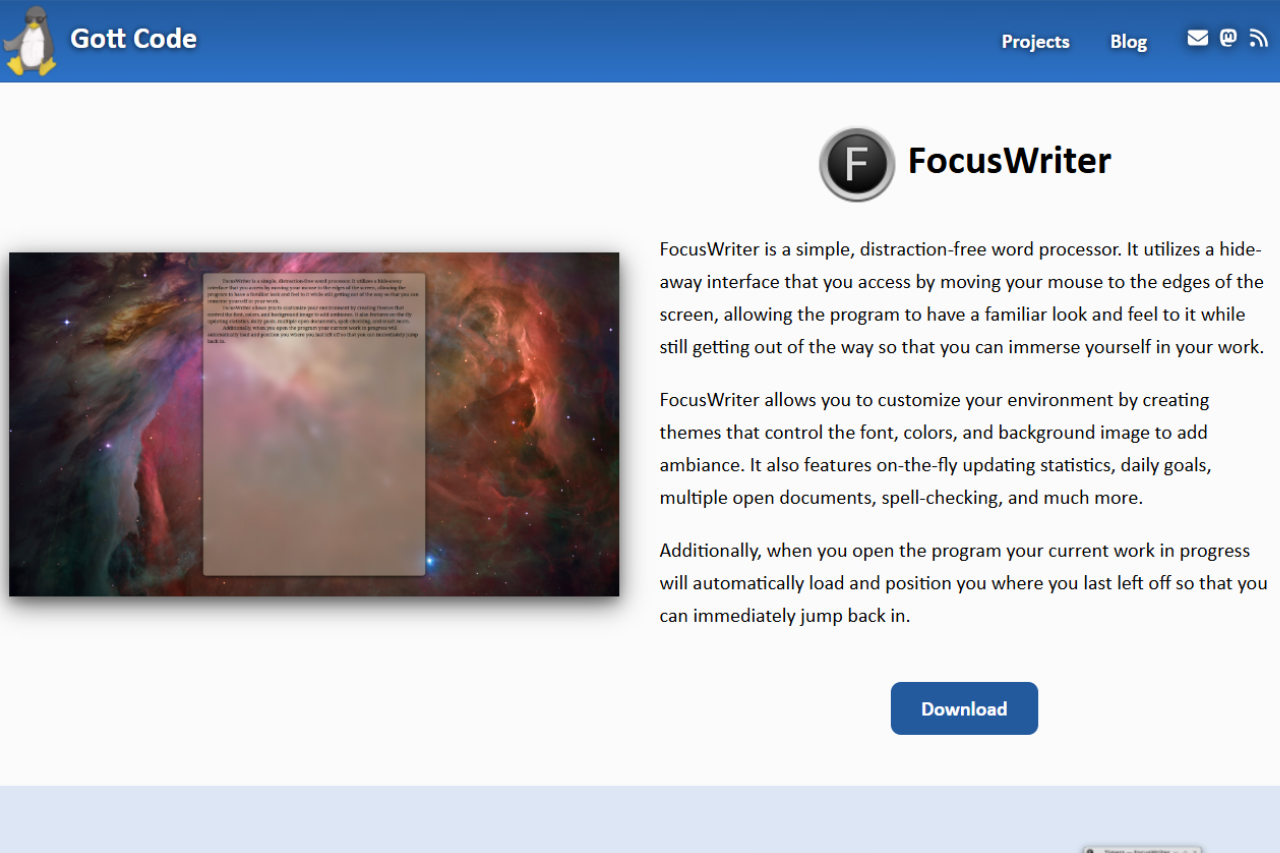
Last updated 27 April 2026. FocusWriter is at version 1.8.x; the review below covers behavior on Linux and Windows, plus a note on running it under macOS via compatibility layers.
FocusWriter is a free, GPL-3.0 writing application developed by Graeme Gott. It runs on Linux and Windows and hides the desktop behind a full-screen writing surface. Features include customizable themes, typewriter sound effects, daily word-count goals, session statistics, and export to .odt and .docx. There is no macOS build, no mobile version, and no cloud sync.
🏆 Our Verdict
FocusWriter is a minimalist writing environment designed to eliminate distractions and enhance productivity for writers. Available for Linux and Windows, this tool is favored for its simplicity and effectiveness, providing a hide-away interface that appears only when needed. While it lacks the cross-platform flexibility and rich text editing features of some competitors, its commitment to a clutter-free workspace makes it a strong contender for those seeking focused writing sessions.
✅ Pros & ❌ Cons
Pros
- Distraction-Free Interface: Helps maintain focus with a clean, hide-away design.
- Customizable Themes: Allows users to tailor the writing environment to their liking.
- Typewriter Sound Effects: Offers an immersive writing experience.
- Goal Setting: Enables writers to set daily word count or time goals.
- Portable Mode: Can run from a USB stick without installation on the host computer.
Cons
- Limited File Formats: Supports primarily TXT, RTF, and basic ODT files.
- No Native macOS Support: Lacks direct compatibility with macOS, though it can be run using compatibility layers.
- Basic Text Editing: Lacks advanced formatting tools, suitable mostly for plain text writing.
- No Mobile Version: No availability on mobile platforms for writing on the go.
- No Real-Time Cloud Sync: Does not offer built-in cloud synchronization options.
📖 About
FocusWriter is developed with the intention of providing writers a peaceful place to concentrate solely on their writing. It is engineered to reduce distractions by featuring a full-screen mode that isolates the writing tool from other desktop clutter, enhancing focus and potentially increasing productivity.
🗓️ How It Works

- Download and Install: Easily install FocusWriter on compatible operating systems from the official website.
- Customize Your Workspace: Adjust the themes and settings to create your ideal writing environment.
- Set Goals: Utilize the built-in timers and word count goals to track writing sessions.
- Write in Peace: Begin writing in a user-friendly interface that stays out of the way until you need it.
- Save and Manage Documents: Use session management to save progress and manage multiple documents easily.
A concrete NaNoWriMo workflow
A concrete 2026 workflow looks like this: install FocusWriter 1.8.x on Linux or Windows, point its auto-save folder at a synced directory (Syncthing, Synology Drive, or iCloud Drive on macOS via the Files app), and use one theme per project so visual context tells you which manuscript you’re in. Set a 1,667-word daily goal during NaNoWriMo (or 500 words on non-novel days), let auto-save fire every minute, and never quit on a blank page — leave a half-finished sentence so tomorrow’s session starts warm.
💲 Pricing Overview
FocusWriter is free under the GPLv3 open-source license. Every feature works without payment. The developer accepts donations via the official site at gottcode.org/focuswriter for users who want to support continued development; donations are voluntary and unlock no premium features.
🥊 Competition

| Feature | FocusWriter | iA Writer |
|---|---|---|
| Platform Compatibility | Windows, Linux | Windows, Mac, iOS, Android |
| Interface | Distraction-free, minimal | Streamlined, modern |
| File Format Support | TXT, RTF, basic ODT | DOCX, Markdown, PDF |
| Syncing Capabilities | None | Seamless cloud sync across all devices |
| Pricing | Free | Paid (subscription model) |
| Typewriter Sounds | Yes | No |
Related distraction-free writing tools
If you write primarily in Markdown and want export to EPUB or PDF that FocusWriter does not natively offer, our Typora review covers a paid alternative that pairs a clean editor with broader export formats; for a Windows-only freebie, see our MarkdownPad review.
LOOKING FOR A ONE-STOP SOLUTION TO YOUR GROWTH NEEDS?
Three alternatives covered on Startup Stack are useful neighbors: Manuskript for a structured long-form novelist tool with character and plot tracking, Highland 2 for screenplays in the Fountain format, and iA Writer if you need a native macOS or iOS option (FocusWriter has no signed macOS build).
| Tool | Pricing (2026) | Platforms | Distraction-free mode | Export formats |
|---|---|---|---|---|
| FocusWriter | Free (GPLv3) | Linux, Windows, macOS via compatibility layer | Default — full-screen, themeable | TXT, RTF, ODT |
| Manuskript | Free (GPLv3) | Linux, Windows, macOS | Yes (full-screen mode) | DOCX, ODT, HTML, Markdown |
| iA Writer | $49.99 desktop / $4.99 mo iOS | macOS, iOS, Windows, Android | Default — focus mode + typewriter scroll | DOCX, PDF, HTML, Markdown |
| Typora | $14.99 one-time (3 devices) | Linux, Windows, macOS | Yes (zen + focus modes) | DOCX, PDF, HTML, EPUB, Markdown |
FocusWriter and NaNoWriMo in 2026
FocusWriter 1.9.0 shipped in February 2025, adding keyboard shortcuts for heading levels and fixing several rendering bugs. The version on the official site is current as of this update.
The 1,667 words-per-day goal built into FocusWriter’s tracker maps to a 50,000-word November draft. That number comes from the original National Novel Writing Month format — write 50,000 words in 30 days. The organization behind NaNoWriMo shut down on March 31, 2025, following two years of public disputes: first over forum moderation failures and allegations of delayed response to reports of misconduct, then over the board’s decision not to take a position against AI-generated text in submissions, which prompted several prominent authors to resign from the advisory board.
The event itself has not disappeared. A group of longtime NaNoWriMo volunteers, educators, and the original founder Chris Baty launched nano2.org as a community-led replacement that runs the same November challenge. A separate group, the Order of the Written Word, formed specifically for writers who want a space that does not permit AI-generated content. FocusWriter’s goal-tracking feature works with either community — or with no community at all if you prefer to write in private.
❓ Frequently asked questions about FocusWriter
Is FocusWriter free?
Yes. FocusWriter is released under the GPL-3.0 license and costs nothing. The developer, Graeme Gott, accepts voluntary donations through the official site, but every feature works without payment. There is no paid tier, no trial watermark, and no feature-gated edition.
FocusWriter vs iA Writer: which one should I pick?
Choose FocusWriter if you write on Linux or Windows, want a free tool, and need daily word-count goals. Choose iA Writer if you work on macOS or iOS, write in Markdown, and want iCloud sync across devices. The two tools do not overlap on platform: FocusWriter has no macOS build, and iA Writer has no Linux build.
Does FocusWriter run on macOS?
No native macOS build exists. FocusWriter runs on Linux and Windows, and also ships a portable .zip for Windows that runs from a USB drive without installation. Some users run it on macOS via Wine or CrossOver, but Graeme Gott does not maintain or test a macOS version, so compatibility is not guaranteed and may break on OS updates.
Can I use FocusWriter for NaNoWriMo or long-form writing?
Yes. FocusWriter includes daily word-count goal tracking and a session timer, which map directly onto the standard 1,667 words-per-day target for a 50,000-word November draft. You set the goal in the preferences, and the status bar shows your progress as a percentage. For long-form work, each chapter can be a separate file; the application does not have a built-in project manager, so a dedicated folder per project is the standard approach.
Can I sync FocusWriter with Dropbox or iCloud?
FocusWriter has no built-in sync. You can point FocusWriter at a folder inside your Dropbox or Google Drive directory and the cloud client will upload the file each time you save — but that is the desktop sync client doing the work, not FocusWriter. There is no real-time sync, no version history inside the app, and no conflict resolution if two devices write to the same file simultaneously. iCloud Drive works the same way on machines where the iCloud client runs, though FocusWriter itself has no macOS build, so iCloud is only relevant if you run FocusWriter on a Windows machine with iCloud installed.
Does FocusWriter export to .docx?
Yes. FocusWriter exports to both .odt (OpenDocument Text) and .docx (Microsoft Word) in addition to plain .txt and .rtf. The .docx export covers body text, bold, italic, and paragraph breaks. Complex formatting such as headers, footnotes, and tracked changes will not carry over because FocusWriter does not support those features in its editor — so what you write is what exports. If you need those elements, open the .odt file in LibreOffice Writer after export.
📌 Conclusion
FocusWriter stands out as a preferred tool for writers who prioritize a focused and minimalist writing environment. It strips away the bells and whistles of more complex word processors in favor of a straightforward, distraction-free experience. While it may not suit those needing advanced formatting or cloud-based features, for writers dedicated to simplicity and productivity, FocusWriter is an excellent choice.
FocusWriter: Simplify Your Writing Space, Amplify Your Words
Related read: FocusWriter clears the screen so you can draft without distraction, but it leaves the structure to you. If you want that same free, open-source spirit with an outliner, character sheets, and plot tracking built in, our Manuskript review covers a tool made for organising a long manuscript.
When the draft outgrows a blank screen: FocusWriter deliberately holds nothing but the text. Once a project needs chapters, character sheets and research in the same place, Quoll Writer keeps the same free, offline, no-account footing and adds the structure.
Troubleshooting FocusWriter: negative goals, missing dictionaries and silent sound effects
FocusWriter has one maintainer and a short bug list, so most of what gets reported has already been fixed in a later build. The current release is 1.9.1, published on 23 July 2026. Check your version before anything else, because three of the four problems below were closed in it.
The daily goal shows a negative word count
This is a known defect, not something you configured wrong. Daily progress was sometimes reported as a negative number, and the fix shipped in 1.9.1. Update and the counter reads correctly again. If you are stuck on an older build because of a package repository that lags, the goal itself still tracks; only the figure on the status bar is wrong.
Spell check underlines every word, or your language is missing
FocusWriter does not ship its own dictionaries. It uses hunspell, which the Windows builds bundle at version 1.7.3 and which Linux expects you to install separately alongside Qt. On Linux, install the hunspell package for your language through your distribution and FocusWriter picks it up. If the dictionaries live somewhere non-standard, set the DICPATH environment variable to that folder: support for it was added in 1.8.10 for exactly this case.
Typewriter sounds go silent on accented characters
Two separate bugs, both closed. Sound effects did not play for smart quotes, which was fixed in 1.9.0, and they did not play for composed text, which was fixed in 1.9.1. Composed text is what you get from a dead key or an input method, so this hit anyone typing accents, umlauts or a non-Latin script. Nothing in the preferences works around it. The update is the fix.
Scene list entries overlap on Windows 11
A rendering fault in the scene list on Windows 11, closed in 1.9.1. Entries drew on top of each other and made the list unreadable while the document underneath stayed intact. Nothing is lost, and no reinstall is needed beyond moving to the current build.
Your work does not reopen where you left it
FocusWriter is meant to reload your work in progress on launch and put the cursor back where it was, so a session that opens blank means the program is not seeing its own settings. That is usually a second copy: a portable build unzipped somewhere new keeps its state in its own folder, not next to the installed version’s. Run one or the other, not both.