🏆 Our Verdict
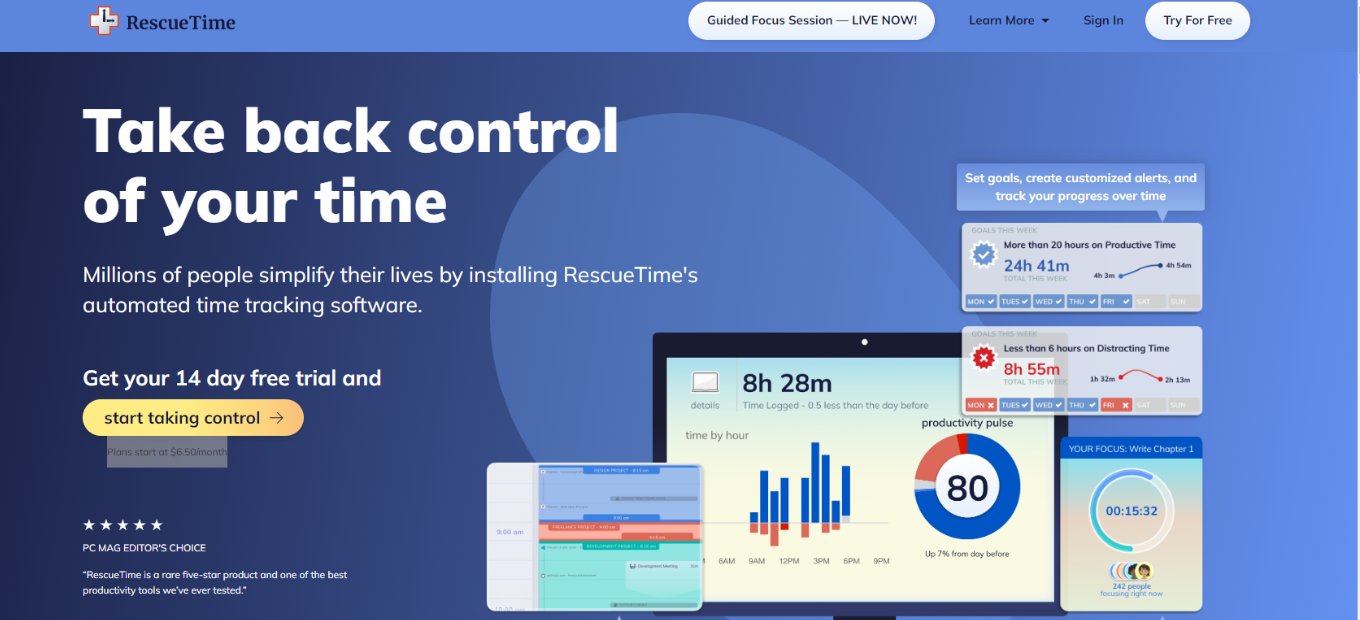
RescueTime earns acclaim as a robust productivity tool, catering to individuals seeking to enhance their time management skills. With its array of features and user-friendly interface, it stands out as a valuable asset for optimizing productivity.
✅ Pros & ❌ Cons
Pros:
🕒 Time Tracking Accuracy: RescueTime accurately monitors and categorizes time spent on various activities, providing valuable insights into productivity habits.
📊 Detailed Reports: Users benefit from detailed reports and analytics, allowing for a comprehensive understanding of time usage patterns.
🚀 Productivity Insights: RescueTime offers actionable insights and suggestions to improve time management and productivity.
🔐 Privacy Features: With customizable privacy settings, users can control the level of detail shared while maintaining data security.
📱 Multi-Platform Support: RescueTime seamlessly integrates across multiple devices and platforms, ensuring consistent tracking and analysis.
Cons:
💲 Pricing Plans: Some users may find the pricing plans relatively higher compared to similar productivity tools.
🔄 Learning Curve: New users may experience a learning curve while acquainting themselves with the platform’s features and settings.
LOOKING FOR A ONE-STOP SOLUTION TO YOUR GROWTH NEEDS?
🌐 Limited Customization: Customization options may be somewhat restricted compared to other productivity tools, limiting adaptability to specific workflows.
📖 About RescueTime
Established as a leading productivity platform, RescueTime aims to empower individuals to manage their time effectively and optimize productivity. Its intuitive interface and insightful analytics make it a preferred choice for professionals and individuals striving for greater efficiency.
🗓️ How It Works

RescueTime simplifies time management:
- Sign Up: Visit the RescueTime website to create an account and download the app.
- Install: Install the RescueTime app on your devices for seamless tracking.
- Customize Categories: Tailor activity categories to reflect your work and leisure habits.
- Track Time: Let RescueTime automatically track your time usage across applications and websites.
- Analyze Reports: Review detailed reports to gain insights into your productivity patterns.
- Set Goals: Establish productivity goals and receive personalized recommendations for improvement.
💲 Pricing Overview

RescueTime offers subscription plans catering to various user needs:
- Lite: Basic time tracking features.
- Premium: Enhanced analytics and productivity insights.
- Teams: Collaborative features for teams and organizations.
🥊 Competition
RescueTime Time Doctor

Pros – Time tracking accuracy – Robust productivity insights
- Detailed reports – Privacy features
- Multi-platform support – Seamless integration
Cons – Higher pricing for some users – Learning curve for new users
- Limited customization options – Higher pricing compared to competitors
📌 Conclusion
RescueTime emerges as a valuable tool for individuals and teams striving to optimize productivity and time management. With its intuitive interface, detailed analytics, and actionable insights, it’s a reliable ally in the quest for enhanced efficiency.
“Take Control of Your Time with RescueTime.”