⚖️ Our Verdict
Minipoll is an amazing app that can be used by everyone that wants to gather information from their audience in a matter of seconds. One thing we love about this app is that it is very easy and quick to use. You can create a poll in a matter of seconds and share it with others across different platforms.
The upload logo feature of this app is also amazing and distinct from other poll apps since it can give your poll branding. This app is very efficient to use and can save you tons of time in gathering your audience’s feedback. Especially during this time that we are in a pandemic, Minipoll can be helpful during webinars and inquiries to connect with other people.
The user interface of this web app is pleasing to the creator of the poll and the audience. It will give them the motivation to finish the poll. The results and statistics are also accessible even to the people that answered the poll!
The only setback of this app is that the options are limited to five in the free access. However, you can upgrade to the Minipoll+ to avail of other options that are worth every penny!
Overall, Minipoll is efficient to use and is one of the best options if you want to create a poll for your audience.
| 👍 Pros | 👎 Cons |
| 👍 Free web app 👍 Simple and easy to understand user interface 👍 Real time updates 👍 Shareable in all platforms 👍 No sign up required 👍 Shows statistics 👍 Poll branding 👍 Accessible on mobile | 👎 No dashboard feature in free mode 👎 Only 5 options available on free access 👎 Need to avail the Minipoll + to access all the features |
🌟 About Minipoll
Minipoll is a web app that allows you to create and share a poll on different platforms easily. It lets the user poll the audience in a simple and quick way even in multiple channels. Minipoll provides a way to engage with the audience and gather information in seconds without having to sign up for an account!
🎁 What’s In It For You?
Minipoll lets you save time by allowing you to create simple and shareable polls quickly. No need to sign up to create a poll. The polls can be accessible to anyone through the use of a web browser, it is even accessible on a mobile browser. Just create your poll and share it with group chats, Twitter, Snapchat, messaging apps, and other existing platforms available to you and your audience. Here is the sample of how Minipoll works https://Minipoll.co/p/sQQ1F.
Minipoll even shows the statistics from the results that you have collected. You can gather data in real-time. It is easy to use for both the creator and the audience since it has a straightforward graphical user interface. You can put your logo in the poll for branding and customization. If you wish to avail of the Minipoll+, you can have access to other features like unlimited options, vanity URL, analytics, and all your polls can be saved in one dashboard.
🖥️ How Does It Work?
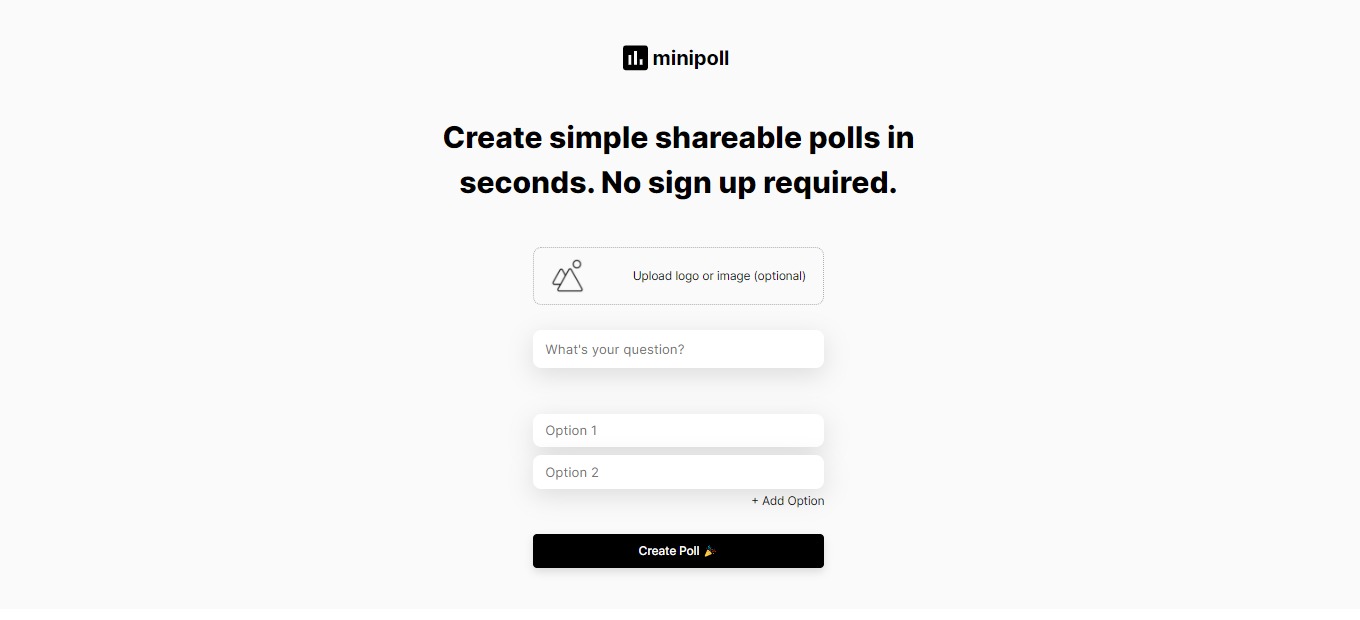
- Input your question and add the options (up to 5 options available on free access).

- You can brand your poll with your custom logo by clicking the upload logo or image.

- After inputting the question, options, and logo (optional), you can now create a poll by clicking the create poll.

- View the results by refreshing the link of the poll you created.

💲 Pricing Plans & Support
Minipoll is a free web app, but if you want to avail yourself of additional features, you may opt to upgrade to Minipoll+.

💎 Minipoll + – $10/Month
Do more with Minipoll+ and avail other features for just $10 per month!
LOOKING FOR A ONE-STOP SOLUTION TO YOUR GROWTH NEEDS?
〰️ Unlimited options
〰 ️Vanity URL
〰️ Analytics
〰️ All your polls saved in one dashboard
📍 The Competition

| 👍 Pros | 👎 Cons |
| 👍 Free app 👍 Well designed 👍 No sign up required | 👎 Less customization for branding 👎 Limited types of categories. 👎 No multiple selection. |