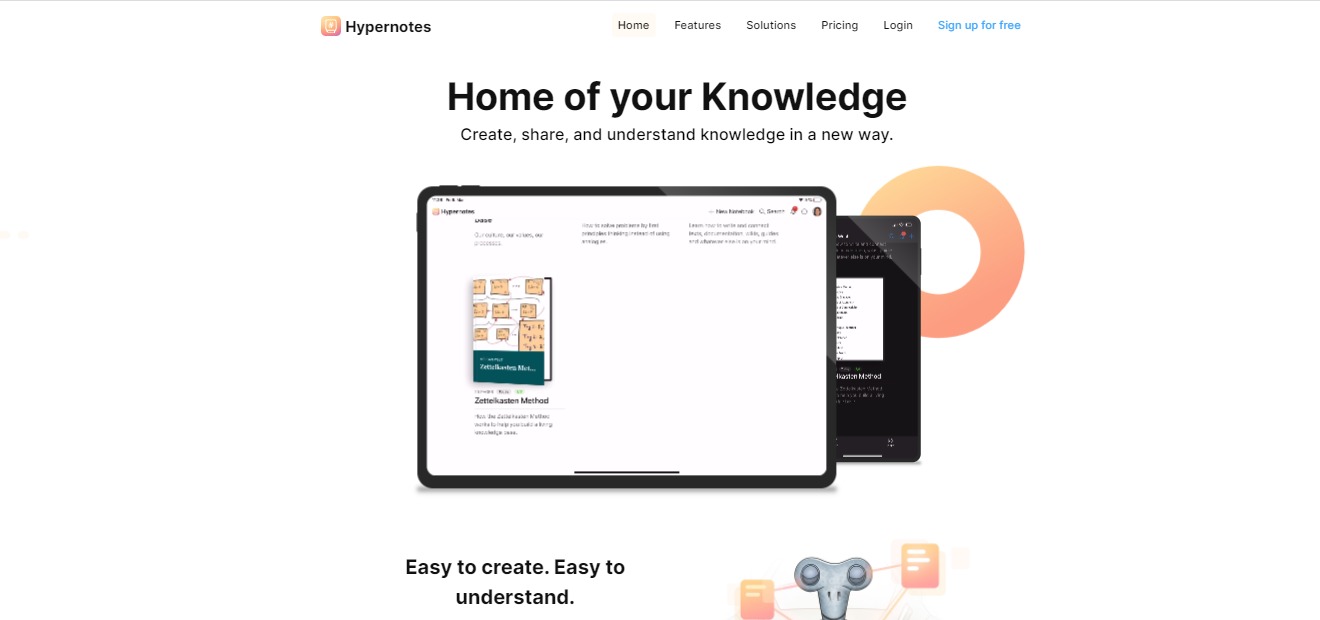
⚖️ Our Verdict
Most note-taking apps have limited features that help you organize your knowledge. Even if you created your valuable notes, sometimes it gets out of hand and becomes useless because your notes are not organized. All of your efforts will go to waste if that instance happens all the time.
With Hypernotes, all of your notes and ideas are secured through a link of knowledge. It is easy to use, from students to large corporations. This tool will be practical and essential for you. It is accessible and plays utmost importance in your note-taking!
| 👍 Pros | 👎 Cons |
| 👍 Bi-directional linking 👍 Outlining 👍 Super-powered collaboration features 👍 Mobile apps on all platforms and offline access 👍 Free plans available 👍 Available on App Store and Google Play | 👎 Need to sign up 👎 Free account has limited features |
🌟 About Hypernotes
Hypernotes is a note-taking app that features the connection of knowledge. The app removes the limitations on pre-defined hierarchies and folders that some knowledge base apps have. It makes your notes more organized, actually useful, and easy to understand. The app prevents valuable knowledge from going to waste by creating a web of notes through links.
In Hypernotes, the notes are originally linked to one another, so every note that you have made will be more accessible to you even if you have numerous of them. Hypernotes creates a knowledge base. The more you write, the more links you create, resulting in extensive knowledge.
To generalize your ideas, Hypernotes features a knowledge graph that shows all the connections of your notes, giving you a better grasp of what you created. Hypernotes also have great collaboration features like in-line task creation, task assignments, due dates, and notebook level overviews making this app suitable for groups too.
These are some of the gold-standard features of Hypernotes for personal and organizational management:
🔁 Bi-directional linking between related notes
📝 Outlining of large topics into smaller sub-topics,
💡 Automated suggestions to link related but as yet unconnected notes,
📃 Embedding of text blocks to reduce duplicate content,
LOOKING FOR A ONE-STOP SOLUTION TO YOUR GROWTH NEEDS?
🔗 Knowledge graph for better discovery,
👯♀️ Extensive collaboration on the task, note, and notebook level,
📱 Mobile apps on all platforms and offline access.
🎁 What’s In It For You?
With Hypernotes you will have fewer interruptions to your natural writing process. It lets you save time from searching your notes. Automatically linked pages avoid the duplication of content. Hypernotes also lessens miscommunication because of its organized structure.
Users of Hypernotes will experience a better transfer of knowledge, better understanding of texts, and better representation of ideas. This app also provides more creativity and more collaboration on resources.
🖥️ How Does It Work?
- Make detailed notes

- Collaborate

- Suggested references make linking thoughts easy

- The graph button on the left shows the connected knowledge that you created

- You can focus on a key concept by clicking it

💲 Pricing Plans & Support
Hypernotes offers different plans that suit you best. You can avail of the personal account by signing up for free or pay a monthly or annual basis for the other plans that come with additional features.

💎 Personal – Free
Get the amazing features of Hypernotes for personal use for free!
〰 Up to 2 notebooks
〰 Up to 2 members per notebook
〰 600 MB storage for files & attachments
〰 4 weeks of activity history
〰 Up to 3 Zenkit Suite Connections
〰 Multi-level Outlining available
〰 Bi-directional linking available
〰 Tasks and reminders available
💎 Plus – 8 €/Month per user
Get the amazing features of Hypernotes for powerful collaboration for only 8€ a month per user!
〰 Up to 30 notebooks
〰 Up to 30 members per notebook
〰 6 GB storage for files & attachments
〰 Unlimited activity history
〰 30 Zenkit Suite Connections
〰 Multi-level Outlining available
〰 Bi-directional linking available
〰 Tasks and reminders available
〰 Email to Collection (coming soon) available
〰 Theme customization available
〰 Provisioning (SCIM) available
💎 Business – 19 €/Month per user
Get the amazing features of Hypernotes for growing teams for only 19€ a month per user!
〰 Unlimited notebooks
〰 Unlimited members per notebook
〰 60 GB storage for files & attachments
〰 Unlimited activity history
〰 300 Zenkit Suite Connections
〰 Multi-level Outlining available
〰 Bi-directional linking available
〰 Tasks and reminders available
〰 Email to Collection (coming soon) available
〰 Theme customization available
〰 Provisioning (SCIM) available
〰 SSO (SAML) available
〰 Activity auditing available
〰 Central user management available
〰 Additional payment options available
💎 Enterprise – Available for inquiry
Get the amazing features of Hypernotes for enterprise-wide collaboration!
〰 Unlimited notebooks
〰 Unlimited members per notebook
〰 Unlimited storage for files & attachments
〰 Unlimited activity history
〰 3000 Zenkit Suite Connections
〰 Multi-level Outlining available
〰 Bi-directional linking available
〰 Tasks and reminders available
〰 Email to Collection (coming soon) available
〰 Theme customization available
〰 Provisioning (SCIM) available
〰 SSO (SAML) available
〰 Activity auditing available
〰 Central user management available
〰 Additional payment options available
〰 Advancement identification management available
〰 Custom API limits available
📍 The Competition

| 👍 Pros | 👎 Cons |
| 👍 Perfect balance of tools 👍 Good editing interface 👍 Clean, unobtrusive and customisable UX 👍 Lightweight Kanban and Airtable-like tables are huge 👍 User friendly and simple to use | 👎 COST: Highly prohibitive free tier 👎 No way to organize random snippets 👎 No browser extension, no handwriting support |
Create, share and understand knowledge with Hypernotes!
Related read: Hypernotes maps how ideas link into a knowledge graph. For a simpler offline notebook that stores developer notes as portable Markdown, Boostnote is worth a look.
Hypernotes FAQ
What does Hypernotes software do?
Hypernotes is a note-taking and knowledge-base app built around links instead of folders. You write, it suggests connections to things you have already written, and a knowledge graph shows how the pieces sit together. The practical effect is that a note from months ago surfaces when it becomes relevant, rather than waiting in a folder you have forgotten about. It comes from Zenkit and shares an account with the rest of the Zenkit suite.
Is there a free version of Hypernotes?
Yes. The Personal plan costs nothing and covers 2 notebooks, 2 members per notebook, 600 MB of file storage, and 4 weeks of activity history. Bi-directional linking, multi-level outlining, tasks, and reminders are all included at that tier, so the free plan is a working version rather than a demo. Plus is 8 euro per user per month and lifts the limits to 30 notebooks and unlimited history. Business is 19 euro per user per month, and Enterprise pricing is quoted on request.
How is Hypernotes different from Notion or Obsidian?
Obsidian is the closest comparison, since both are built on bi-directional links and a graph view. Obsidian keeps plain files on your own machine and leans on community plugins for anything beyond that, while Hypernotes is hosted and ships collaboration in the core product, with task assignment and due dates at note and notebook level. Notion is the wider workspace, strong on databases and templates, where linking is something you do deliberately. Hypernotes proposes the links for you.
Does Hypernotes work offline, and on which platforms?
Mobile apps ship for every platform with offline access, and the apps are on the App Store and Google Play. Notes written without a connection sync once you are back online. An account is required even on the free plan, because the linking and collaboration features run server side.