🏆 Our Verdict
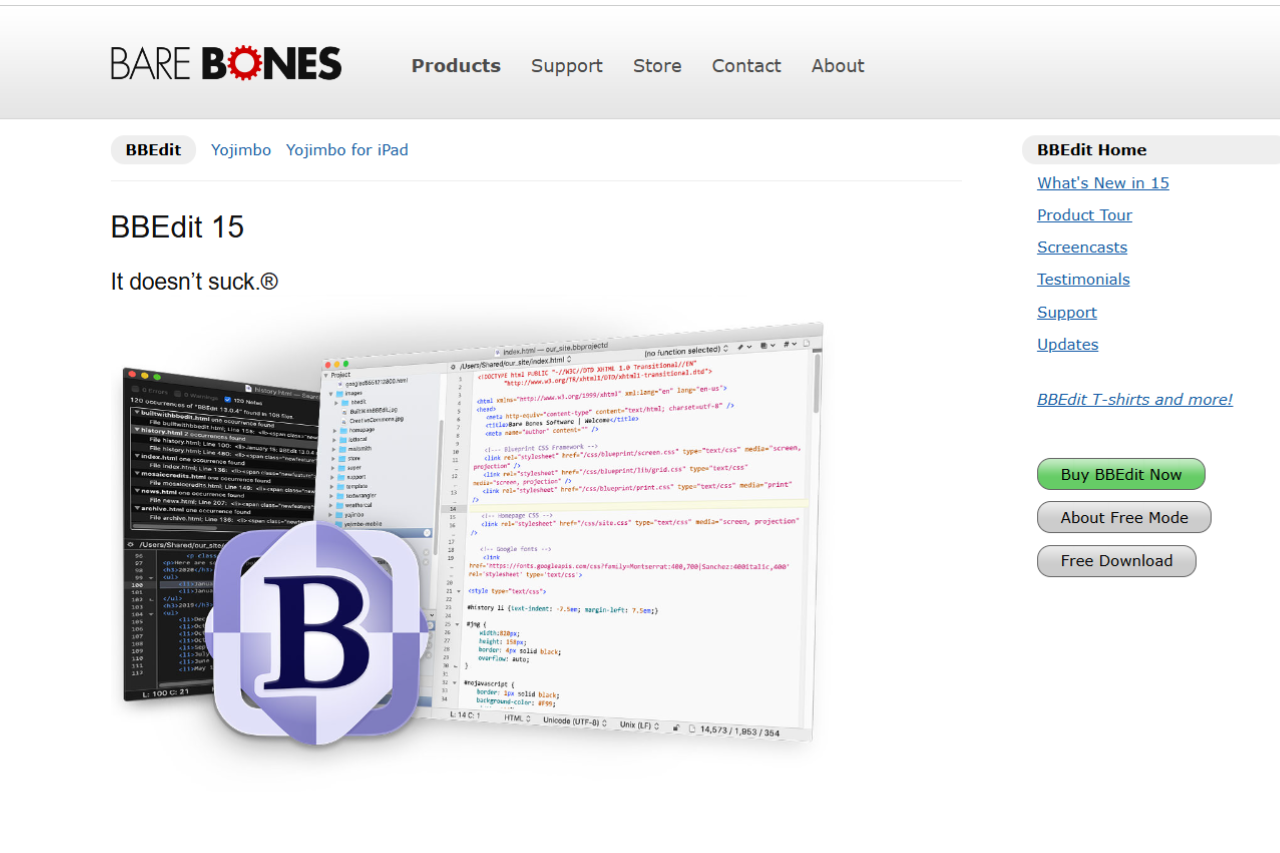
BBEdit is a powerful text editor for macOS, designed for web developers, programmers, and power users who need a fast, feature-rich tool for editing code, text, and markup files. With its sleek interface, advanced editing features, and robust support for multiple programming languages, BBEdit stands as one of the top choices for macOS users. While it excels in areas like text manipulation and file handling, it might not be as feature-packed for larger development environments compared to full-fledged IDEs like Visual Studio Code. Nonetheless, BBEdit is perfect for those who need a lightweight, efficient, and highly customizable text editor.
✅ Pros & ❌ Cons
Pros:
- Fast and Lightweight: BBEdit is quick to load and uses minimal system resources.
- Powerful Search and Replace: Advanced find and replace functionality with support for regular expressions.
- Multi-Language Support: BBEdit supports a wide range of programming languages, including HTML, CSS, JavaScript, Python, and more.
- Text Editing Features: Offers features like syntax highlighting, auto-completion, and code folding.
- Great for Large Files: Efficiently handles large text and code files, making it ideal for heavy-duty editing.
- macOS Integration: Seamless integration with macOS, providing a native experience with optimized performance.
- Free Version Available: BBEdit offers a free version with many of its core features available.
Cons:
- Limited Plugin Ecosystem: While it supports plugins, BBEdit’s ecosystem is not as expansive as Visual Studio Code’s.
- No Built-In Git Integration: Unlike Visual Studio Code, BBEdit lacks built-in version control and Git integration.
- Not as Full-Featured as IDEs: BBEdit is more of a powerful text editor rather than a full-fledged IDE, which may be limiting for larger projects.
- macOS Only: BBEdit is available only for macOS, so users on other platforms will need to look for alternatives.
- Paid Version Required for Full Features: The full-featured version requires a purchase, which may not suit those seeking a free solution.
📖 About
BBEdit is a professional-grade text editor for macOS designed to meet the needs of developers, web designers, and power users. It provides a rich feature set for coding and text manipulation, offering advanced tools for syntax highlighting, multi-file search and replace, file comparison, and much more. BBEdit supports a variety of programming languages and formats, and it integrates seamlessly into the macOS ecosystem. Whether you’re working with HTML, CSS, JavaScript, or plain text files, BBEdit is an excellent tool for getting the job done efficiently.
🗓️ How It Works

- Download and Install: BBEdit can be downloaded from the Bare Bones Software website and installed on your macOS device.
- Open or Create a File: Start a new project or open an existing file to begin editing.
- Customize the Interface: Personalize the BBEdit interface to fit your workflow, with options for themes and layout settings.
- Use Built-In Tools: Leverage BBEdit’s advanced text-editing features like multi-file search, syntax highlighting, and code folding.
- Save and Export: After editing your files, save them in various formats and export them as needed.
💲 Pricing Overview
Free Version: BBEdit offers a free version with basic text editing features, ideal for casual users.
Software Products:

- BBEdit 15:
- Individual License: Priced at $59.99.
- Upgrade from BBEdit 14.x: Available for $29.99.
- Upgrade from BBEdit 13.x or earlier: Offered at $39.99.
- Upgrade from Mac App Store Version: Also $39.99.
- Multi-User Pricing: Available upon request.
- Yojimbo 4:
- Individual License: Priced at $30.00.
- Upgrade Version: Available for $20.00.
- Multi-User Pricing: Available upon request.
- Merchandise:
- BBEdit Merchandise: Includes T-shirts, pins, and more. These items can be found in the merchandise shop. Barebones Merch
- Additional Information:
- Sales Department Contact:
- Phone: +1 (978) 251-0500 (Monday through Friday, 9 am to 5 pm US Eastern Time).
- Fax Orders: +1 (978) 251-0525.
- Email: sales@barebones.com.
- Compatibility: All software products are available only for macOS. Detailed OS compatibility information is provided on their website. Barebones
- Resellers: The software products are also available from numerous domestic and international resellers.
- For more details or to make a purchase, visit the Bare Bones Software online store.
🥊 Competition

| Feature | BBEdit | Visual Studio Code |
|---|---|---|
| Customization | Highly customizable with preferences and settings | Extremely customizable with a vast extension marketplace |
| Performance | Lightweight and fast, ideal for macOS users | Slightly slower with many extensions installed |
| Cross-Platform | Available only for macOS | Available on Windows, macOS, and Linux |
| Language Support | Supports many programming languages | Supports numerous languages with extensions |
| Git Integration | Lacks built-in Git integration | Built-in Git integration and version control |
| User Interface | Simple, intuitive interface with macOS integration | Rich graphical interface with a modern feel |
| IDE Features | Primarily a text editor, lacks advanced IDE features | Full-featured IDE with debugging, extensions, and more |
| Pricing | Free and paid versions | Free |
📌 Conclusion
BBEdit is an excellent text editor for macOS users who need a fast, reliable tool for coding, text manipulation, and general editing. While it might not offer the extensive plugin ecosystem or full IDE features of Visual Studio Code, it excels in its simplicity, performance, and macOS integration. BBEdit is ideal for users who value speed and efficiency over extensive features, making it a top choice for developers who want a minimalist, powerful text editor for their daily coding tasks. If you also code on Windows or Linux, or want to compile and run code without leaving the editor, Geany is a free, lightweight IDE that runs on macOS, Windows and Linux.
BBEdit: The Fast, Flexible Text Editor for macOS
Lighter Mac sibling: BBEdit is the heavy industrial option built around long-document editing. For developers who want a smaller-surface tool with a focus on snippets, bundles, and quick code edits, TextMate is the long-running open-source pick on macOS.