Budibase 2.0: Build internal tools in minutes – easy, fast & open-source

βš–οΈ Our Verdict

Budibase is a fantastic low-code platform that should aid people and organizations in swiftly developing a wide range of apps. It eliminates the need to employ an expert to create apps for a variety of use cases. It can be perfectly used by individuals with low coding knowledge and large enterprises. 

Furthermore, being an open-source platform that you can self-host, it will allow you to scale up and have total control over designing apps without paying a fee. If necessary, you may also choose its enterprise solution, which includes premium assistance and particularly specialized service.

All in all, it’s an accessible, flexible, and easy-to-use application for creating and developing apps without code!

πŸ‘ ProsπŸ‘Ž Cons
πŸ‘ Open-source
πŸ‘ Many integrations with popular tools
πŸ‘ External data source
πŸ‘ Built-in database
πŸ‘ Create functional and beautiful apps
πŸ‘Ž Localization issues
πŸ‘Ž Less dynamic

🌟 About Budibase

Budibase has everything you need to create internal tools and automate workflows – no coding required. It allows users to create their own custom components and data sources. Create applications, forms, and processes that are tailored to your specific needs, allowing you to move forward more quickly. The best part is that Budibase is open-source!

Budibase is to web applications what WordPress is to webpages. Budibase is a free web app builder that allows you to create, deploy, and grow online apps. Budibase decreases development time by eliminating repetition. One of the aims of this app is to deliver the finest developer experience possible, along with best-in-class accessibility and flexibility.Β 

This tool combines extensibility, scalability, education, and community. Budibase’s objective has always been to provide a platform that brings delight to users, is accessible to everyone, and is extendable.

🎁 What’s In It For You?

Budibase lets you turn data into apps instantly. You can connect to an external database, pull data, import CSV, or start from scratch! Budibase allows you to connect to anything from Postgres, MySQL, MSSQL, Oracle, Google Sheets, and more letting you build apps within minutes. The internal database of Budibase enables you to create apps from scratch without coding. Together with that, Budibase lets you use the Rest API connector to build modern business apps in minutes. 

When designing, this tool offers the best development experience, focusing on application design. Now you can design like a professional! With that, you can develop apps that work on mobile, tablet, and desktop and update the theme in 2 clicks. Additionally, Budibase lets you use its powerful building blocks including the table, charts, and cards. Lastly, this tool helps you automate processes easily. You can test it, run bash scripts, trigger automation using webhooks, and add JavaScript.

πŸ–₯️ How Does It Work?

  1. Create and name your app.
  1. Choose a built-in database for your app.
  1. Display the data from the sequel within Budibase. Securely add queries, write transforms, and pull data in a single click.
  1. Build the user interface using blocks.
  1. Save or publish your application.

πŸ’² Pricing Plans & Support

Budibase offers fair and scalable pricing that fits every need!

πŸ’Ž Free – $0/Month

Amazing deal for individuals and teams getting started for free!

γ€° Unlimited users

γ€° 4 apps

γ€° 4K Budibase DB rows

γ€° 200 automation runs /mo

γ€° 1-day automation logs

γ€° SSO

γ€° 10 plugins

γ€° 40 day passes /mo

πŸ’Ž Pro – $30/Month

Amazing deal for more power and functionality for only $30 per month!

γ€° Everything in free

γ€° Unlimited apps

γ€° Unlimited BB DB rows

γ€° 1K automation runs /mo

γ€° 7-day automation logs

γ€° Unlimited plugins

γ€° 50 day passes /mo

πŸ’Ž Team – $70/month

Amazing deal to move faster for only $70 per month!

γ€° Everything in pro

γ€° 5K automation runs /mo

γ€° 30-day automation logs

γ€° 10 user groups

γ€° 100 day passes /mo

πŸ’Ž Business – $400/month

Amazing deal to securely scale development for only $400 per month!

γ€° Everything in Team

γ€° 50K automation runs /mo

γ€° 90-day automation logs

γ€° 50 user groups

γ€° 500 day passes /mo

πŸ“ The Competition

πŸ‘ ProsπŸ‘Ž Cons
πŸ‘ Highly customizable and easy to use
πŸ‘ Multi-platform
πŸ‘ Functional webpages with dynamic groups and forms
πŸ‘Ž Learning curve
πŸ‘Ž Lags and bugs

Build internal tools in minutes with Budibase

SpatialChat 3.0: All-in-one space for collaboration, all-hands and networking

βš–οΈ Our Verdict

Virtual meetings are becoming a thing nowadays. With the features of SpatialChat like the workspace, virtual room with proximity feature, stage, and whiteboard, creating events or remote meetings has never been easier. SpatialChat serves the purpose of providing different teams with space for collaborating, staying in touch, and being socially present.Β 

Teams of any size can utilize this tool to make their online meetings efficient and fun. Ranging from a startup to a large enterprise, they can implement their use case including stand-ups, meetings, all-hands, and workshops. SpatialChat does not only focus on meetings but can also provide an avenue for online events!

In summary, it’s a feature-rich, engaging, and essential tool for conducting online meetings and events!

πŸ‘ ProsπŸ‘Ž Cons
πŸ‘ No account needed
πŸ‘ Has whiteboard collaboration feature
πŸ‘ Customizable room with different features
πŸ‘ Stage and virtual room with proximity feature
πŸ‘Ž Requires a good device to work smoothly
πŸ‘Ž No waiting room
πŸ‘Ž Limited features on free plan

🌟 About SpatialChat

SpatialChat is an online workspace allowing remote teams to conduct synchronous work from any location, at any time. SpatialChat is ideal for real-time collaboration. Increase the impact of team meetings, all-hands meetings, and social gatherings – the metaverse is coming closer.

The metaverses that replace the physical office are causing quite a stir. SpatialChat, a fantastic online gathering tool, has evolved into a coworking place for many online teams. Visual interaction allows us to connect on a more personal level. 

SpatialChat 2.0 has identified an advantage in recreating spontaneous workplace interactions that help form relationships by making it as near to being co-located as possible. 

🎁 What’s In It For You?

SpatialChat lets you utilize the workspace where you can easily collaborate with team members. It lets you embed your favorite whiteboard or share screens all at the same time. Furthermore, SpatialChat allows you to improve your team communication by designing virtual rooms and interacting in real video bubbles, creating an immersive experience.

Additionally, this app enables you to run all-hands for the team using the stage feature. Here you can host live sessions on stage with presentations and reactions from participants. Aside from that, your security is ensured with a high level of data protection. Lastly, SpatialChat lets you integrate seamlessly with your favorite services!

πŸ–₯️ How Does It Work?

  1. Create an event by entering the URL. Add your name and about yourself.
  1. Click the settings to edit the event. You can copy the link here and share it with other people. 
  1. In the spatial room, drag your icon to move around and talk to other participants. 
  1. Click on a participant to move to them.
  1. On the stage, you can become a speaker or a listener. A listener can react with emojis and chat messages.
  1. The workplace room lets you draw together with other participants.

πŸ’² Pricing Plans & Support

SpatialChat offers the best pricing plan that works best for your purpose

πŸ’Ž Free – $0/Month

Get your team up and running quickly for free!

γ€° Unlimited time

γ€° 5 team members

γ€° 1 space

γ€° 3 rooms per space

πŸ’Ž Regular – $6/Month

Collaborate often within your team with unlimited members for only $6 per month!

γ€° Everything in free plan

γ€° Up to 10 spaces

γ€° Private spaces

γ€° Up to 5 call recordings

πŸ’Ž Custom – $/month

High flexibility and control for a custom pricing!

γ€° Everything in regular

γ€° Custom logo and domain

γ€° SAML SSO

γ€° Priority support

γ€° Custom documentation

γ€° Unlimited stage recordings

πŸ“ The Competition

πŸ‘ ProsπŸ‘Ž Cons
πŸ‘ Move between meetings easily
πŸ‘ Real-life virtual office
πŸ‘ Good support
πŸ‘ Great interface
πŸ‘Ž Limited customizationΒ 
πŸ‘Ž No whiteboard

All-in-one space for collaboration, all-hands and networking with SpatialChat

Typed: Next-generation document editor and collaboration tool

βš–οΈ Our Verdict

Typed streamlines your workflow by automatically connecting ideas, organizing files, and even analyzing findings. It is a document collaboration solution that helps you accomplish more as an individual or as a team. Typed guarantees that the process from beginning to end may be saved within the page – allowing you and your team to keep context.

All of the features make this tool essential for founders, investors, students, and creators. Individuals and teams can use Typed to create documents that are organized for them and work the way they should.

All in all, it’s an essential, easy-to-use, and helpful tool for creating streamlined documents for teams and individuals. 

πŸ‘ ProsπŸ‘Ž Cons
πŸ‘ Small learning curve
πŸ‘ Google integration
πŸ‘ Resource library
πŸ‘ Easier workflow
πŸ‘ Collaboration feature
πŸ‘ AI recommendation
πŸ‘Ž Has lags and bugs
πŸ‘Ž Mobile app is new and needs improvement
πŸ‘Ž Lacks other integrations

🌟 About Typed

Typed is a collaborative document solution that improves cooperation by combining your team’s different documents and workflows. It is a document editor and collaboration application that innovates knowledge management by acting as your team’s second brain thanks to some exceptionally intelligent capabilities and AI.

The objective of Typed is to make jobs easier, more productive, and far more enjoyable. Typed, an official Google partner, is utilized in over 100 countries, especially by IT entrepreneurs and company owners.

This application has revamped the way the customers collaborate at Typed by linking their files and giving them much more control. You may now boost your productivity by using a program that automatically organizes your documents!

🎁 What’s In It For You?

Typed offers a lot of features that make your team work smarter and more efficiently. This app is integrated with Google which lets you import all documents from your Google account. That way, you can work in Typed and it will be automatically added to your Drive on a shared folder. Additionally, the document editor in Typed looks similar to Google workspaces but with additional key features. 

Typed enables you to utilize the resource library, which is included in every document created in Typed. It lets you add other documents, resources, files, etc. from the internet or even your local drive. Furthermore, this application recommends relevant resources from your past documents to help you become more efficient.Β 

Typed allows you to view your resources contextually rather than in a hierarchical manner. You can also view a mindmap of how your documents are connected and related to each other. This helps you gain essential insights about your work and allow you to locate files easier.

Lastly, Typed has a lot of features that make the job easier. For instance, it lets you use the split screen viewer, saving time and energy on the process. With that, Typed also has a mobile application with the same functionality as the web application. Lastly, Typed offers a lot of templates created by the community! 

πŸ–₯️ How Does It Work?

  1. Typed can be used individually or as a team. Click the β€˜members’ icon then add people to work with. Set them as editors or viewers.
  1. Change the Space name or icon. You can delete the Space as long as you are the owner of it.
  1. Create a project where you can add several documents. Here, you can organize your documents.
  1. Click the β€˜network mode’ on the bottom left corner to view a mindmap of your documents.
  1. Add a document by clicking on the upper right corner of the home interface. 

πŸ’² Pricing Plans & Support

Typed offers the best plans that provide the greatest value for you!

πŸ’Ž Free – $0/Month

This awesome deal for individuals or teams getting started is for free!

γ€° 25 documents

γ€° 1 GB reference storage

γ€° Typed Extension

γ€° Typed Mobile Version

πŸ’Ž Pro – $8/Month

This awesome deal for power users and fast-growing teams is only $8 per user per month!

γ€° Everything in Free version

γ€° Unlimited documents

γ€° 10 GB storage per editor

γ€° Early access to new features

πŸ’Ž Enterprise – Custom Pricing

This awesome deal provides advanced features and supports large items!

γ€° Everything in Pro version

γ€° Unlimited reference storage

γ€° Advanced Knowledge network

γ€° Designated success managers

γ€° Custom contact

πŸ“ The Competition

πŸ‘ ProsπŸ‘Ž Cons
πŸ‘ Mobile and Desktop version
πŸ‘ Customization options
πŸ‘ Version history
πŸ‘ Collaboration feature
πŸ‘Ž Items don’t translate in copy and paste
πŸ‘Ž Some minor glitches
πŸ‘Ž Lacks more import and export options

The next-generation document editor and collaboration tool: Typed!

Hypotenuse AI: Create unique copywriting and visual content using AI

βš–οΈ Our Verdict

You can spend fewer hours composing and much more time planning, editing, and experimenting with the AI content generator of Hypotenuse. Use cases of this app include blogs, eCommerce, content, SEO, and social media.

For good cause, this AI writer has been making the rounds on the internet. Hypotenuse AI is a highly flexible and affordable solution that is well worth exploring if you need high-quality material rapidly. It is best used by bloggers, content creators, social media influencers, and others in the digital marketing field. 

In conclusion, Hypotenuse AI is simple to use, inexpensive, and can produce spectacular results for your digital content needs!

πŸ‘ ProsπŸ‘Ž Cons
πŸ‘ Easy to use, AI-generating content
πŸ‘ Variety of content types
πŸ‘ Bulk generation
πŸ‘ Plagiarism checker
πŸ‘ Fluent copy
πŸ‘Ž Paid application 
πŸ‘Ž 7-day free trial
πŸ‘Ž Short generated text
πŸ‘Ž Limited templates

🌟 About Hypotenuse AI

Hypotenuse AI can help you produce textual and visual material in seconds. With only a few keywords, you may get reliable blog posts, product descriptions, marketing content, and pictures with a single click. Hypotenuse converts a few keywords into whole blog posts, images, artwork, and other marketing material such as product details, social media captions, emails, advertising, and more. You may also use Hypotenuse to compose emails.

The objective of Hypotenuse is to empower global content production by making it simple, relevant, and personal. Hypotenuse AI is an excellent AI writing tool since it provides several features to users. You may also use it to create original content. You may generate an overview, headline, intro, conclusion, or even specific paragraphs for your pieces from its AI writer.

🎁 What’s In It For You?

With Hypotenuse AI, you can let AI create your content within seconds, preventing writer’s block. It allows you to provide keywords and instantly turn them into complete articles and marketing content. The AI writing assistant writes fluently and persuasively. 

Hypotenuse AI is not only about texts but it also enables you to generate unique pictures and art just by providing your requirements. Additionally, you can gather facts and citations from irrefutable sources using the AI Content Detective tool. With Hypotenuse, you can generate e-commerce material using integrated workflows. 

Everything that this application provides for you is not subpar; it lets you utilize high-quality content. From SEO to ads and social media, Hypotenuse AI has got you covered!

πŸ–₯️ How Does It Work?

  1. Catalogs are used to manage products. Catalogs assist you in categorizing and grouping your items into several pages.
  1. Click import products, then select the quantity of the product you want to use.
  1. Add details about your product.
  1. Click generate and view the results.
  1. You may regenerate or select the one you want. Then, click mark as done.

πŸ’² Pricing Plans & Support

Increase your traffic without spending hours generating content. This fluent, human-level AI-generated material will boost your writing workflow.

πŸ’Ž Starter – $24/Month

This amazing deal for freelancers and brands looking to write professional copy is only $24 per month!

γ€° Approximately 25,000 words

γ€° Credits roll over from month to month

γ€° Blog article writing workflow

γ€° 200 watermark-free AI images (50 generations)

γ€° Bulk product descriptions

γ€° Write in 25+ languages

γ€° Email support

γ€° 1 user seat

γ€° 100 credits per month

πŸ’Ž Growth – $49/Month

This amazing deal for power users, content teams, and agencies scaling up content processes is only $49 per month!

γ€° Approximately 87,500 words

γ€° Access to everything in Starter

γ€° Unlimited watermark-free AI images

γ€° 25 plagiarism checks on articles

γ€° Priority email and chat support

γ€° 350 credits per month

πŸ“ The Competition

πŸ‘ ProsπŸ‘Ž Cons
πŸ‘ Has a free version
πŸ‘ Accurate content creation
πŸ‘ Well-written, engaging, and on-brand material
πŸ‘ Collaboration features and project management
πŸ‘Ž No full-length article writing
πŸ‘Ž Has bugs and lags
πŸ‘Ž Lacks tone options

Create unique copywriting and visual content using Hypotenuse AI!

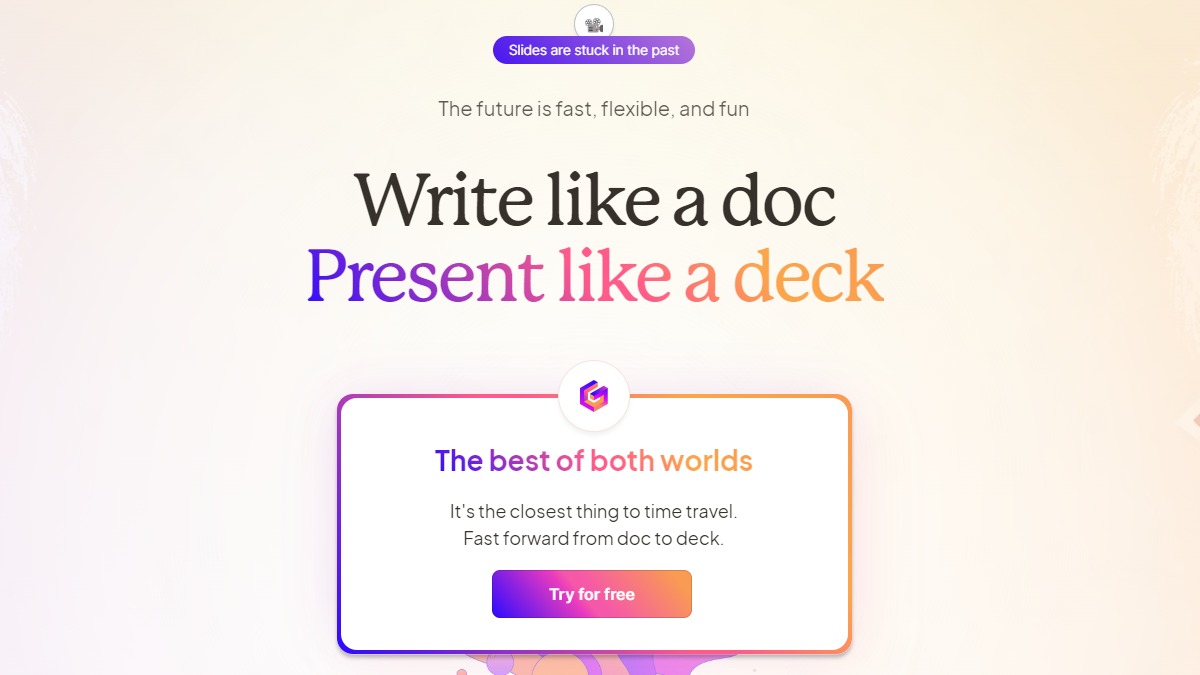
Gamma: Write like a doc, present like a deck

βš–οΈ Our Verdict

Gamma is an amazing tool suited for designers, managers, and generally all people that use presentation decks. It lets you create beautiful memos and presentations without exerting much effort. Furthermore, Gamma is a new tool for exploring your creativity and applying it in your presentations, making it fun to use!

Gamma makes communication with your team and viewers simple. It features modern visuals and an excellent interface, enabling anyone from students to professionals to use the app. Additionally, it takes away the boring and old process of creating presentations in basic apps. Not only that, but you can also share your creations with anyone, making asynchronous presentations engaging and interactive!

Overall, Gamma is a modern, fun, and easy-to-use application for creating presentations for either synchronous or asynchronous meetings!

πŸ‘ ProsπŸ‘Ž Cons
πŸ‘ Free application
πŸ‘ Has a mobile version
πŸ‘ Analytics
πŸ‘ Can collaborate
πŸ‘ Templates and custom themes
πŸ‘ Easy to use blocks and layout tools
πŸ‘Ž Less formal
πŸ‘Ž Limitations in text formatting

🌟 About Gamma

Gamma is a quick and easy method to share and show your work as a replacement to slide presentations. Create compelling slideshows, memoranda, briefs, and documents with Gamma that are simple to discuss live or distribute async. There is nothing to download or install; everything is accomplished in your browser.

Featuring dynamic cards and flexible layouts that extend as you add additional blocks, you may save hours wasted preparing boxes to fit on a slide. Gamma is more graphic than a documentary, more collaborative than a PowerPoint presentation, and more engaging than a video.

Gamma is a tool that gets out of the way and allows for easy communication of something effective, all without exerting much effort. It is a medium that allows individuals to convey their ideas, thoughts, and intents in a manner that is more in line with how humans think than with how computers work. All of these are done by combining the best parts of slides and docs.

🎁 What’s In It For You?

Gamma allows you to prioritize content rather than formatting it. With that, you can save hours spent on editing elements to make your presentation look good. Additionally, Gamma is polished and ready in a single click. You don’t need slide masters or template lock-in. With this tool, you can restyle your whole deck in one click. They also offer templates to make you work faster.

With context and brevity, Gamma lets you present like a deck and share like a doc. It enables you to get your point across with the present mode. Furthermore, Gamma lets you drill into details using the nested cards and keep stuff concise with footnotes. 

What’s amazing about Gamma is that you can bring your ideas to life. It allows you to embed GIFs, videos, charts, websites, etc. With that, your audience can now follow along and keep exploring after the meeting. Lastly, Gamma lets you share on any platform and interact asynchronously. It lets you measure engagement, get feedback through reactions, gather comments, and use it on any device!

πŸ–₯️ How Does It Work?

  1. With flexible cards, building a presentation is as easy as writing a doc.
  1. One-click themes let you restyle your deck without having to rework it.
  1. Pull out the key points, and let people drill into details with nested cards and footnotes.
  1. Embed diagrams, gifs, videos, and websites. 
  1. Share presentations on any platform and get feedback through analytics, reactions, and comments.

πŸ’² Pricing Plans & Support

Gamma offers the best pricing plan that solves all your problems!

πŸ’Ž Starter – $0/Month

This amazing pricing plan for the basic features is free!

γ€° Unlimited users

γ€° Unlimited decks

γ€° Basic analytics

γ€° 30-day change history

γ€° Custom theme

γ€° Built-in templates

γ€° PDF export

γ€° Channels

πŸ’Ž Pro – $10/Month

This amazing pricing plan for you and your team is only $10 per user monthly!

γ€° Everything in starter

γ€° Advanced analytics

γ€° Unlimited customization

γ€° Content library

γ€° Unlimited change history

γ€° Subdomains

γ€° Advanced permissions and admin tools

πŸ“ The Competition

πŸ‘ ProsπŸ‘Ž Cons
πŸ‘ Has templates
πŸ‘ Collaboration features
πŸ‘ Focused on design
πŸ‘ High-quality presentation 
πŸ‘Ž No version history on free plan
πŸ‘Ž Limited graphics

Write like a doc, present like a deck with Gamma!

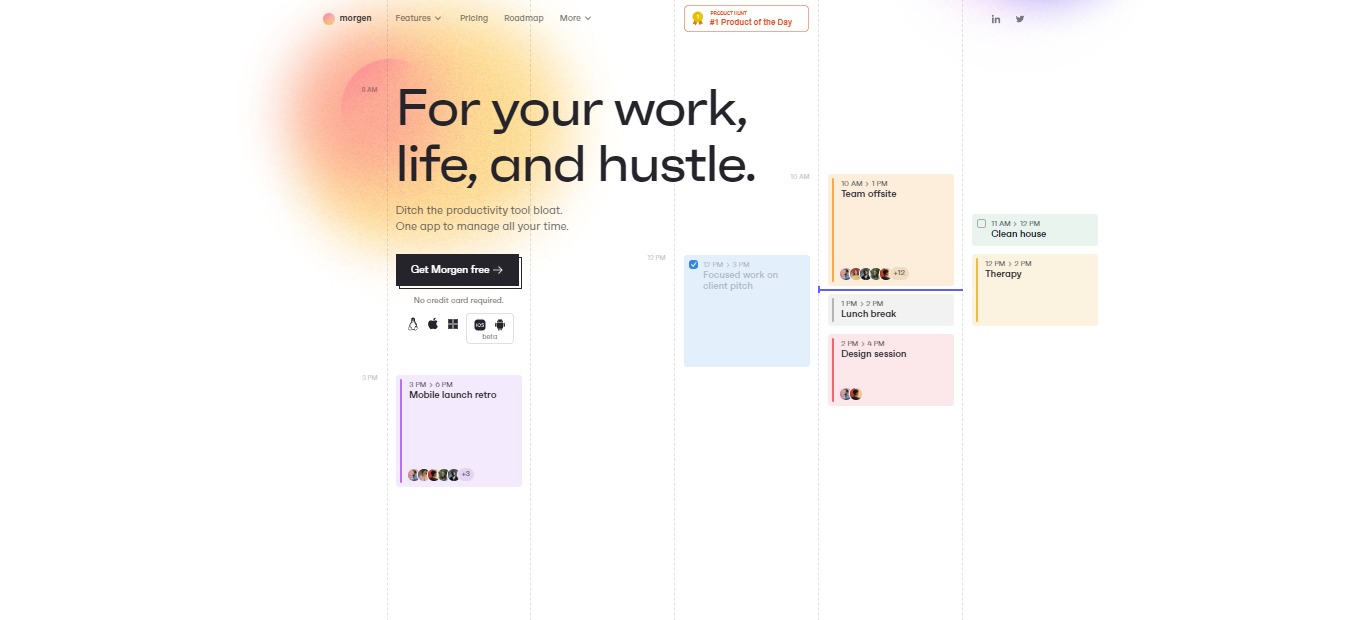
Morgen: Time management hub for your work, life and hustle

βš–οΈ Our Verdict

Morgen transformed the way people manage their time. Finally, all aspects of one’s schedule are available from a single point of access. This application is among the finest in its class. You will rarely encounter a Calendar Application that provides the same amazing services at a lower price, and Morgen is unique in this regard.

With all the features like integrated calendars, to-do lists, schedules, and universality, Morgen would not disappoint you. This application is perfect for professionals and students alike with its free plan and other pricing plans that suit your needs.

In conclusion, it’s a life-changer, affordable, and essential application for all your calendar and task-managing needs.

πŸ‘ ProsπŸ‘Ž Cons
πŸ‘ Available on Windows, Linux, Mac, and mobile
πŸ‘ Has a free plan and free trial
πŸ‘ Connects with other calendars
πŸ‘ Task Management feature
πŸ‘ Shortcuts for views and filters
πŸ‘Ž Mobile app in beta
πŸ‘Ž No support for enterprise options at the moment
πŸ‘Ž Limited features on free plan

🌟 About Morgen

Morgen was founded in 2021 as a time management application. Morgen unifies your calendars, to-do lists, productivity tools, and schedulers into one platform. They connect with the applications that you use and provide the same excellent experience across all of your devices.

This application is made out of the preference for simplicity. Morgen focuses on universality so that everyone can control their time with the tools they need. Community-focused is also one of Morgen’s missions as they built a platform for all the users to share their ideas.Β 

Privacy is of the essence in Morgem as they do not sell your data with ads. Morgen makes time management easy and functional, prioritizing user experience. This application is the calendar that reflects your life. Now you can use Morgen for your work, life, and hustle!

🎁 What’s In It For You?

Morgen helps you save time and frustration by allowing you to spend less time going from one tool to the other. It unifies all your work tools such as calendars. In terms of remote meetings, Morgen lets you join any meeting with the Quick Join feature by automatically extracting meeting links from other services. Additionally, you can group your calendars according to your liking.

This application also enables you to utilize the Universal Search feature which can provide you with the information that you need with ease. Morgen can help you schedule easier by allowing you to send availability information and setting up meetings with scheduling links.

Furthermore, Morgen employs Monotasking which can preserve your energy, keeping you more productive. With this app, you can drag and drop your to-do list to your calendar. Additionally, the task lists can be assigned with colors that you want. For each task, you can manually set the priority and you can also choose how you sort it. 

πŸ–₯️ How Does It Work?

  1. Edit the profile settings by clicking on your profile on the upper-right part of the interface.
  1. Add accounts and edit your calendars on the same menu.
  1. Search for anything in your calendar.
  1. Manage your calendars and add hotkeys.
  1. Click on any part of the day to add an event or a task. Fill in the details on the pop-up. Drag and drop the tasks to the calendar
  1. Hit the spacebar or click on the upper left part of the interface to reveal the task list.

πŸ’² Pricing Plans & Support

Morgen offers the best pricing plan for everyone depending on your needs!

πŸ’Ž Basic – $0/Month

This essential deal to get started is for free!

γ€° 1 calendar account

γ€° 1 recurrent scheduling link

γ€° Unlimited one-time scheduling links

γ€° Unlimited tasks and task lists

γ€° Productivity tools and shortcuts

πŸ’Ž Personal – $4/Month

This awesome deal that brings more power to you is only $4 per month!

γ€° Everything in Basic

γ€° 2 calendar accounts

γ€° Personal integrations

πŸ’Ž Pro – $9/month

This awesome deal that has everything for your work is only $9 per month!

γ€° Everything in Personal

γ€° Unlimited calendar accounts

γ€° All integrations

γ€° Unlimited recurrent scheduling links

γ€° Add branding to your booking page

πŸ“ The Competition

πŸ‘ ProsπŸ‘Ž Cons
πŸ‘ Many commands and shortcuts
πŸ‘ Integration with Notion, Zoom, and Google Meet
πŸ‘ Share availability
πŸ‘Ž No mobile app
πŸ‘Ž Early access

For your work, life, and hustle, go with Morgen

Zuddl: Humanizing Events

βš–οΈ Our Verdict

Zuddl is the easiest way to create, customize, host, and manage large-scale virtual events, with the best features for managing virtual events that scale to global audiences. Zuddl’s powerful virtual and blended platform allows you to create unique branded engaging events in minutes.

This application is best used by field marketers, event organizers, and such, allowing them to conduct tradeshows, conferences, exhibitions, job fairs, meetings, etc. Zuddl lets users build amazing events in real-time, drive desired attendee engagement, run panic-free events, and gather insights that matter. With that, Zuddl is currently being used by large corporations such as Kellogg’s, Microsoft, BYJU’S, and over 50 more!

Overall, it’s an effective, affordable, and essential application for organizing customizable and branded events!

πŸ‘ ProsπŸ‘Ž Cons
πŸ‘ Highly customizable
πŸ‘ Good UX and UI
πŸ‘ Self-management tools
πŸ‘ Good platform for online events
πŸ‘ Good customer support
πŸ‘Ž Few bugs
πŸ‘Ž Pricey application
πŸ‘Ž No free plan

🌟 About Zuddl

Zuddl is an online and hybrid events platform designed for events of all types and sizes. Zuddl is used by businesses to create on-brand, immersive, and unforgettable event experiences.

Zuddl is the only live streaming platform that has zero latency, which is essential for hosting smooth and seamless online and hybrid events. Most event platforms rely on RTMP to broadcast their content, but this results in a 30-second latency, preventing virtual attendees from watching and reacting in real time. Zuddl has no latency, making it the most efficient solution on the market currently.

There has never been a greater need for one-of-a-kind, customizable live virtual experiences. Zuddl is a platform for virtual, high-impact events that allows you to run fully immersive branded events, making sure a memorable experience for participants, presenters, and sponsors and a stress-free experience for organizers!

🎁 What’s In It For You?

You can host, create, and handle high-impact branded virtual events that are customizable and scalable to meet all of your needs with Zuddl. With Zuddl, you can build an unforgettable brand experience by letting you utilize its custom layout and interactive widgets. 

Zuddl caters to your hybrid event needs making it an all-in-one solution. Zuddl enables you to create a seamless, immersive, and integrated experience for every participant, regardless of whether attending online or in person.

This application also has a networking feature, allowing you to quickly match with event participants. With the data & insights feature of Zuddl, you can gather actionable insights with ease. Furthermore, Zuddl lets you use other features that are essential for your event like integrations, engagement, security, and backstage!

πŸ–₯️ How Does It Work?

  1. The top navigation allows you to switch between different virtual zones.
  1. The lobby has an extensive collection of widgets with a set of interactive hotspots, helping you to navigate through all resources. 
  1. The stage lets you interact with attendees through polls and Q&As.
  1. The Networking section gives you a curated list of recommended profiles and an option to enter quick networking.

πŸ’² Pricing Plans & Support

Zuddl offers a simple and hassle-free pricing plan taking into consideration the number of registrations and add-ons only. With the pricing plan of Zuddl, the complexity of pricing plans that organizers have to face is removed. This comes with onboarding, training, customer management, video-on-demand, etc. This gets rid of the base fee, feature-based pricing, and minimum commitment fee.

πŸ“ The Competition

πŸ‘ ProsπŸ‘Ž Cons
πŸ‘ Flexible to your needs
πŸ‘ Metrics and analytics on the back end
πŸ‘ Can attach links, pdfs, and other attachments
πŸ‘ 24/7 support
πŸ‘Ž Bugs and instability
πŸ‘Ž Issues on mobile device

Humanize Your Events with Zuddl!

Zeda.io: Super app to empower your product teams

βš–οΈ Our Verdict

Zeda.io Product Management Software is an all-in-one Product Management Software created to support Startups, SMBs, SMEs, and Agencies by providing end-to-end solutions for all enterprises and industries.

This tool is worth every buck as it combines all the needed processes in project management β€” the tools and integrations. Collect feedback, identify goals and projects, plan your roadmap, and produce specific details for your development and design teams to follow. Zeda.io will empower your product team!

All in all, it’s a complete, simple, and essential tool for all project management needs.

πŸ‘ ProsπŸ‘Ž Cons
πŸ‘ Get constant feedback and insights
πŸ‘ Track bugs and improve products
πŸ‘ Create and share roadmaps
πŸ‘ Prioritization feature
πŸ‘ Good support
πŸ‘Ž Lacks other integrations
πŸ‘Ž Paid application
πŸ‘Ž UI issues

🌟 About Zeda.io

Zeda.io is a one-stop collaboration tool for product managers that want to increase their job productivity and, as a result, go from idea to product release faster. It is the easier, smarter, and more efficient way to create outstanding products in a more organized, collaborative, and efficient manner.

It enables product teams to be as efficient as possible by allowing them to collect and evaluate feedback, prioritize features, and execute product development all in one spot. Zeda.io lets you do end-to-end product management in a better way. 

Zeda.io was made out of the inefficiency of product management. The application has made managers do more problem-solving and strategic work, making them feel more complete and productive!

🎁 What’s In It For You?

Zeda.io helps product managers from across the world. It allows you to gather insightful feedback from your users as well as your internal team. This, in turn, lets them vote their favorites to the top, making their voices heard. Additionally, you can get ideas and requests from professional tools such as Slack, Zendesk, HubSpot, and more.

With Zeda.io, you can analyze the feedback, feature requests, ideas, and bugs all in a single place. Now you can identify products and features that your customers want from you! With that, you can prioritize and create the stuff that matters most β€” features that are important to your users. 

Zeda.io allows you to be efficient by aligning your team behind the roadmap, leading to your product’s success. Furthermore, you can keep your stakeholders updated with live roadmaps, which are shareable with your company, team, product, customers, and others.

Lastly, Zeda.io enables you to write well-defined features and paperwork and integrate them with Jira to easily implement your product requirements. Also, use the in-app widget, client portal, emails, Slack notifications, and other tools to keep your users and team up to date on new versions.

πŸ–₯️ How Does It Work?

  1. The backlog is the feedback that you collect from your stakeholder. The view can be changed from sheet view to kanban board. 
  1. The widget for feedback can also be used to gather information.
  1. Click on a request to view the information, link to a product, share with customers, do prioritization, and assign it to a person.
  1. Create a roadmap at every level.
  1. The product section lets you write more than a PRD. You can add any module, features, product information, design, and release.
  1. Once the product is done, you can publish a release note with all changes.

πŸ’² Pricing Plans & Support

Zeda.io offers the best pricing plan that suits your needs!

πŸ’Ž Startup – $90% off/12 Months

If you are a startup, Zeda.io has just the perfect plan for you which allows you to get 90% off for 12 months.

γ€° Collect feedback

γ€° Feedback forms

γ€° Prioritization frameworks

γ€° Product and feature spaces

γ€° Documentation

γ€° Roadmap

πŸ’Ž Pro – $24/Month

This amazing deal is perfect for product managers and is only $24 per month!

γ€° Collect feedback

γ€° Feedback forms

γ€° Prioritization frameworks

γ€° Product and feature spaces

γ€° Documentation

γ€° Roadmap

πŸ’Ž Enterprise – $-/month

This amazing deal is perfect for large organizations dedicated to product management!

γ€° Everything in Pro plan

γ€° Product management support and coaching

γ€° Dedicated customer success manager

γ€° Onboarding and migration help

γ€° Priority support

πŸ“ The Competition

πŸ‘ ProsπŸ‘Ž Cons
πŸ‘ Consolidating insights
πŸ‘ Different view options
πŸ‘ Prioritization by scoring
πŸ‘ Public feedback forum
πŸ‘ Roadmap
πŸ‘Ž Bugs from interactions
πŸ‘Ž No templates
πŸ‘Ž Billing mechanism is subpar

Empower your product team with Zeda.io!

Superblog: Blazing-fast alternative to WordPress and Medium blogs

βš–οΈ Our Verdict

Search engine optimization is one of the concerns in blogging. This problem is solved by Superblog since it has an automatic SEO feature that removes the hassle of hiring experts to optimize your content. Superblog takes care of the setup, SEO, speed, and maintenance of your website really easily. 

You don’t have to concern over best practices, SEO audits, or server management with Superblog. You can concentrate only on writing the material. The rest is done automatically by this tool. It is best used by individual bloggers, startups, and large companies wanting to optimize their material.

Overall, it’s an easy-to-use, simple, and essential application for optimizing, publishing, and maintaining your content online!

πŸ‘ ProsπŸ‘Ž Cons
πŸ‘ Good uptime and easy posting
πŸ‘ Can collaborate with team
πŸ‘ Easy integrations
πŸ‘ Automated SEO
πŸ‘Ž Paid applicationΒ 
πŸ‘Ž 7-day free trial only
πŸ‘Ž Search engine indexing issues

🌟 About Superblog

Superblog is a blog platform with a variety of templates and brand colors. Customizable functions and auto-optimization choices are among the primary user benefits. The software delivers real-time advice and insights for users, assisting them in improving postings and correcting technical SEO issues.

Superblog will increase the amount of time your blog readers spend on the page, showing the material’s quality and your domain. The article style on Superblog is designed to convert your viewers into prospects or direct them to your landing page. Most crucially, all of this occurs with minimum effort!

This app is made because of the optimization problems faced in other blogging platforms. Additionally, Superblog’s platform takes care of the preparation, maintenance, speed, and SEO. All of these allow you to focus on writing amazing content! 

🎁 What’s In It For You?

Superblog lets you create your blog in 1 minute with SEO optimization. It features good design, spacing, fonts, and readability. With this application, you can automatically score high in SEO, Google Lighthouse, and Core Web Vitals without needing experts to achieve it. 

This blogging platform has every feature that a good blog requires. It is fast, lets you connect your domain, has subdirectory hosting, no server maintenance, and almost 100% uptime. It even features a free SSL and CDN, and can be used collaboratively with your team.

With Superblog, you can create the best content, acquire hints, and fix SEO errors automatically! Superblog handles the rest so you can focus on writing the content. 

πŸ–₯️ How Does It Work?

  1. Click β€˜create new site’ then fill up the necessary information. 
  1. Click β€˜manage’ and you will be directed to the dashboard. 
  1. The domain section allows you to connect your domain address. 
  1. Wait for the DNS propagation.

πŸ’² Pricing Plans & Support

Superblog offers an amazing and comprehensive pricing system that caters to different needs.

πŸ’Ž Basic – $9/Month

This great deal for individuals and hobby projects is only $9 per month!

γ€° Own domain

γ€° <10,000 pageviews per month

γ€° Subdirectory hosting

γ€° No Superblog branding

γ€° Free SSL and CDN

γ€° 2 members

γ€° Unlimited posts

γ€° Unlimited pages

πŸ’Ž Pro – $29/Month

This great deal for startups and small teams is only $29 per month!

γ€° Everything in Basic

γ€° <100,000 pageviews per month

γ€° 5 members

γ€° Super-fast search

γ€° Privacy-friendly analytics

γ€° Share drafts

γ€° Collaborative post reviews

γ€° Zapier integration

γ€° Homepage search bar

πŸ’Ž Super – $99/month

This great deal for growing companies and large teams is only $99 per month!

γ€° Everything in Pro

γ€° <1M pageviews per month

γ€° 25 members

γ€° API access

γ€° Dedicated support

πŸ“ The Competition

πŸ‘ ProsπŸ‘Ž Cons
πŸ‘ Free application
πŸ‘ Easy to use and good UI
πŸ‘ Many templates available
πŸ‘ Highly customizable and accepts code
πŸ‘Ž Long time to upload
πŸ‘Ž Limited free and good looking templates
πŸ‘Ž Occasional bugs

Try a blazing-fast alternative to WordPress and Medium blogs with Superblog!

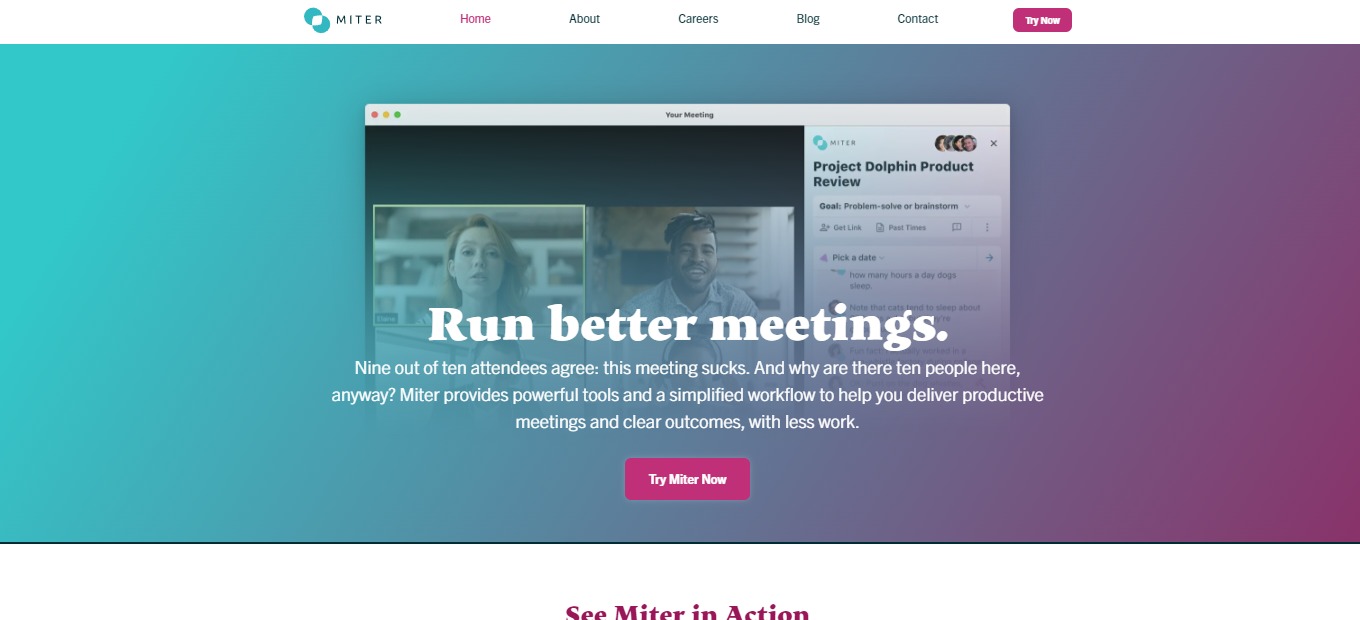
Miter: Run better meetings

βš–οΈ Our Verdict

Miter is the better way to meet since it provides powerful tools and workflow to aid in conducting fruitful meetings, stopping you from losing time during meetings. With that, this application is best used by groups that are conducting meetings β€” startups, small businesses, academics, etc. 

Miter is a better-meeting solution that provides a simple, simplified approach to guarantee that your meetings are worthwhile for everyone’s time. This tool is applicable in every type of meeting to be conducted as it serves different purposes. Miter gives better plans, successful outcomes, good facilitation, and effortless summaries. Use Miter now so that after your meeting, members will be saying: β€œThat was amazing!”

In summary, it’s a simple, essential, and effective application for planning, conducting, and summarizing online meetings!

πŸ‘ ProsπŸ‘Ž Cons
πŸ‘ Concise UI and good UX
πŸ‘ Obtain meeting summaries
πŸ‘ Google Calendar and Zoom integration
πŸ‘ Has essential features for online meetings
πŸ‘Ž Needs more structuring and formatting features
πŸ‘Ž No native mobile application
πŸ‘Ž Zoom only

🌟 About Miter

Miter is an application made out of hating the messy process of an online meeting. Miter’s research-backed workflow guides you to successful meetings. This tool enables you to define a clear objective, facilitate like an expert, and monitor the summary and action items afterward, which will make your team grateful.Β 

Miter is centered on goals, and not empty agenda. It also focuses on facilitating and on outcomes after the meeting. Additionally, it can work wherever you are β€” web, GCal via extension, and inside Zoom. 

We all know that the key to better meetings is good preparation. Miter gets the job done, allowing you to focus on what’s important and avoid several distractions. Miter is intended to help users not just run and document meetings effectively, but also to create a more productive, trustworthy, and collaborative meeting culture.

🎁 What’s In It For You?

Miter offers essential tools and a simple workflow to aid you in providing effective meetings and good results, all with little effort. This application is designed to focus members on concise outcomes for your meetings. With a simple agenda and template, Miter allows you to conduct a successful meeting.

Furthermore, this tool is centered around flexibility, where you and your team can designate a note taker or even give others the chance to share their thoughts in the chat-like note interface. With that, your team is also allowed to mark action items and key decisions all with a single click. 

After the meeting, Miter gives you a comprehensive summary which is also shareable with other team members. Miter is there for your meetings every step of the way!

πŸ–₯️ How Does It Work?

  1. Select or create a meeting at the top side of the interface. 
  1. Add a goal for your meeting.
  1. You can also add different topics.
  1. Get the link and share it with your team.
  1. Collaborate on notes and make action items and decisions.
  1. Add a dynamic to structure your conversation in real-time.
  1. Decide and discuss the specifics.
  1. View the automatic summary after ending the meeting.
  1. Send the summary to your team, which can also be viewed via email.

πŸ’² Pricing Plans & Support

Miter provides you with important features for your online meetings. From planning and preparation to summaries of the meeting, Miter is there to help teams. The amazing thing about Miter is that it is easy to use and does not require you to spend a buck β€” it is a free application!

πŸ“ The Competition

πŸ‘ ProsπŸ‘Ž Cons
πŸ‘ Make planning on meetings easy to manage
πŸ‘ Collaborate with team in real-time
πŸ‘ Simplifies workflow
πŸ‘ Automated summaries at the end of the meeting
πŸ‘Ž Has a learning curve
πŸ‘Ž No custom privacy
πŸ‘Ž Sometimes lags

Run better meetings with Miter.