Softr 2.0: Build Web Apps & Portals From Airtable, No Code Required

βš–οΈ Our Verdict

Users with little design or coding experience may use this program to create attractive and dynamic web apps. Softr’s distinct approach is characterized by a modular lego-like building experience and out-of-the-box business logic. 

Rather than designing applications pixel by pixel, it allows you to build them like Legos. This strategy gives users the ability to develop customer portals, internal tools, and dashboards in hours with no learning curve, all powered by their data. Softr has many use cases and can be used by individuals and small to large businesses. 

In summary, Softr is an easy-to-use, powerful, and responsive application that can be utilized for different website purposes!

πŸ‘ ProsπŸ‘Ž Cons
πŸ‘ Speed up creating sites
πŸ‘ No-code website builder
πŸ‘ Airtable integration
πŸ‘ Good customer support
πŸ‘ Easy to use
πŸ‘Ž Little visual customization and design optionsπŸ‘Ž Adding codes are paid
πŸ‘Ž Some bugs

🌟 About Softr

Softr is the simplest and quickest method to create powerful websites using Airtable in minutes –  no need for a code. Client portals, internal tools, markets, online forums, resource directories, and websites may all be created using Softr. 

Softr’s objective is to democratize engineering talent and enable 99 percent of the world’s non-coders to develop unique apps for their company or personal lives. It introduces a systematically different method of creating custom-made apps, being as simple as building a lego.

🎁 What’s In It For You?

Softr can help you create your next business app in minutes without coding. Softr enables organizations to create robust client portals, internal tools, and custom CRMs without relying on programmers. This application has many use cases including but not limited to an internal tool, client portal, CRM, community, and marketplace. Softr provides over 30 templates and 100 building blocks that are simple to use and adaptable to every need!

In minutes, you can transform your Airtable base into a personalized app. Users may change any component in the app, and the native Airtable integration guarantees that data is instantaneously synchronized in both directions, with no latency. 

Customized permissions per user group help to assure that only the correct people have access to the relevant information while keeping everything in Airtable safe. With Softr, you can collaborate with peers, and streamline your workflow in a single place.

πŸ–₯️ How Does It Work?

  1. The main dashboard shows all your apps. You can sort them using the sidebar.
  1. Click new application, select a template or start from scratch. 
  1. Add the first block on the blank canvas. 
  1. Select the block you wish to add to your website.
  1. The pages tab allows you to add more pages to your site.
  1. Change the global style of the theme settings including the typography and colors.

πŸ’² Pricing Plans & Support

Softr offers the perfect pricing for every business of all sizes and at any stage.

πŸ’Ž Free – $0/Month

This deal for anyone to get started is for free!

γ€° Unlimited applications

γ€° 1 custom domain

γ€° Softr branding

γ€° Membership (5 members)

γ€° Paywall (Recurring & one-time payments) (5 members)

γ€° Airtable integration (200 records)

γ€° Live chat support

πŸ’Ž Starter – $29/Month

This deal for individuals and startups is only $29 per month!

γ€° Unlimited applications

γ€° 1 custom domain

γ€° No Softr branding

γ€° Membership (5 members)

γ€° Paywall (Recurring & one-time payments) (5 members)

γ€° Airtable integration (1000 records)

γ€° Custom code (HTML/CSS/JavaScript)

γ€° Live chat support

πŸ’Ž Professional – $79/month

This deal for companies that require advanced apps is only $79 per month!

γ€° Everything in Starter

γ€° 1 collaborator

γ€° 2 custom domains

γ€° Membership (10,000 members)

γ€° Airtable integration (10,000 records)

γ€° Update Airtable records (all logged-in users)

γ€° Transfer applications

πŸ’Ž Business – $199/month

This deal for teams and companies that require a powerful app is only $199 per month!

γ€° Everything in Professional

γ€° 4 collaborators

γ€° 3 custom domains

γ€° Membership (100,000 members)

γ€° Airtable integration (unlimited records)

γ€° Update Airtable records (custom permission rules)

γ€° Field level edit permissions

γ€° Charts

γ€° Transfer applications

γ€° Onboarding call

γ€° Priority support

πŸ“ The Competition

πŸ‘ ProsπŸ‘Ž Cons
πŸ‘ Good interface
πŸ‘ Customizable
πŸ‘ Multiple templates
πŸ‘ No-code
πŸ‘Ž Has learning curve
πŸ‘Ž Responsiveness issues

Build web apps & portals from Airtable, no code required with Softr.io

Robinize: Content optimizer that will improve your Google position

βš–οΈ Our Verdict

Robinize is an amazing tool that helps you optimize your content with just a few steps. This tool competes with other SEO tools and is different in a lot of aspects. It can provide the same quality of service as other tools with a cheaper pricing plan!

This application is best used by marketers and content writers as they need to optimize content in order to drive more traffic. With this application, Reduce the time it takes to do research for SEO-optimized content by 95%.

Overall, it’s an affordable, essential, and easy-to-use application for creating optimized content!

πŸ‘ ProsπŸ‘Ž Cons
πŸ‘ Content optimization tool
πŸ‘ Has metrics
πŸ‘ Good UI
πŸ‘ Fairly priced
πŸ‘ Simple and intuitive
πŸ‘ Supports other languages
πŸ‘Ž Sign up issues
πŸ‘Ž Limited reports in free account
πŸ‘Ž Text formatting issues in paste

🌟 About Robinize

Robinize is an SEO-friendly content optimization tool that does research for you, allowing you to develop and improve your content more quickly. As a consequence, your article or blog post will receive greater organic search engine traffic. Robinize is an AI-powered SEO content optimization tool designed by SEO strategists, content writers, and software engineers that are experts in the field.

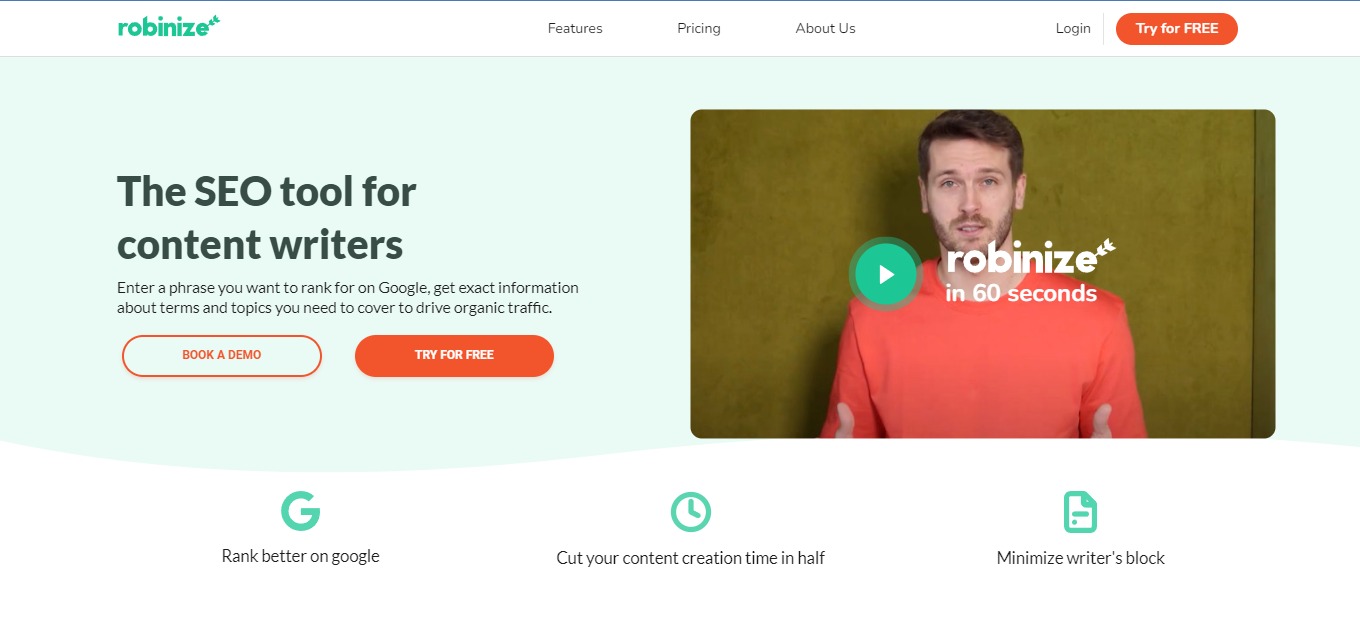
This tool is for content writers as it lets you enter a keyword you wish to rank for on Google, and you’ll get detailed information on the phrases and subjects you need to cover to attract organic traffic. Robinize’s objective is to assist you in creating high-ranking content and attracting organic visitors at a reasonable cost while providing the highest SEO content value.

🎁 What’s In It For You?

Robinize makes it easier and more efficient to create content. It does all the work for you as it searches your keyword on Google, extracts the important information, and summarizes different research in a single report. 

This tool allows you to write and optimize your content faster. It lets you outline with the help of heading suggestions, inspiration, and the FAQ tab. Robinize also allows you to use relevant terms for both your content and Google. With that, you can measure the quality of your content, length, and readability. All of these features can drive more traffic!

Robinize ensures that you only receive the finest content suggestions with the content scoring. Additionally, you can have the perfect outline by using the FAQ feature of Robinize and the inspirations feature.

πŸ–₯️ How Does It Work?

  1. Enter a phrase or a keyword for your content.
  1. Click on a report and show the details.
  1. Details about the report will be shown, and you can navigate through the SERP or the terms.
  1. The terms view shows the relevant terms that are ranked highly.
  1. The editor lets you draft your content with the help of different tools.
  1. When creating content, the relevant keywords will be highlighted in the editor. Clicking on a word shows information about how to use it. While typing, the current grade, readability, and word count will all be updated.

πŸ’² Pricing Plans & Support

Spend less time researching and more time creating high-quality SEO content that assists clients in meeting their goals.

πŸ’Ž Training Shot – $0/Month

This amazing deal is for free!

γ€° 5 reports

γ€° ️All features

πŸ’Ž Aimed Shot – $19/Month

This amazing and beneficial deal is only $19 per month!

γ€° 10 reports/month

γ€° ️All features

πŸ’Ž Multishot – $49/month

This amazing and beneficial deal is only $49 per month!

γ€° 50 reports/month

γ€° ️All features

γ€° ️Premium support

πŸ“ The Competition

πŸ‘ ProsπŸ‘Ž Cons
πŸ‘ Review and write optimized content
πŸ‘ Simple and easy to use
πŸ‘ Good AI
πŸ‘ Creates top results
πŸ‘Ž Expensive
πŸ‘Ž No order of importance in topics
πŸ‘Ž Has glitches

Use a content optimizer that will improve your Google position with Robinize

Dokkio: One place to find, organize & understand your online sh*t

βš–οΈ Our Verdict

Dokkio is a smart application that vastly enhances the way you and your team collaborate on shared files. It is a cohesive platform that can be useful for individuals and teams alike. Everyone is recommended to use this application as it can help you manage all files from different locations at ease.

Dokkio solves the problem of handling the ever-increasing jumble of digital information and documents. It is a next-generation file organizing solution that leverages AI to adapt to your company and extract knowledge from your existing files. Dokkio can even set apart resumes, contracts, or even product plans.

In summary, this application is easy to use, essential, and affordable organizing tool that can make everyone’s digital life easier.

πŸ‘ ProsπŸ‘Ž Cons
πŸ‘ Easy to manage and navigate through files
πŸ‘ Multiple integrations
πŸ‘ Easy to search documents
πŸ‘ Transfer files between different platforms
πŸ‘ Free application
πŸ‘ Collaborate with your team
πŸ‘Ž No mobile app
πŸ‘Ž Cannot manage version control
πŸ‘Ž Cannot create workflows and track signatures

🌟 About Dokkio

Dokkio is an intelligent, AI-powered management and collaboration software that quickly finds the relevant file, no matter where it is stored in the cloud. You may do searches across several accounts and tools.

Dokkio collects all of your content and automatically classifies and organizes it to suit how you work, search, stay up to date, collaborate, and more. Regardless of where the data is stored, Dokkio helps you work with all of it. 

This product is a solution to the chaos and disorder of many files and documents scattered throughout different services. With this app, you can save time and energy navigating through all of your stuff!

🎁 What’s In It For You?

Dokkio adds context and order to the files you and your team, work with every day by displaying all of them in one location. Dokkio makes it possible to identify the necessary document or asset to close the deal without having to go through a sea of files. It allows you to organize your files into useful groups.

Dokkio also consolidates your file-sharing into a single, secure solution that mirrors your company’s structure. With that, Dokkio employs AI technology to sort your files automatically to save you time!

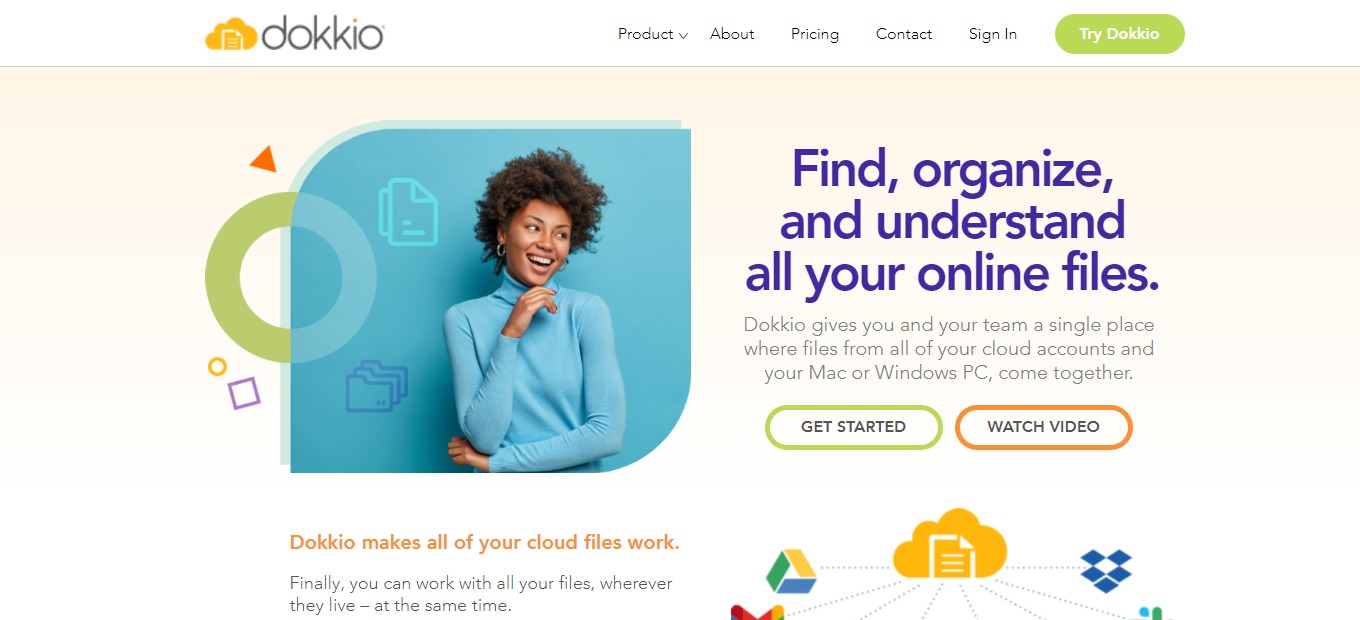
Dokkio integrates seamlessly with your current cloud-based file repositories (Dropbox, Drive, Slack, and so on). After creating a new account, just log in with those credentials to begin organizing your files!

πŸ–₯️ How Does It Work?

  1. Click the content sources on the sidebar. Then, integrate the accounts that you wish to organize in Dokkio.
  1. Navigate from the content sources to find files.
  1. Use the search bar to locate specific files quickly and easily.
  1. All results will be shown across different sources.
  1. After connecting the sources to Dokkio, it automatically organizes them and suggests ways to view them.
  1. Clicking on a context will show you everything about it.

πŸ’² Pricing Plans & Support

Dokkio offers comprehensive pricing that suits all of you or your team’s needs.

πŸ’Ž Free – $0/Month

This useful and amazing deal is free!

γ€° No fixed user limit

γ€° 20,000 connected files

γ€° No fixed storage limit

γ€° 10 file sources

γ€° Intelligent search

γ€° Auto-tagging

γ€° Auto-categorization

γ€° Image recognition

γ€° Entity detection

γ€° Standard support

πŸ’Ž Pro – $9.99/Month

This useful and amazing deal is only $9.99 per month per user!

γ€° Everything in free plan

γ€° No fixed user limit

γ€° Unlimited connected files

γ€° Unlimited storage

γ€° Unlimited file sources

γ€° Pro support

πŸ“ The Competition

πŸ‘ ProsπŸ‘Ž Cons
πŸ‘ Create workflows and unify content
πŸ‘ Secure and accessible
πŸ‘ Unlimited data storageΒ 
πŸ‘ Share with anyone
πŸ‘Ž Bad search functionality
πŸ‘Ž Long loading time
πŸ‘Ž Paid application
πŸ‘Ž Sometimes crashes

Dokkio is the one place to find, organize & understand your online sh*t

Archbee 3.0: Everything you need to create amazing documentation

βš–οΈ Our Verdict

Archbee is the place to save all of your company’s information in one place. Combine product, engineering, support, marketing, and sales knowledge. Usecases include: managing team knowledge, developer & API docs, documentation sites, documenting internal processes, collaborating on documents, onboarding & train teammates, and creating customer documentation.

The program is generally intuitive and simple to use, although there are still some usecases that are not evident. This application is best used by SaaS, startups, and agencies, although it was created for engineers and architects. There are still some limitations on this application considering that it is a paid app. Nevertheless, the features are good and really helpful for teams.

All in all, it’s an intuitive, collaborative, and simple application for documenting with teams.

πŸ‘ ProsπŸ‘Ž Cons
πŸ‘ Powerful and customizable dashboard
πŸ‘ Live chat support and email
πŸ‘ Simplest way to organize your knowledge base
πŸ‘ Collaboration features
πŸ‘ Cross-reference documents
πŸ‘Ž Paid applicationΒ 
πŸ‘Ž Limited free trial
πŸ‘Ž Some bugs
πŸ‘Ž No native mobile apps

🌟 About Archbee 3.0

Archbee is knowledge management software that assists small firms in creating and publishing architecture diagrams, developer manuals, and other technical support documents. Administrators may arrange files depending on projects and departments by using the drag-and-drop interface. 

Assist your customers in getting started with your product right away. Archbee is the quickest method to create product documentation, developer manuals, and API references in one location. It started as a software diagramming tool for architects, and then, later on, evolved as a tool for engineering teams. Now, the latest version features an improved and better-looking version.Β 

Archbee has everything you need to create amazing documentation!

🎁 What’s In It For You?

Archbee lets you navigate easily across your documentation by using the ultra-fast deep search. You can also organize your documents and spaces with the use of the drag and drop feature. Archbee also features API docs that help you connect all your content. The collaboration feature of Archbee is also helpful for teams to communicate and accomplish many tasks.

With Archbee, you can set your domain and publish it. This app also allows you to activate developers in your product. Additionally, you can write documentation using the featured editor with 30+ custom blocks and 25 embeds and integrations.Β 

Other features that make Archbee excel among other apps include inline comments, links and mentions, markdown editing, document history, access control, and knowledge graphs.

πŸ–₯️ How Does It Work?

  1. The left panel lets you manage your account, switch workspaces, manage team, view activity, and create document spaces.
  1. Beside the left panel, click the new doc button. You can also create a sub-document.
  1. Switch view modes in the upper center part of the screen and also view the chat.
  1. Select a text, and the basic formatting options will appear.
  1. The fidget panel below lets you add different content to the document from lists, images and videos, to refQLs and maps. 
  1. Customize the fidgets with the tools beside them. You can rearrange, insert blocks, mention, and delete.

πŸ’² Pricing Plans & Support

Archbee offers pricing plans that scale with your team!

πŸ’Ž Growing – $30/Month

This amazing deal for startups is only $30 per month!

γ€° 5 team accounts ($4/ month/additional)

γ€° Unlimited readers

γ€° Custom branding

γ€° Full branding

πŸ’Ž Scaling – $100/Month

This amazing deal for mid-size companies is only $100 per month!

γ€° 10 team accounts ($8/month/additional)

γ€° All in growing

γ€° Custom scripts

γ€° Advanced integrations

γ€° Remove Archbee logo

πŸ’Ž Enterprise – $400/month

This amazing deal for large teams is only $400 per month!

γ€° 20 team accounts ($12/month/additional)

γ€° All in Growing and Scaling

γ€° Visitor authentication

γ€° API access

γ€° Language localisation

πŸ“ The Competition

πŸ‘ ProsπŸ‘Ž Cons
πŸ‘ Many templates and formulas
πŸ‘ Customizable and organized
πŸ‘ Highly flexibleΒ 
πŸ‘ Free app
πŸ‘ Has native apps
πŸ‘Ž Has a learning curve
πŸ‘Ž Lags when you have too much data

Everything you need to create amazing documentation is with Archbee!

Creately 4.0: The new interface for work to ideate, plan, and execute

βš–οΈ Our Verdict

Creately is simple and straightforward but has many use cases. It has a lot of templates to choose from, so you can save time. Creately is applicable within different contexts, including marketing, product development, education, and other general business use cases. This app is best used by anyone that needs to visualize concepts, plans, processes, and other ideas. With that, many can benefit from Creately, from students and educators to engineers.

Creately offers a simple interface with great flexibility and capability for teams to work on a single canvas. Its built-in task management tools, databases, and code-free workflow design feature help bring people, ideas, data, and work together in a centralized location, making it easier than ever for teams to brainstorm, plan, manage projects, and collect knowledge.Β 

Overall, it’s an affordable, functional, and useful application for visualizing anything with your team or individually.

πŸ‘ ProsπŸ‘Ž Cons
πŸ‘ Visual Collaboration stage
πŸ‘ Create simple and complex diagrams
πŸ‘ Intuitive and has a drag and drop
πŸ‘ Many integrations
πŸ‘Ž Sometimes, graphics don’t connect accurately
πŸ‘Ž Lags and bugs
πŸ‘Ž Limited customization features

🌟 About Creately

Creately is marketed as a visual workspace for project conceptualization, planning, execution, and analysis. This is a platform that allows for diagramming and drawing as well as real-time collaboration, allowing teams to centralize documents, assets, projects, and communication, resulting in a unified view for improved decision-making and higher efficiency.Β 

Creately, in essence, bridges the links throughout your organization – every idea, activity, workflow, plan, and document are linked and constantly up to date, just like your other applications! Connect the dots across your team to keep everything and everyone in sync.

Creately integrates essential features to give a no-code environment in which users may construct and model their workplace operating system. This makes it easy for teams to brainstorm, plan out processes, add in-depth details, and design tools to execute the processes all inside Creately.

🎁 What’s In It For You?

Creately enables you to utilize visual tools that get the job done and streamlines all your efforts. Creately also lets you create workflows that work according to your liking. You can customize rules and formulas the way you want without coding. 

Creately keeps everything in sync with custom databases, where you can visualize items in different contexts. You can also collaborate with your peers in Creately, using the diagramming and whiteboard tool that keeps everyone on the same page.Β 

This application lets you centralize and capture knowledge – keep everything you need to run your organization in one place! Lastly, Creately has front-end data integration and augmentation that allows you to integrate and extend other applications as you can bring any data from any app, visualize them, and add fields to that data. 

πŸ–₯️ How Does It Work?

  1. From the folders, create a workspace.
  1. Choose from the set of templates or you can start from scratch.
  1. Add shapes and connect them. 
  1. Align, group, and change the style of the chart using the menu.
  1. The right side shows the settings for the workspace.
  1. Share with others and give them access to collaborate.
  1. Click the line button, then draw a connection.

πŸ’² Pricing Plans & Support

Creately gives you the all-in-one visual work management tool with an affordable pricing plan!

πŸ’Ž Free – $0/Month

This unified platform is free!

γ€° 3 canvases (60 items max)

γ€° 1 folder

γ€° Limited storage

γ€° Basic integrations

γ€° Raster image only exports

πŸ’Ž Personal – $6.95/Month

This unified platform is only $6.95 per month!

γ€° Unlimited canvases and items

γ€° Unlimited folders

γ€° 5GB storage

γ€° 30 day version history

γ€° Unlimited imports

γ€° All export formats

γ€° Basic collaboration

γ€° Email support

πŸ’Ž Team – $8/month

This unified platform is only $8 per month per user!

γ€° Everything in Personal

γ€° Unlimited databases

γ€° 5000 items per database

γ€° Project management tools

γ€° HR, product, IT, process toolkits

γ€° Advanced collaboration

γ€° Most integrations

γ€° 10 GB storage

γ€° One team admin

γ€° Email + chat support

πŸ“ The Competition

πŸ‘ ProsπŸ‘Ž Cons
πŸ‘ Manage tasks, teams, and projects
πŸ‘ User-friendly and easy to use
πŸ‘ Time tracker
πŸ‘Ž Limited trial features
πŸ‘Ž Limited functional with embedded applications

The new interface for work to ideate, plan, and execute with Creately 4.0

RADAAR: Not just another scheduling tool

βš–οΈ Our Verdict

RADAAR provides a platform for efficiently managing your social media and assisting you in meeting goals while saving time and money. Radaar is a social media management application that simplifies the management of your entire online presence. It helps you connect and expand with simple and direct social media management plans.

RADAAR will help you drastically optimize your processes, simplify your social media administration, and save time whether you’re a small business focusing on a few social media networks, an agency managing numerous brands, or an enterprise that need it all. 

Naturally, a powerful application like this would come with a paid pricing plan. However, this social media manager is worth every buck!

In summary, it’s an efficient, time-saving, and goal-oriented social management tool for managing multiple platforms at once.

πŸ‘ ProsπŸ‘Ž Cons
πŸ‘ Collaborate with team
πŸ‘ Unlimited publishing, reports, team members, and guests
πŸ‘ Good dashboard
πŸ‘ Easy to use and saves time
πŸ‘ Unified social media inbox
πŸ‘Ž No ticketing system
πŸ‘Ž Lacks integration to other platforms
πŸ‘Ž Paid application
πŸ‘Ž Limited features on basic plan

🌟 About RADAAR

Radaar is a social media account manager that simplifies handling multiple accounts. From scheduling, messaging, and analyzing posts, all of these can be done within a single platform. In addition, Radaar enables you to automate, control, and dive deeper into your social media accounts.Β 

Developed in 2019, Radaar focused on the marketing side. Now, they launched on Product Hunt. RADAAR is an all-in-one platform that is constantly evolving and packed with all of the services that every social media marketer requires. It enables marketing teams to collaborate more effectively and save time. It’s powerful while being reasonably priced compared to its competitors.

🎁 What’s In It For You?

Radaar lets you visually plan content, automatically publish them, engage with followers, and gather reports while collaborating with your team and clients. This app is a unified social media manager packed with all of the features you need to centralize your operations across different networks.

Radaar allows you to build a close relationship with your followers and respond faster through the unified social inbox. The scheduler enables you to publish across different platforms all while simplifying the process and saving your time. With the social monitoring of Radaar, you can track key terms and competitors to upscale your strategy.

Not only that, but Radaar also has analytics to provide you with valuable insights regarding your posts. It also features a password and hashtag manager. To add to that, Radaar has a Task Manager to help you visualize tasks and reach your goals together with your team!

πŸ–₯️ How Does It Work?

  1. Sign up to Radaar and view the dashboard.
  1. To connect accounts, go to settings then channels.
  1. Invite team by clicking permissions.
  1. Manage messages on different platforms through the social inbox.
  1. Monitor keywords on different platforms you want to follow.
  1. Plan to publish content using the scheduler dashboard.
  1. Create meaningful results in analytics.
  1. Use the task manager kanban board to manage tasks.

πŸ’² Pricing Plans & Support

Radaar offers the most affordable social media management platform that is perfect for any size of business. 

πŸ’Ž Basic – $9.99/Month

This powerful plan is only $9.99 per month!

γ€° 3 social profiles

γ€° ️90 posts

γ€° 1 user

πŸ’Ž Premium – $19.99/Month

This powerful plan is only $19.99 per month!

γ€° 6 social profiles

γ€° Unlimited posts

γ€° Social inbox

γ€° Analytics

γ€° 5 users

πŸ’Ž Professional – $49.99/month

This powerful plan is only $49.99 per month!

γ€° 12 social profiles

γ€° Unlimited posts

γ€° Social inbox

γ€° 3 monitoring queries

γ€° Analytics

γ€° 10 users

πŸ“ The Competition

πŸ‘ ProsπŸ‘Ž Cons
πŸ‘ Flexible and supports major platforms
πŸ‘ Affordable
πŸ‘ Easy to use for scheduling and posting
πŸ‘ User friendly
πŸ‘Ž Tracking and analytics is subpar
πŸ‘Ž Cannot respond directly from app

RADAAR is not just another scheduling tool!

Cron: Next-Generation Calendar for Professionals and Teams

βš–οΈ Our Verdict

Cron is an amazing product that everyone should look out for. It is a calendar not only for individuals but also suited for teams! They even update new features at a steady pace. This app is a combination of simplicity and functionality, making it likable to everyone. 

Cron is currently available for iOS and Windows but no mobile applications yet as they are still creating it. Furthermore, Cron saves you time and helps you manage your schedule with its very simple and minimal design. With all of its amazing and powerful features, it is no doubt that Cron will be one of the biggest calendar applications in the near future.

In summary, it’s a simple, functional, and powerful application suited for your busy and modern-day needs!

πŸ‘ ProsπŸ‘Ž Cons
πŸ‘ Simple and good UI
πŸ‘ Many commands and shortcuts
πŸ‘ Integration with Zoom and Google Meet
πŸ‘ Share availability
πŸ‘ iOS and Windows app
πŸ‘Ž No mobile app
πŸ‘Ž Available on early access

🌟 About Cron

Cron is a clean and fast calendar that allows you to schedule meetings and control your time. This application is also awarded as the ProductHunt productivity app of the year! It is because Cron was made to be more productive and suited to the schedule. 

Cron reimagines a calendar for a modern time as it combines all the features necessary for the best experience, like scheduling meetings, planning tasks, taking notes, blocking time, and tracking activities. This application simply brings some innovation to productivity applications.

Even though Cron has just started, it is currently building more powerful workflows and expanding to more platforms. Some of the biggest companies use this application, now is your time!

🎁 What’s In It For You?

Cron is a simple yet powerful application with tons of features. Cron is very minimalistic and easy to use because it only shows you what you need to see. The minimal design shows you a simple layout and gives you a full picture of your time. Additionally, all other commands can be accessed by using command+K.

With Cron’s menu bar, you can pick the range as to how you can view meetings, get alerts, and use shortcuts to access meetings with a single click. This makes joining Zoom calls or Meets easier. Further, Cron supports the largest video conferencing tools. Cron also allows you to create and schedule repetitive events and color code them based on different categories. 

Cron also allows you to change the duration of an event and it automatically gets updated. One amazing feature of Cron is that you can access the command menu and schedule an event with natural language – just plain English. It also allows you to search events and participants from the menu. Lastly, Cron lets you send availability on any conversation. 

Other distinct features of Cron that make it unique from other calendar apps include the ability to display your teammate’s calendar with a single button, drag and drop scheduler, one-click to join a call, multiple time zones, and default and custom conferencing for various calendars. 

πŸ–₯️ How Does It Work?

  1. The useful shortcuts can be viewed on the right pane. Use the Control+K to access the menu bar.
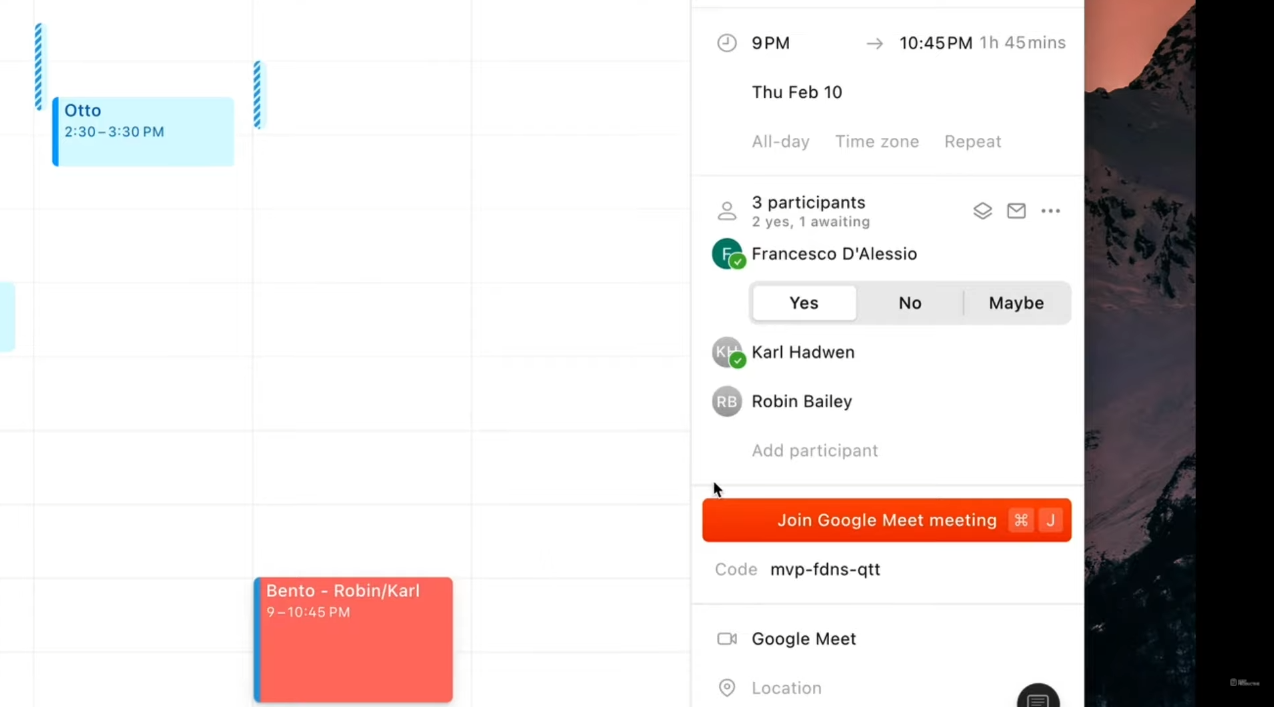
  1. Drag on the screen to add an event. The right side allows you to add the details of the event. 
  1. Clicking on an event lets you join a meeting with a single click.
  1. To share availability, click on the button then drag on the calendar. This feature comes with a generated message you can share that informs other people about the schedule you created.
  1. The link of availability lets others choose their preferred time.
  1. You can change how you view your calendar by clicking on the β€˜Week’ button.

πŸ’² Pricing Plans & Support

Since Cron is in its early stage and is not yet released to the general public, they only offer services to people requesting access. Despite that, early access is free for everyone and you just have to be patient to get accepted.

It is possible that Cron will offer a freemium service with a paid subscription to advanced features. However, it is still too early to conclude that. 

πŸ“ The Competition

πŸ‘ ProsπŸ‘Ž Cons
πŸ‘ Availability feature
πŸ‘ Different timezones
πŸ‘ Fast application
πŸ‘ Easy to use
πŸ‘ Keyboard shortcuts
πŸ‘ Command center
πŸ‘Ž Paid applicationΒ 
πŸ‘Ž 14-day free trial only
πŸ‘Ž Needs more integrations

Create next-generation calendar with Cron

Kairn: Regain Control Over Your Days

βš–οΈ Our Verdict

Kairn is popular among operations, product, and growth teams at fast-growing companies. With Kairn, insanely hectic days of users become a lot more manageable, and they finally sense progress at the end of the day.

Kairn can be best used by individuals and teams. You don’t have to move between applications all the time, as you can create tasks on the go. With that, Kairn is the solution to your messy and piling undone tasks. However, Kairn can only be optimized using a Mac OS, and they still don’t have a native application for mobile and tablets.

In conclusion, it’s an easy-to-use, simple, and loaded application for the purpose of project management for individuals and teams alike. 

πŸ‘ ProsπŸ‘Ž Cons
πŸ‘ Many integrations
πŸ‘ Multiple views
πŸ‘ Drag and drop tasks
πŸ‘ Add tasks from anywhere (Mac)
πŸ‘ Has a free version
πŸ‘ Easy to add tasks
πŸ‘Ž Mac app onlyπŸ‘Ž Cannot use all features on windows web appπŸ‘Ž Lacks productivity measurement

🌟 About Kairn

Kairn is a project management application built to give you better days. Kairn was started n order to give its users the fulfillment of getting an extra productive day. This application’s mission is to empower people by helping them get more things done. 

The approach of Kairn focuses on capturing the tasks to be done in real-time, straight from the work environment without losing time. This is so that the users may prioritize what’s important. Furthermore, the users of Kairn can centralize and progress daily on projects across different apps. 

Kairn is a productivity application designed to empower you and also your team. Mac users say that this application is the best out there. Start having productive and great days by using Kairn now!

🎁 What’s In It For You?

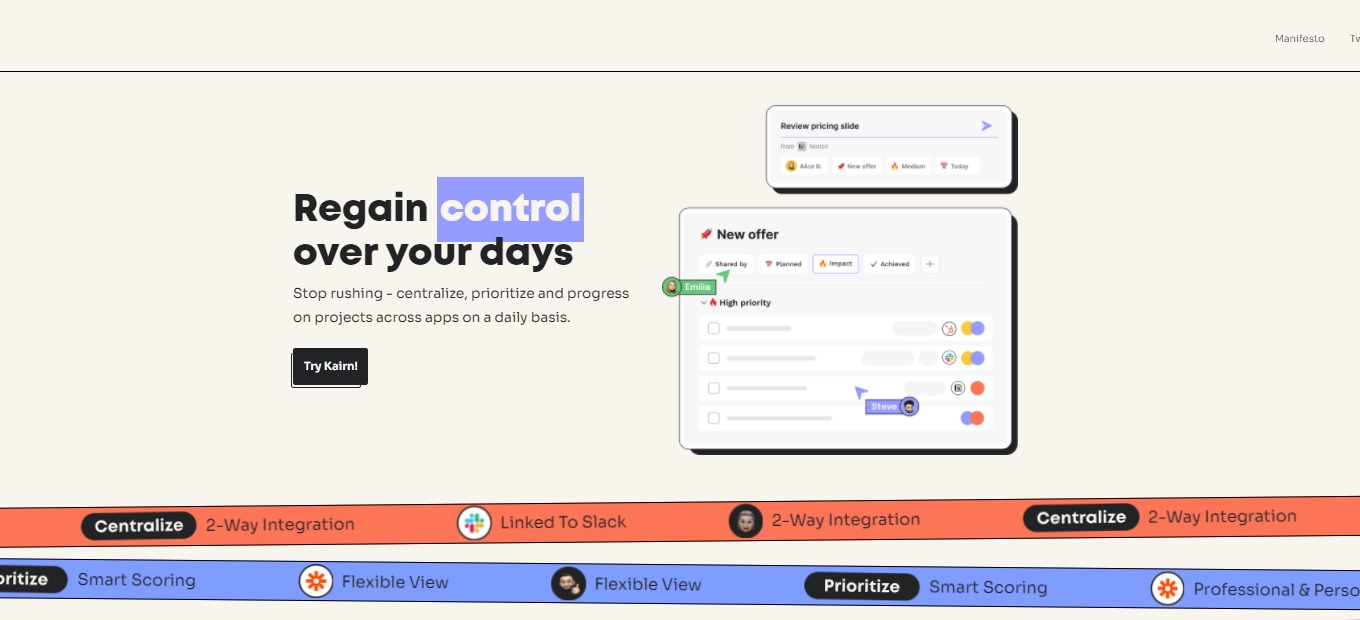
Kairn helps you regain power over your days as it allows you to stop rushing on things. You can centralize everything on this single application. Kairn lets you keep track of every task you need to accomplish on different tools with ease. As simple as that, Kairn helps you clarify all that you need to do in one place. With Kairn, you can add tasks in a single click from anywhere – Kairn links the task to the required page. Also, this application has loads of integrations ranging from Notion to Google Workspace. 

Moreover, this application allows you to prioritize projects and small tasks that need to be done. It allows you to navigate and switch between different views on the application – Task view and Project view. Kairn is not limited to professional tasks as it also allows you to add personal tasks to the manager. 

In terms of progress, you will never lose time again while using Kairn because this app connects you to everything. By that, you can focus on doing the tasks instead of scrambling around. Kairn updates integrated tools so that when you mark tasks on Kairn, it would also be marked on the tools! Additionally, Kairn is suitable for teams as you can share projects with anyone, even non-Kairn users.

πŸ–₯️ How Does It Work?

  1. After logging in, download the native app for iOS.
  1. Open the downloaded application and connect your account.
  1. On any website, you can highlight the task and add it directly to Kairn by using the shortcut.
  1. Set the specifications of your task – the assigned user, project board, priority, and date.
  1. Clicking on the extension gives you access to the tasks that you have added.
  1. Connect different tools to Kairn on the integrations setting.
  1. Share the task with anyone by clicking on the task and the assigned user button.
  1. Add a view according to how your tasks will be organized.

πŸ’² Pricing Plans & Support

Make your day more productive with the different plans of Kairn.

πŸ’Ž For busy people – $0/Month

This deal to make you productive is for free! 

γ€° Unlimited projects

γ€° Unlimited connected apps

γ€° Unlimited members

γ€° Up to 500 tasks updated per month

πŸ’Ž For busy teams – $5/Month

This deal to make you and your team productive is only $5 per month per user!

γ€° All free features

γ€° Unlimited tasks updates

γ€° Activity log

γ€° Collaborative workspace

πŸ’Ž For big busy teams – $10/month

This deal to make you and your team productive is only $10 per month per user!

γ€° All free and busy teams features

γ€° Permission management

γ€° Admin tool

γ€° Public boards and guests

πŸ“ The Competition

πŸ‘ ProsπŸ‘Ž Cons
πŸ‘ Easy to use
πŸ‘ Flexible UI
πŸ‘ Assign tasks
πŸ‘ Monitor activity and measure productivity
πŸ‘ Prioritize tasks
πŸ‘ Many integrations
πŸ‘Ž Has a learning curve
πŸ‘Ž Hard to sync calendar
πŸ‘Ž Support team needs improvement
πŸ‘Ž Paid version is expensive

Regain control over your days with Kairn

Make: Design, Build and Automate Your Work

βš–οΈ Our Verdict

Make acts as the backbone of automation for all types of organizations, from small businesses to startups and corporations. Integromat has assisted tens of thousands of clients in automating their operations and transforming their ideas into real-world solutions. 

Integromat evolved into Make, which is a result of the comments of their valued customers. The no-code feature of Make is amazing because it lets you create without limits. Make allows you to create like a developer. With make, build workflows at the speed of your ideas.

This automation tool is worth the price as the features of this app are really essential to your workflow and are quite numerous. However, the many features of this app come with a learning curve. 

Overall, it’s a functional, affordable, and essential application for automating everything you can think of. 

πŸ‘ ProsπŸ‘Ž Cons
πŸ‘ Thousands of templates
πŸ‘ No-code
πŸ‘ Good UI and fun to use
πŸ‘ Many tutorials
πŸ‘Ž Very high learning curve
πŸ‘Ž Lacks some integrations
πŸ‘Ž Inconsistent support 

🌟 About Make

Make is a visually pleasing platform that allows anyone to create, design, and automate everything. From workflows and tasks to complex systems – all without coding! This application was formerly known as Integromat and is a product of all the feedback from its users. 

Make is a combination of a visual and powerful tool for automation. Integromat served as a basis for Make, but everything is new – the architectural foundation is new, providing better performance and scalability. This app comes with many features, while still keeping the visual experience for the users. 

Make is trusted by 500,000 users from all over the world including top brands like Meta, Spotify, Adidas, and Heineken. Connect applications with a few clicks with the creative drag-and-drop interface, and create endless workflows!

🎁 What’s In It For You?

Make is an application more than just a no-code automation. Most automation platforms today are linear, making this application unique from the rest as it allows you to visually create and automate workflows. With Make, the only limit is your imagination!

Make lets you solve every problem in all areas and teams. You can automate your work and build something new by using the drag and drop feature. Additionally, Make allows you to connect all of your applications fast and easily. It lets you integrate thousands of tools and manage all processes in a single platform. 

Lastly, Make provides a number of templates to help you get started. This application inspires you from its free automation templates to match your workflows.

πŸ–₯️ How Does It Work?

  1. Create a workflow by clicking the button β€˜create a new scenario’.
  1. Select an integration and the trigger by searching it on the plus button.
  1. Connect your account and fill in the necessary details.
  1. Choose the specifications of your automation. In this example, the user has to choose where the data will proceed.
  1. You can add another integration to exchange data between apps. 
  1. Activate by turning the switch on and selecting a schedule.

πŸ’² Pricing Plans & Support

The pricing plans of Make scales as you grow your team. 

πŸ’Ž Free – $0/Month

Design and create automation with the visual drag-and-drop feature for free!

γ€° 1000 Ops/month

γ€° No-code workflow builder

γ€° 1000+ apps

γ€° Custom apps

γ€° Unlimited users

γ€° 2-factor authentication

γ€° Parallel scenario execution

γ€° Real-time execution monitoring

πŸ’Ž Core – $10.59/Month

For creatives and entrepreneurs that are getting started, this plan is only $10.59 per month!

γ€° 10000 Ops/month

γ€° Everything in Free

γ€° Unlimited number of active scenarios

γ€° Minimum 1-minute interval between scheduled scenario executions

γ€° Access to 300+ Make API endpoints

πŸ’Ž Pro – $18.82/month

For small and midsize businesses, startups, and automation lovers who wish to scale, this plan is only $18.82 per month!

γ€° 10000 Ops/month

γ€° Everything in Core

γ€° Full-text execution log search

γ€° Operations usage flexibility

γ€° High priority scenario execution

πŸ’Ž Teams – $34.12/month

For teams to collaborate and manage workflows, this plan is only $34.12 per month!

γ€° 10000 Ops/month

γ€° Everything in Pro

γ€° Scenario execution by priority

γ€° Teams and team roles

γ€° Create and share scenario templates

πŸ“ The Competition

πŸ‘ ProsπŸ‘Ž Cons
πŸ‘ Easy to configure
πŸ‘ Wide range of integrations
πŸ‘ Workflow automation
πŸ‘Ž Triggers and actions are limited
πŸ‘Ž No alert system

Design, Build and Automate Your Work with Make

Supernotes: Fast note-taking and knowledge sharing

βš–οΈ Our Verdict

Supernotes should be used by everyone as it is very flexible according to the needs of their users. It is simple, aesthetically pleasing, and personalized according to usage. This application was originally made and is best used by students; it is also a great help for home-based learners. 

Some say that Supernotes is like a fusion of Notion and Roam Research, so you could definitely see the different use cases of this app. Additionally, it shines as a quick and easy research tool and an application for note sharing among students. Just like how this application is marketed, it is best for collaborative note-taking.Β 

Supernotes is appropriate for everyday and academic use. It is one of the best note-taking apps in the market today. All in all, it is easy to use, has a ton of features, and is an essential application for all your note-taking needs!

πŸ‘ ProsπŸ‘Ž Cons
πŸ‘ Good UX/UI
πŸ‘ Simple and easy to use
πŸ‘ Good support team
πŸ‘ Has a free plan
πŸ‘ Operates on Mac, Linus, and Windows
πŸ‘ Different view options and dark mode
πŸ‘Ž Limited import options
πŸ‘Ž Limited cards on the free plan
πŸ‘Ž Cannot edit online
πŸ‘Ž Native apps are early-access

🌟 About Supernotes

Supernotes is a note-taking and knowledge-sharing application. It is a home for your ideas, tasks, records, and lists. This app basically utilizes notecards to save your thoughts and link them together to create a good knowledge base. 

This application is based on the concept of how we think: interconnected thoughts. In Supernotes, the notecards represent our thoughts, which are linkable, taggable, and nestable. The goal behind this wonderful app is to help people create meaningful digital knowledge.Β 

Supernotes was created because back then, creating good notes and working with others was messy. Each notecard is not only for individual use, but can also be collaboratively edited by other people – keeping your knowledge organized even while working with others. 

🎁 What’s In It For You?

Supernotes makes you more productive from its good deal of features. The main feature of Supernotes: notecards, allows you to document stuff practically. The notes in Supernotes are also a step further as you can collaborate, link, nest, and do a lot of things on the notecards. 

Supernotes lets you utilize different views like the daily collection, broadsheet view, and graph view. That way, you can find what’s appeasing for you and use it to build your knowledge base. Supernotes utilize shortcuts, including automatic note creation and other keyboard controls that help you easily navigate and use the app. 

You can instantly access, interact, and find your notes on this application. Many features are packed within Supernotes; all of which can help you create amazing documentation.

πŸ–₯️ How Does It Work?

  1. The left side shows you the sidebar, where you can arrange hierarchy and switch active views. On the right is the note board where you can add notecards. The sidebar also shows you other cards and allows you to filter them.
  2. Click the plus button on the lower-left corner of the note board or start typing to add a card. Add a title and the elements of your notecard.
  1. The help menu gives you access to the cheatsheet – the collection of shortcuts you can use on Supernotes.
  1. Click β€˜finish’ to create your notecard. After that, click on the title to show a preview of that card.

πŸ’² Pricing Plans & Support

Supernotes have a simple pricing plan. They offer a freemium version and an upgrade for unlimited use!

πŸ’Ž Starter – $0/Month

Get started with Supernotes and use it for a quick and easy way to share notes for free!

〰️ All features

γ€° Mac, Windows, Linux

〰️ 40 cards

πŸ’Ž Unlimited – $8.04/Month

Upgrade to the unlimited plan for only $8.04 per month!

〰️ All features

γ€° Mac, Windows, Linux

〰️ Unlimited cards

〰️ API access

〰️ Early access to mobile apps

γ€° Priority support

〰️ 1:1 onboarding 

γ€° Supporter badge

πŸ“ The Competition

πŸ‘ ProsπŸ‘Ž Cons
πŸ‘ Easy to use
πŸ‘ Highly customizable
πŸ‘ Many use cases
πŸ‘Ž Has a learning curve
πŸ‘Ž Lags and bugs

Fast note-taking and knowledge sharing with Supernotes!

Related read: Supernotes keeps your cards in the cloud for fast sharing. Developers who would rather hold their notes as local Markdown files that work offline often compare it against Boostnote.