🏆 Our Verdict
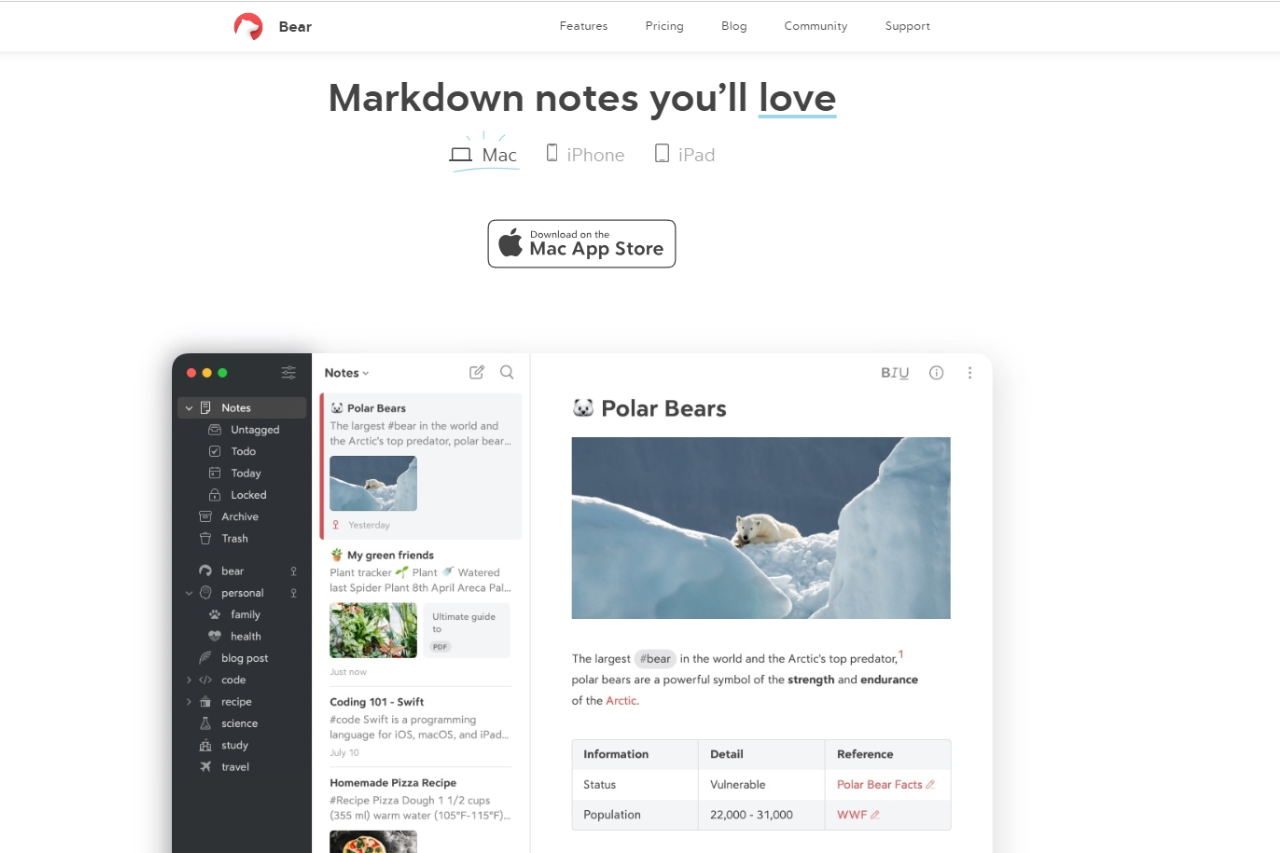
Bear is a beautifully designed, user-friendly note-taking app tailored for Apple devices. It combines simplicity with powerful features, making it an excellent choice for writers, students, and professionals alike. Its rich markdown support and seamless organization capabilities effectively position Bear as a competitor to apps like Notion.
✅ Pros & ❌ Cons
Pros:
- User-Friendly Interface: Intuitive design makes it easy to navigate and use for taking notes.
- Markdown Support: Allows users to format text effortlessly, enhancing the writing experience.
- Tagging System: Organizes notes using hashtags, making retrieval simple and efficient.
- Sync Across Devices: Syncs notes across iPhone, iPad, and Mac seamlessly through iCloud.
Cons:
- Apple Ecosystem Only: Limited to iOS and macOS, which excludes Windows and Android users.
- No Web Version: Lack of a web-based interface restricts accessibility from non-Apple devices.
- Limited Free Version: The free version has restrictions, and users must subscribe to access all features.
📖 About
Bear is an open-source note-taking application developed specifically for the Apple ecosystem. It focuses on providing a distraction-free writing environment while supporting markdown formatting. Users can create notes, organize them with tags, and export them to various formats. Bear’s design and functionality have garnered positive reviews, especially for those heavily invested in Apple products.
🗓️ How It Works

- Installation: Bear can be downloaded from the Mac App Store or the iOS App Store for free.
- Note Creation: Users can create new notes quickly using a simple interface and start typing.
- Markdown Formatting: Supports markdown syntax for formatting text, which can be used inline as users write.
- Tagging and Organization: Notes can be tagged with hashtags for easy categorization and searching.
💲 Pricing Overview
Bear offers a straightforward pricing structure that ensures users have access to robust features while supporting further development of the app.

Free Version
- Local Access to Your Notes: Store notes locally on your device without needing a subscription.
- Document Scanning: Scan documents directly into the app for easy storage and reference.
- Export Options: Export your notes to multiple formats including:
- TXT
- Markdown
- TextBundle
- RTF
- JPG
- HTML
- DOCX
- ePub
- Customization: Access to 3 free themes and 1 app icon for personalization.
- Search Functionality: Search within PDFs and images.
- iCloud Sync: Sync your notes seamlessly with iCloud for access across your Apple devices.
This free version provides substantial value, particularly when compared to other note-taking apps for Mac, iPhone, and iPad, which often charge upwards of $80 per year for similar features.
Bear Pro
Bear Pro offers enhanced capabilities for users who need more from their note-taking app:
- Price: A 7-day free trial is available, after which it costs:
- $2.99 per month (or a discounted price of $29.99 per year when billed annually, saving you 15%).
- Enhanced Features Include:
- Local Access to Your Notes: Similar to the free version but with additional features.
- Document Scanning: Ability to scan documents.
- Export Options: Export your notes to the same formats as the free version, plus additional formatting options.
- 28+ Themes: A broader selection of themes for greater customization.
- 15 App Icons: More choices for personalizing your app icon.
- Search Functionality: Enhanced search capabilities, including within PDFs and images.
- iCloud Sync: Continued syncing of notes with iCloud.
Bear aims to provide a fair price for its Pro version to ensure regular updates and the ongoing development of the application, maintaining a balance between affordability and feature richness.
For more information about Bear and its pricing, you can visit the official website: Bear Pricing.
🥊 Competition

| Feature | Bear | Notion |
|---|---|---|
| User-Friendly Interface | Yes | Yes |
| Markdown Support | Yes | Yes |
| Tagging System | Yes | Yes |
| Sync Across Devices | Yes (Apple only) | Yes (multi-platform) |
| Web Version | No | Yes |
| Pricing | Freemium | Freemium |
📌 Conclusion
Bear is an outstanding choice for those within the Apple ecosystem looking for a clean, efficient, and powerful note-taking app. While it lacks a web version and is limited to Apple devices, its elegant design and rich feature set make it a valuable tool for writing and organization.
Bear: Your Elegant Solution for Organized Note-Taking!
Cross-platform alternative: Bear is Apple-only by design. If you work across Linux or Windows machines as well, Boost Note is the open-source option built for the same markdown-first workflow.