🏆 Our Verdict
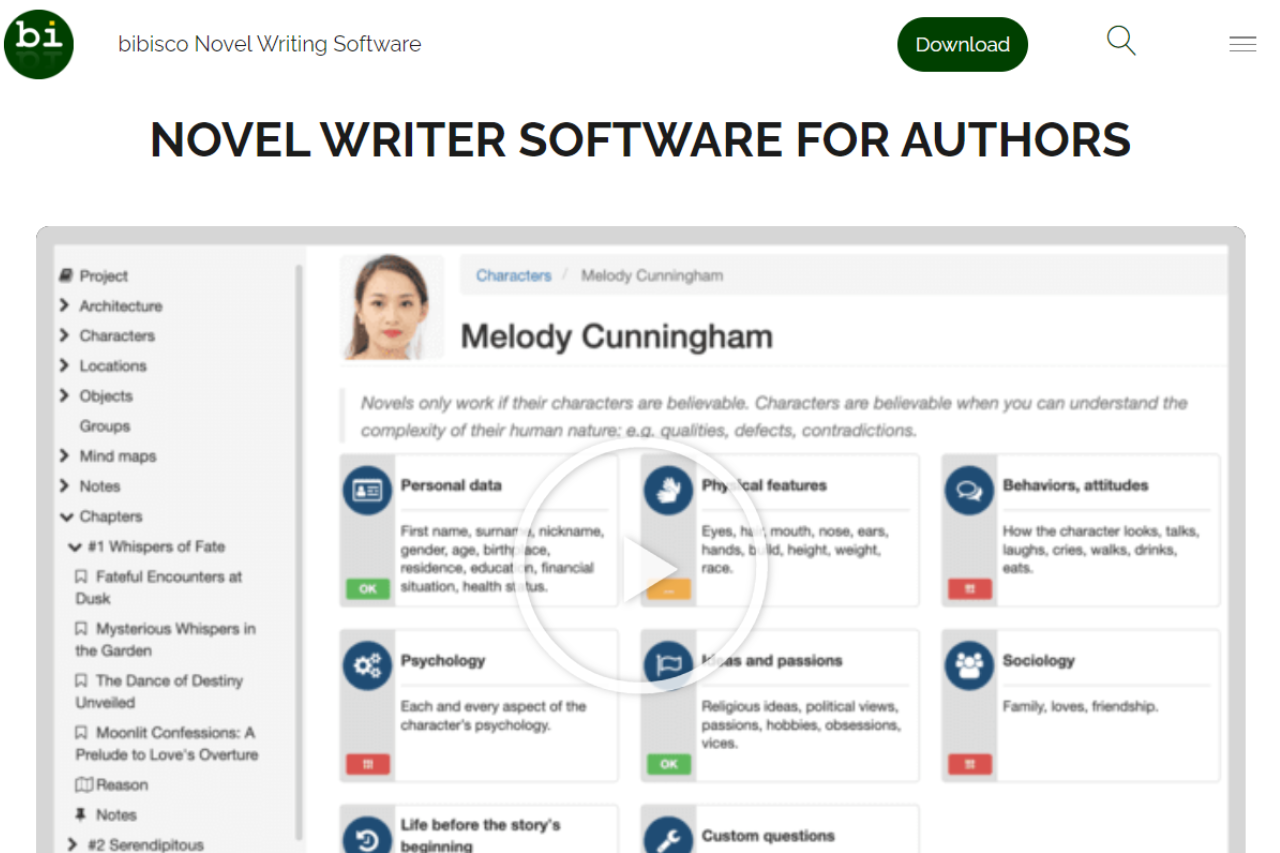
Bibisco is a dedicated writing application that caters to novelists and storytellers seeking a structured approach to crafting their narratives. Known for its focus on character development and plot structuring, Bibisco offers writers the tools to delve deep into the intricacies of their stories, making it a practical alternative to more general writing software.
✅ Pros & ❌ Cons
Pros:
- 🧠 Character Development Tools: Extensive features for developing complex characters, including interviews and character evolution charts.
- 📖 Organizational Structure: Provides detailed analysis of narrative structure, scenes, and sequencing to enhance storytelling.
- 🌍 Support for Multiple Languages: Available in many languages, which is ideal for international writers.
- 🔒 Open Source: Free Community version available, with an affordable Supporters Edition that includes additional features.
Cons:
- 🖥 Limited Formatting Options: Not as robust as Scrivener in terms of formatting and exporting content for publication.
- 📱 Mobile Costs Extra: The desktop app has no mobile version. Phone, tablet and cloud sync come from bibisco Everywhere, a separate subscription at $3.49 per month or $29.99 per year.
- 💾 User Interface: While functional, the interface can feel less modern and intuitive compared to competitors like Scrivener.
📖 About Bibisco
Bibisco is an open-source writing tool designed to help writers organize their ideas, build characters, structure their plot, and ultimately create compelling stories. It’s particularly useful for first-time novelists who need guidance through the writing process.
🗓️ How It Works

- Download and Installation: Available for free as a community edition or paid supporters edition with more features.
- Setup Your Project: Start a new project and define your novel’s structure and elements.
- Character and Plot Development: Utilize tools to develop characters and plot out your narrative.
- Write Your Story: Progress through the writing phase with organizational tools at your disposal.
- Revise and Export: Finalize your manuscript and export it in standard document formats.
💲 Pricing Overview
Here is a detailed bullet list for the pricing and features of Bibisco’s editions:

COMMUNITY EDITION (Version 5.1 | Linux, MacOS, Windows)
- Price: Free
- Features:
- 30-day Supporters Edition trial included
- Unlimited projects
- Tools for premise, fabula, setting, narrative strands
- Characters interview
- Locations description
- Management of chapters and scenes
- Analysis tools
- Export options: PDF, DOCX, TXT, archive
- Automatic backups
- Mind maps and timeline
- Groups and unlimited notes
- Objects management (magic wand, gun, treasure map, etc.)
- Profile picture for characters, places, and objects
- Customized questions for character interviews
- Prologue, epilogue, and parts organization
- Ability to move scenes to another chapter
- Dark theme
- Search, find/replace functions
- Sequel creation
- Distraction-free mode
- Insert images into the text, comments, footnotes
- Novel reading mode
- Writing goals
SUPPORTERS EDITION (Version 5.1 | Linux, MacOS, Windows)
- Price: $69 one-time, with 2 years of free updates and a 30-day money-back guarantee. Students and educators get 20% off by emailing info@bibisco.com with proof of enrollment.
- Features:
- Includes all features of the Community Edition
- Export to EPUB
- Additional fonts
- One-time payment, no subscriptions
- 2 years of free updates
- 30-day money-back guarantee
- VAT may apply if required at the stated price
This pricing structure offers an accessible way for users to choose the version that best fits their needs, with the Supporters Edition providing additional functionality for more serious writers.
🥊 Competition

| Feature | Bibisco | Scrivener |
|---|---|---|
| Focus | Story planning and chavracter development | Comprehensive writing and project management |
| Platform | Desktop only | Desktop and mobile, with better integration |
| Pricing | Free version available, low-cost full version | One-time purchase, generally more expensive |
| User Interface | Basic and straightforward | Complex with steep learning curve |
| Export Options | Basic export options | Extensive export and formatting options |
📌 Conclusion
Bibisco is an excellent choice for writers who need help structuring their novels and prefer a straightforward, cost-effective tool. While it may not have the extensive formatting capabilities of Scrivener, its specialized focus on narrative and character development makes it a valuable resource in any writer’s toolkit.
Bibisco: Bring Your Stories to Life, One Chapter at a Time
Outliner-first counterpart: Bibisco leans hard on character and setting questionnaires. If you want a lighter outliner plus distraction-free writing surface with the same open-source pedigree, the natural sibling is Manuskript.
LOOKING FOR A ONE-STOP SOLUTION TO YOUR GROWTH NEEDS?
Free alternative: bibisco splits into a free Community edition and a paid Supporters edition, so the fuller feature set costs money. For the same offline, character-first approach with nothing held back, Quoll Writer is the Apache-licensed option and runs on Windows, macOS and Linux.
Bibisco FAQ: mobile, licenses and what the price actually buys
The pricing table above covers the two desktop editions. These are the questions that come after it, and the answers that decide whether bibisco fits how you write. All of them were checked against bibisco.com in September 2026.
Can I write on my phone?
Yes, but not with the desktop app. Mobile arrives through bibisco Everywhere, an Android and iOS app with cloud sync that costs $3.49 per month or $29.99 per year, with a 14-day free trial. It syncs the same project between phone, tablet and desktop, so you can draft a scene on a train and keep working on it at home. Your desktop install has to be version 5.1.3 or later for the sync to connect.
Does the Supporters Edition include bibisco Everywhere?
No. They are two separate products and you can buy either one without the other. Everywhere works with the free Community Edition just as well as with Supporters, and paying for Everywhere does not unlock the Supporters features on your desktop. If you want EPUB export and the extra fonts on your laptop plus the app on your phone, you are buying both: $69 once, and then the subscription.
What happens to my novel if I stop paying for Everywhere?
You lose the mobile app and the syncing, not the book. bibisco’s own wording is that the cloud handles sync, not storage, so the project files sit on your own machine the whole time and the desktop app keeps opening them. Cancel from inside the app under Info, then Manage Everywhere subscription, or through your Lemon Squeezy receipt if you bought on the web, or through the App Store if you subscribed there.
Can I install one license on more than one computer?
Yes. bibisco is released under the GNU GPL, and the Supporters license covers the computers you or your family own. There is no separate license per operating system either, so a Windows desktop and a Mac laptop are one purchase. The floor is Windows 10, macOS High Sierra 10.13, or Linux, all 64-bit only, on a screen of at least 1024 by 768.
What languages does it speak, and what can it export?
The interface ships in 15 languages: Czech, Dutch, English, French, German, Italian, Polish, Portuguese for Brazil and for Portugal, Russian, Serbian, Slovenian, Spanish, Turkish and Ukrainian. Exports are PDF, DOCX and TXT on every edition, with EPUB reserved for Supporters. There is a built-in spellchecker, and the editor stays out of the way of Grammarly desktop or Ludwig if you already run one of those.