
⚖️ Our Verdict
Carrd.co is a popular website builder that allows users to create simple, elegant, and mobile-friendly websites without any coding knowledge. It provides a wide range of templates, customization options, and integrations that make it easy for users to create professional-looking websites quickly and easily.
Carrd.co is a reliable and easy-to-use website builder that can help users create attractive and functional websites.
| 👍 Pros | 👎 Cons |
| 👍 User-friendly interface 👍 Affordable pricing 👍 Responsive design 👍 Good customer support 👍 Customization options | 👎 Limited integrations 👎 No SEO optimiztion |
🌟 About Carrd.Co
Hi! This account will eventually be used to tweet out changes/updates/etc for Carrd but in the meantime if you need help or just have questions:
— Carrd (@carrd) March 5, 2020
👉 Check the docs: https://t.co/xuXzqw9Mng
👉 Send an email: hello@carrd.co
👉 Tweet/DM: @ajlkn
Carrd.co is a website builder platform that was created by AJ, a software developer based in Chicago, Illinois, USA. The platform was first launched in 2016, with the goal of providing users with a simple and affordable way to create one-page websites.
Since its launch, Carrd.co has grown in popularity, attracting users from around the world. The platform has expanded its offerings to include more customization options, integrations, and features, while still maintaining its commitment to simplicity and affordability.
Today, Carrd.co has become a go-to platform for individuals and small businesses looking to create a professional-looking website quickly and easily, without the need for any coding skills. With its user-friendly interface and affordable pricing, Carrd.co continues to attract new users and maintain its position as one of the top website builders in the market.
🎁 What’s In It For You?
- Ease of use: Carrd.co is designed to be user-friendly, with a simple drag-and-drop interface that makes it easy for anyone to create a website, regardless of their level of technical expertise.
- Affordability: Carrd.co offers a range of pricing plans, including a free plan and affordable premium plans, making it accessible to a wide range of users.
- Customization options: With Carrd.co, you can choose from a range of templates and customize them to suit your needs, including font styles, color schemes, and layout options.
- Mobile optimization: All websites created on Carrd.co are optimized for mobile devices, ensuring that your site looks great and functions seamlessly on any device.
- Good customer support: Carrd.co provides excellent customer support, with fast response times and helpful resources, including a knowledge base and community forum.
- Quick setup: Carrd.co enables you to create a website quickly, allowing you to launch your website in a matter of minutes.
- Security and reliability: Carrd.co takes security seriously, ensuring that all websites are secure and reliable, with regular backups and SSL encryption.
Overall, using Carrd.co can help you to create a professional-looking website quickly and easily, with a range of customization options and affordable pricing plans.
🖥️ How Does It Work?
Here’s a step-by-step guide on how to use Carrd.co to create your website:
- Create an account: Go to the Carrd.co website and click on the “Sign Up” button. Enter your email address and password to create an account.

- Choose a template: Once you’ve signed up, choose a template from the options available. Carrd.co offers a range of templates to choose from, including options for portfolios, business websites, and personal websites.

- Customize your template: Once you’ve selected a template, you can start customizing it to suit your needs. You can change the text, images, and layout of the template to create a unique look for your website.

- Add sections: Carrd.co allows you to add sections to your website, such as an “About” section, a “Contact” section, or a “Services” section. You can add these sections by clicking on the “Add Section” button and selecting the type of section you want to add.

- Configure settings: Once you’ve customized your template and added your sections, you can configure the settings for your website. This includes things like your website title, description, and favicon.

- Publish your website: When you’re happy with your website, you can publish it by clicking on the “Publish” button. Carrd.co will give you a unique URL for your website, which you can share with others.
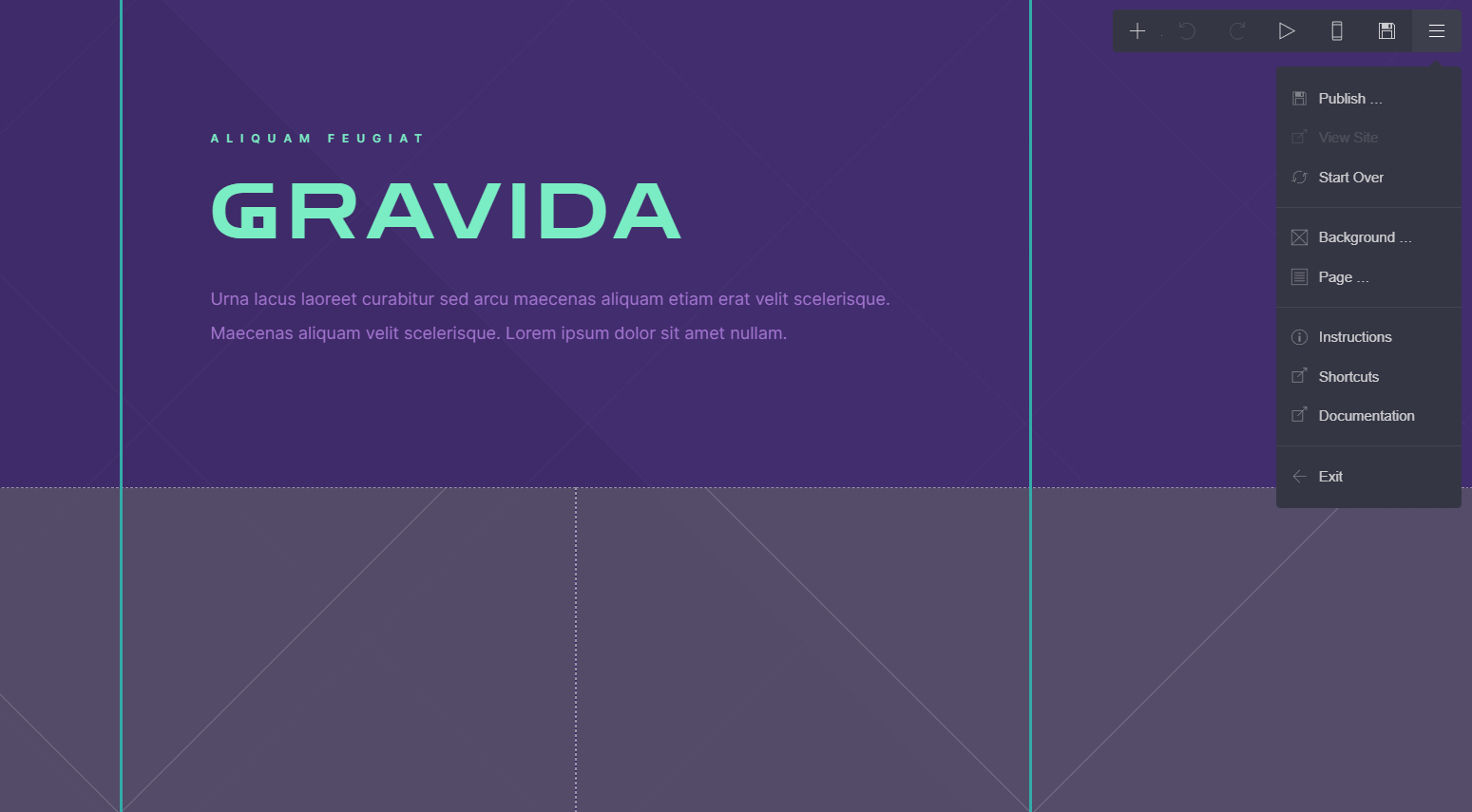
- Upgrade to a premium plan (optional): If you want to access additional features, such as custom domains, more templates, and third-party integrations, you can upgrade to a premium plan by clicking on the “Upgrade” button and selecting the plan that best suits your needs.

That’s it! By following these steps, you can create a professional-looking website quickly and easily using Carrd.co.
💲 Pricing Plans & Support
💎 Free – $0/Month
〰 Excellent features for free
💎 Pro – $19//year
Get access to Pro-exclusive features like:
LOOKING FOR A ONE-STOP SOLUTION TO YOUR GROWTH NEEDS?
〰 Custom domains
〰 More sites
〰 Forms
〰 Widgets + Embeds
〰 Google Analytics
〰 No Branding
📍 The Competition

| 👍 Pros | 👎 Cons |
| 👍 Templates 👍 Advance customization options 👍 Wide range of features | 👎 More complex 👎 More expensive |