Slack: Your Ultimate Communication and Collaboration Hub

βš–οΈ Our Verdict

Slack is a cloud-based team collaboration tool that brings all your communication together in one place. It offers real-time messaging, archiving, and search for modern teams. With a user-friendly interface and robust integration capabilities, Slack is designed to facilitate quick and easy communication and collaboration for teams of any size.

πŸ‘ Pros

  • Real-Time Messaging: Slack provides instant messaging with support for groups and direct messages to enhance team communication.
  • Integration Ecosystem: Slack offers extensive integrations with popular third-party applications and services.
  • Customization: Users can customize channels, notifications, and interface to fit their specific needs.
  • Security: Slack prioritizes security with features like two-factor authentication and data encryption.

πŸ‘Ž Cons

  • Pricing: The free version has limitations, and the paid plans might be expensive for smaller teams.
  • Learning Curve: New users might take some time to get accustomed to the plethora of features and options.
  • Notification Overload: Managing notifications can be challenging, especially for very active teams.

🌟 About Slack

Slack was created to bring teams together and make work simpler, more pleasant, and more productive. It provides channels where teams can communicate and share files easily. Slack has evolved to become a comprehensive collaboration hub for businesses, integrating with a multitude of apps and services and offering features like video calling and file sharing.

🎁 What’s In It For You?

  • Enhanced Communication: Slack’s channels, direct messages, and group messages ensure that you can communicate with your team effectively.
  • Integration with Tools: Connect Slack with tools you use every day and pull in data or take actions without leaving Slack.
  • Customizable: Tailor Slack to fit your team’s needs with custom channels, notifications, and bots.

πŸ› οΈ How Does It Work?

  1. Sign Up: Create an account using your email address.
  2. Create a Workspace: Organize your team’s conversations in channelsβ€”by project, topic, team, or whatever makes sense for you.
  3. Invite Your Team: Bring your team on board to collaborate.
  4. Start Communicating: Use channels, direct messages, and groups to communicate with your team.

πŸ’° Pricing Plans & Support

  • Free: Suitable for small teams offering basic features.
  • Standard: For medium-sized businesses, offering additional features and integrations.
  • Plus: Designed for larger businesses with advanced administrative and security features.

πŸ“ The Competition

Microsoft Teams

  • Pros:
    • Comprehensive integration with Microsoft 365.
    • Advanced security and compliance features.
  • Cons:
    • Can be complex to set up and manage.
    • The user interface is not as intuitive as Slack’s.

Vowel 2.0: Turn Your Meetings Into Searchable, Shareable Knowledge

βš–οΈ Our Verdict

Vowel is a video conferencing tool that enhances meetings. With video conferencing, live transcribing, immediate recordings, and shared agendas plus annotations all in one location, it is a technology that makes your meetings incredibly effective.Β 

Vowel is ideal for brainstorming, user experience research, regular standups, planning sessions, and other purposes. Attend your meetings thoroughly and never miss anything vital. It’s dead simple to locate precisely what you’re searching for in seconds using Vowel’s advanced search features. Share excellent ideas and key choices with your entire team so that everyone can hear them.

Overall, it’s a feature-packed, essential, and accessible tool for productive and effective online meetings.

πŸ‘ ProsπŸ‘Ž Cons
πŸ‘ Record the person speaking, important decisions, and others
πŸ‘ Transcribe and share notes
πŸ‘ Record and share the meetings
πŸ‘ Bookmarking feature
πŸ‘Ž Connection issues
πŸ‘Ž Mobile platform needs improvement
πŸ‘Ž Glitchy recordings

🌟 About Vowel

A session should be about more than just virtual meetings; it should be about working together, developing partnerships, and keeping focused. Vowel is a video conferencing solution that allows you to multiply the value of your meetings by ten.Β 

Gather, transcribe, document, record, locate, and share virtual meetings all in one place β€” no other software is needed! Vowel has transformed traditional video conferencing by transforming your sessions into searchable and shared knowledge.

With Vowel, you can not only organize more engaging and focused meetings, but you can also have unlimited recall of the ideas and choices that emerge from those talks, preventing them from being frozen in time.

🎁 What’s In It For You?

Vowel promotes more productive meetings by automatically recording and transcribing all your sessions in real-time. This lets your attendees engage in the discussion more instead of taking notes. Vowel also allows for collaboration where you can utilize the shared workspace screen. This app enables you to produce an interactive agenda, concrete follow-ups, and take note of important stuff during conversations.Β 

With Vowel, action items are turned into simple and easy tasks. This app links the action item back to a shareable meeting recording. Additionally, Vowel simplifies your screen with integrations. Being browser-basedβ€”Vowel eliminates the need for downloadingβ€”you don’t need to run other tools or plug-ins on different tabs.Β 

Vowel provides a hassle-free experience wherein a meeting can be started from Slack or Google Suite, and then receive a meeting summary through email.Β 

πŸ–₯️ How Does It Work?

  1. Schedule a meeting in your dashboard.
  1. Start and record your meeting using the button on the lower left. You can use keyboard shortcuts for different commands.
  1. Share your screen.
  1. Change the transcription language in the transcription button on the lower right.
  1. Bookmark a part of your meeting to return to it easily.

πŸ’² Pricing Plans & Support

Vowel offers amazing pricing plans for better meetings!

πŸ’Ž Free – $0/Month

This essential deal is free forever!

γ€° Record and transcribe

γ€° Unlimited meetings for up to 50 minutes

γ€° Rewatch and search through past meetings 14 days after recording

γ€° Host for 12 participants

γ€° Basic integrations (Slack, Google, Calendly)

πŸ’Ž Pro – $8.49/Month

This essential deal is only $8.49 per month!

γ€° Everything in Free plan

γ€° Meetings up to 120 minutes

γ€° Rewatch and search through past meetings 60 days after recording

γ€° Host for 25 participants

γ€° Advanced transcription

γ€° Non-English transcription languages

γ€° Dial-in

γ€° Download videos

γ€° Meeting guests are free

πŸ’Ž Business – $16.49/month

This essential deal is only $16.49 per month!

γ€° Everything in Pro plan

γ€° Meetings up to 10 hours

γ€° Rewatch and search through past meetings forever

γ€° Host for 50 participants

γ€° Priority support

γ€° Meeting guests are free

πŸ“ The Competition

πŸ‘ ProsπŸ‘Ž Cons
πŸ‘ Easy to use and accessible
πŸ‘ Record meetings and conduct breakout rooms
πŸ‘ Have basic meeting needs.
πŸ‘Ž 45-minute time limit on free plan
πŸ‘Ž Costly application
πŸ‘Ž β€œZoom fatigue”

Turn your meetings into searchable, shareable knowledge with Vowel 2.0.

Zuddl: Humanizing Events

βš–οΈ Our Verdict

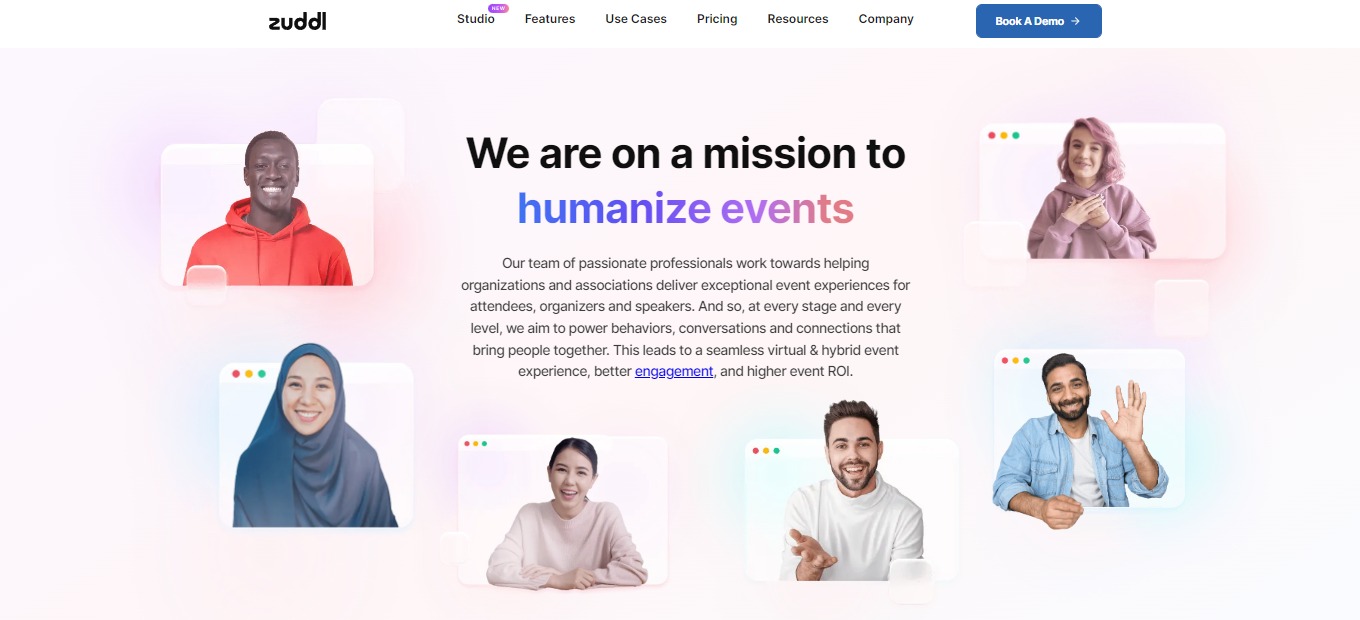
Zuddl is the easiest way to create, customize, host, and manage large-scale virtual events, with the best features for managing virtual events that scale to global audiences. Zuddl’s powerful virtual and blended platform allows you to create unique branded engaging events in minutes.

This application is best used by field marketers, event organizers, and such, allowing them to conduct tradeshows, conferences, exhibitions, job fairs, meetings, etc. Zuddl lets users build amazing events in real-time, drive desired attendee engagement, run panic-free events, and gather insights that matter. With that, Zuddl is currently being used by large corporations such as Kellogg’s, Microsoft, BYJU’S, and over 50 more!

Overall, it’s an effective, affordable, and essential application for organizing customizable and branded events!

πŸ‘ ProsπŸ‘Ž Cons
πŸ‘ Highly customizable
πŸ‘ Good UX and UI
πŸ‘ Self-management tools
πŸ‘ Good platform for online events
πŸ‘ Good customer support
πŸ‘Ž Few bugs
πŸ‘Ž Pricey application
πŸ‘Ž No free plan

🌟 About Zuddl

Zuddl is an online and hybrid events platform designed for events of all types and sizes. Zuddl is used by businesses to create on-brand, immersive, and unforgettable event experiences.

Zuddl is the only live streaming platform that has zero latency, which is essential for hosting smooth and seamless online and hybrid events. Most event platforms rely on RTMP to broadcast their content, but this results in a 30-second latency, preventing virtual attendees from watching and reacting in real time. Zuddl has no latency, making it the most efficient solution on the market currently.

There has never been a greater need for one-of-a-kind, customizable live virtual experiences. Zuddl is a platform for virtual, high-impact events that allows you to run fully immersive branded events, making sure a memorable experience for participants, presenters, and sponsors and a stress-free experience for organizers!

🎁 What’s In It For You?

You can host, create, and handle high-impact branded virtual events that are customizable and scalable to meet all of your needs with Zuddl. With Zuddl, you can build an unforgettable brand experience by letting you utilize its custom layout and interactive widgets.Β 

Zuddl caters to your hybrid event needs making it an all-in-one solution. Zuddl enables you to create a seamless, immersive, and integrated experience for every participant, regardless of whether attending online or in person.

This application also has a networking feature, allowing you to quickly match with event participants. With the data & insights feature of Zuddl, you can gather actionable insights with ease. Furthermore, Zuddl lets you use other features that are essential for your event like integrations, engagement, security, and backstage!

πŸ–₯️ How Does It Work?

  1. The top navigation allows you to switch between different virtual zones.
  1. The lobby has an extensive collection of widgets with a set of interactive hotspots, helping you to navigate through all resources.Β 
  1. The stage lets you interact with attendees through polls and Q&As.
  1. The Networking section gives you a curated list of recommended profiles and an option to enter quick networking.

πŸ’² Pricing Plans & Support

Zuddl offers a simple and hassle-free pricing plan taking into consideration the number of registrations and add-ons only. With the pricing plan of Zuddl, the complexity of pricing plans that organizers have to face is removed. This comes with onboarding, training, customer management, video-on-demand, etc. This gets rid of the base fee, feature-based pricing, and minimum commitment fee.

πŸ“ The Competition

πŸ‘ ProsπŸ‘Ž Cons
πŸ‘ Flexible to your needs
πŸ‘ Metrics and analytics on the back end
πŸ‘ Can attach links, pdfs, and other attachments
πŸ‘ 24/7 support
πŸ‘Ž Bugs and instability
πŸ‘Ž Issues on mobile device

Humanize Your Events with Zuddl!

Miter: Run better meetings

βš–οΈ Our Verdict

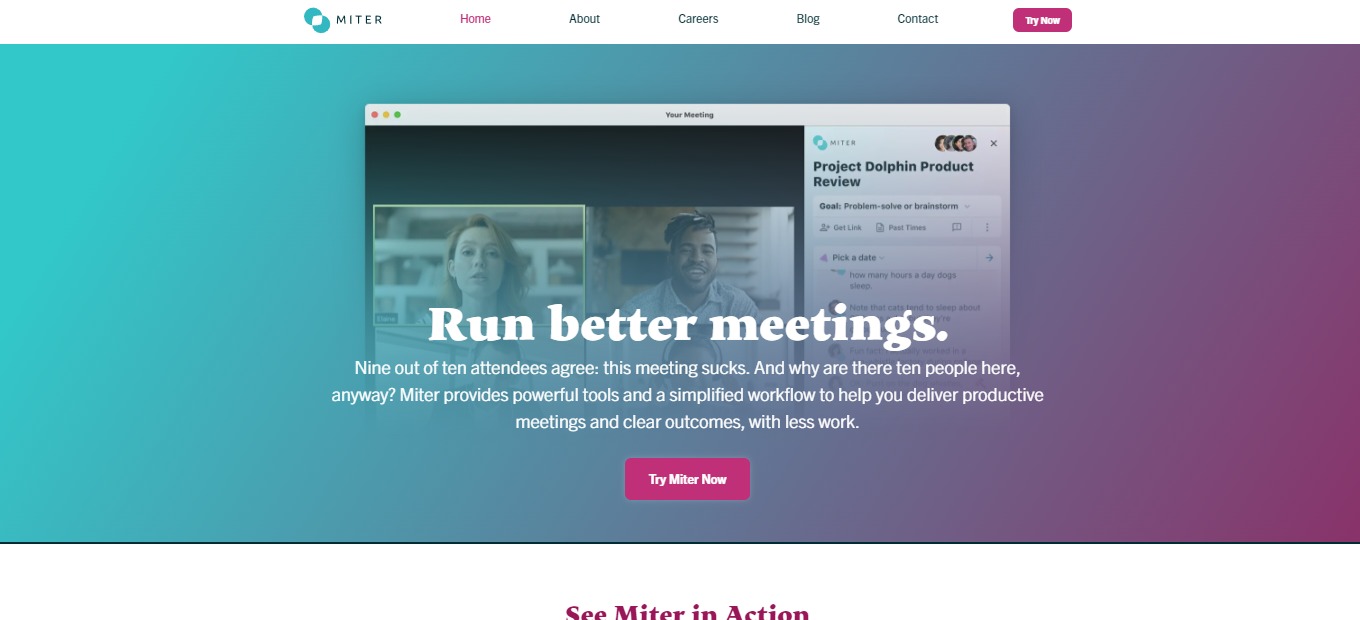
Miter is the better way to meet since it provides powerful tools and workflow to aid in conducting fruitful meetings, stopping you from losing time during meetings. With that, this application is best used by groups that are conducting meetings β€” startups, small businesses, academics, etc.Β 

Miter is a better-meeting solution that provides a simple, simplified approach to guarantee that your meetings are worthwhile for everyone’s time. This tool is applicable in every type of meeting to be conducted as it serves different purposes. Miter gives better plans, successful outcomes, good facilitation, and effortless summaries. Use Miter now so that after your meeting, members will be saying: β€œThat was amazing!”

In summary, it’s a simple, essential, and effective application for planning, conducting, and summarizing online meetings!

πŸ‘ ProsπŸ‘Ž Cons
πŸ‘ Concise UI and good UX
πŸ‘ Obtain meeting summaries
πŸ‘ Google Calendar and Zoom integration
πŸ‘ Has essential features for online meetings
πŸ‘Ž Needs more structuring and formatting features
πŸ‘Ž No native mobile application
πŸ‘Ž Zoom only

🌟 About Miter

Miter is an application made out of hating the messy process of an online meeting. Miter’s research-backed workflow guides you to successful meetings. This tool enables you to define a clear objective, facilitate like an expert, and monitor the summary and action items afterward, which will make your team grateful.Β 

Miter is centered on goals, and not empty agenda. It also focuses on facilitating and on outcomes after the meeting. Additionally, it can work wherever you are β€” web, GCal via extension, and inside Zoom.Β 

We all know that the key to better meetings is good preparation. Miter gets the job done, allowing you to focus on what’s important and avoid several distractions. Miter is intended to help users not just run and document meetings effectively, but also to create a more productive, trustworthy, and collaborative meeting culture.

🎁 What’s In It For You?

Miter offers essential tools and a simple workflow to aid you in providing effective meetings and good results, all with little effort. This application is designed to focus members on concise outcomes for your meetings. With a simple agenda and template, Miter allows you to conduct a successful meeting.

Furthermore, this tool is centered around flexibility, where you and your team can designate a note taker or even give others the chance to share their thoughts in the chat-like note interface. With that, your team is also allowed to mark action items and key decisions all with a single click.Β 

After the meeting, Miter gives you a comprehensive summary which is also shareable with other team members. Miter is there for your meetings every step of the way!

πŸ–₯️ How Does It Work?

  1. Select or create a meeting at the top side of the interface.Β 
  1. Add a goal for your meeting.
  1. You can also add different topics.
  1. Get the link and share it with your team.
  1. Collaborate on notes and make action items and decisions.
  1. Add a dynamic to structure your conversation in real-time.
  1. Decide and discuss the specifics.
  1. View the automatic summary after ending the meeting.
  1. Send the summary to your team, which can also be viewed via email.

πŸ’² Pricing Plans & Support

Miter provides you with important features for your online meetings. From planning and preparation to summaries of the meeting, Miter is there to help teams. The amazing thing about Miter is that it is easy to use and does not require you to spend a buck β€” it is a free application!

πŸ“ The Competition

πŸ‘ ProsπŸ‘Ž Cons
πŸ‘ Make planning on meetings easy to manage
πŸ‘ Collaborate with team in real-time
πŸ‘ Simplifies workflow
πŸ‘ Automated summaries at the end of the meeting
πŸ‘Ž Has a learning curve
πŸ‘Ž No custom privacy
πŸ‘Ž Sometimes lags

Run better meetings with Miter.

Dive: Stop Hating Meetings

βš–οΈ Our Verdict

Dive is an amazing online meeting application that is different from other applications. It features video conferencing, times agenda, collaborative note-taking, meeting recaps, and other functional features placed in a single application.Β 

Dive can be used by small to large groups and can function for weekly meetings, one-on-ones, sales meetings, standups, brainstorming, and several use cases that employ online meetings. It features other tools that existing meeting applications cannot offer. Use Dive now and fill up the void that you experience in online meetings!

In summary, Dive is packed with features, accessible, and easy to use for your remote or hybrid meeting needs!

πŸ‘ ProsπŸ‘Ž Cons
πŸ‘ Agenda-centered
πŸ‘ Collaborate on note-taking
πŸ‘ Multiple integrations and features
πŸ‘Ž Up to 10 members only on free
πŸ‘Ž No recording and breakout rooms on free

🌟 About Dive

Happy customers are the true G.O.A.T! 🐐#MakeMeetingsFun https://t.co/fTfHLy8fVw

— Let's Dive (@letsdivehq) June 24, 2022

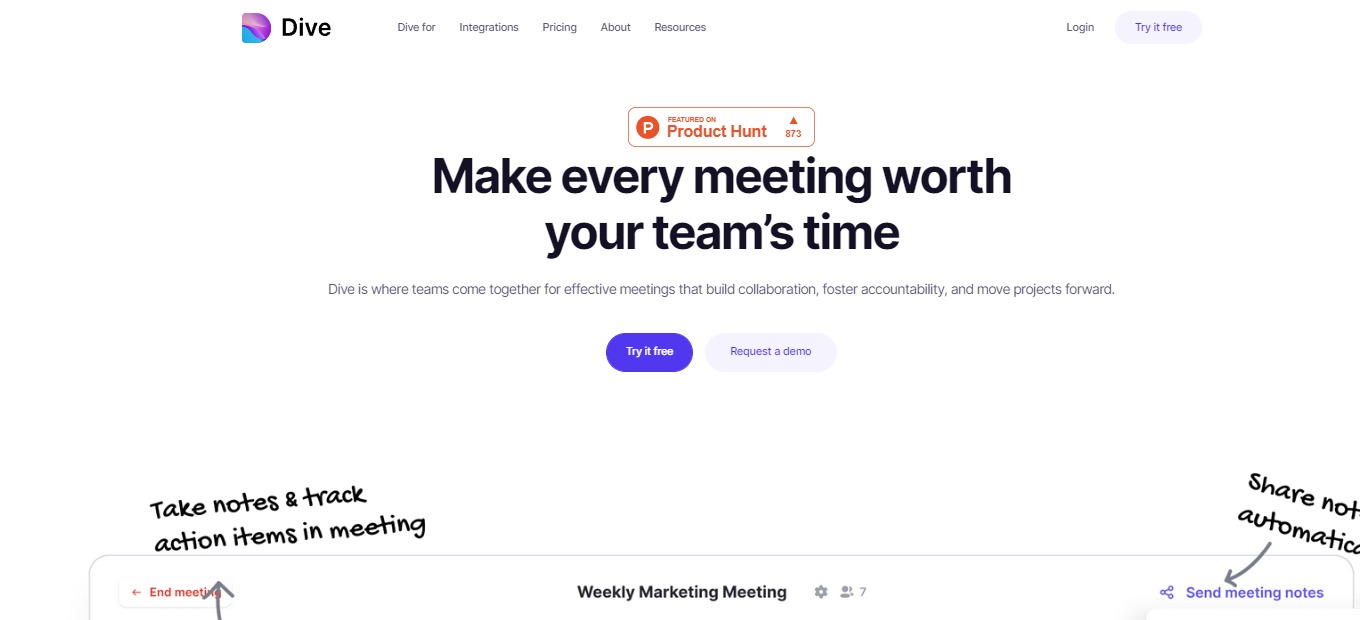
Meetings are frequently regarded as a waste of time since they do not advance tasks. That’s why Dive was created: so you don’t have to put up with meetings that don’t work for you or your team. Dive is on a mission to make remote and hybrid teams happy at work. Dive is an online conferencing application packed with different tools essential for your meeting needs.

This enables teams to reclaim control and prepare for success on their own terms. Dive is where teams get together for successful meetings that create cooperation, accountability, and the progress of projects. Get more done before, during, and after meetings because Dive adheres to your agenda, is time-bound, and holds everyone responsible.

🎁 What’s In It For You?

Dive lets you collaborate on the meeting agenda in advance and during the meeting itself. It also allows you to time your agenda so everything runs smoothly. Dive has additional features allowing you to utilize the online space such as polls, whiteboard, and other different applications.Β 

With Dive, you can also take notes with your team in real-time and track actions together. All the post-meeting items will be documented and can be found in one place. Furthermore, you can also play games inside the meeting room to boost engagement.Β 

Dive enables you to make discussions more productive by the use of breakout rooms. Lastly, Dive integrates with the largest applications such as Zoom, Google Calendar, Outlook, and more!

πŸ–₯️ How Does It Work?

  1. Construct an agenda to create a meeting in advance.
  1. Click on a meeting and hit join.
  1. Select a GIF to play on your screen to express yourself more.
  1. On the right panel of the meeting room, add or edit an agenda. You can set out the duration and play it so that the meeting is organized.
  1. Add other activities to your meeting.

πŸ’² Pricing Plans & Support

Dive offers promising pricing plans. You can now save your team’s most important resource which is the time!

πŸ’Ž Basic – $0/Month

This plan is for teams of up to 10 people and is for free!

γ€° Up to 10 members

γ€° 50+ embedded apps

γ€° GCal, Zoom, and MS Teams integrations

γ€° Unlimited meetings and agendas

γ€° Collaborative agendas and note-taking

πŸ’Ž Pro – $10/Month/User

This plan is for teams and companies of up to 100 people and is only $10 per month per user!

γ€° Everything in Basic plan

γ€° Up to 100 team members

γ€° Bespoke training and onboarding

γ€° Slack integration

γ€° Session recording and breakout rooms

πŸ“ The Competition

πŸ‘ ProsπŸ‘Ž Cons
πŸ‘ Easy to use and accessible
πŸ‘ Record meetings and conduct breakout rooms
πŸ‘ Sufficient for basic meeting needs.
πŸ‘Ž 45-minute time limit on free
πŸ‘Ž Costly application
πŸ‘Ž β€œZoom fatigue”

Stop hating meetings, use Dive!

Gated: Reduce unwanted email, support your favorite cause

βš–οΈ Our Verdict

Gated should be used by everyone not only because it’s free, but also because it can help overwhelmed email recipients and can benefit the society. This app forces unknown senders to donate to an organization in order for them to send something to your inbox.Β 

Gated works by creating a folder in your Gmail account that places spam and unauthorized emails inside it. With that, you would be able to have an organized email without any distractions.

Overall, it’s a free, beneficial, and necessary application for organizing your email and removing clutter.

πŸ‘ ProsπŸ‘Ž Cons
πŸ‘ Clean your inbox and receive only important emails
πŸ‘ Donate to nonprofits
πŸ‘ Free application
πŸ‘Ž Sometimes important emails move to Gated section
πŸ‘Ž Some unnecessary emails still pass through the inbox

🌟 About Gated

Gated is a free and simple solution to reduce inbox clutter while also supporting your favorite cause. When you get an email from an unknown address, the sender is challenged to make a donation to your selected cause in order for their message to be sent.

This software is dubbed β€œthe noise-canceling headphones for email.” If you suffer from a cluttered inbox, Gated is the solution for you! The approach isn’t about shutting down your email, but rather about decreasing noise to benefit everyone.

Gated requires unknown senders to give to charity in order to reach you, ensuring that everything in your inbox is worth your time. Considering everything, you now have more time to be productive, responsive, and quiet with less unsolicited email.

🎁 What’s In It For You?

Gated allows you to be more productive and focused on the things that matter most by filtering your emails. It challenges unknown and unnecessary senders to donate to a charity of your choice for them to send you an email. With that, you only see the emails that are important.Β 

This tool removes the chaotic inbox by reducing clutter and creating a path for valuable messages. In addition to that, you can support a cause that you care for by choosing a nonprofit that will receive donations from senders.

Gated lets you take control of your attention in a busy world. This app gives you the power to choose what email is important and what to listen to.Β 

πŸ–₯️ How Does It Work?

  1. Sign up for the email you want to use Gated with.
  1. Wait for Gated to set up, and then activate your account.
  1. Personalize your account by choosing a nonprofit, allowing domains, and learning the basics of inbox.
  1. The home page shows the statistics based on your emails.
  1. Emails from your inbox are labeled based on your settings.
  1. Gated automatically segregates which emails you allow to show or do not.

πŸ’² Pricing Plans & Support

Gated is free to use for everyone since it is supported by the donations that senders provide. You can now have the amazing features of this tool without spending a single buck. Plus, you have the chance to donate to your chosen nonprofit organization! Obtain an organized inbox and a peaceful work-life for free!

πŸ“ The Competition

πŸ‘ ProsπŸ‘Ž Cons
πŸ‘ Task manager for gmail
πŸ‘ sales, service, and helpdesk
πŸ‘ Apply Trello functionality
πŸ‘Ž Bugs
πŸ‘Ž Slow support

Reduce unwanted email, support your favorite cause with Gated!

Hugo 2.0: Better meetings through centralized, actionable notes

βš–οΈ Our Verdict

Hugo is a solution designed to facilitate meetings for mobile and remote teams as it allows them to set agendas, index and organize details, and collaborate on notes. It is a centralized platform for all your team’s agendas and notes. This application promotes collaboration and transparency through its tools and applications.Β 

Hugo also supports a lot of integrations to help you manage your meetings. With a load of features and functions of this app, it is considered one of the best meeting tools on the market. This application is best for collaborative teams that wish to upgrade their online workflow. Despite being a collaborative tool, this application is not limited to teams as you can also use it as an individual.Β 

In summary, Hugo is collaborative, simple, and useful for managing your online meetings!

πŸ‘ ProsπŸ‘Ž Cons
πŸ‘ Flexible and easy to use
πŸ‘ Has templates
πŸ‘ Good customer support
πŸ‘ Search function
πŸ‘ Connects to calendar
πŸ‘ Collaboration features
πŸ‘Ž No mobile application
πŸ‘Ž Difficulties on sharing
πŸ‘Ž Layout features on notes can be improved

🌟 About Hugo

Hugo is an online meeting platform that integrates notes and allows teams to collaborate. It is a multi-function application that is a solution for team meeting notes, knowledge management, and business communications. This application lets users share details of a virtual meeting in real-time through various integrations.Β 

With Hugo, you can manage your calendar, tasks, and notes all in one place! That way you can be more prepared and organized. This application’s note-taking platform is also calendar-centric. It can give you and your colleagues one platform for everything.Β 

Launched on 2018, Hugo is used by huge companies and organizations like WHO, Netflix, Uber, Spotify, and many more! Meetings are now more productive with Hugo!

🎁 What’s In It For You?

Hugo boosts your team’s collaboration by allowing you to prepare, assign tasks, take notes and share insights. Hugo makes meetings better for remote teams! Also, with Hugo, you will have fewer, shorter, and better meetings with high value. This app even connects with your G-Suite and Office 365 calendar!

This application automatically categorizes your notes by meetings and attendees. Not only that, but Hugo also allows you to auto-sync notes that match meetings. Additionally, Hugo lets you use integrations when creating tasks in project management apps straight from your notes, so you won’t ever need to switch apps.

Lastly, Hugo allows you to stay organized as you can find notes and tasks in seconds just by searching.Β 

πŸ–₯️ How Does It Work?

  1. Everything in your calendar is connected to Hugo.
  1. Click on a meeting to view the details. All the attendees are automatically recognized by Hugo, so the notes will be categorized.
  1. When preparing for a meeting, Hugo allows you to pick a template for taking notes. You can customize one for yourself.
  1. Other users can collaborate in note-taking. You can also assign tasks.
  1. Once ready, you can share it with your customer or even add it to your event calendar.
  1. During the meeting, you and your team can collaborate and take notes on the template.Β 
  1. You can add actions using the built-in task manager in Hugo, or the integrations.

πŸ’² Pricing Plans & Support

Stay organized, prepared, and aligned with Hugo. You can now give your team the gift of more productive meetings with Hugo’s pricing plans!

πŸ’Ž Basic – $0/Month

This amazing deal is free forever! Manage your calendar, notes, and tasks, all in one place!

γ€° Up to 10 users

γ€° Unlimited docs

γ€° Unlimited tasks

γ€° Basic integrations

γ€° Access to 100+ templates

γ€° Unlimited private templates

πŸ’Ž Pro – $8/Month/User

Make meetings more productive for your team for only $8 per month per user!

γ€° Everything in basic

γ€° Up to 25 users

γ€° Premium integrations

γ€° Shared/team templates

γ€° User groups

γ€° Live chat support

πŸ’Ž Business – $-/month

Get advanced features and additional support with this plan!

γ€° Everything in pro

γ€° Form fields

γ€° Doc lock & activity logs

γ€° Roles, permissions, & admin tools

γ€° Customer success manager

γ€° Implementation and user training

γ€° Additional compliance and security

πŸ“ The Competition

πŸ‘ ProsπŸ‘Ž Cons
πŸ‘ Easy to use
πŸ‘ Record meetings
πŸ‘ Write notes and To-dos with anyone in the meeting
πŸ‘ Connected to your calendar
πŸ‘Ž No mobile application
πŸ‘Ž Limited features

Better meetings through centralized, actionable notes with Hugo 2.0

Headroom 2.0: Hands-free meetings with real-time AI video conferencing

βš–οΈ Our Verdict

Headroom is an online video conferencing tool like no other! This is the solution to Zoom fatigue that we are experiencing nowadays. Sitting in meetings makes you miss a lot, mainly because online sessions are fast-paced. Because of that, you miss essential information, and you cannot digest the information regarding the meeting properly.

Headroom is a new way to collaborate, meet, and make the most of our time. Artificial Intelligence allows users to utilize online meetings and spend more time on the discussions themselves. This application is best used by everyone. Be it, students or professionals, Headroom might be the solution to online conferencing problems.

The AI technology lets you have access to live transcripts that can also be discussed on the shared team notes. The best thing about Headroom is that you can search for the details of the meeting, saving you time and effort – All of that for free! This might be the following biggest online conferencing tool out there.

In summary, Headroom is an intuitive, accessible, and essential application for your online meeting needs.Β 

πŸ‘ ProsπŸ‘Ž Cons
πŸ‘ Free application
πŸ‘ High quality video in low bandwidth
πŸ‘ AI powered
πŸ‘ Automatic summaries
πŸ‘ Live transcripts and shared notes
πŸ‘Ž Works best only on Chrome browser
πŸ‘Ž In beta

🌟 About Headroom

Headroom is an online video conferencing tool on a web browser. This application empowers people to think creatively, form relationships, and solve problems while letting Artificial Intelligence do the rest. This actually makes you a better participant.Β 

It uses AI tools that include computer vision, natural language processing, and more. Not only does it provide room for video conferences, but it also provides summaries, transcripts, gesture recognition, high video quality, and more.Β 

Headroom was founded because the creators thought of taking AI technology and sharing it with people that would make their lives easy. Now you can enjoy hands-free meetings and concentrate on the discussion!Β 

🎁 What’s In It For You?

Headroom allows you to act naturally by utilizing AI for you. The AI will recognize hand gestures, and you can give feedback without clicking anything. The gestures that the AI can recognize include thumbs up, thumbs down, wave, facepalm, and more to come.

Headroom saves you time and energy by automatically transcribing your meeting. You can use the text generated from the transcript to the shared team notes. This can clarify miscommunications without disrupting the flow of the meeting. Headroom also lets you have meeting replays that can be skipped, highlighted, and sped up.Β 

Aside from that, Headroom also generates summaries of your meetings, making them easier to digest. You can share it with the participants to recap the meeting without any effort. You can also search sessions by little things you remember, like attendees, notes, topics, words, and others.Β 

Even without downloads, Headroom lets you utilize high-quality videos without taking much of the bandwidth. The best part about all of this is that this application is entirely free!

πŸ–₯️ How Does It Work?

  1. Click the β€˜New meeting’ button on the right panel.
  1. Fill in the necessary details of your meeting. You can add participants by name or email, and they will be notified through email.
  1. Edit the settings for the post-meeting access.
  1. After creating, the meeting will show up on your dashboard. Click on it, then join the meeting.
  1. You will be redirected to the meeting. You may turn on or off your camera and mic prior to joining. You can also set your virtual background.
  1. The buttons below the screen let you control the settings of the meeting. You can also access here the shared team notes.
  1. Click on the bottom right corner of the screen to access the automatic transcription. Click on a text, and it will be copied on the shared team notes.
  1. Leaving the meeting will let you access the post-meeting summary. You can view the shared team notes, the meeting replay, and the transcript. The post-meeting also shows the total wordshare of each participant.

πŸ’² Pricing Plans & Support

With all of the fantastic features of Headroom, this application is totally free! This application has secured $5 million as it prepares to release its freemium service into the world. That way, you can enjoy all of the amazing features without worrying about breaking the bank!

πŸ“ The Competition

πŸ‘ ProsπŸ‘Ž Cons
πŸ‘ File transfer
πŸ‘ Live transcription
πŸ‘ Versatile video conferencing tool
πŸ‘Ž Uncomfortable GUI
πŸ‘Ž Similar to Zoom

Hands free meetings with real-time AI video conferencing with Headroom 2.0

Nitro: Fast, professional translations by native speakers, open API

βš–οΈ Our Verdict

Nitro is one of the best authentic translation services in the market. It is backed by professional and native speakers of different languages and the translations are reviewed for best quality. This application is very simple and intuitive to use. You just need to paste a text and select some options then the price will be revealed. However, it does not accept any file types for translating as of now.Β 

Nitro is a pay-as-you-go service without additional fees. It has multiple languages and the translators have a piece of wide knowledge on different subjects. Nitro can be used for translating in different industries from Web development, and sciences, to even personal uses like love letters!

Overall, it’s an intuitive, simple, and quality application for translating texts for different uses.

πŸ‘ ProsπŸ‘Ž Cons
πŸ‘ Fast and authentic translation
πŸ‘ Translation by professional, native-speaking linguists
πŸ‘ Convenient purchase options
πŸ‘ Many languages
πŸ‘ Affordable
πŸ‘Ž Some languages need multiple translation for end result
πŸ‘Ž Paid service
πŸ‘Ž Cannot add comments to specific parts
πŸ‘Ž Lacks some functions
πŸ‘Ž Not the best UI
πŸ‘Ž Text only, does not accept files

🌟 About Nitro

Nitro is an online live translation service that is automated without sacrificing quality. This application is a platform from Alconost, a company that has been working in the localization and translation industry for over 15 years. The principle behind Nitro is simple. You put a text and it is sent to professional native-speaking translators. The ready-made translations will be sent to your email once it is done. All of this works by utilizing API.Β 

This application is great for translating many texts. Nitro was created so that people can authentically translate texts fast and easily. This makes product translation faster and easier than ever before! The problem of needing to find a translation service weekly can be solved by Nitro.

Nitro is backed by translators, engineers, developers, and managers. Most translations can be delivered within two hours. Now you can gain access to accurate translation within hours!

🎁 What’s In It For You?

Nitro allows you to translate your text into more than 70 languages that are constantly being added on. This application utilizes human translations exclusively done by professionals and native speakers. There are no limits so you can translate any text that you like within a wide area of discipline. Also, Nitro can even translate as little as 1 word, so there are no minimum orders.Β 

Nitro lets you chat online with a help-desk operator. You can also leave explanations, comments, and images to provide context for the translator. The domains of translation under Nitro include software and web development, mobile apps, science, e-commerce, marketing, crypto, personal, and etc.Β 

The quality of the translation is excellent, and you can also influence the quality by providing the necessary information. Nitro does not only provide translation services but also proofreading. Expect to have a high-quality and fast translation that can be completed within a few clicks.

πŸ–₯️ How Does It Work?

  1. On the source text, paste or type in the text that needs to be translated.
  1. You can add comments, explanations, images, and other instructions to help your translation to be better.Β 
  1. Specify the language of the source text.
  1. Select the language to be translated. You may click more than 1 and the price will be adjusted accordingly.
  1. Once done, click on the β€œsend for translation”.

πŸ’² Pricing Plans & Support

Nitro offers a very simple pricing system that varies within the languages selected. The price is also affected by the length of your text. Payment options available on Nitro are credit/debit card, wire transfer, PayPal, Yandex.Money, and Webmoney.

πŸ“ The Competition

πŸ‘ ProsπŸ‘Ž Cons
πŸ‘ Fast and authentic translation
πŸ‘ Can request edits
πŸ‘Ž Limited file types accepted
πŸ‘Ž Paid service and is expensive
πŸ‘Ž Inaccurate translations
πŸ‘Ž UI is average

Get a fast, professional translations by native speakers with Nitro

Tactiq 2.0: Transcribes remote meetings & creates notes for you

βš–οΈ Our Verdict

Tactiq is recommended for everyone using Google Meet and Web Zoom. It can be used by students, teachers, professionals, and anyone that wishes to transcribe calls easily! The transcription of Tactiq is pretty accurate and the highlight features are really useful. The integration with Google Docs is also a time saver since you can edit the transcription manually.

This application is timely for our remote jobs and classes. You can use it for note-taking in classes and even when creating minutes of the meeting! Download Tactiq if you want to save time in taking notes.Β 

All in all, Tactiq is easy to use, really affordable, and an essential application for transcribing online meetings!

πŸ‘ ProsπŸ‘Ž Cons
πŸ‘ Auto highlight and auto summarizeΒ 
πŸ‘ Time-stamped transcripts with speakers
πŸ‘ Has a free version
πŸ‘ Supports English, Spanish, French, German, and PortugueseΒ 
πŸ‘ Has integrationsΒ 
πŸ‘Ž Google meet and Zoom web calls only
πŸ‘Ž Limited free features

🌟 About Tactiq

Tactiq is a chrome extension that transcribes Google Meet and Web Zoom meetings. This application was created to help people stay focused during meetings and save the time spent on note-taking. With Tactiq’s real-time transcription of Google Meet, you will never miss a word!

Tactiq is an officially recognized Google Cloud partner. This application is the number one transcription tool for Google Meet. With that, one million meetings are being transcribed every month using this app!

The best part is that Tactiq is 100% free to download. Using this application, you can now stay engaged with meetings without missing a word!

🎁 What’s In It For You?

Your Website Title
How to Share With Just Friends

How to share with just friends.

Posted by Facebook on Friday, December 5, 2014

Tactiq allows you to stay focused in your Google Meet or Web Zoom meetings by automatically transcribing the calls then creates notes for you. With this application, never forget the important stuff as it captures conversations with 100% accurate built-in speaker identification.Β 

This application provides you with time-stamped transcripts w/ speaker names. Tactiq also lets you pause transcription if you do not need it. The supported languages of Tactiq are English, Spanish, French, German, and Portuguese.Β 

This application allows you to use another useful feature which is autocorrect. Tactiq has integrations including Google Docs, Quip, Slack, Notion, and many more! After the call, you can save the whole conversation and share it with whatever is convenient.Β 

Ready to get more out of your meetings? Use Tactiq and never miss a word, literally!

πŸ–₯️ How Does It Work?

  1. Download the extension.
  1. Open Google Meet, then click on the Tactiq extension. The widget will appear on the right side of the screen.
  1. Turn on the captions and Tactiq will automatically transcribe the meeting.
  1. Click on a text to highlight it, or click the highlight button to highlight the next sentence.Β 
  1. Click the extension to save the transcript to Google Docs or download it as a TXT file.Β 
  1. On Google Docs, the meeting transcription is automatically labeled and you will find highlights at the top.Β 

πŸ’² Pricing Plans & Support

Tactiq offers a clear pricing! Choose a plan that works for you.

πŸ’Ž Free – $0/Month

This essential deal is free!

〰️ 30/mo auto-saves

〰️ Time-stamped notes

〰️ Basic integrations

〰️ Speaker identification

〰️ Click to highlight

〰️ Save in-call chat

〰️ Meeting Engagement

πŸ’Ž Pro – $9/Month

This essential deal is only $9 per month!

〰️ Unlimited auto-saves

〰️ Time-stamped notes

〰️ Advanced integrations

〰️ Speaker identification

〰️ Click to highlight

〰️ Save in-call chat

〰️ Meeting Engagement

〰️ Custom tags

πŸ’Ž Team – $20/month

This essential deal is only $20 per month!

〰️ All in Pro Plan

〰️ Team collaboration

〰️ Security controls

γ€° Admin analytics

〰️ API access

〰️ Analytics

〰️ Advanced search

〰️ Team engagement

πŸ“ The Competition

πŸ‘ ProsπŸ‘Ž Cons
πŸ‘ Record meetings
πŸ‘ Transcribe live meetings or audio files
πŸ‘ Collaboration features
πŸ‘ Search across items and highlights
πŸ‘Ž No pause feature
πŸ‘Ž Limited free features

Transcribe remote meetings & create notes with Tactiq!