Stripe: Your Seamless Online Payment Solution

βš–οΈ Our Verdict

Stripe excels in providing a user-friendly, secure, and versatile payment processing solution. It is well-suited for businesses of all sizes, offering robust features that simplify e-commerce transactions.

πŸ‘ Pros & πŸ‘Ž Cons

Pros:

  • Ease of Integration: Stripe’s API is highly praised for its flexibility and ease of use, allowing for seamless integration into various platforms.
  • Comprehensive Features: From processing payments to handling subscriptions, Stripe covers a wide range of financial services.
  • Transparent Pricing: No hidden fees, with clear pricing structures.

Cons:

  • Complexity for Beginners: New users may find the array of features and technical details overwhelming.
  • Higher International Fees: Fees for international transactions can be higher compared to domestic ones.

πŸ›  About Stripe

Stripe stands as a leader in the online payment processing industry, offering solutions that cater to e-commerce, mobile applications, and subscription-based businesses. Its platform is designed to be both developer-friendly and scalable, accommodating the needs of small startups and large enterprises alike.

🎯 What’s In It For You?

Stripe’s platform is designed with the user in mind, offering:

  • Robust Payment Processing: Handling of various payment methods including credit cards, digital wallets, and more.
  • Subscription Management: Tools for managing recurring billing and subscriptions.
  • Global Reach: Support for multiple currencies and international payments.

Getting Started with Stripe: A Step-by-Step Guide

  1. Sign Up: Visit Stripe’s website and sign up for an account.
  2. Account Setup: Complete the account setup by providing necessary business details.
  3. Integration: Choose how to integrate Stripe (API, Stripe Dashboard, third-party integrations).
  4. Configure Payments: Set up your payment methods and preferences.
  5. Test: Utilize Stripe’s test environment to ensure everything works smoothly.
  6. Go Live: After testing, switch to the live environment to start processing real payments.
  7. Manage Transactions: Use the Stripe Dashboard to manage transactions and track payments.

πŸ’°Stripe’s Pricing Structure

Standard Pricing

  • Transaction Fees: 2.9% + 30Β’ per successful card charge.
  • No Hidden Fees: No setup, monthly, or hidden fees.

Custom Pricing

  • Tailored for Businesses: For large-scale or unique business models.
  • Features: Includes volume discounts and country-specific rates.

Additional Services

  • Fraud Protection and More: Additional fees for services like fraud management and identity verification.

Currency and Payment Methods

  • Global Reach: Supports 135+ currencies and various payment methods.

βš”οΈ Stripe vs. PayPal

Stripe Advantages:

  • Customizable payment experience.
  • Better suited for complex payment models.

PayPal Advantages:

  • Broad recognition and trust among consumers.
  • Simplicity and ease of use.

Airtable: The All-in-One Workspace for Your Creative Projects

βš–οΈ Our Verdict on Airtable

Airtable stands out as a versatile cloud-based platform, blending the functionalities of a database with the simplicity of a spreadsheet. It’s an excellent choice for businesses and individuals seeking a flexible solution for data organization, project management, and collaborative work.

Pros & Cons

Pros:

  • πŸ”„ Wide range of customization options.
  • 🌐 Seamless integration with various apps and tools.
  • πŸ›  User-friendly interface with spreadsheet-like functionality.

Cons:

  • πŸ’΅ Can be pricier than some competitors.
  • 🧩 Some features require a learning curve.
  • πŸ” Limited advanced database functionalities compared to traditional database systems.

About Airtable

Airtable offers an innovative approach to data management, combining the features of databases and spreadsheets. It’s designed to cater to diverse needs, from content management to event planning, making it a versatile tool for various business and creative applications.

What’s In It For You?

Airtable provides a unique platform that supports project management, data organization, and collaborative work. Its features include customizable views, extensive automation, and robust integration capabilities, enabling teams to streamline their workflows and manage projects more efficiently.

Getting Started with Airtable: A Step-by-Step Guide

Step 1: Sign Up for Airtable

  1. Visit the Airtable website and click β€œGet started for free.”
  2. Sign up with your email, Google, or Apple account.

Step 2: Create Your First Base (Database)

  1. Once logged in, click β€œAdd a base” and choose a template or start from scratch.
  2. Customize your base by adding tables, fields, and views.

Step 3: Add and Organize Data

  1. Open a table and start adding records (data).
  2. Use fields to structure and categorize your data.

Step 4: Collaborate and Share

  1. Invite team members to collaborate on your base.
  2. Set permissions to control who can view or edit data.
  3. Share views or bases with external collaborators.

Step 5: Explore Advanced Features

  1. Discover advanced features like automations and integrations.
  2. Explore templates and blocks to enhance functionality.

Step 6: Learn and Get Support

  1. Access Airtable’s learning resources, including guides and webinars.
  2. Join the Airtable community for tips and insights.
  3. Contact Airtable support for assistance when needed.

Step 7: Upgrade Your Plan (Optional)

  1. Consider upgrading to a paid plan for more features and storage.

Now you’re ready to dive into Airtable and tailor it to your specific needs, whether for project management, data organization, or creative collaboration.

Pricing Plans & Support

A pricing page for Airtable, a cloud-based database and collaboration platform, would typically provide information about the various pricing plans they offer. These plans may include details such as:

  1. Free Plan: Information about a free tier, if available, which usually comes with limited features and storage.
  2. Paid Plans: Details on different paid subscription tiers, which often include more advanced features, increased storage capacity, and additional functionality.
  3. Pricing Tiers: The pricing structure, including monthly and annual subscription options, with corresponding costs for each plan.
  4. Features: A breakdown of the features and capabilities included in each plan, helping users understand what they get at each pricing level.
  5. User Licenses: Information on the number of users or team members included in each plan and any associated costs for additional users.
  6. Data and Storage Limits: Details about the amount of data storage available for each plan and any limits on the number of records or items you can create.
  7. Support and Resources: Information on customer support options, access to help resources, and community forums.
  8. Payment Options: Accepted payment methods and billing cycles (e.g., monthly or annually).
  9. Enterprise or Custom Plans: If available, information about tailored plans for larger organizations with specific needs.
  10. Trial Period: If offered, details about a free trial period during which users can evaluate the service before committing to a paid plan.

Airtable vs. Smartsheet

Airtable Pros:

  • 🎨 Intuitive and visually appealing interface.
  • πŸ›  Highly customizable and flexible for various use cases.

Airtable Cons:

  • πŸ’² Higher cost for more advanced features.
  • πŸ€” Requires some time to fully utilize its capabilities.

Smartsheet Pros:

  • πŸ”„ Strong project management features.
  • πŸ“Š Robust reporting and automation tools.

Smartsheet Cons:

  • 🧰 Less intuitive for spreadsheet-based tasks.
  • πŸ–₯ Interface may not be as user-friendly as Airtable.

Conclusion

Airtable is a highly effective tool for those seeking a combination of database functionality and spreadsheet ease. Ideal for businesses of all sizes, it enhances collaboration, organization, and workflow efficiency, making it a standout choice in the realm of project and data management tools.

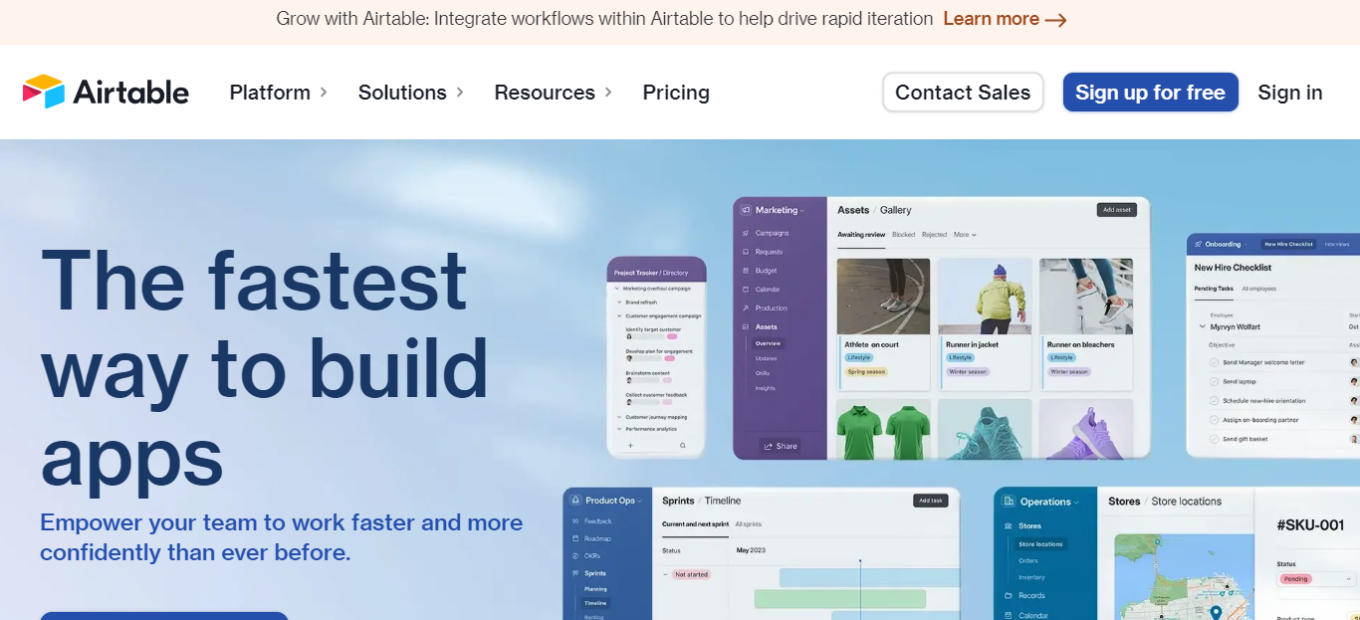
No matter your workflow,

you can build it in Airtable

Salesforce: Your Comprehensive CRM Solution

βš–οΈ Our Verdict πŸ†

Salesforce is renowned as a superior solution in customer relationship management, excelling in integrating data, AI, and CRM. It’s a top pick for businesses aiming to enhance customer engagement and sales strategies. The platform’s versatility suits various business sizes, and its integration of data and AI is pivotal in improving customer connections.

Pros & Cons πŸ‘πŸ‘Ž

Pros:

  • Robust CRM functionalities across sales, service, and marketing.
  • Unified platform for diverse business operations.
  • Data-centric approach for improved customer interactions.
  • Highly trusted and widely adopted by various businesses.
  • Accessible free trial without requiring a credit card.

Cons:

  • Initial complexity for new users.
  • Potentially higher costs compared to competitors, especially for advanced features.
  • Comprehensive features may demand significant time for mastery and deployment.

About Salesforce 🌐

Salesforce, as the world’s premier CRM platform, empowers businesses to harmonize their marketing, sales, commerce, service, and IT efforts. It’s a holistic platform enabling teams to collaborate efficiently, ensuring customer satisfaction in every interaction.

What’s In It For You? πŸ’‘

Salesforce presents an array of products catering to diverse business requirements, suitable for both small firms and large corporations. Its key solutions include:

  • Sales Cloud: Facilitates deal closures and growth acceleration.
  • Service Cloud: Fosters customer loyalty with efficient service.
  • Marketing Cloud: Cultivates long-lasting customer relationships with data-driven marketing strategies.

Pricing Plans & Support πŸ’³

Salesforce Sales Cloud offers a range of pricing plans designed to accommodate different business needs, each offering varying levels of functionality and customization:

  1. Starter: Priced at $25 USD/user/month (billed annually), this plan is aimed at businesses looking to start quickly with sales, service, and email outreach tools. It’s an entry-level option for those needing basic CRM functionalities.
  2. Professional: This plan costs $80 USD/user/month (billed annually) and provides a complete CRM solution for any size team. It’s a step up from the Starter plan, offering more comprehensive CRM features.
  3. Enterprise: The most popular choice, the Enterprise plan is priced at $165 USD/user/month (billed annually). It is deeply customizable and caters to businesses seeking a more tailored CRM experience.
  4. Unlimited: At $330 USD/user/month (billed annually), this plan is the ultimate platform for growth, offering extensive CRM capabilities and the highest level of customization and support.

Each of these plans includes features for lead management, account and contact management, opportunity management, customizable sales processes, and various tools for sales and marketing activities. Users can benefit from Salesforce’s mobile app, full offline functionality, customizable reports and dashboards, and collaboration tools like Chatter. Additional features like case management, knowledge management, Lightning Flow Automation, and AppExchange integrations are also part of the offering.

Furthermore, Salesforce introduces the Sales Suite, a comprehensive package starting at $600/user/month. This suite is designed to provide the best-in-class solutions for all sales-related needs on a single platform, potentially offering savings of up to 39% compared to purchasing individual solutions separately

Salesforce vs. Microsoft Dynamics 365 πŸ₯Š

Salesforce Cons:

  • Comprehensive platform for varied business functions.
  • Globally acknowledged and utilized for CRM.
  • No-charge trial available without credit card requirement.
  • Advanced capabilities in data integration and AI.

Salesforce Cons:

  • Complexity in navigating through its extensive features.
  • Higher pricing for advanced functionalities.

Microsoft Dynamics 365 Pros:

  • Integrated platform merging CRM with ERP solutions.
  • Notable for revenue generation and broad user base.
  • Advanced customization and feature options.

Microsoft Dynamics 365 Cons:

  • Complexity for beginners.
  • Substantial investment required for setup and training.

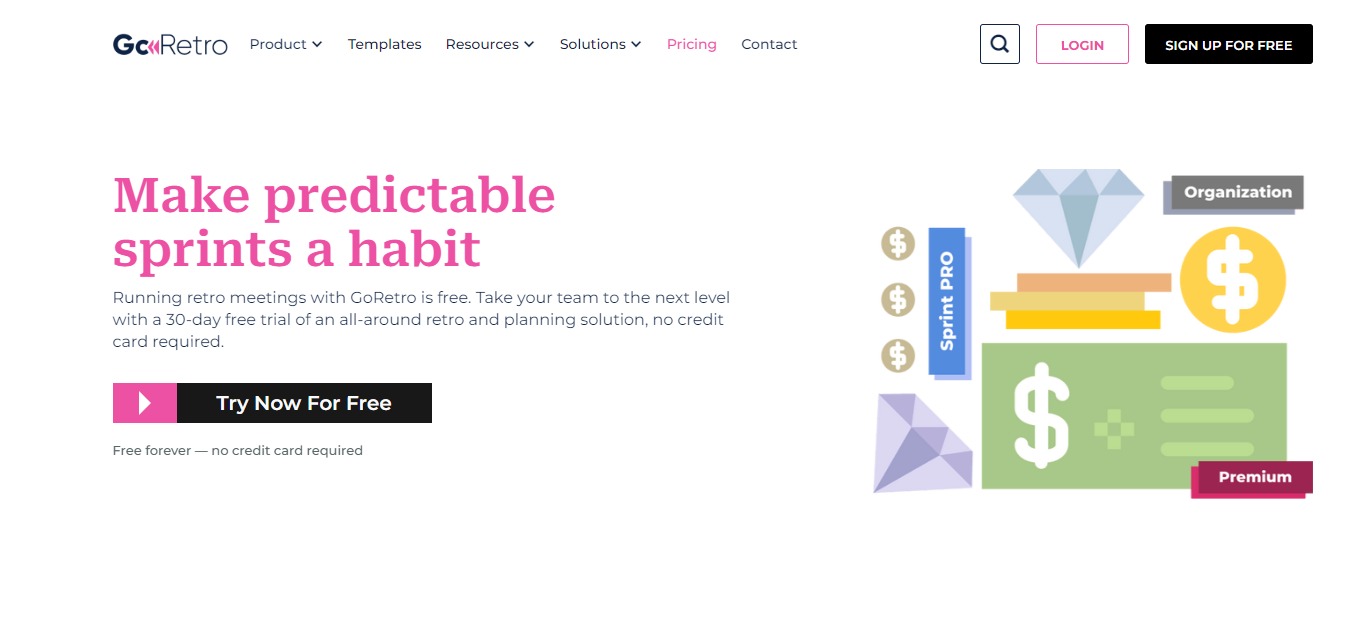
Go Retro: Make Every Sprint Impactful, Efficient, and Fun.

βš–οΈ Our Verdict

GoRetro is a game-changing platform that enhances the agile development process for development teams. It offers a range of tools and features to make sprint planning, monitoring, retrospectives, and reviews engaging and data-driven. With GoRetro, development teams can take their agile game to the next level and sprint to success like never before.

The platform is designed to be user-friendly and offers a range of customization options, making it easy for development teams to tailor their agile process to their specific needs. With GoRetro, development teams can streamline their workflows, maximize efficiency, and ensure that each sprint is a success. Overall, GoRetro is a powerful and innovative platform that is transforming the agile development process for development teams around the world.

πŸ‘ ProsπŸ‘Ž Cons
πŸ‘ User-Friendly Platform
πŸ‘ Data-Driven Approach
πŸ‘ Highly Customizable
πŸ‘Ž Limited Integrations

🌟 About GoRetro

The platform was founded in 2021 by a team of experienced software developers who wanted to improve the agile development process.Β 

The team recognized that many development teams struggle with the challenges of sprint planning, monitoring, retrospectives, and reviews, and wanted to create a platform that would make these processes more engaging and effective.

GoRetro is the result of this vision, offering a range of features and tools that help development teams streamline their workflows, make data-driven decisions, and enhance their overall agile process.Β 

The platform’s user-friendly interface, customization options, and focus on data-driven decision-making set it apart from other tools in the market. With GoRetro, development teams can maximize their efficiency, optimize their sprints, and ultimately achieve greater success in their software development projects.

🎁 What’s In It For You?Β 

If you use GoRetro, you can benefit from a range of features and tools designed to enhance the agile development process. These benefits include:

Streamlined Workflows: GoRetro offers a user-friendly platform that simplifies the sprint planning, monitoring, retrospectives, and reviews process. This can help development teams streamline their workflows, save time, and maximize their efficiency.

Data-Driven Decision Making: GoRetro provides data-driven insights that can help development teams make more informed decisions. This can help teams identify areas for improvement, optimize their sprints, and ultimately achieve greater success in their software development projects.

Customization: GoRetro offers a range of customization options, allowing development teams to tailor the platform to their specific needs and workflows. This can help teams optimize their processes and achieve their goals more effectively.

Overall, if you use GoRetro, you can benefit from a powerful and innovative platform that is designed to enhance the agile development process and help development teams achieve greater success in their projects.

πŸ–₯️ How Does It Work?

  1. Create an account on GoRetro’s website
  1. Set up your workspace
  1. Invite team members to your workspace
  2. Begin using GoRetro’s features and tools to manage your sprints and improve your agile process.
  3. Use sprint planning tools to plan your sprints
  4. Utilize real-time progress tracking to monitor your team’s progress
  5. Use data-driven insights to make informed decisions and identify areas for improvement
  6. Use retrospective tools to review your team’s performance and identify ways to optimize your processes
  7. Customize your workflows to suit the specific needs of your development team.

πŸ’² Pricing Plans & Support

πŸ’Ž Free Forever – $0/Month

Run team retrospectives easily, quickly, and absolutely free.

γ€° 1 team per company

γ€° 5 public boards

γ€° Unlimited users & guests

γ€° Unlimited team boards

πŸ’Ž Premium – $29/Month

Everything in Free plus:

γ€° Pay per team

γ€° Unlimited public boards

γ€° Advanced action items controls

γ€° Meeting recap

γ€° Sprint monitoring tool

πŸ’Ž Sprint Pro – $49/month

Everything in Premium plus:

γ€° Sprint capacity calculator

γ€° Poker planning

γ€° Task assignment tool (Coming soon)

γ€° Data driven sprint planning (Coming soon)

πŸ“ The Competition

πŸ‘ ProsπŸ‘Ž Cons
πŸ‘User-friendly
πŸ‘ Affordable
πŸ‘Ž Limited customization options

Make Every Sprint Impactful, Efficient, and Fun with GoRetro.

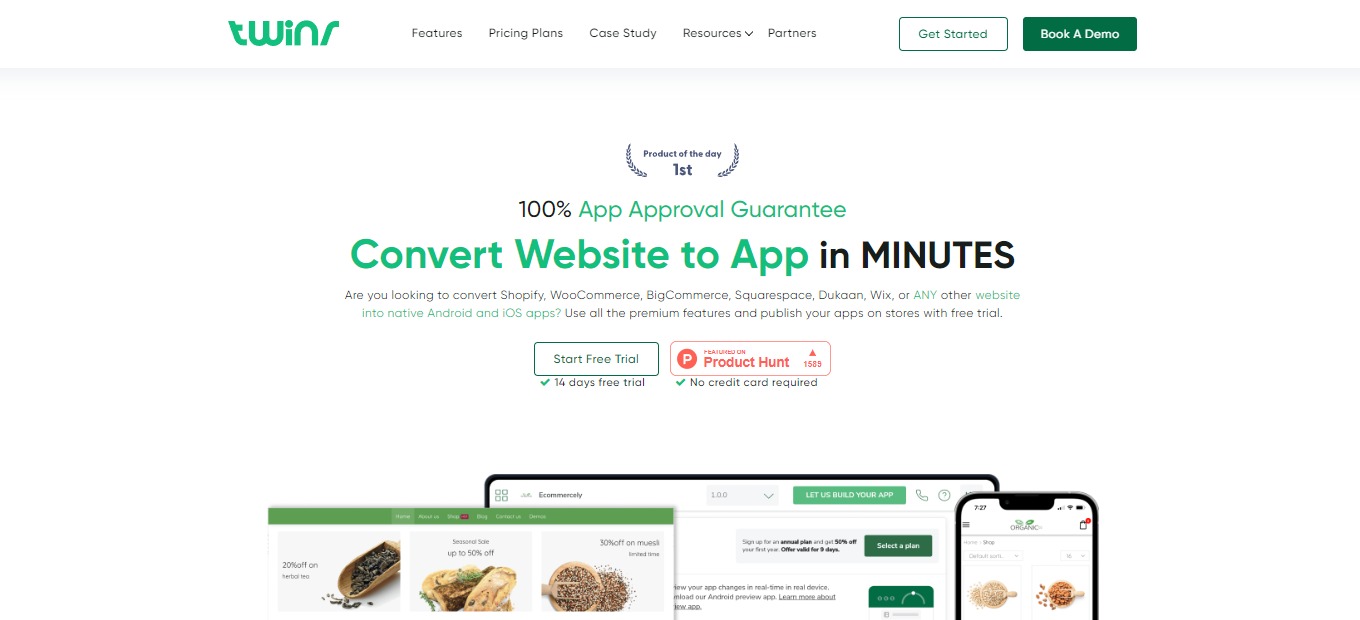
Twinr 2.0: Convert Any Website to Mobile Apps in Minutes

βš–οΈ Our Verdict

Twinr is a No-code platform created specifically for businesses, organizations, SMBs, and entrepreneurs to help them succeed by removing existing obstacles. It lets you rapidly publish your application by aiding you in creating iOS and Android apps with countless capabilities.

Budget, time, and maintenance problems are resolved by Twinr. You can instantly turn your website into a high-end, completely customized Android and iOS mobile application using this no-code application builder.Β 

Overall, it’s an intuitive, time-saving, and simple application for creating mobile applications from websites easily.

πŸ‘ ProsπŸ‘Ž Cons
πŸ‘ No-code native app builder
πŸ‘ Turn your existing website into an Apple or Android application
πŸ‘ App builder for minor changes
πŸ‘ Automation Engine to fill up your website easily
πŸ‘Ž Needs to update website for major changes
πŸ‘Ž Slow customer service
πŸ‘Ž Glitches and bugs in generated app

🌟 About Twinr

Twinr is a quick and inexpensive no-code tool that creates native Android and iOS apps that are of the highest quality and are fully customized from ANY website. No matter what business you work in or what website technology you employ, you can get 100% App Approval.

Users may create mobile applications for iOS and Android in ways they never thought possible. It quickly transforms your current website into a personalized native mobile application. Furthermore, all users are free to make adjustments as they choose. Since Twinr strongly believes that the customer experience is an important factor in the development of mobile applications, you may do a lot of native customizations, which sets this app apart from its rivals.

Twinr overcomes the main difficulty in creating apps: coding. You don’t need to know how to do it, just enter your website URL to easily create a customizable app!

🎁 What’s In It For You?

Using Twinr, the cookies and cache mechanisms feature significantly improves your mobile application. It reduces the loading time of your application, overall improving the user experience.Β 

Twinr lets you make real-time updates that are automatically viewable by your users. This feature removes the necessity for updates on the app store or play store, saving you time and keeping your application current. Additionally, Twinr enables you to customize the appearance and functionality of your mobile app to meet user needs.Β 

This tool enables you to create applications, remove header and footer, add branding, and create screens automatically by using the Twinr automation engine. Furthermore, this tool is a dynamic application that assists with a wide range of devices from Apple and Android including tablets and phones in different resolutions.Β 

πŸ–₯️ How Does It Work?

  1. The main dashboard lets you choose what project you want to create. Select one to create your native application.
  1. Fill in the details of your application.
  1. Input the URLs of your home screen, shop screen, and account screen.
  1. Click the generated application for the setup.
  1. The sidebar on the left allows you to edit the specifications of your application.
  1. By clicking on one of the icons in the sidebar, you may edit the app theme, general settings, and integrations.

πŸ’² Pricing Plans & Support

Twinr provides amazing pricing that lets you build and publish your dream app!

πŸ’Ž Free Trial – $0/Month

This amazing deal that builds your dream app is for free!

γ€° 1 Android and iOS app

γ€° 14-day free trial

γ€° Full access of all premium plan features

γ€° Publish to Android and Apple store

γ€° Email and chat support

πŸ’Ž Basic – $12/Month

This amazing deal that builds your dream app is only $12 per month!

γ€° 1 Android app

γ€° All customization features

γ€° Unlimited generalized push notifications

γ€° Access to Icons library

γ€° URL policy

γ€° Email and chat support

πŸ’Ž Standard – $22/month

This amazing deal that builds your dream app is only $22 per month!

γ€° 1 Android and iOS app

γ€° All Basic plan features

γ€° Multi-language

γ€° In-app purchases

πŸ’Ž Premium – $62/month

This amazing deal that builds your dream app is only $62 per month!

γ€° 1 Android and iOS app

γ€° All Standard plan features

γ€° Unlimited abandoned cart notifications

γ€° Multi-language auto translation

γ€° Google AdMob

γ€° Custom fonts with 1400+ styles

γ€° App onboarding

γ€° Custom page loader

γ€° Priority support

πŸ“ The Competition

πŸ‘ ProsπŸ‘Ž Cons
πŸ‘ Develop, navigate, write, and fix code
πŸ‘ IDE for software development
πŸ‘ Build apps for different languages
πŸ‘ Edit programs during coding
πŸ‘ Task management viewΒ 
πŸ‘Ž Steep learning curve
πŸ‘Ž Requires computer memory
πŸ‘Ž Difficult to move programs to other OS

Convert any website to mobile apps in minutes with Twinr 2.0!

GRID 2.0: Next-gen spreadsheet with presentation layer & AI assistant

βš–οΈ Our Verdict

GRID allows individuals to focus by simplifying an unwieldy tech stack, eliminating the need to share static screenshots, and eliminating the need to move between tools. Grid is suitable for data analysts, freelancers, businesses, entrepreneurs, small-to-medium-sized firms, and IT units inside bigger corporations.

Since GRID documents require spreadsheet capabilities, individuals who have familiarity with sheets, particularly Microsoft Excel and Google Sheets, may gain from adopting the app.

Overall, it is a simple, straightforward, and liberating program for presenting and editing statistical data.

πŸ‘ ProsπŸ‘Ž Cons
πŸ‘ Turn spreadsheets into interactive reports
πŸ‘ Directly connect data from other tools
πŸ‘ GPT-3 powered formula copilot
πŸ‘Ž Needs background knowledge on data handling

🌟 About GRID

GRID is the fascinating juncture of numbers and narrative. This tool is the most complete solution for viewing and displaying information from spreadsheets and databases. The spreadsheet in GRID connects to every component of the document, resulting in a wonderful combination of data and story.

GRID has evolved into a sophisticated, all-in-one data tool. It is designed as a world-class spreadsheet engine that combines spreadsheet editing with an interactive visualization surface. The developers feel that numerical work ought to be more approachable and friendly for everyone in the workforce.

Grid breathes fresh life into Excel and Google Sheets without forcing you to abandon your favorite tools. It even has the backing of one of the spreadsheet’s designers!

🎁 What’s In It For You?

Using GRID, you can effortlessly convert spreadsheets into online reports, dashboards, and online interactive pages that can be published on the internet. You may link your sheet to GRID via a web service or by simply uploading one from your PC.Β 

GRID has an interactive display overlay that exists on top of raw data from CSV format or a preexisting sheet from Microsoft Excel or Google Sheets. You may use the GRID editor to select which portions of the sheet to display as well as how to display them. In addition to producing graphs and other displays, you can sort your data using searchable tables and switch between both the imperial and metric systems.

Working across numerous devices is easy with GRID, and because individuals are only engaging with the display layer, the actual data is safe and protected from unwanted alterations.Β 

πŸ–₯️ How Does It Work?

  1. Create a new document and link your data.
  1. The spreadsheet data is shown below the half screen of the interface, while the document is shown above.
  1. Click the add button on the blank document to visualize data.
  1. Link the data that you want to present.
  1. Add a slider for a more dynamic data presentation.
  1. Click on the view mode to view the document. Share the document once done.Β 

πŸ’² Pricing Plans & Support

The Basic package has great free features. Subscribe to Pro for watermark-free embeds, custom colors and fonts, and doc analytics. Get Teams for all of this, as well as Collaborative Editing and unlimited seats across your whole domain.

πŸ’Ž Essential – $0/Month

Excellent features and limitless sharing for free!

γ€° Unlimited docs & sharing

γ€° Groups & Conversations

γ€° Database integrations

γ€° Community support

πŸ’Ž Professional – $29/Month

Individual plan that unlocks exclusive colors & fonts, document statistics, and watermark-free embeds for only $29 per month!

γ€° Everything in Essential plan

γ€° Custom colors & fonts

γ€° Document statistics

γ€° Watermark-free embeds

γ€° Priority support

πŸ’Ž Teams – $49/month

One price, unlimited seats per domain, and all Pro features for only $49 per month!

γ€° Everything in Professional plan

γ€° Collaborative editing

γ€° Unlimited seats

γ€° Dedicated CSM

πŸ“ The Competition

πŸ‘ ProsπŸ‘Ž Cons
πŸ‘ Powerful tool in building documents
πŸ‘ Multiple templates and doc packs
πŸ‘ Import and transform data
πŸ‘Ž No native application
πŸ‘Ž Steep learning curve

Get the next-gen spreadsheet with presentation layer & AI assistant with Grid 2.0!

Kodezi 2.0: Grammarly for Programmers

βš–οΈ Our Verdict

Kodezi is a productivity-focused AI developer tool solution. It provides automatic code debugging as well as extensive descriptions. Additionally, instructions can also be employed to generate code. Ask, search, and obtain anything from your code with Kodezi!

Kodezi provides a straightforward solution with a similar value proposition to Grammarly. Furthermore, this tool is suitable for students, developers, and organizations due to its vast capabilities. It provides productivity where and when it is most needed, helping over 200,000 developers all over the world to code better.

Overall, it’s a complete, affordable, and essential tool for boosting productivity while coding!Β 

πŸ‘ ProsπŸ‘Ž Cons
πŸ‘ Automated Code Debugging with details
πŸ‘ Code Optimization and code conversion
πŸ‘ Documentation Generation based on code.
πŸ‘ Code Generation based on Instructions using AI
πŸ‘Ž Some bugs and small issuesΒ 
πŸ‘Ž Limited capabilities on free plan

🌟 About Kodezi

Kodezi is a web-based Integrated Development Environment (IDE). It’s a platform that uses machine learning to solve programming issues in real-time, with a success rate that reaches up to 80%. Kodezi is an artificial intelligence solution that creates ways to assist developers to be more efficient.Β 

Kodezi is a one-of-a-kind solution for developers and aspiring programmers. Kodezi’s platform allows developers to instantly create, troubleshoot, improve, and transform production-level code. The goal of this application is to improve all programmers’ ability and work, whether they’re students beginning to code or corporations building enterprise solutions.

Kodezi surpassed 100,000 users in less than six months on the market. To fulfill demand, the Kodezi team is growing the product and has received increased interest from educational and business institutions.

🎁 What’s In It For You?

Kodezi has a broad range of features. It allows you to inspect and debug your code in an instant, enabling you to focus on the work at hand. You may quickly convert your script to React or some other language using their conversion function.

This tool helps with future maintenance by adding comments and explanations to your code. It comments on each line of code automatically, saving you time and effort. Code Restructuring is one of their most useful functions, in which the AI system restructures your code to make it more efficient.

Furthermore, it improves your coding strategy by rephrasing and deleting unnecessary lines of code and grammar, resulting in a cleaner product. GPT-3’s sophisticated datasets and millions of repositories are used to power its unique AI engine.

πŸ–₯️ How Does It Work?

  1. Set the programming language that you want to use.
  1. Select the β€˜Generate Code’ feature.
  1. Type the instruction then click β€˜Generate’.
  1. Run the generated code.
  1. Click the β€˜Optimize’ feature to clean your code of unnecessary clutter.
  1. Select the β€˜Documentation’ feature to generate the explanation for your code.

πŸ’² Pricing Plans & Support

Kodezi has the plan that’s right for you! Kodezi’s trained AI can help you increase your programming efficiency and quality!

πŸ’Ž Free – $0/Month

This great deal that offers the basic features is free!

γ€° Normal ML Models

γ€° 15 Programming language support

γ€° Generate code with 5 credits

γ€° 2 Detailed bug explanations

γ€° 2 Code AI features

πŸ’Ž Pro – $6.99/Month

Enjoy Kodezi premium with low credit cost per usage for only $6.99 per month!

γ€° Everything in the Free plan

γ€° Advanced ML Models

γ€° 30 Programming language support

γ€° 0.05 Credit cost per word

γ€° Beta feature access

γ€° Live support

πŸ“ The Competition

πŸ‘ ProsπŸ‘Ž Cons
πŸ‘ Save time in daily workflow
πŸ‘ Develop front-end code and translate to back-end
πŸ‘ Can be used as IDE or Notepad
πŸ‘Ž Distracting popups/warnings
πŸ‘Ž Memory and CPU usage

You Code,Β Kodezi Auto-Optimizes!

Copilot: Modernize Your Business with a Streamlined Client Portal

βš–οΈ Our Verdict

Copilot makes it extremely simple to set up a client portal, allowing clients to exchange messages, make payments, share documents, sign agreements, complete forms, and access custom apps all from one location.

Copilot is best used by businesses that are tech-inclined, as it helps them save time and effort to perform all business-related tasks. Additionally, this application is suited for different sectors seeking to provide a good experience for their clients.Β 

All in all, it’s a simple, complete, and helpful tool for managing client portals of service businesses.

πŸ‘ ProsπŸ‘Ž Cons
πŸ‘ Multiple features in one platform
πŸ‘ Top notch support
πŸ‘ Streamlines internal workflow
πŸ‘ Quality experience for clients
πŸ‘Ž Lacks some vital functionalities in the billing module
πŸ‘Ž Needs more integrations
πŸ‘Ž Paid application

🌟 About Copilot

Copilot is a new client portal aimed at assisting service firms in starting, running, and growing. Copilot is the ultimate tool for service businesses, featuring established support for communication, transactions, file-sharing, and support centers. It also features a rich API for automation systems and Custom Apps. Lastly, it has broad support for modifications and white labeling.

Copilot is used by thousands of tech-enabled service companies in the technology, advertising, financial, legal, and other sectors to give clients a branded, simplified, and enjoyable experience on mobile and the web. Copilot was created in 2020, acquired a $10 million Series A round in 2022, and is based in New York City.

🎁 What’s In It For You?

Copilot makes conversing with clients secure and seamless. With this application, you will never miss a message as a client or a provider with comprehensive email updates. With that, this tool is a comprehensive messaging solution for you and your clients. Additionally, it features an on-brand design and combined notifications.Β 

Copilot allows you to create branded invoices and subscriptions for your clients, making it easier to pay, access, and manage billings. Also, this platform enables you to easily share files with clients and stay organized with folders. You can also get contracts signed by requesting e-signatures.Β 

With the forms feature of Copilot, you can gather information from your clients by creating and sending customized forms with different question types. Copilot allows you to view every form-related material in one place. Lastly, the helpdesk feature of this app lets you create a help desk or knowledge base with different content.

πŸ–₯️ How Does It Work?

  1. Click the messages tab in the sidebar. Choose a channel that you want to use to communicate with your clients.Β 
  1. To send a file, click the upload button or drag and drop the attachment that you want to send.Β 
  1. To use the billing feature, connect your bank account first. Edit the settings according to your requirements.
  1. Click the billing tab to view the invoices and subscriptions.Β 
  1. Click β€˜new’ to create an invoice. Then, set the specifics.Β 
  1. For sending and viewing files, click on the β€˜Files’ tab on the sidebar.
  1. Click on a channel, then create a folder or upload files.Β 
  1. Head to the β€˜Forms’ tab to view the forms. You can send, edit, export, duplicate, or delete each form.
  1. Edit your form accordingly.

πŸ’² Pricing Plans & Support

Copilot offers comprehensive pricing plans for all your client-related needs.

πŸ’Ž Starter – $39/Month

This helpful plan to run a modern service business is only $39 per month!

γ€° Up to 100 clients and 10GB of storage

γ€° Client management and custom fields

γ€° Customizable branding and color scheme

γ€° Access to every Copilot App including Messaging, Billing, Files, Forms, and HelpdeskΒ 

πŸ’Ž Professional – $89/Month

This helpful plan to level up with more clients and more features is only $89 per month!

γ€° Everything in Starter

γ€° Up to 2000 clients and 2TB of storage

γ€° Custom domain and custom email domain

γ€° Automations, Zapier, and API

γ€° Support for Partner Apps and Custom AppsΒ 

πŸ’Ž Advanced – $139/month

This helpful plan to level up further with white labeling is only $139 per month!

γ€° Everything in Professional

γ€° Up to 20000 clients and 20TB of storage

γ€° Remove Copilot branding

γ€° HIPAA Compliance

γ€° Dedicated Copilot Expert

πŸ“ The Competition

πŸ‘ ProsπŸ‘Ž Cons
πŸ‘ Malleable framework, manage every aspect of the business
πŸ‘ All-in-one application
πŸ‘ Automation features
πŸ‘Ž Has downtimes
πŸ‘Ž Learning curve

Modernize Your Business with a Streamlined Client Portal using Copilot!

Quolum: Save 30% on SaaS, without the headache

βš–οΈ Our Verdict

Quolum is a SaaS expenditure management tool that collects and instantly ties vendor invoices to transactions. You may easily acquire all of your SaaS needs. With Quolum, no subscription will be put to waste. This makes sure that all your expenditures are optimized to your needs.Β 

This application is best used by SMEs, startups, enterprises, and agencies. It is also evident that accountants love this tool because it does all the hard work. With that, Quolum is a one-stop solution for your SaaS needs, helping you make informed decisions about purchases, renewals, and cancellations.

In summary, it’s the perfect solution and essential tool for acquiring and managing SaaS.

πŸ‘ ProsπŸ‘Ž Cons
πŸ‘ Track all SaaS spends in one place
πŸ‘ Create SaaS cards with spend limit
πŸ‘ Good customer support
πŸ‘ Streamlined invoice collection
πŸ‘Ž Needs deeper insights
πŸ‘Ž Limited optimization data for some platforms

🌟 About Quolum

About 30% of all SaaS subscriptions in the market lie wasted. Quolum is the first comprehensive SaaS purchasing tool of its type, offering agreements, purchases, and renewals to help clients acquire SaaS efficiently.

Quolum provides expenditure control, SaaS visibility, and utilization monitoring by employing a Visa expense card highly focused on SaaS, cloud, and online payment. In addition, the Contract Concierge aids you in managing, summarizing, and negotiating contracts. This program, equipped with usage data, assures you save money by scaling correctly.

Quolum enables you to pay, track, and optimize your SaaS expenditure by the quickest and most accurate means possible. Consider Quolum to be your one-stop SaaS answer. It enables you to make more informed purchases, renewals, and cancellations.

🎁 What’s In It For You?

Quolum serves as your SaaS buying concierge by handling the rest of your processes. This app can get you the best commercials and lets you store documents in a single location. Expounding on that, Quolum stores your contracts together with the meta-data like vendor, dates, cancellation, the court of law, and data processing and retention policies.

Quolum enables you to buy all your SaaS with ease. This application features an expense card for purchasing SaaS with a purpose. Additionally, it is backed by modern tech that manages all expenses, cancels trials, and controls your spending. With that, you will receive a single bill from all your expenditures with the invoices aggregated from the vendors; best for accountants.

This application gives you data-driven and thoughtful renewals for your SaaS purchases. With Quolum, you can optimize all your subscriptions as well as reveal all shelfware. Now you can make informed decisions about your renewals based on a bird’s eye view of your SaaS collection.

πŸ–₯️ How Does It Work?

  1. The Quolum dashboard shows all your contracts, payments, and renewals
  1. All contracts are shown in the documents section.Β 
  1. Use the SaaS card to control expenses.Β 
  1. View all apps to see how SaaS products are utilized.Β 

πŸ’² Pricing Plans & Support

Quolum is the finest in its class. This software recognizes the importance of outcomes and puts its money where its mouth is by linking price to outcomes, offering you actual value.

πŸ’Ž Starter – Free

This deal is perfect for companies spending less than $100k annually and it is for free!

γ€° The world’s first and most specialized SaaS Card for Payments

γ€° Invoice tracking, organization, and visibility

γ€° SaaS utilization tracking across 5000+ apps

γ€° Spend controls and monitoring

γ€° SaaS cancellation as a service

γ€° Zero Cross Currency Charges

πŸ’Ž Super Saver Plan – Contact Sales

This deal is perfect for companies spending more than $100k annually and it is available upon contacting sales!

γ€° All Features in the Starter Plan plus:

γ€° Specialist SaaS buying experts for your sourcing needs

γ€° Cloud Cost Optimization

γ€° Detailed FinOps Services and Reporting

γ€° Repository of Contracts, Invoices and all your documentation requirements

γ€° Guaranteed Savings

πŸ“ The Competition

πŸ‘ ProsπŸ‘Ž Cons
πŸ‘ Save money buying SaaS
πŸ‘ Multiple functions in one
πŸ‘ Seamless workflow integration
πŸ‘ Good customer support
πŸ‘Ž Few bugs and missing features
πŸ‘Ž Lacks effective reporting and other functionalities

Save 30% on SaaS, without the headache through Quoloum!

Budibase 2.0: Build internal tools in minutes – easy, fast & open-source

βš–οΈ Our Verdict

Budibase is a fantastic low-code platform that should aid people and organizations in swiftly developing a wide range of apps. It eliminates the need to employ an expert to create apps for a variety of use cases. It can be perfectly used by individuals with low coding knowledge and large enterprises.Β 

Furthermore, being an open-source platform that you can self-host, it will allow you to scale up and have total control over designing apps without paying a fee. If necessary, you may also choose its enterprise solution, which includes premium assistance and particularly specialized service.

All in all, it’s an accessible, flexible, and easy-to-use application for creating and developing apps without code!

πŸ‘ ProsπŸ‘Ž Cons
πŸ‘ Open-source
πŸ‘ Many integrations with popular tools
πŸ‘ External data source
πŸ‘ Built-in database
πŸ‘ Create functional and beautiful apps
πŸ‘Ž Localization issues
πŸ‘Ž Less dynamic

🌟 About Budibase

Budibase has everything you need to create internal tools and automate workflows – no coding required. It allows users to create their own custom components and data sources. Create applications, forms, and processes that are tailored to your specific needs, allowing you to move forward more quickly. The best part is that Budibase is open-source!

Budibase is to web applications what WordPress is to webpages. Budibase is a free web app builder that allows you to create, deploy, and grow online apps. Budibase decreases development time by eliminating repetition. One of the aims of this app is to deliver the finest developer experience possible, along with best-in-class accessibility and flexibility.Β 

This tool combines extensibility, scalability, education, and community. Budibase’s objective has always been to provide a platform that brings delight to users, is accessible to everyone, and is extendable.

🎁 What’s In It For You?

Budibase lets you turn data into apps instantly. You can connect to an external database, pull data, import CSV, or start from scratch! Budibase allows you to connect to anything from Postgres, MySQL, MSSQL, Oracle, Google Sheets, and more letting you build apps within minutes. The internal database of Budibase enables you to create apps from scratch without coding. Together with that, Budibase lets you use the Rest API connector to build modern business apps in minutes.Β 

When designing, this tool offers the best development experience, focusing on application design. Now you can design like a professional! With that, you can develop apps that work on mobile, tablet, and desktop and update the theme in 2 clicks. Additionally, Budibase lets you use its powerful building blocks including the table, charts, and cards. Lastly, this tool helps you automate processes easily. You can test it, run bash scripts, trigger automation using webhooks, and add JavaScript.

πŸ–₯️ How Does It Work?

  1. Create and name your app.
  1. Choose a built-in database for your app.
  1. Display the data from the sequel within Budibase. Securely add queries, write transforms, and pull data in a single click.
  1. Build the user interface using blocks.
  1. Save or publish your application.

πŸ’² Pricing Plans & Support

Budibase offers fair and scalable pricing that fits every need!

πŸ’Ž Free – $0/Month

Amazing deal for individuals and teams getting started for free!

γ€° Unlimited users

γ€° 4 apps

γ€° 4K Budibase DB rows

γ€° 200 automation runs /mo

γ€° 1-day automation logs

γ€° SSO

γ€° 10 plugins

γ€° 40 day passes /mo

πŸ’Ž Pro – $30/Month

Amazing deal for more power and functionality for only $30 per month!

γ€° Everything in free

γ€° Unlimited apps

γ€° Unlimited BB DB rows

γ€° 1K automation runs /mo

γ€° 7-day automation logs

γ€° Unlimited plugins

γ€° 50 day passes /mo

πŸ’Ž Team – $70/month

Amazing deal to move faster for only $70 per month!

γ€° Everything in pro

γ€° 5K automation runs /mo

γ€° 30-day automation logs

γ€° 10 user groups

γ€° 100 day passes /mo

πŸ’Ž Business – $400/month

Amazing deal to securely scale development for only $400 per month!

γ€° Everything in Team

γ€° 50K automation runs /mo

γ€° 90-day automation logs

γ€° 50 user groups

γ€° 500 day passes /mo

πŸ“ The Competition

πŸ‘ ProsπŸ‘Ž Cons
πŸ‘ Highly customizable and easy to use
πŸ‘ Multi-platform
πŸ‘ Functional webpages with dynamic groups and forms
πŸ‘Ž Learning curve
πŸ‘Ž Lags and bugs

Build internal tools in minutes with Budibase