Rows: The Spreadsheet with Superpowers

⚖️ Our Verdict

Rows is a revolutionary spreadsheet application. The multiple integrations of the app make this spreadsheet highly functional and go beyond ordinary use. Rows is like a spreadsheet on steroids as it has many use cases. This spreadsheet is definitely made for modern times. Additionally, it can take hours of work into minutes!

This application changes what spreadsheets can do. The amazing thing about Rows is the integrated applications. You can get data in an instant from more than 50 business tools and popular databases like Crunchbase, LinkedIn, Google, Twitter, and more! 

Rows is best used by businesses of all sizes. You can create anything using this application – from everyday tasks to automated and internal tools. However, a tool as powerful as this requires a learning curve – but worth it!

All in all, Rows is flexible, affordable, and an essential spreadsheet for the modern day!

👍 Pros👎 Cons
👍 Easy to use
👍 No-code
👍 Automate processes and operations
👍 Work like Excel
👍 Good customer service
👍 Has mobile application
👎 Have a learning curve
👎 Needs more features

🌟 About Rows

The problem with today’s

is the limited function and uses it offers. Rows is a spreadsheet that goes beyond the function of an ordinary one. With spreadsheets being used for literally anything, Rows aims to provide a better tool to everyone. 

This application thinks “outside of the cell” as it has integrations that allow you to keep in touch with other tools and manage it on a single spreadsheet – Rows. Also, this application lets you employ the collaboration feature of other spreadsheet apps and even publish it for everyone’s use. 

The goal of Rows is to make computation accessible to anyone. With the wealth of data today, Rows will make it easy for you to interact with it. 

🎁 What’s In It For You?

Rows can be used normally like any other spreadsheet application. You can employ functions, charts, templates, autocomplete formulas, customize grids, tables, and filters. Additionally, it can let you do more. The bread and butter of Rows is the automated tools that can be created using this application. With Rows, you can build dashboards, internal tools, CRM, and more!

Level up your spreadsheet by using the multiple features of Rows. It allows you to connect and analyze data, build dashboards and forms, and the best feature – automate and share them. In addition, Rows has many integrations from other applications.

Rows also allows you to share your spreadsheet with your team. It lets you organize spreadsheets into folders, collaborate in real-time, and more! Lastly, Rows lets you share your work with people outside the company or even the world; and you can also access the public spreadsheets in one place.

More and more features are added to Rows every once in a while. Use Rows now and make your life easier!

🖥️ How Does It Work?

  1. Click the add button to create a spreadsheet.
  1. You can use popular spreadsheet functions.
  1. Connect other tools using integrations.
  1. Each integration has a set of functions that allow you to do many tasks.
  1. Data from the added table can be displayed in different ways.
  1. Sort and filter data the way you want.
  1. Automate spreadsheet using functions like ‘refresh’ or ‘schedule’.

💲 Pricing Plans & Support

Rows offers pricing plans that are appropriate for your needs!

💎 Free – $0/Month

This essential deal is for free!

〰 ️Unlimited Workspace members

〰 10,000 integrations tasks

〰 Every hour automation

〰 5 Automations per workspace

〰 Unlimited workspace spreadsheets

〰 500MB storage

💎 Plus – $59/Month

This essential deal is only $59 per month per workspace!

〰 ️Unlimited Workspace members

〰 100,000 integrations tasks

〰 Every minute automation

〰 50 Automations per workspace

〰 Unlimited workspace spreadsheets

〰 1GB storage

💎 Pro – $249/month

This essential deal is only $249 per month per workspace!

〰 ️Unlimited Workspace members

〰 1,000,000 integrations tasks

〰 Every minute automation

〰 Unlimited automations per workspace

〰 Unlimited workspace spreadsheets

〰 100GB storage

📍 The Competition

👍 Pros👎 Cons
👍 Intuitive to use
👍 Easy to visualize and share data
👍 Open source
👍 Has free version
👍 Excel-like formula
👎 Needs Python knowledge to fully utilize the app
👎 Odd to use at first
👎 Limited features in free version

The Spreadsheet with Superpowers with Rows

Vimcal: Superhuman for Calendar

⚖️ Our Verdict

Using Vimcal makes everything manageable. This application is best used by everyone as it suits you with the necessary features to go on with your schedule easily. Many of the features of Vimcal makes it better than most of the calendar applications out there. The keyboard commands of Vimcal for example, make it more efficient to use. 

Scheduling something is as easy as typing your plan in a simple sentence – literally. The command center also houses all the features and commands that you can use, like the dark mode that most people appreciate. Also, the time travel feature makes scheduling inclusive for everyone because it allows you to view other timezones and compare them with your own. 

The only downside of this application is that it is $15 a month and there are no free plans. Despite that, the features and functionality of this application are worth every penny! Overall, this application is easy and fast to use, loaded with amazing features, and an essential calendar for your everyday needs.

👍 Pros👎 Cons
👍 Availability feature
👍 Appropriate for different timezones
👍 Fast application
👍 Easy to use
👍 Keyboard shortcuts
👍 Command center
👎 Paid application 
👎 14-day free trial only
👎 Needs more integrations

🌟 About Vimcal

Vimcal is considered the world’s fastest calendar as it is designed perfectly for the modern day. It comes with all of the features of existing calendars today, but can be used easier and more efficiently. The features of Vimcal are suited for people who work remotely. With that, everyone says that Vimcal is the Superhuman of calendars – everything is fast and easy. 

Vimcal was created because the existing tools today were not enough. For 21 months, different users were onboarded to learn the pains of scheduling. Now, Vimcal solves all issues and is continuing to do so. 

Most of the comments about Vimcal were positive, even from successful people. What are you waiting for? Use Vimcal now and enjoy the wonderful benefits of having the fastest calendar ever!

🎁 What’s In It For You?

Multiple features of Vimcal surpass any calendar today. One is that it allows you to share your availability easier. Vimcal allows you to schedule and pick what time and date your availability is, then it can be sent to other people instantly. 

Another useful modern-day feature of Vimcal is the coordinated time zones. This application allows you to pull up the time zone for any city and coordinate it with your own. That way, no confusion will ever happen, and no double booking will ever be made again!

As we live in a modern world, time is essential. Vimcal lets you utilize keyboard shortcuts and hotkeys. That way, you can get in and out of your calendar quickly and go on with your day. Also, Vimcal lets you schedule meetings just by typing in your plans in plain English.

The best part about Vimcal is that it also makes it easier to use different applications. The Vimcal calendar is actually a launchpad to all of your meetings – instantly launch into calls with a single click from Vimcal. 

🖥️ How Does It Work?

  1. Hover over the meetings to see the details. No need to click it. 
  1. Use Cmd+K to open the command center. This allows you to search for the features easily. 
  1. Click ‘F’ to show all the hotkeys in Vimcal.
  1. Slots allow you to send your availability. Click the letter ‘A’, then drag the available slots on your calendar.
  1. Copy the slots then you can paste them into your email. 
  1. Clicking on the link leads you to the booking link. From there you can pick a schedule that you like.
  1. Click on the time zone to select what to coordinate.
  1. Schedule something just by typing words. Vimcal automatically detects it.

💲 Pricing Plans & Support

The pricing plan of Vimcal is plain and simple. You can get this powerful application and all of its features for only $15 per month! Vimcal also offers a free trial of 14 days. Now you can have an executive assistant in the form of a powerful calendar application!

📍 The Competition

👍 Pros👎 Cons
👍 Compatible with Google suite
👍 Easy to use
👍 Import data from email
👍 Different views
👍 Free application
👍 Can be used in different devices
👎 Poor customer support
👎 Limited customization features
👎 Basic features

Get a Superhuman for your Calendar with Vimcal

Hiver: Deliver brilliant customer service right from Gmail

⚖️ Our Verdict

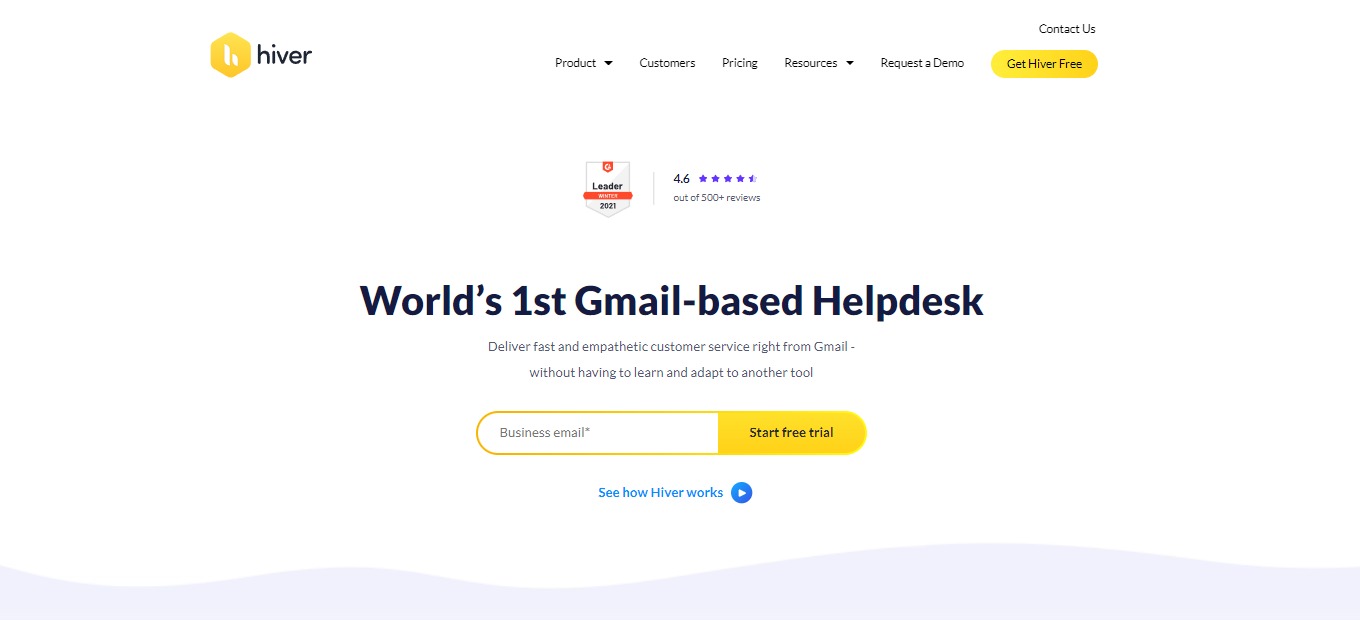
Hiver is based on Gmail, making it extremely easy and accessible to use. It promotes customer retention by providing a seamless, efficient, and personal customer experience. Although this application is only an email-based platform, it is flexible. 

Hiver provides shared inboxes, email delegation tools, surveys, analytics, and collision alerts. This makes Hiver an essential tool for customer service requiring little effort. This application can be a valuable tool for your customer service toolbox as it performs flawlessly and simply. 

In conclusion, it’s accessible, easy to use, and an essential tool for upscaling your customer service.

👍 Pros👎 Cons
👍 Slack and Zapier integrations
👍 Very easy to use
👍 Gmail-based
👍 Chrome extension
👍 Great for organizing inbox and streamlining email capabilities
👍 Workload delegation
👍 14-day free trial
👎 No live chat, knowledge base, and multichannel support features
👎 Limited functionality on mobile app
👎 Basic analytics
👎 Paid application

🌟 About Hiver

Hiver is the first and only helpdesk based on Gmail. Hiver helps teams bring fast and empathetic customer service with the tool that most people are familiar with. Customer service is everybody’s business; that is why Hiver is inclusive of all the teams in your company. Hiver also allows cross-team collaboration and makes customer service personal.

Hiver is the most effortless and natural way to collaborate for teams and manage customer emails. Also, this application helps you quickly access, assign, and track emails on your shared customer service account. Hiver supercharges your customer service, allowing you to do everything, from supporting, collaborating, and getting analytics from your inbox.

🎁 What’s In It For You?

Hiver makes customer service more human. Since Hiver is based on Gmail, this application’s emails look like regular emails without unpleasant formatting. Hiver allows you to create accountability with email ownership and status. It lets you assign emails to team members, guaranteeing clear accountability and timely responses to your customers.

Hiver makes it easier to communicate with your team by keeping internal and external communications separate yet in context. Write notes to teammates for quick discussions that will reside alongside emails and give future context. There are also shared drafts and email templates. 

With Hiver, you can automate repetitive tasks that ensure productivity among your team. You can also auto-assign emails based on established rules and delegate tasks with round-robin assignments to focus on what matters the most. This application allows you to improve customer service by gathering insights into workload distribution, SLA violations, and the team’s performance.

🖥️ How Does It Work?

  1. Add the Hiver extension to Chrome.
  1. Once added, the tool will add two sections in your Gmail. One on the left panel and one on the upper right.
  1. Click on the support icon. The unassigned section will show all the emails that your team receives. The mine section shows all emails assigned to you, and the team section shows all emails assigned to your team.
  1. Click on an email from the unassigned section. This will lead you to the Hiver right-hand side panel. From the panel, you can assign tags, assign them to team members, and set the status. 
  1. The email will then be notified to your assigned team member and will be shown on the mine section of the left-hand side. 
  1. You can add a note to an email and tag someone to have a quick discussion on Hiver. 
  1. When a team member replies to an email, there will be an indicator to help collision detection.
  1. Once done constructing a reply, click the ‘send’ or ‘send and close’ button. 

💲 Pricing Plans & Support

With the pricing plans of Hiver, you can choose the best one to scale your customer service.

💎 Lite – $15/User/Month

All the essential tools for customer service are only $15 per user per month!

〰 Unlimited Shared Inboxes

〰 ️Add up to 5 Users

〰 Unlimited Tags

〰 Unlimited Email Templates

〰 Shared Drafts

〰 Email Notes

〰 Collision Alerts

〰 Permalinks

〰 Default Access Control

〰 iOS & Android Mobile Apps

〰 24×7 Chat & Email Support

💎 Growth – $29/User/Month

Boost customer service efficiency for only $29 per user per month!

〰 Everything in Lite

〰 Unlimited views and automation

〰 Auto-responder

〰 Conversation analytics

〰 Slack & Zapier connectors

💎 Pro – $47/User/Month

Help deliver outstanding customer service for only $47 per user per month!

〰 Everything in Growth

〰 SLA and Business Hours

〰 CSAT

〰 Advanced access control

〰 Advanced analytics

〰 Scheduled data exports

〰 Dedicated success manager

💎 Elite – $69/User/Month

Deliver customer delight for only $69 per user per month!

〰 Everything in Pro

〰 Round robin assignment

〰 Custom access control

〰 Custom reports

〰 Priority support

〰 Call-back support

〰 Uptime SLA

📍 The Competition

👍 Pros👎 Cons
👍 Flexible
👍 Customizable
👍 Easy to use
👍 Analyze customer behaviors
👍 Comprehensive and functional 
👎 Poor pricing plans
👎 Needs improvement on customer support
👎 Lags and bugs

Deliver brilliant customer service right from Gmail with Hiver

Grist: Evolution of Spreadsheets to Organize Your Data, Your Way

⚖️ Our Verdict

Grist is perfect for small to medium businesses, non-profit organizations, and academics as they can utilize this application to create simple lists, scientific research, inventories, and tracking customers. This is a robust and powerful application for simple data management and visualization. Every use case has its special needs and Grist makes it easy to set up records, establish relationships, and visualize the data. Using this customizable spreadsheet-database hybrid, you can organize, analyze, and share your data.

However, it cannot replace the functionality of excel, so it depends on the main goal of the user. Grist is more like an application rather than a spreadsheet. It is developer-friendly since you can employ codes. If you do not have any coding background, you can use the templates to make your experience easier. 

Overall, this application is easy and intuitive to use, affordable, and a useful application for basic data management needs.

👍 Pros👎 Cons
👍 Intuitive to use
👍 Easy to visualize and share data
👍 Open source
👍 Has free version
👍 Excel-like formula
👎 Needs Python knowledge to fully utilize the app👎 Odd to use at first
👎 Limited features in free version

🌟 About Grist

Spreadsheets are truly a wonder and of amazing value for the world. However, there are some key ways that they fall short and this is where Grist comes in. Grist is a relational spreadsheet and a modern dashboard in one, with every view backed by relational data that is linked and filtered with other views as required. This application goes beyond a normal spreadsheet, to the extent of allowing you to create a custom data application!

Some spreadsheets cannot handle the amount of data, complexity, and collaborators. Grist is as easy to start with as a spreadsheet and can also grow according to your needs. Starting with a spreadsheet, you can observe it grow and end up with a good relational database and a flexible custom application.

Built on a philosophy of openness and extensibility, Grist makes storing data a solid and durable bet. You can rely on this quality, open-code base!

🎁 What’s In It For You?

Grist gives you the flexibility of a spreadsheet and the robustness of a database to organize data in your way. With the simple database builder, Grist allows you to unify your spreadsheets in one beautiful relational structure!

This application allows you to share data in part or in full and also allows you to collaborate with your team in real-time. With the customizable user interface, you can lay out your screen in a way that makes sense for all the data. Grist also offers templates to make your life easier!

Grist lets you take control of your data. With the granular access control, you can set who can see what, even down to each row and column! You can also share with third parties the limited views of the relevant data. With this, you own your data as it is an open-source software, has automatic backups, and no data lock-in.

Grist is more than a spreadsheet. You can view records as customizable data cards, and attach relevant images and files! A data application is not complete without data visualizations, so Grist lets you create dashboard charts and summaries to see the big picture.

🖥️ How Does It Work?

  1. The homepage lists your documents and includes examples and templates.
  1. Add a new document by importing from the add new button.
  1. Select the file of the data you wish to import.
  1. You can filter data by adding a widget then selecting the data.
  1. Group the data identifiers and make them a reference.
  1. Add a detailed view by clicking on the add new button, then the card widget.
  1. Rearrange widgets using drag and drop.
  1. Use Python and excel formulas to sort data.
  1. To create a visual representation of your data, click add new, chart, then select the variables.
  1. Customize the chart using the editor on the right.

💲 Pricing Plans & Support

Grist offers versatile pricing for individuals and teams.

💎 Individual – $0/Month

This deal is free and perfect for individuals!

〰️ 10 documents

〰 ️2 collaborators per document

〰️ Customize layouts

〰️ Dynamic views and charts

〰️ Granular access controls

〰️ Link sharing

〰️ Formulas with python support

〰️ Import/export data

〰️ Automatic backups

〰️ Rate-limited API access

💎 Team – $8/month

This deal is only $8 per month per user and is perfect for teams!

〰️ Unlimited documents

〰️ Collaborators: Team (+2 per doc)

〰️ Everything in individual plan

〰️ Unlimited API access

〰️ Workspaces

〰️ Custom Grist subdomain

〰️ Priority support

💎 Enterprise – $ – /Contact Grist

This deal is perfect for enterprises!

〰️ Everything in team

〰️ Custom number of collaborators

〰️ On-premise deployment

〰️ Custom functionality

〰️ SAML login support

〰️ Use your own domain

📍 The Competition

👍 Pros👎 Cons
👍 Power and functionality of a database
👍 Easy to use as spreadsheet
👍 No-code
👍 Collaboration features
👎 Limited storage
👎 Bugs and functionality issues of formulas
👎 Too many features not used but paid on plan

Organize Your Data, Your Way with Grist

Assembly 2.0: Automate all workflows in one place

⚖️ Our Verdict

Assembly is an amazing employee recognition platform that can help you scale the culture of your company. It is perfect for small businesses to large companies since the pricing plans and features cover everything. 

During this pandemic, teams are making many sacrifices including employee recognition. With Assembly, you do not need to sacrifice anything! Engage your team with the leading recognition software today. 

Foster engaging teams, grow your company culture, and recognize employees with this application. Overall, Assembly is easy and fun to use, accessible, and a necessity for all remote businesses and companies today. Begin your employee recognition program now!

👍 Pros👎 Cons
👍 Employee recognition
👍 Easy and intuitive to use
👍 Enhance culture-building efforts
👍 Has a free version
👎 Feature and branding often changes 
👎 Limited GIF functionality

🌟 About Assembly

Assembly is a platform for employee recognition, engagement, productivity, and performance management. This application is a no-code workflow automation that is fully customizable and also elevates internal culture. With an all-in-one application, you can integrate all work into one flexible and centralized source of truth. 

This peer-to-peer employee recognition platform allows co-workers to recognize each other easily through delightful messages and rewards. Assembly makes companies manage culture spend with positive and justifiable ROI. With this application, teams can make peer recognition, anniversaries, birthdays, culture prizes, and badges visible. Assembly can help you grow and sustain your culture. 

🎁 What’s In It For You?

Assembly makes bringing together conversations, tasks, and teams seem easy. This application has multiple features that help you save time and make your work easier. With the Slack and MS Teams integration, employees can show peer-to-peer appreciation directly without any interruptions in the communication process. 

This application allows you to use one tool for all communication and productivity tasks, creating a single source of truth that can help optimize your team. Assembly works around flows which is a fully customizable template that can be edited according to your workflow needs. With flows, you can personalize it by adding or removing blocks, changing block types, and choosing the participants of it. This feature saves time for everyone. 

A fun and amazing feature of Assembly is the process of giving recognition. It makes the work environment fun and collaborative!

🖥️ How Does It Work?

  1. In the assembly screen, click add new flow, then start from scratch. Name your flow and add an emoji. 
  1. Choose an action type then click next. Select a trigger type for your flow, either on-demand or scheduled. 
  1. Add participant criteria and edit the specifications. You can also add individual members, emails, exclude others, etc.
  1. Select visibility and edit who can see the flow’s responses. 
  1. For the content, select the kind of block that you want. The open-ended block allows people to add mentions, emojis, GIFs, files, etc. You can also add descriptions for more context.
  1. Finalize your flow by adding descriptions for additional context. Once finished, click the create flow button.

💲 Pricing Plans & Support

With the pricing plans of Assembly, choose the one the works best for your team because happy employees are more productive. 

💎 Starter – $0/Month

This deal that makes employees productive is free!

〰 ️Unlimited flows and blocks

〰️ Up to 10 member seats

〰️ 5GB storage

〰️ Microsoft Teams and Slack bot

💎 Lite – $2.80/Month

This deal that makes employees productive is only $2.80 per member a month!

〰 ️Unlimited flows and blocks

〰️ Up to 50 member seats

〰️ 250GB storage

〰️ Microsoft Teams and Slack bot

〰️ 30 days version history

💎 Standard – $4.50/month

This deal that makes employees productive is only $4.50 per member a month!

〰 ️Unlimited flows and blocks

〰️ Unlimited member seats

〰️ Unlimited storage

〰️ Microsoft Teams and Slack bot

〰️ Unlimited version history

📍 The Competition

👍 Pros👎 Cons
👍 Easy to use and self-sustaining application
👍 Slack integration
👍 Good UI
👍 Employee recognition
👎 Needs additional features for advanced rewards
👎 Weak rewards dashboard
👎 Paid application

Automate all workflows in one place with Assembly 2.0

Usersnap: Get actionable customer feedback to grow

⚖️ Our Verdict

Usersnap is best used by small tech startups to large software companies. User feedback is very important and the ability to act on it defines the success of many products and platforms out there. If you and your product care about user feedback and put customers first, this application is worth trying. 

Even if this application is costly, Usersnap is worth the price as it can heavily influence your product’s roadmap. This product can make the owners’ and the customers’ life easier and help them communicate more effectively with each other. 

Summing it all up, Usersnap is easy to use, worth the price, and an essential application for your customer service needs as it helps both the creators and the customers by providing instant feedback. 

👍 Pros👎 Cons
👍 Visual feedback
👍 Centralized feedback
👍 Good UI
👍 Very easy to implement, set up, and customize according to needs

👎 Open-ended system, the functionality is based on the user
👎 Statistics can be improved
👎 Paid and expensive application

🌟 About Usersnap

Usersnap is a software for customer service to encourage feedback from valuable users, and also to centralize issues and requests. The makers of this app believe that feedback-driven companies deliver the best service for the people. The customers and their stories come first as this company listens, learns, improves, and evaluates just like the customers.  

The core value of Usersnap is to make feedback matter. This application helps software companies to collect customer feedback and measure their experience since the voice of the customer can shape product decisions and strategies. The easier the customer can give feedback, the happier they are to engage with your product.

Usersnap currently has 300m+ feedback widget views monthly, 60k+ customers worldwide, 2m+ feedback items gathered, and 100+ countries where this application is used!

🎁 What’s In It For You?

Usersnap is an all-in-one platform to manage all your feedback. This application gives your web app or site a dedicated feedback button to instantly send in issues, comments, or suggestions. The feedback menu offers various feedback options. Usersnap allows you to link your support chat, help page, or other mediums to streamline the process.

This application lets you gather visual tickets with the screenshot mode. With this feature, users can draw and pin comments while the technical context including browser info, URL, and javascript errors is automatically attached. 

Usersnap also allows you to utilize the qualitative and quantitative surveys triggered by user events, URL paths, or time on the page. In-app forms let you collect in-app feature requests, invite volunteer testers, and schedule user interviews with interception dialogs. 

One amazing feature of this application is the public board. It lets the customers view and keep track of their suggestions by publishing the feedback list. This way, the customers are knowledgeable about the product’s progress and growth. Additional features include feedback trends and statistics, integrations with many tools, data export, and many more!

🖥️ How Does It Work?

  1. The Usersnap menu widget displays all feedback and support options. 
  1. For the user feedback widget, drag and highlight the issue, comment, and send. 
  1. You can assign a team member to fix a bug that is drawn on the screenshot using the bug tracking widget. 
  1. Let users request a feature they need through the feature request widget.
  1. The dashboard can sort, label, and group tickets for better analysis. 

💲 Pricing Plans & Support

Find the best Pricing Plan for all your needs.

💎 Basic – $9/Month

This useful and essential deal is only $9 per month!

〰️ 2+ team members‍

〰 ️1+ feedback project

〰️ Unlimited reporters‍‍

〰️ Add a team member

〰️ Add a project

〰️ Screen recording

💎 Startup – $69/Month

This useful and essential deal is only $69 per month

〰️ 10+ team members‍

〰 ️3+ feedback project

〰️ Unlimited reporters‍‍

〰️ Add a team member

〰️ Add a project

〰️ Screen recording

〰️ Integrate with 2,000 apps‍

💎 Company – $129/month

This useful and essential deal is only $129 per month!

〰️ 15+ team members‍

〰 ️10+ feedback project

〰️ Unlimited reporters‍‍

〰️ Add a team member

〰️ Add a project

〰️ Screen recording

〰️ Integrate with 2,000 apps‍

〰️ Browser error recording‍

〰️ Customer care replies‍

〰️ Custom widget design

💎 Premium – $249/month

This useful and essential deal is only $249 per month!

〰️ 25+ team members‍

〰 ️25+ feedback project

〰️ Unlimited reporters‍‍

〰️ Add a team member

〰️ Add a project

〰️ Screen recording

〰️ Integrate with 2,000 apps‍

〰️ Browser error recording‍

〰️ Customer care replies‍

〰️ Custom widget design

〰️ Remove Usersnap branding

〰️ Integrate via Webhooks

📍 The Competition

👍 Pros👎 Cons
👍 Can check the surveys and run analytics
👍 Easy to use
👍 Does a lot more than your typical survey
👎 High learning curve
👎 Paid application

Get actionable customer feedback to grow with Usersnap!

Swop.it: Exchange stuff smart

⚖️ Our Verdict

Swop.it is a great application for trading goods. This application promotes sustainability and re-using items. Swop.it should be used by everyone since it helps the environment in a way because of conservation. It also serves importance in our modern problem which is overconsumption. This is an alternative to throwing away things and buying new ones.

The features and the usability of this app make bartering look easy. The application itself is great, but there is room for improvement especially on bugs. The user experience also depends on the community because, in some places, there are very few users. 

Summing it all up, Swop.it is easy to use, eco-friendly, and a great alternative to buying and consuming goods! Now you can easily get what you want while saving money and the environment.

👍 Pros👎 Cons
👍 Barter system
👍 Free
👍 Modern and simple UI/UX
👍 Easy to navigate and great usability
👍 Convenient application
👍 Android/iOS application
👎 Allows duplicate posts
👎 Has ads
👎 Bugs
👎 No contact support

🌟 About Swop.it

The barter system has been around for centuries and is used throughout history. It is also currently happening through groups, chats, and classified or local swaps. Swop.it serves as a platform for bartering that happens with the help of technology. Swop.it is an application for exchanging items without the use of money. 

Swop.it is an easy way to get what you want while dispatching things that you do not need anymore. You can find great goods around your vicinity and swap stuff for free! It means that you can exchange things that you do not need anymore for something useful. The items that will be shown on your application are based on your location and interests. 

This application uses an algorithm that matches goods based on location and interests, aiding users to get what they want immediately after listing a product. Even of different values, Swop.it can create a chain of exchanges to make ends meet. Place an offer now and see what you can get in return instantly!

🎁 What’s In It For You?

Swop.it allows you to list your goods and make a deal in just a few clicks with their amazing user interface and functionality. It saves your time and effort since the application does all the hard work with its algorithm. This application lets you use your own delivery service and deposit system for a smooth and safe exchange. 

Found a product but it cannot be exchanged for yours? Swop.it allows you to get the product that you want with the group exchange feature. This chain of exchanges lets you and the owner of the desired product get what they desire. With the different exchange options, Swop.it gives you the freedom to choose what you want to exchange for the product that you are interested in. 

Not only that but Swop.it also has in-app chats and even audio or video calls. No one will gain access to your personal data as these features are encrypted and protected. In addition, this application uses a geolocation filter to allow you to find any stuff you like close to you. 

🖥️ How Does It Work?

  1. Scroll and look for a product that you like.
  1. Choose a product and click suggest swop. 
  1. Select an offer to swop.
  1. You can suggest group exchange then select the number of participants.
  1. Discuss the details in the free chat, audio, or video call.
  1. After discussing the details, you may now send your item and receive what you want.

💲 Pricing Plans & Support

With the amazing features and concept of Swop.it, this application is free to download! It comes with in-app purchases that users can buy on their own accord. Now you can barter for goods and get the stuff you like without spending money!

📍 The Competition

👍 Pros👎 Cons
👍 Barter system
👍 Simple and intuitive to use
👍 Free 
👎 Has ads
👎 Bad community
👎 Technical issues

Exchange stuff smart with Swop.it

Akiflow 2.0: All Your Tasks and Calendars Into One App

⚖️ Our Verdict

Akiflow is an amazing app that should be used by everyone that struggles with multiple tasks. It helps you to organize your daily workload and be efficient. It saves you time because you can find all of your tasks in one place. With Akiflow, keeping yourself organized will not be a burden to your time. With all the organizing apps that are around today, it would be confusing to use several of them. Akiflow eliminates this problem by creating a single source of truth.

A good workday requires an organized schedule. With this app, it serves as both a task manager and a calendar so it will make you more productive throughout the day. Also, you would not miss a single thing on your to-do list because it shows you what to do at a specific time. No more reasons for missing a task! 

With all of the features that come with this app, it is easy to use, affordable, and an essential tool for your productivity!

👍 Pros👎 Cons
👍 Wide integrations
👍 Great user interface
👍 Good features
👍 Compatible on Windows and MacOS
👍 Good security
👎 Paid application 
👎 Limited free features
👎 Relies on computer storage
👎 14-day free trial only

🌟 About Akiflow 2.0

Akiflow is a productivity app that offers features of both tasks and calendars. It also has multiple integrations and can capture tasks from multiple sources. This app is a personal task manager plus calendars app that can help you become productive and always organized.

Akiflow was built focusing on speeding up the fundamentals of productivity. It makes keeping your schedule under control ten times faster! Akiflow also prevents the most common mistakes that affect productivity, including cognitive overload, distractions, overscheduling, and context switching. 

This app gives you a centralized task manager that guides you throughout the day through notifications. With the integrations, every task that you will do is only one shortcut away.

🎁 What’s In It For You?

Akiflow keeps your mind clear and never misses a thing by allowing you to capture anything, anywhere. It centralizes your tasks for you. It has multiple integrations that can help you organize your tasks and work faster. These integrations include Gmail, Google Calendar, Slack, Google Meet, Zoom, Todoist, etc…

It also allows you to sort things in seconds by using keyboard shortcuts. You do not need to switch apps because Akiflow is a Tasks and Calendars app in one, so everything is in sync. Akiflow lets you know what to do next due to the Tray notifications feature. It shows your tasks for the day. 

Other features that are built to make you faster include instant sharing of availability,  customizable recurrent tasks, Priority management, and time locking to let others know that you are busy. Features that can improve your workflow include timezones, customizable labels, and smart notifications to show you what you need at the right time.

🖥️ How Does It Work?

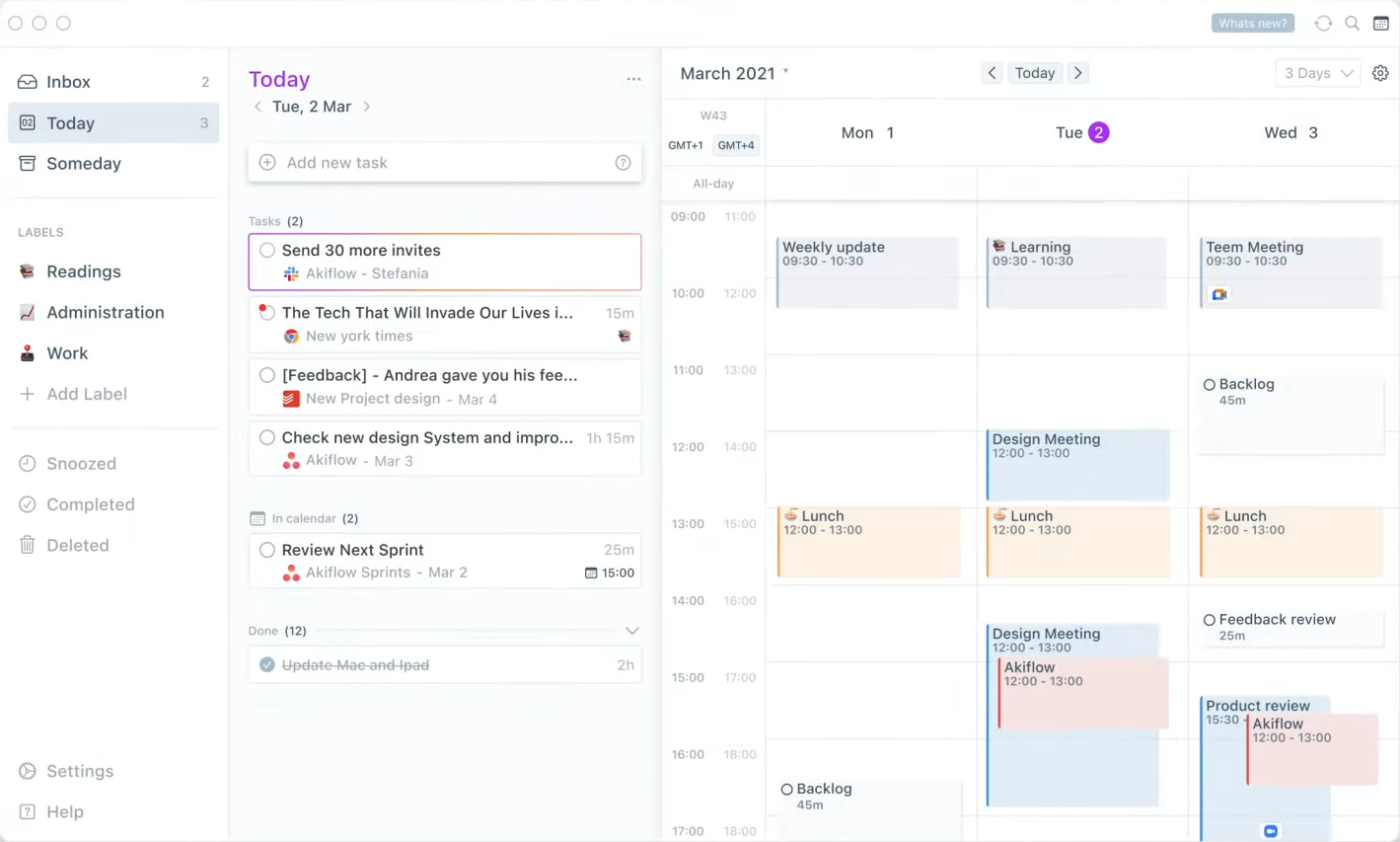
  1. Your tasks and calendar are shown on one screen.
  1. Tasks are automatically collected through different integrations.
  1. You can create a task directly from a clipboard.
  1. You can turn emails into tasks by clicking on the star button on the email.
  1. You can assign tasks to the calendar by using shortcuts plus the command bar.
  1. Share your availability in seconds by clicking the button and highlighting the day and time on the calendar. You can email your availability by pasting it on the mail body. 
  1. With the extension on your web browser, you can see your day at a glance and click the task to proceed. Also, smart notifications pop up so you will never miss any task.

💲 Pricing Plans & Support

Akiflow makes it 10x faster to keep your schedule in control and it comes with very simple pricing!

💎 Free- $0/Month

This deal is free with all the basic features!

〰️ 4 integrations

〰 ️1 calendar

💎 Premium – $15/Month

This deal that come with all of the features is only $15 per month

〰️ Unlimited integrations

〰 Unlimited calendars

〰️ Share availability feature

〰️ Timezones feature

📍 The Competition

👍 Pros👎 Cons
👍 Collaboration
 👍 Many features
👍 Applies gamification 
👍 Calendar features and reminders
👍 Easy and useful to use
👎 Lack of functions for recurring tasks
👎 Not the best UI 
👎 Opted in the email notifications when you create an account

Get all your tasks and calendars into one blazingly fast app with Akiflow 2.0!

Grain: Clip & share from Zoom in real-time for free

⚖️ Our Verdict

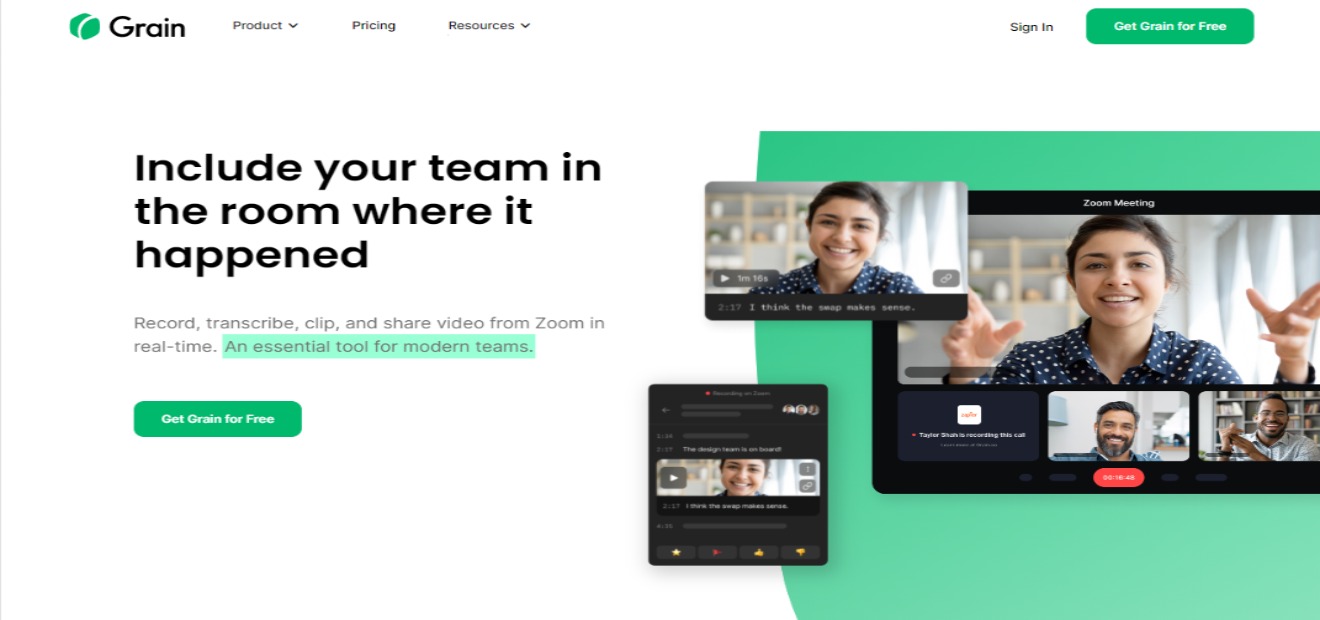
Grain should be part of your daily workflow. It records, transcribes, clips, and shares a video from Zoom in real-time! As we all know, conversations can be messy or noisy, but with Grain, you can focus on the information that you want to retain. Watching recordings can never be a pain with this app as you are not obliged to watch the whole session, but rather, only the most essential parts of your meeting!

In this time where Zoom meetings are now a thing, you can now organize unstructured data and not forget a single word from a meeting while using this app. Another interesting feature of Grain is that you can collaborate with other members to keep you all on the same page.

👍 Pros👎 Cons
👍 Real-time highlights
👍 Real-time note taking
👍 Many integrations and direct zoom integration
👍 Collaboration features
👍 Share video clips from zoom calls
👍 Accurate transcription
👎 Need to sign up and download
👎 Limited features on free trial
👎 Requires updated OS

🌟 About Grain

Grain is an essential tool for modern teams. It allows you to transcribe Zoom meetings, extract highlights, and share them with team members, prospects, and customers to ensure a pleasant experience when they want insights from calls. It is not just a matter of obtaining a transcription. It is all about finding a system that works for you. This application offers just the most significant, impactful, and actionable value from each Zoom call to those that require it.

This app does more than save you time. Because you are simply sharing the highlights of your meetings, your team or clients will watch the snippets rather than struggle through a whole 30-minute-or-more session. 

🎁 What’s In It For You?

Grain lets you record and transcribe Zoom calls. It automatically records the call and processes your Zoom transcription once it is finished. In the desktop app of Grain, you can use the feature of live note-taking to give you and your team a collaborative notepad to take notes that are time stamped. This allows you and your team to be on the same page. 

Grain also goes beyond just selecting a text and highlighting it. Once the transcript is finished, you may select an important passage you want to highlight and Grain automatically creates a video clip of the section you selected. Grain also allows you to share highlights directly from a notepad during meetings. This app helps you to share only vital information!

Grain also has wide integrations that allow you to embed clips in your tools like Slack, Notion, and Asana.

🖥️ How Does It Work?

  1. Create a Grain account and download the desktop app.
  1. Connect your Zoom account to Grain and press record in Zoom. Grain will import and transcribe your real-time and future recordings automatically. It is private and will only be visible to you.
  1. Name your workspace into something that could be recognizable to you and the people that you will invite later. 
  1. Now you can upload a recording to the workspace.
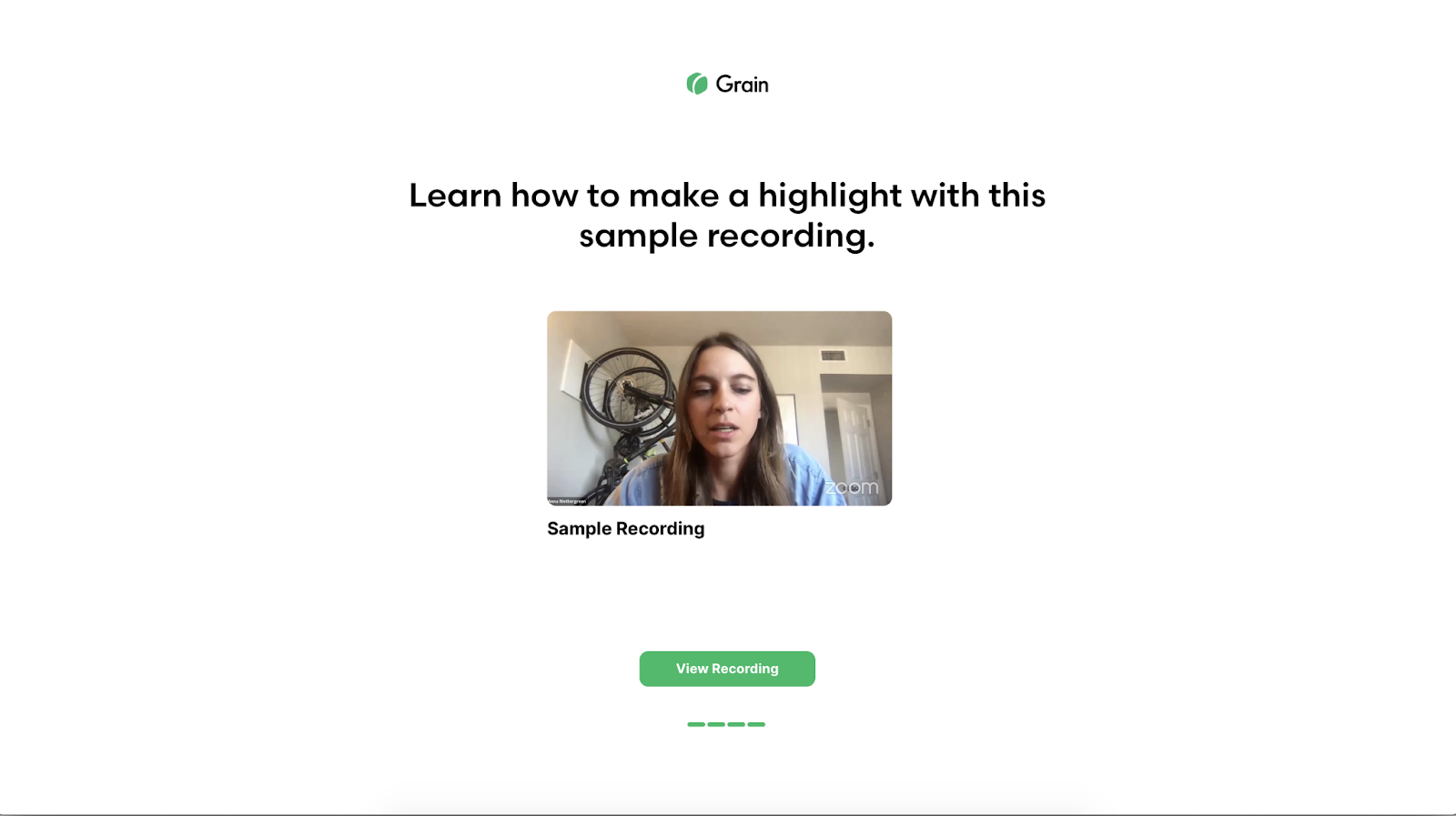
  1. With the recording, you can create your shareable highlight in seconds by selecting the text in the transcript that is related to the portion of the video you want to share.
  1. Share the unique link of the segment you wish to share.
  1. If you want to share the entire recording, you can make it available to every member in your workspace by entering their email.

💲 Pricing Plans & Support

Grain offers simple pricing for everyone!

💎 Free – $0/Month

This amazing plan is free!

〰️ 5 transcribed recordings per month

〰 ️Unlimited workspace teammates

〰️ Up to 100 stored recordings

〰️ Unlimited live notes

〰️ Unlimited cloud import

〰️ Private workspace

💎 Pro – $15/Month

This amazing deal is only $15 per month!

〰️ 30 transcribed recordings per month

〰 ️Unlimited workspace teammates

〰️ Up to 1000 stored recordings

〰️ Unlimited live notes

〰️ Unlimited cloud import

〰️ Private workspace

💎 Unlimited – $45/month

This amazing deal is only $45 per month!

〰️ unlimited transcribed recordings per month

〰 ️Unlimited workspace teammates

〰️ Unlimited stored recordings

〰️ Unlimited live notes

〰️ Unlimited cloud import

〰️ Private workspace

〰️ White-labeled highlights (No watermarks)

📍 The Competition

👍 Pros👎 Cons
👍 Live transcription
👍 Time-stamped notes
👍 Video upload
👍 Zoom integration
👎 Limited features on free account
👎 30 recordings per month
👎 Limited integrations
👎 Some transcriptions are not accurate

Clip & share from Zoom in real-time for free with Grain.co!

Deals.Group: Free Affiliate Link Generator & URL Shortener

⚖️ Our Verdict

If you want a straightforward, beginner-friendly, and optimal affiliate link generator for Telegram and WhatsApp, Deals.Group is the one for you. Even though it cannot be downloaded on iOS, this android application lets you create affiliate links with your own tags on Amazon Global and Flipkart. It works instantly as all links will be updated with your affiliate parameters. First, you paste your link with a message, convert, then share!

We think it would go well with other applications that allow tracking and campaign management, so you can be able to maximize the use of Dals.Group! That’s because Deals.Group only lets you see the clicks on the link and not other features. 

We think the best feature of this application is how you can share with integrated shareAPI into available options. You can even set up multiple Telegram channels and accounts, then share it with just one click!

Overall, this Android application is a favourable way to present your deals and offer links! A few tweaks and improvements will make it the best mobile application for affiliate marketers out there who work with Amazon or Flipkart.

👍 Pros👎 Cons
👍 Create and convert affiliate links with your own affiliate tags
👍 Track links easily from the application
👍 One-Click sharing on multiple telegram channel & groups with API
👍 Automatically add “dl” parameters in Flipkart links
👎 Not available on iOS
👎 Works only on Amazon Global and Flipkart
👎 Very limited campaign management

🌟 About Deals.Group

Working on Amazon Global & Flipkart, this awesome tool was developed to help make sales through affiliate links. This tool is developed with affiliate marketers on Telegram, WhatsApp, and other social media platforms online. These channels are used for sending messages, audio, videos, and other viral content, but with the help of Deals.Group, you can now earn money from them. Just make sure that the social media platform has an API.

The creators of this Android application let you refer products, apps, and other media files through shortened links! They also make sure you can copy someone’s affiliate link in the app and press convert!

Deals.Group is currently working on Amazon Global and Flipkart, and it’s also updating regularly to improve and add features.

It’s most noteworthy feature is its ability to automatically share your link and message to your Telegram group and other social media platforms that contain API! 

🎁 What’s In It For You?

If you’re currently earning money from social media like WhatsApp, then Deals.Group will make everything more convenient for you. While WhatsApp itself does not allow ads, you can still use affiliate links with the help of affiliate link generators and trackers. 

The best part about Deals.Group is that it’s free and easy to use. Simply create and convert Flipkart and Amazon affiliate links into your own. These links are very short and easy to copy. All it takes is literally one click! 

The tracking feature is beginner-friendly as you evaluate and convert links with Javascript redirects like Earnkaro. 

Once you have generated the links, share it to multiple telegram channels and groups! You can also save logs and messages containing the details.

🖥️ How Does It Work?

  1. Enter message with affiliate links to replace links with your affiliate links
  1. Enter Amazon/Flipkart affiliate tag parameters
  1. Paste message with affiliate links and press convert
  1. Share message with multiple Telegram Groups and Channels

💲 Pricing Plans & Support

Convert and track your Amazon and Flipkart links for free with Deals.Group! That’s right there’s no need to pay when you create and convert affiliate tags to share to Telegram and WhatsApp!

📍 The Competition

👍 Pros👎 Cons
👍Create and convert to your own links
👍 Analytics/roi tracking
👍 Campaign management
👍 Gamification
👎 Paid application
👎 Web-based only

Generate affiliate links & shorten URL for free with Deals.Group!