🏆 Our Verdict
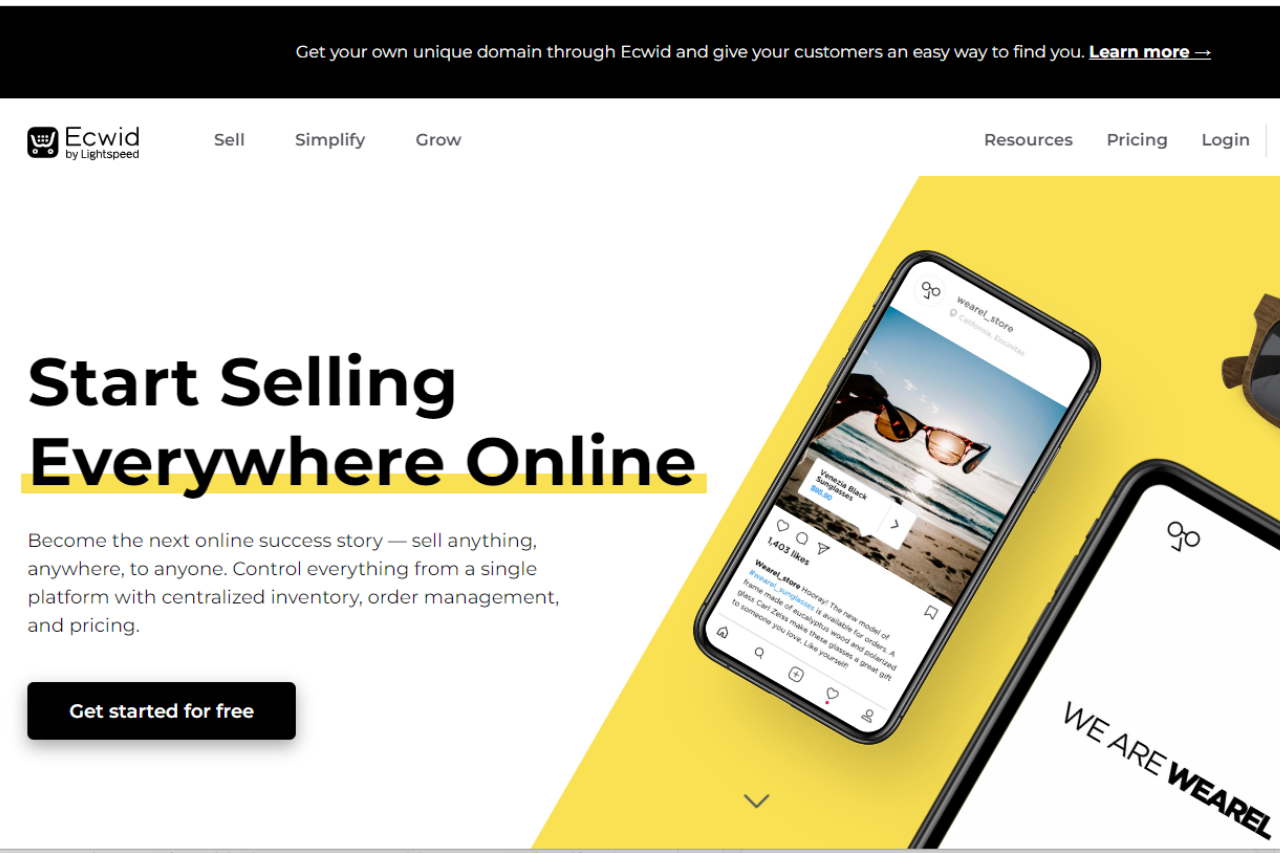
Ecwid offers a robust e-commerce platform suitable for businesses of all sizes. With its user-friendly interface and extensive feature set, it provides a seamless online selling experience.
✅ Pros & ❌ Cons
Pros:
- 🛒 Easy Setup: Setting up an online store with Ecwid is quick and straightforward.
- 🔄 Scalability: Ecwid scales with your business, offering solutions for small businesses to large enterprises.
- 💳 Payment Options: Provides a variety of payment options, including credit cards, PayPal, and more.
- 🌍 International Reach: Supports multiple languages and currencies, enabling global expansion.
- 📱 Mobile-Friendly: Ensures a smooth shopping experience for customers on mobile devices.
Cons:
- 💲 Pricing: Some users may find the pricing plans relatively higher compared to competitors.
- 📈 Limited Customization: Customization options may be somewhat restricted compared to other e-commerce platforms.
- 📊 Advanced Features: Advanced features may require higher-priced plans, limiting accessibility for smaller businesses.
📖 About Ecwid
Established as a leading e-commerce solution, Ecwid aims to simplify online selling for businesses worldwide. Its intuitive platform and comprehensive feature set make it a preferred choice for creating and managing online stores.
🗓️ How It Works
Ecwid simplifies the process of setting up and managing an online store, making it accessible for businesses of all sizes. Here’s a step-by-step guide on how Ecwid works:

1. Sign Up:
- Visit the Ecwid website and sign up for an account.
- Provide your email address and create a password to get started.
2. Set Up Your Store:
- Once signed up, you’ll be guided through the process of setting up your online store.
- Customize your store’s appearance by choosing a theme that matches your brand identity.
- Add your products by uploading images, descriptions, and prices.
3. Customize Your Store:
- Tailor your store to your preferences by adjusting settings such as shipping options, tax rates, and payment gateways.
- Utilize Ecwid’s drag-and-drop editor to personalize your storefront and create a unique shopping experience for your customers.
4. Add Products:
- Easily add products to your store by uploading product images, descriptions, and prices.
- Organize your products into categories and subcategories for easy navigation.
5. Manage Orders:
LOOKING FOR A ONE-STOP SOLUTION TO YOUR GROWTH NEEDS?
- Keep track of your orders and manage them efficiently using Ecwid’s order management system.
- Receive notifications for new orders and process them seamlessly.
6. Expand Your Reach:
- Utilize Ecwid’s multi-channel selling capabilities to reach customers across various platforms, including social media and marketplaces.
- Integrate your store with platforms like Facebook, Instagram, and Amazon to expand your reach and increase sales.
7. Grow Your Business:
- Take advantage of Ecwid’s marketing tools and analytics to gain insights into your customers’ behavior and preferences.
- Utilize promotional features such as discounts, coupons, and email marketing to attract and retain customers.
8. Provide Support:
- Ecwid offers comprehensive support resources, including help articles, tutorials, and a community forum, to assist you in managing your online store effectively.
- Reach out to Ecwid’s customer support team for personalized assistance and guidance whenever needed.
9. Stay Updated:
- Ecwid continuously updates its platform with new features and enhancements to ensure that your online store remains competitive and up-to-date.
With Ecwid, setting up and managing an online store is made simple, allowing you to focus on growing your business and providing excellent service to your customers.
💲 Pricing Overview

🌟 Pricing Tiers
- Start selling for free:
- Access Ecwid’s Free Plan Forever to launch your business at no cost.
- Create a store for free and get started with your online business journey.
- Upgrade whenever:
- Seamlessly upgrade your plan whenever you’re ready to access more features and resources.
- Pricing Plans:
- Free:
- Cost: $0
- Features:
- Easy online store launch.
- Create a store for free.
- Venture:
- Cost: $21/mo (Billed annually) or $25 month-to-month
- Features:
- Up to 100 products + egoods.
- Sell on Instagram & Facebook.
- Mobile store management app.
- Live Chat Support.
- Access to App Market.
- Automated tax calculations.
- Discount coupons.
- Customize checkout.
- Built-in Domains.
- Advanced reports.
- Business:
- Cost: $39/mo (Billed annually) or $45 month-to-month
- Features:
- Everything in Venture plus:
- Up to 2500 products.
- Sell on marketplaces.
- Sell subscriptions.
- Staff accounts (2).
- Phone Support.
- Abandoned cart saver.
- Wholesale prices.
- Multi-lingual store.
- Advanced discounting.
- Unlimited:
- Cost: $89/mo (Billed annually) or $105 month-to-month
- Features:
- Everything in Business plus:
- Unlimited products.
- Sell via branded mobile app.
- Sell in-person (POS integration).
- Unlimited Staff accounts.
- Priority Support.
- Free:
🥊 Competition
Ecwid vs. Shopify

| Ecwid | Shopify | |
|---|---|---|
| Pros | – Easy setup | – Extensive customization options |
| – Scalability | – Robust app ecosystem | |
| – Variety of payment options | – Powerful marketing tools | |
| Cons | – Limited customization | – Higher pricing for advanced features |
| – Higher pricing for some users | – Steeper learning curve |
📌 Conclusion
Ecwid emerges as a reliable e-commerce solution, offering a seamless online selling experience for businesses of all sizes. While it may have some limitations in customization and pricing, its ease of use and scalability make it a valuable asset for online retailers.
“Unlock Your Online Selling Potential with Ecwid.”