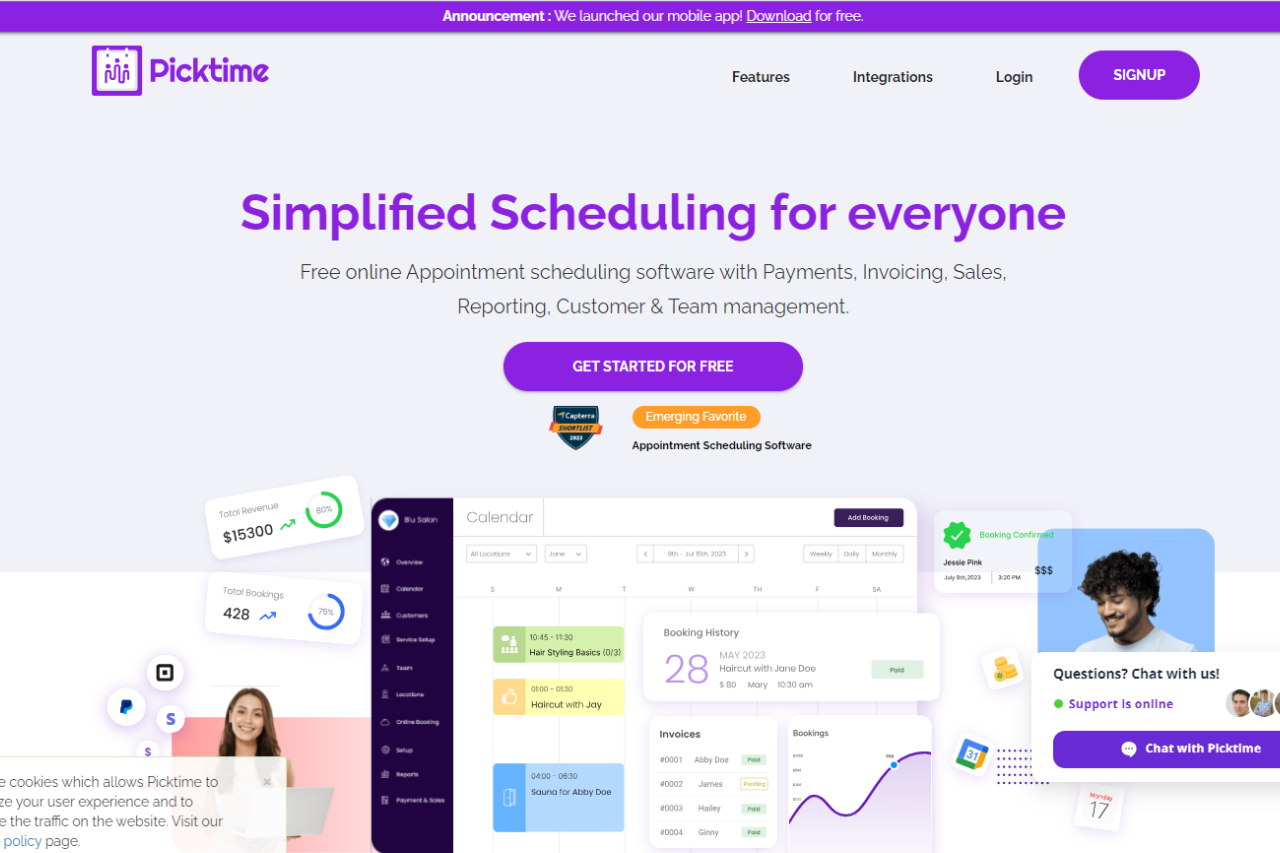
🏆 Our Verdict
Picktime offers a versatile appointment scheduling solution tailored to businesses of all sizes. Its intuitive platform and array of features cater to various scheduling needs across different industries.
✅ Pros & ❌ Cons
Pros:
🔄 Flexible Appointment Scheduling: Picktime allows easy customization of appointment types and availability to suit diverse business needs.
🔗 Seamless Calendar Integration: Integration with popular calendar platforms ensures efficient scheduling and organization.
📅 Client Self-Booking: Empowers clients to book appointments conveniently, reducing administrative workload for businesses.
📊 Comprehensive Appointment Management: Picktime provides advanced features for managing appointments, cancellations, and rescheduling, enhancing operational efficiency.
🌐 Wide Range of Integrations: Extensive third-party integrations enrich the scheduling capabilities of Picktime, enhancing its functionality.
Cons:
💲 Pricing: Some users may find the pricing plans relatively higher compared to competitors.
📉 Learning Curve: New users might experience a learning curve while getting accustomed to all the features and functionalities.
LOOKING FOR A ONE-STOP SOLUTION TO YOUR GROWTH NEEDS?
📚 Limited Customization: Customization options may be somewhat restricted in certain areas compared to other scheduling tools.
📖 About Picktime
Picktime is designed to streamline the appointment scheduling process for businesses and clients. Its user-friendly interface and comprehensive features make it a preferred choice for efficient appointment management.
🗓️ How It Works

Picktime
- Visit the Picktime Website: Navigate to the Picktime website to begin the signup process.
- Sign Up: Create an account by providing necessary details like email address and password.
- Customize Settings: Set up your business information and customize scheduling preferences.
- Calendar Integration: Integrate your calendar with Picktime to synchronize appointments seamlessly.
- Explore Features: Familiarize yourself with various features such as appointment types, reminders, and reporting.
- Start Scheduling: Begin scheduling appointments with clients using Picktime’s user-friendly interface and automation features.
💲 Pricing Overview

- Monthly 💵
- FREE
- Enjoy basic features at no cost
- 3 Users
- 3 Resources
- 2 Locations
- 2 Classes
- Unlimited Appointments
- Import Contacts
- Export Contacts
- Email Notifications
- Online Booking Page
- Payments with PayPal
- Over 8+ powerful integrations
- STARTER
- $3.00 per user per month (Billed annually)
- Everything from FREE
- 5 Classes
- Merge Contacts
- Email Notifications & Reminders
- Payments with PayPal, Stripe & Square
- Recurring Bookings
- Two-way sync
- Automatic Timezone Conversion
- Attendance
- SMS Notifications & Reminders
- Over 15+ powerful Integrations
- FREE
- Yearly 📅
- MOST POPULAR: PRO
- $2.25 per user per month (Billed annually)
- Everything from STARTER
- 10 Users
- 10 Resources
- Unlimited Locations
- Unlimited Classes
- Customizable Emails
- Booking Page in 20+ Languages
- Captcha Verification Online Booking
- SSO (Single Sign-On)
- Round Robin
- Waitlist
- Approve Bookings
- Courses
- Discounts
- Over 100+ integrations with Zapier
- For More Team Members & Resources Contact Our Support 📞
- MOST POPULAR: PRO
🥊 Competition
Picktime vs. Acuity Scheduling

Pros:
- Picktime offers flexible appointment scheduling and comprehensive appointment management similar to Acuity Scheduling.
- Both platforms provide seamless calendar integration and a wide range of integrations to enhance scheduling capabilities.
Cons:
- Picktime’s pricing plans may be relatively higher for some users compared to Acuity Scheduling.
- Users might experience a learning curve with Picktime, similar to Acuity Scheduling.
📌 Conclusion
Picktime emerges as a robust appointment scheduling solution, offering a comprehensive suite of features to simplify the booking process for businesses and clients alike. With its user-friendly interface, extensive integrations, and flexible pricing options, Picktime is an ideal choice for businesses seeking efficient appointment scheduling workflows.
“Effortlessly Manage Your Appointments with Picktime.”