Overview 🌐
Google Analytics is a powerful digital analytics tool offering in-depth insights into website and app performance. It’s designed to help businesses understand their online audience, track user interactions, and make data-driven decisions to optimize their digital strategies.
Key Features 🔑
- User Behavior Tracking: Understand how visitors interact with your website or app.
- Real-Time Analytics: Monitor activity as it happens on your site.
- Custom Reports: Create detailed reports tailored to specific business needs.
- Integration Capabilities: Seamlessly integrates with other Google services and various third-party applications.
Benefits and Use Cases 💡
- Enhanced Marketing Strategies: Use data to refine marketing campaigns for better targeting and ROI.
- Improved User Experience: Gain insights into user behavior to enhance the website or app’s usability.
- Data-Driven Decision Making: Make informed decisions based on comprehensive analytics data.
Starting with Google Analytics: A Step-by-Step Guide

Step 1: Create a Google Account 🆕
- Account Requirement: If you don’t already have a Google account, create one at Google Accounts.
- Sign In: Log in to your Google account to access Google Analytics.
Step 2: Sign Up for Google Analytics 📈
- Visit Analytics Site: Go to the Google Analytics website.
- Sign Up Process: Click on the ‘Sign up’ button and follow the prompts.
Step 3: Set Up Your Account and Property 🛠️
- Account Setup: Enter your account name. You can use multiple properties (websites or apps) under one Google Analytics account.
- Create Property: Add the name of your website or app, select the required reporting time zone, and currency.
Step 4: Configure Your Tracking Code 🖥️
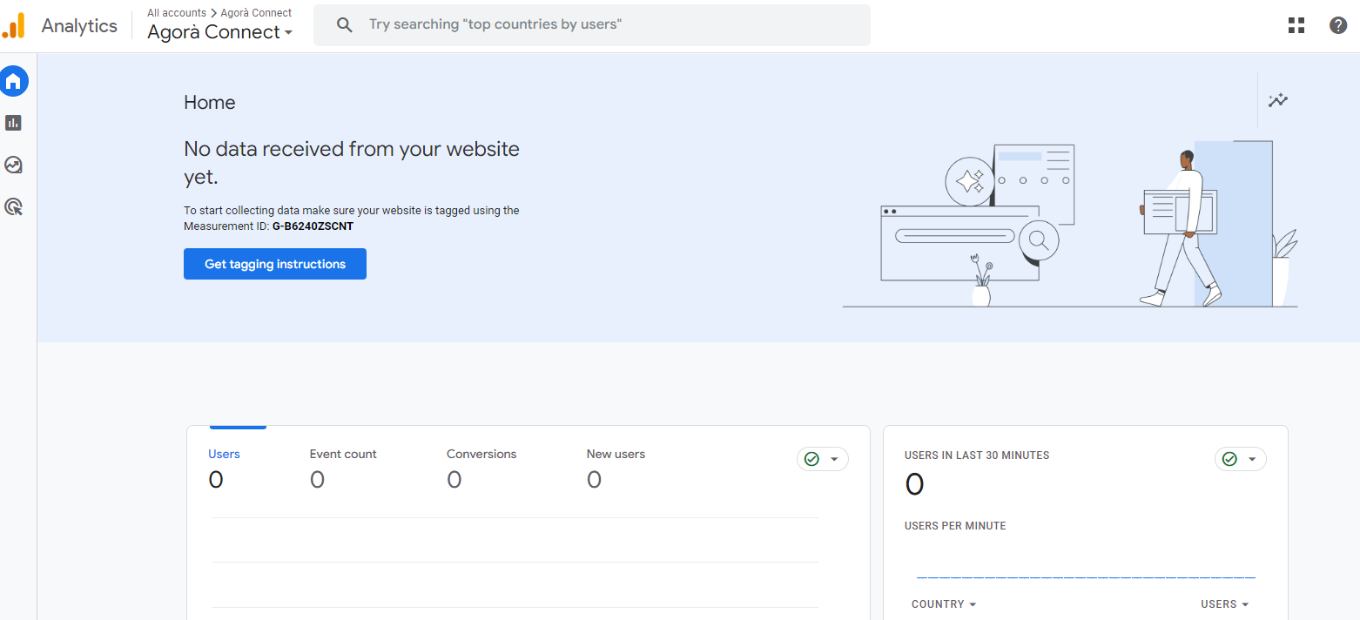
- Get Tracking ID: After creating a property, you will receive a unique tracking ID and JavaScript tracking code.
- Install Tracking Code: Add this code to every webpage you want to track or use a tag manager to simplify the process.
Step 5: Set Goals and Events 🔍
- Define Goals: In Google Analytics, set up specific goals to track conversions or other key actions on your site.
- Set Up Events: Optionally, set up events to track interactions like button clicks or video plays.
Step 6: Configure Filters and Views 📊
- Create Views: Set up views to segment your data (e.g., filtered views that exclude internal traffic).
- Apply Filters: Use filters to exclude or include specific data in your reports.
Step 7: Explore Analytics Features 🧐
- Check Real-Time Reports: Monitor activity on your site in real-time.
- Analyze Reports: Explore various reports to understand user behavior, acquisition sources, conversion metrics, and more.
Step 8: Link to Other Google Services (Optional) 🔗
- Google Ads Integration: If you use Google Ads, link your accounts for comprehensive ad performance analytics.
- Search Console Integration: Link with Google Search Console to view search data alongside analytics data.
Step 9: Review and Act on Data Insights 📋
- Regular Review: Regularly check your analytics for insights.
- Make Data-Driven Decisions: Use the insights from Google Analytics to inform website improvements, marketing strategies, and other business decisions
Google Analytics is a powerful tool for understanding website or app performance. By following these steps, you’ll be well-equipped to gather valuable data insights to inform your digital strategy and enhance user experience.
Google Analytics Pricing Overview
Google Analytics (Standard) 🆓
- Cost: Free
- Features: Basic analytical tools and data collection suitable for small and medium-sized websites.
- Limitations: Data sampling in reports, limited custom dimensions and metrics, standard data freshness.
Google Analytics 360 (Premium) 💼
- Cost: Starts at $150,000 per year (subject to change based on specific business needs and website traffic).
- Advanced Features: Enhanced data collection and reporting capabilities, unsampled reports, more custom dimensions and metrics, integration with Google BigQuery, and access to advanced analysis tools.
- Target Audience: Large enterprises with high traffic volumes and complex analytical needs.
Additional Options ✨
- Integration with Google Marketing Platform: Enhanced integration options available for additional cost, offering a more comprehensive suite of tools for marketing analysis and optimization.
- Custom Solutions: Pricing and features can be customized based on specific business requirements and usage levels.
For the most current and detailed pricing information, it’s recommended to contact Google directly or visit the Google Analytics website. Pricing and offerings are subject to change and may vary based on the scale and scope of the business needs.
Google Analytics vs. Adobe Analytics: A Comparative Review
Pros of Google Analytics
Accessibility and User-Friendliness 🌟
- Ease of Use: Known for its user-friendly interface, making it accessible for beginners and experts alike.
- Free Version Available: Offers a robust free version that’s sufficient for many small to medium-sized businesses.
Integration with Google Products 🔗
- Google Ecosystem: Seamlessly integrates with other Google services like Google Ads, Search Console, and Google Tag Manager.
- Data Integration: Easily combines data from various sources within the Google ecosystem for comprehensive analysis.
Real-Time Data and Reporting 📊
- Real-Time Analytics: Tracks and reports website data in real-time.
- Customizable Reports: Provides a range of customizable reporting options to suit different analytical needs.
Cons of Google Analytics
Data Sampling and Limitations 📉
- Data Sampling: In the free version, high-traffic websites might encounter data sampling, leading to less precise data.
- Complexity in Advanced Features: Advanced features can be complex and may require technical expertise.
Privacy Concerns and Data Ownership 🛡️
- Data Privacy: There are concerns about data privacy and how Google uses the data.
- Data Ownership: Users don’t own the data; Google has access to it.
Pros of Adobe Analytics

Advanced Data Analysis and Segmentation 🚀
- Deep Data Analysis: Provides more in-depth data analysis capabilities than Google Analytics.
- Advanced Segmentation: Offers robust segmentation tools for detailed audience analysis.
Integration with Adobe Suite 🔍
- Adobe Ecosystem: Integrates well with other Adobe products, offering a more holistic view of marketing data across platforms.
- Cross-Channel Data Integration: Efficiently combines data from various channels for a comprehensive understanding.
Customization and Flexibility 🛠️
- Highly Customizable: Offers extensive customization options for data collection and reporting to suit enterprise-level needs.
- Flexibility: Adaptable to a wide range of complex business requirements.
Cons of Adobe Analytics
Complexity and Learning Curve 🤔
- Steep Learning Curve: More complex to use than Google Analytics, with a steeper learning curve.
- Technical Expertise Required: Generally requires more technical knowledge or resources to fully leverage its capabilities.
Higher Cost 💲
- Cost Prohibitive for Small Businesses: Typically more expensive than Google Analytics, making it less accessible for smaller businesses or those with limited budgets.
Both Google Analytics and Adobe Analytics are powerful tools, but they cater to different needs and scales of operation. Google Analytics is more accessible and user-friendly, making it a great choice for small to medium-sized businesses, while Adobe Analytics offers more advanced analytical features and customization, suited for large enterprises and users already invested in the Adobe ecosystem. The choice between the two depends on the specific requirements, budget, and scale of your business.
Conclusion 🎯
Google Analytics stands out as an essential tool for businesses of all sizes seeking to understand and improve their online presence. Its comprehensive analytics capabilities, combined with ease of use and integration with various platforms, make it a go-to solution for gaining valuable insights into digital performance. Whether you’re a small business or a large corporation, Google Analytics provides the data necessary to drive growth and success in the digital arena.
“Empower Your Decisions: Uncover Insights, Drive Growth with Google Analytics”
Related read: Google Analytics is built around sessions and traffic sources. When the question shifts to which customers come back and what they are worth over time, RetentionX works on the customer record instead.