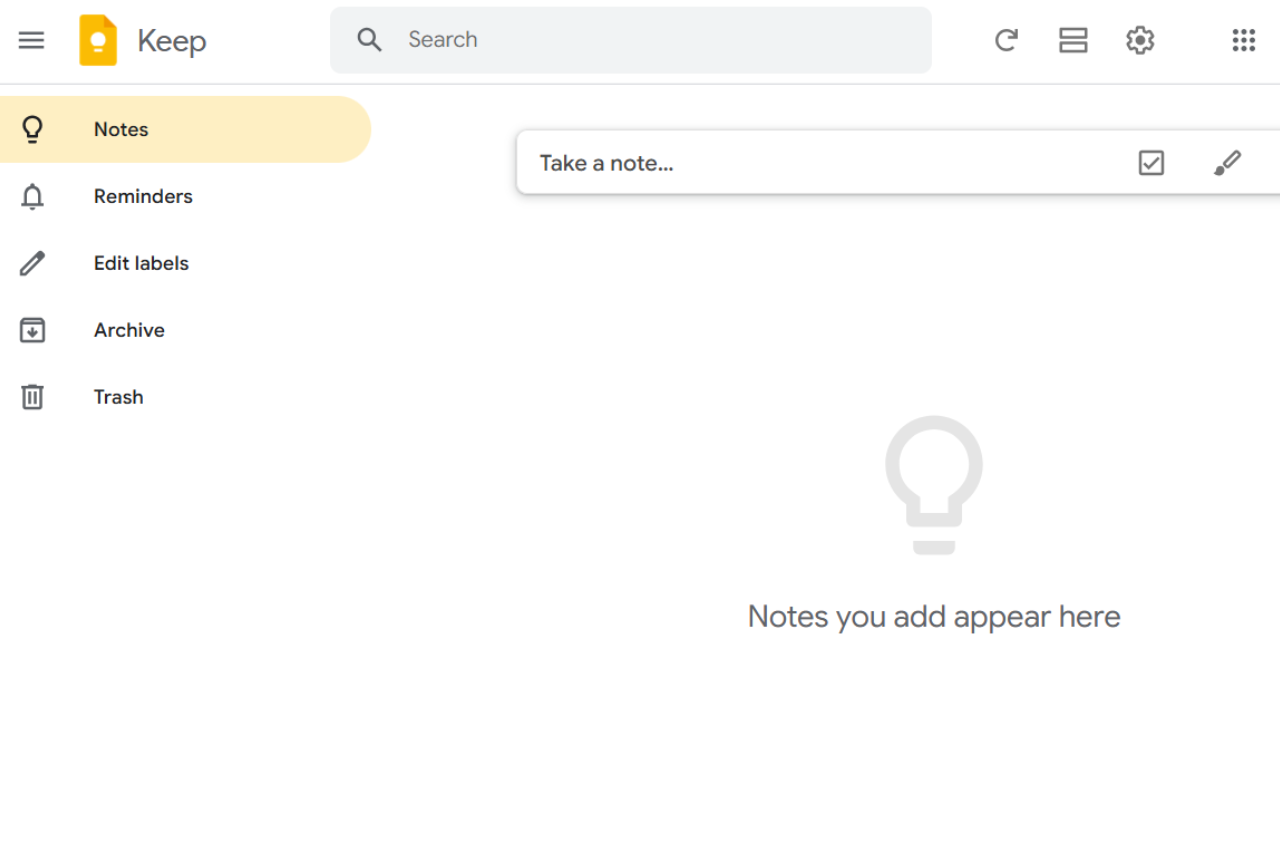
🏆 Our Verdict
Google Keep is a user-friendly and versatile note-taking app designed for individuals and teams who value simplicity and accessibility. With its intuitive interface, seamless integration with Google Workspace, and robust sharing features, Google Keep empowers users to stay organized and productive. While its limited advanced features may not appeal to power users, its lightweight design and cross-platform availability make it a top choice for quick, straightforward note-taking.
✅ Pros & ❌ Cons
Pros
- Seamless Google Integration: Works flawlessly with Google Workspace for improved productivity.
- Easy Collaboration: Share and collaborate on notes in real time.
- Cross-Platform Support: Accessible on Android, iOS, and desktop via web.
- Voice and Image Notes: Easily create notes using voice recordings and image uploads.
- Simple and Intuitive UI: Minimalistic design for quick and hassle-free usage.
- Free to Use: Available at no cost for all users.
Cons
- Limited Advanced Features: Lacks rich text editing, tags, and in-depth organizational tools.
- No Offline Desktop App: Desktop users must rely on a web interface.
- Basic Formatting Options: No support for advanced formatting or multimedia integration.
- Limited Export Options: Difficult to migrate notes to other platforms.
- No Notebook Organization: All notes are grouped without a notebook hierarchy.
📖 About
Google Keep is a lightweight note-taking application developed by Google. It allows users to quickly jot down ideas, create to-do lists, and collaborate with others. Designed with simplicity in mind, Keep integrates with Google Workspace, making it easy to sync notes across devices and share them with team members. While it lacks some advanced features, Google Keep focuses on accessibility, ensuring that users can capture and retrieve their thoughts effortlessly.
🗓️ How It Works
1. Download and Install

Google Keep is available as a mobile app for Android and iOS or as a web app accessible through https://keep.google.com/.
2. Create Notes
Start capturing ideas, to-do lists, or reminders using text, voice, or image uploads.
3. Organize Notes
Label, color-code, and pin important notes for easy retrieval.
4. Collaborate
Share notes with others to collaborate in real time.
5. Set Reminders
Add time-based or location-based reminders to never miss a task.
6. Sync Across Devices
Enjoy seamless syncing across all devices via your Google account.
💲 Pricing Overview
Google Keep is completely free to use for all users. It does not require a subscription, making it an ideal option for budget-conscious individuals or small teams.
🥊 Competition

| Feature | Google Keep | Evernote |
|---|---|---|
| Ease of Use | Minimalistic and simple interface | Feature-rich but with a steeper learning curve |
| Collaboration | Real-time sharing and collaboration | Supports collaboration but with restrictions |
| Organization | Labels and colors for basic categorization | Advanced notebook and tag hierarchy |
| Multimedia Support | Voice and image note integration | Supports voice, images, PDFs, and more |
| Offline Access | Only via mobile apps | Offline access available on all platforms |
| Pricing | Free | Free tier, Premium starts at $7.99/month |
📌 Conclusion
Google Keep is a powerful yet straightforward tool for quick note-taking and task management. Its user-friendly interface, Google Workspace integration, and cross-platform availability make it a top choice for individuals and small teams looking for an intuitive organizational tool. While it may not cater to power users seeking advanced features, its simplicity and accessibility ensure it stands out as a versatile option for everyday productivity.
LOOKING FOR A ONE-STOP SOLUTION TO YOUR GROWTH NEEDS?
Google Keep: Where Simplicity Meets Productivity