🏆 Our Verdict
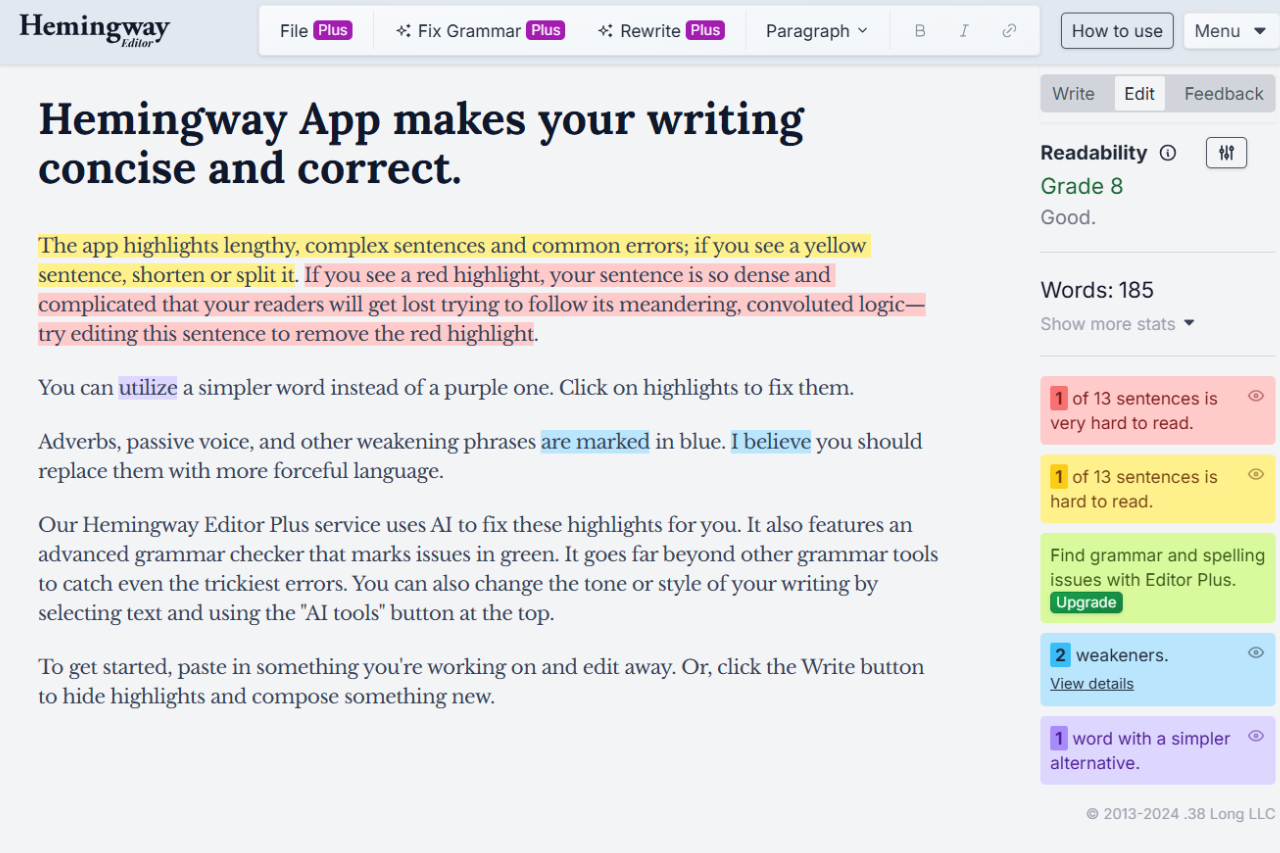
Hemingway Editor is an intuitive, streamlined tool designed to enhance writing clarity and simplicity. Ideal for both amateur and professional writers, it focuses on improving readability by highlighting dense and complex sentences, passive voice, adverbs, and more. While it doesn’t include the grammatical checking found in some competitors, its ability to teach concise writing through real-time feedback makes it an invaluable tool for those looking to hone a clear, impactful writing style.
✅ Pros & ❌ Cons
Pros
- Real-Time Feedback: Immediate suggestions to simplify and strengthen writing.
- Ease of Use: Simple, user-friendly interface with no learning curve.
- Readability Focus: Specific emphasis on sentence structure and readability.
- Affordability: One-time purchase for the desktop version.
- Offline Access: Desktop version works without an internet connection.
Cons
- Limited Grammar Checking: Does not offer comprehensive grammar checks.
- No Thesaurus or Synonyms: Lacks tools for vocabulary enhancement.
- No Collaboration Features: Does not support real-time collaborative writing.
- No Cloud Integration: Limited support for cloud storage or syncing.
- Platform Limitation: Desktop version only available for Mac and Windows.
📖 About
Hemingway Editor is a dedicated writing enhancement tool that encourages succinct and forceful prose. Unlike general word processors, Hemingway provides immediate visual feedback on areas of potential improvement, helping writers understand and reduce the complexity of their sentences, making the text bold and clear.
🗓️ How It Works

- Open the Editor: Access Hemingway Editor online or through the desktop app.
- Enter Your Text: Paste or type directly into the editor.
- Analyze and Edit: Follow the color-coded suggestions to improve sentences.
- Enhance Readability: Adjust your text based on the readability grade provided.
- Export or Publish: Export your edited work to various formats or publish directly online.
💲 Pricing Overview
Hemingway Editor offers a free online version and a paid desktop version, priced at a one-time fee of $19.99, which includes all future updates.
🥊 Competition

| Feature | Hemingway Editor | Grammarly |
|---|---|---|
| Grammar Checking | Basic | Advanced, with contextual spelling checks |
| Style Feedback | Focus on readability and sentence structure | Broader feedback on clarity and engagement |
| Usage | No account needed, offline access available | Requires login, primarily online |
| Price | Free online, $19.99 for desktop | Free basic version, premium subscriptions |
| Platform Compatibility | Web, Windows, macOS | Web, Windows, macOS, browser extensions |
📌 Conclusion
Hemingway Editor is perfect for writers focused on enhancing the clarity and impact of their text. While it may lack some of the advanced grammatical tools of its competitors, its specific focus on improving readability through simplicity makes it a standout choice for anyone looking to cut the fluff from their writing.
Hemingway Editor: Write Bold, Clear, and Strong