⚖️ Our Verdict
The Obsidian app makes taking notes enjoyable, even for free users. It has a robust feature set that you’re likely to enjoy, as well as a clean, easy-to-use interface. However, there are a few drawbacks, such as limited customer support and the lack of a web version.
Obsidian is best used by writers, students, professionals from different fields, and any other individual who wishes to take notes smoothly and efficiently. It has a low learning curve since it is simple and quick to take notes and concepts in Obsidian. Simply launch the app, create a new note, and begin typing. Obsidian is an effective note-taking app that also serves as a private system for managing knowledge. It is dependent on how you treat note-taking, composing, and research.
To sum it all up, it’s an easy-to-use, essential, and helpful application for note-taking and knowledge management.
| 👍 Pros | 👎 Cons |
| 👍 Available on PC or mobile 👍 Compatible with Windows, macOS, Linux, Android, and iOS 👍 Can work offline 👍 Simple and secure notes 👍 Smooth writing experience 👍 Good community | 👎 Needs download 👎 Only plain text without formatting options 👎 Tedious setup |
🌟 About Obsidian
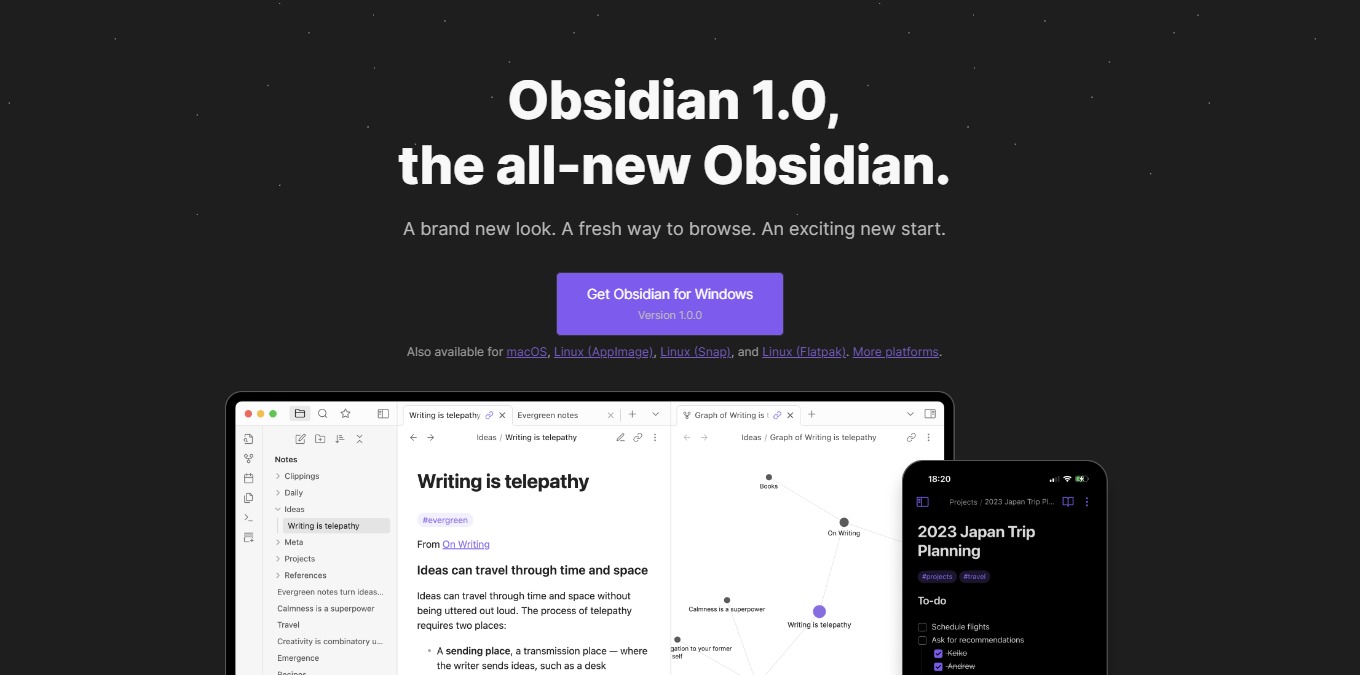
Obsidian 1.0 is live!
— Obsidian (@obsdmd) October 13, 2022
1.0 brings a complete redesign to desktop and mobile.
Plus, a new way to browse your second brain: tabs. Tabs make it easier to explore many ideas at once.
Learn more: https://t.co/b5tuqKrCBc pic.twitter.com/uAgnoRRI3s
Obsidian was created in response to a lack of a suitable note-taking app and dissatisfaction with existing solutions. With three primary considerations: local-first and simple text; links as a priority; and the ability to be highly extensible.
Obsidian is a fresh note-taking app on the market that allows you to gather your networked ideas in one place utilizing links. Despite it being new, it has amassed a sizable user base, with a large percentage of them commending it as a useful note-taking tool.
Obsidian is a bi-directional note-taking tool relying on plain text markdown information stored in a local directory, providing your notes with the security and longevity they require.
🎁 What’s In It For You?
Obsidian lets you create a vault which is a location on your device where the app can store notes and settings inside the app. With that, note-taking will not require an internet connection for it to be efficient. With Obsidian, you can create simple notes using plain text. This is an advantage for people valuing the content rather than the aesthetics.
Once you create a note, this app allows you to save it on your local device and open it at any time for viewing and editing. Obsidian also allows you to sync your notes across any device, enabling you to view and edit just by logging in.
Obsidian lets you open notes in tabs allowing you to explore many ideas at once! Just like how the brain works, the tabs feature replicates it. Additionally, this app allows you to make and follow frictionless connections with the graph view, backlinks, and outgoing links.
🖥️ How Does It Work?
- Click the new note button and change the title.

- Start typing on the new note.

- On the local device, you can view the note created on Obsidian.

- Create a new note and link other notes to it by typing “[]”.

- Create a potential new note by highlighting a word and putting a bracket on it.

- View backlinks by clicking the right-side panel.

- Open the graph view on the left button.

💲 Pricing Plans & Support
Obsidian offers very simple pricing with substantial benefits!
LOOKING FOR A ONE-STOP SOLUTION TO YOUR GROWTH NEEDS?

💎 Personal – $0/Month
This essential deal is free!
〰 No account or sign-up required
〰 Access to plugins and API
〰 Community support
💎 Catalyst – $25
This essential one-time payment deal is only $25!
〰 Support development
〰 Early access to insider builds
〰 Special badges in community
〰 Access to exclusive dev channel
💎 Commercial – $50/Year
This essential deal is only $50 per year!
〰 14-day free trial before payment
〰 Commercial use
〰 Priority support
📍 The Competition

| 👍 Pros | 👎 Cons |
| 👍 Integrated templates 👍 Organize notes and dashboard 👍 Collaboration features 👍 Compatible across different devices | 👎 Need to pre-load pages to use offline mode 👎 Learning curve 👎 Text formatting issues |