Papeeria: Streamlining LaTeX Projects Effortlessly

Papeeria is a browser-based LaTeX editor that runs document compilation in the cloud, so you can collaborate on a paper or thesis without installing TeX Live locally. It supports real-time co-editing, GitHub sync, BibTeX import, and PDF export, and runs in any modern browser. The free tier covers small public projects; paid plans unlock private collaborators and offline source export.

πŸ† Our Verdict

Papeeria provides an excellent cloud-based LaTeX editor that simplifies the creation of complex academic documents. With its strong focus on user-friendly features and seamless real-time collaboration, Papeeria stands as a significant tool, particularly in the academic community. Compared to its competitors like Overleaf, it offers unique plotting tools and a straightforward user interface that may appeal to those who seek simplicity alongside comprehensive LaTeX support.

βœ… Pros & ❌ Cons

Pros:

  • Real-Time Collaboration: Allows users to collaborate on documents in real time efficiently.
  • Plotting Tools: Integrated plotting tools which are not as common in other LaTeX editors.
  • Version Control: Efficient version control system helps keep track of changes and revert when necessary.
  • Affordable Pricing: More budget-friendly options compared to some leading competitors.

Cons:

  • Template Variety: Fewer templates compared to Overleaf, which can limit options for quick project setups.
  • User Base: Smaller community and user base, which might affect the variety and depth of community-driven templates and examples.
  • Integration with External Repositories: Limited integration capabilities with external repositories like GitHub compared to Overleaf.

πŸ“– About

Papeeria is a robust LaTeX editor designed to facilitate the writing, collaboration, and publishing of scientific papers and academic documents. It supports real-time collaboration and offers a variety of tools to manage projects efficiently, making it suitable for both individual researchers and collaborative academic teams.

πŸ—“οΈ How It Works

  1. Sign Up: Users can quickly sign up for an account to start using the platform.
  2. Create a Project: Start a new project with a choice of several templates or from scratch.
  3. Invite Collaborators: Add collaborators to work simultaneously on the same project.
  4. Edit and Compile: Utilize LaTeX editing and direct compiling features within the platform.
  5. Publish: Export completed documents in various formats ready for publication or sharing.

πŸ’² Pricing Overview

Epsilon Plan

Features:

  • Unlimited Public Projects and Templates: Create and use as many public projects and templates as you need.
  • Unlimited Collaborators: Invite as many collaborators as required for each project.
  • One Active Private Project: Manage one private project at a time. Additional projects can be archived to free up the active slot.
  • Archiving: Inactive projects can be archived to not count against your active private project quota.
  • Full-Text Search: Search capability restricted to current project files, helping you find necessary content quickly.
  • Git Sync: Full read-write access to public repositories, allowing efficient version control and collaboration.
  • File Edit History (New): Access the edit history of files covering the last 24 hours.
  • Simple Plot Builder: Basic tools for creating plots directly within the platform.

Delta Plan

Adds to Epsilon with:

  • Up to 10 Active Private Projects: Manage multiple private projects with the option to purchase more quota if needed.
  • Auto Compiling & Priority Compiling: Features that automatically compile your documents as you work, with prioritized processing speed.
  • Private Templates: Create and utilize custom templates for private use.
  • Full-Text Search Across All Projects: Enhanced search capabilities that extend across all projects you own or are joined in.
  • Git Sync with Private Repositories: Access and sync with private Git repositories.
  • File Edit History (New): Extended file edit history covering the last 30 days.
  • Synchronization with Dropbox and Google Drive (New): Seamlessly sync your documents and data with major cloud storage services.
  • Backup Snapshots: Regular backup snapshots to ensure data safety.
  • Integration with gnuplot and Mendeley: Advanced features ideal for students and researchers needing detailed data analysis and reference management.

Pricing:

  • Delta Plan: Starts at $5/month. Designed for individuals and small groups needing advanced features and multiple private projects.

Additional Information:

  • Free Forever for Students: The Delta plan is offered free forever to students, making it an ideal choice for those learning LaTeX and requiring robust features without financial burden.

Sign Up Options:

  • Users can sign up for either plan depending on their needs. The Epsilon plan offers basic features suitable for casual or beginning users, while the Delta plan provides comprehensive tools and enhancements for more intensive use.

These plans cater to a range of needs from basic document creation and collaboration to advanced project management and integration, making Papeeria a flexible option for LaTeX users.

πŸ₯Š Competition

FeaturePapeeriaOverleaf
CollaborationBasic with all plansAdvanced with real-time tracking
TemplatesFewer, basicExtensive, highly customizable
Plotting ToolsIncludedNot available
User InterfaceSimpler, easier to navigateMore complex with steep learning curve
PricingMore affordableHigher cost with more features
Community and SupportSmaller user communityLarger, more active community

πŸ“Œ Conclusion

Papeeria offers a compelling option for those who need an efficient and straightforward LaTeX editor, particularly appealing to those in academia. While it may not boast the extensive template library or the vast community support of Overleaf, its unique features like integrated plotting and competitive pricing make it a worthy tool in the academic toolkit.

Papeeria: Perfecting Your LaTeX Projects with Precision

Papeeria FAQ

Is Papeeria free?

Papeeria has a permanent free tier with unlimited public projects, real-time collaboration on small teams, and BibTeX. Paid plans start around $4 per month for individuals and unlock private projects, larger uploads, and offline source export. There is no time-limited trial; the free tier is a hard floor, not an introductory offer.

How does Papeeria compare to Overleaf?

Papeeria and Overleaf occupy the same space of browser-based LaTeX collaboration with instant PDF preview. Overleaf has the larger template library and tighter integration with academic publishers like IEEE and Springer. Papeeria has GitHub sync built in and a more permissive free tier when you need private collaborators on small projects.

Does Papeeria work offline?

Papeeria needs an internet connection because the LaTeX engine compiles server-side. The source files can be exported on paid plans for offline editing in any text editor, and pushed back through GitHub sync when you reconnect. For a fully offline workflow, a local TeX Live install paired with VS Code remains the standard.

Related read: Papeeria is a cloud LaTeX workspace. If you would rather edit offline on your own machine, Texmaker is a free desktop editor with the same one-keystroke PDF build.

Related read: Papeeria runs LaTeX in the browser for shared projects. To write offline on your own machine with a zero-config setup, the TeXworks editor ships free with TeX Live.
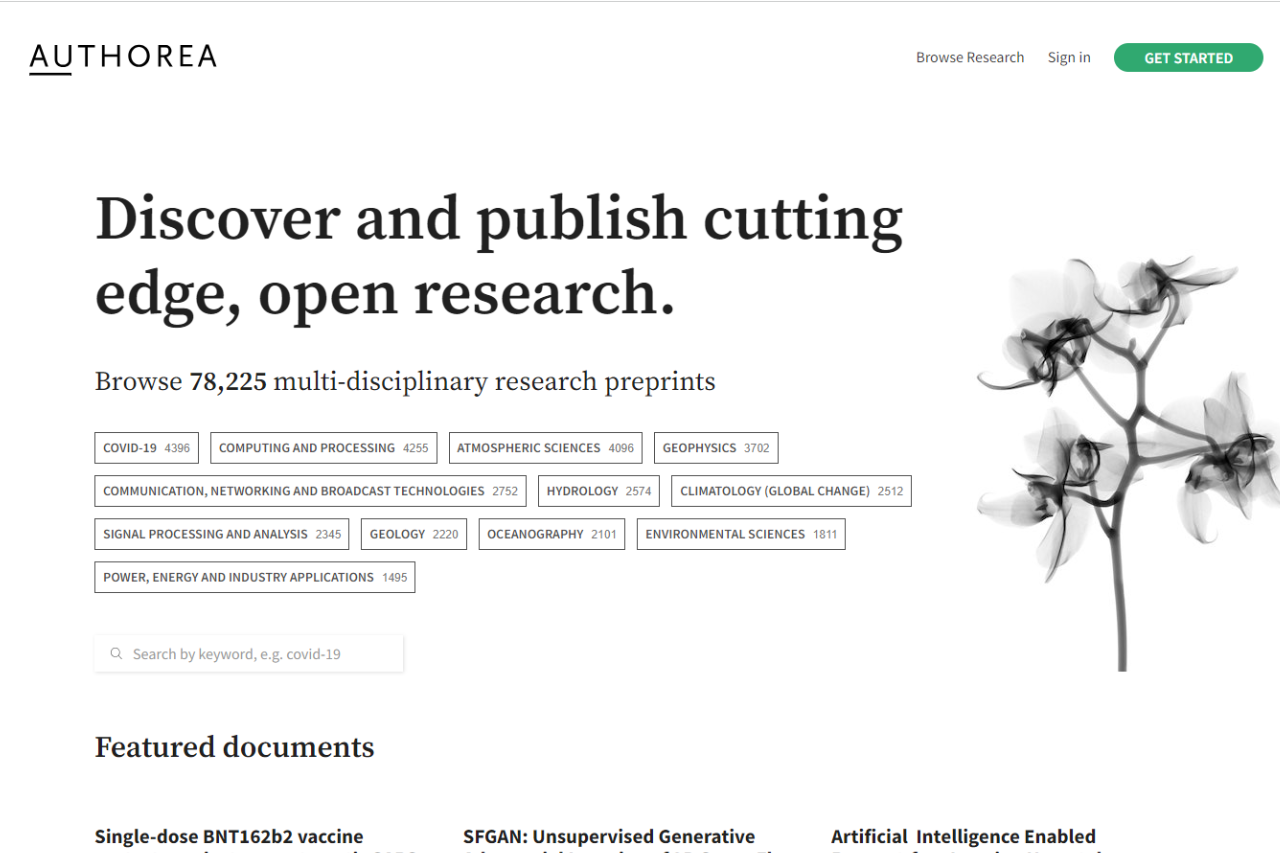
Authorea: Empowering Collaboration in Academic Writing

πŸ† Our Verdict

Authorea sets itself apart as a dynamic platform designed to enhance the way academics, scientists, and researchers collaborate on documents. With its robust set of features that support direct data integration, comprehensive citation options, and live multi-user editing, Authorea offers a significant advantage over traditional word processors like Overleaf. It’s not just about writing; it’s about creating a seamless integration between textual and data-driven content, making it an invaluable tool for modern research teams.

βœ… Pros & ❌ Cons

Pros:

  • Direct Data Integration: Allows embedding of data that readers can interact with, not just static figures.
  • Rich Text and LaTeX Editor: Users can write in LaTeX directly within a rich text document.
  • Collaborative Tools: Real-time, multi-author editing and tracked changes enhance teamwork.
  • Academic-Focused Features: Built-in features like automatic formatting of citations and references adhere to academic standards.

Cons:

  • Complex Interface: May require a learning curve for users unfamiliar with advanced document and data management.
  • Limited Template Variety: Compared to Overleaf, there are fewer templates available, which might limit options for quick project setups.
  • Performance Issues: With extensive data or large collaborative groups, the platform can experience slowdowns.

πŸ“– About

Authorea is built to cater to the needs of researchers and academics, facilitating not just the writing process but also the publication and sharing of scientific knowledge. It supports a variety of content formats including markdown, HTML, and LaTeX, and is geared towards enhancing the reproducibility and transparency of research outputs.

πŸ—“οΈ How It Works

  1. Sign Up: Users start by creating an account, which offers access to both free and subscription-based features.
  2. Start a Document: Choose from various templates or start a blank document.
  3. Collaborate: Invite co-authors to contribute and edit documents simultaneously.
  4. Incorporate Data: Directly embed datasets and visualizations into documents.
  5. Publish and Share: Submit directly to journals, post preprints, or share publicly with the academic community.

πŸ’² Pricing Overview

Free Plan

  • Availability: Authorea is free for all users.
  • Features: All users can read, write, and post scholarly content on Authorea at no cost. This makes it accessible for a wide range of users, from individual researchers to academic enthusiasts.
  • Access: Users can access basic features, but some advanced features are reserved for paid plans, which are more suitable for teams.

Community Plan

  • Cost: $1,200 per year.
  • Features and Services:
    • Dedicated Community Portal: Provides a personalized space on authorea.com/yourname for community interaction.
    • Subcollections: Up to 5 subcollections allow for organized content management.
    • Management Tools: Includes tools for member and editor management.
    • Integration: Fully integrated with submission systems for ease of document handling.
    • Review Systems: Offers features for screening and peer review to maintain content quality.
    • Customization: Allows for a custom logo and banner to enhance brand identity.
    • Support: Basic helpdesk support is included for troubleshooting and assistance.

Collection Plan

  • Cost: Pricing is customized; interested parties should contact Authorea directly for a quote.
  • Features and Services:
    • Branded Collection Portal: Provides a fully branded portal running on yourdomain.com, ideal for large institutions or publishers.
    • Subcollections: Unlimited subcollections for extensive content categorization.
    • Management Tools: Comprehensive tools for member and editor management are included.
    • Integration and Review: Integrated with submission systems and includes screening and peer review functionalities.
    • Customization: Offers custom branding, custom DOIs for unique identification, and transactional email capabilities.
    • Support: Priority support ensures faster response times and issue resolution.

Additional Information

  • For further details on the specific features or to get a quote for the Collection plan, users are encouraged to reach out via the contact options provided on Authorea’s website. The platform also offers extensive help pages for more common questions regarding plans and usage.

This structure provides flexibility for different types of users, from free access for individuals to comprehensive, customizable options for larger organizations or research groups. For more information on these plans or to contact Authorea directly, visit their official website.

πŸ₯Š Competition

FeatureAuthoreaOverleaf
Data IntegrationExtensiveLimited
Editor TypeRich Text and LaTeXPrimarily LaTeX
Real-Time CollaborationYesYes
TemplatesFewer, highly specializedExtensive, varied
Target AudienceAcademics and researchersAcademics, general LaTeX users

πŸ“Œ Conclusion

Authorea is more than just a document editor; it’s a comprehensive research tool that breaks down the barriers between data analysis and scholarly writing. While it might present a steeper learning curve than platforms like Overleaf, its superior integration of data and collaborative features makes it a powerful ally in the pursuit of academic excellence.

Authorea: Write, Collaborate, Publish – All in One Place

Related read: Authorea aims at the whole publishing workflow, from drafting to submission. If the job is simply writing the paper on your own machine, TeXworks handles it with a source pane and a PDF preview.

WriterDuet: The Screenwriter’s Collaborative Edge

πŸ† Our Verdict

WriterDuet stands out as a cutting-edge tool tailored for screenwriters who thrive in collaborative environments. Unlike its competitors, such as Final Draft, WriterDuet emphasizes real-time co-writing, offering a cloud-based platform that allows instant updates and seamless communication among team members. Its intuitive interface and robust feature set make it a top choice for both amateur and professional screenwriters looking to streamline their workflow and enhance productivity.

βœ… Pros & ❌ Cons

Pros:

  • Real-Time Collaboration: Facilitates simultaneous script editing and commenting among multiple users.
  • Cross-Platform Accessibility: Accessible via web, and includes apps for iOS and Android, ensuring flexibility in how and where users can write.
  • Intuitive Interface: Easy to navigate, promoting an efficient and distraction-free writing environment.
  • Extensive Import/Export Options: Supports a wide range of formats, enhancing compatibility with other writing tools.

Cons:

  • Dependence on Internet Connection: Requires a stable internet connection for most functionalities, which can be limiting in areas with poor connectivity.
  • Subscription-Based Pricing: May deter those who prefer a one-time purchase software.
  • Complexity for Beginners: The array of features can be overwhelming for new users unfamiliar with scriptwriting software.

πŸ“– About

WriterDuet is designed to optimize the screenwriting process through enhanced collaboration. It integrates advanced scriptwriting tools with communication features, allowing users to interact and make changes to documents in real-time. This focus on teamwork and accessibility makes it especially useful for writing groups and educational settings where collaboration is key.

πŸ—“οΈ How It Works

  1. Create an Account: Sign up on the WriterDuet website or through the app.
  2. Start a Project: Initiate a new script or import an existing draft.
  3. Invite Collaborators: Add co-writers to join the project and set permissions.
  4. Write and Edit: Utilize the real-time editing features to write and receive immediate feedback.
  5. Export and Share: Export the completed script in various formats for final use or distribution.

πŸ’² Pricing Overview

Monthly Subscription Plans

  1. Free Plan
    • Price: $0 per month
    • Features:
      • Up to three projects
      • Industry-standard templates
      • Accessibility from computer and mobile devices
      • Google Drive/Dropbox backups
  2. Plus Plan
    • Price: $9.99 per month
    • Features:
      • Includes everything in the Free plan
      • Unlimited projects
      • Real-time collaboration
      • Desktop application
      • Offline writing with auto-sync
  3. Pro Plan
    • Price: $11.99 per month
    • Features:
      • Includes everything in the Plus plan
      • Additional customization options
      • Dialogue and character filters
      • Document stats and format checker
      • Production tools and colored revisions
  4. Premium Plan
    • Price: $13.99 per month
    • Features:
      • Includes everything in the Pro plan
      • Rewind document or line history
      • Script narration with distinct voices
      • Simultaneous scene format and tools
      • Script translation to multiple languages

Yearly Subscription Plans (Billed Annually)

  1. Plus Plan
    • Price: $7.49 per month (billed annually)
    • Features:
      • Same as the monthly Plus plan
  2. Pro Plan
    • Price: $8.99 per month (billed annually)
    • Features:
      • Same as the monthly Pro plan
  3. Premium Plan
    • Price: $10.49 per month (billed annually)
    • Features:
      • Same as the monthly Premium plan

These plans are designed to cater to a range of needs from beginner screenwriters who just need basic tools, to professional writers who require advanced features for detailed script editing and production. Whether opting for a monthly or yearly billing, WriterDuet offers flexible pricing options to suit different budgets and requirements.

πŸ₯Š Competition

FeatureWriterDuetFinal Draft
CollaborationExtensive real-time toolsBasic collaboration features
Platform AccessibilityFully cloud-based, cross-platformPrimarily desktop with limited cloud integration
Pricing ModelSubscription-basedOne-time purchase with optional upgrades
Import/Export OptionsSupports multiple formatsLimited to standard screenplay formats

πŸ“Œ Conclusion

WriterDuet is a powerful choice for writers who prioritize collaboration and versatility in their software. While it may require ongoing investment due to its subscription model, the benefits of its real-time collaborative features and broad accessibility make it a valuable tool in the modern screenwriter’s toolkit.

WriterDuet: Where Stories Come Together

Offline-first companion: WriterDuet is built for real-time collaboration in the browser. If most of your drafting happens offline on one machine, Kit Scenarist keeps the project local and only syncs to the cloud when you choose to.

Mac-native alternative: WriterDuet is built for real-time collaboration in the browser. If you write solo on a Mac and prefer a native app, Highland 2 is the streamlined, Fountain-based option built for Mac.

Celtx: Revolutionizing Screenwriting and Production Planning

πŸ† Our Verdict

Celtx emerges as a comprehensive tool that streamlines screenwriting, production planning, and collaboration. It’s designed to challenge industry giants like Final Draft by offering a versatile, web-based platform that supports not just writing but extensive pre-production processes. Celtx’s integration of scriptwriting with essential production features makes it invaluable for teams looking for an all-in-one solution.

βœ… Pros & ❌ Cons

Pros:

  • All-in-One Platform: Combines scriptwriting with storyboard, budgeting, and scheduling tools.
  • Cloud-Based Collaboration: Facilitates teamwork with real-time updates and shared project access.
  • Affordable and Accessible: Offers a competitive price point and is accessible from any device with internet connectivity.
  • Extensive Pre-Production Features: Includes tools for budgeting, scheduling, and storyboarding, which are not typically found in traditional screenwriting software.

Cons:

  • Internet Dependency: Requires an internet connection to access all features, which can be limiting in areas with poor connectivity.
  • Less Focus on Deep Writing Features: While versatile, it may lack some of the advanced scriptwriting functionalities that dedicated screenwriting programs like Final Draft offer.
  • Learning Curve: The breadth of features can be overwhelming for new users or those only interested in scriptwriting.

πŸ“– About

Celtx is a robust scriptwriting and production management tool designed to cater to the needs of both individual screenwriters and large production teams. Its goal is to simplify the process from the initial concept to the day of the shoot. The platform is particularly noted for integrating writing tools with powerful pre-production planning features, making it unique among its competitors.

πŸ—“οΈ How It Works

  1. Sign Up and Set Up: Users start by creating an account on the Celtx website.
  2. Choose Your Project Type: Select from various templates for films, games, videos, and more.
  3. Write and Collaborate: Utilize scriptwriting tools and collaborate in real-time with other team members.
  4. Plan Your Production: Access scheduling, budgeting, and other pre-production tools directly within the platform.
  5. Export and Share: Export scripts and other production documents in various formats for easy sharing.

πŸ’² Pricing Overview

For both individual writers and teams, here’s a detailed look at the monthly and yearly subscription plans available:

Monthly Plans

  1. Writer
    • Price: $14.99 USD/month
    • Features: Ideal for beginners, this plan includes:
      • Up to 3 projects
      • Unlimited comments
    • Options: Subscribe now or start a free trial.
  2. Writer Pro
    • Price: $24.99 USD/month
    • Features: Designed for more experienced writers, this plan offers:
      • Unlimited projects
      • Unlimited comments
      • Story development tools
    • Options: Subscribe now or start a free trial.
  3. Team
    • Price: $59.95 USD/month for up to 5 members
    • Features: Best for small teams, includes:
      • Unlimited projects
      • Unlimited comments
      • Story development tools
      • Production planning tools
    • Options: Subscribe now or start a free trial.

Yearly Plans (Billed Annually)

  1. Writer
    • Price: $11.24 USD/month (billed yearly)
    • Features: Includes the same benefits as the monthly Writer plan:
      • Up to 3 projects
      • Unlimited comments
    • Options: Subscribe now or start a free trial.
  2. Writer Pro
    • Price: $18.74 USD/month (billed yearly)
    • Features: Includes the same benefits as the monthly Writer Pro plan:
      • Unlimited projects
      • Unlimited comments
      • Story development tools
    • Options: Subscribe now or start a free trial.
  3. Team
    • Price: $44.95 USD/month (billed yearly) for up to 5 members
    • Features: Includes the same benefits as the monthly Team plan:
      • Unlimited projects
      • Unlimited comments
      • Story development tools
      • Production planning tools
    • Options: Subscribe now or start a free trial.

Each plan is structured to cater to different levels of expertise and team sizes, with flexibility in payment options to provide the best value according to usage and need.

πŸ₯Š Competition

FeatureCeltxFinal Draft
ScriptwritingYesYes
Collaborative ToolsExtensive, cloud-basedLimited, not cloud-based
Production PlanningComprehensive suiteNot available
PricingSubscription-basedOne-time purchase
AccessibilityWeb-basedDesktop application

πŸ“Œ Conclusion

Celtx stands out as a multifunctional tool ideal for writers and production teams who value comprehensive project management alongside traditional scriptwriting. While it may not delve as deeply into scriptwriting as Final Draft, its suite of pre-production tools offers significant added value.

Celtx: More Than Just Scriptwriting

For drafting only: Celtx covers production planning end to end. If you want a smaller-surface tool just for the screenplay draft itself, Highland 2 is the Mac plain-text option that pairs well with Celtx for the production phase.

Desktop-first counterpart: Celtx wraps scriptwriting inside a cloud production suite. If a writer prefers a desktop-only tool focused on the script itself, the long-running option is Movie Magic Screenwriter.

Offline desktop counterpart: Celtx is a browser-first all-in-one production tool, useful if you need scheduling and budgets in the same app. Screenwriters who want a focused offline desktop tool that stays out of the way while drafting the script often pick Highland 2 instead.

From script to set: Celtx covers writing through to light production planning. For dedicated call sheets, shot lists, and crew scheduling once the script is locked, StudioBinder is the production-focused companion.

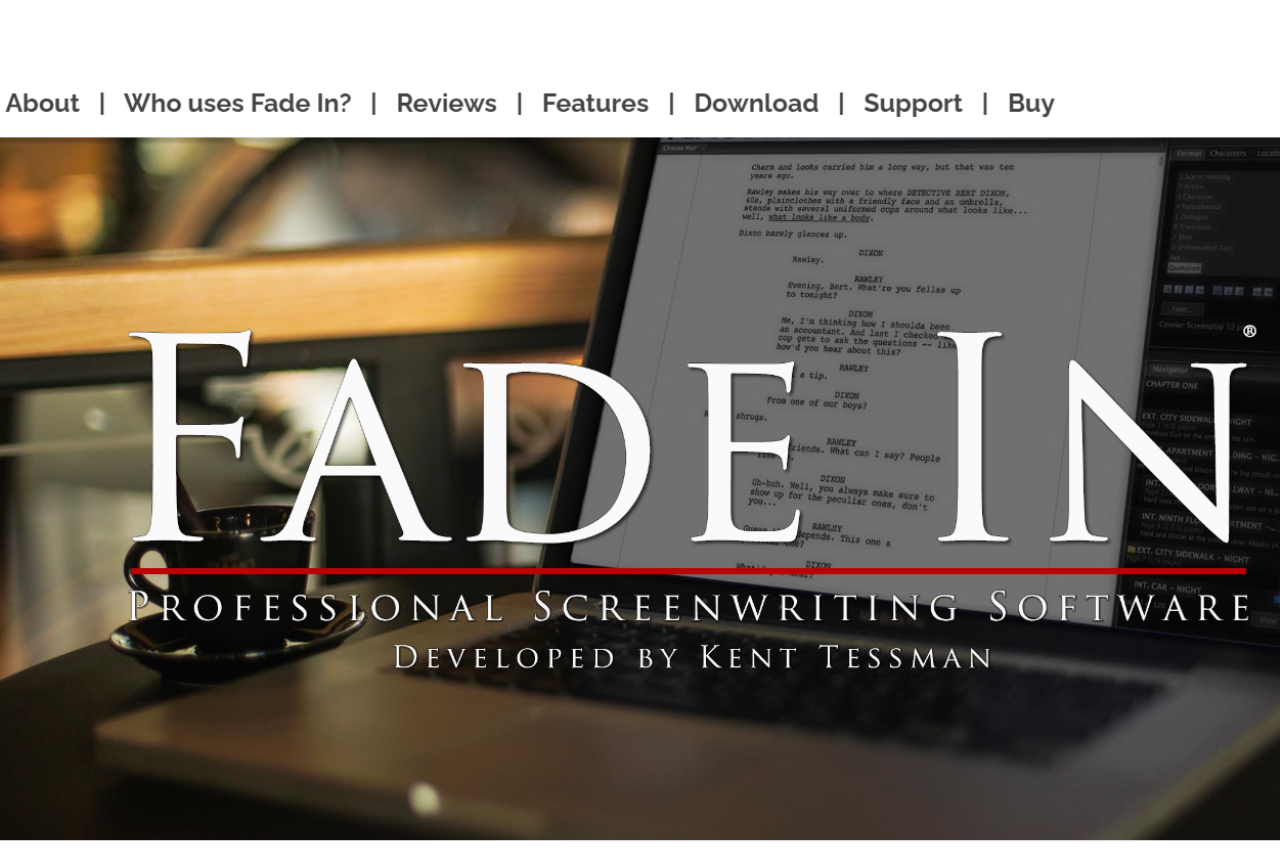
Fade In Review: Pro Screenwriting Software for $79.95

Fade In is professional screenwriting software made by Kent Tessman. It runs on Mac, Windows, and Linux and supports industry-standard formatting, revision modes, and Final Draft (.fdx) import and export. Fade In costs $79.95 as a one-time purchase Ҁ” there is no subscription Ҁ” which makes it significantly cheaper than Final Draft’s $249.99 license. For a Mac-only alternative, see our Highland 2 review.

πŸ† Our Verdict

Fade In is a robust screenwriting software that stands out for its affordability and comprehensive feature set. It competes directly with Final Draft, offering a seamless user experience tailored to both novice and professional screenwriters. With its straightforward interface and powerful writing tools, Fade In simplifies the screenwriting process, making it an excellent choice for writers focused on producing industry-standard scripts.

βœ… Pros & ❌ Cons

Pros:

  • Affordable Pricing: One-time purchase that offers significant savings over competitors.
  • Intuitive Interface: Easy to navigate and conducive to writing without distractions.
  • Comprehensive Formatting Tools: Automatically formats scripts to industry standards.
  • Cross-Platform Compatibility: Available on Mac, Windows, and Linux with a mobile app for writing on the go.

Cons:

  • Limited Collaboration Features: While capable, its collaboration tools are not as developed as those in Final Draft.
  • Simpler Feature Set: Some advanced features available in Final Draft are missing here.
  • Occasional Glitches: Users have reported minor bugs, especially when using the Chromebook or switching between devices.

πŸ“– About

Fade In is dedicated to providing a streamlined and efficient environment for screenwriters. It includes essential tools such as scene navigation, character tracking, and extensive editing features, all wrapped in a user-friendly interface. Its goal is to make professional screenwriting accessible to everyone, without the steep learning curve associated with other software.

πŸ—“οΈ How It Works

  1. Download and Install: Begin by purchasing and downloading the software from the Fade In website.
  2. Create a Project: Start a new script with pre-formatted templates.
  3. Write and Structure: Use tools like tab-completion and script notes to efficiently structure your screenplay.
  4. Revise and Edit: Utilize the revision mode and compare scripts feature to polish your drafts.
  5. Export and Share: Export your script in various file formats, including PDF and Final Draft files for easy sharing with collaborators or submission to studios.

πŸ’² Pricing Overview

Special Offer Price: $79.95 (Regularly $99.95)

Step-by-Step Purchase Process:

  1. Trial Version: Start by downloading the free trial version of Fade In from the official website to see if it meets your needs. This allows you to test the software’s capabilities before making a purchase.
  2. Purchase Full Version:
    • Visit the Fade In online store to buy the full version. The reduced price of $79.95 is significantly more affordable compared to many competing screenwriting software options.
    • The payment process is secure and handled by FastSpring, ensuring that your transaction details remain safe.
  3. Additional Purchase Options:
    • Gift Purchase: Fade In can also be purchased as a gift. If you wish to gift the software, there’s a specific option available on the purchase page.
    • Educational Pricing: Students can avail themselves of special pricing, details of which are available through a dedicated link for educational discounts.
    • Site or Multiuser Licensing: For those needing multiple licenses, for instance for educational institutions or production companies, there is an option to inquire about site or multiuser licensing.

Key Benefits of Purchasing Fade In:

  • Cost Efficiency: The one-time purchase price includes all features, with free updates. This is a fraction of the cost of purchasing new copies of some competitors’ software or even their updates.
  • Comparative Advantage: For just $79.95, you get a comprehensive software package that offers all the functionalities of higher-priced alternatives like Final Draft, plus additional features unique to Fade In.

Relevant Costs:

  • Taxes: Be aware that relevant taxes may apply, which are handled by the payment processor during the transaction.

Security and Reliability:

  • Purchases are sold and fulfilled by FastSpring, a trusted reseller and partner, which uses a secure system to handle transactions, ensuring peace of mind during your purchase.

This detailed guide should help you understand the full scope of purchasing Fade In, including the cost benefits and the straightforward process involved, making it an attractive option for both new and experienced screenwriters.

πŸ₯Š Competition

FeatureFade InFinal Draft
PricingMore affordableMore expensive
User InterfaceSimple and efficientMore complex but feature-rich
CollaborationBasic real-time collaborationAdvanced collaboration tools
Mobile AppBasic functionalityMore robust and feature-rich
Cross-PlatformAvailable on multiple platformsLimited to iOS for mobile
Script FormattingExcellentExcellent

πŸ“Œ Conclusion

Fade In provides an effective, budget-friendly alternative to more expensive screenwriting software, making it especially appealing to those new to screenwriting or those who prefer a more straightforward tool. Its focus on essential features and usability ensures that writers can concentrate on storytelling rather than navigating complex software.

Fade In: Your Scriptwriting Starts Here

Frequently asked questions about Fade In

Is Fade In better than Final Draft?

Fade In matches Final Draft on formatting fidelity and .fdx interchange but costs roughly a third the price ($79.95 vs $249.99). Final Draft has more advanced production features like revision-mode tracking with built-in SmartType, whereas Fade In favours a lighter, faster interface. For writing and export the two are interchangeable; for working inside a studio or network that mandates Final Draft for production revisions, stick with Final Draft.

Is Fade In free?

Fade In offers a free demo that watermarks exports Ҁ” you can write, edit, and save .fadein files without paying. To export clean PDFs, Final Draft .fdx, or .fountain files without the watermark requires the $79.95 one-time licence. There is no subscription and no feature-gated edition; the paid licence unlocks all export formats.

Does Fade In work on Mac?

Yes. Fade In ships native builds for macOS, Windows, and Linux, and a single licence covers all three platforms on up to two machines. The Mac version is an Apple Silicon (arm64) binary that runs natively on M1/M2/M3 without Rosetta.

Can Fade In open Final Draft files?

Yes. Fade In reads and writes Final Draft .fdx directly, preserving scene numbers, character names, revisions, and element formatting. Round-tripping a script through Fade In and back into Final Draft is lossless for text; complex revision-mode colouring may need manual reconciliation. Fade In also imports .fountain, .celtx, and several older .txt formatting conventions.

Is Fade In still being updated?

Yes. Kent Tessman ships point releases through 2026 and maintains public changelogs on the Fade In site. Major version upgrades have historically been free for existing licence-holders, which is unusual in the screenwriting tool market.

Mac-native alternative: Fade In runs cross-platform. If you write entirely on macOS and want a Fountain-first plain-text drafting tool from the creator of the format, Highland 2 is the closest sibling and exports cleanly into Fade In for production.

Legacy counterpart: Fade In is the modern indie pick with a flat one-off price. The older studio-pipeline tool some production offices still require on submission is Movie Magic Screenwriter.

Mac-native counterpart: Fade In is the cross-platform one-time-paid alternative to Final Draft. Writers who work only on Mac and want the same plain-text Fountain workflow without a layout engine in the way tend to land on Highland 2.

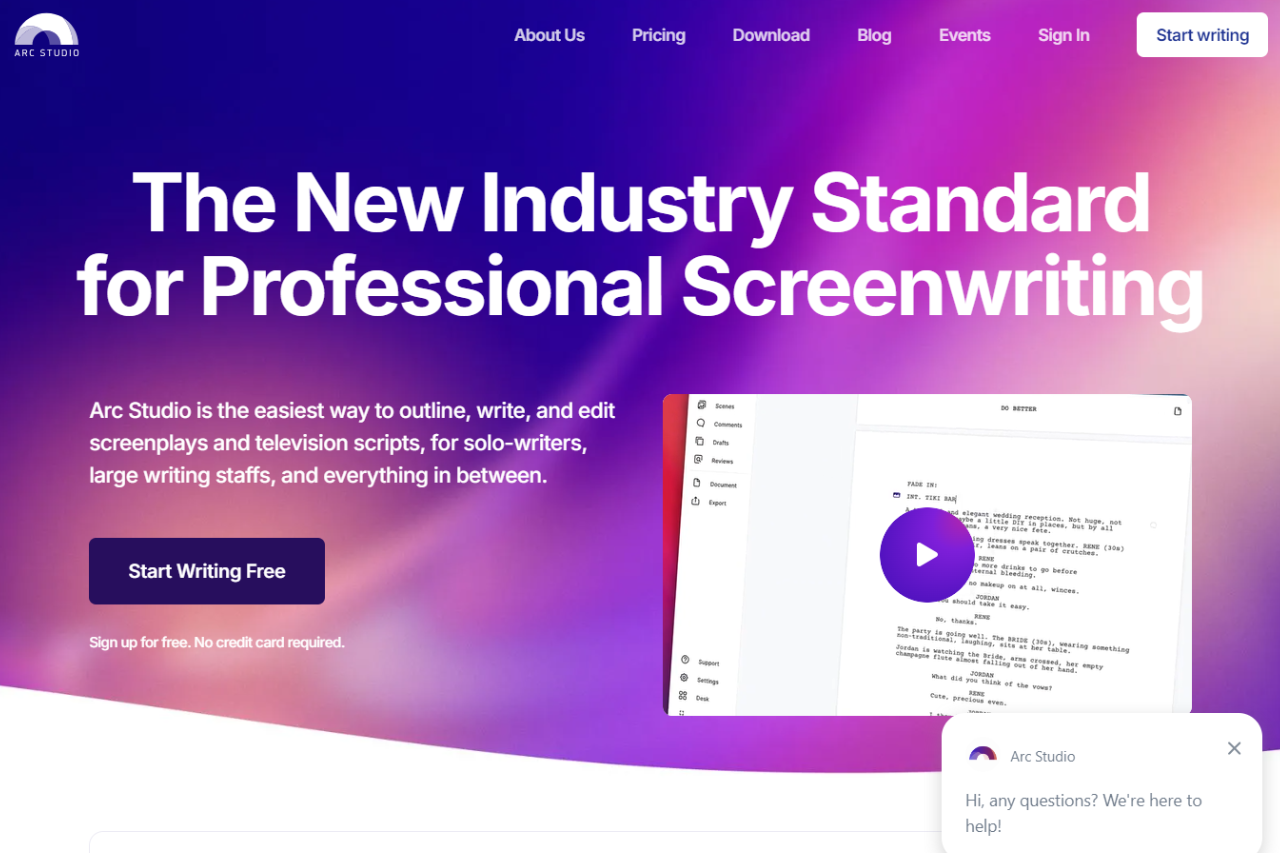
Arc Studio Pro: The Ultimate Screenwriting Companion

πŸ† Our Verdict

Arc Studio Pro excels in providing screenwriters with a streamlined and intuitive interface that simplifies the scriptwriting process. This software stands out for its ease of use and powerful collaboration features, making it a strong contender against industry staples like Final Draft.

βœ… Pros & ❌ Cons

Pros:

  • Real-Time Collaboration: Allows multiple users to contribute simultaneously, making it ideal for team projects.
  • Intuitive Interface: User-friendly and easy to navigate, which reduces the learning curve significantly.
  • Cloud-Based: Ensures that all your work is saved and accessible from any device, promoting flexibility in where and how you work.
  • Cost-Effective: Offers a competitive range of features at a lower price point than many competitors.

Cons:

  • Limited Offline Capability: While cloud-based features are strong, offline options are less robust compared to some competitors.
  • Feature Limitations: Some advanced features found in Final Draft are not available, which might be missed by veteran screenwriters.

πŸ“– About

Arc Studio Pro is designed with both new and experienced screenwriters in mind, providing tools that foster creativity and efficiency. Its key features include an easy-to-use plotting tool, automatic formatting to industry standards, and robust export options.

πŸ—“οΈ How It Works

  1. Sign Up: Register for an account on the Arc Studio Pro website.
  2. Download or Access Online: Choose between using the web version or downloading the app.
  3. Set Up Your Project: Start a new script or import an existing one.
  4. Write and Collaborate: Use the script editor to write your screenplay and invite collaborators if needed.
  5. Review and Export: Utilize feedback tools and export your script in various formats like PDF or FDX.

πŸ’² Pricing Overview

Arc Studio Pro offers a tiered pricing structure designed to accommodate various levels of screenwriting needs, from beginners to seasoned professionals.

Free Plan

  • Cost: $0
  • Features: This plan offers industry standard formatting alongside a thoughtful design aimed at those new to screenwriting or those who need basic scriptwriting capabilities without any financial commitment.

Essentials Plan

  • Cost: $69/year
  • Features: The Essentials plan upgrades users to advanced formatting options. It includes access to apps for various devices, allowing for a more flexible writing experience. Subscribers can work on an unlimited number of scripts, making this plan ideal for more active writers who need greater scope for their projects without constraints.

Pro Plan

  • Cost: $99/year
  • Features: Designed for professional screenwriters, the Pro plan takes screenwriting to the next level. It encompasses all the features of the Essentials plan with added professional features aimed at enhancing productivity and providing more advanced tools for script development and collaboration.

Each plan is designed to match the evolving needs of screenwriters as they progress from novice to professional, providing tools and features that support growth and development in the craft of screenwriting.

πŸ₯Š Competition

FeatureArc Studio ProFinal Draft
Real-Time CollaborationYesYes
User InterfaceIntuitiveComplex
PricingMore affordableExpensive
Mobile AppiOS, AndroidiOS only
Export OptionsMultiple formatsLimited formats
Script FormattingAutomaticManual

πŸ“Œ Conclusion

Arc Studio Pro is a superb tool for both individual writers and collaborative teams. With its user-friendly interface and cost-effective pricing, it provides a valuable alternative to more expensive screenwriting software, making it accessible to a wider range of users.

Arc Studio Pro: Write, Collaborate, and Create Effortlessly!

Plain-text companion: Arc Studio Pro is a structure-first web app. For Mac writers who prefer drafting in Fountain plain text and only formatting on export, Highland 2 is the local desktop pair.

Novlr: A Clean Slate for Creative Writers

πŸ† Our Verdict

Novlr distinguishes itself as a streamlined and user-friendly writing tool, ideal for both novice and seasoned writers aiming to focus on their writing without distractions. The platform’s minimalistic design and robust community support through tools like an integrated learning environment make it an appealing choice for authors dedicated to crafting their novels efficiently.

βœ… Pros & ❌ Cons

Pros:

  • User-Friendly Interface: Novlr offers a straightforward interface that eases navigation and minimizes the learning curve.
  • Integrated Learning: Writers can improve their craft with integrated courses available through Novlr Academy.
  • Community Engagement: An active community for feedback and motivation, alongside access to exclusive author websites.
  • Flexible Publishing Options: Direct publishing to ePub allows writers to distribute their work easily.

Cons:

  • Limited Plotting Tools: Novlr lacks advanced plotting and timeline features, which may be a drawback for some writers.
  • Simple Feature Set: The simplicity of the platform might not meet the needs of writers who require comprehensive writing tools.

πŸ“– About

Novlr was crafted with the goal of providing a distraction-free writing space, focusing on the essentials of writing and organizing projects. It supports writers with goal tracking, streak maintenance, and analytic insights to enhance productivity and engagement.

πŸ—“οΈ How It Works

  • Sign Up: Easily register and start with a free plan or choose a subscription that suits your needs.
  • Create and Organize: Begin new writing projects, set goals, and organize chapters efficiently.
  • Engage and Learn: Participate in community discussions, access learning resources, and receive motivational nudges.
  • Publish: Seamlessly publish completed works directly to ePub format for easy distribution.

πŸ’² Pricing Overview

Novlr is designed with the needs of writers in mind, offering a range of plans to suit various writing goals and stages. Whether you’re starting out or looking to expand your writing capabilities, Novlr provides a structured platform with clear, beneficial features across all its plans.

Starter

  • Cost: Free
  • Features:
    • Projects: Up to 5 with a 7-day version history.
    • Accessibility: Write on any device with seamless online syncing.
    • Tools: Notes, goal setting, writing streaks, and success nudges.
    • Community Access: Includes Academy, Community, Writer Discounts, The Reading Room.
    • Focus: Designed to help you write your next book without distractions.

Plus

  • Cost: $6/month (Billed yearly)
  • Features:
    • Projects: Unlimited with a 30-day version history.
    • Analytics: Detailed writing analytics to understand your habits.
    • Author Website: Build and publish a no-code website to showcase your work.
    • Enhancements: Ability to add comments quickly and neatly to your projects.

Pro

  • Cost: $14/month (Billed yearly)
  • Features:
    • Projects: Unlimited projects and version history.
    • Author Website: Launch on a custom domain.
    • Advanced Tools: ProWritingAid-powered proofreader, thesaurus, and grammar and style checker.
    • Backups: Create additional backups in Google Drive or Dropbox (optional).
    • Publishing: Capability to publish your work to ebook.

Lifetime Pro

  • Cost: $499 (one-time payment)
  • Features:
    • Permanent Access: All Pro features forever, without further subscription fees.
    • Ownership: Become a co-owner of Novlr.
    • Community: Exclusive access to Discord channels.
    • Updates: Continuous improvements and new features regularly introduced.

This tiered pricing structure allows writers to choose a plan that best fits their writing style and goals, with options for more advanced features and community involvement as they progress. Whether you’re looking to simply pen your thoughts or take a more professional approach to writing and publishing, Novlr offers solutions that can grow with you.

πŸ₯Š Competition

FeatureNovlrScrivener
User InterfaceClean and simpleComplex
Plotting ToolsLimitedExtensive
Learning ToolsIntegratedMinimal
Community AccessStrongLimited
PricingSubscriptionOne-time purchase

πŸ“Œ Conclusion

Novlr stands out as a streamlined platform perfect for writers who value simplicity and community engagement in their writing journey. While it may not offer the depth of features found in some competitors, its clean interface and supportive environment provide a solid foundation for any writer’s needs.

Novlr: Write with Clarity, Publish with Ease!

Offline desktop counterpart: Novlr is a browser-first subscription tool, which is fine until your Wi-Fi is. Writers who prefer a fully offline desktop app with no subscription and the same novel-structure scaffolding often pick Manuskript.

If you keep stalling: Novlr keeps the writing surface calm and online. For writers who finish faster with a guided method rather than a blank editor, The Book Incubator builds the process into the tool.

Chapterly: The Comprehensive Tool for Writers

πŸ† Our Verdict

Chapterly is an innovative writing tool designed to help authors and writers structure their narratives and streamline the writing process. With features tailored for organizing chapters and content, it effectively challenges competitors like Scrivener. Chapterly provides a user-friendly interface that supports writers in bringing their stories to life.

βœ… Pros & ❌ Cons

Pros:

  • Intuitive Chapter Management: Easy organization of chapters and sections, making it simple to navigate through your manuscript.
  • Distraction-Free Writing Environment: Provides a clean interface to help writers focus solely on their writing.
  • Export Options: Allows users to export their work in various formats, including PDF and Word, facilitating easy sharing and publishing.
  • Cloud-Based: Offers real-time collaboration and access from anywhere, eliminating the need for local storage.

Cons:

  • Limited Advanced Features: Some users may find it lacks the depth of features available in more established software like Scrivener.
  • Subscription Model: Ongoing costs may deter some users, especially those looking for a one-time purchase solution.
  • Learning Curve: New users may need time to familiarize themselves with the interface and functionalities.

πŸ“– About

Chapterly is designed to support writers in their creative process by providing a structured environment for organizing content. It focuses on chapter management and offers tools that enhance writing efficiency. With features such as cloud syncing and various export options, Chapterly aims to be a comprehensive solution for both amateur and professional writers.

πŸ—“οΈ How It Works

  1. Sign Up: Create an account on the Chapterly website to access the platform.
  2. Create a New Project: Start a new writing project by selecting the option to create a manuscript.
  3. Organize Your Chapters: Use the intuitive interface to add chapters and sections, allowing for easy navigation.
  4. Write and Edit: Utilize the distraction-free writing environment to compose your content.
  5. Export Your Work: Once finished, export your manuscript in your desired format for publishing or sharing.

πŸ’² Pricing Overview

Chapterly Pricing Plans

  • Free Trial:
    • 14-day free trial for new users.
  • Basic Membership:
    • Monthly: $9.99 per month
    • Annual: $99 per year
    • Features:
      • Access to standard writing, research, editing, export, and design tools.
      • 10,000 AI-generated words per month.
      • 10 AI images generated monthly.
      • Full access to the Audience feature, including reader capabilities.
  • Premium Membership:
    • Monthly: $14.99 per month
    • Annual: $139 per year
    • Features:
      • All standard tools included.
      • Custom AI Module that learns from your writing.
      • 25,000 AI-generated words per month.
      • 30 AI images generated monthly.
  • Pro Membership:
    • Monthly: $29.99 per month
    • Annual: $249 per year
    • Features:
      • All standard tools included.
      • Custom AI Module.
      • Access to the Story Analyzer tool.
      • 100,000 AI-generated words per month.
      • 100 AI images generated monthly.
      • 250,000 words analyzed monthly.
  • Account Boost Option:
    • For a one-time charge of $19.99, users can add an extra 10,000 AI-generated words and get access to the Author Toolkit at 40% off.
  • Monetization Fee:
  • For the most accurate and detailed information, you can check the pricing page directly at Chapterly Pricing.

πŸ₯Š Competition

FeatureChapterlyScrivener
Chapter ManagementYesYes
Distraction-Free InterfaceYesYes
Export OptionsYesYes
Cloud-BasedYesNo
PricingSubscriptionOne-time purchase

πŸ“Œ Conclusion

Chapterly is a fantastic choice for writers seeking a structured, user-friendly tool for managing their writing projects. While it may not have all the advanced features of competitors like Scrivener, its focus on organization and cloud accessibility makes it a valuable asset for authors.

Chapterly: Your Ultimate Writing Companion!

Write!: The Intuitive Writing App for Creatives

πŸ† Our Verdict

Write! is a versatile writing app designed to provide a focused and distraction-free environment for writers. Its clean interface and powerful features make it a strong competitor in the market, effectively challenging alternatives like Scrivener. Whether you are a novelist, blogger, or student, Write! offers the tools you need to enhance your writing process.

βœ… Pros & ❌ Cons

Pros:

  • Distraction-Free Interface: Clean and simple design that helps you focus on your writing without distractions.
  • Cross-Platform Support: Available on multiple devices, allowing you to write anywhere, anytime.
  • Rich Formatting Options: Supports markdown and rich text formatting, providing flexibility in document presentation.
  • Export Options: Easily export your work to various formats such as PDF, DOCX, and HTML.

Cons:

  • Limited Features in Free Version: The free version has certain limitations, requiring a subscription for full functionality.
  • No Built-in Research Tools: Unlike some competitors, it lacks integrated tools for managing research materials.
  • Learning Curve: New users may take time to adapt to its features and functionalities.

πŸ“– About

Write! is designed to empower writers by providing an intuitive writing environment that minimizes distractions. It supports markdown and rich text formatting, making it suitable for various types of writing projects. With an emphasis on simplicity and efficiency, Write! is ideal for those who want to focus on their words rather than the tools they are using.

πŸ—“οΈ How It Works

  1. Installation: Download Write! from the official website and install it on your device.
  2. Create an Account: Sign up for an account to access the full features of the app.
  3. Start a New Document: Create a new document using the clean and simple interface.
  4. Use Formatting Tools: Utilize markdown or rich text options to format your writing as needed.
  5. Save and Export: Save your work and export it to your desired format when finished.

πŸ’² Pricing Overview

Our prices are alternatively cheap, which means affordability for ordinary students. You will never overpay and will decide how much will be charged to you. Fill out the order form to see the total cost. It depends on the next indicators:

  • Type of content – term paper, dissertation, research proposal, etc.
  • Deadline – hours, days, or weeks.
  • Quality level – middle or high school, college, or university.
  • Discipline – literature, engineering, globalization, psychology, etc.
  • Format – MLA, APA, Chicago, Harvard, etc.
  • Any uncommon demands – topic lists, informative sites, various sections of data, etc.

An online calculator shows the total cost. If you don’t have enough funds to pay for our assistance, give it a second try. Alter any of these conditions to see how you can change the proposal. For example, you can decrease the cost if you prolong the deadline. Check each position to find out how the bid can be changed to your advantage.

Our custom-doing platform also ensures your funds to the fullest with a special guarantee. It’s activated as soon as you become our client. After your writer accepts your demands, he or she pledges to fulfill them all. If it doesn’t happen, we will return your earnings.

We also offer β€œFree Edits.” What does it mean? If you aren’t happy with the quality we have provided, don’t hurry to demand your money back. Send us the project for improvement. We’ll tackle it quickly and for gratis until it suits all your standards.

πŸ₯Š Competition

FeatureWrite!Scrivener
Distraction-Free InterfaceYesYes
Cross-Platform SupportYesYes
Rich Formatting OptionsYesYes
Built-in Research ToolsNoYes
PricingFreemiumOne-time purchase

πŸ“Œ Conclusion

Write! is a solid choice for anyone looking for an intuitive writing app that helps minimize distractions and enhances productivity. While it may not have all the advanced features of competitors like Scrivener, its user-friendly design and rich formatting options make it a valuable tool for writers of all kinds.

Write!: Your Distraction-Free Writing Companion!

Zettlr: The Powerful Markdown Editor for Researchers

πŸ† Our Verdict

Zettlr is an open-source markdown editor that excels in organization and accessibility for researchers, writers, and anyone who values structured note-taking. Its rich feature set and flexibility make it a strong competitor against alternatives like Obsidian. With its focus on academic writing and project management, Zettlr provides a unique solution for users who need a robust tool for handling markdown files and citations.

βœ… Pros & ❌ Cons

Pros:

  • Open-Source: Freely available for anyone to use and customize.
  • Markdown Support: Offers extensive markdown capabilities, making formatting easy and efficient.
  • Citation Management: Integrates with reference managers like Zotero, facilitating academic writing.
  • Custom Workspaces: Allows users to organize notes into workspaces, enhancing productivity.

Cons:

  • Learning Curve: The vast array of features may be overwhelming for new users.
  • Limited Mobile Support: Primarily designed for desktop use, which may not be ideal for users needing mobile access.
  • Performance Issues: Some users report lagging with larger projects or extensive notes.

πŸ“– About

Zettlr is designed for writers and researchers, providing a markdown editing environment that focuses on the needs of academic users. With features like citation integration, tagging, and a customizable interface, Zettlr aims to facilitate efficient note-taking and knowledge management. Its commitment to being open-source ensures that users can adapt it to their specific workflows.

πŸ—“οΈ How It Works

  1. Installation: Zettlr can be downloaded from its official website and installed on various operating systems.
  2. Note Creation: Users can create and edit markdown notes with syntax highlighting and real-time preview.
  3. Workspace Management: Users can organize notes into customizable workspaces for different projects.
  4. Citation Management: Supports integration with citation managers to insert references into notes seamlessly.

πŸ’² Pricing Overview

Zettlr is completely free to use, making it a cost-effective option for anyone looking for a powerful markdown editor without the need for subscriptions.

πŸ₯Š Competition

FeatureZettlrObsidian
Open-SourceYesYes
Markdown SupportExtensiveExtensive
Citation ManagementYesNo
Custom WorkspacesYesYes
Mobile SupportLimitedYes
Graph ViewNoYes

πŸ“Œ Conclusion

Zettlr stands out as an excellent choice for researchers and writers looking for a comprehensive markdown editor. While it may have a learning curve and some limitations in mobile support, its robust features, including citation management and customizable workspaces, make it a valuable tool for knowledge management and academic work.

Zettlr: Your Comprehensive Markdown Solution for Academic Writing!

Related read: Zettlr is a Markdown editor aimed at researchers and academics. For a developer-focused take on the same Markdown-first, offline approach, Boostnote covers similar ground with code-block syntax highlighting built in.

Related read: Zettlr is a desktop Markdown editor built for long research writing. For a browser-based take on the same Markdown-first approach, with export and publishing handled online, see our StackEdit review.