⚖️ Our Verdict
Browsing the web can get messy really fast! This is what bookmarks are for. But sometimes, bookmarks can get messy and unorganized, too. Keep your bookmarks organized for faster and hassle-free browsing with Raindrop!
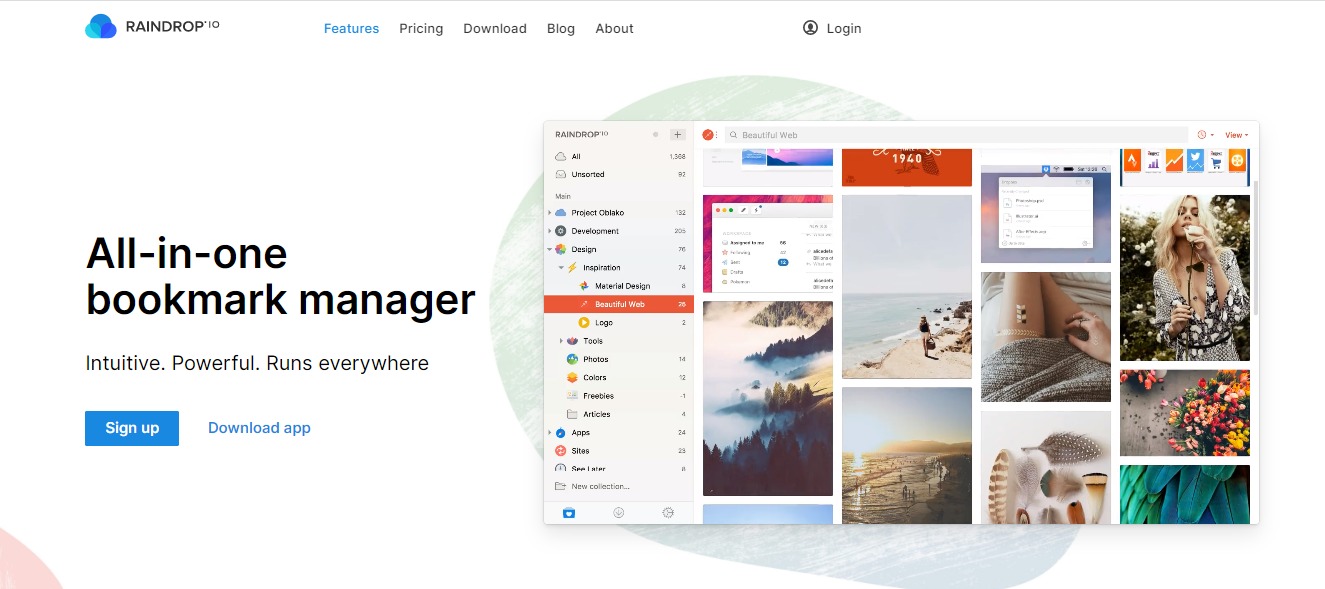
Raindrop is an all-in-one book manager that can help you organize your bookmarks on your computer browser, tablets, and smartphones! It’s an easy way to keep everything neat. The best part is that Raindrop keeps a backup of your bookmarks so you can get to it anywhere, anytime.
| 👍 Pros | 👎 Cons |
| 👍 User-Friendly Interface 👍 Multiple Views 👍 Instant Previews 👍 Full-text Search 👍 Great for Teamwork 👍 No Limits 👍 Safe & Secure | 👎 Integrations can get a little buggy sometimes |
🌟 About Raindrop
Raindrop was created to keep all of your bookmarks saved in an organized pile. Rustem Mussabekov created this incredible app back in late 2013 to improve how everyone deals with bookmarks.
Best of all, Raindrop doesn’t sell your data to anyone. It’s made for everyone to feel safe and secured when saving bookmarks on the internet. Your data will be secured and considered highly confidential.
Learn more what’s new in Raindrop·io 5.0 https://t.co/ptxQB5qSVu
— Raindrop.io (@raindrop_io) October 15, 2020
🎁 What’s In It For You?
This incredible app is the best place to keep all your favorite articles, books, songs and everything you bookmark on the internet. It’s a modern bookmark manager made to keep up with modern times.
You can keep your bookmarks organized with collections, tags and filters to classify items, and search efficiently. Best of all, Raindrop keeps your data clean. It helps you find duplicates and pages that are no longer accessible.
With Raindrop, you can view bookmarks whatever way you look. The app features Grid, Headlines, Masonry or List View modes. It also features an instant preview where you can read articles, view videos, and browse the web without leaving your library, how cool is that?
🖥️ How Does It Work?
- If you want to try how Raindrop works, you can do so for Free. Simply visit https://raindrop.io/.

2. Click on Download App and it will redirect you to another webpage where you can choose the browser you often use.
LOOKING FOR A ONE-STOP SOLUTION TO YOUR GROWTH NEEDS?

3. For this example, we chose Chrome. Click on “Ädd to Chrome”

4. Make sure to click on “Add extension” to your browser.

5. It will lead you to this webpage, choose the appearance you prefer.

6. Sign up to create an account.
7. This is what the interface looks like. Here, you can organize your bookmarks.

💲 Pricing Plans & Support
Raindrop offers a Free plan, but you can also choose the Pro Plan for a fee. Check out the difference below.

💎 Free
〰️Unlimited bookmarks
〰️Unlimited collections
〰️Unlimited devices
〰️More than 2,600 integrations
〰️Apps for Mac, iOS, Android, Chrome, Safari, Firefox and Edge
〰️Share and collaborate
〰️Upload 60 Mb of files per month
〰️All essential features
💎 Pro – $3 per month or $28 per year
〰️Everything on the Free plan, plus
〰️Full-text search
〰️Permanent library
〰️Nested collections
〰️Autosuggested tags
〰️Duplicate and broken links finder
〰️Cloud backup
〰️Upload 10 Gb of files per month
〰️Priority support by email
〰️Enabled in all platforms
📍 The Competition

| 👍 Pros | 👎 Cons |
| 👍 Good customer service 👍 Website management 👍 Ease of use | 👎 No version control 👎 No document indexing |

| 👍 Pros | 👎 Cons |
| 👍 Save content from anywhere 👍 Organize saved items with tags 👍 Easily share links on social media | 👎 High premium price |