🏆 Our Verdict
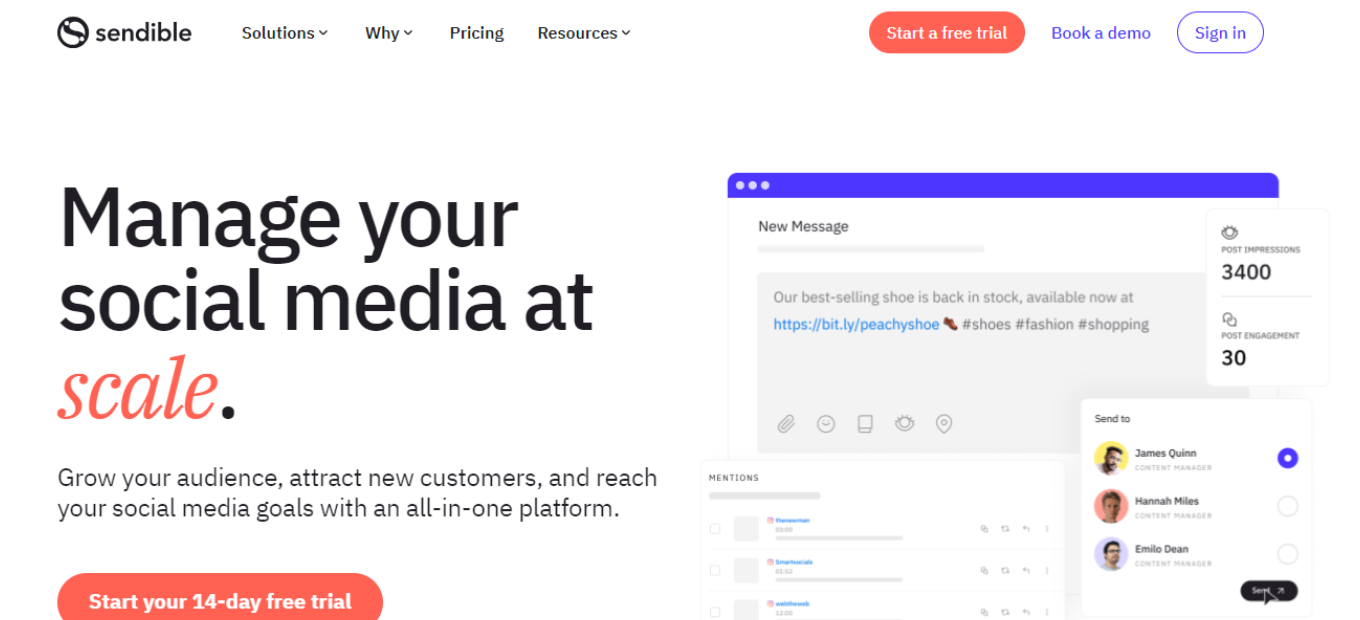
Sendible is a comprehensive social media management platform that excels in streamlining social media marketing efforts for businesses of all sizes. Its robust features and user-friendly interface make it a top choice for managing social media accounts, scheduling content, and analyzing performance.
✅ Pros & ❌ Cons Pros:
Pros:
🚀 Multi-platform posting and scheduling.
📊 Advanced analytics and reporting.
🔗 Seamless integration with various social media platforms.
🧑💼 User-friendly interface with helpful training resources.
Cons:
💲 Higher cost for premium plans.
📏 Limited features in lower-tier plans.
📚 Learning curve for advanced analytics and automation.
📖 About Sendible
Founded in 2009, Sendible has grown to become a leading social media management platform, serving businesses and agencies worldwide. Its mission is to simplify social media management and help businesses achieve their marketing goals.
🎯 What’s In It For You?
Sendible offers a comprehensive suite of tools for social media management, including content scheduling, engagement tracking, and in-depth analytics. It empowers businesses to enhance their social media presence and engage with their audience effectively.
🚀 How It Works
Getting Started with Sendible

- Visit the Sendible Website Navigate to Sendible: Go to the Sendible website. Sign Up: Click on the “Sign Up” or “Start Your Free Trial” button.
- Choose a Plan Review the Plans: Sendible offers various plans, including a free trial and tiered pricing for more advanced features. Select a Plan: Choose a plan that suits your business needs.
- Create an Account Provide Information: Enter your email address, create a password, and fill in the required details. Business Information: You may need to provide information about your business.
- Account Setup Complete the Setup: Follow the on-screen prompts to set up your account and connect your social media profiles. Onboarding Assistance: Sendible provides guidance to help you get started.
- Explore Sendible Features Discover the Tools: Familiarize yourself with Sendible’s features, including content scheduling, social inbox, and analytics. Training Resources: Sendible offers tutorials and a knowledge base to help you make the most of the platform.
- Start Managing Your Social Media Begin Posting: You can now start scheduling and posting content to your social media accounts. Engage with Your Audience: Use Sendible to monitor and engage with your audience.
🔗 Helpful Tips
Utilize Training Resources: Take advantage of Sendible’s training resources to master the platform.
Customer Support: If you need assistance, Sendible’s customer support team is available to help.
💲 Sendible Pricing Overview
🌟 Pricing Tiers Sendible offers various pricing tiers to cater to different business needs.

✅ Free Trial Overview: Sendible provides a free trial for users to explore its features. Included Features: Access to core features, limited to a trial period.
💼 Plans for Small Businesses Target Audience: Ideal for small businesses and startups looking to manage their social media presence. Key Features: Enhanced capabilities, including content scheduling and reporting.
🚀 Plans for Agencies and Enterprises Designed For: Medium to large businesses, marketing agencies, and enterprises. Advanced Features: Includes team collaboration, advanced reporting, and custom branding.
🤔 Considerations Scalability: Sendible’s plans are designed to accommodate the growth of businesses and agencies. Integration: Sendible seamlessly integrates with various social media platforms to streamline your workflow.
🥊 Competition
Here are the pros and cons of Sendible compared to Hootsuite:
LOOKING FOR A ONE-STOP SOLUTION TO YOUR GROWTH NEEDS?
Sendible
Pros:
- 🌟 Multi-platform posting and scheduling.
- 📊 Advanced analytics and reporting.
- 🔗 Seamless integration with various social media platforms.
- 🧑💼 User-friendly interface with helpful training resources.
Cons:
- 💲 Higher cost for premium plans.
- 📏 Limited features in lower-tier plans.
- 📚 Learning curve for advanced analytics and automation.
Hootsuite

Pros:
- 🌟 Multi-platform posting and scheduling.
- 🔊 Robust social media listening and monitoring features.
- 🛠️ Extensive app directory for third-party integrations.
- 📊 Comprehensive analytics and reporting tools.
- 🧑💼 User-friendly interface with customizable dashboards.
Cons:
- 💲 Higher cost for premium plans.
- 📏 Limited features in the free plan.
- 🤯 Some users find the interface overwhelming due to the range of features.
📌 Conclusion
Sendible is a powerful social media management platform that simplifies the process of managing and growing your social media presence. Whether you’re a small business or a marketing agency, Sendible has the tools you need to succeed in the world of social media marketing.
“Elevate Your Social Media Marketing with Sendible.”
Related read: for agencies juggling client accounts, Hootsuite centralises scheduling, replies and reporting in one workspace.