Toast stands out as a versatile and efficient point-of-sale solution tailored for the foodservice industry. With its intuitive interface and robust feature set, it streamlines operations for restaurants of all sizes, enhancing efficiency and customer satisfaction.
✅ Pros & ❌ Cons
Pros:
📊 Advanced Analytics: Provides detailed insights into sales, inventory, and customer trends, aiding in informed decision-making.
📱 Mobile Compatibility: Offers mobile-friendly tools for on-the-go management, ensuring flexibility and convenience.
💳 Payment Flexibility: Supports various payment methods, including contactless payments and online ordering, enhancing transactional flexibility.
📈 Scalability: Scales seamlessly with the growth of the business, adapting to evolving needs and requirements.
🛠️ Customization Options: Allows for extensive customization of menus, layouts, and workflows, catering to specific business preferences.
Cons:
💲 Pricing Complexity: Some users may find the pricing structure intricate, requiring careful consideration to choose the most suitable plan.
⚙️ Integration Challenges: Integrating with third-party applications and systems may pose challenges, potentially limiting seamless workflow integration.
📉 Learning Curve: New users might experience a learning curve while familiarizing themselves with the platform’s features and functionalities.
📖 About Toast
Toast is a leading provider of restaurant management and point-of-sale systems, designed to empower restaurants with innovative technology solutions. With a focus on enhancing operational efficiency and customer experience, Toast offers a comprehensive suite of tools tailored to the unique needs of the foodservice industry.
🗓️ How It Works
Signing Up for Toast:
Visit the Toast website: Navigate to pos.toasttab.com to initiate the signup process.
Choose a Plan: Explore the available pricing plans and select the one that best suits the restaurant’s size and requirements.
Create an Account: Provide necessary details to create an account, including restaurant name, location, and contact information.
Account Setup: Complete the setup process by configuring menu items, pricing, and other relevant details to customize the platform according to the restaurant’s specifications.
Training and Onboarding: Participate in training sessions and onboarding activities to familiarize yourself with Toast’s features and functionalities.
Go Live: Once setup and training are complete, the restaurant can start using Toast to manage orders, payments, and other operations effectively.
💲 Pricing Overview
Toast POS Pricing Summary
Subscription Plans
Starter Kit: Free monthly cost with a hardware kit included.
Point of Sale: Starting at $69 per month with customizable hardware options.
Build Your Own: Custom pricing based on selected features and hardware.
Special Offers
New Restaurant Special: Combines POS and Toast Payroll starting at $69 per month plus $9 per employee.
Features
Includes online ordering, payroll, inventory management, and guest marketing. Each plan can pair with various hardware setups.
🥊 Competition
Toast competes with Square in the restaurant management and point-of-sale space. While both platforms offer robust solutions for restaurants, Toast specializes in providing tailored tools and features specifically designed for the foodservice industry, setting it apart from Square’s more general-purpose approach.
📌 Conclusion
Toast emerges as a leading choice for restaurants seeking a comprehensive and intuitive point-of-sale solution. With its focus on enhancing operational efficiency, driving sales, and improving the overall dining experience, Toast empowers restaurants to thrive in an increasingly competitive industry.
“Transform Your Restaurant with Toast’s Innovative Solutions.”
Clover presents itself as an efficient point-of-sale system offering a wide array of features tailored for businesses of all sizes. However, its usability and pricing structure may pose challenges for some users.
✅ Pros & ❌ Cons
Pros:
🛍️ Comprehensive Point-of-Sale System: Clover offers a robust suite of features designed to streamline transactions and enhance customer experiences.
📱 Mobile Compatibility: Its mobile-friendly design allows for flexibility and convenience, enabling transactions on-the-go.
💳 Payment Flexibility: Clover supports various payment methods, including EMV chip cards, NFC payments, and mobile wallets, providing customers with diverse payment options.
📊 Business Insights: The platform provides valuable insights into sales trends, inventory management, and customer behavior, empowering businesses to make informed decisions.
🔐 Security Features: With advanced security measures like encryption and tokenization, Clover ensures secure transactions and protects sensitive customer data.
Cons:
💲 Pricing Complexity: Clover’s pricing structure can be complex, with additional fees for certain features and services, potentially leading to higher costs for users.
🖥️ Limited Customization: While Clover offers a range of features, its customization options may be limited compared to other POS systems, restricting businesses with specific needs.
🔄 Integration Challenges: Integration with third-party apps and services may pose challenges, limiting the scalability and adaptability of the system.
📖 About Clover
Clover is a versatile point-of-sale platform designed to meet the diverse needs of businesses across various industries. With its intuitive interface and extensive feature set, Clover aims to streamline transactions and optimize business operations.
🗓️ How It Works
Setting Up Your Account: Visit the Clover website and sign up for an account. Provide your business details and preferences to customize your Clover experience.
Selecting Hardware: Choose the Clover hardware that best suits your business needs, whether it’s a countertop terminal, mobile device, or station.
Installing Software: Install the Clover software on your chosen hardware device. Follow the prompts to configure settings and connect to your network.
Customizing Menu Items: Create and customize your menu items, including prices, descriptions, and categories, to tailor your offerings to your customers.
Processing Transactions: Use Clover to process transactions quickly and securely. Accept various payment methods, including credit/debit cards, contactless payments, and mobile wallets.
Managing Inventory: Track and manage your inventory in real-time with Clover’s inventory management tools. Set up low-stock alerts and reorder thresholds to ensure you never run out of essential items.
Analyzing Sales Data: Utilize Clover’s reporting features to analyze sales data, track performance metrics, and identify trends. Gain valuable insights into your business to make informed decisions.
Providing Customer Support: Access Clover’s customer support resources, including online guides, tutorials, and a dedicated support team, to address any questions or issues that may arise.
💲Clover POS Pricing Overview
Subscription Plans
Clover offers a monthly subscription model for its POS systems which combines both hardware and software services.
Specific plans and pricing depend on the type of business (e.g., dining, retail, services).
Processing Fees
Transaction fees vary with the type of payment handling, including in-person and online transactions.
Hardware Options
Customers can choose from various hardware options like Clover Station, Mini, or Flex, eligible for a statement credit under promotional offers.
Additional Services
Clover provides additional features such as inventory management, customer loyalty programs, and employee management tools integrated into its POS systems.
🥊 Competition
Clover Pros
Square Pros
Pros
Comprehensive point-of-sale system
Seamless integration with various platforms
Mobile compatibility
Easy-to-use interface
Payment flexibility
Extensive payment options
Business insights
Detailed analytics and reporting
Security features
Advanced security measures
Cons
Pricing complexity
Pricing transparency
Limited customization
Limited customization options
Integration challenges
Integration challenges with third-party apps
📌 Conclusion
Clover offers a robust suite of features designed to streamline transactions and optimize business operations. While it may present challenges such as pricing complexity and limited customization, its user-friendly interface and comprehensive functionality make it a viable option for businesses seeking an all-in-one point-of-sale solution.
“Enhance Your Business with Clover’s Versatile Point-of-Sale System.”
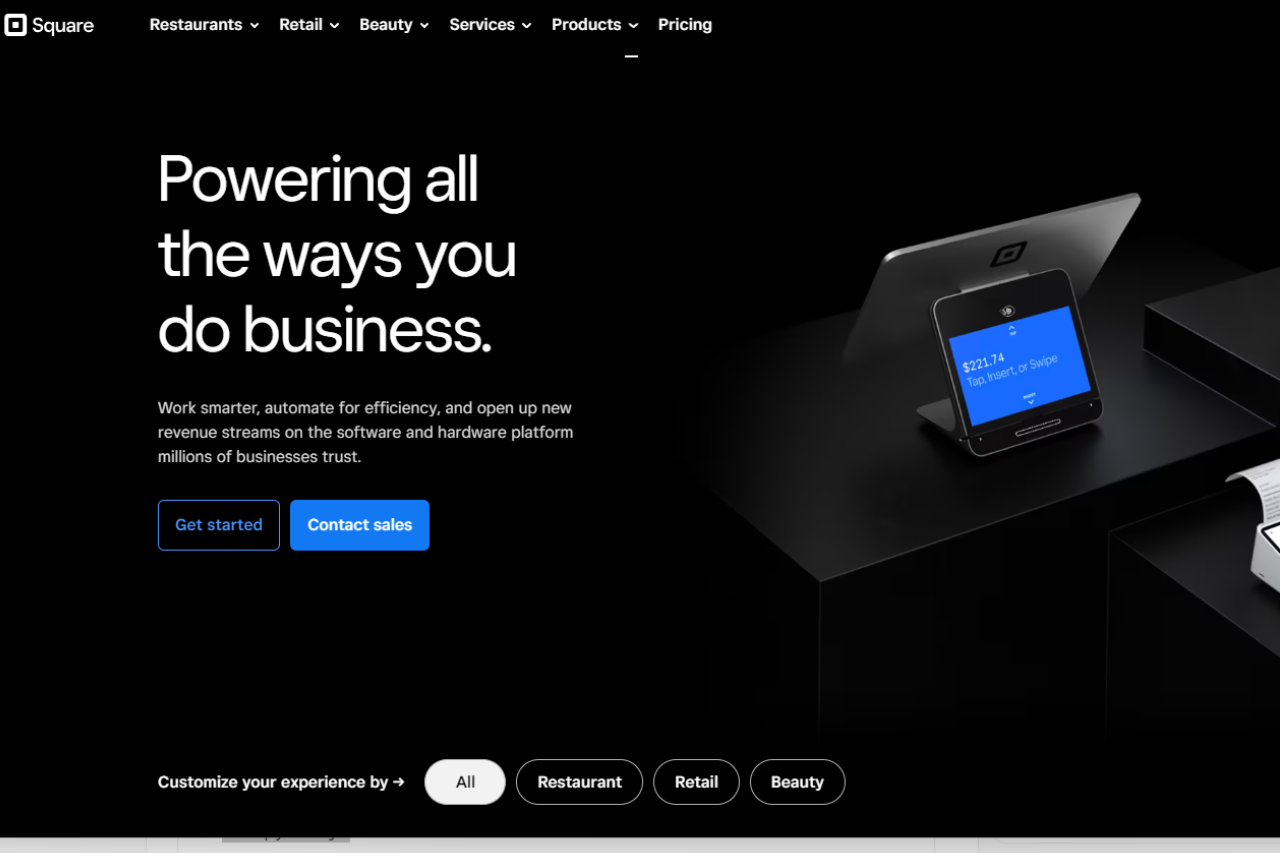
Square emerges as a versatile payment solution, catering to businesses of all sizes. With its user-friendly interface and extensive feature set, it offers seamless payment processing across various industries and needs.
✅ Pros & ❌ Cons
Pros:
💳 Versatile Payment Processing: Offers a wide range of payment options, including credit cards, contactless payments, and online transactions.
📈 Analytics and Reporting: Provides comprehensive analytics tools to track sales, monitor inventory, and analyze customer behavior.
🛒 Inventory Management: Streamlines inventory management with features for tracking stock levels, receiving alerts, and managing product variations.
📱 Mobile Point of Sale: Enables businesses to accept payments on the go using smartphones or tablets, enhancing flexibility.
🔄 Seamless Integration: Integrates smoothly with various third-party tools and platforms, enhancing business operations.
Cons:
💲 Pricing Structure: Some users may find Square’s pricing plans relatively higher compared to competitors, especially for advanced features.
📉 Limited Customization: Customization options may be somewhat restricted in certain areas compared to other payment processing solutions.
📚 Learning Curve: New users may experience a learning curve while familiarizing themselves with Square’s features and functionalities.
📖 About Square
Established as a leader in the payment processing industry, Square aims to simplify financial transactions for businesses and customers alike. Its intuitive platform and extensive feature set make it a preferred choice for processing payments seamlessly.
🗓️ How It Works
Signing Up for Square:
Visit the Square website to begin the signup process.
Choose the appropriate plan based on your business needs and preferences.
Create an account by providing the necessary details, including business information and banking details.
Customize your Square dashboard to suit your business requirements and preferences.
Integrate Square with your existing systems and platforms for seamless payment processing.
💲 Pricing Overview
Square offers flexible pricing plans to cater to various business needs, emphasizing affordability with no setup fees. Here’s a breakdown:
Plans
Free Plan: No monthly fees; pay only processing fees.
Plus Plan: Starts at $29/month; tailored features for specific business types.
Premium Plan: Custom pricing; designed for complex business needs.
Processing Fees
In-Person Transactions: 2.6% + 10¢ per transaction.
Online Transactions: 2.9% + 30¢ per transaction.
Invoices and Card-on-File: 3.5% + 15¢ per transaction.
Additional Tools and Services
Square also offers various tools and services including point of sale options, payroll services, and more, with specific tools available for free or at starting prices based on usage.
🥊 Competition
Square
Clover
– Versatile payment processing
– Comprehensive payment solutions
– Extensive analytics and reporting
– Robust inventory management
– Mobile point of sale capabilities
– Seamless integration with various platforms
– Wide range of integrations
– Dedicated customer support
– User-friendly interface
– Customization options for businesses
📌 Conclusion
Square emerges as a comprehensive payment processing solution, offering a wide range of features to streamline financial transactions for businesses. With its intuitive interface, extensive integrations, and flexible pricing options, it’s an ideal choice for businesses looking to enhance their payment processing workflows.
Timely emerges as a robust appointment scheduling solution, offering versatile tools tailored for businesses of all sizes. With its intuitive interface and extensive feature set, it provides seamless booking solutions across various industries and needs.
✅ Pros & ❌ Cons
Pros:
🔄 Flexible Appointment Scheduling: Timely allows for easy customization of appointment types and availability.
🔗 Seamless Calendar Integration: It integrates smoothly with popular calendar platforms for efficient scheduling.
📅 Client Self-Booking: Timely empowers clients to book appointments at their convenience, reducing administrative tasks.
📊 Comprehensive Appointment Management: It offers advanced features for managing appointments, cancellations, and rescheduling.
🌐 Wide Range of Integrations: Timely provides extensive third-party integrations to enhance scheduling capabilities.
Cons:
💲 Pricing: Some users may find Timely’s pricing plans relatively higher compared to competitors.
📉 Learning Curve: New users may experience a learning curve while familiarizing themselves with the platform’s features.
📚 Limited Customization: Customization options may be somewhat restricted in certain areas compared to other scheduling tools.
📖 About Timely
Established as a leader in the appointment scheduling industry, Timely aims to simplify the booking process for businesses and clients alike. Its user-friendly interface and comprehensive feature set make it a preferred choice for scheduling appointments seamlessly.
🗓️ How It Works
Signing Up for Timely
Visit the Timely website: Navigate to the Timely website to begin the signup process.
Choose a Plan: Explore the available pricing plans and select the one that aligns with your business needs.
Create an Account: Provide your email address, create a password, and fill in the necessary details to create your account.
Account Setup: Complete the setup process by entering your business information and customizing your scheduling preferences.
Calendar Integration: Integrate your calendar with Timely to sync appointments seamlessly.
Customize Booking Page: Personalize your booking page to reflect your brand and scheduling requirements.
Explore Features: Familiarize yourself with the various features of Timely, including appointment types, reminders, and reporting.
Start Scheduling: Begin scheduling appointments with clients, utilizing Timely’s user-friendly interface and automation features.
💲 Pricing Overview
Pricing Tiers: Timely offers a range of pricing plans to accommodate different business needs and scales. From basic plans for individual professionals to advanced solutions for teams and enterprises, there’s an option for everyone.
Free Tools Overview: Timely provides essential scheduling tools in its free offering. Included Features: Basic features such as appointment scheduling, calendar integration, and client management are typically included.
Starter Plans: Ideal for individual professionals or small businesses seeking advanced scheduling capabilities. Key Features: Enhanced functionalities over the free tier, including customizable booking pages, appointment types, and reminders.
Professional Plans: Designed for medium-sized businesses and teams looking for more advanced scheduling solutions. Advanced Features: Includes features such as group scheduling, class booking, and payment integration for enhanced scheduling experiences.
Enterprise Plans: Suited for large businesses and enterprises requiring scalable scheduling solutions with advanced customization and support. Premium Offerings: Advanced features like custom branding, dedicated support, and API access for seamless integration with existing systems.
🥊 Competition
Timely
Acuity Scheduling
Pros
Flexible appointment scheduling
Easy-to-use interface
Seamless calendar integration
Seamless integration with various platforms
Client self-booking capability
Versatile scheduling options
Comprehensive appointment management
User-friendly interface
Wide range of integrations
Extensive third-party integrations
Cons
Relatively higher pricing for some users
Limited customization options
Learning curve for new users
Higher pricing for advanced features
Limited customization compared to competitors
Advanced features may require higher-priced plans
📌 Conclusion
Timely emerges as a robust appointment scheduling solution, offering a comprehensive suite of features to simplify the booking process for businesses and clients. With its user-friendly interface, extensive integrations, and flexible pricing options, it’s an ideal choice for businesses looking to streamline their appointment scheduling workflows.
“Effortlessly Manage Your Appointments with Timely.”
Avid stands as an industry leader in professional video editing, providing robust tools suitable for filmmakers, editors, and production teams. With its comprehensive feature set, seamless workflow integration, and extensive collaboration capabilities, Avid empowers users to create high-quality content efficiently. While it may require a higher initial investment and involve a learning curve, its innovative solutions make it indispensable for those striving for excellence in video production.
✅ Pros & ❌ Cons
Pros:
🎬 Professional-Grade Editing: Avid offers robust tools suitable for professional video editing, catering to the needs of filmmakers, editors, and production teams.
🔗 Seamless Workflow Integration: Integrates smoothly with other Avid products and third-party software, ensuring a seamless workflow from editing to final production.
🎨 Advanced Feature Set: Provides a comprehensive set of features, including advanced audio editing, color correction, and special effects capabilities.
📊 Extensive Collaboration Tools: Offers collaborative editing features, allowing multiple users to work on the same project simultaneously, enhancing teamwork efficiency.
Cons:
💲 Higher Initial Investment: Some users may find the initial cost of Avid software and hardware relatively higher compared to competitors, especially for professional-grade setups.
📉 Learning Curve: New users may experience a learning curve while mastering the intricacies of Avid’s professional-level tools and workflows.
📚 Limited Accessibility: Avid’s software and hardware requirements may limit accessibility for individual users or small production teams with budget constraints.
📖 About Avid
Avid has established itself as a leading provider of professional video editing solutions in the film, television, and media industries. Its innovative products and technologies have been instrumental in shaping the way media content is created and produced.
🗓️ How to Get Started with Avid
Visit Avid Website: Navigate to the Avid website at www.avid.com to explore their offerings and software solutions.
Select Product: Choose the Avid product that best suits your needs. Whether you’re a professional filmmaker, video editor, or audio engineer, Avid offers a range of software solutions tailored to different aspects of media production.
Explore Features: Familiarize yourself with the features and capabilities of the selected Avid product. Avid’s software suite encompasses a wide range of tools for video editing, audio production, collaboration, and more.
Download Software: Once you’ve decided on the appropriate Avid product, proceed to download the software from the Avid website. Follow the on-screen instructions to complete the download and installation process.
Create Account: If required, create an account on the Avid website to access additional features, resources, and support. Provide the necessary information, such as your email address and password, to set up your account.
License Activation: After installing the software, activate your license to unlock full access to its features. Follow the prompts within the application or on the Avid website to activate your license using the provided activation key.
Explore Tutorials: Take advantage of Avid’s extensive library of tutorials, guides, and documentation to learn how to use the software effectively. Avid offers resources for users of all skill levels, from beginners to experienced professionals.
Start Creating: With the software installed and activated, you’re ready to start creating! Begin by importing your media files, organizing your project, and exploring the various editing tools and features available within the Avid software.
Join Community: Join the Avid community to connect with other users, share tips and tricks, and stay updated on the latest developments in media production. Avid’s community forums, social media channels, and events provide valuable networking opportunities for professionals in the industry.
Continue Learning: Media production is a constantly evolving field, so continue learning and expanding your skills with Avid. Explore advanced techniques, experiment with new features, and stay curious to enhance your creativity and productivity with the software.
🥊 Competition
Avid
Adobe Premiere Pro
Pros
Pros
– Professional-grade editing tools
– Comprehensive feature set
– Seamless workflow integration
– Extensive collaboration capabilities
Cons
Cons
– Higher initial investment
– Higher learning curve
– Limited accessibility
– Subscription-based pricing model
📌 Conclusion
Avid continues to lead the industry with its professional-grade editing solutions, offering a comprehensive feature set and seamless workflow integration. While it may require a higher initial investment and have a steeper learning curve, its capabilities make it indispensable for professional filmmakers and production teams striving for excellence.
“Experience the Power of Avid for Your Creative Projects.”
Related read: Avid handles the cut. The paperwork that gets footage as far as the edit, breakdowns, stripboards and call sheets, sits upstream in StudioBinder, which is built for the scheduling and crew side rather than the timeline.
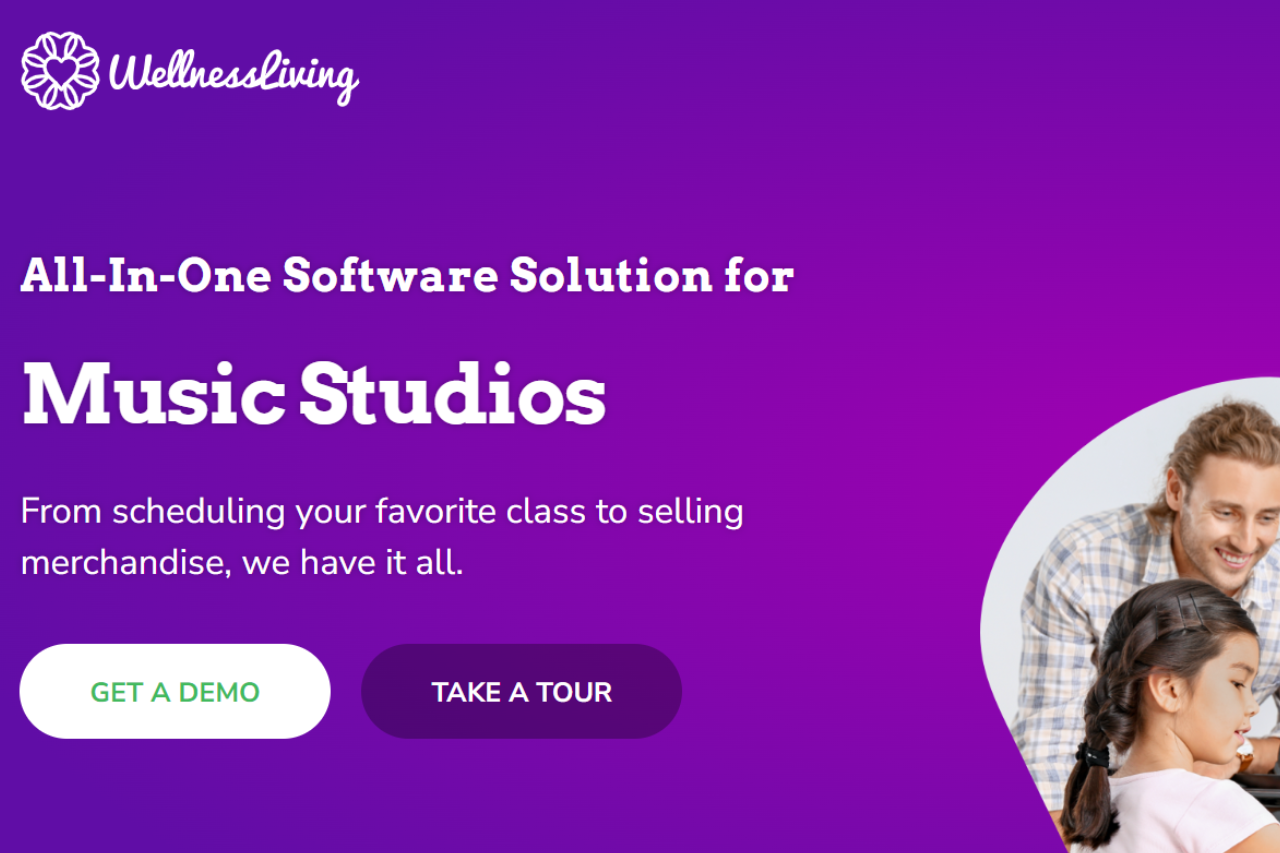
WellnessLiving stands out as a holistic wellness solution, catering to the diverse needs of businesses in the health and wellness industry. With its intuitive platform and extensive feature set, it provides seamless management solutions tailored to various wellness establishments.
✅ Pros & ❌ Cons
Pros:
🔄 Versatile Management Tools: WellnessLiving offers a wide range of management tools, from appointment scheduling to client management, catering to the comprehensive needs of wellness businesses.
📅 Intuitive Calendar Integration: Seamlessly integrates with popular calendar platforms, facilitating efficient scheduling and organization of appointments.
📊 Robust Analytics and Reporting: Provides comprehensive analytics and reporting features, enabling businesses to gain insights into their performance and make informed decisions.
🌐 Extensive Integrations: Offers integration with third-party tools and platforms, enhancing the functionality and versatility of the system.
Cons:
💲 Pricing Concerns: Some users may find the pricing plans relatively higher compared to competitors, potentially impacting the accessibility of the platform for smaller businesses.
📉 Learning Curve: New users may experience a learning curve while familiarizing themselves with the platform’s features and functionalities.
📚 Limited Customization: Customization options may be somewhat restricted compared to competitors, limiting the ability to tailor the platform to specific business needs.
🗓️ How It Works
Visit the Website: Navigate to the WellnessLiving website to explore the platform’s features and pricing plans.
Select a Plan: Choose a pricing plan that aligns with your business needs and budget. WellnessLiving offers different tiers tailored to various business sizes and requirements.
Create an Account: Sign up for an account by providing your email address and basic information. This step initiates the process of setting up your WellnessLiving account.
Customize Your Setup: Complete the setup process by entering relevant details about your business, such as services offered, staff members, and scheduling preferences.
Integrate Your Calendar: Seamlessly integrate your calendar with WellnessLiving to synchronize appointments and scheduling activities.
Explore Features: Familiarize yourself with the various features and tools offered by WellnessLiving, including appointment scheduling, client management, marketing automation, and more.
Start Managing: Once set up, begin using WellnessLiving to manage your business operations efficiently, streamline workflows, and enhance client experiences.
Optional Add-Ons: Explore optional add-ons such as custom branding, additional integrations, and specialized features to further customize and enhance your WellnessLiving experience.
Training and Support: Take advantage of training resources and customer support offered by WellnessLiving to optimize your usage and maximize the benefits of the platform for your business.
💲 Pricing Overview
WellnessLiving offers four pricing plans:
Starter: $49/month (regularly $99)
Business: $99/month (regularly $199)
BusinessPro: $175/month (regularly $349)
Enterprise: Custom pricing.
Each plan includes features like client management, staff management, booking and scheduling tools, and marketing capabilities. Higher-tier plans offer additional benefits like unlimited staff management, advanced reporting, and customizable client apps. Discounts of 50% are available for the first three months.
🥊 Competition
WellnessLiving VS Mindbody
Here’s a table summarizing the pros and cons:
Pros
Cons
Versatile management tools
Pricing concerns for some users
Intuitive calendar integration
Learning curve for new users
Robust analytics and reporting
Limited customization options
Extensive integrations
This table lists the strengths and weaknesses of WellnessLiving, highlighting its comprehensive feature set and potential drawbacks.
🏋️ Gym-only alternative
WellnessLiving covers a broad slice of the wellness world: spas, salons, yoga, massage. For pure gym operations where performance tracking and class whiteboards are the priority, Wodify is more opinionated, with built-in WOD boards and benchmark tracking that wellness-first tools typically lack.
📌 Conclusion
WellnessLiving emerges as a comprehensive wellness solution, offering a diverse range of management tools and features to meet the needs of wellness businesses. Despite some pricing concerns and a learning curve for new users, its intuitive interface, robust analytics, and extensive integrations make it an ideal choice for businesses looking to streamline their operations and enhance client experiences.
“Experience Holistic Wellness Management with WellnessLiving.”
Wodify emerges as a comprehensive fitness management solution, catering specifically to the needs of gyms and fitness centers. Its intuitive platform and robust feature set make it a standout choice for streamlining operations and enhancing member experiences.
✅ Pros & ❌ Cons
Pros:
🏋️♂️ Integrated Fitness Management: Provides a complete suite of tools for managing memberships, classes, and athlete performance.
📱 Mobile App Accessibility: Allows members to engage with the gym, track workouts, and book classes conveniently via the mobile app.
📊 Performance Tracking: Offers advanced performance tracking features, including workout history, benchmarks, and progress analytics.
🤝 Community Building: Facilitates community engagement through social features, leaderboards, and member challenges.
🔧 Customization Options: Provides flexibility for gym owners to customize settings, branding, and member communications.
Cons:
💲 Pricing: Some users may find the pricing plans relatively higher compared to competitors, especially for smaller gyms or startups.
📉 Learning Curve: New users may experience a learning curve while familiarizing themselves with the platform’s features and settings.
📚 Limited Customization: Customization options may be somewhat restricted in certain areas compared to other fitness management solutions.
🗓️ How It Works
Signing up for Wodify involves visiting their website and exploring the available pricing plans.
After selecting a suitable plan, users can create an account by providing necessary details and choosing billing preferences.
Account setup includes entering gym information, setting up membership plans, and customizing settings according to business requirements.
Users can then integrate Wodify with their gym operations, including scheduling classes, managing memberships, and tracking member performance.
Wodify offers mobile app accessibility, allowing gym owners and members to access features and track workouts on the go.
🧩 Use-Case Scenarios
Single-location CrossFit box
A CrossFit affiliate with 120 to 200 members needs class scheduling, a whiteboard for daily WODs, and performance tracking so athletes can see PR progress over time. Wodify covers all three in its Engage tier. The mobile app gives members a way to reserve class spots, log scores, and compare benchmarks. Coaches typically save two to three hours a week on attendance and programming once class caps, waitlists, and check-in are handled inside the app. Billing and ACH payments are built in, so the box owner does not need to plug in a separate payment processor.
Multi-location gym chain
A chain running three to ten locations needs cross-site reporting, staff permissions by site, and shared branding. Wodify’s Grow or Promote tier is where this becomes realistic: reports roll up across locations, staff can be scoped to specific gyms, and the Custom Branding add-on lets each site keep its own look while sharing one back office. Automations under Workflows handle retention plays, trial-to-member conversion reminders, and milestone emails. The Performance suite gives leadership a consolidated view of class attendance trends and revenue per location, which is useful when deciding where to add coaches or adjust pricing.
💲 Exclusive Offer Breakdown
Technology Investment Benefits:
Investing in quality technology boosts business profitability.
Wodify’s Impact on Revenue:
New Wodify customers typically earn an extra $1,000 monthly by enhancing client attraction, improving retention, and saving time.
Exclusive Offer Details:
Free Unlimited access to the complete Wodify feature suite for new, growing, and established gyms.
Package Options:
Engage: Essential tools for small gyms with big aspirations.
Grow: Tools for gyms prepared to expand and take control.
Promote: Comprehensive automation, marketing, and more for gyms ready to maximize Wodify’s potential.
Pricing Overview:
Options include Engage, Grow, and Promote packages with introductory offers.
Additional Features:
Wodify Workflows, Perform, Sites, Custom Branding, Workout Marketplace, Pulse, and more available as add-ons or included in certain packages.
Rates & Fees Breakdown:
Overview of rates and fees for various features and services.
Feature Highlights:
List of features included in different Wodify packages, from billing and client management to insights dashboards and integrations.
For a CrossFit box or strength gym with 80 or more members, Wodify tends to pay for itself through retention and billing efficiency alone. The Engage tier covers class scheduling, attendance, billing, and the member app, which is enough to replace two or three disconnected tools. Studios under 60 members often find the price point heavy and benefit more from a flat-fee option like TeamUp or a lighter tool such as Zen Planner.
Wodify vs Mindbody: which is right for my business?
The two tools target different gyms. Wodify is built around workout tracking, class whiteboards, and community features that fit CrossFit, strength, and performance-oriented studios. Mindbody leans toward yoga, pilates, wellness, and studios that want exposure on the Mindbody marketplace. If a gym’s value proposition is measurable progress, Wodify is the closer fit. If the business depends on new-client discovery through a large consumer app, Mindbody has the distribution advantage.
Does Wodify have a free trial?
Wodify does not publish a self-service free trial. The typical path is a scheduled demo with a sales rep, followed by a pilot contract. New customers sometimes negotiate the first month waived, especially when switching from a competitor. For a hands-on test without sales contact, ask for a sandbox login during the demo call.
What does Wodify cost per month?
Wodify uses custom quotes rather than public pricing. Typical Engage quotes land around $149 per month for a single-location gym, Grow in the $200 to $300 range, and Promote upward of $400 with the full Workflows and Performance suites. Add-ons like Wodify Sites, Custom Branding, and the Workout Marketplace are priced separately. Multi-location chains should expect volume discounting.
Does Wodify integrate with Stripe or QuickBooks?
Payments run through Wodify Payments, which handles both card and ACH. There is no direct Stripe integration, since Wodify wants transactions on its own processor. QuickBooks integration is available through the Workflows add-on on the Grow and Promote tiers, and sends billing, payment, and expense data into QuickBooks Online on a daily sync.
📌 Conclusion
Wodify stands out as a top-notch solution for fitness businesses seeking to optimize their operations and elevate member experiences. Despite some pricing considerations and learning curves, its comprehensive feature set and community-building capabilities make it a valuable asset for gym owners and fitness professionals.
“Empower Your Fitness Business with Wodify’s All-in-One Management Solution.”
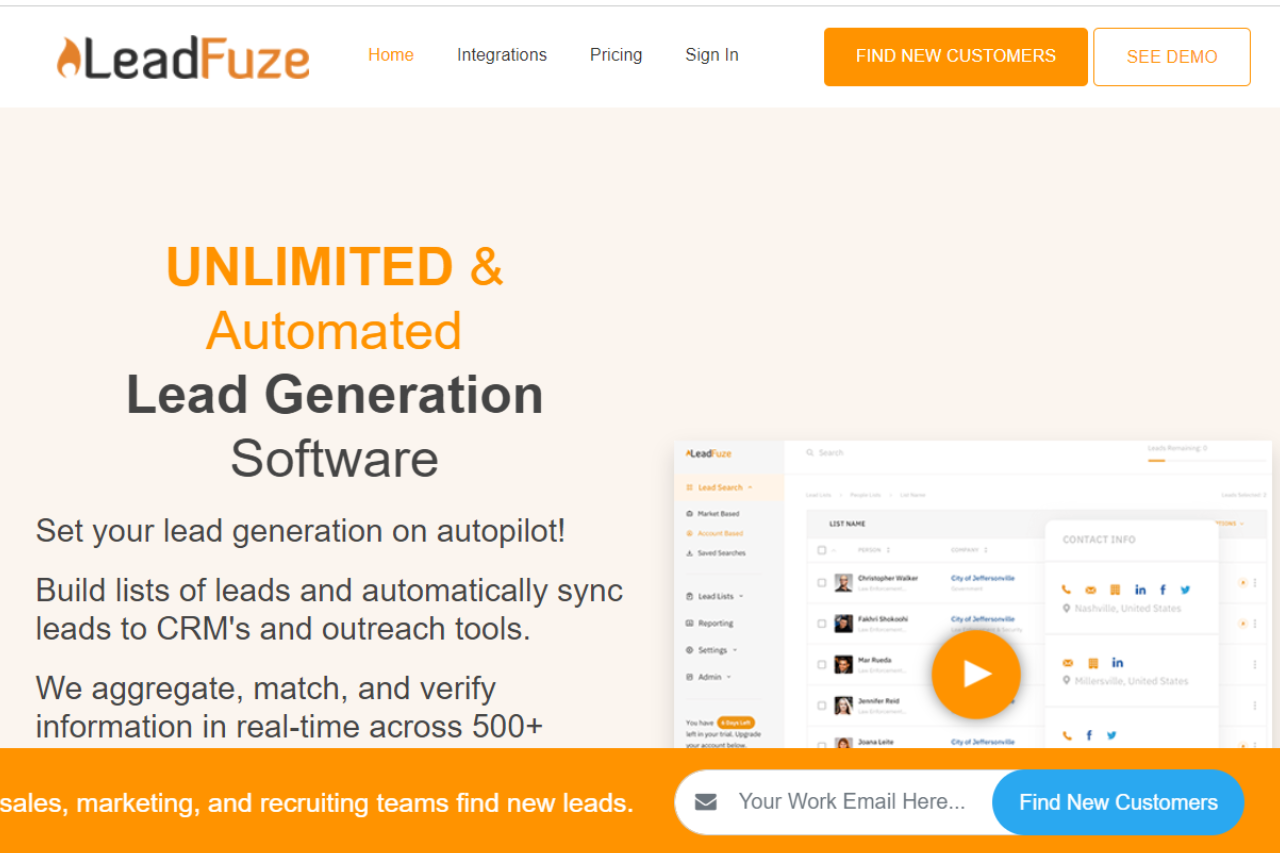
LeadFuze emerges as a powerful lead generation platform, catering to businesses seeking efficient and targeted outreach solutions. With its robust features and user-friendly interface, LeadFuze facilitates streamlined lead generation processes across various industries.
✅ Pros & ❌ Cons
Pros:
🎯 Targeted Lead Generation: Offers advanced tools for identifying and reaching out to specific target audiences.
📈 Extensive Database: Provides access to a vast database of leads, enhancing the potential for successful outreach campaigns.
🔍 Advanced Search Filters: Employs comprehensive search filters for precise lead targeting and segmentation.
🔗 Seamless Integration: Integrates smoothly with CRM and marketing automation platforms for enhanced workflow efficiency.
💲 Pricing: Some users may find the pricing plans relatively higher compared to competitors.
📉 Learning Curve: New users may experience a learning curve while navigating the platform’s features and functionalities.
📚 Limited Customization: Customization options may be somewhat restricted compared to other lead generation tools.
📖 About LeadFuze
LeadFuze is designed to simplify the lead generation process for businesses, offering a comprehensive suite of tools to identify and engage with potential prospects effectively. Its intuitive interface and extensive database make it a preferred choice for businesses looking to scale their outreach efforts.
🗓️ How It Works
Signing Up for LeadFuze
Visit the LeadFuze Website: Navigate to the LeadFuze website to begin the signup process.
Choose a Plan: Explore the available pricing plans and select the one that aligns with your business needs.
Create an Account: Provide your email address, create a password, and fill in the necessary details to create your account.
Account Setup: Complete the setup process by entering your business information and customizing your targeting preferences.
Integration: Integrate LeadFuze with your CRM or marketing automation platform for seamless lead management.
Explore Features: Familiarize yourself with the various features of LeadFuze, including lead search, segmentation, and outreach.
Start Generating Leads: Begin your lead generation journey with LeadFuze’s user-friendly interface and automation features.
💲 Pricing Overview
Pricing Tiers
LeadFuze offers a range of pricing plans to accommodate different business needs and scales. From basic plans for individual professionals to advanced solutions for teams and enterprises, there’s an option for everyone.
✅ Free Tools Overview: LeadFuze provides essential lead generation tools in its free offering. Included Features: Basic features such as lead search and segmentation are typically included.
💼 Starter PlansTarget Audience: Ideal for individual professionals or small businesses seeking efficient lead generation capabilities. Key Features: Enhanced functionalities over the free tier, including advanced lead search filters and personalized outreach options.
🚀 Professional PlansDesigned For: Medium-sized businesses and teams looking to scale their lead generation efforts. Advanced Features: Includes features such as CRM integration, automated follow-ups, and lead tracking for enhanced lead management.
🏢 Enterprise PlansSuited For: Large businesses and enterprises requiring comprehensive lead generation solutions with advanced customization and support. Premium Offerings: Advanced features like custom branding, dedicated support, and API access for seamless integration with existing systems.
🥊 Competition
LeadFuze
ZoomInfo
Pros
Pros
– Targeted lead generation
– Extensive database of contacts
– Advanced search filters
– Robust search filters for precise targeting
– Seamless integration
– Seamless integration with CRM and marketing platforms
– Personalized outreach
– Personalized email outreach campaigns
Cons
Cons
– Relatively higher pricing for some users
– Higher pricing for some users
– Learning curve for new users
– Learning curve for new users
– Limited customization
– Limited customization compared to competitors
📌 Conclusion
LeadFuze emerges as a reliable lead generation solution, offering a comprehensive set of features to streamline the lead generation process for businesses. With its user-friendly interface, extensive database, and flexible pricing options, it’s an ideal choice for businesses looking to boost their sales and marketing efforts.
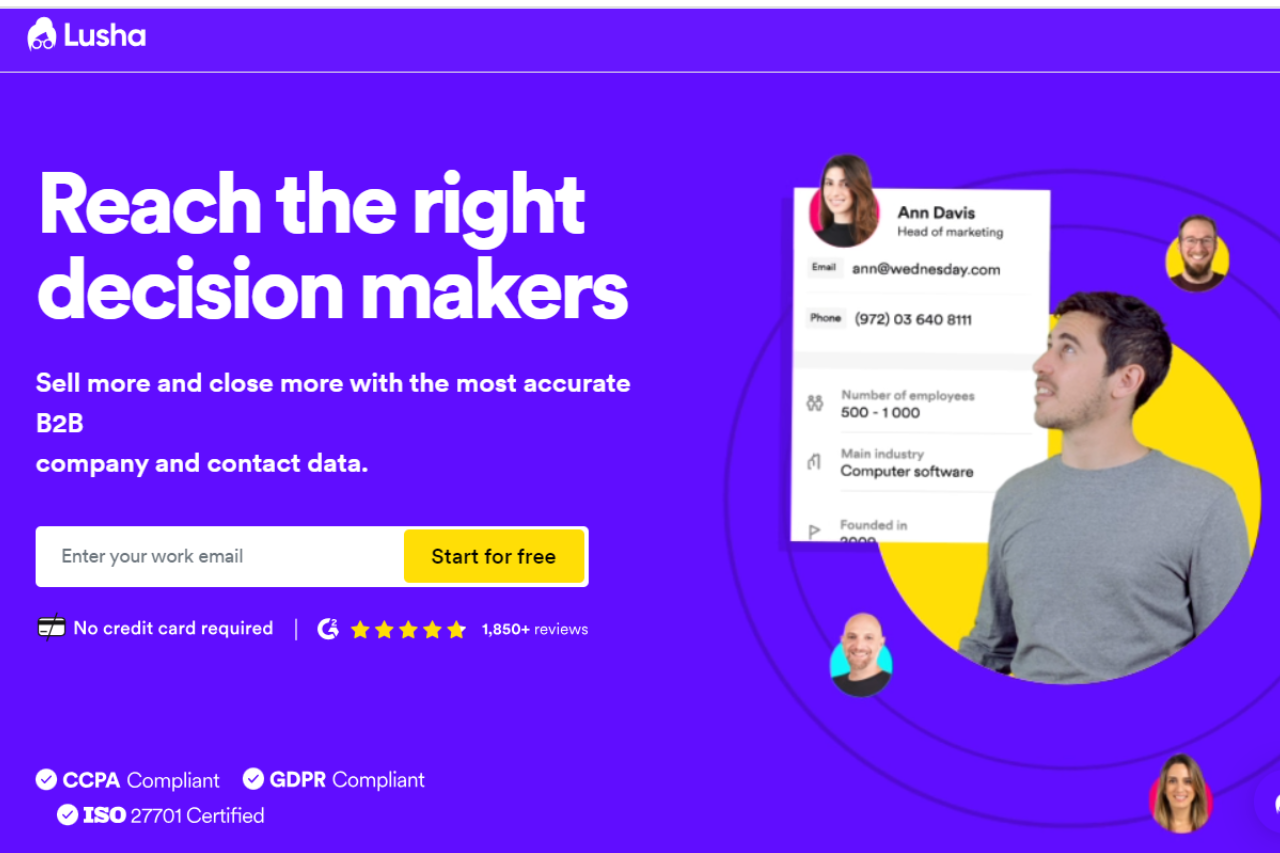
Lusha stands out as a powerful lead generation tool, offering comprehensive solutions tailored to businesses of all sizes. With its user-friendly interface and robust feature set, it provides efficient data enrichment and contact information solutions for various industries and needs.
✅ Pros & ❌ Cons
Pros:
🔍 Extensive Data Enrichment: Lusha provides access to a vast database for enriching contact information.
📊 Advanced Lead Generation: Offers robust lead generation capabilities with accurate and up-to-date data.
🔗 Seamless Integration: Integrates smoothly with existing CRM and marketing automation platforms for enhanced workflow.
💼 Versatile Solutions: Suitable for businesses of all sizes, from startups to enterprises, catering to diverse needs.
Cons:
💲 Pricing: Some users may find the pricing plans relatively higher compared to competitors.
📉 Learning Curve: New users may experience a learning curve while familiarizing themselves with the platform’s features.
📚 Limited Customization: Customization options may be somewhat restricted in certain areas compared to other lead generation tools.
📖 About Lusha
Established as a leader in the lead generation industry, Lusha aims to revolutionize the way businesses acquire and manage contact information. Its comprehensive feature set and data accuracy make it a preferred choice for businesses looking to streamline their lead generation processes.
🗓️ How It Works
Signing Up for Lusha:
Visit the Lusha website to begin the signup process.
Choose a suitable plan based on your business requirements and budget.
Create an account by providing your email address and creating a password.
Complete the setup process by entering your business information and preferences.
Integrate Lusha with your existing CRM or marketing automation platform for seamless data enrichment and lead generation.
Exploring Features:
Explore the extensive database of contacts and companies available on Lusha.
Utilize the advanced search filters to target specific leads based on criteria such as industry, location, and job title.
Enhance your lead generation efforts with accurate and up-to-date contact information.
Integrate Lusha seamlessly into your existing workflow to maximize productivity and efficiency.
💲 Pricing Overview
Pricing Tiers:
Lusha offers a range of pricing plans tailored to different business needs and scales. From basic plans for individual professionals to advanced solutions for teams and enterprises, there’s an option for everyone.
Free Tools Overview: Lusha provides essential lead generation tools in its free offering, including limited access to contact information and data enrichment capabilities.
Starter Plans: Ideal for individual professionals or small businesses seeking basic lead generation capabilities.
Professional Plans: Designed for medium-sized businesses and teams looking for more advanced lead generation solutions.
Enterprise Plans: Suited for large businesses and enterprises requiring scalable lead generation solutions with advanced customization and support.
🥊 Competition
Lusha
ZoomInfo
Pros:
– Extensive data enrichment
– Extensive database of contacts
– Advanced lead generation
– Robust search filters for precise targeting
– User-friendly interface
– Comprehensive analytics and insights
– Seamless integration
– Seamless integration with CRM and marketing platforms
– Versatile solutions
– Extensive third-party integrations
Cons:
– Relatively higher pricing
– Higher pricing for some users
– Learning curve for new users
– Learning curve for new users
– Limited customization
– Limited customization compared to competitors
📌 Conclusion
Lusha emerges as a leading solution for businesses seeking efficient and accurate lead generation tools. With its extensive database, advanced features, and seamless integration capabilities, it offers a comprehensive suite of solutions to meet the diverse needs of modern businesses.
“Empower Your Business with Lusha’s Cutting-Edge Lead Generation Tools.”
Apollo presents itself as a robust sales engagement platform, catering to the needs of businesses across various industries. With its extensive features and user-friendly interface, Apollo offers a comprehensive solution for sales teams aiming to streamline their processes and enhance productivity.
✅ Pros & ❌ Cons
Pros:
🚀 Rich Database: Apollo boasts a vast database of contacts, providing users with ample resources for lead generation and prospecting.
🔍 Advanced Search Capabilities: The platform offers advanced search filters, enabling users to refine their searches and target specific leads with precision.
📊 Analytics and Insights: Apollo provides valuable analytics and insights, empowering users to track performance metrics and make data-driven decisions.
💼 Integrations: Apollo seamlessly integrates with various CRM and marketing automation platforms, enhancing its compatibility and utility for businesses.
Cons:
💲 Pricing: Some users may find Apollo’s pricing plans relatively higher compared to competitors, especially for small businesses or individual users.
📉 Learning Curve: New users may experience a learning curve while navigating Apollo’s extensive features and functionalities.
📚 Limited Customization: Customization options may be somewhat limited in certain areas compared to other sales engagement platforms, restricting flexibility for some users.
📖 About Apollo
Apollo positions itself as a leading sales engagement platform, offering a suite of tools designed to streamline sales processes and drive revenue growth. With a focus on efficiency and effectiveness, Apollo aims to empower sales teams with the resources they need to succeed in today’s competitive market landscape.
🗓️ How It Works
Signing Up for Apollo
Visit the Apollo website: Navigate to the Apollo website to begin the signup process.
Choose a Plan: Explore the available pricing plans and select the one that best suits your business needs.
Create an Account: Provide your email address, create a password, and fill in the necessary details to create your Apollo account.
Account Setup: Complete the setup process by entering your business information and customizing your preferences.
Explore Features: Familiarize yourself with Apollo’s features, including lead generation, prospecting, and analytics.
Start Selling: Begin using Apollo to streamline your sales processes, engage with prospects, and drive revenue growth.
💲 Pricing Overview
Pricing Tiers
Apollo offers a range of pricing plans tailored to different business needs and scales. From basic plans for individual users to advanced solutions for large enterprises, there’s an option for everyone.
Starter Plans: Ideal for individual users or small businesses looking to get started with basic sales engagement capabilities.
Professional Plans: Designed for medium-sized businesses and teams seeking more advanced features and functionalities.
Enterprise Plans: Suited for large enterprises requiring scalable solutions with extensive customization and support.
🥊 Competition
Aspect
Apollo
ZoomInfo
Pros
🚀 Rich Database
🚀 Extensive database of contacts
🔍 Advanced Search Capabilities
🔍 Robust search filters for precise targeting
📊 Analytics and Insights
📊 Comprehensive analytics and insights
💼 Integrations
💼 Seamless integration with CRM and marketing automation platforms
Cons
💲 Pricing
💲 Relatively higher pricing for some users
📉 Learning Curve
📉 Learning curve for new users
📚 Limited Customization
📚 Limited customization options compared to competitors
📌 Conclusion
Apollo emerges as a powerful sales engagement platform, offering a comprehensive suite of features to help businesses succeed in today’s competitive market environment. With its rich database, advanced search capabilities, and valuable insights, Apollo empowers sales teams to drive revenue growth and achieve their business objectives effectively.
“Empower Your Sales Team with Apollo’s Comprehensive Sales Engagement Solutions.”
This website uses cookies to ensure you get the best experience on our website. Surfing the website you are authorizing the use of cookies.
Privacy & Cookies Policy
Privacy Overview
This website uses cookies to improve your experience while you navigate through the website. Out of these cookies, the cookies that are categorized as necessary are stored on your browser as they are essential for the working of basic functionalities of the website. We also use third-party cookies that help us analyze and understand how you use this website. These cookies will be stored in your browser only with your consent. You also have the option to opt-out of these cookies. But opting out of some of these cookies may have an effect on your browsing experience.
Necessary cookies are absolutely essential for the website to function properly. This category only includes cookies that ensures basic functionalities and security features of the website. These cookies do not store any personal information.
Any cookies that may not be particularly necessary for the website to function and is used specifically to collect user personal data via analytics, ads, other embedded contents are termed as non-necessary cookies. It is mandatory to procure user consent prior to running these cookies on your website.