After thorough analysis and evaluation, we conclude that DiscoverOrg stands as a formidable leader in the realm of sales intelligence solutions. With its comprehensive database coverage, detailed company insights, and seamless integration capabilities, DiscoverOrg offers unparalleled value to businesses aiming to elevate their sales and marketing strategies. While some users may find the pricing plans relatively higher compared to competitors, the platform’s robust features and actionable insights make it a worthy investment for organizations seeking to drive growth and maximize their sales efforts.
✅ Pros & ❌ Cons
Pros:
🎯 Extensive Data Coverage: Comprehensive database covering various industries and regions.
📊 Detailed Company Insights: Provides in-depth company profiles and analytics for effective targeting.
🔎 Advanced Search Functionality: Powerful search filters for precise lead identification.
📈 Integration Capabilities: Seamlessly integrates with popular CRM platforms for streamlined workflows.
Cons:
💰 Higher Pricing: Some users may find the pricing plans relatively expensive compared to competitors.
📉 Learning Curve: New users might experience a learning curve while navigating the platform’s features.
🌐 Limited Customization: Customization options may be somewhat restricted compared to other sales intelligence tools.
📖 About DiscoverOrg
DiscoverOrg is a leading provider of sales intelligence and data solutions, empowering businesses with accurate and actionable insights to drive their sales and marketing strategies. With a vast database and robust analytics, DiscoverOrg helps companies identify and engage with their target audience effectively.
🗓️ How It Works
DiscoverOrg
Sign Up: Visit the DiscoverOrg website and sign up for an account.
Explore Features: Familiarize yourself with the platform’s features and capabilities.
Search: Utilize advanced search filters to find leads and companies relevant to your business.
Access Insights: Gain access to detailed company profiles, contact information, and organizational hierarchies.
Integrate: Seamlessly integrate DiscoverOrg with your CRM system for enhanced workflow efficiency.
Engage: Utilize the insights gained to tailor your sales and marketing efforts and engage with prospects effectively.
💲 Pricing Overview
DiscoverOrg offers various pricing tiers tailored to meet the needs of businesses of all sizes:
Basic Plan: Ideal for individual professionals or small teams.
Pro Plan: Designed for medium-sized businesses looking for advanced features.
Enterprise Plan: Suited for large enterprises requiring scalable solutions and dedicated support.
🥊 Competition
DiscoverOrg VS ZoomInfo
DiscoverOrg
ZoomInfo
Pros
– Extensive data coverage
– Detailed company profiles
– Integration capabilities
Cons
– Higher pricing
– Limited customization
📌 Conclusion
DiscoverOrg emerges as a powerful sales intelligence solution, offering extensive data coverage, detailed insights, and seamless integration capabilities. While pricing may be a consideration for some, the platform’s robust features make it a valuable asset for businesses aiming to drive growth through effective sales and marketing strategies.
“Empower Your Sales Team with DiscoverOrg’s Actionable Insights.”
Salesgenie emerges as a powerful lead generation tool, offering comprehensive solutions tailored for businesses of all sizes. While its user interface might not be as intuitive as some competitors, its robust feature set and extensive database make it a valuable asset for sales and marketing teams.
✅ Pros & ❌ Cons
Pros:
🎯 Extensive Database: Access to a vast database of leads, enabling targeted prospecting and outreach.
🔍 Advanced Search Filters: Granular search filters allow users to refine their lead searches based on various criteria.
📈 Detailed Company Insights: Provides detailed company profiles and insights to facilitate informed decision-making.
📊 Analytics and Reporting: Offers robust analytics and reporting tools to track campaign performance and ROI.
💼 Integration Options: Integrates with popular CRM platforms and other tools for seamless workflow management.
Cons:
💲 Pricing: Some users may find the pricing plans relatively higher compared to competitors.
🖥️ User Interface: The user interface might be perceived as less intuitive compared to some competitors.
📉 Learning Curve: New users may experience a learning curve while navigating the platform and its features.
📖 About Salesgenie
Salesgenie is a robust lead generation platform designed to empower businesses with comprehensive solutions for acquiring high-quality leads and driving revenue growth. With its extensive database, advanced search filters, and detailed company insights, Salesgenie equips sales and marketing teams with the tools they need to succeed in a competitive marketplace.
🗓️ How It Works
Signing Up for Salesgenie
Visit the Salesgenie Website: Navigate to the Salesgenie website to begin the signup process.
Choose a Plan: Explore the available pricing plans and select the one that best suits your business needs.
Create an Account: Provide your email address, create a password, and fill in the necessary details to create your account.
Account Setup: Complete the setup process by entering your business information and customizing your lead generation preferences.
Database Access: Gain access to Salesgenie’s extensive database of leads, segmented by various criteria for targeted prospecting.
Utilize Advanced Features: Explore the platform’s advanced search filters, detailed company profiles, and robust analytics tools to enhance your lead generation efforts.
Integrate with CRM: Seamlessly integrate Salesgenie with your CRM platform to streamline workflow management and maximize efficiency.
💲 Pricing Overview
Pricing Tiers
Salesgenie offers a range of pricing plans tailored to meet the needs of businesses of all sizes:
Starter Plans: Ideal for individual professionals or small businesses seeking essential lead generation capabilities.
Professional Plans: Designed for medium-sized businesses and teams looking for advanced lead generation solutions.
Enterprise Plans: Suited for large businesses and enterprises requiring scalable lead generation solutions with premium features and support.
🥊 Competition
Salesgenie VS ZoomInfo
Salesgenie VS ZoomInfo
Pros
– Extensive database and lead generation capabilities
– Comprehensive company insights and analytics
– Advanced search filters
– Integration options with popular CRM platforms
– Detailed company profiles
– Robust analytics and reporting tools
Cons
– Relatively higher pricing for some users
– Higher pricing for certain plans
– Less intuitive user interface
– Learning curve for new users
– Limited customization options
📌 Conclusion
Salesgenie offers a robust platform for lead generation and prospecting, with its extensive database, advanced search filters, and detailed company insights. While it may have a learning curve and higher pricing for some users, its features make it a valuable asset for businesses looking to enhance their sales and marketing efforts.
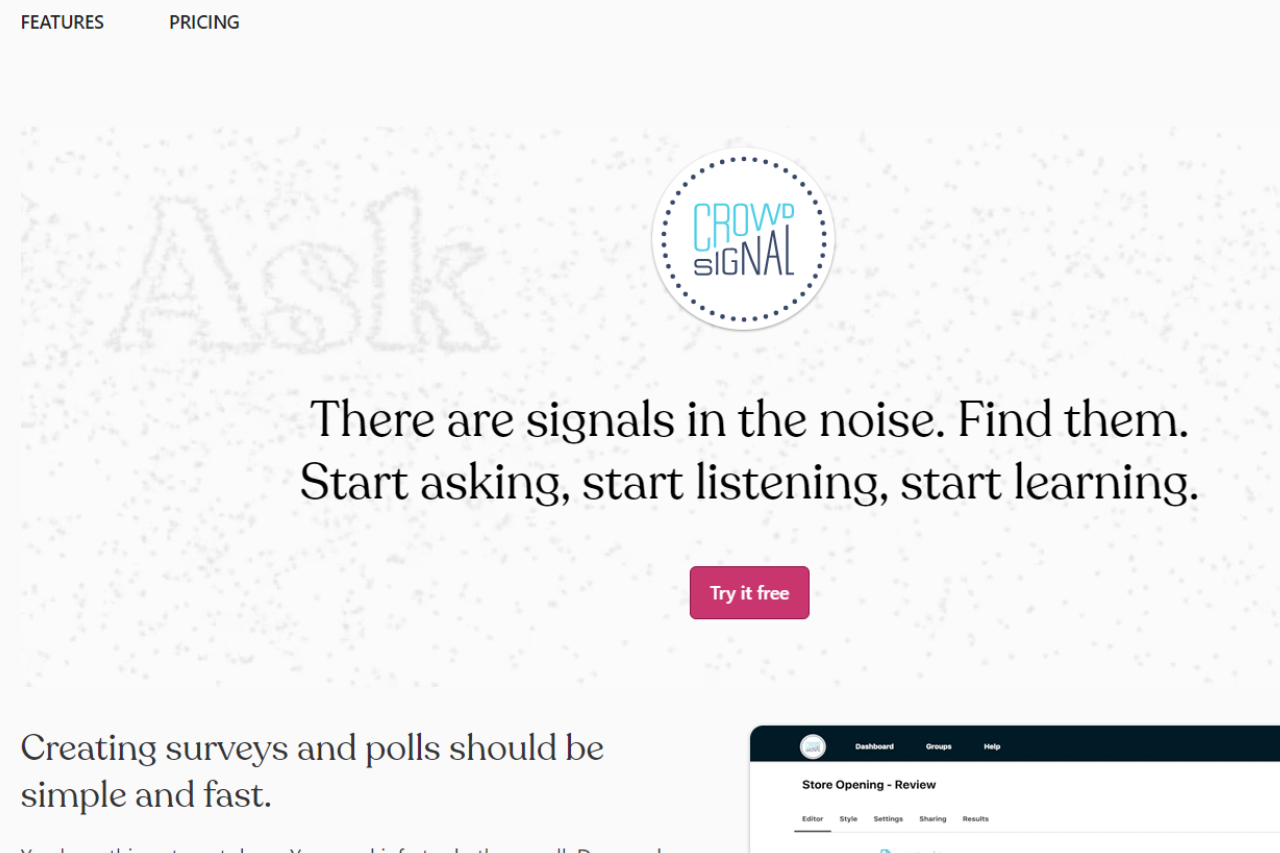
Crowdsignal proves to be a robust survey and polling platform, offering versatile tools suitable for various needs. Its user-friendly interface and comprehensive feature set make it a preferred choice for gathering insights and feedback effectively.
✅ Pros & ❌ Cons
Pros:
🔄 Flexible Survey Creation: Allows easy customization of surveys and polls to suit specific requirements.
🔗 Seamless Integration: Integrates smoothly with various platforms for efficient data collection and analysis.
📊 Advanced Analytics: Provides comprehensive analytics tools for in-depth insights into survey responses.
🌐 Wide Range of Features: Offers extensive features beyond basic survey creation, such as quizzes, ratings, and assessments.
Cons:
💲 Pricing: Some users may find the pricing plans relatively higher compared to competitors.
📉 Learning Curve: New users may experience a learning curve while familiarizing themselves with the platform’s features.
📚 Limited Customization: Customization options may be somewhat restricted compared to other survey platforms.
📖 About Crowdsignal
Established as a leader in the survey and polling industry, Crowdsignal aims to simplify the process of gathering feedback and insights for businesses and individuals alike. Its intuitive interface and comprehensive feature set make it a preferred choice for creating surveys and polls seamlessly.
🗓️ How It Works
Signing Up for Crowdsignal
Visit the Crowdsignal Website: Navigate to the Crowdsignal website to begin the signup process.
Create an Account: Provide your email address, create a password, and fill in the necessary details to create your account.
Account Setup: Complete the setup process by entering your account information and customizing your survey preferences.
Create a Survey: Start creating surveys and polls by choosing from a variety of question types and customization options.
Distribute Your Survey: Share your survey link via email, social media, or embed it on your website to gather responses from your target audience.
Analyze Responses: Monitor responses in real-time and utilize advanced analytics tools to gain valuable insights from the data collected.
💲 Pricing Overview
🌟 Pricing Tiers
Crowdsignal offers a range of pricing plans to accommodate different survey needs and scales. From basic plans for individual users to advanced solutions for businesses, there’s an option for everyone.
✅ Free Tools Overview: Crowdsignal provides essential survey tools in its free offering. Included Features: Basic features such as survey creation, response collection, and basic analytics are typically included.
💼 Standard Plans Target Audience: Ideal for individual users or small businesses seeking advanced survey capabilities. Key Features: Enhanced functionalities over the free tier, including customization options, advanced analytics, and branding.
🚀 Premium Plans Designed For: Medium to large businesses and teams looking for more advanced survey solutions. Advanced Features: Includes features such as team collaboration, white-labeling, and API access for seamless integration.
🥊 Competition
Crowdsignal VS SurveyMonkey
Crowdsignal
SurveyMonkey
Pros
– Flexible survey creation
– Comprehensive survey analytics
– Seamless integration
– Extensive question types
– Advanced analytics
– User-friendly interface
– Wide range of features
Cons
– Relatively higher pricing for some users
– Limited customization options
– Learning curve for new users
– Higher pricing for advanced features
– Limited customization compared to competitors
– Advanced features may require higher-priced
plans
📌 Conclusion
Crowdsignal emerges as a versatile survey and polling platform, offering comprehensive features to gather insights effectively. With its user-friendly interface, advanced analytics, and flexible pricing options, it’s an ideal choice for individuals and businesses looking to gather feedback and make informed decisions.
“Gain Valuable Insights with Crowdsignal Surveys and Polls.”
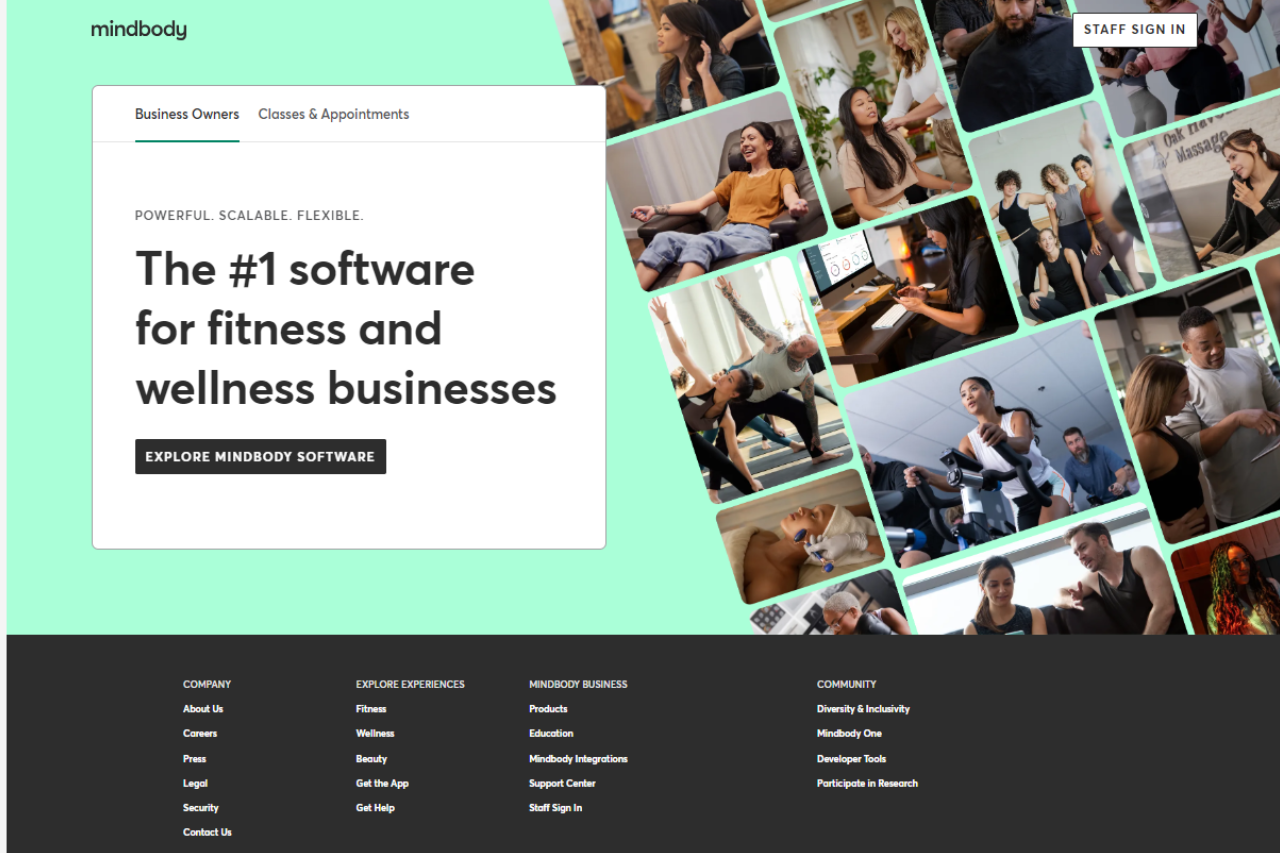
Mindbody stands out as a comprehensive fitness and wellness management solution, offering versatile tools suitable for businesses of all sizes. With its intuitive interface and extensive feature set, it provides seamless management solutions across various industries and needs.
✅ Pros & ❌ Cons
Pros:
🔄 Flexible Appointment Scheduling: Allows easy customization of appointment types and availability.
🔗 Seamless Calendar Integration: Integrates smoothly with popular calendar platforms for efficient scheduling.
📅 Client Self-Booking: Empowers clients to book appointments at their convenience, reducing administrative tasks.
📊 Comprehensive Appointment Management: Offers advanced features for managing appointments, cancellations, and rescheduling.
🌐 Wide Range of Integrations: Provides extensive third-party integrations to enhance scheduling capabilities.
Cons:
💲 Pricing: Some users may find the pricing plans relatively higher compared to competitors.
📉 Learning Curve: New users may experience a learning curve while familiarizing themselves with the platform’s features.
📚 Limited Customization: Customization options may be somewhat restricted in certain areas compared to other scheduling tools.
📖 About Mindbody
Established as a leader in the fitness and wellness management industry, Mindbody aims to simplify the management process for businesses and clients alike. Its user-friendly interface and comprehensive feature set make it a preferred choice for managing appointments, classes, and memberships seamlessly.
🗓️ How It Works
Signing Up for Mindbody
Visit the Mindbody website: Navigate to the Mindbody website to begin the signup process.
Choose a Plan: Explore the available pricing plans and select the one that aligns with your business needs.
Create an Account: Provide your email address, create a password, and fill in the necessary details to create your account.
Account Setup: Complete the setup process by entering your business information and customizing your management preferences.
Calendar Integration: Integrate your calendar with Mindbody to sync appointments and classes seamlessly.
Customize Booking Page: Personalize your booking page to reflect your brand and scheduling requirements.
Explore Features: Familiarize yourself with the various features of Mindbody, including appointment scheduling, class management, and reporting.
Start Managing: Begin managing appointments, classes, memberships, and client information with Mindbody’s user-friendly interface and automation features.
💲 Pricing Overview
🌟 Pricing Tiers
Mindbody offers a range of pricing plans to accommodate different business needs and scales. From basic plans for individual professionals to advanced solutions for studios and enterprises, there’s an option for everyone.
✅ Essential Plans
Individual Plans: Ideal for solo practitioners or small businesses seeking basic management capabilities.
Studio Plans: Designed for studios and small businesses looking to manage classes, appointments, and memberships.
🚀 Advanced Plans
Growth Plans: Suitable for growing businesses and studios requiring additional features and support.
Enterprise Plans: Tailored solutions for large businesses and enterprises with advanced customization and support needs.
🥊 Competition
MINDBODY VS Mindbody Booker
Mindbody
Booker by MINDBODY
Pros
Pros
– Flexible appointment scheduling
– Comprehensive client management
– Seamless calendar integration
– Extensive scheduling options
– Client self-booking capability
– Advanced reporting and analytics
– Comprehensive appointment management
– Customization options for various industries
– Wide range of integrations
– Seamless integration with various platforms
Cons
Cons
– Relatively higher pricing for some users
– Limited customization options
– Learning curve for new users
– Higher pricing for advanced features
– Limited customization compared to competitors
– Advanced features may require higher-priced plans
📌 Conclusion
Mindbody emerges as a robust fitness and wellness management solution, offering a comprehensive suite of features to simplify the management process for businesses and clients. With its user-friendly interface, extensive integrations, and flexible pricing options, it’s an ideal choice for fitness studios, wellness centers, and spas looking to streamline their operations.
“Effortlessly Manage Your Fitness Business with Mindbody.”
Schedulicity emerges as a robust scheduling solution, particularly suited for businesses in the wellness and beauty industries. With its intuitive platform and tailored features, it offers an efficient way for service-based businesses to manage appointments and streamline operations. However, while it excels in certain areas, there are considerations to weigh against competitors like Mindbody.
🔗 Seamless Calendar Integration: Integrates smoothly with popular calendar platforms for efficient scheduling.
📅 Client Self-Booking: Empowers clients to book appointments at their convenience, reducing administrative tasks.
📊 Comprehensive Appointment Management: Provides advanced features for managing appointments, cancellations, and rescheduling.
🌐 Wide Range of Integrations: Offers extensive third-party integrations to enhance scheduling capabilities.
Cons:
💲 Pricing: Some users may find the pricing plans relatively higher compared to competitors.
📉 Learning Curve: New users may experience a learning curve while familiarizing themselves with the platform’s features.
📚 Limited Customization: Customization options may be somewhat restricted compared to other scheduling tools.
📖 About Schedulicity
Schedulicity aims to simplify appointment scheduling for businesses and clients, offering a user-friendly interface and comprehensive feature set. It caters to various industries with its versatile tools, making it a preferred choice for scheduling appointments seamlessly.
🗓️ How It Works
Signing Up for Schedulicity
Visit the Schedulicity website.
Explore the available pricing plans and select the one that aligns with your business needs.
Create an account by providing your email address and other necessary details.
Complete the setup process by entering your business information and customization preferences.
Integrate your calendar with Schedulicity to sync appointments seamlessly.
Personalize your booking page to reflect your brand and scheduling requirements.
Familiarize yourself with the various features, including appointment types, reminders, and reporting.
Begin scheduling appointments with clients using Schedulicity’s user-friendly interface and automation features.
💲 Pricing Overview
Pricing Tiers:
Free Tools Overview: Schedulicity provides essential scheduling tools in its free offering.
Starter Plans: Ideal for individual professionals or small businesses seeking advanced scheduling capabilities.
Professional Plans: Designed for medium-sized businesses and teams looking for more advanced scheduling solutions.
Enterprise Plans: Suited for large businesses and enterprises requiring scalable scheduling solutions with advanced customization and support.
🥊 Competition
Schedulicity VS Mindbody
Schedulicity
Mindbody
Pros
– Flexible appointment scheduling
– Extensive scheduling options
– Seamless calendar integration
– Robust client management features
– Client self-booking capability
– Comprehensive marketing tools
– Comprehensive appointment management
– Advanced reporting and analytics
– Wide range of integrations
– Customization options for various industries
Cons
– Relatively higher pricing for some users
– Learning curve for new users
– Limited customization options
– Higher pricing for advanced features
📌 Conclusion
Schedulicity emerges as a robust appointment scheduling solution, offering a comprehensive suite of features to simplify the booking process for businesses and clients. With its user-friendly interface, extensive integrations, and flexible pricing options, it’s an ideal choice for businesses looking to streamline their appointment scheduling workflows.
“Effortlessly Manage Your Appointments with Schedulicity.”
SentryPC offers robust monitoring and control solutions tailored for businesses, providing comprehensive insights and management tools to enhance productivity and security. With its user-friendly interface and diverse feature set, SentryPC stands as a reliable choice for organizations seeking effective employee monitoring solutions.
✅ Pros & ❌ Cons
Pros:
🖥️ Advanced Monitoring Capabilities: SentryPC offers detailed activity monitoring, including screen recording, website tracking, and application usage, providing comprehensive insights into employee behavior.
📅 Flexible Usage Policies: Users can customize monitoring rules and policies to align with specific organizational needs, allowing for tailored monitoring and control measures.
🔒 Security Features: SentryPC includes features such as keystroke logging and file tracking to enhance security measures and prevent data breaches or unauthorized access.
📈 Productivity Enhancement: The platform enables organizations to identify inefficiencies and areas for improvement, contributing to enhanced productivity and performance.
🌐 Remote Access: SentryPC allows for remote monitoring and management, providing flexibility and convenience for administrators overseeing multiple locations or remote teams.
Cons:
💲 Pricing: Some users may find SentryPC’s pricing plans relatively higher compared to competitors, particularly for organizations with larger user counts.
🤹♂️ Learning Curve: New users may experience a learning curve while familiarizing themselves with the platform’s features and settings, requiring time and training for effective utilization.
🛠️ Limited Customization: Customization options may be somewhat restricted in certain areas compared to other employee monitoring solutions, limiting flexibility for specific organizational requirements.
📖 About SentryPC
SentryPC is a leading provider of employee monitoring and control solutions, offering comprehensive tools and features to help businesses monitor and manage employee activities effectively. With its intuitive interface and robust feature set, SentryPC empowers organizations to enhance productivity, security, and compliance across their workforce.
🗓️ How It Works
Visit the SentryPC Website: Navigate to the SentryPC website to begin the sign-up process.
Choose a Plan: Explore the available pricing plans and select the one that suits your monitoring needs.
Create an Account: Provide your email address, create a password, and fill in the required details to create your SentryPC account.
Account Setup: Complete the setup process by entering your organization’s information and customizing your monitoring preferences.
Device Installation: Install the SentryPC monitoring software on the devices you want to monitor, following the provided instructions.
Configuration: Customize usage policies, security settings, and productivity rules according to your requirements.
Remote Access: Utilize SentryPC’s remote access feature to monitor and manage devices from anywhere with internet connectivity.
Explore Features: Familiarize yourself with the various monitoring capabilities of SentryPC, including activity tracking, usage reports, and security features.
Start Monitoring: Begin monitoring user activity on the configured devices using SentryPC’s intuitive interface and comprehensive monitoring tools.
💲 Pricing Overview
SentryPC offers flexible pricing plans to accommodate different monitoring needs and budgets. From basic plans for individual users to comprehensive solutions for businesses, there’s an option for everyone.
Basic Plan:
Single License
Manage 1 device
Includes 500 screenshots storage
Price: $69.95 / year
Additional licenses: $29.95 each
Business 50:
50 Licenses
Manage up to 50 devices
Includes 500 screenshots storage per device
Price: $1,495.00 / year ($29.90 per license)
Business 100:
100 Licenses
Manage up to 100 devices
Includes 1,000 screenshots storage per device
Price: $2,495.00 / year ($24.95 per license)
Choose the plan that best fits your monitoring requirements and start safeguarding your digital assets with SentryPC.
🥊 Competition
Competition
SentryPC
ActivTrak
Pros
Advanced monitoring capabilities
Comprehensive activity tracking
Flexible usage policies
Easy-to-use interface
Security features
Seamless integration with various platforms
Productivity enhancement
Versatile scheduling options
Remote access
Extensive third-party integrations
Cons
Relatively higher pricing
Limited customization options
Learning curve
Higher pricing for advanced features
Limited customization
Advanced features may require higher-priced plans
📌 Conclusion
SentryPC emerges as a powerful employee monitoring solution, offering a comprehensive suite of features to help businesses monitor, manage, and optimize employee activities effectively. With its robust monitoring capabilities, flexible usage policies, and security features, SentryPC is well-suited for organizations looking to enhance productivity, security, and compliance within their workforce.
“Empower Your Organization with SentryPC’s Comprehensive Monitoring Solutions.”
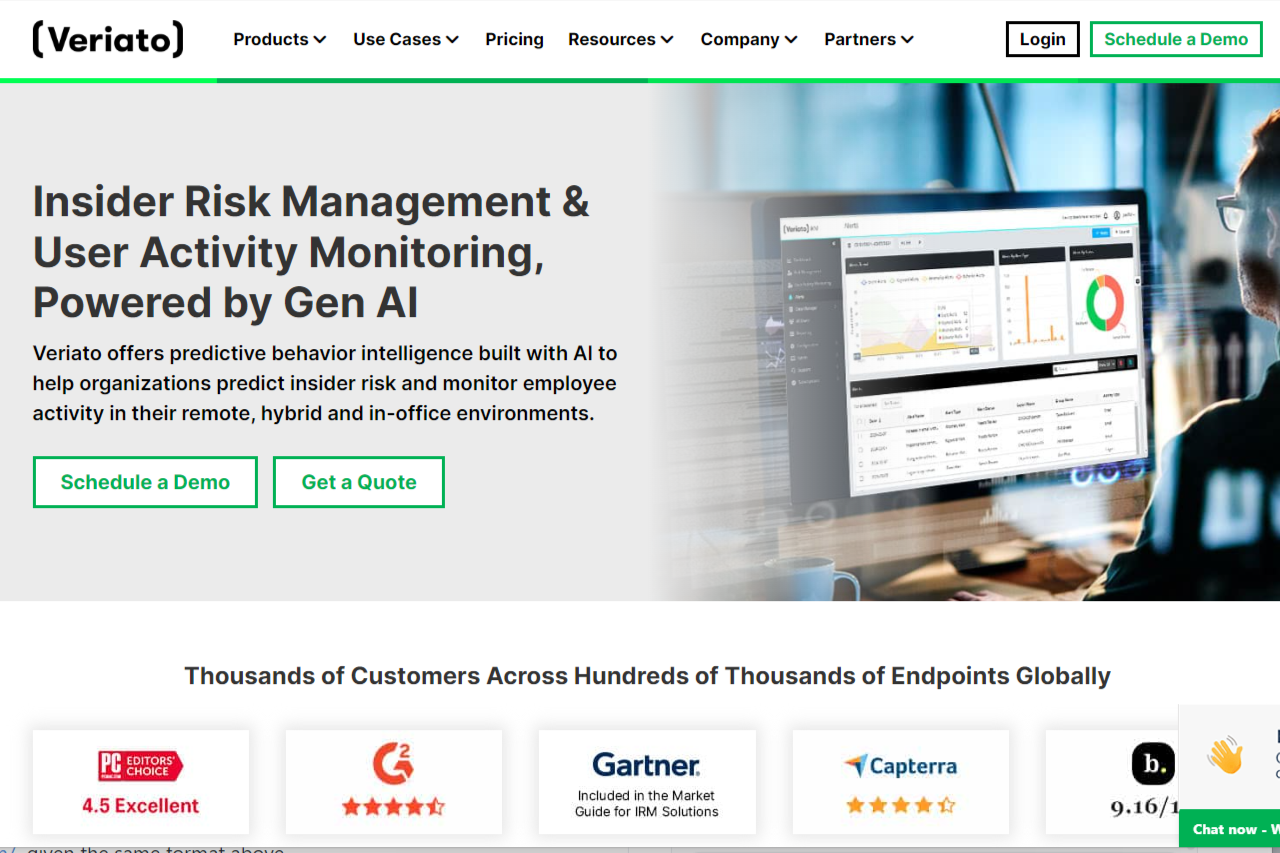
Veriato offers comprehensive employee monitoring and insider threat detection solutions, making it a valuable asset for organizations concerned with data security and employee productivity. With its advanced features and intuitive interface, Veriato provides businesses with insights into employee behavior, helping to identify potential risks and improve operational efficiency. From real-time activity monitoring to behavior analytics and incident response, Veriato equips organizations with the tools needed to protect sensitive data and mitigate insider threats effectively.
🔒 Enhanced Security Features: Robust security measures ensure data protection and prevent unauthorized access.
📊 Detailed Analytics: Provides in-depth insights into employee behavior and productivity patterns.
🔄 Customizable Policies: Allows organizations to tailor monitoring policies according to their specific requirements.
🌐 Integration Capabilities: Seamless integration with various platforms for enhanced functionality.
Cons:
💲 Pricing: Some users may find the pricing plans relatively higher compared to competitors.
📉 Learning Curve: New users may experience a learning curve while familiarizing themselves with the platform’s features.
⚙️ Limited Customization: Customization options may be somewhat restricted compared to other monitoring solutions.
📖 About Veriato
Established as a leader in employee monitoring solutions, Veriato aims to provide organizations with robust tools to monitor and manage employee activities effectively. With a focus on security, productivity, and compliance, Veriato offers a comprehensive suite of features to meet the diverse needs of modern businesses.
🗓️ How Veriato Works
Visit Veriato Website: Navigate to the Veriato website to begin the signup process.
Explore Pricing Plans: Choose a plan that aligns with your organization’s needs and budget.
Create an Account: Provide necessary details to create your Veriato account, including email and password.
Complete Setup: Configure your monitoring policies and preferences to tailor Veriato to your organization.
Install Veriato Software: Install Veriato software on employee devices to start monitoring employee activity.
Customize Monitoring: Customize monitoring parameters and alerts according to your organization’s requirements.
Monitor in Real-Time: Access real-time insights into employee activities, productivity, and behavior.
Analyze Reports: Utilize detailed reports and analytics to gain valuable insights and make informed decisions.
Ensure Compliance: Ensure compliance with regulatory requirements and internal policies using Veriato’s monitoring capabilities.
💲 Pricing Overview
Veriato offers a range of pricing plans tailored to accommodate different business sizes and needs. From basic plans for small businesses to advanced solutions for enterprises, Veriato provides flexible options to meet diverse requirements.
Starter Plan: Ideal for small businesses or individual professionals seeking basic monitoring capabilities.
Professional Plan: Designed for medium-sized businesses and teams requiring advanced monitoring features.
Enterprise Plan: Suited for large enterprises requiring scalable monitoring solutions with advanced customization and support.
🥊 Competition
Veriato vs. ActivTrak
Pros of Veriato:
Advanced Employee Monitoring
Enhanced Security Features
Detailed Analytics
Customizable Policies
Integration Capabilities
Cons of Veriato:
Relatively Higher Pricing
Learning Curve
Limited Customization
📌 Conclusion
Veriato emerges as a robust employee monitoring solution, offering a comprehensive set of features to enhance productivity, security, and compliance within organizations. With its advanced monitoring capabilities and customizable options, Veriato is an ideal choice for businesses looking to optimize employee performance and mitigate risks effectively.
“Enhance Your Organization’s Productivity and Security with Veriato.”
Teramind stands as a comprehensive employee monitoring solution, offering advanced features tailored to meet the needs of businesses of all sizes. With its robust functionality and intuitive interface, Teramind provides effective monitoring solutions across various industries and organizational requirements.
✅ Pros & ❌ Cons
Pros:
🔍 Detailed Activity Monitoring: Teramind provides detailed insights into employee activities, including application usage, website visits, and productivity metrics.
🛠️ User-Friendly Interface: The platform offers an intuitive dashboard and easy-to-navigate tools, making it simple for administrators to manage employee monitoring efficiently.
🔄 Integration Capabilities: Teramind seamlessly integrates with various systems and applications, enhancing its functionality and adaptability within existing workflows.
🔒 Advanced Security Features: The platform prioritizes data security with robust encryption and access controls, ensuring sensitive information remains protected.
Cons:
💲 Pricing: Some users may find Teramind’s pricing plans relatively higher compared to competitors, especially for small businesses or organizations with budget constraints.
📉 Learning Curve: New users may experience a learning curve while familiarizing themselves with Teramind’s features and functionalities, requiring adequate training for effective utilization.
📚 Limited Customization: Customization options may be somewhat restricted in certain areas compared to other employee monitoring tools, limiting flexibility for specific use cases or preferences.
📖 About Teramind
Teramind is a leading employee monitoring and insider threat detection platform designed to enhance productivity, protect sensitive data, and mitigate risks within organizations. With its robust suite of features, Teramind empowers businesses to monitor employee activity, analyze user behavior, and enforce security policies effectively.
Key Features:
Employee Monitoring: Gain real-time visibility into employee activities, including application usage, website visits, and keystrokes.
Insider Threat Detection: Detect and prevent insider threats by monitoring employee behavior patterns and identifying suspicious activities.
Productivity Analysis: Track employee productivity metrics, analyze work patterns, and identify areas for improvement.
Data Loss Prevention (DLP): Protect sensitive data by monitoring file transfers, email communications, and printing activities.
User Behavior Analytics: Utilize advanced analytics to identify anomalies, detect potential security risks, and mitigate insider threats.
Remote User Monitoring: Monitor remote employees’ activities, ensuring security and productivity across distributed work environments.
Comprehensive Process
Teramind operates through a comprehensive process designed to monitor employee activities, analyze user behavior, and enforce security policies effectively:
Installation: Deploy Teramind’s monitoring agents on employees’ devices, including desktops, laptops, and servers.
Configuration: Customize monitoring settings and security policies based on organizational requirements and compliance standards.
Activity Monitoring: Capture detailed information about user activities, including application usage, website visits, email communications, file transfers, and more.
Behavior Analysis: Utilize advanced analytics to analyze user behavior patterns, detect anomalies, and identify potential insider threats.
Policy Enforcement: Enforce security policies, prevent unauthorized activities, and mitigate risks by monitoring and controlling user actions in real-time.
Alerting and Reporting: Receive alerts for suspicious activities, policy violations, and security incidents, and generate comprehensive reports to gain insights into employee productivity and behavior.
Incident Response: Respond to security incidents promptly, investigate potential threats, and take necessary actions to mitigate risks and protect sensitive data.
Teramind’s seamless integration, intuitive interface, and advanced features make it a preferred choice for businesses seeking comprehensive employee monitoring and insider threat detection solutions.
🗓️ Getting Started with Teramind
Teramind offers a seamless onboarding process to help organizations effectively deploy and configure its employee monitoring and insider threat detection platform:
Visit the Teramind Website: Navigate to the official Teramind website at https://www.teramind.co/ to initiate the signup process.
Explore Features: Take a tour of Teramind’s features and capabilities to understand how it can benefit your organization in enhancing productivity, protecting sensitive data, and mitigating insider threats.
Choose a Plan: Explore the available pricing plans and select the one that best aligns with your organization’s requirements and budget. Teramind offers flexible pricing options tailored to businesses of all sizes.
Create an Account: Provide your email address, company name, and other required information to create your Teramind account. Ensure that you choose a strong password to secure your account.
Verify Email: Check your email inbox for a verification email from Teramind. Click on the verification link provided in the email to verify your account and complete the signup process.
Login to Dashboard: Once your account is verified, log in to the Teramind dashboard using your credentials. You’ll gain access to the centralized dashboard from where you can manage your Teramind account and configure monitoring settings.
Install Monitoring Agents: Download the Teramind monitoring agents and install them on the devices you want to monitor, including desktops, laptops, servers, and other endpoints used by your employees.
Customize Monitoring Policies: Configure monitoring policies and security settings based on your organization’s requirements, compliance standards, and security policies. Define parameters for monitoring employee activities, detecting insider threats, and preventing data breaches.
Monitor Employee Activities: Start monitoring employee activities in real-time, including application usage, website visits, email communications, file transfers, and more. Gain insights into employee productivity, behavior patterns, and potential security risks.
Analyze User Behavior: Utilize Teramind’s advanced analytics to analyze user behavior, detect anomalies, and identify potential insider threats. Leverage behavior-based alerts and notifications to proactively mitigate security risks and protect sensitive data.
Enforce Security Policies: Enforce security policies and compliance regulations to prevent unauthorized activities, ensure data privacy, and maintain regulatory compliance. Utilize Teramind’s policy enforcement features to control user actions and enforce security measures effectively.
Generate Reports: Generate comprehensive reports to gain insights into employee productivity, behavior trends, and security incidents. Customize reports based on specific metrics, timelines, and organizational requirements to facilitate informed decision-making and compliance reporting.
Teramind’s intuitive interface, seamless deployment process, and comprehensive features make it a preferred choice for organizations seeking robust employee monitoring and insider threat detection solutions.
Integration Capabilities – Seamless integration with various platforms
Advanced Security Features – Advanced security measures
Cons:
Relatively higher pricing for some users – Pricing may not be suitable for small businesses
Learning curve for new users – Complexity may require training for effective utilization
Limited customization options – Customization may require technical expertise
📌 Conclusion
Teramind emerges as a powerful employee monitoring solution, offering a comprehensive suite of features to enhance productivity, security, and compliance within organizations. With its intuitive interface, advanced functionalities, and commitment to data security, Teramind is an ideal choice for businesses seeking effective employee monitoring solutions.
“Empower Your Organization with Teramind’s Advanced Monitoring Capabilities.”
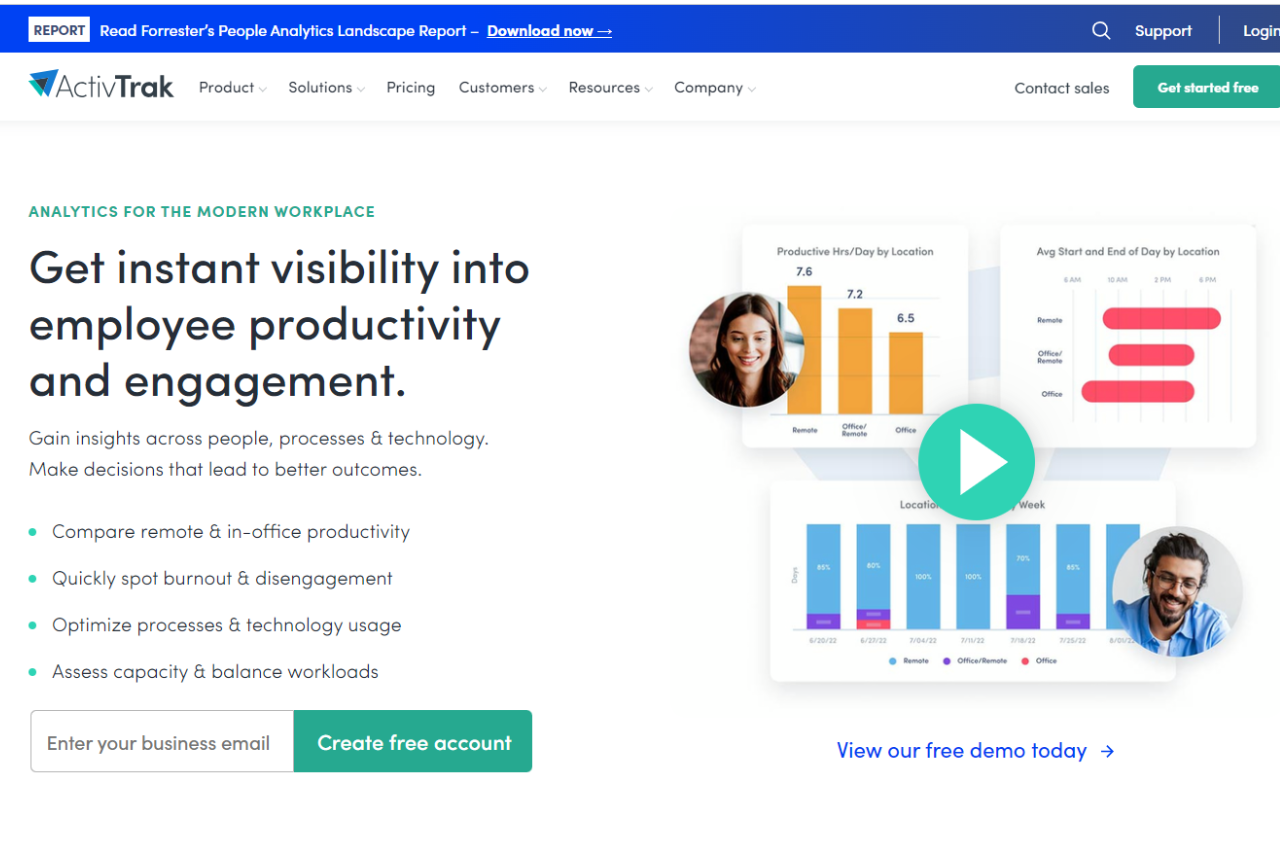
ActivTrak earns our top recommendation as a comprehensive workforce productivity solution, providing businesses with powerful insights into employee activities and productivity levels. With its intuitive interface, extensive feature set, and robust security measures, ActivTrak stands out as a versatile tool suitable for businesses of all sizes.
🔒 Data Security: Ensures data security and privacy compliance with advanced security measures.
📈 Productivity Optimization: Enables businesses to identify areas for improvement and optimize workflows for increased efficiency.
🛠️ User-Friendly Interface: Features an intuitive dashboard for easy navigation and access to key analytics.
🌐 Integration Capabilities: Integrates seamlessly with various platforms and tools for enhanced functionality.
Cons:
💲 Pricing: Some users may find the pricing plans relatively higher compared to competitors.
⚙️ Learning Curve: New users may require time to familiarize themselves with all features and functionalities.
🔐 Limited Customization: Customization options may be somewhat restricted compared to other monitoring solutions.
📖 About ActivTrak
ActivTrak is a leading workforce productivity and analytics software designed to empower businesses with insights into employee activities. With its comprehensive feature set and user-friendly interface, ActivTrak helps businesses optimize productivity and streamline workflows.
🗓️ How It Works
Signing Up for ActivTrak:
Visit the ActivTrak website to begin the signup process.
Choose a plan that aligns with your business needs, whether it’s for small teams or enterprise-level solutions.
Create an account by providing necessary details and customizing settings according to your preferences.
Install the ActivTrak agent on your employees’ devices to start monitoring activities.
Exploring Features:
Gain access to detailed analytics and reports on employee productivity and efficiency.
Customize settings to tailor monitoring and alerts based on specific requirements.
Utilize integrations with other tools and platforms to enhance functionality and workflow optimization.
Optimizing Productivity:
Analyze data to identify trends and patterns in employee behavior and productivity.
Implement strategies to improve efficiency and address any areas of concern.
Leverage insights to make informed decisions and drive business growth.
💲 Pricing Overview
🌟 Pricing Tiers
Free:
Cost: $0 per user/month
Basic visibility into productivity and working hours for small teams
Data History: 30 Days
Included features:
Activity Dashboard
Top Applications Report
Top Websites Report
Top Users Report
Working Hours Report
Top Categories Report
Productivity Report
Automated Classification of Websites & Apps Activity
Limited to 3 users
Support: No support plan included
Essentials:
Cost: $10 per user/month billed annually
Employee monitoring capabilities for time tracking, schedule adherence, and auditing
Data History: 6 months
Everything in Free plus:
Real-time activity reports
Team productivity pulse
Productivity classification by groups & category
Automated user management
Single sign-on
Activity alerts & notifications
Website Blocking
USB device & file transfer detection
Remote install
Support: Digital support included with all paid subscriptions
Professional:
Cost: $17 per user/month billed annually
Optimize team productivity, performance, engagement & workforce planning
Data History: 12 months
Everything in Essentials plus:
Remote vs. in-office productivity analysis
Dashboards for executives & managers
Productivity goal setting & tracking
Team & individual productivity benchmarks
Workload balance & burnout risk analysis
Capacity & Headcount planning
Work efficiency & focus insights
Inefficiency and distraction analysis
AI-powered productivity Coach
Personal insights dashboard for employees
Technology & AI usage
Before-and-after analysis & A/B testing
Email subscriptions and sharing
Support: Digital support included with all paid subscriptions
Enterprise:
Designed for large organizations to maximize productivity & workforce planning in a custom solution
Data History: 24 months
A comprehensive suite of functionality and features designed for large organizations, including enterprise licensing and dedicated Signature Support
🥊 Competition
ActivTrak
Teramind
Pros
Pros
Detailed activity monitoring
Comprehensive activity tracking
User-friendly interface
Advanced security measures
Integration capabilities
Detailed productivity analytics
Cons
Cons
Relatively higher pricing for some users
Pricing may not be suitable for small businesses
Learning curve for new users
Complexity may require training for effective utilization
Limited customization options
Customization may require technical expertise
📌 Conclusion
ActivTrak emerges as a robust workforce productivity solution, offering comprehensive monitoring and analytics tools to empower businesses with valuable insights. With its user-friendly interface, integration capabilities, and detailed analytics, ActivTrak is an ideal choice for businesses seeking to optimize productivity and drive growth.
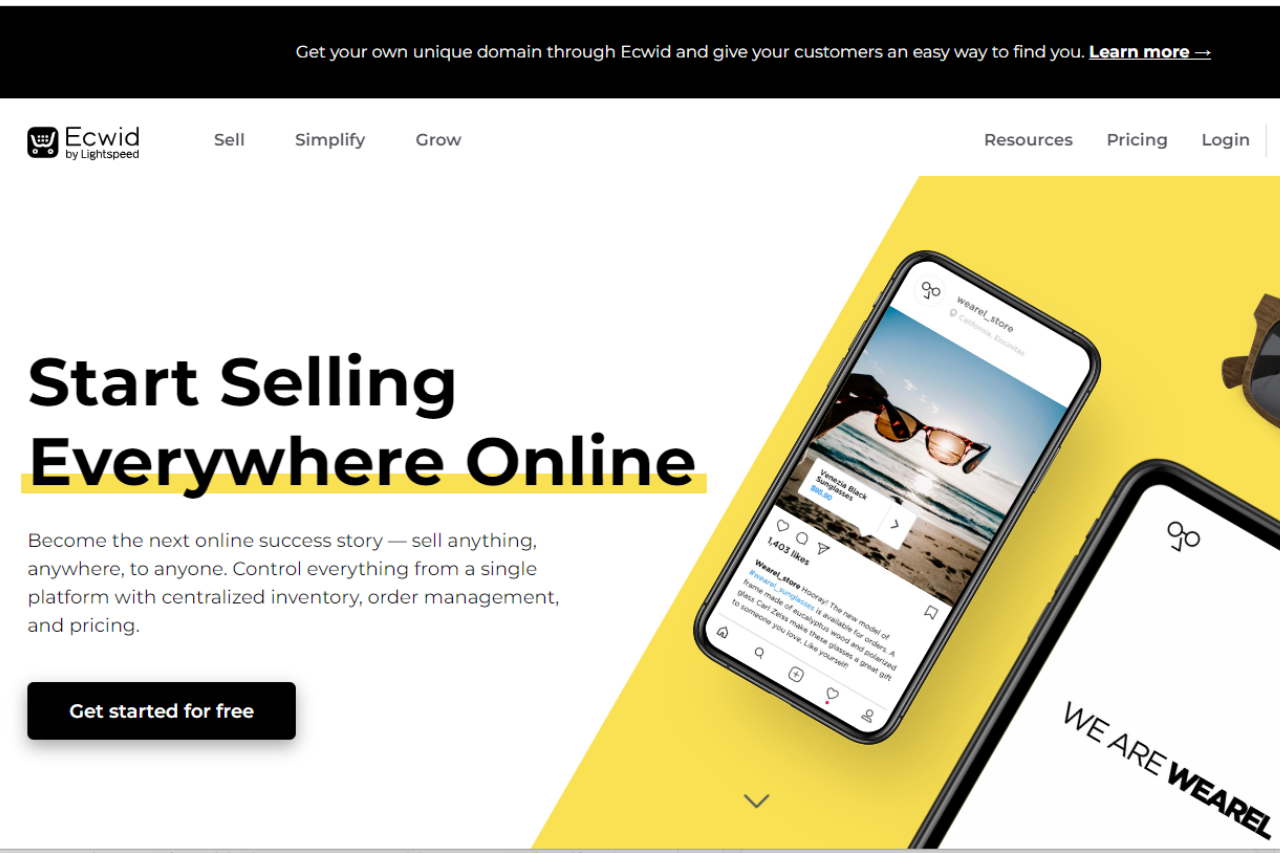
Ecwid offers a robust e-commerce platform suitable for businesses of all sizes. With its user-friendly interface and extensive feature set, it provides a seamless online selling experience.
✅ Pros & ❌ Cons
Pros:
🛒 Easy Setup: Setting up an online store with Ecwid is quick and straightforward.
🔄 Scalability: Ecwid scales with your business, offering solutions for small businesses to large enterprises.
💳 Payment Options: Provides a variety of payment options, including credit cards, PayPal, and more.
🌍 International Reach: Supports multiple languages and currencies, enabling global expansion.
📱 Mobile-Friendly: Ensures a smooth shopping experience for customers on mobile devices.
Cons:
💲 Pricing: Some users may find the pricing plans relatively higher compared to competitors.
📈 Limited Customization: Customization options may be somewhat restricted compared to other e-commerce platforms.
📊 Advanced Features: Advanced features may require higher-priced plans, limiting accessibility for smaller businesses.
📖 About Ecwid
Established as a leading e-commerce solution, Ecwid aims to simplify online selling for businesses worldwide. Its intuitive platform and comprehensive feature set make it a preferred choice for creating and managing online stores.
🗓️ How It Works
Ecwid simplifies the process of setting up and managing an online store, making it accessible for businesses of all sizes. Here’s a step-by-step guide on how Ecwid works:
1. Sign Up:
Visit the Ecwid website and sign up for an account.
Provide your email address and create a password to get started.
2. Set Up Your Store:
Once signed up, you’ll be guided through the process of setting up your online store.
Customize your store’s appearance by choosing a theme that matches your brand identity.
Add your products by uploading images, descriptions, and prices.
3. Customize Your Store:
Tailor your store to your preferences by adjusting settings such as shipping options, tax rates, and payment gateways.
Utilize Ecwid’s drag-and-drop editor to personalize your storefront and create a unique shopping experience for your customers.
4. Add Products:
Easily add products to your store by uploading product images, descriptions, and prices.
Organize your products into categories and subcategories for easy navigation.
5. Manage Orders:
Keep track of your orders and manage them efficiently using Ecwid’s order management system.
Receive notifications for new orders and process them seamlessly.
6. Expand Your Reach:
Utilize Ecwid’s multi-channel selling capabilities to reach customers across various platforms, including social media and marketplaces.
Integrate your store with platforms like Facebook, Instagram, and Amazon to expand your reach and increase sales.
7. Grow Your Business:
Take advantage of Ecwid’s marketing tools and analytics to gain insights into your customers’ behavior and preferences.
Utilize promotional features such as discounts, coupons, and email marketing to attract and retain customers.
8. Provide Support:
Ecwid offers comprehensive support resources, including help articles, tutorials, and a community forum, to assist you in managing your online store effectively.
Reach out to Ecwid’s customer support team for personalized assistance and guidance whenever needed.
9. Stay Updated:
Ecwid continuously updates its platform with new features and enhancements to ensure that your online store remains competitive and up-to-date.
With Ecwid, setting up and managing an online store is made simple, allowing you to focus on growing your business and providing excellent service to your customers.
💲 Pricing Overview
🌟 Pricing Tiers
Start selling for free:
Access Ecwid’s Free Plan Forever to launch your business at no cost.
Create a store for free and get started with your online business journey.
Upgrade whenever:
Seamlessly upgrade your plan whenever you’re ready to access more features and resources.
Pricing Plans:
Free:
Cost: $0
Features:
Easy online store launch.
Create a store for free.
Venture:
Cost: $21/mo (Billed annually) or $25 month-to-month
Features:
Up to 100 products + egoods.
Sell on Instagram & Facebook.
Mobile store management app.
Live Chat Support.
Access to App Market.
Automated tax calculations.
Discount coupons.
Customize checkout.
Built-in Domains.
Advanced reports.
Business:
Cost: $39/mo (Billed annually) or $45 month-to-month
Features:
Everything in Venture plus:
Up to 2500 products.
Sell on marketplaces.
Sell subscriptions.
Staff accounts (2).
Phone Support.
Abandoned cart saver.
Wholesale prices.
Multi-lingual store.
Advanced discounting.
Unlimited:
Cost: $89/mo (Billed annually) or $105 month-to-month
Features:
Everything in Business plus:
Unlimited products.
Sell via branded mobile app.
Sell in-person (POS integration).
Unlimited Staff accounts.
Priority Support.
🥊 Competition
Ecwid vs. Shopify
Ecwid
Shopify
Pros
– Easy setup
– Extensive customization options
– Scalability
– Robust app ecosystem
– Variety of payment options
– Powerful marketing tools
Cons
– Limited customization
– Higher pricing for advanced features
– Higher pricing for some users
– Steeper learning curve
📌 Conclusion
Ecwid emerges as a reliable e-commerce solution, offering a seamless online selling experience for businesses of all sizes. While it may have some limitations in customization and pricing, its ease of use and scalability make it a valuable asset for online retailers.
“Unlock Your Online Selling Potential with Ecwid.”
This website uses cookies to ensure you get the best experience on our website. Surfing the website you are authorizing the use of cookies.
Privacy & Cookies Policy
Privacy Overview
This website uses cookies to improve your experience while you navigate through the website. Out of these cookies, the cookies that are categorized as necessary are stored on your browser as they are essential for the working of basic functionalities of the website. We also use third-party cookies that help us analyze and understand how you use this website. These cookies will be stored in your browser only with your consent. You also have the option to opt-out of these cookies. But opting out of some of these cookies may have an effect on your browsing experience.
Necessary cookies are absolutely essential for the website to function properly. This category only includes cookies that ensures basic functionalities and security features of the website. These cookies do not store any personal information.
Any cookies that may not be particularly necessary for the website to function and is used specifically to collect user personal data via analytics, ads, other embedded contents are termed as non-necessary cookies. It is mandatory to procure user consent prior to running these cookies on your website.