Voila Norbert: Mastering Email Verification and Lead Enrichment

🏆 Our Verdict

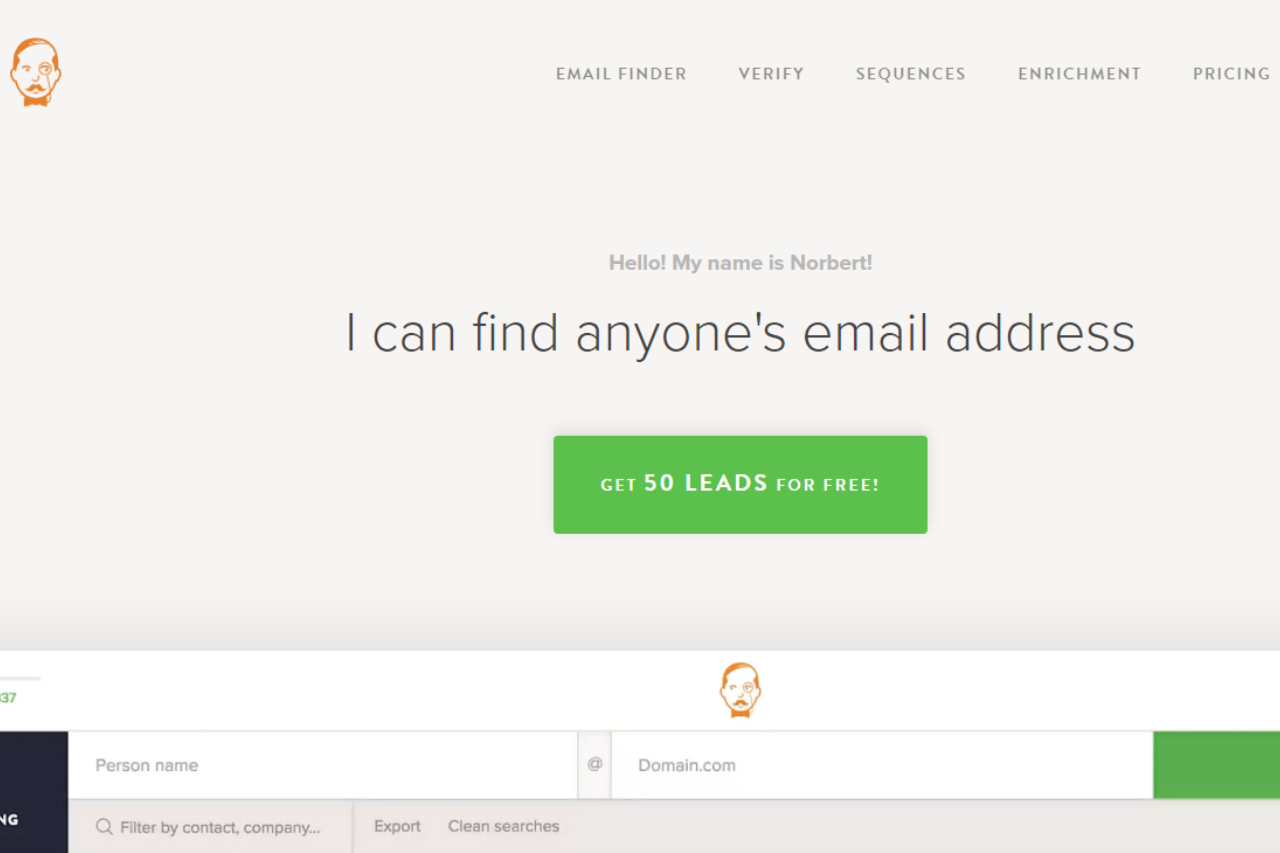
Voila Norbert stands out as an efficient email verification and lead enrichment tool, designed to help businesses accurately identify and reach their target audience with minimal effort.

Pros & ❌ Cons

Pros:

  • 📧 Accurate Email Verification: Voila Norbert provides high accuracy in verifying email addresses, reducing bounce rates and ensuring better email deliverability.
  • 🔍 Lead Enrichment: The tool offers lead enrichment features, allowing users to gather additional information about their leads for more personalized outreach.
  • 💼 User-Friendly Interface: Its intuitive interface makes it easy to use, even for those who are not tech-savvy.
  • 🔗 Integration: Seamlessly integrates with popular CRM and marketing tools to streamline workflows.

Cons:

  • 💲 Pricing: Some users may find Voila Norbert’s pricing plans to be on the higher side compared to other email verification tools.
  • 🛠️ Limited Features: While strong in email verification and lead enrichment, it may lack some advanced features available in more comprehensive platforms.
  • 🔒 Data Security: Concerns about data privacy and security may arise for some users due to the nature of lead enrichment.

📖 About Voila Norbert

Voila Norbert specializes in email verification and lead enrichment, providing businesses with the tools needed to ensure accurate and efficient communication with potential clients.

🗓️ How It Works

  1. Sign Up: Visit the Voila Norbert website and create an account.
  2. Choose a Plan: Select the pricing plan that fits your needs.
  3. Upload Data: Upload your list of email addresses or leads.
  4. Verify Emails: Use the email verification feature to check the validity of addresses.
  5. Enrich Leads: Apply lead enrichment to gather additional information about your leads.
  6. Integrate: Connect with CRM and marketing tools to integrate your enriched leads.

💲 Pricing Overview

Voila Norbert offers various pricing plans to accommodate different business sizes and needs.

Valet Plan:

  • Price: $49 per month (billed monthly) / $39 per month (billed annually)
  • Features:
    • Up to 1,000 leads/month
    • Unlimited team members
    • Bulk & API usage included
    • Credit rollover

Butler Plan:

  • Price: $99 per month (billed monthly) / $79 per month (billed annually)
  • Features:
    • Up to 5,000 leads/month
    • Unlimited team members
    • Bulk & API usage included
    • Credit rollover

Advisor Plan:

  • Price: $249 per month (billed monthly) / $199 per month (billed annually)
  • Features:
    • Up to 15,000 leads/month
    • Unlimited team members
    • Bulk & API usage included
    • Credit rollover

Counselor Plan:

  • Price: $499 per month (billed monthly) / $399 per month (billed annually)
  • Features:
    • Up to 50,000 leads/month
    • Unlimited team members
    • Bulk & API usage included
    • Credit rollover

For more detailed information, visit the Voila Norbert Pricing Page.

🥊 Competition

Voila NorbertHunter
ProsPros
– Accurate email verification– Comprehensive email verification
– Lead enrichment features– Extensive lead generation tools
– User-friendly interface– Integration with multiple platforms
– Seamless integrations– Advanced search filters
ConsCons
– Higher pricing plans– Limited email verification accuracy
– Limited advanced features– Less focus on lead enrichment
– Data security concerns– Higher cost for premium features

📌 Conclusion

Voila Norbert excels as a specialized tool for email verification and lead enrichment. Its accuracy, user-friendly interface, and integration capabilities make it a strong choice for businesses looking to improve their email outreach and lead management.

Voila Norbert: Elevate Your Lead Management with Confidence
Clay: Revolutionizing Your CRM Experience

🏆 Our Verdict

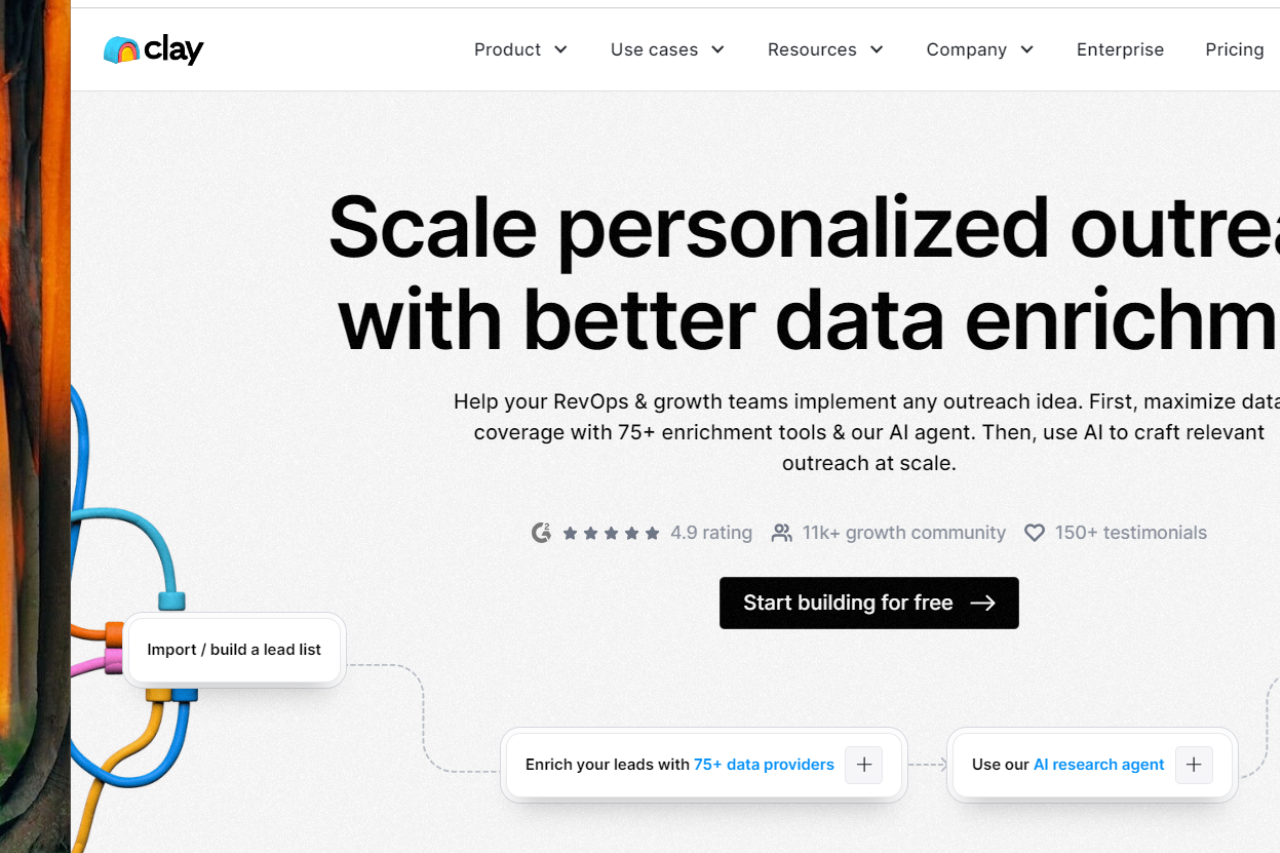
Clay stands out as a modern CRM solution that excels in streamlining customer relationship management with its intuitive design and robust feature set. It caters to businesses looking for a sophisticated yet user-friendly tool to enhance their customer engagement and data management.

Pros & ❌ Cons

Pros:

  • 🔍 Customizable CRM Tools: Clay offers flexible CRM tools that can be tailored to fit specific business needs, providing a personalized experience.
  • 🧩 Integration Capabilities: The platform integrates seamlessly with various other tools and services, enhancing overall workflow efficiency.
  • 📊 Data Management: Clay excels in managing and visualizing customer data, helping businesses gain valuable insights and make informed decisions.
  • 🚀 User-Friendly Interface: The platform features a clean, intuitive interface that makes it easy for users to navigate and utilize its functionalities.

Cons:

  • 💲 Pricing: Some users might find Clay’s pricing plans on the higher side, particularly for advanced features and larger teams.
  • 🤔 Learning Curve: New users might experience a slight learning curve as they familiarize themselves with the platform’s more advanced features.
  • 🔒 Limited Customization: While customizable, some users may find that the extent of personalization available is limited compared to other CRM solutions.

📖 About Clay

Clay is an innovative CRM platform designed to simplify and enhance customer relationship management for businesses. It provides powerful tools for managing customer data, integrating with other systems, and improving overall business efficiency.

🗓️ How It Works

  1. Sign Up: Visit the Clay website and create an account.
  2. Choose a Plan: Select the pricing plan that best aligns with your business needs and budget.
  3. Set Up Your Account: Input necessary details about your business and customer management goals.
  4. Integrate Tools: Connect Clay with other platforms and services you use.
  5. Manage Data: Use Clay’s tools to organize and analyze customer data.
  6. Monitor Performance: Track key metrics and performance indicators to refine your CRM strategies.

💲 Pricing Overview

Clay offers flexible pricing plans to cater to different user needs. Below is a detailed overview of their pricing:

Starter Plan:

  • Price: $20 per user/month (billed annually)
  • Features:
    • 10,000 Contacts
    • 2,500 Monthly Enrichments
    • API Access
    • Unlimited Workflows
    • Email Support

Professional Plan:

  • Price: $60 per user/month (billed annually)
  • Features:
    • Everything in Starter Plan
    • 50,000 Contacts
    • 10,000 Monthly Enrichments
    • Custom Branding
    • Priority Email Support
    • Premium Integrations

Business Plan:

  • Price: Custom pricing (contact sales)
  • Features:
    • Everything in Professional Plan
    • Unlimited Contacts
    • Unlimited Monthly Enrichments
    • Dedicated Account Manager
    • Custom Solutions and Integrations
    • Phone Support

For more detailed information and to request a personalized quote, visit the Clay Pricing Page.

🥊 Competition

FeatureClayHubSpot
Pros
Customizable CRM ToolsTailored to specific needsExtensive CRM features
Integration CapabilitiesSeamless with other toolsWide range of integrations
Data ManagementAdvanced data visualizationComprehensive data insights
User-Friendly InterfaceIntuitive designEasy to navigate
Cons
PricingHigher for advanced featuresCan be expensive at higher tiers
Learning CurveSlight learning curveComplexity for beginners
Limited CustomizationSome restrictionsExtensive customization options

📌 Conclusion

Clay emerges as a powerful CRM solution for businesses seeking to enhance their customer relationship management with a modern, user-friendly platform. Its integration capabilities, data management tools, and customizable features make it a standout choice.

Clay: Your Next-Gen CRM Solution

Unlocking Lusha: A Deep Dive Review

🏆 Our Verdict

Lusha stands out as a powerful lead generation tool, offering comprehensive solutions tailored to businesses of all sizes. With its user-friendly interface and robust feature set, it provides efficient data enrichment and contact information solutions for various industries and needs.

✅ Pros & ❌ Cons

Pros:

  • 🔍 Extensive Data Enrichment: Lusha provides access to a vast database for enriching contact information.
  • 📊 Advanced Lead Generation: Offers robust lead generation capabilities with accurate and up-to-date data.
  • 🚀 User-Friendly Interface: Intuitive platform design facilitates easy navigation and usage.
  • 🔗 Seamless Integration: Integrates smoothly with existing CRM and marketing automation platforms for enhanced workflow.
  • 💼 Versatile Solutions: Suitable for businesses of all sizes, from startups to enterprises, catering to diverse needs.

Cons:

  • 💲 Pricing: Some users may find the pricing plans relatively higher compared to competitors.
  • 📉 Learning Curve: New users may experience a learning curve while familiarizing themselves with the platform’s features.
  • 📚 Limited Customization: Customization options may be somewhat restricted in certain areas compared to other lead generation tools.

📖 About Lusha

Established as a leader in the lead generation industry, Lusha aims to revolutionize the way businesses acquire and manage contact information. Its comprehensive feature set and data accuracy make it a preferred choice for businesses looking to streamline their lead generation processes.

🗓️ How It Works

Signing Up for Lusha:

  1. Visit the Lusha website to begin the signup process.
  2. Choose a suitable plan based on your business requirements and budget.
  3. Create an account by providing your email address and creating a password.
  4. Complete the setup process by entering your business information and preferences.
  5. Integrate Lusha with your existing CRM or marketing automation platform for seamless data enrichment and lead generation.

Exploring Features:

  1. Explore the extensive database of contacts and companies available on Lusha.
  2. Utilize the advanced search filters to target specific leads based on criteria such as industry, location, and job title.
  3. Enhance your lead generation efforts with accurate and up-to-date contact information.
  4. Integrate Lusha seamlessly into your existing workflow to maximize productivity and efficiency.

💲 Pricing Overview

Pricing Tiers:

Lusha offers a range of pricing plans tailored to different business needs and scales. From basic plans for individual professionals to advanced solutions for teams and enterprises, there’s an option for everyone.

  • Free Tools Overview: Lusha provides essential lead generation tools in its free offering, including limited access to contact information and data enrichment capabilities.
  • Starter Plans: Ideal for individual professionals or small businesses seeking basic lead generation capabilities.
  • Professional Plans: Designed for medium-sized businesses and teams looking for more advanced lead generation solutions.
  • Enterprise Plans: Suited for large businesses and enterprises requiring scalable lead generation solutions with advanced customization and support.

🥊 Competition

LushaZoomInfo
Pros:
– Extensive data enrichment– Extensive database of contacts
– Advanced lead generation– Robust search filters for precise targeting
– User-friendly interface– Comprehensive analytics and insights
– Seamless integration– Seamless integration with CRM and marketing platforms
– Versatile solutions– Extensive third-party integrations
Cons:
– Relatively higher pricing– Higher pricing for some users
– Learning curve for new users– Learning curve for new users
– Limited customization– Limited customization compared to competitors

📌 Conclusion

Lusha emerges as a leading solution for businesses seeking efficient and accurate lead generation tools. With its extensive database, advanced features, and seamless integration capabilities, it offers a comprehensive suite of solutions to meet the diverse needs of modern businesses.

“Empower Your Business with Lusha’s Cutting-Edge Lead Generation Tools.”

Worldpay: Revolutionizing Payment Processing

🏆 Our Verdict

Worldpay stands out as a leading payment processing solution, offering versatile tools suitable for businesses of all sizes. With its intuitive interface and extensive feature set, it provides seamless payment processing solutions across various industries and needs.

✅ Pros & ❌ Cons

Pros:

  • 💳 Diverse Payment Options: Offers a wide range of payment options, including credit cards, debit cards, and alternative payment methods.
  • 🌐 Global Reach: Provides international payment processing capabilities, allowing businesses to accept payments from customers worldwide.
  • 🔒 Secure Transactions: Ensures secure transactions through advanced encryption and fraud detection technologies.
  • 📈 Analytics and Insights: Provides detailed analytics and insights to help businesses track sales performance and make data-driven decisions.
  • 🛠️ Customizable Solutions: Offers customizable payment solutions to meet the unique needs of different businesses.

Cons:

  • 💲 Pricing Variability: Pricing plans may vary depending on the size and specific needs of the business, potentially leading to higher costs for some users.
  • 🔄 Integration Complexity: Integrating Worldpay with existing systems or platforms may require technical expertise and could pose challenges for some businesses.
  • 📉 Limited Support: Some users may find the level of customer support provided by Worldpay to be insufficient, especially during peak periods or technical issues.

📖 About Worldpay

Established as a leader in the payment processing industry, Worldpay aims to simplify payment processing for businesses and customers alike. Its user-friendly interface and comprehensive feature set make it a preferred choice for processing payments seamlessly.

🌍 How It Works

Signing Up for Worldpay

  1. Visit the Worldpay Website: Navigate to the Worldpay website to begin the signup process.
  2. Choose a Plan: Explore the available pricing plans and select the one that aligns with your business needs.
  3. Create an Account: Provide your business information and complete the necessary details to create your account.
  4. Integration Setup: Integrate Worldpay with your website or point-of-sale system to start processing payments.
  5. Customize Solutions: Customize your payment processing solutions to reflect your brand and business requirements.
  6. Explore Features: Familiarize yourself with the various features of Worldpay, including payment options, analytics, and security measures.
  7. Start Processing: Begin processing payments from customers, utilizing Worldpay’s user-friendly interface and secure payment processing capabilities.

💲 Pricing Overview

Worldpay offers a range of pricing plans to accommodate different business needs and scales. From basic plans for small businesses to advanced solutions for large enterprises, there’s an option for everyone.

  • Basic Plans: Ideal for small businesses seeking essential payment processing capabilities.
  • Advanced Plans: Designed for medium to large businesses looking for more advanced payment processing solutions with additional features and support options.

🥊 Competition

Worldpay VS PayPal

FeatureWorldpayPayPal
Payment OptionsDiverse payment optionsWide range of payment options
Global ReachGlobal payment processing capabilitiesGlobal payment processing capabilities
Transaction SecuritySecure transactionsSecure transactions
AnalyticsDetailed analytics and insightsDetailed analytics and insights
CustomizationCustomizable payment solutionsCustomizable payment solutions
ConsPricing variability, Integration complexity, Limited supportPricing variability, Integration complexity, Limited support

📌 Conclusion

Worldpay emerges as a reliable payment processing solution, offering a comprehensive suite of features to simplify payment processing for businesses and customers. With its diverse payment options, global reach, and secure transactions, it’s an ideal choice for businesses looking to streamline their payment processes and drive growth.

“Streamline Your Payments with Worldpay.”

Unlocking Growth: A Comprehensive Review of Clearbit’s Data Enrichment Solutions

🏆 Our Verdict

Clearbit shines as a powerful data enrichment solution, offering robust capabilities tailored to businesses of all sizes. With its extensive database and advanced features, Clearbit provides valuable insights to drive sales, marketing, and customer success efforts.

✅ Pros & ❌ Cons

Pros:

🎯 Comprehensive Data Enrichment: Clearbit offers an extensive database enriched with detailed company and contact information, empowering businesses with valuable insights.

🚀 Advanced Features: Clearbit provides a range of advanced features such as lead scoring, segmentation, and predictive analytics to enhance sales and marketing efforts.

🔍 Easy Integration: Clearbit seamlessly integrates with popular CRM and marketing automation platforms, facilitating smooth data synchronization and workflow automation.

📈 Real-Time Updates: With real-time data updates and enrichment, Clearbit ensures that businesses have access to accurate and up-to-date information for their sales and marketing initiatives.

🛠️ Customization Options: Clearbit allows users to tailor data enrichment and segmentation based on their specific business needs, providing flexibility and control.

Cons:

💲 Pricing: Some users may find Clearbit’s pricing plans relatively higher compared to competitors, especially for advanced features and larger datasets.

🔒 Data Privacy: Concerns regarding data privacy and compliance may arise due to the extensive collection and processing of personal and company data.

📖 About Clearbit

Clearbit is a leading provider of data enrichment and intelligence solutions, empowering businesses to better understand their customers, prospects, and markets. With its comprehensive database and advanced features, Clearbit helps businesses drive growth and streamline their sales and marketing processes.

🗓️ How It Works

Signing Up for Clearbit

  1. Visit the Clearbit website: Navigate to the Clearbit website to begin the signup process.
  2. Choose a Plan: Explore the available pricing plans and select the one that aligns with your business needs.
  3. Create an Account: Provide your email address, create a password, and fill in the necessary details to create your account.
  4. Account Setup: Complete the setup process by entering your business information and customizing your data enrichment preferences.
  5. Integration: Integrate Clearbit with your CRM or marketing automation platform to start enriching your data and gaining valuable insights.
  6. Explore Features: Familiarize yourself with Clearbit’s features such as lead enrichment, segmentation, and predictive analytics to optimize your sales and marketing efforts.
  7. Start Enriching Data: Begin enriching your customer and prospect data with Clearbit’s comprehensive database and advanced enrichment capabilities.

💲 Pricing Overview

Pricing Tiers

Clearbit offers a range of pricing plans to accommodate businesses of all sizes and needs. From basic plans suitable for startups to enterprise solutions with advanced features and support, Clearbit provides options for every stage of growth.

✅ Free Trial: Clearbit offers a free trial period for users to explore its features and capabilities before committing to a paid plan.

💼 Starter Plans: Ideal for startups and small businesses looking to enrich their customer and prospect data with basic features and functionality.

🚀 Professional Plans: Designed for growing businesses and teams seeking advanced data enrichment, segmentation, and analytics capabilities.

🏢 Enterprise Plans: Suited for large organizations requiring scalable solutions with custom features, dedicated support, and enterprise-grade security.

🥊 Competition

Clearbit VS ZoomInfo

ClearbitZoomInfo
Advanced featuresAdvanced search functionality
Easy integration with CRMSeamless CRM integration
Real-time data updatesWide range of integration options
Customization optionsCustomization options
ConsRelatively higher pricing, Data privacy concernsHigher pricing for some users, Data privacy concerns

📌 Conclusion

Clearbit emerges as a leading solution for businesses seeking comprehensive data enrichment and intelligence. With its extensive database, advanced features, and flexible pricing options, Clearbit empowers businesses to make smarter decisions, drive growth, and achieve their goals.

“Unlock the Power of Data with Clearbit.”

Related read: Clearbit enriches records with firmographic detail, which suits B2B pipelines. Consumer brands chasing repeat purchase usually want behavioural data instead, and the RetentionX customer-data platform is built for that shape of question.

DiscoverOrg: Your Ultimate Sales Intelligence Solution

🏆 Our Verdict

After thorough analysis and evaluation, we conclude that DiscoverOrg stands as a formidable leader in the realm of sales intelligence solutions. With its comprehensive database coverage, detailed company insights, and seamless integration capabilities, DiscoverOrg offers unparalleled value to businesses aiming to elevate their sales and marketing strategies. While some users may find the pricing plans relatively higher compared to competitors, the platform’s robust features and actionable insights make it a worthy investment for organizations seeking to drive growth and maximize their sales efforts.

✅ Pros & ❌ Cons

Pros:

  • 🎯 Extensive Data Coverage: Comprehensive database covering various industries and regions.
  • 📊 Detailed Company Insights: Provides in-depth company profiles and analytics for effective targeting.
  • 🔎 Advanced Search Functionality: Powerful search filters for precise lead identification.
  • 📈 Integration Capabilities: Seamlessly integrates with popular CRM platforms for streamlined workflows.

Cons:

  • 💰 Higher Pricing: Some users may find the pricing plans relatively expensive compared to competitors.
  • 📉 Learning Curve: New users might experience a learning curve while navigating the platform’s features.
  • 🌐 Limited Customization: Customization options may be somewhat restricted compared to other sales intelligence tools.

📖 About DiscoverOrg

DiscoverOrg is a leading provider of sales intelligence and data solutions, empowering businesses with accurate and actionable insights to drive their sales and marketing strategies. With a vast database and robust analytics, DiscoverOrg helps companies identify and engage with their target audience effectively.

🗓️ How It Works

DiscoverOrg

  1. Sign Up: Visit the DiscoverOrg website and sign up for an account.
  2. Explore Features: Familiarize yourself with the platform’s features and capabilities.
  3. Search: Utilize advanced search filters to find leads and companies relevant to your business.
  4. Access Insights: Gain access to detailed company profiles, contact information, and organizational hierarchies.
  5. Integrate: Seamlessly integrate DiscoverOrg with your CRM system for enhanced workflow efficiency.
  6. Engage: Utilize the insights gained to tailor your sales and marketing efforts and engage with prospects effectively.

💲 Pricing Overview

DiscoverOrg offers various pricing tiers tailored to meet the needs of businesses of all sizes:

  • Basic Plan: Ideal for individual professionals or small teams.
  • Pro Plan: Designed for medium-sized businesses looking for advanced features.
  • Enterprise Plan: Suited for large enterprises requiring scalable solutions and dedicated support.

🥊 Competition

DiscoverOrg VS ZoomInfo

DiscoverOrgZoomInfo
Pros– Extensive data coverage
– Detailed company profiles
– Integration capabilities
Cons– Higher pricing
– Limited customization

📌 Conclusion

DiscoverOrg emerges as a powerful sales intelligence solution, offering extensive data coverage, detailed insights, and seamless integration capabilities. While pricing may be a consideration for some, the platform’s robust features make it a valuable asset for businesses aiming to drive growth through effective sales and marketing strategies.

“Empower Your Sales Team with DiscoverOrg’s Actionable Insights.”

Adyen: Revolutionizing Payment Processing

🏆 Our Verdict

Adyen stands out as a pioneering payment processing platform, offering innovative solutions to businesses worldwide. With its seamless integration, global reach, and advanced features, Adyen empowers businesses to optimize their payment operations and enhance customer experiences effectively.

Pros & ❌ Cons

Pros:

🌍 Global Reach: Provides access to a wide range of payment methods and currencies, facilitating transactions across multiple countries and regions.

🚀 Seamless Integration: Offers easy integration with various e-commerce platforms and business systems, streamlining the payment process for merchants.

🔒 Security: Prioritizes security with advanced fraud detection and prevention measures, ensuring safe and secure transactions for both businesses and customers.

💼 Business Insights: Delivers valuable insights and analytics to businesses, enabling data-driven decision-making and optimization of payment strategies.

Cons:

💰 Pricing Structure: Pricing may not be transparent and could potentially be higher compared to some competitors.

⚙️ Integration Complexity: Integration with certain platforms or systems may require technical expertise and additional setup time.

📈 Limited Customization: While robust, customization options may be limited compared to some competitors, potentially restricting flexibility for certain businesses.

🌐 About Adyen Founded in 2006, Adyen has emerged as a leading global payment platform, empowering businesses to accept payments and optimize their revenue streams across channels and borders. With its scalable solutions and commitment to innovation, Adyen continues to redefine the payment industry landscape.

🎯 What’s In It For You?

Adyen offers numerous benefits for businesses, including:

  • Global payment processing capabilities for seamless transactions worldwide.
  • Enhanced security features to protect against fraud and ensure compliance with industry standards.
  • Streamlined integration with existing business systems for improved efficiency and workflow automation.
  • Actionable insights and analytics to drive business growth and optimize payment strategies.

🚀 How It Works

Signing Up for Adyen

  1. Visit the Adyen Website
  2. Navigate to the Adyen website.
  3. Locate the sign-up option, typically accessible from the homepage.
  4. Choose a Plan
  5. Review the available plans offered by Adyen, considering your business needs and payment processing requirements.
  6. Select a plan that aligns with your objectives, whether it’s for online, in-store, or omnichannel payments.
  7. Create an Account
  8. Provide the necessary information to create your Adyen account.
  9. Account Verification
  10. Verify your account through the verification process provided by Adyen.
  11. Set Up Your Account
  12. Complete the account setup process by configuring your settings and preferences.
  13. Explore Adyen Features
  14. Familiarize yourself with Adyen’s features, including payment processing, fraud prevention, and analytics capabilities.
  15. Start Utilizing Adyen
  16. Begin leveraging Adyen to accept payments, optimize revenue streams, and enhance customer experiences.

🔗 Helpful Tips

  • Explore Adyen’s documentation and resources to maximize your usage of the platform.
  • Engage with Adyen’s support team and community forums to stay updated on the latest features and best practices.

💲 Adyen Pricing Overview

🌟 Pricing Tiers: Adyen offers customized pricing based on business needs and transaction volumes. Pricing may vary depending on the services and features required by merchants.

🤔 Considerations: Consider the value proposition of Adyen’s pricing relative to your business objectives and budget constraints. Evaluate the scalability and flexibility of Adyen’s solutions to ensure they align with your business growth and evolving payment processing needs.

🥊 Adyen vs. Stripe

FeatureAdyenStripe
Global ReachOffers access to a wide range of payment methods and currencies, facilitating transactions across multiple countries.Provides global payment processing capabilities with support for various payment methods and currencies.
IntegrationOffers seamless integration with various e-commerce platforms and business systems, streamlining the payment process.Provides easy integration with popular e-commerce platforms and developer-friendly APIs for customization.
SecurityPrioritizes security with advanced fraud detection and prevention measures, ensuring safe and secure transactions.Emphasizes security with robust encryption and compliance with industry standards, ensuring data protection.
PricingPricing may not be transparent and could potentially be higher compared to some competitors.Offers transparent pricing with customizable plans and competitive rates, suitable for businesses of all sizes.
CustomizationWhile robust, customization options may be limited compared to some competitors, potentially restricting flexibility.Provides extensive customization options and developer tools, allowing for tailored payment solutions.

📌 Conclusion

Adyen stands as a formidable force in the payment processing industry, offering businesses the tools they need to thrive in today’s digital economy. With its global reach, advanced features, and commitment to security, Adyen continues to redefine the standards of payment innovation.

“Optimize Your Payments with Adyen.”

Zapier: Automating Workflows with Ease and Efficiency

🏆 Our Verdict

Zapier is a leading platform in workflow automation, seamlessly connecting various apps to automate tasks and save valuable time.

✅ Pros & ❌ Cons

Pros:

  • Supports integration with over 3,000 apps.
  • User-friendly interface with easy setup.
  • Free tier available for basic use.

Cons:

  • Complex workflows might require a higher-tier plan.
  • Limited control over timing of automated tasks.
  • Dependency on third-party app’s API stability.

🌐 About Zapier

Zapier, founded in 2011, revolutionizes how we approach task automation by linking different web applications to perform coordinated functions.

🎯 What’s In It For You?

Zapier offers a range of automation solutions, from simple to complex workflows, catering to individual and business needs alike.

🚀 How It Works

Getting Started with Zapier

1️⃣ Visit Zapier’s Website

2️⃣ Create an Account

  • Sign up for a new account using your email, Google, or Facebook credentials.

3️⃣ Explore the Dashboard

  • Familiarize yourself with the Zapier dashboard layout and features.

4️⃣ Choose Apps to Connect

  • Select the apps you want to integrate from Zapier’s vast app directory.

5️⃣ Create Your First ‘Zap’

  • Set up a Zap by choosing a trigger from one app and an action in another.

6️⃣ Customize Your Zap

  • Define specific details for how your Zap will function.

7️⃣ Test Your Zap

  • Run a test to ensure your Zap works as intended.

8️⃣ Activate Your Zap

  • Once tested, activate your Zap to automate your workflow.

📌 Helpful Tips

  • Start with simple Zaps and gradually explore more complex automations.
  • Use the Zapier community and help center for insights and support.

💰 Zapier Pricing Overview

Zapier’s pricing plans include:

  • Free Plan: Ideal for basics of automation with 100 tasks per month, single-step Zaps, and a no-code editor.
  • Starter Plan: $19.99/month, billed annually for 750 tasks per month, multi-step Zaps, filters, and formatter.
  • Professional Plan: $49/month, billed annually for 2,000 tasks per month, unlimited premium apps, and custom logic with paths.
  • Team Plan: $69/month, billed annually for 2,000 tasks per month, unlimited users, and premier support.
  • Company Plan: Custom pricing for advanced admin permissions, SAML single sign-on, and custom data retention.

🥊 Competition

Zapier vs Microsoft Power Automate

Zapier Pros:

  • Broad app integration with over 3,000 apps.
  • User-friendly, no-code interface.
  • Flexible, with simple to complex automation possibilities.

Zapier Cons:

  • Can be expensive for high-volume tasks.
  • Limited deep integration with Microsoft products.
  • Relies on third-party APIs, affecting stability.

Microsoft Power Automate Pros:

  • Deep integration with Microsoft ecosystem.
  • Advanced workflow automation capabilities.
  • Part of Microsoft 365 suite, offering extensive enterprise features.

Microsoft Power Automate Cons:

  • Less intuitive for beginners.
  • Fewer third-party app integrations than Zapier.
  • Potentially complex for simple automation needs.

🔚 Conclusion

Zapier stands out as a versatile and powerful tool for automating tasks across various applications, making it indispensable for individuals and businesses looking to optimize their workflows.

“The easiest way to automate your work.”

ActiveCampaign: Your Comprehensive Email Marketing and Automation Tool

🏆 Our Verdict

ActiveCampaign stands out as an all-in-one solution for email marketing, automation, and CRM, perfect for businesses aiming to optimize customer engagement and marketing efficiency. Its blend of power and user-friendliness makes it a favorite among small to medium-sized businesses.

✅ Pros & ❌ Cons

Pros:

  • Advanced email marketing and automation features.
  • User-friendly interface with a range of templates.
  • Robust CRM capabilities.
  • Affordable pricing for small to medium businesses.

Cons:

  • Can have a steep learning curve for beginners.
  • Limited customization in lower-tier plans.
  • Sometimes complex integrations with third-party services.

🌐 About ActiveCampaign

ActiveCampaign has become a leader in email marketing and CRM solutions. It offers a rich suite of tools designed for effective customer engagement, lead nurturing, and marketing automation.

🎯 What’s In It For You?

ActiveCampaign provides tools for email marketing, automation, CRM, and sales tracking, focusing on increasing conversion rates and personalizing customer interactions.

🚀 How It Works

Getting Started with ActiveCampaign

To start with ActiveCampaign, follow these steps:

  1. Visit ActiveCampaign’s Website: Go to ActiveCampaign’s website and explore the available features and tools.
  2. Sign Up: Click on the ‘Sign Up’ button to create an account.
  3. Choose a Plan: Select a pricing plan that suits your business needs.
  4. Set Up Your Account: Fill in the necessary details to set up your account.
  5. Import Contacts: Import your contact list into the platform.
  6. Create Campaigns: Utilize the platform’s tools to create email marketing campaigns.
  7. Set Up Automations: Implement automation workflows to streamline your marketing process.
  8. Monitor and Optimize: Regularly monitor the performance of your campaigns and optimize them for better results.

📌 Helpful Tips

  • Utilize the platform’s resources and customer support.
  • Explore automation and CRM functionalities to maximize your marketing strategies.

💰 ActiveCampaign Pricing Overview

ActiveCampaign offers various pricing plans for their email marketing and automation services:

  1. Lite Plan: Designed for solopreneurs, includes essential features like email marketing, automation, chat support, forms, and tracking.
  2. Plus Plan: Targeted at small teams, offering additional features such as landing pages, Facebook integrations, lead scoring, and more advanced form options.
  3. Professional Plan: Aimed at teams focusing on marketing optimization, it includes advanced features like predictive sending AI, Salesforce integration, site messages, and attribution reporting.
  4. Enterprise Plan: Suitable for larger organizations seeking personalized marketing at scale, offering custom reporting, custom objects, single sign-on, HIPAA support, and more.

Pricing for each plan varies based on the number of users and contacts, with options for monthly or annual billing.

🥊 Competition

ActiveCampaign vs HubSpot


ActiveCampaign Pros:

  • Superior email marketing and automation capabilities.
  • More affordable pricing, especially for small businesses.
  • User-friendly interface, easier for beginners.

ActiveCampaign Cons:

  • Limited CRM functionality compared to HubSpot.
  • Fewer third-party integrations.
  • Less comprehensive in inbound marketing tools.

HubSpot Pros:

  • All-in-one platform for CRM, marketing, sales, and service.
  • Extensive inbound marketing tools.
  • Stronger CRM capabilities and analytics.

HubSpot Cons:

  • More expensive, particularly for advanced features.
  • Can have a steeper learning curve due to its extensive features.
  • Potentially more than needed for businesses focused solely on email marketing.

These comparisons highlight the platforms’ unique strengths, with ActiveCampaign excelling in email marketing and affordability, while HubSpot offers a more comprehensive suite of tools, especially in CRM and inbound marketing.

🔚 Conclusion

ActiveCampaign is a versatile platform excelling in email marketing, automation, and CRM. It’s particularly effective for small to medium businesses looking to enhance their marketing strategies and customer relations.

“Customer Experience Automation.”

PayPal: Your Go-To for Online Transactions

⚖️ Our Verdict

PayPal stands as a cornerstone in the online payment landscape, renowned for its reliability and ease of use. It caters to a wide range of financial transactions, offering both personal and business solutions. With its global reach, PayPal enables users to engage in cross-border transactions with ease. The platform’s commitment to security and user protection is evident through its sophisticated fraud prevention measures. While it excels in accessibility and trust, users should be mindful of the variable fees for certain services and occasional customer service challenges.

Pros & Cons

Pros: 👍 Widely accepted and trusted worldwide. 👍 User-friendly interface suitable for both personal and business use. 👍 Effective security measures, including fraud protection.

Cons: 👎 Fees for some transactions can be relatively high. 👎 Some users report challenges with customer service.

🌐 About PayPal

PayPal is renowned for its robust online payment system, providing an efficient alternative to traditional methods like checks. It’s designed to facilitate secure money transfers and e-commerce globally.

💡 What’s In It For You?

  • Simplicity: Intuitive and easy to navigate for all users.
  • Security: Strong measures to protect against unauthorized transactions.
  • Flexibility: Versatile for personal and business needs, including invoicing and global currency support.

How to Get Started with PayPal: A Step-by-Step Guide

  1. Sign Up: Visit PayPal’s website and choose the right account type (Personal or Business).
  2. Account Creation: Fill in the necessary details to create your account.
  3. Verify Email: Check your email for a verification link from PayPal.
  4. Link Bank Account or Card: Add a bank account or credit/debit card to your PayPal account.
  5. Verification of Linked Accounts: Verify the linked accounts following PayPal’s instructions.
  6. Start Using PayPal: Begin sending or receiving payments.

💵 Pricing Plans & Support

PayPal’s pricing structure varies based on the account type and transaction:

  1. Personal Accounts: Generally free for sending money from a linked bank account, PayPal balance, or Amex Send account.
  2. Credit/Debit Card Transactions: Fees incurred for sending money via credit or debit cards.
  3. Business Accounts: Charges for receiving payments for goods and services.
  4. Cross-border Fees: Additional fees for international transactions.
  5. Currency Conversion: Fees for converting currencies during transactions.

🥊 PayPal vs. Stripe

PayPal shines with its widespread recognition and ease of use for personal transactions. Stripe, on the other hand, offers lower transaction fees and more customization for business users, making it a strong alternative for e-commerce.