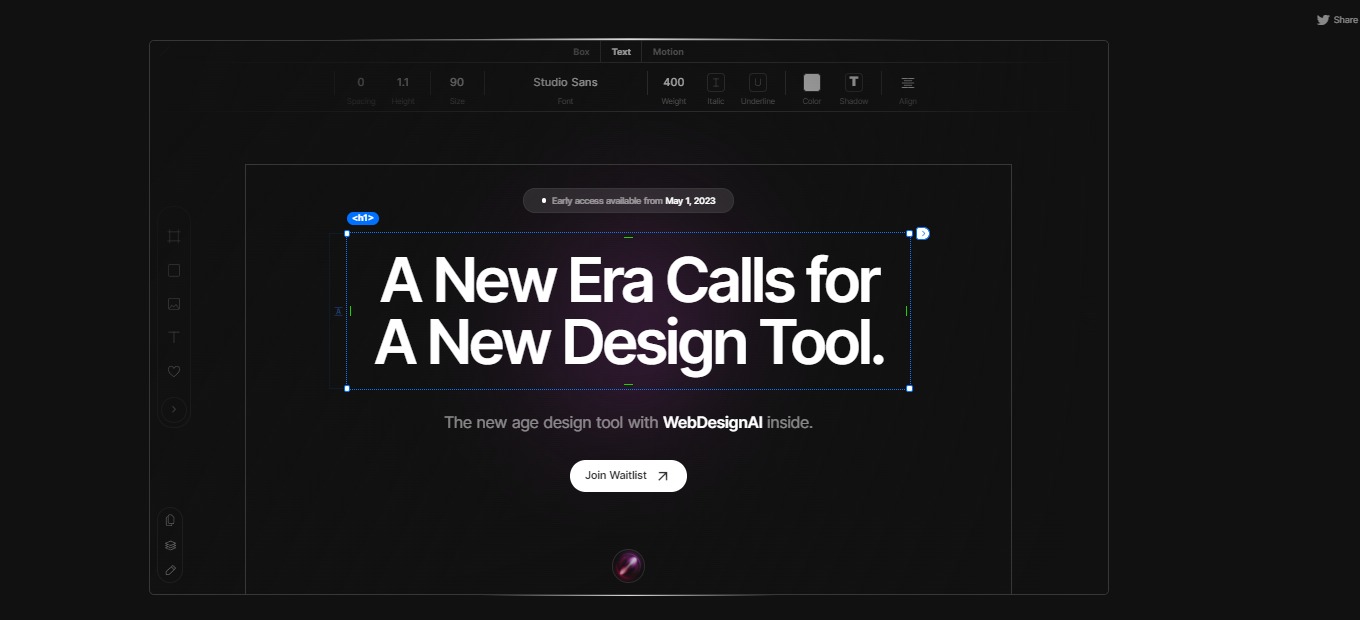
Studio Design: The new age design tool with WebDesignAI inside.

βš–οΈ Our Verdict

Studio Design offers a wide range of design services that cater to the needs of individuals, small businesses, and large corporations. Their portfolio showcases a diverse range of projects that demonstrate their expertise in graphic design, branding, website design, and other creative services.

The company’s personalized approach to each project ensures that they understand their clients’ needs and objectives, which allows them to create customized solutions that are both visually appealing and effective in achieving their clients’ goals. Their attention to detail and commitment to delivering high-quality results is evident in their work and is further emphasized by the positive testimonials from their satisfied clients.

πŸ‘ ProsπŸ‘Ž Cons
πŸ‘Wide range of design services
πŸ‘Incredible UX & UI
πŸ‘High-quality results
πŸ‘Great customer service
πŸ‘Ž 

🌟 About Studio Design

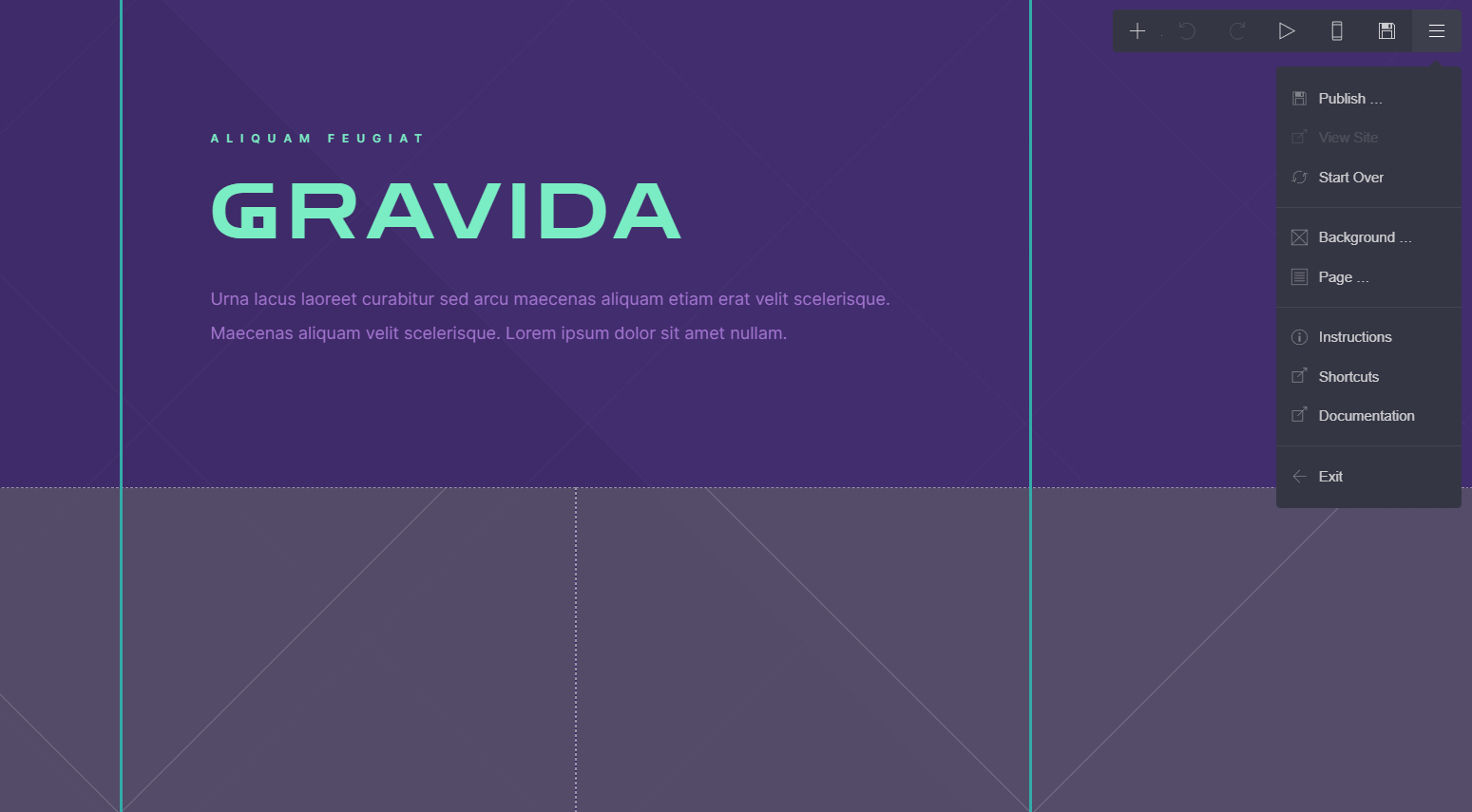
The freeform Design Editor offered by this Studio Design is an innovative tool that provides users with an unparalleled level of design flexibility and control.Β 

The editor is designed to be simple and intuitive, while also packing a powerful punch of features that enable users to create stunning website designs that are truly unique.

🎁 What’s In It For You? 

One of the key strengths of this Design Editor is its precise timing of style and effect controls. The controls are meticulously timed to appear exactly when users need them, right where their cursor is. This feature saves users time and effort, allowing them to focus on their design vision and bringing it to life in a seamless and effortless way.

Another major advantage of the Design Editor by Studio Design is its ease of use. Despite its powerful features, the editor feels incredibly simple to use, making it accessible to users of all skill levels. The intuitive design and user-friendly interface make it easy for even novice designers to create professional-quality website designs with ease.

Perhaps most impressively, the Design Editor enables users to turn their site designs into an actual website with just one click. There is no need for rebuilding or handoffs, and absolutely no coding is required. This feature makes it easy for users to bring their designs to life and start sharing their content with the world in no time.

πŸ–₯️ How Does It Work?

  1. Go to the Studio Design website
  1. Join their waitlist by providing your email address and your name
  1. Click β€œJoin Now”
  2. Wait for the confirmation email.

πŸ’² Pricing Plans & Support

As of the moment, Studio Design is free for everyone. All you have to do is join the Waitlist so you can be one of the first ones to try it out.

πŸ“ The Competition

πŸ‘ ProsπŸ‘Ž Cons
πŸ‘Powerful visual design interface
πŸ‘Built-in features and integrationsΒ 
πŸ‘Robust hosting and deployment options
πŸ‘Ž Learning curve for beginners
πŸ‘Ž High premium plan pricing

The new age design tool with WebDesignAI inside is Studio Design.

Carrd.co – Simple, free, fully responsive one-page sites for pretty much anything

βš–οΈ Our Verdict

Carrd.co is a popular website builder that allows users to create simple, elegant, and mobile-friendly websites without any coding knowledge. It provides a wide range of templates, customization options, and integrations that make it easy for users to create professional-looking websites quickly and easily.

Carrd.co is a reliable and easy-to-use website builder that can help users create attractive and functional websites.Β 

πŸ‘ ProsπŸ‘Ž Cons
πŸ‘ User-friendly interface
πŸ‘ Affordable pricing
πŸ‘ Responsive design
πŸ‘ Good customer support
πŸ‘ Customization options
πŸ‘Ž Limited integrations
πŸ‘Ž No SEO optimiztion

🌟 About Carrd.Co

Carrd.co is a website builder platform that was created by AJ, a software developer based in Chicago, Illinois, USA. The platform was first launched in 2016, with the goal of providing users with a simple and affordable way to create one-page websites.

Since its launch, Carrd.co has grown in popularity, attracting users from around the world. The platform has expanded its offerings to include more customization options, integrations, and features, while still maintaining its commitment to simplicity and affordability.

Today, Carrd.co has become a go-to platform for individuals and small businesses looking to create a professional-looking website quickly and easily, without the need for any coding skills. With its user-friendly interface and affordable pricing, Carrd.co continues to attract new users and maintain its position as one of the top website builders in the market.

🎁 What’s In It For You? 

  • Ease of use: Carrd.co is designed to be user-friendly, with a simple drag-and-drop interface that makes it easy for anyone to create a website, regardless of their level of technical expertise.
  • Affordability: Carrd.co offers a range of pricing plans, including a free plan and affordable premium plans, making it accessible to a wide range of users.
  • Customization options: With Carrd.co, you can choose from a range of templates and customize them to suit your needs, including font styles, color schemes, and layout options.
  • Mobile optimization: All websites created on Carrd.co are optimized for mobile devices, ensuring that your site looks great and functions seamlessly on any device.
  • Good customer support: Carrd.co provides excellent customer support, with fast response times and helpful resources, including a knowledge base and community forum.
  • Quick setup: Carrd.co enables you to create a website quickly, allowing you to launch your website in a matter of minutes.
  • Security and reliability: Carrd.co takes security seriously, ensuring that all websites are secure and reliable, with regular backups and SSL encryption.

Overall, using Carrd.co can help you to create a professional-looking website quickly and easily, with a range of customization options and affordable pricing plans.

πŸ–₯️ How Does It Work?

Here’s a step-by-step guide on how to use Carrd.co to create your website:

  1. Create an account: Go to the Carrd.co website and click on the “Sign Up” button. Enter your email address and password to create an account.
  1. Choose a template: Once you’ve signed up, choose a template from the options available. Carrd.co offers a range of templates to choose from, including options for portfolios, business websites, and personal websites.
  1. Customize your template: Once you’ve selected a template, you can start customizing it to suit your needs. You can change the text, images, and layout of the template to create a unique look for your website.
  1. Add sections: Carrd.co allows you to add sections to your website, such as an “About” section, a “Contact” section, or a “Services” section. You can add these sections by clicking on the “Add Section” button and selecting the type of section you want to add.
  1. Configure settings: Once you’ve customized your template and added your sections, you can configure the settings for your website. This includes things like your website title, description, and favicon.
  1. Publish your website: When you’re happy with your website, you can publish it by clicking on the “Publish” button. Carrd.co will give you a unique URL for your website, which you can share with others.
  1. Upgrade to a premium plan (optional): If you want to access additional features, such as custom domains, more templates, and third-party integrations, you can upgrade to a premium plan by clicking on the “Upgrade” button and selecting the plan that best suits your needs.

That’s it! By following these steps, you can create a professional-looking website quickly and easily using Carrd.co.

πŸ’² Pricing Plans & Support

πŸ’Ž Free – $0/Month

γ€° Excellent features for free

πŸ’Ž Pro – $19//year

Get access to Pro-exclusive features like:

γ€° Custom domains

γ€° More sites

γ€° Forms

γ€° Widgets + Embeds

γ€° Google Analytics

γ€° No Branding

πŸ“ The Competition

πŸ‘ ProsπŸ‘Ž Cons
πŸ‘ Templates
πŸ‘ Advance customization options
πŸ‘ Wide range of features
πŸ‘Ž More complex
πŸ‘Ž More expensive

Create simple, free, fully-responsive on page sites with Carrd.co

Jitter: 1.0 A fast and simple animation tool on the web

βš–οΈ Our Verdict

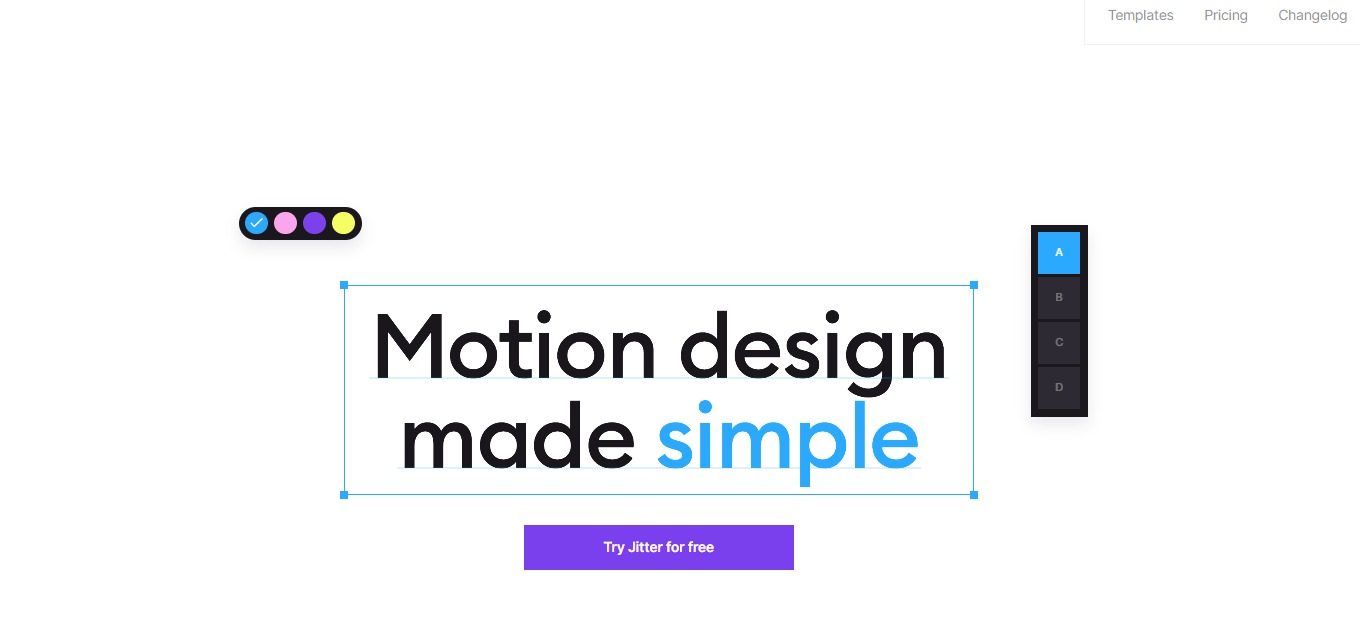
Jitter is a motion design tool that runs in the browser. Its straightforward design is ideal for a beginner who wants to work fast without having to learn new software in depth. Not only for beginners but, it is best used by any content creator who wishes to create simple animations. 

Jitter may revolutionize the way you produce videos, whether you use the available templates or create them from scratch. It’s an extremely useful tool to add to your arsenal, and it won’t take long to master but will yield spectacular results.

In summary, it’s an easy-to-use, simple, and one of the best tools for creating simple animated content.

πŸ‘ ProsπŸ‘Ž Cons
πŸ‘ Create motion designs and interfaces quickly
πŸ‘ Collaboration feature
πŸ‘ Works in browser
πŸ‘ Animation presets
πŸ‘ Integrate designs from different tools
πŸ‘Ž Lacks other animations
πŸ‘Ž Basic animations
πŸ‘Ž Lacks community and more templatesΒ 

🌟 About Jitter

Jitter is a web-based motion design tool that is quick and easy to use, and substantially aids users in creating animations based on their needs. It’s similar to Figma, but for animations. You can effortlessly create gorgeous animations for your videos, sites, applications, social media, content, and more.Β 

Jitter is the simplest and fastest tool for users to develop animated content and interfaces. It is a tool for designers that runs in the browser, making working with Product and Marketing teams easier. 

Jitter is a simple tool that is easy to use even if you have no experience with motion design. It simplifies the process of animation, motion design, and creating LottieFiles. Other tools make such processes challenging and time-consuming. With Jitter, you won’t have problems since it has an easy-to-use UI, simple procedures, and excellent outcomes.

🎁 What’s In It For You?

Jitter allows editors to quickly create visually appealing animated content and interfaces. It allows you to focus on the substance rather than the editing and animation. Because of extensions, Jitter undoubtedly makes processes go more smoothly. 

Jitter lets you animate your content within seconds; get started easily and produce better content. This application gives you authority over everything as you have full creative control; customize all the content and build your brand. What’s amazing is that you can work with your team to produce better content and explore ideas creatively.Β 

Furthermore, this tool offers animation presets letting you edit everything with a click. Jitter is also integrated with major editing tools such as Figma, Sketch, and Adobe, making you work seamlessly. Lastly, you can export your quality content in 4K video, GIF, and Lottie files!

πŸ–₯️ How Does It Work?

  1. Select a template.
  1. Double-click on an element to edit its properties on the right side. Type in the textbox what you want to show on your animation. 
  1. Drag the element to move its position.
  1. Change the format of your material on the right side of the interface.
  1. Add elements from the top of the interface. 
  1. Click an element then select the animation button on the right side. Select the animation preset that you like.
  1. Export to your preferred format.

πŸ’² Pricing Plans & Support

Jitter is the single tool to animate all your content. Choose the pricing plan that will fit you best.

πŸ’Ž Personal – $0/Month

This awesome pricing plan is free!

γ€° Unlimited files

γ€° Export video, GIF, and Lottie

γ€° 720p, 30fps

γ€° Import from Figma

γ€° Animation templates and presets

πŸ’Ž Pro – $18/Month

This awesome pricing plan is only $18 per month!

γ€° Unlimited files

γ€° Export video, GIF, and Lottie

γ€° 720p, 30fps

γ€° Import from Figma

γ€° Animation templates and presets

γ€° Remove watermark

γ€° HD export (4K, 120fps)

γ€° Transparent background export

γ€° Priority support

πŸ“ The Competition

πŸ‘ ProsπŸ‘Ž Cons
πŸ‘ Has all the capabilities of motion graphics, visual effects, etc.
πŸ‘ Advanced features
πŸ‘ Lots of features and can install plugins
πŸ‘Ž Time-consuming
πŸ‘Ž Paid application
πŸ‘Ž Learning curve

Get a fast and simple animation tool on the web with Jitter!

TeleportHQ: Powerful website builder to create, publish & export code

βš–οΈ Our Verdict

TeleportHQ is a front-end design tool that enables you to construct and produce quality websites without having to know how to code. It is a sophisticated visual builder that allows you to quickly design and publish headless static websites. By creating a Figma design in TeleportHQ, you can accelerate your front-end development workflow.

TeleportHQ assists dedicated data scientists, developers, and designers that use developer tools in reaching their goals. It is beneficial to businesses, developers, and creatives alike. The execution is entirely dependent on AI and intelligent automated systems. It offers a simple visual builder and the potential to publish production-ready code faster than ever before, making it a popular choice among its users.

All in all, it is an easy-to-use, functional, and complete tool to develop, collaborate, and host beautifully created websites!

πŸ‘ ProsπŸ‘Ž Cons
πŸ‘ Build landing pages
πŸ‘ Manage websites
πŸ‘ Requires minimal coding experience
πŸ‘ Available professional templates
πŸ‘ Good support
πŸ‘Ž Need CSS knowledge
πŸ‘Ž Has bugs
πŸ‘Ž Limited supported languages and frameworks

🌟 About TeleportHQ

TeleportHQ is minimal-code development software that enables you to use a drag-and-drop editor to construct and publish static web pages. TeleportHQ is a cutting-edge website creation software that allows you to generate a quality prototype. Furthermore, TeleportHQ lets you build real-time code depending on your chosen target platforms and access the UI platform with a single click.

TeleportHQ develops technologies centered on visual creation, supplemented with AI technology, adaptable between platforms and scripts, and common UI languages. Furthermore, with the growing complexity of building user interfaces for mobile and online platforms, it integrates team management. It is also compatible with open-source tools such as the REPL environment, code generators, and data visualization inspector.

🎁 What’s In It For You?

The drag-and-drop visual editor in TeleportHQ makes it simple to create and develop static web pages in just a few clicks. You may completely alter any design element on your canvas to get the desired appearance and feel for each webpage. You’ll be able to construct working prototypes and evaluate sites before they go live, ensuring that the final output is error-free.

TeleportHQ’s collaborative code editor enables developers to work in real-time while creating new components or editing existing ones without exiting the platform. Keep a streamlined workflow by instantly seeing who is working on what. You may also share projects with various parties to keep them updated. 

TeleportHQ also allows you to look through several site themes or utilize your Figma files. You can store personal components to reuse in future projects in any case. You’ll also be able to view your mobile-friendly website in real-time, ensuring consistency across platforms. 

TeleportHQ generates code for your overall project, including Figma imports and customized components! If you’re a web developer, you may immediately save the HTML or CSS code to continue to operate on it within your workspace. Exporting production-ready code will be possible in nine JavaScript frameworks, including React, Next, and Gatsby.

πŸ–₯️ How Does It Work?

  1. Start building from scratch or use a template.
  1. Preview a template and click β€˜start building’.
  1. Drag and drop the elements and change the images in the editor.
  1. Change view styles and the design will be responsive.
  1. Share to collaborate
  1. Use the toolbar on the left side of the interface to edit the content. The elements may be customized using the right toolbar.
  1. Generate the code by clicking on the upper right button.
  1. Publish on your custom domain or the TeleportHQ domain.

πŸ’² Pricing Plans & Support

TeleportHQ offers a transparent and flexible pricing plan for all design needs.

πŸ’Ž Free – €0/Month

This fantastic deal for everything you need to get started is free!

γ€° 3 projects

γ€° Unlimited collaborators

γ€° Real-time collaboration

γ€° Free ready-made templates

γ€° Free code export

γ€° Community support

πŸ’Ž Professional – €15/Month

This fantastic deal for teams and individuals that need to collaborate on complex projects is only €15 per month!

γ€° Everything in free plan

γ€° Unlimited projects

γ€° Unlimited view-only collaborators

γ€° Shared components library

γ€° Upload videos

γ€° Private projects

γ€° Dedicated customer support

γ€° Professional hosting

πŸ“ The Competition

πŸ‘ ProsπŸ‘Ž Cons
πŸ‘ Great and simple websites
πŸ‘ Pre-made elements
πŸ‘ Drag and drop
πŸ‘ No-code
πŸ‘ Intuitive to use
πŸ‘Ž Limited styling options
πŸ‘Ž Less language compatibility

Get a powerful website builder to create, publish & export code with TeleportHQ.

Daftpage: Next-gen website builder for makers

βš–οΈ Our Verdict

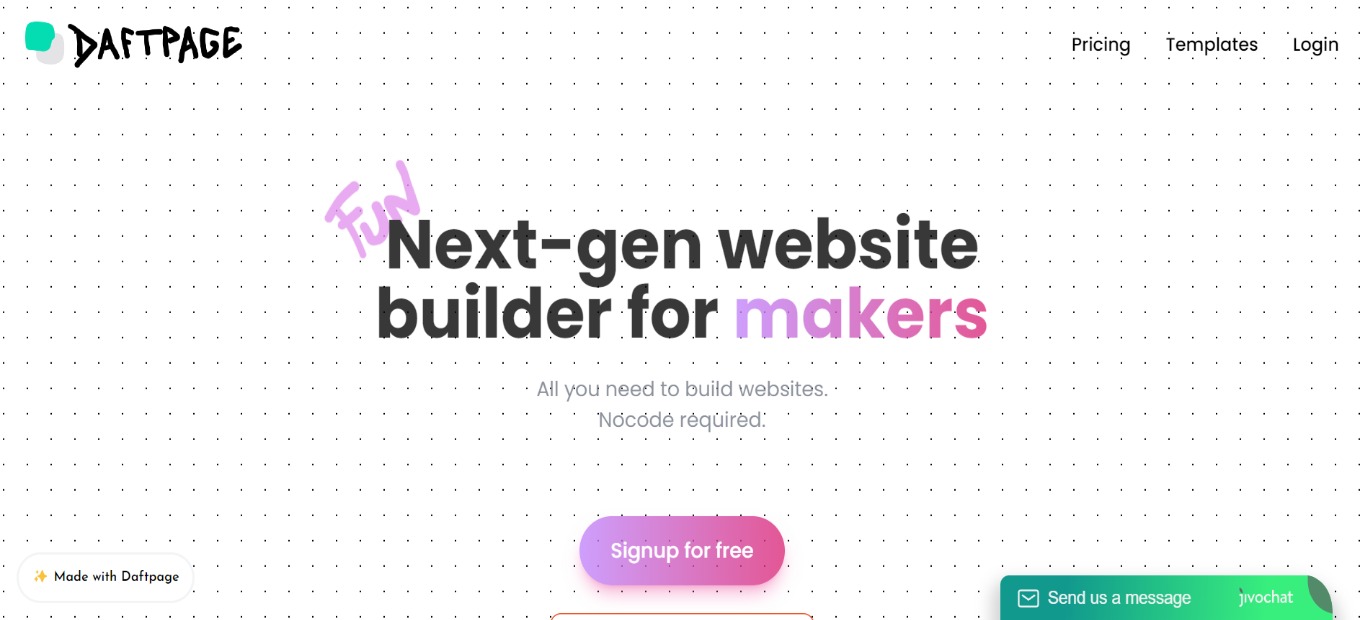
Daftpage is a simple yet powerful website builder that allows you to construct and host amazing websites on a budget. Other website builders exist out there but they either cost more or are hard to learn. This app is the easiest way to create fun and successful pages in a matter of minutes.

It is made for makers as it can be used to create landing pages for a business. It can also function as a blogging and knowledge base platform for individuals. And lastly, Daftpage can be used as a marketplace to sell your products!

All in all, it’s a fun-to-use, simple, and amazing tool for creating your own websites effortlessly without code!

πŸ‘ ProsπŸ‘Ž Cons
πŸ‘ Create landing pages in a short time
πŸ‘ Good roadmap
πŸ‘ Intuitive and simple to use
πŸ‘ Unlimited sites, blog posts, domains
πŸ‘ No-code
πŸ‘Ž Has bugsΒ 
πŸ‘Ž Website is sometimes down
πŸ‘Ž Lacks server in Europe

🌟 About Daftpage

There are countless landing page builders in the market that are expensive and have a learning curve. Daftpage is not one of them. This app is the quickest method to create engaging and successful landing pages in a short amount of time. It is a new type of site builder that functions similarly to a word doc. 

Beautiful websites/blogs/knowledge bases may be created in minutes and for free! As webpage components, it uses ‘blocks.’ Blocks are meant to strike the proper mix between use and customization, ensuring that your page always looks amazing!Β 

All of the amazing features make Daftpage the next-gen website builder for makers and no-coders!

🎁 What’s In It For You?

Daftpage features a no-code site builder that offers a simple and powerful interface. It allows you to drag and drop to create beautiful layouts. Daftpage also lets you start from multiple pre-made templates.

Daftpage lets you use the color gradient, animations, etc. all in a single click! It also allows you to utilize drops, which are drag and drop elements that can be placed anywhere on the webpage. Additionally, Daftpage allows you to draw inside your webpage.

Furthermore, Daftpage lets you use the different modes such as Ghost mode which lets you easily manipulate drops, Skeleton mode which helps you see the grid of the page, directory mode, and dark mode.

Even though Daftpage is a no-code site builder, it also lets you use your own code in creating your website! Lastly, Daftpage lets you bring your data inside and use integrations such as Notion, Airtable, Google Sheets, and others. You can use Daftpage as your front-end!

πŸ–₯️ How Does It Work?

  1. Create a new site and name it. Select typography but you can change it later.
  1. Click on an element, and the editor will appear on the left side of the screen. Here you can change the layout and the general appearance of the element.
  1. Click add block then select what you want to add.
  1. Change the settings of a block by clicking on it. 
  1. The drop button lets you place a GIF on your website.

πŸ’² Pricing Plans & Support

Daftpage allows you to create an unlimited number of websites, with a free plan included!

πŸ’Ž Free – $0/Month

This essential plan is for free!

γ€° Unlimited websites

γ€° Unlimited pages

γ€° Unlimited traffic

γ€° Free hosting

γ€° Free Daftpage Subdomain

γ€° Automatic HTTPS via Let’s Encrypt

γ€° Draftpage Branding

πŸ’Ž Premium – $29/Month

This upgraded plan is only $29 per month!

γ€° Unlimited websites

γ€° Unlimited custom domains

γ€° Custom code integration

γ€° Remove Daftpage branding

γ€° Unlimited traffic

γ€° Unlimited pages

γ€° Hosting

γ€° Free Daftpage Subdomain

γ€° Automatic HTTPS (via Let’s Encrypt)

πŸ“ The Competition

πŸ‘ ProsπŸ‘Ž Cons
πŸ‘ Product design tool
πŸ‘ Good for making prototypes
πŸ‘ Automatically publish changes on web
πŸ‘ Good UI
πŸ‘Ž Big learning curve
πŸ‘Ž Has bugs

Try the next-gen website builder for makers with Daftpage!

Framer: Design and publish websites faster than ever before

βš–οΈ Our Verdict

Framer is a one-stop-shop for teams to design all parts of the product experience. From the start, it includes some really interesting advanced features such as magic motion animation, live inputs, complex interactions, and interactive components.

It has several uses, including marketing, freelancing, prototyping, and organization. Anyone, from individuals to large organizations and enterprises, can utilize Framer.

All in all, it’s an efficient, easy-to-use, and fun application for website designing and deployment.Β 

πŸ‘ ProsπŸ‘Ž Cons
πŸ‘ Deploy webpages instantly
πŸ‘ Easy to use
πŸ‘ Many components and integrations
πŸ‘ Good UI and UX
πŸ‘Ž Shortcuts need improvement
πŸ‘Ž Has bugs
πŸ‘Ž Editor is slightly constrained

🌟 About Framer

Framer is an immersive website design and prototyping tool. It is particularly adept at creating full marketing sites, landing pages, internet campaigns, and much more. It helps with every step of the process, from visual mockups to interactive prototypes, but its unique selling point is publishing right from the canvas.

It features speed because you can develop and deploy sites instantly, it empowers everyone to design and ship sites, and it allows anybody to make great websites. Framer is also expandable and comprehensive, making website creation enjoyable and efficient!

🎁 What’s In It For You?

Framer removes complicated workflows by allowing you to design and publish them instantly. With Framer, you will not rebuild your designs again from scratch. All that you put on your canvas can be readily published. Framer additionally includes different templates to kickstart your project.

This application simplifies your stack without depending on front-end services. The need for engineers to get involved will not be the case on Framer. Additionally, you do not need to wait for your builds to finish; just hit publish and get it live in a matter of seconds.

Framer lets you utilize the blazing fast application with world-class hosting. It enables you to create stunning designs even with your team in real-time. Framer also allows you to document easily. The components inside the app make it easy to build rich documents around. With that, you can save time, money, and effort on unnecessary integrations.

πŸ–₯️ How Does It Work?

  1. The left-hand side allows you to drag and drop pre-made components.
  1. The right-hand side shows the property panel which allows you to customize and style layers and components.
  1. Click insert to see the overview of the web pages, layer panel, and project assets. Click the β€˜new web page’ button to create a page from scratch. You can also duplicate an existing page by right-clicking on a certain page.
  1. Click on the upper right of the canvas to create a breakpoint.
  1. Select the layer and click the arrow to add a link to a page.
  1. Click the upper-left side of the canvass for the preview. 
framer

πŸ’² Pricing Plans & Support

Framer offers different pricing plans that scale with your site’s needs. 

πŸ’Ž Free – $0/Month

This basic deal is for free!

γ€° Design editor

γ€° Publish to framer.app

γ€° 1 GB bandwidth

γ€° 100 CMS items

γ€° 1000 visitors

γ€° Banner

πŸ’Ž Basic – $15/Month

This amazing deal is only $15 per month!

γ€° Everything on free

γ€° Custom domain

γ€° Password protect

γ€° 10 GB bandwidth

γ€° 1,000 CMS items

γ€° 10,000 visitors

γ€° Basic CDN

πŸ’Ž Pro – $25/month

This amazing deal is only $25 per month!

γ€° Everything on free and basic

γ€° Site staging

γ€° Visitor analytics

γ€° 100 GB bandwidth

γ€° 10,000 CMS items

γ€° 100,000 visitors

γ€° Global CDN

πŸ’Ž Premium – $75/month

This amazing deal is only $75 per month!

γ€° Everything on free, basic, and pro

γ€° Premium support

γ€° 30 day version history

γ€° 500 GB bandwidth

γ€° 50,000 CMS items

γ€° 500,000 visitors

γ€° Premium CDN

πŸ“ The Competition

πŸ‘ ProsπŸ‘Ž Cons
πŸ‘ Has transparency, flexibility, and scalability
πŸ‘ Contain basic requirements of web design
πŸ‘ Drag and drop app builder
πŸ‘Ž Additional costsπŸ‘Ž Less range of services

Design and publish websites faster than ever before with Framer!

Softr 2.0: Build Web Apps & Portals From Airtable, No Code Required

βš–οΈ Our Verdict

Users with little design or coding experience may use this program to create attractive and dynamic web apps. Softr’s distinct approach is characterized by a modular lego-like building experience and out-of-the-box business logic. 

Rather than designing applications pixel by pixel, it allows you to build them like Legos. This strategy gives users the ability to develop customer portals, internal tools, and dashboards in hours with no learning curve, all powered by their data. Softr has many use cases and can be used by individuals and small to large businesses. 

In summary, Softr is an easy-to-use, powerful, and responsive application that can be utilized for different website purposes!

πŸ‘ ProsπŸ‘Ž Cons
πŸ‘ Speed up creating sites
πŸ‘ No-code website builder
πŸ‘ Airtable integration
πŸ‘ Good customer support
πŸ‘ Easy to use
πŸ‘Ž Little visual customization and design optionsπŸ‘Ž Adding codes are paid
πŸ‘Ž Some bugs

🌟 About Softr

Softr is the simplest and quickest method to create powerful websites using Airtable in minutes –  no need for a code. Client portals, internal tools, markets, online forums, resource directories, and websites may all be created using Softr. 

Softr’s objective is to democratize engineering talent and enable 99 percent of the world’s non-coders to develop unique apps for their company or personal lives. It introduces a systematically different method of creating custom-made apps, being as simple as building a lego.

🎁 What’s In It For You?

Softr can help you create your next business app in minutes without coding. Softr enables organizations to create robust client portals, internal tools, and custom CRMs without relying on programmers. This application has many use cases including but not limited to an internal tool, client portal, CRM, community, and marketplace. Softr provides over 30 templates and 100 building blocks that are simple to use and adaptable to every need!

In minutes, you can transform your Airtable base into a personalized app. Users may change any component in the app, and the native Airtable integration guarantees that data is instantaneously synchronized in both directions, with no latency. 

Customized permissions per user group help to assure that only the correct people have access to the relevant information while keeping everything in Airtable safe. With Softr, you can collaborate with peers, and streamline your workflow in a single place.

πŸ–₯️ How Does It Work?

  1. The main dashboard shows all your apps. You can sort them using the sidebar.
  1. Click new application, select a template or start from scratch. 
  1. Add the first block on the blank canvas. 
  1. Select the block you wish to add to your website.
  1. The pages tab allows you to add more pages to your site.
  1. Change the global style of the theme settings including the typography and colors.

πŸ’² Pricing Plans & Support

Softr offers the perfect pricing for every business of all sizes and at any stage.

πŸ’Ž Free – $0/Month

This deal for anyone to get started is for free!

γ€° Unlimited applications

γ€° 1 custom domain

γ€° Softr branding

γ€° Membership (5 members)

γ€° Paywall (Recurring & one-time payments) (5 members)

γ€° Airtable integration (200 records)

γ€° Live chat support

πŸ’Ž Starter – $29/Month

This deal for individuals and startups is only $29 per month!

γ€° Unlimited applications

γ€° 1 custom domain

γ€° No Softr branding

γ€° Membership (5 members)

γ€° Paywall (Recurring & one-time payments) (5 members)

γ€° Airtable integration (1000 records)

γ€° Custom code (HTML/CSS/JavaScript)

γ€° Live chat support

πŸ’Ž Professional – $79/month

This deal for companies that require advanced apps is only $79 per month!

γ€° Everything in Starter

γ€° 1 collaborator

γ€° 2 custom domains

γ€° Membership (10,000 members)

γ€° Airtable integration (10,000 records)

γ€° Update Airtable records (all logged-in users)

γ€° Transfer applications

πŸ’Ž Business – $199/month

This deal for teams and companies that require a powerful app is only $199 per month!

γ€° Everything in Professional

γ€° 4 collaborators

γ€° 3 custom domains

γ€° Membership (100,000 members)

γ€° Airtable integration (unlimited records)

γ€° Update Airtable records (custom permission rules)

γ€° Field level edit permissions

γ€° Charts

γ€° Transfer applications

γ€° Onboarding call

γ€° Priority support

πŸ“ The Competition

πŸ‘ ProsπŸ‘Ž Cons
πŸ‘ Good interface
πŸ‘ Customizable
πŸ‘ Multiple templates
πŸ‘ No-code
πŸ‘Ž Has learning curve
πŸ‘Ž Responsiveness issues

Build web apps & portals from Airtable, no code required with Softr.io

Waldo: Ship Your Mobile App Faster, With Fewer Bugs

βš–οΈ Our Verdict

Waldo is a platform that is useful to run tests on your mobile apps. It is really easy and intuitive to use, so it can be used by everyone – from small-scale businesses to large organizations. Waldo does not require any technical skills, and you can run tests without any coding knowledge. 

Waldo is a tool that you may not realize that you need! It takes the burden off of your shoulders during multiple tests at different stages of your app development. This application will save you time and effort and make your testing rock-solid and robust.

A powerful app like this comes with an expensive cost. So, the only downside of this tool is that the maintenance cost is high. 

Overall, it’s an accessible, easy-to-use, and essential application for creating reliable and automated mobile tests.

πŸ‘ ProsπŸ‘Ž Cons
πŸ‘ Good feedback
πŸ‘ No-code
πŸ‘ Catch bugs quickly and effectively
πŸ‘ Has a free plan
πŸ‘ Easy to use
πŸ‘ Runs Android and iOS apps
πŸ‘Ž Expensive
πŸ‘Ž Cannot switch languages on client side
πŸ‘Ž No pinch gesture

🌟 About Waldo

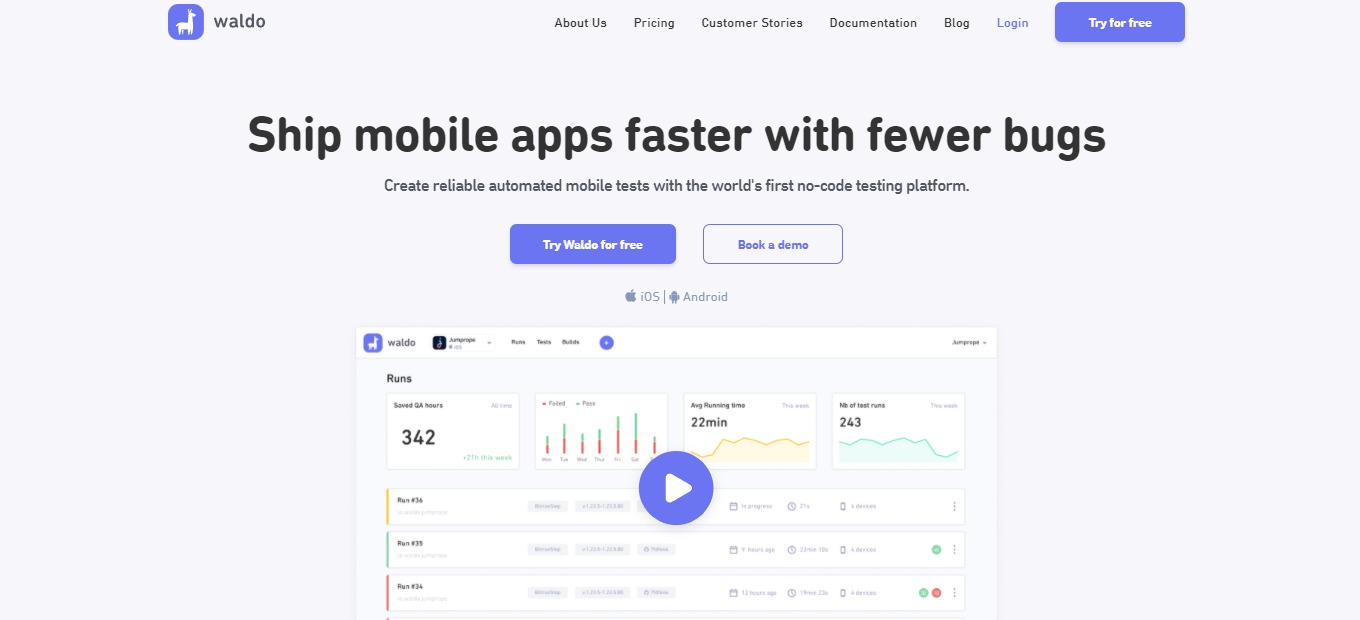
Waldo is a no-code automated mobile application tester that helps you ship mobile apps faster. Here you can create reliable tests and eliminate bugs before app release. Waldo aims to help people build the best mobile apps in a very efficient way. Waldo also wants to lower the barrier and make automated mobile testing accessible for everyone.

The problem nowadays is that mobile testing is broken – scripting is flaky and manual testing of apps is exhausting. With waldo, everything changes; the no-code tester eliminates the exhaustive process of manual testing. This allows teams to focus on what’s more important, that is, making the best product. 

With Waldo, now you can ship apps faster and assure that users can gain your intended experience. 

🎁 What’s In It For You?

Testing in Waldo is straightforward as it runs directly on your app, without requiring a special version of the application to use Waldo. Waldo allows you to run your application on the platform normally, and it records every action you make. With that, Waldo keeps the actions you make for future purposes.Β 

Waldo saves you time and effort during multiple tests as it records data and runs the same test on every version of your application. In addition, Waldo also runs the tests on different devices, screen sizes, operating systems, and languages for compatibility.

This application notifies you if a test fails, then you can replay the test. Because of that, it allows you to determine instantly what went wrong and correct the error more easily. 

In simpler words, you just set up Waldo once then it will handle the rest of your testing.

πŸ–₯️ How Does It Work?

  1. Log in to Waldo. All the tests are shown in the dashboard.
  1. Click the add button to create a test, then select a build that you want to test from.
  1. You can chain tests together to create dependency, or start from scratch.
  1. The UI of the app you are testing will be shown on the right. Interact with it just like using a normal device. Waldo records the actions and understands the structures of the screen.
  1. Once done testing, add a name, then save it. 
  1. From the dashboard, select a step, then add assertions. This allows you to verify the actions and appearance of the screen as it runs to a specific set of criteria. 
  1. Click the β€˜Runs’ page, and it will take you to all the runs and their summaries. The error will be shown here in red. Select a run to see the details. 
  1. Correct an error by configuring the assertion. 

πŸ’² Pricing Plans & Support

With the pricing plans of Waldo, you can now ship faster using the no-code tester for mobile apps!

πŸ’Ž Starter – $0/Month

Give Waldo a try since this deal is for free!

γ€° 3 tests

γ€° ️1 daily run

γ€° 1 seat

γ€° Assertions

γ€° Live testing

γ€° Video recordings

γ€° Crash reports

πŸ’Ž Team – $249/Month/Additional configuration

Get comprehensive mobile test automation for only $249 per month per additional configuration!

γ€° Everything in Starter

γ€° Unlimited tests

γ€° ️Unlimited daily runs

γ€° Concurrent tests

γ€° 3+ seats (Additional seat available at $149)

πŸ’Ž Business – Contact Sales

Contact sales to get the plan ideal for larger organizations!

γ€° Unlimited tests per run

γ€° ️Unlimited daily runs

γ€° Concurrent tests

γ€° Advanced features

γ€° Customer success manager

πŸ“ The Competition

πŸ‘ ProsπŸ‘Ž Cons
πŸ‘ Mobile automation
πŸ‘ Open-source
πŸ‘ Runs iOS and Android apps
πŸ‘ Can be used in any language
πŸ‘Ž Slow
πŸ‘Ž Has a learning curve

Ship Your Mobile App Faster, With Fewer Bugs Using Waldo

Jotform Apps: Create Powerful Apps With No Code

βš–οΈ Our Verdict

Jotform makes it easy to collect and manage information. This application is an extremely capable builder that has a lot of features to like. Whether a small business, nonprofit, work, or healthcare, Jotform is a good application to use. Considering how simple it is to navigate and use the app, especially the no-code feature, it is indeed powerful.

This application is popularly used to create any type of form. Jotform, with its variety of templates and drag-and-drop builder, is one of the best form builders for customized applications. However, the customer service of Jotform does not live up to the expectations.

Overall, this application is flexible, affordable, and easy to use for creating forms that suit your needs.

πŸ‘ ProsπŸ‘Ž Cons
πŸ‘ Easy to use
πŸ‘ Many templates and integrations
πŸ‘ Drag and drop feature
πŸ‘ No coding needed
πŸ‘ Good user interface
πŸ‘Ž Bad support
πŸ‘Ž Limited features on free plan
πŸ‘Ž Screen fit on different device is not flexible

🌟 About Jotform

Jotform is an app builder that utilizes a drag and drop function without coding. With Jotform’s free no-code application builder, you can combine forms, links, widgets, and your branding in to a single completely customizable app that can be downloaded onto any smartphone, tablet, or computer.

Trusted by many organizations and professionals around the world, this application’s form builder is the easiest way to create and publish any forms from all devices. This application also offers 10,000+ ready-made templates, 100+ integrations, and advanced designs that are easy to create. 

Jotform prioritizes the ease of use and collaboration, thus making it a powerful yet simple builder. 

🎁 What’s In It For You?

Jotform allows you to create an app without coding. This application lets you share multiple links, forms, and other elements in one single application. Also, Jotform works on any device, allowing you to gather data instantly.

The best feature of this app is the drag and drop builder. This intuitive app builder enables you to create apps within seconds. Jotform also has 210+ different app templates, or if you wish to start from scratch, you can build a custom-made app with no coding. This application additionally offers new form elements and widgets to make your application look good!

For the powerful app elements, Jotform lets you build and enrich apps with ready-made elements like forms, tables, images, collect data, and share documents. You can also redirect links with your users in a few clicks.Β 

Aside from the templates, Jotform allows you to use the 70+ app widgets at your disposal. And lastly, Jotform is a flexible app designer. Whether using a template or starting from scratch, Jotform lets you customize in seconds. 

πŸ–₯️ How Does It Work?

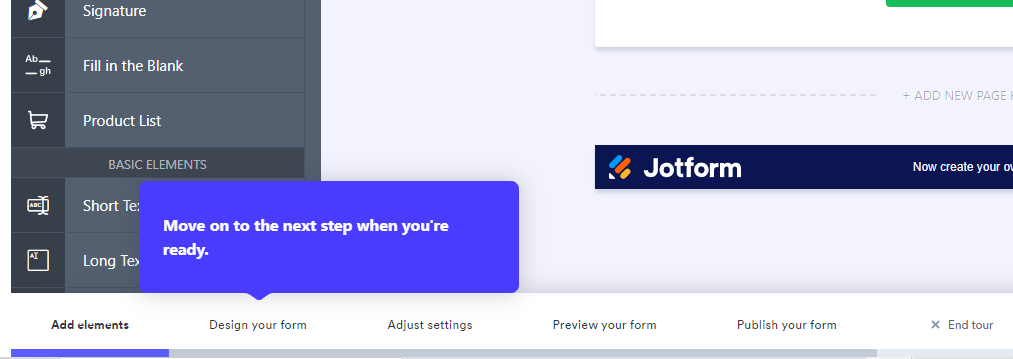
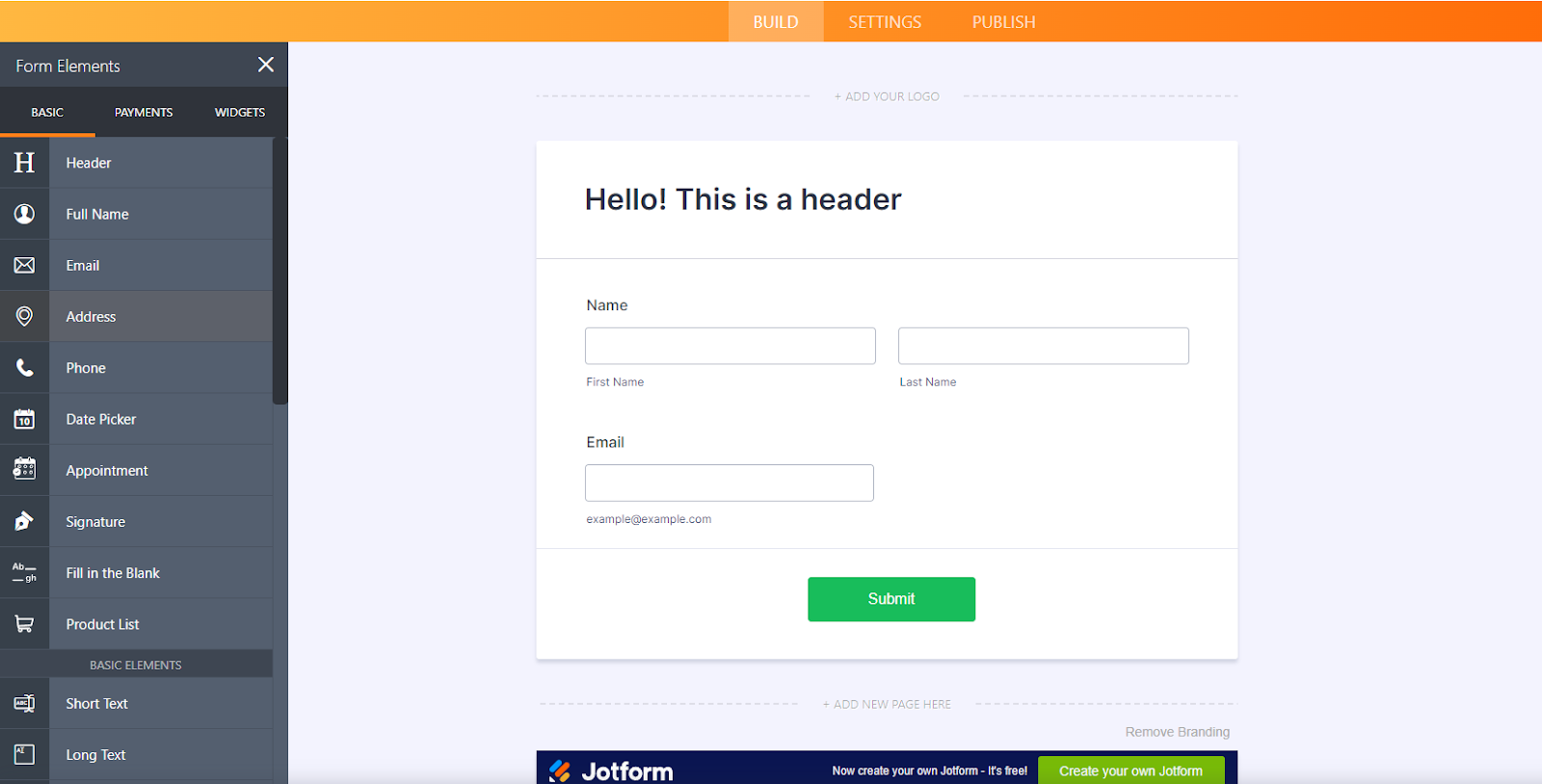
  1. Starting from scratch, you can add the necessary elements that you need by clicking the β€˜Add form element’ button. 
  1. Below the screen, you can see categories of which element you wish to add. 
  1. Drag the elements that you want.
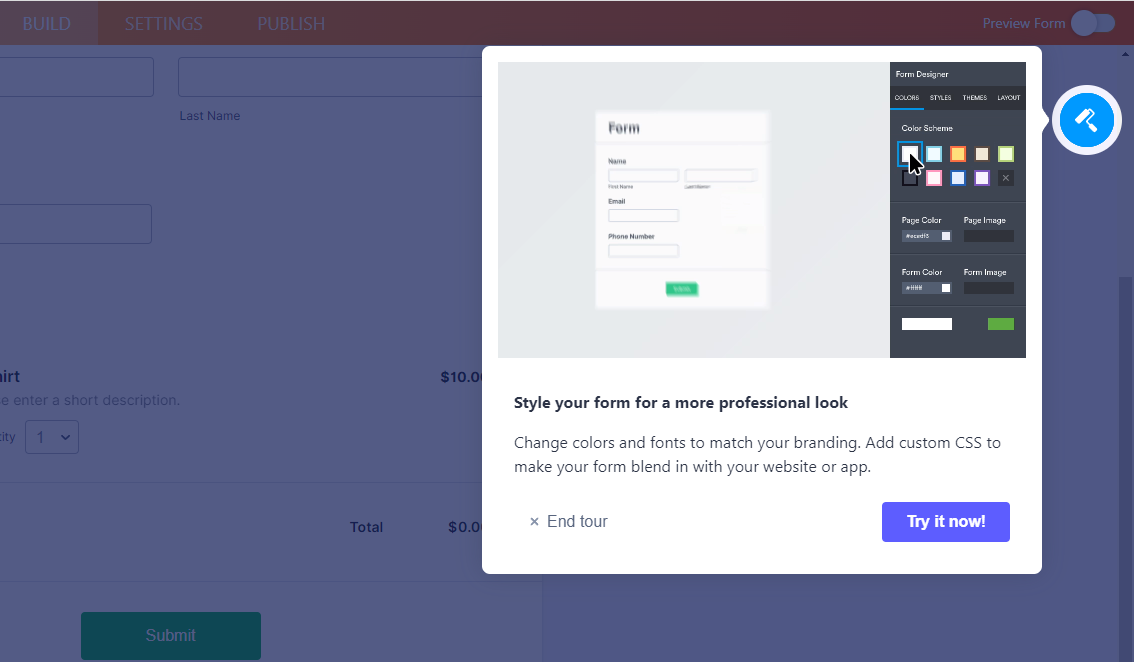
  1. Click the blue button on the upper right corner to design your form.
  1. Add the necessary changes that you want. 
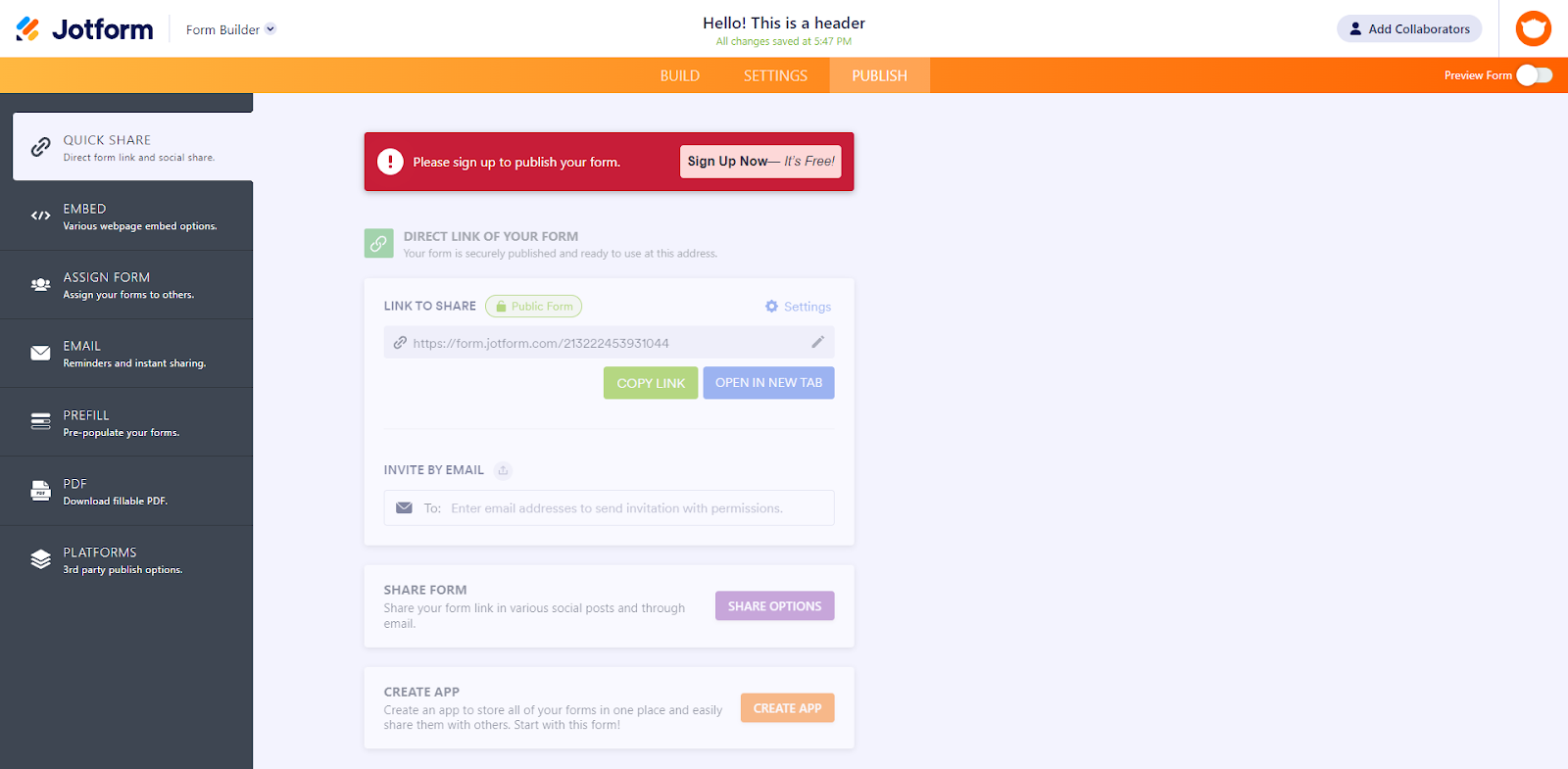
  1. Edit the setting of the application in the setting menu from the buttons on the center.
  1. Click β€˜Publish’ from the buttons on the center once done editing. Here you have different options as to how you can share the app to others.

πŸ’² Pricing Plans & Support

Jotform offers amazing and attractive pricing plans. 

πŸ’Ž Starter – $0/Month

This amazing and useful plan is free!

〰️ 5 forms

γ€° ️100 monthly submissions

〰️ 100MB available space

〰️ 1,000 monthly form views

〰️ 500 total submission storage

〰️ Unlimited reports, fields per form

〰️ 10 payment submissions

〰️ Jotform branding

πŸ’Ž Bronze – $24/Month

This amazing and useful plan is only $24 per month!

〰️ 25 forms

γ€° ️1,000 monthly submissions

〰️ 10GB available space

〰️ 10,000 monthly form views

〰️ Unlimited total submission storage

〰️ Unlimited reports, fields per form

〰️ 100 payment submissions

πŸ’Ž Silver – $29/month

This amazing and useful plan is only $29 per month!

〰️ 100 forms

γ€° ️10,000 monthly submissions

〰️ 100GB available space

〰️ Unlimited monthly form views

〰️ Unlimited total submission storage

〰️ Unlimited reports, fields per form

〰️ 1,000 payment submissions

〰️ HIPAA compliance available

πŸ’Ž Gold – $79/month

This amazing and useful plan is only $79 per month!

〰️ Unlimited forms

γ€° ️100,000 monthly submissions

〰️ 1TB available space

〰️ Unlimited monthly form views

〰️ Unlimited total submission storage

〰️ Unlimited reports, fields per form

〰️ Unlimited payment submissions

〰️ HIPAA compliance available

πŸ“ The Competition

πŸ‘ ProsπŸ‘Ž Cons
πŸ‘ Easy to use
πŸ‘ Good user interface
πŸ‘ Many integrations
πŸ‘ Customizable
πŸ‘ Good customer service
πŸ‘Ž Cannot use multiple devices
πŸ‘Ž Paid application
πŸ‘Ž Data issues

Reate Powerful Apps With No Code using Jotform

Umso: The Website Builder for Startups

βš–οΈ Our Verdict

Umso is a great application for creating quick and easy websites. However, with this ease of use, this application lacks a lot of customization features. Nevertheless, this application is perfect for entrepreneurs and small startups to create SaaS websites, mobile apps, and for other digital businesses that aim for high-quality websites and landing pages without wasting time. 

The UI is intuitive and can be understood by anyone even those who lack a background in app design. This application is a good website builder and even their site is created using it. Anyone can create a website even without coding knowledge. The level of customization is great but not outstanding, and it has a number of pre-built themes to pick from. The price is just right for the features that Umso offers. There appear to be 25,344 design combinations available right now!

Overall, Umso is easy and intuitive to use, functional, and essential for creating a site in a matter of minutes and a few clicks!

πŸ‘ ProsπŸ‘Ž Cons
πŸ‘ No-code
πŸ‘ Easy and intuitive to use
πŸ‘ Good UI/UX
πŸ‘ Responsive team and technical support
πŸ‘ SEO focused
πŸ‘ Professional looking websites
πŸ‘Ž Paid applicationΒ 
πŸ‘Ž 14-day free trial only
πŸ‘Ž Lacks customization features

🌟 About Umso

Umso, formerly known as Landen, is a web application for building websites. With Umso, you can create, edit, and publish beautiful websites that work to suit your needs. You will be asked about your product, design, and content preferences when creating a new website. The unique generating algorithm of Umso will then generate a basic website for you, which you can then customize to your taste. Publish with a single click once satisfied.

Waste no time with this website builder as this application is the fastest way for startups to go online. More than 30,000 websites were generated from Umso by entrepreneurs and small businesses, and the mission of Umso is to build the best possible website builder for entrepreneurs and startups. This application goes beyond a normal landing page builder.

🎁 What’s In It For You?

Umso allows you to generate, edit, and publish a professional-looking website within a few minutes! Umso does not use generic templates as they automatically generate uniquely beautiful websites based on the function of the application. This application gathers information about your product, then builds the content and style that fits it.

After generating the website, Umso is flexible and it balances flexibility and ease of use. The powerful editor lets you focus on your copy at the same time giving you advanced customization. While editing, you do not need any design skills since the smart layout engine of Umso will adapt to your content automatically. Adjust anything just by dragging the slider! Also, Umso offers a wide variety of illustrations, images, videos, and icons.

Umso lets you publish the website instantly, like a pro! You may now enjoy quick load times and high reliability regarding pageviews. This application also allows you to bring your domain or publish your site to a free Umso subdomain. All of this in a single click!

The best thing about Umso is that it makes your website fast and also, you don’t need to have any coding background as you can take full control of your website with 0 codes.Β 

πŸ–₯️ How Does It Work?

  1. Click the type of product that you will create.
  1. You can randomly generate a design of your product. Edit the main elements by using the left panel then click save once satisfied.
  1. The upper left buttons allow you to customize components of your product. Using the left panel, you can edit the specifications of your product. Here, you can also edit the text, sizes, colors, links, etc.
  1. You can either save your site or publish it when you are ready.

πŸ’² Pricing Plans & Support

Umso offers simple and transparent pricing so that you are aware of what you are paying!

πŸ’Ž Basic – $25/Month

This useful and amazing deal is only $25 per month!

〰️ 1 Site

γ€° ️$10/extra site

〰️ Unlimited team members

〰️ Custom domain

〰️ Custom code

〰️ Analytics

〰️ Blogs

πŸ’Ž Startup – $45/Month

This useful and amazing deal is only $45 per month!

〰️ 3 Sites

γ€° ️$10/extra site

〰️ Unlimited team members

〰️ Custom domain

〰️ Custom code

〰️ Analytics

〰️ Blogs

〰️ Email lists

〰️ Custom forms

〰️ Cookie banner

〰️ Site and page passwords

〰️ Multi Language support

πŸ’Ž Business – $75/month

This useful and amazing deal is only $75 per month!

〰️ 5 Sites

γ€° ️$10/extra site

〰️ Unlimited team members

〰️ Custom domain

〰️ Custom code

〰️ Analytics

〰️ Blogs

〰️ Email lists

〰️ Custom forms

〰️ Cookie banner

〰️ Site and page passwords

〰️ Multi Language support

〰️ Site export

πŸ“ The Competition

πŸ‘ ProsπŸ‘Ž Cons
πŸ‘ Has a free version
πŸ‘ Drag and drop feature
πŸ‘ Good presets
πŸ‘ No-code
πŸ‘Ž Difficult to use
πŸ‘Ž Bugs and lags
πŸ‘Ž Heavy application

The Website Builder for Startups: Umso

Β