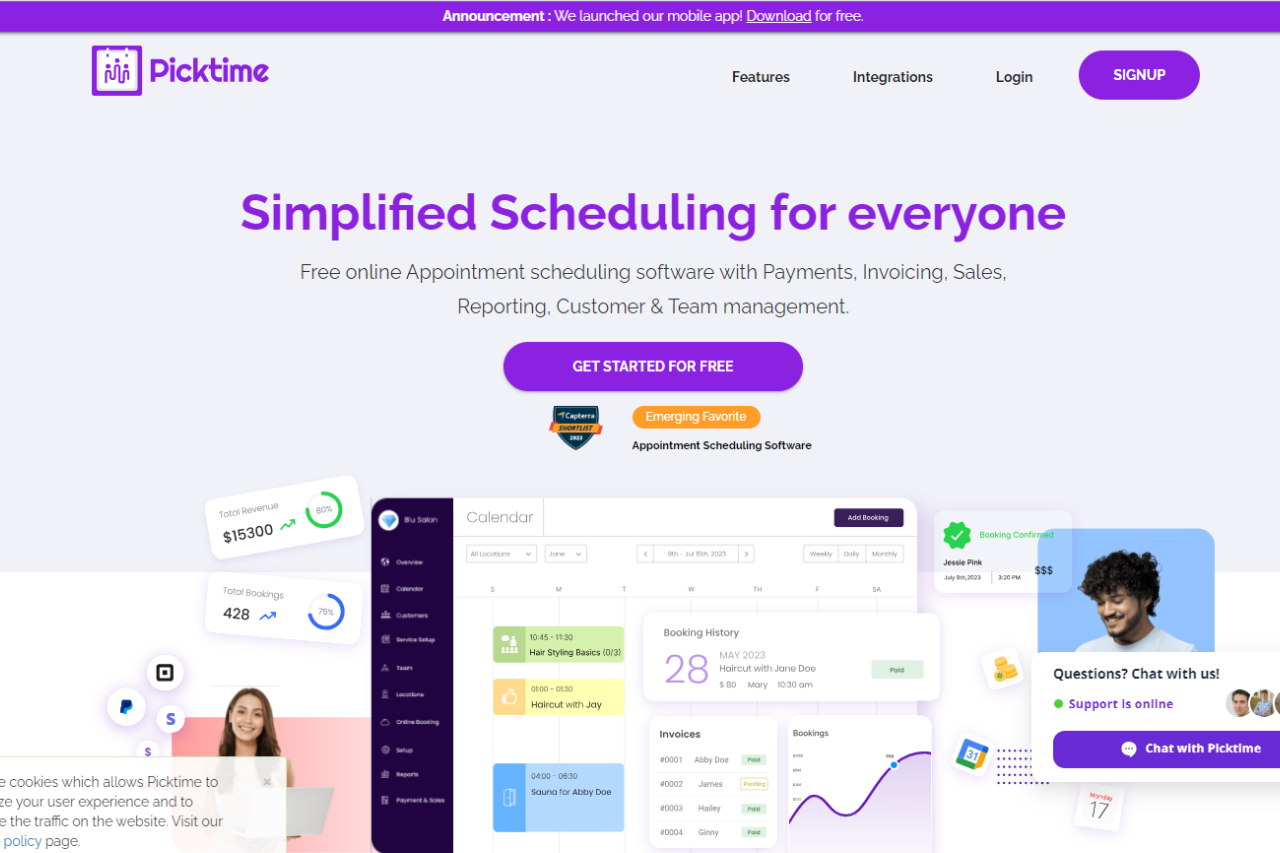
Effortlessly Manage Your Appointments with Picktime

🏆 Our Verdict

Picktime offers a versatile appointment scheduling solution tailored to businesses of all sizes. Its intuitive platform and array of features cater to various scheduling needs across different industries.

✅ Pros & ❌ Cons

Pros:

🔄 Flexible Appointment Scheduling: Picktime allows easy customization of appointment types and availability to suit diverse business needs.

🔗 Seamless Calendar Integration: Integration with popular calendar platforms ensures efficient scheduling and organization.

📅 Client Self-Booking: Empowers clients to book appointments conveniently, reducing administrative workload for businesses.

📊 Comprehensive Appointment Management: Picktime provides advanced features for managing appointments, cancellations, and rescheduling, enhancing operational efficiency.

🌐 Wide Range of Integrations: Extensive third-party integrations enrich the scheduling capabilities of Picktime, enhancing its functionality.

Cons:

💲 Pricing: Some users may find the pricing plans relatively higher compared to competitors.

📉 Learning Curve: New users might experience a learning curve while getting accustomed to all the features and functionalities.

📚 Limited Customization: Customization options may be somewhat restricted in certain areas compared to other scheduling tools.

📖 About Picktime

Picktime is designed to streamline the appointment scheduling process for businesses and clients. Its user-friendly interface and comprehensive features make it a preferred choice for efficient appointment management.

🗓️ How It Works

Picktime

  1. Visit the Picktime Website: Navigate to the Picktime website to begin the signup process.
  2. Sign Up: Create an account by providing necessary details like email address and password.
  3. Customize Settings: Set up your business information and customize scheduling preferences.
  4. Calendar Integration: Integrate your calendar with Picktime to synchronize appointments seamlessly.
  5. Explore Features: Familiarize yourself with various features such as appointment types, reminders, and reporting.
  6. Start Scheduling: Begin scheduling appointments with clients using Picktime’s user-friendly interface and automation features.

💲 Pricing Overview

  • Monthly 💵
    • FREE
      • Enjoy basic features at no cost
      • 3 Users
      • 3 Resources
      • 2 Locations
      • 2 Classes
      • Unlimited Appointments
      • Import Contacts
      • Export Contacts
      • Email Notifications
      • Online Booking Page
      • Payments with PayPal
      • Over 8+ powerful integrations
    • STARTER
      • $3.00 per user per month (Billed annually)
      • Everything from FREE
      • 5 Classes
      • Merge Contacts
      • Email Notifications & Reminders
      • Payments with PayPal, Stripe & Square
      • Recurring Bookings
      • Two-way sync
      • Automatic Timezone Conversion
      • Attendance
      • SMS Notifications & Reminders
      • Over 15+ powerful Integrations
  • Yearly 📅
    • MOST POPULAR: PRO
      • $2.25 per user per month (Billed annually)
      • Everything from STARTER
      • 10 Users
      • 10 Resources
      • Unlimited Locations
      • Unlimited Classes
      • Customizable Emails
      • Booking Page in 20+ Languages
      • Captcha Verification Online Booking
      • SSO (Single Sign-On)
      • Round Robin
      • Waitlist
      • Approve Bookings
      • Courses
      • Discounts
      • Over 100+ integrations with Zapier
    • For More Team Members & Resources Contact Our Support 📞

🥊 Competition

Picktime vs. Acuity Scheduling

Pros:

  • Picktime offers flexible appointment scheduling and comprehensive appointment management similar to Acuity Scheduling.
  • Both platforms provide seamless calendar integration and a wide range of integrations to enhance scheduling capabilities.

Cons:

  • Picktime’s pricing plans may be relatively higher for some users compared to Acuity Scheduling.
  • Users might experience a learning curve with Picktime, similar to Acuity Scheduling.

📌 Conclusion

Picktime emerges as a robust appointment scheduling solution, offering a comprehensive suite of features to simplify the booking process for businesses and clients alike. With its user-friendly interface, extensive integrations, and flexible pricing options, Picktime is an ideal choice for businesses seeking efficient appointment scheduling workflows.

“Effortlessly Manage Your Appointments with Picktime.”
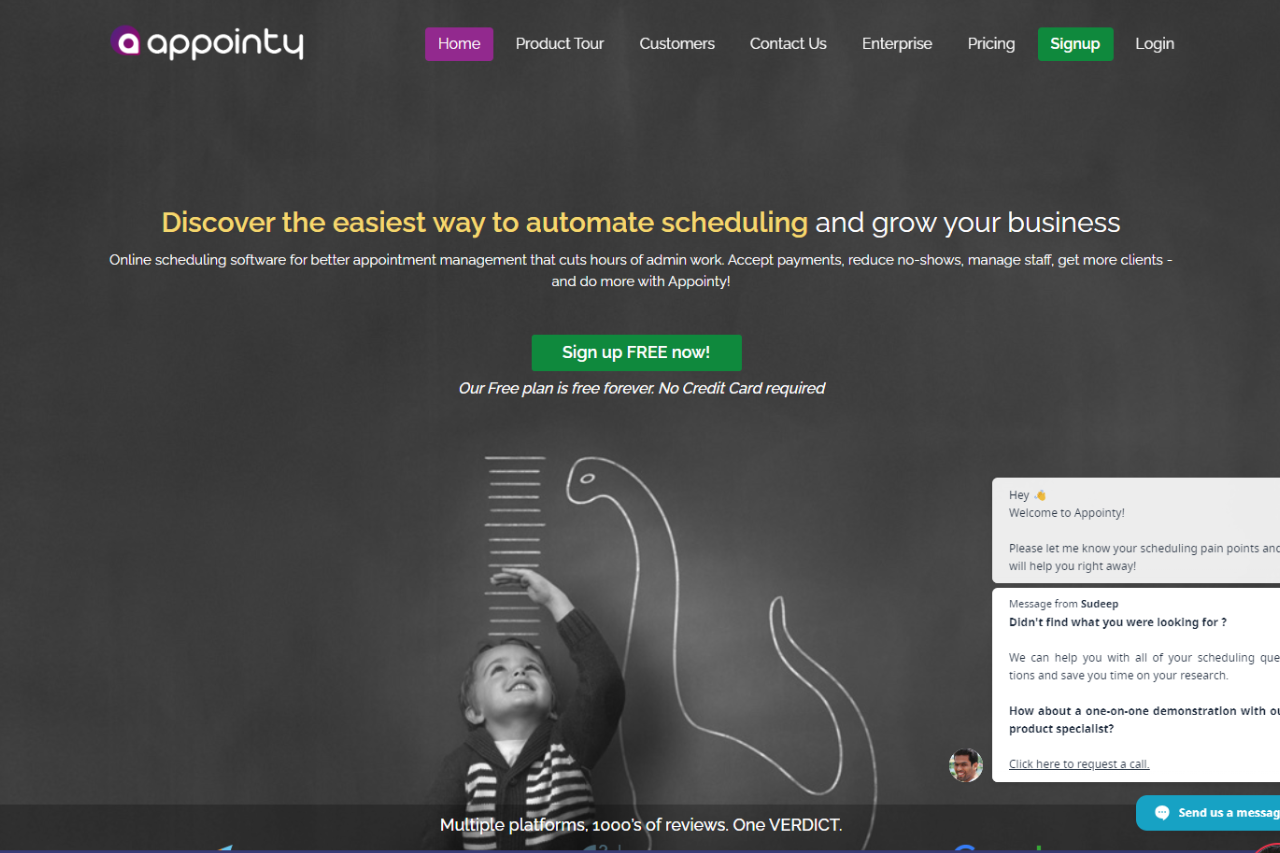
Streamline Your Business with Appointy: A Comprehensive Review

⭐ Our Verdict

Appointy presents a robust solution for appointment scheduling, catering to businesses of varying sizes with its array of features. While it boasts several strengths, it also has its share of limitations.

✅ Pros & ❌ Cons

Pros:

🔄 Flexible Scheduling Options: Appointy offers customizable appointment scheduling to suit diverse business needs and preferences.

📅 Client Self-Booking: Clients can conveniently schedule appointments themselves, reducing administrative workload and enhancing customer satisfaction.

🔗 Seamless Integration: Appointy seamlessly integrates with various calendar platforms, ensuring efficient scheduling and organization.

📊 Comprehensive Management: It provides advanced features for managing appointments, cancellations, and rescheduling, streamlining administrative tasks.

🌐 Wide Integration: Appointy offers integration with multiple third-party applications, enhancing its functionality and adaptability.

Cons:

💲 Pricing Variability: Some users may find the pricing plans relatively higher compared to competitors, potentially impacting budget-conscious businesses.

📉 Learning Curve: New users might experience a learning curve while familiarizing themselves with the platform’s features and functionalities.

📚 Limited Customization: Customization options may be somewhat restricted compared to other scheduling tools, limiting adaptability for specific business needs.

📖 About Appointy

Appointy is a leading appointment scheduling software designed to streamline the booking process for businesses across various industries. With its user-friendly interface and robust feature set, Appointy aims to simplify appointment management, enhance customer satisfaction, and improve operational efficiency.

Key Features:

  1. Appointment Scheduling: Appointy offers flexible scheduling options, allowing businesses to customize appointment types, durations, and availability according to their specific needs.
  2. Calendar Integration: Seamlessly integrate with popular calendar platforms to sync appointments, ensuring efficient scheduling and avoiding double bookings.
  3. Client Self-Booking: Empower clients to book appointments at their convenience through an intuitive online booking system, reducing administrative tasks and enhancing customer satisfaction.
  4. Comprehensive Appointment Management: Manage appointments, cancellations, and rescheduling effortlessly with Appointy’s advanced appointment management features.
  5. Wide Range of Integrations: Appointy provides extensive third-party integrations to enhance scheduling capabilities and streamline workflows, ensuring compatibility with existing systems and tools.
  6. Customization Options: Customize booking pages and appointment settings to reflect brand identity and meet specific business requirements.
  7. Reporting and Analytics: Access detailed reports and analytics to gain insights into appointment trends, client preferences, and business performance, enabling informed decision-making and strategic planning.

🗓️ How It Works

Signing Up for Appointy

  1. Visit the Appointy Website: Navigate to the Appointy website to begin the signup process.
  2. Choose a Plan: Explore the available pricing plans and select the one that aligns with your business requirements.
  3. Create an Account: Provide necessary details to create your account, including email address and password.
  4. Account Setup: Complete the setup process by entering your business information and customization preferences.
  5. Calendar Integration: Integrate your calendar with Appointy for seamless synchronization of appointments.
  6. Customize Booking Page: Personalize your booking page to reflect your brand identity and scheduling preferences.
  7. Explore Features: Familiarize yourself with the various features offered by Appointy, including appointment types, reminders, and reporting.
  8. Start Scheduling: Begin scheduling appointments with clients, utilizing Appointy’s user-friendly interface and automation features.

💲 Pricing Overview

Pricing Tiers

Appointy offers a range of pricing plans tailored to accommodate different business scales and needs, ensuring there’s an option for everyone.

✅ Free Tools Overview: Appointy provides essential scheduling tools in its free offering, including basic features such as appointment scheduling, calendar integration, and client management.

💼 Starter Plans: Ideal for individual professionals or small businesses seeking advanced scheduling capabilities, offering enhanced functionalities over the free tier.

🚀 Professional Plans: Designed for medium-sized businesses and teams requiring more advanced scheduling solutions, with features like group scheduling, class booking, and payment integration.

🏢 Enterprise Plans: Suited for large businesses and enterprises necessitating scalable scheduling solutions with advanced customization and support, offering premium features like custom branding, dedicated support, and API access.

🥊 Competition

Appointy vs. Acuity Scheduling

ProsCons
– Flexible scheduling options– Limited customization options
– Client self-booking capability– Higher pricing for advanced features
– Seamless integration with various platforms– Learning curve for new users
– Comprehensive appointment management– Limited customization compared to competitors
– Wide range of integrations

📌 Conclusion

Appointy emerges as a robust appointment scheduling solution, offering a comprehensive suite of features to simplify the booking process for businesses and clients alike. Despite some limitations, its user-friendly interface, extensive integrations, and flexible pricing options make it an ideal choice for businesses aiming to streamline their appointment scheduling workflows.

“Effortlessly Manage Your Appointments with Appointy.”

Scheduling Made Simple with Square Appointments

🏆 Our Verdict

Square Appointments emerges as a robust appointment scheduling solution, offering comprehensive features to simplify the booking process for businesses and clients. With its user-friendly interface, extensive integrations, and flexible pricing options, it’s an ideal choice for businesses looking to streamline their appointment scheduling workflows.

✅ Pros & ❌ Cons

Pros:

🔄 Seamless Appointment Booking: Square Appointments offers easy appointment scheduling for both businesses and clients, streamlining the booking process.

🔗 Calendar Integration: Seamlessly integrates with various calendar platforms, ensuring efficient scheduling and management.

📅 Client Self-Booking: Empowers clients to book appointments at their convenience, reducing administrative tasks for businesses.

📊 Comprehensive Appointment Management: Provides advanced features for managing appointments, cancellations, and rescheduling.

🌐 Versatile Integration: Offers a wide range of integrations to enhance scheduling capabilities and workflow efficiency.

Cons:

💲 Pricing: Some users may find the pricing plans relatively higher compared to competitors.

📉 Learning Curve: New users may experience a learning curve while familiarizing themselves with the platform’s features.

📚 Limited Customization: Customization options may be somewhat restricted in certain areas compared to other scheduling tools.

📖 About Square Appointments

Square Appointments simplifies appointment scheduling for businesses, providing an intuitive platform with extensive features. With its user-friendly interface, businesses can efficiently manage appointments and enhance client experiences.

🌟 How It Works

Signing Up for Square Appointments

  1. Visit the Square Appointments website: Navigate to the Square Appointments website to begin the signup process.
  2. Choose a Plan: Explore the available pricing plans and select the one that aligns with your business needs.
  3. Create an Account: Provide your email address, create a password, and fill in the necessary details to create your account.
  4. Account Setup: Complete the setup process by entering your business information and customizing your scheduling preferences.
  5. Calendar Integration: Integrate your calendar with Square Appointments to sync appointments seamlessly.
  6. Customize Booking Page: Personalize your booking page to reflect your brand and scheduling requirements.
  7. Explore Features: Familiarize yourself with the various features of Square Appointments, including appointment types, reminders, and reporting.
  8. Start Scheduling: Begin scheduling appointments with clients, utilizing Square Appointments’ user-friendly interface and automation features.

💲 Pricing Overview

Pricing Tiers

Square Appointments offers flexible pricing plans to accommodate businesses of all sizes. From individual professionals to large enterprises, there’s an option for everyone.

✅ Basic Plan: Ideal for small businesses with essential scheduling needs. Includes basic features such as appointment scheduling and client management.

🚀 Advanced Plan: Designed for medium-sized businesses seeking more advanced scheduling solutions. Includes features like group scheduling and payment integration.

🏢 Premium Plan: Suited for large enterprises requiring scalable scheduling solutions with advanced customization and support. Offers premium features like custom branding and API access.

🥊 Competition

Square Appointments vs. Acuity Scheduling

Square AppointmentsAcuity Scheduling
✅ Seamless Appointment Booking✅ Easy-to-use interface
🔗 Calendar Integration🔗 Seamless integration with various platforms
📅 Client Self-Booking📅 Versatile scheduling options
📊 Comprehensive Appointment Management📊 Advanced features for appointment customization
🌐 Wide Range of Integrations🌐 Extensive third-party integrations
💲 Higher pricing for some users💲 Varied pricing plans for different business needs
📉 Learning curve for new users📉 Learning curve for advanced features
📚 Limited customization options compared to competitors📚 Extensive customization capabilities

📌 Conclusion

Square Appointments emerges as a robust appointment scheduling solution, offering comprehensive features to simplify the booking process for businesses and clients. With its user-friendly interface, extensive integrations, and flexible pricing options, it’s an ideal choice for businesses looking to streamline their appointment scheduling workflows.

“Effortlessly Manage Your Appointments with Square Appointments.”

Time Bookedin: Your Efficient Appointment Scheduling Solution

🥇 Our Verdict

Time Bookedin shines as an effective appointment scheduling tool, catering to businesses of all sizes. With its intuitive interface and feature-rich platform, it offers seamless booking solutions for various industries and requirements.

✅ Pros & ❌ Cons

Pros:

🔄 Flexible Scheduling: Customize appointment types and availability effortlessly.

🔗 Seamless Calendar Integration: Integrates smoothly with popular calendar platforms.

📅 Client Self-Booking: Empowers clients to book appointments conveniently, reducing administrative tasks.

📊 Comprehensive Management: Offers advanced features for managing appointments, cancellations, and rescheduling.

🌐 Wide Range of Integrations: Provides extensive third-party integrations for enhanced scheduling capabilities.

Cons:

💲 Pricing: Some users may find the pricing relatively higher compared to competitors.

📉 Learning Curve: New users may experience a learning curve initially.

📚 Limited Customization: Customization options may be somewhat restricted in certain areas.

📖 About Time Bookedin

Established as a leader in the appointment scheduling industry, Time Bookedin aims to simplify the booking process for businesses and clients alike. Its user-friendly interface and comprehensive feature set make it a preferred choice for seamless appointment scheduling.

🗓️ How It Works

Signing Up for Time Bookedin

  1. Visit the Time Bookedin Website: Navigate to the Time Bookedin website to begin the signup process.
  2. Choose a Plan: Explore the available pricing plans and select the one that aligns with your business needs.
  3. Create an Account: Provide your email address, create a password, and fill in the necessary details to create your account.
  4. Account Setup: Complete the setup process by entering your business information and customizing your scheduling preferences.
  5. Calendar Integration: Integrate your calendar with Time Bookedin to sync appointments seamlessly.
  6. Customize Booking Page: Personalize your booking page to reflect your brand and scheduling requirements.
  7. Explore Features: Familiarize yourself with the various features of Time Bookedin, including appointment types, reminders, and reporting.
  8. Start Scheduling: Begin scheduling appointments with clients, utilizing Time Bookedin’s user-friendly interface and automation features.

💲 Pricing Overview

🌟 Pricing Tiers

Time Bookedin offers a range of pricing plans to accommodate different business needs and scales, ensuring there’s an option for everyone.

  • Free Tools Overview: Essential scheduling tools are provided in the free offering, including basic features such as appointment scheduling and calendar integration.
  • Starter Plans: Ideal for individual professionals or small businesses seeking advanced scheduling capabilities.
  • Professional Plans: Designed for medium-sized businesses and teams looking for more advanced scheduling solutions.
  • Enterprise Plans: Suited for large businesses and enterprises requiring scalable scheduling solutions with advanced customization and support.

🥊 Competition

Time Bookedin vs. Acuity Scheduling

FeaturesTime BookedinAcuity Scheduling
Appointment SchedulingFlexible and versatileEfficient and user-friendly
Calendar IntegrationSeamless integration with popular platformsSmooth integration with various calendars
Client Self-BookingEmpowers clients with convenient booking optionsOffers self-booking functionality for clients
Appointment ManagementComprehensive features for managing appointmentsAdvanced tools for managing appointments
IntegrationsWide range of third-party integrationsExtensive integrations to enhance scheduling
PriceRelatively higher pricing for some usersCompetitive pricing with various plan options
CustomizationLimited customization options in certain areasOffers extensive customization capabilities
Learning CurveMay have a learning curve for new usersUser-friendly interface with minimal learning curve

📌 Conclusion

Time Bookedin emerges as a robust appointment scheduling solution, offering a comprehensive suite of features to simplify the booking process for businesses and clients. With its user-friendly interface, extensive integrations, and flexible pricing options, it’s an ideal choice for businesses looking to streamline their appointment scheduling workflows.

“Effortlessly Manage Your Appointments with Time Bookedin.”

Sage Financial Management Review: Streamline Your Finances Effortlessly

🏆 Our Verdict

Sage emerges as a comprehensive financial management solution, tailored to suit businesses of all sizes. With its robust features and user-friendly interface, Sage offers seamless financial management solutions across various industries and needs.

✅ Pros & ❌ Cons

Pros:

📊 Advanced Financial Management: Sage provides comprehensive tools for financial tracking, reporting, and analysis, empowering businesses to make informed decisions.

🔄 Customizable Solutions: Allows for easy customization to adapt to the specific needs and workflows of different businesses.

📈 Scalability: Suitable for businesses of all sizes, from startups to large enterprises, offering scalability as businesses grow.

🔒 Security: Provides robust security measures to safeguard financial data and ensure compliance with regulations.

🔄 Integration Capabilities: Seamlessly integrates with various third-party applications and platforms, enhancing overall efficiency and workflow automation.

Cons:

💲 Higher Pricing for Some Users: Pricing plans may be relatively higher compared to competitors, making it less accessible for smaller businesses with limited budgets.

📉 Learning Curve: New users may experience a learning curve while familiarizing themselves with the platform’s features and functionalities.

📚 Limited Customization: Customization options may be somewhat restricted compared to other financial management solutions, limiting flexibility in certain areas.

📖 About Sage

Established as a leader in financial management software, Sage aims to streamline financial processes for businesses and improve overall efficiency. Its intuitive interface and comprehensive feature set make it a preferred choice for managing finances seamlessly.

🗓️ How It Works

Signing Up for Sage

  1. Visit the Sage website: Navigate to the Sage website to begin the signup process.
  2. Choose a Plan: Explore the available pricing plans and select the one that aligns with your business needs.
  3. Create an Account: Provide your email address, create a password, and fill in the necessary details to create your account.
  4. Account Setup: Complete the setup process by entering your business information and customizing your financial preferences.
  5. Integration: Integrate Sage with your existing financial systems and platforms for seamless data synchronization.
  6. Training and Support: Take advantage of Sage’s training resources and support services to maximize the benefits of the software.

💲 Pricing Overview

🌟 Pricing Tiers

Sage offers a range of pricing plans to accommodate different business needs and scales. From basic plans for small businesses to advanced solutions for larger enterprises, there’s an option for everyone.

✅ Basic Plans: Ideal for small businesses or startups with basic financial management needs.

✅ Advanced Plans: Designed for medium-sized businesses looking for more comprehensive financial management solutions.

✅ Enterprise Plans: Suited for large businesses and enterprises requiring scalable financial management solutions with advanced customization and support.

🥊 Competition

Sage VS QuickBooks

Pros:

  • Advanced financial management tools – Easy customization
  • Scalable solutions – Seamless integration with third-party platforms

Cons:

  • Higher pricing for some users – Learning curve for new users
  • Limited customization compared to competitors

📌 Conclusion

Sage emerges as a robust financial management solution, offering a comprehensive suite of features to streamline financial processes for businesses. With its user-friendly interface, integration capabilities, and scalability, Sage is an ideal choice for businesses looking to enhance their financial management workflows.

“Transform Your Finances with Sage.”

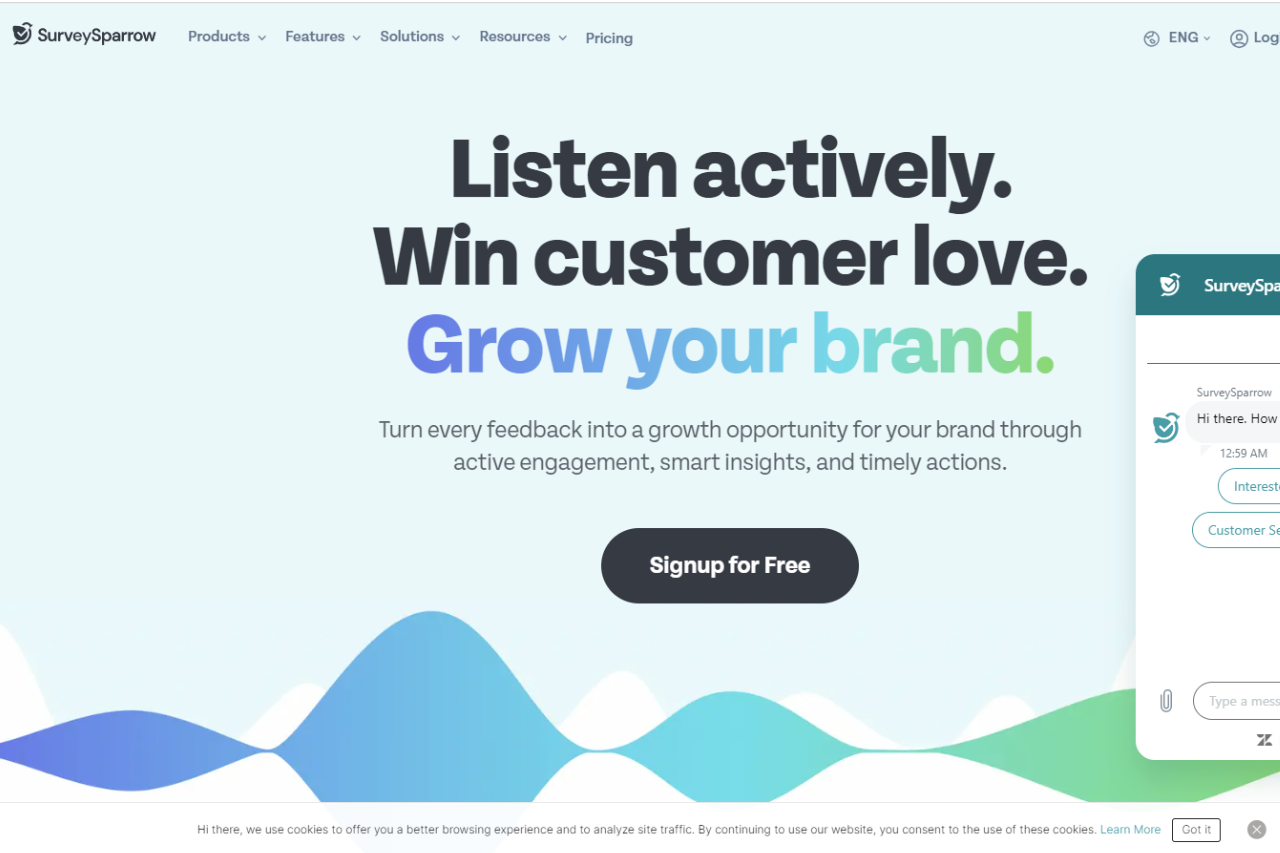
Revolutionizing Surveys: A SurveySparrow Review

🏆 Our Verdict

SurveySparrow stands out as an innovative survey solution, redefining the way businesses collect feedback with its conversational interface and advanced features.

✅ Pros & ❌ Cons

Pros:

  • 🔄 Conversational Surveys: Engage respondents with interactive, chat-like surveys for higher response rates.
  • 🔗 Multi-Platform Compatibility: Seamlessly collect feedback across various devices and platforms for enhanced accessibility.
  • 📊 Advanced Reporting: Gain valuable insights with comprehensive reporting tools and real-time analytics.
  • 🌐 Integration Capabilities: Integrate with popular tools and platforms to streamline workflows and enhance productivity.
  • 🔒 Security Measures: Ensure data privacy and security with robust encryption and compliance measures.

Cons:

  • 💲 Pricing: Some users may find the pricing plans relatively higher compared to competitors.
  • 📉 Learning Curve: New users may experience a learning curve while familiarizing themselves with the platform’s features.
  • 📚 Limited Customization: Customization options may be somewhat restricted compared to other survey platforms.

📖 About SurveySparrow

SurveySparrow reimagines the survey experience with its user-friendly interface and innovative approach, making it a preferred choice for businesses seeking actionable insights through surveys.

🚀 How It Works

Signing Up for SurveySparrow

  1. Visit the SurveySparrow Website: Navigate to the SurveySparrow website to begin the signup process.
  2. Choose a Plan: Explore the available pricing plans and select the one that aligns with your business needs.
  3. Create an Account: Provide your email address, create a password, and fill in the necessary details to create your account.
  4. Account Setup: Complete the setup process by entering your business information and customizing your survey preferences.
  5. Design Your Survey: Create interactive and engaging surveys using SurveySparrow’s intuitive survey builder.
  6. Distribute Your Survey: Share your surveys with respondents via email, SMS, social media, or embed them on your website.
  7. Analyze Responses: Gain insights from respondent feedback using SurveySparrow’s advanced reporting and analytics tools.

💲 Pricing Overview

Pricing Tiers

SurveySparrow offers a range of pricing plans to accommodate different business needs and scales. From basic plans for individual professionals to enterprise solutions for large organizations, there’s an option for everyone.

✅ Free Tools Overview: SurveySparrow provides essential survey tools in its free offering, including basic features and limited responses.

💼 Starter Plans Target Audience: Ideal for small businesses and individual professionals seeking advanced survey capabilities.

🚀 Professional Plans Designed For: Medium to large businesses looking for more advanced survey solutions with enhanced customization and reporting features.

🏢 Enterprise Plans Suited For: Large organizations requiring scalable survey solutions with advanced customization, security, and support.

🥊 Competition

SurveySparrowQualtrics
Pros– Conversational survey interface– Advanced reporting and analytics
– Multi-platform compatibility– Integration capabilities
– Advanced reporting features– Security measures
Cons– Relatively higher pricing for some– Limited customization options
users– Learning curve for new users
– Limited customization compared to– Higher pricing for advanced features
competitors– Limited customization compared to
competitors

📌 Conclusion

SurveySparrow emerges as a leading survey solution, offering innovative features, intuitive design, and actionable insights to businesses of all sizes. With its conversational interface, advanced reporting capabilities, and integration options, it’s an ideal choice for organizations looking to elevate their survey experience.

“Transform Your Surveys with SurveySparrow.”

Qualtrics: A Deep Dive

🏆 Our Verdict

Qualtrics shines as a premier platform for experience management, providing robust solutions tailored for businesses across various industries. With its versatile features and intuitive interface, it offers unparalleled insights to drive business success.

✅ Pros & ❌ Cons

Pros:

📊 Advanced Analytics: Delivers sophisticated analytics tools for in-depth data analysis and insights.

📝 Versatile Survey Creation: Offers a wide range of customizable survey options to gather precise feedback.

🔗 Seamless Integration: Integrates smoothly with multiple platforms for enhanced functionality and workflow.

📈 Powerful Reporting: Provides comprehensive reporting features to visualize data effectively.

🌐 Global Reach: Supports multi-language surveys and global operations, catering to diverse audiences.

Cons:

💲 Pricing: Some users may find the pricing plans relatively higher compared to competitors.

🛠️ Learning Curve: New users may experience a learning curve while navigating the platform’s features.

🔒 Limited Customization: Customization options may be somewhat restricted compared to other survey tools.

📖 About Qualtrics

Established as a leader in experience management, Qualtrics aims to empower organizations with actionable insights to drive business growth. Its user-friendly interface and extensive feature set make it a preferred choice for businesses seeking to optimize customer and employee experiences.

🗓️ How It Works

Qualtrics:

  1. Signup Process: Visit the Qualtrics website and sign up for an account.
  2. Select Plan: Explore the available pricing plans and choose the one that aligns with your business needs.
  3. Account Setup: Complete the account setup process by providing necessary information and preferences.
  4. Survey Creation: Create customized surveys tailored to your specific requirements and objectives.
  5. Integration: Integrate Qualtrics seamlessly with your existing platforms for enhanced functionality.
  6. Data Analysis: Utilize advanced analytics tools to derive actionable insights from survey responses.
  7. Reporting: Generate comprehensive reports to visualize data trends and make informed decisions.

💲 Pricing Overview

Qualtrics offers a range of pricing plans designed to accommodate different business needs and scales. From basic plans for individual professionals to enterprise solutions for large organizations, there’s an option for everyone.

🥊 Competition

Qualtrics vs. SurveyMonkey:

Pros:

  • Advanced Analytics (Qualtrics) vs. User-Friendly Interface (SurveyMonkey)
  • Seamless Integration (Qualtrics) vs. Extensive Survey Templates (SurveyMonkey)
  • Powerful Reporting (Qualtrics) vs. Affordable Pricing (SurveyMonkey)

Cons:

  • Higher Pricing (Qualtrics) vs. Limited Analytics (SurveyMonkey)
  • Learning Curve (Qualtrics) vs. Basic Features (SurveyMonkey)
  • Limited Customization (Qualtrics) vs. Template Restriction (SurveyMonkey)

📌 Conclusion

Qualtrics emerges as a leading platform for experience management, offering unparalleled features and insights to optimize customer and employee experiences. With its advanced analytics, seamless integration, and powerful reporting capabilities, it’s an indispensable tool for businesses striving for excellence in today’s competitive landscape.

“Transform Your Experiences with Qualtrics.”

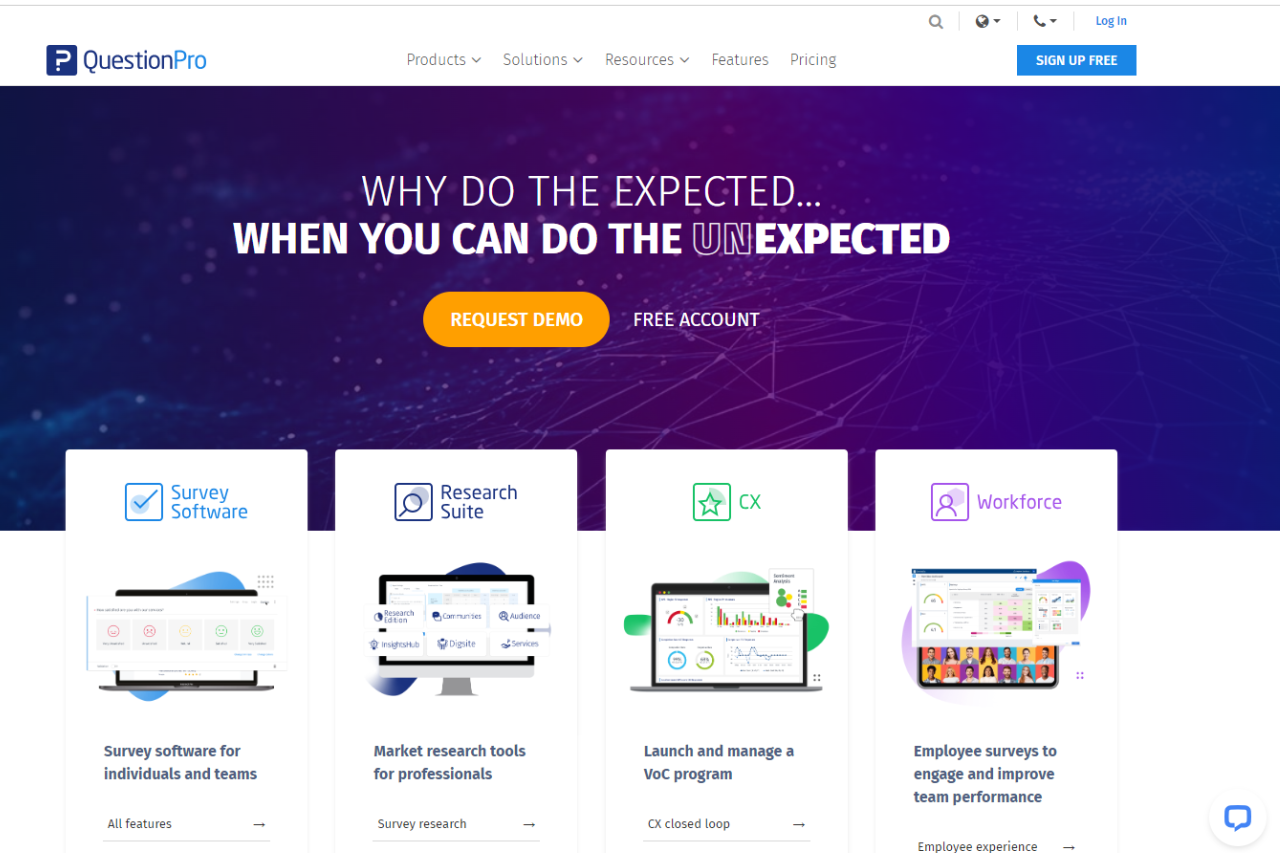
Assessing QuestionPro: A Comprehensive Survey Solution

🏆 Our Verdict

QuestionPro emerges as a versatile survey platform, catering to various research needs with its array of features. While it offers a robust solution for survey creation and analysis, it has both strengths and areas for improvement.

✅ Pros & ❌ Cons

Pros:

📊 Advanced Survey Creation: Offers a wide range of survey question types and customization options for tailored research projects.

🔄 Versatile Analysis Tools: Provides comprehensive analytics and reporting features to derive meaningful insights from survey data.

📱 Multi-Channel Distribution: Facilitates survey distribution across various channels, including email, social media, and websites, enhancing reach.

🔒 Data Security: Ensures data security and compliance with privacy regulations, instilling trust among users and respondents.

🤝 Collaboration Capabilities: Enables seamless collaboration among team members during survey design, deployment, and analysis.

Cons:

💲 Pricing Structure: Some users may find the pricing plans relatively higher compared to competitors, especially for advanced features.

🛠️ Learning Curve: New users may experience a learning curve while familiarizing themselves with the platform’s features and functionalities.

📈 Limited Customization: Customization options may be somewhat restricted compared to other survey platforms, limiting flexibility.

📖 About QuestionPro

QuestionPro is a leading survey software provider, offering a comprehensive suite of tools for conducting surveys, analyzing responses, and deriving actionable insights. With its user-friendly interface and extensive feature set, it caters to the needs of researchers across various industries.

🗓️ How It Works

Signing Up for QuestionPro

  1. Visit the QuestionPro Website: Navigate to the QuestionPro website at www.questionpro.com.
  2. Create an Account: Click on the “Sign Up” or “Get Started” button on the homepage to begin the signup process.
  3. Provide Necessary Details: Enter your email address, create a password, and fill in other required information to create your account.
  4. Choose a Plan: Explore the available pricing plans and select the one that aligns with your needs. QuestionPro offers various plans tailored for different user requirements.
  5. Complete Account Setup: Once you’ve chosen a plan, follow the prompts to complete the setup process. This may involve providing additional details about your organization and preferences.

🥊 Competition

QuestionPro vs SurveyMonkey

Pros:

  • QuestionPro: Advanced survey creation features
  • QuestionPro: Versatile analysis tools
  • QuestionPro: Multi-channel distribution capabilities
  • SurveyMonkey: Extensive survey template library
  • SurveyMonkey: Intuitive survey builder interface
  • SurveyMonkey: Integration with popular productivity tools

Cons:

  • QuestionPro: Relatively higher pricing for some users
  • QuestionPro: Learning curve for new users
  • QuestionPro: Limited customization compared to competitors
  • SurveyMonkey: Restrictive features in the free plan
  • SurveyMonkey: Limited question types in basic plans
  • SurveyMonkey: Pricing plans may not suit all budgets

📌 Conclusion

QuestionPro offers a comprehensive survey solution with advanced features for researchers and businesses. While it excels in survey creation and analysis, its pricing and customization options may require consideration based on specific needs and budget constraints.

“Unlock Insights with QuestionPro’s Powerful Survey Platform.”

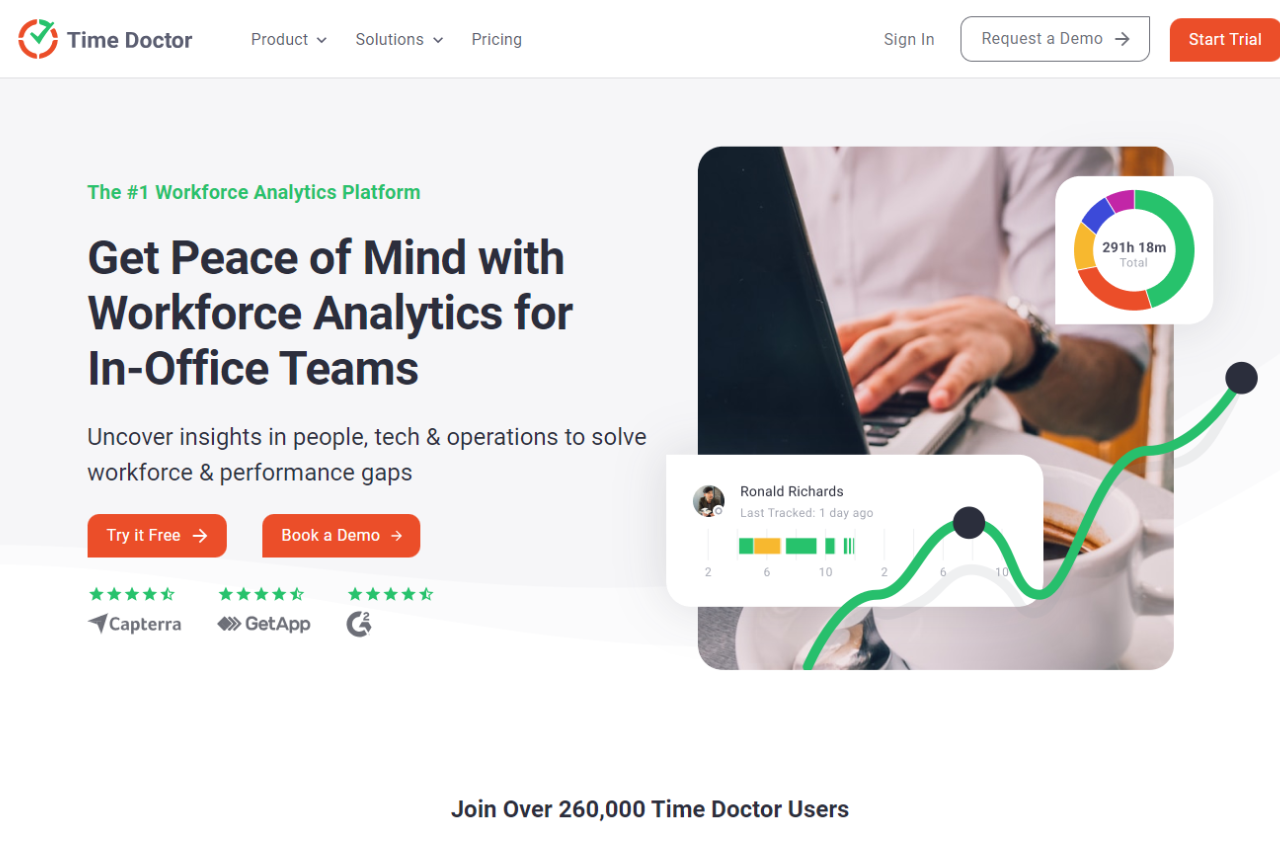
Time Doctor: Optimizing Time Management

⭐ Pros & ❌ Cons

Pros:

🚀 Enhanced Time Tracking: Offers advanced time tracking features for precise monitoring of work hours. 📊 Detailed Productivity Reports: Provides comprehensive insights into productivity levels and time usage. 📅 Flexible Task Management: Allows for easy task assignment and tracking to enhance project management. 🔒 Robust Security Measures: Ensures data security with advanced encryption and access control features. 🔄 Seamless Integrations: Integrates smoothly with various project management and productivity tools for enhanced workflow.

Cons:

💲 Pricing: Some users may find the pricing plans relatively higher compared to competitors. 📉 Learning Curve: New users may experience a learning curve while familiarizing themselves with the platform’s features. 📚 Limited Customization: Customization options may be somewhat restricted in certain areas compared to other time tracking tools.

📖 About Time Doctor

Time Doctor is a leading time tracking and productivity management software designed to help businesses optimize their workforce efficiency. With its array of features and intuitive interface, Time Doctor streamlines time management and boosts productivity across various industries.

🕒 How It Works

Time Doctor

  1. Sign Up: Visit the Time Doctor website and sign up for an account.
  2. Install: Download and install the Time Doctor application on your preferred device.
  3. Set Up: Customize your settings and preferences according to your workflow requirements.
  4. Track Time: Start tracking your work hours and tasks effortlessly using Time Doctor’s intuitive interface.
  5. Analyze Productivity: Review detailed productivity reports to gain insights into your time usage and identify areas for improvement.

💲 Pricing Overview

Basic Plan:

  • Price: $5.9 per user per month billed annually or $7 month-to-month
  • Includes:
    • Unlimited users and groups
    • Team & individual dashboards
    • Unlimited projects and tasks
    • Silent tracking
    • Unlimited screenshots
    • Activity tracking
    • Work-life balance metrics
    • Basic reporting

Standard Plan (Popular):

  • Price: $8.4 per user per month billed annually or $10 month-to-month
  • Includes everything in the Basic plan, plus:
    • Productivity ratings
    • Break tracking
    • Inactivity alerts
    • 60+ integrations
    • Payroll features
    • Web & app usage report
    • Daily email notifications
    • Real-time email notifications

Premium Plan:

  • Price: $16.7 per user per month billed annually or $20 month-to-month
  • Includes everything in the Standard plan, plus:
    • Video screen recording
    • Internet connectivity reporting
    • Client login access
    • Executive dashboard
    • Automatic user provisioning
    • Dedicated account manager

🥊 Competition

Time Doctor vs. Hubstaff

Pros:

  • Enhanced time tracking features – Enhanced time tracking features
  • Detailed productivity reports – Detailed productivity reports
  • Flexible task management – Flexible task management
  • Robust security measures – Robust security measures
  • Seamless integrations – Seamless integrations

Cons:

  • Relatively higher pricing for some users – Relatively higher pricing for some users
  • Learning curve for new users – Learning curve for new users
  • Limited customization options – Limited customization options

📌 Conclusion

Time Doctor emerges as a top-tier solution for businesses seeking to optimize time management and enhance productivity. With its robust features, seamless integrations, and intuitive interface, Time Doctor is the go-to choice for effective workforce management.

“Unlock Your Team’s Full Potential with Time Doctor.”

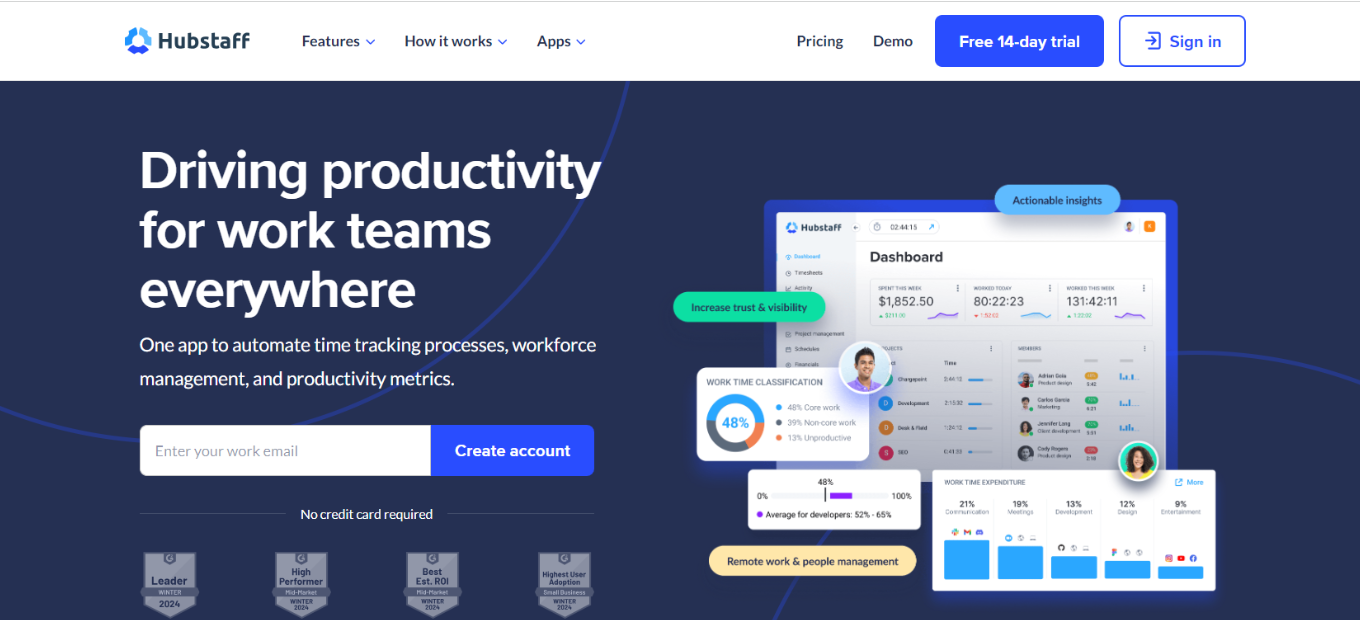
Boosting Productivity: The Power of Hubstaff

🏆 Our Verdict

Hubstaff presents a comprehensive solution for managing teams’ time effectively, catering to businesses of all sizes. Its intuitive platform and diverse feature set streamline time tracking and project management tasks, making it a valuable asset across various industries.

✅ Pros & ❌ Cons

Pros:
🔄 Flexible Time Tracking: Allows for customizable time tracking methods to suit different work environments.
📊 Advanced Reporting: Offers comprehensive reports and analytics for analyzing team productivity and project performance.
🚀 Project Management Tools: Integrates project management features to facilitate task assignment, progress tracking, and collaboration.
🌐 Multi-Platform Compatibility: Supports various platforms and devices, ensuring accessibility and convenience for users.
💼 Resource Management: Provides tools for managing resources efficiently, optimizing workforce allocation and project budgeting.

Cons:
💲 Pricing Structure: Some users may find the pricing plans comparatively higher, especially for advanced features.
📉 Learning Curve: New users might experience a learning curve while acquainting themselves with the platform’s functionalities.
📚 Limited Customization: Customization options may be somewhat limited in certain aspects compared to other similar tools.
🔍 Integration Complexity: Integrating with other tools and platforms may require additional setup and configuration, potentially leading to complexity.

📖 About Hubstaff

Hubstaff is a leading provider of time tracking and team management software, designed to enhance productivity and efficiency in the workplace. With its user-friendly interface and robust feature set, Hubstaff empowers businesses to optimize their operations and maximize team performance.

🗓️ How It Works

Signing Up for Hubstaff:

  1. Visit the Hubstaff website to begin the signup process.
  2. Choose a suitable plan based on your business needs and size.
  3. Create an account by providing your email address and setting up a password.
  4. Complete the setup process by entering your business details and configuring preferences.
  5. Install the Hubstaff desktop or mobile app to start tracking time and managing projects.
  6. Explore the various features and functionalities available to streamline your workflow.
  7. Utilize reporting and analytics tools to gain insights into team performance and project progress.

💲 Pricing Overview

Pricing Tiers:

  • Free Tools Overview: Hubstaff offers essential time tracking tools in its free plan, including basic features for tracking time and managing one project with limited team members.
  • Basic Plans: Designed for individual professionals or small teams, offering advanced time tracking and basic project management features at an affordable price.
  • Premium Plans: Tailored for medium to large businesses, providing comprehensive time tracking, project management, and resource optimization tools for enhanced productivity and efficiency.
  • Enterprise Plans: Suited for large enterprises and organizations requiring advanced customization, dedicated support, and enterprise-grade security features.

🥊 Competition

Hubstaff vs. Time Doctor

HubstaffTime Doctor
Advanced reporting and analytics featuresComprehensive time tracking capabilities
Integrated project management toolsFocus on productivity monitoring and analysis
Multi-platform compatibilityStrong emphasis on user productivity metrics
Resource management functionalitiesEmphasis on time utilization and efficiency

📌 Conclusion

Hubstaff emerges as a comprehensive solution for time tracking and team management, offering a wide range of features to enhance productivity and efficiency in the workplace. With its user-friendly interface, advanced reporting capabilities, and flexible pricing options, Hubstaff is an ideal choice for businesses looking to streamline their operations and maximize team performance.

“Optimize Your Team’s Performance with Hubstaff.”