Trello: Your Ultimate Project Management Companion

⚖️ Our Verdict

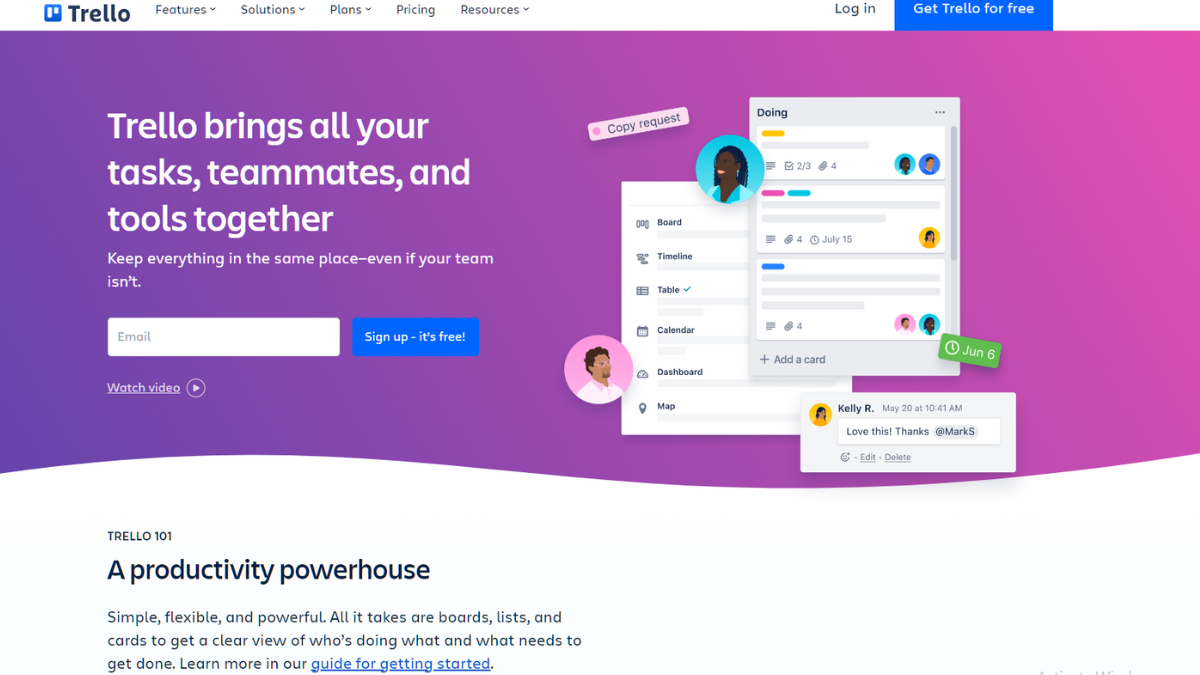
Trello is a web-based project management and collaboration tool that helps individuals and teams organize and track their tasks and projects. It provides a visual and intuitive interface that uses boards, lists, and cards to represent projects and tasks. Trello follows a Kanban-style approach, making it easy to visualize workflows and progress.

Overall, Trello provides a flexible and visual approach to project management, making it suitable for individuals, small teams, and large organizations looking for a simple yet effective tool to manage their projects, tasks, and collaborations.

👍 Pros👎 Cons
👍 Intuitive Visual Interface: Trello’s visual interface with boards, lists, and cards makes it easy to understand and use.

👍 Flexibility and Customization: Trello allows users to adapt the tool to their specific needs.

👍 Collaboration and Communication: Trello facilitates collaboration by allowing team members to work together on boards and cards.

👍 Integrations: Trello integrates with various third-party tools and services, such as Google Drive, Slack, and GitHub.

👍 Mobile Apps and Accessibility: Trello offers mobile apps for iOS and Android devices, allowing users to access and manage their tasks on the go.
👎 Lack of Advanced Project Management Features: Trello’s simplicity and ease of use may be limited for users who require more advanced project management features.

👎 Learning Curve for Complex Workflows: While Trello is easy to understand and get started with, it may have a learning curve for complex or large-scale projects.

👎 Limited Reporting and Analytics: Trello’s reporting and analytics capabilities are relatively basic.

👎 Storage Limitations in Free Version: The free version of Trello has storage limitations, including a limit on the number and size of file attachments.

👎 Pricing Structure: Trello offers both free and paid plans, with additional features available in the paid versions (Trello Business Class and Trello Enterprise). Some users may find the pricing structure, especially for teams or organizations, to be a disadvantage compared to other project management tools.

🌟 About Trello

The idea behind Trello stemmed from the desire to develop a tool that simplifies project management and enhances collaboration for teams.

The concept of Trello was inspired by Kanban, a lean manufacturing methodology that focuses on visualizing work and workflow. The founders wanted to apply this concept to digital project management, providing a visual and intuitive platform for organizing tasks and projects.

Over the years, Trello has continued to evolve and improve its features. It introduced various enhancements such as integrations with other tools, advanced automation through “Power-Ups,” and additional collaboration capabilities. Trello also expanded its platform by offering mobile apps for iOS and Android, allowing users to access and manage their tasks on the go.

🎁 What’s In It For You?

Trello’s visual interface allows users to create boards, lists, and cards, enabling them to visually organize and prioritize their tasks and projects. This visual approach helps users get a clear overview of their workload, progress, and upcoming deadlines.

Offers flexibility and customization options to adapt to different workflows and project requirements. Users can create custom boards, lists, and cards, add labels, due dates, attachments, checklists, and more. This flexibility allows users to tailor Trello to their specific needs and preferences.

Trello’s user-friendly interface and intuitive design make it easy for users to get started and navigate the platform. The simplicity of the tool allows users to quickly adopt and incorporate Trello into their daily routines without the need for extensive training.

🖥️ How Does It Work?

To use Trello effectively, follow these general steps:

  1. Sign up and create an account: Visit the Trello website or download the Trello mobile app and create a new account using your email address or other preferred sign-up methods.
  2. Create a board: Once logged in, create a new board for your project or area of focus. Give it a name and customize the background if desired.
  3. Add lists: Inside your board, create lists that represent stages or categories of your project. For example, you could have lists like “To Do,” “In Progress,” and “Completed.”
  4. Create cards: Within each list, create cards for specific tasks or items. Add a title and any necessary details to the card, such as due dates, descriptions, or attachments.
  5. Customize cards: Enhance your cards by adding labels, due dates, attachments, checklists, or comments. These elements help provide more context, organization, and progress tracking.
  6. Organize and move cards: Arrange your cards within the lists based on their current status or priority. You can drag and drop cards to move them between lists or rearrange their order.
  7. Collaborate with others: Invite team members to join your board, assign them specific cards or tasks, and encourage collaboration through comments and @mentions. This allows everyone to work together and stay updated on progress.
  8. Use additional features: Explore additional features like power-ups (integrations with other tools), automation with Butler, and advanced settings to further customize and streamline your workflow.
  9. Access Trello on mobile devices: Install the Trello mobile app on your iOS or Android device to access and manage your boards, lists, and cards on the go. Stay connected and update your tasks from anywhere.
  10. Explore Trello resources: Familiarize yourself with Trello’s help center, guides, and community forums to discover tips, best practices, and answers to common questions.

Remember, these steps provide a general overview of using Trello. The specific use and workflow may vary depending on your project requirements and preferences. Trello offers a user-friendly interface, so feel free to explore and experiment to find the best approach that suits your needs.

💲 Pricing Plans & Support

Trello provides amazing pricing that lets you build and publish your dream app!

💎 Free

Trello offers a free plan that provides basic features and functionality, including unlimited boards, lists, and cards. It is suitable for individuals or small teams with simple project management requirements.

💎 Trello Business Class

This is the paid plan designed for teams and businesses. It offers advanced features and additional capabilities beyond the free plan. Some key features of Trello Business Class include unlimited power-ups (integrations), advanced checklists, customizable board backgrounds, priority support, and more.

💎 Trello Enterprise

Trello Enterprise is the highest-tier plan offered by Trello. It is designed for larger organizations with extensive project management needs and requires a minimum of 20 users. Trello Enterprise offers enhanced security features, additional administrative controls, advanced integrations, and dedicated customer support.

📍 The Competition

👍 Pros👎 Cons
👍 Simplicity and Ease of Use: Trello is known for its intuitive and user-friendly interface, making it easy for individuals and teams to get started quickly. .

👍 Visual Organization: Trello’s visual interface with boards, lists, and cards provides a clear and visual representation of tasks and projects.

👍 Flexibility and Customization: Trello offers a high degree of flexibility and customization.

👍 Collaboration and Communication: Trello provides collaboration features that allow team members to work together seamlessly.

👍 Integration Ecosystem: While both Trello and Asana offer integrations with other tools, Trello has a broader range of available integrations.
👎 Advanced Project Management Features: Asana offers more comprehensive project management features compared to Trello.

👎 Workflow Automation: Asana offers a more sophisticated automation feature called “Rules,” which allows users to automate repetitive tasks and create custom workflows.

👎 Reporting and Analytics: Asana provides more extensive reporting and analytics capabilities, enabling users to track project progress, monitor team productivity, and generate detailed reports.

👎 Pricing Structure: Asana’s pricing structure may be more favorable for larger teams or organizations compared to Trello.

“Trello. Organize anything, together.”

Evernote: A Note-Taking and Organization Platform

⚖️ Our Verdict

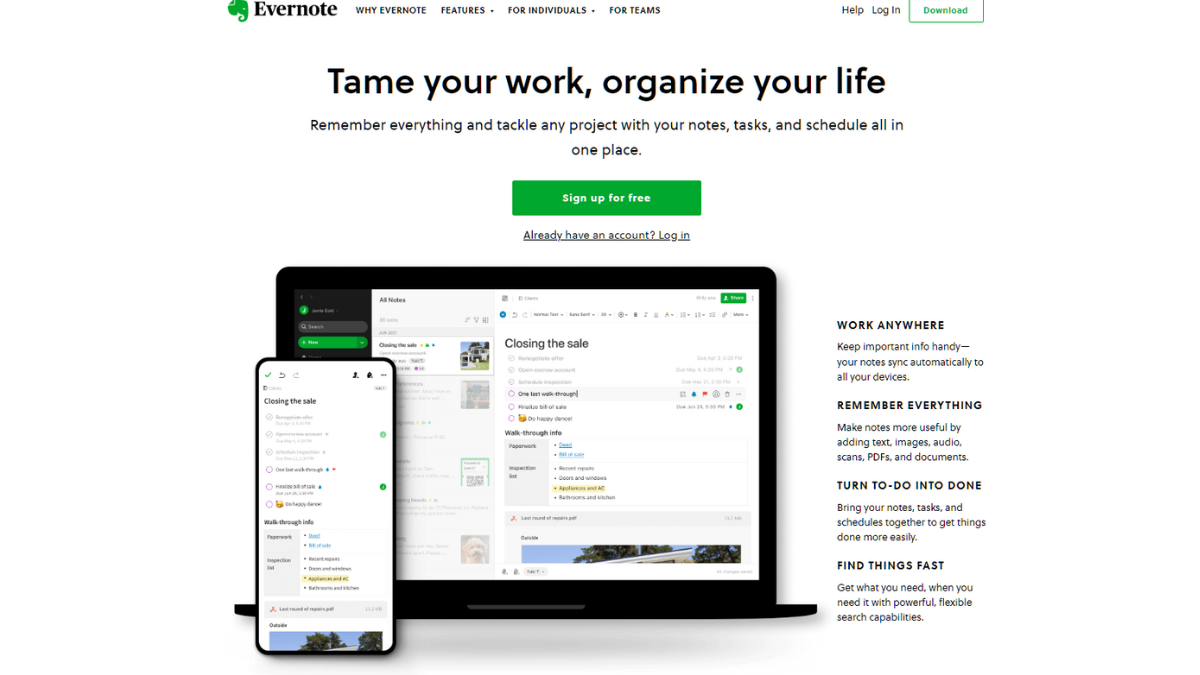
Evernote is a highly versatile note-taking and organization platform that offers a range of features to help users capture, organize, and access their notes and information.

Overall, Evernote is a powerful and widely-used note-taking and organization platform. It is well-suited for individuals, teams, and professionals who want a comprehensive and flexible solution for capturing and managing their notes and information.

👍 Pros👎 Cons
👍 Versatile Note-Taking: Evernote allows users to create and organize various types of notes, including text, images, audio recordings, and even handwritten notes.

👍 Cross-Platform Support: Evernote is available on multiple platforms, including web, desktop, and mobile devices.

👍 Collaboration and Sharing: Evernote allows users to collaborate on notes and projects, making it suitable for teamwork and sharing information.

👍 Integrations and Extensions: Evernote integrates with various third-party apps and services, extending its functionality.
👎 Pricing Tiers: Evernote offers free and paid subscription plans. While the free plan provides basic features, advanced functionalities, such as offline access, larger uploads, and enhanced collaboration, require a paid subscription. Some users may find the premium pricing to be a drawback.

👎 Learning Curve: Evernote’s extensive feature set and customization options may result in a learning curve for new users. It can take time to fully explore and utilize all the capabilities of the platform.

👎 Formatting Limitations: Occasionally, the formatting options in Evernote can be limited compared to dedicated word processors or text editors. Users requiring advanced formatting features may find this aspect restrictive.

🌟 About Evernote

Evernote is a popular note-taking and organization platform that was founded by Stepan Pachikov and Phil Libin in 2004.  

Evernote gained popularity and grew its user base rapidly, attracting millions of users worldwide. The company secured funding through several rounds of investments, enabling further development and expansion.

Evernote continues to be a popular note-taking platform, with millions of users relying on it for their productivity needs. It remains an essential tool for individuals, professionals, and teams seeking a comprehensive and flexible solution for capturing and organizing information.

🎁 What’s In It For You? 

Evernote offers powerful search functionality, allowing users to find specific notes or information quickly. The platform also provides tools for organizing and structuring notes, including notebooks, tags, and stacks. These features enable users to maintain an organized digital workspace.

Evernote facilitates collaboration by allowing users to share individual notes or entire notebooks with others. This feature is beneficial for teams working on projects or for individuals who want to share information with colleagues, friends, or family members. Users can give others permission to view or edit shared notes, enhancing productivity and collaboration.

Overall, Evernote provides a versatile and flexible platform for note-taking, organization, and productivity. Its features and accessibility make it a helpful tool for individuals, professionals, and teams who want to capture, organize, and access information efficiently across multiple devices.

🖥️ How Does It Work?

To use Evernote effectively, follow these steps:

  1. Create an Evernote Account: Visit the Evernote website or download the Evernote app on your device. Sign up for a new account by providing the required information.
  2. Install Evernote: Install the Evernote app on all the devices you plan to use, such as your computer, smartphone, or tablet. Evernote is available for various platforms, including Windows, macOS, iOS, and Android.
  3. Create and Organize Notes:
    • Create a New Note: Open Evernote and click on the “New Note” button. You can start typing, paste content, attach files, or even record audio directly into the note.
    • Formatting Options: Use the formatting options provided to customize your notes. You can change the font, add bullet points, create checklists, and more.
    • Add Attachments: Evernote allows you to attach files, images, or even PDFs to your notes. Click on the paperclip icon to add attachments.
    • Organize with Notebooks and Tags: Create notebooks to group related notes together. You can also use tags to add additional labels to your notes, making it easier to find them later.
  4. Sync and Access Notes:
    • Sync Across Devices: Evernote automatically syncs your notes across all devices linked to your account. Ensure that you have an internet connection for changes to sync.
    • Access Notes Offline: Evernote provides offline access to your most recent notes on mobile devices. Make sure you open Evernote while connected to the internet to ensure your notes are available offline.
  5. Search and Find Notes:
    • Use the Search Bar: Evernote has a powerful search feature that allows you to find specific notes or information quickly. Simply enter your search terms in the search bar at the top of the app.
    • Utilize Filters: Evernote offers filters like tags, notebooks, and dates to narrow down your search results and find notes more efficiently.
  6. Collaborate and Share:
    • Share Notes: Evernote enables you to share individual notes or entire notebooks with others. Click on the “Share” button and enter the email addresses of the people you want to share with. You can specify whether they can view or edit the notes.
    • Work Chat: Evernote’s Work Chat feature allows you to communicate and collaborate with others directly within the app. You can share notes, discuss ideas, and assign tasks.
  7. Web Clipping and Integration:
    • Web Clipping: Evernote provides browser extensions that allow you to clip web content directly into your Evernote account. Install the Evernote Web Clipper extension and use it to save articles, web pages, and more.
    • Integrations: Explore Evernote’s integrations with other applications and services. Connect Evernote to your email client, project management tool, scanning app, or other productivity tools to streamline your workflow.
  8. Set Reminders and Notifications:
    • Reminders: Evernote lets you set reminders for specific notes or tasks. Click on the alarm clock icon in a note to set a reminder with a specific date and time.
    • Notifications: Evernote can send you notifications for reminders or when someone shares a note with you. Configure your notification settings in the Evernote app preferences.

Remember to explore Evernote’s features and experiment with different ways of organizing and utilizing the platform to suit your specific needs.

📍 The Competition

👍 Pros👎 Cons
👍 Evernote is available on various platforms, including Windows, macOS, iOS, Android, and the web.

👍 Evernote’s interface and design prioritize a straightforward note-taking experience.

👍Evernote has powerful search functionality, allowing users to search for specific words or phrases within their notes. It also supports searching within attachments, including images and PDFs.
👎 Evernote has a more limited set of formatting options compared to OneNote.

👎 Evernote’s user interface can vary across different platforms, which may lead to a slightly inconsistent user experience.

👎 Evernote’s free version has storage limitations, typically with a monthly upload limit and a maximum amount of total storage.

“Remember everything.”

Developer-focused alternative: Evernote is built for clipping and search. If you want code-block syntax highlighting and offline-first storage instead, Boost Note is the open-source pick.

GitHub: A Web-Based Platform for Software Development

⚖️ Our Verdict

GitHub provides robust version control capabilities through Git, a distributed version control system. It allows developers to track changes, collaborate on projects, and easily manage code repositories. The version control features make it easy to revert to previous versions, track contributions, and manage branches for different features or experiments.

Enables collaboration among developers and teams. It offers features such as pull requests, code reviews, and issue tracking, which facilitate communication, feedback, and seamless integration of changes. It encourages community involvement and allows for open-source collaboration on public repositories.

👍 Pros👎 Cons
👍 Version Control: GitHub provides a powerful and reliable version control system through Git. It allows for easy tracking of changes, branch management, and the ability to revert to previous versions when needed.

👍 Collaboration and Community: GitHub facilitates collaboration among developers and teams.

👍 Hosting and Availability: GitHub provides cloud-based hosting for code repositories, eliminating the need for developers to manage their own infrastructure.

👍 Integration and Extensibility: GitHub supports numerous integrations and extensions with other development tools and services.

👍 Documentation and Project Management: GitHub offers features for managing project documentation, including wikis and README files.
👎 Learning Curve: Git and GitHub have a learning curve, especially for beginners who are new to version control systems.

👎 Limited Private Repositories: GitHub’s free plan limits the number of private repositories that can be created.

👎 Security Concerns: Although GitHub has robust security measures in place, the nature of hosting code on a cloud platform raises concerns for some organizations.

👎 Limited Offline Functionality: GitHub’s primary functionality relies on an online environment, which limits certain features when working offline.

🌟 About GitHub

GitHub was founded in April 2008 by Chris Wanstrath, Tom Preston-Werner, and PJ Hyett. The platform was developed as a way to simplify and enhance the collaborative process for developers working on open-source projects. The founders recognized the need for a more efficient and accessible version control system that could facilitate code sharing and collaboration among developers worldwide.

GitHub was built on top of Git, a distributed version control system created by Linus Torvalds, the creator of Linux. Git had already gained popularity among developers for its speed, scalability, and flexibility. By leveraging Git’s capabilities, GitHub aimed to provide an intuitive and user-friendly interface that made it easier for developers to collaborate on code and manage their projects.

GoRetro is the result of this vision, offering a range of features and tools that help development teams streamline their workflows, make data-driven decisions, and enhance their overall agile process. 

Over time, GitHub expanded its offerings to cater to the needs of individual developers, small teams, and large enterprises. It introduced features like GitHub Pages (for hosting static websites), GitHub Actions (for automating workflows), and GitHub Enterprise (a self-hosted version of GitHub for enterprise use).

🎁 What’s In It For You? 

Today, GitHub remains one of the most influential platforms in the software development industry. It has become a go-to place for developers to collaborate, share code, and build communities around open-source projects. With its user-friendly interface, powerful version control capabilities, and emphasis on social collaboration, GitHub has significantly impacted the way software is developed and shared worldwide.

The platform quickly gained traction within the developer community, and its popularity soared as it became a hub for open-source projects. GitHub’s success can be attributed to several factors:

Social Features: GitHub introduced social features like following other developers, starring repositories, and contributing through pull requests. These features fostered a sense of community and made it easier to discover interesting projects and connect with other developers.

Collaboration Tools: GitHub’s pull request feature, along with code review and issue tracking capabilities, streamlined the collaborative process. It allowed developers to propose changes, review code, and discuss issues within the context of the codebase, enabling efficient collaboration and feedback loops.

Open-Source Emphasis: GitHub placed a strong emphasis on open-source projects. It provided a platform where developers could host their open-source code, making it accessible to others for contribution and collaboration. This helped GitHub become a central hub for the open-source community.

🖥️ How Does It Work?

Getting started with GitHub involves a few key steps. Here’s a general guide to help you get started:

  1. Create a GitHub Account: Visit the GitHub website (github.com) and sign up for a free account. Provide the required information, including your username, email address, and password.
  2. Set Up Git: Install Git on your local machine if you haven’t already. Git is the version control system that GitHub is built upon. You can download Git from the official website (git-scm.com) and follow the installation instructions for your operating system.
  3. Create a Repository: Once you’re logged in to GitHub, you can create a new repository by clicking on the “New” button on the main page or the “+” sign in the navigation bar. Give your repository a name, add an optional description, choose whether it will be public or private, and initialize it with a README file (optional but recommended).
  4. Clone the Repository: To work with the repository locally on your machine, you need to clone it. Click on the green “Code” button on your repository’s page and copy the repository’s URL. Open a terminal or command prompt on your machine, navigate to the directory where you want to store your local copy of the repository, and run the command git clone <repository URL>.
  5. Make Changes and Commit: With the repository cloned, you can start making changes to the code or files. Use your preferred code editor or IDE to modify files or create new ones. After making changes, stage the files you want to commit using the command git add <file name> or git add . to stage all changes. Then, commit your changes using the command git commit -m "commit message".
  6. Push Changes to GitHub: Once you’ve committed your changes locally, you can push them to the GitHub repository. Run the command git push origin <branch name> to push your changes to the default branch (often named “master” or “main”). If you’re working on a different branch, specify the branch name instead.
  7. Branching and Pull Requests (Optional): If you’re working on a collaborative project or want to isolate your work, you can create a new branch. Use the command git checkout -b <branch name> to create and switch to a new branch. After making changes on the branch, you can create a pull request on GitHub to propose your changes for review and merging.

These steps provide a basic overview of getting started with GitHub. As you become more familiar with the platform, you can explore additional features like issue tracking, project management tools, and collaboration features.

GitHub provides extensive documentation and guides on their website (docs.github.com), which offer more detailed instructions on various Git and GitHub operations. It’s a valuable resource to explore as you delve deeper into the platform. Additionally, there are numerous tutorials and resources available online to help you learn and navigate GitHub effectively.

💲 Pricing Plans & Support

The pricing plans are as follows:

💎Free Plan

GitHub offers a free plan that provides essential features for individual developers and small projects. With the free plan, you get unlimited public repositories, unlimited collaborators, and basic project management tools. However, private repositories are limited to three collaborators. This plan is suitable for open-source projects or personal development.

💎Team Plan

The Team plan is designed for teams and offers additional collaboration and project management features. It includes all the features of the free plan, but private repositories have unlimited collaborators. The Team plan also provides access controls, code review tools, and project management capabilities. The pricing for the Team plan is based on the number of users in the organization.

💎Enterprise Cloud and Enterprise Server

GitHub offers enterprise-level plans for organizations with larger teams and more complex needs.

Enterprise Cloud: This plan provides a cloud-hosted solution with advanced security features, compliance controls, and scalable infrastructure. It offers enhanced administration features, centralized billing, and priority support. The pricing for Enterprise Cloud is based on the number of users.

Enterprise Server: The Enterprise Server plan allows organizations to host GitHub on their own infrastructure or private cloud. It provides the same features as the Enterprise Cloud plan but gives organizations more control over their deployment and security. The pricing for Enterprise Server is based on a per-user annual subscription.

It’s important to note that pricing plans and features may have changed since my knowledge cutoff date in September 2021. I recommend visiting the official GitHub pricing page (github.com/pricing) for the most up-to-date information on pricing plans, features, and any additional offerings or discounts that may be available.

📍 The Competition

👍 Pros👎 Cons
👍 GitHub has a larger and more established community of developers and open-source projects.

👍 GitHub has a wide range of integrations and plugins available, allowing seamless integration with various third-party tools, services, and workflows.
👎 GitLab provides a comprehensive DevOps platform that includes not only version control but also built-in continuous integration/continuous deployment (CI/CD) pipelines, container registry, monitoring, and more.

“Where the world builds software.”

Buffer: A Social Media Management Tool that Allows Users to Schedule and Publish

⚖️ Our Verdict

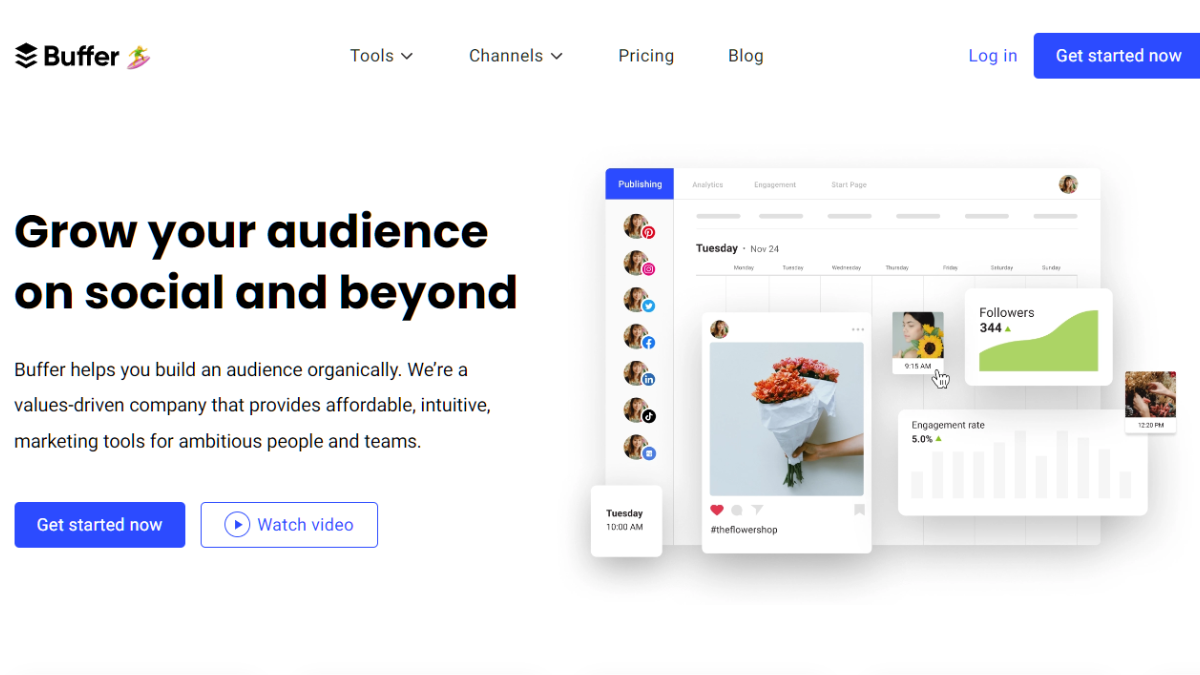
Buffer is a popular social media management tool that helps individuals and businesses schedule, publish, and analyze their social media content across multiple platforms. Here’s an overview of Buffer’s key features and functionalities:

  1. Social Media Scheduling: Buffer allows users to schedule posts in advance for various social media platforms, including Facebook, Twitter, Instagram, LinkedIn, Pinterest, and more. Users can create a content calendar and set specific dates and times for their posts to be published.
  2. Content Publishing: Users can compose and create social media posts directly within Buffer’s interface. It provides a simple and intuitive composing experience, allowing users to add text, images, videos, and links to their posts.
  3. Multi-Platform Support: Buffer supports multiple social media platforms, making it convenient for users to manage their presence across different networks from a single platform. It provides seamless integration with popular social media channels, allowing users to connect and manage multiple accounts.
  4. Team Collaboration: Buffer offers collaborative features that allow teams to work together on social media management. Users can assign roles, delegate tasks, and collaborate on content creation and scheduling. Team members can provide feedback, review posts, and ensure a consistent social media strategy.
  5. Analytics and Insights: Buffer provides detailed analytics and performance insights to track the effectiveness of social media campaigns. Users can analyze engagement metrics, follower growth, click-through rates, and other key metrics to understand their audience and optimize their social media strategies.
  6. Link Shortening and Tracking: Buffer includes a link shortening feature that allows users to create shortened and trackable links. This helps users monitor click-through rates, analyze the performance of shared links, and gather data on audience behavior.
  7. Social Media Calendar: Buffer’s social media calendar provides an overview of scheduled posts, allowing users to visualize their content strategy and ensure consistent posting frequency. It helps users plan and organize their social media content effectively.
  8. Integration with Third-Party Apps: Buffer integrates with other popular tools and platforms, including content curation tools, analytics tools, and productivity apps. This allows users to streamline their social media workflows and enhance their overall social media management experience.
👍 Pros👎 Cons
👍 Easy Scheduling and Publishing: Buffer provides a user-friendly interface for scheduling and publishing social media posts. It makes it convenient to plan and organize content in advance, saving time and effort.
👍 Multi-Platform Support: Buffer supports a wide range of social media platforms, including Facebook, Twitter, Instagram, LinkedIn, Pinterest, and more. This enables users to manage their presence across multiple networks from a single platform.
Analytics and Insights: Buffer offers detailed analytics and performance insights, allowing users to track engagement, follower growth, and other key metrics. These insights help users make data-driven decisions and optimize their social media strategies.
👍 Team Collaboration: Buffer’s team collaboration features make it easy to work together on social media management. Users can assign roles, delegate tasks, and collaborate on content creation, ensuring a cohesive and consistent social media presence.
👍 Integration with Third-Party Apps: Buffer integrates with various third-party tools and platforms, enhancing its functionality. Users can connect Buffer with content curation tools, analytics platforms, and other apps to streamline their social media workflows.
👍 Link Shortening and Tracking: Buffer includes a link-shortening feature that not only helps save character space but also provides tracking capabilities. Users can monitor click-through rates and gather data on audience behavior with the help of shortened and trackable links.
👎 Limited Direct Engagement Features: While Buffer excels at scheduling and publishing content, it has limited capabilities for engaging directly with users. Some engagement features, such as responding to comments or messages, may need to be managed through the native social media platforms.
👎 Restricted Instagram Posting: Due to limitations set by Instagram’s API, direct posting to Instagram is only available for business accounts through Buffer. Personal Instagram accounts require manual posting, which may be inconvenient for some users.
Dependency on Third-Party Platforms: Buffer relies on the APIs and functionalities provided by social media platforms. Any changes or restrictions imposed by these platforms can impact Buffer’s capabilities or require adjustments in the way content is managed.
Pricing Structure: While Buffer offers a free plan with limited features, more advanced features and increased usage capacities are available through paid plans. The pricing structure may not be suitable for all budgets, especially for larger teams or businesses with extensive social media needs.
👎 Limited Content Creation Features: Buffer’s primary focus is on scheduling and publishing content. While it provides basic content creation tools, users seeking advanced editing and design features may need to rely on external tools or platforms.

🌟 About Buffer

Buffer allows users to manage multiple social media accounts from a single platform, making it easy to schedule and publish content across various networks. Users can create and schedule social media posts in advance, specifying the date and time for publication. Buffer provides the option to set specific posting schedules for each social media account, ensuring optimal timing for engagement.

🎁 What’s In It For You? 

Buffer provides a user-friendly interface, and the platform itself offers helpful prompts and guidance as you navigate through the process. Take advantage of their resources, tutorials, and support to maximize your experience with the tool.

🖥️ To use Buffer effectively, follow these steps:

  1. Sign Up for Buffer: Visit the Buffer website (buffer.com) and sign up for an account. You can start with a free plan or choose a paid plan based on your needs.
  2. Connect Social Media Accounts: Once you’re signed in, connect your social media accounts to Buffer. This typically involves granting permission for Buffer to access your accounts.
  3. Set up a Posting Schedule: Determine your preferred posting schedule for each social media account. Buffer allows you to customize the days and times when you want your content to be published.
  4. Create Content: Begin creating social media posts within the Buffer platform. You can add text, images, videos, links, and other media to your posts.
  5. Schedule Posts: Choose the social media accounts you want to publish your post to, select the desired date and time, and schedule your posts accordingly. Buffer will automatically publish your content at the specified times.
  6. Review and Edit Posts: You can review and edit your scheduled posts in the Buffer dashboard. Make any necessary adjustments to the content, schedule, or social media accounts before they are published.
  7. Analyze Performance: Monitor the performance of your posts using Buffer’s analytics. Evaluate metrics like reach, engagement, clicks, and other key indicators to assess the effectiveness of your social media efforts.
  8. Engage with Your Audience: While Buffer primarily focuses on scheduling and publishing, make sure to actively engage with your audience directly on the native social media platforms. Respond to comments, messages, and mentions to foster connections and build relationships.
  9. Explore Additional Features: Take advantage of Buffer’s additional features, such as team collaboration, RSS feed integration, social media calendar, and browser extensions, to enhance your social media management workflow.
  10. Adjust and Optimize: Regularly assess the performance of your social media strategy and make adjustments as needed. Experiment with different types of content, posting frequencies, and engagement tactics to find what works best for your audience.

💲 Pricing Plans & Support

Buffer offers various pricing plans to accommodate different needs. Here’s an overview of Buffer’s pricing plans:

💎 Free Plan

Buffer offers a free plan that allows users to manage up to three social media accounts. With this plan, you can schedule up to 10 posts in advance per social media account. It includes basic features such as content scheduling and basic analytics.

💎 Pro Plan

The Pro plan starts at a monthly fee. It offers more advanced features compared to the free plan and is suitable for individuals or small businesses. The Pro plan includes the ability to manage up to eight social media accounts, schedule up to 100 posts in advance per social media account, and access additional features like advanced scheduling options and analytics.

💎 Premium Plan

The Premium plan is designed for larger teams or businesses with higher social media management needs. It offers more flexibility and features than the Pro plan. With the Premium plan, you can manage up to 12 social media accounts, schedule up to 2,000 posts in advance per social media account, and access features like team collaboration and advanced analytics.

💎Business Plans

Buffer offers business plans that cater to larger organizations or teams with extensive social media requirements. The business plans provide enhanced functionality, such as team collaboration features, custom workflows, priority support, and increased posting limits. The pricing for business plans varies depending on the specific needs and scale of the organization.


It’s worth noting that Buffer offers a 14-day free trial for its Pro and Premium plans, allowing users to experience the advanced features before committing to a paid plan. Additionally, Buffer occasionally offers promotions and discounts, so it’s advisable to check their website for any current offers.

Remember to review the pricing details on the Buffer website for the most accurate and up-to-date information, as pricing structures may be subject to change.

Build your audience and grow your brand on social media!

Related read: if you want scheduling plus social listening and analytics in one place, see how Hootsuite compares as an all-in-one option.

July: Making Brands Work for Creators

⚖️ Our Verdict

July is an excellent SaAS platform for content creators and influencers looking to collaborate with brands. July’s unique feature of automating brand deals simplifies the process of collaborating with brands, giving content creators more time to focus on creating high-quality content. 

The platform’s ability to provide contact information for brands makes it easier for creators to pitch to brands, removing the hassle of searching for brands and their respective contact information.

👍 Pros👎 Cons
👍 User-friendly interface
👍 Visually appealing design
👍Smart system technology
👎 

🌟 About July

July’s goal is to provide tools that enable more people to make a living from their creative work. They believe in the power of the internet to reshape the creative landscape, restore financial independence to creators, and unleash their superpowers to create new worlds and smash through barriers. They are committed to betting on creators across all industries to move us all forward because when they win, we all win. They love and support all creators.

🎁 What’s In It For You? 

If you use July’s platform, you can benefit from automation tools that simplify the brand deal process, allowing creators to focus on creating content. 

You can pitch any brand on the internet and access contact information for those you’re interested in working with. 

The platform also lets you see which brands are working with creators similar to you, and provides pre-made templates for outreach, follow-up, rate sharing, and more, to optimize your pitch. 

Additionally, with FastPay, you can get paid for your work instantly, without any transaction fees. The platform’s automation tools allow you to put your business on autopilot, so you can spend more time creating content.

💲 Pricing Plans & Support

💎 Side Hustle – Free for Creators

〰 5 pitch credits per month

〰 Automated pitching

〰 Free & instant invoicing

〰 Customizable media kit

💎 Career – $30/Month

For Creators making $1,000+ per month

〰 500 pitch credits per month

〰 AI-powered brand outreach

〰 See who brands are working with

〰 All premium templates

〰 10 Brand Requests per month

💎 Trending – $10/month

Creators starting to monetize

〰 50 pitch credits per month

〰 Premium outreach templates

〰 See who brands are working with

〰 2 Brand Requests per month

Make brands work for you with July!

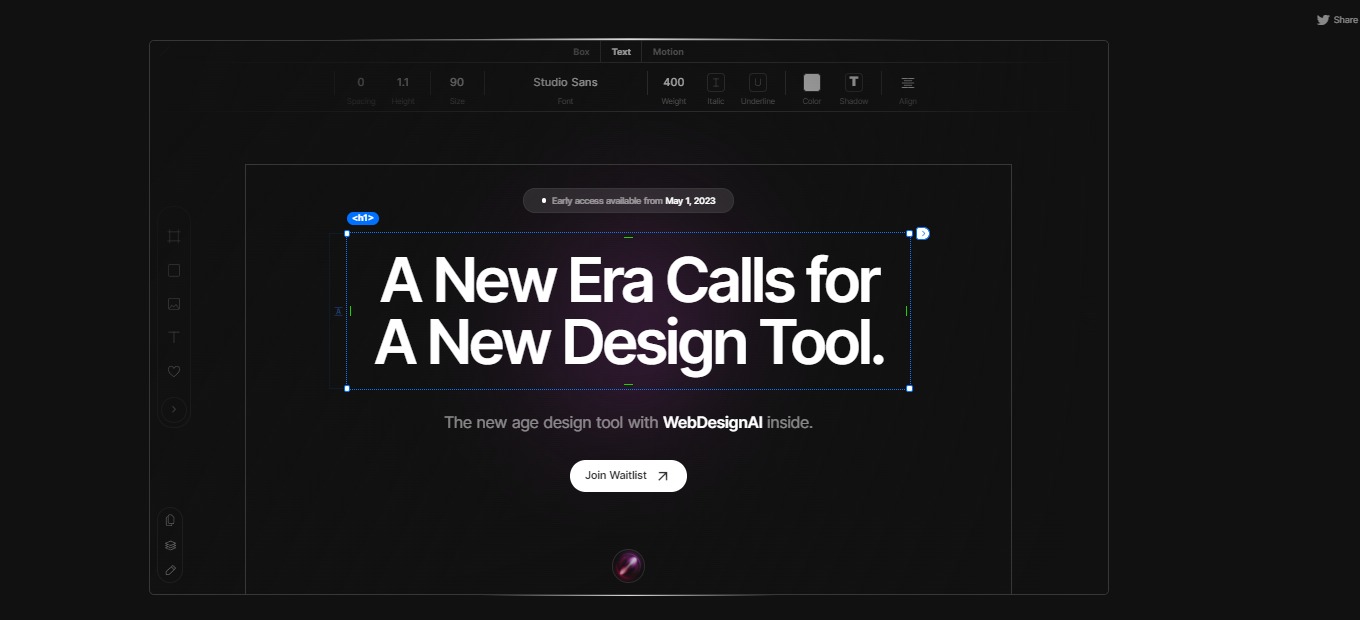
Studio Design: The new age design tool with WebDesignAI inside.

⚖️ Our Verdict

Studio Design offers a wide range of design services that cater to the needs of individuals, small businesses, and large corporations. Their portfolio showcases a diverse range of projects that demonstrate their expertise in graphic design, branding, website design, and other creative services.

The company’s personalized approach to each project ensures that they understand their clients’ needs and objectives, which allows them to create customized solutions that are both visually appealing and effective in achieving their clients’ goals. Their attention to detail and commitment to delivering high-quality results is evident in their work and is further emphasized by the positive testimonials from their satisfied clients.

👍 Pros👎 Cons
👍Wide range of design services
👍Incredible UX & UI
👍High-quality results
👍Great customer service
👎 

🌟 About Studio Design

The freeform Design Editor offered by this Studio Design is an innovative tool that provides users with an unparalleled level of design flexibility and control. 

The editor is designed to be simple and intuitive, while also packing a powerful punch of features that enable users to create stunning website designs that are truly unique.

🎁 What’s In It For You? 

One of the key strengths of this Design Editor is its precise timing of style and effect controls. The controls are meticulously timed to appear exactly when users need them, right where their cursor is. This feature saves users time and effort, allowing them to focus on their design vision and bringing it to life in a seamless and effortless way.

Another major advantage of the Design Editor by Studio Design is its ease of use. Despite its powerful features, the editor feels incredibly simple to use, making it accessible to users of all skill levels. The intuitive design and user-friendly interface make it easy for even novice designers to create professional-quality website designs with ease.

Perhaps most impressively, the Design Editor enables users to turn their site designs into an actual website with just one click. There is no need for rebuilding or handoffs, and absolutely no coding is required. This feature makes it easy for users to bring their designs to life and start sharing their content with the world in no time.

🖥️ How Does It Work?

  1. Go to the Studio Design website
  1. Join their waitlist by providing your email address and your name
  1. Click “Join Now”
  2. Wait for the confirmation email.

💲 Pricing Plans & Support

As of the moment, Studio Design is free for everyone. All you have to do is join the Waitlist so you can be one of the first ones to try it out.

📍 The Competition

👍 Pros👎 Cons
👍Powerful visual design interface
👍Built-in features and integrations 
👍Robust hosting and deployment options
👎 Learning curve for beginners
👎 High premium plan pricing

The new age design tool with WebDesignAI inside is Studio Design.

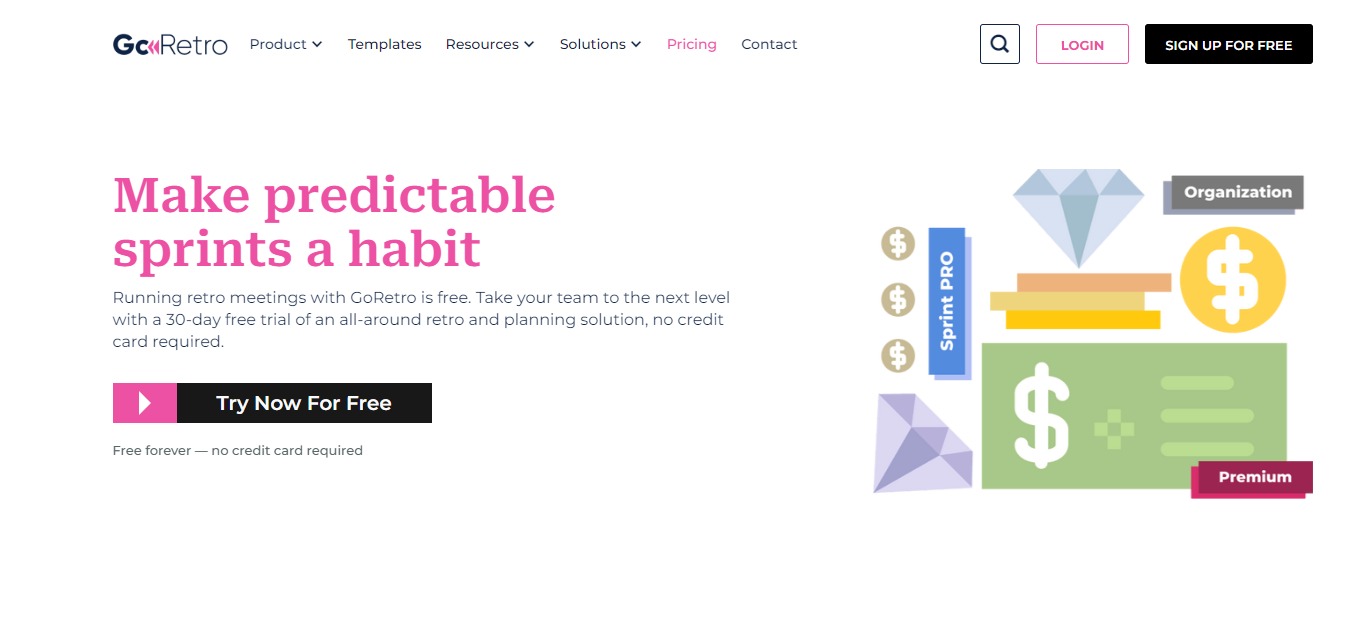
Go Retro: Make Every Sprint Impactful, Efficient, and Fun.

⚖️ Our Verdict

GoRetro is a game-changing platform that enhances the agile development process for development teams. It offers a range of tools and features to make sprint planning, monitoring, retrospectives, and reviews engaging and data-driven. With GoRetro, development teams can take their agile game to the next level and sprint to success like never before.

The platform is designed to be user-friendly and offers a range of customization options, making it easy for development teams to tailor their agile process to their specific needs. With GoRetro, development teams can streamline their workflows, maximize efficiency, and ensure that each sprint is a success. Overall, GoRetro is a powerful and innovative platform that is transforming the agile development process for development teams around the world.

👍 Pros👎 Cons
👍 User-Friendly Platform
👍 Data-Driven Approach
👍 Highly Customizable
👎 Limited Integrations

🌟 About GoRetro

The platform was founded in 2021 by a team of experienced software developers who wanted to improve the agile development process. 

The team recognized that many development teams struggle with the challenges of sprint planning, monitoring, retrospectives, and reviews, and wanted to create a platform that would make these processes more engaging and effective.

GoRetro is the result of this vision, offering a range of features and tools that help development teams streamline their workflows, make data-driven decisions, and enhance their overall agile process. 

The platform’s user-friendly interface, customization options, and focus on data-driven decision-making set it apart from other tools in the market. With GoRetro, development teams can maximize their efficiency, optimize their sprints, and ultimately achieve greater success in their software development projects.

🎁 What’s In It For You? 

If you use GoRetro, you can benefit from a range of features and tools designed to enhance the agile development process. These benefits include:

Streamlined Workflows: GoRetro offers a user-friendly platform that simplifies the sprint planning, monitoring, retrospectives, and reviews process. This can help development teams streamline their workflows, save time, and maximize their efficiency.

Data-Driven Decision Making: GoRetro provides data-driven insights that can help development teams make more informed decisions. This can help teams identify areas for improvement, optimize their sprints, and ultimately achieve greater success in their software development projects.

Customization: GoRetro offers a range of customization options, allowing development teams to tailor the platform to their specific needs and workflows. This can help teams optimize their processes and achieve their goals more effectively.

Overall, if you use GoRetro, you can benefit from a powerful and innovative platform that is designed to enhance the agile development process and help development teams achieve greater success in their projects.

🖥️ How Does It Work?

  1. Create an account on GoRetro’s website
  1. Set up your workspace
  1. Invite team members to your workspace
  2. Begin using GoRetro’s features and tools to manage your sprints and improve your agile process.
  3. Use sprint planning tools to plan your sprints
  4. Utilize real-time progress tracking to monitor your team’s progress
  5. Use data-driven insights to make informed decisions and identify areas for improvement
  6. Use retrospective tools to review your team’s performance and identify ways to optimize your processes
  7. Customize your workflows to suit the specific needs of your development team.

💲 Pricing Plans & Support

💎 Free Forever – $0/Month

Run team retrospectives easily, quickly, and absolutely free.

〰 1 team per company

〰 5 public boards

〰 Unlimited users & guests

〰 Unlimited team boards

💎 Premium – $29/Month

Everything in Free plus:

〰 Pay per team

〰 Unlimited public boards

〰 Advanced action items controls

〰 Meeting recap

〰 Sprint monitoring tool

💎 Sprint Pro – $49/month

Everything in Premium plus:

〰 Sprint capacity calculator

〰 Poker planning

〰 Task assignment tool (Coming soon)

〰 Data driven sprint planning (Coming soon)

📍 The Competition

👍 Pros👎 Cons
👍User-friendly
👍 Affordable
👎 Limited customization options

Make Every Sprint Impactful, Efficient, and Fun with GoRetro.

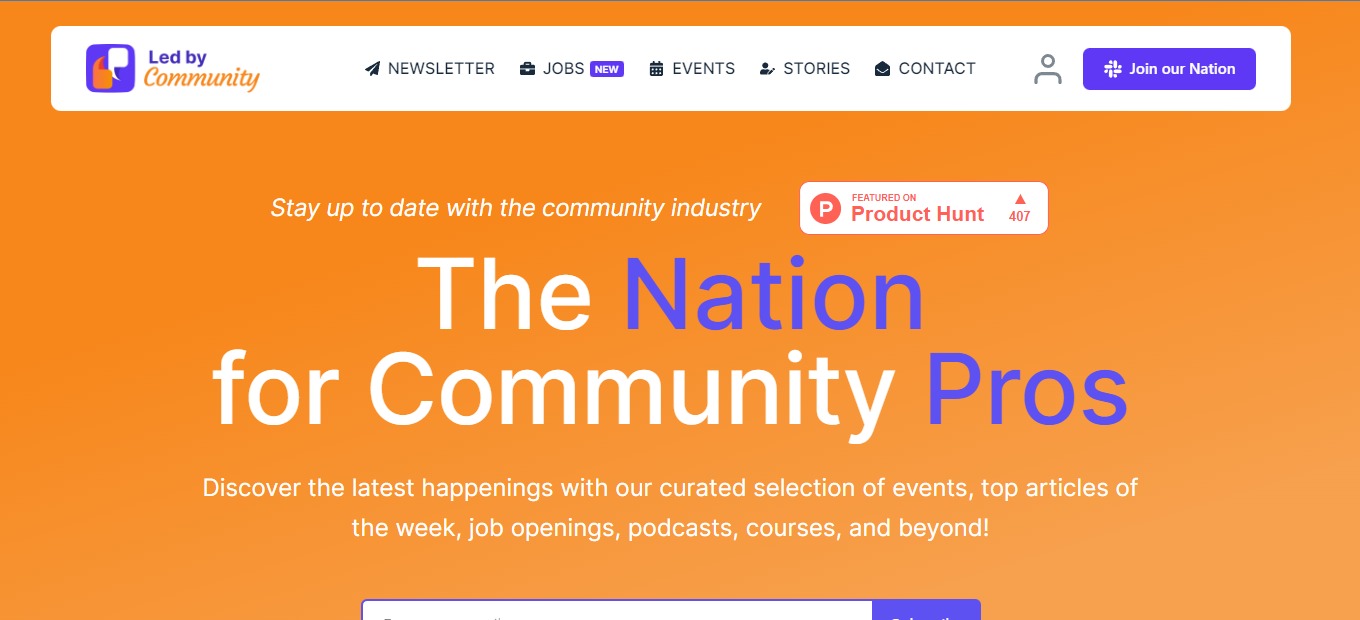
Led by Community: The Newsletter for Community Pros

⚖️ Our Verdict

The Led By Community is an exceptional platform for women looking to connect with like-minded individuals and establish a supportive network. As a digital marketer, it is evident that the platform is a game-changer for those who are seeking a safe and secure space for collaboration and learning.

Overall, the Led By Community is a highly recommended platform for women seeking to connect with like-minded individuals, learn new skills, and establish a robust network of support. With its focus on empowering women and creating a supportive community, the Led By Community platform is an excellent resource for women looking to thrive in their personal and professional lives.

👍 Pros👎 Cons
👍 Empowers women
👍 Wide Range of ResourcesWide Range of Resources
👍Strong Community
👍User-Friendly
👍Cost-Effective
👎 Limited Availability

🌟 About Led by Community

Led By Community is committed to empowering women to reach their full potential, both personally and professionally. By offering a supportive community and a wealth of resources, we aim to inspire and empower women to achieve their goals, no matter what stage of life they are in.  

Since its launch, Led By Community has grown significantly, attracting thousands of women from around the world who share a common goal: to empower and support each other. Today, Led By Community continues to expand its offerings, providing its members with valuable resources, networking opportunities, and a strong sense of community.

🎁 What’s In It For You? 

One of the most notable advantages of the Led By Communityis its focus on empowering women. Women often face many obstacles and barriers, and the platform provides a supportive environment for them to connect, collaborate and learn from each other.

Another remarkable feature of the Led By Community is the wide range of resources available to its members. From blog posts to webinars and events, there are various opportunities to explore, learn and improve oneself. Whether one aims to enhance their career, start a business or expand their network, Led By Community provides an extensive range of resources.

One of the most significant benefits of the Led By Community is the sense of community and belonging it creates among its members. The platform encourages individuals to share their experiences, challenges and successes, creating an inclusive and supportive environment. This community can be exceptionally beneficial for those who feel isolated or unsupported in their personal or professional lives.

🖥️ How Does It Work?

Led By Community is a community-driven platform that provides a supportive space for women to connect, collaborate, and learn from each other. Here’s how it works:

  1. Membership: Led By Community offers a range of membership options, including a free membership level that provides access to a significant amount of resources. Members can upgrade their membership to access additional resources and networking opportunities.
  2. Resources: Led By Community provides a wide range of resources to help women achieve their personal and professional goals. These resources include blog posts, webinars, e-books, and exclusive events. Members can access these resources at any time, and new resources are added regularly.
  3. Community: Led By Community fosters a strong sense of community among its members. Members can connect with each other through our private online community, attend exclusive events, and participate in networking opportunities.
  4. Support: Led By Community is committed to providing its members with the support they need to achieve their goals. Members can ask questions, seek advice, and get feedback from other members and our team of experts.
  5. Growth: By joining Led By Community, women have the opportunity to grow personally and professionally. Members can learn new skills, gain valuable insights, and connect with other women who share their goals and ambitions.

📍 The Competition

👍 Pros👎 Cons
👍Powerful platform
👍Highly customizable
👍User-friendly
👎 Expensive Pricing

Join The Newsletter for Community Pros with Led by Community

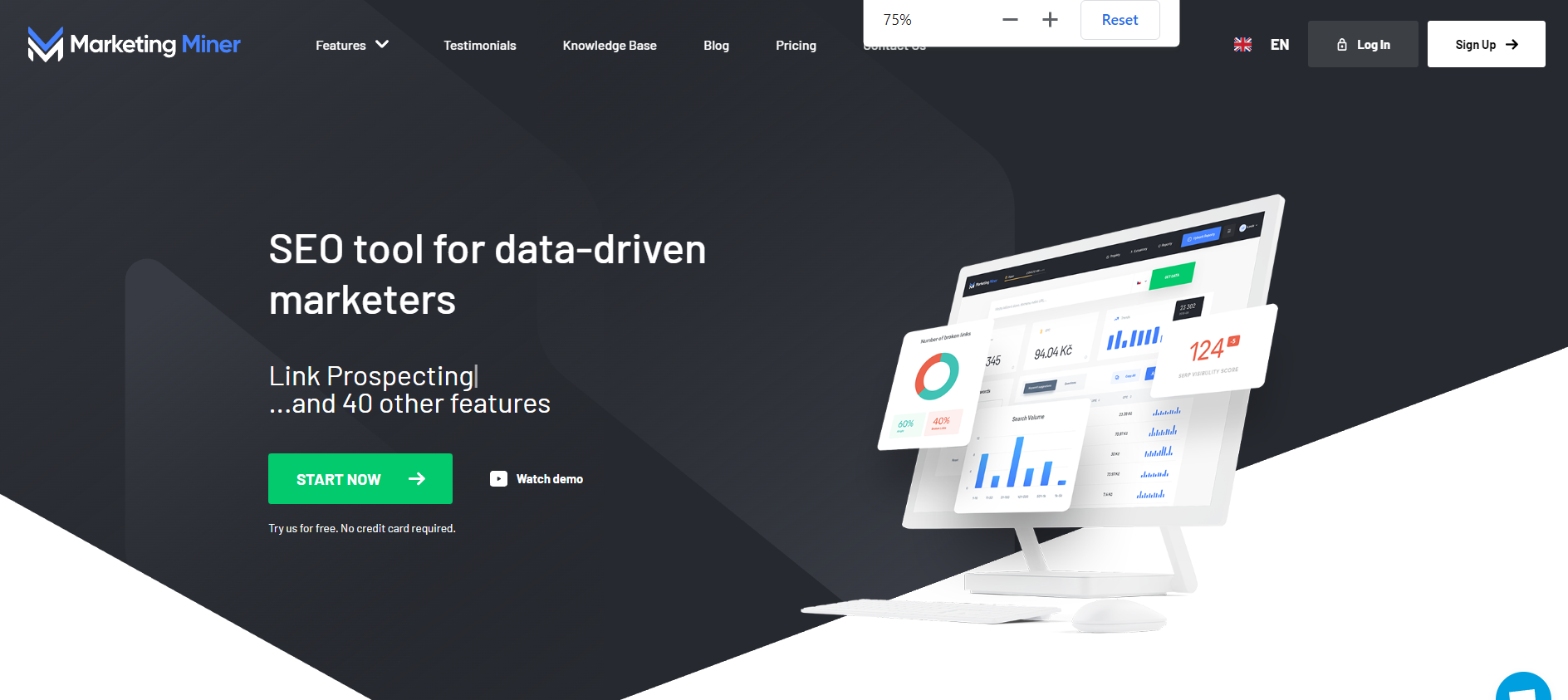
Marketing Miner – The Ultimate SEO Tool for the Data-Driven Marketer

⚖️ Our Verdict

Marketing Miner offers a wide range of features that enable users to gather and analyze data, including keyword research, competitor analysis, backlink analysis, and more. These features provide valuable insights into a website’s performance and help businesses optimize their marketing strategies.

What sets Marketing Miner apart from other marketing tools is its ability to pull data from multiple sources, including Google Analytics, Search Console, and SEMrush. This allows users to get a comprehensive view of their website’s performance and make data-driven decisions.

The platform’s user interface is intuitive and easy to navigate, even for those with limited technical knowledge. Marketing Miner also provides excellent customer support, ensuring that users can get help with any issues they encounter.

Overall, Marketing Miner is a powerful and reliable tool that can help businesses improve their digital marketing efforts and increase their online visibility. It’s a worthwhile investment for any company looking to improve their online presence and drive more traffic to their website.

👍 Pros👎 Cons
👍 Comprehensive Data Gathering
👍 User-friendly interface
👍 Valuable insights
👎 Steep Learning Curve

🌟 About Marketing Miner

The idea for Marketing Miner came about when the co-founders realized there was a market gap for a tool that could gather data from multiple sources and provide valuable insights to digital marketers. 

They set out to create a platform that could streamline the data-gathering process and provide users with a comprehensive view of their website’s performance.

Marketing Miner was launched in 2016 and quickly gained popularity among digital marketers in Europe and the United States. 

The platform’s ability to gather data from multiple sources, including Google Analytics, Search Console, and SEMrush, was a major selling point for many users. 

The platform’s user-friendly interface and range of features also helped to attract a large user base.

Since its launch, Marketing Miner has continued to evolve and improve. The company has added new features to the platform, such as a keyword research tool and a backlink analysis tool, to meet the needs of its users. 

Marketing Miner has also expanded its customer base and now serves businesses of all sizes, from small startups to large enterprises.

Today, Marketing Miner is one of the leading digital marketing tools on the market, and Atrada continues to innovate and improve the platform to meet the needs of its users.

🎁 What’s In It For You? 

Marketing Miner offers a range of benefits for its users, including:

  1. Comprehensive data gathering: Marketing Miner allows users to gather data from multiple sources, including Google Analytics, Search Console, and SEMrush, giving them a comprehensive view of their website’s performance.
  2. Valuable insights: The platform provides users with valuable insights into their website’s performance, including keyword research, competitor analysis, and backlink analysis. This information can help users optimize their marketing strategies and make data-driven decisions.
  3. User-friendly interface: The platform has an intuitive interface that is easy to navigate, even for those with limited technical knowledge.
  4. Versatile features: Marketing Miner offers a wide range of features, including keyword research, competitor analysis, backlink analysis, and more, making it a versatile tool for digital marketers.
  5. Excellent customer support: The company offers excellent customer support to help users with any issues they encounter.
  6. Time-saving: The platform streamlines the data-gathering process, saving users time and allowing them to focus on other aspects of their marketing strategies.

🖥️ How Does It Work?

  1. Sign up and create an account: To start using Marketing Miner, users need to sign up and create an account on the platform.
  1. Select the data source: Once users have created an account, they can select the data source they want to use.
  1. Choose the analysis type: Users then choose the type of analysis they want to perform, such as keyword research, competitor analysis, or backlink analysis.
  1. Configure the analysis: Users can then configure the analysis by selecting the parameters they want to use, such as the time period or keywords they want to analyze.
  1. Run the analysis: Once users have configured the analysis, they can run it and wait for the results to be generated.
  1. Analyze the results: Once the analysis is complete, users can analyze the results and gain valuable insights into their website’s performance. They can use these insights to optimize their marketing strategies and make data-driven decisions.
  1. Export the results: Users can then export the results in a variety of formats, including CSV, Excel, or PDF, and share them with team members or clients.

💲 Pricing Plans & Support

💎 Free – $0/Month

〰 1000 credits a month

〰 1 project

💎 Miner – $29/Month

〰 100,000 credits a month

〰 1 project

💎 Digger – $59/month

〰 1,000,000 credits a month

〰 10 projects

💎 Machine – $99/month

〰 2,000,000 credits a month

〰 20 projects

📍 The Competition

👍 Pros👎 Cons
👍Comprehensive feature set, including keyword research, competitor analysis, and backlink analysis
👍Easy-to-use interface
👍Great customer support
👎 Expensive compared to some other tools
👎 Some features may be overwhelming for beginners

Get The Ultimate SEO Tool for the Data-Driven Marketer with Marketing Miner

Carrd.co – Simple, free, fully responsive one-page sites for pretty much anything

⚖️ Our Verdict

Carrd.co is a popular website builder that allows users to create simple, elegant, and mobile-friendly websites without any coding knowledge. It provides a wide range of templates, customization options, and integrations that make it easy for users to create professional-looking websites quickly and easily.

Carrd.co is a reliable and easy-to-use website builder that can help users create attractive and functional websites. 

👍 Pros👎 Cons
👍 User-friendly interface
👍 Affordable pricing
👍 Responsive design
👍 Good customer support
👍 Customization options
👎 Limited integrations
👎 No SEO optimiztion

🌟 About Carrd.Co

Carrd.co is a website builder platform that was created by AJ, a software developer based in Chicago, Illinois, USA. The platform was first launched in 2016, with the goal of providing users with a simple and affordable way to create one-page websites.

Since its launch, Carrd.co has grown in popularity, attracting users from around the world. The platform has expanded its offerings to include more customization options, integrations, and features, while still maintaining its commitment to simplicity and affordability.

Today, Carrd.co has become a go-to platform for individuals and small businesses looking to create a professional-looking website quickly and easily, without the need for any coding skills. With its user-friendly interface and affordable pricing, Carrd.co continues to attract new users and maintain its position as one of the top website builders in the market.

🎁 What’s In It For You? 

  • Ease of use: Carrd.co is designed to be user-friendly, with a simple drag-and-drop interface that makes it easy for anyone to create a website, regardless of their level of technical expertise.
  • Affordability: Carrd.co offers a range of pricing plans, including a free plan and affordable premium plans, making it accessible to a wide range of users.
  • Customization options: With Carrd.co, you can choose from a range of templates and customize them to suit your needs, including font styles, color schemes, and layout options.
  • Mobile optimization: All websites created on Carrd.co are optimized for mobile devices, ensuring that your site looks great and functions seamlessly on any device.
  • Good customer support: Carrd.co provides excellent customer support, with fast response times and helpful resources, including a knowledge base and community forum.
  • Quick setup: Carrd.co enables you to create a website quickly, allowing you to launch your website in a matter of minutes.
  • Security and reliability: Carrd.co takes security seriously, ensuring that all websites are secure and reliable, with regular backups and SSL encryption.

Overall, using Carrd.co can help you to create a professional-looking website quickly and easily, with a range of customization options and affordable pricing plans.

🖥️ How Does It Work?

Here’s a step-by-step guide on how to use Carrd.co to create your website:

  1. Create an account: Go to the Carrd.co website and click on the “Sign Up” button. Enter your email address and password to create an account.
  1. Choose a template: Once you’ve signed up, choose a template from the options available. Carrd.co offers a range of templates to choose from, including options for portfolios, business websites, and personal websites.
  1. Customize your template: Once you’ve selected a template, you can start customizing it to suit your needs. You can change the text, images, and layout of the template to create a unique look for your website.
  1. Add sections: Carrd.co allows you to add sections to your website, such as an “About” section, a “Contact” section, or a “Services” section. You can add these sections by clicking on the “Add Section” button and selecting the type of section you want to add.
  1. Configure settings: Once you’ve customized your template and added your sections, you can configure the settings for your website. This includes things like your website title, description, and favicon.
  1. Publish your website: When you’re happy with your website, you can publish it by clicking on the “Publish” button. Carrd.co will give you a unique URL for your website, which you can share with others.
  1. Upgrade to a premium plan (optional): If you want to access additional features, such as custom domains, more templates, and third-party integrations, you can upgrade to a premium plan by clicking on the “Upgrade” button and selecting the plan that best suits your needs.

That’s it! By following these steps, you can create a professional-looking website quickly and easily using Carrd.co.

💲 Pricing Plans & Support

💎 Free – $0/Month

〰 Excellent features for free

💎 Pro – $19//year

Get access to Pro-exclusive features like:

〰 Custom domains

〰 More sites

〰 Forms

〰 Widgets + Embeds

〰 Google Analytics

〰 No Branding

📍 The Competition

👍 Pros👎 Cons
👍 Templates
👍 Advance customization options
👍 Wide range of features
👎 More complex
👎 More expensive

Create simple, free, fully-responsive on page sites with Carrd.co