Flutin 2.0: Professional multistreaming platform with Free-flow Studio

βš–οΈ Our Verdict

Flutin is a video streaming software that lets you stream live shows, organize events, and promote pre-recorded clips from a common platform. Advertisers, gamers, influencers, fitness instructors, and artists are the most likely to utilize it. The software has a consolidated dashboard that allows users to obtain real-time information about their live performance across numerous social media networks regarding views, reactions, shares, and likes.

With that, Flutin empowers artists and creators, and there’s no greater reason to continue the content flowing than the possibility of earning money. 

In conclusion, it’s an essential, all-in-one, and simple application for creators to stream across multiple platforms.

πŸ‘ ProsπŸ‘Ž Cons
πŸ‘ Stream in multiple platforms at once
πŸ‘ Easy integration with major platforms
πŸ‘ Monetization features
πŸ‘ Custom branding
πŸ‘Ž Some platforms not supported
πŸ‘Ž Delay in live session
πŸ‘Ž Outdated UI

🌟 About Flutin

Flutin Live is a web-based live broadcasting technology that allows you to seamlessly host and monetize live shows over several social media networks. With so many excellent social media platforms to select from, there’s no reason to limit yourself to just one. Flutin Live enables you to stream on numerous networks at the same time, including Facebook, YouTube, Twitch, and Instagram. 

Flutin offers live streaming solutions and beneficial features for the majority of use cases relevant to various sorts of streamers. Furthermore, choose from a number of live-streaming options such as guest invites, customized branding, screen sharing, and more to produce an engaging and thrilling show.

🎁 What’s In It For You?

Flutin’s key features allow you to conduct event planning, social media marketing, viewer analytics, event management, multistreaming, and much more. This application enables you to stream on different platforms at the same time with built-in scheduling.Β  Additionally, this tool lets businesses enhance the SEO effectiveness of live sessions by assigning keywords and descriptions to each streaming destination. To attract viewers, marketers may use the program to get a shareable link for live broadcasts and disseminate it across several platforms.

Furthermore, this tool offers multiple methods to monetize your stream. It lets you cash in with ticketed events, accept virtual gifts, and paid special requests. Flutin enables you to integrate with a variety of third-party programs, including Instagram, LinkedIn, YouTube, Telegram, Xsplit, Zapier, Steam, and others. Creators may instantly modify stream content by adding event names, inviting participants, and adding final captions using the tool.

πŸ–₯️ How Does It Work?

  1. Click the β€˜Go live now’ button to start streaming or create a new event to schedule your stream. 
  1. Fill in the basic details of your event.
  1. After filling up the details, click save.
  1. Review and edit other settings for your event.
  1. Choose the broadcast channels.
  1. Save your event as a draft or publish it right away.
  1. Invite friends and followers to your event.
  1. Click the β€˜Start live event’ button to start streaming.

πŸ’² Pricing Plans & Support

Flutin offers excellent streaming solutions to different types of creators. Choose the plan that suit your needs!

πŸ’Ž Free – $0/Month

This essential plan is free!

γ€° 10 hours streaming

γ€° 2 channels

γ€° 1 RTMP channel

γ€° 480 stream quality

γ€° 20% commission on revenue

γ€° 2 guest invites

πŸ’Ž Basic – $15/Month

This essential plan is only $15 per month!

γ€° 100 hours streaming

γ€° 7 channels

γ€° 2 Instagram channels

γ€° 3 RTMP channels

γ€° Up to 25 hours pre-recorded scheduling

γ€° 12 GB storage

γ€° 720 stream quality

γ€° 10% commission on revenue

γ€° 4 guest invites

γ€° Screen share

πŸ’Ž Advance – $39/month

This essential plan is only $39 per month!

γ€° 300 hours streaming

γ€° 20 channels

γ€° 6 Instagram channels

γ€° 8 RTMP channels

γ€° Up to 100 hours pre-recorded scheduling

γ€° 30 GB storage

γ€° 1080 stream quality

γ€° 5% commission on revenue

γ€° 10 guest invites

γ€° Web embedding

γ€° Screen share

γ€° White labeling

πŸ’Ž Agency – $79/month

This essential plan is only $79 per month!

γ€° Unlimited hours streaming

γ€° Unlimited channels

γ€° 15 Instagram channels

γ€° 20 RTMP channels

γ€° Up to 300 hours pre-recorded scheduling

γ€° 80 GB storage

γ€° 1080 stream quality

γ€° 0% commission on revenue

γ€° 10 guest invites

γ€° Web embedding

γ€° Screen share

γ€° 5 sub accounts

γ€° White labelling

πŸ“ The Competition

πŸ‘ ProsπŸ‘Ž Cons
πŸ‘ Stream to multiple platforms at once
πŸ‘ Metrics and video embed features
πŸ‘ View chats from different platforms
πŸ‘Ž Limited features on free plan
πŸ‘Ž Occasional disconnect from server

Professional multistreaming platform with Free-flow Studio with Flutin!

Loom: The fastest way to record and share videos at work

βš–οΈ Our Verdict

Loom is the top async video messaging platform. Designed for efficiency and ease, you can shoot, upload, and interact with videos to advance business whether you’re at your office or on the go.

It’s never been simpler to record and share videos from the comfort of your own home. To shoot a Loom video, launch Chrome on your desktop. Keep your clients informed, establish and sustain your company’s culture, and deliver product feedback to your crew with ease. Loom is used by individuals to communicate both internally and externally. 

All in all, it’s an efficient, simple, and affordable platform for recording videos to update your team!

πŸ‘ ProsπŸ‘Ž Cons
πŸ‘ Screen recording made simple with a webcam overlay 
πŸ‘ Videos are uploaded immediately for quick sharing
πŸ‘ Edit videos manually
πŸ‘ Intuitive UI for recording and viewing
πŸ‘Ž Many providers provide comparable functionality for less money
πŸ‘Ž Videos are public by default
πŸ‘Ž Cannot blur the background when self-recording

🌟 About Loom

Work, generally, and working remotely in particular, is all about communicating. It’s natural to gravitate to real-time communication, whether that means frequent gatherings or ongoing Slack chats. Loom is distinct among online collaboration tools in that it focuses only on asynchronous video communication.

Loom is a video creation tool that enables enterprises to enhance workplace communication by using video or video capture capabilities. It enables users to use the web-based interface to record screens or capture front-facing camera footage and distribute them with peers through a shareable link.

The advantage of Loom is its simplicity: tap record, create your video, and it’s instantaneously published and ready to be shared. Now you can connect with ease, without losing hours of productivity on ineffective meetings!

🎁 What’s In It For You?

Loom lets you record your screen and camera, or choose only the necessary. It works easily on any device using the Loom desktop app and mobile app, and even the Chrome extension. After recording, Loom lets you share your recording instantly by pasting a link to your video wherever your recipients are. The recipients can view the recording without creating an account.Β 

Furthermore, Loom keeps the conversation going. It lets you use emoji reactions, interactive features, and time-stamped comments to respond to videos, making your team connected and engaged. With this application, it enables you to save time by cutting down almost 30% of time spent on meetings. With that, you can focus on what’s important and achieve a goal with your team.

πŸ–₯️ How Does It Work?

  1. Click the Loom web extension. 
  1. Select the specifics of what you will record.
  1. The advanced settings show the input devices and other settings. Hit record after done with the settings.
  1. Click the check button on the lower left to finish recording.
  1. Edit the video in the editing window where you can adjust your video and share the link.

πŸ’² Pricing Plans & Support

Loom offers different plans that fit your needs.

πŸ’Ž Starter – Free

This deal for quick video messages is free!

γ€° Up to 50 Creators lite

γ€° Up to 25 videos/person

γ€° Up to 5 mins video

γ€° Screen recording and cam bubble

γ€° Instant editing

γ€° Unlimited transcriptions

γ€° Privacy controls

γ€° Viewer insights

πŸ’Ž Business – $8/Month

This deal for advanced recording and analytics is only $8 per month per creator!

γ€° Everything in Starter

γ€° Unlimited creators, videos, and recording length

γ€° Up to 50 creators lite

γ€° Custom branding

γ€° Engagement insights

γ€° Embed links in video

γ€° Password protected videos

γ€° Video uploads

πŸ“ The Competition

πŸ‘ ProsπŸ‘Ž Cons
πŸ‘ robust and technologically advanced whiteboard solution
πŸ‘ many CMS integration
πŸ‘ Real-time editing
πŸ‘Ž Complex mobile UI
πŸ‘Ž Overwhelming features

The fastest way to record and share videos at work is through Loom!

Quolum: Save 30% on SaaS, without the headache

βš–οΈ Our Verdict

Quolum is a SaaS expenditure management tool that collects and instantly ties vendor invoices to transactions. You may easily acquire all of your SaaS needs. With Quolum, no subscription will be put to waste. This makes sure that all your expenditures are optimized to your needs. 

This application is best used by SMEs, startups, enterprises, and agencies. It is also evident that accountants love this tool because it does all the hard work. With that, Quolum is a one-stop solution for your SaaS needs, helping you make informed decisions about purchases, renewals, and cancellations.

In summary, it’s the perfect solution and essential tool for acquiring and managing SaaS.

πŸ‘ ProsπŸ‘Ž Cons
πŸ‘ Track all SaaS spends in one place
πŸ‘ Create SaaS cards with spend limit
πŸ‘ Good customer support
πŸ‘ Streamlined invoice collection
πŸ‘Ž Needs deeper insights
πŸ‘Ž Limited optimization data for some platforms

🌟 About Quolum

About 30% of all SaaS subscriptions in the market lie wasted. Quolum is the first comprehensive SaaS purchasing tool of its type, offering agreements, purchases, and renewals to help clients acquire SaaS efficiently.

Quolum provides expenditure control, SaaS visibility, and utilization monitoring by employing a Visa expense card highly focused on SaaS, cloud, and online payment. In addition, the Contract Concierge aids you in managing, summarizing, and negotiating contracts. This program, equipped with usage data, assures you save money by scaling correctly.

Quolum enables you to pay, track, and optimize your SaaS expenditure by the quickest and most accurate means possible. Consider Quolum to be your one-stop SaaS answer. It enables you to make more informed purchases, renewals, and cancellations.

🎁 What’s In It For You?

Quolum serves as your SaaS buying concierge by handling the rest of your processes. This app can get you the best commercials and lets you store documents in a single location. Expounding on that, Quolum stores your contracts together with the meta-data like vendor, dates, cancellation, the court of law, and data processing and retention policies.

Quolum enables you to buy all your SaaS with ease. This application features an expense card for purchasing SaaS with a purpose. Additionally, it is backed by modern tech that manages all expenses, cancels trials, and controls your spending. With that, you will receive a single bill from all your expenditures with the invoices aggregated from the vendors; best for accountants.

This application gives you data-driven and thoughtful renewals for your SaaS purchases. With Quolum, you can optimize all your subscriptions as well as reveal all shelfware. Now you can make informed decisions about your renewals based on a bird’s eye view of your SaaS collection.

πŸ–₯️ How Does It Work?

  1. The Quolum dashboard shows all your contracts, payments, and renewals
  1. All contracts are shown in the documents section. 
  1. Use the SaaS card to control expenses. 
  1. View all apps to see how SaaS products are utilized. 

πŸ’² Pricing Plans & Support

Quolum is the finest in its class. This software recognizes the importance of outcomes and puts its money where its mouth is by linking price to outcomes, offering you actual value.

πŸ’Ž Starter – Free

This deal is perfect for companies spending less than $100k annually and it is for free!

γ€° The world’s first and most specialized SaaS Card for Payments

γ€° Invoice tracking, organization, and visibility

γ€° SaaS utilization tracking across 5000+ apps

γ€° Spend controls and monitoring

γ€° SaaS cancellation as a service

γ€° Zero Cross Currency Charges

πŸ’Ž Super Saver Plan – Contact Sales

This deal is perfect for companies spending more than $100k annually and it is available upon contacting sales!

γ€° All Features in the Starter Plan plus:

γ€° Specialist SaaS buying experts for your sourcing needs

γ€° Cloud Cost Optimization

γ€° Detailed FinOps Services and Reporting

γ€° Repository of Contracts, Invoices and all your documentation requirements

γ€° Guaranteed Savings

πŸ“ The Competition

πŸ‘ ProsπŸ‘Ž Cons
πŸ‘ Save money buying SaaS
πŸ‘ Multiple functions in one
πŸ‘ Seamless workflow integration
πŸ‘ Good customer support
πŸ‘Ž Few bugs and missing features
πŸ‘Ž Lacks effective reporting and other functionalities

Save 30% on SaaS, without the headache through Quoloum!

Instoried: Enhance your content writing experience with AI

βš–οΈ Our Verdict

Instoried improves your content while saving time. Instoried’s cutting-edge AI technology augments your composing capabilities in real time. Here you can examine the moods and emotions in your writing with ease. 

In order to elicit the appropriate set of feelings in your consumers, optimize the needed emotions in your content and make it more impactful. Additionally, grammar and plagiarism are also checked. Instoried suggests adding empathy, better tenses and phrases, and more unique material. With Instoried, you can Improve your writing skills and increase consumer engagement!

In summary, it’s a jam-packed, helpful, and essential tool for content writing and analysis for your marketing needs!

πŸ‘ ProsπŸ‘Ž Cons
πŸ‘ Tone and emotion analysis
πŸ‘ Grammar and plagiarism check
πŸ‘ Generate content using AI
πŸ‘ Great UX and UI
πŸ‘Ž Paid application 
πŸ‘Ž Yearly pricing plan
πŸ‘Ž Word limit
πŸ‘Ž Recommendations need improvement

🌟 About Instoried

Instoried is an artificial intelligence-powered content-generating and assessment application. It assists you in creating SEO-friendly material and effectively enhancing the moods and tones of your content. In addition, you may create customized, error-free, and extremely adaptable material quickly.

Instoried is aimed to assist companies in communicating with empathy. Instoried’s mission is to assist people in creating high-quality content at scale, as well as to enable content production a quick and effective process for organizations and individuals. 

This application has two parts which are the content generation tool and the content analysis tool. It features a GPT-3 trained model, enabling the generation of excellent content. The content analysis tool considers SEO, spelling, grammar, and plagiarism. 

🎁 What’s In It For You?

Instoried is a single tool to rule everything! It allows you to create stories that matter with the AI Analysis assistant. This feature analyzes and improves your content by suggesting better words; making you stand out. It analyzes the impact of your titles, headlines, captions, etc. In addition, it also analyzes the tone, emotion, originality, and SEO of your content!

Instoried also lets your content become the talk of the town by helping you create original and engaging content in just a few clicks. This application allows you to generate premium content, including taglines, brand descriptions, ads, headlines, and captions. The generated content is SEO-centered and you can choose or personalize the suggestions. 

πŸ–₯️ How Does It Work?

  1. Open the content editor and add a document to be edited.
  1. Add your content to the space provided.
  1. Different analyses are shown on the right panel. Choose one to view the analysis.
  1. Suggestions are shown in the tonal section. You can select to apply different suggestions to improve your content.

πŸ’² Pricing Plans & Support

Instoried offers a straightforward pricing plan that scales depending on the number of users.

πŸ’Ž Individual – $49/Year

This helpful deal is only $49 per year!

γ€° 1 user

γ€° Headline and SEO analysis

γ€° Emotion and tonal breakup

γ€° Plagiarism and grammar check

γ€° Content generation

πŸ’Ž Standard – $99/Year

This helpful deal is only $99 per year!

γ€° 4 users

γ€° Headline and SEO analysis

γ€° Emotion and tonal breakup

γ€° Plagiarism and grammar check

γ€° Content generation

πŸ’Ž Growth – $149/Year

This helpful deal is only $149 per year!

γ€° 10 users

γ€° Headline and SEO analysis

γ€° Emotion and tonal breakup

γ€° Plagiarism and grammar check

γ€° Content generation

πŸ’Ž Enterprise – $249/Year

This helpful deal is only $249 per year!

γ€° 20 users

γ€° Headline and SEO analysis

γ€° Emotion and tonal breakup

γ€° Plagiarism and grammar check

γ€° Content generation

πŸ“ The Competition

πŸ‘ ProsπŸ‘Ž Cons
πŸ‘ AI copywriting tool
πŸ‘ Create different types of content
πŸ‘ Helps generate business ideas
πŸ‘Ž Non-specific content on certain topics
πŸ‘Ž Focuses on short content

Enhance your content writing experience with Instoried AI

Bugasura: Issue tracker for fast moving, modern tech teams

βš–οΈ Our Verdict

Bugasura.io is a simple and collaborative bug-tracking platform that enables developers, testers, and product teams to report and close issues more quickly. It is simple, quick, and allows you to customize procedures and focus on issues and bugs that need to be handled right away.

This tool is best for fast-moving teams of small to medium-sized businesses. The simplicity and modernity of this tool make it better than other applications in the market. Furthermore, it is a simple, graphic, and collaborative bug tracker that will make your life a lot simpler.

Overall, it’s a modern, simple, and useful application for bug-tracking and site-monitoring needs.

πŸ‘ ProsπŸ‘Ž Cons
πŸ‘ Simple and modern bug-tracker
πŸ‘ Collaborate with team
πŸ‘ Integration with Asana, ZenDesk, Jira, Lambdatest, and Slack
πŸ‘ Compatible with web, mobile, and native apps
πŸ‘Ž Minor issues when integratingΒ 
πŸ‘Ž Loading time
πŸ‘Ž Kanban view lacks flexibilityΒ 

🌟 About Bugasura

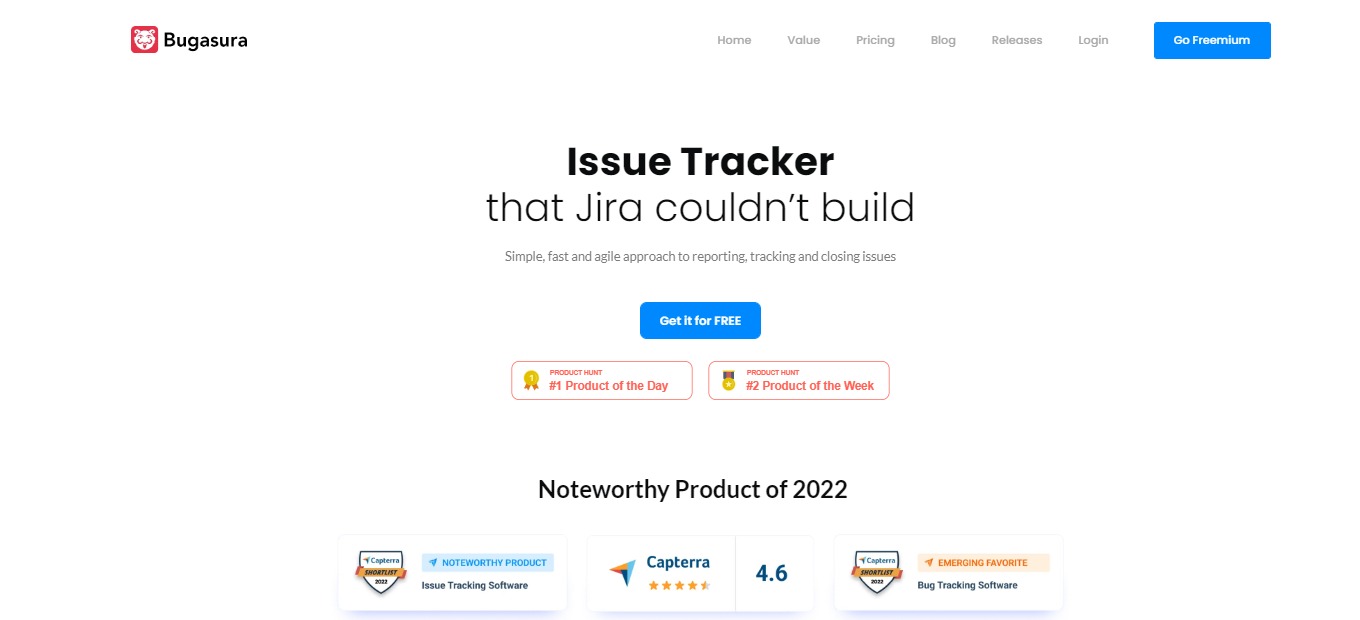
Bugasura is the problem tracker that Jira was unable to create. It is a straightforward, quick, and agile way to report, track, and resolve issues. It’s a bug tracker that is focused on assisting to fix bugs while filtering out all the unwanted noise.

Bugasura is a modern-day tool that is built for collaboration. This tool was built because current bug trackers in the market are not doing their job well. With that, Bugasura does the job well in a fast and simple manner.Β 

Individuals all over the world use it as an issue and bug tracker for numerous projects. People like it because it is straightforward and efficient, and allows them to personalize workflows and concentrate on problems and bugs that need to be fixed immediately.

🎁 What’s In It For You?

Bugasura features a modern tool that allows you to track and manage issues with ease; modern software requires a modern tool. Additionally, Bugasura is a fast application, letting you get ahead of the competition. With this application, you can close issues faster!

Bugasura is a social-first issue tracker that is integrated with different social tools like Slack, Gmail, GitHub, WhatsApp, and more. Furthermore, this tool adapts minimalism, allowing you to focus with just enough features that do the job well.

This application is the fastest way to report issues. With Bugasura, you explain less and show more. Lastly, this tool can be a bug tracker for your apps on different platforms. 

πŸ–₯️ How Does It Work?

  1. Name and organize your projects.
  1. Add and manage issues on each project. 
  1. View analytics and get a visual overview of the issues.
  1. Integrate with other tools.
  1. Monitor vitals and performance.
  1. Customize issue statuses and add member assignees.

πŸ’² Pricing Plans & Support

Pay as you grow with Bugasura’s simple pricing!

πŸ’Ž Free – $0/Month

Come together and fix bugs in a modern way for free!

γ€° 5 users

γ€° Unlimited projects

γ€° Issue tracker

γ€° Mail integration

γ€° Slack integration

γ€° Jira integration

γ€° Chrome reporter

γ€° Android reporter

γ€° Email support

πŸ’Ž Pro – $5/Month

Ship faster with this modern tool for only $5 per month per user!

γ€° Everything in free

γ€° 100 users

γ€° Chat support

γ€° Priority updates

πŸ“ The Competition

πŸ‘ ProsπŸ‘Ž Cons
πŸ‘ Integration with GitHub and other significant apps
πŸ‘ Easy to use. Fast application
πŸ‘ User-friendly features
πŸ‘ Search and filter feature
πŸ‘Ž Not ideal pricing plan
πŸ‘Ž Lacks prioritization feature

Issue tracker for fast moving, modern tech teams with Bugasura!

Publer: Create, schedule & analyze all social posts on one platform

βš–οΈ Our Verdict

Publer is a digital Superhero that lets you collaborate, plan, and assess your Facebook, Instagram, TikTok, Twitter, LinkedIn, Pinterest, Google My Business, YouTube, and WordPress posts. It assists organizations in managing content across several platforms.

In addition to simple manual scheduling, Publer can plan your posts for you based on a publishing calendar that you specify. With personalized postings and statistics, this tool assists businesses of all sizes in managing auto-scheduling, bulk posting, team collaborations, links, media uploads, and more.Β 

Overall, it’s an intuitive, helpful, and powerful application for social media management needs!

πŸ‘ ProsπŸ‘Ž Cons
πŸ‘ Clean UI and contains major features
πŸ‘ Easy to schedule multiple posts
πŸ‘ Good pricing plan
πŸ‘ Canva and VistaCreate integrations

πŸ‘Ž Calendar view is not intuitive
πŸ‘Ž Basic analytics and reports
πŸ‘Ž Lacks some integrations

🌟 About Publer

Publer organizes the clutter of social media publishing into a single, stress-free platform. Publer is your social media hero, loaded with remarkable properties based on user input and constant product enhancement. 

Publer began as a simple side gig for automating updates on a Facebook Business page several years ago and today covers all major social networks. It is home to over 150,000 social media marketers, tech enthusiasts, advertising companies, and big companies.Β 

What distinguishes Publer is its rapid evolution and the community it has established, particularly in the last three years despite being bootstrapped. To mention a few features, Publer originally developed bulk scheduling, recycling evergreen material, personalizing posts, shortcodes, watermarking, signatures, and scheduling follow-up comments. 

🎁 What’s In It For You?

Publer gives power to the link in your bio on Instagram and allows you to gather attention or promote sales on your eComm website. It lets you drive engagement on several social media networks and increase the overall blog site visitors. 

Using Publer’s browser plugin, you can quickly share text, photographs, and links across social media platforms. By allowing Publer to appear as a tiny window, you may avoid and replace the clutter of tabs while also increasing productivity. Additionally, this app saves you loads of time by creating and scheduling social media posts in bulk.Β 

Moreover, Publer lets you organize and manage all visuals in a single library. It provides a distinct visual experience by helping you keep all graphics in one place. Other features of Publer that make social media posting seamless include a calendar view that lets you organize upcoming posts and analytics that collects social media reports.

πŸ–₯️ How Does It Work?

  1. All social media accounts are on the left panel.
  1. Drag and drop a graphic and edit your post.
  1. Select an account where you want to post. You can select multiple accounts.
  1. Edit the post individually depending on the account, or you may opt to have a single post.
  1. Set a delay between posts for multiple accounts.
  1. View all posts in the posts section.
  1. View all scheduled posts in the calendar view.

πŸ’² Pricing Plans & Support

Publer offers simple pricing for everyone! From personal use to SMBs and large corporations, there is a superhero for everyone!

πŸ’Ž Free – $0/Month

Start building momentum on social media for free!

γ€° 3 social accounts

γ€° 1 user, 1 workspace

γ€° 10 pending scheduled posts per account

γ€° 25 saved drafts

γ€° 24 hours posts history

πŸ’Ž Professional – $12/Month

Scale your social media efforts for only $12 per month!

γ€° 3 social accounts

γ€° Unlimited scheduling and drafts

γ€° Unlimited workspaces

γ€° Eternal posts history

πŸ’Ž Business – $23/month

Unleash the power of social media for only $23 per month!

γ€° All in professional plan

γ€° Analytics report

γ€° Best times to post

γ€° Hashtag suggestions

γ€° Recycle evergreen content

γ€° Design videos

πŸ“ The Competition

πŸ‘ ProsπŸ‘Ž Cons
πŸ‘ Easily create and plan content
πŸ‘ Compatible with major social media platforms
πŸ‘ Great calendar system
πŸ‘Ž Functionality between mobile and desktop is not good
πŸ‘Ž Bugs in the application

Create, schedule & analyze all social posts on one platform with Publer!

Air for Teams: The Fastest Way to Find, Store, and Share Content

βš–οΈ Our Verdict

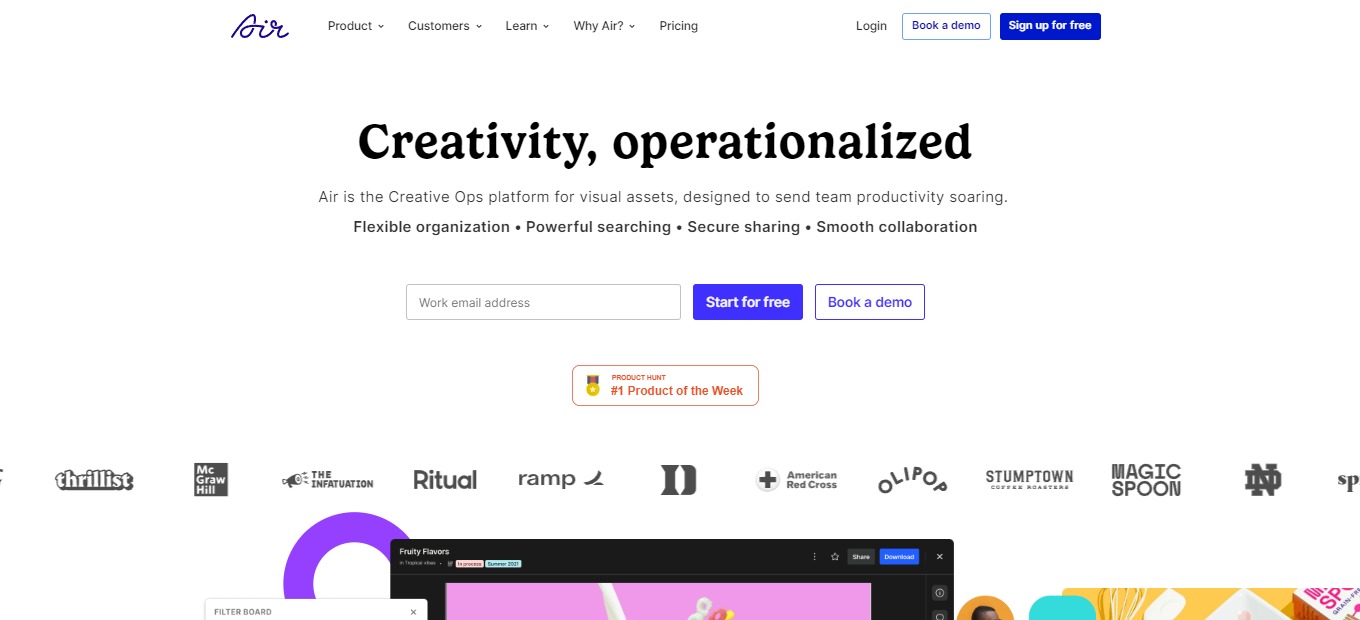
Air is your brand’s clean, straightforward workspace; it serves as the headquarters for everything from brand guidelines to campaign deployment. With the complete capability of a Digital Asset Management platform intended for creative work, you can store, manage, and use all of your organization’s assets. 

Air is a good option for teams who require a centralized mechanism to share and comment on photographs for social networking, marketing, advertising, and other purposes, however, it has some clear potential for development. It’s easier to use for photographs and videos than other generic cloud storage services, but it doesn’t appear to be as developed as some other collaborative tools.

Overall, Air is a complete, functional, and helpful application for managing your online assets effectively!

πŸ‘ ProsπŸ‘Ž Cons
πŸ‘ Collaborate on visual assets by sharing and commenting
πŸ‘ Good UI and UX
πŸ‘ Smart photo tagging

πŸ‘Ž URL import of image not supported
πŸ‘Ž Limited app integrations
πŸ‘Ž Cannot mark up or pin comments

🌟 About Air

Air is the best creative collaboration center for your team’s assets. It’s a visual workspace where you can quickly save, distribute, organize, and complete your work. Say farewell to legacy applications such as Dropbox and Google Drive.

Air is an online collaboration tool that combines elements from cloud storage and communication apps to make working with visual content easier. It is not intended for artist and designer collaborations; rather, it is intended for marketers and social media managers who use a final copy of graphics in their job. Air comes with sophisticated technologies like automated picture tagging and allows you to upload images instantly or import them from cloud storage providers.

🎁 What’s In It For You?

Air lets you navigate your workspace like a search engine. With built-in tools like image identification and smart tag keywords, you can locate the item you’re looking for in seconds. Air enables users to connect feedback to any resources, along with precise commentary and timestamp options, for greater clarity and alignment.

You may utilize the Kanban view to set categories for your materials and visualize your performance. View the assets’ progress of your team from ready for review to requiring revisions to authorized. Air also features an assets version capability that allows you to keep the creative process under control. Allow your whole team to see new changes and keep all iterations in one location.

Stop concealing your materials in nested folders and zip files and start using the visual workspace. Air lets you appreciate a visual user experience tailored to your workflow. Lastly, Air has integrations with Canva, Adobe Premiere Pro, and Slack.

πŸ–₯️ How Does It Work?

  1. A demo board is shown in your workspace for inspiration.
  1. Change the settings.
  1. Access, organize, and render assets on the boards. Assets can be tagged on different boards.
  1. Change the board view.
  1. Share content by generating a URL.
  1. Edit permission settings for members.

πŸ’² Pricing Plans & Support

With Air, you can get started for free and upgrade as you and your organization grow!

πŸ’Ž Free – $0/Month

This is ideal for individuals or small projects. Everything you need to get started is completely free!

γ€° 25GB storage

γ€° Up to 3 members

γ€° Import from Google Drive, Dropbox, and Box

γ€° Visual support for images, videos, PDFs, PPTs, and more

πŸ’Ž Plus – $10/Month

Ideal for small groups or freelancing work. Manage additional assets and create easy workflows for as little as $10 per month! 

γ€° Everything in Free

γ€° 200GB storage

γ€° Pay per seat

πŸ’Ž Pro – $25/month

Ideal for developing teamwork. More collaboration space and freedom for just $25 per month!

γ€° Everything in Plus

γ€° 2TB storage

γ€° Password protected share links

γ€° Priority support

γ€° Comment-only members and guests

πŸ“ The Competition

πŸ‘ ProsπŸ‘Ž Cons
πŸ‘ Flexible and easy to set up
πŸ‘ Flat monthly price for unli users
πŸ‘ Multiple integrations
πŸ‘Ž Issues with communication
πŸ‘Ž Limited reports
πŸ‘Ž No proofing feature

The fastest way to find, store, and share content is Air!

Vowel 2.0: Turn Your Meetings Into Searchable, Shareable Knowledge

βš–οΈ Our Verdict

Vowel is a video conferencing tool that enhances meetings. With video conferencing, live transcribing, immediate recordings, and shared agendas plus annotations all in one location, it is a technology that makes your meetings incredibly effective. 

Vowel is ideal for brainstorming, user experience research, regular standups, planning sessions, and other purposes. Attend your meetings thoroughly and never miss anything vital. It’s dead simple to locate precisely what you’re searching for in seconds using Vowel’s advanced search features. Share excellent ideas and key choices with your entire team so that everyone can hear them.

Overall, it’s a feature-packed, essential, and accessible tool for productive and effective online meetings.

πŸ‘ ProsπŸ‘Ž Cons
πŸ‘ Record the person speaking, important decisions, and others
πŸ‘ Transcribe and share notes
πŸ‘ Record and share the meetings
πŸ‘ Bookmarking feature
πŸ‘Ž Connection issues
πŸ‘Ž Mobile platform needs improvement
πŸ‘Ž Glitchy recordings

🌟 About Vowel

A session should be about more than just virtual meetings; it should be about working together, developing partnerships, and keeping focused. Vowel is a video conferencing solution that allows you to multiply the value of your meetings by ten. 

Gather, transcribe, document, record, locate, and share virtual meetings all in one place β€” no other software is needed! Vowel has transformed traditional video conferencing by transforming your sessions into searchable and shared knowledge.

With Vowel, you can not only organize more engaging and focused meetings, but you can also have unlimited recall of the ideas and choices that emerge from those talks, preventing them from being frozen in time.

🎁 What’s In It For You?

Vowel promotes more productive meetings by automatically recording and transcribing all your sessions in real-time. This lets your attendees engage in the discussion more instead of taking notes. Vowel also allows for collaboration where you can utilize the shared workspace screen. This app enables you to produce an interactive agenda, concrete follow-ups, and take note of important stuff during conversations.Β 

With Vowel, action items are turned into simple and easy tasks. This app links the action item back to a shareable meeting recording. Additionally, Vowel simplifies your screen with integrations. Being browser-basedβ€”Vowel eliminates the need for downloadingβ€”you don’t need to run other tools or plug-ins on different tabs. 

Vowel provides a hassle-free experience wherein a meeting can be started from Slack or Google Suite, and then receive a meeting summary through email. 

πŸ–₯️ How Does It Work?

  1. Schedule a meeting in your dashboard.
  1. Start and record your meeting using the button on the lower left. You can use keyboard shortcuts for different commands.
  1. Share your screen.
  1. Change the transcription language in the transcription button on the lower right.
  1. Bookmark a part of your meeting to return to it easily.

πŸ’² Pricing Plans & Support

Vowel offers amazing pricing plans for better meetings!

πŸ’Ž Free – $0/Month

This essential deal is free forever!

γ€° Record and transcribe

γ€° Unlimited meetings for up to 50 minutes

γ€° Rewatch and search through past meetings 14 days after recording

γ€° Host for 12 participants

γ€° Basic integrations (Slack, Google, Calendly)

πŸ’Ž Pro – $8.49/Month

This essential deal is only $8.49 per month!

γ€° Everything in Free plan

γ€° Meetings up to 120 minutes

γ€° Rewatch and search through past meetings 60 days after recording

γ€° Host for 25 participants

γ€° Advanced transcription

γ€° Non-English transcription languages

γ€° Dial-in

γ€° Download videos

γ€° Meeting guests are free

πŸ’Ž Business – $16.49/month

This essential deal is only $16.49 per month!

γ€° Everything in Pro plan

γ€° Meetings up to 10 hours

γ€° Rewatch and search through past meetings forever

γ€° Host for 50 participants

γ€° Priority support

γ€° Meeting guests are free

πŸ“ The Competition

πŸ‘ ProsπŸ‘Ž Cons
πŸ‘ Easy to use and accessible
πŸ‘ Record meetings and conduct breakout rooms
πŸ‘ Have basic meeting needs.
πŸ‘Ž 45-minute time limit on free plan
πŸ‘Ž Costly application
πŸ‘Ž β€œZoom fatigue”

Turn your meetings into searchable, shareable knowledge with Vowel 2.0.

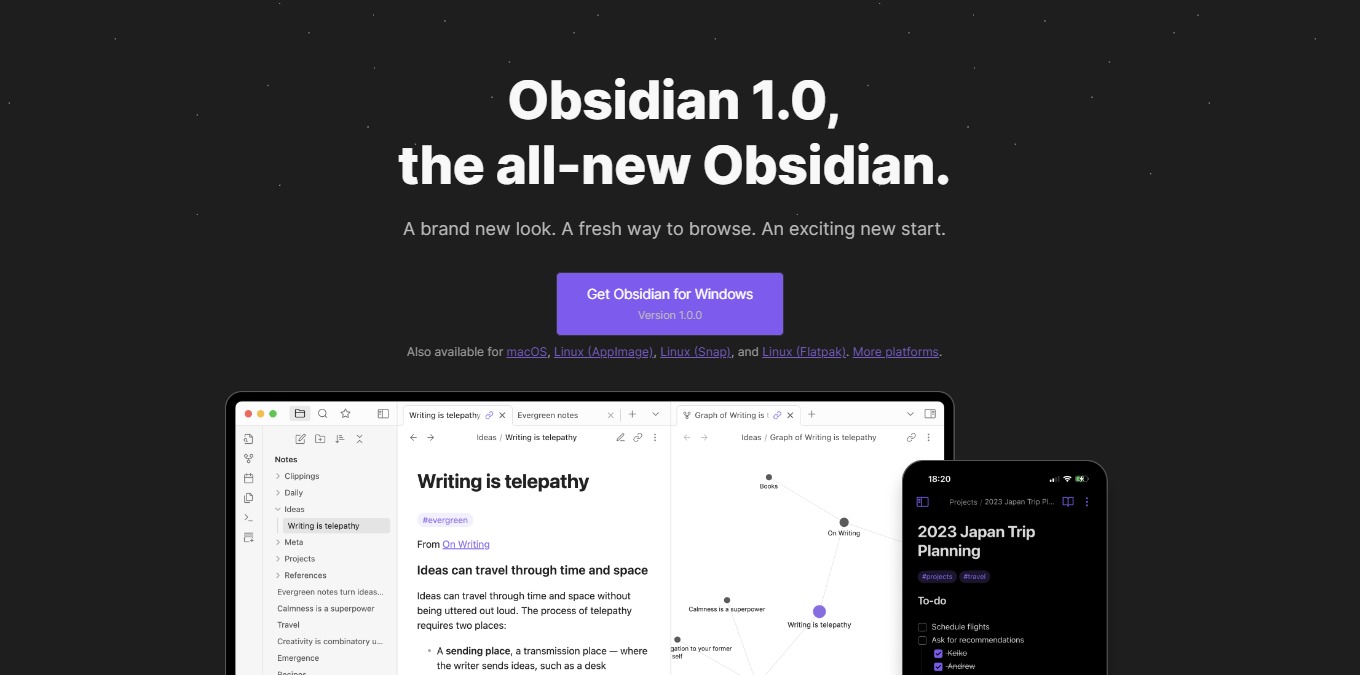
Obsidian 1.0: A Brand New Look, A Fresh Way to Browse, A New Start

βš–οΈ Our Verdict

The Obsidian app makes taking notes enjoyable, even for free users. It has a robust feature set that you’re likely to enjoy, as well as a clean, easy-to-use interface. However, there are a few drawbacks, such as limited customer support and the lack of a web version. 

Obsidian is best used by writers, students, professionals from different fields, and any other individual who wishes to take notes smoothly and efficiently. It has a low learning curve since it is simple and quick to take notes and concepts in Obsidian. Simply launch the app, create a new note, and begin typing. Obsidian is an effective note-taking app that also serves as a private system for managing knowledge. It is dependent on how you treat note-taking, composing, and research.

To sum it all up, it’s an easy-to-use, essential, and helpful application for note-taking and knowledge management.

πŸ‘ ProsπŸ‘Ž Cons
πŸ‘ Available on PC or mobile
πŸ‘ Compatible with Windows, macOS, Linux, Android, and iOS
πŸ‘ Can work offline
πŸ‘ Simple and secure notes
πŸ‘ Smooth writing experience
πŸ‘ Good community
πŸ‘Ž Needs download

πŸ‘Ž Only plain text without formatting options
πŸ‘Ž Tedious setup

🌟 About Obsidian

Obsidian was created in response to a lack of a suitable note-taking app and dissatisfaction with existing solutions. With three primary considerations: local-first and simple text; links as a priority; and the ability to be highly extensible.

Obsidian is a fresh note-taking app on the market that allows you to gather your networked ideas in one place utilizing links. Despite it being new, it has amassed a sizable user base, with a large percentage of them commending it as a useful note-taking tool. 

Obsidian is a bi-directional note-taking tool relying on plain text markdown information stored in a local directory, providing your notes with the security and longevity they require.

🎁 What’s In It For You?

Obsidian lets you create a vault which is a location on your device where the app can store notes and settings inside the app. With that, note-taking will not require an internet connection for it to be efficient. With Obsidian, you can create simple notes using plain text. This is an advantage for people valuing the content rather than the aesthetics.

Once you create a note, this app allows you to save it on your local device and open it at any time for viewing and editing. Obsidian also allows you to sync your notes across any device, enabling you to view and edit just by logging in. 

Obsidian lets you open notes in tabs allowing you to explore many ideas at once! Just like how the brain works, the tabs feature replicates it. Additionally, this app allows you to make and follow frictionless connections with the graph view, backlinks, and outgoing links. 

πŸ–₯️ How Does It Work?

  1. Click the new note button and change the title. 
  1. Start typing on the new note.
  1. On the local device, you can view the note created on Obsidian.
  1. Create a new note and link other notes to it by typing β€œ[]”.
  1. Create a potential new note by highlighting a word and putting a bracket on it.
  1. View backlinks by clicking the right-side panel.
  1. Open the graph view on the left button.

πŸ’² Pricing Plans & Support

Obsidian offers very simple pricing with substantial benefits!

πŸ’Ž Personal – $0/Month

This essential deal is free!

γ€° No account or sign-up required

γ€° Access to plugins and API

γ€° Community support

πŸ’Ž Catalyst – $25

This essential one-time payment deal is only $25!

γ€° Support development

γ€° Early access to insider builds

γ€° Special badges in community

γ€° Access to exclusive dev channel

πŸ’Ž Commercial – $50/Year

This essential deal is only $50 per year!

γ€° 14-day free trial before payment

γ€° Commercial use

γ€° Priority support

πŸ“ The Competition

πŸ‘ ProsπŸ‘Ž Cons
πŸ‘ Integrated templates
πŸ‘ Organize notes and dashboard
πŸ‘ Collaboration features
πŸ‘ Compatible across different devices
πŸ‘Ž Need to pre-load pages to use offline mode
πŸ‘Ž Learning curve
πŸ‘Ž Text formatting issues

Get a brand new look, a fresh way to browse, a new start with Obsidian 1.0.

TeleportHQ: Powerful website builder to create, publish & export code

βš–οΈ Our Verdict

TeleportHQ is a front-end design tool that enables you to construct and produce quality websites without having to know how to code. It is a sophisticated visual builder that allows you to quickly design and publish headless static websites. By creating a Figma design in TeleportHQ, you can accelerate your front-end development workflow.

TeleportHQ assists dedicated data scientists, developers, and designers that use developer tools in reaching their goals. It is beneficial to businesses, developers, and creatives alike. The execution is entirely dependent on AI and intelligent automated systems. It offers a simple visual builder and the potential to publish production-ready code faster than ever before, making it a popular choice among its users.

All in all, it is an easy-to-use, functional, and complete tool to develop, collaborate, and host beautifully created websites!

πŸ‘ ProsπŸ‘Ž Cons
πŸ‘ Build landing pages
πŸ‘ Manage websites
πŸ‘ Requires minimal coding experience
πŸ‘ Available professional templates
πŸ‘ Good support
πŸ‘Ž Need CSS knowledge
πŸ‘Ž Has bugs
πŸ‘Ž Limited supported languages and frameworks

🌟 About TeleportHQ

TeleportHQ is minimal-code development software that enables you to use a drag-and-drop editor to construct and publish static web pages. TeleportHQ is a cutting-edge website creation software that allows you to generate a quality prototype. Furthermore, TeleportHQ lets you build real-time code depending on your chosen target platforms and access the UI platform with a single click.

TeleportHQ develops technologies centered on visual creation, supplemented with AI technology, adaptable between platforms and scripts, and common UI languages. Furthermore, with the growing complexity of building user interfaces for mobile and online platforms, it integrates team management. It is also compatible with open-source tools such as the REPL environment, code generators, and data visualization inspector.

🎁 What’s In It For You?

The drag-and-drop visual editor in TeleportHQ makes it simple to create and develop static web pages in just a few clicks. You may completely alter any design element on your canvas to get the desired appearance and feel for each webpage. You’ll be able to construct working prototypes and evaluate sites before they go live, ensuring that the final output is error-free.

TeleportHQ’s collaborative code editor enables developers to work in real-time while creating new components or editing existing ones without exiting the platform. Keep a streamlined workflow by instantly seeing who is working on what. You may also share projects with various parties to keep them updated. 

TeleportHQ also allows you to look through several site themes or utilize your Figma files. You can store personal components to reuse in future projects in any case. You’ll also be able to view your mobile-friendly website in real-time, ensuring consistency across platforms. 

TeleportHQ generates code for your overall project, including Figma imports and customized components! If you’re a web developer, you may immediately save the HTML or CSS code to continue to operate on it within your workspace. Exporting production-ready code will be possible in nine JavaScript frameworks, including React, Next, and Gatsby.

πŸ–₯️ How Does It Work?

  1. Start building from scratch or use a template.
  1. Preview a template and click β€˜start building’.
  1. Drag and drop the elements and change the images in the editor.
  1. Change view styles and the design will be responsive.
  1. Share to collaborate
  1. Use the toolbar on the left side of the interface to edit the content. The elements may be customized using the right toolbar.
  1. Generate the code by clicking on the upper right button.
  1. Publish on your custom domain or the TeleportHQ domain.

πŸ’² Pricing Plans & Support

TeleportHQ offers a transparent and flexible pricing plan for all design needs.

πŸ’Ž Free – €0/Month

This fantastic deal for everything you need to get started is free!

γ€° 3 projects

γ€° Unlimited collaborators

γ€° Real-time collaboration

γ€° Free ready-made templates

γ€° Free code export

γ€° Community support

πŸ’Ž Professional – €15/Month

This fantastic deal for teams and individuals that need to collaborate on complex projects is only €15 per month!

γ€° Everything in free plan

γ€° Unlimited projects

γ€° Unlimited view-only collaborators

γ€° Shared components library

γ€° Upload videos

γ€° Private projects

γ€° Dedicated customer support

γ€° Professional hosting

πŸ“ The Competition

πŸ‘ ProsπŸ‘Ž Cons
πŸ‘ Great and simple websites
πŸ‘ Pre-made elements
πŸ‘ Drag and drop
πŸ‘ No-code
πŸ‘ Intuitive to use
πŸ‘Ž Limited styling options
πŸ‘Ž Less language compatibility

Get a powerful website builder to create, publish & export code with TeleportHQ.