Pitch: Team-first Presentation Software

โš–๏ธ Our Verdict

Pitch is an amazing software that aims to dethrone Powerpoint from the best presentation tool. It is a collaborative presentation platform created for modern teams, big or small. This application focuses on collaboration, which is a big thing nowadays that most of us work remotely.

Pitch has intuitive design features, making it appropriate for everyone. This application makes creating and delivering presentations fast and easy for teams. Many have switched to Pitch, including top brands such as Superhuman and Notion. Other big brands have also invested in Pitch because of its potential, including Instagram, Zoom, and Slack. 

Pitch does not disappoint because all of the features are essential. Even for a fairly new product, this application still delivers. However, if you want to have the full experience, you might want to buy the upgraded plan of Pitch. 

Overall, it is an easy-to-use, essential, and collaborative application for creating modern-time presentations.

๐Ÿ‘ Pros๐Ÿ‘Ž Cons
๐Ÿ‘ Many templates
๐Ÿ‘ Collaboration features
๐Ÿ‘ Focused on design
๐Ÿ‘ High-quality presentation 
๐Ÿ‘ Easy to use
๐Ÿ‘ Fast support
๐Ÿ‘Ž No version history on free plan
๐Ÿ‘Ž Limited graphics

๐ŸŒŸ About Pitch

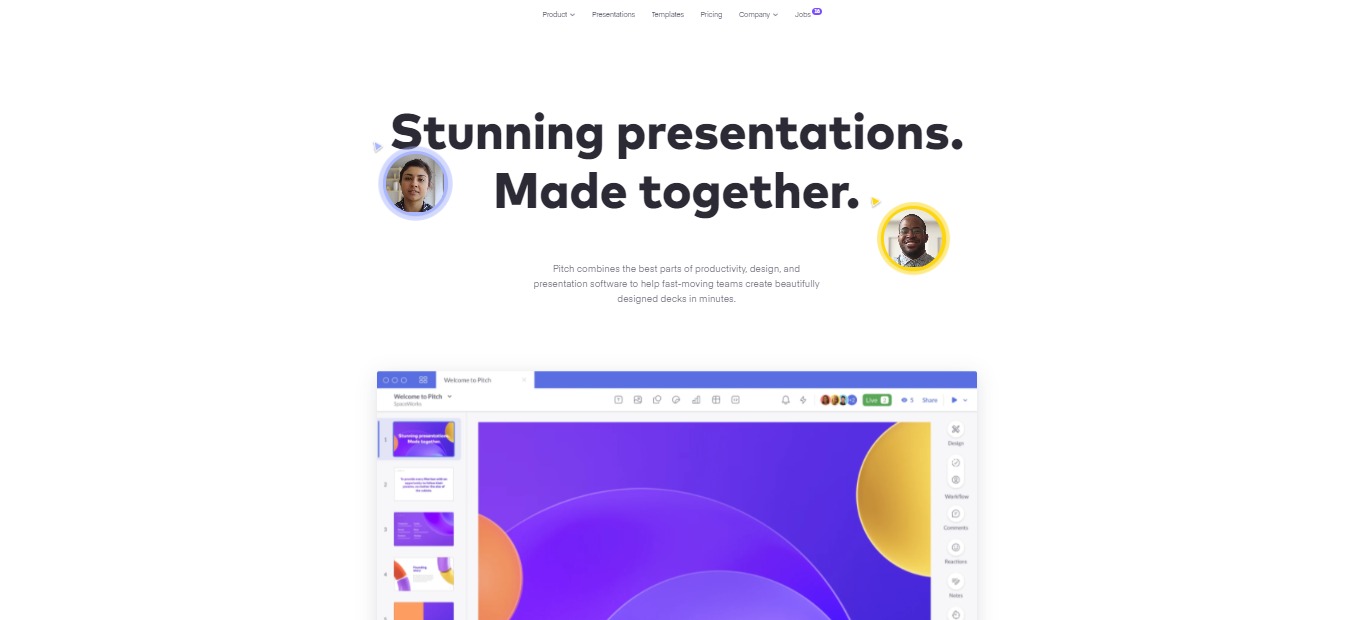
Pitch is a presentation software that allows you to create wonderful presentations without the need to sacrifice aesthetics, collaboration, and time. This software is built to aid teams of different sizes to create better presentations.ย 

Pitch is centered on being team-first that is, all of their features cater for good collaboration among your peers. This application is easy to use, even for users without any background in design. Also, this application has multiple integrations that make your lives easier – import data from Google Sheets and Analytics, etc.; and embed different graphics.

Pitch was founded in 2018 because of the need for a complete platform for presentations that allows all teamโ€™s best thinking. In Pitch, the entire workflow of presenting is unified so that teams can effortlessly move from draft to deck! All of that makes Pitch a dedicated home that our best thinking deserves. Join with the biggest investors and users of Pitch and experience creating presentations like no other!

๐ŸŽ Whatโ€™s In It For You?

Pitch is made for teams and created for anything. The tools of this platform keep your team to be on-brand, on time, and message. While using his app, creating and sharing your ideas will seem effortless.

Pitch offers beautiful and professional templates for you and your team to use. Pitch has a gallery of custom-made templates that are best for every use and it is available for your next presentation. This application also lets you create a cohesive presentation by adding your brandโ€™s assets to Pitch; now you can make every presentation consistent. Aside from the available templates, Pitch lets you create your own template. 

An amazing feature of Pitch is the live video collaboration that lets you discuss and meet on Pitch. If you donโ€™t like video collaboration, you can always opt for the comment feature of Pitch that allows you to chat your ideas to your team. Pitch also lets you set a status and delegate work to teammates. 

Basically, all of the features of any presentation app are present on Pitch, but it’s easier. Now you can create presentations with ease, even for non-designers!

๐Ÿ–ฅ๏ธ How Does It Work?

  1. Select from templates to create a presentation. 
  1. You will be given the option to choose a slide from the template or start from scratch.
  1. The editor toolbar from the top center allows you to create different texts, images, media, shapes, stickers, charts (you can import a CSV or from Google Sheets/Analytics), tables, and embeds from Youtube, Vimeo, or Loom.
  1. Manage background, presentation styles, and slide numbers on the Design bubble. Below is a set of tools that allow you to collaborate with your team.

๐Ÿ’ฒ Pricing Plans & Support

Pitch helps every team of different sizes to build better presentations together. Switch to Pitch on these available pricing plans. 

๐Ÿ’Ž Starter – $0/Month

This essential deal for presenting is free forever!

ใ€ฐ Unlimited presentations

ใ€ฐ Unlimited members and guests

ใ€ฐ Custom templates and fonts

ใ€ฐ Live video collaboration

ใ€ฐ Basic analytics

๐Ÿ’Ž Pro – $8/Month

This essential deal for presenting is only $8 per member per month!

ใ€ฐ Everything in Starter

ใ€ฐ Workspace roles

ใ€ฐ Shared private folders

ใ€ฐ Video uploads

ใ€ฐ Unlimited file size upload

ใ€ฐ Unbranded PDF exports

ใ€ฐ Version history

ใ€ฐ Advanced analytics

๐Ÿ’Ž Enterprise – $Contact Sales

This essential deal for presenting is available upon contacting sales!

ใ€ฐ Everything in Pro

ใ€ฐ SAML-based SSO

ใ€ฐ Dedicated success manager

๐Ÿ“ The Competition

๐Ÿ‘ Pros๐Ÿ‘Ž Cons
๐Ÿ‘ Very rich graphics, elements, and templates
๐Ÿ‘ Easy to use
๐Ÿ‘ Collaboration and presenting features
๐Ÿ‘ Free plan is useful
๐Ÿ‘Ž Other graphics require an upgraded plan
๐Ÿ‘Ž Limited storage on free plan

Try the Team-First Presentation Software with Pitch

Nifty: Keep people, projects, & functions aligned in one place

โš–๏ธ Our Verdict

Nifty streamlines your everyday routine by combining team communication, project management, planning, and tracking into a single, genuinely collaborative workflow. Nifty provides dynamic roadmaps and task management, as well as automated milestone monitoring and task completion. In addition to that, it has an overview of all of your projects and colleagues’ tasks. With that, it can save you a lot of time!

This application is made for small, medium, and large enterprises, basically for every team! Nifty can be used for agile development, client management, digital agencies, marketing teams, and more! It has a free version, but the paid plans are recommended to utilize all the powerful features of Nifty.

In summary, Nifty is an affordable, easy-to-use, and great collaboration tool for every team’s project management needs!

๐Ÿ‘ Pros๐Ÿ‘Ž Cons
๐Ÿ‘ Multiple task management features
๐Ÿ‘ Workflow automation
๐Ÿ‘ Has mobile apps
๐Ÿ‘ Many integrations
๐Ÿ‘ Easy to use
๐Ÿ‘Ž Lacks expense management
๐Ÿ‘Ž Time expense needs improvement
๐Ÿ‘Ž Average UI

๐ŸŒŸ About Nifty

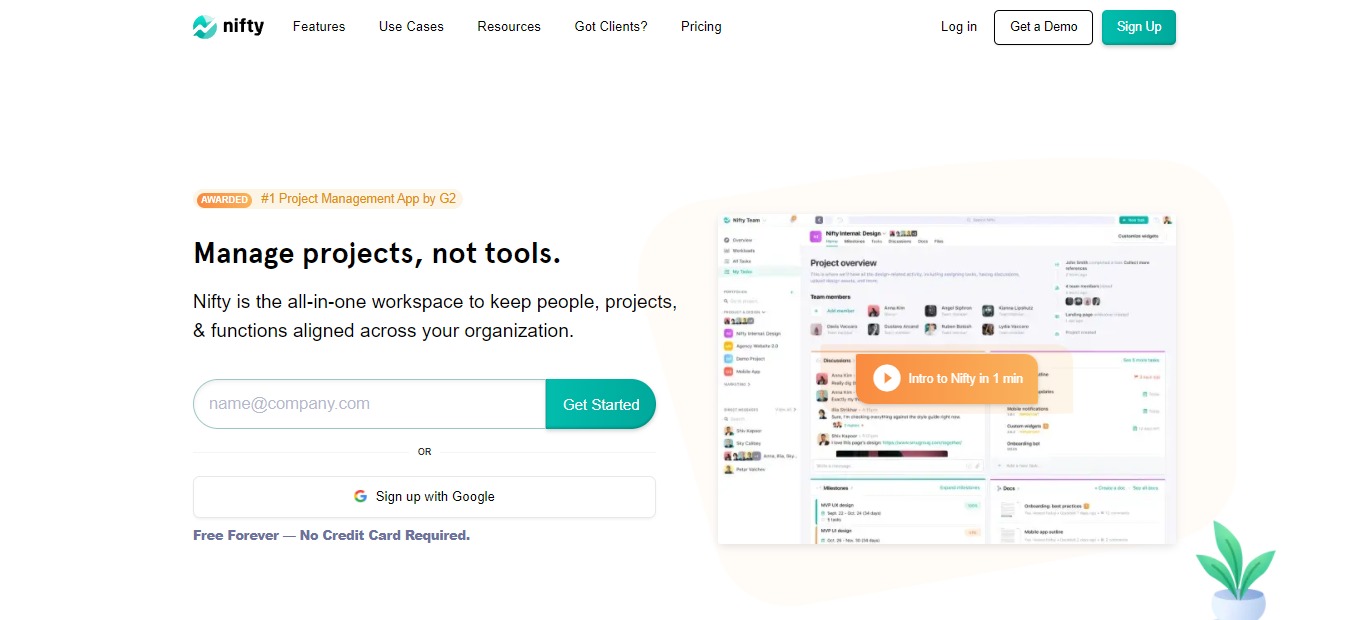
Nifty is an all-in-one project management software that keeps people, projects, and functions aligned across your team. This application has chats, goals, tasks, docs, and files all in one place, so you donโ€™t need to switch between apps.

Nifty combines all the necessary tools into one software to make your team productive. Using Nifty results in milestone-driven progress that keeps everyone aligned, on schedule, and inspired. 

This application unites goals, actions, and communications so that you and your team can focus on the actual work that matters. Now you can create a concise plan for your projects and automate your progress tracking!

๐ŸŽ Whatโ€™s In It For You?

Nifty lets you track projects, communicate real-time with your team, create documents collaboratively, and more! Nifty allows you to manage different tasks through the Kanban, Swimlane, and List views. With it, you can organize tasks with a high level of detail.ย 

Integrations of Nifty are powerful. You can integrate your calendar to Google with the built-in calendar. As mentioned, Nifty can also be integrated with Google for file and document sharing. 

Collaborating on Nifty is seamless as each project has an individual discussion thread for your team to use. Aside from discussion threads, Nifty also allows you to use direct messages. Nifty is created to facilitate collaboration like no other.

There are a lot of features that Nifty offers in order to upgrade your teamโ€™s collaboration. These include Milestones, automated progress based on task completion; time tracking and reporting; and an overview of the projects.

๐Ÿ–ฅ๏ธ How Does It Work?

  1. Create a portfolio that contains projects.
  1. The Overview section allows you to view all the projects running in a portfolio in a single timeline. You can also sort the overview across different parameters.
  1. Click on a project workflow. Here you can invite guests to Nifty to collaborate. 
  1. Add tasks to a project. You can assign them to your team and sort them by dragging and dropping. 
  1. The Milestones show the project status. This can be shared publicly through a link.
  1. The Discussions section allows you to communicate with your team.

๐Ÿ’ฒ Pricing Plans & Support

The pricing plan of Nifty is detailed and elaborate. You can upgrade, downgrade, or cancel anytime! 

๐Ÿ’Ž Free – $0/Month

This basic deal is free!

ใ€ฐ Core features 

ใ€ฐ ๏ธUnlimited members

ใ€ฐ 100MB space

ใ€ฐ 2 Projects

๐Ÿ’Ž Starter – $49/Month

Get started with the upgraded version of Nifty for only $49 per month!

ใ€ฐ Core features 

ใ€ฐ 10 members

ใ€ฐ 100GB space

ใ€ฐ 40 Projects

ใ€ฐ Unlimited guests and clients

ใ€ฐ Advanced features

๐Ÿ’Ž Pro – $99/month

Great for growing teams. This deal is only $99 per month!

ใ€ฐ Core features 

ใ€ฐ 20 members

ใ€ฐ 500GB space

ใ€ฐ Unlimited projects

ใ€ฐ Unlimited guests and clients

ใ€ฐ Advanced features

ใ€ฐ Upgraded security

๐Ÿ’Ž Business – $149/month

Great for advanced teams. This deal is only $149 per month!

ใ€ฐ Core features 

ใ€ฐ 50 members

ใ€ฐ 1TB space

ใ€ฐ Unlimited projects

ใ€ฐ Unlimited guests and clients

ใ€ฐ Advanced features

ใ€ฐ Upgraded security

ใ€ฐ Priority support

๐Ÿ’Ž Unlimited – $499/month

This plan is a fully scaled solution for only $499 per month!

ใ€ฐ Everything unlimited and advanced

๐Ÿ“ The Competition

๐Ÿ‘ Pros๐Ÿ‘Ž Cons
๐Ÿ‘ Business management features
๐Ÿ‘ Easy and intuitive to use
๐Ÿ‘ Affordable and has a free trial
๐Ÿ‘ Good UI/UX
๐Ÿ‘Ž Limitations on mobile app
๐Ÿ‘Ž Paid application
๐Ÿ‘Ž Lacks some features

Keep people, projects, & functions aligned in one place with Nifty

Hugo 2.0: Better meetings through centralized, actionable notes

โš–๏ธ Our Verdict

Hugo is a solution designed to facilitate meetings for mobile and remote teams as it allows them to set agendas, index and organize details, and collaborate on notes. It is a centralized platform for all your teamโ€™s agendas and notes. This application promotes collaboration and transparency through its tools and applications. 

Hugo also supports a lot of integrations to help you manage your meetings. With a load of features and functions of this app, it is considered one of the best meeting tools on the market. This application is best for collaborative teams that wish to upgrade their online workflow. Despite being a collaborative tool, this application is not limited to teams as you can also use it as an individual.ย 

In summary, Hugo is collaborative, simple, and useful for managing your online meetings!

๐Ÿ‘ Pros๐Ÿ‘Ž Cons
๐Ÿ‘ Flexible and easy to use
๐Ÿ‘ Has templates
๐Ÿ‘ Good customer support
๐Ÿ‘ Search function
๐Ÿ‘ Connects to calendar
๐Ÿ‘ Collaboration features
๐Ÿ‘Ž No mobile application
๐Ÿ‘Ž Difficulties on sharing
๐Ÿ‘Ž Layout features on notes can be improved

๐ŸŒŸ About Hugo

Hugo is an online meeting platform that integrates notes and allows teams to collaborate. It is a multi-function application that is a solution for team meeting notes, knowledge management, and business communications. This application lets users share details of a virtual meeting in real-time through various integrations. 

With Hugo, you can manage your calendar, tasks, and notes all in one place! That way you can be more prepared and organized. This applicationโ€™s note-taking platform is also calendar-centric. It can give you and your colleagues one platform for everything.ย 

Launched on 2018, Hugo is used by huge companies and organizations like WHO, Netflix, Uber, Spotify, and many more! Meetings are now more productive with Hugo!

๐ŸŽ Whatโ€™s In It For You?

Hugo boosts your teamโ€™s collaboration by allowing you to prepare, assign tasks, take notes and share insights. Hugo makes meetings better for remote teams! Also, with Hugo, you will have fewer, shorter, and better meetings with high value. This app even connects with your G-Suite and Office 365 calendar!

This application automatically categorizes your notes by meetings and attendees. Not only that, but Hugo also allows you to auto-sync notes that match meetings. Additionally, Hugo lets you use integrations when creating tasks in project management apps straight from your notes, so you wonโ€™t ever need to switch apps.

Lastly, Hugo allows you to stay organized as you can find notes and tasks in seconds just by searching. 

๐Ÿ–ฅ๏ธ How Does It Work?

  1. Everything in your calendar is connected to Hugo.
  1. Click on a meeting to view the details. All the attendees are automatically recognized by Hugo, so the notes will be categorized.
  1. When preparing for a meeting, Hugo allows you to pick a template for taking notes. You can customize one for yourself.
  1. Other users can collaborate in note-taking. You can also assign tasks.
  1. Once ready, you can share it with your customer or even add it to your event calendar.
  1. During the meeting, you and your team can collaborate and take notes on the template. 
  1. You can add actions using the built-in task manager in Hugo, or the integrations.

๐Ÿ’ฒ Pricing Plans & Support

Stay organized, prepared, and aligned with Hugo. You can now give your team the gift of more productive meetings with Hugoโ€™s pricing plans!

๐Ÿ’Ž Basic – $0/Month

This amazing deal is free forever! Manage your calendar, notes, and tasks, all in one place!

ใ€ฐ Up to 10 users

ใ€ฐ Unlimited docs

ใ€ฐ Unlimited tasks

ใ€ฐ Basic integrations

ใ€ฐ Access to 100+ templates

ใ€ฐ Unlimited private templates

๐Ÿ’Ž Pro – $8/Month/User

Make meetings more productive for your team for only $8 per month per user!

ใ€ฐ Everything in basic

ใ€ฐ Up to 25 users

ใ€ฐ Premium integrations

ใ€ฐ Shared/team templates

ใ€ฐ User groups

ใ€ฐ Live chat support

๐Ÿ’Ž Business – $-/month

Get advanced features and additional support with this plan!

ใ€ฐ Everything in pro

ใ€ฐ Form fields

ใ€ฐ Doc lock & activity logs

ใ€ฐ Roles, permissions, & admin tools

ใ€ฐ Customer success manager

ใ€ฐ Implementation and user training

ใ€ฐ Additional compliance and security

๐Ÿ“ The Competition

๐Ÿ‘ Pros๐Ÿ‘Ž Cons
๐Ÿ‘ Easy to use
๐Ÿ‘ Record meetings
๐Ÿ‘ Write notes and To-dos with anyone in the meeting
๐Ÿ‘ Connected to your calendar
๐Ÿ‘Ž No mobile application
๐Ÿ‘Ž Limited features

Better meetings through centralized, actionable notes with Hugo 2.0

Rows: The Spreadsheet with Superpowers

โš–๏ธ Our Verdict

Rows is a revolutionary spreadsheet application. The multiple integrations of the app make this spreadsheet highly functional and go beyond ordinary use. Rows is like a spreadsheet on steroids as it has many use cases. This spreadsheet is definitely made for modern times. Additionally, it can take hours of work into minutes!

This application changes what spreadsheets can do. The amazing thing about Rows is the integrated applications. You can get data in an instant from more than 50 business tools and popular databases like Crunchbase, LinkedIn, Google, Twitter, and more! 

Rows is best used by businesses of all sizes. You can create anything using this application – from everyday tasks to automated and internal tools. However, a tool as powerful as this requires a learning curve – but worth it!

All in all, Rows is flexible, affordable, and an essential spreadsheet for the modern day!

๐Ÿ‘ Pros๐Ÿ‘Ž Cons
๐Ÿ‘ Easy to use
๐Ÿ‘ No-code
๐Ÿ‘ Automate processes and operations
๐Ÿ‘ Work like Excel
๐Ÿ‘ Good customer service
๐Ÿ‘ Has mobile application
๐Ÿ‘Ž Have a learning curve
๐Ÿ‘Ž Needs more features

๐ŸŒŸ About Rows

The problem with todayโ€™s

is the limited function and uses it offers. Rows is a spreadsheet that goes beyond the function of an ordinary one. With spreadsheets being used for literally anything, Rows aims to provide a better tool to everyone. 

This application thinks โ€œoutside of the cellโ€ as it has integrations that allow you to keep in touch with other tools and manage it on a single spreadsheet – Rows. Also, this application lets you employ the collaboration feature of other spreadsheet apps and even publish it for everyoneโ€™s use. 

The goal of Rows is to make computation accessible to anyone. With the wealth of data today, Rows will make it easy for you to interact with it. 

๐ŸŽ Whatโ€™s In It For You?

Rows can be used normally like any other spreadsheet application. You can employ functions, charts, templates, autocomplete formulas, customize grids, tables, and filters. Additionally, it can let you do more. The bread and butter of Rows is the automated tools that can be created using this application. With Rows, you can build dashboards, internal tools, CRM, and more!

Level up your spreadsheet by using the multiple features of Rows. It allows you to connect and analyze data, build dashboards and forms, and the best feature – automate and share them. In addition, Rows has many integrations from other applications.

Rows also allows you to share your spreadsheet with your team. It lets you organize spreadsheets into folders, collaborate in real-time, and more! Lastly, Rows lets you share your work with people outside the company or even the world; and you can also access the public spreadsheets in one place.

More and more features are added to Rows every once in a while. Use Rows now and make your life easier!

๐Ÿ–ฅ๏ธ How Does It Work?

  1. Click the add button to create a spreadsheet.
  1. You can use popular spreadsheet functions.
  1. Connect other tools using integrations.
  1. Each integration has a set of functions that allow you to do many tasks.
  1. Data from the added table can be displayed in different ways.
  1. Sort and filter data the way you want.
  1. Automate spreadsheet using functions like โ€˜refreshโ€™ or โ€˜scheduleโ€™.

๐Ÿ’ฒ Pricing Plans & Support

Rows offers pricing plans that are appropriate for your needs!

๐Ÿ’Ž Free – $0/Month

This essential deal is for free!

ใ€ฐ ๏ธUnlimited Workspace members

ใ€ฐ 10,000 integrations tasks

ใ€ฐ Every hour automation

ใ€ฐ 5 Automations per workspace

ใ€ฐ Unlimited workspace spreadsheets

ใ€ฐ 500MB storage

๐Ÿ’Ž Plus – $59/Month

This essential deal is only $59 per month per workspace!

ใ€ฐ ๏ธUnlimited Workspace members

ใ€ฐ 100,000 integrations tasks

ใ€ฐ Every minute automation

ใ€ฐ 50 Automations per workspace

ใ€ฐ Unlimited workspace spreadsheets

ใ€ฐ 1GB storage

๐Ÿ’Ž Pro – $249/month

This essential deal is only $249 per month per workspace!

ใ€ฐ ๏ธUnlimited Workspace members

ใ€ฐ 1,000,000 integrations tasks

ใ€ฐ Every minute automation

ใ€ฐ Unlimited automations per workspace

ใ€ฐ Unlimited workspace spreadsheets

ใ€ฐ 100GB storage

๐Ÿ“ The Competition

๐Ÿ‘ Pros๐Ÿ‘Ž Cons
๐Ÿ‘ Intuitive to use
๐Ÿ‘ Easy to visualize and share data
๐Ÿ‘ Open source
๐Ÿ‘ Has free version
๐Ÿ‘ Excel-like formula
๐Ÿ‘Ž Needs Python knowledge to fully utilize the app
๐Ÿ‘Ž Odd to use at first
๐Ÿ‘Ž Limited features in free version

The Spreadsheet with Superpowers with Rows

Vimcal: Superhuman for Calendar

โš–๏ธ Our Verdict

Using Vimcal makes everything manageable. This application is best used by everyone as it suits you with the necessary features to go on with your schedule easily. Many of the features of Vimcal makes it better than most of the calendar applications out there. The keyboard commands of Vimcal for example, make it more efficient to use. 

Scheduling something is as easy as typing your plan in a simple sentence – literally. The command center also houses all the features and commands that you can use, like the dark mode that most people appreciate. Also, the time travel feature makes scheduling inclusive for everyone because it allows you to view other timezones and compare them with your own.ย 

The only downside of this application is that it is $15 a month and there are no free plans. Despite that, the features and functionality of this application are worth every penny! Overall, this application is easy and fast to use, loaded with amazing features, and an essential calendar for your everyday needs.

๐Ÿ‘ Pros๐Ÿ‘Ž Cons
๐Ÿ‘ Availability feature
๐Ÿ‘ Appropriate for different timezones
๐Ÿ‘ Fast application
๐Ÿ‘ Easy to use
๐Ÿ‘ Keyboard shortcuts
๐Ÿ‘ Command center
๐Ÿ‘Ž Paid applicationย 
๐Ÿ‘Ž 14-day free trial only
๐Ÿ‘Ž Needs more integrations

๐ŸŒŸ About Vimcal

Vimcal is considered the worldโ€™s fastest calendar as it is designed perfectly for the modern day. It comes with all of the features of existing calendars today, but can be used easier and more efficiently. The features of Vimcal are suited for people who work remotely. With that, everyone says that Vimcal is the Superhuman of calendars – everything is fast and easy. 

Vimcal was created because the existing tools today were not enough. For 21 months, different users were onboarded to learn the pains of scheduling. Now, Vimcal solves all issues and is continuing to do so.ย 

Most of the comments about Vimcal were positive, even from successful people. What are you waiting for? Use Vimcal now and enjoy the wonderful benefits of having the fastest calendar ever!

๐ŸŽ Whatโ€™s In It For You?

Multiple features of Vimcal surpass any calendar today. One is that it allows you to share your availability easier. Vimcal allows you to schedule and pick what time and date your availability is, then it can be sent to other people instantly. 

Another useful modern-day feature of Vimcal is the coordinated time zones. This application allows you to pull up the time zone for any city and coordinate it with your own. That way, no confusion will ever happen, and no double booking will ever be made again!

As we live in a modern world, time is essential. Vimcal lets you utilize keyboard shortcuts and hotkeys. That way, you can get in and out of your calendar quickly and go on with your day. Also, Vimcal lets you schedule meetings just by typing in your plans in plain English.

The best part about Vimcal is that it also makes it easier to use different applications. The Vimcal calendar is actually a launchpad to all of your meetings – instantly launch into calls with a single click from Vimcal. 

๐Ÿ–ฅ๏ธ How Does It Work?

  1. Hover over the meetings to see the details. No need to click it. 
  1. Use Cmd+K to open the command center. This allows you to search for the features easily. 
  1. Click โ€˜Fโ€™ to show all the hotkeys in Vimcal.
  1. Slots allow you to send your availability. Click the letter โ€˜Aโ€™, then drag the available slots on your calendar.
  1. Copy the slots then you can paste them into your email. 
  1. Clicking on the link leads you to the booking link. From there you can pick a schedule that you like.
  1. Click on the time zone to select what to coordinate.
  1. Schedule something just by typing words. Vimcal automatically detects it.

๐Ÿ’ฒ Pricing Plans & Support

The pricing plan of Vimcal is plain and simple. You can get this powerful application and all of its features for only $15 per month! Vimcal also offers a free trial of 14 days. Now you can have an executive assistant in the form of a powerful calendar application!

๐Ÿ“ The Competition

๐Ÿ‘ Pros๐Ÿ‘Ž Cons
๐Ÿ‘ Compatible with Google suite
๐Ÿ‘ Easy to use
๐Ÿ‘ Import data from email
๐Ÿ‘ Different views
๐Ÿ‘ Free application
๐Ÿ‘ Can be used in different devices
๐Ÿ‘Ž Poor customer support
๐Ÿ‘Ž Limited customization features
๐Ÿ‘Ž Basic features

Get a Superhuman for your Calendar with Vimcal

Prospero 2.0: Impress your clients with beautiful proposals ๐Ÿ˜ป

โš–๏ธ Our Verdict

Creating proposals is a tiresome process that takes a few hours to accomplish. With Prospero, that problem can be solved, and the process of producing proposals can actually become a quick and fun one. Additionally, this product is best used by marketing teams and freelancers. With Prospero, creating proposals is fast and effortless.

Compared to similar related products, Prospero offers a cost-effective approach to creating proposals. The proposals look simple and direct, yet good-looking. The UI is easy to navigate and use even for people without experience. With Prospero, you can create proposals in under 15 minutes.ย 

All in all, itโ€™s an easy-to-use, time-saving, and useful application for creating good business proposals.

๐Ÿ‘ Pros๐Ÿ‘Ž Cons
๐Ÿ‘ Good UI
๐Ÿ‘ Intuitive and time-saving
๐Ÿ‘ Highly customizable
๐Ÿ‘ Affordable and has a 14-day free trial
๐Ÿ‘ Many 3rd party integrations
๐Ÿ‘ Supports multiple languages
๐Ÿ‘ Digital signature option
๐Ÿ‘Ž Cannot be easily searched online
๐Ÿ‘Ž Paid application
๐Ÿ‘Ž No mobile creation tools
๐Ÿ‘Ž Too simple for large organizations

๐ŸŒŸ About Prospero

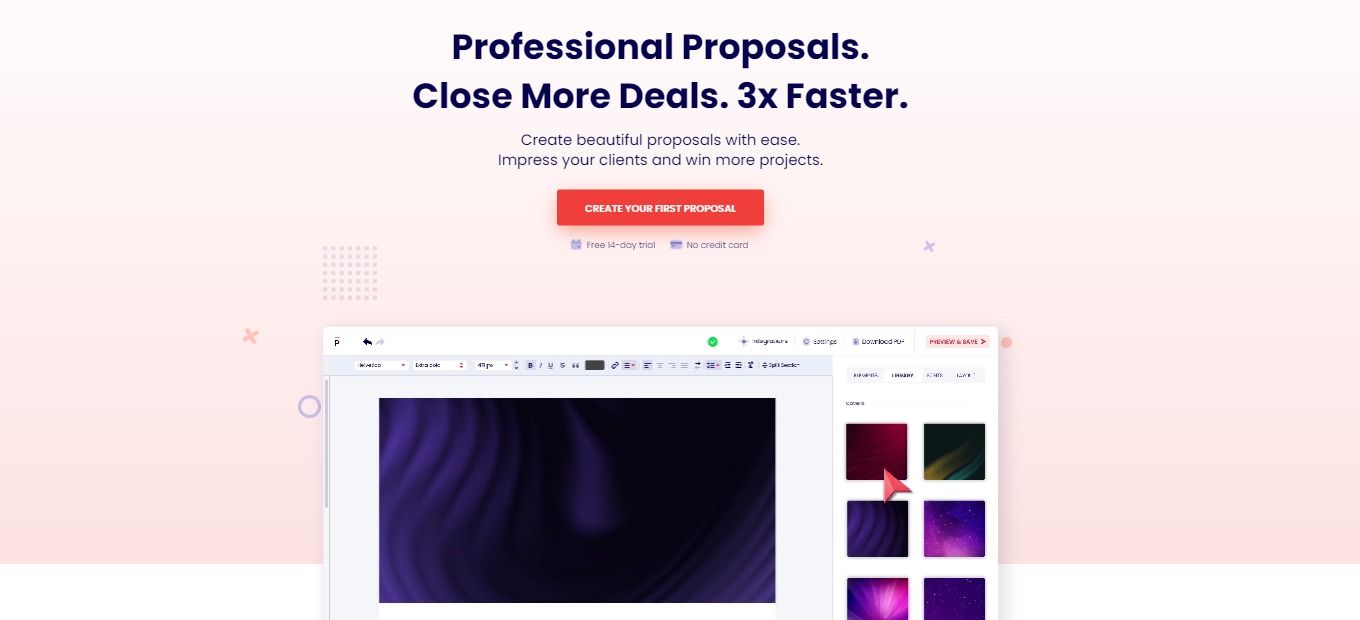
Prospero is an online software for creating business proposals with ease. This application helps users create beautiful, simple, and professional-looking proposals that impress clients and win projects. With this appโ€™s editor, the creation of good proposals, collaboration with peers, and tracking of your performance can be accomplished!

Prospero was founded to help freelancers in creating a good-looking proposal. Because in freelancing, everyone aims to do work, not create multiple proposals for different projects. This platform lets you optimize the process of creating proposals with its multiple features that are intuitive to use. 

Prospero is trusted by 2000+ businesses around the world. Using this application, you can now enjoy growing your business!

๐ŸŽ Whatโ€™s In It For You?

Prospero offers a wide array of templates that suit every individualโ€™s needs. It allows you to use different templates that are appropriate to your niche but also lets you add or delete segments at your will. Prospero allows you to add your logo, videos, images, tables, and other personalization aspects. With that, you can also add an expiry date, more contact options, and pricing plans for your services.ย 

This application also allows you to track the proposals that you create. It shows you how many times it was opened and for how long, the status of each proposal after sending it to your client, and email notification about the updates regarding your proposal. 

Not only that, but Prospero lets your clients digitally sign the proposal on the application itself – whether it be a drawing, type, or upload. Another good addition of a feature on this application is the collaboration feature. It allows you and your team to collaborate and manage roles. 

Lastly, Prospero is integrated with multiple platforms and can be activated in just a few clicks. These integrations include FreshBooks, QuickBooks, Stripe, Zapier, and more! What are you waiting for? Use Prospero now and upscale your proposals starting today!

๐Ÿ–ฅ๏ธ How Does It Work?

  1. Click the โ€˜new proposalโ€™ button.
  1. You can choose from a template or start from scratch. 
  1. The right side panel shows you all the info that you need to fill up regarding your proposal. 
  1. Define every aspect of the proposal from the clients to the milestones.
  1. After defining everything, hit โ€˜create proposalโ€™.
  1. From there, your proposal will be created. You are allowed to customize and add anything.
  1. After editing, click preview and save, then publish and generate share link once finalized. 

๐Ÿ’ฒ Pricing Plans & Support

Prospero offers a simple and affordable pricing plan for individuals and teams alike. This application has only one plan with two options.

๐Ÿ’Ž Monthly – $10/Month/Individual

This plan is best for individual freelancers and teams and is only $10 per month per user!

ใ€ฐ๏ธ Unlimited proposals

ใ€ฐ ๏ธProposal analytics

ใ€ฐ๏ธ Integrations

ใ€ฐ๏ธ Content library

ใ€ฐ๏ธ Templates

ใ€ฐ๏ธ Live chat support

ใ€ฐ๏ธ Usersโ€™ roles for collaboration

๐Ÿ’Ž Annually – $8/Month/Individual

This plan is best for individual freelancers and teams and is only $8 per month per user!

ใ€ฐ๏ธ Unlimited proposals

ใ€ฐ ๏ธProposal analytics

ใ€ฐ๏ธ Integrations

ใ€ฐ๏ธ Content library

ใ€ฐ๏ธ Templates

ใ€ฐ๏ธ Live chat support

ใ€ฐ๏ธ Usersโ€™ roles for collaboration

๐Ÿ“ The Competition

๐Ÿ‘ Pros๐Ÿ‘Ž Cons
๐Ÿ‘ Templates
๐Ÿ‘ Customization
๐Ÿ‘ Digital signature
๐Ÿ‘ Integrations
๐Ÿ‘Ž Has a learning curve
๐Ÿ‘Ž Bugs and lags

Impress your clients with beautiful proposals using Prospero

Waldo: Ship Your Mobile App Faster, With Fewer Bugs

โš–๏ธ Our Verdict

Waldo is a platform that is useful to run tests on your mobile apps. It is really easy and intuitive to use, so it can be used by everyone – from small-scale businesses to large organizations. Waldo does not require any technical skills, and you can run tests without any coding knowledge. 

Waldo is a tool that you may not realize that you need! It takes the burden off of your shoulders during multiple tests at different stages of your app development. This application will save you time and effort and make your testing rock-solid and robust.

A powerful app like this comes with an expensive cost. So, the only downside of this tool is that the maintenance cost is high. 

Overall, itโ€™s an accessible, easy-to-use, and essential application for creating reliable and automated mobile tests.

๐Ÿ‘ Pros๐Ÿ‘Ž Cons
๐Ÿ‘ Good feedback
๐Ÿ‘ No-code
๐Ÿ‘ Catch bugs quickly and effectively
๐Ÿ‘ Has a free plan
๐Ÿ‘ Easy to use
๐Ÿ‘ Runs Android and iOS apps
๐Ÿ‘Ž Expensive
๐Ÿ‘Ž Cannot switch languages on client side
๐Ÿ‘Ž No pinch gesture

๐ŸŒŸ About Waldo

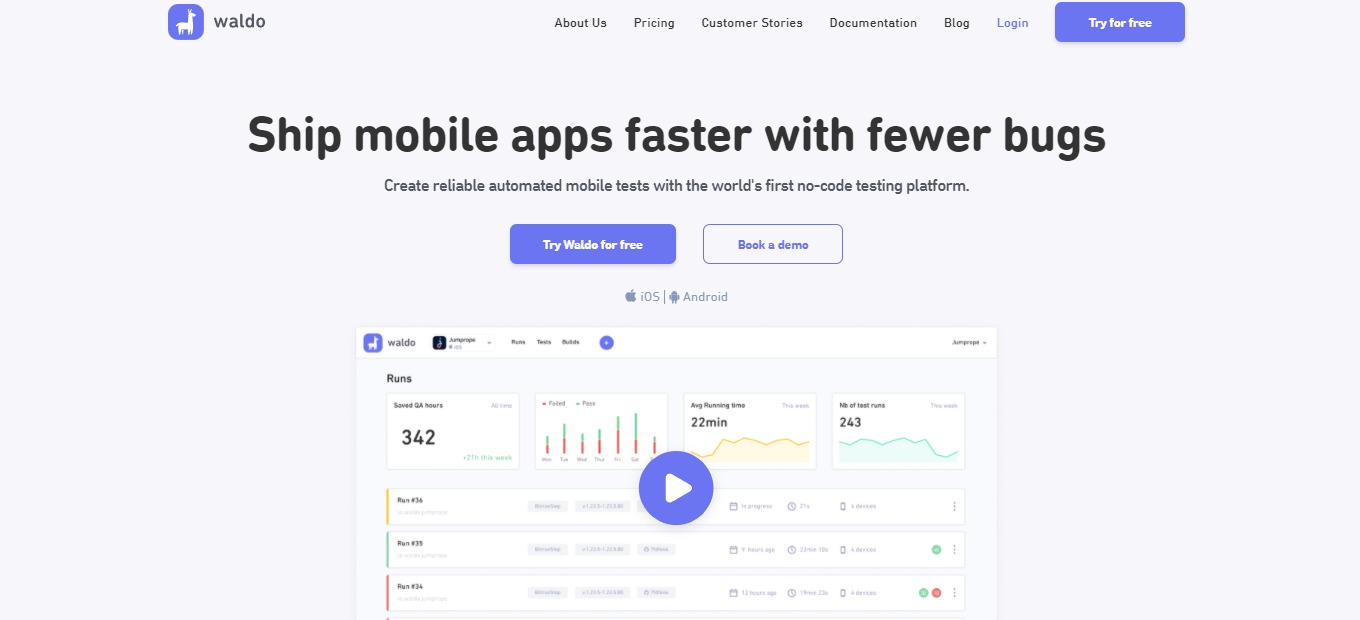
Waldo is a no-code automated mobile application tester that helps you ship mobile apps faster. Here you can create reliable tests and eliminate bugs before app release. Waldo aims to help people build the best mobile apps in a very efficient way. Waldo also wants to lower the barrier and make automated mobile testing accessible for everyone.

The problem nowadays is that mobile testing is broken – scripting is flaky and manual testing of apps is exhausting. With waldo, everything changes; the no-code tester eliminates the exhaustive process of manual testing. This allows teams to focus on whatโ€™s more important, that is, making the best product. 

With Waldo, now you can ship apps faster and assure that users can gain your intended experience. 

๐ŸŽ Whatโ€™s In It For You?

Testing in Waldo is straightforward as it runs directly on your app, without requiring a special version of the application to use Waldo. Waldo allows you to run your application on the platform normally, and it records every action you make. With that, Waldo keeps the actions you make for future purposes.ย 

Waldo saves you time and effort during multiple tests as it records data and runs the same test on every version of your application. In addition, Waldo also runs the tests on different devices, screen sizes, operating systems, and languages for compatibility.

This application notifies you if a test fails, then you can replay the test. Because of that, it allows you to determine instantly what went wrong and correct the error more easily. 

In simpler words, you just set up Waldo once then it will handle the rest of your testing.

๐Ÿ–ฅ๏ธ How Does It Work?

  1. Log in to Waldo. All the tests are shown in the dashboard.
  1. Click the add button to create a test, then select a build that you want to test from.
  1. You can chain tests together to create dependency, or start from scratch.
  1. The UI of the app you are testing will be shown on the right. Interact with it just like using a normal device. Waldo records the actions and understands the structures of the screen.
  1. Once done testing, add a name, then save it. 
  1. From the dashboard, select a step, then add assertions. This allows you to verify the actions and appearance of the screen as it runs to a specific set of criteria. 
  1. Click the โ€˜Runsโ€™ page, and it will take you to all the runs and their summaries. The error will be shown here in red. Select a run to see the details. 
  1. Correct an error by configuring the assertion. 

๐Ÿ’ฒ Pricing Plans & Support

With the pricing plans of Waldo, you can now ship faster using the no-code tester for mobile apps!

๐Ÿ’Ž Starter – $0/Month

Give Waldo a try since this deal is for free!

ใ€ฐ 3 tests

ใ€ฐ ๏ธ1 daily run

ใ€ฐ 1 seat

ใ€ฐ Assertions

ใ€ฐ Live testing

ใ€ฐ Video recordings

ใ€ฐ Crash reports

๐Ÿ’Ž Team – $249/Month/Additional configuration

Get comprehensive mobile test automation for only $249 per month per additional configuration!

ใ€ฐ Everything in Starter

ใ€ฐ Unlimited tests

ใ€ฐ ๏ธUnlimited daily runs

ใ€ฐ Concurrent tests

ใ€ฐ 3+ seats (Additional seat available at $149)

๐Ÿ’Ž Business – Contact Sales

Contact sales to get the plan ideal for larger organizations!

ใ€ฐ Unlimited tests per run

ใ€ฐ ๏ธUnlimited daily runs

ใ€ฐ Concurrent tests

ใ€ฐ Advanced features

ใ€ฐ Customer success manager

๐Ÿ“ The Competition

๐Ÿ‘ Pros๐Ÿ‘Ž Cons
๐Ÿ‘ Mobile automation
๐Ÿ‘ Open-source
๐Ÿ‘ Runs iOS and Android apps
๐Ÿ‘ Can be used in any language
๐Ÿ‘Ž Slow
๐Ÿ‘Ž Has a learning curve

Ship Your Mobile App Faster, With Fewer Bugs Using Waldo

Orgpad: A Simple and Easy-To-Use App That Liberates Your Thinking

โš–๏ธ Our Verdict 

OrgPad is a fantastic tool with versatile functions. It is an upgraded version of a mind map that combines simplicity and functionality. This tool can help you sort your ideas out and straighten your thinking. 

OrgPad is an application suitable for everyone – from students, researchers, and educators, to ordinary people who wish to plan trips or make a decision. The UI of OrgPad is excellent as it is straightforward to use while staying highly functional. However, if you value customization in terms of design, this application might not be for you since it already functions on a premade design.ย 

In summary, OrgPad is an intuitive, efficient, and essential application for mind mapping and note-taking!

๐Ÿ‘ Pros๐Ÿ‘Ž Cons
๐Ÿ‘ Simple and intuitive to use
๐Ÿ‘ Upload any file
๐Ÿ‘ Connect ideas quickly
๐Ÿ‘ Has a free version
๐Ÿ‘ Universal use
๐Ÿ‘ Minimalist design
๐Ÿ‘ Collaboration features
๐Ÿ‘Ž No mobile app
๐Ÿ‘Ž Browser only
๐Ÿ‘Ž Limited features on free version
๐Ÿ‘Ž Limited customization features

๐ŸŒŸ About OrgPad

OrgPad is an all-in-one tool that is used for different purposes. At first sight, it looks like a simple mind mapping tool, but it is so much more than that! With the simplicity and freedom that OrgPad offers, it can be a powerful tool that can support your thinking.ย 

This application focuses more on function than aesthetics, having a minimalistic design. It is a flexible tool that can be used for planning, presentations, brainstorming, storing information, and learning. Also, OrgPad brings writing things down to a new level as it helps you discover new connections. Simply put, it shows you the bigger picture by building networks of interconnected ideas. 

The goal of this application is to change how people work with information, solve and approach problems, handle tasks, and eventually change the way people think. Lastly, OrgPad aims to create an open community of people that willingly shares knowledge!

๐ŸŽ Whatโ€™s In It For You?

OrgPad makes things easy for you by being intuitive to use with very few settings. It does not require you to set up the tool, saving you a lot of time and allowing you to focus on what is essential. This application also has impressive dynamics that respond to your actions within the app. These mechanisms take unnecessary work off of your shoulders. 

Additionally, OrgPad gives you complete freedom as it allows you to use different kinds of data. Be it pictures, links, texts, videos, documents, tables, and anything else. With that, you can build projects as simple or as complex as you require without worrying about anything.ย 

Finally, OrgPad has a very simple yet functional design. All you need to do is to input the data and connect the ideas – OrgPad handles the rest. This application also allows you to collaborate with your peers within a single document. 

๐Ÿ–ฅ๏ธ How Does It Work?

  1. Add a title, description, and tags to your OrgPage.
  1. Double click anywhere to create a cell. After that, add a title on the cell, then input the corresponding text or data.
  1. Hover over a cell and click the arrow button to create a connection.
  1. You can insert URLs, images, videos, and tables.
  1. Scroll to zoom in and out. You can also move the screen by dragging it. 
  1. Click on the โ€˜shareโ€™ button in the upper right corner. You may add people to collaborate with, share the link, or publish it publicly on the OrgPad community.

๐Ÿ’ฒ Pricing Plans & Support

OrgPad offers simple pricing that suits your needs!

๐Ÿ’Ž Free – $0/Month

This useful deal is for free!

ใ€ฐ 3 documents

ใ€ฐ 100MB storage

๐Ÿ’Ž Standard – $5.99/Month

This useful deal is only $5.99 per month!

ใ€ฐ Unlimited documents

ใ€ฐ 5GB storage

ใ€ฐ 3 teams

ใ€ฐ 5 members

๐Ÿ’Ž Professional – $11.99/month

This useful deal is only $11.99 per month!

ใ€ฐ Unlimited documents

ใ€ฐ 10GB storage

ใ€ฐ Unlimited teams

ใ€ฐ Priority support

๐Ÿ“ The Competition

๐Ÿ‘ Pros๐Ÿ‘Ž Cons
๐Ÿ‘ Great looking mind maps
๐Ÿ‘ Customizable
๐Ÿ‘ Free trial
๐Ÿ‘ Collaboration
๐Ÿ‘Ž No mobile app
๐Ÿ‘Ž Paid application
๐Ÿ‘Ž Needs download

Get a simple and easy-to-use app that liberates your thinking with OrgPad

Hiver: Deliver brilliant customer service right from Gmail

โš–๏ธ Our Verdict

Hiver is based on Gmail, making it extremely easy and accessible to use. It promotes customer retention by providing a seamless, efficient, and personal customer experience. Although this application is only an email-based platform, it is flexible. 

Hiver provides shared inboxes, email delegation tools, surveys, analytics, and collision alerts. This makes Hiver an essential tool for customer service requiring little effort. This application can be a valuable tool for your customer service toolbox as it performs flawlessly and simply.ย 

In conclusion, itโ€™s accessible, easy to use, and an essential tool for upscaling your customer service.

๐Ÿ‘ Pros๐Ÿ‘Ž Cons
๐Ÿ‘ Slack and Zapier integrations
๐Ÿ‘ Very easy to use
๐Ÿ‘ Gmail-based
๐Ÿ‘ Chrome extension
๐Ÿ‘ Great for organizing inbox and streamlining email capabilities
๐Ÿ‘ Workload delegation
๐Ÿ‘ 14-day free trial
๐Ÿ‘Ž No live chat, knowledge base, and multichannel support features
๐Ÿ‘Ž Limited functionality on mobile app
๐Ÿ‘Ž Basic analytics
๐Ÿ‘Ž Paid application

๐ŸŒŸ About Hiver

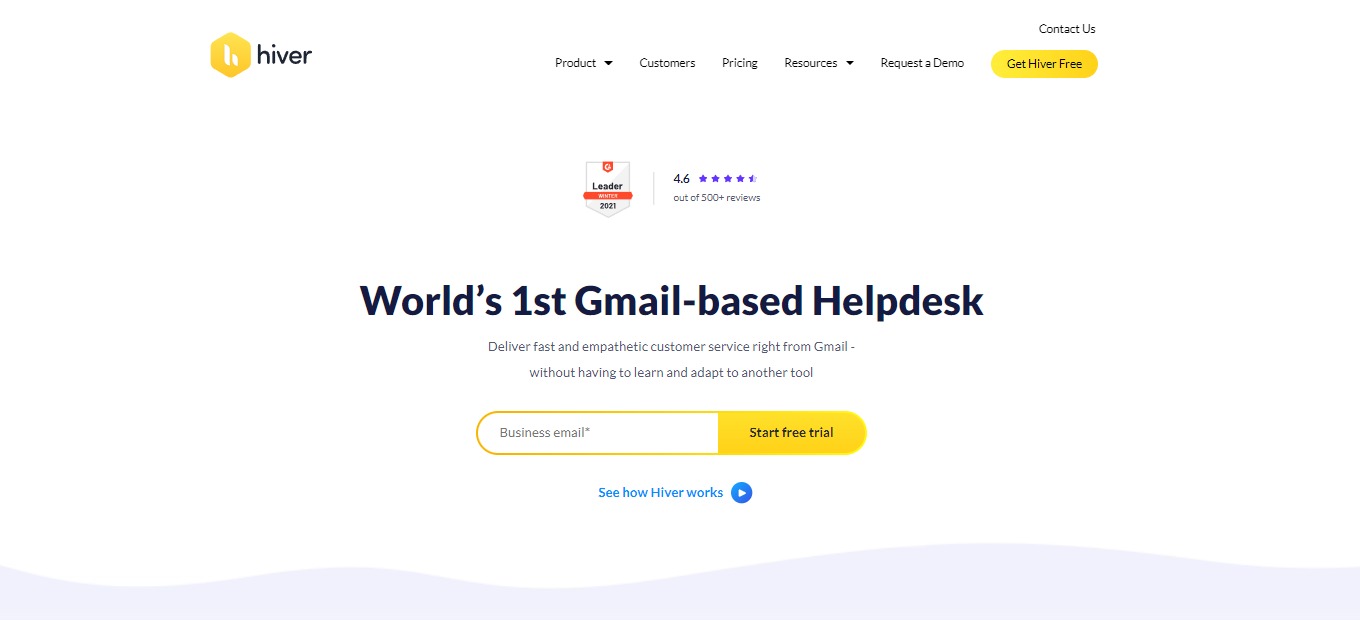
Hiver is the first and only helpdesk based on Gmail. Hiver helps teams bring fast and empathetic customer service with the tool that most people are familiar with. Customer service is everybodyโ€™s business; that is why Hiver is inclusive of all the teams in your company. Hiver also allows cross-team collaboration and makes customer service personal.

Hiver is the most effortless and natural way to collaborate for teams and manage customer emails. Also, this application helps you quickly access, assign, and track emails on your shared customer service account. Hiver supercharges your customer service, allowing you to do everything, from supporting, collaborating, and getting analytics from your inbox.

๐ŸŽ Whatโ€™s In It For You?

Hiver makes customer service more human. Since Hiver is based on Gmail, this application’s emails look like regular emails without unpleasant formatting. Hiver allows you to create accountability with email ownership and status. It lets you assign emails to team members, guaranteeing clear accountability and timely responses to your customers.

Hiver makes it easier to communicate with your team by keeping internal and external communications separate yet in context. Write notes to teammates for quick discussions that will reside alongside emails and give future context. There are also shared drafts and email templates. 

With Hiver, you can automate repetitive tasks that ensure productivity among your team. You can also auto-assign emails based on established rules and delegate tasks with round-robin assignments to focus on what matters the most. This application allows you to improve customer service by gathering insights into workload distribution, SLA violations, and the team’s performance.

๐Ÿ–ฅ๏ธ How Does It Work?

  1. Add the Hiver extension to Chrome.
  1. Once added, the tool will add two sections in your Gmail. One on the left panel and one on the upper right.
  1. Click on the support icon. The unassigned section will show all the emails that your team receives. The mine section shows all emails assigned to you, and the team section shows all emails assigned to your team.
  1. Click on an email from the unassigned section. This will lead you to the Hiver right-hand side panel. From the panel, you can assign tags, assign them to team members, and set the status. 
  1. The email will then be notified to your assigned team member and will be shown on the mine section of the left-hand side. 
  1. You can add a note to an email and tag someone to have a quick discussion on Hiver. 
  1. When a team member replies to an email, there will be an indicator to help collision detection.
  1. Once done constructing a reply, click the โ€˜sendโ€™ or โ€˜send and closeโ€™ button. 

๐Ÿ’ฒ Pricing Plans & Support

With the pricing plans of Hiver, you can choose the best one to scale your customer service.

๐Ÿ’Ž Lite – $15/User/Month

All the essential tools for customer service are only $15 per user per month!

ใ€ฐ Unlimited Shared Inboxes

ใ€ฐ ๏ธAdd up to 5 Users

ใ€ฐ Unlimited Tags

ใ€ฐ Unlimited Email Templates

ใ€ฐ Shared Drafts

ใ€ฐ Email Notes

ใ€ฐ Collision Alerts

ใ€ฐ Permalinks

ใ€ฐ Default Access Control

ใ€ฐ iOS & Android Mobile Apps

ใ€ฐ 24×7 Chat & Email Support

๐Ÿ’Ž Growth – $29/User/Month

Boost customer service efficiency for only $29 per user per month!

ใ€ฐ Everything in Lite

ใ€ฐ Unlimited views and automation

ใ€ฐ Auto-responder

ใ€ฐ Conversation analytics

ใ€ฐ Slack & Zapier connectors

๐Ÿ’Ž Pro – $47/User/Month

Help deliver outstanding customer service for only $47 per user per month!

ใ€ฐ Everything in Growth

ใ€ฐ SLA and Business Hours

ใ€ฐ CSAT

ใ€ฐ Advanced access control

ใ€ฐ Advanced analytics

ใ€ฐ Scheduled data exports

ใ€ฐ Dedicated success manager

๐Ÿ’Ž Elite – $69/User/Month

Deliver customer delight for only $69 per user per month!

ใ€ฐ Everything in Pro

ใ€ฐ Round robin assignment

ใ€ฐ Custom access control

ใ€ฐ Custom reports

ใ€ฐ Priority support

ใ€ฐ Call-back support

ใ€ฐ Uptime SLA

๐Ÿ“ The Competition

๐Ÿ‘ Pros๐Ÿ‘Ž Cons
๐Ÿ‘ Flexible
๐Ÿ‘ Customizable
๐Ÿ‘ Easy to use
๐Ÿ‘ Analyze customer behaviors
๐Ÿ‘ Comprehensive and functionalย 
๐Ÿ‘Ž Poor pricing plans
๐Ÿ‘Ž Needs improvement on customer support
๐Ÿ‘Ž Lags and bugs

Deliver brilliant customer service right from Gmail with Hiver

Forteยฒ: Build habits, not streaks

โš–๏ธ Our Verdict

Forte is different from other habit tracking applications. Many existing applications rely on a streak for the progress of building or breaking your habits. Forte promotes more motivation for your habits since it is not based on streaks. Instead, it is based on the accomplishment of tasks. The UI of Forte is also straightforward and customizable. It is intuitive to use, even without tutorials. 

The downside of this application is that it is not available on other platforms. Forte only runs on iPhone. 

All in all, this application is intuitive to use, essential, and a simple application for building or breaking habits!

๐Ÿ‘ Pros๐Ÿ‘Ž Cons
๐Ÿ‘ Great UI and UX
๐Ÿ‘ Reminders feature
๐Ÿ‘ Scores habits instead of streaks
๐Ÿ‘ Track habits up to 100+ a day
๐Ÿ‘ Free version
๐Ÿ‘Ž iOS app only
๐Ÿ‘Ž Phone only
๐Ÿ‘Ž Limited features without in-app purchases

๐ŸŒŸ About Forte

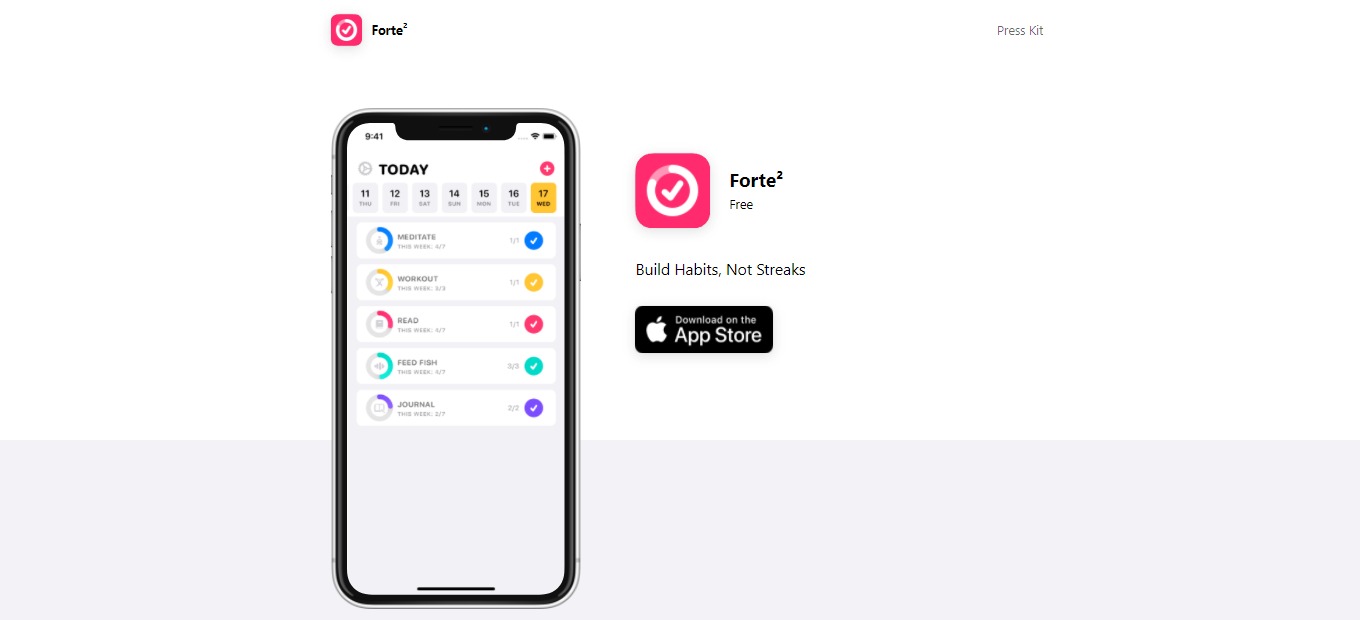
Forte is a productivity application for mobile phones that allows you to track your habits without having guilt. It helps you track your progress while building new routines or even quitting old habits. Forte is different from other habit tracking applications as it does not set you back to zero for missing one day. Thus it only gives you a score for each habit instead of streaks.

This application was created because existing habit-tracking apps do not meet its expectations. The experience with other applications was demotivating. With Forte, you will be allowed to get back on track quickly. 

With this application, you can now track your habits and ensure a healthy relationship with them!

๐ŸŽ Whatโ€™s In It For You?

Forte allows you to track anything, from the habits you want to build to habits you want to quit. In the free version of this app, you can track up to 4 habits. To track more, you will need to subscribe to the premium version of Forte. With the premium version, you can track habits up to 100 times per day. 

Forte lets you set a weekly goal for your habits. It also allows you to set multiple reminders to keep you on track! With that, the tracking system that Forte relies on is the custom scoring algorithm that considers the habitโ€™s entire history. With this application, you can also view the details of each habit and the full calendar.ย 

With Forte premium, you can track unlimited habits, customize accent color and app icons, and support app development. Forte lets you choose from 10 vibrant color options for your application. It also allows you to choose from 175+ habit icons made by Icons8 for more customization. In addition to that, you can add a Forte widget on your iPhone screen, and the iCloud backups are automatic.

๐Ÿ–ฅ๏ธ How Does It Work?

  1. On the main screen, you can see the habits that you logged. Click the plus button on the upper right corner to add a habit.
  1. Upon clicking the plus button, add and edit the details of your habit. You may choose a color, icon, and schedule for the habit.
  1. Once added, the habit will show up on your main screen.
  1. Click on a habit for the overview and the calendar.
  1. Click the edit button to add additional changes to your habit. Here you can also archive or delete a habit.

๐Ÿ’ฒ Pricing Plans & Support

Forte provides simple and amazing pricing plans. To unlock your potential, avail yourself of the Forte Premium, and you can now form habits healthily. 

๐Ÿ’Ž Free – $0/Month

This essential and amazing deal is free!

ใ€ฐ ๏ธTrack up to 4 habits

ใ€ฐ ๏ธTrack habits 100 times per day

ใ€ฐ Set a weekly goal

ใ€ฐ Set multiple reminders

ใ€ฐ Custom scoring algorithm

ใ€ฐ Full calendar and detailed stats

ใ€ฐ 10 vibrant color options

ใ€ฐ 175+ habit icons

ใ€ฐ Widgets 

ใ€ฐ Automatic iCloud backups

๐Ÿ’Ž Premium – $4.99/Month

This essential and amazing deal is only $4.99 per month!

ใ€ฐ Everything in free version

ใ€ฐ Track unlimited habits

ใ€ฐ Customize accent color and app icon

ใ€ฐ Support development

๐Ÿ“ The Competition

๐Ÿ‘ Pros๐Ÿ‘Ž Cons
๐Ÿ‘ Gamification
๐Ÿ‘ Fun habit tracker application
๐Ÿ‘ Fully customizable task list
๐Ÿ‘ Individualize many aspects of habits
๐Ÿ‘Ž Technical
๐Ÿ‘Ž For people who seek gamification
๐Ÿ‘Ž Bugs and lags

Build habits, not streaks with Forteยฒ