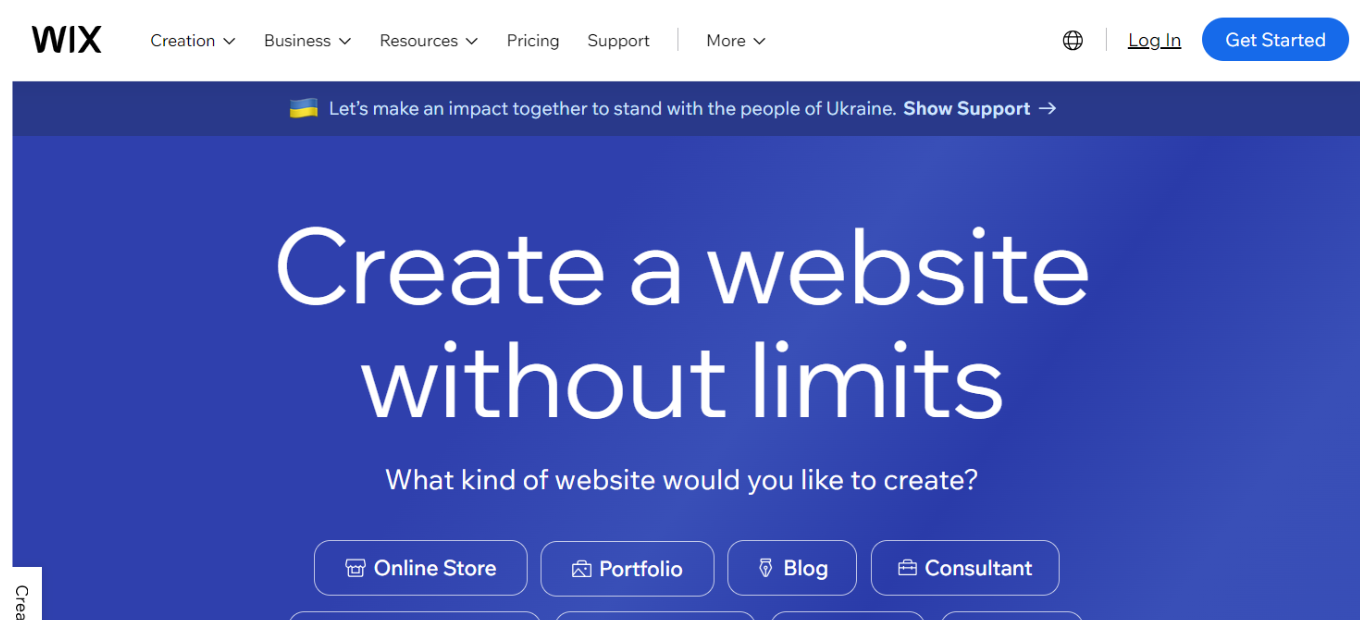
⚖️ Our Verdict
🌟 Wix shines as a comprehensive website building platform, offering a plethora of features from intuitive site creation to advanced SEO tools, ideal for users of all skill levels. Its user-friendly interface and vast template selection make it a top choice for web designers and business owners alike.
Pros & Cons
Pros:
– Extensive range of customizable templates 🎨
– User-friendly drag-and-drop website builder 🛠️
– Advanced SEO and marketing tools 📈
– Diverse app market for additional functionality 📱
Cons:
– Slightly overwhelming for absolute beginners 😵
– Higher cost for premium features 💰
– Inability to change templates after site publication 🔄
About Wix
📚 Originally a simple website builder, Wix has grown into a multi-faceted platform encompassing a wide range of web design and business tools. It includes functionalities like e-commerce, online booking systems, and professional blog tools, catering to diverse web development needs.
Wix Pricing Overview 🌟
Wix offers a variety of pricing plans to suit different needs, from personal websites to large-scale business platforms. Here’s a breakdown of their current pricing as of 2023:

🆓 Free Plan
- Cost: $0
- Features: Access to Wix’s website builder with basic features.
- Limitations: Includes Wix ads, lacks custom domain, limited in terms of SEO.
- Ideal For: Testing Wix features or creating a basic personal website.
💡 Light Plan
- Cost: $16 per month
- Ideal For: Small businesses or individuals looking to create a standard website like a resume, portfolio, or blog.
- Features: Offers basic functionality for a professional-looking website.
🛒 Core Plan
- Cost: $27 per month
- Ideal For: Those starting an online store or needing ecommerce features for the first time.
- Features: Includes ecommerce functionality.
🏢 Business Plan
- Cost: $32 per month
- Ideal For: Expanding offline and ecommerce sales.
- Features: Advanced options suitable for growing businesses.
💼 Business Elite Plan
- Cost: $159 per month
- Ideal For: Large businesses requiring advanced reporting, ecommerce, and marketing features.
- Features: Comprehensive suite of tools for large-scale operations.
🎉 Free Trial
- Duration: 14 days
- Access: Any Wix premium plan.
- Limitations: Can’t accept payments; upgrading required after trial to maintain website.
Wix’s pricing structure is designed to be flexible, allowing users to scale up as their website needs grow. The free plan and trial offer opportunities to explore Wix’s capabilities before committing financially, while the higher-tier plans cater to more complex requirements like ecommerce and advanced business fsource】.
What’s In It For You?
Wix offers tools that cater to various aspects of website creation and management, not just basic web design. Its features support effective online presence management, from building a site to driving traffic and sales.
🚀 Step-by-Step Guide to Starting with Wix
1. Sign Up for an Account 📝
- Action: Go to the Wix website.
- Details: Click on the ‘Sign Up’ button and enter your email and a password, or sign up using a Google or Facebook account.

2. Choose Your Website Type 🌐
- Action: Select the type of website you want to create.
- Details: Wix offers options like business, online store, photography, music, designer, and more.
3. Answer the Wix ADI Questions (Optional) 🤖
- Action: Opt to use Wix ADI (Artificial Design Intelligence).
- Details: Answer a series of questions about your website’s purpose and preferences. Wix ADI will then create a website for you.
4. Or Choose a Template ✨
- Action: Browse through templates if you don’t want to use Wix ADI.
- Details: Wix offers a wide range of templates for different industries and purposes. Choose one that fits your needs.
5. Customize Your Website 🎨
- Action: Edit the template.
- Details: Use the drag-and-drop editor to add, remove, or modify elements like text, images, and sections.
6. Optimize for Mobile Devices 📱
- Action: Switch to the mobile editor.
- Details: Adjust your website’s mobile view to ensure it looks good on smartphones and tablets.
7. Set Up SEO and Other Settings 🔍
- Action: Use Wix’s SEO Wiz.
- Details: Follow the step-by-step guide to optimize your site for search engines. Also, set up other features like social media links, contact forms, etc.
8. Select a Plan and Domain 🏷️
- Action: Choose a Wix plan.
- Details: Pick a free or premium plan. If premium, you can connect or purchase a custom domain name.
9. Publish Your Website 🌟
- Action: Click the ‘Publish’ button.
- Details: Once you’re happy with your site, make it live by publishing it. You can always update and republish later.
10. Promote Your Site 📣
- Action: Market your website.
- Details: Use social media, email marketing, and other online tools to drive traffic to your new website.
Following these steps, you can create a professional-looking website tailored to your needs with Wix’s user-friendly platform.
Wix vs. Squarespace: A Head-to-Head Comparison
Wix
Pros:
- Ease of Use: Wix’s drag-and-drop interface is user-friendly, perfect for beginners 🌟
- Diverse Templates: Offers a vast array of customizable templates for different needs 🎨
- Rich App Market: Access to a wide range of apps for enhanced functionality 📲
- Design Freedom: More creative control in designing websites compared to Squarespace ✨
Cons:
- Template Restrictions: Once published, templates can’t be changed without a site rebuild 🔁
- Slower Performance: Can experience slower loading times, a downside for complex sites 🐢
- SEO Constraints: SEO capabilities have improved but may still lag behind Squarespace’s 📊
Squarespace

Pros:
- Elegant Designs: Known for sophisticated, professional template designs 🎩
- Integrated SEO and Analytics: Strong built-in tools for SEO and site analytics 🔍
- E-commerce Strength: Superior e-commerce features with more built-in options 💼
- Better Performance: Generally offers faster and more reliable site performance 🚀
Cons:
- Complex Interface: The editing interface can be less intuitive, especially for new users ⚙️
- Limited Apps: Fewer third-party apps and integrations than Wix 🧩
- Customization Limits: Offers fewer customization options, limiting design flexibility 🖌️
This comparison offers insights into the unique strengths and weaknesses of Wix and Squarespace, helping users make an informed decision based on their specific website building needs.
Conclusion
🔍 Wix is an all-in-one website building platform that excels in offering a wide range of customizable features. It is suitable for both beginners and advanced users looking to establish or enhance their online presence.
LOOKING FOR A ONE-STOP SOLUTION TO YOUR GROWTH NEEDS?
“Create Your Own Professional Website.”