🏆 Our Verdict
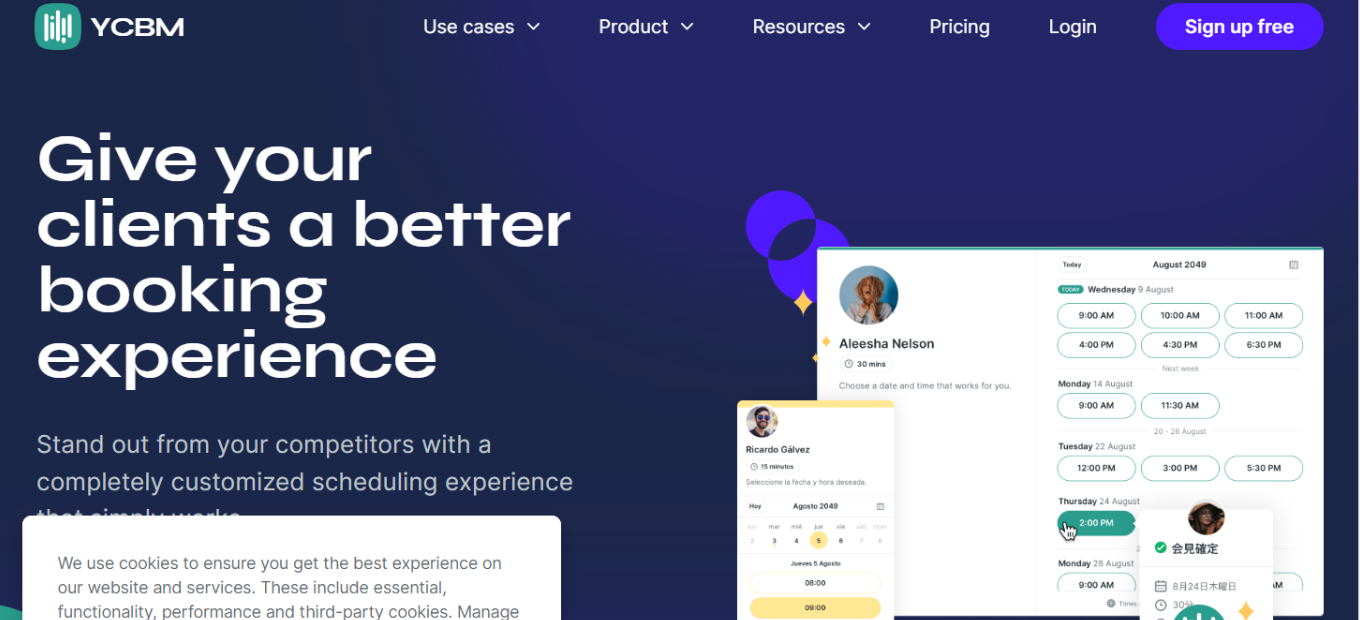
YouCanBook.me offers a streamlined booking experience, ideal for businesses and professionals seeking efficient scheduling solutions. Its intuitive interface and customizable features make it a top choice for organizations of all sizes.
✅ Pros & ❌ Cons
Pros:
- 🔄 Flexible Booking Options: Provides versatile scheduling options to accommodate various appointment types and preferences.
- 🎨 Customizable Booking Pages: Offers extensive customization for booking pages, allowing users to tailor the booking experience to their brand.
- 📅 Seamless Calendar Integration: Integrates smoothly with popular calendar platforms, ensuring real-time availability updates.
- 📈 Analytics and Reporting: Provides insights into booking trends and performance metrics to optimize scheduling processes.
Cons:
- 💲 Pricing Structure: Some users may find the pricing plans relatively higher compared to similar scheduling platforms.
- 📉 Learning Curve: New users might experience a learning curve when initially setting up and customizing their booking system.
- 🛠 Limited Customization in Basic Plans: Advanced customization options may be restricted to higher-tier subscription plans.
📖 About YouCanBook.me
YouCanBook.me has become a leading online scheduling platform, empowering businesses and individuals to manage appointments effectively. Its user-friendly interface and comprehensive feature set cater to a diverse range of scheduling needs.
🎯 What’s In It For You?
YouCanBook.me offers a hassle-free booking solution, allowing users to streamline their scheduling processes and improve client engagement. With features tailored for customization and integration, it provides a seamless booking experience for both businesses and clients.
🚀 How It Works

1. Setting Up Your Booking System
- Navigate to the YouCanBook.me website and sign up for an account.
- Customize your booking page with branding elements and scheduling preferences.
- Integrate your calendar to sync availability and avoid double bookings.
2. Configuring Appointment Settings
- Define appointment types, durations, and availability windows according to your preferences.
- Enable booking notifications and reminders to keep clients informed about their appointments.
3. Embedding Booking Links
- Embed booking links on your website, social media profiles, or email signatures for easy access.
- Share booking links with clients to facilitate hassle-free appointment scheduling.
🔗 Helpful Tips
- Take advantage of YouCanBook.me’s customization options to create a seamless booking experience tailored to your brand.
- Utilize the analytics features to track booking trends and optimize your scheduling strategy for improved efficiency.
💲 YouCanBook.me Pricing Overview

YouCanBook.me provides users with a transparent pricing model, offering a single flat price that encompasses all features. For users seeking additional customization options, the option to upgrade is available, with pricing determined by the number of connected calendars. Here’s a breakdown of the features included in each plan:
Paid Plan:
LOOKING FOR A ONE-STOP SOLUTION TO YOUR GROWTH NEEDS?
- Price: $10.80 per calendar per month (when billed annually).
- Customization: Choose how to display availability, add custom colors, logos, and branding to booking pages.
- Automated Workflows: Enjoy unlimited automated workflows with customized reminders and no-show management capabilities.
- Booking Form: Create unlimited booking form questions for gathering necessary information from clients.
- Booking Management: Accept or decline bookings, utilize expiring booking links, and offer multiple appointment types or team members on the same page.
- Team Collaboration: Utilize round-robin scheduling for teams, enable group bookings, and display mutual availability.
- Integrations: Benefit from powerful integrations with other tools and services to streamline your workflow.
Free Plan:
- Price: $0 (Free forever).
- Features: Enjoy a reliable booking page with essential features.
- Notifications: Receive best-practice notifications and booking form questions.
- Availability: Set different availability for each day.
- Booking Management: Provide cancellation and rescheduling links, set prices, and accept payments.
- Calendar Integration: Connect one calendar from your Google or Microsoft account.
- Video Meetings: Seamlessly connect to Zoom, Microsoft Teams, or Google Meet for virtual appointments.
Both plans offer users the flexibility to get started for free, with no credit card required. The free plan provides essential features for individuals or small businesses, while the paid plan unlocks advanced customization options and additional functionality for those with more complex scheduling needs.
🥊 Competition
YouCanBook.me ✅ Pros
- Flexible booking options catering to various appointment types.
- Extensive customization for booking pages to align with brand identity.
- Seamless integration with popular calendar platforms.
- Third-party integrations for enhanced functionality.
- Insights into booking trends and performance metrics.
❌ Cons
- Pricing plans may be relatively higher compared to competitors.
- Learning curve for new users during setup and customization.
- Advanced customization options limited to higher-tier plans.
Calendly ✅ Pros

- Intuitive and user-friendly interface.
- Seamless integration with calendar platforms and productivity tools.
- Versatile scheduling options to accommodate different needs.
- Extensive third-party integrations for enhanced functionality.
❌ Cons
- Pricing plans may be expensive for users with budget constraints.
- Limited customization options for booking pages and emails.
- Some advanced features available only in higher-priced plans.