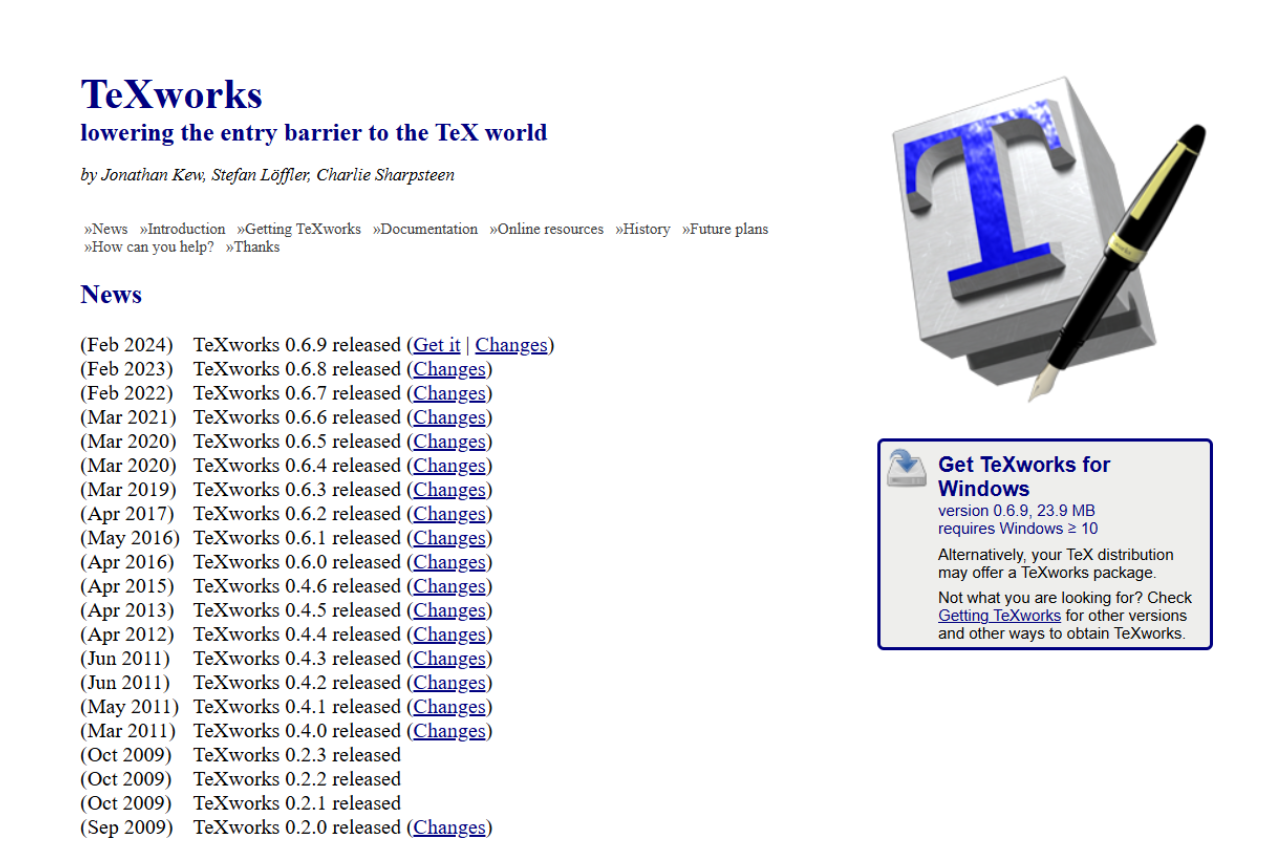
Simplifying LaTeX Editing: A Review of TeXworks

TeXworks ships with TeX Live as a minimal LaTeX editor for newcomers, with a clean two-pane preview and almost no configuration. TeXstudio is a heavier IDE built for thesis or paper work: autocomplete, structure browser, integrated PDF viewer, citation lookup, and version-control hooks. Pick TeXworks for the smallest learning curve. Pick TeXstudio when you outgrow it.

πŸ† Our Verdict

TeXworks is an exceptional LaTeX editing tool for users who value simplicity and efficiency. While it lacks the advanced features of some competitors, it remains a reliable choice for beginners and those who prefer a clean, straightforward interface.

βœ… Pros & ❌ Cons

Pros of TeXworks

  • User-Friendly Interface: Minimalistic and easy to navigate.
  • Cross-Platform: Available on Windows, macOS, and Linux.
  • PDF Previewer: Integrated PDF previewer for instant results.
  • Open Source: Free to use and community-driven.
  • Customizable: Basic customization options for commands and scripts.

Cons of TeXworks

  • Limited Features: Lacks advanced functionalities like auto-completion for complex LaTeX commands.
  • No Collaboration Tools: Unlike competitors, it doesn’t support real-time collaboration.
  • Basic UI: May feel outdated to some users.

πŸ“– About

TeXworks is an open-source LaTeX editor designed to make typesetting simple and accessible. Inspired by the simplicity of tools like TeXShop, it focuses on providing a user-friendly environment for LaTeX document preparation. Its core philosophy revolves around minimizing barriers for beginners while delivering core features for experienced users.

πŸ•“ How It Works

  1. Download and Installation: Available for free on its official website (TeXworks).
  2. Start Editing: Open the editor, load your LaTeX file, and begin editing.
  3. Compile and Preview: Use the integrated PDF viewer to check results instantly after compilation.
  4. Export: Save or share your formatted documents as needed.

πŸ’² Pricing Overview

TeXworks is entirely free, thanks to its open-source nature. It’s a budget-friendly option for students, academics, and professionals who require LaTeX editing tools without additional costs.

πŸƒοΈβ€β™€οΈ Competition

TeXworks vs TeXstudio: Pros and Cons

FeatureTeXworksTeXstudio
Pros– Simple and user-friendly interface– Advanced auto-completion for commands
– Integrated PDF viewer– Real-time spell checking
– Free and open-source– Extensive customization options
– Lightweight and efficient– Built-in templates for quick formatting
Cons– Lacks advanced features like collaboration tools– Slightly steeper learning curve
– Basic UI might not appeal to advanced users– May be overwhelming for beginners due to its numerous features
– No real-time collaboration– Resource-intensive for older systems

πŸ“Œ Conclusion

TeXworks remains a fantastic choice for LaTeX users who prioritize simplicity and ease of use. While it may not match the advanced features of TeXstudio, its minimalist design and efficient performance make it a solid option, especially for beginners and casual users.

πŸ”’ β€œTypeset with ease – Choose TeXworks!”

Related read: TeXworks keeps the interface minimal. For a free editor with a docked PDF viewer, a structure pane, and master-document mode, Texmaker covers more ground while staying lightweight.

TeXworks FAQ

Is TeXworks free? Yes. TeXworks is free and open source under the GPL. It ships inside the major TeX distributions, so if you install TeX Live or MiKTeX you already have it. There is no paid version and no account to set up.

Is TeXworks still maintained and worth using in 2026? Development moves slowly, but the editor still works and stays bundled with current TeX Live releases. It is built for people who want a stable, no-frills place to write rather than a stream of new features. For drafting papers and reports it holds up well. If you want heavy auto-completion and plugins, a more active editor such as TeXstudio is the better fit.

Does TeXworks show a live PDF preview? It has a docked PDF pane that updates each time you build. SyncTeX links the two panes, so you can click a line in the source to jump to that spot in the PDF and click the PDF to jump back to the source. The preview refreshes on each typeset rather than continuously as you type.

Do I need to install LaTeX separately? Usually no, because TeXworks arrives with TeX Live and MiKTeX. If you installed it on its own, add a TeX distribution and point TeXworks at the typesetting tools in its preferences. Once the engine is set, building a PDF is a single click.

TeXworks or Texmaker? TeXworks keeps the window nearly empty and hides most options, which suits a first LaTeX project. Texmaker puts more within reach, including a structure pane, a symbol panel, and configurable build profiles. Start with TeXworks for a clean introduction, then read our Texmaker review when you want those extras.

Setting up TeXworks and typesetting your first document

Most of the setup happens before TeXworks itself enters the picture, because the editor arrives inside a TeX distribution rather than on its own. Here is the path from a bare machine to a compiled PDF.

  1. Install a TeX distribution. TeX Live covers Linux and macOS, MiKTeX covers Windows. TeXworks is bundled with both, so there is no separate download. A full TeX Live install runs several gigabytes and takes a while on a slow connection. The basic scheme is enough to start and pulls the rest of the packages later when a document asks for them.
  2. Pick the typesetting engine. The dropdown at the top left of the window decides what runs when you build. pdfLaTeX is the default and handles ordinary documents. Switch to XeLaTeX or LuaLaTeX when you need system fonts or a non-Latin script. TeXworks stores the choice per file, and you can pin it yourself by putting % !TEX program = xelatex on the first line.
  3. Write, then typeset. Save the file with a .tex extension, then press the green arrow or Cmd+T on macOS and Ctrl+T elsewhere. The PDF opens in a pane beside the source and refreshes on every build rather than continuously as you type.
  4. Turn on click-through with SyncTeX. Cmd-click or Ctrl-click a paragraph in the PDF to land on the line that produced it, and the same gesture in the source jumps forward into the PDF. The bundled engine configurations enable this already. If a click does nothing, open Preferences and check that the engine arguments include --synctex=1.
  5. Handle the two errors that stop beginners. File ‘something.sty’ not found means a package is missing. MiKTeX offers to fetch it on the spot, while TeX Live wants tlmgr install something from a terminal. The other one is a build that halts at a question mark and waits. Type x and press Enter to quit, then read the line number in the log just above the prompt. Adding -interaction=nonstopmode to the engine arguments makes future runs log the problem and carry on instead of stalling.

Once the engine is set and SyncTeX works, TeXworks stays out of the way. That is the whole point of it. The window holds a source pane, a PDF pane, and a build button, which is why it suits a first paper better than an editor with a dozen panels to learn first.
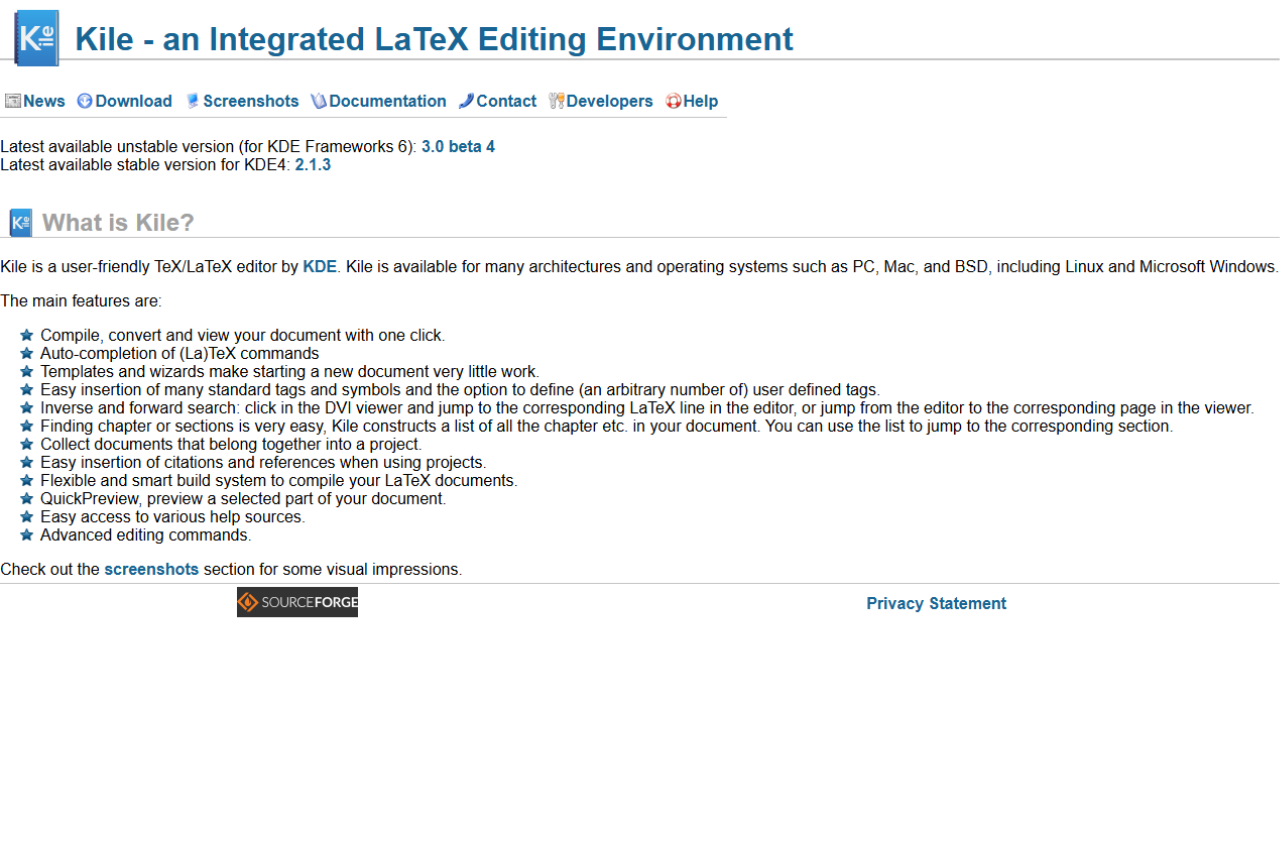
Kile: The Essential LaTeX Editor for Streamlined Academic Writing

πŸ† Our Verdict

TeXstudio emerges as the ultimate LaTeX editor for users who need an advanced, yet user-friendly environment for writing and managing their documents. As a standout in its category, TeXstudio provides a feature-rich platform that supports extensive LaTeX capabilities along with a suite of powerful tools, making it essential for both academic and professional writing tasks. While Kile offers robust features, TeXstudio’s superior interface and additional functionalities like real-time previewing make it the better choice for users seeking comprehensive LaTeX document management.

βœ… Pros & ❌ Cons

Pros of Kile:

  • Comprehensive LaTeX Support: Offers a broad range of LaTeX tools which is ideal for complex document creations.
  • Open Source and Free: Available at no cost, making it accessible to everyone without financial burden.
  • Platform Compatibility: Runs on KDE, providing a stable environment for Linux users.

Cons of Kile:

  • Limited Interface Appeal: Less modern interface compared to TeXstudio, which might affect user experience.
  • Less Intuitive: Might require a steeper learning curve for new users unfamiliar with LaTeX.

Pros of TeXstudio:

  • Highly Customizable Interface: More modern and user-friendly, enhancing user engagement and productivity.
  • Real-time Preview Features: Allows users to see changes instantly, which is a significant advantage over Kile.
  • Extensive Documentation Support: Great for managing large projects with complex documentation needs.

Cons of TeXstudio:

  • Higher Resource Usage: Might consume more system resources compared to lighter editors like Kile.
  • Potentially Overwhelming for Beginners: The vast array of features might be daunting for new or casual LaTeX users.

πŸ“– About Kile

Kile is an open-source LaTeX editor, designed to offer an advanced textual content editing interface for LaTeX documents. While primarily aimed at users familiar with the KDE desktop environment, it catifies robust tools to facilitate the creation of complex academic and scientific documents. Kile simplifies the LaTeX document creation process through its structured interface that accommodates numerous templates and tools aimed at enhancing productivity.

πŸ—“οΈ How It Works

  1. Setup and Installation
    • Download and install Kile from the official repository or as part of the KDE software compilation.
  2. Starting a New Project
    • Easily start new projects with pre-defined or custom templates.
  3. Editing and Document Management
    • Utilize side panels and document structure views to manage chapters, sections, and tags efficiently.
  4. Compiling Documents
    • Quick access to compile buttons allows for easy document building and viewing in PDF format.
  5. Advanced Features
    • Utilize scripts and build tools to customize the compilation process, integrating external tools seamlessly.

πŸ’² Pricing Overview

Kile is completely free to use, which provides significant value considering its extensive features and capabilities without any cost.

πŸ₯Š Competition: Kile vs. TeXstudio

FeatureKileTeXstudio
CostFreeFree
InterfaceBasic, less modernHighly customizable, modern
Compilation ToolsExtensive, customizableExtensive, more integrated
Document PreviewBasic preview capabilitiesReal-time previewing
User SupportCommunity forums, documentationExtensive documentation, community support

πŸ“Œ Conclusion

Kile stands out as a solid choice for LaTeX users who are looking for a robust, no-cost editor that integrates seamlessly with the KDE desktop environment. While it might not have the sleek interface of some newer editors like TeXstudio, its comprehensive toolset and open-source nature make it a reliable option for students and professionals working on complex documents. However, for those seeking a more modern experience with additional features like real-time preview, alternatives like TeXstudio may be more appealing.

Kile: Streamlined LaTeX Editing for Academia and Beyond

Related read: Kile is built around KDE and gives you project management on top of LaTeX. If you want something that runs the same on any desktop and ships with your TeX distribution, TeXworks is the lighter starting point.

Related read: Kile is a KDE application, so it is at home on Linux and awkward anywhere else. The equivalent argument on the other side of that line is WinEdt, which is Windows-only by design and spends the same effort on deep configurability rather than on running everywhere.

Related read: Kile runs on KDE, which is a stable home on Linux and an awkward one anywhere else. If you move between a Linux box and a Mac or a Windows machine, Texmaker is the closest equivalent that is the same program on all three, with the same Qt interface and the same built-in PDF viewer.

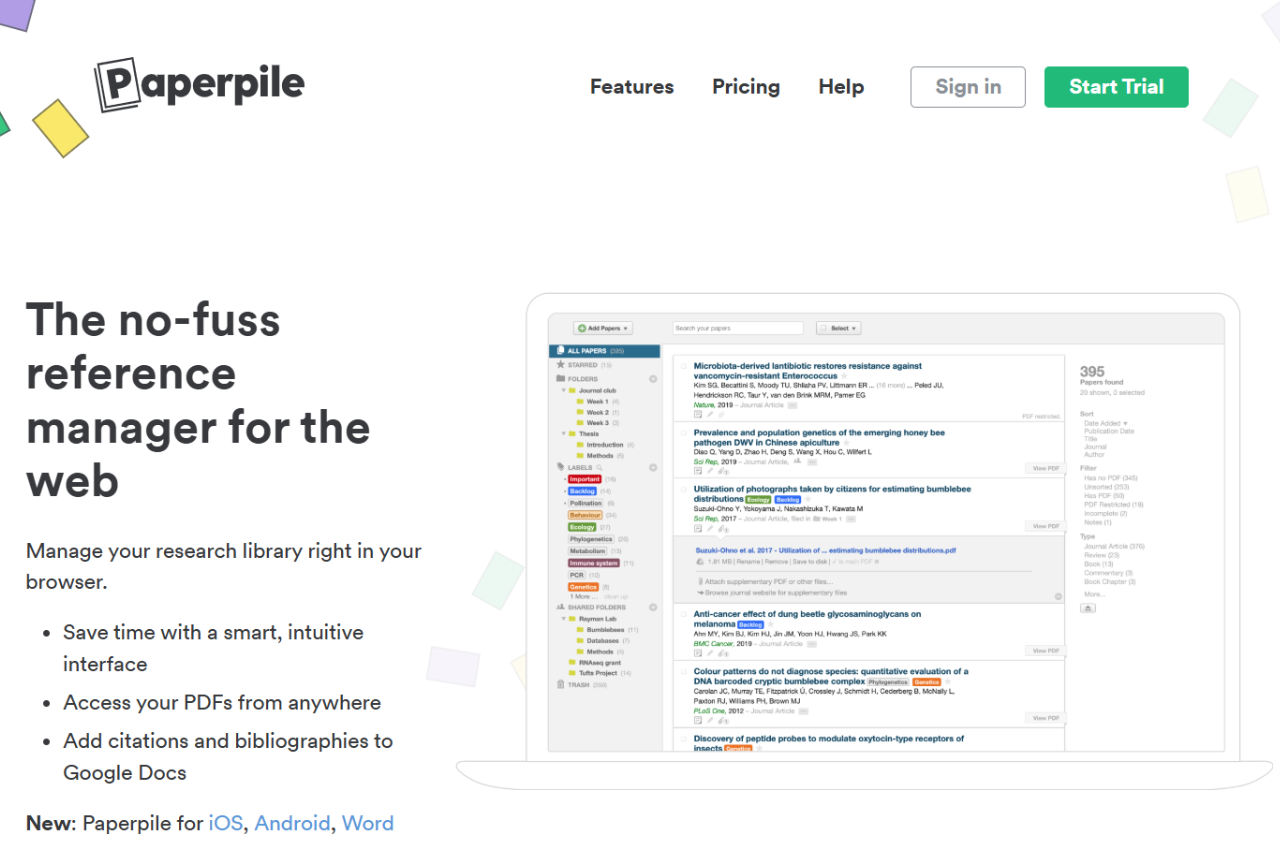
Paperpile: Revolutionizing Research Reference Management

πŸ† Our Verdict

Paperpile is a modern, web-based reference management tool tailored for researchers, students, and academics who require efficient, seamless integration with Google services. It excels in simplifying the process of citation management, especially for users heavily invested in Google Docs and Google Scholar. Compared to Zotero, which offers broad compatibility with multiple browsers and word processors, Paperpile’s tight integration with Google products makes it particularly appealing for users within that ecosystem, providing a streamlined user experience that enhances productivity.

βœ… Pros & ❌ Cons

Pros

  • Seamless Google Integration: Optimized for Google Docs and Google Scholar, making it ideal for users of Google’s suite.
  • User-Friendly Interface: Clean, minimalistic design that’s easy to navigate.
  • Automatic PDF Download and Annotation: Efficient management of PDFs with direct downloading and annotation capabilities.
  • Cloud-Based: Accessible from anywhere, with all data securely stored in the cloud.
  • Collaboration Features: Facilitates easy collaboration via Google Docs.

Cons

  • Platform Dependency: Primarily designed for Google Chrome; limited functionality with other browsers.
  • Subscription Model: No free version available; requires a subscription.
  • Limited Offline Functionality: Most effective with an internet connection.
  • Fewer Citation Styles: While extensive, the citation styles library is not as comprehensive as Zotero’s.

πŸ“– About

Paperpile is designed to streamline the research process by managing references, PDFs, and citations directly within Google Docs. It’s aimed at making academic writing cleaner, more efficient, and more connected.

πŸ—“οΈ How It Works

  1. Setup and Integration: Install the Paperpile extension for Google Chrome.
  2. Import References: Easily import references from academic databases, websites, and existing libraries.
  3. Organize and Annotate: Organize articles and PDFs in folders, tag them, and annotate directly within the browser.
  4. Cite While You Write: Use the Google Docs add-on to insert citations and format bibliographies automatically.
  5. Collaborate in Real-Time: Share papers and collaborate on bibliographies with peers via Google Docs.

πŸ’² Pricing Overview

Paperpile offers a range of pricing options tailored for different users, focusing primarily on accessibility and ease of use for academic and business purposes:

  • Free Plan: While Paperpile offers a free trial, they do not have a permanent free version available. The trial allows users to test out features before committing to a subscription.
  • Academic Plan: Priced at $2.99 per month, this plan is geared towards students, faculty, and other academic professionals. It includes features tailored for research management, such as PDF download and sync, annotation, organization tools, and citation support in Google Docs.
  • Business Plan: At $9.99 per month, this plan targets business users and includes all the features of the Academic plan with additional support tailored for professional use in a business environment.

πŸ₯Š Competition

FeaturePaperpileZotero
Platform IntegrationGoogle Chrome, Google DocsFirefox, Chrome, Safari; MS Word, LibreOffice
User InterfaceModern and intuitiveFunctional, less modern
AccessCloud-based, primarily onlineBoth cloud and local storage, works offline
CollaborationIntegrated with Google Docs for live collaborationSupports group libraries and shared collections
PricingSubscription onlyFree, with paid storage options

πŸ“Œ Conclusion

Paperpile is a robust tool for anyone embedded in the Google ecosystem, offering streamlined, efficient management of research materials and citations. While it may not have the wide-ranging compatibility of Zotero, its specialized focus on Google products makes it an excellent choice for users looking for simplicity and integration in their research processes.

Paperpile: Streamline Your Research in the Cloud

ResearchGate: Advancing Scientific Collaboration

πŸ† Our Verdict

ResearchGate is a dynamic academic network that has revolutionized the way scientists and researchers collaborate and share information across the globe. Its powerful platform facilitates direct access to a vast database of research, fostering connections between researchers and providing tools for tracking the impact of their work. While both ResearchGate and Academia.edu provide platforms for academic sharing, ResearchGate’s focus on collaboration and research impact metrics makes it particularly valuable for researchers looking to engage deeply with their field and track their work’s influence.

βœ… Pros & ❌ Cons

Pros

  • Extensive Research Network: Connects over 15 million researchers providing access to a vast range of publications.
  • Rich Interaction Features: Allows for direct communication, questions, and discussions among peers.
  • Research Impact Tools: Offers metrics and stats to track the impact of publications.
  • Integration with Institutions: Strong collaborations with universities and research institutions.
  • Document Repository: Extensive database of research articles available for reading and citation.

Cons

  • Complex Navigation: The extensive features can make navigation somewhat complex for new users.
  • Limited Private Interaction: Some researchers may find the public nature of discussions less conducive for sensitive topics.
  • Overemphasis on Metrics: The focus on metrics might be intimidating for early-career researchers.
  • Spam Accounts: Occasional spam accounts and irrelevant content postings can clutter the experience.

πŸ“– About

ResearchGate is more than just an academic repository; it’s a collaborative network designed to connect researchers worldwide. By providing tools that facilitate discussion, collaboration, and public sharing of research, it empowers researchers to enhance the visibility and impact of their work.

πŸ—“οΈ How It Works

  1. Sign Up and Profile Setup: Create an account and set up a detailed profile highlighting your research interests.
  2. Connect and Collaborate: Connect with fellow researchers, join specific research groups, and participate in discussions.
  3. Upload and Share Research: Share your research papers, data, and results. Receive feedback and track how often your work is cited.
  4. Engage with Content: Comment on and discuss research findings with peers from around the world.
  5. Explore Metrics: Access detailed metrics on the reach and impact of your research.

πŸ’² Pricing Overview

ResearchGate is free for researchers, with no subscription fees. The platform is supported by partnering institutions and some advertising.

πŸ₯Š Competition

FeatureResearchGateAcademia.edu
FocusResearch collaboration and metricsAcademic social networking
User Base15+ million researchers100+ million users
Special FeaturesDetailed impact metrics, data repositoryDocument sharing, academic profiles
CollaborationHigh interaction through Q&A, groupsLimited to sharing and following
AccessibilityFree with institutional supportFree, with paid premium features

πŸ“Œ Conclusion

ResearchGate is a must-use platform for researchers intent on making a significant impact in their fields. Its robust networking capabilities and impact measurement tools provide unique benefits that go beyond traditional publication. It’s an essential resource for those looking to expand their academic footprint and foster real-time collaboration.

ResearchGate: Connecting Minds, Advancing Science

Mendeley: Streamlining Your Research with Efficiency

πŸ† Our Verdict

Mendeley stands out as a multifunctional reference manager and academic social network that’s vital for researchers, educators, and students. Integrating reference management with PDF annotation and collaboration features, Mendeley provides a unique combination of services. Its ability to sync across devices and robust citation features makes it indispensable for academic writing and research. Compared to Zotero, Mendeley offers more integrated social networking features, which can be a significant advantage for those looking to connect within their research fields.

βœ… Pros & ❌ Cons

Pros

  • Cross-Platform Synchronization: Works across desktop and mobile devices seamlessly.
  • PDF Reader and Annotation: Built-in PDF viewer allows easy annotation and referencing.
  • Research Network Integration: Provides a platform for academic networking and collaboration.
  • Citation Plugin: Robust citation tools that integrate with word processors like Microsoft Word.
  • User-Friendly Interface: Clean, intuitive interface makes navigation and organization straightforward.

Cons

  • Limited Free Storage: Only 2GB free cloud storage, which may be insufficient for heavy users.
  • Privacy Concerns: Data privacy issues, given its ownership by Elsevier.
  • Less Flexible Import Options: Importing data from other reference managers can be cumbersome.
  • Subscription for More Features: Premium features require a monthly subscription.

πŸ“– About

Mendeley is more than just a reference manager; it is a comprehensive tool designed to enhance productivity and collaboration among academics. From managing research papers to connecting with colleagues, Mendeley supports every aspect of academic work.

πŸ—“οΈ How It Works

  1. Download and Install: Available for Windows, Mac, Linux, and mobile devices.
  2. Build Your Library: Import your research papers and organize them with tags and categories.
  3. Read and Annotate: Use the PDF viewer to read and annotate documents on the go.
  4. Cite as You Write: Insert citations and bibliographies into your documents with Mendeley’s Word plugin.
  5. Collaborate and Share: Join groups or create your own to share references and papers with peers.

πŸ’² Pricing Overview

Mendeley offers a basic free version with 2GB of personal storage. For more advanced features and additional storage, subscription plans are available:

  • Mendeley Plus: 5GB storage for $5/month.
  • Mendeley Professional: 10GB for $10/month.
  • Mendeley Teams: Customizable storage and features, price upon request.

πŸ₯Š Competition

FeatureMendeleyZotero
CostFree tier, paid upgrades availableFree with optional storage costs
CollaborationSocial network features and group sharingSimple collaboration through group libraries
InterfaceIntuitive and modernUser-friendly, slightly less modern
Citation ToolsWord plugin, robust citation featuresWord and LibreOffice plugins, good integration
Storage2GB free, up to 100GB for premium300MB free, paid extra storage

πŸ“Œ Conclusion

Mendeley is an essential tool for anyone involved in academic research or education. Its combination of reference management, networking, and collaboration tools makes it a powerhouse for managing academic workflows. While it faces stiff competition from Zotero, the additional networking capabilities provide a unique value that may tip the scales for many users.

Mendeley: Your Research Assistant

StudioBinder: Mastering Film Production Management

πŸ† Our Verdict

StudioBinder is a comprehensive, web-based film production management platform designed for film, video, and photo industries. It excels in streamlining production workflows through effective communication, organization, and real-time collaboration. StudioBinder offers a unique blend of project management tools that are tailored for the creative industry, making it an essential tool for professionals aiming to manage their productions efficiently. While it faces strong competition from Celtx, its user-friendly interface and robust feature set make it a superior choice for production teams looking for seamless project integration.

βœ… Pros & ❌ Cons

Pros

  • Comprehensive Tools: Offers project management, script breakdowns, scheduling, and call sheets.
  • Intuitive Interface: Sleek and user-friendly, facilitating easier navigation and use.
  • Robust Collaboration Features: Includes real-time updates and notifications which enhance team collaboration.
  • High Customizability: Extensive options to tailor features to specific production needs.
  • Dedicated Support: Strong customer service with responsive support.

Cons

  • Higher Price Point: Can be expensive compared to some competitors, which might deter smaller production companies.
  • Limited Offline Functionality: Relies heavily on internet access for optimal functionality.
  • Complexity for Beginners: The breadth of features can be overwhelming for new users without prior training.

πŸ“– About

StudioBinder is not just a tool but a hub for production management, offering features that cover every phase of production from pre to post. It encapsulates a suite of tools that cater to the needs of modern filmmakers, producers, and photographers.

πŸ—“οΈ How It Works

  1. Sign Up and Setup: Easy registration and setup process on StudioBinder’s website.
  2. Project Creation: Start by creating a project and inviting team members.
  3. Pre-production Planning: Use tools for scriptwriting, storyboarding, and creating shot lists.
  4. Production Scheduling: Schedule shoots with detailed call sheets and location management.
  5. Post-Production Tools: Manage file storage and share media within the platform.
  6. Monitor and Report: Track project progress and generate reports to keep all stakeholders informed.

πŸ’² Pricing Overview

StudioBinder offers tiered pricing plans that cater to different levels of production needs, starting from a free basic plan with core features, to more advanced features available in their paid plans which can range from $29 per month to $99 per month for their agency plan.

πŸ₯Š Competition

FeatureStudioBinderCeltx
PricingStarts free, plans up to $99/monthFree basic, paid plans up to $30/month
Offline AccessLimitedLimited
CollaborationExtensive real-time collaborationBasic collaboration features
Project ManagementComprehensive project management toolsGeneral project management features
Industry AdoptionWidely adopted in professional settingsPopular among independent filmmakers

✍️ Pair it with a scriptwriting tool

StudioBinder covers pre-production beautifully: shot lists, storyboards, call sheets, breakdowns. The script itself needs a dedicated editor. A solid free pairing is KIT Scenarist, which exports to Final Draft and PDF so the output lands cleanly in StudioBinder’s script import.

πŸ“Œ Conclusion

StudioBinder stands out as a comprehensive solution for film production management, blending advanced features with user-centric design to support the dynamic needs of modern production teams. It’s an invaluable tool for anyone serious about film production, offering more than just management but a complete system to ensure creative projects are executed flawlessly.

StudioBinder: Redefining Production Management

What StudioBinder is best for, and who should skip it

StudioBinder sits on the production side of filmmaking, not the writing side. Once a script is locked, it handles the parts that usually live in spreadsheets and email threads: shot lists, call sheets, shooting schedules, contact lists, and storyboards, all in one place the whole crew can see.

Who gets the most out of it

Small production companies, video teams, and freelance directors who run several shoots a month tend to benefit first. If you are sending call sheets by hand or rebuilding the same shot list template for every project, the time saved adds up quickly. Solo creators shooting the occasional video will find it heavier than they need.

What people ask before signing up

Is there a free plan? Yes. StudioBinder has a free tier that covers one project, which is enough to test call sheets and shot lists on a real shoot before you pay. Paid plans unlock more active projects and team seats.

Does it replace a screenwriting app? No. It assumes the script already exists. Pair it with a drafting tool and move the finished script into StudioBinder when you start planning the shoot.

How steep is the learning curve? The call sheet and shot list builders are close to what crews already know, so most teams are productive on day one. The scheduling and stripboard features take a little longer to settle into.

From a finished script to a sent call sheet

A feature list tells you nothing about the order you work in. This is the path most productions take through StudioBinder, and where the time goes.

  1. Get the script in. Write it in the built-in screenwriting editor or import a finished draft. Two-column AV scripts are supported alongside standard screenplay format, which is what makes the tool usable for commercial and corporate work rather than features only.
  2. Tag the elements. This is the breakdown, and it is the step that carries everything after it. Work through the script in Element Tagger and tag props, set dressing, costumes, equipment and VFX. Custom breakdown categories are there for the things your production names differently.
  3. Pull the reports and sides. Breakdown reports and script sides generate from the tags you just set, so nobody retypes an inventory into a spreadsheet.
  4. Build the stripboard. Drag the tagged scenes into shooting order. The stripboard is the schedule, so reorder days there and not in a separate calendar.
  5. Plan the coverage. Shot lists and storyboards attach to the scenes you scheduled, and camera setups group so the first AD can see how many a day actually holds.
  6. Send the call sheet. Call sheets pull crew from your contacts and times from the schedule. Templates keep the format stable across a shoot, and private notes let you tell one recipient something the rest of the unit does not need to read.

Tag once and the breakdown, the schedule, the sides and the call sheet all read from the same data. That is where the time is saved. On a two person shoot it is overhead you do not need; on a project with enough scenes and crew that keeping four documents aligned by hand is its own job, the time it saves is real.

Trelby: The Open-Source Screenwriting Solution

πŸ† Our Verdict

Trelby is a solid, user-friendly screenwriting software that distinguishes itself through its simplicity and lack of cost. As an open-source tool, Trelby offers screenwriters a straightforward, functional approach to writing scripts without the clutter or complexity of more expensive software. It lacks some of the advanced features and industry recognition of Final Draft, but for those new to screenwriting or those who prefer simplicity and cost-effectiveness, Trelby is an excellent choice.

βœ… Pros & ❌ Cons

Pros

  • Open Source and Free: No cost to download or use, with source code available for modification.
  • Cross-Platform Compatibility: Available for both Windows and Linux, making it accessible to a wide range of users.
  • Simple, Clean Interface: Easy to navigate for beginners without overwhelming features.
  • Active Community Support: Benefits from an open-source community providing updates and support.

Cons

  • Limited Features: Lacks some of the advanced tools and functionalities found in more robust software like Final Draft.
  • No Native macOS Support: Mac users must use third-party software to run Trelby, which can be inconvenient.
  • Minimal Collaboration Tools: Does not support real-time collaboration or cloud-based features.
  • Outdated Design: Some users may find the interface dated compared to newer screenwriting programs.

πŸ“– About

Trelby is an open-source screenwriting program designed to be straightforward and functional. It supports standard screenplay formatting, offers a variety of import and export options, and includes tools for scene organization and script reports, making it suitable for both amateur and professional writers.

πŸ—“οΈ How It Works

  1. Download and Install: Easily downloadable from Trelby’s official website, installable on Windows and Linux systems.
  2. Setup Your Script: Start a new script with pre-formatted templates that meet industry standards.
  3. Write and Edit: Utilize intuitive tools to write and format your screenplay correctly.
  4. Organize: Manage your script effectively with scene management and character tracking tools.
  5. Export and Share: Trelby allows you to export your script in multiple formats, including PDF and Final Draft, for easy sharing with others.

πŸ’² Pricing Overview

Trelby is completely free. There are no hidden fees, subscriptions, or premium features, making it one of the most accessible screenwriting tools on the market.

πŸ₯Š Competition

FeatureTrelbyFinal Draft
CostFree$249.99
Platform CompatibilityWindows, LinuxWindows, macOS
CollaborationNoneAdvanced collaboration tools
InterfaceBasic, straightforwardModern, comprehensive
Industry AdoptionLowHigh, industry standard

πŸ”€ A feature-richer open-source alternative

Trelby keeps things deliberately minimal, which is a feature rather than a flaw. Writers who want the same free, cross-platform spirit but with built-in research, mind maps, and cards often move to KIT Scenarist. The import path is clean: KIT reads Trelby files directly, so switching later does not mean rewriting a script.

πŸ“Œ Conclusion

Trelby offers a compelling option for those seeking a straightforward, no-cost solution to screenwriting. While it may not carry the advanced features of high-end software like Final Draft, its commitment to simplicity and accessibility makes it a valuable tool for writers who want to focus on crafting their stories without financial burden or steep learning curves.

Trelby: Screenwriting Simplified

Mac-native alternative: Trelby is free and cross-platform. If you work on a Mac and want a faster, more polished editor, Highland 2 is the streamlined, Fountain-based option built for Mac.

Related read: Trelby stays close to the screenplay itself and runs on Windows and Linux. If you want scene cards and a character bible in the same app, Kit Scenarist covers that ground on all three platforms, though its development moved to the successor Story Architect in 2023.

Movie Magic Screenwriter: Unleash Your Storytelling Potential

πŸ† Our Verdict

Movie Magic Screenwriter is a highly robust scriptwriting software that offers extensive features tailored for both novice and professional writers in the film, television, and theater industries. Known for its comprehensive formatting capabilities and intuitive interface, it stands as a compelling alternative to other market leaders like Final Draft. Although it may not boast the same level of ubiquitous industry endorsement as Final Draft, its precision in script formatting and ease of use make it a favorite among educational institutions and writing professionals looking for reliable, feature-rich software.

βœ… Pros & ❌ Cons

Pros

  • Intuitive Interface: Easy to navigate with a user-friendly design.
  • Versatile Formatting: Supports a wide range of script formats, including TV shows, movies, and stage plays.
  • Integrated Outlining Tools: Provides powerful tools for story planning and structuring.
  • Compatibility: Offers seamless integration with other Movie Magic software.
  • Dedicated Support: Excellent customer service with detailed help resources.

Cons

  • Higher Learning Curve: Might be intimidating for beginners due to its vast array of features.
  • Price: More expensive than some newer competitors.
  • Limited Cloud Capabilities: Does not offer as robust cloud features as Final Draft.
  • Platform Availability: Mainly optimized for Windows, with less support for macOS.
  • No Mobile Version: Lacks a mobile app, which limits accessibility.

πŸ“– About

Movie Magic Screenwriter is a professional scriptwriting software developed by Screenplay Systems. It is designed to handle everything from drafting the initial outline to the final production draft, offering tools that aid in documenting, formatting, and organizing scripts efficiently.

πŸ—“οΈ How It Works

  1. Installation and Setup: Install the software from Screenplay.com and set up your project.
  2. Choose a Template: Select from various templates for different formats.
  3. Write Your Script: Utilize auto-formatting features to write scripts that adhere to industry standards.
  4. Organize Your Work: Use the NaviDoc feature to manage scenes, notes, and sequences.
  5. Collaborate and Share: Export your script in multiple formats for easy sharing and collaboration.

πŸ’² Pricing Overview

Movie Magic Screenwriter is available for purchase at approximately $249, which includes lifetime updates. Educational discounts are available, making it an attractive option for students and academic institutions.

πŸ₯Š Competition

FeatureMovie Magic ScreenwriterFinal Draft
Platform SupportStrong on Windows, weaker on macOSStrong support for both Windows and macOS
Real-Time CollaborationLimitedExtensive with real-time editing features
Pricing$249 with free updates$249.99 with additional costs for updates
Script FormattingHighly customizable and preciseIndustry standard with precise formatting
Learning ResourcesExtensive tutorials and customer supportComprehensive tutorials and support network

πŸ“Œ Conclusion

Movie Magic Screenwriter remains a top choice for those in the scriptwriting profession, providing powerful tools that cater to the specific needs of the industry. While it faces stiff competition from Final Draft, its dedication to user-friendly design and detailed scripting capabilities ensures its continued relevance in various writing settings.

Movie Magic Screenwriter: Perfecting Scripts from Concept to Curtain

Movie Magic Screenwriter in 2026: pricing, requirements, and field credits

Movie Magic Screenwriter is owned by Write Brothers and sits as the industry alternative to Final Draft in television writers’ rooms. Version 6 ships as a perpetual license at $249.95 with a 30-day trial, or $179.95 for an upgrade from any earlier version. There is no subscription model. The license activates on two machines per user.

System requirements are modest: Windows 10 or later, or macOS 10.14 Mojave or later. The Mac build runs natively on Apple Silicon since 6.0.36. An internet connection is needed only for activation and updates; offline writing is fully supported.

Production credits on Movie Magic Screenwriter include staff scripts on Grey’s Anatomy, Bones, Suits, NCIS, and Yellowstone over the past decade. The tool is a WGA-accepted format for both feature and television submissions, alongside Final Draft and Fade In. Output formats include PDF, RTF, plain text, and Fountain export for compatibility with Highland 2 or other Mac-native tools.

Common alternatives are Highland 2 for Mac users who prefer a markdown-first workflow, Fade In as the lower-cost perpetual-license competitor, and Final Draft 13 if your collaborators standardise on it.

One-time-paid counterpart: Movie Magic Screenwriter is the Hollywood paid alternative with its own format and proprietary file type. Screenwriters who want a one-time $49.99 license, plain-text Fountain files, and zero lock-in often land on Highland 2.

No-cost option: Movie Magic Screenwriter has been around for decades as a paid app. Writers who want similar formatting and reporting at zero cost usually land on Kit Scenarist, the free open-source toolkit built around the same plain-text Fountain workflow.

Is Movie Magic Screenwriter worth it in 2026?

Movie Magic Screenwriter is a paid desktop screenwriting app that has been around since the 1990s, and it still has a loyal base in film and television because of how cleanly it handles industry formatting, revision marks, and locked pages. If you deliver to production companies that expect colored revision pages and standard scene numbering, that compatibility is the main reason to choose it.

It is a one time purchase rather than a subscription, which sets it apart from cloud tools that bill every month. For a writer who wants to own the software outright and work offline, that pricing model is the draw.

Who should look elsewhere: if you co write in real time, a browser based tool fits better, and if you only need a clean first draft, free options cover the basics. For solo writers delivering to production, Movie Magic Screenwriter still earns its place.

On to production: Movie Magic Screenwriter formats the script to industry standard. For the pre-production work that follows, like stripboards and call sheets, StudioBinder keeps the whole shoot organized.

KIT Scenarist: A Comprehensive Toolkit for Scriptwriters

πŸ† Our Verdict

KIT Scenarist is a powerful scriptwriting software that offers a robust set of features for screenplay development. It’s designed to support the creativity of writers by providing detailed planning tools, research modules, and an intuitive script editor. This open-source tool is a favorite among writers who prefer a detailed approach to structuring their narratives. While it may not have the industry standard status of Final Draft, its free accessibility and comprehensive features make it a compelling option for both amateur and professional screenwriters worldwide.

βœ… Pros & ❌ Cons

Pros

  • Cost-Effective: Completely free to use with optional paid cloud services.
  • Multi-platform Support: Available on Windows, macOS, Linux, and mobile devices.
  • Rich Planning Tools: Includes cards, mind maps, and research databases.
  • Open Source: Allows for community contributions and customization.
  • International Focus: Supports multiple languages and script formats.

Cons

  • Less Industry Recognition: Not as widely recognized as Final Draft in professional settings.
  • No Real-Time Collaboration: Lacks the capability for real-time co-authoring.
  • Complex Interface: Can be overwhelming for new users due to its many features.
  • Limited Customer Support: Mostly community-driven support, which may not be as immediate or comprehensive.
  • Occasional Bugs: As with many open-source projects, users may encounter bugs.

πŸ“– About

KIT Scenarist is an open-source screenwriting software that integrates various tools into one platform, facilitating the scriptwriting process from conceptualization to final draft. It caters to the needs of scriptwriters across the globe by supporting different languages and scriptwriting standards.

πŸ—“οΈ How It Works

  1. Download and Install: Available on multiple operating systems including mobile platforms.
  2. Create a Project: Start with the project wizard to set up your screenplay’s structure.
  3. Develop the Narrative: Utilize cards and mind maps for plotting out scenes and acts.
  4. Write and Edit: Use the script editor to write your scenes with automatic formatting.
  5. Use Research and Statistics Tools: Keep track of all your research within the project.
  6. Export and Share: Export your screenplay in various formats, including PDF and Final Draft.

✍️ Example Workflows

Writing a TV pilot in KIT Scenarist

Start inside the Research module: drop in the show bible, casting notes, and a rough map of the fictional setting. Move to Cards to lock down the act structure. Pilot episodes usually carry a teaser plus three or four acts, each with its own turning point. Draft each scene directly from the card, then use the Statistics module to check scene length distribution, since TV pilots tend to live in the one-to-three-page range. Export to PDF or Final Draft format when the table read comes around.

Migrating from Final Draft

KIT Scenarist opens .fdx files directly. From File, pick Import, then Final Draft Document, and the software preserves scene headings, dialogue formatting, and character names. The transition does not carry over Final Draft’s ScriptNotes, so copy those into the Research module as a separate document. Expect to redo any custom templates, since KIT uses its own style system.

Collaborating on a feature screenplay

The cloud subscription is the realistic path for co-writing. The host buys a month of cloud storage, uploads the project, and invites collaborators by email. Co-writers do not need their own subscription to contribute. Real-time editing is not supported, so use the built-in change log to review who wrote what since the last sync. For a real-time co-writing workflow, a tool such as Manuskript or Celtx Gem is a better fit.

πŸ’² Pricing Overview

KIT Scenarist offers several pricing options for its cloud service, which allows users to store projects online and collaborate with others. After a free 30-day trial, the subscription can be continued monthly or for longer periods with discounts for longer commitments:

  • 1 month: $4.99
  • 2 months: $9.99
  • 3 months: $14.99
  • 6 months: $27.9 (6% discount)
  • 12 months: $52.9 (12% discount)

The subscription fees cover server space and collaborative infrastructure. There’s no requirement for authors collaborating on projects hosted by others to have a subscription.

For more detailed information, you can visit the KIT Scenarist Pricing Page.

πŸ₯Š Competition

FeatureKIT ScenaristFinal DraftFade InHighland 2
CostFree (cloud optional)$249.99 one-time$79.95 one-time$49.99 one-time
PlatformsWindows, macOS, Linux, iOS, AndroidWindows, macOS, iOSWindows, macOS, Linux, iOS, AndroidmacOS only
Real-time collaborationCloud sync onlyYes (Final Draft 12)NoNo
Planning toolsCards, mind maps, research moduleBeat Board, Story MapIndex cards, outline modeOutline navigator, Gems
Industry recognitionGrowing in indie circlesIndustry standardAffordable pro optionRespected in indie and TV
Best forWriters who want built-in planning and researchStudios, agencies, established writersBudget-conscious pros on multiple platformsMac-only writers using Fountain syntax

❓ Frequently Asked Questions

Is KIT Scenarist free?

Yes. The desktop and mobile apps cost nothing. Cloud storage and project sharing are optional paid add-ons, starting at $4.99 for one month. No features sit behind the subscription, since it only covers server space for collaboration.

Does KIT Scenarist support Fountain?

KIT Scenarist uses its own format as the primary option, and it supports importing from Fountain, Celtx, Final Draft (.fdx), Trelby, and other formats. Exporting to Fountain is also available, which helps if the script moves between tools or needs plain-text version control.

How does KIT Scenarist compare to Final Draft?

Final Draft is the industry standard for studios and agents. It costs $249.99 with real-time co-authoring in version 12. KIT Scenarist trades industry prestige for broader platform coverage, including Linux and Android, which Final Draft does not ship. It also bundles a full research and planning suite. For scripts going out to a studio, Final Draft remains the safer pick. Indie and personal projects can cover the same ground in KIT Scenarist at no cost.

Can I use KIT Scenarist for stage plays and novels?

Stage play formatting ships out of the box, alongside screenplay and TV script modes. Novels are not its strength. For prose-first projects, a tool like Manuskript or Scrivener fits better. The editor in KIT is optimized for dialogue-heavy, scene-based writing.

Is KIT Scenarist still actively maintained?

No, and it will not be again. Dimka Novikov, the developer who wrote KIT Scenarist, moved to a rewritten successor called Story Architect and ended support for KIT in 2023. Story Architect comes from the same developer rather than from a fork, and it is where every release since has landed. The KIT installers and source code are still available and the app still opens and runs, but it is frozen, and the paid cloud service behind it was shut down along with support.

πŸ“Œ Conclusion

KIT Scenarist is an excellent choice for scriptwriters looking for a comprehensive, budget-friendly scriptwriting software. Its extensive set of features supports a detailed and thorough approach to scriptwriting. While it may lack the sleekness and industry clout of Final Draft, its dedication to accessibility and functionality makes it a standout choice, especially for those in the indie film and theater scenes.

KIT Scenarist: Scriptwriting Made Comprehensive and Accessible

Fountain-native counterpart: Kit Scenarist leans on a card-based scene structure with research tabs and a built-in production planner. Writers who prefer the lighter Fountain markdown approach without the structure-tool overhead generally reach for Highland 2.

Is Kit Scenarist the right fit for you?

Kit Scenarist makes the most sense for two kinds of writer. The first is anyone starting out who can’t yet justify a Final Draft licence: students and first-time screenwriters get a full editor, scene cards, and somewhere to keep character and location notes without paying upfront. The second is the writer juggling several projects who would rather not rent software by the seat. Because the desktop app is free and open source, the cost stays the same whether you write one script a year or ten.

Does Kit Scenarist work without an internet connection?

Yes. The desktop app keeps your project on your own machine and runs fully offline, so a dead connection on a flight or a train never stops a session. Syncing across devices is the only part that needs the internet, and that happens through the optional paid cloud add-on.

How do I move an existing script into Kit Scenarist?

If your draft already lives in another app, export it to Fountain and import that file. Kit Scenarist reads the plain-text Fountain format, so you don’t have to retype anything. When you’re ready to share with a producer, export back out to PDF or Final Draft’s FDX, the formats most studios still expect.

Should I start with Kit Scenarist or Story Architect?

Story Architect, in almost every case. It comes from the same developer and it is the only one of the two still getting releases. Kit Scenarist is worth installing if you already have projects in it, or if you prefer the older interface and are content with an app that will not change again.

Related read: Kit Scenarist is a free, open source toolkit. If you deliver to production and need locked pages and standard revision marks, Movie Magic Screenwriter covers that workflow.

Planning the shoot: KIT Scenarist handles the script and early development. Once you need shot lists and a shooting schedule the crew can follow, StudioBinder is built for that stage.

Kit Scenarist troubleshooting

Kit Scenarist still runs, but the service around it was shut down in 2023, and most of what goes wrong with it now starts there.

Cloud sync no longer works. The paid cloud that synced projects between devices ended with the app in 2023, and subscription transfers to Story Architect closed on 31 July 2023. No setting brings it back. Keep the project on one machine and put your own backup behind it, either a synced folder or a git repository.

The installer will not open on a recent Mac. The last build predates both Apple silicon and the current signing rules, so macOS blocks it on the first launch and runs it under Rosetta afterwards. Open System Settings, go to Privacy and Security, and allow the app from the message that appears after the blocked launch. The Windows and Linux builds install without that step.

Moving a project to Story Architect. Story Architect opens Kit Scenarist projects directly, which is the supported way off the old app. Read the imported version against the original before you delete anything, and pay particular attention to the character and location notes rather than to the script pages.

Getting a script out to something else. Export to Fountain. It is plain text, every current screenwriting app reads it, and it is the right format to keep an archive copy in. Use FDX when a producer or a production office asks for a Final Draft file.

Highland 2 Review: Mac Screenwriting Software Worth $50?

Highland 2 is a free download from the Mac App Store, and runs on macOS 10.13 High Sierra or later. The free tier handles drafting without watermarks. A one-time in-app purchase unlocks PDF export of properly formatted screenplay pages, the Sprint timer, and Revision Mode. There is no Windows or web version.

Highland 2 is a Mac-only screenwriting app made by Quote-Unquote Apps. It uses the Fountain plain-text markup language, which means your scripts are stored as readable .fountain files rather than a proprietary format. The app is free to download and write in; exporting without a watermark costs a one-time $49.99.

Last updated 27 April 2026. Highland 2 was Quote-Unquote Apps’ standalone Mac app at $49.99 one-time. The developer has consolidated the line into Highland Pro on the Mac App Store ($4.99/month annual, or $9.99/month). The original Highland 2 download URL now redirects to Highland Pro. The review below covers Highland 2 as it shipped, which is still relevant if you hold an existing license or want to compare apps that use the Fountain format.

πŸ† Our Verdict

Highland 2 is a screenwriting app for Mac that does one thing well: it stays out of your way. You write in plain text using Fountain markup, and the app handles scene formatting automatically. No ribbon menus, no modal dialogs. When you are ready to export, you get a properly formatted PDF.

βœ… Pros & ❌ Cons

Pros

  • Streamlined Interface: Clean, intuitive, and easy to navigate.
  • Multi-Purpose Writing Tool: Suitable for screenplays, teleplays, and prose.
  • Focus Mode: Helps writers concentrate on writing without distractions.
  • Automatic Format: Seamlessly formats screenplays to industry standards.
  • Cost-Effective: More affordable than many professional-grade competitors.

Cons

  • Mac-Only: Limited to macOS, which can be a barrier for Windows or Linux users.
  • Less Feature-Rich: Does not have the deep catalog of features like Final Draft.
  • No Collaboration Features: Lacks real-time collaborative writing capabilities.
  • Limited Support for Stage Plays: Not as robust in features for stage play formatting.
  • No Mobile Version: Lacks a mobile app, which restricts usage on the go.

πŸ“– About

Highland 2 is a screenplay software designed to make screenwriting as effortless as possible. It takes care of formatting allowing writers to focus on crafting compelling stories. It supports the Fountain markup language, ensuring that scripts are not only beautifully formatted but also transportable across different platforms.

πŸ—“οΈ How It Works

  1. Download and Install: Available exclusively for macOS from the Mac App Store.
  2. Start a New Project: Choose from templates for screenplays, teleplays, or novels.
  3. Write Without Distractions: Utilize the clean, focused environment to draft.
  4. Use Tools: Leverage tools like the sprint timer and automatic formatting.
  5. Export and Share: Easily export scripts in PDF, FDX, or Fountain formats.

πŸ’² Pricing Overview

Highland 2 offers a free version with basic features, with a full-feature paid version priced at $49.99. This one-time fee includes all current features and minor updates.

πŸ₯Š Competition

FeatureHighland 2Final Draft
Platform AvailabilitymacOS onlyWindows, macOS, iOS
User InterfaceMinimalist and intuitiveComplex with more detailed navigation
Formatting CapabilitiesStrong with automatic screenplay formattingExtensive with industry-leading capabilities
Price$49.99 one-time fee$249.99 one-time fee
CollaborationNoneYes, with real-time collaboration

πŸͺŸ Cross-platform alternative

Highland 2 is macOS-only, which rules it out for a lot of writing rooms. Writers on Windows, Linux, or Android who want a comparable open-source option tend to land on KIT Scenarist, which ships on every major desktop and mobile platform at no cost and keeps the Fountain import path open.

πŸ“Œ Conclusion

Highland 2 is a formidable choice for screenwriters and novelists who value simplicity and effective design over an extensive feature set. Its affordability and excellent user experience make it particularly attractive for new screenwriters or those frustrated by the complexity of other software. While it lacks some advanced features of its competitors, it stands out for its elegance and user-friendliness, making it a favored tool among macOS users.

Highland 2: Distraction-Free Screenwriting

Frequently asked questions about Highland 2

Is Highland 2 free?

Highland 2 is free to download and use for writing. You can draft an entire screenplay without paying anything. The $49.99 one-time upgrade removes watermarks from PDF exports and unlocks additional templates. There is no subscription fee.

What is the difference between Highland 2 and Final Draft?

Final Draft stores scripts in a proprietary .fdx format and costs around $250. Highland 2 uses Fountain, an open plain-text format readable in any text editor. Highland 2 is Mac-only; Final Draft runs on Mac and Windows. Final Draft has more advanced production features like revision tracking and breakdown reports.

Does Highland 2 work on Windows?

No. Highland 2 is a Mac-only application available through the Mac App Store and the developer’s website. Windows users writing in Fountain format can use alternatives such as Fade In or WriterDuet, both of which support the .fountain file standard.

What is Fountain format in Highland 2?

Fountain is an open plain-text markup language for screenplays. A Fountain file is just a .txt file with simple formatting conventions β€” scene headings in uppercase, character names centered, and so on. Highland 2 reads and writes Fountain files, which means your scripts are not locked to any single application.

Has Highland 2 been replaced by Highland Pro?

Yes. Quote-Unquote Apps released Highland Pro as the current product on the Mac App Store. As of 2026, the original Highland 2 download URL redirects to Highland Pro, and the standalone $49.99 purchase is no longer offered by the developer. Highland Pro adds features like The Shelf for storing notes and /Lookup for in-app research.

Should I buy Highland 2 or Highland Pro in 2026?

Highland 2 is no longer sold as a separate product in 2026. Quote-Unquote Apps consolidated to Highland Pro, sold via the Mac App Store at $4.99 per month (annual billing) or $9.99 per month. Existing Highland 2 licenses still work on the Macs they are installed on; new buyers can only get Highland Pro from the developer.

Last updated 2026-04-29.

Highland 2 still ships as a Mac-only app in 2026 (Apple Silicon native, macOS 12+) and Quote-Unquote Apps has not announced a Windows or web version. The free tier remains writer-friendly β€” full editor, Fountain plain-text, revision tracking β€” but PDF and Final Draft export still need the one-time $49.99 unlock. If you write on Windows or need real-time collaboration, look at Slugline 2 or WriterDuet instead.

Highland 2 in 2026: what changed and what stayed

Highland 2 is still the Mac screenwriting app from Fountain creator John August, and the core pitch has not shifted: write in plain text and format on export, no layout engine to fight. The pricing model also held: free to draft and read, $49.99 to unlock PDF and Final Draft export without a watermark. What has moved is the small stuff. The Sprint timer is now built into the toolbar. Revision Mode tracks colored pages without needing a separate production setup, and the Bin sidebar finally remembers your last open scene.

The screenwriting workflow Highland 2 is built for

Highland 2 is the right tool for a screenwriter who drafts more than they revise. The Fountain plain-text format means a feature script reads cleanly in any text editor and can be diffed in git like code. Drafting in Highland 2 then exporting to Final Draft for a production polish is a common path. The tool is less suited to live writers’ rooms, where Fade In and Final Draft still own the concurrent-editing slot.

Where Highland 2 sits in a writing toolkit

For prose drafting on the same machine, pair Highland 2 with FocusWriter for distraction-free novel work, or Manuskript for outline-first long-form. The screenwriting workflow stays in Highland 2; the prose work moves to a tool built for it. The split keeps the Fountain script clean and the novel manuscript out of the screenplay project.

Last updated: 19 May 2026. Pricing and feature notes verified against the current Highland 2 release on the Mac App Store.

Related read: Highland keeps you in plain text while you draft. When you need full production formatting with revision marks, Movie Magic Screenwriter is the desktop option many production teams still expect.

Highland 2 vs Highland Pro: which one are you looking at?

If you searched for Highland 2, you may have run into Highland Pro and wondered which is which. They are two separate apps from the same team. Highland 2 is the established Mac screenwriting app that many writers already own. Highland Pro is the newer app the team has been building out. The lineup and pricing have changed over time, so the honest advice is to confirm the current terms on the developer’s site before you buy.

Highland 2Highland Pro
ProductEstablished Mac screenwriting appNewer app from the same team
Pricing modelBuy once (confirm current pricing)Subscription (confirm current pricing)
Best forWriters who want a fixed-cost Mac toolWriters who want the latest features and updates

If you write occasionally and prefer paying once, Highland 2 still does the job. If you write daily and want the newest tools with ongoing updates, Highland Pro is the one to look at. Either way, the Fountain files you write in one open cleanly in the other.

Related read: Highland 2 has you write in plain text using Fountain markup and formats the screenplay around it. Typora applies the same trade outside screenwriting: the file on disk stays plain Markdown while the syntax disappears line by line as you type.