Workomo: Find Out Everything About People Before You Meet

⚖️ Our Verdict

In a business, it is important to know who you’re meeting and interacting with. It is common courtesy to know simple things about our acquaintances. Some people have their personal assistants do this for them, while some choose to use Workomo.

Workomo is a great tool that shows everything important about the people you interact with. This way, you know things about them right before you meet. This great tool is the perfect way to see who you’re dealing with, and their backgrounds. 

ProsCons
👍Free to Use
👍See everything inside your Chrome browser
👍Easy to use
👍Available whenever and wherever you need it
👍Safe and secure
👎Still in its Beta stages

🌟 About Workomo

Workomo is a safe and secure tool founded to help people connect. It is a Google Chrome extension that you can use anywhere, and anytime you need it. 

This tool shows you cue cards about the people you are about to interact with so you can find out common interests. It also provides talking points that help you forge a personal connection.

As of now, Workomo is still in its beta stages. But their team is working to get everything perfect for their users. 

🎁 What’s In It For You?

With today’s everyone has a busy schedule. If you do not have the time and resources to do a deep background check on the person you’re doing business with, Workomo will do all of that for you.

Using this tool, you can see a person’s professional background, your common interests, and talking points that will help you forge a personal connection. The best part is, it’s free! 

Every detail is summarized and put in a small cue card for you to read. Workomo also features a timer that reminds you to see the Cue Cards right before your meeting.

If you’re in an online meeting, you can easily access the Cue Cards right within your Zoom or Google Meet Window. 

🖥️ How Does It Work?

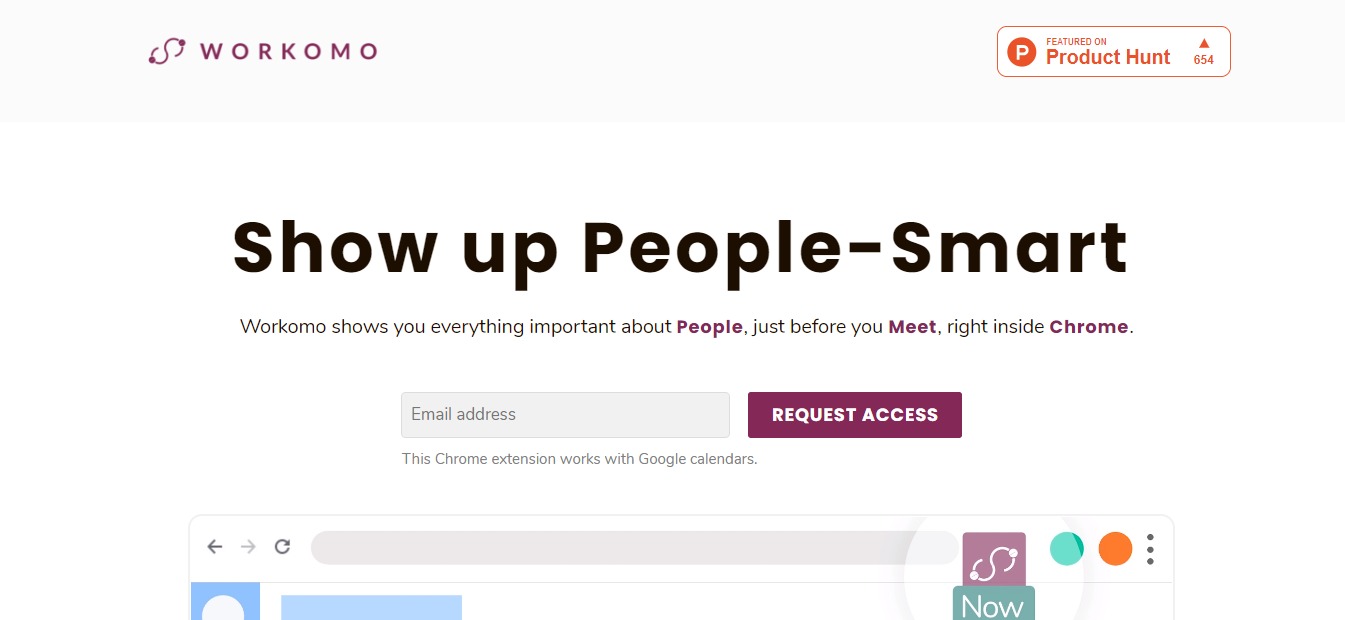
  1. To use Workomo, simply visit their website at https://workomo.com/.

  1. Enter your email address on the field and click request for access.

  1. Fill in the fields for your First and Last Name

  1. Wait for the access link sent to your email. Then choose which browser you use the most.

  1. Wait for the installation link to get started. 

💲 Pricing Plans & Support

As of right now, the Beta Workomo is free for its subscribers.
Find Out Everything About People Before You Meet with Workomo

Fluent: Learn a New Language by Browsing the Web

⚖️ Our Verdict

Learning a new language can be tough. This is especially true as we age. Fortunately, there are tools such as Fluent that can help everyone learn new languages easily. Fluent is an incredible Chrome browser extension that can help you learn a new language as you browse the web. It’s an amazing way to increase your knowledge without the pressure.

ProsCons
👍Learn a new language easily
👍 Free for everyone
👍 Tracks your progress
👍 You can request features
👍 Pro version available with no ads
👎 Not available in every language yet

🌟 About Fluent

Fluent was founded to help everyone learn a new language easily. It fits a whole new vocabulary into your web browser. This means no apps, no annoying notifications, and no more “finding the right time” to study. It’s all laid out in front of you. No more excuses. 

Their team is currently working on cool new features and more languages for everyone to learn. They are open to suggestions and feedbacks, too, so you know they really care about their audience. 

You can easily contact their team for feedbacks, suggestions and comments through their Twitter account @usefluent. Or, you can contact their CMO Ara Ghougassian

Fluent is a relatively new browser extension, but it holds so much promise. Their whole team has been working hard to make it the best language tool out there.  For feedbacks, you can send them through this link right here.

🎁 What’s In It For You?

As we’ve mentioned, Fluent gives you access to a whole new language easily. It allows you to learn different languages by automatically translating words on a website. This way, you can learn while you are browsing the web.

Easy enough, right? You never have to set extra time to study. You can simply learn from content that you’re already interested in. With Fluent, you can learn without forcing yourself to do things you’re not remotely interested in. Pretty cool, eh?

🖥️ How Does It Work?

You can use Fluent in just a few simple steps. We’ve provided a step-by-step instruction below. Check it out.

Visit their website here: https://www.usefluent.co/ and click “Add to Chrome.”

You will be redirected to the Chrome Web Store. Click “Add to Chrome” 

Click on “Add extension” and wait for the extension to download. 

Click on Get Started

You will be provided simple instructions:

You can choose which density you want. 

Choose which websites you want to block from Fluent so you can customize the experience.

You can also choose to connect Fluent with your Google account so you can join the community.

Read and write permissions.

Click “Allow”

Once you install Fluent, you can customize the settings as you go. 

See the newly translated words in every article you read and start learning!

💲 Pricing Plans & Support

As of the moment, Fluent is free to use for everyone. However, they are also planning on offering a Pro version which you can use without ads. 

Learn a New Language Easily with Fluent

Podcastle AI: Convert News/Articles to a Podcast Using Machine Learning

⚖️ Our Verdict

Creating your own podcasts takes some serious effort! However, it can open a lot of doors for you and your brand. This is one of the main reasons why podcasts are so popular these days. Podcastle AI allows you to create podcasts instantly! All it takes is a few seconds, and any news or article you have can be transformed into podcasts. It’s an amazing tool that saves a ton of your time, and it’s free!

ProsCons
👍 Free for everyone
👍 Clear and concise output
👍 Saves time and effort
👍 Creates podcasts instantly
👎 Only works in Chrome for now.

🌟 About Podcastle AI 

Podcastle AI was founded by ML engineer Arto Yeritsyan with one goal in mind: to help everyone convert text to podcasts easily. This incredible tool is a browser extension that you can get for free. It allows everyone to convert text to podcasts based on Machine Learning.

It’s very easy to use, too! All you have to do is install the browser extension, sign up for the service, and go to the article you want to convert into a podcast. 

🎁 What’s In It For You?

If you’re a business or a brand, you can easily turn your content into podcasts and upload it on different platforms. If you’re someone who just enjoys reading online in your free time, you can use Podcast AI to convert your reading material into podcasts so you can listen.

This awesome, one-of-a-kind tool converts text and generates podcasts that are very human-like. It considers all the emotions and even the writer’s tone of voice, so you won’t go dozing off while you listen. 

This tool serves a great purpose for everyone, especially those who are working remotely. You can use Podcast AI while you’re working, doing your house chores, making coffee, or just about anything.

You can finally say goodbye to spending countless hours staring at your screens and scrolling through endless text streams. With Podcastle AI, all your favorite news, articles and blog posts can transform into podcasts that you can listen to.

🖥️ How Does It Work?

Podcastle is very easy to use. You can start using it in just a few clicks. 

First, start by visiting their website.

Click on “Get Started.” You will be redirected to the Google Extension Store. Then Click “Add to Chrome”

Click on “Add Extension.” Wait for it to finish downloading. It will automatically be added to your browser once it’s done.

Once it’s done, click on the extension icon and click “Sign Up.”

Enter the email address you want to use then click “Continue”

Once you finish signing up, you will be given instructions on how to use the extension.

The next step is to try this tool. First, you need to visit a webpage with the article you want to try. Then, click on the icon for Podcastle on your browser, and click “Convert to Podcast.”

It only takes a few seconds to convert the article, depending on the length.

You can also adjust the volume. 

Or download the podcast you just created for later use. 

You can also share it to different platforms.

Or change the voice’s gender.

You can even change the speed

podcastle ai

💲 Pricing Plans & Support

As we have mentioned above, Podcastle is free. Everyone can use it. All you need to do is sign up and install the browser extension. Enjoy!

Convert News/Articles to a Podcast Using Podcastle

Trends.vc : Discover New Markets and Ideas

⚖️ Our Verdict

If you’re in the market for new business ideas and the latest trends for venture capital investments, we highly recommend Trends.VC! This tool is absolutely fool-proof, and it is so easy to use. You can easily read reports about the latest market trends and ideas with a few clicks. 

ProsCons
👍 Foolproof Reports
👍 Easy to generate
👍 Gives you the latest trends and ideas
👍 Easy to use 
👎 Limited reports for free version

🌟 About Trends.vc

Trends.vc was founded to provide you with the latest market trends and ideas. This incredible tool gives you exclusive insights to the best trends that will shape the future. It’s the perfect tool to use, especially if you are a founder or an investor. Go follow Trends.vc on Twitter @trends_vc.

🎁 What’s In It For You?

As we have previously mentioned, Trends.vc helps founders and investors discover new markets and ideas. The reports you will find in this incredible tool will help you decide on which market trends to invest in, or which projects will be profitable in the future.

The free version contains multiple market researches that are converted into reports that you can easily read within 5 minutes. 

They also offer a PRO version which contains 2x more insights. The pro version also provides you with weekly insider tips and actionable opportunities. All of these are delivered straight to your email for some light reading. 

Each report provides you with a current or future problem, a solution, different players, predictions, and opportunities that you can try. It also provides links to resources that you can use to your advantage.

🖥️ How Does It Work?

To generate reports, you can simply go to Trends.vc’s website here. Their website is straight and simple.

trends.vc

All you have to do is enter your email address and click on generate reports.

trends.vc

Once you have entered your email address, you will be redirected to a webpage that contains a list of different reports. The list contains a lot of ideas from million-dollar, one-person business ideas, personal brands, bootstrap funds, growth tools, paid communities, online courses, micro private equity, virtual meetus to remote fitness and even business idea for COVID-19. 

💲 Pricing Plans & Support

trends.vc

As we have mentioned, Trends.vc offers a free version that you can use. The free version contains 27 reports that you can use. They also constantly update the free version for the latest trends and market ideas.

On the other hand, we also recommend Trends PRO which contains 2x more insights.

💎 Trends PRO – $99 per year

Trends Pro you’ll get:

〰️Next 52 Pro Reports

〰️🤑  Trends Pro #0027 — Million-Dollar, One-Person Businesses

〰️📍  Trends Pro #0026 — Drop Culture

〰️📣  Trends Pro #0025 — Referral Programs

〰️🏟️  Trends Pro #0024 — Equity Crowdfunding

〰️🤩  Trends Pro #0023 — Personal Brands

〰️💻  Trends Pro #0022 — Digital Products

〰️🕹️  Trends Pro #0021 — Gamification

〰️🙏  Trends Pro #0020 — B Corps

〰️🥾  Trends Pro #0019 — Bootstrap Funds

〰️😇  Trends Pro #0018 — Angel Investing

〰️🛠️  Trends Pro #0017 — XaaS: Anything as a Service

〰️🧰  Trends Pro #0016 — Growth Tools 

〰️📖  Trends Pro #0015 — Open Startups 

〰️💬  Trends Pro #0014 — Paid Communities 

〰️🍎  Trends #0013 — Online Courses

〰️💰  Trends #0012 — Micro Private Equity

〰️💌  Trends #0011 — Paid Newsletters

〰️🦄  Trends #0010 — Startup Studios

〰️🌐  Trends #0009 — Virtual Meetups

〰️🏋️  Trends #0008 — Remote Fitness

〰️🦠  Trends #0007 — Coronavirus (COVID-19)

〰️🧱  Trends #0006 — No Code

〰️🥾  Trends #0005 — Bootstrap Funds

〰️💸  Trends #0004 — Income Share Agreements

〰️🏠  Trends #0003 — Co-Living

〰️🎙️ Trends #0002 — Podcast Memberships

〰️🍳 Trends #0001 — Cloud Kitchens

💎 Trend Talks – $997 per year

〰️Access to Trends PRO data 

〰️Access to 1-on-1 calls each week

📍 The Competition

ProsCons
👍 Best new products everyday
👍 Easy to use interface
👍 Latest products delivered to your inbox
👍 Free to use
👍 Offers one-on-one mentorship
👎 N/A
ProsCons
👍 Focuses on entrepreneurship and computer science
👍 Platform to share ideas and communicate
👎 Very niche content

Discover New Markets and Ideas with Trends.vc

Hello Benji: Manage Your Money Like a Pro

⚖️ Our Verdict

While Hello Benji is still in its beta phase, we were able to try its features. We can tell you now that this tool holds a lot of promise! It doesn’t matter if you’re a large business, an entrepreneur, or a freelancer, Hello Benji can help you manage your finances like a pro! After all, who wants to spend too much time stressing over where their money went, right?

With Hello Benji, you can keep track of your finances easily, so you can spend more time making more of it. If you want to try this amazing tool, be sure to visit their website here. You won’t regret it!

ProsCons
👍 Finance autopilot
👍 Maximize your money
👍 Easy Customization
👍 Built for you
👍 Make Tax season a breeze
👎 Room for improvement as it is still in its beta stage

🌟 About Hello Benji

Hello Benji is a startup project that’s on a mission to remove the barriers and stress of becoming your own boss. Let’s face it, managing finances is not the easiest thing in the world, even if you’re a pro at it. 

The team behind this incredible tool is on a mission to make your money work harder than you. And with it, you are definitely one step closer to that goal!

🎁 What’s In It For You?

If you are someone who has a hard time managing your finances, or you simply hate going through numbers, well, Hello Benji is the right tool for you! It eliminates the stress of going through every financial matter – even on tax season.

Hello Benji will be your best friend throughout your everyday life. It helps you make your own financial decisions without hourly bill rates, or waiting for an appointment. How good is that? 

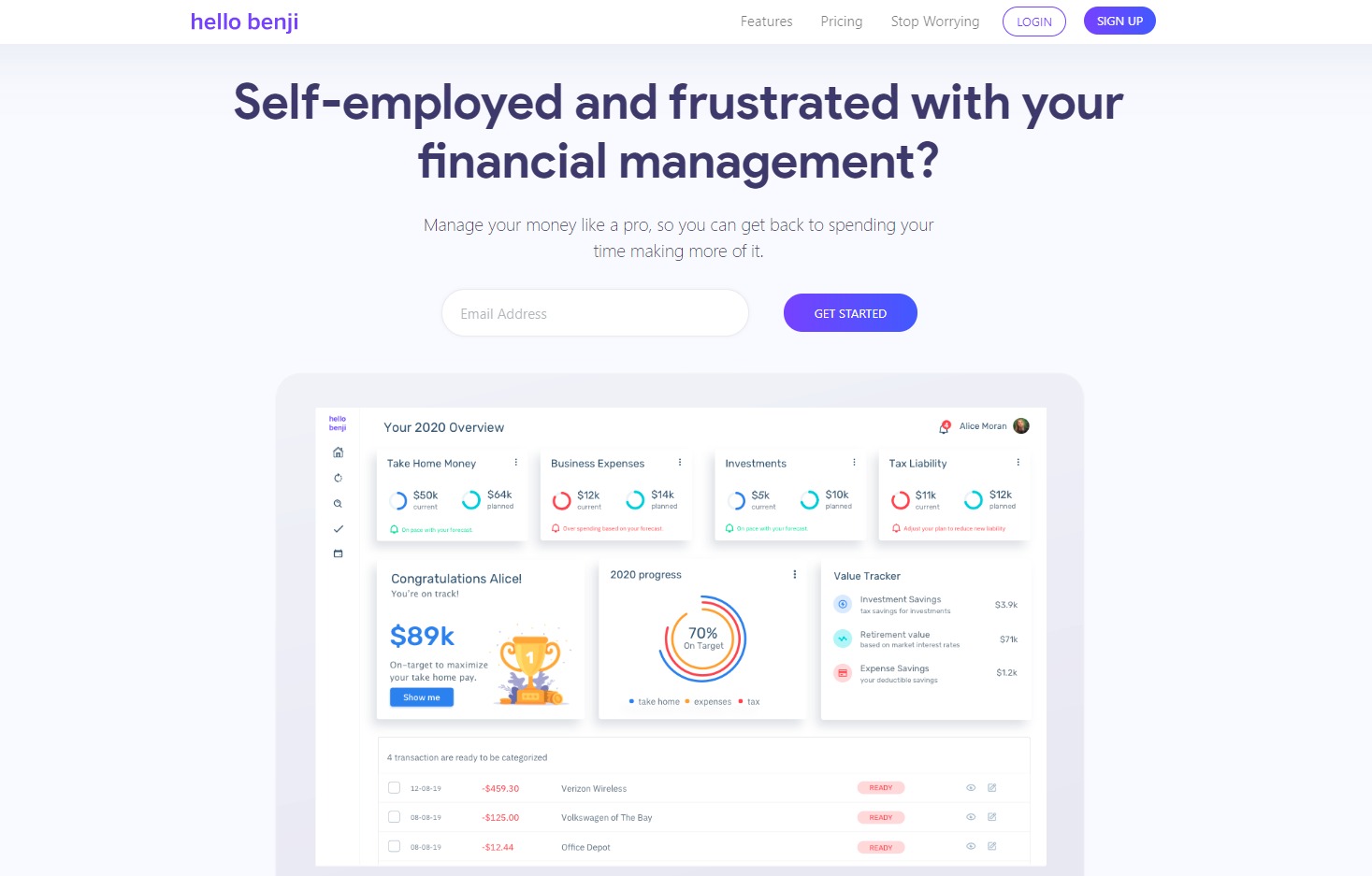
It keeps track of your expenses, finances, and your life goals in one easy app! You can create a personalized plan for your life goals and needs and access your current finances wherever and whenever you want.

But, that’s not all it does, too! If you’re someone who hates tax season, let Hello Benji handle that for you. This incredible tool helps you prepare for tax season so you don’t have to stress yourself out over it. 

Using this tool, you can literally find thousands of dollars in opportunities and tax savings every year. Who wouldn’t want that?

🖥️ How Does It Work?

HelloBenji is a relatively simple app, it’s still in its beta stage, and it’s only currently available for United States customers. 

In able to access the app, simply go to https://hellobenji.com/, click the sign up button and create your account.

You will be redirected to their user interface where you can put your finances and expenses.

They also have a cool feature that helps forecast your future. You no longer have to waste money waiting for answers on your finances. With this feature, you can plan your future when and how you want it. Simply add your options and adjust to your lifestyle.

Another cool thing you could do with HelloBenji is maximize your money. The app gives you options for tax savings, investment opportunity, and helps you capitalize on your money.

💲 Pricing Plans & Support

Since HelloBenji is still in its Beta stages, there are no pricing plans yet. However, if you want to be one of the first lucky ones to try this app, you can claim your spot for their private launch soon. To be waitlisted, simply visit their website at https://hellobenji.com/. Remember, this is a private launch, and only very few people have the opportunity to be one of the firsts to try. So claim your spot, now! We’re on the list, too!

📍 The Competition

There are also multiple financial planning and budgeting apps you can try. We’ve made a list for you, check them out below.

ProsCons
👍 Balance Sheet
👍 Consolidation/Roll-Up
👍 General Ledger
👍 Multi-Department/Project
👍 Asset Planning
👍 Cash Management
👎 Noting variances in a report can be tricky at times

ProsCons
👍 “What If” Scenarios
👍 Balance Sheet
👍 Consolidation/Roll-Up
👍 General Ledger
👍 Cash Management
👍 Asset Planning
👍 Profit/Loss Statement
👎 Additional modules need to be purchased to handle pre-paid insurance automatically and forecast inventory

Manage your money like a pro with HelloBenji!

Proposify: Dominate the World With Your Winning Proposal

⚖️ Our Verdict

Proposals can be a big pain to prepare. It takes weeks, if not months, to prepare a winning proposal that would rock everyone’s socks off. Fortunately, there are tools such as Proposify that makes life so much easier. 

With Proposify, it is now easier and more efficient to create winning proposals, send it, track the progress, and more! This incredible tool helps save your time, effort, and money. Now, proposals are no longer an excruciating, tiring process, it’s rather a more enjoyable, exciting experience.

ProsCons
👍 Track proposals
👍 Interactive quoting
👍 Arm reps with the content they need, when they need it
👍 Electronic signatures
👍 Reduce manual entry and errors
👍 Create impressive proposals that reflect your brand
👍 Add videos to bring your offer to life
👍 Client input forms
👍 Proposals can be translated to 15 different languages
👎 Pricing can be steep if you do not send proposals regularly

🌟 About Proposify

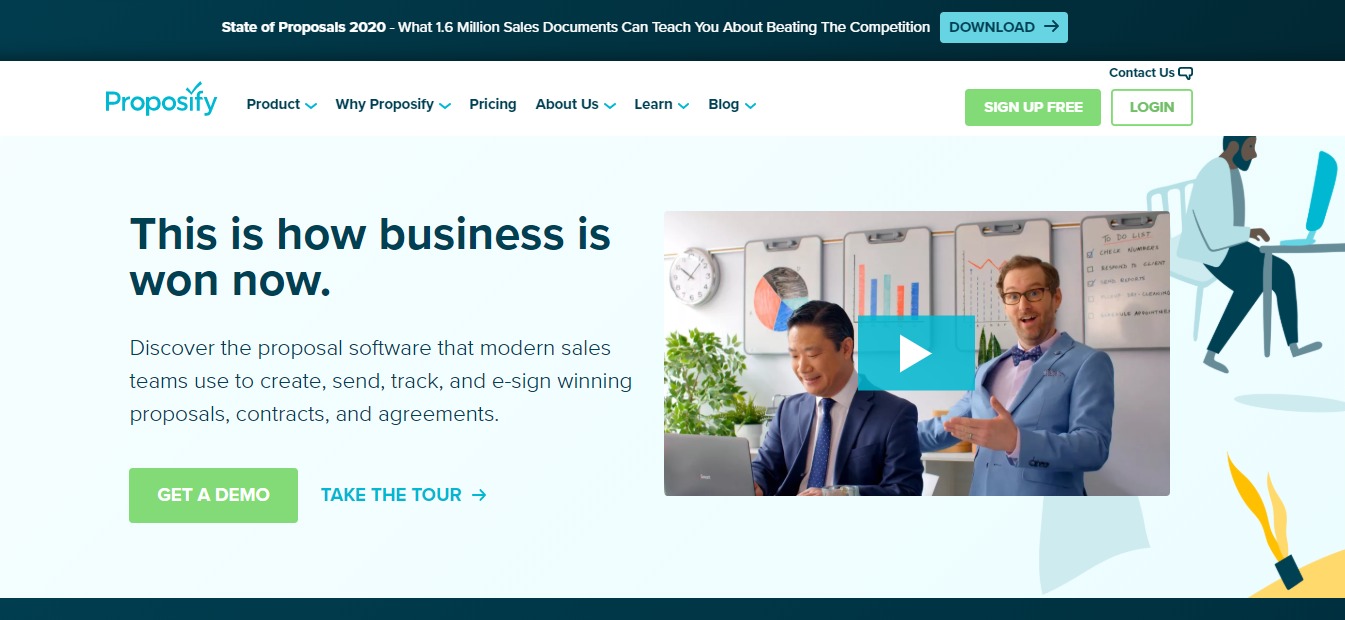
Founded in 2012, Proposify helps turn boring, snooze-fest proposals into pitch-perfect ones! This software revolutionizes the proposal process. The goal is to make you a killer closer by giving you a way to create customized, interactive, and beautifully designed proposals.

You no longer have to juggle multiple docs, spreadsheets and design programs all at once. Say goodbye to the excruciating process of scanning long documents and using fax machines!

We believe that you can grow your sales and we know we can help you do it.

🎁 What’s In It For You?

Proposify helps speed up the proposal process so you can close the deal faster. It’s here to help you and your team create winning proposals, send them off and track the progress. You can send the proposals using the software instead so you can skip the hassle of snail mails, faxes, and scanners!

After sending your proposal, this amazing tool helps you track it, and gives your clients the option to sign the document digitally. You can even create on-brand content using their reusable templates. Proposify has a central storage where you can store all your files. 

Not only that, but this tool also allows you to view how long each section of the proposal was viewed, and other metrics. It can also be integrated with different apps such as Salesforce, and more. 

With Proposify, you and your team get the competitive edge you need to close more deals and create more sales.

🖥️ How Does It Work?

  1. If you’re interested in trying out Proposify – and we highly recommend that you do, visit their website at https://www.proposify.com/.

  1. Click on the “Sign Up Free” button.

3. Fill out the necessary details, then click on “Create my Account”

  1. After you sign up, you have the option to create a sample proposal.

5. Choose from the reusable templates available

  1. Fill out the necessary details about your proposal

  1. You will be redirected to their web-based editor where you can fully customize the proposal as you want it to look.

  1. Once you have finished your proposal, click the send button. And you’re done! How easy was that?

💲 Pricing Plans & Support

Proposify has three plans available: the Toll Plan for individuals, Grande for sales teams, and Venti for enterprises. A free 14-day trial is also available per plan.

💎 Tall Plan $19/user per month 

〰️5 Active Proposals

〰️ Interactive Quoting

〰️ Notifications & Metrics

〰️ Content Library

〰️ Online Signatures

💎Grande Plan – $49/user per month

〰️ Tall plan features

〰️ Unlimited Proposals

〰️ Standard Integrations

〰️ Custom Fields & Variables

〰️ Client Input Forms

〰️ Custom URL

💎 Venti Plan – Contact Proposify for pricing

〰️ Salesforce Integration 

〰️ Approval Workflow 

〰️ User Roles & Permissions 

〰️ Premium Support

〰️ Onboarding Services

📍 The Competition

ProsCons
👍 Audit trail
👍 Contact Management
👍 Document Management
👍 Knowledge Base Management
👍 Version Control
👎 There can be a slowed user capability due to functional UI.

ProsCons
👍 Audit trail
👍 Contact Management
👍 Document Management
👍 Knowledge Base Management
👍 RFP Management
👍 Version Control
👎 UI needs some improvement
ProsCons
👍 Audit trail
👍 Contact Management
👍 Document Management
👍 Version Control
👍 Collaboration
👎 No Knowledge Base Management
👎 No RFP Management

Dominate the world with your winning proposal using Proposify!

Burst: Free High-Quality Stock Photos

⚖️ Our Verdict

No matter what business you’re in, Burst has a wide variety of photos that would fit your niche perfectly. All of the images on the website are completely royalty-free. So you know you can do whatever you want with each photo. You can use it for headers, blog posts, social media content, and more!

ProsCons
👍 Completely royalty-free photos
👍 High-quality images
👍 Open-source images
👍 User-friendly
👍 Beginner-friendly
👎Fairly limited images but the numbers are growing daily.

🌟 About Burst

With the ever-growing internet technology, it can prove difficult to find true, royalty-free images that you can use for your business. This is especially true in eCommerce. Thank goodness for Burst. It was founded by Sarah Pflug and Matthew Henry from Toronto. 

It grows larger by the day thanks to the support from the global community of contributors. The photos come from contributors and generous creatives all over the world. 

For photographers, uploading their photos to Burst gives them the chance to share their work with a global audience. It also makes it easier for them to get exposure and potential clients. 

It’s powered by Shopify. Shopify is the leading cloud-based, multi-channel commerce platform. You don’t necessarily need to be a Shopify user if you want to use Burst.

🎁 What’s In It For You?

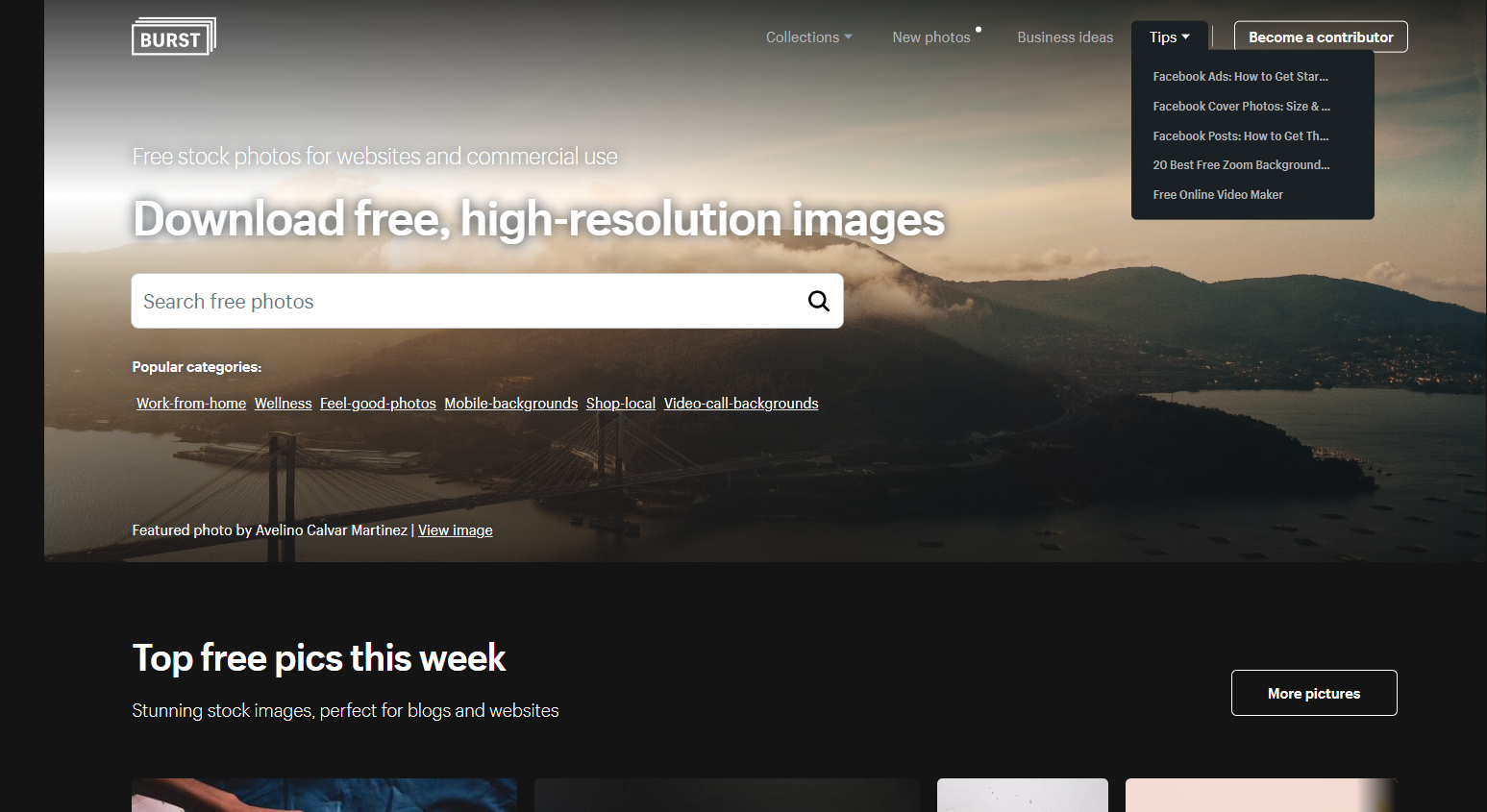
Whether you’re an independent brand, or a multinational global corporation, Burst is a great platform for free images. Even students and freelancers can use the images for free. The open source image library contains thousands of photographs from different creatives all over the world. 

You can use the images for web design, social media photos, brand content, product design, school products, print ads, menus, and more! Thanks to its royalty-free license. Read more about Burst’s terms of service here. 

If you’re not satisfied or can’t seem to fit the images to your aesthetics, don’t worry, you are welcome to edit and create changes to the images, too! Burst currently allows everyone to do what they wish with the images on their website. 

You have the option to credit the creatives and/or photographers who own the product. This way, they will get recognition for the work they’ve done and possibly gain long-term clients along the way.

If you like a particular photo and wishes to work with the photographer for exclusive content, you also have the option to reach out to them.

In any case, these images from Burst can help entrepreneurs create better layouts, marketing campaigns, websites, and better product photos that will ultimately convert to better sales!  Basically, the sky is the limit with this awesome platform! Can we just say, it’s Burst-ing with opportunities!

🖥️ How Does It Work?

To use Burst, all you have to do is the following steps:

  1. Visit Burst’s website through this link right here. 

  1. Enter the topic, niche, or any keyword you can think of that will be relevant to the project you are currently working on. Then click the search icon or hit ‘Enter’ on your keyboard.

  1. You will be redirected to a search results page where you can see different image results for your search query. Pick one, or multiple images that you’re interested in.

  1. To download the photo, click on high-resolution or low-resolution (depending on what resolution you want) then click the download button. You also have the option to create a Shopify website based on the image you selected.

  1. On the lower left side of the photo, you can see the name of the photographer, as well as the license usage of the photo. You can also see a list of keywords and niches in which the photos are featured.

  1. If you want to give the photographer a credit, simply click on their name.

7. You will be redirected to their Burst profile where you can see some more photos they have previously submitted. There’s also a link to their website, or sometimes their social media pages.

  1. Burst also allows you to browse through different collections if you’re simply looking for inspiration.

  1. They also have a section dedicated to tips and tricks for those entrepreneurs who are just starting out.

burst

💲 Pricing Plans & Support

As previously stated, Burst is free for use for everyone. This means that you can use their services without needing a credit card or any type of payments.

📍 The Competition

ProsCons
👍 Royalty-free images
👍 Over 1.8 million stock photos available
👍 Stock vectors are also available
👍 Stock videos, music and illustrations are also available
👍 No attribution required
👍 Free for commercial use
👍 High-resolution images
👎Photo tagging is sometimes inaccurate

ProsCons
👍 Royalty-free images
👍 Millions of stock photos available
👍 Stock vectors are also available
👍 Stock videos, music and illustrations are also available
👍 No attribution required
👍 Free for commercial use
👍 High-resolution images
👍 Great customer support
👎Shutterstock is a bit pricier than other stock websites.

Get free high quality stock photos with Burst!

SaleSoar: Watch Your Sales Take Flight

⚖️ Our Verdict

No matter what business you’re in, there’s really only one goal in mind: sales. It doesn’t matter if you’re a marketing agency, an entrepreneur on eCommerce,  an advertiser, a big or small brand, Salesoar can help you scale up your revenue and reduce your manual labor. This amazing service helps businesses with their advertising strategy to increase ROI. It’s definitely a must-try! Trust us, you’ll love the results. 

ProsCons
👍 Easy to read analytics
👍 User-friendly
👍 Full automation on digital advertising
👍 Boosts advertisements
👍 Great customer support
👎 No drip campaigns

🌟 About SaleSoar

Salesoar was founded in 2015. It was created to solve problems when it comes to digital advertising, and make it fully automated. Fast forward to today, Salesoar is one of the biggest automated tools for digital advertising.

Their goal is to help you scale up your marketing campaigns while eliminating manual labor all at once! Their methods also help increase ROIs significantly. 

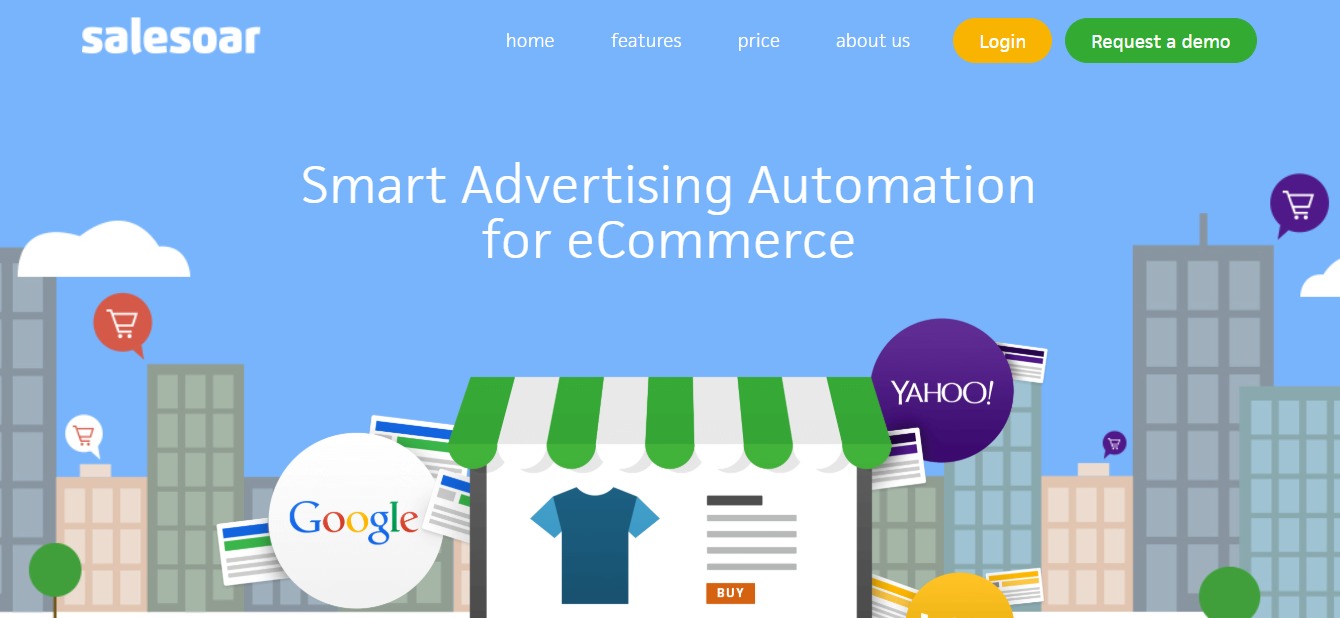
With Salesoar, you can optimize your Google Search and Shopping campaigns through smart feed integration with your website or the eCommerce platform you use. This will help you generate top-performing ads automatically. 

This tool does not only help you get a better bottom line, it also helps simplify the process for you. It enhances your campaigns to generate thousands of accurate and highly targeted ads in just a matter of minutes. How cool is that?

🎁 What’s In It For You?

Aside from the incredible perks we have mentioned above, there are a lot more things you can gain from Salesoar. You can get all sorts of marketing automation with sales intelligence, search marketing, website visitor tracking, channel management, event-triggered actions and even customizable CTAs!

You can also take advantage of their SEO features with Google Analytics integration, keyword tracking, keyword research tools, mobile keywords and SEO dashboard.

Think about it, you get all of these features available in a single tool, and everything is automated for you! There’s less manual labor for you and your team, and you still reap the benefits in the end. What could be better than that, right?

To help you get started with Salesoar, we have created a step-by-step manual which you can see below. 

🖥️ How Does It Work?

  1. Visit the Salesoar website and click on request a demo.

salesoar

  1. Fill up the necessary fields on the form.

salesoar

  1. Once you have finished this, you will wait for an email from the Salesoar team regarding your request for a demo.

4. When the customer agents reach out to you, they will ask about your business, and how many contacts you currently have. This will help you and the Salesoar team determine what pricing will be best for your plan.

💲 Pricing Plans & Support

As we mentioned above, Salesoar pricing varies from one business to another. They have a few different factors to consider and calculate how much your plan will cost. 

To check out more about Salesoar pricing, visit their website link here.

📍 The Competition

Salesoar also has multiple competitions in today’s market. Each of these software and tools come with their own set of pros and cons. Check them out below.

ProsCons
👍 Easy to use
👍 Good customer service
👍 Sales Intelligence
👍 Website Visitor Tracking
👍 Social Marketing
👍 Search Marketing
👍 Lead Scoring
👎 Reporting could be improved

ProsCons
👍 Social Marketing
👍 Search Marketing
👍 Landing Pages/Web Forms
👍 Website Visitor Tracking
👍 Sales Intelligence
👍 Segmentation
👎 Email service goes down at times

ProsCons
👍 Social Marketing
👍 Website Visitor Tracking
👍 Landing Pages/Web Forms
👍 Sales Intelligence
👍 Communication Management
👍 Community Management
👍 Visual Notifications
👎 Difficult to navigate when there are multiple websites

Watch your sales take flight with SaleSoar!

ScrapingHub Crawlera: Hassle-Free Web Scraping

⚖️ Our Verdict

Scrapinghub is the perfect go-to for data extraction. It takes away the hassles of manually scraping and exporting data one by one, and does it all in a few simple steps! They claim to have the world’s smartest rotating proxy web scraping tool, Crawlera. And once you try it out, trust us — it will be hard to argue! Scrapinghub also offers a multitude of different scraping services that definitely delivers. It’s the go-to tool for over a million developers all over the world.

ProsCons
👍 Offers free trial
👍 Automatic healthy IP selection & rotation
👍 Universal HTTP proxy interface
👍 User browser simulation
👍 Unlimited bandwidth
👍 Residential IPs available
👍 Extensive Knowledge Base and Community Support
👍 Real-time dashboard to monitor usage
👎 Prices for each plan can be a little bit tricky to understand
👎 Needs more technical documentation for features

🌟 About ScrapingHub

Founded in 2010, ScrapingHub was created to provide services that go beyond spider development. The company also offers a holistic and scalable data extraction solution with a community of web scraping experts. 

Fast forward to today, Scrapinghub serves over 2,000 companies and 1 million developers all over the world. They pride themselves with providing valuable, accurate, and reliable web data that can help CEOs run their business.

Scrapinghub is also a customer-centric company that literally changes the game in their industry. With more than 300+ billion pages – yes, billion – crawled, they earned the trust of their customers by providing reliable tools and services. 

🎁 What’s In It For You?

As we mentioned earlier, Scrapinghub offers a lot of different tools and services for web scraping. However, our main focus for today is Crawlera, the world’s smartest rotating proxy for hassle-free web scraping. 

What can you get from this tool? Well, let’s go through them one by one. First, this tool manages thousands of proxies internally so you don’t have to. Imagine all the time and effort you can save by just using one simple tool?

This tool is specifically designed for web scraping, and it ensures that your web data is delivered in a quick manner without sacrificing the quality. This means that you can put all your time and effort into consuming the data rather than harvesting it. 

Did we mention that Crawlera has the highest success rates in the market? It’s true! Its rotating proxy network is built with a proprietary ban detection and request throttling algorithm and hundreds of heuristics. 

The best part is, Crawlera is right there with you every step of the way. It was built to scale with your project so you can easily upgrade your services every time you scale!

🖥️ How Does It Work?

One of the best things about Scrapinghub’s Crawlera is that they offer a 14-day free trial. In your free trial, you can easily use up to 10,000 requests for web scraping! How cool is that? 

  1. If you want to try how this amazing tool works, simply visit their website at https://www.scrapinghub.com/crawlera/, and start your free trial. 

2. You will be redirected to a page where you can create your account.

  1. Next, you need to choose your plan and set up your billing account.

  1. Once you set it up, you will receive an API Key to use the product.

💲 Pricing Plans and Support 

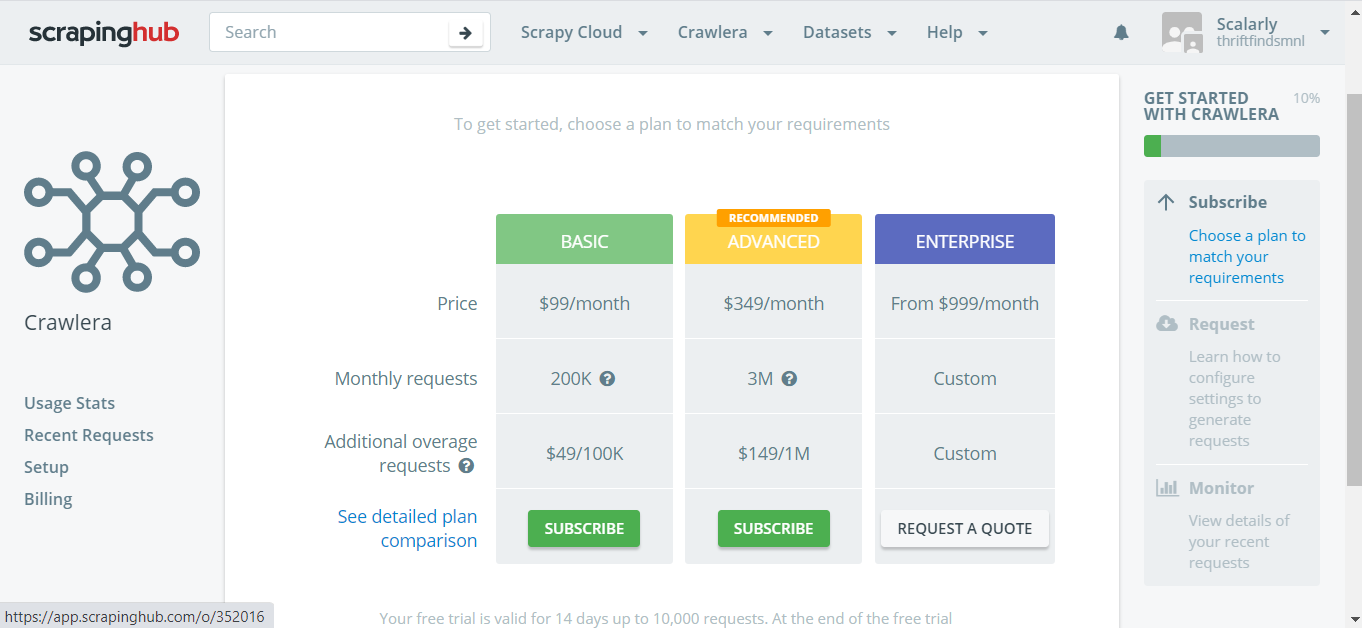
Crawlera has three different plans to offer: Basic, Advanced, and Enterprise. We break them down below:

💎 Basic – $99 per month (Additional requests: $49 per 100k)

〰️200k requests included

〰️50 concurrent requests

〰️Automatic proxy rotation

〰️Automatic retries

〰️Non-obvious ban detection

〰️Automatic proxy optimization

〰️Geolocation

〰️Identify as web browser

〰️Reporting and Visualizations

〰️Documentation & Knowledge Base

〰️24/5 Support

💎 Advanced – $349 per month (Additional requests: $149 per 1m)

〰️2.5 million requests included

〰️200 concurrent requests

〰️Concurrent requests

〰️Automatic proxy rotation

〰️Automatic retries

〰️Non-obvious ban detection

〰️Automatic proxy optimization

〰️Geolocation

〰️Identify as web browser

〰️Reporting and Visualizations

〰️Documentation & Knowledge Base

〰️24/5 Support

〰️Sessions support

〰️Headless browser support

💎Enterprise – $999 per month (Custom pricing for additional requests)

〰️Custom Requests included

〰️Custom Concurrent requests

〰️Automatic proxy rotation

〰️Automatic retries

〰️Non-obvious ban detection

〰️Automatic proxy optimization

〰️Geolocation

〰️Identify as web browser

〰️Reporting and Visualizations

〰️Documentation & Knowledge Base

〰️24/7 Priority Support

〰️Sessions support

〰️Headless browser support

〰️Account management

〰️Personalized onboarding

〰️Configurable cookie management

〰️Configurable browser profiles

〰️Residential IPs

〰️Guaranteed Capacity

📍 The Competition

Scrapinghub faces a lot of competition in their industry, we have compiled a list for you below.

ProsCons
👍Disparate Data Collection
👍 Email Address Extraction
👍 Image Extraction
👍 Document Extraction
👍 Pricing Extraction
👍 IP Address Extraction
👍 Phone Number Extraction
👍 Web Data Extraction
👎 No Custom Pricing Rules
👎 No Profitability Analysis

ProsCons
👍 Disparate Data Collection
👍 Document Extraction
👍 Email Address Extraction
👍 IP Address Extraction
👍 Image Extraction
👍 Phone Number Extraction
👍 Pricing Extraction
👍 Web Data Extraction
👎 No Data Visualization
👎 No Linked Data Management

ProsCons
👍 Disparate Data Collection
👍 Document Extraction
👍 Email Address Extraction
👍 IP Address Extraction
👍 Image Extraction
👍 Phone Number Extraction
👍 Pricing Extraction
👍 Web Data Extraction
👎 No Lead Qualification
👎 No Lead Nurturing
👎 No Lead Scoring

Hassle-Free Web Scraping with Crawlera!