Litmaps: Search Scientific Literature With Interactive Citation Maps

⚖️ Our Verdict

Litmaps is an app highly recommended for researchers who want to visualize research articles by mapping them out. This time-based citation network involves helpful research tools and project state for you to organize your literature review.

The program also allows a network search that offers highly connected articles. It’s going to make your BSc and PhD projects much easier because you can build up key articles through targeted search results. You’ll also get updated every time a new article connected to your study is published!

It’s a free, interactive app that requires no sign-up, making it better than other productivity apps for academics. However, a collaboration feature would be great for Litmaps!  

👍 Pros👎 Cons
👍 Interactive visuals 
👍 Map out your literature review
👍 Discover scientific literature and share
👍 Free👍 No sign-up needed

👎 No collaboration feature

🌟 About Litmaps

Advancing BSc and PhD research projects entails navigating the appropriate scientific literature in a sea of resources.  Academic search engines and reference manages are usually utilized for find articles for literature reviews. However, the results shown on these tools don’t offer a clear context of results.

Litmaps was built to solve this problem by building a Literature Map for your project. Through this “litmap”, you can visually see connections between papers. 

Links to your map are shown on your future keyword search and they are ranked based on these connections for you to target your research topic and understand why this paper is important.

🎁 What’s In It For You?

You already know that Litmaps lets you create literature maps or “litmaps” of available scientific literature for your research topic. This productivity tool lets you import data from BibTeX, ORCID, Zotero, Endnote, and Mendeley to create interactive visualizations of authors, keywords, and bibliographies. You also get updates when papers related to your project are published!

What’s more, Litmaps features suggestions radar that recommends papers that share citations with your project. Simply make a keyword search and enjoy the endless possibilities of discovering academic articles for your review of related literature!

Do all of these for free because it’s currently in early access. You don’t need to create an account to get started too! 

🖥️ How Does It Work?

  1. Search a topic on Litmaps.
  1. See article results on the left and citation mapping on the right. 
  1. Click on an article to see  the articles it cites and are cited in.

💲 Pricing Plans & Support

Litmaps is a free app since it is in early access.  Simply dive right in and start searching for papers that are relevant to your research.

📍 The Competition

👍 Pros👎 Cons
👍 Gather different types of articles, books, artworks, recordings
👍 Organize items based on research topic on collections
👍 Create citations and bibliographies 
👍 Collaborate with research by sharing items
👎 Paid application

Search scientific literature with interactive citation maps using Litmaps!

Audiblogs: Listen to Any Web Article in Your Podcast Player

⚖️ Our Verdict

There’s a reason why video content does better than blogs. And there’s also a reason why podcasts are starting to grow in popularity. And that reason is that people don’t have time to read. In today’s fast-paced world, stopping by to read a blog or an article takes a whole lot of time. People prefer to watch or hear about stuff. This is why Audiblogs is in such demand!

Audiblogs automatically turns any web article into a podcast so you can listen to it anywhere you are. It makes your life easier, simpler, and more convenient. 

👍 Pros👎 Cons
👍 Free Chrome extension
👍 Ready in seconds
👍Compatible with any podcast player
👍 No signup required
👎 Not compatible with Spotify, Stitcher, Pandora, TuneIn & iHeartRadio

🌟 About Audiblogs

Audiblogs was born to provide everyone with a tool that can turn any web article into audio podcasts. With this tool, you can now go through all of your reading backlogs easily. It saves a lot of time and effort on your end. Co-founders Kyle & Eric initially created Audiblogs for themselves, and it quickly grew into one of the most-used tools today.

🎁 What’s In It For You?

With your busy schedule, it’s understandable why you have so many articles saved, and have not gone through them yet. Fortunately for you, Audiblogs can solve that problem easily. 

Now, you can use Audiblogs to “read” while you do your errands, exercise, cook, and more! If you’re someone who loves to read, but can’t find enough time, this is the perfect tool to use!

🖥️ How Does It Work?

To use Audiblogs, please visit their website at https://audiblogs.com/.

Click on “Add to Chrome” and you will be redirected to the Chrome Web Store

Add the extension to your Chrome browser, and you will be redirected to this page:

Next, open any article on the web, and click on the icon for Audiblogs.

Click on “Listen in Browser.” You will be redirected to this page where you can listen to the article.

Pretty easy right? Get Audiblogs now! It’s free. 

💲 Pricing Plans & Support

Audiblogs is free to use for everyone. Don’t you just love this tool? It’s just like listening to audiobooks without the fees!

Listen to any webpage in your Podcast player with Audiblogs!

PowerRouter: Route your Salesforce leads 10x faster

⚖️ Our Verdict

Ramp up your productivity up to 10x faster with the PowerRouter. This incredible tool is the best and easiest way to route sales leads to the right salesperson. It sends all of your leads to the right sales person in Salesforce. The best of all, you can set smart rules in advance to ensure that the process is streamlined. No code needed!

👍 Pros👎 Cons
👍 Supercharge your Sales Stack
👍 A system that scales with your team
👍 Convert leads to matched accounts directly
👍 Track and monitor routing
👎 No Prospecting Tools
👎 No Lead Nurturing

🌟 About PowerRouter

PowerRouter aims to help growing businesses scale quickly and easily. You can do this with powerful lead routing. PowerRouter is focused on their customer’s needs and requirements. Your feedback helps drive their product decisions and long term vision.

🎁 What’s In It For You?

This is an incredible tool that lets you scale your sales team and go-to-market strategy up to 10x faster! Best of all, its interface is all drag and drop so you can easily create a lead distribution strategy within minutes.

It helps you save some time by eliminating manual round robin rules and manual work. With PowerRouter, it is easier to visually build your routing rules. It takes the rep’s availability into account, including response times, account matching and a lot more.

PowerRouter offers you accurate, automated lead routing. It’s based on dynamic assignment rules that you set through a visual canvas. It also helps you segment and route based on geo, skills, territory, lead source, and availabiliy.

Moreover, you can Auto-March leads to target and customer accounts, and increase speed to lead with SLAs in place. You can easily add, remove and manage reps with absolute ease. With PowerRouter, you can easily access analytics and metrics to identify bottlenecks.

🖥️ How Does It Work?

To try PowerRouter for yourself, visit their website at https://powerrouter.io/.

Click their “Free Demo” button and enter your details to get a free demo version.

Check out how it works in the video below.

💲 Pricing Plans & Support

PowerRouter offers flexible plans that grows with your company. Check them out below.

💎Growth Plan – $15 per month / billed annually

〰️ Supported objects: Leads and Contacts Routing

〰️ Visual Canvas for Easy Administration

〰️ Round robin / Weighted / Load Balanced assignment

〰️ ReAssignment with multiple SLA’s

💎Professional Plan – $25 per month / billed annually

〰️ Supports all objects: Lead, Contacts, Accounts, Opps, Cases

〰️ Full Matching Algorithms

〰️ Unlimited segments

〰️ Activity Logs & Console

〰️ Availability: Team & User

〰️ Holiday/OOO Support

〰️ Auto reassign based on SLA

〰️ Email Support

〰️ Unlimited filter criteria

〰️ User Capping

〰️ Onboarding Consultation

〰️ 24 Hour SLA Response time

💎 Enterprise Plan – $35 per month / billed annually

〰️ Everything in Professional

〰️ Advanced analytics and reporting

〰️ Multi-tier SLA Reassignment

〰️ Implementation & Onboarding

〰️ Email & Phone Support

〰️ Routing Strategy Consultation

〰️ Dedicated Account Rep

〰️ 4 hour SLA Response time

📍 The Competition

👍 Pros👎 Cons
👍 Content Management
👍 Goals / Quota Management
👍 Contact Management
👍 Lead Management
👎 No Meeting Management
👎 No Presentation Management

Zeneca: Share Your Favorite Books with the World

⚖️ Our Verdict

Zeneca is a great website for avid readers. It’s a nirvana where you can share your favorite books with like-minded people from all over the world. Inside Zeneca, you can see other people’s book recommendations and share your own. It’s like having a book club with different people from across the globe. We are absolutely in love with it!

👍 Pros👎 Cons
👍 Share your favorite books with others
👍 Get book recommendations 
👍 Easy to use platform
👍 Free to use
👎 The design of the website needs tweaking, but it does its purpose.

🌟 About Zeneca

Zeneca was founded to create a virtual library for everyone across the globe. It’s a great place to showcase your favorite and beloved books. It was founded so you can share books with your community and discover what others read. 

🎁 What’s In It For You?

This amazing platform is pretty straightforward: it’s an online library for book lovers across the globe. Sounds simple enough, right? It’s very easy to use, and you can see what other like-minded people are reading.

Zeneca is a virtual library created for book lovers like you. Soon enough, they will have their own forums, commenting boxes, and communities where people can share their thoughts and engage in discussions with other book lovers. 

🖥️ How Does It Work?

To try Zeneca for yourself, visit their website at https://www.zeneca.io/. Their website is simple and straightforward so it is very easy to navigate.

First, you have to sign up for an account. Simply click the “Sign Up” button to create an account.

Enter the necessary details into each field.

Once you have signed up, you will receive a message with instructions on how you can visit your account. Look for the confirmation in your email.

The sign-in email should look like this:

Once you click the link, you will be redirected back to Zeneca inside your account. Your dashboard will look like this:

You can edit your library, add your website, and social media handles.

💲 Pricing Plans & Support

The best thing about Zeneca is that it is a free platform for book lovers. Yes, you can use their services without paying fees!

📍 The Competition

👍 Pros👎 Cons
👍 Access to thousands of books
👍 Easy to use platform
👍 Free to use
👎 The UX could use some updates

Internal Enterprise: Build Enterprise-Ready Internal Tools Fast.

⚖️ Our Verdict

Give your developers a break with Internal Enterprise. It’s the no-code app platform that answers every developer’s dream. This amazing tool has helped thousands of companies build their admin tools. It’s a quick and flexible drag-and-drop model to build tools. They also feature robust security options such as permissioned data flows and SOC 2 certified cloud or on-premise hosting. Pretty amazing, right?

👍 Pros👍 Cons
👍 Can be used by anyone
👍 No coding knowledge needed
👍 Built with your data
👍 Easy and quick setup
👍 Enterprise-ready platform
👍 Powerful developer tools
👍 Internal Enterprise is a great tool that does what it says it will. We cannot find a fault to it!

🌟 About Internal Enterprise

Internal is a great platform built to help non-coders to build their tools. It’s built for product managers, customer support, and etc. Developers also benefit from this tool since they don’t have to build everything from scratch. It gives companies more viable options. 

🎁 What’s In It For You?

If you want your developers to focus on core products, or do not have enough engineers to support everything, then Internal is the perfect tool for you! It’s an enterprise-ready platform where you can make your internal tools instantly enterprise-grade. You get permissioned data flows, detailed audit logs, SSO, 2FA, and auth providers. On top of that, you get Secure SaaS or on-premises options. 

It’s a no-code app builder where you can easily create and update internal tools without code or SQL. This will help lessen the burden on engineers and more members of the team can self-service. 

Internal is built with your data. It empowers you to work with all of your data in a single, easy-to-use interface. You can set it up easily and quickly so you can focus more on your business. You can build different apps and tools with just Internal!

🖥️ How Does It Work?

To test Internal for yourself, visit their website at https://internal.io/.

You can choose to Book a Demo to try it out for free. 

Here are a few helpful videos to help you get started.

Internal How-to: Add Sorting to an HTTP Resource

Internal Tool Tutorial: Client Onboarding

They have some more tutorial videos in their YouTube account, so be sure to check that out. 

💲 Pricing Plans & Support

💎 Starter – Free

〰️ Up to 5 users

〰️ 3 Core data sources (Database, Google Sheet workbooks)

〰️ App Builder Components (All the building blocks)

〰️ Function Editor (Create custom SQL, Mongo and HTTP Functions)

〰️ Rich display fields (e.g. icons, pill, links)

〰️ Up to 5 Admins and end user mode

〰️ Granular permissions

〰️ Audit logs

〰️ Email support

〰️ Docs

💎 Essentials- $25/user per month, billed annually

〰️ Unlimited Spaces

〰️ 3 Core data sources (Database, Google Sheet workbooks)

〰️ 2 Business applications and APIs (e.g. Salesforce, Hubspot, Stripe, Zendesk)

〰️ App Builder Components (All the building blocks)

〰️ Function Editor (Create custom SQL, Mongo and HTTP Functions)

〰️ Rich display fields (e.g. icons, pill, links)

〰️ Environments

〰️ Unlimited admins and end user mode

〰️ Granular permissions

〰️ Audit logs

〰️ Email support

〰️ Docs

💎 Growth – $50/user per month, billed annually

〰️ Unlimited Spaces

〰️ 5 Core data sources (Database, Google Sheet workbooks)

〰️5 Business applications and APIs (e.g. Salesforce, Hubspot, Stripe, Zendesk)

〰️ App Builder Components (All the building blocks)

〰️ Function Editor (Create custom SQL, Mongo and HTTP Functions)

〰️ Rich display fields (e.g. icons, pill, links)

〰️ Environments

〰️ Unlimited admins and end user mode

〰️ Granular permissions

〰️ Audit logs

〰️ 2FA

〰️ Email support

〰️ Docs

💎 Enterprise – Send them a message for the price

〰️ Unlimited Spaces

〰️ Unlimited Core data sources (Database, Google Sheet workbooks)

〰️ Unlimited Business applications and APIs (e.g. Salesforce, Hubspot, Stripe, Zendesk)

〰️ App Builder Components (All the building blocks)

〰️ Function Editor (Create custom SQL, Mongo and HTTP Functions)

〰️ Rich display fields (e.g. icons, pill, links)

〰️ Environments

〰️ On-premises Deployment Self-hosted in customer’s VPC

〰️ Unlimited admins and end user mode

〰️ Granular permissions

〰️ Audit logs

〰️ 2FA

〰️ SSO

〰️ Email support

〰️ Docs

〰️ Priority support

〰️ Onboarding and training

Build enterprise-ready internal tools fast with Internal Enterprise.

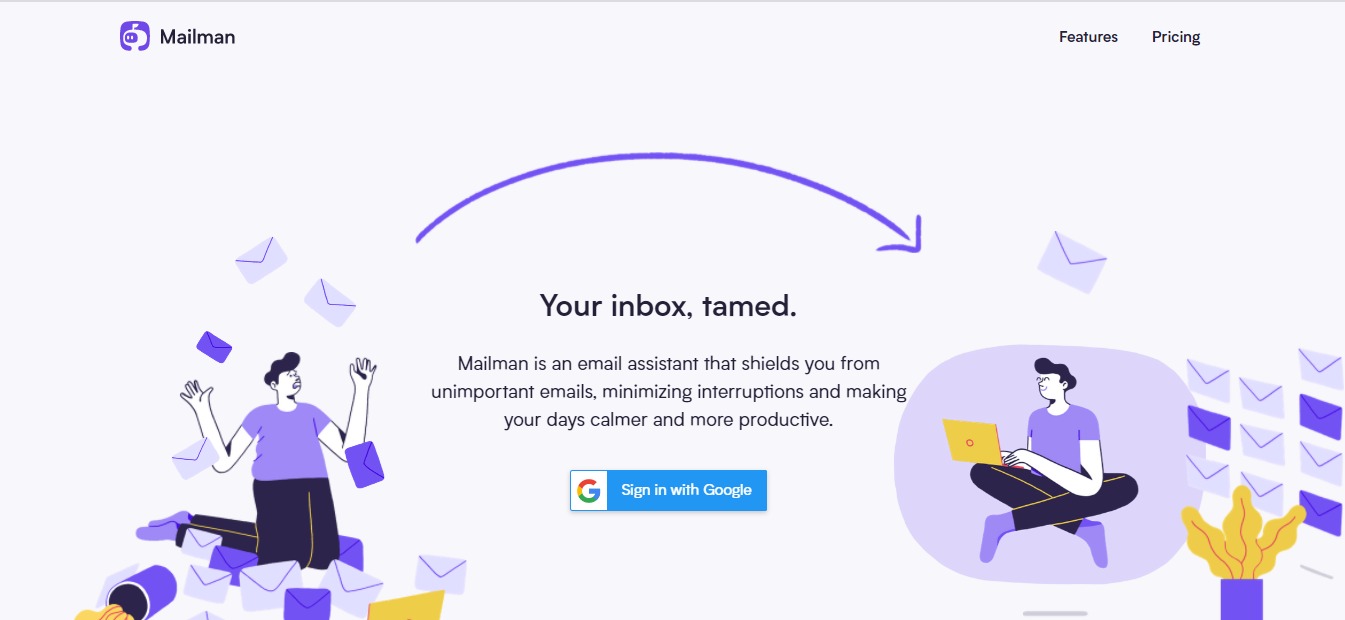
Mailman: Tame Your Inbox, Boost Your Productivity

⚖️ Our Verdict

If you want to save a tremendous amount of time filtering through your emails, just use Mailman! This amazing tool is not just a tool, it’s basically your personal email assistant that helps shield you from irrelevant emails. At the end of the day, you can rest easy knowing you saved time and effort filtering your emails, and you boost your productivity levels way up!

👍 Pros👍 Cons
👍Works with your favorite email client
👍Easy to use and integrate
👍Do not disturb mode
👍Delivery slots
👍Block unimportant emails
👍21 day free trial
👍Mailman does what it advertises to do, and it’s very effective! We can’t say anything negative about it. 

🌟 About Mailman

Mailman was created to help unorganized email inboxes become, well… organized! It’s as simple as that! It’s a productivity-boosting tool that has helped save a lot of people thousands of hours just by organizing their inbox.

🎁 What’s In It For You?

If you are tired of organizing your inbox every single day (sometimes even twice a day), then Mailman should be your go-to app. Not only does it help calm your cluttered inbox, but it also has a lot of cool features for you!

You can use the “Do Not Disturb Mode” which lets you preset hours where you do not want to be disturb. Whether you need a break from emails after a long day, or simply wants to focus on your workload, Mailman will make it so you won’t have to be disturbed at specific hours.

You can also use their “Delivery Slots” feature. It’s a great feature where you can set Mailman to deliver your emails at hourly intervals. You are in control. Figure out what works best for you, and let Mailman handle it. 

Plus, if you’re tired of unimportant emails, you can easily block them to avoid distractions. And if you are waiting for important emails, you can add them to your VIP list so you can see them immediately.

🖥️ How Does It Work?

To use MailMan, simply visit their website at https://www.mailmanhq.com/, and click Sign in With Google.

Check the permission requests and click “Continue Signing In”

Once you’ve set the permissions, you will be redirected to a Dashboard where you can Activate Mailman and customize your settings. Pretty easy, right? It takes less than 1 minute to set up!

💲 Pricing Plans & Support

Mailman only comes with 1 plan: Standard. You get access to all the features and use multiple inboxes. 

💎Standard – $8/month paid annual or $10/month paid monthly

〰️ Snooze your inbox

〰️Custom delivery schedule

〰️Custom Do-Not-Disturb period

〰️ VIP Lists

〰️Unlimited Blocking

〰️ Multiple inboxes

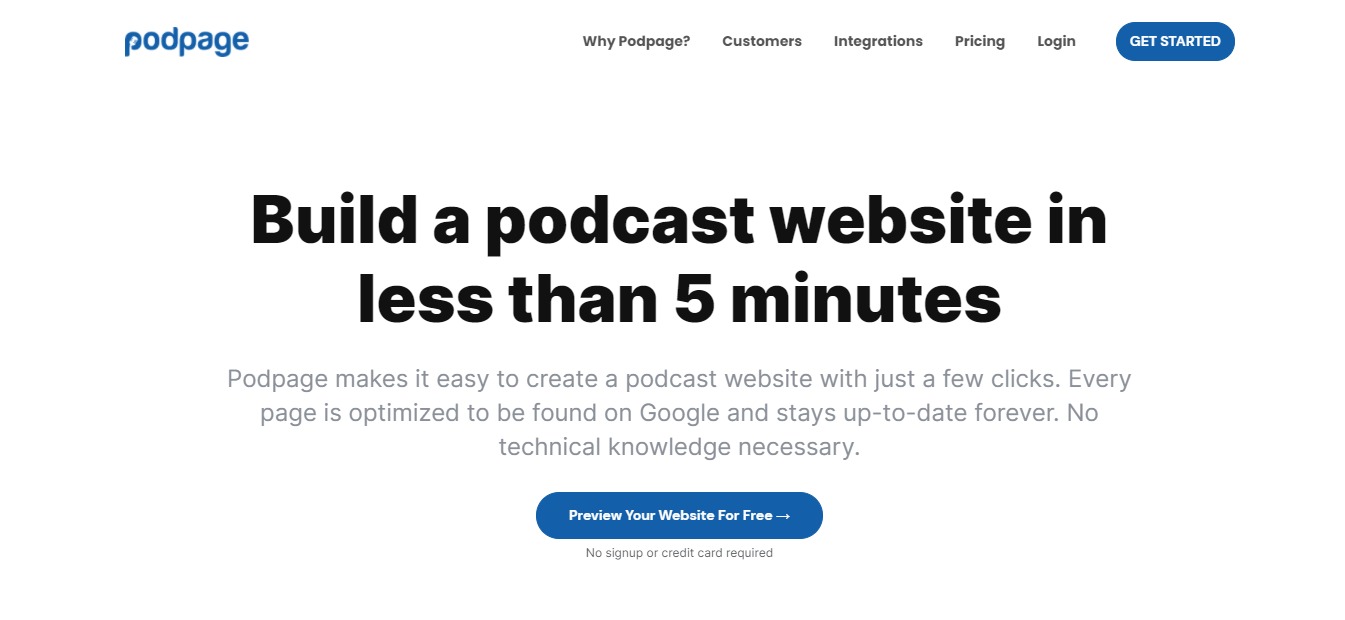
Podpage: Build a Podcast Website in Less Than 5 Minutes

⚖️ Our Verdict

Podcasts are all the rage these days, and Podpage is the most ideal tool to use to create a podcast website. With just a few simple clicks, you can create your own podcast website. The best thing about it is that every page is already SEO optimized so you can rank in Google and stay up-to-date forever. Podpage is a great tool for everyone because there’s no technical knowledge needed. 

👍 Pros👍 Cons
👍 Build podcast websites in less than 5 minutes
👍 Made specifically for Podcasters
👍 No technical knowledge needed
👍 Integrated with Podcaster services
👍 You can engage with your audience
👍 We don’t really see anything con-worthy for this app!

🌟 About Podpage

If you’re a podcaster, and you want to build a gorgeous website that converts customers, Podpage is the perfect tool for you. It’s made specifically to help Podcasters achieve their goals without any technical knowledge necessary. 

🎁 What’s In It For You?

With Podpage, you can create automated episode pages, SEO-friendly webpages for every episode. Each page has its own media player, and automatic transcripts that display your episode’s transcripts alongside show notes.

You can also create pages and profiles for all your guests, making them feel like a part of a community. Plus, you don’t have to be a whiz at web development and SEO, you can build your website with Podpage in minutes.

It automatically updates whenever you release a new episode. You can also engage with your audience, collect email addresses, and contact forms. There’s also a comment section to encourage listeners to discuss and comment on your episodes. 

Podpage also works with all the companies that are trying to make your podcast more successful. 

🖥️ How Does It Work?

To try Podpage, visit their website at https://www.podpage.com/.

Click on Get Started. Enter the necessary details on each field. And click on Generate My Page. 

Check out this video tutorial to learn more:

💲 Pricing Plans & Support

💎 Free

〰️ Unlimited Automation – Your page will stay up to date as you post new episodes to your feed.

〰️ Unlimited Episode Pages – Every episode gets its own page with all relevant info, indexed in Google.

〰️ Unlimited Media Players – Listeners can play episodes directly from your site with great media players.

〰️Unlimited Subscribe Links – Your site will link directly to your podcast on a bunch of different players.

〰️ Receive 20 Voicemails Per Month – Engage with listeners through voicemails.

〰️ Unlimited Pretty Links – All pages automatically have speakable, human readable URLs.

〰️ Built for Sharing – Every episode has social sharing links and looks gorgeous when shared.

〰️ Write an About Page Space to go into detail about you and what the show is about.

〰️ Categories – Define what topics your podcast covers, and sort episodes by category.

〰️ Convenient Links – Easy to remember links like /listen, /rate, /latest, and more.

💎 Basic – $5 per month

All the Free features plus:

〰️ Add a Custom Domain Use any domain you already have to show your Podpage website.

💎 Pro – $12 per month

All Free & Basic Features plus:

〰️ Unlimited voicemails

〰️ Customizable design lets you create a website that fits your brand.

〰️ Give listeners the opportunity to easily join your newsletter.

〰️ Make as many custom pages as you’d like for team, history, or sponsors.

〰️ Your site includes a page that lists your reviews from Apple Podcasts.

〰️ Create and maintain a blog alongside your episode pages.

〰️ Help new listeners find the best episodes to start with.

〰️ Create simple, pretty links for sponsor and affiliate redirects.

〰️ Let listeners search through your archive of older episodes.

〰️ Add your Google Analytics tag to see your traffic.

〰️ Prompt iOS users to open your podcast directly in Apple Podcasts.

〰️ Easily paste your episode transcript to each episode page.

〰️ Give listeners another way to engage with you through comments.

〰️ Make it easy for listeners to donate to your podcast.

〰️ Ask users to join your premium membership program.

〰️ Give listeners a way to get in touch with a contact page.

〰️ Make it as easy as possible for listeners to rate your show.

〰️ Build audiences for advertising platforms with tracking pixels.

〰️ Connect your Podpage to leading mailing list platforms.

〰️ Quickly generate a tweet, Facebook, or LinkedIn post.

〰️ Include a video version of the episode on every episode page.

📍 The Competition

👍 Pros👎 Cons
👍 Free for everyone
👍 Clear and concise output
👍 Saves time and effort
👍 Creates podcasts instantly
👎 Only works in Chrome for now.

Podpage: Build a Podcast Website in Less Than 5 Minutes

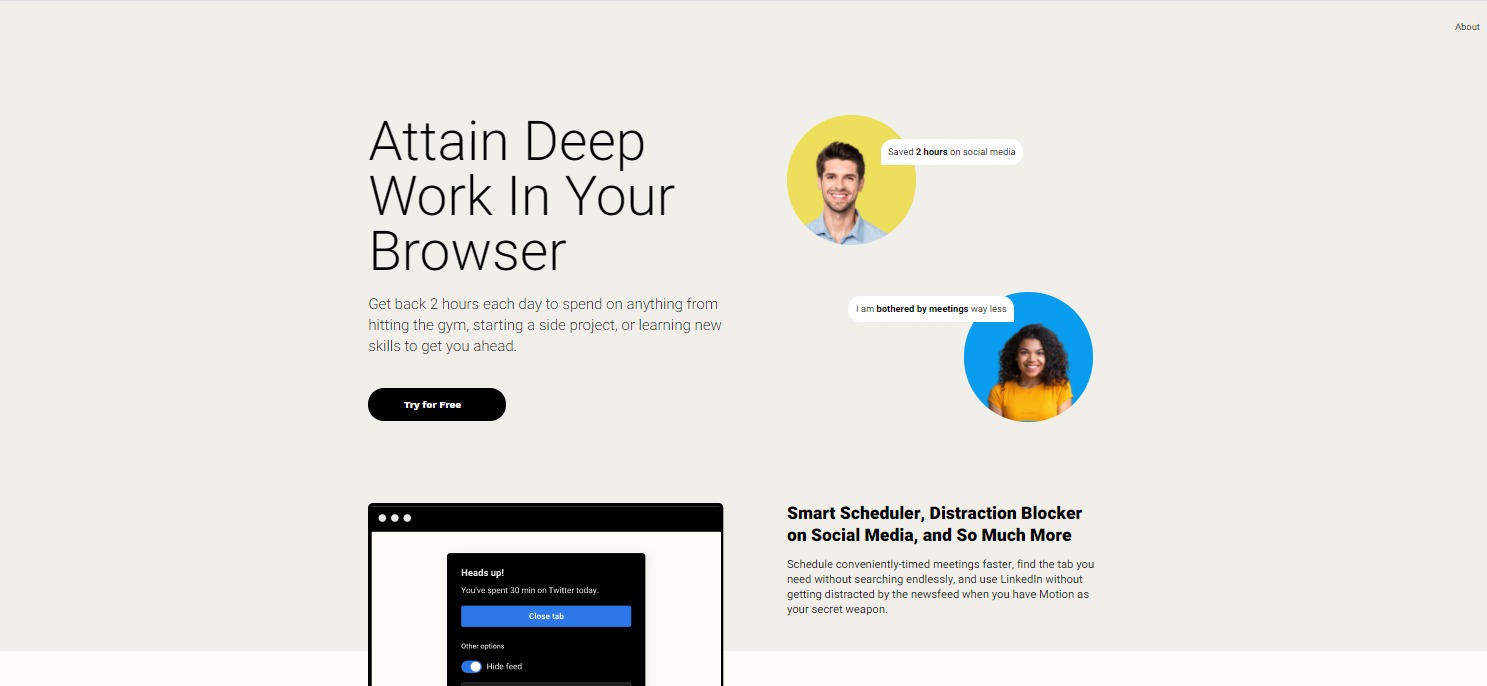
Motion: Boost Your Productivity Levels

⚖️ Our Verdict

Did you know that you lose more than an hour of your day to unproductivity? This is especially true when you’re using web browsers. Motion is an easy-to-use Chrome extension that helps boost productivity levels. 

This handy Chrome extension helps you cut online distractions away and speed up your process. It actively prevents you from getting distracted by intercepting distracting sites, sending reminders, and showing reports with actionable insights.  Best of all, Motion personalizes its services for every customer. With Motion, you can say goodbye to distraction and procrastination. You can focus on the important stuff even more. 

👍 Pros👎 Cons
👍 Saves you at least 1-2 hours per day
👍 Increases productivity
👍 Hide distracting UI components 
👍 Displays your current task and how long you’ve been working on it 
👍 Shows periodic, non-intrusive reminders
👎 Only works on Chrome for now. 

🌟 About Motion

Motion was started to give people back their time, and save them from spending more time on distracting websites. Time is our most valuable resource, and most of the time, we spend it browsing the internet for unnecessary stuff. Those hours are wasted, and you can’t get them back. But with Motion, you can save time.

This amazing extension actively prevents its users from getting distracted on the web. It uses real-time interventions to help you avoid distractions. 

🎁 What’s In It For You?

The best part about Motion is that it’s an all-in-one tool for productivity and efficiency. It saves you time on projects you’re working on with a set of tools that helps you browse faster and get more done. 

Let’s be real, you can use Motion to help you with time management, but it only works if you allow it too. You can’t set motion into your browser and disregard all the things it does for you. The goal is to save you some time each day so you can focus on the important stuff. 

Not only that, but they offer different tools such as pop-up calendars, tab management, and etc. Their anti-distraction system keeps your time on social media concise and productive. It helps you stay focused with alerts and their sophisticated distraction removal system.

🖥️ How Does It Work?

To try Motion for yourself, visit their website at https://www.inmotion.app/. Click on Start Free Trial.

Next, click on Sign Up with Google

Once you’ve signed up, you’ll be redirected to a billing page for your billing options. Choose what works for you best. The yearly option is recommended, so you can save 25%. Then enter your card details. Don’t worry, you can cancel anytime, but we don’t really see why you would want to. This extension is a life-changer!

Once you finish the installation, you will be redirected to a page where you can sign in.

You can also set up Motion in your desktop.

Then, you’ll be redirected to a page where you can watch video tutorials.

After that, you can use Motion anywhere on your Chrome browser or your Desktop.  You can see the little Motion widget on the side of your Browser.

💲 Pricing Plans & Support

Motion costs $20 per month. However, if you want to save 25% off, you can choose the annual billing which only costs $15 per month.

📍 The Competition

👍 Pros👎 Cons
👍 Free Chrome Extension
👍 Blocks website that you don’t want to see
👍 Free yourself from distractions
👍 Features focus mode
👍 Features password protection
👎 There’s a limit to numbers of words you can block

Boost Your Productivity Levels with Motion!

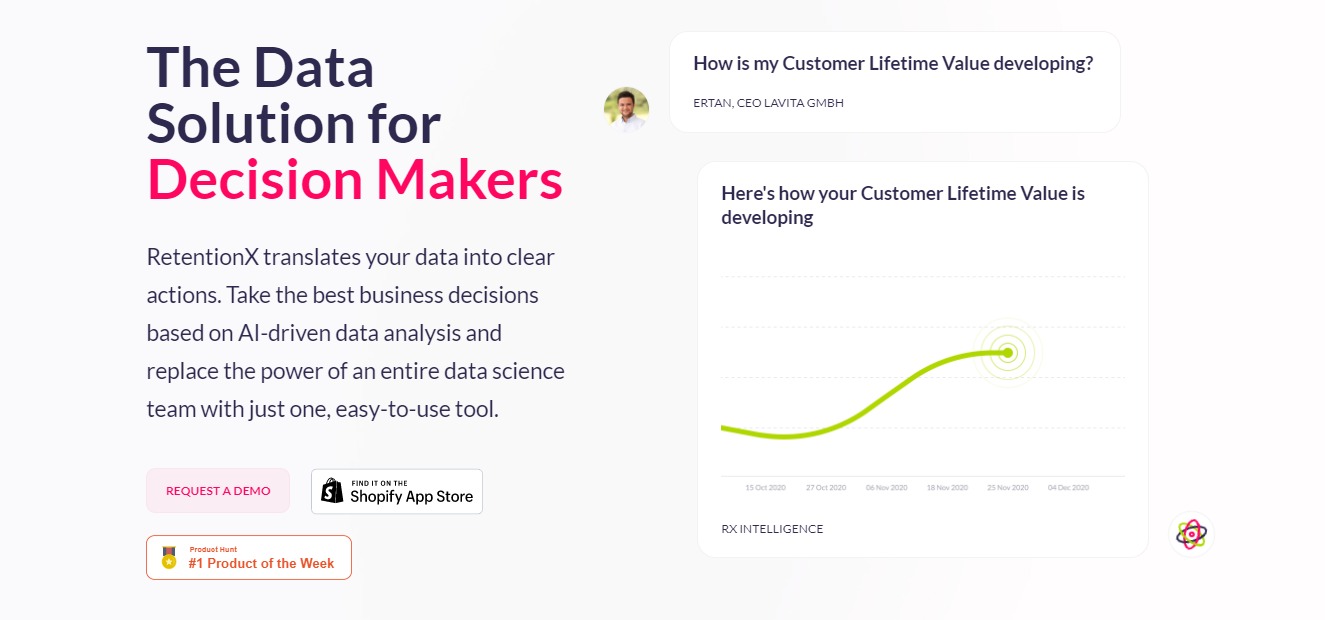
RetentionX: The Data Solution for Decision Makers

⚖️ Our Verdict

In a world filled with promises and false hope, RetentionX is a software that truly delivers. It’s the data solution for decision-makers. If you are running a business or an eCommerce store, we highly recommend going with RetentionX.

They have proven to translate business data into clear actions. This amazing software promises to deliver the best business decisions, and we can attest to that!

👍 Pros👎 Cons
👍 Easy to use
👍 Achieve customer retention
👍 Provides accurate and helpful data
👍 Offers business decisions based on AI & Machine Learning
👎 With all the benefits and features you can get from RetentionX, we cannot think of a single con for this app.

🌟 About RetentionX

Alexander Jost is a young executive manager. He has over a decade of experience when it comes to building and leading startups in eCommerce, health tech, data science, and more. He has guided blue-chip companies through digital transformation, and now, he offers RetentionX.

RetentionX is one of the most sophisticated data science engines out there. It provides answers to questions that existing technology could not answer. This amazing product helps you gather and understand all these data without every needing a data science specialist. With this incredible app, you can make better decisions based on AI-driven data analysis

🎁 What’s In It For You?

With RetentionX’s help, you can increase your sales with the power of data. You have the power of an entire data science team with just one, easy-to-use tool. How cool is that, right?

This fantastic app features 100+ analyses for every successful company. You can share this data with your investors anytime. You get control over your data.

RetentionX also helps you identify the value drivers that are most important to grow your retention in data science-backed reports. Not only that, but you also get to make better business decisions thanks to its Artificial Intelligence and Machine Learning that forecasts up to 6 months of data. This amazing app also allows you to create custom segments using their versatile builder which lets you compare charts, predictions, and more. 

🖥️ How Does It Work?

The process behind this is usually very technical. However, RetentionX can provide you insights that everyone would understand. Upon installation, RetentionX gets up and running within 120 minutes. You can integrate it into your existing systems. You can get RetentionX through Shopify.

Or you can also Request A Demo on their website. 

Once you have it installed, it will gather your website’s data. Its autonomous RX algorithms will normalize, aggregate, and analyze your data. It will run 24/7 using state-of-the-art machine learning technologies. 

After that, you can get reports based on the data you’re looking for and make the best business decisions. 

💲 Pricing Plans & Support

RetentionX offers 3 different plans for different types of businesses. Check them out below. 

💎 Lite – $99

〰️100+ data science-backed analyses

〰️Export charts and data tables

〰️Multi-user access

💎 Standard – $249

〰️All Lite features

〰️Email Reports

〰️Segmentation Builder

〰️Benchmarking

💎Advanced – $399

〰️All Standard features

〰️Churn & CLV Prediction

〰️Forecasts

〰️Anomaly Detection

📍 The Competition

👍 Pros👎 Cons
👍 Performance Metrics
👍 Predictive Analytics
👍 Profitability Analysis
👍 Visual Analytics
👍 Key Performance Indicators
👎 More expensive than other tools
👍 Pros👎 Cons
👍 Data Visualization
👍 Data Mining
👍 Predictive Analytics
👍 Collaboration
👎 Big gap to integrate with other systems

Make the best decision for your business with RetentionX!

RetentionX FAQ

What does RetentionX actually do? It pulls your store, email, ads, and support data into one place and turns it into customer analysis you can act on. The core of it is customer intelligence: cohort views, RFM segments, and lifetime value broken down by the segments you care about. On top of that sit attribution reporting, churn prediction, and automations that push an audience back out to your email or ad tools. The company now describes the product as an e-commerce growth OS rather than a reporting dashboard.

Who is it for? Direct-to-consumer e-commerce brands, mainly ones selling repeat-purchase products such as beauty, food, apparel, and supplements. Retention analysis needs repeat buyers to be interesting, so a catalogue people come back to matters more than headline revenue. It is a weaker fit for one-off high-ticket sales or for B2B SaaS, where the renewal data lives in a CRM instead of a store.

What does it connect to? Shopify and BigCommerce on the store side, Klaviyo, Mailchimp, ActiveCampaign, Braze, and Omnisend for email and SMS, Google Ads, Meta, TikTok, Pinterest, and Snapchat for paid, plus Gorgias, Zendesk, Intercom, and Salesforce for support and CRM. Recharge covers subscriptions. The vendor lists more than 50 integrations, and there is a first-party server-side pixel for tracking that survives browser restrictions.

How much does it cost? Pricing has changed since this review was first published. The Lite, Standard, and Advanced tiers listed below have been replaced by Starter, Core, and Growth plans, and the vendor no longer publishes a public price for them. Check the current RetentionX pricing page for what applies to your order volume rather than relying on the older figures.

Is it worth it over building your own dashboards? That depends on whether you have an analyst. The raw numbers here can be assembled from your store exports and Google Analytics, and plenty of teams do exactly that. What you pay RetentionX for is the joining work: matching customers across email, ads, and support so a cohort chart reflects one person rather than four records. If your data already lives in a warehouse with someone maintaining it, the gap is smaller. If it does not, that joining work is where most in-house retention reporting stalls.

Headlime 2.0: Professional Marketing Copy For You!

⚖️ Our Verdict

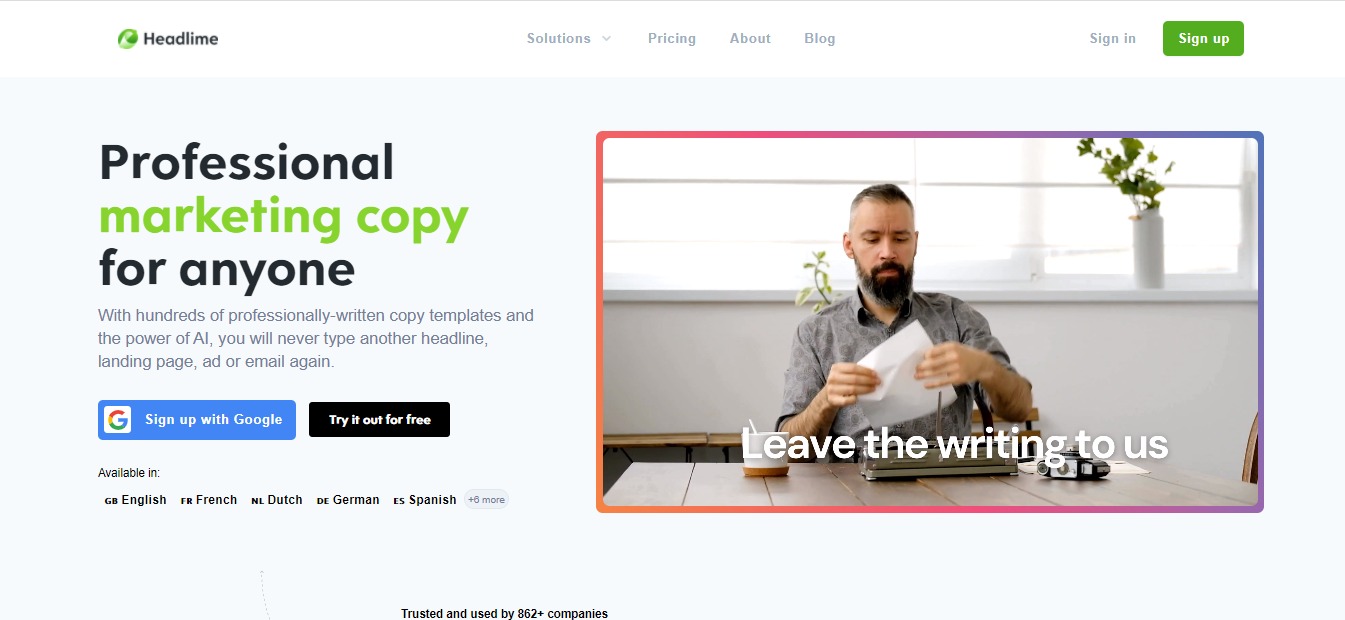
Writing a marketing copy that truly sells takes time, effort, and money. For some, it takes a team of highly-paid marketers to come up with beautiful, conversion-oriented copies. However, not all of us have the privilege of hiring a team. This is where Headlime 2.0 comes in handy.

With this amazing tool, you can write amazing, conversion-oriented copies that sell in a matter of seconds. You can write copies for your blogs, videos, ads, landing pages, products, posts, emails, and more! With Headlime 2.0, you can do all these without spending too much time, effort, and money.

👍 Pros 👎 Cons
👍 Professional copies you can publish immediately
👍 Available in 11 languages
👍 Thousands of pre-made template
👍 Add your templates
👍 New copies added every week
👎 Headlime 2.0 just launched today, there’s room for improvement

🌟 About Headlime 2.0

Headlime was created to make it easier for you to create marketing copies. There are thousands of templates available that are highly customizable. Danny Postma, the founder of Headlime 2.0 initially started the tool in Google Spreadsheets where his clients can access it. 

Now, Headlime has evolved into something more. It’s a great tool that will help you write copes that convert. These copies were well-researched, and proven to have the highest conversion possible. The team behind Headlime 2.0 spent countless hours brainstorming, researching every copy to select the best ones. 

🎁 What’s In It For You?

This product has over a thousand copies that you can use for newsletters, blogs, emails, products, ads, and more. The team behind this wonderful tool has tested each copy in various marketing channels to see which works, and which ones don’t. 

Headlime 2.0 offers five different solutions for everyone. First, there’s the Copy Generator which generates customizable marketing copies in seconds. This tool has over 1700 pre-made templates.

Then, there’s the AI Copywriter that’s powered by GPT-3 of OpenAi. It’s a fantastic tool that basically writes copies by itself. The Document Generator comes next where you can create many documents within seconds. Next, there’s the Copy Inspiration; a list of thousand copy examples to get you inspired.

With the Headlime for Team feature, you can easily collaborate with team members. This feature also allows you to share and reuse your copy.

🖥️ How Does It Work?

  1. To try this amazing tool, visit Headlime 2.0’s website. 
  2. Click the “Sign Up” button, fill in the necessary fields. 
  1. Once you sign up, you will be redirected to Headlime 2.0’s dashboard page.
  1. To see the templates, click the “Library” in the upper left corner. From here, you will be presented with a list of ready-made templates and features from this amazing tool.
  1. Additionally, you can create projects to keep everything organized

Moreover, you can also request features on their “Request Feature” tab.

💲 Pricing Plans & Support

As you can see above, Headlime 2.0 offers a free trial for all its Pro plans. Check them out below.

💎 Pro – $29 /month

Perfect for personal use or small businesses

〰️ Access to all templates

〰️ Add your own templates & variables

〰️ Share projects & templates

〰️ Unlimited projects

〰️ Generate from CSV

〰️ Available in 11 languages

〰️ AI Copywriter

〰️ Use GPT-3 copywriter

〰️ Credits per month – 150,000

〰️ Purchase extra credits – $10 per 100,000

〰️ Available in 11 languages

〰️ Unlimited documents & folders

〰️ Access to pre-made templates

〰️ Download to CSV, Word & TXT

〰️ Generate multiple from CSV

💎Business – $49 /mo

For growing companies or marketing professionals

〰️ Access to all templates

〰️ Add your own templates & variables

〰️ Share projects & templates

〰️ Unlimited projects

〰️ Generate from CSV

〰️ Available in 11 languages

〰️ AI Copywriter

〰️ Use GPT-3 copywriter

〰️ Credits per month – 400,000

〰️ Purchase extra credits – $10 per 100,000

〰️ Available in 11 languages

〰️ Unlimited documents & folders

〰️ Access to pre-made templates

〰️ Download to CSV, Word & TXT

〰️ Generate multiple from CSV

💎 Agency – $89 /monthly

Easy collaboration with your team members, share and reuse your copy.

〰️ Access to all templates

〰️ Add your own templates & variables

〰️ Share projects & templates

〰️ Unlimited projects

〰️ Generate from CSV

〰️ Available in 11 languages

〰 ️AI Copywriter

〰️ Use GPT-3 copywriter

〰️ Credits per month – 400,000

〰️ Purchase extra credits – $10 per 100,000

〰️ Available in 11 languages

〰️ Unlimited documents & folders

〰️ Access to pre-made templates

〰️ Download to CSV, Word & TXT

〰️ Generate multiple from CSV

〰️ Unlimited teams

〰️ 5 members included

〰️ $15 per new extra member

〰️ Whitelabel

Get professional marketing copies from Headlime 2.0!