7todos: A task board for indie hackers

βš–οΈ Our Verdict

7todos is essential for people that are working on multiple projects and are having a hard time keeping track of tasks. With all of the work stuff that you are supposed to do, it is hard to prevent your brain from cluttering. This is where 7todos come in! This app will help you get an overview and allow you to work efficiently.

Complicated tasks should not be complicated to do or to complete. With 7todos, you can keep things simple. It organizes your tasks and makes numerous projects simple. With that, you and even your colleagues can get more work done while saving time!

7todos can be used by students and professionals, basically anyone! It is a simple app, very easy to use, and an essential tool for your project management needs.

πŸ‘ ProsπŸ‘Ž Cons
πŸ‘ Simple todo application
πŸ‘ Collaboration features
πŸ‘ Good user interface
πŸ‘ Reminders on inbox
πŸ‘ Has free version and free trial
πŸ‘Ž Too overpriced for early phase
πŸ‘Ž No mobile app, limited on web browser download

🌟 About 7todos

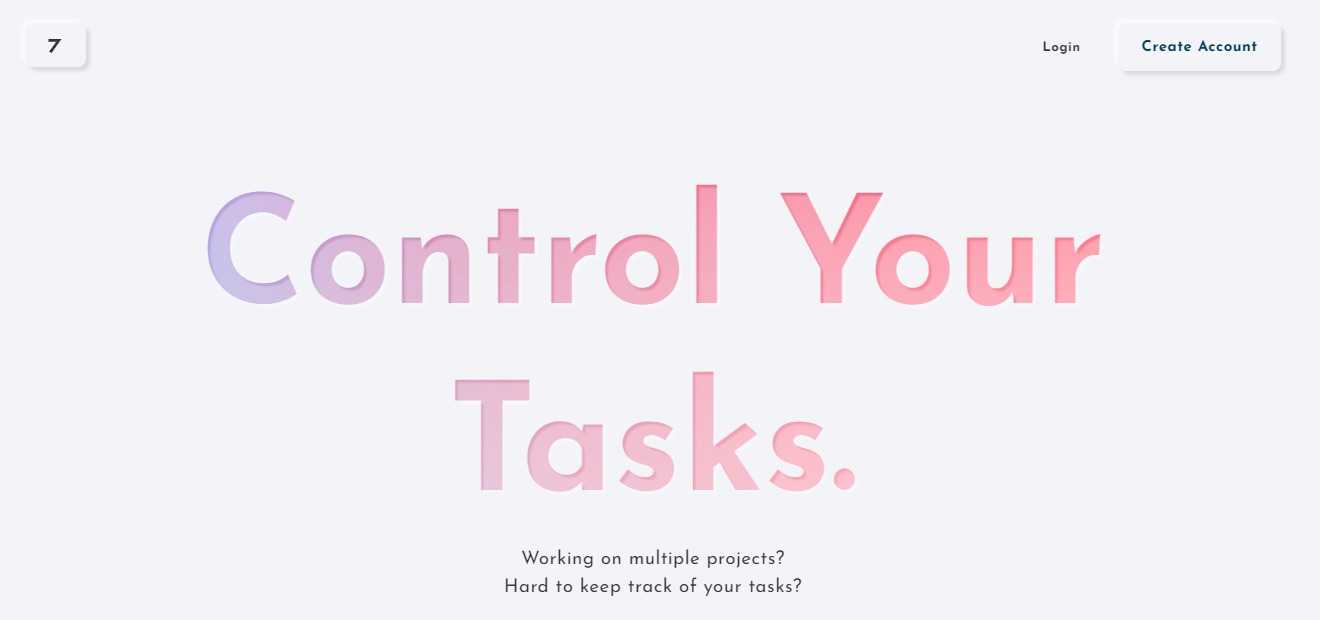
7todos is a task board for people who are working on multiple projects. It helps you keep track of your tasks. We all know that keeping track of everything is hard, but with 7todos, it can make your life easier. With this app, you are in control of your tasks, while lessening the struggles. It has multiple features that can help you become up and going.Β 

The principle that revolves around this app is having the goal to focus on your tasks, not just to create a to-do list. This app was created to get an overview of projects and life. Our modern lives get us working for the whole day, so 7todos was created for everyone that is struggling with managing multiple tasks. 

🎁 What’s In It For You?

7todos allows you to get an overview of all your tasks across workspaces. You can put tasks inside a workspace and only highlight the important ones. This app also allows you to set a due date, description, and a sub to do on a task. It also allows you to set a deadline for a task to keep you working and to prevent you from cluttering your brain.

This app also lets you create a daily planner that allows you to select a task that you want to do on a day. If you wish to toggle between a classic to-do list and a kanban board, this app allows you to do that. 

What is amazing about this app is that it is not only for individuals, but you can also invite your friends to collaborate with you. Another helpful feature is the reminder for a due task that is sent to your inbox!

For the other cool features of this app, it includes dark and light mode, simple analytics, desktop app, ambient sounds, chrome extension, and break reminders! 

πŸ–₯️ How Does It Work?

  1. Spaces show your workspaces and the corresponding tasks.
  1. Click on the new todo button on a workspace to create a task.
  1. Click on the task to edit specifications. You may add a sub to-do on the bottom part. 
  1. You can create a plan for the day and select the tasks that you want to do.
  1. By clicking the icon on the upper right, you can toggle between the classic to-do view or the kanban board.
  1. Click on the icon on the top right corner and select invite. Then, select the space that you want to share. The invitation link is automatically generated.

πŸ’² Pricing Plans & Support

7todos offers very simple pricing for a great app!

πŸ’Ž Basic- $0/Month

This amazing deal is free per month!

〰️ Web app

γ€° ️Synced across devices

〰️ Chrome extension

〰️ Focus mode

〰️ 2 workspaces 

πŸ’Ž Advance (Yearly) – $11.99/Year

This amazing deal is only $11.99 per year!

〰️ Web app

γ€° ️Synced across devices

〰️ Chrome extension

〰️ Focus mode

〰️ 7 workspaces 

γ€° Email reminder

〰️ Analytics

γ€° Shared workspaces

πŸ’Ž Advance (Lifetime) – $19.99

Pay once with this amazing deal for only $19.99!

〰️ Web app

γ€° ️Synced across devices

〰️ Chrome extension

〰️ Focus mode

〰️ 7 workspaces 

γ€° Email reminder

〰️ Analytics

γ€° Shared workspaces

πŸ“ The Competition

πŸ‘ ProsπŸ‘Ž Cons
πŸ‘ Effective project management app
πŸ‘ Templates
πŸ‘ Has shortcuts
πŸ‘ Collaboration features
πŸ‘ Support in all browsers
πŸ‘Ž Technical to learn shortcuts
πŸ‘Ž Limited features on free version
πŸ‘Ž Difficult to use efficiently

7todos: a task board for indie hackers

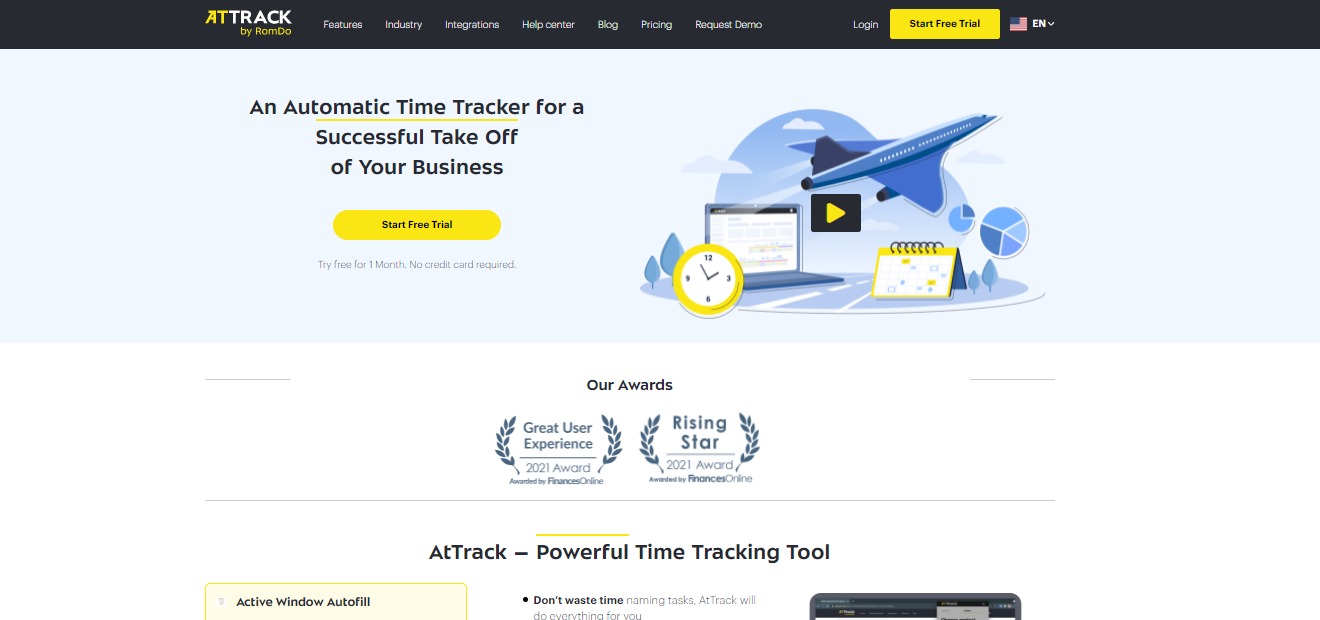
AtTrack: First modular time tracker to improve team’s productivity

βš–οΈ Our Verdict

AtTrack should be used by any group that prioritizes productivity. It can be used by an employer, employee, or freelancer. This app is perfect for companies since it provides details on the work of each person. With AtTrack, you can now increase your company’s effectiveness and productivity!

Since AtTrack is an automatic time tracking software, it helps you save time while allowing you to boost employee productivity to a greater extent. This tool also allows transparency for your remote workers. Since the pandemic hit, AtTrack should be used more by people because it is great for remote companies. 

With all of the features of AtTrack, your work will be easier as an employer or an employee. To conclude, this app is easy to use, affordable, and essential for your work needs!

πŸ‘ ProsπŸ‘Ž Cons
πŸ‘ Has free trial, free version, and also a cheap app
πŸ‘ No credit card needed for free trial
πŸ‘ Easy to use
πŸ‘ Good customer service
πŸ‘ Simple
πŸ‘Ž Needs changes in effectiveness stats UIπŸ‘Ž Windows version is overlooked

🌟 About AtTrack

AtTrack is a time tracking tool that is used for team productivity. It is an app that lets you record the work time in tasks and projects, as well as assess the degree of activity at the computer and the apps used, and produce thorough reports of your work-related activities. It significantly improves the evaluation of tasks and projects, simplifying the process of reporting, and helps to eliminate burnout. 

When using AtTrack, the users can utilize their schedules and improve their working habits. This software makes it simpler to keep track of what is going on with your remote or office team, as well as the freelancers you work with. It is designed to be very versatile, allowing you to “create” your ideal time tracker by picking the features that are most important to you or your organization.

This app was first created for the need of a better task and project evaluation, time management for the employees, and proof of work for the clients. AtTrack became highly praised by the first users, then it has become widely available for other audiences to appreciate the application. 

🎁 What’s In It For You?

AtTrack allows you to utilize its auto-fill active window feature that helps you keep track of the stuff that you do in any application, website, or software. Now you can spend less time switching active tasks and focus on what is actually important. With the effective time tracking feature of this app, you can make sure that your team does not waste time on impractical applications and track time more efficiently. 

AtTrack also has a team performance management feature that lets you track the time which your team spends on different tasks. Another feature of this app is the screenshots which allow you to know what your employee is doing at a certain time. With the app tracking tool, you can track how much time is spent on a specific app so you don’t need to ask your employees for proof of work. 

This app also allows you to track your employees’ time even offline. With the modules feature, you can build your ideal time tracker and pay for the features that you only need. AtTrack gives you reports and invoicing as soon as possible. Lastly, Attract has integrations with popular services such as Trello and Jira.

πŸ–₯️ How Does It Work?

  1. On the projects tab, you can click on a team member to see what they are currently working on.
  1. You can use the time chart as evidence of your work. 
  1. You can also see the effectiveness of an employee on the effectivity tab that is calculated automatically.
  1. With the report tab, you can generate a report of your work. 

πŸ’² Pricing Plans & Support

With the AtTrack pricing plans, you can build a time tracker that is most useful to you. Choose the right rate and add modules that you need.

πŸ’Ž Basic – $0/Month

This convenient tool for time tracking is free per month!

〰️ Unlimited number of projects and users

γ€° ️Time tracking for projects

〰️ Offline time tracking

〰️ Tracked time editing

〰️ Auto creation of tasks

〰️ Detailed project/task reports

γ€° 3 months of data storage

γ€° 3 months of screenshot storage

πŸ’Ž Pro – $3/Month

Make your employees work more transparent for only $3 per month!

〰️ Unlimited number of projects and users

γ€° ️Time tracking for projects

〰️ Offline time tracking

〰️ Tracked time editing

〰️ Auto creation of tasks

〰️ Detailed project/task reports

γ€° ️Workday statistics dashboard

γ€° Activity levels for employees

γ€° Activity level report

γ€° 1 year of data storage

γ€° 6 months of screenshot storage

γ€° Jira and Trello integration

πŸ’Ž Business – $5/month

Improve your employees’ efficiency and get all essential data for decision-making for only $5 per month!

〰️ Unlimited number of projects and users

γ€° ️Time tracking for projects

〰️ Offline time tracking

〰️ Tracked time editing

〰️ Auto creation of tasks

〰️ Detailed project/task reports

γ€° ️Workday statistics dashboard

γ€° Activity levels for employees

γ€° Activity level report

γ€° Timesheets and attendance

γ€° Individual effectiveness settings

γ€° Application usage report

γ€° Effectiveness levels for employees

γ€° Client access to data

γ€° 2 years of data storage

γ€° 6 months of screenshot storage

γ€° Jira and Trello integration

γ€° Invoicing

πŸ“ The Competition

πŸ‘ ProsπŸ‘Ž Cons
πŸ‘ Great for small and midsize business
πŸ‘ Automatically tracks the programs and websites
πŸ‘ Screenshots
πŸ‘ Measures productivity
πŸ‘Ž Updated version is not good
πŸ‘Ž Export report is not in a good format
πŸ‘Ž Order on report has no purpose
πŸ‘Ž No editing features

Improve team’s productivity with AtTrack

Clew 2.0: A digital workspace for the future of work

βš–οΈ Our Verdict

Clew should be used by everyone. From students and small businesses to large organizations, this app will allow the users to be more organized and productive. With Clew, you or your team can think better, plan, and do work. 

While almost everyone experiences difficulties in their work, Clew helps your work come together. All of the features of this app will allow you to have a better way to capture and organize work. 

Since this is a newly launched app, bugs are inevitable. However, the customer service is really helpful and quickly replies through the chat block. 

If you are struggling with loads of work, this app will help you stand on your feet and accomplish all the tasks that are due. Overall, this app is easy and intuitive to use, free, and essential for your daily work.

πŸ‘ ProsπŸ‘Ž Cons
πŸ‘ Free app
πŸ‘ Collaboration features
πŸ‘ Many integrations
πŸ‘ Easy and intuitive to use
πŸ‘ Available on web and desktop
πŸ‘ Search and graph view
πŸ‘ Chat box
πŸ‘Ž Has bugs
πŸ‘Ž Need to upload images instead of paste
πŸ‘Ž Limited customization on colors
πŸ‘Ž Billing system is unclear

🌟 About Clew

The website Clew is a place to visualize, document, and archive everything work-related. It is like a digital brain where all of your work in different sources is compiled. This app is a central hub for workplace productivity. Clew catches the context of every idea or project, reveals what is needed, and preserves what is significant.

Indeed, Clew was created to impact the work lives of people by building tools that help them during the most stressful times. Since past tools have failed to catch up to how people work today, Clew is a better way to help you become more organized and do the best work of your life. 

This app promotes flexibility, focus, momentum, productivity, and great experience. It gives you a better way to capture and organize work by making documentation, collaborating, and finding information easily. 

🎁 What’s In It For You?

Clew allows you to quickly search across all of your tools. When everything is searchable and shareable from a single tool, there’s no need to sift through applications and files, making you save more time and effort. Instead of having to remember which application a certain file is in, Clew allows users to do a single search across Google Drive, Github, Figma, Dropbox, and other services.

With Clew, you can unload all the work that you are keeping track of in your head, files from other tools, or context in messages. Clew also gives you a summary of all your outstanding tasks, events, and projects. It provides you with a search engine for your work by building a knowledge graph that links your work together. 

Additionally, Clew lets you organize your work hierarchically and spatially through the flexible canvas editor, discuss and chat where your work happens, track to-dos, and have access to consolidated notifications and daily agenda. 

What is amazing about this app is that it also lets other people collaborate with you so you do not need to switch from other apps. It is an all-in-one organizational tool to help you and your colleagues be more productive. 

πŸ–₯️ How Does It Work?

  1. Drag across the canvas to place a block.
  1. Select the type of block that you want. 
  1. You can arrange the blocks according to your liking for a more organized canvas.
  1. Resize the blocks by dragging the bottom right corner. 
  1. Select the conversation to create a chat block on your canvas. 
  1. Click the integration marketplace button on the lower left to connect your accounts for integrations.

πŸ’² Pricing Plans & Support

As amazing as it gets, Clew is currently free on beta! All of the features of this app can be utilized by everyone.

πŸ“ The Competition

πŸ‘ ProsπŸ‘Ž Cons
πŸ‘ Available on mobile, web, and desktop
πŸ‘ Complex task tracking
πŸ‘ Templates
πŸ‘ Good customer support
πŸ‘ Integrations
πŸ‘Ž Technical to use
πŸ‘Ž Paid application
πŸ‘Ž Not fit for small tasks

Create a digital workspace for the future of work with Clew

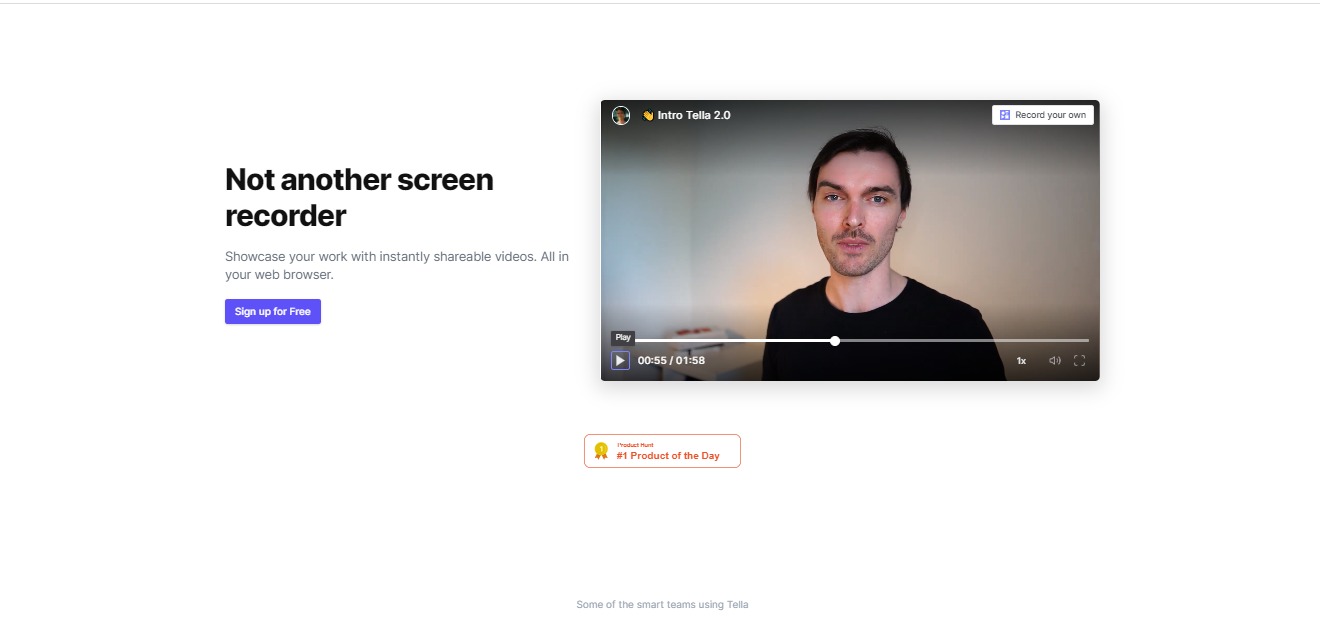
Tella 2.0: Record instantly shareable videos, from your web browser

βš–οΈ Our Verdict

Tella should be used by everyone who wants to connect to other people behind screens. It can be used by professionals, educators, and others that want to showcase their work instantly! Tella allows you to communicate better and easier as it is just a web app that can be accessed quickly. 

You can amaze your audience with presentation features that are fun and dynamic. Give your work and knowledge the treatment it deserves. Using this app can also save you time since you can’t swap calls and meetings for asynchronous sessions. 

All in all, Tella is amazing because it has a lot of customization features, it is easy to use, and it allows you to relay your messages instantly all for a fair price!

πŸ‘ ProsπŸ‘Ž Cons
πŸ‘ Free app
πŸ‘ Unlimited recording duration
πŸ‘ Instant sharing and export
πŸ‘ Customization features
πŸ‘ Easy and intuitive to use
πŸ‘ No download needed
πŸ‘Ž Slow and laggy
πŸ‘Ž Need to sign up
πŸ‘Ž Has watermark on free account
πŸ‘Ž Limited to 100 stories on free account

🌟 About Tella 2.0

Tella is a screen recording app on a web browser that lets you record yourself, your screen, or even upload slides. It does not require installing any plugins or apps. This application helps founders, creators, teams, and educators to showcase their knowledge and share their work through a video recording.

With Tella, it is like a camera that lives on your web browser, so recording a video is as fast as opening a new tab. Tella is used for product demos, presentations, launch videos, how-to’s, sales pitches, corporate communications, course design, storytelling, and much more!

🎁 What’s In It For You?

Tella allows you to record yourself as well as your screen or presentations. It lets you combine multiple recordings as a single video. Tella also has different customization features that allow you to work easily with custom backgrounds, styles, and camera or video frames.

After creating your video, Tella lets you share your videos and lets your viewers view them instantly from the link that you share. With this application, you can showcase your work, be more productive, save time, and amaze your viewers with fun and dynamic videos. 

The features do not stop there as you can also remix your Tellas and combine different videos to make a new one. With all of the features of this application, it is also fast and loose as you just need to hit record, do your thing, and then share it instantly.

πŸ–₯️ How Does It Work?

  1. Allow Tella to access your camera and microphone, then turn on your camera and microphone from the lower right buttons beside the record.

2. You can also share your screen and import or upload your slides. 

  1. Press the record button if you are all set.
  1. After recording, you can change the layout and background of your video and even upload a photo as a background.
  1. With the scenes feature, you can compile your videos and record another take if you made a mistake. 
  1. After editing, you can share your videos anywhere instantly using the share button on the upper right corner. 

πŸ’² Pricing Plans & Support

Tella’s pricing is just like how to use their app, it is pretty simple!

πŸ’Ž Starter – $0/Month

The easiest way to start using Tella is for free!

〰️ 100 Stories

γ€° ️Unlimited recording duration

〰️ Instant sharing

〰️ Export 

πŸ’Ž Pro – $19/Month

To create videos like a pro, this deal is only $19 per month!

〰️ Unlimited stories

γ€° ️Unlimited recording duration

〰️ Instant sharing

〰️ Export 

〰️ No watermarks

〰️ Password protected links

πŸ“ The Competition

πŸ‘ ProsπŸ‘Ž Cons
πŸ‘ Easy to use and good user interface
πŸ‘ Shareable links
πŸ‘ Secured sharing features
πŸ‘ Customization features
πŸ‘Ž Some bugs and lags
πŸ‘Ž No templates
πŸ‘Ž Pricing is linked to bandwidth

Record instantly shareable videos, from your web browser with Tella!

ProtonMail 2.0: Secure email that respects your privacy, with a slick new look

βš–οΈ Our Verdict

ProtonMail is as easy to use as any email service but it additionally protects your data with secured encryption. This app is an effective solution for encrypted emails. Normal email service providers do not use end-to-end encryption so your data is not as safe as you think. 

It gives you peace of mind knowing that your emails can’t be read by other people but you and your receiver. It is essential for users and organizations that value their privacy. 

The best thing about ProtonMail is that it also has additional services that include a drive, calendar, and a VPN in one app.

All in all, it is an easy-to-use, fast, and smooth application for your email purposes.

πŸ‘ ProsπŸ‘Ž Cons
πŸ‘ Secure email encryption
πŸ‘ Multiple encryption options
πŸ‘ Set emails to expire
πŸ‘ Available on iOS and Android
πŸ‘ Has free version
πŸ‘ Customization features
πŸ‘ Short domain address for premium users 
πŸ‘  VPN feature
πŸ‘Ž Limited messages daily
πŸ‘Ž Technical to use

🌟 About ProtonMail

ProtonMail is created to provide a more secure and private internet. It is an email service provider that protects your data using end-to-end encryption. ProtonMail is available for Android, iOS, and web.

It automatically uses end-to-end encryption and zero access encryption to secure emails, resulting in a more secure email that cannot be shared with third parties. Your privacy is the priority of this application as it does not require any personal information to create your email account. 

ProtonMail is fully compatible with other email providers like Gmail, thus you can send and receive emails normally. This app also takes into account the design of the user interface to make it optimized for productivity. The goal of ProtonMail is to build an internet that respects privacy and is also secure against cyber attacks.

🎁 What’s In It For You?

ProtonMail ensures that your emails stay private and cannot be intercepted or disclosed to other parties. It uses end-to-end encryption to secure your emails and it is also compatible with OpenPGP. The encryption feature of this app is automatic and completely invisible to the user so it is easy to use. 

All messages are stored in an encrypted format so even ProtonMail cannot read your messages. The encryption of ProtonMail is open source, making it available for inspection to other security experts from all over the world. Since this app is based in Switzerland, your data is protected by the world’s strongest privacy laws. 

With ProtonMail, you can create a new email address with automatic PGP key creation and management, set self-destructing timers for messages, quickly organize emails with customization features, get push notifications, and send password-protected encrypted emails to non-ProtonMail users. With all of these features, ProtonMail comes with a free and a paid plan.

πŸ–₯️ How Does It Work?

  1. Go to the sign-up page and choose your plan then follow the instructions.
  1. Log in to your account.
  1. The main page shows the buttons on the left side of the screen for the inbox, drafts, sent, starred, etc.
  1. Select a theme by clicking on the settings.
  1. The button on the top left corner shows the other services of ProtonMail including the Calendar, Drive, and VPN.
  1. You can label your emails accordingly.

πŸ’² Pricing Plans & Support

ProtonMail is a community software that is open source and supported by the community. ProtonMail does not show advertisements or gain money by violating your privacy. Instead, they rely on your assistance to keep the program working. Income from premium accounts is used to further improve ProtonMail and assist free users, such as democracy activists and dissidents who want privacy but cannot pay for it. With all of the features of this app, ProtonMail offers simple pricing. 

πŸ’Ž Free – $0/Month

This deal is free per month!

〰️ 1 User

γ€° ️500MB storage

〰️ 1 address

〰️ 150 messages per day

〰️ 3 Folders/Labels

〰️ Limited support

πŸ’Ž Plus – $5/Month

This deal is only $5 per month!

〰️ 1 User

〰️ 5GB storage

〰️ 5 addresses

〰️ 1000 messages per day

〰️ 200 Folders/Labels

γ€° Normal support

〰️ 1 custom domain

γ€° ️Email filters

γ€° ️Autoresponder

πŸ’Ž Professional – $8/month/user

This deal is only $8 per month per user!

〰️ 1-5000 Users

〰️ 5GB storage per user

〰️ 5 addresses per user

〰️ Unlimited messages per day

〰️ Unlimited Folders/Labels

γ€° Priority support

〰️ 2 custom domains

γ€° ️Email filters

γ€° ️Autoresponder

γ€° ️Catch-All email

γ€° ️Multi-user support

πŸ’Ž Visionary – $30/month

This deal is only $30 per month!

〰️ 6 Users

〰️ 20GB storage per user

〰️ 50 addresses per user

〰️ Unlimited messages per day

〰️ Unlimited Folders/Labels

γ€° Priority support

〰️ 10 custom domains

γ€° ️Email filters

γ€° ️Autoresponder

γ€° ️Catch-All email

γ€° ️Multi-user support

γ€° ️ProtonVPN

πŸ“ The Competition

πŸ‘ ProsπŸ‘Ž Cons
πŸ‘ End-to-end encryption
πŸ‘ Many features
πŸ‘ Secured
πŸ‘ Intuitive to use
πŸ‘ Available on web, iOS, and Android
πŸ‘ Good user interface
πŸ‘Ž Expensive
πŸ‘Ž Limited file size
πŸ‘Ž Glitches and bugs
πŸ‘Ž Slow

Secure emails with ProtonMail 2.0!

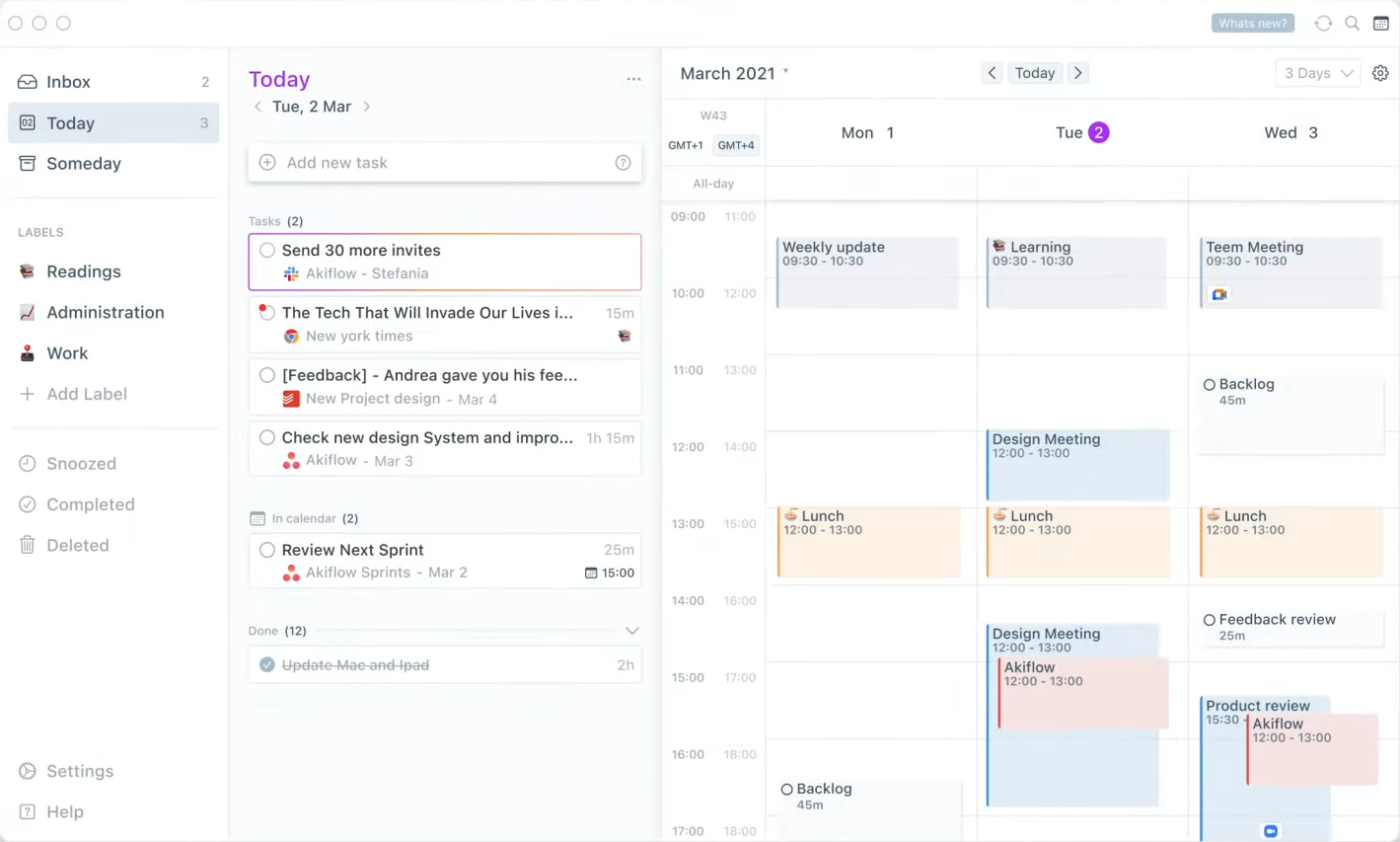
Akiflow 2.0: All Your Tasks and Calendars Into One App

βš–οΈ Our Verdict

Akiflow is an amazing app that should be used by everyone that struggles with multiple tasks. It helps you to organize your daily workload and be efficient. It saves you time because you can find all of your tasks in one place. With Akiflow, keeping yourself organized will not be a burden to your time. With all the organizing apps that are around today, it would be confusing to use several of them. Akiflow eliminates this problem by creating a single source of truth.

A good workday requires an organized schedule. With this app, it serves as both a task manager and a calendar so it will make you more productive throughout the day. Also, you would not miss a single thing on your to-do list because it shows you what to do at a specific time. No more reasons for missing a task!Β 

With all of the features that come with this app, it is easy to use, affordable, and an essential tool for your productivity!

πŸ‘ ProsπŸ‘Ž Cons
πŸ‘ Wide integrations
πŸ‘ Great user interface
πŸ‘ Good features
πŸ‘ Compatible on Windows and MacOS
πŸ‘ Good security
πŸ‘Ž Paid applicationΒ 
πŸ‘Ž Limited free features
πŸ‘Ž Relies on computer storage
πŸ‘Ž 14-day free trial only

🌟 About Akiflow 2.0

Akiflow is a productivity app that offers features of both tasks and calendars. It also has multiple integrations and can capture tasks from multiple sources. This app is a personal task manager plus calendars app that can help you become productive and always organized.

Akiflow was built focusing on speeding up the fundamentals of productivity. It makes keeping your schedule under control ten times faster! Akiflow also prevents the most common mistakes that affect productivity, including cognitive overload, distractions, overscheduling, and context switching. 

This app gives you a centralized task manager that guides you throughout the day through notifications. With the integrations, every task that you will do is only one shortcut away.

🎁 What’s In It For You?

Akiflow keeps your mind clear and never misses a thing by allowing you to capture anything, anywhere. It centralizes your tasks for you. It has multiple integrations that can help you organize your tasks and work faster. These integrations include Gmail, Google Calendar, Slack, Google Meet, Zoom, Todoist, etc…

It also allows you to sort things in seconds by using keyboard shortcuts. You do not need to switch apps because Akiflow is a Tasks and Calendars app in one, so everything is in sync. Akiflow lets you know what to do next due to the Tray notifications feature. It shows your tasks for the day.Β 

Other features that are built to make you faster include instant sharing of availability,  customizable recurrent tasks, Priority management, and time locking to let others know that you are busy. Features that can improve your workflow include timezones, customizable labels, and smart notifications to show you what you need at the right time.

πŸ–₯️ How Does It Work?

  1. Your tasks and calendar are shown on one screen.
  1. Tasks are automatically collected through different integrations.
  1. You can create a task directly from a clipboard.
  1. You can turn emails into tasks by clicking on the star button on the email.
  1. You can assign tasks to the calendar by using shortcuts plus the command bar.
  1. Share your availability in seconds by clicking the button and highlighting the day and time on the calendar. You can email your availability by pasting it on the mail body. 
  1. With the extension on your web browser, you can see your day at a glance and click the task to proceed. Also, smart notifications pop up so you will never miss any task.

πŸ’² Pricing Plans & Support

Akiflow makes it 10x faster to keep your schedule in control and it comes with very simple pricing!

πŸ’Ž Free- $0/Month

This deal is free with all the basic features!

〰️ 4 integrations

γ€° ️1 calendar

πŸ’Ž Premium – $15/Month

This deal that come with all of the features is only $15 per month

〰️ Unlimited integrations

γ€° Unlimited calendars

〰️ Share availability feature

〰️ Timezones feature

πŸ“ The Competition

πŸ‘ ProsπŸ‘Ž Cons
πŸ‘ Collaboration
Β πŸ‘ Many features
πŸ‘ Applies gamificationΒ 
πŸ‘ Calendar features and reminders
πŸ‘ Easy and useful to use
πŸ‘Ž Lack of functions for recurring tasks
πŸ‘Ž Not the best UIΒ 
πŸ‘Ž Opted in the email notifications when you create an account

Get all your tasks and calendars into one blazingly fast app with Akiflow 2.0!

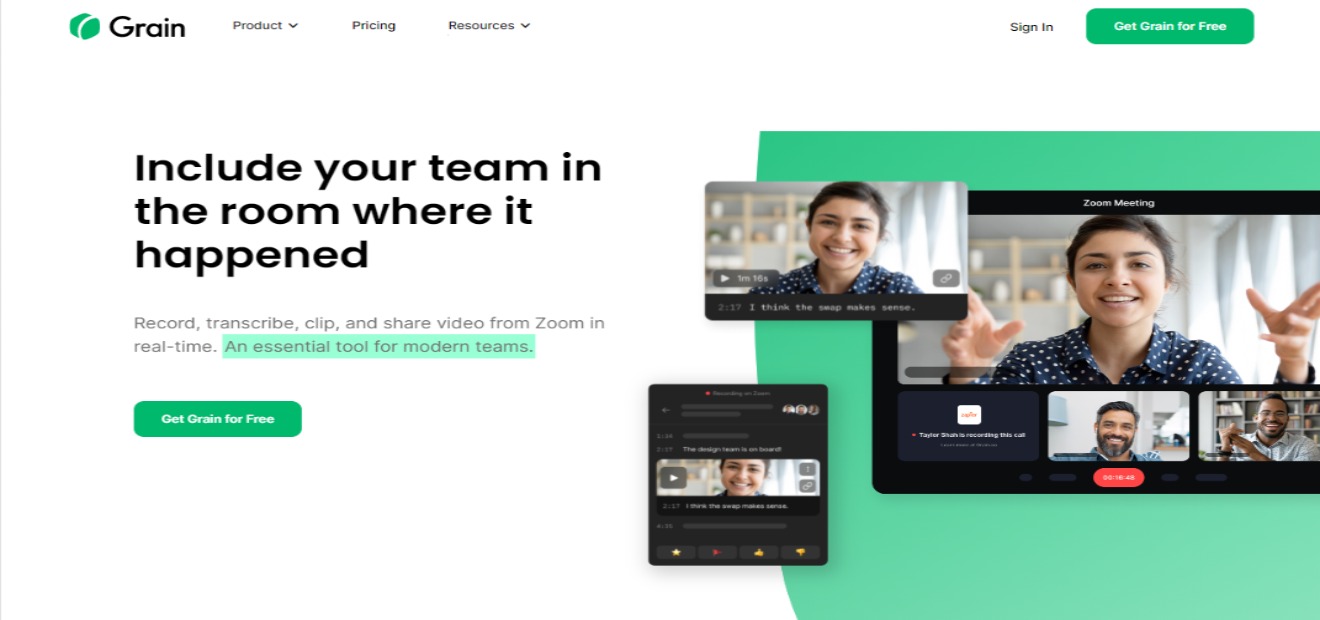
Grain: Clip & share from Zoom in real-time for free

βš–οΈ Our Verdict

Grain should be part of your daily workflow. It records, transcribes, clips, and shares a video from Zoom in real-time! As we all know, conversations can be messy or noisy, but with Grain, you can focus on the information that you want to retain. Watching recordings can never be a pain with this app as you are not obliged to watch the whole session, but rather, only the most essential parts of your meeting!

In this time where Zoom meetings are now a thing, you can now organize unstructured data and not forget a single word from a meeting while using this app. Another interesting feature of Grain is that you can collaborate with other members to keep you all on the same page.

πŸ‘ ProsπŸ‘Ž Cons
πŸ‘ Real-time highlights
πŸ‘ Real-time note taking
πŸ‘ Many integrations and direct zoom integration
πŸ‘ Collaboration features
πŸ‘ Share video clips from zoom calls
πŸ‘ Accurate transcription
πŸ‘Ž Need to sign up and download
πŸ‘Ž Limited features on free trial
πŸ‘Ž Requires updated OS

🌟 About Grain

Grain is an essential tool for modern teams. It allows you to transcribe Zoom meetings, extract highlights, and share them with team members, prospects, and customers to ensure a pleasant experience when they want insights from calls. It is not just a matter of obtaining a transcription. It is all about finding a system that works for you. This application offers just the most significant, impactful, and actionable value from each Zoom call to those that require it.

This app does more than save you time. Because you are simply sharing the highlights of your meetings, your team or clients will watch the snippets rather than struggle through a whole 30-minute-or-more session. 

🎁 What’s In It For You?

Grain lets you record and transcribe Zoom calls. It automatically records the call and processes your Zoom transcription once it is finished. In the desktop app of Grain, you can use the feature of live note-taking to give you and your team a collaborative notepad to take notes that are time stamped. This allows you and your team to be on the same page. 

Grain also goes beyond just selecting a text and highlighting it. Once the transcript is finished, you may select an important passage you want to highlight and Grain automatically creates a video clip of the section you selected. Grain also allows you to share highlights directly from a notepad during meetings. This app helps you to share only vital information!

Grain also has wide integrations that allow you to embed clips in your tools like Slack, Notion, and Asana.

πŸ–₯️ How Does It Work?

  1. Create a Grain account and download the desktop app.
  1. Connect your Zoom account to Grain and press record in Zoom. Grain will import and transcribe your real-time and future recordings automatically. It is private and will only be visible to you.
  1. Name your workspace into something that could be recognizable to you and the people that you will invite later. 
  1. Now you can upload a recording to the workspace.
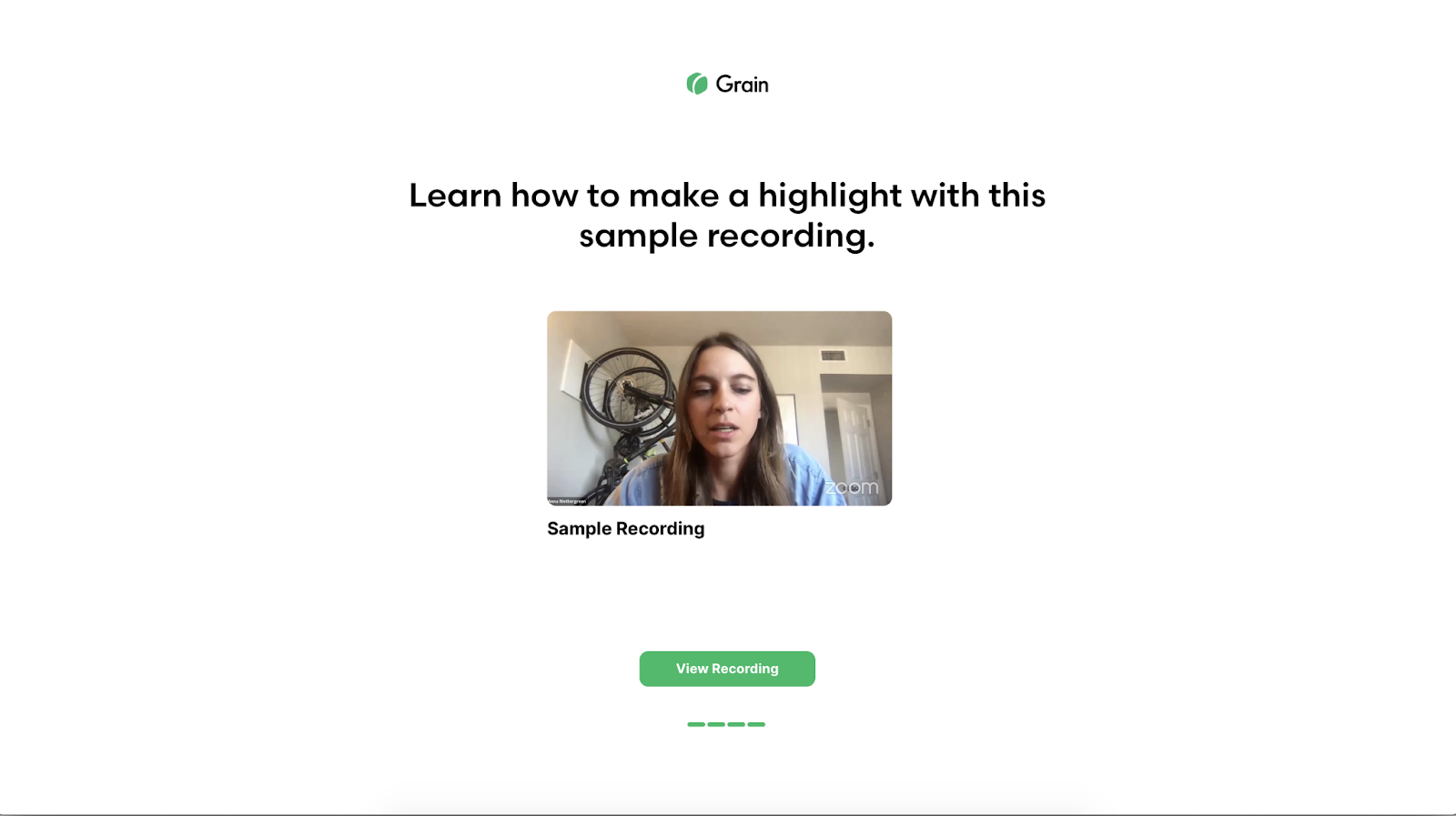
  1. With the recording, you can create your shareable highlight in seconds by selecting the text in the transcript that is related to the portion of the video you want to share.
  1. Share the unique link of the segment you wish to share.
  1. If you want to share the entire recording, you can make it available to every member in your workspace by entering their email.

πŸ’² Pricing Plans & Support

Grain offers simple pricing for everyone!

πŸ’Ž Free – $0/Month

This amazing plan is free!

〰️ 5 transcribed recordings per month

γ€° ️Unlimited workspace teammates

〰️ Up to 100 stored recordings

〰️ Unlimited live notes

〰️ Unlimited cloud import

〰️ Private workspace

πŸ’Ž Pro – $15/Month

This amazing deal is only $15 per month!

〰️ 30 transcribed recordings per month

γ€° ️Unlimited workspace teammates

〰️ Up to 1000 stored recordings

〰️ Unlimited live notes

〰️ Unlimited cloud import

〰️ Private workspace

πŸ’Ž Unlimited – $45/month

This amazing deal is only $45 per month!

〰️ unlimited transcribed recordings per month

γ€° ️Unlimited workspace teammates

〰️ Unlimited stored recordings

〰️ Unlimited live notes

〰️ Unlimited cloud import

〰️ Private workspace

〰️ White-labeled highlights (No watermarks)

πŸ“ The Competition

πŸ‘ ProsπŸ‘Ž Cons
πŸ‘ Live transcription
πŸ‘ Time-stamped notes
πŸ‘ Video upload
πŸ‘ Zoom integration
πŸ‘Ž Limited features on free account
πŸ‘Ž 30 recordings per month
πŸ‘Ž Limited integrations
πŸ‘Ž Some transcriptions are not accurate

Clip & share from Zoom in real-time for free with Grain.co!

Rize: An intelligent time tracker that makes you more productive

βš–οΈ Our Verdict

Existing time trackers are mostly concerned with categorizing the time you’ve tracked, and others aren’t even automatic. With Rize, it takes a step further to use the data and help you work smarter and efficiently. Nowadays, we are faced with the consequence of burnout and inefficiency. But with Rize, you can manage your time and prevent yourself from overworking.

Rize offers an in-depth analysis of what you are doing during working hours. In that way, you can utilize your time wisely and change your messy habits into more productive ones. Amazing features come with this app and can further develop your working habits. It even has a timer so you don’t have to switch between an app that can provide the same service to you. 

Rize is designed for people who value their time and want to increase their overall productivity. With Rize, you will be able to know how you spend your time, improve your focus, and build better habits all for a very affordable price!

πŸ‘ ProsπŸ‘Ž Cons
πŸ‘ Good user interface
πŸ‘ Clear and centralized overview
πŸ‘ Precise time tracking
πŸ‘ Can work on multiple devices
πŸ‘ Customizable
πŸ‘ Can work even offline
πŸ‘ Google calendar integration
πŸ‘ Good security
πŸ‘Ž Paid application
πŸ‘Ž 14-day free trial only
πŸ‘Ž MacOS only
πŸ‘Ž Connects to other services without consent

🌟 About Rize

Rize is an intelligent time tracker tool that helps you strengthen your work habits. It encourages you to be more concentrated and productive, allowing you to have more control over your workday, thus forming better habits. This app is built on Cal Newport’s philosophy on productivity, regarding the value of deep work being valuable and rare nowadays. In order to cultivate deep work, we need to understand how our habits impact the time we spend on our tasks. 

Rize keeps track and categorizes all of the work activities in real-time. Understand how you spend your time, how to recover focused time, and how to make the most of your breaks and meetings. 

🎁 What’s In It For You?

Rize allows you to create custom categories that help you gather better insights as to how your time is spent. It automatically notifies you when to take a break based on your activity without the need for Pomodoro timers. Rize also shows you what apps or websites interrupt you the most when you are working. 

This app has a google calendar integration that allows you to create better categorization rules around your meetings. You can also tag blocks of time with project tags in order to segment how you spend your time. After a day’s work, you will receive a daily email report of your time breakdown and productivity metrics. Rize calculates a daily score for you based on in-depth, customizable metrics, allowing you to quantify and monitor your focus.

Rize also notifies you once you have worked for a specific number of hours in a day to prevent burnout. You can set a schedule as to when to start and stop tracking your work activity. Rize automatically categorizes your meetings based on specific keywords. Lastly, it shows you a report on the project that you have been working on.

πŸ–₯️ How Does It Work?

  1. Open the dashboard. You can see the timeline on the top.
  1. The break timer makes sure you are taking enough breaks. You can customize the break timer. It shows the break-to-work ratio and the notification settings. Rize can detect that you are taking a break if you are idle. 
  1. The activity section shows you a real-time feed of your tracked time.
  1. Workblocks section shows sessions of time when Rize detects that you are focused on a specific type of work. You can also see the details including the interruptions on your work, focus time, and context switching. Rize automatically categorizes your work, but you can edit it to specifics.
  1. You can assign session time to projects and it will automatically show below.
  1. Click the project to show analytics.
  1. The top right section shows you how much time you worked for the day and notifies you when you reached 100%. The tme breakdown also shows 3 main areas.
  1. The category breakdown shows all of the time split between categories. You can specifically click on one category to view it on the timeline.

πŸ’² Pricing Plans & Support

Rize is a paid app that offers simple pricing to their product!

πŸ’Ž Annual Billing – $9.99/Month

This amazing deal for Rize is only $9.99 per month!

〰️ Customizable categories

γ€° ️Smart break notifications

〰️ Interrupters and Context-Switching

〰️ Google Calendar Integration

〰️ Project Tagging

〰️ Daily Email Report

〰️ Work Hours Notification

〰️ Automated Tracking Hours

〰️ Meeting Categorization

〰️ Project Analysis

πŸ’Ž Monthly Billing – $14.99/Month

This amazing deal for Rize is only $14.99 per month!

〰️ All of the features in Annual Billing

πŸ“ The Competition

πŸ‘ ProsπŸ‘Ž Cons
πŸ‘ Free app
πŸ‘ Good features 
πŸ‘ Easy to use
πŸ‘ Shows reports
πŸ‘Ž Miscalculated time
πŸ‘Ž Difficult to edit time
πŸ‘Ž Bugs and crashes

Be more productive with Rize!

mmm.page: Dead simple, drag and drop personal websites

βš–οΈ Our Verdict

mmm.page is a useful app for expressing your creativity. It can be used in different backgrounds such as in business or academics. You can create a business website that showcases your products or even cheat sheets as reviewers! The use of this app is not limited and you can go beyond the box.

As there are limited personal websites, this app is relevant especially that almost everyone has the experience of designing. This webpage builder is full of personality and randomness but in a great way! 

Mmm.page is really easy and intuitive to use. You can create a personalized website in a matter of minutes. With giphy and youtube integrations, it makes designing more fun than ever! 

πŸ‘ ProsπŸ‘Ž Cons
πŸ‘ Easy and intuitive to use
πŸ‘ Works on every device
πŸ‘ More personalization, not limited
πŸ‘ Good UX/UI
πŸ‘ Has youtube integration
πŸ‘ Free app
πŸ‘Ž Sign up required
πŸ‘Ž Has bugs
πŸ‘Ž Photos cannot be drag and dropped directly to the page
πŸ‘Ž Needs email all the time when logging-in
πŸ‘Ž Limited to three pages per account

🌟 About mmm.page

Mmm.page is an online website builder on a browser that can work on both desktops and mobiles. This app makes it easy to create a collage-like website that is automatically responsive. As there are limited websites that allow you to personally create your own, and almost all of them look increasingly similar, this app is created for the sole purpose of creating your personalized website. More and more people are becoming familiar with graphic design because of apps like Snapchat and Instagram. That is why this app is created to allow you to express your artistic self! 

The motto β€œDead simple, drag and drop personal websites” is direct to the point just like the app itself. Everything you see in the edit mode can be editable. Websites do not have to be so common. Being campy, kitschy, messy, and imperfect is encouraged as it makes the world more interesting. With mmm.page, you can make a website that feels uniquely you even in under five minutes! 

🎁 What’s In It For You?

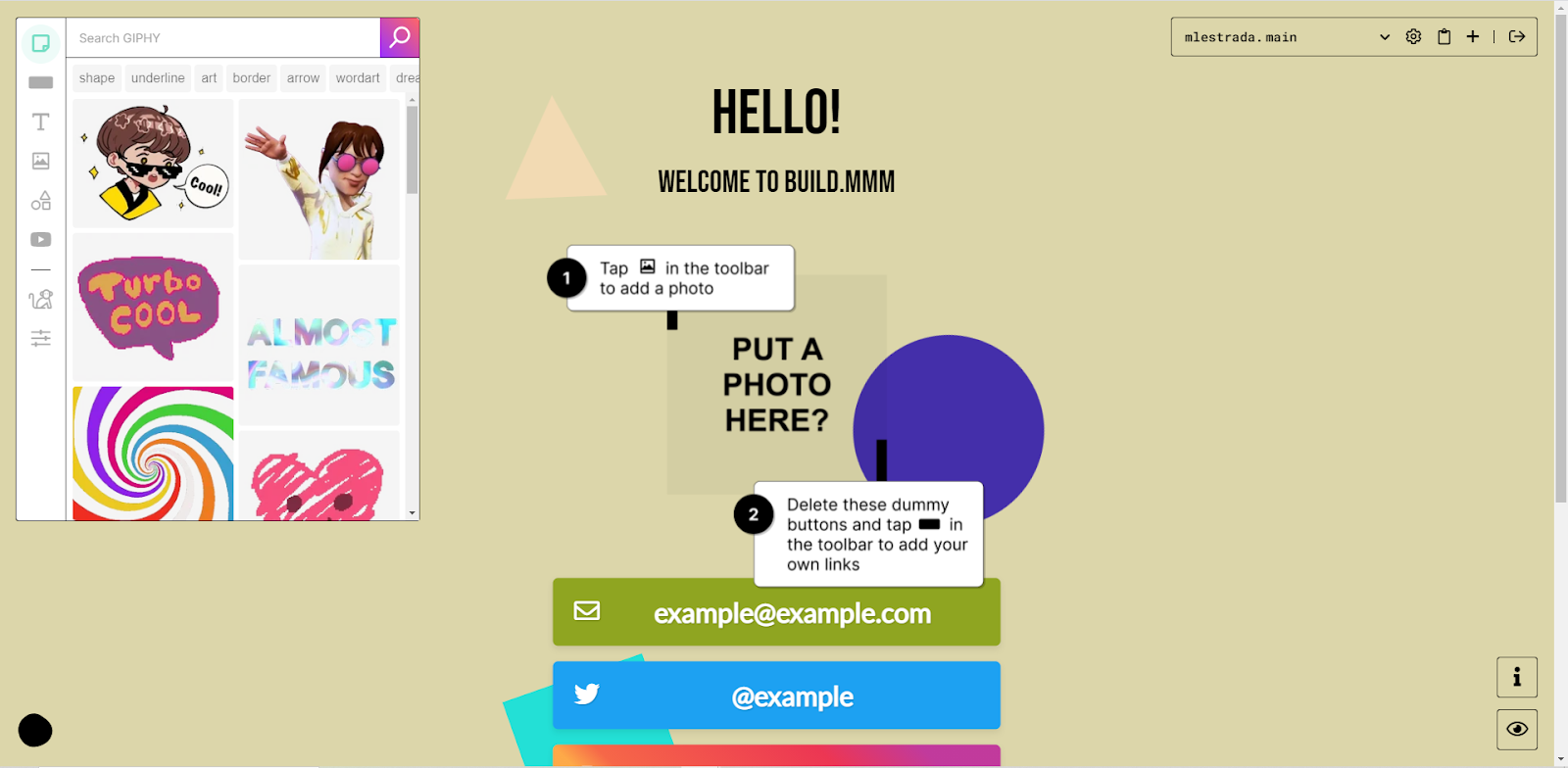
Mmm.page allows you to create your website without any limitations. The drag and drop feature is one of the main attributes of this web app. From the toolbar, you can easily drag and drop stickers that are integrated with giphy, add buttons with corresponding links to where you want to lead your viewers, add extremely customizable texts, add images from your files, add shapes, and add youtube videos that can be played on the website that you created, all just to make your website look amazing. The drag and drop feature does not limit you as it has no grid-locking, just layout alignment guides. Lastly, you can overlap your visuals into a collage-like aesthetic.

If you are out of ideas, mmm.page features a button called chaos monkey where you can generate a randomized design for your page. You can also change the color of your webpage to anything you want. Every page is automatically responsive, and you can create as many as three customized pages. After creating your page, you can customize the URL that will be generated to anything you like. It allows text, images, GIFs, shapes, and YouTube videos to start when viewing the page.

πŸ–₯️ How Does It Work?

  1. Sign up using your email address, no need for a password.
  1. Everything on the screen is editable. You can arrange the graphics according to your desire.
  1. On the left side of the screen is the toolbar. The first button is a giphy integration and you can search whatever gif would you like to be displayed on your page. Drag and drop the elements to the screen.
  1. The second button from the toolbar allows you to input a link on the webpage.
  1. The third button allows you to add text to your page.
  1. The third and fourth buttons allow you to add an image or a shape to the page.
  1. The fifth button lets you embed a youtube video on your page.
  1. The chaos monkey allows you to generate a random design. You can change the color of the page on the last button of the left toolbar. Click publish if you are satisfied with your page, or you may also change the URL. 

πŸ’² Pricing Plans & Support

Mmm.page is an amazing app for creatives and the like. With all of the features that allow you to express yourself freely, this app is unbelievably free!

πŸ“ The Competition

πŸ‘ ProsπŸ‘Ž Cons
πŸ‘ Has templates
πŸ‘ Has drag and drop feature
πŸ‘ Easy to use
πŸ‘ Mobile friendly
πŸ‘ Free custom domain
πŸ‘Ž Need to sign up
πŸ‘Ž Limited features on free account

Create dead simple, drag and drop personal websites with mmm.page

Humit: The social music sharing and discovery app

βš–οΈ Our Verdict

If you love music and adventuring into different songs, this app is definitely for you! The moment you open Humit, it is all love. This app is a wonderful way to share and discover music. Sharing and discovering music is now easier and faster than before. 

This app allows you to share small but substantial parts of your favorite songs. In return, you can discover lots of songs that fall on your music taste. Humit does not use algorithms to recommend songs to you. Rather, it allows you to see other users that share the same interests as you, that is why it is on a more personal level. You can even chat with other users to discuss and recommend songs!

The only requirement for a meaningful experience on this app is a premium Spotify account as developers are still working on support for non-premium Spotify and apple music users.

With everything mentioned, this app is free to download on iOS and google play. To sum things up, Humit is easy, fun, and addictive to use suitable for all the music lovers out there!

πŸ‘ ProsπŸ‘Ž Cons
πŸ‘ Easy to use
πŸ‘ Good user interface
πŸ‘ Practical music sharing app
πŸ‘ Many features
πŸ‘ Free app
πŸ‘Ž Only on iOS and Google Play, no web app
πŸ‘Ž Has bugs
πŸ‘Ž Not useable when Spotify is not on premium
πŸ‘Ž Limited music app integrations so far

🌟 About Humit

Humit is a social networking app made specifically for music sharing and discovery. It is like when Reddit and Spotify had a child! This app is for music lovers as it allows you to flaunt your amazing music taste and also discover music from other people that have the same taste as you. 

This app is a new platform to interact and bond with like-minded music fans from all over the world. It makes music sharing and discovery as fun as vibing with your favorite tunes. The concept of this app plays around letting the users share their favorite part of songs by sound bites or 30-second audio clips. These clips are referred to as β€˜hums’ and can be conveniently accessible to their followers in a feed of fresh music.

🎁 What’s In It For You?

Humit allows you to share and discover songs practically by using a 30-second snippet of the most interesting part of the song or a β€˜hum’ so you don’t need to listen to the whole song. With this, you can save a lot of time and also discover or share more songs! All you need is a Spotify premium account, then you are ready to go!

You don’t have to switch between apps to share music and engage with other people. Humit has integrations and other features that are truly useful and makes this app all in one. It allows you to browse through your feed which includes the stations that you follow, your friends, and songs that are similar to your music taste. 

Humit also lets you experience an enhanced hum creation, personalized station or friend recommendations, and improved support for passive listening. This app also allows you to share stations and profile pages externally. Lastly, you can engage with friends and like-minded listeners through the chat feature of this app!

The future of music is bright with Humit. Music sharing and discovery have never been easier!

πŸ–₯️ How Does It Work?

  1. Discover music and other people with the same taste as you on the feed.
  1. Share snippets of your favorite songs through hums. You may customize the photo or even add a caption.
  1. You can search for specific stations or users to follow.
  1. Use the chat feature to recommend songs and engage with other users.

πŸ’² Pricing Plans & Support

As amazing as it gets, Humit is unbelievably a free app! Music lovers now have a platform to express themselves more without having to spend anything.

πŸ“ The Competition

πŸ‘ ProsπŸ‘Ž Cons
πŸ‘ Free app
πŸ‘ Many integrations
πŸ‘ Clean and simple user interface
πŸ‘ Many features
πŸ‘Ž iOS only
πŸ‘Ž Sign up only available on mobile

Try the latest social music sharing and discovery app with Humit