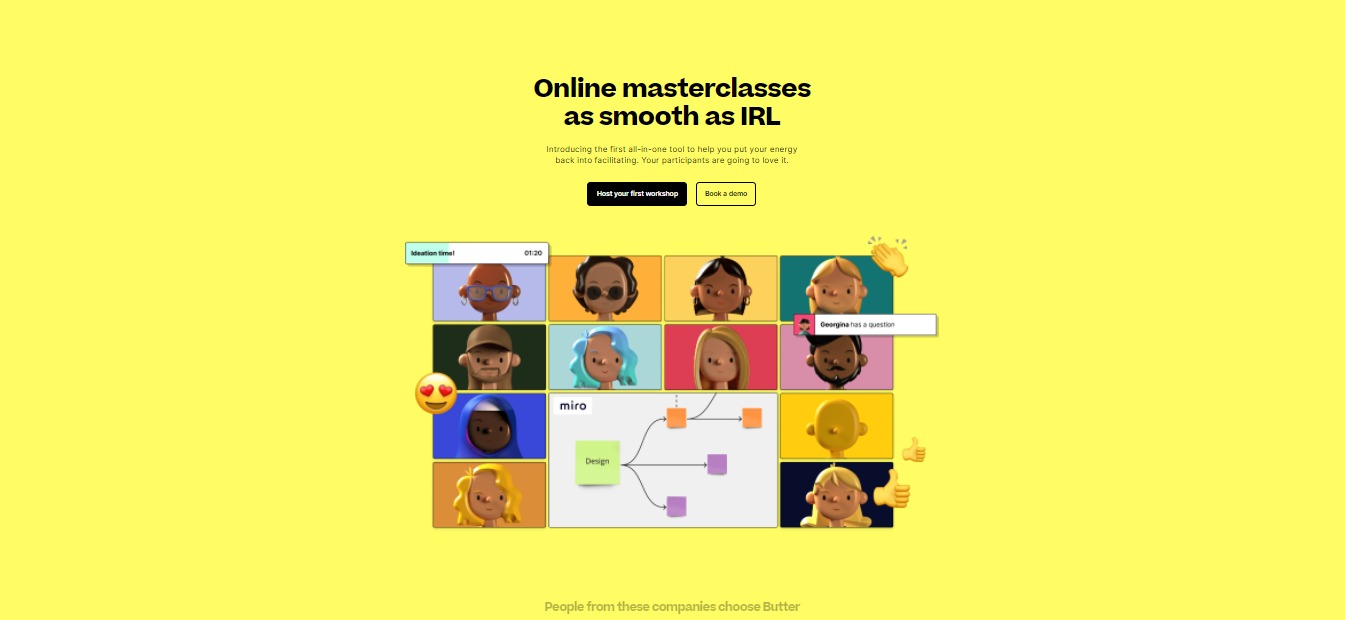
As online sessions are now a thing, Butter would be the best option for the best workshop experience. It provides many features that bring back the joy and energy of the participants in online meetings. One of the values in Butter is that they embrace silliness; this is what makes Butter a unique app.
By using Butter, you and your team will never be tired and bored when meeting online. The reactions, music, integrations, and other features of Butter are gonna make you want to use this app over and over again!
Even with the multiple features of Butter, you might think that this app will be too technical and hard to use. But surprisingly, Butter is super easy and intuitive to use. Plus it is a free app!
👍 Pros
👎 Cons
👍 Fun and easy to use 👍 More interactive features 👍 Free app 👍 Good visuals 👍 Great UI 👍 No installation needed
👎 Inappropriate for formal meetings 👎 No recording of sessions 👎 Supports only 20 participants with video, 100 participants in total during a session. 👎 Need to sign up to host a meeting
Butter is a powerful and delightful platform for workshops and training online. This app is a tool built specifically for hosting online sessions that are engaging and interactive as smoothly as possible. Butter focuses on giving the facilitators all the tools they need in one space to provide the best workshop experience for everyone.
Butter is created because online workshops seemed to be off and did not feel as valuable as they used to be. With this app, online workshops are made to be as interactive and engaging as possible. Now you can have online sessions that can elevate the team’s energy and focus on what truly matters!
🎁 What’s In It For You?
Butter allows you to stay on task with the timeboxed agenda and minimize awkwardness because conversations flow better with a queue that you can manage. It allows the users to collaborate more effectively by using the integrations such as Miro, Google Drive, YouTube, and Whiteboard.
Butter allows the participants to be heard by using fun reactions, sounds, and GIF chats! You can also manage breakout groups with little effort with customizable breakout setups, broadcast messaging, and a Peek function. You can also use polls to get answers from your participants and show the results.
Even the waiting room is just as fun! You can customize the waiting room before participants enter, plus it has music! After the session, you can access session recaps with chat logs, notes, and poll results from the dashboard. Butter lets you reuse your room settings and templates. This app also features ultra-secure security and privacy infrastructure and EU-level GDPR compliance.
The best part of Butter is that there is no installation needed. It can run on your browser and up to 100 people can join using the link.
🖥️ How Does It Work?
Create a room by clicking on the create new room button
Customize your room name and picture. You can reuse your settings for recurring sessions.
Customize the waiting room for the participants before they enter the meeting.
You may edit the agenda, timers, and polls beforehand.
Invite participants through the link provided.
Use reactions and soundboard buttons to interact.
Activate the pre-made polls.
Use integrations on the right side buttons of the screen.
💲 Pricing Plans & Support
With one-of-a-kind facilitator tools, Butter will melt your mind as it is a free app. You can now turn boring workshops into a memorable experience without having to spend money!
📍 The Competition
👍 Pros
👎 Cons
👍 Phone system integration 👍 Easy to use 👍 Multiple features 👍 Good security 👍 Free account
👎 Attendees are limited 👎 Few integrations 👎 Sometimes lagging 👎 Cannot share file while meeting
FigJam is very essential to your collaboration purposes. It has amazing features that make designing and creating ideas easy for everyone. This app is thoughtfully designed for brainstorms, journey mapping, research, and more!
You can collaborate in real-time with your team and communicate with them without the need to use another app. Your sessions will be more effective and efficient by using FigJam. It is not only easy, but it is also fun to use!
With FigJam, collaborating has never been easier and more fun! This app is a must especially that online team sessions are now a thing.
👍 Pros
👎 Cons
👍 Playful and easy to use 👍 Real-time collaboration feature 👍 Good templates 👍 Good support team 👍 Useful design features 👍 Free account is not limited
👎 Has bugs 👎 Does not allow guest collaborators 👎 Some fonts are not supported
FigJam is an online whiteboard browser that is created especially for teams to collaborate, brainstorm, map out flows, and explore ideas together. All of these activities need a dedicated space. FigJam allows this to happen by giving the users a platform to collaborate freely and smoothly.
This app is well designed, fun to use, and made for designers and their teams. It is easy to learn and use for anyone, not just designers. FigJam allows users to have fun and bring out the playfulness in them to fully express themselves.
🎁 What’s In It For You?
FigJam lets you express your ideas through sticky notes. You can sketch ideas and connect the dots by using markers, shapes, and connectors. This app also lets you diagram your ideas by mapping user flows, processes, systems, and more. It is easy to learn and intuitive to use, allowing you and your team to keep flowing and jamming.
FigJam also has different features that can help you communicate with your team. You can express how you feel in the moment by using emotes, you can approve ideas by giving stamps, you can say something instantly through the cursor chat, and you own your work through the use of stickers and assets. This app also lets you easily paste in designs from Figma.
You can do research and mood boards through FigJam by collecting, organizing, and synthesizing findings. FigJam also has different templates to help you get started!
🖥️ How Does It Work?
Choose a template or start from scratch.
Create and ideate meaningful designs by using the buttons below the screen.
Use stickies to share your thoughts by pressing ‘S’ or by using the button below. You can create multiple stickies.
Use connectors to link together related stuff. Press shift and C then drag to draw a connector. Double click a connector to add text.
Quickly share thoughts through the cursor chat by pressing ‘/’. Others can see your message as you type.
You can quickly react with disappearing emotes or leave permanent stamps by pressing ‘E’.
Use stickers from the team library button below. You can drag and drop the stickers.
You can copy and paste a design from Figma to quickly gain feedback and edit text.
Add collaborators by clicking the share button in the upper right corner.
💲 Pricing Plans & Support
FigJam offers amazing pricing that is worth the budget!
💎 Starter – Free
Start with the basic features of FigJam for free!
〰️ Unlimited files in drafts
〰 ️Unlimited viewers and commenters
〰️ Unlimited editors on 3 team files
〰️ 1 team project
〰️ 30-day version history
〰️ Unlimited cloud storage
💎 Professional – $12 per editor/Month
Brainstorm, ideate, and diagram together with the professional account for only $12 per month!
〰️ Unlimited projects
〰️ Unlimited version history
〰️ Custom file/user permissions
〰️ Invite-only private projects
〰️ Shareable team libraries
💎 Organization – $45 per editor/month
Brainstorm, ideate, and diagram together with the organization account for only $45 per month!
〰️ Everything in professional
〰️ Org-wide design systems
〰️ Centralized teams
〰️ Private plugins
〰️ Plugin administration
〰️ Shared fonts
〰️ SSO + advanced security
〰️ Design System Analytics
📍 The Competition
👍 Pros
👎 Cons
👍 Great for collaboration 👍 Clean and easy to use 👍 Good interface
👎 Sometimes lagging 👎 Glitches 👎 You can’t add in files, images are only permitted
Wormhole is an amazing app to quickly send your files. It should be used by everyone because of the privacy features of this app. With all the problems surrounding the cloud, Wormhole is the solution to your security.
By using Wormhole, your file-sharing will be quick, very secured and also aesthetically pleasing due to the animations in the app. It requires little effort for both the sender and the recipient because of the straightforward graphical user interface.
The 10GB limit of Wormhole is also generous for an end-to-end encrypted file. Lastly, this file-sharing app is also free so you can get all of its features while not spending anything.
With all of the features that this app provides, it is one of the best options for instant and secure file sharing online.
👍 Pros
👎 Cons
👍 Drag and drop feature 👍 Easy and straightforward to use 👍 Fast upload 👍 End-to-end encryption 👍 Instant file streaming 👍 Free
👎 10GB limit of data transfer 👎 Long shareable link 👎 No history and other details about the link you created 👎 The recipient can share the link with others
🌟 About Wormhole
Wormhole is an online file sharing app that uses end-to-end encryption to your data. The link that you have generated will automatically expire after 24 hours of being uploaded. This app prioritizes speed and security, so you can send your files faster while no one knows anything about your files except you and your receiver.
With end-to-end encryption, service providers in the middle of the sharer and receiver cannot access and read your data. This app prevents your data from falling in the wrong hands. With Wormhole, you are in control of who has access to your files.
Because the number one goal of Wormhole is speed, you should be able to get a share link in less than two seconds even if the file is not yet finished uploading. The best part about this product is that it only requires you the absolute minimum number of clicks!
🎁 What’s In It For You?
Wormhole uses end-to-end encryption so that you have maximum privacy over your files. Privacy is not optional in this app because it is just how it works. You are assured that your data is safe and protected from other people.
This app is quick and easy to use for both the sender and the receiver because of the instant file streaming. While you are still uploading your files, the link is automatically generated and can be sent to the recipient. Instant file streaming means that the recipient can start downloading even before you finish uploading the files.
It lets you experience super-fast P2P transfer over local networks. And lastly, Wormhole stores your end-to-end encrypted files on the servers for 24 hours so that the share link will still work for your recipient even if you close the Wormhole website.
🖥️ How Does It Work?
Open the site and click the ‘select files to send’ button. You may also opt to drag and drop your files into the dashed box.
The files that you have selected will automatically start uploading. During or after uploading the files, you may copy the link and share it with others.
For the recipient, just copy and paste the link to any browser and click download all files.
💲 Pricing Plans & Support
With all the amazing features that come with this app, the good news is that Wormhole is free to use for everyone! You can now transfer files privately without worrying about fees
📍 The Competition
👍 Pros
👎 Cons
👍 Uses end-to-end encryption 👍Available on all operating system platforms 👍 Good file recovery 👍 Easy to use
👎 Limited features on free version 👎 Expensive 👎 Unstable and slow sometimes
Experience simple, fast, and private file sharing with Wormhole.
Canva should be used by anyone that has ideas to share. This app is not just for designers since it is an online platform that makes designing easy for any individual or a team. With Canva, it has never been easier to visualize and create ideas that can amaze your audience.
It can be used by everyone with different backgrounds. From students creating assignments to professionals creating an advertisement for a product, Canva can be a huge help. Canva is designed for anyone who needs to create.
The best thing about this product is that multiple templates can be used to start your design, and it is for free! Designing and creating can now be enjoyable with this app. The new features of Presentations by Canva are a huge help in presenting your ideas since they can captivate the attention of your audience and can create a connection with them, resulting in a more interactive presentation.
Canva is easy to use and recommended for everyone that wants to create graphics.
👍 Pros
👎 Cons
👍 Has multiple templates for every platform 👍 Many resources on stock photos and icons 👍 Easy to use, not technical 👍 Affordable pro subscription 👍 Can import photos outside the app 👍 Can export to any format 👍 Has collaboration feature
👎 Photo adjustment not up to the mark 👎 Limited features on free use 👎 Limited size and setup for the templates
🌟 About Presentations by Canva
Canva is an online design tool that allows users to freely optimize the graphics and templates on the app. There are more than 3,000 design templates available to help you start with your presentation. Canva also contains more than 100 million design assets that range from photos to videos, illustrations, audio tracks, and charts.
Aside from the great design, this app also provides a unique presentation experience such as Canva Live for real-time Q&A or just a talking presentation for your audience. This online presentation software can allow you to easily design amazing presentations as well as show different effects that your audience will appreciate.
Here’s a few Canva presentation shortcuts you can use to ace your assessment 😉 pic.twitter.com/JQd6OJYfOS
Presentations by Canva offer a variety of features that does not limit the users to their liking. It allows you to design and collaborate in real-time with your team by sending the link to the presentation. Aside from real-time collaboration, you can also comment on your suggestions in the presentation.
Presentations by Canva gives you access to more than 75 million images, videos, charts, graphics, and animations that would best fit your presentation. This app is accessible and no installation is required. You can pick up where you left off and even switch from different devices.
Aside from the graphics, Canva has interactive presentation tools that can ease the pressure off with the animated Magic Shortcuts that spice up your presentation. You can press ‘C’ to throw confetti, ‘O’ for bubbles, and ‘D’ for a drumroll. For more engagement with the audience, you can use the Live Q&A feature with questions and surveys that the audience can answer.
The best feature of this app is the multiple templates that are free and professionally designed to fit any topic that you are covering. Whether it is a product pitch, keynote, assignment, the templates in Canva got you covered!
🖥️ How Does It Work?
Choose a template or start from scratch.
Change the fonts, colors, and information according to your preference.
Add animations, videos, images, and other graphics.
Share and collaborate with your team by clicking the share button.
Click present to present your presentation.
💲 Pricing Plans & Support
Canva offers simple pricing that is worth your money!
💎 Free – ₱0/Month
Everything you need to start designing for free!
〰️ 250,000+ templates
〰 ️100+ design types (social media posts, presentations, letters and more)
〰️ Thousands of free photos and graphics
〰️ Invite members to your team
〰️ Collaborate and comment in real-time
〰️ 5GB of cloud storage
💎 Pro – ₱649/Month
Have unlimited access to premium tools and content for only ₱649 per month!
〰️ Everything in free
〰️ Create 1 Brand Kit and upload your own fonts and logos
〰️ One-click design Magic Resize
〰️ 420,000+ free templates with new designs daily
〰️ 75+ million premium stock photos, videos, audio and graphics free-to-use
〰 Save designs as templates for your team to use
〰️ 100GB of cloud storage
〰 ️Schedule social media content to 7 platforms
💎 Enterprise – ₱1,490/month
Empower your team, manage your brand, and scale your content for only ₱1,490 per month!
〰️ Everything in pro
〰️ Establish your brand’s visual identity with logos, colors and fonts across multiple Brand Kits
〰️ Control your team’s access to apps, graphics, colors, logos and fonts with brand controls
〰️ Control team uploads into Canva
〰️ Built-in workflows to get approval on your designs
〰️ Set which elements your team can edit, and stay on-brand with template locking
〰️ Unlimited storage
〰️ Single-sign on (SSO)
〰️ 24/7 Enterprise-level support
📍 The Competition
👍 Pros
👎 Cons
👍 High-quality templates 👍 Easy to use 👍 Not restrictive 👍 Embedded graphics in the platform 👍 Has collaboration feature
👎 Graphic shapes are slim, not much variety 👎 Few integrations 👎 No history of presentation
Create Beautiful, Engaging Presentations in Minutes with Canva
Bublup is essential in saving your content. It allows the viewers to organize their folders aesthetically which can boost their motivation in working or just organizing stuff. With every storage app storming the market, this app stands out because of its unique features. You should consider using Bublup to organize your content visually.
Bublup saves time and allows users to navigate through the app effortlessly. The user interface is easy to understand and also functional. People from every background can use this app since it can be for ordinary users to users with professional backgrounds. With the contents that we can find anywhere, from the internet to your local files, Bublup can help you organize your stuff from wherever you can find it.
Bublup is easy to use, has many features, visually pleasing, and very affordable.
👍 Pros
👎 Cons
👍 Very visual 👍 User friendly 👍 Can organize a variety of things 👍 Drag and drop interface 👍 Functional in iOS, Android, and Web browsers
👎 Limited features on free account 👎 Minimum customization on “rolled up” web page 👎 Difficult to optimize every feature
🌟 About Bublup
Bublup is an online storage app that lets you store any kind of content with the help of visuals. It is a “one place” to save everything, including bookmarks, documents, photos/videos, and everything that you can find on the internet and your device.
You can organize anything whether it is an important document or a GIF that you find interesting. You can save content with the same context in the same place, even contents from different sources. The unique feature of this app is the visual organization that offers ease-of-access. It is available on iOS, Android, and most desktop browsers.
Bublup is created specifically for people spending hours doing research, shaping new ideas, and working for the next opportunity. With this app, organized content is in the palm of your hands!
Rebecca from @PaperformCo provided us some Tips for Mastering Time Management over at the Bublup blog. Check it out! https://t.co/2zGrpt5PkU
Bublup allows you to visually organize anything that you want to save. It can help you sort all kinds of content. It has new themes as well as custom branding for professional backgrounds. You can save anything by using the drag and drop feature or just simply tap to organize links, files, and any kind of media together in one folder.
Having difficulty in searching through your contents? With Bublup you can find stuff faster by adding custom titles, descriptions, and images to what you save. It also shows recommendations that are related to the links you view.
Folders that you create are automatically private, however, the things you save are not just limited to you. You can invite people to your folders to collaborate, share, and react. You can even roll your content into one link that is viewable by anyone.
On the free account, you have free 3GB cloud storage for files. You can refer friends and earn up to 15GB, or upgrade into premium and get up to 1TB! Lastly, Bublup is not limited to one device. It is available across different platforms such as iOS, Android, and most desktop browsers!
🖥️ How Does It Work?
Log in to Bublup and you will be redirected to the home screen.
Create a folder by clicking the icon on the lower right corner of the screen.
You can name your folder anything you want.
Click the folder you created and you can now drag and drop contents.
You can click the icon on the lower right corner to add specific types of content.
Choose a file to add to the folder.
Create a roll to showcase your content visually.
The roll screen will pop up and you can customize it according to your preference.
Once satisfied, you can now open your roll and allow people to preview your content.
You can share it with other people by clicking share and copying the link.
💲 Pricing Plans & Support
Bublup offers a variety of membership options that are both simple and affordable.
💎 Standard – Free
Organize your content using the Standard membership of Bublup for free!
〰️ 3GB storage and upload limit
〰️ Unlimited folders
〰️ Save unlimited File types and Sources
〰️ Interactive group folders
〰️ Create unlimited rolls
〰️ Bublup suggestions and trending
💎 Standard PLus – $2.99
Organize your content using the Standard Plus membership of Bublup for only $2.99!
〰️ 100GB storage
〰️ 3GB upload limit
〰️ Unlimited folders
〰️ Save unlimited File types and Sources
〰️ Interactive group folders
〰️ Create unlimited rolls
〰️ Bublup suggestions and trending
💎 Premium – $6.99
Organize your content using the Standard Plus membership of Bublup for only $6.99!
〰️ 100GB storage
〰️ 50GB upload limit
〰️ Unlimited folders
〰️ Save unlimited File types and Sources
〰️ Interactive group folders
〰️ Create unlimited rolls
〰️ Branding
〰️ Additional personalized roll domains
〰️ Roll analytics
〰️ Roll privacy
〰️ Bublup suggestions and trending
〰️ Enhanced searching
💎 Premium Plus – $9.99
Organize your content using the Standard Plus membership of Bublup for only $9.99!
〰️ 1TB storage
〰️ 50GB upload limit
〰️ Unlimited folders
〰️ Save unlimited File types and Sources
〰️ Interactive group folders
〰️ Create unlimited rolls
〰️ Branding
〰️ Additional personalized roll domains
〰️ Roll analytics
〰️ Roll privacy
〰️ Bublup suggestions and trending
〰️ Enhanced searching
📍 The Competition
👍 Pros
👎 Cons
👍 Features box notes to share thoughts 👍 Easy file sharing 👍 Securely saves files
👎 Costly plans 👎 Does not work on all platforms 👎 Minimum customization
Save and Share Any Type of Digital Content in One Place with Bublup
In today’s problem of data breaches and leaks, we need to make sure that our data is well protected. The solution to that problem is BlockSurvey! This app is unique for it focuses on the data privacy and security of the users.
This app is very worth the price especially because you know that you are very well protected from the web. Aside from the security features of BlockSurvey, it is also easy to use and manipulate. It provides complex features such as logical statements that may help you gather more data efficiently.
In conclusion, BlockSurvey is essential to your data gathering. It is easy to use, worth the price, and beneficial to both the data collectors and data providers. With BlockSurvey, you are the only owner of your data!
👍 Pros
👎 Cons
👍 High Security to data 👍 User friendly 👍 Complete branding 👍 200+ templates 👍 Application’s user interface design and options available for users.
👎 Lacks some customization and integrations 👎 Paid application 👎 Log in needed
🌟 About BlockSurvey
BlockSurvey is a platform for online form and survey that gives importance to privacy and security. It is an alternative to SurveyMonkey, Typeform, and Google Forms but focuses on privacy and security. BlockSurvey is powered by the Stacks blockchain that is secured by Bitcoin.
You own your data with BlockSurvey because it is your digital right! The data that you have collected is encrypted using your keys that only you can see. BlockSurvey is built ethically. No email collection, no unethical marketing, no trackers, no cookies, no fingerprints, all clean!
You can view and try the product for free. If you want to publish your survey, just sign up and pay. It is that easy!
Collecting surveys without any security is not an option. Loss of private customer data can be a costly mistake for companies. BlockSurvey offers easy to set up, fully customizable private surveys that you can launch directly from your website. You are in control. #Web3
After the studies and experiments regarding the issues with existing survey tools, BlockSurvey solves these problems with their special survey approach. Using Blockchain technologies, implementing private, secure, and anonymous surveys became possible.
BlockSurvey secures all the data that you collect. You have ownership of your data so you can avoid breaches, leaks, and data mining. For the data collectors, it guarantees that only you can access the end-to-end encryption to your responses. And for the data providers, this app guarantees that all of your data is yours and your identity will not be shared.
With BlockSurvey, you are sharing answers, not your identity. It features end to end encryption, smooth surveying experience, advance analytics, elegant and multiple design themes, and it is simple to build!
With security as the priority of BlockSurvey, the approach of this app could lead to better decisions, making all the users benefit in the process.
🖥️ How Does It Work?
Click the start your trial button to create an account.
Click get your secret key to generate your code.
Click create from scratch to start creating your survey.
Create your welcome screen and input the necessary information.
Choose the question type then add options.
You can add multiple questions.
Create logical statements if you wish to.
Click preview to check your survey.
Click share if you are satisfied with the survey and publish it.
💲 Pricing Plans & Support
BlockSurvey offers amazing features that are worth the price!
💎 Personal – $7/Month for yearly plan, $10/Month for monthly plan
Get the amazing features of BlockSurvey for personal use for only $10 per month. Save 30% if you avail of the yearly plan!
〰️ 100 forms per month
〰 10k responses per month
〰️ 10GB storage
〰️ Access to hundreds of templates
〰️ Custom themes, colors, fonts, branding logo
〰️ Display / Skip logic
〰️ Data exports and analytics
〰 Create widgets
〰 Embed forms
〰 Share as QR code
〰 Share to social media
〰 Calculator for quizzes
〰 Variables and expression
〰 Piping for personalization
〰 Ranking component
〰 Document upload
〰 Webhook integration
〰 Up to 3 collaborative workspaces
〰 1 custom domain
〰 Collect payments – Stripe(Test Mode)
💎 Enterprise – Available for inquiry
Get the amazing features of BlockSurvey for enterprise use. Save 30% if you avail of the yearly plan!
〰️ Everything in personal plan
〰️ Unlimited responses and storage
〰️ Multiple users
〰️ Team workspaces
〰️ Custom templates
〰 Custom domain / on premise hosting
〰️ White labeling
〰 Advanced analytics
〰 Advanced grid features
〰 Dedicated servers /instances
〰 Dedicated support
📍 The Competition
👍 Pros
👎 Cons
👍 Easier to get higher engagements 👍 Easy to set up 👍 Good web interface 👍 Easy way to get team input
👎 Cannot edit poll if accidentally written in the wrong format 👎 No end to end encryption
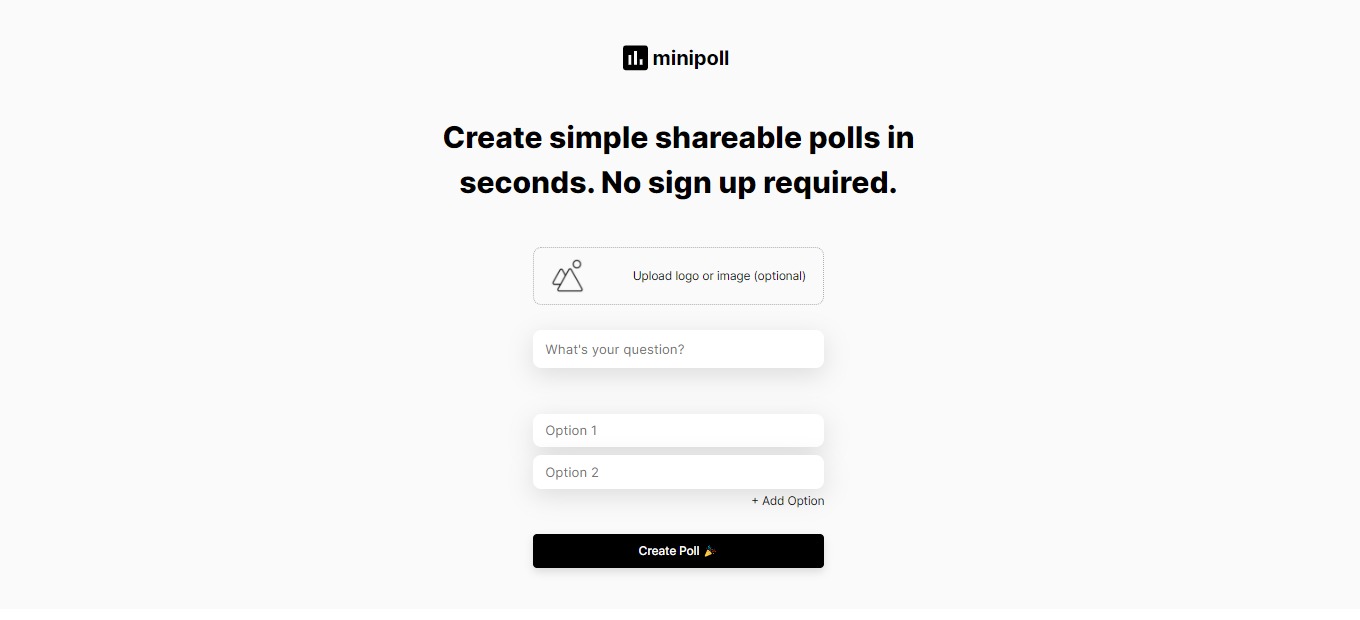
Minipoll is an amazing app that can be used by everyone that wants to gather information from their audience in a matter of seconds. One thing we love about this app is that it is very easy and quick to use. You can create a poll in a matter of seconds and share it with others across different platforms.
The upload logo feature of this app is also amazing and distinct from other poll apps since it can give your poll branding. This app is very efficient to use and can save you tons of time in gathering your audience’s feedback. Especially during this time that we are in a pandemic, Minipoll can be helpful during webinars and inquiries to connect with other people.
The user interface of this web app is pleasing to the creator of the poll and the audience. It will give them the motivation to finish the poll. The results and statistics are also accessible even to the people that answered the poll!
The only setback of this app is that the options are limited to five in the free access. However, you can upgrade to the Minipoll+ to avail of other options that are worth every penny!
Overall, Minipoll is efficient to use and is one of the best options if you want to create a poll for your audience.
👍 Pros
👎 Cons
👍 Free web app 👍 Simple and easy to understand user interface 👍 Real time updates 👍 Shareable in all platforms 👍 No sign up required 👍 Shows statistics 👍 Poll branding 👍 Accessible on mobile
👎 No dashboard feature in free mode 👎 Only 5 options available on free access 👎 Need to avail the Minipoll + to access all the features
🌟 About Minipoll
Minipoll is a web app that allows you to create and share a poll on different platforms easily. It lets the user poll the audience in a simple and quick way even in multiple channels. Minipoll provides a way to engage with the audience and gather information in seconds without having to sign up for an account!
🎁 What’s In It For You?
Minipoll lets you save time by allowing you to create simple and shareable polls quickly. No need to sign up to create a poll. The polls can be accessible to anyone through the use of a web browser, it is even accessible on a mobile browser. Just create your poll and share it with group chats, Twitter, Snapchat, messaging apps, and other existing platforms available to you and your audience. Here is the sample of how Minipoll works https://Minipoll.co/p/sQQ1F.
Minipoll even shows the statistics from the results that you have collected. You can gather data in real-time. It is easy to use for both the creator and the audience since it has a straightforward graphical user interface. You can put your logo in the poll for branding and customization. If you wish to avail of the Minipoll+, you can have access to other features like unlimited options, vanity URL, analytics, and all your polls can be saved in one dashboard.
🖥️ How Does It Work?
Input your question and add the options (up to 5 options available on free access).
You can brand your poll with your custom logo by clicking the upload logo or image.
After inputting the question, options, and logo (optional), you can now create a poll by clicking the create poll.
View the results by refreshing the link of the poll you created.
💲 Pricing Plans & Support
Minipoll is a free web app, but if you want to avail yourself of additional features, you may opt to upgrade to Minipoll+.
💎 Minipoll + – $10/Month
Do more with Minipoll+ and avail other features for just $10 per month!
〰️ Unlimited options
〰 ️Vanity URL
〰️ Analytics
〰️ All your polls saved in one dashboard
📍 The Competition
👍 Pros
👎 Cons
👍 Free app 👍 Well designed 👍 No sign up required
👎 Less customization for branding 👎 Limited types of categories. 👎 No multiple selection.
Create simple shareable polls in seconds with Minipoll!
Most note-taking apps have limited features that help you organize your knowledge. Even if you created your valuable notes, sometimes it gets out of hand and becomes useless because your notes are not organized. All of your efforts will go to waste if that instance happens all the time.
With Hypernotes, all of your notes and ideas are secured through a link of knowledge. It is easy to use, from students to large corporations. This tool will be practical and essential for you. It is accessible and plays utmost importance in your note-taking!
👍 Pros
👎 Cons
👍 Bi-directional linking 👍 Outlining 👍 Super-powered collaboration features 👍 Mobile apps on all platforms and offline access 👍 Free plans available 👍 Available on App Store and Google Play
👎 Need to sign up 👎 Free account has limited features
🌟 About Hypernotes
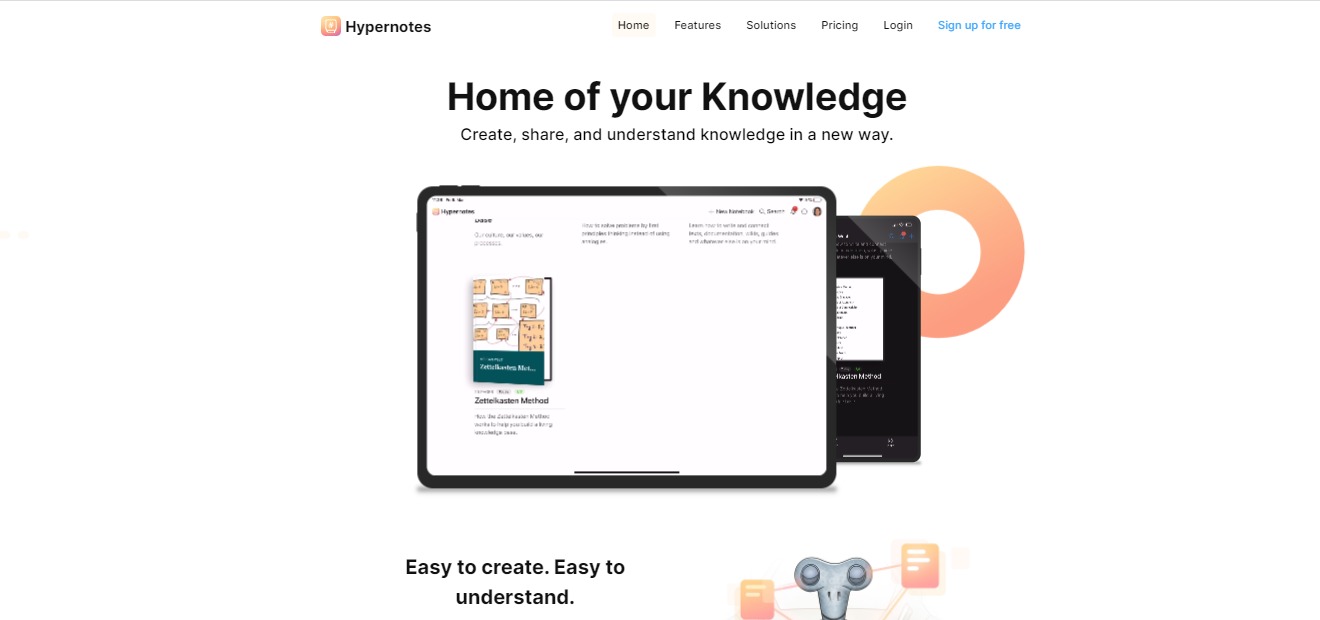
Hypernotes is a note-taking app that features the connection of knowledge. The app removes the limitations on pre-defined hierarchies and folders that some knowledge base apps have. It makes your notes more organized, actually useful, and easy to understand. The app prevents valuable knowledge from going to waste by creating a web of notes through links.
In Hypernotes, the notes are originally linked to one another, so every note that you have made will be more accessible to you even if you have numerous of them. Hypernotes creates a knowledge base. The more you write, the more links you create, resulting in extensive knowledge.
To generalize your ideas, Hypernotes features a knowledge graph that shows all the connections of your notes, giving you a better grasp of what you created. Hypernotes also have great collaboration features like in-line task creation, task assignments, due dates, and notebook level overviews making this app suitable for groups too.
These are some of the gold-standard features of Hypernotes for personal and organizational management:
🔁 Bi-directional linking between related notes
📝 Outlining of large topics into smaller sub-topics,
💡 Automated suggestions to link related but as yet unconnected notes,
📃 Embedding of text blocks to reduce duplicate content,
🔗 Knowledge graph for better discovery,
👯♀️ Extensive collaboration on the task, note, and notebook level,
📱 Mobile apps on all platforms and offline access.
🎁 What’s In It For You?
With Hypernotes you will have fewer interruptions to your natural writing process. It lets you save time from searching your notes. Automatically linked pages avoid the duplication of content. Hypernotes also lessens miscommunication because of its organized structure.
Users of Hypernotes will experience a better transfer of knowledge, better understanding of texts, and better representation of ideas. This app also provides more creativity and more collaboration on resources.
🖥️ How Does It Work?
Make detailed notes
Collaborate
Suggested references make linking thoughts easy
The graph button on the left shows the connected knowledge that you created
You can focus on a key concept by clicking it
💲 Pricing Plans & Support
Hypernotes offers different plans that suit you best. You can avail of the personal account by signing up for free or pay a monthly or annual basis for the other plans that come with additional features.
💎 Personal – Free
Get the amazing features of Hypernotes for personal use for free!
〰 Up to 2 notebooks
〰 Up to 2 members per notebook
〰 600 MB storage for files & attachments
〰 4 weeks of activity history
〰 Up to 3 Zenkit Suite Connections
〰 Multi-level Outlining available
〰 Bi-directional linking available
〰 Tasks and reminders available
💎 Plus – 8 €/Month per user
Get the amazing features of Hypernotes for powerful collaboration for only 8€ a month per user!
〰 Up to 30 notebooks
〰 Up to 30 members per notebook
〰 6 GB storage for files & attachments
〰 Unlimited activity history
〰 30 Zenkit Suite Connections
〰 Multi-level Outlining available
〰 Bi-directional linking available
〰 Tasks and reminders available
〰 Email to Collection (coming soon) available
〰 Theme customization available
〰 Provisioning (SCIM) available
💎 Business – 19 €/Month per user
Get the amazing features of Hypernotes for growing teams for only 19€ a month per user!
〰 Unlimited notebooks
〰 Unlimited members per notebook
〰 60 GB storage for files & attachments
〰 Unlimited activity history
〰 300 Zenkit Suite Connections
〰 Multi-level Outlining available
〰 Bi-directional linking available
〰 Tasks and reminders available
〰 Email to Collection (coming soon) available
〰 Theme customization available
〰 Provisioning (SCIM) available
〰 SSO (SAML) available
〰 Activity auditing available
〰 Central user management available
〰 Additional payment options available
💎 Enterprise – Available for inquiry
Get the amazing features of Hypernotes for enterprise-wide collaboration!
〰 Unlimited notebooks
〰 Unlimited members per notebook
〰 Unlimited storage for files & attachments
〰 Unlimited activity history
〰 3000 Zenkit Suite Connections
〰 Multi-level Outlining available
〰 Bi-directional linking available
〰 Tasks and reminders available
〰 Email to Collection (coming soon) available
〰 Theme customization available
〰 Provisioning (SCIM) available
〰 SSO (SAML) available
〰 Activity auditing available
〰 Central user management available
〰 Additional payment options available
〰 Advancement identification management available
〰 Custom API limits available
📍 The Competition
👍 Pros
👎 Cons
👍 Perfect balance of tools 👍 Good editing interface 👍 Clean, unobtrusive and customisable UX 👍 Lightweight Kanban and Airtable-like tables are huge 👍 User friendly and simple to use
👎 COST: Highly prohibitive free tier 👎 No way to organize random snippets 👎 No browser extension, no handwriting support
Create, share and understand knowledge with Hypernotes!
Related read: Hypernotes maps how ideas link into a knowledge graph. For a simpler offline notebook that stores developer notes as portable Markdown, Boostnote is worth a look.
Hypernotes FAQ
What does Hypernotes software do?
Hypernotes is a note-taking and knowledge-base app built around links instead of folders. You write, it suggests connections to things you have already written, and a knowledge graph shows how the pieces sit together. The practical effect is that a note from months ago surfaces when it becomes relevant, rather than waiting in a folder you have forgotten about. It comes from Zenkit and shares an account with the rest of the Zenkit suite.
Is there a free version of Hypernotes?
Yes. The Personal plan costs nothing and covers 2 notebooks, 2 members per notebook, 600 MB of file storage, and 4 weeks of activity history. Bi-directional linking, multi-level outlining, tasks, and reminders are all included at that tier, so the free plan is a working version rather than a demo. Plus is 8 euro per user per month and lifts the limits to 30 notebooks and unlimited history. Business is 19 euro per user per month, and Enterprise pricing is quoted on request.
How is Hypernotes different from Notion or Obsidian?
Obsidian is the closest comparison, since both are built on bi-directional links and a graph view. Obsidian keeps plain files on your own machine and leans on community plugins for anything beyond that, while Hypernotes is hosted and ships collaboration in the core product, with task assignment and due dates at note and notebook level. Notion is the wider workspace, strong on databases and templates, where linking is something you do deliberately. Hypernotes proposes the links for you.
Does Hypernotes work offline, and on which platforms?
Mobile apps ship for every platform with offline access, and the apps are on the App Store and Google Play. Notes written without a connection sync once you are back online. An account is required even on the free plan, because the linking and collaboration features run server side.
If you want a straightforward, beginner-friendly, and optimal affiliate link generator for Telegram and WhatsApp, Deals.Group is the one for you. Even though it cannot be downloaded on iOS, this android application lets you create affiliate links with your own tags on Amazon Global and Flipkart. It works instantly as all links will be updated with your affiliate parameters. First, you paste your link with a message, convert, then share!
We think it would go well with other applications that allow tracking and campaign management, so you can be able to maximize the use of Dals.Group! That’s because Deals.Group only lets you see the clicks on the link and not other features.
We think the best feature of this application is how you can share with integrated shareAPI into available options. You can even set up multiple Telegram channels and accounts, then share it with just one click!
Overall, this Android application is a favourable way to present your deals and offer links! A few tweaks and improvements will make it the best mobile application for affiliate marketers out there who work with Amazon or Flipkart.
👍 Pros
👎 Cons
👍 Create and convert affiliate links with your own affiliate tags 👍 Track links easily from the application 👍 One-Click sharing on multiple telegram channel & groups with API 👍 Automatically add “dl” parameters in Flipkart links
👎 Not available on iOS 👎 Works only on Amazon Global and Flipkart 👎 Very limited campaign management
🌟 About Deals.Group
Working on Amazon Global & Flipkart, this awesome tool was developed to help make sales through affiliate links. This tool is developed with affiliate marketers on Telegram, WhatsApp, and other social media platforms online. These channels are used for sending messages, audio, videos, and other viral content, but with the help of Deals.Group, you can now earn money from them. Just make sure that the social media platform has an API.
The creators of this Android application let you refer products, apps, and other media files through shortened links! They also make sure you can copy someone’s affiliate link in the app and press convert!
Deals.Group is currently working on Amazon Global and Flipkart, and it’s also updating regularly to improve and add features.
It’s most noteworthy feature is its ability to automatically share your link and message to your Telegram group and other social media platforms that contain API!
If you’re currently earning money from social media like WhatsApp, then Deals.Group will make everything more convenient for you. While WhatsApp itself does not allow ads, you can still use affiliate links with the help of affiliate link generators and trackers.
The best part about Deals.Group is that it’s free and easy to use. Simply create and convert Flipkart and Amazon affiliate links into your own. These links are very short and easy to copy. All it takes is literally one click!
The tracking feature is beginner-friendly as you evaluate and convert links with Javascript redirects like Earnkaro.
Once you have generated the links, share it to multiple telegram channels and groups! You can also save logs and messages containing the details.
🖥️ How Does It Work?
Enter message with affiliate links to replace links with your affiliate links
Enter Amazon/Flipkart affiliate tag parameters
Paste message with affiliate links and press convert
Share message with multiple Telegram Groups and Channels
💲 Pricing Plans & Support
Convert and track your Amazon and Flipkart links for free with Deals.Group! That’s right there’s no need to pay when you create and convert affiliate tags to share to Telegram and WhatsApp!
📍 The Competition
👍 Pros
👎 Cons
👍Create and convert to your own links 👍 Analytics/roi tracking 👍 Campaign management 👍 Gamification
👎 Paid application 👎 Web-based only
Generate affiliate links & shorten URL for free with Deals.Group!
Milk Video should be part of every social media marketer’s essential web applications! It combines design, transcription, and branding to make your Zoom recording or webinar shorter yet still full of substance. Your audience will definitely not miss any piece of information from your audio or video as they will be able to see highlights and read captions that are automatically transcribed.
This marketing tool is worth the price for those who do Podcasts, public speaking, webinars, and more. Clipping the best sections may even make them want to watch or hear your entire content!
Overall, it’s an easy-to-use, affordable, and simple application for social media marketing and vlogging.
👍 Pros
👎 Cons
👍 Clip long videos into shareable snippets 👍 Add stylish layouts to your plain video recording 👍 Clip sections you want to highlight
👎 Paid application 👎 7-day free trial only 👎 Limited customization features
🌟 About Milk Video
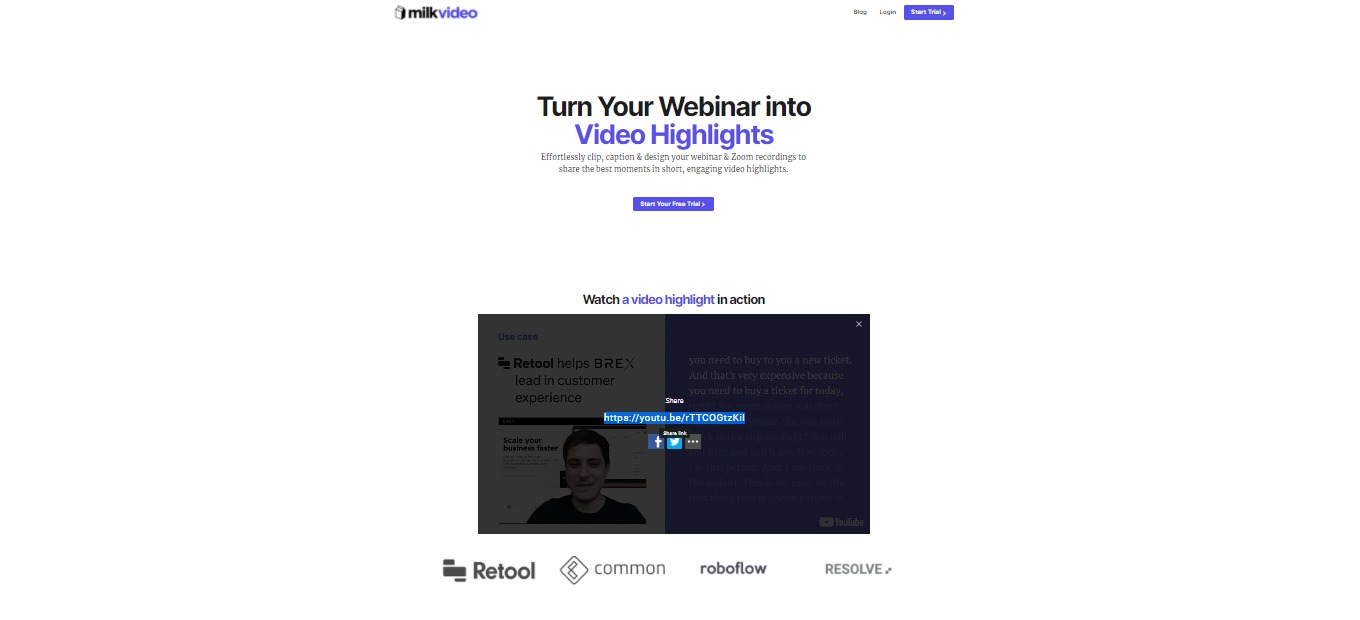
Milk Video is a marketing tool for social media and design that lets you turn webinars and other video recordings into a short video in just minutes. This happens by highlighting the main events or the main parts of the webinar.
The web application was designed as a result of the tiring process of extracting quotes from videos and presenting them in a video that matches their brand. The creators’ background in video and engineering led to the idea of captioning and branding highlight clips!
It’s originally made for B2B marketers to turn their webinar recordings into a 2-minute clip that can be shared on LinkedIn. Now you can make captioned clips of podcasts and more!
Milk Video lets you clip, caption, and design webinars to share the most important parts of the meeting or video recording! It doesn’t matter how long the Webinar or Zoom recording is. If you don’t want anyone to miss out the details, simply extract the important parts and put them together in a few minutes.
Don’t want to lose sight of your branding? Caption your video highlights, add layouts, and spice them up based on your preference. This caption feature is awesome for targeting online audiences who always have their audio turned off when scrolling through their social media.
What we love most about Milk Video is how you can increase the value of your original asset by pulling the many quotable moments without the need to be an expert designer.
🖥️ How Does It Work?
Upload your video.
Your recording is automatically transcribed, but you can edit it to correct typographical errors.
Clip sections you want to highlight.
Add style to your captions, logos, and text description.
💲 Pricing Plans & Support
Milk Video offers a very simple and transparent pricing!
💎 Creator – $29/Month
This awesome deal is only $29 per month!
〰️ 1 Seat
〰 ️Unlimited video uploads
〰️ Create unlimited video clips
〰️ Export unlimited video clips
〰️ Remove watermarks
〰️ Unlimited recordings automatically transcribed per month
〰️ $1 white glove transcription pricing
💎 Team – $79/Month
This awesome deal is only $79 per month
〰️ 10 seats
〰️ Unlimited video uploads
〰️ Create unlimited video clips
〰️ Export unlimited video clips
〰️ Remove watermarks
〰 60 recordings automatically transcribed per month
〰️ $2 white glove transcription pricing
〰 ️Bulk video import
💎 Premium – $299/month
This awesome deal is only $299 per month!
〰️ 1 Seat
〰️ Unlimited video uploads
〰️ Create unlimited video clips
〰️ Export unlimited video clips
〰️ Remove watermarks
〰️ 10 recordings automatically transcribed per month
〰️ $2 white glove transcription pricing
〰️ Dedicated account representative
〰️ Bulk video import
📍 The Competition
👍 Pros
👎 Cons
👍 Automatically generate subtitles or caption from video or audio 👍 Translate in English, French, Spanish, German, and 50+ languages. 👍 Automatically generate timestamps
👎 Less customization for branding 👎 Paid application
Turn webinars into designed video highlights in minutes with Milk Video!
This website uses cookies to ensure you get the best experience on our website. Surfing the website you are authorizing the use of cookies.
Privacy & Cookies Policy
Privacy Overview
This website uses cookies to improve your experience while you navigate through the website. Out of these cookies, the cookies that are categorized as necessary are stored on your browser as they are essential for the working of basic functionalities of the website. We also use third-party cookies that help us analyze and understand how you use this website. These cookies will be stored in your browser only with your consent. You also have the option to opt-out of these cookies. But opting out of some of these cookies may have an effect on your browsing experience.
Necessary cookies are absolutely essential for the website to function properly. This category only includes cookies that ensures basic functionalities and security features of the website. These cookies do not store any personal information.
Any cookies that may not be particularly necessary for the website to function and is used specifically to collect user personal data via analytics, ads, other embedded contents are termed as non-necessary cookies. It is mandatory to procure user consent prior to running these cookies on your website.