ResearchGate: Advancing Scientific Collaboration

🏆 Our Verdict

ResearchGate is a dynamic academic network that has revolutionized the way scientists and researchers collaborate and share information across the globe. Its powerful platform facilitates direct access to a vast database of research, fostering connections between researchers and providing tools for tracking the impact of their work. While both ResearchGate and Academia.edu provide platforms for academic sharing, ResearchGate’s focus on collaboration and research impact metrics makes it particularly valuable for researchers looking to engage deeply with their field and track their work’s influence.

Pros & ❌ Cons

Pros

  • Extensive Research Network: Connects over 15 million researchers providing access to a vast range of publications.
  • Rich Interaction Features: Allows for direct communication, questions, and discussions among peers.
  • Research Impact Tools: Offers metrics and stats to track the impact of publications.
  • Integration with Institutions: Strong collaborations with universities and research institutions.
  • Document Repository: Extensive database of research articles available for reading and citation.

Cons

  • Complex Navigation: The extensive features can make navigation somewhat complex for new users.
  • Limited Private Interaction: Some researchers may find the public nature of discussions less conducive for sensitive topics.
  • Overemphasis on Metrics: The focus on metrics might be intimidating for early-career researchers.
  • Spam Accounts: Occasional spam accounts and irrelevant content postings can clutter the experience.

📖 About

ResearchGate is more than just an academic repository; it’s a collaborative network designed to connect researchers worldwide. By providing tools that facilitate discussion, collaboration, and public sharing of research, it empowers researchers to enhance the visibility and impact of their work.

🗓️ How It Works

  1. Sign Up and Profile Setup: Create an account and set up a detailed profile highlighting your research interests.
  2. Connect and Collaborate: Connect with fellow researchers, join specific research groups, and participate in discussions.
  3. Upload and Share Research: Share your research papers, data, and results. Receive feedback and track how often your work is cited.
  4. Engage with Content: Comment on and discuss research findings with peers from around the world.
  5. Explore Metrics: Access detailed metrics on the reach and impact of your research.

💲 Pricing Overview

ResearchGate is free for researchers, with no subscription fees. The platform is supported by partnering institutions and some advertising.

🥊 Competition

FeatureResearchGateAcademia.edu
FocusResearch collaboration and metricsAcademic social networking
User Base15+ million researchers100+ million users
Special FeaturesDetailed impact metrics, data repositoryDocument sharing, academic profiles
CollaborationHigh interaction through Q&A, groupsLimited to sharing and following
AccessibilityFree with institutional supportFree, with paid premium features

📌 Conclusion

ResearchGate is a must-use platform for researchers intent on making a significant impact in their fields. Its robust networking capabilities and impact measurement tools provide unique benefits that go beyond traditional publication. It’s an essential resource for those looking to expand their academic footprint and foster real-time collaboration.

ResearchGate: Connecting Minds, Advancing Science
ClearSlide: Transforming Sales Engagement

🏆 Our Verdict

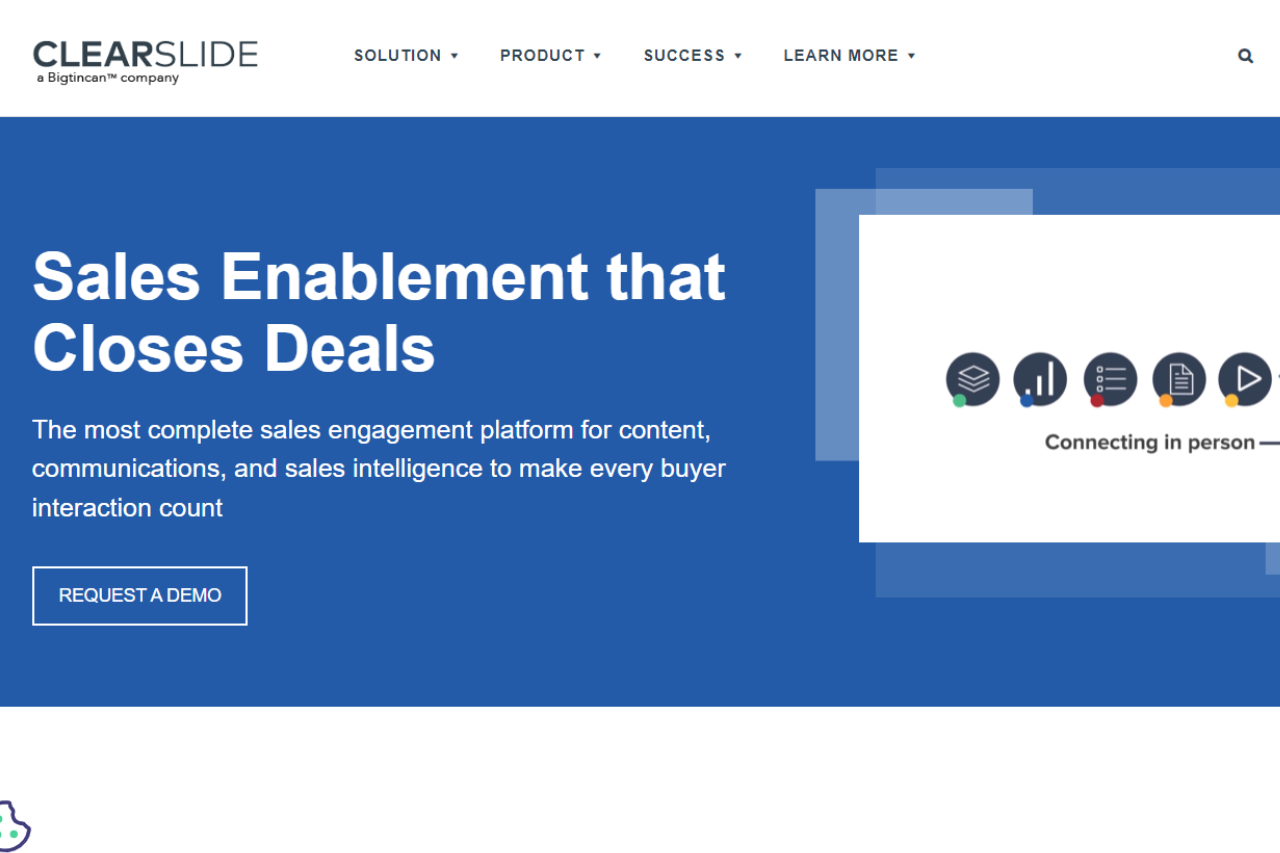
ClearSlide excels as a comprehensive sales engagement platform, designed to enhance communication and presentation with its robust features and user-friendly interface. It is an excellent tool for sales teams looking to improve their engagement strategies and streamline their workflow.

Pros & ❌ Cons

Pros:

  • 📈 Sales Engagement Tools: ClearSlide provides a range of tools for engaging prospects, including live presentations, real-time analytics, and content sharing capabilities.
  • 🎥 Visual Design: The platform offers intuitive visual design tools that make it easy to create professional and engaging presentations and content.
  • 📊 Analytics: ClearSlide’s analytics dashboard offers detailed insights into how your content is performing, helping you refine your sales strategies.
  • 🔗 Integration: It integrates seamlessly with CRM systems and other third-party platforms, enhancing overall workflow efficiency.

Cons:

  • 💲 Pricing: Some users might find ClearSlide’s pricing plans on the higher side compared to competitors, especially for smaller teams or businesses.
  • 🔍 Complexity: The platform’s extensive features may have a steep learning curve for new users, requiring time to fully leverage its capabilities.
  • 🔧 Limited Customization: Customization options for certain features may be limited compared to other sales engagement tools.

📖 About ClearSlide

ClearSlide is a leading sales engagement platform that equips sales teams with the tools to effectively communicate and present to prospects. Its features aim to improve engagement through interactive presentations and detailed analytics.

🗓️ How It Works

  1. Sign Up: Visit the ClearSlide website and sign up for an account.
  2. Choose a Plan: Review the available pricing plans and select one that meets your team’s needs.
  3. Set Up Your Account: Complete the setup by configuring your account settings and integrating with your CRM system.
  4. Create Content: Use ClearSlide’s tools to design and organize your presentations and sales materials.
  5. Engage Prospects: Utilize live presentation features and content sharing to engage with prospects.
  6. Analyze Performance: Monitor engagement and performance metrics through the ClearSlide analytics dashboard to optimize your sales strategies.

💲 Pricing Overview

ClearSlide offers customized pricing plans to cater to various business needs. They do not provide a standard pricing list on their website. Instead, they encourage potential customers to contact their sales team for detailed pricing information tailored to their specific requirements.

To get a personalized quote and learn more about the pricing, you can visit the ClearSlide Pricing Page and request a demo or contact their sales team directly.

🥊 Competition

FeatureClearSlideHighspot
ProsProsPros
Sales engagement toolsSales enablement and engagementAdvanced sales enablement features
Intuitive design toolsContent management and analyticsStrong content management
Detailed analyticsSeamless CRM integrationRobust integration capabilities
CRM integrationEasy-to-use interfaceCustomizable sales playbooks
ConsConsCons
Higher pricingComplex for new usersCan be expensive for smaller teams
Learning curveLimited customizationSteeper learning curve
Limited customization

📌 Conclusion

ClearSlide stands out as a powerful tool for enhancing sales engagement with its advanced features and seamless integration capabilities. Although it may come with a higher price tag and a learning curve, its robust tools and analytics make it a valuable asset for sales teams looking to elevate their performance.

ClearSlide: Elevate Your Sales Engagement Today!

Allego: Transforming Sales Enablement and Learning

🏆 Our Verdict

Allego stands out as a powerful sales enablement and learning platform, designed to enhance team performance through video-based training and collaborative tools.

Pros & ❌ Cons

Pros:

  • 📹 Video-Based Learning: Allego leverages video to provide engaging and interactive training modules that can be accessed anytime, anywhere.
  • 🤝 Collaborative Tools: Features like video coaching and peer feedback foster collaboration and continuous improvement among team members.
  • 📈 Performance Tracking: Allego offers robust analytics and tracking tools to monitor learning progress and sales performance, helping managers identify areas for improvement.
  • 🔗 Integration: Integrates seamlessly with various CRM and LMS platforms, ensuring smooth data flow and enhanced productivity.

Cons:

  • 💵 Pricing: Allego’s pricing may be on the higher side compared to other sales enablement platforms, which might be a consideration for smaller teams or businesses.
  • 🔧 Complexity: The wide range of features and customization options can create a steep learning curve for new users.

📖 About Allego

Allego is dedicated to revolutionizing sales training and enablement with its innovative approach to learning. By combining video content with interactive features, Allego helps sales teams improve their skills and performance in a dynamic and engaging manner.

🗓️ How It Works

  1. Sign Up: Visit the Allego website and sign up for an account.
  2. Choose a Plan: Select a pricing plan that suits your organizational needs and goals.
  3. Set Up Your Account: Configure your account by uploading training materials and integrating with your existing systems.
  4. Create Content: Develop and upload video-based training modules and create interactive learning experiences.
  5. Engage and Train: Use Allego’s tools to deliver training, provide feedback, and facilitate collaboration among team members.
  6. Track Progress: Monitor the performance and engagement of your team through Allego’s analytics and reporting tools.

💲 Pricing Overview

Allego provides various pricing plans tailored to different business sizes and needs. Here’s a general idea of what to expect:

  1. Core Platform Features:
    • Sales Content Management
    • Conversation Intelligence
    • Modern Learning & Coaching
    • Digital Sales Rooms
  2. Pricing Factors:
    • Pricing depends on several factors, including the number of seats purchased and the length of the contract.
    • Non-revenue roles and partner sales roles have lower pricing.
  3. Buyout Program:
    • Allego offers a competitive Buyout Program to facilitate a smooth transition from other providers, even if you’re currently under contract.
  4. Contract Terms:
    • Typical contract length is 3 years, with 2-year and 1-year options available.
  5. Professional Services:
    • Every deployment includes Premium Success Services, covering implementation, key integrations, ongoing engagement, training, enhanced technical support, and new feature deployment assistance.
    • Additional managed services are available for further customization and support.
  6. Deployment Timeline:
    • Most deployments can be launched within 4 weeks with full participation and responsiveness from the project team.

🥊 Competition

AllegoShowpad
ProsPros
– Video-based learning– Comprehensive content management
– Collaborative tools– Rich analytics and insights
– Performance tracking– Engaging user interface
– Integration with CRM/LMS– Strong mobile support
ConsCons
– Higher pricing– May be complex for small teams
– Complexity of features– Pricing can be high for full feature set

📌 Conclusion

Allego emerges as a top choice for businesses looking to elevate their sales training and enablement through innovative, video-based learning and collaboration tools. With its comprehensive features and strong integration capabilities, Allego is well-suited for organizations aiming to improve sales performance and team development.

Allego: Elevate Your Sales Training and Performance

Conversica: Revolutionizing Sales Automation with AI

🏆 Our Verdict

Conversica stands out as a leading solution for sales automation, leveraging AI-driven technology to enhance lead engagement and streamline follow-ups. Its advanced automation capabilities and user-friendly interface make it a strong choice for businesses aiming to improve their sales processes.

Pros & ❌ Cons

Pros:

  • 🤖 AI-Powered Lead Engagement: Conversica uses sophisticated AI to automatically engage with leads, ensuring timely follow-ups and increased conversion rates.
  • 🔄 Automation Efficiency: The platform automates repetitive tasks, allowing sales teams to focus on high-value activities and improving overall productivity.
  • 📈 Advanced Analytics: Provides detailed insights into lead interactions and campaign performance, helping businesses refine their sales strategies.
  • 🔗 CRM Integration: Seamlessly integrates with various CRM systems, enhancing data management and workflow efficiency.

Cons:

  • 💲 Pricing: Conversica’s pricing can be on the higher side, which might be a consideration for smaller businesses or startups.
  • 🧩 Complex Setup: Some users may find the initial setup and configuration complex, requiring a steeper learning curve.
  • 🔧 Limited Customization: Customization options may be limited compared to other sales automation tools, which might affect how well it fits specific business needs.

📖 About Conversica

Conversica is a pioneer in AI-driven sales automation, designed to help businesses increase lead engagement and optimize their sales processes. By automating routine tasks and providing actionable insights, Conversica aims to enhance sales team efficiency and drive higher conversion rates.

🗓️ How It Works

  1. Sign Up: Visit the Conversica website and create an account.
  2. Choose a Plan: Select a pricing plan that aligns with your business needs and scale.
  3. Set Up Integration: Integrate Conversica with your existing CRM and other tools.
  4. Configure AI Assistants: Set up AI-driven sales assistants to engage with leads and manage follow-ups.
  5. Monitor Performance: Use Conversica’s analytics tools to track lead engagement and campaign success, making adjustments as needed.

💲 Pricing Overview

Conversica offers various pricing plans to accommodate different business sizes and needs. Here are some details about their plans:

Free Plan: Not available.

Starter Plan: Designed for small businesses, offering basic AI-driven engagement features.

Professional Plan: Includes advanced features such as detailed analytics and CRM integrations, suitable for growing businesses.

Enterprise Plan: Customized solutions for large organizations with comprehensive features and dedicated support.

Regarding pricing information for Conversica, their website does not provide specific exact pricing details. To get an accurate quote tailored to your business needs, you would need to contact their sales team directly. You can visit their pricing page and request a demo or more information from their team.

🥊 Competition

ConversicaDrift
ProsPros
– AI-powered lead engagement– Advanced live chat and chatbot capabilities
– Automation efficiency– Real-time customer engagement
– Advanced analytics– Robust integration options
– CRM integration– Customizable workflows
ConsCons
– Higher pricing– Pricing may be high for small businesses
– Complex setup– Learning curve for new users
– Limited customization– Limited AI-driven lead management compared to Conversica

📌 Conclusion

Conversica is a top-tier solution for businesses seeking to leverage AI for enhanced sales automation. With its powerful features, including AI-driven lead engagement and detailed analytics, Conversica helps streamline sales processes and improve productivity. Despite its higher pricing and complex setup, it remains a valuable tool for businesses aiming to optimize their sales strategies.

Conversica: Your Partner in AI-Driven Sales Success

Cisco Webex: Your Go-To for Professional Video Conferencing and Collaboration

🏆 Our Verdict

Cisco Webex stands as a powerful, secure platform for professional video conferencing, well-suited for enterprises needing robust collaboration tools.

✅ Pros & ❌ Cons

Pros:

  • High-quality video and audio conferencing.
  • Comprehensive security features.
  • Integrations with various business tools.

Cons:

  • Can be complex for new users.
  • Some features may require additional setup.
  • Higher cost compared to some competitors.

🌐 About Cisco Webex

Cisco Webex is a leading name in enterprise-level video conferencing and collaboration tools, offering a range of services from webinars to team collaboration.

🎯 What’s In It For You?

Webex delivers reliable, high-quality video meetings, collaboration tools, and advanced security, catering to all types of professional communication needs.

🚀 How It Works

Getting Started with Cisco Webex

1️⃣ Visit Cisco Webex’s Website

2️⃣ Sign Up for an Account

  • Click the ‘Sign Up’ button and create your account.

3️⃣ Download the Webex Application

  • After signing up, download the Webex application for your desktop or mobile device.

4️⃣ Set Up Your Profile

  • Customize your profile settings, including your audio and video preferences.

5️⃣ Schedule or Join a Meeting

  • Use the app to schedule a new meeting or join an existing one.

6️⃣ Explore Webex Features

  • Familiarize yourself with features like screen sharing, meeting recording, and virtual backgrounds.

7️⃣ Host or Participate in Meetings

  • Start hosting or participating in meetings to experience Webex’s capabilities.

8️⃣ Utilize Advanced Options

  • Explore advanced features such as Webex Teams for collaboration, or Webex Events for larger audiences.

📌 Helpful Tips

  • Explore Webex integrations to enhance productivity.
  • Utilize training resources for a smoother onboarding process.

💰 Cisco Webex Pricing Overview

Cisco Webex offers various pricing plans:

  1. Webex Free: This plan is free and includes features such as meetings with up to 100 participants, 40-minute meeting duration, unlimited messaging, screen sharing, and local meeting recordings.
  2. Webex Enterprise: Aimed at larger organizations, this plan offers more advanced features. Specific details and pricing are available upon contacting sales.

Both plans provide core functionalities like HD video, audio, and web conferencing. The Enterprise plan includes additional features such as increased attendees, cloud recording, and enhanced security options.

🥊 Competition

Cisco Webex vs Zoom

Cisco Webex Pros:

  • Strong security features.
  • High-quality video and audio.
  • Advanced collaboration tools for enterprises.

Cisco Webex Cons:

  • Can be more complex to set up and use.
  • Sometimes requires software installation.
  • Potentially higher cost for premium features.

Zoom Pros:

  • User-friendly interface.
  • Popular for its ease of joining meetings.
  • Affordable pricing with a generous free tier.

Zoom Cons:

  • Faced security concerns (though many have been addressed).
  • Limited advanced features in the free version.
  • Some reports of video quality issues with large meetings.

Both platforms are strong contenders in video conferencing, with Webex focusing more on enterprise needs and Zoom known for its user-friendliness and broader appeal.

🔚 Conclusion

Cisco Webex offers a comprehensive solution for professional-grade video conferencing and collaboration, ideal for businesses seeking reliable and secure communication tools.

“The most trusted platform for secure, hybrid work.”

Freshdesk: Streamlining Customer Service with Seamless Integration

Our Verdict 💬

Freshdesk excels as a customer service tool, blending advanced functionalities with ease of use. Its diverse features cater to a variety of business needs, making it a versatile choice for enhancing customer service operations.

✅ Pros & ❌ Cons 📊

Pros:

  • Freshdesk’s integration across multiple channels guarantees a uniform customer experience.
  • The platform’s robust automation and AI streamline customer service, enhancing efficiency and satisfaction.

Cons:

  • Access to premium features can be costly, potentially stretching the budgets of smaller companies.
  • Limited customization in basic plans may not suffice for businesses seeking highly personalized solutions.

About Freshdesk 📘

Freshdesk has consistently delivered quality in customer support software since 2010. Its commitment to innovation and user experience has established it as a leader in the field, offering a range of tools for streamlined customer interactions.

What’s In It For You? 🌟

Leveraging Freshdesk can revolutionize the way businesses interact with customers. Its integrated ticketing system, live chat options, and self-service portals offer a comprehensive solution for handling customer queries efficiently.

Getting Started with Freshdesk: A Step-by-Step Guide

To start using Freshdesk, you can follow these general steps:

  1. Visit the Freshdesk Website: Go to Freshdesk’s official website.
  2. Sign Up: Look for a sign-up option, which usually involves entering your company details and creating an account.
  3. Customize Your Account: Once signed up, customize your account by setting up your company profile, adding team members, and configuring settings to match your business needs.
  4. Explore Features: Familiarize yourself with Freshdesk’s features like ticketing, customer support, automation, and reporting.
  5. Set Up Integrations: Integrate Freshdesk with other tools and services you use.
  6. Start Using: Begin using Freshdesk for your customer support needs, creating tickets, responding to customer inquiries, etc.

For detailed instructions and features, it’s best to refer directly to Freshdesk’s website and their user guides or support resources.

Freshdesk Pricing Plans Overview

Freshdesk offers a range of plans tailored to different business needs, focusing on omnichannel customer support:

  • Growth Omnichannel: Ideal for smaller businesses, featuring basic omnichannel support capabilities, bot sessions, and a user-friendly chatbot builder.
  • Pro Omnichannel: Targeted at medium businesses, this plan includes more advanced features like WhatsApp Business, Apple Business chat, enhanced bot sessions, and customer timeline insights.
  • Enterprise Omnichannel: Designed for large enterprises, offering the most comprehensive set of features including high bot session limits, Omniroute for streamlined team management, and sophisticated AI and voice bots.

Additionally, Freshdesk provides valuable add-ons like Freddy Ultimate for AI-driven automation and Field Service Management for efficient appointment and schedule management.

Competition: Freshdesk vs Zendesk ⚖️

Freshdesk:

  • Offers an intuitive and easy-to-navigate interface.
  • Attractive for its cost-effective solutions, especially beneficial for smaller businesses.

Zendesk:

  • Recognized for a wide range of features catering to complex customer service needs.
  • Ideal for businesses looking for scalable solutions and extensive integrations.

Conclusion 🏁

Freshdesk stands out as an exceptional customer support tool, offering a range of features that simplify and enhance customer interactions. Its adaptability to different business sizes and needs makes it a recommended choice for those looking to upgrade their customer service experience.

“Empowering Connections, Simplifying Support – Freshdesk”

Intercom: Revolutionizing Customer Communication

⚖️ Our Verdict on Intercom

Intercom is a trailblazer in the realm of customer communication platforms, offering an innovative blend of live chat, automated messaging, and customer support functionalities. It stands out for its user-friendly interface and robust integration capabilities, making it a top choice for businesses focused on enhancing customer engagement and support.

Pros & Cons

Pros:

  • 💬 Dynamic live chat and automated messaging features.
  • 🤖 Advanced AI-driven customer interaction tools.
  • 🔄 Seamless integrations with various third-party applications.
  • 📊 Detailed analytics and customer insights.
  • 📱 Mobile-friendly interface for on-the-go customer engagement.

Cons:

  • 💵 Higher cost compared to some competitors.
  • 🧩 Can be complex to set up and customize for specific needs.
  • 📚 Steep learning curve for new users.

About Intercom

Intercom is a cutting-edge platform that reshapes how businesses interact with their customers. With a focus on personalized communication, it provides tools for live chat, automated messaging, and customer support, all in an integrated, easy-to-use interface.

What’s In It For You?

Intercom’s key offerings include:

  • 📞 Live Chat: Real-time customer conversations for instant support and sales.
  • 🤖 Automated Messaging: AI-driven messaging for efficient customer engagement.
  • 📈 Customer Support Ticketing: Organized and effective handling of customer inquiries.

Starting with Intercom: A Step-by-Step Guide

  1. Visit the Intercom Website: Go to Intercom’s website and explore the various features and solutions offered.
  2. Choose a Plan: Select the pricing plan that best suits your business needs. Intercom offers different plans tailored for various business sizes and requirements.
  3. Create an Account: Sign up for an account by providing your business information, including your name, email, and company details.
  4. Install Intercom on Your Website: Follow the instructions to embed Intercom’s chat widget on your website. This typically involves copying a code snippet into your website’s HTML.
  5. Configure Your Settings: Set up your messenger by customizing its appearance, creating greeting messages, and setting up automated responses.
  6. Create Teams and Assign Roles: Organize your staff into teams within Intercom, such as support or sales teams, and assign roles and permissions to each team member.
  7. Integrate with Other Tools: Connect Intercom with other tools and platforms you use, like CRM systems, email services, and social media platforms, to streamline your workflow.
  8. Train Your Team: Educate your team on how to use Intercom effectively. Utilize Intercom’s resources, such as guides and tutorials, to help with training.
  9. Launch and Test: Go live with Intercom on your website and test the setup to ensure everything is working correctly.
  10. Monitor and Optimize: Regularly monitor interactions and use the analytics provided by Intercom to make data-driven decisions to optimize your customer communication strategy.

Following these steps will help you efficiently set up and start using Intercom to enhance your business’s customer communication and support.

Intercom Pricing Overview 🌐💲

Intercom offers AI-powered customer service in all its plans, catering to different business sizes and needs:

  1. Essential Plan – $39 per Seat/Month
    • Targeted at individuals, startups, and small businesses.
    • Features: Shared inbox, Fin AI Compose, basic automation, Fin AI Chatbot, public help center, proactive support, ticketing system, unlimited articles.
  2. Advanced Plan (Recommended) – $99 per Seat/Month
    • Ideal for growing support teams needing powerful automation tools and AI features.
    • Additional Features: Fin AI Autofill, tickets portal, side conversations, private and multilingual help centers, team inboxes, Fin AI Summarize, workflows for advanced automation.
  3. Expert Plan – $139 per Seat/Month
    • Designed for large support teams requiring collaboration, security, and reporting tools.
    • Additional Features: Multiple help centers, single sign-on, workload management, real-time dashboard, multibrand messenger.
  4. Proactive Support Plus Upgrade
    • Offers product tours, checklists, surveys, and more for advanced engagement.
    • Pricing: Starts from $499/month.

These plans provide scalable options to accommodate a range of business requirements, from basic customer support to advanced, AI-driven customer engagement solution.

Intercom vs. Zendesk

Intercom’s strengths:

  • 🚀 Innovative approach to customer messaging and engagement.
  • 🧠 AI-enhanced communication tools for better customer interaction.
  • 👥 Focused on creating personalized customer experiences.

Zendesk’s strengths:

  • 🌐 Comprehensive customer support and ticketing system.
  • 📚 Extensive knowledge base and community support.
  • 💻 More traditional approach to customer service and engagement.

Zendesk: Elevating Customer Service with Seamless Integration

Overview 🌐

Zendesk is a leading customer service solution that offers a suite of tools designed to enhance customer support interactions. Known for its user-friendly interface and powerful features, Zendesk streamlines the process of managing customer queries and support tickets across multiple channels.

Key Features 🔑

  • Omnichannel Support: Allows handling of customer interactions across email, chat, social media, and phone from a single platform.
  • Automation and AI: Leverages automation and AI for efficient ticket routing and quick responses.
  • Customizable Interface: Offers a highly customizable platform to match unique business needs and branding.
  • Reporting and Analytics: Provides in-depth insights into customer interactions and support team performance.

Benefits and Use Cases 💡

  • Enhanced Customer Experience: Delivers a seamless and personalized customer experience across various communication channels.
  • Increased Efficiency: Automates routine tasks, freeing up time for more complex customer issues.
  • Scalability: Adapts easily to businesses of all sizes, growing alongside your customer base and support needs.

Getting Started with Zendesk: A Step-by-Step Guide

Step 1: Sign Up for Zendesk 📝

  • Create an Account: Visit the Zendesk website and click on the ‘Free trial’ or ‘Get started’ button.
  • Provide Details: Fill in your business details, including your name, email address, and company information.

Step 2: Choose Your Plan 🏷️

  • Select a Plan: Decide between the various plans offered by Zendesk, such as Essential, Team, Professional, or Enterprise, based on your business needs.
  • Free Trial Option: Many plans offer a free trial period, allowing you to explore Zendesk’s features before committing.

Step 3: Set Up Your Zendesk Environment 🖥️

  • Configure Your Account: Follow the setup wizard to configure your account settings, including company domain and support email.
  • Customize Your Space: Personalize your Zendesk workspace by setting up branding elements like logos and custom domain names.

Step 4: Create Support Channels 📞

  • Add Channels: Set up various support channels (like email, chat, phone, or social media) through which customers can reach you.
  • Integrate Channels: Integrate your existing support channels into Zendesk for centralized management.

Step 5: Build Your Knowledge Base 📚

  • Create Help Articles: Start creating help articles for common queries and issues to empower customers with self-service options.
  • Organize Your Knowledge Base: Categorize and tag articles for easy navigation.

Step 6: Customize Ticket System 🎟️

  • Define Ticket Forms: Create custom ticket forms to gather necessary information from customers.
  • Set Up Automation: Automate ticket routing and responses to improve efficiency.

Step 7: Add Team Members 👥

  • Invite Agents: Add your team members as agents in Zendesk.
  • Assign Roles and Permissions: Set roles and permissions for each team member according to their function.

Step 8: Train Your Team 🚀

  • Familiarize with Zendesk: Ensure your team is familiar with Zendesk’s features and functionalities.
  • Training Resources: Utilize Zendesk’s training materials and resources for effective onboarding.

Step 9: Test and Go Live 🎉

  • Test Your Setup: Perform internal tests to ensure everything is working as expected.
  • Launch: Once satisfied, go live with your Zendesk support center.

Step 10: Regularly Review and Optimize 🔄

  • Monitor Performance: Regularly review performance metrics and customer feedback.
  • Iterate and Improve: Continuously optimize your support processes and knowledge base based on insights and feedback.

Conclusion 🎯

By following these steps, you can effectively set up and start using Zendesk to streamline your customer support operations and enhance customer satisfaction. Zendesk’s flexibility and range of features make it a valuable tool for businesses looking to improve their customer service and support systems.

Zendesk Pricing Overview

Free or Trial Version 🆓

  • Access: Limited features, usually meant for basic use or a short trial period.
  • Best For: Small businesses or individuals wanting to test the platform before purchasing.

Essential Plan 💡

  • Cost: Lower cost with basic features.
  • Includes: Basic customer support features suitable for small businesses or startups.
  • Limitations: Limited customization and advanced features.

Team Plan 🌀

  • Pricing: Mid-range cost, offering a balance of features and value.
  • Features: Additional capabilities like advanced reporting and analytics, integration options.
  • Best For: Growing teams needing more than just the basics.

Professional Plan 🚀

  • Cost: Higher pricing for advanced features.
  • Advanced Features: More comprehensive tools for customer service, including extensive customization and integration capabilities.
  • Suitable For: Established businesses requiring robust customer support solutions.

Enterprise Plan 🏢

  • Custom Pricing: Tailored to large businesses and enterprises.
  • Comprehensive Features: Full suite of advanced tools and features, including dedicated support and customization options.
  • Target Audience: Large enterprises with complex customer support needs.

Zendesk may also offer additional add-ons or specialized plans for specific industries or needs. For the most accurate and comprehensive pricing information, refer to Zendesk’s official pricing page. ​

Zendesk vs. Salesforce Service Cloud: A Comparative Analysis

Pros of Zendesk

User-Friendly Interface 🌟

  • Ease of Use: Known for its intuitive and user-friendly interface, making it accessible to both beginners and experts.
  • Quick Setup: Offers a straightforward setup process, allowing businesses to get up and running rapidly.

Scalability and Versatility 🚀

  • Scalability: Adapts well to the needs of small businesses and scales up to accommodate the requirements of large enterprises.
  • Versatile: Suitable for various industries and can be customized to meet unique business needs.

Omnichannel Support 📱

  • Multi-Channel Handling: Provides seamless support across multiple channels, including email, chat, social media, and phone.
  • Unified Inbox: Offers a unified inbox for agents to manage all customer interactions efficiently.

Cons of Zendesk

Cost Consideration 💲

  • Pricing: Depending on the plan and feature requirements, Zendesk’s pricing can become costly, especially for larger teams.

Advanced Features 🛠️

  • Limited Complexity: While feature-rich, Zendesk may lack some of the advanced customization and automation capabilities required by complex enterprises.

Pros of Salesforce Service Cloud

Comprehensive CRM Integration 🔄

  • Seamless Integration: Deeply integrates with the Salesforce ecosystem, providing a comprehensive customer relationship management (CRM) solution.
  • 360-Degree Customer View: Offers a complete view of customer interactions and history for informed decision-making.

Advanced Customization 🛠️

  • Highly Customizable: Provides extensive customization options to tailor the platform to unique business processes.
  • Automation: Offers robust automation capabilities for complex workflows.

Enterprise-Level Features 🏢

  • Diverse Functionality: Includes a wide range of features, such as AI-powered insights, field service management, and analytics, suitable for large enterprises.

Cons of Salesforce Service Cloud

Learning Curve 🤔

  • Complexity: Due to its extensive feature set, Salesforce Service Cloud may have a steeper learning curve, requiring more training and resources.

Cost and Scalability 💰

  • Cost: Tends to be more expensive than Zendesk, which may be a concern for smaller businesses.
  • Enterprise Focus: While suitable for enterprises, it might be overkill for smaller organizations with simpler support needs.

Choose between Zendesk and Salesforce Service Cloud based on your business needs. Zendesk is user-friendly, ideal for small to medium-sized businesses, while Salesforce Service Cloud offers robust CRM integration and advanced customization for larger enterprises. Consider budget, business size, and automation requirements when deciding.

Conclusion 🎯

Zendesk stands out as an intuitive and robust solution for customer service. Its wide range of features, combined with ease of use and customization options, makes it an ideal choice for businesses looking to improve their customer support operations. Whether you’re a small startup or a large enterprise, Zendesk provides the tools necessary to deliver outstanding customer service.

“Build better customer relationships with Zendesk.”

Microsoft Teams: The Pinnacle of Team Collaboration and Communication

⚖️ Our Verdict

Microsoft Teams is a comprehensive collaboration tool that combines chat, video conferencing, file sharing, and more into a seamless interface. It is especially effective for businesses and organizations seeking a unified communication platform.

👍 Pros

  • Integrated Communication: Combines chat, video calls, and file sharing in one platform.
  • Seamless Integration with Microsoft 365: Works perfectly with other Microsoft applications like Word, Excel, PowerPoint.
  • High-Quality Video Conferencing: Supports large meetings with excellent video and audio quality.
  • Robust Security Features: Offers strong security and compliance capabilities, essential for businesses.
  • Extensive Customization and Automation: Teams can customize their workspace with various apps and bots.

👎 Cons

  • Complexity for New Users: Can be overwhelming for first-time users due to its myriad features.
  • Occasional Performance Issues: Users may experience performance issues during high usage.
  • Limited Free Version: The free version has notable limitations compared to the paid versions.

📜 About Microsoft Teams

Developed by Microsoft, Teams is designed as a hub for teamwork in Office 365, aiming to streamline collaboration in businesses and organizations. It has continually evolved, adding more features and integrations to enhance productivity and communication.

✨ What’s In It For You?

  • Comprehensive Collaboration: Allows for chat, calls, meetings, and collaboration on Office documents within the app.
  • Customizable Workspaces: Teams and channels can be organized according to projects or departments.
  • Advanced Security and Compliance: Meets various compliance standards, providing peace of mind for sensitive data.

🏗️ How to Sign Up for Microsoft Teams

  1. Visit the Microsoft Teams Website: Go to Microsoft Teams.
  1. Choose Your Plan: Click on “Sign up for free” or select a suitable plan.
  2. Create a Microsoft Account: If you don’t have one, create a Microsoft account by providing your email address and creating a password. Follow the on-screen instructions.
  3. Verify Your Email: Check your email and click on the verification link sent by Microsoft.
  4. Complete the Setup: Fill in the required information like name and organization details.
  5. Download and Install the App: For a better experience, download and install the Microsoft Teams app.
  6. Sign In and Start Using Teams: Sign in with your Microsoft account credentials and start using Microsoft Teams.

Note: Additional steps might be required for organizational setups.

Start Collaborating: Chat, share files, and hold meetings within your team.

Integrate With Tools: Add your favorite apps and services to customize your workflow.

💲 Pricing Plans & Support

Microsoft Teams Essentials

  • Pricing: $4.00 per user/month (Annual subscription—auto renews).
  • Features include unlimited group meetings up to 30 hours, 300 participants per meeting, 10 GB of cloud storage per user, phone and web support, unlimited chat, file sharing, tasks, polling, data encryption, live captions in English, Microsoft Whiteboard, collaborative apps, and meeting recordings with transcripts.
  • Standard security measures are included.

Microsoft 365 Business Basic

  • Pricing: $6.00 per user/month (Annual subscription—auto renews).
  • Includes everything in Microsoft Teams Essentials plus live captions in meetings in over 30 languages, expanded cloud storage of 1 TB per user, email hosting with custom domain and business email, and web/mobile versions of Microsoft 365 apps.
  • Access to Microsoft 365 apps and services like Exchange, SharePoint, and more.

Microsoft 365 Business Standard

  • Pricing: $12.50 per user/month (Annual subscription—auto renews).
  • Includes everything in Microsoft 365 Business Basic plus desktop versions of Microsoft 365 apps with premium features, webinar hosting, attendee registration and reporting tools, and customer appointment management.
  • Additional Microsoft 365 apps and services such as Word, Excel, PowerPoint, Publisher (PC only), and Access (PC only) are included.

🏆 The Competition

Zoom (https://zoom.us/) is a major competitor, primarily known for its video conferencing capabilities, but it also offers chat and collaboration features.

📈 Bottom Line

Microsoft Teams is a powerful tool for businesses seeking a comprehensive collaboration platform, though it may present a steep learning curve for new users.

“Chat, Meet, Call, and Collaborate”

Zoom: Your Ultimate Video Conferencing Solution

⚖️ Our Verdict

Zoom is a leading video conferencing tool that caters to both individual and organizational communication needs. It offers a seamless, reliable, and high-quality video calling experience, making it a favorite for professionals, educators, and casual users alike.

👍 Pros

  • High-Quality Video and Audio: Zoom is renowned for its crystal-clear video and audio quality, ensuring effective communication.
  • Ease of Use: Its intuitive interface ensures that users of all tech levels can easily navigate and use the platform.
  • Integration: Zoom integrates with a plethora of third-party applications, enhancing its functionality and user experience.
  • Security: With end-to-end encryption and advanced security protocols, Zoom ensures that your communications remain private and secure.
  • Customizability: Users can personalize their virtual backgrounds, layouts, and other settings to fit their preferences.

👎 Cons

  • Privacy Concerns: There have been concerns about privacy, but Zoom has made significant improvements to address these issues.
  • Limited Free Plan: The free plan has a 40-minute limit on group meetings, prompting users to upgrade for longer meetings.
  • Occasional Technical Glitches: Like any tech, Zoom sometimes experiences glitches, but their support is prompt in resolving issues.

🌌 About Zoom

Zoom has revolutionized the way we connect remotely. Born out of the need for a reliable, user-friendly video conferencing solution, Zoom has become a household name. Its versatility makes it suitable for virtual meetings, webinars, online classes, and casual virtual hangouts.

🎁 What’s In It For You?

Zoom’s user-friendly design, coupled with its reliability, makes it a top choice for remote communication. The platform supports virtual meetings, webinars, and a suite of other features tailored to offer a seamless communication experience.

🛠️ How Does It Work?

  1. Sign Up: Create a Zoom account.
  2. Schedule or Join Meetings: Easily schedule or join meetings with a link.
  3. Customize: Personalize your settings for a tailored meeting experience.
  4. Collaborate: Share screens, annotate, and collaborate in real-time.

💰 Pricing Plans & Support

Zoom offers a free plan and various paid plans, each designed to cater to different user needs, from individual users to large corporations.

📍 The Competition

Microsoft Teams vs Zoom

Microsoft Teams Pros:

  • Integration with Microsoft 365: Seamless integration with other Microsoft applications like Word, Excel, and PowerPoint.
  • Advanced Features: Offers features like file sharing, collaborative editing, and threaded conversations.
  • Security: Known for robust security and compliance features.

Microsoft Teams Cons:

  • Complexity: Can be complex and overwhelming for new users.
  • Performance Issues: Sometimes faces performance issues, especially with large teams.

Zoom Pros:

  • User-Friendly: Known for its easy-to-use interface.
  • Quality: Offers high-quality video and audio.
  • Features: Provides a variety of features like breakout rooms, reactions, and customized backgrounds.

Zoom Cons:

  • Security: Had security issues in the past, although many have been addressed.
  • Time Limit on Free Plan: Group meetings on the free plan have a 40-minute limit.

Comparing Zoom to , Cisco Webex, and Google Meet, Zoom stands out for its user-friendly interface, reliability, and quality of video and audio.