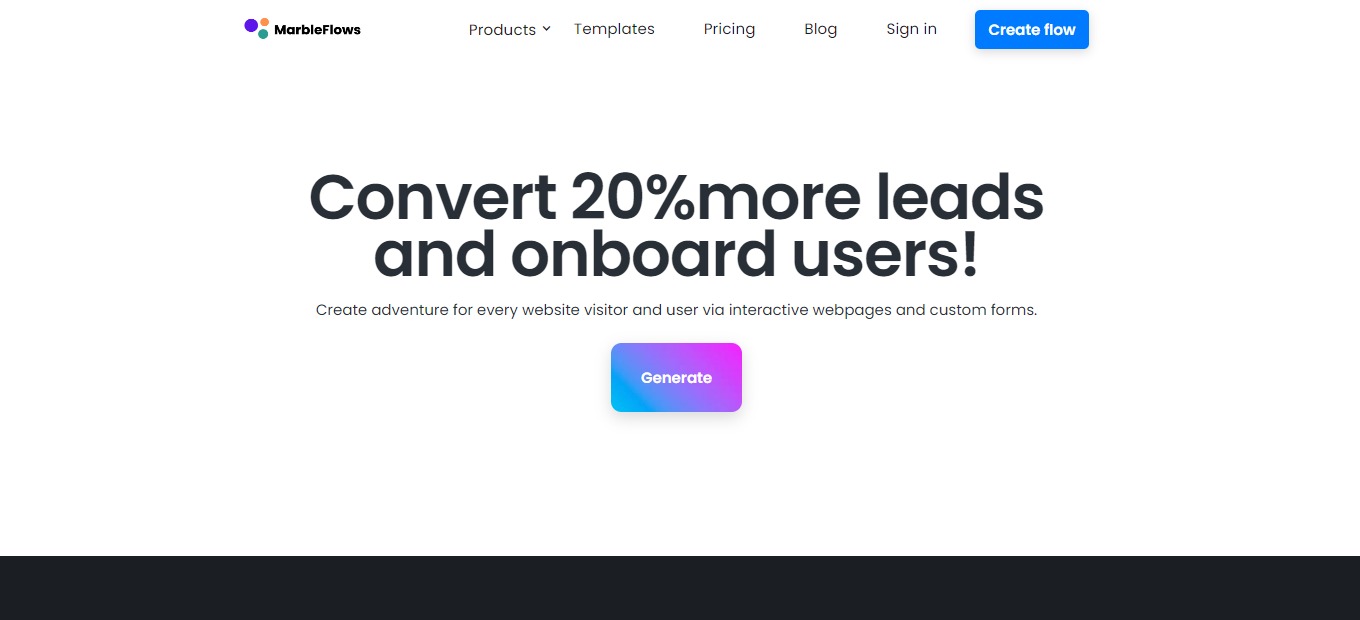
MarbleFlows: AI-generated forms to convert more leads and onboard users

βš–οΈ Our Verdict

MarbleFlows enables you to create end-to-end funnels without writing a single line of code. It is also used for forms and popups for lead gen and onboarding users. MarbleFlows provides all of the components required to construct full-fledged funnels, making onboarding easy!

Additionally, this platform was created with marketers, support staff, and businessmen in mind to assist in increasing conversions for every funnel style. It just takes a few clicks to develop high-converting forms, funnels, and webpages for 17+ businesses using the MarbleFlows AI generator.

In summary, it’s a no-code, customizable, and essential tool for creating high-quality funnels for marketing!

πŸ‘ ProsπŸ‘Ž Cons
πŸ‘ Highly customizable funnels
πŸ‘ Share to different platforms
πŸ‘ Easy to setup
πŸ‘ Has analytics
πŸ‘Ž Does not allow multiple contents on one page
πŸ‘Ž Lacks some integrations
πŸ‘Ž Hard to replace images

🌟 About MarbleFlows

MarbleFlows was inspired by ChatGPT, a chatbot from OpenAI; it revolutionized creating flows and forms. The MarbleFlows Generator is a combination of AI and no-code, saving you time in generating optimal forms or pages. MarbleFlows allows you to create dynamic lead-generation funnels, forms, and popups with no coding necessary.

MarbleFlows helps you create forms and filters that are inclined to your brand perfectly, making it adaptive and flexible. Furthermore, this application can be used for A/B testing, allowing you to convert more leads and onboard users! With that, you can capture more emails, qualify leads, and improve your targeting!

🎁 What’s In It For You?

MarbleFlows lets you utilize the no-code editor, making it easier to navigate and create appealing flows and forms for your users. This tool allows you to create forms with conditional logic. With that, you can use your insights to partition individuals and map out the user journey.Β 

Additionally, MarbleFlows allows you to use unlimited content blocks. These sorts of blocks let you produce the journey you desire with texts, buttons, images, videos, and games! Here, you can adjust the background, colors, fonts, and graphics according to your funnel; to match your brand’s identity.Β 

Furthermore, MarbleFlows contains hundreds of templates for you to use; no need to start from the beginning! Finally, everything you create can be easily shared through a link, iframe, or widget anywhere that you need it.Β 

πŸ–₯️ How Does It Work?

  1. Build a flow from scratch or use a template.
  1. Add different types of texts.
  1. Add pictures, videos, and GIFs.
  1. Set a predefined background for your page.
  1. Connect the pages through navigation buttons.Β 
  1. Create a gamified experience by adding interactive surveys.
  1. Preview the flow by clicking the eye icon or share it by clicking the share button.
  1. View the analytics once the flow is published and shared.

πŸ’² Pricing Plans & Support

MarbleFlows offers subscription plans that power your interactive flows.

πŸ’Ž Free – $0/Month

This plan is perfect to give it a try and is for free!Β 

γ€° 1000 flows views/month

γ€° Analytics

γ€° Conditional logic

γ€° 1 editor seat

γ€° Templates

πŸ’Ž Scale – $12.99/Month

This plan is great when planning to scale and is only $12.99 per month!

γ€° Everything from Free plan

γ€° 3000 flows views/month

γ€° 3 editor seats

γ€° Priority support

γ€° Removed MarbleFlows logo

πŸ“ The Competition

πŸ‘ ProsπŸ‘Ž Cons
πŸ‘ Tailored for user experienceπŸ‘ User-friendly UI and compatible with different platforms
πŸ‘ Logic system
πŸ‘Ž Designing and editing is available in a desktop browser only
πŸ‘Ž Issues and glitches in testingΒ 
πŸ‘Ž File management issues

Convert more leads and onboard users with MarbleFlows.

Publer: Create, schedule & analyze all social posts on one platform

βš–οΈ Our Verdict

Publer is a digital Superhero that lets you collaborate, plan, and assess your Facebook, Instagram, TikTok, Twitter, LinkedIn, Pinterest, Google My Business, YouTube, and WordPress posts. It assists organizations in managing content across several platforms.

In addition to simple manual scheduling, Publer can plan your posts for you based on a publishing calendar that you specify. With personalized postings and statistics, this tool assists businesses of all sizes in managing auto-scheduling, bulk posting, team collaborations, links, media uploads, and more.Β 

Overall, it’s an intuitive, helpful, and powerful application for social media management needs!

πŸ‘ ProsπŸ‘Ž Cons
πŸ‘ Clean UI and contains major features
πŸ‘ Easy to schedule multiple posts
πŸ‘ Good pricing plan
πŸ‘ Canva and VistaCreate integrations

πŸ‘Ž Calendar view is not intuitive
πŸ‘Ž Basic analytics and reports
πŸ‘Ž Lacks some integrations

🌟 About Publer

Publer organizes the clutter of social media publishing into a single, stress-free platform. Publer is your social media hero, loaded with remarkable properties based on user input and constant product enhancement.Β 

Publer began as a simple side gig for automating updates on a Facebook Business page several years ago and today covers all major social networks. It is home to over 150,000 social media marketers, tech enthusiasts, advertising companies, and big companies.Β 

What distinguishes Publer is its rapid evolution and the community it has established, particularly in the last three years despite being bootstrapped. To mention a few features, Publer originally developed bulk scheduling, recycling evergreen material, personalizing posts, shortcodes, watermarking, signatures, and scheduling follow-up comments.Β 

🎁 What’s In It For You?

Publer gives power to the link in your bio on Instagram and allows you to gather attention or promote sales on your eComm website. It lets you drive engagement on several social media networks and increase the overall blog site visitors.Β 

Using Publer’s browser plugin, you can quickly share text, photographs, and links across social media platforms. By allowing Publer to appear as a tiny window, you may avoid and replace the clutter of tabs while also increasing productivity. Additionally, this app saves you loads of time by creating and scheduling social media posts in bulk.Β 

Moreover, Publer lets you organize and manage all visuals in a single library. It provides a distinct visual experience by helping you keep all graphics in one place. Other features of Publer that make social media posting seamless include a calendar view that lets you organize upcoming posts and analytics that collects social media reports.

πŸ–₯️ How Does It Work?

  1. All social media accounts are on the left panel.
  1. Drag and drop a graphic and edit your post.
  1. Select an account where you want to post. You can select multiple accounts.
  1. Edit the post individually depending on the account, or you may opt to have a single post.
  1. Set a delay between posts for multiple accounts.
  1. View all posts in the posts section.
  1. View all scheduled posts in the calendar view.

πŸ’² Pricing Plans & Support

Publer offers simple pricing for everyone! From personal use to SMBs and large corporations, there is a superhero for everyone!

πŸ’Ž Free – $0/Month

Start building momentum on social media for free!

γ€° 3 social accounts

γ€° 1 user, 1 workspace

γ€° 10 pending scheduled posts per account

γ€° 25 saved drafts

γ€° 24 hours posts history

πŸ’Ž Professional – $12/Month

Scale your social media efforts for only $12 per month!

γ€° 3 social accounts

γ€° Unlimited scheduling and drafts

γ€° Unlimited workspaces

γ€° Eternal posts history

πŸ’Ž Business – $23/month

Unleash the power of social media for only $23 per month!

γ€° All in professional plan

γ€° Analytics report

γ€° Best times to post

γ€° Hashtag suggestions

γ€° Recycle evergreen content

γ€° Design videos

πŸ“ The Competition

πŸ‘ ProsπŸ‘Ž Cons
πŸ‘ Easily create and plan content
πŸ‘ Compatible with major social media platforms
πŸ‘ Great calendar system
πŸ‘Ž Functionality between mobile and desktop is not good
πŸ‘Ž Bugs in the application

Create, schedule & analyze all social posts on one platform with Publer!

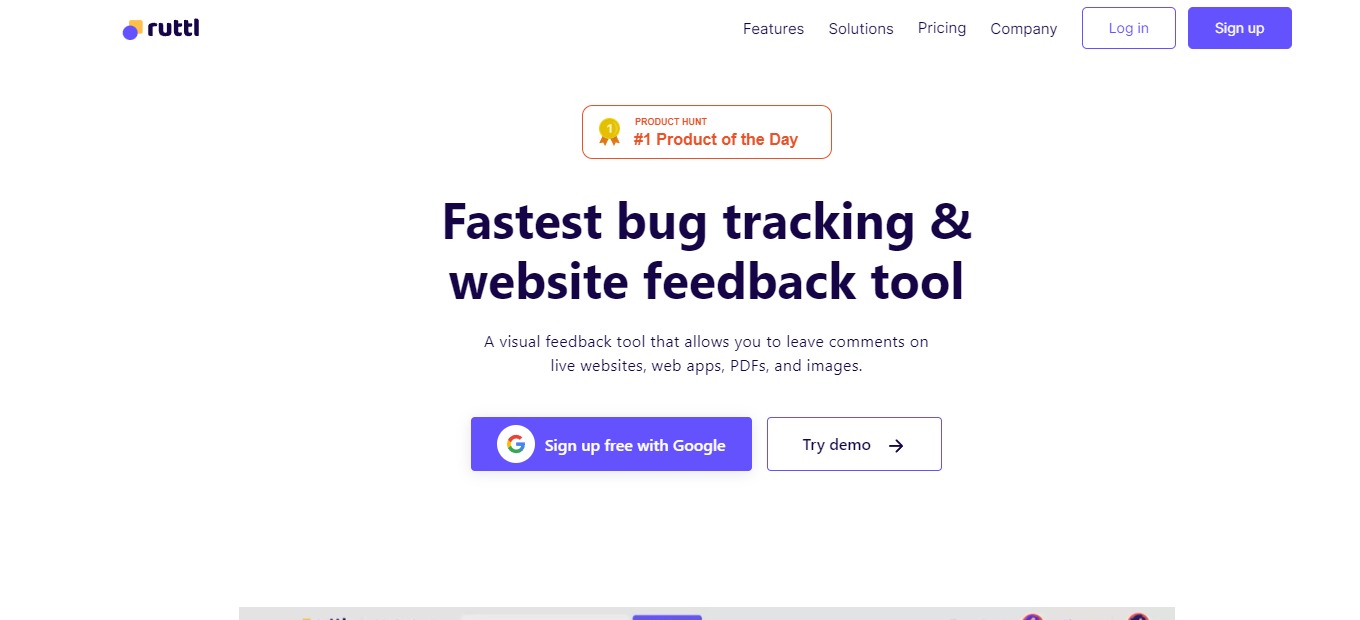
ruttl: Collect visual feedback directly on websites, PDFs & images

βš–οΈ Our Verdict

Ruttl is a visual feedback tool that lets you post comments on live sites, web applications, images, and PDFs as well as make real-time modifications, allowing you to provide exact feedback to your developers. The main goal of Ruttl is to improve the process of design review, making it smoother, better, and faster than before. The features of Ruttl are made by designers for designers. Before making things official, Ruttl provides you with all of the resources you need to collaborate and edit your website. Instead of being picture-perfect, strive to be pixel-perfect.

This application is best used by web designers, developers, agencies, writers, and several other teams! Use ruttl now to reduce reviewing apps, sites, and other stuff by almost half!Β 

Overall, it’s affordable, useful, and one of the best applications for gathering feedback on websites, apps, PDFs, and images online!

πŸ‘ ProsπŸ‘Ž Cons
πŸ‘ Receive and provide feedback easily
πŸ‘ Clean and modern UI
πŸ‘ Live site edit feature
πŸ‘ Review apps, sites, PDFs, and images
πŸ‘ Integrations with major tools
πŸ‘Ž Language is in English only
πŸ‘Ž Bugs and lags
πŸ‘Ž Does not support some file types and special elements

🌟 About Ruttl

Ruttl is an online collaborative tool for assessing developed websites. It enables anybody to connect directly with designers and developers regarding live website modifications via text and video feedback. The program functions by including one or more target web pages for design assessment. Ruttl allows you to update website content, change photos, make design changes to web elements, and publish all types of design modifications for developers to apply.

With the use of shareability links, it bridges the gap between clients and web design experts as a feedback mechanism for websites. Ruttl is used by over 4000 designers, developers, and organizations to streamline their online feedback process.

🎁 What’s In It For You?

Ruttl is a quick and simple solution for gathering, organizing, and evaluating design comments on live websites. With real-time text updates, picture replacement features, and alignment tools, you may evaluate changes without updating the actual site your consumers or clients see.

You and your team may also post comments on particular, live pixels to provide meaningful and clear feedback and directly mention other project participants to advise them of improvements. Ruttle even allows you to record your screen and utilize your computer’s microphone to verbally suggest improvements that are needed on particular areas of entire web pages.

The features in Ruttl allow your team to spot problems, bugs, and errors even if your device or browser is the only one experiencing them. Ruttl’s edit mode allows you to adjust website elements such as text, textbox, picture alignment, or font attributes for content that properly suits its design.

πŸ–₯️ How Does It Work?

  1. Create a new project and select the type.
  1. You can add other pages to your project.
  1. Add team members to work with on the same project. Here you can also set their roles in the project.
  1. Click on a page and start reviewing. On the preview mode, the website will be shown the way it is normally. In comment mode, you can click on the elements and add comments or even tag members on it.
  1. All comments are found on the right side of the screen. Team members can resolve them.
  1. The inspect mode allows you to change the live website.Β 

πŸ’² Pricing Plans & Support

Ruttl has the right pricing plan for every need of different teams!

πŸ’Ž Free – $0/Month

This deal for individuals is for free!

γ€° 1 project

γ€° 5 pages

γ€° 5 collaborators

γ€° Unlimited guests

γ€° Website project type

γ€° 5GB storage

πŸ’Ž Standard – $13/Month

This deal for individual creators and studios is only $13 per month!

γ€° 2 projects

γ€° Unlimited pages

γ€° 10 collaborators

γ€° Unlimited guests

γ€° Website, PDFs, images project types

γ€° Unlimited comments, 1 min video comments

γ€° Edit, replace, and inspect

γ€° 10GB storage

πŸ’Ž Pro – $33/month

This deal for agencies and product companies is only $33 per month!

γ€° Unlimited projects

γ€° Unlimited pages

γ€° 10 collaborators

γ€° Unlimited guests

γ€° All project types

γ€° Unlimited comments, 10 min video comments

γ€° Edit, replace, and inspect

γ€° 50GB storage

πŸ“ The Competition

πŸ‘ ProsπŸ‘Ž Cons
πŸ‘ Easily get feedback from clients
πŸ‘ Simple and easy to use
πŸ‘ Good UI and UX
πŸ‘Ž Limited features
πŸ‘Ž No task progress update

Collect visual feedback directly on websites, PDFs & images using ruttl!

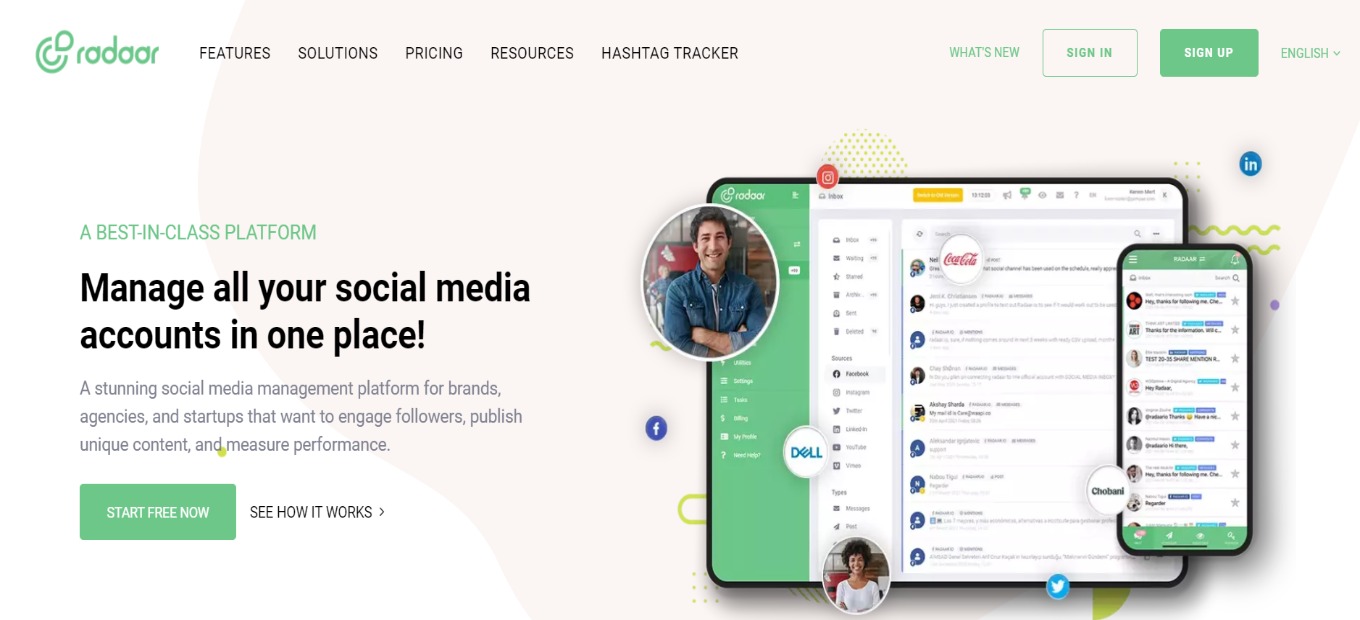
RADAAR: Not just another scheduling tool

βš–οΈ Our Verdict

RADAAR provides a platform for efficiently managing your social media and assisting you in meeting goals while saving time and money. Radaar is a social media management application that simplifies the management of your entire online presence. It helps you connect and expand with simple and direct social media management plans.

RADAAR will help you drastically optimize your processes, simplify your social media administration, and save time whether you’re a small business focusing on a few social media networks, an agency managing numerous brands, or an enterprise that need it all.Β 

Naturally, a powerful application like this would come with a paid pricing plan. However, this social media manager is worth every buck!

In summary, it’s an efficient, time-saving, and goal-oriented social management tool for managing multiple platforms at once.

πŸ‘ ProsπŸ‘Ž Cons
πŸ‘ Collaborate with team
πŸ‘ Unlimited publishing, reports, team members, and guests
πŸ‘ Good dashboard
πŸ‘ Easy to use and saves time
πŸ‘ Unified social media inbox
πŸ‘Ž No ticketing system
πŸ‘Ž Lacks integration to other platforms
πŸ‘Ž Paid application
πŸ‘Ž Limited features on basic plan

🌟 About RADAAR

Radaar is a social media account manager that simplifies handling multiple accounts. From scheduling, messaging, and analyzing posts, all of these can be done within a single platform. In addition, Radaar enables you to automate, control, and dive deeper into your social media accounts.Β 

Developed in 2019, Radaar focused on the marketing side. Now, they launched on Product Hunt. RADAAR is an all-in-one platform that is constantly evolving and packed with all of the services that every social media marketer requires. It enables marketing teams to collaborate more effectively and save time. It’s powerful while being reasonably priced compared to its competitors.

🎁 What’s In It For You?

Radaar lets you visually plan content, automatically publish them, engage with followers, and gather reports while collaborating with your team and clients. This app is a unified social media manager packed with all of the features you need to centralize your operations across different networks.

Radaar allows you to build a close relationship with your followers and respond faster through the unified social inbox. The scheduler enables you to publish across different platforms all while simplifying the process and saving your time. With the social monitoring of Radaar, you can track key terms and competitors to upscale your strategy.

Not only that, but Radaar also has analytics to provide you with valuable insights regarding your posts. It also features a password and hashtag manager. To add to that, Radaar has a Task Manager to help you visualize tasks and reach your goals together with your team!

πŸ–₯️ How Does It Work?

  1. Sign up to Radaar and view the dashboard.
  1. To connect accounts, go to settings then channels.
  1. Invite team by clicking permissions.
  1. Manage messages on different platforms through the social inbox.
  1. Monitor keywords on different platforms you want to follow.
  1. Plan to publish content using the scheduler dashboard.
  1. Create meaningful results in analytics.
  1. Use the task manager kanban board to manage tasks.

πŸ’² Pricing Plans & Support

Radaar offers the most affordable social media management platform that is perfect for any size of business.Β 

πŸ’Ž Basic – $9.99/Month

This powerful plan is only $9.99 per month!

γ€° 3 social profiles

γ€° ️90 posts

γ€° 1 user

πŸ’Ž Premium – $19.99/Month

This powerful plan is only $19.99 per month!

γ€° 6 social profiles

γ€° Unlimited posts

γ€° Social inbox

γ€° Analytics

γ€° 5 users

πŸ’Ž Professional – $49.99/month

This powerful plan is only $49.99 per month!

γ€° 12 social profiles

γ€° Unlimited posts

γ€° Social inbox

γ€° 3 monitoring queries

γ€° Analytics

γ€° 10 users

πŸ“ The Competition

πŸ‘ ProsπŸ‘Ž Cons
πŸ‘ Flexible and supports major platforms
πŸ‘ Affordable
πŸ‘ Easy to use for scheduling and posting
πŸ‘ User friendly
πŸ‘Ž Tracking and analytics is subpar
πŸ‘Ž Cannot respond directly from app

RADAAR is not just another scheduling tool!

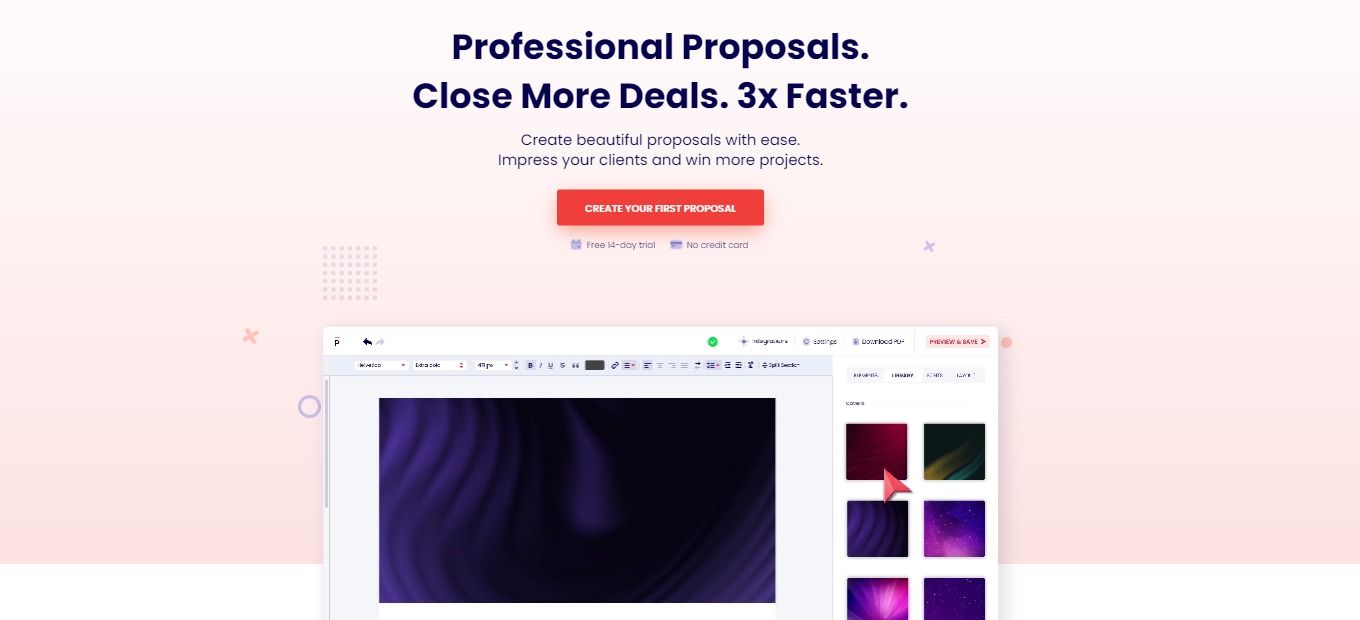
Prospero 2.0: Impress your clients with beautiful proposals 😻

βš–οΈ Our Verdict

Creating proposals is a tiresome process that takes a few hours to accomplish. With Prospero, that problem can be solved, and the process of producing proposals can actually become a quick and fun one. Additionally, this product is best used by marketing teams and freelancers. With Prospero, creating proposals is fast and effortless.

Compared to similar related products, Prospero offers a cost-effective approach to creating proposals. The proposals look simple and direct, yet good-looking. The UI is easy to navigate and use even for people without experience. With Prospero, you can create proposals in under 15 minutes.Β 

All in all, it’s an easy-to-use, time-saving, and useful application for creating good business proposals.

πŸ‘ ProsπŸ‘Ž Cons
πŸ‘ Good UI
πŸ‘ Intuitive and time-saving
πŸ‘ Highly customizable
πŸ‘ Affordable and has a 14-day free trial
πŸ‘ Many 3rd party integrations
πŸ‘ Supports multiple languages
πŸ‘ Digital signature option
πŸ‘Ž Cannot be easily searched online
πŸ‘Ž Paid application
πŸ‘Ž No mobile creation tools
πŸ‘Ž Too simple for large organizations

🌟 About Prospero

Prospero is an online software for creating business proposals with ease. This application helps users create beautiful, simple, and professional-looking proposals that impress clients and win projects. With this app’s editor, the creation of good proposals, collaboration with peers, and tracking of your performance can be accomplished!

Prospero was founded to help freelancers in creating a good-looking proposal. Because in freelancing, everyone aims to do work, not create multiple proposals for different projects. This platform lets you optimize the process of creating proposals with its multiple features that are intuitive to use.Β 

Prospero is trusted by 2000+ businesses around the world. Using this application, you can now enjoy growing your business!

🎁 What’s In It For You?

Prospero offers a wide array of templates that suit every individual’s needs. It allows you to use different templates that are appropriate to your niche but also lets you add or delete segments at your will. Prospero allows you to add your logo, videos, images, tables, and other personalization aspects. With that, you can also add an expiry date, more contact options, and pricing plans for your services.Β 

This application also allows you to track the proposals that you create. It shows you how many times it was opened and for how long, the status of each proposal after sending it to your client, and email notification about the updates regarding your proposal.Β 

Not only that, but Prospero lets your clients digitally sign the proposal on the application itself – whether it be a drawing, type, or upload. Another good addition of a feature on this application is the collaboration feature. It allows you and your team to collaborate and manage roles.Β 

Lastly, Prospero is integrated with multiple platforms and can be activated in just a few clicks. These integrations include FreshBooks, QuickBooks, Stripe, Zapier, and more! What are you waiting for? Use Prospero now and upscale your proposals starting today!

πŸ–₯️ How Does It Work?

  1. Click the β€˜new proposal’ button.
  1. You can choose from a template or start from scratch.Β 
  1. The right side panel shows you all the info that you need to fill up regarding your proposal.Β 
  1. Define every aspect of the proposal from the clients to the milestones.
  1. After defining everything, hit β€˜create proposal’.
  1. From there, your proposal will be created. You are allowed to customize and add anything.
  1. After editing, click preview and save, then publish and generate share link once finalized.Β 

πŸ’² Pricing Plans & Support

Prospero offers a simple and affordable pricing plan for individuals and teams alike. This application has only one plan with two options.

πŸ’Ž Monthly – $10/Month/Individual

This plan is best for individual freelancers and teams and is only $10 per month per user!

〰️ Unlimited proposals

γ€° ️Proposal analytics

〰️ Integrations

〰️ Content library

〰️ Templates

〰️ Live chat support

〰️ Users’ roles for collaboration

πŸ’Ž Annually – $8/Month/Individual

This plan is best for individual freelancers and teams and is only $8 per month per user!

〰️ Unlimited proposals

γ€° ️Proposal analytics

〰️ Integrations

〰️ Content library

〰️ Templates

〰️ Live chat support

〰️ Users’ roles for collaboration

πŸ“ The Competition

πŸ‘ ProsπŸ‘Ž Cons
πŸ‘ Templates
πŸ‘ Customization
πŸ‘ Digital signature
πŸ‘ Integrations
πŸ‘Ž Has a learning curve
πŸ‘Ž Bugs and lags

Impress your clients with beautiful proposals using Prospero

Presentations by Canva: Create Beautiful, Engaging Presentations in Minutes

βš–οΈ Our Verdict

Canva should be used by anyone that has ideas to share. This app is not just for designers since it is an online platform that makes designing easy for any individual or a team. With Canva, it has never been easier to visualize and create ideas that can amaze your audience.

It can be used by everyone with different backgrounds. From students creating assignments to professionals creating an advertisement for a product, Canva can be a huge help. Canva is designed for anyone who needs to create.Β 

The best thing about this product is that multiple templates can be used to start your design, and it is for free! Designing and creating can now be enjoyable with this app. The new features of Presentations by Canva are a huge help in presenting your ideas since they can captivate the attention of your audience and can create a connection with them, resulting in a more interactive presentation.Β 

Canva is easy to use and recommended for everyone that wants to create graphics.

πŸ‘ ProsπŸ‘Ž Cons
πŸ‘ Has multiple templates for every platform
πŸ‘ Many resources on stock photos and icons
πŸ‘ Easy to use, not technical
πŸ‘ Affordable pro subscription
πŸ‘ Can import photos outside the app
πŸ‘ Can export to any format
πŸ‘ Has collaboration feature
πŸ‘Ž Photo adjustment not up to the markΒ 
πŸ‘Ž Limited features on free use
πŸ‘Ž Limited size and setup for the templates

🌟 About Presentations by Canva

Canva is an online design tool that allows users to freely optimize the graphics and templates on the app. There are more than 3,000 design templates available to help you start with your presentation. Canva also contains more than 100 million design assets that range from photos to videos, illustrations, audio tracks, and charts.Β 

Aside from the great design, this app also provides a unique presentation experience such as Canva Live for real-time Q&A or just a talking presentation for your audience. This online presentation software can allow you to easily design amazing presentations as well as show different effects that your audience will appreciate.

🎁 What’s In It For You?

Presentations by Canva offer a variety of features that does not limit the users to their liking. It allows you to design and collaborate in real-time with your team by sending the link to the presentation. Aside from real-time collaboration, you can also comment on your suggestions in the presentation.Β 

Presentations by Canva gives you access to more than 75 million images, videos, charts, graphics, and animations that would best fit your presentation. This app is accessible and no installation is required. You can pick up where you left off and even switch from different devices.Β 

Aside from the graphics, Canva has interactive presentation tools that can ease the pressure off with the animated Magic Shortcuts that spice up your presentation. You can press β€˜C’ to throw confetti, β€˜O’ for bubbles, and β€˜D’ for a drumroll. For more engagement with the audience, you can use the Live Q&A feature with questions and surveys that the audience can answer.Β 

The best feature of this app is the multiple templates that are free and professionally designed to fit any topic that you are covering. Whether it is a product pitch, keynote, assignment, the templates in Canva got you covered!

πŸ–₯️ How Does It Work?

  1. Choose a template or start from scratch.
canva
  1. Change the fonts, colors, and information according to your preference.
canva
  1. Add animations, videos, images, and other graphics.
canva
  1. Share and collaborate with your team by clicking the share button.
canva
  1. Click present to present your presentation.
canva

πŸ’² Pricing Plans & Support

Canva offers simple pricing that is worth your money!

canva

πŸ’Ž Free – β‚±0/Month

Everything you need to start designing for free!

〰️ 250,000+ templates

γ€° ️100+ design types (social media posts, presentations, letters and more)

〰️ Thousands of free photos and graphics

〰️ Invite members to your team

〰️ Collaborate and comment in real-time

〰️ 5GB of cloud storage

πŸ’Ž Pro – β‚±649/Month

Have unlimited access to premium tools and content for only β‚±649 per month!

〰️ Everything in free

〰️ Create 1 Brand Kit and upload your own fonts and logos

〰️ One-click design Magic Resize

〰️ 420,000+ free templates with new designs daily

〰️ 75+ million premium stock photos, videos, audio and graphics free-to-use

γ€° Save designs as templates for your team to use

〰️ 100GB of cloud storage

γ€° ️Schedule social media content to 7 platforms

πŸ’Ž Enterprise – β‚±1,490/month

Empower your team, manage your brand, and scale your content for only β‚±1,490 per month!

〰️ Everything in pro

〰️ Establish your brand’s visual identity with logos, colors and fonts across multiple Brand Kits

〰️ Control your team’s access to apps, graphics, colors, logos and fonts with brand controls

〰️ Control team uploads into Canva

〰️ Built-in workflows to get approval on your designs

〰️ Set which elements your team can edit, and stay on-brand with template locking

〰️ Unlimited storage

〰️ Single-sign on (SSO)

〰️ 24/7 Enterprise-level support

πŸ“ The Competition

πŸ‘ ProsπŸ‘Ž Cons
πŸ‘ High-quality templates
πŸ‘ Easy to use
πŸ‘ Not restrictive
πŸ‘ Embedded graphics in the platform
πŸ‘ Has collaboration feature
πŸ‘Ž Graphic shapes are slim, not much variety
πŸ‘Ž Few integrations
πŸ‘Ž No history of presentation

Create Beautiful, Engaging Presentations in Minutes with Canva

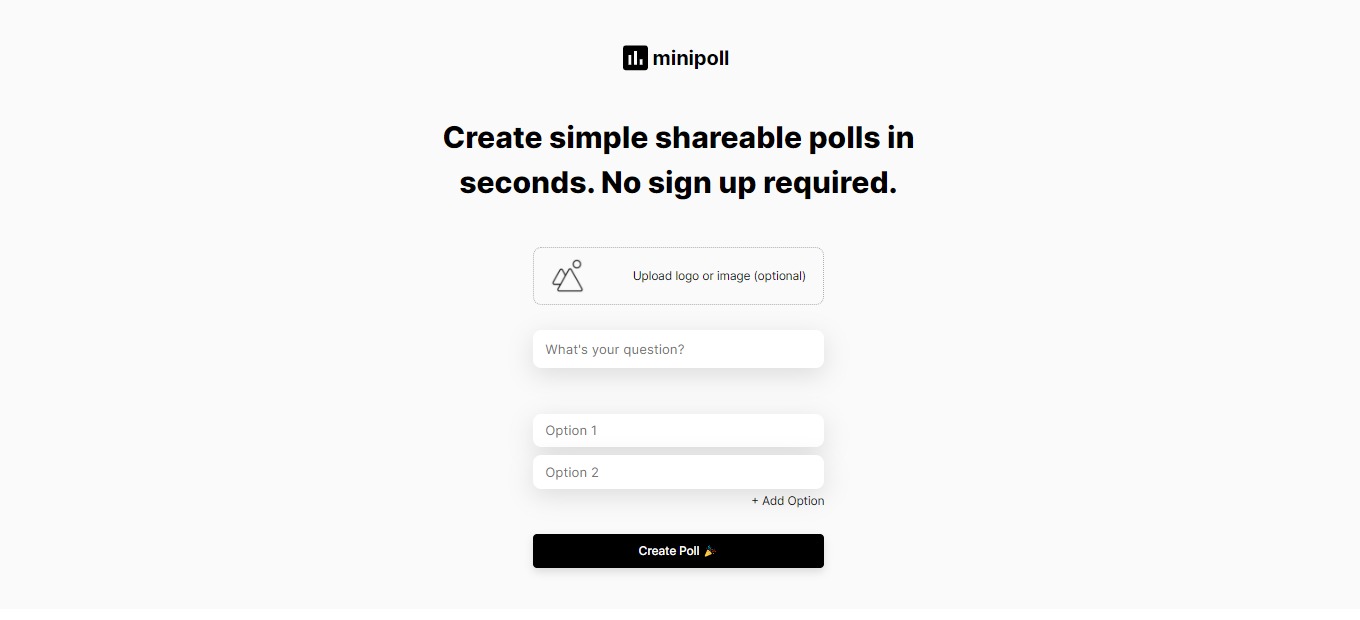
Minipoll: Create simple shareable polls in seconds

βš–οΈ Our Verdict

Minipoll is an amazing app that can be used by everyone that wants to gather information from their audience in a matter of seconds. One thing we love about this app is that it is very easy and quick to use. You can create a poll in a matter of seconds and share it with others across different platforms.

The upload logo feature of this app is also amazing and distinct from other poll apps since it can give your poll branding. This app is very efficient to use and can save you tons of time in gathering your audience’s feedback. Especially during this time that we are in a pandemic, Minipoll can be helpful during webinars and inquiries to connect with other people.Β 

The user interface of this web app is pleasing to the creator of the poll and the audience. It will give them the motivation to finish the poll. The results and statistics are also accessible even to the people that answered the poll!Β 

The only setback of this app is that the options are limited to five in the free access. However, you can upgrade to the Minipoll+ to avail of other options that are worth every penny!

Overall, Minipoll is efficient to use and is one of the best options if you want to create a poll for your audience.Β 

πŸ‘ ProsπŸ‘Ž Cons
πŸ‘ Free web app
πŸ‘ Simple and easy to understand user interface
πŸ‘ Real time updates
πŸ‘ Shareable in all platforms
πŸ‘ No sign up required
πŸ‘ Shows statistics
πŸ‘ Poll branding
πŸ‘ Accessible on mobile
πŸ‘Ž No dashboard feature in free mode
πŸ‘Ž Only 5 options available on free access
πŸ‘Ž Need to avail the Minipoll + to access all the features

🌟 About Minipoll

Minipoll is a web app that allows you to create and share a poll on different platforms easily. It lets the user poll the audience in a simple and quick way even in multiple channels. Minipoll provides a way to engage with the audience and gather information in seconds without having to sign up for an account!

🎁 What’s In It For You?

Minipoll lets you save time by allowing you to create simple and shareable polls quickly. No need to sign up to create a poll. The polls can be accessible to anyone through the use of a web browser, it is even accessible on a mobile browser. Just create your poll and share it with group chats, Twitter, Snapchat, messaging apps, and other existing platforms available to you and your audience. Here is the sample of how Minipoll works https://Minipoll.co/p/sQQ1F.Β 

Minipoll even shows the statistics from the results that you have collected. You can gather data in real-time. It is easy to use for both the creator and the audience since it has a straightforward graphical user interface. You can put your logo in the poll for branding and customization. If you wish to avail of the Minipoll+, you can have access to other features like unlimited options, vanity URL, analytics, and all your polls can be saved in one dashboard.

πŸ–₯️ How Does It Work?

  1. Input your question and add the options (up to 5 options available on free access).
  1. You can brand your poll with your custom logo by clicking the upload logo or image.
  1. After inputting the question, options, and logo (optional), you can now create a poll by clicking the create poll.
  1. View the results by refreshing the link of the poll you created.

πŸ’² Pricing Plans & Support

Minipoll is a free web app, but if you want to avail yourself of additional features, you may opt to upgrade to Minipoll+.

πŸ’Ž Minipoll + – $10/Month

Do more with Minipoll+ and avail other features for just $10 per month!

〰️ Unlimited options

γ€° ️Vanity URL

〰️ Analytics

〰️ All your polls saved in one dashboard

πŸ“ The Competition

πŸ‘ ProsπŸ‘Ž Cons
πŸ‘ Free app
πŸ‘ Well designed
πŸ‘ No sign up required
πŸ‘Ž Less customization for branding
πŸ‘Ž Limited types of categories.
πŸ‘Ž No multiple selection.

Create simple shareable polls in seconds with Minipoll!

Litmaps: Search Scientific Literature With Interactive Citation Maps

βš–οΈ Our Verdict

Litmaps is an app highly recommended for researchers who want to visualize research articles by mapping them out. This time-based citation network involves helpful research tools and project state for you to organize your literature review.

The program also allows a network search that offers highly connected articles. It’s going to make your BSc and PhD projects much easier because you can build up key articles through targeted search results. You’ll also get updated every time a new article connected to your study is published!

It’s a free, interactive app that requires no sign-up, making it better than other productivity apps for academics. However, a collaboration feature would be great for Litmaps!Β Β 

πŸ‘ ProsπŸ‘Ž Cons
πŸ‘ Interactive visualsΒ 
πŸ‘ Map out your literature review
πŸ‘ Discover scientific literature and share
πŸ‘ FreeπŸ‘ No sign-up needed

πŸ‘Ž No collaboration feature

🌟 About Litmaps

Advancing BSc and PhD research projects entails navigating the appropriate scientific literature in a sea of resources.Β  Academic search engines and reference manages are usually utilized for find articles for literature reviews. However, the results shown on these tools don’t offer a clear context of results.

Litmaps was built to solve this problem by building a Literature Map for your project. Through this β€œlitmap”, you can visually see connections between papers.Β 

Links to your map are shown on your future keyword search and they are ranked based on these connections for you to target your research topic and understand why this paper is important.

🎁 What’s In It For You?

You already know that Litmaps lets you create literature maps or β€œlitmaps” of available scientific literature for your research topic. This productivity tool lets you import data from BibTeX, ORCID, Zotero, Endnote, and Mendeley to create interactive visualizations of authors, keywords, and bibliographies. You also get updates when papers related to your project are published!

What’s more, Litmaps features suggestions radar that recommends papers that share citations with your project. Simply make a keyword search and enjoy the endless possibilities of discovering academic articles for your review of related literature!

Do all of these for free because it’s currently in early access. You don’t need to create an account to get started too!Β 

πŸ–₯️ How Does It Work?

  1. Search a topic on Litmaps.
  1. See article results on the left and citation mapping on the right.Β 
  1. Click on an article to seeΒ  the articles it cites and are cited in.

πŸ’² Pricing Plans & Support

Litmaps is a free app since it is in early access.Β  Simply dive right in and start searching for papers that are relevant to your research.

πŸ“ The Competition

πŸ‘ ProsπŸ‘Ž Cons
πŸ‘ Gather different types of articles, books, artworks, recordings
πŸ‘ Organize items based on research topic on collections
πŸ‘ Create citations and bibliographiesΒ 
πŸ‘ Collaborate with research by sharing items
πŸ‘Ž Paid application

Search scientific literature with interactive citation maps using Litmaps!

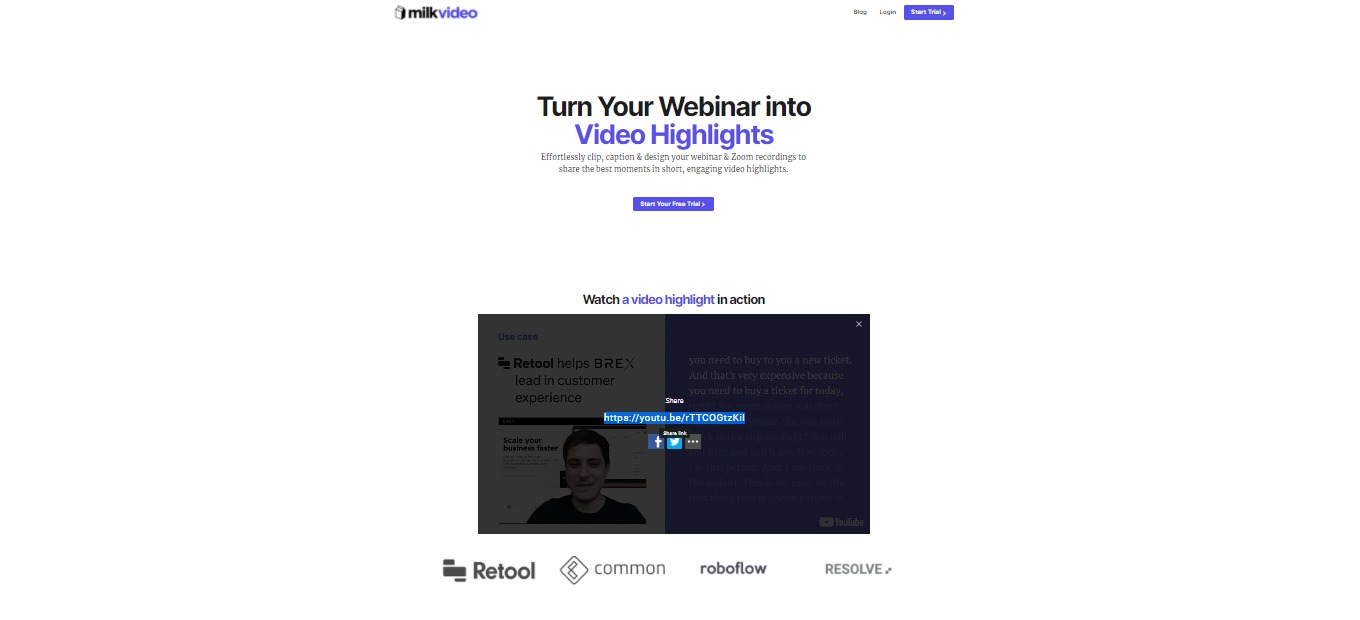
Milk Video: Turn Webinars Into Designed Video Highlights in Minutes

βš–οΈ Our Verdict

Milk Video should be part of every social media marketer’s essential web applications! It combines design, transcription, and branding to make your Zoom recording or webinar shorter yet still full of substance. Your audience will definitely not miss any piece of information from your audio or video as they will be able to see highlights and read captions that are automatically transcribed.

This marketing tool is worth the price for those who do Podcasts, public speaking, webinars, and more. Clipping the best sections may even make them want to watch or hear your entire content!Β 

Overall, it’s an easy-to-use, affordable, and simple application for social media marketing and vlogging.

πŸ‘ ProsπŸ‘Ž Cons
πŸ‘ Clip long videos into shareable snippets
πŸ‘ Add stylish layouts to your plain video recording
πŸ‘ Clip sections you want to highlight

πŸ‘Ž Paid applicationΒ 
πŸ‘Ž 7-day free trial only
πŸ‘Ž Limited customization features

🌟 About Milk Video

Milk Video is a marketing tool for social media and design that lets you turn webinars and other video recordings into a short video in just minutes. This happens by highlighting the main events or the main parts of the webinar.

The web application was designed as a result of the tiring process of extracting quotes from videos and presenting them in a video that matches their brand. The creators’ background in video and engineering led to the idea of captioning and branding highlight clips!

It’s originally made for B2B marketers to turn their webinar recordings into a 2-minute clip that can be shared on LinkedIn. Now you can make captioned clips of podcasts and more!

🎁 What’s In It For You?

Milk Video lets you clip, caption, and design webinars to share the most important parts of the meeting or video recording! It doesn’t matter how long the Webinar or Zoom recording is. If you don’t want anyone to miss out the details, simply extract the important parts and put them together in a few minutes.

Don’t want to lose sight of your branding? Caption your video highlights, add layouts, and spice them up based on your preference. This caption feature is awesome for targeting online audiences who always have their audio turned off when scrolling through their social media.

What we love most about Milk Video is how you can increase the value of your original asset by pulling the many quotable moments without the need to be an expert designer.Β 

πŸ–₯️ How Does It Work?

  1. Upload your video.
  1. Your recording is automatically transcribed, but you can edit it to correct typographical errors.
  1. Clip sections you want to highlight.
  1. Add style to your captions, logos, and text description.

πŸ’² Pricing Plans & Support

Milk Video offers a very simple and transparent pricing!

πŸ’Ž Creator – $29/Month

This awesome deal is only $29 per month!

〰️ 1 Seat

γ€° ️Unlimited video uploads

〰️ Create unlimited video clips

〰️ Export unlimited video clips

〰️ Remove watermarks

〰️ Unlimited recordings automatically transcribed per month

〰️ $1 white glove transcription pricing

πŸ’Ž Team – $79/Month

This awesome deal is only $79 per month

〰️ 10 seats

〰️ Unlimited video uploads

〰️ Create unlimited video clips

〰️ Export unlimited video clips

〰️ Remove watermarks

γ€° 60 recordings automatically transcribed per month

〰️ $2 white glove transcription pricing

γ€° ️Bulk video import

πŸ’Ž Premium – $299/month

This awesome deal is only $299 per month!

〰️ 1 Seat

〰️ Unlimited video uploads

〰️ Create unlimited video clips

〰️ Export unlimited video clips

〰️ Remove watermarks

〰️ 10 recordings automatically transcribed per month

〰️ $2 white glove transcription pricing

〰️ Dedicated account representative

〰️ Bulk video import

πŸ“ The Competition

πŸ‘ ProsπŸ‘Ž Cons
πŸ‘ Automatically generate subtitles or caption from video or audio
πŸ‘ Translate in English, French, Spanish, German, and 50+ languages.
πŸ‘ Automatically generate timestamps
πŸ‘Ž Less customization for branding
πŸ‘Ž Paid application

Turn webinars into designed video highlights in minutes with Milk Video!

PowerRouter: Route your Salesforce leads 10x faster

βš–οΈ Our Verdict

Ramp up your productivity up to 10x faster with the PowerRouter. This incredible tool is the best and easiest way to route sales leads to the right salesperson. It sends all of your leads to the right sales person in Salesforce. The best of all, you can set smart rules in advance to ensure that the process is streamlined. No code needed!

πŸ‘ ProsπŸ‘Ž Cons
πŸ‘ Supercharge your Sales Stack
πŸ‘ A system that scales with your team
πŸ‘ Convert leads to matched accounts directly
πŸ‘ Track and monitor routing
πŸ‘Ž No Prospecting Tools
πŸ‘Ž No Lead Nurturing

🌟 About PowerRouter

PowerRouter aims to help growing businesses scale quickly and easily. You can do this with powerful lead routing. PowerRouter is focused on their customer’s needs and requirements. Your feedback helps drive their product decisions and long term vision.

🎁 What’s In It For You?

This is an incredible tool that lets you scale your sales team and go-to-market strategy up to 10x faster! Best of all, its interface is all drag and drop so you can easily create a lead distribution strategy within minutes.

It helps you save some time by eliminating manual round robin rules and manual work. With PowerRouter, it is easier to visually build your routing rules. It takes the rep’s availability into account, including response times, account matching and a lot more.

PowerRouter offers you accurate, automated lead routing. It’s based on dynamic assignment rules that you set through a visual canvas. It also helps you segment and route based on geo, skills, territory, lead source, and availabiliy.

Moreover, you can Auto-March leads to target and customer accounts, and increase speed to lead with SLAs in place. You can easily add, remove and manage reps with absolute ease. With PowerRouter, you can easily access analytics and metrics to identify bottlenecks.

πŸ–₯️ How Does It Work?

To try PowerRouter for yourself, visit their website at https://powerrouter.io/.

Click their β€œFree Demo” button and enter your details to get a free demo version.

Check out how it works in the video below.

πŸ’² Pricing Plans & Support

PowerRouter offers flexible plans that grows with your company. Check them out below.

πŸ’ŽGrowth Plan – $15 per month / billed annually

〰️ Supported objects: Leads and Contacts Routing

〰️ Visual Canvas for Easy Administration

〰️ Round robin / Weighted / Load Balanced assignment

〰️ ReAssignment with multiple SLA’s

πŸ’ŽProfessional Plan – $25 per month / billed annually

〰️ Supports all objects: Lead, Contacts, Accounts, Opps, Cases

〰️ Full Matching Algorithms

〰️ Unlimited segments

〰️ Activity Logs & Console

〰️ Availability: Team & User

〰️ Holiday/OOO Support

〰️ Auto reassign based on SLA

〰️ Email Support

〰️ Unlimited filter criteria

〰️ User Capping

〰️ Onboarding Consultation

〰️ 24 Hour SLA Response time

πŸ’Ž Enterprise Plan – $35 per month / billed annually

〰️ Everything in Professional

〰️ Advanced analytics and reporting

〰️ Multi-tier SLA Reassignment

〰️ Implementation & Onboarding

〰️ Email & Phone Support

〰️ Routing Strategy Consultation

〰️ Dedicated Account Rep

〰️ 4 hour SLA Response time

πŸ“ The Competition

πŸ‘ ProsπŸ‘Ž Cons
πŸ‘ Content Management
πŸ‘ Goals / Quota Management
πŸ‘ Contact Management
πŸ‘ Lead Management
πŸ‘Ž No Meeting Management
πŸ‘Ž No Presentation Management