HubSpot: Your All-in-One CRM and Marketing Platform

🏆 Our Verdict

HubSpot stands out as a comprehensive CRM and inbound marketing platform, ideal for businesses seeking an integrated approach to customer relationship management, marketing automation, and sales tracking. Its ease of use and extensive feature set make it a top choice for companies of all sizes.

Pros & ❌ Cons

Pros:

  • 🔄 Integration across sales, marketing, and customer service modules.
  • 📊 Advanced analytics and reporting tools.
  • 🌐 Extensive third-party integrations.
  • 🧑‍💼 User-friendly interface with robust training resources.

Cons:

  • 💲 Higher cost for premium features.
  • 📏 Limited customization in lower-tier plans.
  • 📚 Steeper learning curve for advanced features.

📖 About HubSpot

Founded in 2006, HubSpot has evolved into a leader in inbound marketing, sales, and CRM software. It provides a comprehensive suite of tools designed to align sales and marketing efforts, improve customer experiences, and drive growth.

🎯 What’s In It For You?

HubSpot offers a holistic approach to managing customer relationships and marketing efforts, with features that cater to lead generation, email marketing, social media management, and more.

🚀 How It Works

Signing Up for HubSpot

1. Visit the HubSpot Website

  • Navigate to HubSpot: Go to HubSpot’s website.
  • Find the Sign-Up Option: Look for a sign-up button or link, usually located on the top right corner of the website.

2. Choose a Plan

  • Review the Plans: HubSpot offers various plans, including a free CRM and tiered pricing for more advanced features.
  • Select a Plan: Choose a plan that suits your business needs. You can start with the free version or select a paid plan for additional features.

3. Create an Account

  • Enter Your Information: Provide your email address, create a password, and fill in the required details.
  • Business Information: You may need to enter some information about your business, like company size and industry.

4. Account Verification

  • Check Your Email: After registering, you’ll receive an email from HubSpot.
  • Verify Your Account: Open the email and click on the verification link to activate your account.

5. Set Up Your Account

  • Complete the Setup: Once your account is verified, you’ll be directed to complete the setup, which may include adding more details about your business and personalizing your HubSpot experience.
  • Onboarding Process: HubSpot might guide you through an onboarding process to help you understand how to use the platform effectively.

6. Integrate Your Tools

  • Connect Your Tools: If you have existing tools like email, social media accounts, or other marketing tools, you can integrate them with HubSpot.
  • Authorization: You’ll need to authorize HubSpot to connect to these tools.

7. Explore HubSpot Features

  • Familiarize Yourself: Start exploring the various features of HubSpot, such as contact management, email marketing, lead generation tools, and more.
  • Use Helpful Resources: HubSpot provides tutorials, guides, and a comprehensive knowledge base to help you maximize the platform.

8. Start Using HubSpot

  • Begin Your Marketing Efforts: You can now start using HubSpot for your marketing, sales, and service activities.

🔗 Helpful Tips

  • Take Advantage of Free Training: HubSpot Academy offers free training and certifications that can help you get the most out of your HubSpot experience.
  • Utilize Customer Support: If you need assistance, HubSpot’s customer support team is available to help.

By following these steps, you can successfully sign up and start using HubSpot to enhance your business’s marketing, sales, and service efforts.

💲 HubSpot Pricing Overview

🌟 Pricing Tiers

HubSpot offers various pricing tiers, each designed to suit different business needs and scales. These tiers typically range from basic free options to more advanced, feature-rich paid plans.

Free Tools

  • Overview: HubSpot provides a range of free tools, particularly in its CRM offering.
  • Included Features: Basic features such as contact management, deal tracking, and task management are typically included.

💼 Starter Plans

  • Target Audience: Ideal for small businesses or startups beginning to expand their marketing, sales, or service efforts.
  • Key Features: Enhanced functionalities over the free tier, including additional marketing tools and customer support options.

🚀 Professional Plans

  • Designed For: Medium-sized businesses looking for more advanced capabilities.
  • Advanced Features: Includes automation, detailed analytics, and deeper customization options.

🏢 Enterprise Plans

  • Suited For: Large businesses or enterprises requiring extensive, scalable solutions.
  • Premium Offerings: Advanced features like increased limits, sophisticated analytics, and extensive customization abilities.

🤔 Considerations

  • Scalability: Each plan is designed to grow with your business, offering more features and capabilities as your needs evolve.
  • Integration and Ecosystem: HubSpot’s pricing also factors in its extensive ecosystem of integrations and add-ons, allowing businesses to customize their HubSpot experience.

🥊 Competition

HubSpot

Pros

  1. 👍 User-Friendly Interface: Known for its intuitive and accessible interface.
  2. 🔗 All-in-One Platform: Offers comprehensive CRM, sales, marketing, and service tools.
  3. 🎯 Inbound Marketing Focus: Excels in content marketing, SEO, and lead nurturing.
  4. 🆓 Free CRM Offering: Robust free version, great for small businesses or startups.
  5. 📚 Educational Resources: Extensive learning resources like HubSpot Academy.

Cons

  1. 🔧 Limited Customization in Lower Tiers: Advanced customization mainly in higher plans.
  2. 💸 Cost Escalation: Costs can increase significantly for advanced features.
  3. 📉 Less Advanced Analytics: Analytics capabilities may be less comprehensive than Salesforce.

Salesforce

Pros

  1. 🛠️ Highly Customizable: Extensive customization to fit specific business needs.
  2. 🏢 Advanced Features for Enterprises: Ideal for large businesses with complex CRM needs.
  3. 📊 Strong Analytics and Reporting: Powerful tools for data-driven decision making.
  4. ⚙️ Wide Range of Integrations: Supports a vast array of third-party apps.

Cons

  1. 🤯 Complexity: Can be challenging for new users or small teams.
  2. 🪙 Higher Cost: Generally more expensive, especially with additional customizations.
  3. 👨‍💼 Resource-Intensive Implementation: Requires dedicated resources for optimal setup and management.

Both HubSpot and Salesforce have their unique advantages and drawbacks, with HubSpot being more user-friendly and ideal for small to medium businesses, while Salesforce is more suitable for larger organizations with complex CRM requirements.

📌 Conclusion

HubSpot is an all-in-one platform excelling in CRM, marketing, and sales. With its wide range of features, it is well-suited for businesses looking to streamline their marketing and customer management strategies.

“Empower Your Business Growth with HubSpot.”

Hootsuite: Your Ultimate Social Media Management Tool

🌟 Verdict

Hootsuite stands as a comprehensive social media management tool, ideal for businesses and marketers of all sizes. It combines user-friendly interfaces with a wide array of functionalities, from post scheduling to detailed analytics, establishing itself as a top choice for social media professionals.

Pros & ❌ Cons

Pros:

  • 🔄 Supports multiple social media platforms.
  • 📅 Advanced post scheduling and content curation.
  • 🔍 Detailed analytics and reporting tools.
  • 🤝 Strong third-party app integrations.

Cons:

  • 😵 Potentially overwhelming for new users.
  • 🔒 Premium features require higher-tier plans.
  • 📊 Limited customizability in analytics.

📖 About Hootsuite

Originating in 2008, Hootsuite has evolved into a leading platform for social media management. It enables users to schedule posts, monitor social media conversations, and analyze campaign results, all from a unified dashboard.

🎯 What’s In It For You?

Hootsuite goes beyond mere post scheduling to offer a full suite of tools for engagement, monitoring, analytics, and team collaboration, making it a comprehensive solution for managing social media from a single platform.

🚀 Getting Started with Hootsuite

1. Sign-Up Process

  • Visit Hootsuite’s Website: Go to Hootsuite’s website.
  • Choose a Plan: Select a plan that suits your needs. You can start with the free version or choose one of the paid plans (Professional, Team, or Enterprise).
  • Create an Account: Click on the sign-up option. You’ll need to provide your email address, create a password, and fill in some basic information about yourself and your business.

2. Account Activation

  • Check Your Email: After signing up, you’ll receive an account activation email from Hootsuite.
  • Activate Your Account: Open the email and click on the ‘Activate Account’ link to complete your account setup.

3. Setting Up Your Dashboard

  • Log In: Once your account is activated, log in to your Hootsuite dashboard.
  • Connect Social Media Accounts: In the dashboard, you can connect your social media accounts (like Twitter, Facebook, Instagram, etc.). You’ll need to authorize Hootsuite to access these accounts.

4. Scheduling Your First Post

  • Navigate to Composer: Click on the ‘New Post’ button or navigate to the post composer section.
  • Create Your Post: Type your message, add images or links as needed.
  • Choose Social Networks: Select the social networks where you want to publish the post.
  • Schedule the Post: Choose the date and time when you want your post to be published or publish it immediately.

5. Monitoring Social Media Activity

  • Set Up Streams: In the dashboard, set up streams to monitor different social media activities like mentions, messages, or specific hashtags.
  • Engage with Your Audience: Use these streams to keep track of what’s happening on your social media channels and engage with your audience.

6. Analyzing Your Performance

  • Access Reports: Use Hootsuite’s analytics tools to get reports on your social media performance.
  • Understand Insights: These insights help you understand the reach, engagement, and overall effectiveness of your social media efforts.

7. Exploring Additional Features

  • Explore Hootsuite: Depending on your plan, you can explore additional features like team collaboration, social media ad management, and more.
  • Customize Your Experience: Tailor your dashboard and settings to fit your specific needs and preferences.

🔗 Helpful Resources

  • Hootsuite offers a variety of tutorials, help articles, and customer support options to assist you in navigating and making the most out of their platform.

Following these steps will help you get started with Hootsuite and begin managing your social media presence effectively.

🌐 Hootsuite Plans & Pricing Overview

🚀 Professional Plan

  • Pricing: Monthly subscription
  • Features:
    • Users: 1
    • Social Accounts: 10 (including Instagram, Facebook, Twitter, YouTube, LinkedIn, Pinterest, TikTok)
    • Key Offerings: Unlimited posts, post scheduling, access to messages in one inbox
  • Additional Info: Option for a free 30-day trial or a 60% discount if skipping the tri​​e】.

🌟 Team Plan

  • Most Popular
  • Pricing: Monthly subscription
  • Features:
    • Users: 3
    • Social Accounts: 20 (including the same platforms as the Professional plan)
    • Additional Features: Everything in the Professional plan, plus roles & permissions, and ability to assign messages to team members
  • Additional Info: Includes a free 30-day trial option or a 60% discount for skipping the tr​​ce】.

🏢 Enterprise Plan

  • Pricing: Custom pricing
  • Features:
    • Users: Starts at 5
    • Social Accounts: Begins at 50 (covers the same platforms)
    • Exclusive Features: Everything in the Team plan, plus social ads management, social ads analytics & reporting, employee advocacy, team productivity reporting, and additional automation tools for social media customer service
  • Additional Info: Requires contacting Hootsuite for a demo and custom pricing det​​rce】.

📊 Feature Comparison

  • Hootsuite provides a detailed comparison of features across different plans, indicating which features are included or not in each​​urce】.

This summary captures the essence of Hootsuite’s various plans, providing a quick reference for users to determine which plan best suits their social media management needs.

🥊 Competition

Hootsuite vs. 🟠 Buffer: Pros and Cons

🦉 Hootsuite

Pros

  1. 🔍 Comprehensive Features: Offers a wide range of functionalities like post scheduling, analytics, and team collaboration.
  2. 🔗 Multiple Platform Integration: Supports a broad array of social media platforms.
  3. 📊 Advanced Analytics: Provides detailed reporting and analytics options.
  4. 👥 Team Collaboration: Well-suited for teams with features for task assignments and workflows.

Cons

  1. 🤔 Complex Interface: Can be overwhelming for new users due to its multitude of features.
  2. 💰 Higher Cost: More expensive, especially for advanced feature plans.
  3. 📚 Steeper Learning Curve: Requires more time to learn due to extensive functionalities.

🟠 Buffer

Pros

  1. 👌 User-Friendly Interface: Known for its simplicity and ease of use.
  2. 📅 Effective Post Scheduling: Efficient tools for scheduling posts across platforms.
  3. 💵 Affordability: More affordable, particularly for small businesses or individuals.
  4. 🔎 Focused Features: Concentrates on essential social media management tools, avoiding complexity.

Cons

  1. 🔧 Limited Features: Fewer features compared to Hootsuite, especially in social listening and in-depth analytics.
  2. 👤 Less Suitable for Large Teams: Not as equipped for larger teams that require extensive collaboration.
  3. 🧩 Fewer Integrations: Supports fewer social media platforms and third-party integrations.

This comparison highlights the key strengths and weaknesses of Hootsuite and Buffer, providing a clear perspective on which tool might be more suitable based on specific needs and preferences.

📌 Conclusion

Hootsuite offers a robust and versatile platform for social media management, suitable for both novices and seasoned marketers. With its array of features and integrations, it empowers users to effectively manage and expand their social media presence.

“Simplify Your Social Media Management with Hootsuite.”

Hootsuite FAQ

Quick answers to the questions people ask most before choosing Hootsuite.

Is Hootsuite free? Hootsuite no longer offers a permanent free plan. You can start a free trial to test the platform, but ongoing use needs a paid subscription. If a no-cost tool is a hard requirement, a lighter scheduler will suit you better.

How much does Hootsuite cost? The Professional plan is the entry point and is built for a single user, with Team and higher tiers for more people and more social accounts. Pricing shifts over time and by billing period, so check the current figure on Hootsuite’s pricing page before you commit. Annual billing usually costs less per month than paying month to month.

Which social networks does Hootsuite support? Hootsuite connects to the major networks, including Instagram, Facebook, X (formerly Twitter), LinkedIn, TikTok, YouTube and Pinterest. You schedule posts, reply to messages and track performance for all of them from one dashboard.

Hootsuite vs Buffer, which should I pick? Buffer is leaner and cheaper, and it fits people who mainly want to queue posts. Hootsuite does more: social listening, deeper analytics and team approval workflows. If scheduling is all you need, Buffer is enough. If you manage several accounts and want monitoring in the same place, Hootsuite earns its price.

Is Hootsuite good for small teams? Yes. Shared calendars, approval steps and role permissions are where it pays off, so a small marketing team running several channels gets the most value. A solo creator posting to one or two networks may find it heavier than needed.

Hootsuite compared to Buffer, Sprout Social, Later and SocialPilot

The FAQ above weighs Hootsuite against Buffer. The wider field splits on four things: whether there is a free plan, whether listening is included, how far the analytics go, and when approvals unlock. We checked every cell against the vendor’s own pricing page in July 2026.

ToolFree planSocial listeningAnalytics depthApproval workflowPositioned for
HootsuiteNo, trial onlyBrand and competitor keyword tracking on the entry plan, full listening on enterpriseCustom performance reportsHigher tierTeams running several accounts with governance needs
BufferYes, 3 channelsNot offeredPost and account reportingHigher tierSolo creators and small businesses
Sprout SocialNo, 30-day trialKeyword and location monitoring from the second tier, competitor and sentiment above thatCompetitor benchmarkingNot listed on the entry planSocial teams that report to stakeholders
LaterNo on the public pricing pageTop tier only, as brand mentions and competitive benchmarkingThree months of history on the entry plan, two years plus custom analytics at the topSecond tier and upVisual-first scheduling, now sold as a social marketing and commerce platform
SocialPilotNo, 14-day trialNot offeredBasic on the entry plan, advanced on higher plansSecond tier and upAgencies managing client accounts

Which one to pick. Buffer and SocialPilot both queue posts for less money than Hootsuite. Once several people need to sign off on work, SocialPilot gets you there a tier earlier than either Hootsuite or Buffer. Sprout Social is worth a look if your reporting gets scrutinised, because competitor benchmarking comes with its higher plans. Later suits visual-first brands, though it repositioned in 2026 towards influencer and commerce work, so check that the scheduling side still matches what you need. Hootsuite earns its price when you want monitoring, scheduling and team governance in one dashboard instead of three tools.

One warning on the numbers. Hootsuite’s own pricing page served us two different tier structures on the day we checked, so treat any figure you read anywhere, including here, as a starting point and confirm it on the vendor’s site before you commit. SocialPilot was acquired by group.one in 2025, which has not changed the product so far.

Mailchimp: Your Comprehensive Email Marketing Solution

⚖️ Our Verdict

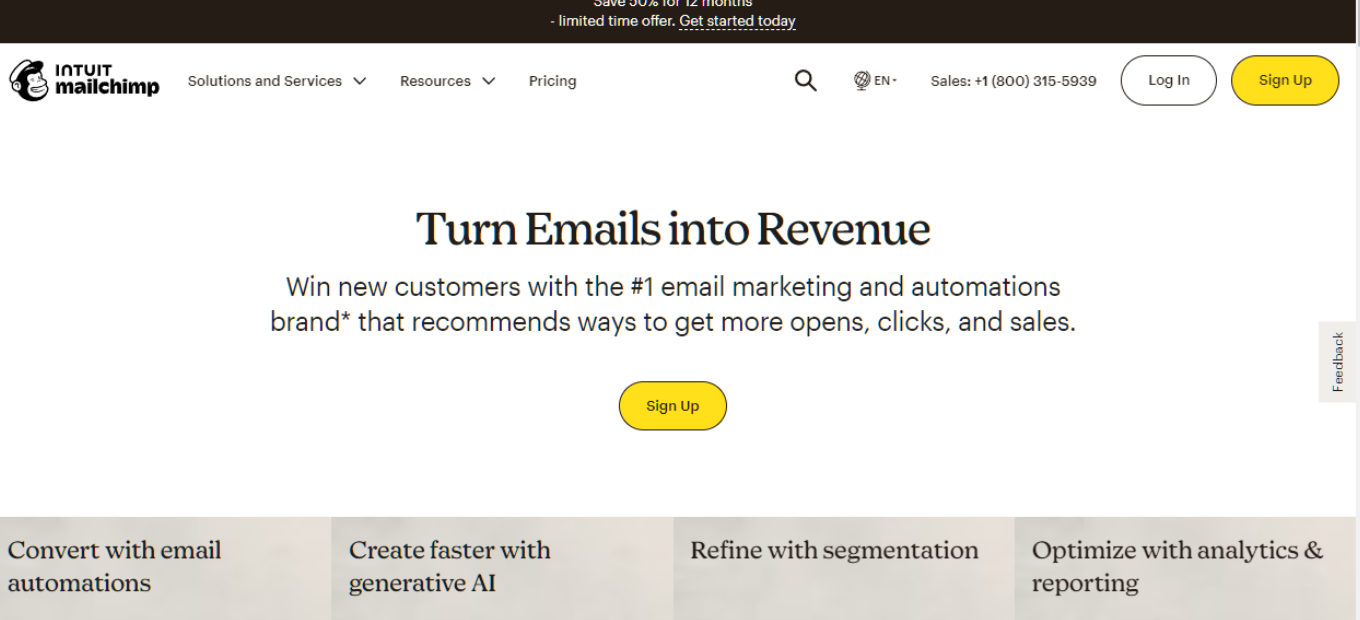
Mailchimp stands as a robust email marketing platform, offering a range of features from email campaigns to automation, ideal for businesses of all sizes. Its user-friendly interface and extensive template library make it a top choice for marketers.

👍 Pros & 👎 Cons

Pros:
– Wide range of email templates and designs
– Intuitive drag-and-drop email builder
– Advanced segmentation and personalization options
– Comprehensive analytics and reporting tools

Cons:
– Can be more expensive than some competitors
– Complexity increases with advanced features
– Limited customization in the free version

💡 About Mailchimp

Established as a simple email marketing tool, Mailchimp has evolved into a multi-faceted marketing platform. It now includes features like CRM, landing pages, and social media tools, catering to a diverse range of marketing needs.

🎯 What’s In It For You?

Mailchimp offers tools that cater to various aspects of digital marketing, not just email campaigns. Its features support effective customer engagement, from acquisition to retention.

🚀 How Does It Work?

🚦 Starting the Signup Process

  1. Navigate to Mailchimp’s signup page.
  2. Type in your Email and Password, then click ‘Sign Up’.
  3. After signing up, check your inbox for the account activation email.
  4. Open the activation email and click ‘Activate Account’ to complete your account setup.

📋 Completing the Signup Details

  • Name: Enter the name associated with your account profile. This profile can have access to multiple Mailchimp accounts.
  • Business Name: Provide the name of your company or organization. This will appear on every email along with your physical mailing address.
  • Phone Number (optional): Add a mobile phone number for account verification, recovery, and setting up 2-factor authentication.
  • Physical Address: Enter a mailing address where you can receive mail. This address is required by law on any email you send out.
  • Organization Questions: Answer details about your organization to help Mailchimp provide relevant content and guidance.
  • Website URL: Include the website URL for your company, organization, or personal website. Mailchimp uses this to help create on-brand content.

After entering this information, follow the prompts to finish the activation process and start using your new Mailchimp account.

💲 Pricing Plans & Support

Mailchimp offers a free version for basic needs and various paid plans that provide additional features and capabilities. These plans are designed to scale with your business growth.

🥊 Mailchimp vs. ActiveCampaign

ActiveCampaign ([ActiveCampaign](https://www.activecampaign.com/)): Known for its advanced features and marketing automation, ActiveCampaign is a strong competitor offering more specialized tools for segmentation and personalization.

Mailchimp Pros 🌟:

  • Easy-to-use interface for beginners.
  • Free plan available for small businesses.
  • Wide range of email templates and design tools.
  • Decent analytics and reporting features.
  • Integration with various third-party apps and services.

Mailchimp Cons 💔:

  • Automation features limited in the free plan.
  • Pricing can become expensive as your email list grows.
  • Limited advanced marketing automation capabilities.
  • Some users find the support options lacking.

ActiveCampaign Pros 🌟:

  • Robust marketing automation capabilities.
  • Advanced email segmentation and personalization options.
  • CRM integration for better customer management.
  • Excellent customer support and educational resources.
  • Competitive pricing with various plan options.

ActiveCampaign Cons 💔:

  • Learning curve for beginners due to advanced features.
  • No free plan, with pricing starting at a higher point.
  • Interface may feel complex to some users.
  • Requires time and effort to set up advanced automation.

🏁 Conclusion

Mailchimp is an all-in-one marketing platform that excels in email marketing. With its wide range of features, it is suitable for both beginners and advanced users looking to streamline their marketing strategies.

“Built for Growing Businesses.”

Buffer: A Social Media Management Tool that Allows Users to Schedule and Publish

⚖️ Our Verdict

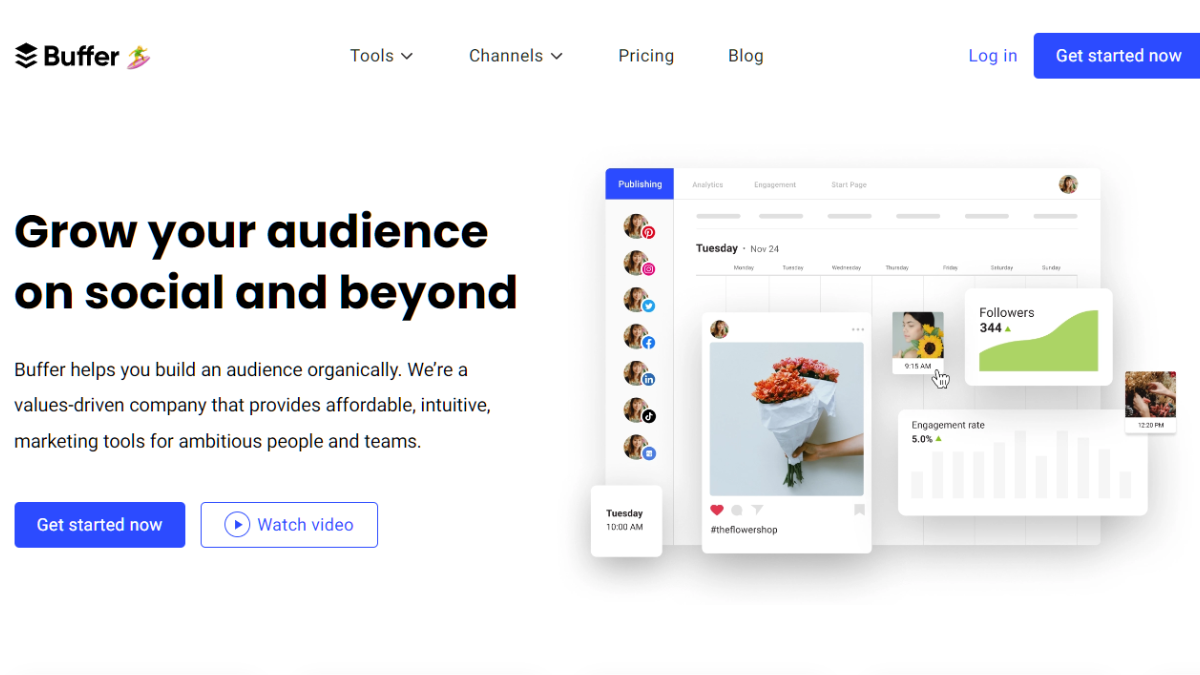
Buffer is a popular social media management tool that helps individuals and businesses schedule, publish, and analyze their social media content across multiple platforms. Here’s an overview of Buffer’s key features and functionalities:

  1. Social Media Scheduling: Buffer allows users to schedule posts in advance for various social media platforms, including Facebook, Twitter, Instagram, LinkedIn, Pinterest, and more. Users can create a content calendar and set specific dates and times for their posts to be published.
  2. Content Publishing: Users can compose and create social media posts directly within Buffer’s interface. It provides a simple and intuitive composing experience, allowing users to add text, images, videos, and links to their posts.
  3. Multi-Platform Support: Buffer supports multiple social media platforms, making it convenient for users to manage their presence across different networks from a single platform. It provides seamless integration with popular social media channels, allowing users to connect and manage multiple accounts.
  4. Team Collaboration: Buffer offers collaborative features that allow teams to work together on social media management. Users can assign roles, delegate tasks, and collaborate on content creation and scheduling. Team members can provide feedback, review posts, and ensure a consistent social media strategy.
  5. Analytics and Insights: Buffer provides detailed analytics and performance insights to track the effectiveness of social media campaigns. Users can analyze engagement metrics, follower growth, click-through rates, and other key metrics to understand their audience and optimize their social media strategies.
  6. Link Shortening and Tracking: Buffer includes a link shortening feature that allows users to create shortened and trackable links. This helps users monitor click-through rates, analyze the performance of shared links, and gather data on audience behavior.
  7. Social Media Calendar: Buffer’s social media calendar provides an overview of scheduled posts, allowing users to visualize their content strategy and ensure consistent posting frequency. It helps users plan and organize their social media content effectively.
  8. Integration with Third-Party Apps: Buffer integrates with other popular tools and platforms, including content curation tools, analytics tools, and productivity apps. This allows users to streamline their social media workflows and enhance their overall social media management experience.
👍 Pros👎 Cons
👍 Easy Scheduling and Publishing: Buffer provides a user-friendly interface for scheduling and publishing social media posts. It makes it convenient to plan and organize content in advance, saving time and effort.
👍 Multi-Platform Support: Buffer supports a wide range of social media platforms, including Facebook, Twitter, Instagram, LinkedIn, Pinterest, and more. This enables users to manage their presence across multiple networks from a single platform.
Analytics and Insights: Buffer offers detailed analytics and performance insights, allowing users to track engagement, follower growth, and other key metrics. These insights help users make data-driven decisions and optimize their social media strategies.
👍 Team Collaboration: Buffer’s team collaboration features make it easy to work together on social media management. Users can assign roles, delegate tasks, and collaborate on content creation, ensuring a cohesive and consistent social media presence.
👍 Integration with Third-Party Apps: Buffer integrates with various third-party tools and platforms, enhancing its functionality. Users can connect Buffer with content curation tools, analytics platforms, and other apps to streamline their social media workflows.
👍 Link Shortening and Tracking: Buffer includes a link-shortening feature that not only helps save character space but also provides tracking capabilities. Users can monitor click-through rates and gather data on audience behavior with the help of shortened and trackable links.
👎 Limited Direct Engagement Features: While Buffer excels at scheduling and publishing content, it has limited capabilities for engaging directly with users. Some engagement features, such as responding to comments or messages, may need to be managed through the native social media platforms.
👎 Restricted Instagram Posting: Due to limitations set by Instagram’s API, direct posting to Instagram is only available for business accounts through Buffer. Personal Instagram accounts require manual posting, which may be inconvenient for some users.
Dependency on Third-Party Platforms: Buffer relies on the APIs and functionalities provided by social media platforms. Any changes or restrictions imposed by these platforms can impact Buffer’s capabilities or require adjustments in the way content is managed.
Pricing Structure: While Buffer offers a free plan with limited features, more advanced features and increased usage capacities are available through paid plans. The pricing structure may not be suitable for all budgets, especially for larger teams or businesses with extensive social media needs.
👎 Limited Content Creation Features: Buffer’s primary focus is on scheduling and publishing content. While it provides basic content creation tools, users seeking advanced editing and design features may need to rely on external tools or platforms.

🌟 About Buffer

Buffer allows users to manage multiple social media accounts from a single platform, making it easy to schedule and publish content across various networks. Users can create and schedule social media posts in advance, specifying the date and time for publication. Buffer provides the option to set specific posting schedules for each social media account, ensuring optimal timing for engagement.

🎁 What’s In It For You? 

Buffer provides a user-friendly interface, and the platform itself offers helpful prompts and guidance as you navigate through the process. Take advantage of their resources, tutorials, and support to maximize your experience with the tool.

🖥️ To use Buffer effectively, follow these steps:

  1. Sign Up for Buffer: Visit the Buffer website (buffer.com) and sign up for an account. You can start with a free plan or choose a paid plan based on your needs.
  2. Connect Social Media Accounts: Once you’re signed in, connect your social media accounts to Buffer. This typically involves granting permission for Buffer to access your accounts.
  3. Set up a Posting Schedule: Determine your preferred posting schedule for each social media account. Buffer allows you to customize the days and times when you want your content to be published.
  4. Create Content: Begin creating social media posts within the Buffer platform. You can add text, images, videos, links, and other media to your posts.
  5. Schedule Posts: Choose the social media accounts you want to publish your post to, select the desired date and time, and schedule your posts accordingly. Buffer will automatically publish your content at the specified times.
  6. Review and Edit Posts: You can review and edit your scheduled posts in the Buffer dashboard. Make any necessary adjustments to the content, schedule, or social media accounts before they are published.
  7. Analyze Performance: Monitor the performance of your posts using Buffer’s analytics. Evaluate metrics like reach, engagement, clicks, and other key indicators to assess the effectiveness of your social media efforts.
  8. Engage with Your Audience: While Buffer primarily focuses on scheduling and publishing, make sure to actively engage with your audience directly on the native social media platforms. Respond to comments, messages, and mentions to foster connections and build relationships.
  9. Explore Additional Features: Take advantage of Buffer’s additional features, such as team collaboration, RSS feed integration, social media calendar, and browser extensions, to enhance your social media management workflow.
  10. Adjust and Optimize: Regularly assess the performance of your social media strategy and make adjustments as needed. Experiment with different types of content, posting frequencies, and engagement tactics to find what works best for your audience.

💲 Pricing Plans & Support

Buffer offers various pricing plans to accommodate different needs. Here’s an overview of Buffer’s pricing plans:

💎 Free Plan

Buffer offers a free plan that allows users to manage up to three social media accounts. With this plan, you can schedule up to 10 posts in advance per social media account. It includes basic features such as content scheduling and basic analytics.

💎 Pro Plan

The Pro plan starts at a monthly fee. It offers more advanced features compared to the free plan and is suitable for individuals or small businesses. The Pro plan includes the ability to manage up to eight social media accounts, schedule up to 100 posts in advance per social media account, and access additional features like advanced scheduling options and analytics.

💎 Premium Plan

The Premium plan is designed for larger teams or businesses with higher social media management needs. It offers more flexibility and features than the Pro plan. With the Premium plan, you can manage up to 12 social media accounts, schedule up to 2,000 posts in advance per social media account, and access features like team collaboration and advanced analytics.

💎Business Plans

Buffer offers business plans that cater to larger organizations or teams with extensive social media requirements. The business plans provide enhanced functionality, such as team collaboration features, custom workflows, priority support, and increased posting limits. The pricing for business plans varies depending on the specific needs and scale of the organization.


It’s worth noting that Buffer offers a 14-day free trial for its Pro and Premium plans, allowing users to experience the advanced features before committing to a paid plan. Additionally, Buffer occasionally offers promotions and discounts, so it’s advisable to check their website for any current offers.

Remember to review the pricing details on the Buffer website for the most accurate and up-to-date information, as pricing structures may be subject to change.

Build your audience and grow your brand on social media!

Related read: if you want scheduling plus social listening and analytics in one place, see how Hootsuite compares as an all-in-one option.

July: Making Brands Work for Creators

⚖️ Our Verdict

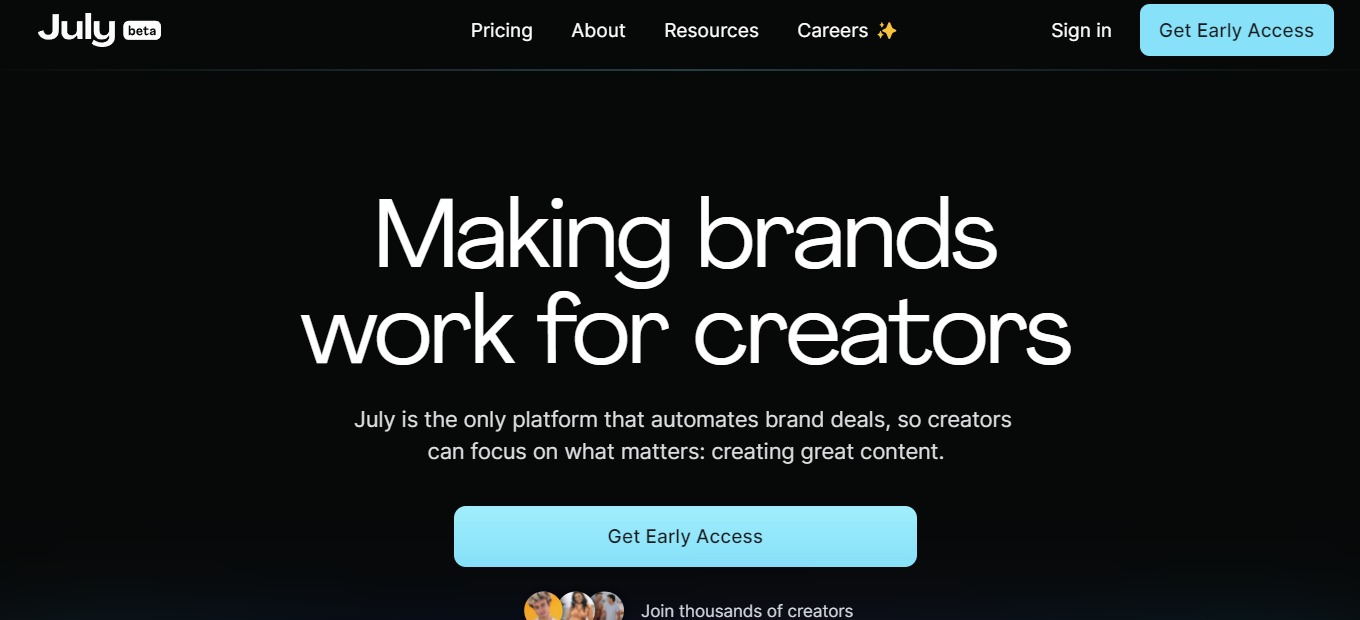
July is an excellent SaAS platform for content creators and influencers looking to collaborate with brands. July’s unique feature of automating brand deals simplifies the process of collaborating with brands, giving content creators more time to focus on creating high-quality content. 

The platform’s ability to provide contact information for brands makes it easier for creators to pitch to brands, removing the hassle of searching for brands and their respective contact information.

👍 Pros👎 Cons
👍 User-friendly interface
👍 Visually appealing design
👍Smart system technology
👎 

🌟 About July

July’s goal is to provide tools that enable more people to make a living from their creative work. They believe in the power of the internet to reshape the creative landscape, restore financial independence to creators, and unleash their superpowers to create new worlds and smash through barriers. They are committed to betting on creators across all industries to move us all forward because when they win, we all win. They love and support all creators.

🎁 What’s In It For You? 

If you use July’s platform, you can benefit from automation tools that simplify the brand deal process, allowing creators to focus on creating content. 

You can pitch any brand on the internet and access contact information for those you’re interested in working with. 

The platform also lets you see which brands are working with creators similar to you, and provides pre-made templates for outreach, follow-up, rate sharing, and more, to optimize your pitch. 

Additionally, with FastPay, you can get paid for your work instantly, without any transaction fees. The platform’s automation tools allow you to put your business on autopilot, so you can spend more time creating content.

💲 Pricing Plans & Support

💎 Side Hustle – Free for Creators

〰 5 pitch credits per month

〰 Automated pitching

〰 Free & instant invoicing

〰 Customizable media kit

💎 Career – $30/Month

For Creators making $1,000+ per month

〰 500 pitch credits per month

〰 AI-powered brand outreach

〰 See who brands are working with

〰 All premium templates

〰 10 Brand Requests per month

💎 Trending – $10/month

Creators starting to monetize

〰 50 pitch credits per month

〰 Premium outreach templates

〰 See who brands are working with

〰 2 Brand Requests per month

Make brands work for you with July!

Led by Community: The Newsletter for Community Pros

⚖️ Our Verdict

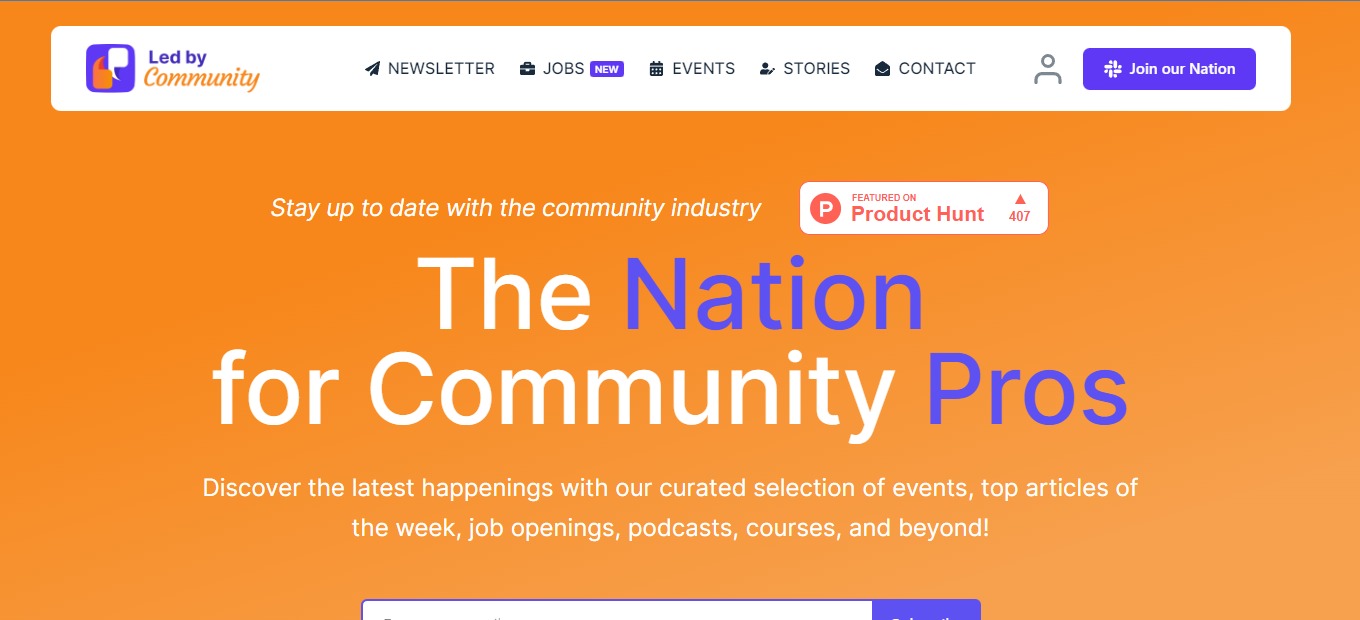
The Led By Community is an exceptional platform for women looking to connect with like-minded individuals and establish a supportive network. As a digital marketer, it is evident that the platform is a game-changer for those who are seeking a safe and secure space for collaboration and learning.

Overall, the Led By Community is a highly recommended platform for women seeking to connect with like-minded individuals, learn new skills, and establish a robust network of support. With its focus on empowering women and creating a supportive community, the Led By Community platform is an excellent resource for women looking to thrive in their personal and professional lives.

👍 Pros👎 Cons
👍 Empowers women
👍 Wide Range of ResourcesWide Range of Resources
👍Strong Community
👍User-Friendly
👍Cost-Effective
👎 Limited Availability

🌟 About Led by Community

Led By Community is committed to empowering women to reach their full potential, both personally and professionally. By offering a supportive community and a wealth of resources, we aim to inspire and empower women to achieve their goals, no matter what stage of life they are in.  

Since its launch, Led By Community has grown significantly, attracting thousands of women from around the world who share a common goal: to empower and support each other. Today, Led By Community continues to expand its offerings, providing its members with valuable resources, networking opportunities, and a strong sense of community.

🎁 What’s In It For You? 

One of the most notable advantages of the Led By Communityis its focus on empowering women. Women often face many obstacles and barriers, and the platform provides a supportive environment for them to connect, collaborate and learn from each other.

Another remarkable feature of the Led By Community is the wide range of resources available to its members. From blog posts to webinars and events, there are various opportunities to explore, learn and improve oneself. Whether one aims to enhance their career, start a business or expand their network, Led By Community provides an extensive range of resources.

One of the most significant benefits of the Led By Community is the sense of community and belonging it creates among its members. The platform encourages individuals to share their experiences, challenges and successes, creating an inclusive and supportive environment. This community can be exceptionally beneficial for those who feel isolated or unsupported in their personal or professional lives.

🖥️ How Does It Work?

Led By Community is a community-driven platform that provides a supportive space for women to connect, collaborate, and learn from each other. Here’s how it works:

  1. Membership: Led By Community offers a range of membership options, including a free membership level that provides access to a significant amount of resources. Members can upgrade their membership to access additional resources and networking opportunities.
  2. Resources: Led By Community provides a wide range of resources to help women achieve their personal and professional goals. These resources include blog posts, webinars, e-books, and exclusive events. Members can access these resources at any time, and new resources are added regularly.
  3. Community: Led By Community fosters a strong sense of community among its members. Members can connect with each other through our private online community, attend exclusive events, and participate in networking opportunities.
  4. Support: Led By Community is committed to providing its members with the support they need to achieve their goals. Members can ask questions, seek advice, and get feedback from other members and our team of experts.
  5. Growth: By joining Led By Community, women have the opportunity to grow personally and professionally. Members can learn new skills, gain valuable insights, and connect with other women who share their goals and ambitions.

📍 The Competition

👍 Pros👎 Cons
👍Powerful platform
👍Highly customizable
👍User-friendly
👎 Expensive Pricing

Join The Newsletter for Community Pros with Led by Community

Marketing Miner – The Ultimate SEO Tool for the Data-Driven Marketer

⚖️ Our Verdict

Marketing Miner offers a wide range of features that enable users to gather and analyze data, including keyword research, competitor analysis, backlink analysis, and more. These features provide valuable insights into a website’s performance and help businesses optimize their marketing strategies.

What sets Marketing Miner apart from other marketing tools is its ability to pull data from multiple sources, including Google Analytics, Search Console, and SEMrush. This allows users to get a comprehensive view of their website’s performance and make data-driven decisions.

The platform’s user interface is intuitive and easy to navigate, even for those with limited technical knowledge. Marketing Miner also provides excellent customer support, ensuring that users can get help with any issues they encounter.

Overall, Marketing Miner is a powerful and reliable tool that can help businesses improve their digital marketing efforts and increase their online visibility. It’s a worthwhile investment for any company looking to improve their online presence and drive more traffic to their website.

👍 Pros👎 Cons
👍 Comprehensive Data Gathering
👍 User-friendly interface
👍 Valuable insights
👎 Steep Learning Curve

🌟 About Marketing Miner

The idea for Marketing Miner came about when the co-founders realized there was a market gap for a tool that could gather data from multiple sources and provide valuable insights to digital marketers. 

They set out to create a platform that could streamline the data-gathering process and provide users with a comprehensive view of their website’s performance.

Marketing Miner was launched in 2016 and quickly gained popularity among digital marketers in Europe and the United States. 

The platform’s ability to gather data from multiple sources, including Google Analytics, Search Console, and SEMrush, was a major selling point for many users. 

The platform’s user-friendly interface and range of features also helped to attract a large user base.

Since its launch, Marketing Miner has continued to evolve and improve. The company has added new features to the platform, such as a keyword research tool and a backlink analysis tool, to meet the needs of its users. 

Marketing Miner has also expanded its customer base and now serves businesses of all sizes, from small startups to large enterprises.

Today, Marketing Miner is one of the leading digital marketing tools on the market, and Atrada continues to innovate and improve the platform to meet the needs of its users.

🎁 What’s In It For You? 

Marketing Miner offers a range of benefits for its users, including:

  1. Comprehensive data gathering: Marketing Miner allows users to gather data from multiple sources, including Google Analytics, Search Console, and SEMrush, giving them a comprehensive view of their website’s performance.
  2. Valuable insights: The platform provides users with valuable insights into their website’s performance, including keyword research, competitor analysis, and backlink analysis. This information can help users optimize their marketing strategies and make data-driven decisions.
  3. User-friendly interface: The platform has an intuitive interface that is easy to navigate, even for those with limited technical knowledge.
  4. Versatile features: Marketing Miner offers a wide range of features, including keyword research, competitor analysis, backlink analysis, and more, making it a versatile tool for digital marketers.
  5. Excellent customer support: The company offers excellent customer support to help users with any issues they encounter.
  6. Time-saving: The platform streamlines the data-gathering process, saving users time and allowing them to focus on other aspects of their marketing strategies.

🖥️ How Does It Work?

  1. Sign up and create an account: To start using Marketing Miner, users need to sign up and create an account on the platform.
  1. Select the data source: Once users have created an account, they can select the data source they want to use.
  1. Choose the analysis type: Users then choose the type of analysis they want to perform, such as keyword research, competitor analysis, or backlink analysis.
  1. Configure the analysis: Users can then configure the analysis by selecting the parameters they want to use, such as the time period or keywords they want to analyze.
  1. Run the analysis: Once users have configured the analysis, they can run it and wait for the results to be generated.
  1. Analyze the results: Once the analysis is complete, users can analyze the results and gain valuable insights into their website’s performance. They can use these insights to optimize their marketing strategies and make data-driven decisions.
  1. Export the results: Users can then export the results in a variety of formats, including CSV, Excel, or PDF, and share them with team members or clients.

💲 Pricing Plans & Support

💎 Free – $0/Month

〰 1000 credits a month

〰 1 project

💎 Miner – $29/Month

〰 100,000 credits a month

〰 1 project

💎 Digger – $59/month

〰 1,000,000 credits a month

〰 10 projects

💎 Machine – $99/month

〰 2,000,000 credits a month

〰 20 projects

📍 The Competition

👍 Pros👎 Cons
👍Comprehensive feature set, including keyword research, competitor analysis, and backlink analysis
👍Easy-to-use interface
👍Great customer support
👎 Expensive compared to some other tools
👎 Some features may be overwhelming for beginners

Get The Ultimate SEO Tool for the Data-Driven Marketer with Marketing Miner

WishList Member: The Best WordPress Membership Plugin

⚖️ Our Verdict

Wishlist Member is an outstanding membership site plugin for WordPress. It allows website owners to easily create and manage membership sites, providing a range of features that make it simple to create a robust and engaging online community. 

The plugin is intuitive and easy to use, with a range of customization options available that allow users to tailor their site to their specific needs.

In addition to the plugin itself, WishList Member provides a wealth of resources and support for its users. 

There is a comprehensive knowledge base that covers a range of topics related to membership site creation and management, as well as a community forum where users can connect with one another and share ideas and insights. 

WishList Member also offers responsive customer support, ensuring that users always have the help they need to achieve their goals.

👍 Pros👎 Cons
👍 Easy to use and intuitive membership site plugin for WordPress
👍Customizable options to fit individual needs
👍 Comprehensive knowledge base and support resources available
👍 Active community forum for users to connect and share ideas
👍 Responsive customer support team

👎 Limited design options for non-tech users
👎 May require some technical knowledge to set up and customize

🌟 About WishList Member

WishList Member was founded in 2008 by Stu McLaren and Tracy Childers with the goal of creating a membership site plugin that was easy to use and accessible for anyone. 

The company quickly gained popularity among WordPress users as it allowed them to easily create and manage membership sites without needing to have extensive technical knowledge.

Over the years, WishList Member has evolved and expanded its offerings, providing users with more customization options, integrations with other platforms, and a variety of pricing plans to suit different needs and budgets. 

The company has also developed a reputation for providing exceptional customer support and resources, including a comprehensive knowledge base, an active community forum, and responsive customer support.

Today, WishList Member is a leading membership site plugin provider for WordPress, used by thousands of businesses and individuals around the world. 

The company continues to innovate and improve its offerings, with a focus on helping its users create engaging and successful membership sites.

🎁 What’s In It For You? 

This plugin allows you to easily create and manage membership sites, providing a range of features that make it simple to create a robust and engaging online community.

Some of the benefits you can get from using WishList Member include:

  • The ability to create different membership levels and content access rules
  • A range of customization options to fit your specific needs
  • Seamless integration with WordPress and other platforms
  • The ability to monetize your content through recurring subscriptions or one-time payments
  • Access to a comprehensive knowledge base and community forum for support and ideas
  • Responsive customer support to help you with any issues or questions you may have

Overall, using WishList Member can help you create a successful and profitable membership site, whether you are running an online course, a community forum, or any other type of membership-based business.

🖥️ How Does It Work?

  1. Install the plugin: Once you’ve signed up for a plan, download and install the Wishlist Member plugin on your WordPress website. The plugin will be available as a zip file that you can upload to your website through the WordPress dashboard.
  1. Configure settings: After installing the plugin, you can configure its settings to fit your specific needs. This includes setting up membership levels, content access rules, payment options, and more.
  1. Create membership content: Once you’ve configured the plugin settings, you can start creating content that is only accessible to members. This can include pages, posts, videos, audio files, and any other type of content you choose.
  1. Manage members: Wishlist Member allows you to easily manage your members, including adding and removing members, updating member information, and tracking member activity.
  1. Monetize your content: If you’re offering premium content, Wishlist Member allows you to monetize it through recurring subscriptions or one-time payments. You can also set up free memberships if you choose.

💲 Pricing Plans & Support

💎 1 Site – $199/year

All features for 1 membership site!

〰 Access to WishList Member 

〰 WishList Member License 

〰 Easy Setup Wizard 

〰 Unlimited Protected Content 

〰 Unlimited Membership Levels and Members

〰 Everything you need to start creating and selling content online 

〰 Stripe, PayPal, and 20 Other Payment Providers

〰 Supported Access to all 50+ Integrations Including Zapier 

〰 Premium Email Support

💎 10 Sites – $349/year

All features for 10 membership sites!

〰 Access to WishList Member 

〰 WishList Member License 

〰 Easy Setup Wizard 

〰 Unlimited Protected Content 

〰 Unlimited Membership Levels and Members

〰 Everything you need to start creating and selling content online 

〰 Stripe, PayPal, and 20 Other Payment Providers

〰 Supported Access to all 50+ Integrations Including Zapier 

〰 Premium Email Support

📍 The Competition

👍 Pros👎 Cons
👍 Feature-rich and scalable
👍 Flexible pricing plans 
👍 Good customer support
👎 Can be costly with limited customization options
👎 Limited integration options
👎Overwhelming for new users

Get The Best WordPress Membership Plugin with WishList Member!

Boei: The Zapier of communication

⚖️ Our Verdict

Boei intends to make it simpler for site visitors to reach businesses. Users can contact businesses through Twitter, Facebook, Telegram, Whatsapp, email, and other methods by clicking on a button. This app is best used by web developers and online business owners.

CTAs, such as an offer for visitors to register for a newsletter, can also be created. The button or text may be installed and modified without the need for programming. The app does not employ cookies nor save any information.

Overall, it’s a simple, accessible, and helpful application for reaching customers without any problems.

👍 Pros👎 Cons
👍 Add a communication widget to the website
👍 Supports major communication apps
👍 Easy to set up

👎 Needs more design options
👎 Forms are not flexible and extensive
👎 Limited customization features

🌟 About Boei

Boei is customer interaction software that allows customers to communicate with the organization through their preferred social media network by simply pressing a button. You may even keep in touch after they’ve left the site. Users may also reach you via their channel of choice, which allows you to create leads automatically.

Installing is as simple as placing one line of HTML code in the body of a webpage. The button will appear on the website after the code has been installed. Additionally, the program does not utilize cookies or collect personal information, and it is AVG-resistant. Lastly, the online application integrates with several media platforms, ranging from Facebook to Discord and Line to Waze. 

🎁 What’s In It For You?

Boei allows you to connect with more leads automatically. This is because your users can keep in touch with you via the channels they prefer.  Now you can have direct contact over several major communication channels. Additionally, Boei works on different sites.

Also, this tool keeps the conversation going even after the customer has left the website. Boei uses integrated platforms to connect with your customers, increasing your conversions by building relationships. This tool also turns visitors into users even on autopilot. It employs several forms such as feedback, newsletter, contact, and call-me-back form.

Lastly, Boei is extremely easy to install even without a developer. This lightweight tool lets your site work smoothly and well. The script that Boei uses is 300 times smaller than typical chat scripts available on the market. This allows your website to load faster, enabling you to reach visitors faster.

🖥️ How Does It Work?

  1. The dashboard shows all the sites where you use a Boei widget.
  1. Add a new site or edit an existing one.
  1. Specify the website that you want to utilize Boei with.
  1. Add the Boei plugin to your website.
  1. Configure the settings of your widget.
  1. Select the channels you want to add to the widget.
  1. From the website you are adding the widget, log in with your Boei account.

💲 Pricing Plans & Support

Boei is the easiest way to communicate with customers on different channels. Start using it with a domain by selecting one of the packages available.

💎 Starter – $0/Month

This awesome plan for hobbies is free!

〰 1 domain

〰 2 channels

〰 Up to 5k views/month

〰 20 leads/month

〰 Design your widget

〰 Set desktop/mobile variation

〰 Limited statistics

💎 Premium – $15/Month

This awesome plan for small businesses is only $15 per month!

〰 Everything in Starter

〰 Unlimited channels

〰 Up to 100K views/month

〰 Unlimited leads

〰 Display channels as QR

〰 Set CTA message

〰 Hide channels when out of office

〰 Set preset messages to Click to Mail and WhatsApp

〰 Hide on pages

〰 30-day statistics

💎 Ultimate – $40/month

This awesome plan for growing businesses is only $40 per month!

〰 Everything in Premium

〰 2 domains

〰 Unlimited channels

〰 Unlimited views/month

〰 WhatsApp with multiple agents

〰 Send forms to Slack or Webhooks

〰 Custom CSS

〰 Remove Boei branding

〰 Google analytics

〰 Collaborators

〰 90-day statistics

💎 Agency – $100/month

This awesome plan for agencies is only $100 per month!

〰 Everything in Ultimate

〰 No domain limit, first 5 are covered

〰 +15/month per additional domain

〰 Create sub-accounts

〰 Branded admin panel

📍 The Competition

👍 Pros👎 Cons
👍 Review management system
👍 Display reviews and widget on your site
👍 Deploy and manage campaigns
👎 Limited features on free trial
👎 Not a full SEO-based platform

Use the Zapier of communication: Boei

Tertulia: Books worth talking about

⚖️ Our Verdict

Tertulia is an excellent resource for book discovery. It provides readers with a variety of options and makes it simple to discover their next good read. Tertulia functions as a sort of aggregator from a variety of sources. Tertulia’s sources for book recommendations are extensive since it employs AI and collects data from multiple platforms.

This app has a beautiful user interface and provides excellent book recommendations. Tertulia is the ideal app for book enthusiasts since it provides them with a community in which to join. Furthermore, this app has all of the functions that every reader requires!

Overall, it’s a feature-rich, easy-to-use, and essential application for readers to expand their book collection.

👍 Pros👎 Cons
👍 Uses AI and machine learning for recommendations
👍 Gathers data from different sources
👍 Visually striking interface
👎 Available only on iOS
👎 Data acquisition consent issues

🌟 About Tertulia

Tertulia is an application that provides streamlined discovery of books. A lot of discovery devices exist for movies, music, arts, etc. but almost none for books. This is where Tertulia—a book discovery application—comes in.

Tertulia utilizes AI and content curation to provide different sources and give you book recommendations. The name is of Spanish origin, which means literary salons. Additionally, this application aims to develop the best book page on the net.

Furthermore, Tertulia employs machine learning to analyze Twitter discussions and book-related content to figure out what individuals are talking about. With this app, you may read suggestions compiled from various literary websites and buy the book immediately in-app if you like it.

🎁 What’s In It For You?

Tertulia lets you choose your favorite genres as well as from whom you want to view recommendations. These are authors who are traditionally classified by profession or community, such as journalists, poets, LGBTQ+ voices, and so on.

This application gives you recommendations daily and refreshes automatically. The good thing about Tertulia is that it gets data from social media sites so that you can have a variety of recommendation sources. Additionally, Tertulia has a “For You” page where books from the sources you chose will appear. 

Similar to other book recommendation apps, clicking on a book will show reviews from varying sources. Another great thing about Tertulia is that it lets you stay on trend with its recommendation feature on trending books. Tertulia also displays your ‘to be read’ books and the books you’re currently reading.

🖥️ How Does It Work?

  1. Login or sign up to get started.
  1. After signing up, select your favorite genres.
  1. Then, select the people you want to hear from.
  1. On the Today tab, you can see your personalized feed of book recommendations. 
  1. Select the explore tab to view recommendations similar to a “For You” page.
  1. Select the trending section to view the books that are most talked about.

💲 Pricing Plans & Support

Tertulia is a free application that offers a membership plan that comes with different perks. You may still enjoy the amazing features of Tertulia without being a member. However, joining the membership provides you with benefits such as free shipping on books, a 10% discount on book purchases, and co-ownership in Tertulia which allows you to earn through the app passively. The membership cost is $25 annually with a 30-day trial period. 

📍 The Competition

👍 Pros👎 Cons
👍 Keep track of new releases and your reading list
👍 See what friends are reading
👍 Check reviews before buying
👎 Book rating is not reliable
👎 No half stars for reviewing
👎 Not the best recommendations

Find books worth talking about with Tertulia