Headlime 2.0: Professional Marketing Copy For You!

⚖️ Our Verdict

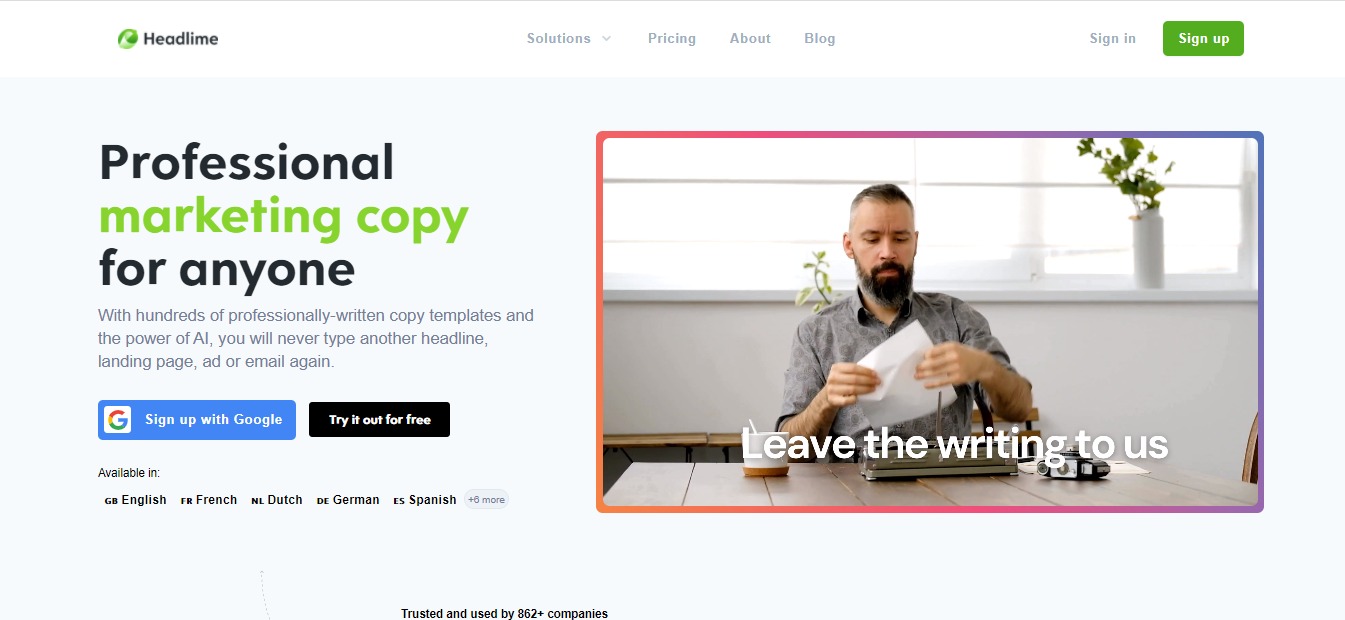
Writing a marketing copy that truly sells takes time, effort, and money. For some, it takes a team of highly-paid marketers to come up with beautiful, conversion-oriented copies. However, not all of us have the privilege of hiring a team. This is where Headlime 2.0 comes in handy.

With this amazing tool, you can write amazing, conversion-oriented copies that sell in a matter of seconds. You can write copies for your blogs, videos, ads, landing pages, products, posts, emails, and more! With Headlime 2.0, you can do all these without spending too much time, effort, and money.

👍 Pros 👎 Cons
👍 Professional copies you can publish immediately
👍 Available in 11 languages
👍 Thousands of pre-made template
👍 Add your templates
👍 New copies added every week
👎 Headlime 2.0 just launched today, there’s room for improvement

🌟 About Headlime 2.0

Headlime was created to make it easier for you to create marketing copies. There are thousands of templates available that are highly customizable. Danny Postma, the founder of Headlime 2.0 initially started the tool in Google Spreadsheets where his clients can access it. 

Now, Headlime has evolved into something more. It’s a great tool that will help you write copes that convert. These copies were well-researched, and proven to have the highest conversion possible. The team behind Headlime 2.0 spent countless hours brainstorming, researching every copy to select the best ones. 

🎁 What’s In It For You?

This product has over a thousand copies that you can use for newsletters, blogs, emails, products, ads, and more. The team behind this wonderful tool has tested each copy in various marketing channels to see which works, and which ones don’t. 

Headlime 2.0 offers five different solutions for everyone. First, there’s the Copy Generator which generates customizable marketing copies in seconds. This tool has over 1700 pre-made templates.

Then, there’s the AI Copywriter that’s powered by GPT-3 of OpenAi. It’s a fantastic tool that basically writes copies by itself. The Document Generator comes next where you can create many documents within seconds. Next, there’s the Copy Inspiration; a list of thousand copy examples to get you inspired.

With the Headlime for Team feature, you can easily collaborate with team members. This feature also allows you to share and reuse your copy.

🖥️ How Does It Work?

  1. To try this amazing tool, visit Headlime 2.0’s website. 
  2. Click the “Sign Up” button, fill in the necessary fields. 
  1. Once you sign up, you will be redirected to Headlime 2.0’s dashboard page.
  1. To see the templates, click the “Library” in the upper left corner. From here, you will be presented with a list of ready-made templates and features from this amazing tool.
  1. Additionally, you can create projects to keep everything organized

Moreover, you can also request features on their “Request Feature” tab.

💲 Pricing Plans & Support

As you can see above, Headlime 2.0 offers a free trial for all its Pro plans. Check them out below.

💎 Pro – $29 /month

Perfect for personal use or small businesses

〰️ Access to all templates

〰️ Add your own templates & variables

〰️ Share projects & templates

〰️ Unlimited projects

〰️ Generate from CSV

〰️ Available in 11 languages

〰️ AI Copywriter

〰️ Use GPT-3 copywriter

〰️ Credits per month – 150,000

〰️ Purchase extra credits – $10 per 100,000

〰️ Available in 11 languages

〰️ Unlimited documents & folders

〰️ Access to pre-made templates

〰️ Download to CSV, Word & TXT

〰️ Generate multiple from CSV

💎Business – $49 /mo

For growing companies or marketing professionals

〰️ Access to all templates

〰️ Add your own templates & variables

〰️ Share projects & templates

〰️ Unlimited projects

〰️ Generate from CSV

〰️ Available in 11 languages

〰️ AI Copywriter

〰️ Use GPT-3 copywriter

〰️ Credits per month – 400,000

〰️ Purchase extra credits – $10 per 100,000

〰️ Available in 11 languages

〰️ Unlimited documents & folders

〰️ Access to pre-made templates

〰️ Download to CSV, Word & TXT

〰️ Generate multiple from CSV

💎 Agency – $89 /monthly

Easy collaboration with your team members, share and reuse your copy.

〰️ Access to all templates

〰️ Add your own templates & variables

〰️ Share projects & templates

〰️ Unlimited projects

〰️ Generate from CSV

〰️ Available in 11 languages

〰 ️AI Copywriter

〰️ Use GPT-3 copywriter

〰️ Credits per month – 400,000

〰️ Purchase extra credits – $10 per 100,000

〰️ Available in 11 languages

〰️ Unlimited documents & folders

〰️ Access to pre-made templates

〰️ Download to CSV, Word & TXT

〰️ Generate multiple from CSV

〰️ Unlimited teams

〰️ 5 members included

〰️ $15 per new extra member

〰️ Whitelabel
Get professional marketing copies from Headlime 2.0!

Hunter Templates: Find the Best-Performing Cold Email Templates

⚖️ Our Verdict

There are instances where the same, bland cold emails are not just enough. Customers and clients do not want to open unpersonalized, cold emails. This is where a great tool like Hunter Templates come in handy. 

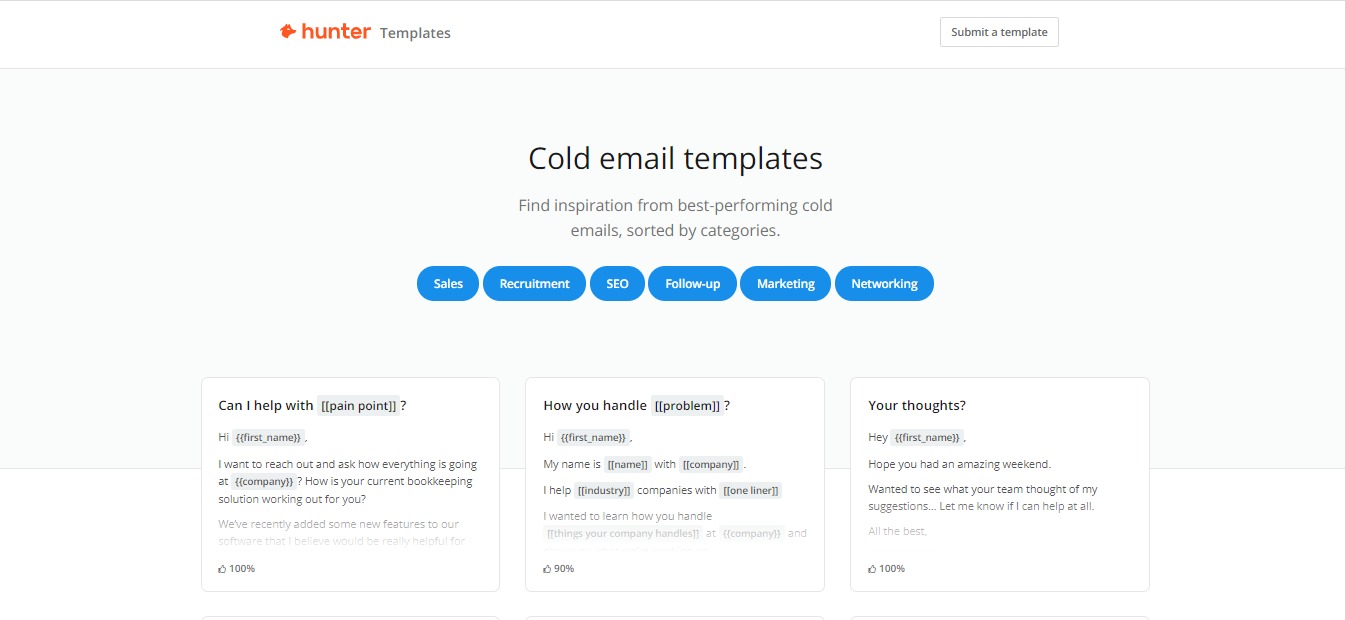
With this awesome tool, you can send personalized cold email templates that will convert readers into clients and customers! You can find hundreds of pre-made cold email templates from experts that are guaranteed to increase your click-through rate and conversions!

👍 Pros 👎 Cons
👍 Hundreds of curated cold email templates
👍 Sorted by category
👍 Create a free account
👍 Templates by experts
👎 Hunter templates are free to use, and the templates are created by experts. What more can we ask for?

🌟 About Hunter Templates

Hunter is a company founded not just to provide you with cold email templates, it’s made to give professionals the power to create new connections with people that matter. They offer a variety of software you can use to expand and grow your business efficiently. 

Their products are simple and highly accessible. The goal is to create a profound global impact to professionals by tackling ambitious challenges for you.

🎁 What’s In It For You?

It’s pretty straightforward, isn’t it? You can use Hunter Templates to get inspiration from the best and brightest. These templates are created by experts, and they are proven to convert. And Hunter Templates is giving you an all access ticket to it all. 

Starting next week, tune into our regularly scheduled Live Hunter Demos. The first webinar is on November 19th at 5 pm CET. See you there: https://app.livestorm.co/hunterio/hunter-live-demo

Posted by Hunter.io on Wednesday, November 11, 2020

🖥️ How Does It Work?

As we said, the tool is pretty straightforward. All you have to do are the following steps:

  1. Visit Hunter’s website.
  1. Instantly, you will see examples of categorized cold email templates you can use.
  1. The company also provides sound advice for professionals that you can use to learn.
  1. You can create a free account if you wish
  1. Sign up with your company email
  1. After that, you can start composing campaigns and schedule follow-ups, all from your Gmail account – for free!

💲 Pricing Plans & Support

Hunter Templates is free, you can choose to create a free account to get access to the whole list of templates. But they do offer paid plans for their different tools. 

📍 The Competition

Naturally, there is a lot of email automation software out there. But none quite like the Hunter Templates. 

What makes this software truly one-of-a-kind is the fact that you get what you’re advertised: Free Cold Email Templates. This is why, in our books, there is no competition for this tool. It’s just that great. 

Find the Best-Performing Cold Email Templates with Hunter Templates!

LingvaNex: Expand Your Reach with this Translation Tool

⚖️ Our Verdict

Marketing and running a business is not a walk in the park. It is all the more difficult when you’re trying to expand your reach worldwide. Fortunately, there are tools such as LingvaNex that are designed to make some aspects of the job easier for you. 

LingvaNex can translate everything and everywhere. It can translate text, voice, text on photos, files, websites, and more. Anything you want to translate, LingvaNex can do it in 110 different languages online and offline.

The best part is, you can use this amazing tool anywhere you are! LingvaNex works on mobile, desktop, web, messenger, wearables, and even on voice assistant platforms. 

👍 Pros 👎 Cons
👍 Translate everything to 110 different languages
👍 Use it anywhere and everywhere
👍 Unlimited translation 
👍 Remove language barriers wherever you are
👎 We honestly cannot find a fault with this product! It does what it advertises to do, and we can all benefit from it!

🌟 About LingvaNex

Since 2012, Nordicwise Limited company from Larnaca (Cyprus) has started working on translation solutions. Fast forward to today, they are one of the leading services for translation solutions

The company boasts about 25 millions of application downloads. They have hundreds of thousands users monthly.

🎁 What’s In It For You?

LingvaNex can help your business with its Machine Translation Solutions. They offer a cloud API and on-premise translation server. Both of these applications will work with 110 different languages. 

The Cloud API is best for user-generated content translation, business analysis, website localization, communication with international audiences. You can also use it for language learning services, and patent search. It’s very easy to integrate with free technical support, and there are no attribution requirements. 

They also offer the on-premise translation server for those who need real privacy. This awesome feature can translate text and documents of 20 format types — and you won’t even need internet connection for it!

All the data is stored privately on your service, and you can get unlimited translations. How cool is that?

🖥️ How Does It Work?

  1. If you are interested to see LingvaNex in action, visit https://lingvanex.com/demo.

2. Type in anything you want to translate and see it work its magic!

3. You can choose the language you want to translate it to.

4. You can also click on any word, and the Dictionary will tell you what it means:

5. Download their apps on your devices to use LingvaNex anywhere!

6. Get fast and accurate translations on all your devices with LingvaNex

💲 Pricing Plans & Support

LingvaNex is free to use for everyone. However, if you’re interested in using their on-premise translation services, you may contact them here and request a quote.

📍 The Competition

👍 Pros 👎 Cons
👍 Easy & free to use
👍 Can be used on web browsers and mobile browsers
👍 Voice search
👎 Things can get lost in translation
👎 The quality of translation is dependent on the language pair

All Language Translator

👍 Pros 👎 Cons
👍 Free voice translation
👍 Text translation
👍 Livechat
👎 Low accuracy level

Expand Your Reach Worldwide with this LingvaNex!

PFPMaker: Create Awesome Profile Pic From Any Photo

⚖️ Our Verdict

Profile photos are the first thing clients, colleagues, friends and family see in every profile you have! So why not make it look more professional? We get it, editing photos can be time-consuming and a little bit tricky. But with PFPMaker, you no longer have to spend countless hours in front of the computer screen trying to make your photos look more professional.

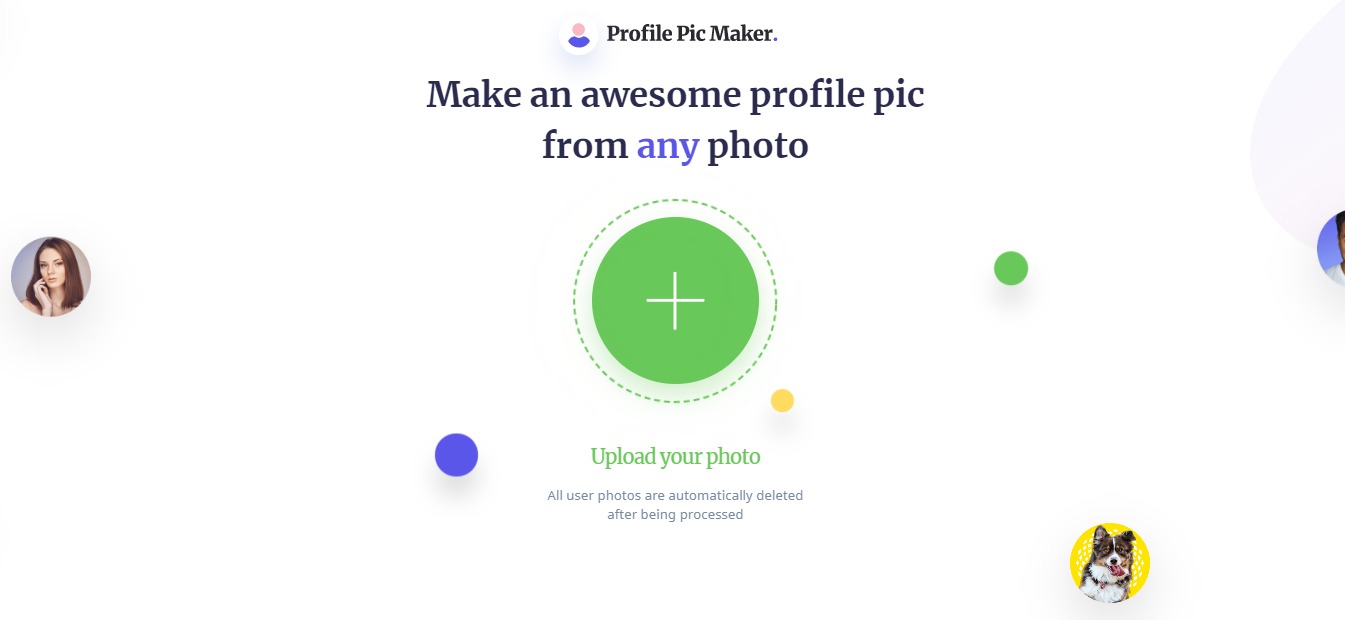
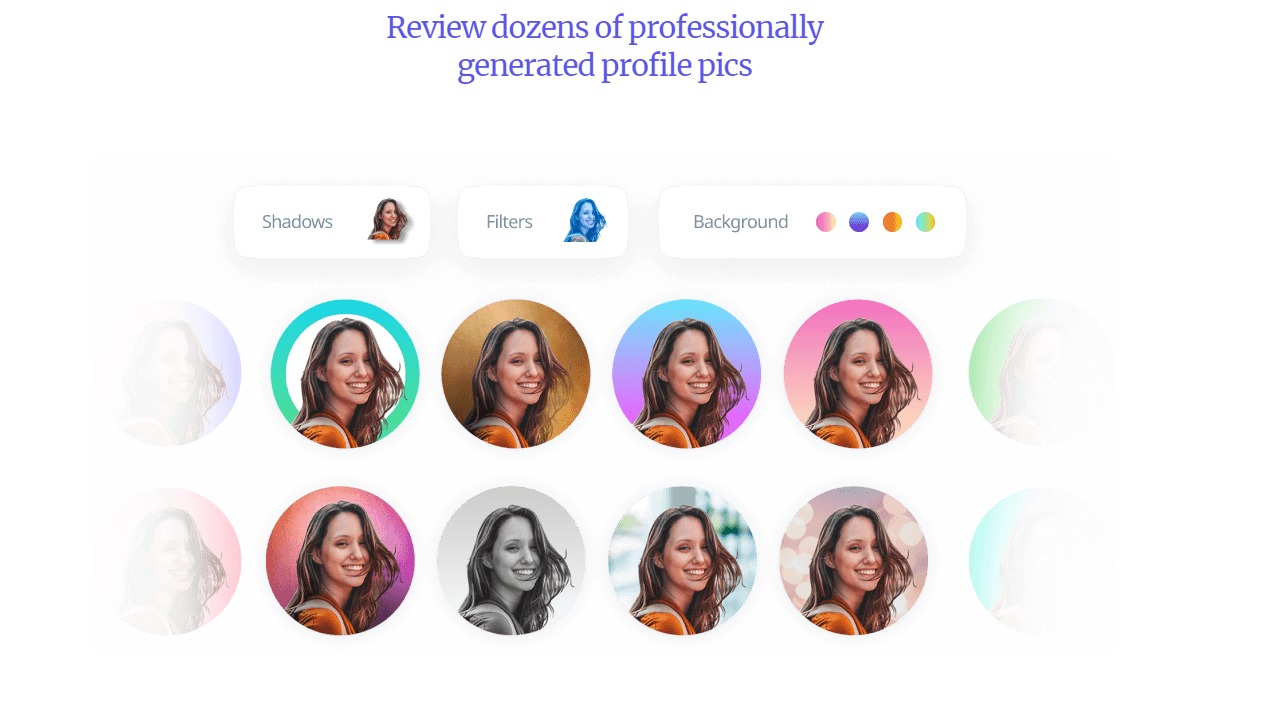
With this awesome tool, you can create professional and creative profile pics from any photo! It automatically removes any background, and generates dozens of photo options to choose from. All of this within seconds! How cool, right?

👍 Pros 👎 Cons
👍 Generate profile photos within seconds
👍 Variety of backgrounds to choose from
👍 Easy editing app
👍 Free to use
👍 Request a feature
👎 No smartphone app yet, but they’re working on it!

🌟 About PFPMaker

PFPMaker is a startup tool that helps you generate professional and creative profile photos from any current photos you have. It was created for everyone who wants to step up their social media with a professional or created profile photo. 

The company only launched a few weeks ago, but we can see it going in the right direction! So far, there is no app like in the market. It truly is the first of its kind!

🎁 What’s In It For You?

This incredible tool is pretty straightforward. You use it if you want to generate a new profile photo, but don’t want to go through the hassles of getting your photo taken professionally. 

With PFPMaker, you can use photos taken from your smartphone and your digital cameras. All you have to do is upload it on PFPMaker’s website, and boom! You have dozens of professional and creative profile photos to choose from.

This awesome tool features an automatic background remover that removes the background from your photos completely and precisely. You can choose from a wide variety of studio-grade filters to get aesthetically pleasing profile photos. All the photos you upload are automatically deleted after being processed, too!

Did you know that there’s a latest research that shows social media and professional profiles with profile photos gets 14x more clicks and interest? PFPMaker does just that!  It saves you time, money and effort! Who doesn’t want that, right?

🖥️ How Does It Work?

As we have mentioned above, PFPMaker is pretty straightforward. Here’s how you use it:

  1. Visit their website at https://pfpmaker.com/.

2. Upload a photo from your computer.

3. Wait for a few seconds while PFPMaker generates filters & removes your photo background.

4. And viola! You now have dozens of auto-generated profile photos to choose from! 

You can also edit the color of the backgrounds and the design using their editor. 

And adjust the shadows if necessary

And adjust the photo itself.

💲 Pricing Plans & Support

PFPMaker is a free tool that can be used by anyone on the internet. They also have a business plan available. To get access, feel free to contact b2b@pfpmaker.com.

📍 The Competition

We have mentioned above that PFPMaker is the first tool of its kind. While there are countless photo editing tools out there, none are as straightforward and easy to use as this one!

Create awesome profile pics with PFPMaker!

Matter: The Future of Feedback

⚖️ Our Verdict

Your professional career is a great journey. And just like in every journey, feedback matters to help you improve and progress along the way! Matter is an incredible app that helps you discover your strengths and reach your aspirations as a professional. 

This awesome tool helps you gather feedback instantly to become the best version of yourself. We highly recommend this amazing feedback tool to help you & your peers gather feedback on your own terms. With this tool, you have the ability to grow, improve, and hone your professional skills. 

👍 Pros👎 Cons
👍 User-friendly interface
👍 Gather feedback from your peers and colleagues
👍 Promotes self-improvement
👍 Perform better
👎 We have used Matter for a few months, and we have no complaints!

🌟 About Matter

Matter is an incredible app created to help people perform better, get monthly peer feedback, and more! This awesome tool makes feedback easier, pleasant and more productive. 

Everyone deserves feedback, and Matter’s mission is to change the whole way you approach receiving and giving feedback. With Matter, you’re in control.

🎁 What’s In It For You?

With Matter, you can gather feedback on your own terms from peers and colleagues. It features 360-degree feedback where you can grow, improve and hone your skills!

You can gather, clarify and give professional feedback all in one place. Using Matter, you can build your confidence at work. You will know exactly where you stand, focus on areas you need to improve, and learn about your blind spots.

You can grow skills that matter. Bring your peers along, gather feedback all-year round, and clarify feedback with ease. 

🖥️ How Does It Work?

Matter is very easy to use. It is designed with a beginner and user-friendly interface, and everyone can use it. To try Matter for yourself, simply visit MatterApp.com

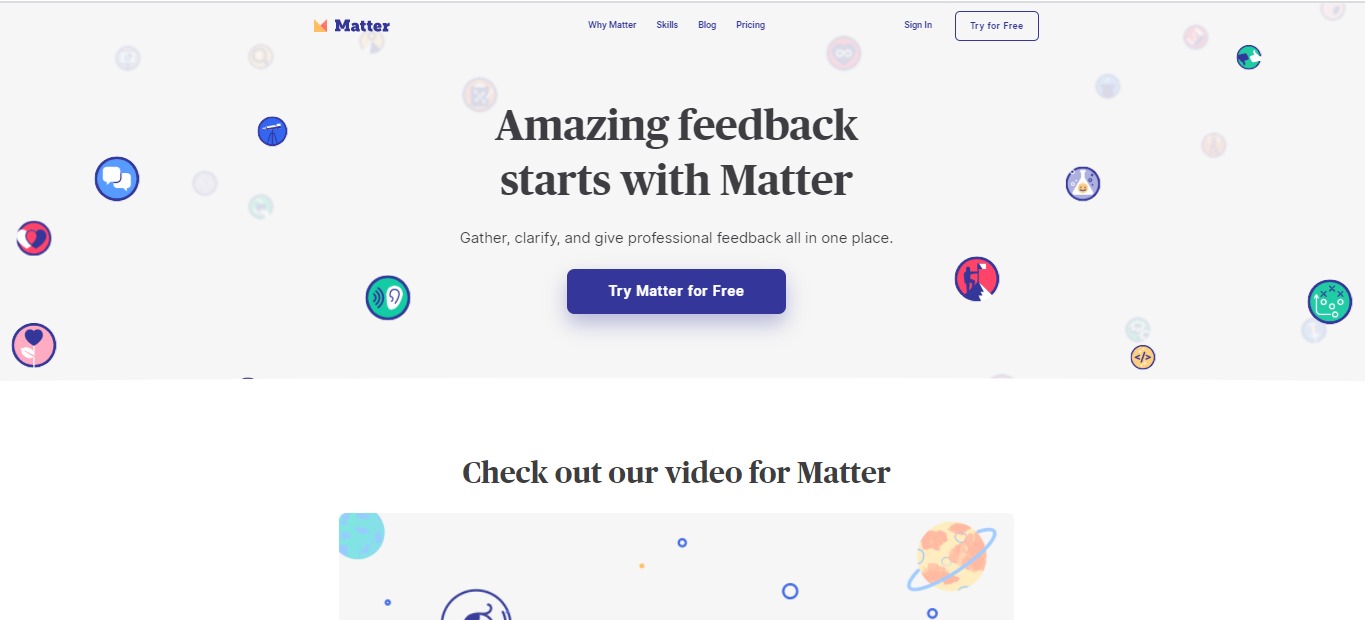
  1. Once you’re on the website, simply click the “Try for Free” button.
  2. You will be redirected to a page where you can Sign Up for an account.

  1. From here, you can choose your occupation.

  1. Put your years of experience

  1. Choose the skills you want feedback on.

  1. The next thing to do is Find Your Peers, or you can also choose to do this later.

  1. After that, you can see the interface and your feedback.

💲 Pricing Plans & Support

As of now, this incredible app is available for a Free plan. But they are working on Pro features that comes out soon!

💎 Free

〰️ Unlimited feedback 🙌

〰️ Unlimited skills 🌱

〰️ Continuous feedback BETA

💎 Pro

For early access to the Pro features, be sure to contact Matter’s support team

The Future of Feedback is Matter

Trends.vc : Discover New Markets and Ideas

⚖️ Our Verdict

If you’re in the market for new business ideas and the latest trends for venture capital investments, we highly recommend Trends.VC! This tool is absolutely fool-proof, and it is so easy to use. You can easily read reports about the latest market trends and ideas with a few clicks. 

ProsCons
👍 Foolproof Reports
👍 Easy to generate
👍 Gives you the latest trends and ideas
👍 Easy to use 
👎 Limited reports for free version

🌟 About Trends.vc

Trends.vc was founded to provide you with the latest market trends and ideas. This incredible tool gives you exclusive insights to the best trends that will shape the future. It’s the perfect tool to use, especially if you are a founder or an investor. Go follow Trends.vc on Twitter @trends_vc.

🎁 What’s In It For You?

As we have previously mentioned, Trends.vc helps founders and investors discover new markets and ideas. The reports you will find in this incredible tool will help you decide on which market trends to invest in, or which projects will be profitable in the future.

The free version contains multiple market researches that are converted into reports that you can easily read within 5 minutes. 

They also offer a PRO version which contains 2x more insights. The pro version also provides you with weekly insider tips and actionable opportunities. All of these are delivered straight to your email for some light reading. 

Each report provides you with a current or future problem, a solution, different players, predictions, and opportunities that you can try. It also provides links to resources that you can use to your advantage.

🖥️ How Does It Work?

To generate reports, you can simply go to Trends.vc’s website here. Their website is straight and simple.

trends.vc

All you have to do is enter your email address and click on generate reports.

trends.vc

Once you have entered your email address, you will be redirected to a webpage that contains a list of different reports. The list contains a lot of ideas from million-dollar, one-person business ideas, personal brands, bootstrap funds, growth tools, paid communities, online courses, micro private equity, virtual meetus to remote fitness and even business idea for COVID-19. 

💲 Pricing Plans & Support

trends.vc

As we have mentioned, Trends.vc offers a free version that you can use. The free version contains 27 reports that you can use. They also constantly update the free version for the latest trends and market ideas.

On the other hand, we also recommend Trends PRO which contains 2x more insights.

💎 Trends PRO – $99 per year

Trends Pro you’ll get:

〰️Next 52 Pro Reports

〰️🤑  Trends Pro #0027 — Million-Dollar, One-Person Businesses

〰️📍  Trends Pro #0026 — Drop Culture

〰️📣  Trends Pro #0025 — Referral Programs

〰️🏟️  Trends Pro #0024 — Equity Crowdfunding

〰️🤩  Trends Pro #0023 — Personal Brands

〰️💻  Trends Pro #0022 — Digital Products

〰️🕹️  Trends Pro #0021 — Gamification

〰️🙏  Trends Pro #0020 — B Corps

〰️🥾  Trends Pro #0019 — Bootstrap Funds

〰️😇  Trends Pro #0018 — Angel Investing

〰️🛠️  Trends Pro #0017 — XaaS: Anything as a Service

〰️🧰  Trends Pro #0016 — Growth Tools 

〰️📖  Trends Pro #0015 — Open Startups 

〰️💬  Trends Pro #0014 — Paid Communities 

〰️🍎  Trends #0013 — Online Courses

〰️💰  Trends #0012 — Micro Private Equity

〰️💌  Trends #0011 — Paid Newsletters

〰️🦄  Trends #0010 — Startup Studios

〰️🌐  Trends #0009 — Virtual Meetups

〰️🏋️  Trends #0008 — Remote Fitness

〰️🦠  Trends #0007 — Coronavirus (COVID-19)

〰️🧱  Trends #0006 — No Code

〰️🥾  Trends #0005 — Bootstrap Funds

〰️💸  Trends #0004 — Income Share Agreements

〰️🏠  Trends #0003 — Co-Living

〰️🎙️ Trends #0002 — Podcast Memberships

〰️🍳 Trends #0001 — Cloud Kitchens

💎 Trend Talks – $997 per year

〰️Access to Trends PRO data 

〰️Access to 1-on-1 calls each week

📍 The Competition

ProsCons
👍 Best new products everyday
👍 Easy to use interface
👍 Latest products delivered to your inbox
👍 Free to use
👍 Offers one-on-one mentorship
👎 N/A
ProsCons
👍 Focuses on entrepreneurship and computer science
👍 Platform to share ideas and communicate
👎 Very niche content

Discover New Markets and Ideas with Trends.vc

Proposify: Dominate the World With Your Winning Proposal

⚖️ Our Verdict

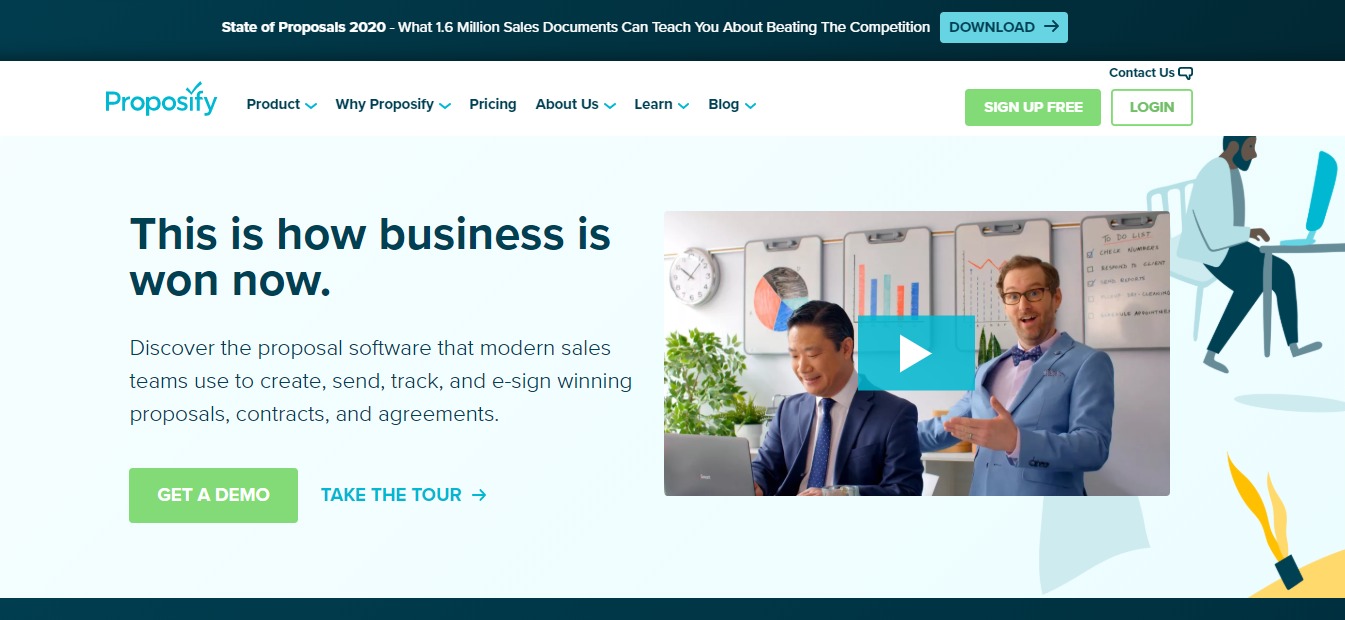
Proposals can be a big pain to prepare. It takes weeks, if not months, to prepare a winning proposal that would rock everyone’s socks off. Fortunately, there are tools such as Proposify that makes life so much easier. 

With Proposify, it is now easier and more efficient to create winning proposals, send it, track the progress, and more! This incredible tool helps save your time, effort, and money. Now, proposals are no longer an excruciating, tiring process, it’s rather a more enjoyable, exciting experience.

ProsCons
👍 Track proposals
👍 Interactive quoting
👍 Arm reps with the content they need, when they need it
👍 Electronic signatures
👍 Reduce manual entry and errors
👍 Create impressive proposals that reflect your brand
👍 Add videos to bring your offer to life
👍 Client input forms
👍 Proposals can be translated to 15 different languages
👎 Pricing can be steep if you do not send proposals regularly

🌟 About Proposify

Founded in 2012, Proposify helps turn boring, snooze-fest proposals into pitch-perfect ones! This software revolutionizes the proposal process. The goal is to make you a killer closer by giving you a way to create customized, interactive, and beautifully designed proposals.

You no longer have to juggle multiple docs, spreadsheets and design programs all at once. Say goodbye to the excruciating process of scanning long documents and using fax machines!

We believe that you can grow your sales and we know we can help you do it.

🎁 What’s In It For You?

Proposify helps speed up the proposal process so you can close the deal faster. It’s here to help you and your team create winning proposals, send them off and track the progress. You can send the proposals using the software instead so you can skip the hassle of snail mails, faxes, and scanners!

After sending your proposal, this amazing tool helps you track it, and gives your clients the option to sign the document digitally. You can even create on-brand content using their reusable templates. Proposify has a central storage where you can store all your files. 

Not only that, but this tool also allows you to view how long each section of the proposal was viewed, and other metrics. It can also be integrated with different apps such as Salesforce, and more. 

With Proposify, you and your team get the competitive edge you need to close more deals and create more sales.

🖥️ How Does It Work?

  1. If you’re interested in trying out Proposify – and we highly recommend that you do, visit their website at https://www.proposify.com/.

  1. Click on the “Sign Up Free” button.

3. Fill out the necessary details, then click on “Create my Account”

  1. After you sign up, you have the option to create a sample proposal.

5. Choose from the reusable templates available

  1. Fill out the necessary details about your proposal

  1. You will be redirected to their web-based editor where you can fully customize the proposal as you want it to look.

  1. Once you have finished your proposal, click the send button. And you’re done! How easy was that?

💲 Pricing Plans & Support

Proposify has three plans available: the Toll Plan for individuals, Grande for sales teams, and Venti for enterprises. A free 14-day trial is also available per plan.

💎 Tall Plan $19/user per month 

〰️5 Active Proposals

〰️ Interactive Quoting

〰️ Notifications & Metrics

〰️ Content Library

〰️ Online Signatures

💎Grande Plan – $49/user per month

〰️ Tall plan features

〰️ Unlimited Proposals

〰️ Standard Integrations

〰️ Custom Fields & Variables

〰️ Client Input Forms

〰️ Custom URL

💎 Venti Plan – Contact Proposify for pricing

〰️ Salesforce Integration 

〰️ Approval Workflow 

〰️ User Roles & Permissions 

〰️ Premium Support

〰️ Onboarding Services

📍 The Competition

ProsCons
👍 Audit trail
👍 Contact Management
👍 Document Management
👍 Knowledge Base Management
👍 Version Control
👎 There can be a slowed user capability due to functional UI.

ProsCons
👍 Audit trail
👍 Contact Management
👍 Document Management
👍 Knowledge Base Management
👍 RFP Management
👍 Version Control
👎 UI needs some improvement
ProsCons
👍 Audit trail
👍 Contact Management
👍 Document Management
👍 Version Control
👍 Collaboration
👎 No Knowledge Base Management
👎 No RFP Management

Dominate the world with your winning proposal using Proposify!

Burst: Free High-Quality Stock Photos

⚖️ Our Verdict

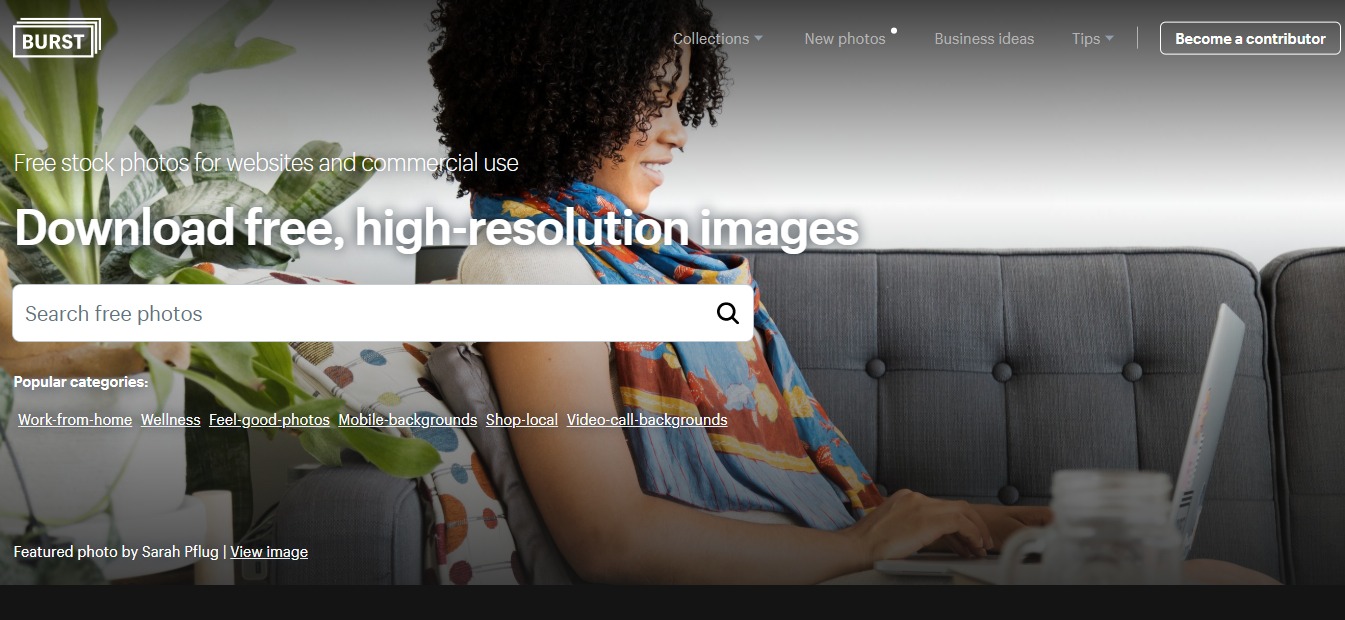
No matter what business you’re in, Burst has a wide variety of photos that would fit your niche perfectly. All of the images on the website are completely royalty-free. So you know you can do whatever you want with each photo. You can use it for headers, blog posts, social media content, and more!

ProsCons
👍 Completely royalty-free photos
👍 High-quality images
👍 Open-source images
👍 User-friendly
👍 Beginner-friendly
👎Fairly limited images but the numbers are growing daily.

🌟 About Burst

With the ever-growing internet technology, it can prove difficult to find true, royalty-free images that you can use for your business. This is especially true in eCommerce. Thank goodness for Burst. It was founded by Sarah Pflug and Matthew Henry from Toronto. 

It grows larger by the day thanks to the support from the global community of contributors. The photos come from contributors and generous creatives all over the world. 

For photographers, uploading their photos to Burst gives them the chance to share their work with a global audience. It also makes it easier for them to get exposure and potential clients. 

It’s powered by Shopify. Shopify is the leading cloud-based, multi-channel commerce platform. You don’t necessarily need to be a Shopify user if you want to use Burst.

🎁 What’s In It For You?

Whether you’re an independent brand, or a multinational global corporation, Burst is a great platform for free images. Even students and freelancers can use the images for free. The open source image library contains thousands of photographs from different creatives all over the world. 

You can use the images for web design, social media photos, brand content, product design, school products, print ads, menus, and more! Thanks to its royalty-free license. Read more about Burst’s terms of service here. 

If you’re not satisfied or can’t seem to fit the images to your aesthetics, don’t worry, you are welcome to edit and create changes to the images, too! Burst currently allows everyone to do what they wish with the images on their website. 

You have the option to credit the creatives and/or photographers who own the product. This way, they will get recognition for the work they’ve done and possibly gain long-term clients along the way.

If you like a particular photo and wishes to work with the photographer for exclusive content, you also have the option to reach out to them.

In any case, these images from Burst can help entrepreneurs create better layouts, marketing campaigns, websites, and better product photos that will ultimately convert to better sales!  Basically, the sky is the limit with this awesome platform! Can we just say, it’s Burst-ing with opportunities!

🖥️ How Does It Work?

To use Burst, all you have to do is the following steps:

  1. Visit Burst’s website through this link right here. 

  1. Enter the topic, niche, or any keyword you can think of that will be relevant to the project you are currently working on. Then click the search icon or hit ‘Enter’ on your keyboard.

  1. You will be redirected to a search results page where you can see different image results for your search query. Pick one, or multiple images that you’re interested in.

  1. To download the photo, click on high-resolution or low-resolution (depending on what resolution you want) then click the download button. You also have the option to create a Shopify website based on the image you selected.

  1. On the lower left side of the photo, you can see the name of the photographer, as well as the license usage of the photo. You can also see a list of keywords and niches in which the photos are featured.

  1. If you want to give the photographer a credit, simply click on their name.

7. You will be redirected to their Burst profile where you can see some more photos they have previously submitted. There’s also a link to their website, or sometimes their social media pages.

  1. Burst also allows you to browse through different collections if you’re simply looking for inspiration.

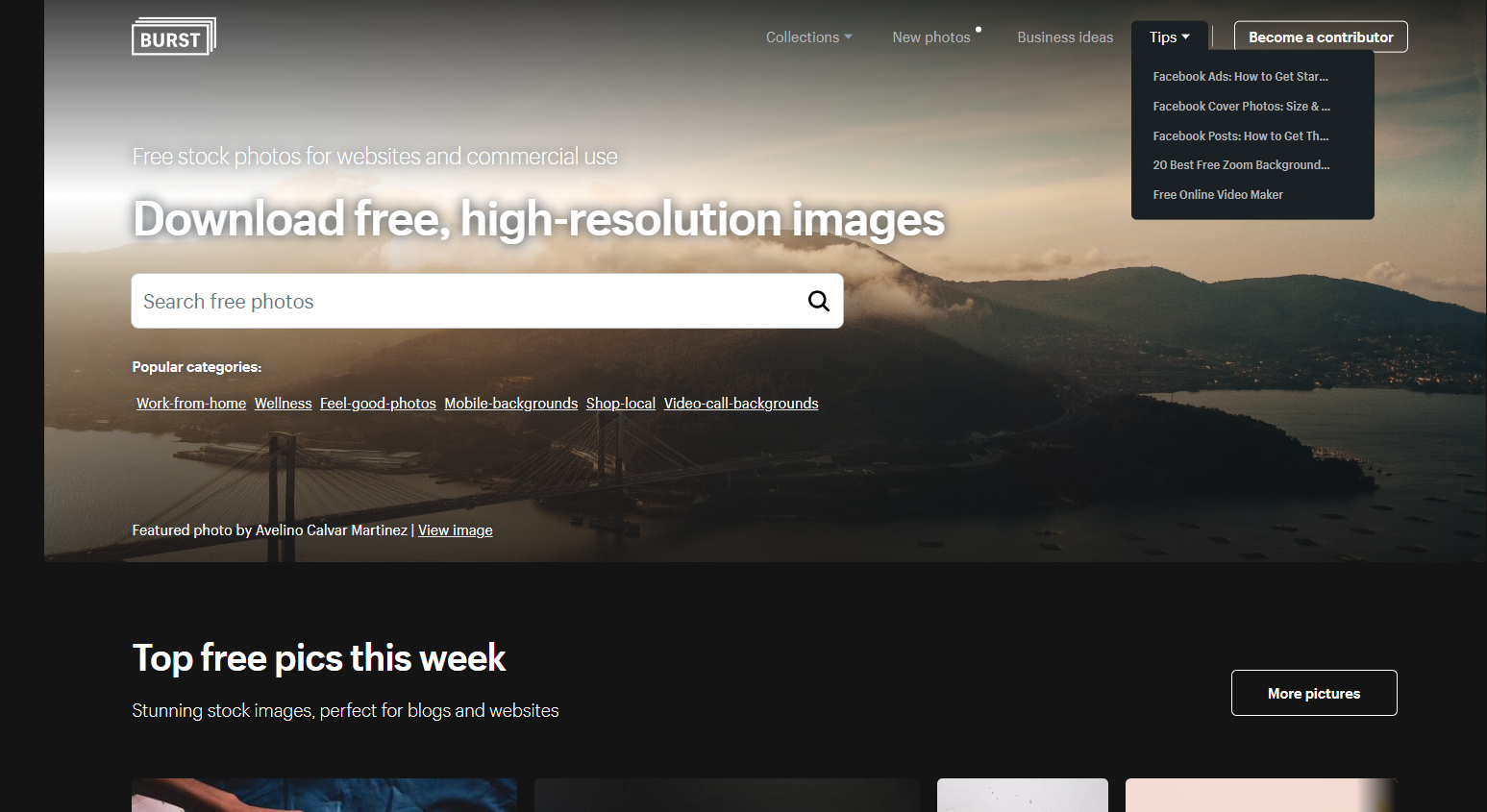
  1. They also have a section dedicated to tips and tricks for those entrepreneurs who are just starting out.

burst

💲 Pricing Plans & Support

As previously stated, Burst is free for use for everyone. This means that you can use their services without needing a credit card or any type of payments.

📍 The Competition

ProsCons
👍 Royalty-free images
👍 Over 1.8 million stock photos available
👍 Stock vectors are also available
👍 Stock videos, music and illustrations are also available
👍 No attribution required
👍 Free for commercial use
👍 High-resolution images
👎Photo tagging is sometimes inaccurate

ProsCons
👍 Royalty-free images
👍 Millions of stock photos available
👍 Stock vectors are also available
👍 Stock videos, music and illustrations are also available
👍 No attribution required
👍 Free for commercial use
👍 High-resolution images
👍 Great customer support
👎Shutterstock is a bit pricier than other stock websites.

Get free high quality stock photos with Burst!

SaleSoar: Watch Your Sales Take Flight

⚖️ Our Verdict

No matter what business you’re in, there’s really only one goal in mind: sales. It doesn’t matter if you’re a marketing agency, an entrepreneur on eCommerce,  an advertiser, a big or small brand, Salesoar can help you scale up your revenue and reduce your manual labor. This amazing service helps businesses with their advertising strategy to increase ROI. It’s definitely a must-try! Trust us, you’ll love the results. 

ProsCons
👍 Easy to read analytics
👍 User-friendly
👍 Full automation on digital advertising
👍 Boosts advertisements
👍 Great customer support
👎 No drip campaigns

🌟 About SaleSoar

Salesoar was founded in 2015. It was created to solve problems when it comes to digital advertising, and make it fully automated. Fast forward to today, Salesoar is one of the biggest automated tools for digital advertising.

Their goal is to help you scale up your marketing campaigns while eliminating manual labor all at once! Their methods also help increase ROIs significantly. 

With Salesoar, you can optimize your Google Search and Shopping campaigns through smart feed integration with your website or the eCommerce platform you use. This will help you generate top-performing ads automatically. 

This tool does not only help you get a better bottom line, it also helps simplify the process for you. It enhances your campaigns to generate thousands of accurate and highly targeted ads in just a matter of minutes. How cool is that?

🎁 What’s In It For You?

Aside from the incredible perks we have mentioned above, there are a lot more things you can gain from Salesoar. You can get all sorts of marketing automation with sales intelligence, search marketing, website visitor tracking, channel management, event-triggered actions and even customizable CTAs!

You can also take advantage of their SEO features with Google Analytics integration, keyword tracking, keyword research tools, mobile keywords and SEO dashboard.

Think about it, you get all of these features available in a single tool, and everything is automated for you! There’s less manual labor for you and your team, and you still reap the benefits in the end. What could be better than that, right?

To help you get started with Salesoar, we have created a step-by-step manual which you can see below. 

🖥️ How Does It Work?

  1. Visit the Salesoar website and click on request a demo.

salesoar

  1. Fill up the necessary fields on the form.

salesoar

  1. Once you have finished this, you will wait for an email from the Salesoar team regarding your request for a demo.

4. When the customer agents reach out to you, they will ask about your business, and how many contacts you currently have. This will help you and the Salesoar team determine what pricing will be best for your plan.

💲 Pricing Plans & Support

As we mentioned above, Salesoar pricing varies from one business to another. They have a few different factors to consider and calculate how much your plan will cost. 

To check out more about Salesoar pricing, visit their website link here.

📍 The Competition

Salesoar also has multiple competitions in today’s market. Each of these software and tools come with their own set of pros and cons. Check them out below.

ProsCons
👍 Easy to use
👍 Good customer service
👍 Sales Intelligence
👍 Website Visitor Tracking
👍 Social Marketing
👍 Search Marketing
👍 Lead Scoring
👎 Reporting could be improved

ProsCons
👍 Social Marketing
👍 Search Marketing
👍 Landing Pages/Web Forms
👍 Website Visitor Tracking
👍 Sales Intelligence
👍 Segmentation
👎 Email service goes down at times

ProsCons
👍 Social Marketing
👍 Website Visitor Tracking
👍 Landing Pages/Web Forms
👍 Sales Intelligence
👍 Communication Management
👍 Community Management
👍 Visual Notifications
👎 Difficult to navigate when there are multiple websites

Watch your sales take flight with SaleSoar!