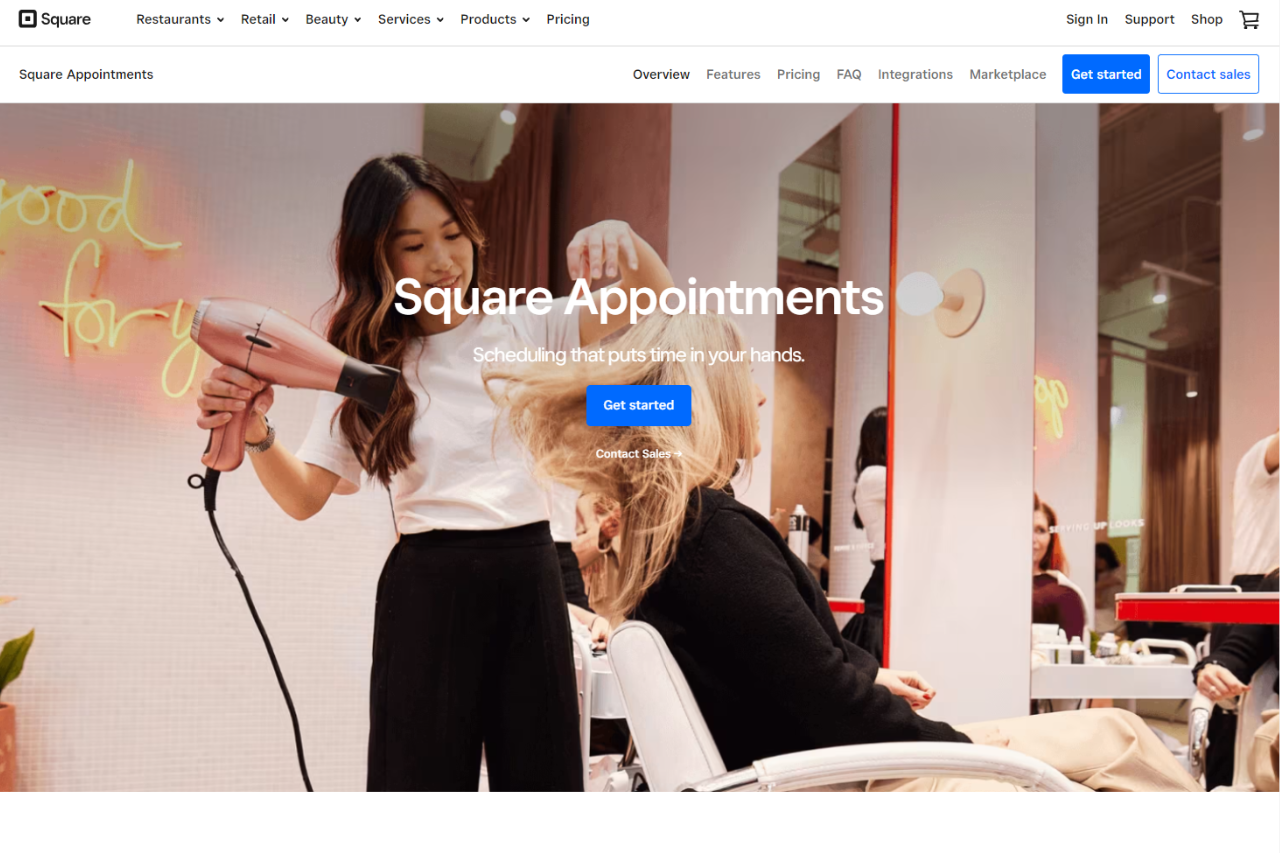
Unraveling Booker: Streamline Your Appointment Scheduling with Ease

🏆 Our Verdict

Booker excels as a comprehensive appointment scheduling solution, catering to businesses of all sizes. With its intuitive interface and extensive feature set, it offers seamless booking solutions across various industries and needs.

✅ Pros & ❌ Cons

Pros:

🔄 Flexible Appointment Scheduling: Booker allows for easy customization of appointment types and availability.

🔗 Seamless Calendar Integration: It integrates smoothly with popular calendar platforms for efficient scheduling.

📅 Client Self-Booking: Clients can book appointments at their convenience, reducing administrative tasks.

📊 Comprehensive Appointment Management: Booker offers advanced features for managing appointments, cancellations, and rescheduling.

🌐 Wide Range of Integrations: It provides extensive third-party integrations to enhance scheduling capabilities.

Cons:

💲 Pricing: Some users may find the pricing plans relatively higher compared to competitors.

📉 Learning Curve: New users may experience a learning curve while familiarizing themselves with the platform’s features.

📚 Limited Customization: Customization options may be somewhat restricted in certain areas compared to other scheduling tools.

📖 About Booker

Established as a leader in the appointment scheduling industry, Booker aims to simplify the booking process for businesses and clients alike. Its user-friendly interface and comprehensive feature set make it a preferred choice for scheduling appointments seamlessly.

🗓️ How It Works

Signing Up for Booker

  1. Visit the Booker website: Navigate to the Booker website to begin the signup process.
  2. Choose a Plan: Explore the available pricing plans and select the one that aligns with your business needs.
  3. Create an Account: Provide your email address, create a password, and fill in the necessary details to create your account.
  4. Account Setup: Complete the setup process by entering your business information and customizing your scheduling preferences.
  5. Calendar Integration: Integrate your calendar with Booker to sync appointments seamlessly.
  6. Customize Booking Page: Personalize your booking page to reflect your brand and scheduling requirements.
  7. Explore Features: Familiarize yourself with the various features of Booker, including appointment types, reminders, and reporting.
  8. Start Scheduling: Begin scheduling appointments with clients, utilizing Booker’s user-friendly interface and automation features.

💲 Pricing Overview

Pricing Tiers

Booker offers a range of pricing plans to accommodate different business needs and scales. From basic plans for individual professionals to advanced solutions for teams and enterprises, there’s an option for everyone.

✅ Free Tools Overview: Booker provides essential scheduling tools in its free offering. Included Features: Basic features such as appointment scheduling, calendar integration, and client management are typically included.

💼 Starter Plans Target Audience: Ideal for individual professionals or small businesses seeking advanced scheduling capabilities. Key Features: Enhanced functionalities over the free tier, including customizable booking pages, appointment types, and reminders.

🚀 Professional Plans Designed For: Medium-sized businesses and teams looking for more advanced scheduling solutions. Advanced Features: Includes features such as group scheduling, class booking, and payment integration for enhanced scheduling experiences.

🏢 Enterprise Plans Suited For: Large businesses and enterprises requiring scalable scheduling solutions with advanced customization and support. Premium Offerings: Advanced features like custom branding, dedicated support, and API access for seamless integration with existing systems.

🥊 Competition

Booker VS Vagaro

Pros – Flexible appointment scheduling – Comprehensive company insights

  • Seamless calendar integration – Advanced search functionality
  • Client self-booking capability – Integration capabilities
  • Comprehensive appointment management – Real-time data updates
  • Wide range of integrations – Customization options

Cons – Relatively higher pricing for some users – Higher pricing

  • Limited customization compared to competitors – Data privacy concerns

📌 Conclusion

Booker emerges as a robust appointment scheduling solution, offering a comprehensive suite of features to simplify the booking process for businesses and clients. With its user-friendly interface, extensive integrations, and flexible pricing options, it’s an ideal choice for businesses looking to streamline their appointment scheduling workflows.

“Effortlessly Manage Your Appointments with Booker.”
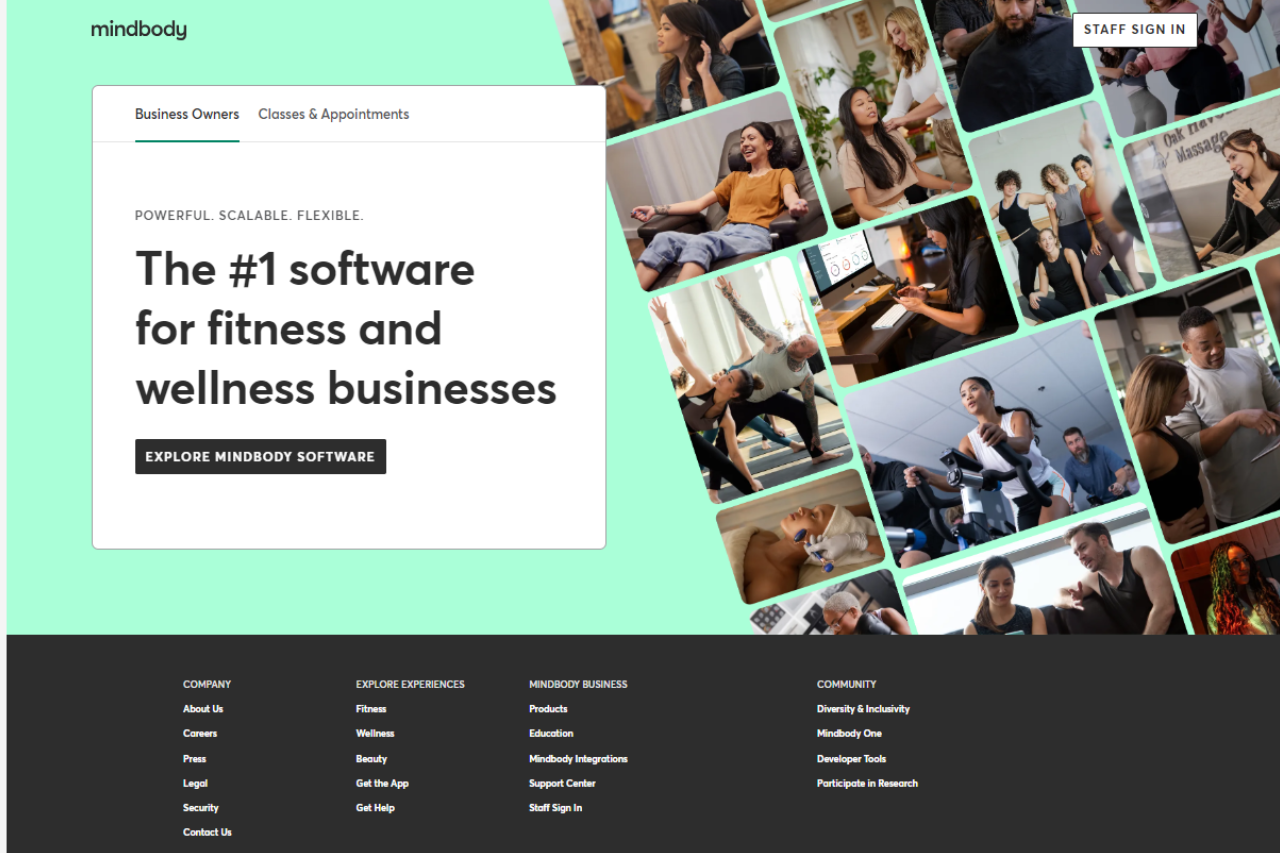
Mindbody – A Comprehensive Fitness and Wellness Management Solution

🏆 Our Verdict

Mindbody stands out as a comprehensive fitness and wellness management solution, offering versatile tools suitable for businesses of all sizes. With its intuitive interface and extensive feature set, it provides seamless management solutions across various industries and needs.

Pros & ❌ Cons

Pros:

  • 🔄 Flexible Appointment Scheduling: Allows easy customization of appointment types and availability.
  • 🔗 Seamless Calendar Integration: Integrates smoothly with popular calendar platforms for efficient scheduling.
  • 📅 Client Self-Booking: Empowers clients to book appointments at their convenience, reducing administrative tasks.
  • 📊 Comprehensive Appointment Management: Offers advanced features for managing appointments, cancellations, and rescheduling.
  • 🌐 Wide Range of Integrations: Provides extensive third-party integrations to enhance scheduling capabilities.

Cons:

  • 💲 Pricing: Some users may find the pricing plans relatively higher compared to competitors.
  • 📉 Learning Curve: New users may experience a learning curve while familiarizing themselves with the platform’s features.
  • 📚 Limited Customization: Customization options may be somewhat restricted in certain areas compared to other scheduling tools.

📖 About Mindbody

Established as a leader in the fitness and wellness management industry, Mindbody aims to simplify the management process for businesses and clients alike. Its user-friendly interface and comprehensive feature set make it a preferred choice for managing appointments, classes, and memberships seamlessly.

🗓️ How It Works

Signing Up for Mindbody

  1. Visit the Mindbody website: Navigate to the Mindbody website to begin the signup process.
  2. Choose a Plan: Explore the available pricing plans and select the one that aligns with your business needs.
  3. Create an Account: Provide your email address, create a password, and fill in the necessary details to create your account.
  4. Account Setup: Complete the setup process by entering your business information and customizing your management preferences.
  5. Calendar Integration: Integrate your calendar with Mindbody to sync appointments and classes seamlessly.
  6. Customize Booking Page: Personalize your booking page to reflect your brand and scheduling requirements.
  7. Explore Features: Familiarize yourself with the various features of Mindbody, including appointment scheduling, class management, and reporting.
  8. Start Managing: Begin managing appointments, classes, memberships, and client information with Mindbody’s user-friendly interface and automation features.

💲 Pricing Overview

🌟 Pricing Tiers

Mindbody offers a range of pricing plans to accommodate different business needs and scales. From basic plans for individual professionals to advanced solutions for studios and enterprises, there’s an option for everyone.

Essential Plans

  • Individual Plans: Ideal for solo practitioners or small businesses seeking basic management capabilities.
  • Studio Plans: Designed for studios and small businesses looking to manage classes, appointments, and memberships.

🚀 Advanced Plans

  • Growth Plans: Suitable for growing businesses and studios requiring additional features and support.
  • Enterprise Plans: Tailored solutions for large businesses and enterprises with advanced customization and support needs.

🥊 Competition

MINDBODY VS Mindbody Booker

MindbodyBooker by MINDBODY
ProsPros
– Flexible appointment scheduling– Comprehensive client management
– Seamless calendar integration– Extensive scheduling options
– Client self-booking capability– Advanced reporting and analytics
– Comprehensive appointment management– Customization options for various industries
– Wide range of integrations– Seamless integration with various platforms
ConsCons
– Relatively higher pricing for some users– Limited customization options
– Learning curve for new users– Higher pricing for advanced features
– Limited customization compared to competitors– Advanced features may require higher-priced plans

📌 Conclusion

Mindbody emerges as a robust fitness and wellness management solution, offering a comprehensive suite of features to simplify the management process for businesses and clients. With its user-friendly interface, extensive integrations, and flexible pricing options, it’s an ideal choice for fitness studios, wellness centers, and spas looking to streamline their operations.

“Effortlessly Manage Your Fitness Business with Mindbody.”

Streamlining Scheduling: Schedulicity Review

🏆 Our Verdict

Schedulicity emerges as a robust scheduling solution, particularly suited for businesses in the wellness and beauty industries. With its intuitive platform and tailored features, it offers an efficient way for service-based businesses to manage appointments and streamline operations. However, while it excels in certain areas, there are considerations to weigh against competitors like Mindbody.

✅ Pros & ❌ Cons

Pros:

  • 🔄 Flexible Appointment Scheduling: Schedulicity offers customizable appointment types and availability.
  • 🔗 Seamless Calendar Integration: Integrates smoothly with popular calendar platforms for efficient scheduling.
  • 📅 Client Self-Booking: Empowers clients to book appointments at their convenience, reducing administrative tasks.
  • 📊 Comprehensive Appointment Management: Provides advanced features for managing appointments, cancellations, and rescheduling.
  • 🌐 Wide Range of Integrations: Offers extensive third-party integrations to enhance scheduling capabilities.

Cons:

  • 💲 Pricing: Some users may find the pricing plans relatively higher compared to competitors.
  • 📉 Learning Curve: New users may experience a learning curve while familiarizing themselves with the platform’s features.
  • 📚 Limited Customization: Customization options may be somewhat restricted compared to other scheduling tools.

📖 About Schedulicity

Schedulicity aims to simplify appointment scheduling for businesses and clients, offering a user-friendly interface and comprehensive feature set. It caters to various industries with its versatile tools, making it a preferred choice for scheduling appointments seamlessly.

🗓️ How It Works

Signing Up for Schedulicity

  1. Visit the Schedulicity website.
  2. Explore the available pricing plans and select the one that aligns with your business needs.
  3. Create an account by providing your email address and other necessary details.
  4. Complete the setup process by entering your business information and customization preferences.
  5. Integrate your calendar with Schedulicity to sync appointments seamlessly.
  6. Personalize your booking page to reflect your brand and scheduling requirements.
  7. Familiarize yourself with the various features, including appointment types, reminders, and reporting.
  8. Begin scheduling appointments with clients using Schedulicity’s user-friendly interface and automation features.

💲 Pricing Overview

Pricing Tiers:

  • Free Tools Overview: Schedulicity provides essential scheduling tools in its free offering.
  • Starter Plans: Ideal for individual professionals or small businesses seeking advanced scheduling capabilities.
  • Professional Plans: Designed for medium-sized businesses and teams looking for more advanced scheduling solutions.
  • Enterprise Plans: Suited for large businesses and enterprises requiring scalable scheduling solutions with advanced customization and support.

🥊 Competition

Schedulicity VS Mindbody

SchedulicityMindbody
Pros– Flexible appointment scheduling– Extensive scheduling options
– Seamless calendar integration– Robust client management features
– Client self-booking capability– Comprehensive marketing tools
– Comprehensive appointment management– Advanced reporting and analytics
– Wide range of integrations– Customization options for various industries
Cons– Relatively higher pricing for some users– Learning curve for new users
– Limited customization options– Higher pricing for advanced features

📌 Conclusion

Schedulicity emerges as a robust appointment scheduling solution, offering a comprehensive suite of features to simplify the booking process for businesses and clients. With its user-friendly interface, extensive integrations, and flexible pricing options, it’s an ideal choice for businesses looking to streamline their appointment scheduling workflows.

“Effortlessly Manage Your Appointments with Schedulicity.”

SentryPC: A Deep Dive into Advanced Monitoring Solutions

🏆 Our Verdict

SentryPC offers robust monitoring and control solutions tailored for businesses, providing comprehensive insights and management tools to enhance productivity and security. With its user-friendly interface and diverse feature set, SentryPC stands as a reliable choice for organizations seeking effective employee monitoring solutions.

Pros & ❌ Cons

Pros:

  • 🖥️ Advanced Monitoring Capabilities: SentryPC offers detailed activity monitoring, including screen recording, website tracking, and application usage, providing comprehensive insights into employee behavior.
  • 📅 Flexible Usage Policies: Users can customize monitoring rules and policies to align with specific organizational needs, allowing for tailored monitoring and control measures.
  • 🔒 Security Features: SentryPC includes features such as keystroke logging and file tracking to enhance security measures and prevent data breaches or unauthorized access.
  • 📈 Productivity Enhancement: The platform enables organizations to identify inefficiencies and areas for improvement, contributing to enhanced productivity and performance.
  • 🌐 Remote Access: SentryPC allows for remote monitoring and management, providing flexibility and convenience for administrators overseeing multiple locations or remote teams.

Cons:

  • 💲 Pricing: Some users may find SentryPC’s pricing plans relatively higher compared to competitors, particularly for organizations with larger user counts.
  • 🤹‍♂️ Learning Curve: New users may experience a learning curve while familiarizing themselves with the platform’s features and settings, requiring time and training for effective utilization.
  • 🛠️ Limited Customization: Customization options may be somewhat restricted in certain areas compared to other employee monitoring solutions, limiting flexibility for specific organizational requirements.

📖 About SentryPC

SentryPC is a leading provider of employee monitoring and control solutions, offering comprehensive tools and features to help businesses monitor and manage employee activities effectively. With its intuitive interface and robust feature set, SentryPC empowers organizations to enhance productivity, security, and compliance across their workforce.

🗓️ How It Works

  1. Visit the SentryPC Website: Navigate to the SentryPC website to begin the sign-up process.
  2. Choose a Plan: Explore the available pricing plans and select the one that suits your monitoring needs.
  3. Create an Account: Provide your email address, create a password, and fill in the required details to create your SentryPC account.
  4. Account Setup: Complete the setup process by entering your organization’s information and customizing your monitoring preferences.
  5. Device Installation: Install the SentryPC monitoring software on the devices you want to monitor, following the provided instructions.
  6. Configuration: Customize usage policies, security settings, and productivity rules according to your requirements.
  7. Remote Access: Utilize SentryPC’s remote access feature to monitor and manage devices from anywhere with internet connectivity.
  8. Explore Features: Familiarize yourself with the various monitoring capabilities of SentryPC, including activity tracking, usage reports, and security features.
  9. Start Monitoring: Begin monitoring user activity on the configured devices using SentryPC’s intuitive interface and comprehensive monitoring tools.

💲 Pricing Overview

SentryPC offers flexible pricing plans to accommodate different monitoring needs and budgets. From basic plans for individual users to comprehensive solutions for businesses, there’s an option for everyone.

  • Basic Plan:
    • Single License
    • Manage 1 device
    • Includes 500 screenshots storage
    • Price: $69.95 / year
    • Additional licenses: $29.95 each
  • Business 50:
    • 50 Licenses
    • Manage up to 50 devices
    • Includes 500 screenshots storage per device
    • Price: $1,495.00 / year ($29.90 per license)
  • Business 100:
    • 100 Licenses
    • Manage up to 100 devices
    • Includes 1,000 screenshots storage per device
    • Price: $2,495.00 / year ($24.95 per license)

Choose the plan that best fits your monitoring requirements and start safeguarding your digital assets with SentryPC.

🥊 Competition

CompetitionSentryPCActivTrak
ProsAdvanced monitoring capabilitiesComprehensive activity tracking
Flexible usage policiesEasy-to-use interface
Security featuresSeamless integration with various platforms
Productivity enhancementVersatile scheduling options
Remote accessExtensive third-party integrations
ConsRelatively higher pricingLimited customization options
Learning curveHigher pricing for advanced features
Limited customizationAdvanced features may require higher-priced plans

📌 Conclusion

SentryPC emerges as a powerful employee monitoring solution, offering a comprehensive suite of features to help businesses monitor, manage, and optimize employee activities effectively. With its robust monitoring capabilities, flexible usage policies, and security features, SentryPC is well-suited for organizations looking to enhance productivity, security, and compliance within their workforce.

“Empower Your Organization with SentryPC’s Comprehensive Monitoring Solutions.”

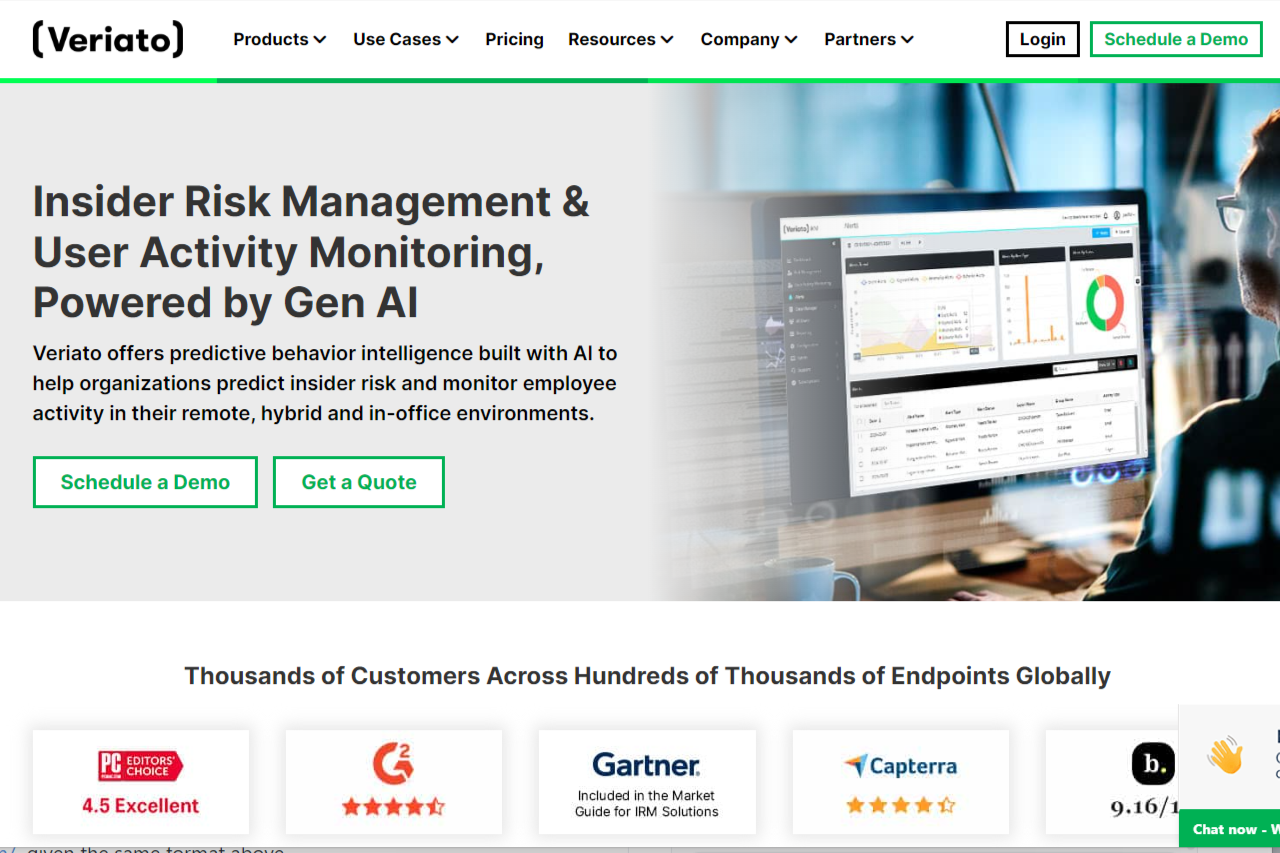
Veriato: Revolutionizing Employee Monitoring

🏆 Our Verdict

Veriato offers comprehensive employee monitoring and insider threat detection solutions, making it a valuable asset for organizations concerned with data security and employee productivity. With its advanced features and intuitive interface, Veriato provides businesses with insights into employee behavior, helping to identify potential risks and improve operational efficiency. From real-time activity monitoring to behavior analytics and incident response, Veriato equips organizations with the tools needed to protect sensitive data and mitigate insider threats effectively.

Pros & ❌ Cons

Pros:

  • 📈 Advanced Employee Monitoring: Veriato offers comprehensive monitoring tools to track employee activity effectively.
  • 🔒 Enhanced Security Features: Robust security measures ensure data protection and prevent unauthorized access.
  • 📊 Detailed Analytics: Provides in-depth insights into employee behavior and productivity patterns.
  • 🔄 Customizable Policies: Allows organizations to tailor monitoring policies according to their specific requirements.
  • 🌐 Integration Capabilities: Seamless integration with various platforms for enhanced functionality.

Cons:

  • 💲 Pricing: Some users may find the pricing plans relatively higher compared to competitors.
  • 📉 Learning Curve: New users may experience a learning curve while familiarizing themselves with the platform’s features.
  • ⚙️ Limited Customization: Customization options may be somewhat restricted compared to other monitoring solutions.

📖 About Veriato

Established as a leader in employee monitoring solutions, Veriato aims to provide organizations with robust tools to monitor and manage employee activities effectively. With a focus on security, productivity, and compliance, Veriato offers a comprehensive suite of features to meet the diverse needs of modern businesses.

🗓️ How Veriato Works

  1. Visit Veriato Website: Navigate to the Veriato website to begin the signup process.
  2. Explore Pricing Plans: Choose a plan that aligns with your organization’s needs and budget.
  3. Create an Account: Provide necessary details to create your Veriato account, including email and password.
  4. Complete Setup: Configure your monitoring policies and preferences to tailor Veriato to your organization.
  5. Install Veriato Software: Install Veriato software on employee devices to start monitoring employee activity.
  6. Customize Monitoring: Customize monitoring parameters and alerts according to your organization’s requirements.
  7. Monitor in Real-Time: Access real-time insights into employee activities, productivity, and behavior.
  8. Analyze Reports: Utilize detailed reports and analytics to gain valuable insights and make informed decisions.
  9. Ensure Compliance: Ensure compliance with regulatory requirements and internal policies using Veriato’s monitoring capabilities.

💲 Pricing Overview

Veriato offers a range of pricing plans tailored to accommodate different business sizes and needs. From basic plans for small businesses to advanced solutions for enterprises, Veriato provides flexible options to meet diverse requirements.

  • Starter Plan: Ideal for small businesses or individual professionals seeking basic monitoring capabilities.
  • Professional Plan: Designed for medium-sized businesses and teams requiring advanced monitoring features.
  • Enterprise Plan: Suited for large enterprises requiring scalable monitoring solutions with advanced customization and support.

🥊 Competition

Veriato vs. ActivTrak

Pros of Veriato:

  • Advanced Employee Monitoring
  • Enhanced Security Features
  • Detailed Analytics
  • Customizable Policies
  • Integration Capabilities

Cons of Veriato:

  • Relatively Higher Pricing
  • Learning Curve
  • Limited Customization

📌 Conclusion

Veriato emerges as a robust employee monitoring solution, offering a comprehensive set of features to enhance productivity, security, and compliance within organizations. With its advanced monitoring capabilities and customizable options, Veriato is an ideal choice for businesses looking to optimize employee performance and mitigate risks effectively.

“Enhance Your Organization’s Productivity and Security with Veriato.”

Teramind: Comprehensive Employee Monitoring Solution

🏆 Our Verdict

Teramind stands as a comprehensive employee monitoring solution, offering advanced features tailored to meet the needs of businesses of all sizes. With its robust functionality and intuitive interface, Teramind provides effective monitoring solutions across various industries and organizational requirements.

✅ Pros & ❌ Cons

Pros:

🔍 Detailed Activity Monitoring: Teramind provides detailed insights into employee activities, including application usage, website visits, and productivity metrics.

🛠️ User-Friendly Interface: The platform offers an intuitive dashboard and easy-to-navigate tools, making it simple for administrators to manage employee monitoring efficiently.

🔄 Integration Capabilities: Teramind seamlessly integrates with various systems and applications, enhancing its functionality and adaptability within existing workflows.

🔒 Advanced Security Features: The platform prioritizes data security with robust encryption and access controls, ensuring sensitive information remains protected.

Cons:

💲 Pricing: Some users may find Teramind’s pricing plans relatively higher compared to competitors, especially for small businesses or organizations with budget constraints.

📉 Learning Curve: New users may experience a learning curve while familiarizing themselves with Teramind’s features and functionalities, requiring adequate training for effective utilization.

📚 Limited Customization: Customization options may be somewhat restricted in certain areas compared to other employee monitoring tools, limiting flexibility for specific use cases or preferences.

📖 About Teramind

Teramind is a leading employee monitoring and insider threat detection platform designed to enhance productivity, protect sensitive data, and mitigate risks within organizations. With its robust suite of features, Teramind empowers businesses to monitor employee activity, analyze user behavior, and enforce security policies effectively.

Key Features:

  • Employee Monitoring: Gain real-time visibility into employee activities, including application usage, website visits, and keystrokes.
  • Insider Threat Detection: Detect and prevent insider threats by monitoring employee behavior patterns and identifying suspicious activities.
  • Productivity Analysis: Track employee productivity metrics, analyze work patterns, and identify areas for improvement.
  • Data Loss Prevention (DLP): Protect sensitive data by monitoring file transfers, email communications, and printing activities.
  • User Behavior Analytics: Utilize advanced analytics to identify anomalies, detect potential security risks, and mitigate insider threats.
  • Policy Enforcement: Implement custom security policies, enforce compliance regulations, and prevent unauthorized activities.
  • Remote User Monitoring: Monitor remote employees’ activities, ensuring security and productivity across distributed work environments.

Comprehensive Process

Teramind operates through a comprehensive process designed to monitor employee activities, analyze user behavior, and enforce security policies effectively:

  1. Installation: Deploy Teramind’s monitoring agents on employees’ devices, including desktops, laptops, and servers.
  2. Configuration: Customize monitoring settings and security policies based on organizational requirements and compliance standards.
  3. Activity Monitoring: Capture detailed information about user activities, including application usage, website visits, email communications, file transfers, and more.
  4. Behavior Analysis: Utilize advanced analytics to analyze user behavior patterns, detect anomalies, and identify potential insider threats.
  5. Policy Enforcement: Enforce security policies, prevent unauthorized activities, and mitigate risks by monitoring and controlling user actions in real-time.
  6. Alerting and Reporting: Receive alerts for suspicious activities, policy violations, and security incidents, and generate comprehensive reports to gain insights into employee productivity and behavior.
  7. Incident Response: Respond to security incidents promptly, investigate potential threats, and take necessary actions to mitigate risks and protect sensitive data.

Teramind’s seamless integration, intuitive interface, and advanced features make it a preferred choice for businesses seeking comprehensive employee monitoring and insider threat detection solutions.

🗓️ Getting Started with Teramind

Teramind offers a seamless onboarding process to help organizations effectively deploy and configure its employee monitoring and insider threat detection platform:

  1. Visit the Teramind Website: Navigate to the official Teramind website at https://www.teramind.co/ to initiate the signup process.
  2. Explore Features: Take a tour of Teramind’s features and capabilities to understand how it can benefit your organization in enhancing productivity, protecting sensitive data, and mitigating insider threats.
  3. Choose a Plan: Explore the available pricing plans and select the one that best aligns with your organization’s requirements and budget. Teramind offers flexible pricing options tailored to businesses of all sizes.
  4. Create an Account: Provide your email address, company name, and other required information to create your Teramind account. Ensure that you choose a strong password to secure your account.
  5. Verify Email: Check your email inbox for a verification email from Teramind. Click on the verification link provided in the email to verify your account and complete the signup process.
  6. Login to Dashboard: Once your account is verified, log in to the Teramind dashboard using your credentials. You’ll gain access to the centralized dashboard from where you can manage your Teramind account and configure monitoring settings.
  7. Install Monitoring Agents: Download the Teramind monitoring agents and install them on the devices you want to monitor, including desktops, laptops, servers, and other endpoints used by your employees.
  8. Customize Monitoring Policies: Configure monitoring policies and security settings based on your organization’s requirements, compliance standards, and security policies. Define parameters for monitoring employee activities, detecting insider threats, and preventing data breaches.
  9. Monitor Employee Activities: Start monitoring employee activities in real-time, including application usage, website visits, email communications, file transfers, and more. Gain insights into employee productivity, behavior patterns, and potential security risks.
  10. Analyze User Behavior: Utilize Teramind’s advanced analytics to analyze user behavior, detect anomalies, and identify potential insider threats. Leverage behavior-based alerts and notifications to proactively mitigate security risks and protect sensitive data.
  11. Enforce Security Policies: Enforce security policies and compliance regulations to prevent unauthorized activities, ensure data privacy, and maintain regulatory compliance. Utilize Teramind’s policy enforcement features to control user actions and enforce security measures effectively.
  12. Generate Reports: Generate comprehensive reports to gain insights into employee productivity, behavior trends, and security incidents. Customize reports based on specific metrics, timelines, and organizational requirements to facilitate informed decision-making and compliance reporting.

Teramind’s intuitive interface, seamless deployment process, and comprehensive features make it a preferred choice for organizations seeking robust employee monitoring and insider threat detection solutions.

💲 Pricing Overview

  • Starter
    • Price: ₱637.50 per seat / month (Total: ₱3187.50 / month, billed annually)
    • Features:
      • Quick and easy screen recording and live view
      • Website and apps tracking
      • Limited user activity monitoring
      • Limited behavior rules
      • Customizable BI dashboard
  • UAM (User Activity Monitoring)
    • Price: ₱1275 per seat / month (Total: ₱6375 / month, billed annually)
    • Features:
      • Complete user activity monitoring
      • Audit, forensics, UBA (User and Entity Behavior Analytics), policies, and rules
      • Includes Starter features
      • Unlimited activity-based behavior rules
      • OCR engine
      • SIEM integration
      • Pre-packaged productivity rules
  • DLP (Data Loss Prevention) – Most Popular
    • Price: ₱1487.25 per seat / month (Total: ₱7436.25 / month, billed annually)
    • Features:
      • Content-based data exfiltration prevention
      • Stellar activity monitoring for forensics
      • Includes UAM features
      • Content-based behavior rules
      • Redaction of sensitive content from monitoring
      • Sensitive content detection
      • Malicious activity blocking
      • 200 pre-packaged DLP rules
  • Enterprise
    • Price: Customized for the most demanding enterprises and government organizations
    • Features:
      • In-app field parsing for advanced fraud detection & business process optimization
      • Enhanced security with enterprise key management
      • High-Availability, multi-region large-scale deployments
      • Premium Support & SLA (Service Level Agreement)
      • Professional Services & customizations
      • AWS GovCloud & Azure Government availability

🥊 Competition

Teramind VS ActivTrak

Pros:

  • Detailed Activity Monitoring – Comprehensive activity tracking
  • User-Friendly Interface – Easy-to-use interface
  • Integration Capabilities – Seamless integration with various platforms
  • Advanced Security Features – Advanced security measures

Cons:

  • Relatively higher pricing for some users – Pricing may not be suitable for small businesses
  • Learning curve for new users – Complexity may require training for effective utilization
  • Limited customization options – Customization may require technical expertise

📌 Conclusion

Teramind emerges as a powerful employee monitoring solution, offering a comprehensive suite of features to enhance productivity, security, and compliance within organizations. With its intuitive interface, advanced functionalities, and commitment to data security, Teramind is an ideal choice for businesses seeking effective employee monitoring solutions.

“Empower Your Organization with Teramind’s Advanced Monitoring Capabilities.”

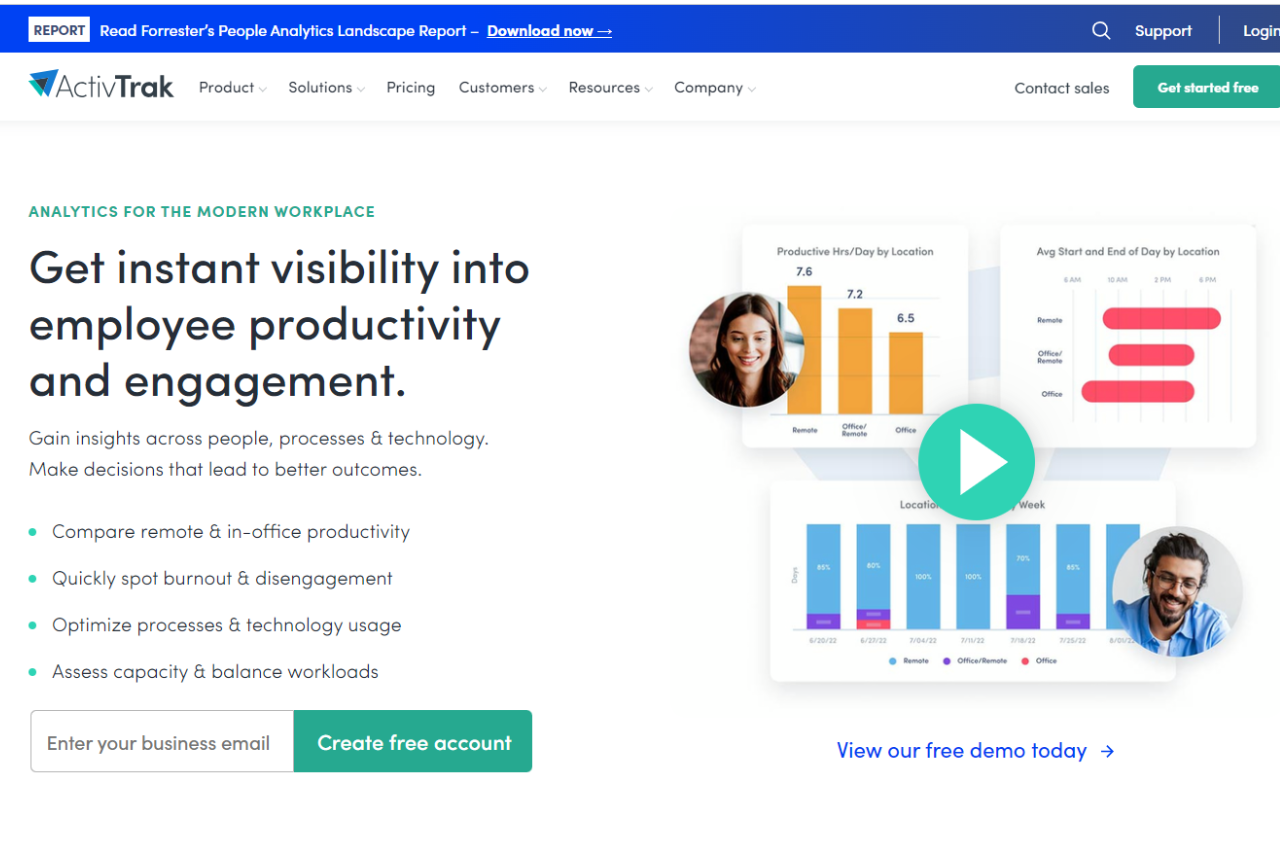
ActivTrak: Empowering Workplace Productivity

🏆 Our Verdict

ActivTrak earns our top recommendation as a comprehensive workforce productivity solution, providing businesses with powerful insights into employee activities and productivity levels. With its intuitive interface, extensive feature set, and robust security measures, ActivTrak stands out as a versatile tool suitable for businesses of all sizes.

✅ Pros & ❌ Cons

Pros:

  • 📊 Detailed Activity Monitoring: Provides in-depth insights into employee activities, helping businesses understand productivity patterns.
  • 🔒 Data Security: Ensures data security and privacy compliance with advanced security measures.
  • 📈 Productivity Optimization: Enables businesses to identify areas for improvement and optimize workflows for increased efficiency.
  • 🛠️ User-Friendly Interface: Features an intuitive dashboard for easy navigation and access to key analytics.
  • 🌐 Integration Capabilities: Integrates seamlessly with various platforms and tools for enhanced functionality.

Cons:

  • 💲 Pricing: Some users may find the pricing plans relatively higher compared to competitors.
  • ⚙️ Learning Curve: New users may require time to familiarize themselves with all features and functionalities.
  • 🔐 Limited Customization: Customization options may be somewhat restricted compared to other monitoring solutions.

📖 About ActivTrak

ActivTrak is a leading workforce productivity and analytics software designed to empower businesses with insights into employee activities. With its comprehensive feature set and user-friendly interface, ActivTrak helps businesses optimize productivity and streamline workflows.

🗓️ How It Works

Signing Up for ActivTrak:

  1. Visit the ActivTrak website to begin the signup process.
  2. Choose a plan that aligns with your business needs, whether it’s for small teams or enterprise-level solutions.
  3. Create an account by providing necessary details and customizing settings according to your preferences.
  4. Install the ActivTrak agent on your employees’ devices to start monitoring activities.

Exploring Features:

  • Gain access to detailed analytics and reports on employee productivity and efficiency.
  • Customize settings to tailor monitoring and alerts based on specific requirements.
  • Utilize integrations with other tools and platforms to enhance functionality and workflow optimization.

Optimizing Productivity:

  • Analyze data to identify trends and patterns in employee behavior and productivity.
  • Implement strategies to improve efficiency and address any areas of concern.
  • Leverage insights to make informed decisions and drive business growth.

💲 Pricing Overview

🌟 Pricing Tiers

  • Free:
    • Cost: $0 per user/month
    • Basic visibility into productivity and working hours for small teams
    • Data History: 30 Days
    • Included features:
      • Activity Dashboard
      • Top Applications Report
      • Top Websites Report
      • Top Users Report
      • Working Hours Report
      • Top Categories Report
      • Productivity Report
      • Automated Classification of Websites & Apps Activity
    • Limited to 3 users
    • Support: No support plan included
  • Essentials:
    • Cost: $10 per user/month billed annually
    • Employee monitoring capabilities for time tracking, schedule adherence, and auditing
    • Data History: 6 months
    • Everything in Free plus:
      • Real-time activity reports
      • Team productivity pulse
      • Productivity classification by groups & category
      • Automated user management
      • Single sign-on
      • Activity alerts & notifications
      • Website Blocking
      • USB device & file transfer detection
      • Remote install
    • Support: Digital support included with all paid subscriptions
  • Professional:
    • Cost: $17 per user/month billed annually
    • Optimize team productivity, performance, engagement & workforce planning
    • Data History: 12 months
    • Everything in Essentials plus:
      • Remote vs. in-office productivity analysis
      • Dashboards for executives & managers
      • Productivity goal setting & tracking
      • Team & individual productivity benchmarks
      • Workload balance & burnout risk analysis
      • Capacity & Headcount planning
      • Work efficiency & focus insights
      • Inefficiency and distraction analysis
      • AI-powered productivity Coach
      • Personal insights dashboard for employees
      • Technology & AI usage
      • Before-and-after analysis & A/B testing
      • Email subscriptions and sharing
    • Support: Digital support included with all paid subscriptions
  • Enterprise:
    • Designed for large organizations to maximize productivity & workforce planning in a custom solution
    • Data History: 24 months
    • A comprehensive suite of functionality and features designed for large organizations, including enterprise licensing and dedicated Signature Support

🥊 Competition

ActivTrakTeramind
ProsPros
Detailed activity monitoringComprehensive activity tracking
User-friendly interfaceAdvanced security measures
Integration capabilitiesDetailed productivity analytics
ConsCons
Relatively higher pricing for some usersPricing may not be suitable for small businesses
Learning curve for new usersComplexity may require training for effective utilization
Limited customization optionsCustomization may require technical expertise

📌 Conclusion

ActivTrak emerges as a robust workforce productivity solution, offering comprehensive monitoring and analytics tools to empower businesses with valuable insights. With its user-friendly interface, integration capabilities, and detailed analytics, ActivTrak is an ideal choice for businesses seeking to optimize productivity and drive growth.

“Unlock Your Team’s Potential with ActivTrak.”

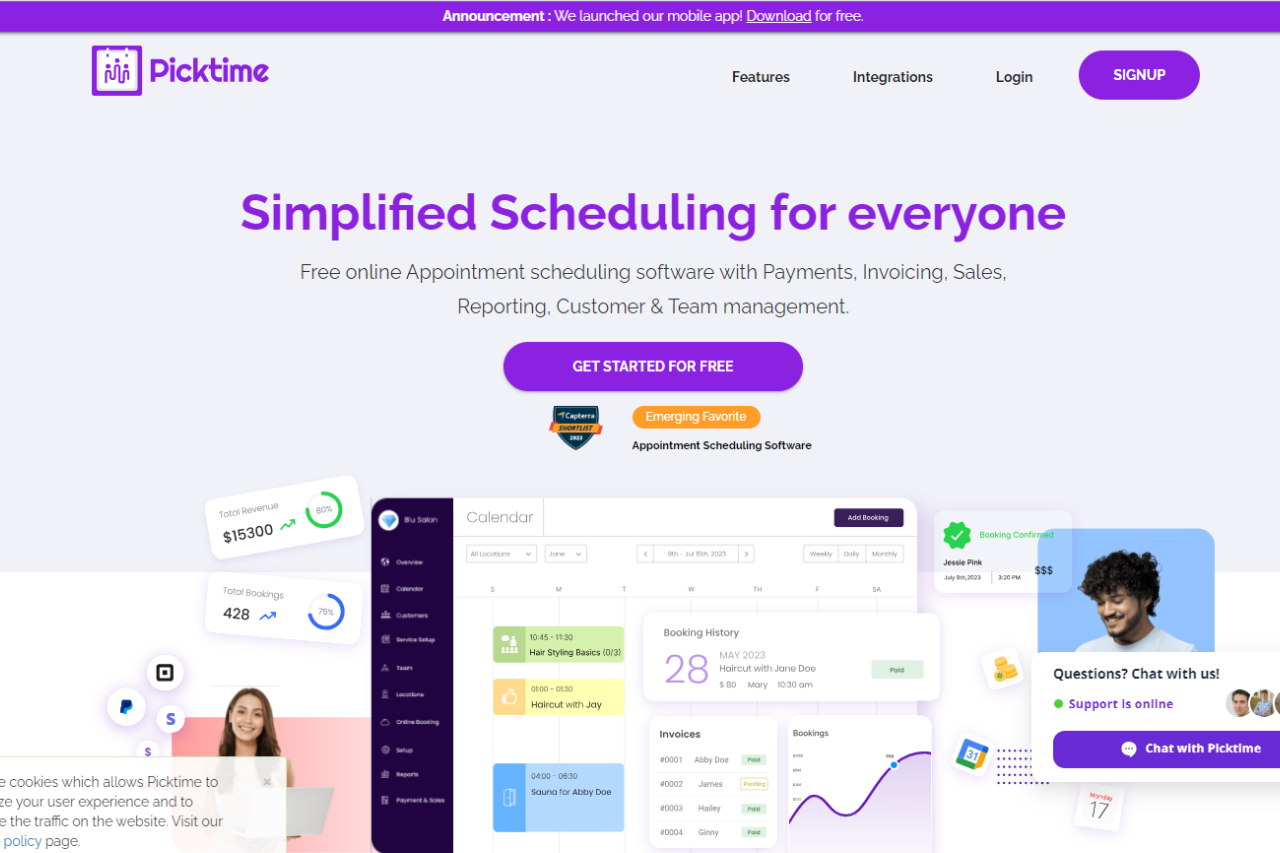
Effortlessly Manage Your Appointments with Picktime

🏆 Our Verdict

Picktime offers a versatile appointment scheduling solution tailored to businesses of all sizes. Its intuitive platform and array of features cater to various scheduling needs across different industries.

✅ Pros & ❌ Cons

Pros:

🔄 Flexible Appointment Scheduling: Picktime allows easy customization of appointment types and availability to suit diverse business needs.

🔗 Seamless Calendar Integration: Integration with popular calendar platforms ensures efficient scheduling and organization.

📅 Client Self-Booking: Empowers clients to book appointments conveniently, reducing administrative workload for businesses.

📊 Comprehensive Appointment Management: Picktime provides advanced features for managing appointments, cancellations, and rescheduling, enhancing operational efficiency.

🌐 Wide Range of Integrations: Extensive third-party integrations enrich the scheduling capabilities of Picktime, enhancing its functionality.

Cons:

💲 Pricing: Some users may find the pricing plans relatively higher compared to competitors.

📉 Learning Curve: New users might experience a learning curve while getting accustomed to all the features and functionalities.

📚 Limited Customization: Customization options may be somewhat restricted in certain areas compared to other scheduling tools.

📖 About Picktime

Picktime is designed to streamline the appointment scheduling process for businesses and clients. Its user-friendly interface and comprehensive features make it a preferred choice for efficient appointment management.

🗓️ How It Works

Picktime

  1. Visit the Picktime Website: Navigate to the Picktime website to begin the signup process.
  2. Sign Up: Create an account by providing necessary details like email address and password.
  3. Customize Settings: Set up your business information and customize scheduling preferences.
  4. Calendar Integration: Integrate your calendar with Picktime to synchronize appointments seamlessly.
  5. Explore Features: Familiarize yourself with various features such as appointment types, reminders, and reporting.
  6. Start Scheduling: Begin scheduling appointments with clients using Picktime’s user-friendly interface and automation features.

💲 Pricing Overview

  • Monthly 💵
    • FREE
      • Enjoy basic features at no cost
      • 3 Users
      • 3 Resources
      • 2 Locations
      • 2 Classes
      • Unlimited Appointments
      • Import Contacts
      • Export Contacts
      • Email Notifications
      • Online Booking Page
      • Payments with PayPal
      • Over 8+ powerful integrations
    • STARTER
      • $3.00 per user per month (Billed annually)
      • Everything from FREE
      • 5 Classes
      • Merge Contacts
      • Email Notifications & Reminders
      • Payments with PayPal, Stripe & Square
      • Recurring Bookings
      • Two-way sync
      • Automatic Timezone Conversion
      • Attendance
      • SMS Notifications & Reminders
      • Over 15+ powerful Integrations
  • Yearly 📅
    • MOST POPULAR: PRO
      • $2.25 per user per month (Billed annually)
      • Everything from STARTER
      • 10 Users
      • 10 Resources
      • Unlimited Locations
      • Unlimited Classes
      • Customizable Emails
      • Booking Page in 20+ Languages
      • Captcha Verification Online Booking
      • SSO (Single Sign-On)
      • Round Robin
      • Waitlist
      • Approve Bookings
      • Courses
      • Discounts
      • Over 100+ integrations with Zapier
    • For More Team Members & Resources Contact Our Support 📞

🥊 Competition

Picktime vs. Acuity Scheduling

Pros:

  • Picktime offers flexible appointment scheduling and comprehensive appointment management similar to Acuity Scheduling.
  • Both platforms provide seamless calendar integration and a wide range of integrations to enhance scheduling capabilities.

Cons:

  • Picktime’s pricing plans may be relatively higher for some users compared to Acuity Scheduling.
  • Users might experience a learning curve with Picktime, similar to Acuity Scheduling.

📌 Conclusion

Picktime emerges as a robust appointment scheduling solution, offering a comprehensive suite of features to simplify the booking process for businesses and clients alike. With its user-friendly interface, extensive integrations, and flexible pricing options, Picktime is an ideal choice for businesses seeking efficient appointment scheduling workflows.

“Effortlessly Manage Your Appointments with Picktime.”

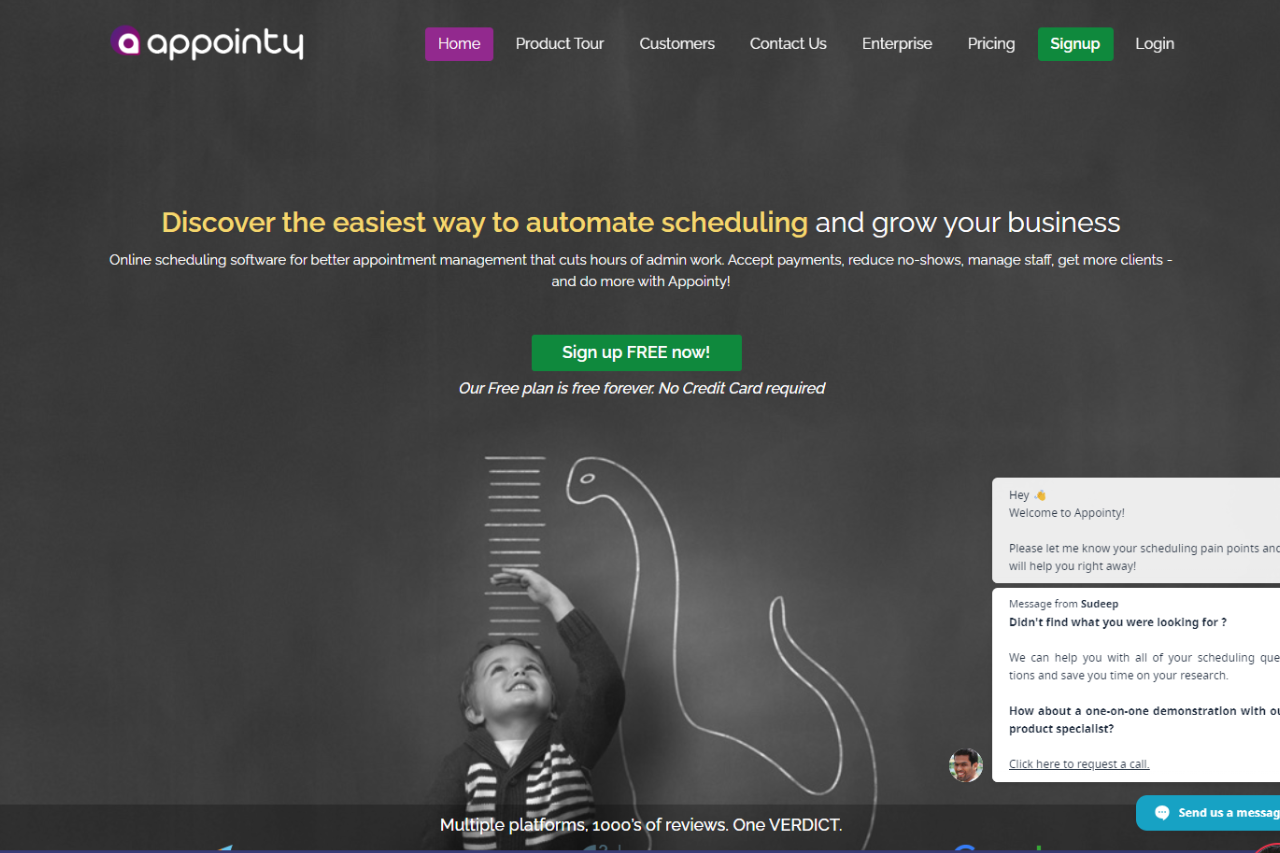
Streamline Your Business with Appointy: A Comprehensive Review

⭐ Our Verdict

Appointy presents a robust solution for appointment scheduling, catering to businesses of varying sizes with its array of features. While it boasts several strengths, it also has its share of limitations.

✅ Pros & ❌ Cons

Pros:

🔄 Flexible Scheduling Options: Appointy offers customizable appointment scheduling to suit diverse business needs and preferences.

📅 Client Self-Booking: Clients can conveniently schedule appointments themselves, reducing administrative workload and enhancing customer satisfaction.

🔗 Seamless Integration: Appointy seamlessly integrates with various calendar platforms, ensuring efficient scheduling and organization.

📊 Comprehensive Management: It provides advanced features for managing appointments, cancellations, and rescheduling, streamlining administrative tasks.

🌐 Wide Integration: Appointy offers integration with multiple third-party applications, enhancing its functionality and adaptability.

Cons:

💲 Pricing Variability: Some users may find the pricing plans relatively higher compared to competitors, potentially impacting budget-conscious businesses.

📉 Learning Curve: New users might experience a learning curve while familiarizing themselves with the platform’s features and functionalities.

📚 Limited Customization: Customization options may be somewhat restricted compared to other scheduling tools, limiting adaptability for specific business needs.

📖 About Appointy

Appointy is a leading appointment scheduling software designed to streamline the booking process for businesses across various industries. With its user-friendly interface and robust feature set, Appointy aims to simplify appointment management, enhance customer satisfaction, and improve operational efficiency.

Key Features:

  1. Appointment Scheduling: Appointy offers flexible scheduling options, allowing businesses to customize appointment types, durations, and availability according to their specific needs.
  2. Calendar Integration: Seamlessly integrate with popular calendar platforms to sync appointments, ensuring efficient scheduling and avoiding double bookings.
  3. Client Self-Booking: Empower clients to book appointments at their convenience through an intuitive online booking system, reducing administrative tasks and enhancing customer satisfaction.
  4. Comprehensive Appointment Management: Manage appointments, cancellations, and rescheduling effortlessly with Appointy’s advanced appointment management features.
  5. Wide Range of Integrations: Appointy provides extensive third-party integrations to enhance scheduling capabilities and streamline workflows, ensuring compatibility with existing systems and tools.
  6. Customization Options: Customize booking pages and appointment settings to reflect brand identity and meet specific business requirements.
  7. Reporting and Analytics: Access detailed reports and analytics to gain insights into appointment trends, client preferences, and business performance, enabling informed decision-making and strategic planning.

🗓️ How It Works

Signing Up for Appointy

  1. Visit the Appointy Website: Navigate to the Appointy website to begin the signup process.
  2. Choose a Plan: Explore the available pricing plans and select the one that aligns with your business requirements.
  3. Create an Account: Provide necessary details to create your account, including email address and password.
  4. Account Setup: Complete the setup process by entering your business information and customization preferences.
  5. Calendar Integration: Integrate your calendar with Appointy for seamless synchronization of appointments.
  6. Customize Booking Page: Personalize your booking page to reflect your brand identity and scheduling preferences.
  7. Explore Features: Familiarize yourself with the various features offered by Appointy, including appointment types, reminders, and reporting.
  8. Start Scheduling: Begin scheduling appointments with clients, utilizing Appointy’s user-friendly interface and automation features.

💲 Pricing Overview

Pricing Tiers

Appointy offers a range of pricing plans tailored to accommodate different business scales and needs, ensuring there’s an option for everyone.

✅ Free Tools Overview: Appointy provides essential scheduling tools in its free offering, including basic features such as appointment scheduling, calendar integration, and client management.

💼 Starter Plans: Ideal for individual professionals or small businesses seeking advanced scheduling capabilities, offering enhanced functionalities over the free tier.

🚀 Professional Plans: Designed for medium-sized businesses and teams requiring more advanced scheduling solutions, with features like group scheduling, class booking, and payment integration.

🏢 Enterprise Plans: Suited for large businesses and enterprises necessitating scalable scheduling solutions with advanced customization and support, offering premium features like custom branding, dedicated support, and API access.

🥊 Competition

Appointy vs. Acuity Scheduling

ProsCons
– Flexible scheduling options– Limited customization options
– Client self-booking capability– Higher pricing for advanced features
– Seamless integration with various platforms– Learning curve for new users
– Comprehensive appointment management– Limited customization compared to competitors
– Wide range of integrations

📌 Conclusion

Appointy emerges as a robust appointment scheduling solution, offering a comprehensive suite of features to simplify the booking process for businesses and clients alike. Despite some limitations, its user-friendly interface, extensive integrations, and flexible pricing options make it an ideal choice for businesses aiming to streamline their appointment scheduling workflows.

“Effortlessly Manage Your Appointments with Appointy.”

Scheduling Made Simple with Square Appointments

🏆 Our Verdict

Square Appointments emerges as a robust appointment scheduling solution, offering comprehensive features to simplify the booking process for businesses and clients. With its user-friendly interface, extensive integrations, and flexible pricing options, it’s an ideal choice for businesses looking to streamline their appointment scheduling workflows.

✅ Pros & ❌ Cons

Pros:

🔄 Seamless Appointment Booking: Square Appointments offers easy appointment scheduling for both businesses and clients, streamlining the booking process.

🔗 Calendar Integration: Seamlessly integrates with various calendar platforms, ensuring efficient scheduling and management.

📅 Client Self-Booking: Empowers clients to book appointments at their convenience, reducing administrative tasks for businesses.

📊 Comprehensive Appointment Management: Provides advanced features for managing appointments, cancellations, and rescheduling.

🌐 Versatile Integration: Offers a wide range of integrations to enhance scheduling capabilities and workflow efficiency.

Cons:

💲 Pricing: Some users may find the pricing plans relatively higher compared to competitors.

📉 Learning Curve: New users may experience a learning curve while familiarizing themselves with the platform’s features.

📚 Limited Customization: Customization options may be somewhat restricted in certain areas compared to other scheduling tools.

📖 About Square Appointments

Square Appointments simplifies appointment scheduling for businesses, providing an intuitive platform with extensive features. With its user-friendly interface, businesses can efficiently manage appointments and enhance client experiences.

🌟 How It Works

Signing Up for Square Appointments

  1. Visit the Square Appointments website: Navigate to the Square Appointments website to begin the signup process.
  2. Choose a Plan: Explore the available pricing plans and select the one that aligns with your business needs.
  3. Create an Account: Provide your email address, create a password, and fill in the necessary details to create your account.
  4. Account Setup: Complete the setup process by entering your business information and customizing your scheduling preferences.
  5. Calendar Integration: Integrate your calendar with Square Appointments to sync appointments seamlessly.
  6. Customize Booking Page: Personalize your booking page to reflect your brand and scheduling requirements.
  7. Explore Features: Familiarize yourself with the various features of Square Appointments, including appointment types, reminders, and reporting.
  8. Start Scheduling: Begin scheduling appointments with clients, utilizing Square Appointments’ user-friendly interface and automation features.

💲 Pricing Overview

Pricing Tiers

Square Appointments offers flexible pricing plans to accommodate businesses of all sizes. From individual professionals to large enterprises, there’s an option for everyone.

✅ Basic Plan: Ideal for small businesses with essential scheduling needs. Includes basic features such as appointment scheduling and client management.

🚀 Advanced Plan: Designed for medium-sized businesses seeking more advanced scheduling solutions. Includes features like group scheduling and payment integration.

🏢 Premium Plan: Suited for large enterprises requiring scalable scheduling solutions with advanced customization and support. Offers premium features like custom branding and API access.

🥊 Competition

Square Appointments vs. Acuity Scheduling

Square AppointmentsAcuity Scheduling
✅ Seamless Appointment Booking✅ Easy-to-use interface
🔗 Calendar Integration🔗 Seamless integration with various platforms
📅 Client Self-Booking📅 Versatile scheduling options
📊 Comprehensive Appointment Management📊 Advanced features for appointment customization
🌐 Wide Range of Integrations🌐 Extensive third-party integrations
💲 Higher pricing for some users💲 Varied pricing plans for different business needs
📉 Learning curve for new users📉 Learning curve for advanced features
📚 Limited customization options compared to competitors📚 Extensive customization capabilities

📌 Conclusion

Square Appointments emerges as a robust appointment scheduling solution, offering comprehensive features to simplify the booking process for businesses and clients. With its user-friendly interface, extensive integrations, and flexible pricing options, it’s an ideal choice for businesses looking to streamline their appointment scheduling workflows.

“Effortlessly Manage Your Appointments with Square Appointments.”