Seismic: Elevating Your Sales Enablement Strategy

πŸ† Our Verdict

Seismic stands out as a powerful sales enablement platform designed to enhance the efficiency and effectiveness of sales teams. With its robust feature set and intuitive interface, Seismic is tailored for businesses aiming to streamline their sales processes and improve content management.

βœ… Pros & ❌ Cons

Pros:

  • πŸ“ˆ Sales Enablement: Seismic provides comprehensive tools to manage and deliver sales content, helping teams stay aligned and productive.
  • πŸ” Analytics: The platform offers advanced analytics to track content performance and gain insights into sales activities.
  • πŸ”— Integration: Seamlessly integrates with various CRM and marketing platforms, enhancing overall workflow efficiency.
  • πŸš€ Customization: Highly customizable, allowing businesses to tailor the platform to their specific needs and preferences.

Cons:

  • πŸ’² Pricing: Seismic’s pricing may be on the higher end, which could be a barrier for smaller businesses or those with tight budgets.
  • 🀯 Complexity: The platform’s extensive features may come with a learning curve for new users.
  • πŸ› οΈ Implementation: Initial setup and integration can be complex and time-consuming, requiring dedicated resources.

πŸ“– About Seismic

Seismic is a leading sales enablement platform that equips sales teams with the tools they need to optimize content delivery and drive revenue growth. With a focus on content management, analytics, and integration, Seismic aims to enhance sales effectiveness and streamline sales processes.

πŸ—“οΈ How It Works

  1. Sign Up: Visit the Seismic website and sign up for an account.
  2. Choose a Plan: Explore the available pricing plans and select the one that aligns with your business requirements.
  3. Set Up Your Account: Complete the setup process by providing necessary information about your sales teams and content needs.
  4. Customize Your Platform: Tailor Seismic’s features to suit your specific sales processes and content management requirements.
  5. Upload Content: Use Seismic’s tools to upload and organize your sales content for easy access and distribution.
  6. Track Performance: Monitor the performance of your content and sales activities using Seismic’s analytics tools.
  7. Integrate: Connect Seismic with your existing CRM and marketing platforms for a seamless workflow.

πŸ’² Pricing Overview

Seismic does not provide a straightforward pricing list on their website. Instead, they encourage potential customers to contact them directly to discuss specific business requirements and obtain a customized quote. This approach allows Seismic to tailor their solutions to fit the unique needs of each business, considering factors such as the number of users, the range of services offered, and specific feature requirements.

For more detailed information and to request a pricing quote, you can visit their official pricing page and explore their various offerings or contact their sales team directly.

πŸ₯Š Competition

SeismicHighspot
ProsPros
– Comprehensive sales enablement tools– Robust sales content management
– Advanced analytics and insights– Intuitive user interface
– Strong integration capabilities– Effective sales training features
– High customization options– Detailed analytics and reporting
ConsCons
– Higher pricing– Can be expensive for small teams
– Learning curve for new users– Limited customization compared to Seismic
– Complex implementation– Integration options may be less extensive

πŸ“Œ Conclusion

Seismic proves to be an exceptional choice for businesses looking to enhance their sales enablement strategy. With its comprehensive features, strong analytics, and seamless integration capabilities, Seismic empowers sales teams to work more efficiently and effectively.

Seismic: Your Partner in Sales Enablement Excellence

Revel Systems: Revolutionizing Restaurant POS Solutions

πŸ† Our Verdict

Revel Systems excels as a comprehensive POS solution tailored for restaurants and retail businesses. With its advanced features and intuitive interface, it offers powerful tools for managing operations, enhancing customer experiences, and optimizing sales.

βœ… Pros & ❌ Cons

Pros:

  • 🍽️ Comprehensive POS Features: Revel Systems provides a wide range of POS functionalities including order management, inventory tracking, and sales analytics.
  • πŸ“Š Advanced Reporting & Analytics: The platform offers detailed reporting tools to help businesses analyze performance and make data-driven decisions.
  • πŸ“ˆ Customization Options: Revel Systems allows for extensive customization to fit specific business needs, including menu design and payment processing.
  • πŸ’» Integration Capabilities: Integrates seamlessly with various third-party applications, enhancing overall business operations.

Cons:

  • πŸ’² Cost: Revel Systems can be expensive, particularly for smaller businesses or those just starting out.
  • πŸ”§ Complex Setup: Some users report that the initial setup and configuration can be complex and time-consuming.
  • πŸ“± Mobile Performance: While functional, the mobile app experience may not be as smooth or feature-rich as the desktop version.

πŸ“– About Revel Systems

Revel Systems is a leading POS solution designed for the foodservice and retail industries. It provides a unified platform that combines POS functionality with advanced management tools, helping businesses streamline operations and improve customer service.

πŸ—“οΈ How It Works

  1. Sign Up: Visit the Revel Systems website and request a demo or sign up for an account.
  2. Choose a Plan: Explore the available pricing plans and select the one that best suits your business needs.
  3. Set Up Your System: Work with Revel Systems to configure the POS hardware and software according to your business requirements.
  4. Customize Your POS: Design your menus, set up inventory, and integrate with other applications as needed.
  5. Train Your Team: Use Revel Systems’ training resources to get your team up to speed on the new system.
  6. Start Selling: Begin processing transactions and managing operations using Revel Systems’ comprehensive tools.
  7. Analyze Performance: Utilize reporting and analytics features to track sales, monitor performance, and make informed decisions.

πŸ’² Pricing Overview

Revel Systems offers tailored pricing for their point of sale (POS) solutions based on the specific needs of your business. To get a detailed quote, you will need to contact their sales team. Here are some of the features and offerings you can expect:

  • Flexible Payments: Revel allows you to choose the best payment processor for your needs, offering a payments-agnostic platform.
  • Inventory Management: Real-time tracking at the ingredient level to minimize waste and maximize profits.
  • 24/7 Support: Ongoing support with self-service resources like video tutorials and a help site.
  • Scalable Solutions: Ideal for small businesses and large enterprises, with the flexibility to grow with your business.
  • Secure Transactions: PCI compliant cloud technology with point-to-point encrypted (P2PE) payments.

πŸ₯Š Competition

Revel SystemsToast
ProsPros
– Comprehensive POS features– Tailored for the restaurant industry
– Advanced reporting & analytics– Robust features for restaurants
– Customization options– User-friendly interface
– Integration capabilities– Excellent customer support
ConsCons
– Cost can be high– Higher pricing for premium features
– Complex setup– Limited customization options
– Mobile app performance– Initial setup can be challenging

πŸ“Œ Conclusion

Revel Systems stands out as a top choice for businesses looking for a robust and feature-rich POS solution. Its extensive capabilities, customization options, and integration features make it ideal for restaurants and retail businesses aiming to enhance efficiency and customer satisfaction.

Revel Systems: Elevating Your POS Experience

Showpad: Revolutionizing Sales Enablement

πŸ† Our Verdict

Showpad stands out as a powerful sales enablement platform, designed to enhance sales performance through its comprehensive features and engaging user experience.

βœ… Pros & ❌ Cons

Pros:

  • πŸ“Š Comprehensive Sales Enablement Tools: Showpad offers an extensive suite of tools for sales enablement, including content management, training modules, and sales analytics.
  • 🎨 User Experience: The platform provides an intuitive and visually appealing interface that makes navigation and content access straightforward for users.
  • πŸ“ˆ Analytics: Showpad’s robust analytics capabilities help track content engagement and sales performance, allowing for data-driven decision-making.
  • πŸ’‘ Training and Onboarding: Features like interactive training and onboarding support help sales teams get up to speed quickly and effectively.

Cons:

  • πŸ’² Pricing: Some users may find Showpad’s pricing plans to be on the higher side compared to other sales enablement tools.
  • πŸ”§ Customization Limitations: Customization options might be limited, which can affect the ability to tailor the platform to specific business needs.

πŸ“– About Showpad

Showpad is a leading sales enablement platform that empowers sales teams with the tools and insights needed to engage customers effectively and drive sales growth.

πŸ—“οΈ How It Works

  1. Sign Up: Visit the Showpad website and register for an account.
  2. Choose a Plan: Review the available pricing plans and select the one that best fits your organization’s needs.
  3. Set Up Your Account: Configure your account by adding necessary business details and setting up user roles.
  4. Upload Content: Use Showpad’s content management features to upload and organize sales materials.
  5. Train Your Team: Utilize the platform’s training modules to onboard and train your sales team.
  6. Analyze Performance: Track and analyze sales activities and content engagement using Showpad’s analytics tools to refine strategies.

πŸ’² Pricing Overview

Showpad offers various pricing plans to accommodate different business sizes and needs. Specific pricing details are available upon request from the Showpad sales team.

Essential Plan:

  • Price: Custom pricing (contact sales)
  • Features:
    • Content management
    • Basic reporting and analytics
    • Sales enablement tools
    • Mobile access

Plus Plan:

  • Price: Custom pricing (contact sales)
  • Features:
    • Everything in the Essential Plan
    • Advanced analytics
    • Integrations with CRM
    • Custom branding
    • Enhanced security features

Ultimate Plan:

  • Price: Custom pricing (contact sales)
  • Features:
    • Everything in the Plus Plan
    • AI-driven recommendations
    • Personalized content experiences
    • Advanced user permissions
    • Enterprise-level support

For more detailed information and to request a quote, visit the Showpad Pricing Page.

πŸ₯Š Competition

ShowpadHighspot
ProsPros
– Comprehensive tools for sales enablement– Robust sales enablement features
– User-friendly interface– Advanced analytics capabilities
– Effective training and onboarding– Excellent content management
ConsCons
– Higher pricing plans– Complex pricing structure
– Limited customization– Steeper learning curve

πŸ“Œ Conclusion

Showpad excels as a sales enablement platform by offering comprehensive tools, an intuitive interface, and valuable insights to boost sales performance. With its focus on user experience and effective training, Showpad is a top choice for organizations looking to enhance their sales efforts.

Showpad: Empowering Your Sales Success

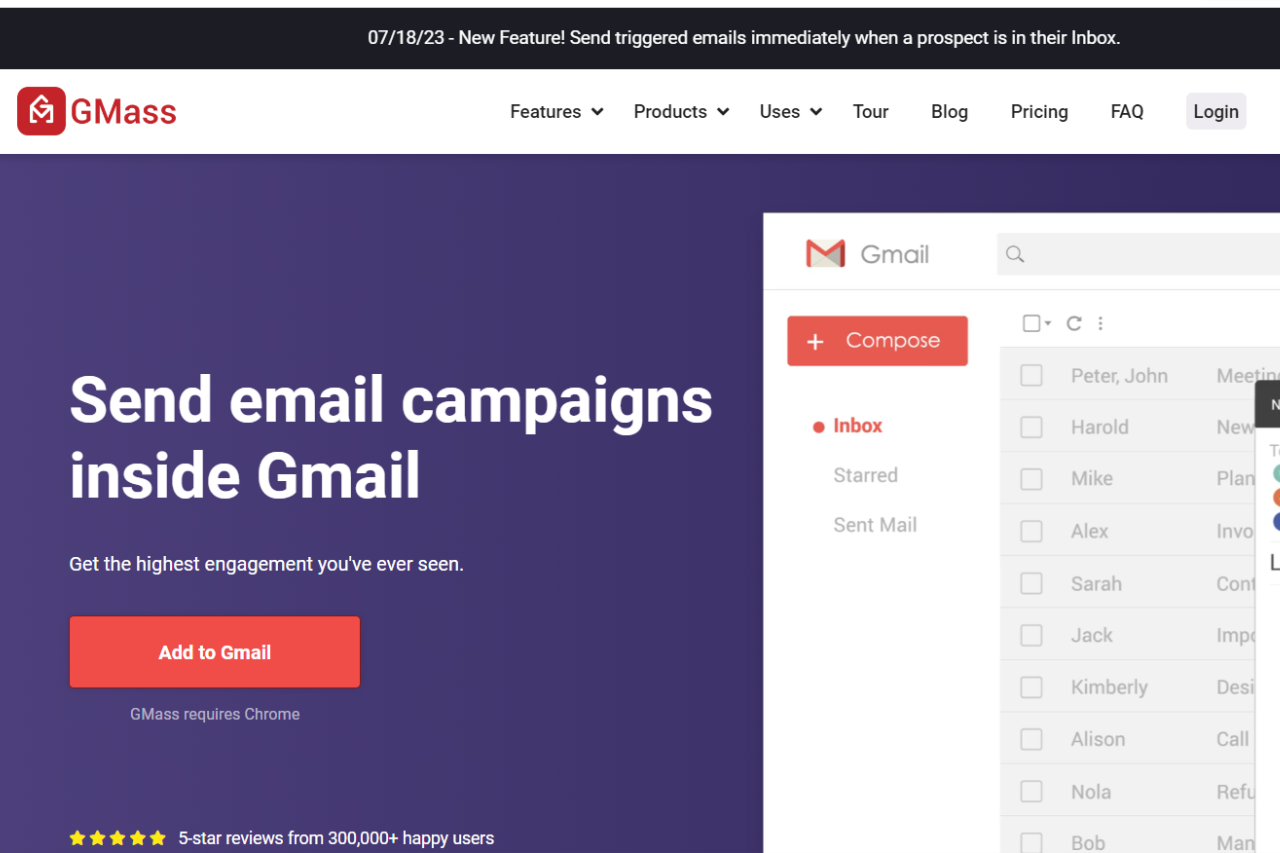
Gmass: Revolutionizing Email Outreach

πŸ† Our Verdict

Gmass excels as a powerful tool for email outreach, designed to enhance productivity with its seamless integration into Gmail. Its features cater to users seeking efficient ways to manage and optimize their email campaigns.

βœ… Pros & ❌ Cons

Pros:

  • πŸ“§ Efficient Email Campaigns: Gmass integrates directly with Gmail, allowing users to create and manage large-scale email campaigns effortlessly.
  • πŸ”„ Automated Follow-Ups: The platform includes automated follow-up sequences, ensuring timely responses and engagement with recipients.
  • πŸ“ˆ Analytics and Tracking: Provides detailed analytics and tracking for email opens, clicks, and responses, helping users refine their strategies.
  • πŸ”§ Customizable Templates: Users can create and use customizable email templates to streamline their outreach efforts.

Cons:

  • πŸ’² Pricing: Gmass can be relatively expensive, especially for smaller businesses or those needing advanced features.
  • πŸ“© Limited CRM Features: Unlike some competitors, Gmass lacks comprehensive CRM capabilities, which may be a drawback for users needing more in-depth customer relationship management.
  • βš™οΈ Gmail Dependency: The platform relies on Gmail, which may not be ideal for users using other email services or needing more standalone functionality.

πŸ“– About Gmass

Gmass is a robust email outreach tool designed for Gmail users, offering powerful features for managing and optimizing email campaigns. It simplifies the process of sending personalized emails, automating follow-ups, and tracking performance.

πŸ—“οΈ How It Works

  1. Sign Up: Visit the Gmass website and sign up for an account.
  2. Install the Extension: Add the Gmass extension to your Gmail account.
  3. Compose Your Email: Draft your email within Gmail and use Gmass to configure campaign settings.
  4. Set Up Automation: Configure follow-up sequences and schedule your emails for delivery.
  5. Monitor Performance: Track email performance through Gmass’s analytics dashboard and adjust your strategies as needed.

πŸ’² Pricing Overview

Gmass offers several pricing plans to cater to different needs and budgets:

Standard Plan:

  • Monthly: $25 per user
  • Annually: $225 per user
  • Features:
    • Works inside Gmail
    • Unlimited contacts and campaigns
    • Mail merge personalization
    • Free email address verification
    • Custom tracking links with SSL
    • Spam Solver
    • Sequences and follow-ups
    • API access (+Zapier)
    • A/B testing
    • Triggered Emails
    • Inbox Rotation (MultiSend)
    • High-priority email support

Premium Plan:

  • Monthly: $35 per user
  • Annually: $325 per user
  • All Standard features plus enhanced support.

Professional Plan:

  • Monthly: $55 per user
  • Annually: $525 per user
  • All Premium features plus advanced capabilities.

For detailed information, visit the GMass Pricing Page.

πŸ₯Š Competition

FeatureGmassMailshake
Pros
Email CampaignsEfficient large-scale email managementRobust outreach capabilities
AutomationAutomated follow-upsAdvanced automation features
AnalyticsDetailed tracking and analyticsComprehensive reporting and analytics
TemplatesCustomizable email templatesExtensive template library
Cons
PricingRelatively high costHigher price for advanced features
CRM FeaturesLimited CRM capabilitiesMore CRM-focused tools
Gmail DependencyReliance on GmailIndependent of specific email services

πŸ“Œ Conclusion

Gmass stands out as a leading solution for email outreach, particularly for users who prefer working within Gmail. With its efficient email management, automation, and tracking features, Gmass is an excellent choice for businesses aiming to enhance their email campaigns.

Gmass: Streamline Your Email Outreach Today!

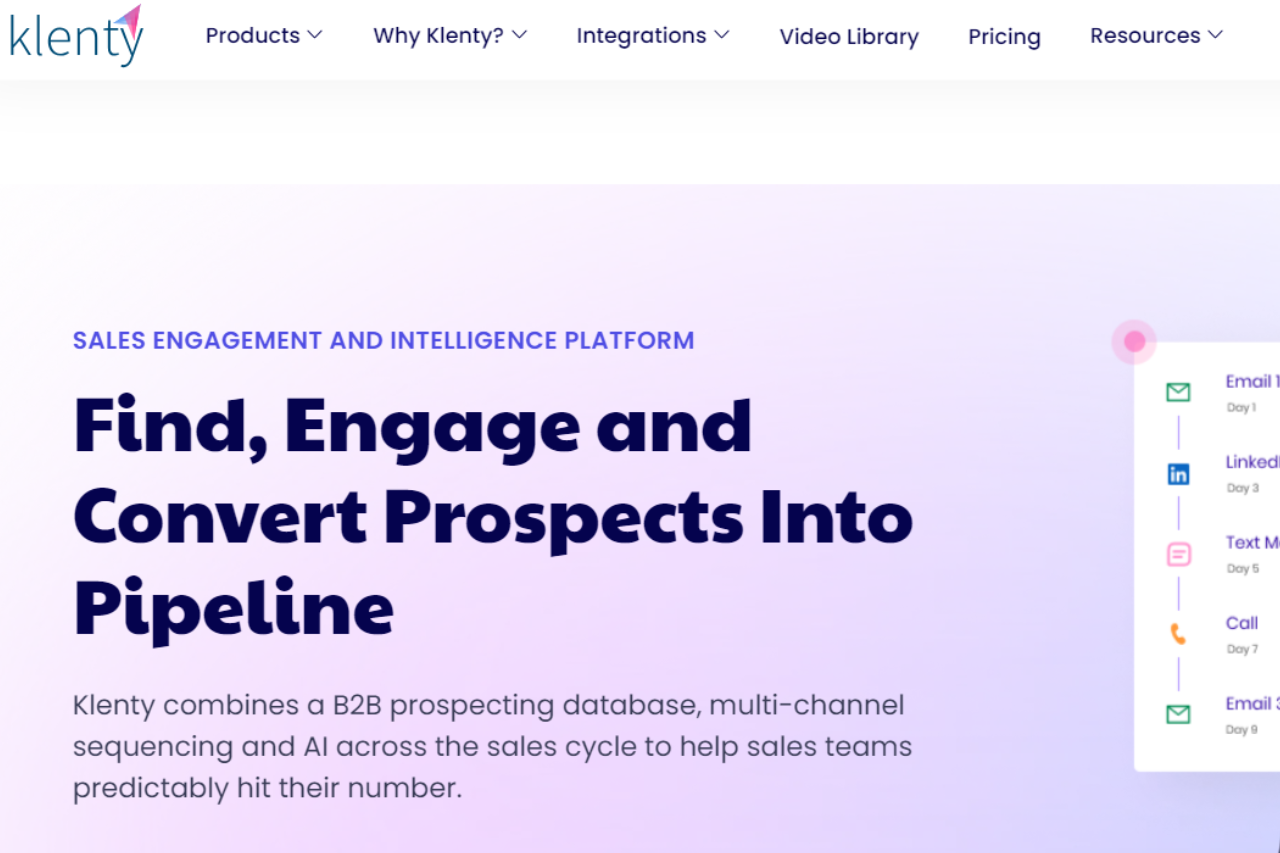
Klenty: Streamlining Your Sales Outreach

πŸ† Our Verdict

Klenty excels as a robust sales engagement platform, designed to enhance outreach effectiveness and streamline sales processes with its intuitive features.

βœ… Pros & ❌ Cons

Pros:

  • πŸ“§ Automated Outreach: Klenty offers powerful automation tools for personalized email sequences, follow-ups, and drip campaigns, saving time and improving response rates.
  • 🎨 Email Personalization: The platform allows deep customization of email templates and sequences, enhancing engagement with prospects.
  • πŸ“Š Analytics: Klenty provides detailed analytics and reporting on email performance and campaign effectiveness, helping teams optimize their outreach strategies.
  • πŸ’» CRM Integration: Seamlessly integrates with popular CRMs like Salesforce and HubSpot, ensuring smooth data synchronization and enhanced workflow efficiency.

Cons:

  • πŸ’² Learning Curve: New users may require some time to fully master Klenty’s features and maximize its potential for sales outreach.
  • πŸ”§ Customization Limitations: While offering robust features, customization options for workflows and templates may be somewhat restrictive compared to competitors.

πŸ“– About Klenty

Klenty is tailored for sales teams looking to automate and optimize their outreach efforts, integrating with CRMs to streamline workflows and improve sales efficiency.

πŸ—“οΈ How It Works

  1. Sign Up: Visit the Klenty website and create an account.
  2. Choose a Plan: Explore Klenty’s pricing options and select a plan based on your team’s needs.
  3. Set Up Your Account: Complete the setup process by integrating Klenty with your CRM and configuring email templates.
  4. Create Email Sequences: Use Klenty’s intuitive interface to build personalized email sequences tailored to your target audience.
  5. Monitor Performance: Track email engagement and campaign metrics through Klenty’s analytics dashboard, adjusting strategies as needed for optimal results.

πŸ’² Pricing Overview

Klenty offers flexible pricing plans designed to cater to varying team sizes and sales needs:

Startup Plan:

  • Price: $50 per user/month (billed annually)
  • Features:
    • Custom Domain Tracking
    • Email Volume Control
    • Email Analytics
    • API Connections
    • Zapier Integration
    • CSV Uploads
    • Email Sequence Automation
    • 24/5 Support

Growth Plan:

  • Price: $70 per user/month (billed annually)
  • Features:
    • Everything in Startup Plan
    • CRM Integrations
    • Sales Stage Automation
    • Intent-Based Followups
    • Multichannel Outreach (Calls, SMS, LinkedIn Automation)
    • Account-Based Prospecting

Pro Plan:

  • Price: $100 per user/month (billed annually)
  • Features:
    • Everything in Growth Plan
    • Sales Coaching
    • Goals & Milestones
    • Goal-Based Team Leaderboards
    • Website Tracking

Enterprise Plan:

  • Price: Custom pricing (contact sales)
  • Features:
    • Everything in Pro Plan
    • IP-Based Login Restrictions
    • Quarterly Customer Success Review
    • Advanced Deliverability Insights

πŸ₯Š Competition

Klenty VS Outreach

KlentyOutreach
ProsPros
Automated outreach sequencesComprehensive sales engagement features
CRM integrationAdvanced analytics and reporting
Email personalizationIntegration with multiple platforms
ConsCons
Learning curve for new usersHigher pricing for advanced plans
Limited customization optionsComplexity in setting up complex workflows

πŸ“Œ Conclusion

Klenty stands out as a powerful tool for sales teams seeking to automate and optimize their outreach efforts. With its robust features, seamless CRM integration, and effective email personalization capabilities, Klenty empowers teams to achieve higher sales efficiency and effectiveness.

Klenty: Your Partner in Sales Outreach Success

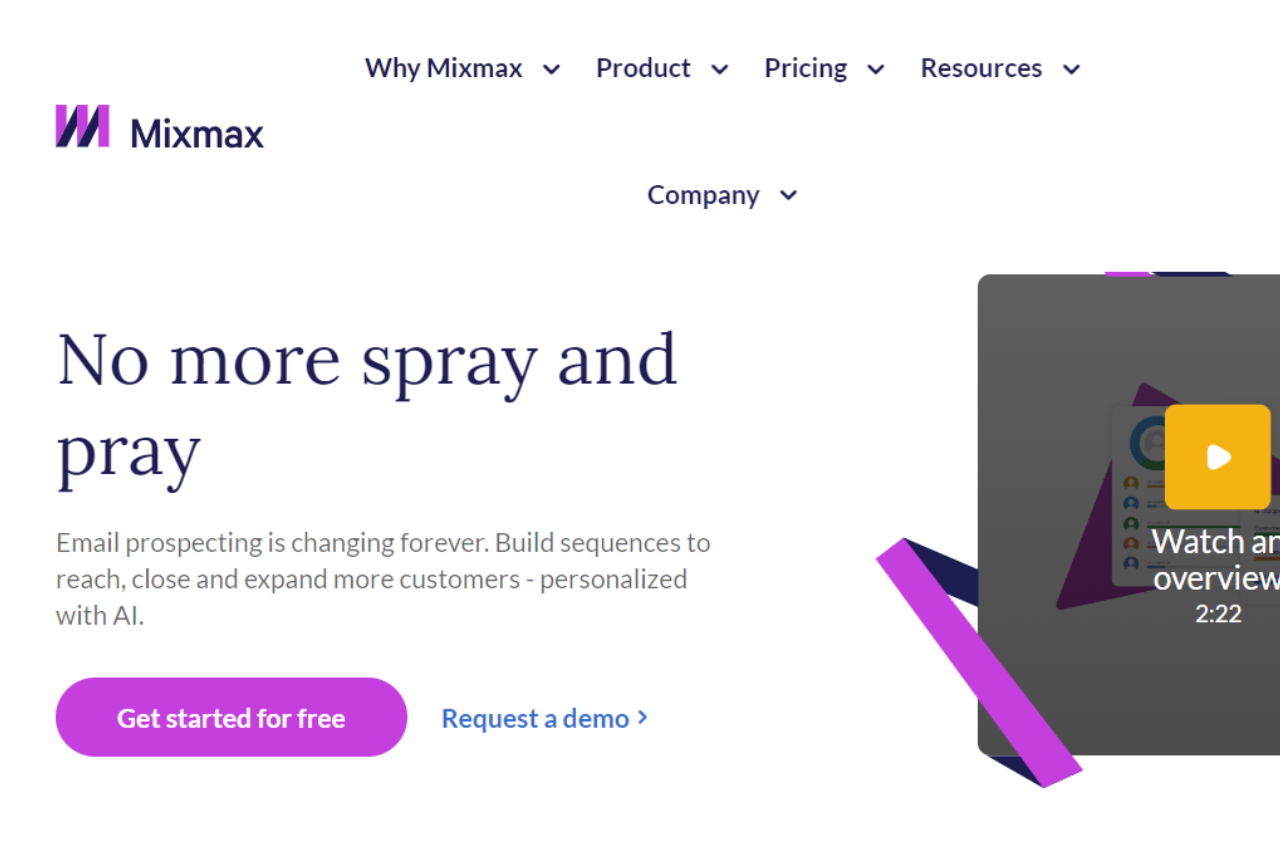
Mixmax: Supercharging Your Email Communication

πŸ† Our Verdict

Mixmax excels as a comprehensive email communication platform, designed to enhance productivity and engagement with its innovative features and user-friendly interface.

βœ… Pros & ❌ Cons

Pros:

  • πŸ’Œ Advanced Email Features: Mixmax offers powerful email tracking, scheduling, and automation tools, improving communication efficiency.
  • 🎨 Visual Design: Intuitive interface and customizable templates help create visually appealing emails.
  • πŸ“Š Analytics: Detailed insights into email performance aid in refining communication strategies.
  • πŸ’» Integration: Seamlessly integrates with various CRM and productivity tools, enhancing workflow efficiency.

Cons:

  • πŸ’² Pricing: Some users may find Mixmax’s pricing plans relatively higher, especially for comprehensive features.
  • 🀯 Learning Curve: New users may experience a learning curve while navigating advanced functionalities. πŸ”§ Limited Customization: Customization options may be somewhat limited compared to other email communication platforms.

πŸ“– About Mixmax

Mixmax is dedicated to transforming email communication by empowering users with advanced tools to streamline workflows and enhance engagement.

πŸ—“οΈ How It Works

  • Sign Up: Visit the Mixmax website and sign up for an account.
  • Choose a Plan: Explore the available pricing plans tailored to different business needs.
  • Set Up Your Account: Complete the setup by configuring your email preferences and integration settings.
  • Design Your Emails: Use Mixmax’s intuitive editor to craft compelling emails that resonate with your audience.
  • Automate Outreach: Set up automated sequences and reminders to streamline your communication efforts.
  • Track Performance: Monitor email engagement and campaign success through detailed analytics.

πŸ’² Pricing Overview

Mixmax offers flexible pricing plans to accommodate various business sizes and needs:

  • Plans & Pricing Built for Revenue Teams
    Save up to 25% on annual subscriptions.
    Monthly
  • Enterprise: Enterprise controls & custom setup for larger teams
    • Custom Pricing: Contact Sales for tailored pricing
  • Growth + CRM: Sales engagement with Salesforce or HubSpot integration
    • $69 per user, per month: Everything in Growth + CRM plus:
      • Multi-channel Sequences
      • Tasks & automation
      • Advanced Rules*
      • Delegated sending
      • Access to Dialer & SMS
      • LinkedIn Sales Navigator integration
      • Admin controls
      • Multiple workspaces
  • Growth: Sales automation for growing teams
    • $49 per user, per month: Everything in Growth plus:
      • Salesforce or HubSpot integration
      • Salesforce Insights reporting package
      • Mixmax API
      • Webhook automation
  • SMB: Email campaigns and calendaring for teams under ten
    • $29 per user, per month: Everything in SMB plus:
      • Email Sequences
      • Sequence personalization
      • Round Robin scheduling
      • Custom branding
      • Reporting & analytics
      • AI Compose
      • AI Smart Send
      • Basic Rules
  • Free Plan: Calendaring and email productivity for teams under five
    • $0 per user, per month: Everything in Free plus:
      • Mail merge
      • Scheduling on shared calendars
      • Shared email templates
      • CRM auto-BCC
      • No “Sent with Mixmax” signature
      • Sidechat*
      • Instant scheduling
      • Unlimited meeting templates
      • Email tracking
      • Email templates
      • Email polls & surveys
      • Industry-leading security

πŸ₯Š Competition

Mixmax VS Salesloft

MixmaxSalesloft
Advanced email featuresComprehensive sales automation tools
Seamless CRM integrationCustomizable sales cadences and workflows
Intuitive email templatesRobust analytics and reporting
Higher pricing for comprehensive featuresSteeper learning curve for new users
Limited customization optionsComplexity in setting up and managing complex workflows

πŸ“Œ Conclusion

Mixmax stands out as a top choice for businesses looking to elevate their email communication strategies. With its robust feature set, seamless integrations, and user-friendly interface, Mixmax empowers teams to communicate effectively and drive productivity.

Mixmax: Transform Your Email Experience Today

Yesware: Elevating Your Sales Engagement

πŸ† Our Verdict

Yesware stands out as a comprehensive sales engagement platform, empowering sales teams with robust tools to optimize email communication and increase productivity.

βœ… Pros & ❌ Cons

Pros:

  • πŸ“ˆ Enhanced Email Tracking: Yesware offers advanced email tracking features, providing real-time insights into email opens, clicks, and replies.
  • πŸ’Œ Email Templates and Automation: Streamline outreach with customizable email templates and automated email sequences, saving time and improving response rates.
  • πŸ“Š Analytics Dashboard: Gain valuable insights into email engagement metrics and team performance, enabling data-driven decision-making.
  • πŸ”§ CRM Integration: Seamlessly integrates with CRM systems like Salesforce and HubSpot, enhancing workflow efficiency and data synchronization.

Cons:

  • πŸ’² Pricing Structure: Some users may find Yesware’s pricing plans relatively higher, especially for comprehensive features compared to competitors.
  • πŸ“ˆ Learning Curve: New users might experience a learning curve when navigating Yesware’s advanced features and customization options.
  • πŸ”§ Limited Customization: Customization options may be somewhat restricted compared to more flexible platforms.

πŸ“– About Yesware

Yesware is a leading sales engagement platform designed to help sales teams optimize their email communication and productivity effectively.

πŸ—“οΈ How It Works

  1. Sign Up: Visit the Yesware website and create an account.
  2. Choose a Plan: Explore Yesware’s pricing plans and select the one that best fits your team’s needs and budget.
  3. Set Up Your Account: Complete the setup process by integrating with your CRM and customizing your email templates and sequences.
  4. Use Email Tracking: Utilize Yesware’s advanced email tracking to monitor engagement metrics and optimize outreach strategies.
  5. Monitor Performance: Track team performance and email campaign effectiveness through Yesware’s analytics tools, making data-driven adjustments as needed.

πŸ’² Pricing Overview

Yesware offers flexible pricing plans tailored to different sales team sizes and needs:

Monthly Plan

  • Annual Plan: Save up to 23%
  • Free Forever: $0 Seat / month, billed annually, for sales professionals just getting started

Free Plan includes:

  • Basic Email Open Tracking
  • Basic Attachment Tracking
  • 10 Campaign Recipients/Month
  • Meeting Scheduler
  • Weekly Webinar Trainings
  • Email Support

Pro

  • $15 Seat / month, billed annually, for solo sales professionals & small businesses
  • Try Free: Pro Plan includes:
    • Unlimited Email Open Tracking
    • Unlimited Email Link Tracking
    • Unlimited Attachment Tracking
    • 20 Campaign Recipients/Month
    • Personal Activity Report
    • Recipient Engagement Report
    • Email and Phone Support

Premium

  • $35 Seat / month, billed annually, most popular for scaling sales teams at high-growth companies
  • Try Free: Everything in Pro, plus:
    • Remove Yesware Branding
    • Unlimited Campaigns
    • Unlimited Teams
    • Shared Templates & Campaigns
    • Team Reporting
    • Centralized Team Billing
    • Customer Success On-Demand

Enterprise

  • $65 Seat / month, billed annually, for powerhouse sales teams who use Salesforce CRM
  • Try Free: Everything in Premium, plus:
    • Salesforce Inbox Sidebar
    • Salesforce Email Sent Sync
    • Salesforce Email Reply Sync
    • Salesforce Calendar Sync
    • Salesforce Background Sync
    • Bi-Directional Activity Sync
    • Add Contacts to Campaigns
    • Import List Views to Campaigns
    • Salesforce Single Sign-On
    • Trusted IP Ranges

Custom Plan

  • Need a Customized Plan or Pilot Program? Contact Us
  • Everything in Enterprise, plus:
    • Security Review
    • Legal Review
    • Salesforce Force Sync On
    • Managed Package Reporting
    • Salesforce Customizations
    • Salesforce Event Type / Calendar Sync
    • Prefer Salesforce Contacts over Leads
    • Scan Salesforce Alternative Email Field
    • RingCentral Telephony Integration
    • Pay by Invoice
    • Dedicated Customer Success Manager

This breakdown provides a clear overview of Yesware’s pricing tiers, features, and customization options tailored for different sales needs and team sizes.

πŸ₯Š Competition

Yesware VS Salesloft

Yesware ProsSalesloft Pros
Advanced email tracking featuresComprehensive sales automation tools
Seamless CRM integrationCustomizable sales cadences and workflows
Intuitive email templatesRobust analytics and reporting
Yesware ConsSalesloft Cons
Higher pricing for comprehensive featuresSteeper learning curve for new users
Limited customization optionsComplexity in setting up and managing complex workflows

πŸ“Œ Conclusion

Yesware emerges as a top choice for sales teams seeking to enhance email communication effectiveness and productivity. With its advanced features, seamless CRM integration, and intuitive interface, Yesware empowers teams to drive sales success through optimized email engagement.

Yesware: Your Partner in Sales Engagement Excellence

Groove by Clari: Optimizing Sales Efficiency

πŸ† Our Verdict

Groove by Clari excels as a sales engagement platform, streamlining workflows and enhancing productivity with its intuitive interface and powerful automation features.

βœ… Pros & ❌ Cons

Pros:

  • πŸ“ˆ Enhanced Sales Engagement: Groove offers tools for email tracking, cadence management, and analytics, boosting sales team efficiency.
  • πŸ“§ Seamless Email Integration: Integrate with Gmail and Outlook for a unified email experience, enhancing communication and tracking capabilities.
  • πŸ“Š Advanced Analytics: Gain insights into email engagement and pipeline activity, empowering data-driven decision-making.
  • πŸ’» Salesforce Integration: Deep integration with Salesforce CRM ensures seamless data synchronization and workflow automation.

Cons:

  • πŸ’² Pricing Complexity: Pricing tiers may be higher for advanced features, potentially limiting access for smaller teams.
  • 🀯 Learning Curve: New users may require time to fully utilize all features effectively, especially with advanced automation capabilities.
  • πŸ”§ Limited Customization: Customization options for workflows and email templates might be less flexible compared to some competitors.

πŸ“– About Groove by Clari

Groove by Clari is designed to optimize sales engagement and productivity, integrating seamlessly with Salesforce to enhance CRM capabilities and streamline sales workflows.

πŸ—“οΈ How It Works

  1. Sign Up: Visit the Groove by Clari website and sign up for an account.
  2. Integrate with Salesforce: Connect Groove with Salesforce to leverage CRM data.
  3. Configure Email Templates: Customize email templates and cadences to suit your sales process.
  4. Track Engagement: Monitor email opens, clicks, and replies to gauge prospect interest.
  5. Automate Follow-Ups: Set up automated follow-ups and tasks based on prospect engagement.
  6. Review Analytics: Use Groove’s analytics dashboard to analyze sales performance and optimize strategies.

πŸ’² Pricing Overview

Groove offers flexible pricing plans tailored to different business needs and scales.

6 WAYS TO RUN REVENUE. CONSOLIDATE ON CLARI.

  • No Platform Fees: Clari does not charge platform fees, allowing businesses to scale without additional overhead costs.
  • Complimentary Premier Customer Support Package: Included with all Clari products, ensuring comprehensive support for implementation and ongoing usage.
  • Fully Implemented in 8 Weeks: Rapid deployment schedule to achieve full implementation and operational efficiency quickly.

See Clari in Action

  • Product Screenshots: Visual representations of Clari’s interface showcasing its features and capabilities.
  • Abstract Background Image: Utilizes a modern abstract background with gray and white shapes to highlight Clari’s innovative approach.
  • 448% ROI via Forrester Total Economic Impact Study: Demonstrated return on investment based on Forrester’s analysis.
  • Hours Saved: Significant reduction in time spent on manual tasks.
  • Improvement in Win Rate: Enhanced success in closing deals.
  • Faster Deal Cycles: Accelerated sales cycles due to streamlined processes.
  • Increase in Engagement & Net Dollar Retention: Improved customer engagement and revenue retention metrics.
  • Reduction in Rep Training Onboarding Time: Shortened onboarding duration for new sales representatives.

Mix-and-Match on Clari

  • No Platform Fee: Avoid additional costs with Clari’s fee-free platform structure.
  • Scales By User: Flexible scalability based on user needs.
  • Premier Customer Support Package Included: Comprehensive support package included with all Clari products.
  • Start Anywhere: Begin using Clari’s solutions at any stage of your business operations.
  • Upgrade Later: Easy scalability with the option to upgrade features as your business grows.

CLARI FOUNDATION – Included with All Products (No Platform Fee)

  • Out of the Box: Automated capture of activity and relationship intelligence, eliminating manual data entry.
  • Instant Time to Value: Immediate access to dashboards, analytics, and reporting capabilities.
  • Secure & Customizable: Single Sign-On (SSO) and self-serve admin options for secure and tailored user experiences.

RevDB

  • Fully Integrated: Seamless integration with CRM systems and other revenue-critical tools.
  • Fully Customizable: Unlimited fields for data customization compared to CRM limitations.
  • Fully Captured: Clari RevDB offers bi-directional sync and time-series snapshotting for comprehensive data management.

Expertise & Support

  • Deep Clari Support: Premier Success package includes robust support for maximizing Clari’s benefits.
  • Deep Clari ML / AI: Utilizes AI-driven tools for deal scoring, forecasting, and workflow optimization.
  • Revenue Best Practices: Access to RevCadences, Clari University, certifications, and in-app guidance for optimized revenue strategies.

CLARI MODULES – Most Popular

  1. Inspect: Manage deals, accounts, reps, and teams with comprehensive pipeline analytics.
  2. Groove by Clari: Engage prospects and buyers at scale with core activities, automations, and communication tools.
  3. Align: Accelerate buyer/seller deal cycles with mutual action plans and collaborative workspaces.
  4. Copilot: Coach reps using insights and alerts from call recordings and coaching tools.
  5. Forecast: Predict and influence sales outcomes with flexible forecasting and predictive analytics.
  6. Capture: Automatically write all data back to CRM systems for enhanced data management and synchronization.

Get a Quote Now

  • Contact Clari for personalized pricing and implementation details to start optimizing your revenue operations today.

πŸ₯Š Competition

Groove by ClariHubSpot Sales Hub
ProsPros
Enhanced sales engagement toolsExtensive CRM and sales automation
Seamless email integration with Gmail and OutlookAdvanced email tracking and scheduling
Deep Salesforce integrationPowerful reporting and analytics
ConsCons
Pricing complexity for advanced featuresHigher pricing tiers for additional features
Learning curve for new usersComplexity in setting up advanced workflows

πŸ“Œ Conclusion

Groove by Clari stands out as a robust solution for sales teams looking to optimize engagement and streamline workflows. With its powerful integration with Salesforce and intuitive email tools, Groove empowers sales professionals to achieve greater productivity and success.

Groove by Clari: Powering Sales Success

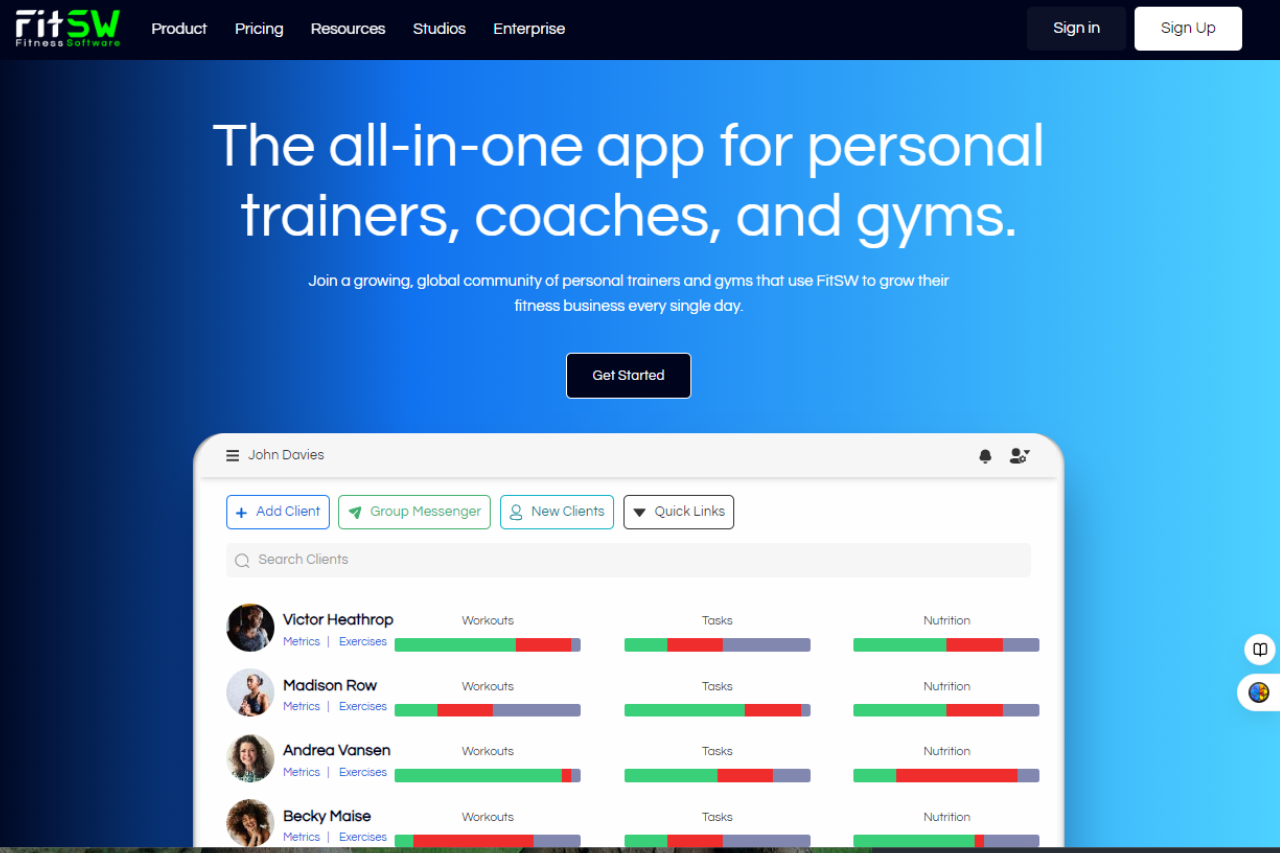
FitSW: Transform Your Fitness Management

πŸ† Our Verdict

FitSW stands out as a comprehensive fitness management platform, offering robust tools tailored for fitness professionals to streamline client management and enhance training effectiveness.

βœ… Pros & ❌ Cons

Pros:

  • πŸ‹οΈβ€β™‚οΈ Client Management: FitSW provides intuitive tools for managing client profiles, scheduling sessions, and tracking progress.
  • πŸ“… Scheduling: Efficient scheduling capabilities help trainers organize sessions and manage appointments seamlessly.
  • πŸ“Š Progress Tracking: Detailed analytics and progress tracking tools assist trainers in monitoring client performance and adjusting workout plans.
  • πŸ“± Mobile Accessibility: FitSW’s mobile app ensures trainers can manage their business on the go, enhancing flexibility.

Cons:

  • πŸ’² Pricing: Some users may find FitSW’s pricing slightly higher compared to similar platforms.
  • πŸ“ˆ Learning Curve: New users may experience a learning curve while familiarizing themselves with all features.
  • πŸ”§ Integration Limitations: Integration options with other fitness apps and platforms may be limited compared to competitors.

πŸ“– About FitSW

FitSW is designed to empower fitness professionals with tools that simplify client management, improve training efficiency, and boost client engagement.

πŸ—“οΈ How It Works

  1. Sign Up: Visit the FitSW website and sign up for an account.
  2. Choose a Plan: Explore the available pricing plans and select one based on your business needs.
  3. Set Up Your Account: Complete the setup process by entering necessary information about your fitness business and goals.
  4. Manage Clients: Utilize FitSW’s client management features to organize profiles, schedule sessions, and track progress.
  5. Monitor Progress: Use the analytics tools to monitor client progress, adjust workout plans, and maximize training effectiveness.

πŸ’² Pricing Overview

FitSW offers flexible pricing plans to accommodate various business needs:

Premium Plan – For Trainers

  • Price: $19/month (1 month free trial)
  • Features:
    • Select Number of Clients
    • Create and automate fitness programs
    • Track client exercise progress
    • Custom progress tracking metrics
    • Compliance tracking
    • Custom branding options
    • Automated email notifications
    • Sell packages, sessions, and subscriptions
    • Digital PAR-Q forms and document management
    • Live virtual fitness classes and 1-on-1 sessions
    • Public access to live classes
    • In-app messaging
    • Personalized fitness blog

For Gyms

  • Price: $99/month (1 month free trial)
  • Features:
    • Select Number of Clients
    • Multiple Trainer Accounts
    • Share client profiles and preserve all historical data
    • Shared exercise list among trainers
    • Admin account
    • Create and automate fitness programs
    • Track client exercise progress
    • Custom progress tracking metrics
    • Compliance tracking
    • Custom branding options
    • Automated email notifications
    • Sell packages, sessions, subscriptions
    • Digital PAR-Q forms and document management
    • Live virtual fitness classes and 1-on-1 sessions
    • Public access to live classes
    • In-app messaging

Enterprise

  • Special Pricing
  • Features:
    • Corporate Account to manage locations
    • Multiple Trainer Accounts
    • Share client profiles and preserve all historical data
    • Shared exercise list among trainers
    • Admin account
    • Create and automate fitness programs
    • Track client exercise progress
    • Custom progress tracking metrics
    • Compliance tracking
    • Custom branding options
    • Automated email notifications
    • Sell packages, sessions, subscriptions
    • Digital PAR-Q forms and document management
    • Live virtual fitness classes and 1-on-1 sessions
    • Public access to live classes
    • In-app messaging

These plans offer comprehensive tools tailored for fitness professionals and gyms to manage clients effectively, automate processes, and enhance client engagement through various features and customization options.

πŸ₯Š Competition

FitSWZen Planner
ProsPros
– Client Management tools– Extensive class scheduling features
– Mobile app accessibility– Integrated payment processing
– Progress tracking capabilities– Robust member management features
ConsCons
– Higher pricing perception– Complex setup for some integrations
– Limited integration options– Higher costs for advanced features

πŸ“Œ Conclusion

FitSW emerges as a top choice for fitness professionals looking to streamline client management, improve training outcomes, and grow their business efficiently.

FitSW: Elevate Your Fitness Management Today

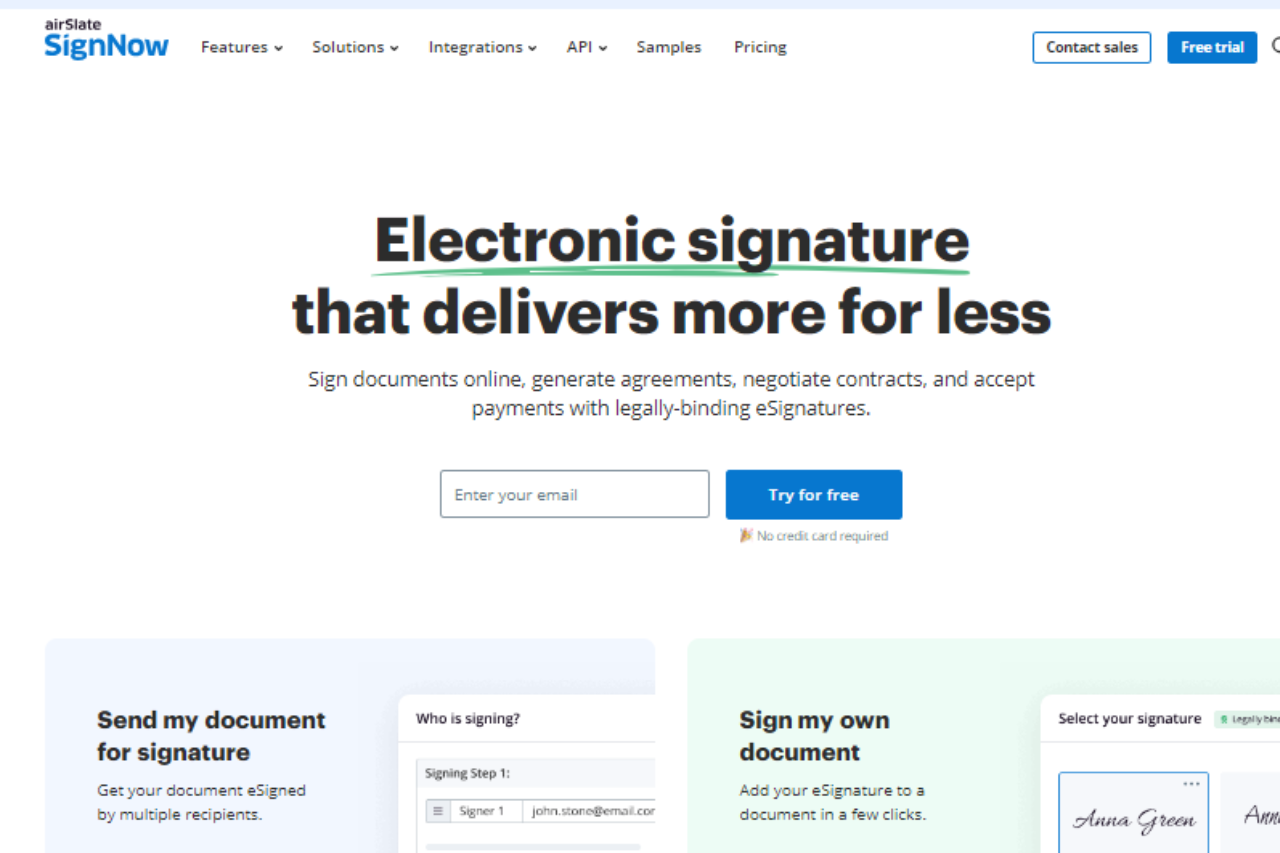
SignNow: Simplifying Your Digital Signatures

πŸ† Our Verdict

SignNow excels as a robust digital signature solution, offering streamlined document signing experiences for businesses of all sizes.

βœ… Pros & ❌ Cons

Pros:

  • πŸ“„ Efficient Digital Signature Solution: SignNow provides a straightforward platform for secure digital document signing, ensuring compliance and efficiency.
  • πŸ“± Mobile-Friendly: The platform offers mobile apps that enable users to sign documents on the go, enhancing accessibility and flexibility.
  • πŸ“Š Document Management: Comprehensive tools for document management, including storage, organization, and retrieval options.
  • πŸ’» Integration: Integrates seamlessly with various third-party platforms like Google Drive and Salesforce, enhancing workflow efficiency.

Cons:

  • πŸ’² Pricing Variability: Pricing plans can be complex, and users may find the costs for certain features higher compared to competitors.
  • 🀯 Learning Curve: New users might experience a learning curve while navigating the platform’s full range of features.
  • πŸ”’ Security Concerns: Some users may require more advanced security features than what SignNow provides by default.

πŸ“– About SignNow

SignNow is a leading provider of digital signature solutions, trusted by businesses worldwide for secure and efficient document workflows.

πŸ—“οΈ How It Works

  1. Sign Up: Visit the SignNow website and create an account.
  2. Upload Documents: Upload the document you need signed or send it for signature directly.
  3. Add Signers: Specify who needs to sign and where.
  4. Sign Documents: Sign electronically using an intuitive interface.
  5. Manage Documents: Store, organize, and retrieve signed documents easily.

πŸ’² Pricing Overview

SignNow offers flexible pricing plans tailored to meet various business needs and scales.

Subscription Plans:

  • Bill Monthly
  • Bill Annually (selected)

Business Plan

  • Essential eSignature functionality for desktop and mobile users.
  • Send documents for signature
  • Basic fillable fields
  • Mobile app
  • Unlimited templates
  • Cloud storage integration

$8 per user per month
Choose Business Plan
See All Features

MOST POPULAR: Business Premium

  • Enhanced eSignature capabilities and collaboration.
  • Everything in Business Plan, plus:
  • Set reminders & notifications
  • Send in bulk
  • Signing link invites
  • Document groups
  • Request Payments

$15 per user per month
Choose Premium Plan
See All Features

Enterprise Plan

  • Advanced features and branded eSignature workflows.
  • Everything in Business Premium, plus:
  • Request Payments
  • Advanced threat protection
  • Signer attachments
  • Conditional documents
  • Smart fillable fields

$30 per user per month
Choose Enterprise Plan
See All Features

Site License

  • Unparalleled ROI, flexibility, integrations and automation.
  • Everything in Enterprise Plan + API, plus:
  • Unlimited users
  • Volume discounts
  • Full API access
  • CRM/ERP integration
  • Industry-specific compliance

$1.50 per signature
Contact Sales
See All Features

πŸ₯Š Competition

SignNow VS DocuSign

SignNowDocuSign
ProsPros
Efficient digital signature solutionIndustry-leading document security
Mobile-friendly platformExtensive integrations with CRM and cloud services
Comprehensive document managementUser-friendly interface
ConsCons
Pricing variabilityHigher costs for advanced features
Learning curve for new usersComplexity in setup for some integrations
Security concerns for some usersSteeper learning curve for comprehensive use

πŸ“Œ Conclusion

SignNow stands out as a reliable choice for businesses seeking secure and efficient digital document signing solutions. With its user-friendly interface, comprehensive features, and mobile accessibility, SignNow empowers businesses to streamline their document workflows seamlessly.

SignNow: Redefining Digital Signatures