WordPress: Empowering Web Creators

βš–οΈ Our Verdict πŸ†

WordPress, the widely popular content management system, offers an extensive range of features from website creation to blog management, ideal for users of all skill levels. Its flexibility and extensive plugin library make it a top choice for web creators.

Pros & Cons πŸ‘πŸ‘Ž

Pros:

  • Wide range of themes and plugins.
  • Intuitive content management and publishing tools.
  • High customizability for unique website designs.
  • Large community and extensive support resources.

Cons:

  • Can be overwhelming for beginners.
  • Some maintenance required for updates and security.
  • Dependence on plugins for advanced features.

About WordPress πŸ–₯️

Established as a blogging platform, WordPress has evolved into a comprehensive tool for website creation. It includes features for web design, e-commerce, SEO, and social media integration, catering to a diverse range of web creation needs.

What’s In It For You? πŸ’‘

WordPress provides tools for various aspects of web creation, not just content management. Its features support effective website development, from conceptualization to execution and ongoing management.

Starting on WordPress: A Step-by-Step Guide πŸš€

WordPress is a popular platform for creating websites and blogs. Here’s a comprehensive guide to help you get started:

Step 1: Choose a WordPress Plan πŸ“

  1. Visit WordPress.com: Go to WordPress.com.
  2. Select a Plan: Choose from the available plans (Free, Personal, Premium, Business, Commerce, or Enterprise) based on your needs.

Step 2: Set Up Your Account πŸ› οΈ

  1. Create an Account: Sign up by providing your email address, choosing a username, and setting a password.
  2. Confirm Your Email: Verify your email address through the confirmation email sent by WordPress.

Step 3: Choose a Domain Name 🌐

  1. Select a Domain: Choose a domain name that reflects your blog or website’s purpose. This will be your website’s address (e.g., yourwebsite.com).
  2. Register or Map the Domain: If you have selected a paid plan, you can register a new domain for free for the first year. Alternatively, you can map an existing domain.

Step 4: Customize Your Website 🎨

  1. Select a Theme: Browse through the themes available on WordPress and choose one that suits your website’s style and purpose.
  2. Customize the Theme: Use the WordPress Customizer to modify various aspects of your theme, including layouts, colors, fonts, and more.

Step 5: Add Content to Your Site ✏️

  1. Create Pages and Posts: Start adding content to your site. Pages are for static content like ‘About’ or ‘Contact’ pages, while posts are for blog entries.
  2. Add Media: Upload images, videos, and other media to enhance your posts and pages.

Step 6: Configure Website Settings βš™οΈ

  1. Adjust General Settings: Set your site title, tagline, and language.
  2. Configure Reading Settings: Decide what your front page displays – your latest posts or a static page.
  3. Set Up Permalinks: Permalinks are the URLs for your posts and pages. Choose a structure that works best for SEO and user readability.

Step 7: Install Plugins (Optional) πŸ”Œ

  1. Browse Plugins: If you’re on a Business or higher plan, explore the thousands of plugins available and install the ones that add functionality to your site (e.g., SEO, security, e-commerce).

Step 8: Publish Your Site 🌟

  1. Review Your Site: Make sure everything looks good and works as expected.
  2. Publish: Once you’re satisfied, publish your site. If you’re on a Free plan, remove the privacy setting to make your site visible to the public.

Step 9: Promote Your Website πŸ“£

  1. Share on Social Media: Link your site to your social media accounts and share your content.
  2. SEO Optimization: Use SEO plugins and tools to improve your site’s visibility on search engines.

Step 10: Monitor and Update Your Site πŸ”

  1. Regular Updates: Regularly update your content, themes, and plugins.
  2. Monitor Performance: Use analytics to track visitor behavior and make improvements.

Starting with WordPress is a journey of creativity and learning. Enjoy the process of building and growing your website or blog! 🌱

Pricing Plans & Support πŸ’³

WordPress offers a range of pricing plans, each designed to cater to different needs, from personal blogging to large enterprises:

  1. Free Plan: This plan is $0 and offers basic features such as beautiful themes, unlimited pages, built-in newsletters & RSS, brute-force protection, 1 GB storage, and more. It’s ideal for those getting a taste of WordPress and its capabilities​​.
  2. Personal Plan: Priced at $9 per month (billed yearly), the Personal plan includes everything in the Free plan plus a free domain for one year, an ad-free experience, 6 GB of storage, and email support. This plan is suitable for creating a personal home on the web with a custom domain name​​.
  3. Premium Plan: For $18 per month (billed yearly), the Premium plan builds on the Personal plan with additional features like live chat support, premium themes, 4K videos with VideoPress, 13 GB of storage, and more. This plan is tailored for building a unique website with powerful design tools​​.
  4. Business Plan: At $40 per month (billed yearly), the Business plan offers everything in the Premium plan plus access to 50,000+ plugins and themes, unrestricted bandwidth, 50 GB of storage, and advanced features for business websites​​.
  5. Commerce Plan: This plan costs $70 per month (billed yearly) and includes everything in the Business plan, plus features for creating a powerful online store, such as premium store themes, unlimited products, inventory management, and 50 GB of storage. It’s ideal for setting up a robust e-commerce platform​​.
  6. Enterprise Plan: Targeting large-scale business needs, the Enterprise plan starts at $25,000 yearly. It’s designed to deliver unmatched performance and the highest security standards for enterprise-level content management​​.

Each of these plans is tailored to cater to different stages of website development and management, from personal blogs to professional business sites and large enterprise solutions.

WordPress vs. Squarespace πŸ₯Š

WordPress Pros:

  • Extensive customization and flexibility.
  • Large selection of themes and plugins.
  • Strong community support and resources.

WordPress Cons:

  • Requires more technical know-how for setup and customization.
  • Regular maintenance and updates needed.

Squarespace Pros:

  • User-friendly interface for beginners.
  • All-in-one solution with integrated features.
  • Sleek design templates.

Squarespace Cons:

  • Less customization flexibility compared to WordPress.
  • Limited third-party integrations.

Conclusion 🎯

WordPress is a versatile and powerful platform suitable for a wide range of web creation needs. Whether you’re a blogger, business owner, or web developer, WordPress offers the tools and flexibility to create a unique and functional website.

β€œDemocratizing Publishing.”

Grammarly: Your Advanced Writing and Editing Tool

βš–οΈ Our Verdict

Grammarly is an indispensable tool for improving writing across various platforms. It offers comprehensive writing assistance, including grammar checking, plagiarism detection, and style suggestions. Ideal for professionals, students, and anyone aiming to enhance their written communication.

πŸ€” Pros Cons

Pros:
– Accurate grammar and punctuation checks
– Contextual spelling correction
– Style and tone guidance
– Plagiarism detection

Cons:
– Limited features in the free version
– Requires an internet connection for full functionality

πŸ’‘ About Grammarly

Grammarly started as a simple grammar checking tool but has evolved into a sophisticated writing assistant. It integrates with various platforms and offers features like real-time editing, vocabulary enhancement, and genre-specific writing style checks.

🎯 What’s In It For You?

Grammarly’s real-time correction and suggestions help improve writing skills, ensuring clarity, correctness, and conciseness. It’s an excellent tool for non-native English speakers and professionals looking to refine their writing.

πŸš€ How Does It Work?

  1. Sign Up: Create a Grammarly account.
  2. Choose Platform: Use Grammarly on its web editor, desktop app, or browser extension.
  3. Write and Edit: Write directly in Grammarly or paste your text. Grammarly provides real-time corrections and suggestions.
  4. Customize: Set goals based on intent, audience, style, and emotion.
  5. Review and Apply: Review Grammarly’s suggestions and apply changes as needed.

πŸ’² Pricing Plans & Support

  • Free: $0 USD per month
  • Premium: $12 USD per month, billed annually
  • Business: $15 USD per member per month, billed annually
  • Enterprise: Offers advanced privacy and security, dedicated support, and unlimited generative AI prompts. Pricing details require contacting sales​

Key Features Comparison

The features vary across different plans. Key features include grammar and spelling checks, tone adjustments, plagiarism detection, and more. The Business and Enterprise plans offer additional features like brand tones, knowledge sharing, analytics dashboard, and enhanced security features​.

Frequently Asked Questions

  • Grammarly Premium vs Business: Premium is for individuals, while Business is designed for teams, offering additional communication and security features.
  • Security: Grammarly prioritizes enterprise-grade security and privacy in its product and operations.
  • Volume Discounts: Available for annual plans with 10 or more members.
  • Payment Options: Accepts major credit cards and PayPal. Bank transfer, Apple Pay, and Google Pay are also options for Business plans.
  • Discounts for Educational Institutions: Grammarly offers special discounts for educational institutions​`

πŸ₯Š The Competition

ProWritingAid, similar to Grammarly, provides writing assistance with additional features like style editing and plagiarism checks. ProWritingAid

Grammarly Advantages Over ProWritingAid βœ…

  • Ease of Use: Grammarly is noted for its user-friendly interface, making it slightly easier to use compared to ProWritingAid​
  • Powerful AI Writing Assistant: Grammarly provides a robust AI writing assistant that helps users write and edit work much faster​
  • Rephrasing Tools: Grammarly has better rephrasing tools which are crucial for refining content and conveying ideas more effectively​
  • Free Plan: Grammarly’s free plan is considered better, offering multiple features without any cost​
  • Accurate Tone Detection: Grammarly provides accurate tone detection, helping users understand how their text sounds to the audience​
  • Plagiarism Checker: Grammarly includes a plagiarism checker, ensuring the originality of the content​`
  • Genre-Specific Word Suggestions: It offers suggestions for genre-specific words, enhancing the relevance and accuracy of the writing​
  • Smooth Functioning: Grammarly is known for its smooth functioning and minimal interface, which enhances the user experience​

Grammarly Disadvantages Over ProWritingAid πŸ“‰

  • Analysis Reports: ProWritingAid wins hands-down on analysis reports, offering more comprehensive feedback compared to Grammarly
  • Long-Form Writing: ProWritingAid is more suited for long-form writing, providing in-depth analysis and editing tools ideal for extensive texts
  • Editing Fiction: ProWritingAid is great for editing fiction, offering tools specifically tailored for creative writin​

🏁 Conclusion

Grammarly is an excellent tool for anyone looking to improve their writing. With its comprehensive features and user-friendly interface, it’s suitable for both casual and professional writing.

“Everyone can be a great writer”

Instoried: Enhance your content writing experience with AI

βš–οΈ Our Verdict

Instoried improves your content while saving time. Instoried’s cutting-edge AI technology augments your composing capabilities in real time. Here you can examine the moods and emotions in your writing with ease. 

In order to elicit the appropriate set of feelings in your consumers, optimize the needed emotions in your content and make it more impactful. Additionally, grammar and plagiarism are also checked. Instoried suggests adding empathy, better tenses and phrases, and more unique material. With Instoried, you can Improve your writing skills and increase consumer engagement!

In summary, it’s a jam-packed, helpful, and essential tool for content writing and analysis for your marketing needs!

πŸ‘ ProsπŸ‘Ž Cons
πŸ‘ Tone and emotion analysis
πŸ‘ Grammar and plagiarism check
πŸ‘ Generate content using AI
πŸ‘ Great UX and UI
πŸ‘Ž Paid application 
πŸ‘Ž Yearly pricing plan
πŸ‘Ž Word limit
πŸ‘Ž Recommendations need improvement

🌟 About Instoried

Instoried is an artificial intelligence-powered content-generating and assessment application. It assists you in creating SEO-friendly material and effectively enhancing the moods and tones of your content. In addition, you may create customized, error-free, and extremely adaptable material quickly.

Instoried is aimed to assist companies in communicating with empathy. Instoried’s mission is to assist people in creating high-quality content at scale, as well as to enable content production a quick and effective process for organizations and individuals. 

This application has two parts which are the content generation tool and the content analysis tool. It features a GPT-3 trained model, enabling the generation of excellent content. The content analysis tool considers SEO, spelling, grammar, and plagiarism. 

🎁 What’s In It For You?

Instoried is a single tool to rule everything! It allows you to create stories that matter with the AI Analysis assistant. This feature analyzes and improves your content by suggesting better words; making you stand out. It analyzes the impact of your titles, headlines, captions, etc. In addition, it also analyzes the tone, emotion, originality, and SEO of your content!

Instoried also lets your content become the talk of the town by helping you create original and engaging content in just a few clicks. This application allows you to generate premium content, including taglines, brand descriptions, ads, headlines, and captions. The generated content is SEO-centered and you can choose or personalize the suggestions. 

πŸ–₯️ How Does It Work?

  1. Open the content editor and add a document to be edited.
  1. Add your content to the space provided.
  1. Different analyses are shown on the right panel. Choose one to view the analysis.
  1. Suggestions are shown in the tonal section. You can select to apply different suggestions to improve your content.

πŸ’² Pricing Plans & Support

Instoried offers a straightforward pricing plan that scales depending on the number of users.

πŸ’Ž Individual – $49/Year

This helpful deal is only $49 per year!

γ€° 1 user

γ€° Headline and SEO analysis

γ€° Emotion and tonal breakup

γ€° Plagiarism and grammar check

γ€° Content generation

πŸ’Ž Standard – $99/Year

This helpful deal is only $99 per year!

γ€° 4 users

γ€° Headline and SEO analysis

γ€° Emotion and tonal breakup

γ€° Plagiarism and grammar check

γ€° Content generation

πŸ’Ž Growth – $149/Year

This helpful deal is only $149 per year!

γ€° 10 users

γ€° Headline and SEO analysis

γ€° Emotion and tonal breakup

γ€° Plagiarism and grammar check

γ€° Content generation

πŸ’Ž Enterprise – $249/Year

This helpful deal is only $249 per year!

γ€° 20 users

γ€° Headline and SEO analysis

γ€° Emotion and tonal breakup

γ€° Plagiarism and grammar check

γ€° Content generation

πŸ“ The Competition

πŸ‘ ProsπŸ‘Ž Cons
πŸ‘ AI copywriting tool
πŸ‘ Create different types of content
πŸ‘ Helps generate business ideas
πŸ‘Ž Non-specific content on certain topics
πŸ‘Ž Focuses on short content

Enhance your content writing experience with Instoried AI

Hypotenuse AI: Create unique copywriting and visual content using AI

βš–οΈ Our Verdict

You can spend fewer hours composing and much more time planning, editing, and experimenting with the AI content generator of Hypotenuse. Use cases of this app include blogs, eCommerce, content, SEO, and social media.

For good cause, this AI writer has been making the rounds on the internet. Hypotenuse AI is a highly flexible and affordable solution that is well worth exploring if you need high-quality material rapidly. It is best used by bloggers, content creators, social media influencers, and others in the digital marketing field. 

In conclusion, Hypotenuse AI is simple to use, inexpensive, and can produce spectacular results for your digital content needs!

πŸ‘ ProsπŸ‘Ž Cons
πŸ‘ Easy to use, AI-generating content
πŸ‘ Variety of content types
πŸ‘ Bulk generation
πŸ‘ Plagiarism checker
πŸ‘ Fluent copy
πŸ‘Ž Paid application 
πŸ‘Ž 7-day free trial
πŸ‘Ž Short generated text
πŸ‘Ž Limited templates

🌟 About Hypotenuse AI

Hypotenuse AI can help you produce textual and visual material in seconds. With only a few keywords, you may get reliable blog posts, product descriptions, marketing content, and pictures with a single click. Hypotenuse converts a few keywords into whole blog posts, images, artwork, and other marketing material such as product details, social media captions, emails, advertising, and more. You may also use Hypotenuse to compose emails.

The objective of Hypotenuse is to empower global content production by making it simple, relevant, and personal. Hypotenuse AI is an excellent AI writing tool since it provides several features to users. You may also use it to create original content. You may generate an overview, headline, intro, conclusion, or even specific paragraphs for your pieces from its AI writer.

🎁 What’s In It For You?

With Hypotenuse AI, you can let AI create your content within seconds, preventing writer’s block. It allows you to provide keywords and instantly turn them into complete articles and marketing content. The AI writing assistant writes fluently and persuasively. 

Hypotenuse AI is not only about texts but it also enables you to generate unique pictures and art just by providing your requirements. Additionally, you can gather facts and citations from irrefutable sources using the AI Content Detective tool. With Hypotenuse, you can generate e-commerce material using integrated workflows. 

Everything that this application provides for you is not subpar; it lets you utilize high-quality content. From SEO to ads and social media, Hypotenuse AI has got you covered!

πŸ–₯️ How Does It Work?

  1. Catalogs are used to manage products. Catalogs assist you in categorizing and grouping your items into several pages.
  1. Click import products, then select the quantity of the product you want to use.
  1. Add details about your product.
  1. Click generate and view the results.
  1. You may regenerate or select the one you want. Then, click mark as done.

πŸ’² Pricing Plans & Support

Increase your traffic without spending hours generating content. This fluent, human-level AI-generated material will boost your writing workflow.

πŸ’Ž Starter – $24/Month

This amazing deal for freelancers and brands looking to write professional copy is only $24 per month!

γ€° Approximately 25,000 words

γ€° Credits roll over from month to month

γ€° Blog article writing workflow

γ€° 200 watermark-free AI images (50 generations)

γ€° Bulk product descriptions

γ€° Write in 25+ languages

γ€° Email support

γ€° 1 user seat

γ€° 100 credits per month

πŸ’Ž Growth – $49/Month

This amazing deal for power users, content teams, and agencies scaling up content processes is only $49 per month!

γ€° Approximately 87,500 words

γ€° Access to everything in Starter

γ€° Unlimited watermark-free AI images

γ€° 25 plagiarism checks on articles

γ€° Priority email and chat support

γ€° 350 credits per month

πŸ“ The Competition

πŸ‘ ProsπŸ‘Ž Cons
πŸ‘ Has a free version
πŸ‘ Accurate content creation
πŸ‘ Well-written, engaging, and on-brand material
πŸ‘ Collaboration features and project management
πŸ‘Ž No full-length article writing
πŸ‘Ž Has bugs and lags
πŸ‘Ž Lacks tone options

Create unique copywriting and visual content using Hypotenuse AI!

Gamma: Write like a doc, present like a deck

βš–οΈ Our Verdict

Gamma is an amazing tool suited for designers, managers, and generally all people that use presentation decks. It lets you create beautiful memos and presentations without exerting much effort. Furthermore, Gamma is a new tool for exploring your creativity and applying it in your presentations, making it fun to use!

Gamma makes communication with your team and viewers simple. It features modern visuals and an excellent interface, enabling anyone from students to professionals to use the app. Additionally, it takes away the boring and old process of creating presentations in basic apps. Not only that, but you can also share your creations with anyone, making asynchronous presentations engaging and interactive!

Overall, Gamma is a modern, fun, and easy-to-use application for creating presentations for either synchronous or asynchronous meetings!

πŸ‘ ProsπŸ‘Ž Cons
πŸ‘ Free application
πŸ‘ Has a mobile version
πŸ‘ Analytics
πŸ‘ Can collaborate
πŸ‘ Templates and custom themes
πŸ‘ Easy to use blocks and layout tools
πŸ‘Ž Less formal
πŸ‘Ž Limitations in text formatting

🌟 About Gamma

Gamma is a quick and easy method to share and show your work as a replacement to slide presentations. Create compelling slideshows, memoranda, briefs, and documents with Gamma that are simple to discuss live or distribute async. There is nothing to download or install; everything is accomplished in your browser.

Featuring dynamic cards and flexible layouts that extend as you add additional blocks, you may save hours wasted preparing boxes to fit on a slide. Gamma is more graphic than a documentary, more collaborative than a PowerPoint presentation, and more engaging than a video.

Gamma is a tool that gets out of the way and allows for easy communication of something effective, all without exerting much effort. It is a medium that allows individuals to convey their ideas, thoughts, and intents in a manner that is more in line with how humans think than with how computers work. All of these are done by combining the best parts of slides and docs.

🎁 What’s In It For You?

Gamma allows you to prioritize content rather than formatting it. With that, you can save hours spent on editing elements to make your presentation look good. Additionally, Gamma is polished and ready in a single click. You don’t need slide masters or template lock-in. With this tool, you can restyle your whole deck in one click. They also offer templates to make you work faster.

With context and brevity, Gamma lets you present like a deck and share like a doc. It enables you to get your point across with the present mode. Furthermore, Gamma lets you drill into details using the nested cards and keep stuff concise with footnotes. 

What’s amazing about Gamma is that you can bring your ideas to life. It allows you to embed GIFs, videos, charts, websites, etc. With that, your audience can now follow along and keep exploring after the meeting. Lastly, Gamma lets you share on any platform and interact asynchronously. It lets you measure engagement, get feedback through reactions, gather comments, and use it on any device!

πŸ–₯️ How Does It Work?

  1. With flexible cards, building a presentation is as easy as writing a doc.
  1. One-click themes let you restyle your deck without having to rework it.
  1. Pull out the key points, and let people drill into details with nested cards and footnotes.
  1. Embed diagrams, gifs, videos, and websites. 
  1. Share presentations on any platform and get feedback through analytics, reactions, and comments.

πŸ’² Pricing Plans & Support

Gamma offers the best pricing plan that solves all your problems!

πŸ’Ž Starter – $0/Month

This amazing pricing plan for the basic features is free!

γ€° Unlimited users

γ€° Unlimited decks

γ€° Basic analytics

γ€° 30-day change history

γ€° Custom theme

γ€° Built-in templates

γ€° PDF export

γ€° Channels

πŸ’Ž Pro – $10/Month

This amazing pricing plan for you and your team is only $10 per user monthly!

γ€° Everything in starter

γ€° Advanced analytics

γ€° Unlimited customization

γ€° Content library

γ€° Unlimited change history

γ€° Subdomains

γ€° Advanced permissions and admin tools

πŸ“ The Competition

πŸ‘ ProsπŸ‘Ž Cons
πŸ‘ Has templates
πŸ‘ Collaboration features
πŸ‘ Focused on design
πŸ‘ High-quality presentation 
πŸ‘Ž No version history on free plan
πŸ‘Ž Limited graphics

Write like a doc, present like a deck with Gamma!

Superblog: Blazing-fast alternative to WordPress and Medium blogs

βš–οΈ Our Verdict

Search engine optimization is one of the concerns in blogging. This problem is solved by Superblog since it has an automatic SEO feature that removes the hassle of hiring experts to optimize your content. Superblog takes care of the setup, SEO, speed, and maintenance of your website really easily. 

You don’t have to concern over best practices, SEO audits, or server management with Superblog. You can concentrate only on writing the material. The rest is done automatically by this tool. It is best used by individual bloggers, startups, and large companies wanting to optimize their material.

Overall, it’s an easy-to-use, simple, and essential application for optimizing, publishing, and maintaining your content online!

πŸ‘ ProsπŸ‘Ž Cons
πŸ‘ Good uptime and easy posting
πŸ‘ Can collaborate with team
πŸ‘ Easy integrations
πŸ‘ Automated SEO
πŸ‘Ž Paid applicationΒ 
πŸ‘Ž 7-day free trial only
πŸ‘Ž Search engine indexing issues

🌟 About Superblog

Superblog is a blog platform with a variety of templates and brand colors. Customizable functions and auto-optimization choices are among the primary user benefits. The software delivers real-time advice and insights for users, assisting them in improving postings and correcting technical SEO issues.

Superblog will increase the amount of time your blog readers spend on the page, showing the material’s quality and your domain. The article style on Superblog is designed to convert your viewers into prospects or direct them to your landing page. Most crucially, all of this occurs with minimum effort!

This app is made because of the optimization problems faced in other blogging platforms. Additionally, Superblog’s platform takes care of the preparation, maintenance, speed, and SEO. All of these allow you to focus on writing amazing content! 

🎁 What’s In It For You?

Superblog lets you create your blog in 1 minute with SEO optimization. It features good design, spacing, fonts, and readability. With this application, you can automatically score high in SEO, Google Lighthouse, and Core Web Vitals without needing experts to achieve it. 

This blogging platform has every feature that a good blog requires. It is fast, lets you connect your domain, has subdirectory hosting, no server maintenance, and almost 100% uptime. It even features a free SSL and CDN, and can be used collaboratively with your team.

With Superblog, you can create the best content, acquire hints, and fix SEO errors automatically! Superblog handles the rest so you can focus on writing the content. 

πŸ–₯️ How Does It Work?

  1. Click β€˜create new site’ then fill up the necessary information. 
  1. Click β€˜manage’ and you will be directed to the dashboard. 
  1. The domain section allows you to connect your domain address. 
  1. Wait for the DNS propagation.

πŸ’² Pricing Plans & Support

Superblog offers an amazing and comprehensive pricing system that caters to different needs.

πŸ’Ž Basic – $9/Month

This great deal for individuals and hobby projects is only $9 per month!

γ€° Own domain

γ€° <10,000 pageviews per month

γ€° Subdirectory hosting

γ€° No Superblog branding

γ€° Free SSL and CDN

γ€° 2 members

γ€° Unlimited posts

γ€° Unlimited pages

πŸ’Ž Pro – $29/Month

This great deal for startups and small teams is only $29 per month!

γ€° Everything in Basic

γ€° <100,000 pageviews per month

γ€° 5 members

γ€° Super-fast search

γ€° Privacy-friendly analytics

γ€° Share drafts

γ€° Collaborative post reviews

γ€° Zapier integration

γ€° Homepage search bar

πŸ’Ž Super – $99/month

This great deal for growing companies and large teams is only $99 per month!

γ€° Everything in Pro

γ€° <1M pageviews per month

γ€° 25 members

γ€° API access

γ€° Dedicated support

πŸ“ The Competition

πŸ‘ ProsπŸ‘Ž Cons
πŸ‘ Free application
πŸ‘ Easy to use and good UI
πŸ‘ Many templates available
πŸ‘ Highly customizable and accepts code
πŸ‘Ž Long time to upload
πŸ‘Ž Limited free and good looking templates
πŸ‘Ž Occasional bugs

Try a blazing-fast alternative to WordPress and Medium blogs with Superblog!

Robinize: Content optimizer that will improve your Google position

βš–οΈ Our Verdict

Robinize is an amazing tool that helps you optimize your content with just a few steps. This tool competes with other SEO tools and is different in a lot of aspects. It can provide the same quality of service as other tools with a cheaper pricing plan!

This application is best used by marketers and content writers as they need to optimize content in order to drive more traffic. With this application, Reduce the time it takes to do research for SEO-optimized content by 95%.

Overall, it’s an affordable, essential, and easy-to-use application for creating optimized content!

πŸ‘ ProsπŸ‘Ž Cons
πŸ‘ Content optimization tool
πŸ‘ Has metrics
πŸ‘ Good UI
πŸ‘ Fairly priced
πŸ‘ Simple and intuitive
πŸ‘ Supports other languages
πŸ‘Ž Sign up issues
πŸ‘Ž Limited reports in free account
πŸ‘Ž Text formatting issues in paste

🌟 About Robinize

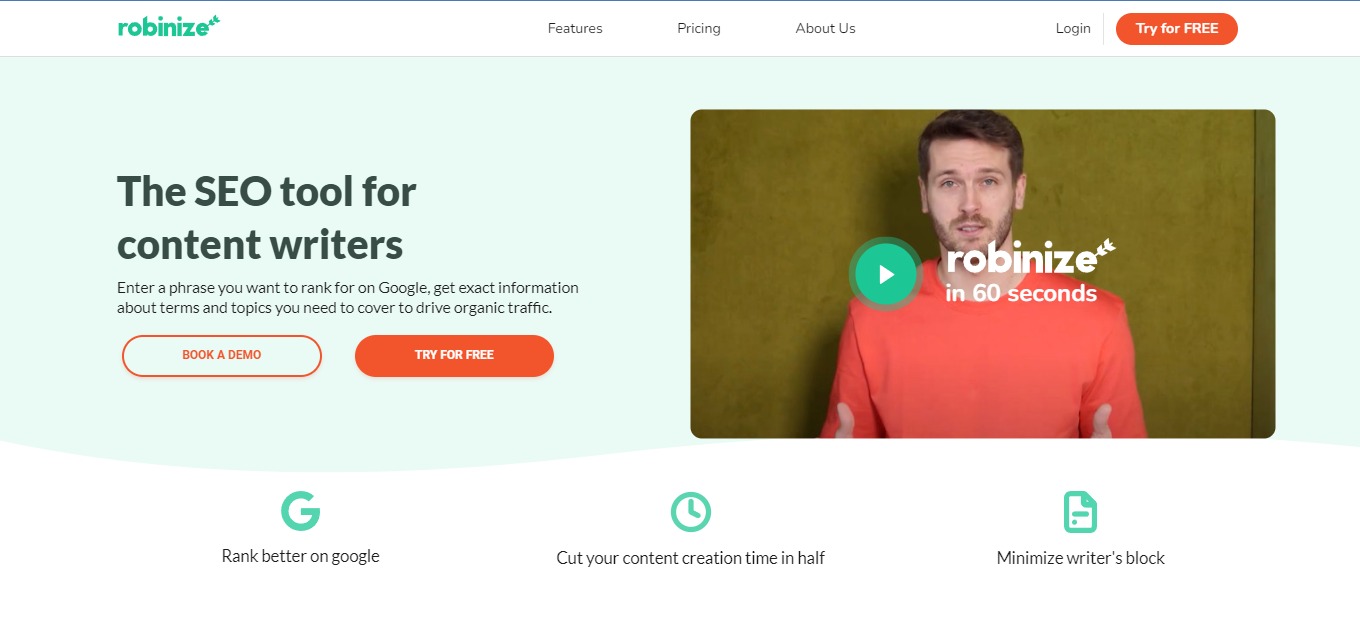
Robinize is an SEO-friendly content optimization tool that does research for you, allowing you to develop and improve your content more quickly. As a consequence, your article or blog post will receive greater organic search engine traffic. Robinize is an AI-powered SEO content optimization tool designed by SEO strategists, content writers, and software engineers that are experts in the field.

This tool is for content writers as it lets you enter a keyword you wish to rank for on Google, and you’ll get detailed information on the phrases and subjects you need to cover to attract organic traffic. Robinize’s objective is to assist you in creating high-ranking content and attracting organic visitors at a reasonable cost while providing the highest SEO content value.

🎁 What’s In It For You?

Robinize makes it easier and more efficient to create content. It does all the work for you as it searches your keyword on Google, extracts the important information, and summarizes different research in a single report. 

This tool allows you to write and optimize your content faster. It lets you outline with the help of heading suggestions, inspiration, and the FAQ tab. Robinize also allows you to use relevant terms for both your content and Google. With that, you can measure the quality of your content, length, and readability. All of these features can drive more traffic!

Robinize ensures that you only receive the finest content suggestions with the content scoring. Additionally, you can have the perfect outline by using the FAQ feature of Robinize and the inspirations feature.

πŸ–₯️ How Does It Work?

  1. Enter a phrase or a keyword for your content.
  1. Click on a report and show the details.
  1. Details about the report will be shown, and you can navigate through the SERP or the terms.
  1. The terms view shows the relevant terms that are ranked highly.
  1. The editor lets you draft your content with the help of different tools.
  1. When creating content, the relevant keywords will be highlighted in the editor. Clicking on a word shows information about how to use it. While typing, the current grade, readability, and word count will all be updated.

πŸ’² Pricing Plans & Support

Spend less time researching and more time creating high-quality SEO content that assists clients in meeting their goals.

πŸ’Ž Training Shot – $0/Month

This amazing deal is for free!

γ€° 5 reports

γ€° ️All features

πŸ’Ž Aimed Shot – $19/Month

This amazing and beneficial deal is only $19 per month!

γ€° 10 reports/month

γ€° ️All features

πŸ’Ž Multishot – $49/month

This amazing and beneficial deal is only $49 per month!

γ€° 50 reports/month

γ€° ️All features

γ€° ️Premium support

πŸ“ The Competition

πŸ‘ ProsπŸ‘Ž Cons
πŸ‘ Review and write optimized content
πŸ‘ Simple and easy to use
πŸ‘ Good AI
πŸ‘ Creates top results
πŸ‘Ž Expensive
πŸ‘Ž No order of importance in topics
πŸ‘Ž Has glitches

Use a content optimizer that will improve your Google position with Robinize

Archbee 3.0: Everything you need to create amazing documentation

βš–οΈ Our Verdict

Archbee is the place to save all of your company’s information in one place. Combine product, engineering, support, marketing, and sales knowledge. Usecases include: managing team knowledge, developer & API docs, documentation sites, documenting internal processes, collaborating on documents, onboarding & train teammates, and creating customer documentation.

The program is generally intuitive and simple to use, although there are still some usecases that are not evident. This application is best used by SaaS, startups, and agencies, although it was created for engineers and architects. There are still some limitations on this application considering that it is a paid app. Nevertheless, the features are good and really helpful for teams.

All in all, it’s an intuitive, collaborative, and simple application for documenting with teams.

πŸ‘ ProsπŸ‘Ž Cons
πŸ‘ Powerful and customizable dashboard
πŸ‘ Live chat support and email
πŸ‘ Simplest way to organize your knowledge base
πŸ‘ Collaboration features
πŸ‘ Cross-reference documents
πŸ‘Ž Paid applicationΒ 
πŸ‘Ž Limited free trial
πŸ‘Ž Some bugs
πŸ‘Ž No native mobile apps

🌟 About Archbee 3.0

Archbee is knowledge management software that assists small firms in creating and publishing architecture diagrams, developer manuals, and other technical support documents. Administrators may arrange files depending on projects and departments by using the drag-and-drop interface. 

Assist your customers in getting started with your product right away. Archbee is the quickest method to create product documentation, developer manuals, and API references in one location. It started as a software diagramming tool for architects, and then, later on, evolved as a tool for engineering teams. Now, the latest version features an improved and better-looking version.Β 

Archbee has everything you need to create amazing documentation!

🎁 What’s In It For You?

Archbee lets you navigate easily across your documentation by using the ultra-fast deep search. You can also organize your documents and spaces with the use of the drag and drop feature. Archbee also features API docs that help you connect all your content. The collaboration feature of Archbee is also helpful for teams to communicate and accomplish many tasks.

With Archbee, you can set your domain and publish it. This app also allows you to activate developers in your product. Additionally, you can write documentation using the featured editor with 30+ custom blocks and 25 embeds and integrations.Β 

Other features that make Archbee excel among other apps include inline comments, links and mentions, markdown editing, document history, access control, and knowledge graphs.

πŸ–₯️ How Does It Work?

  1. The left panel lets you manage your account, switch workspaces, manage team, view activity, and create document spaces.
  1. Beside the left panel, click the new doc button. You can also create a sub-document.
  1. Switch view modes in the upper center part of the screen and also view the chat.
  1. Select a text, and the basic formatting options will appear.
  1. The fidget panel below lets you add different content to the document from lists, images and videos, to refQLs and maps. 
  1. Customize the fidgets with the tools beside them. You can rearrange, insert blocks, mention, and delete.

πŸ’² Pricing Plans & Support

Archbee offers pricing plans that scale with your team!

πŸ’Ž Growing – $30/Month

This amazing deal for startups is only $30 per month!

γ€° 5 team accounts ($4/ month/additional)

γ€° Unlimited readers

γ€° Custom branding

γ€° Full branding

πŸ’Ž Scaling – $100/Month

This amazing deal for mid-size companies is only $100 per month!

γ€° 10 team accounts ($8/month/additional)

γ€° All in growing

γ€° Custom scripts

γ€° Advanced integrations

γ€° Remove Archbee logo

πŸ’Ž Enterprise – $400/month

This amazing deal for large teams is only $400 per month!

γ€° 20 team accounts ($12/month/additional)

γ€° All in Growing and Scaling

γ€° Visitor authentication

γ€° API access

γ€° Language localisation

πŸ“ The Competition

πŸ‘ ProsπŸ‘Ž Cons
πŸ‘ Many templates and formulas
πŸ‘ Customizable and organized
πŸ‘ Highly flexibleΒ 
πŸ‘ Free app
πŸ‘ Has native apps
πŸ‘Ž Has a learning curve
πŸ‘Ž Lags when you have too much data

Everything you need to create amazing documentation is with Archbee!

Supernotes: Fast note-taking and knowledge sharing

βš–οΈ Our Verdict

Supernotes should be used by everyone as it is very flexible according to the needs of their users. It is simple, aesthetically pleasing, and personalized according to usage. This application was originally made and is best used by students; it is also a great help for home-based learners. 

Some say that Supernotes is like a fusion of Notion and Roam Research, so you could definitely see the different use cases of this app. Additionally, it shines as a quick and easy research tool and an application for note sharing among students. Just like how this application is marketed, it is best for collaborative note-taking.Β 

Supernotes is appropriate for everyday and academic use. It is one of the best note-taking apps in the market today. All in all, it is easy to use, has a ton of features, and is an essential application for all your note-taking needs!

πŸ‘ ProsπŸ‘Ž Cons
πŸ‘ Good UX/UI
πŸ‘ Simple and easy to use
πŸ‘ Good support team
πŸ‘ Has a free plan
πŸ‘ Operates on Mac, Linus, and Windows
πŸ‘ Different view options and dark mode
πŸ‘Ž Limited import options
πŸ‘Ž Limited cards on the free plan
πŸ‘Ž Cannot edit online
πŸ‘Ž Native apps are early-access

🌟 About Supernotes

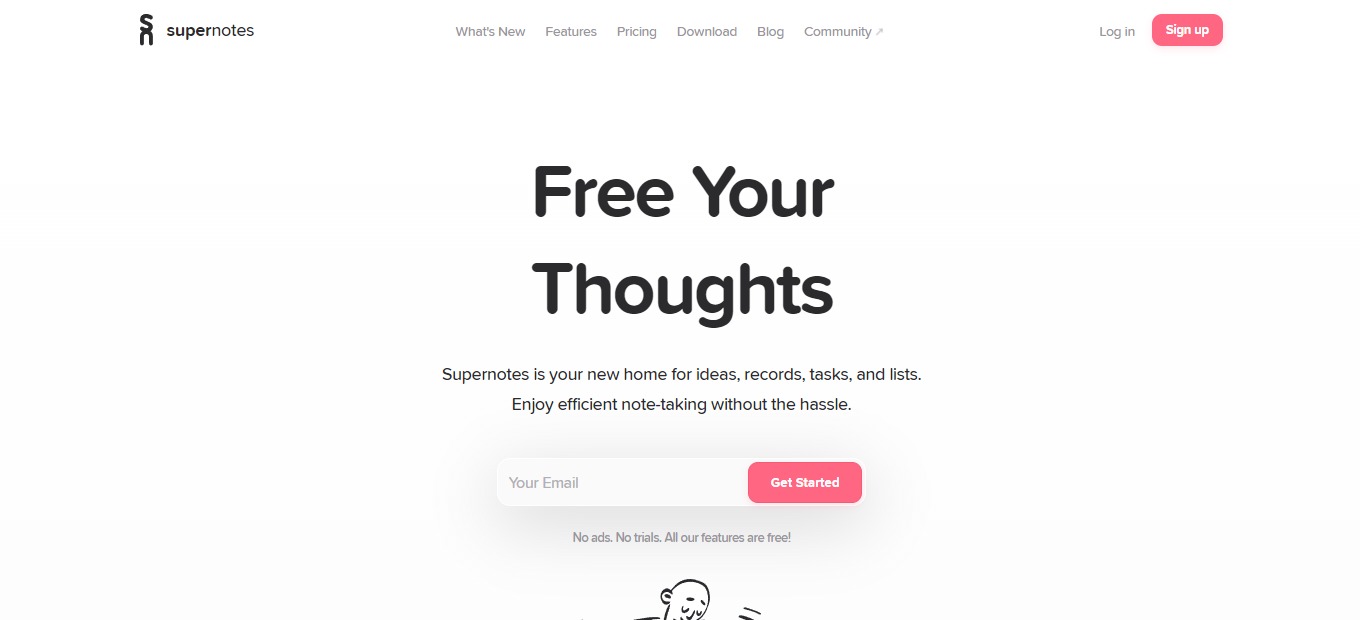
Supernotes is a note-taking and knowledge-sharing application. It is a home for your ideas, tasks, records, and lists. This app basically utilizes notecards to save your thoughts and link them together to create a good knowledge base. 

This application is based on the concept of how we think: interconnected thoughts. In Supernotes, the notecards represent our thoughts, which are linkable, taggable, and nestable. The goal behind this wonderful app is to help people create meaningful digital knowledge.Β 

Supernotes was created because back then, creating good notes and working with others was messy. Each notecard is not only for individual use, but can also be collaboratively edited by other people – keeping your knowledge organized even while working with others. 

🎁 What’s In It For You?

Supernotes makes you more productive from its good deal of features. The main feature of Supernotes: notecards, allows you to document stuff practically. The notes in Supernotes are also a step further as you can collaborate, link, nest, and do a lot of things on the notecards. 

Supernotes lets you utilize different views like the daily collection, broadsheet view, and graph view. That way, you can find what’s appeasing for you and use it to build your knowledge base. Supernotes utilize shortcuts, including automatic note creation and other keyboard controls that help you easily navigate and use the app. 

You can instantly access, interact, and find your notes on this application. Many features are packed within Supernotes; all of which can help you create amazing documentation.

πŸ–₯️ How Does It Work?

  1. The left side shows you the sidebar, where you can arrange hierarchy and switch active views. On the right is the note board where you can add notecards. The sidebar also shows you other cards and allows you to filter them.
  2. Click the plus button on the lower-left corner of the note board or start typing to add a card. Add a title and the elements of your notecard.
  1. The help menu gives you access to the cheatsheet – the collection of shortcuts you can use on Supernotes.
  1. Click β€˜finish’ to create your notecard. After that, click on the title to show a preview of that card.

πŸ’² Pricing Plans & Support

Supernotes have a simple pricing plan. They offer a freemium version and an upgrade for unlimited use!

πŸ’Ž Starter – $0/Month

Get started with Supernotes and use it for a quick and easy way to share notes for free!

〰️ All features

γ€° Mac, Windows, Linux

〰️ 40 cards

πŸ’Ž Unlimited – $8.04/Month

Upgrade to the unlimited plan for only $8.04 per month!

〰️ All features

γ€° Mac, Windows, Linux

〰️ Unlimited cards

〰️ API access

〰️ Early access to mobile apps

γ€° Priority support

〰️ 1:1 onboarding 

γ€° Supporter badge

πŸ“ The Competition

πŸ‘ ProsπŸ‘Ž Cons
πŸ‘ Easy to use
πŸ‘ Highly customizable
πŸ‘ Many use cases
πŸ‘Ž Has a learning curve
πŸ‘Ž Lags and bugs

Fast note-taking and knowledge sharing with Supernotes!

Related read: Supernotes keeps your cards in the cloud for fast sharing. Developers who would rather hold their notes as local Markdown files that work offline often compare it against Boostnote.

Write Every Day: Unleash Your Creativity

βš–οΈ Our Verdict

Know yourself better and unleash your creativity with Write Every Day. This incredible app allows you to truly be yourself when writing. This way, you can unleash your creativity and the genius inside you.

We highly recommend this app not just for aspiring writers, but for everyone who wants to get better at writing. It’s an easy and efficient way to improve and hone your writing skills!

πŸ‘ ProsπŸ‘Ž Cons
πŸ‘ User-friendly interface
πŸ‘ Promotes positive feelings
πŸ‘ Unleash your creativity
πŸ‘ Write better
πŸ‘ Progress tracker
πŸ‘ Safe and secured
πŸ‘Ž So far, we cannot say a single bad thing about Write Every Day. It’s an effective tool that does its job.

🌟 About Write Every Day

Alex Hawker, the creator of Write Every Day built this app to facilitate a regular, health-boosting writing habit. This amazing app promotes feelings of happiness, positive moods, and more. It also helps keep its users sharp, and helps deal with past trauma. Best of all, Write Every Day allows you to know yourself better, see what you’re capable of, and where you can improve.

🎁 What’s In It For You?

Having the Write Every Day app is like having a conversation with your subconscious. It allows you to discover the things you’re truly feeling inside. It is a proven fact that writing can help clear the mind, and release negative emotions. This incredible app encourages you to write freely and bring out the genius you never knew was inside you.

Some refer to Write Every Day App as a form of digital therapy.  Here, you can set your daily goals, gain deep insights into your personality, and more. You can also get access to hundreds of writing prompts that were designed to elicit meaningful writing about your innermost self. 

Write Every Day App also features a β€œWriting Challenge” where you can join other writers and complete challenges. You can track your daily, monthly, and yearly progress. Additionally, you will gain access to fun, motivating, and deep insights into your writing habits. 

You can expect total privacy with this app. Rest assured that no one else will see what you’re writing, and you can choose to export it at any time. 

Aside from that, this app Day allows you to set your own goals. You can decide what you want to achieve for each day, and the website will record your goals for you. With this amazing app, there is a 91% chance for you to succeed. 

The app also offers a monthly writers challenge and several personality analysis. You will get an in-depth analysis based on the top 5 personality traits. You can be a part of an online community of like-minded writers. Currently, Write Every Day is available on iPhone, Android, and different browsers.

πŸ–₯️ How Does It Work?

  1. To use Write Every Day, simply create an account on https://www.writeeveryday.app/.

2. Click on β€œSign Up” and enter the necessary details.

3. Upon signing up, you will be redirected to the main app where you can start writing.

4. You can write random stuff to get stuff out of your chest and mind. On the left, you can see the different settings:

πŸ’² Pricing Plans & Support

Write Every Day offers a 30-day free trial for everyone. After that trial period, you can continue using this awesome app for just $5.99 per month. 

πŸ“ The Competition

πŸ‘ ProsπŸ‘Ž Cons
πŸ‘ Distraction-free text editor
πŸ‘ User-friendly interface
πŸ‘ Organized & elegant workspace
πŸ‘Ž Only works for iOS
πŸ‘ ProsπŸ‘Ž Cons
πŸ‘ Works on mobile phones, tablets, and computers
πŸ‘ Automatically detects grammar errors
πŸ‘ User-friendly interface
πŸ‘ Punctuation mistake correction
πŸ‘Ž Does not recognize math symbols

Unleash your creativity with Write Every Day!