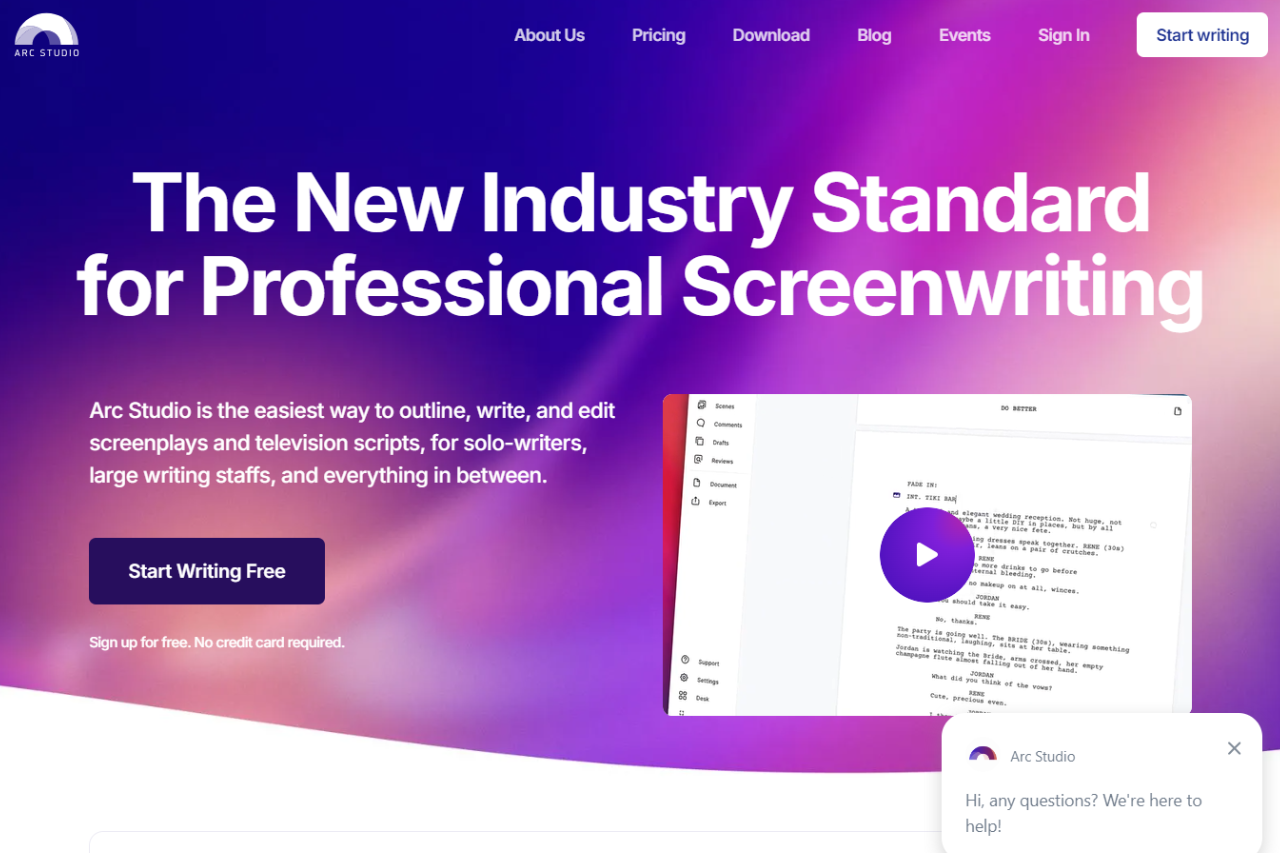
Arc Studio Pro excels in providing screenwriters with a streamlined and intuitive interface that simplifies the scriptwriting process. This software stands out for its ease of use and powerful collaboration features, making it a strong contender against industry staples like Final Draft.
✅ Pros & ❌ Cons
Pros:
Real-Time Collaboration: Allows multiple users to contribute simultaneously, making it ideal for team projects.
Intuitive Interface: User-friendly and easy to navigate, which reduces the learning curve significantly.
Cloud-Based: Ensures that all your work is saved and accessible from any device, promoting flexibility in where and how you work.
Cost-Effective: Offers a competitive range of features at a lower price point than many competitors.
Cons:
Limited Offline Capability: While cloud-based features are strong, offline options are less robust compared to some competitors.
Feature Limitations: Some advanced features found in Final Draft are not available, which might be missed by veteran screenwriters.
📖 About
Arc Studio Pro is designed with both new and experienced screenwriters in mind, providing tools that foster creativity and efficiency. Its key features include an easy-to-use plotting tool, automatic formatting to industry standards, and robust export options.
🗓️ How It Works
Sign Up: Register for an account on the Arc Studio Pro website.
Download or Access Online: Choose between using the web version or downloading the app.
Set Up Your Project: Start a new script or import an existing one.
Write and Collaborate: Use the script editor to write your screenplay and invite collaborators if needed.
Review and Export: Utilize feedback tools and export your script in various formats like PDF or FDX.
💲 Pricing Overview
Arc Studio Pro offers a tiered pricing structure designed to accommodate various levels of screenwriting needs, from beginners to seasoned professionals.
Free Plan
Cost: $0
Features: This plan offers industry standard formatting alongside a thoughtful design aimed at those new to screenwriting or those who need basic scriptwriting capabilities without any financial commitment.
Essentials Plan
Cost: $69/year
Features: The Essentials plan upgrades users to advanced formatting options. It includes access to apps for various devices, allowing for a more flexible writing experience. Subscribers can work on an unlimited number of scripts, making this plan ideal for more active writers who need greater scope for their projects without constraints.
Pro Plan
Cost: $99/year
Features: Designed for professional screenwriters, the Pro plan takes screenwriting to the next level. It encompasses all the features of the Essentials plan with added professional features aimed at enhancing productivity and providing more advanced tools for script development and collaboration.
Each plan is designed to match the evolving needs of screenwriters as they progress from novice to professional, providing tools and features that support growth and development in the craft of screenwriting.
🥊 Competition
Feature
Arc Studio Pro
Final Draft
Real-Time Collaboration
Yes
Yes
User Interface
Intuitive
Complex
Pricing
More affordable
Expensive
Mobile App
iOS, Android
iOS only
Export Options
Multiple formats
Limited formats
Script Formatting
Automatic
Manual
📌 Conclusion
Arc Studio Pro is a superb tool for both individual writers and collaborative teams. With its user-friendly interface and cost-effective pricing, it provides a valuable alternative to more expensive screenwriting software, making it accessible to a wider range of users.
Arc Studio Pro: Write, Collaborate, and Create Effortlessly!
Plain-text companion: Arc Studio Pro is a structure-first web app. For Mac writers who prefer drafting in Fountain plain text and only formatting on export, Highland 2 is the local desktop pair.
Novlr distinguishes itself as a streamlined and user-friendly writing tool, ideal for both novice and seasoned writers aiming to focus on their writing without distractions. The platform’s minimalistic design and robust community support through tools like an integrated learning environment make it an appealing choice for authors dedicated to crafting their novels efficiently.
✅ Pros & ❌ Cons
Pros:
User-Friendly Interface: Novlr offers a straightforward interface that eases navigation and minimizes the learning curve.
Integrated Learning: Writers can improve their craft with integrated courses available through Novlr Academy.
Community Engagement: An active community for feedback and motivation, alongside access to exclusive author websites.
Flexible Publishing Options: Direct publishing to ePub allows writers to distribute their work easily.
Cons:
Limited Plotting Tools: Novlr lacks advanced plotting and timeline features, which may be a drawback for some writers.
Simple Feature Set: The simplicity of the platform might not meet the needs of writers who require comprehensive writing tools.
📖 About
Novlr was crafted with the goal of providing a distraction-free writing space, focusing on the essentials of writing and organizing projects. It supports writers with goal tracking, streak maintenance, and analytic insights to enhance productivity and engagement.
🗓️ How It Works
Sign Up: Easily register and start with a free plan or choose a subscription that suits your needs.
Create and Organize: Begin new writing projects, set goals, and organize chapters efficiently.
Engage and Learn: Participate in community discussions, access learning resources, and receive motivational nudges.
Publish: Seamlessly publish completed works directly to ePub format for easy distribution.
💲 Pricing Overview
Novlr is designed with the needs of writers in mind, offering a range of plans to suit various writing goals and stages. Whether you’re starting out or looking to expand your writing capabilities, Novlr provides a structured platform with clear, beneficial features across all its plans.
Starter
Cost: Free
Features:
Projects: Up to 5 with a 7-day version history.
Accessibility: Write on any device with seamless online syncing.
Tools: Notes, goal setting, writing streaks, and success nudges.
Community Access: Includes Academy, Community, Writer Discounts, The Reading Room.
Focus: Designed to help you write your next book without distractions.
Plus
Cost: $6/month (Billed yearly)
Features:
Projects: Unlimited with a 30-day version history.
Analytics: Detailed writing analytics to understand your habits.
Author Website: Build and publish a no-code website to showcase your work.
Enhancements: Ability to add comments quickly and neatly to your projects.
Pro
Cost: $14/month (Billed yearly)
Features:
Projects: Unlimited projects and version history.
Author Website: Launch on a custom domain.
Advanced Tools: ProWritingAid-powered proofreader, thesaurus, and grammar and style checker.
Backups: Create additional backups in Google Drive or Dropbox (optional).
Publishing: Capability to publish your work to ebook.
Lifetime Pro
Cost: $499 (one-time payment)
Features:
Permanent Access: All Pro features forever, without further subscription fees.
Ownership: Become a co-owner of Novlr.
Community: Exclusive access to Discord channels.
Updates: Continuous improvements and new features regularly introduced.
This tiered pricing structure allows writers to choose a plan that best fits their writing style and goals, with options for more advanced features and community involvement as they progress. Whether you’re looking to simply pen your thoughts or take a more professional approach to writing and publishing, Novlr offers solutions that can grow with you.
🥊 Competition
Feature
Novlr
Scrivener
User Interface
Clean and simple
Complex
Plotting Tools
Limited
Extensive
Learning Tools
Integrated
Minimal
Community Access
Strong
Limited
Pricing
Subscription
One-time purchase
📌 Conclusion
Novlr stands out as a streamlined platform perfect for writers who value simplicity and community engagement in their writing journey. While it may not offer the depth of features found in some competitors, its clean interface and supportive environment provide a solid foundation for any writer’s needs.
Offline desktop counterpart: Novlr is a browser-first subscription tool, which is fine until your Wi-Fi is. Writers who prefer a fully offline desktop app with no subscription and the same novel-structure scaffolding often pick Manuskript.
If you keep stalling: Novlr keeps the writing surface calm and online. For writers who finish faster with a guided method rather than a blank editor, The Book Incubator builds the process into the tool.
Related read: Novlr’s free Starter tier caps you at five projects and keeps the manuscript on someone else’s server. FocusWriter is the offline counterpart: your files stay on your own disk, there is no project limit and no tier to outgrow, and the daily word-count goal and session timer are built in.
Chapterly is an innovative writing tool designed to help authors and writers structure their narratives and streamline the writing process. With features tailored for organizing chapters and content, it effectively challenges competitors like Scrivener. Chapterly provides a user-friendly interface that supports writers in bringing their stories to life.
✅ Pros & ❌ Cons
Pros:
Intuitive Chapter Management: Easy organization of chapters and sections, making it simple to navigate through your manuscript.
Distraction-Free Writing Environment: Provides a clean interface to help writers focus solely on their writing.
Export Options: Allows users to export their work in various formats, including PDF and Word, facilitating easy sharing and publishing.
Cloud-Based: Offers real-time collaboration and access from anywhere, eliminating the need for local storage.
Cons:
Limited Advanced Features: Some users may find it lacks the depth of features available in more established software like Scrivener.
Subscription Model: Ongoing costs may deter some users, especially those looking for a one-time purchase solution.
Learning Curve: New users may need time to familiarize themselves with the interface and functionalities.
📖 About
Chapterly is designed to support writers in their creative process by providing a structured environment for organizing content. It focuses on chapter management and offers tools that enhance writing efficiency. With features such as cloud syncing and various export options, Chapterly aims to be a comprehensive solution for both amateur and professional writers.
🗓️ How It Works
Sign Up: Create an account on the Chapterly website to access the platform.
Create a New Project: Start a new writing project by selecting the option to create a manuscript.
Organize Your Chapters: Use the intuitive interface to add chapters and sections, allowing for easy navigation.
Write and Edit: Utilize the distraction-free writing environment to compose your content.
Export Your Work: Once finished, export your manuscript in your desired format for publishing or sharing.
💲 Pricing Overview
Chapterly has retired the Basic, Premium and Pro memberships this section used to list. There are no longer separate tiers with monthly caps on AI words and AI images, and the two help-center articles that documented them now return 404. What follows was read off the Chapterly pricing page on 15 September 2026.
Authors: one plan, from $9.99 per month.
Revenue share: Chapterly also takes 10% of what you earn on the platform. That covers book sales, paid subscriptions and reader tips, and it applies only to money made through Chapterly.
Readers: free. A reader account costs nothing and each author sets their own prices.
Guarantee: 30 days. Chapterly bills you up front and refunds in full if you cancel inside the first month. There is no unpaid trial period and no contract.
Sold separately: editing and cover design are services, not part of the subscription.
The last column is the real split. Dabble, LivingWriter and Atticus hand you a finished file and leave distribution to you, so what you pay them is what it costs. Chapterly keeps the reader on its own platform, which is why it charges a percentage on top of the subscription. That percentage is free if you sell nowhere else and expensive if you already have an audience. Every figure here was read off the vendor’s own pricing page on 15 September 2026.
📌 Conclusion
Chapterly is a fantastic choice for writers seeking a structured, user-friendly tool for managing their writing projects. While it may not have all the advanced features of competitors like Scrivener, its focus on organization and cloud accessibility makes it a valuable asset for authors.
It depends on whether you want the reader side. On the writing tools alone, $9.99 a month undercuts Dabble at $19 and LivingWriter’s paid plans at $15 and $30. The 10% cut applies only to money you make through Chapterly, so it costs nothing while you publish elsewhere. If you already have a distribution channel and only need the drafting and formatting, a one-time tool is cheaper inside two years. Atticus is $147 once, about 15 months of Chapterly.
What does the Chapterly AI actually do?
The assistant is called Chap. It generates titles and characters, fills out settings, and finishes a paragraph you have stalled on. Chapterly says it will not let the AI write a whole book, and frames that as a policy rather than a limit of the model. You keep the copyright to everything you write, which Chapterly states outright.
Is there a Chapterly app, or does it only run in a browser?
Both. Chapterly publishes apps for Windows, Mac, Android and iOS, and a project syncs across every device signed in to the same account. Edits save to cloud storage as you type and the app keeps a full revision history, so a chapter you delete can be recovered from inside the editor.
Where do you log in to Chapterly?
Sign in from chapterly.com. One account covers both halves of the platform, so the same login opens the author tools and the reader profile. There is no separate reader account to create.
Write! is a versatile writing app designed to provide a focused and distraction-free environment for writers. Its clean interface and powerful features make it a strong competitor in the market, effectively challenging alternatives like Scrivener. Whether you are a novelist, blogger, or student, Write! offers the tools you need to enhance your writing process.
✅ Pros & ❌ Cons
Pros:
Distraction-Free Interface: Clean and simple design that helps you focus on your writing without distractions.
Cross-Platform Support: Available on multiple devices, allowing you to write anywhere, anytime.
Rich Formatting Options: Supports markdown and rich text formatting, providing flexibility in document presentation.
Export Options: Easily export your work to various formats such as PDF, DOCX, and HTML.
Cons:
Limited Features in Free Version: The free version has certain limitations, requiring a subscription for full functionality.
No Built-in Research Tools: Unlike some competitors, it lacks integrated tools for managing research materials.
Learning Curve: New users may take time to adapt to its features and functionalities.
📖 About
Write! is designed to empower writers by providing an intuitive writing environment that minimizes distractions. It supports markdown and rich text formatting, making it suitable for various types of writing projects. With an emphasis on simplicity and efficiency, Write! is ideal for those who want to focus on their words rather than the tools they are using.
🗓️ How It Works
Installation: Download Write! from the official website and install it on your device.
Create an Account: Sign up for an account to access the full features of the app.
Start a New Document: Create a new document using the clean and simple interface.
Use Formatting Tools: Utilize markdown or rich text options to format your writing as needed.
Save and Export: Save your work and export it to your desired format when finished.
💲 Pricing Overview
Our prices are alternatively cheap, which means affordability for ordinary students. You will never overpay and will decide how much will be charged to you. Fill out the order form to see the total cost. It depends on the next indicators:
Type of content – term paper, dissertation, research proposal, etc.
Deadline – hours, days, or weeks.
Quality level – middle or high school, college, or university.
Discipline – literature, engineering, globalization, psychology, etc.
Format – MLA, APA, Chicago, Harvard, etc.
Any uncommon demands – topic lists, informative sites, various sections of data, etc.
An online calculator shows the total cost. If you don’t have enough funds to pay for our assistance, give it a second try. Alter any of these conditions to see how you can change the proposal. For example, you can decrease the cost if you prolong the deadline. Check each position to find out how the bid can be changed to your advantage.
Our custom-doing platform also ensures your funds to the fullest with a special guarantee. It’s activated as soon as you become our client. After your writer accepts your demands, he or she pledges to fulfill them all. If it doesn’t happen, we will return your earnings.
We also offer “Free Edits.” What does it mean? If you aren’t happy with the quality we have provided, don’t hurry to demand your money back. Send us the project for improvement. We’ll tackle it quickly and for gratis until it suits all your standards.
🥊 Competition
Feature
Write!
Scrivener
Distraction-Free Interface
Yes
Yes
Cross-Platform Support
Yes
Yes
Rich Formatting Options
Yes
Yes
Built-in Research Tools
No
Yes
Pricing
Freemium
One-time purchase
📌 Conclusion
Write! is a solid choice for anyone looking for an intuitive writing app that helps minimize distractions and enhances productivity. While it may not have all the advanced features of competitors like Scrivener, its user-friendly design and rich formatting options make it a valuable tool for writers of all kinds.
Related read: the free version holds features back until you subscribe, which is the usual trade for a polished distraction-free editor. FocusWriter has no paid tier to hold anything back with: it is GPL-3.0, every feature is in the free download, and donations unlock nothing extra.
Texmaker is a free, open-source LaTeX editor written by Pascal Brachet and first released in 2003. Built with Qt, it runs natively on Linux, macOS, and Windows. It ships a built-in PDF viewer with SyncTeX for source-to-PDF navigation, supports BibTeX and Biber for bibliography management, and is licensed under GPL-2.0-or-later. You still need a separate TeX distribution — TeX Live on Mac/Linux or MiKTeX on Windows — to compile documents.
🏆 Our Verdict
TeXmaker is a highly efficient and user-friendly LaTeX editor that caters to both beginners and experienced users. Its comprehensive feature set makes it a strong competitor in the market, effectively challenging alternatives like TeXstudio while providing an accessible platform for creating professional documents.
✅ Pros & ❌ Cons
Pros:
Cross-Platform Support: Available on Windows, macOS, and Linux, ensuring accessibility for all users.
Integrated PDF Viewer: Allows users to view documents in real-time as they edit, facilitating instant feedback.
Extensive Features: Offers a range of features including code folding, syntax highlighting, and a built-in reference manager.
Cons:
Limited Collaboration Tools: Lacks advanced collaboration features compared to some competitors.
Interface Customization: The user interface may feel less customizable than other editors, which could limit personalization.
Help Documentation: While useful, the documentation can be sparse, which may be challenging for new users.
📖 About Texmaker
Texmaker was written by Pascal Brachet, a French developer who released the first version on 29 May 2003. The current stable release is 6.0.1, published on 26 April 2025, built against Qt 6. The source code is available under the GNU General Public License version 2 or later (GPL-2.0-or-later), which means you can download, use, and modify it at no cost for any purpose, including commercial work.
The editor is written in C++ using the Qt framework, which gives it identical behavior across Linux, macOS 11 or later, and Windows 10 or later without maintaining separate codebases. Qt 6 dropped 32-bit Windows support, so anyone still on a 32-bit Windows install needs to stay on an older Texmaker release. On Apple Silicon, the Qt 6 binary runs natively without Rosetta.
A common point of confusion: Texmaker is an editor, not a TeX distribution. It does not ship pdfLaTeX, XeLaTeX, BibTeX, or any other compilation tool. Those come from TeX Live (the standard distribution on Linux and macOS, also packaged as MacTeX) or MiKTeX (common on Windows). You install the TeX distribution first, then point Texmaker at the binary paths in its configuration. Without a TeX distribution, Texmaker opens and edits .tex files but cannot produce a PDF.
TeXstudio, the most frequently compared alternative, began in 2008 as a fork of Texmaker called TeXmakerX, created by developers who wanted features that Brachet was not adding to the main project. TeXmakerX was renamed TeXstudio in June 2011. Since then TeXstudio has added code folding, an integrated syntax checker, a document structure panel, and a more aggressive autocomplete engine. Both projects remain free, Qt-based, and GPL-licensed.
🗓️ How It Works
A working Texmaker setup requires two installs in the right order:
Install a TeX distribution first. On macOS, download MacTeX from tug.org/mactex — it packages TeX Live with a macOS installer. On Linux, install TeX Live from your package manager (sudo apt install texlive-full on Debian/Ubuntu). On Windows, install MiKTeX from miktex.org. These distributions put pdfLaTeX, XeLaTeX, LuaLaTeX, BibTeX, Biber, and related tools on your system path.
Install Texmaker. Download the platform installer from xm1math.net/texmaker. On Linux it is also available via Flatpak on Flathub. No configuration is needed beyond accepting the install location.
Set the binary paths: Options → Configure Texmaker → Commands. Verify that the pdfLaTeX, BibTeX, Biber, Makeindex, and dvipdfm fields point to the correct binaries. On macOS with a standard MacTeX install the paths resolve automatically. On Windows with MiKTeX, confirm that the MiKTeX bin directory is in the system PATH before opening Texmaker.
Open or create a .tex file. For multi-file projects, set the master document. Go to Options → Define Current Document as Master. Texmaker uses the master file as the compilation root regardless of which sub-file you are editing — useful for thesis chapters or book sections split across files.
Run the build chain. For a document with citations, the standard sequence is: pdfLaTeX → BibTeX → pdfLaTeX → pdfLaTeX. The first pdfLaTeX pass generates an auxiliary file with citation keys; BibTeX (or Biber) reads the .bib file and resolves them; the next two pdfLaTeX passes produce a PDF with correct citation numbers and page references. You can run each step from the Tools menu individually or configure a Quick Build command that chains all four passes automatically.
Preview in the built-in PDF viewer via SyncTeX. Texmaker ships a PDF viewer in a split pane. SyncTeX maps source lines to PDF positions bidirectionally: Ctrl+click (Cmd+click on Mac) in the source jumps to the matching position in the PDF; double-clicking in the PDF jumps back to the source line. This round-trip navigation is the main time-saver over using a separate PDF viewer.
Read errors inline. After a failed build, the error log appears at the bottom. Each error line is clickable and jumps to the offending source line. Common errors: ! LaTeX Error: File 'packagename.sty' not found means you need to install that package through your TeX distribution’s package manager. ! Extra }, or forgotten $ means a math environment or brace group is unbalanced. undefined control sequence usually means a missing \usepackage declaration or a typo in a command name.
If you need XeLaTeX or LuaLaTeX instead of pdfLaTeX — common when working with non-Latin scripts or system fonts — the same configuration dialog lets you replace the compilation command. You can also define a custom Quick Build that calls xelatex -interaction=nonstopmode % or chain XeLaTeX with Biber for Unicode-aware bibliography processing.
Who is Texmaker for?
Texmaker is a stable, no-frills desktop editor with no paid tier, no subscription, and no feature gating. The right choice depends on what your workflow actually requires:
Texmaker fits researchers and students who write papers in LaTeX and want a desktop editor that works identically on Mac, Windows, and Linux without paying for anything or configuring an IDE from scratch. Its low feature count is a feature for users who do not need inline error checking or a document structure panel.
TeXstudio adds code folding, a document structure panel, an integrated syntax checker, and a more aggressive autocomplete engine. It is heavier but free, Qt-based, and cross-platform. Because it forked from Texmaker in 2008, the interface is familiar — switching takes an hour, not a day.
Overleaf is browser-based: no local TeX installation, real-time multi-author editing. The free plan allows one collaborator per project; paid plans start at roughly $21/month. There is no offline mode, so it does not work without a network connection.
LyX hides raw LaTeX markup behind a document interface (WYSIWYM). You mark content as “section” or “emphasised” without typing the underlying commands, then export to LaTeX. The trade-off is that injecting direct LaTeX code is awkward, and some packages still require dropping into raw LaTeX mode.
VS Code + LaTeX Workshop suits developers who already live in VS Code. The extension handles compilation, SyncTeX, and snippet completion, and you get full Git integration and the VS Code plugin ecosystem. Setup takes longer than installing Texmaker, but the payoff is a single editor for code and writing.
Kile is a strong option on KDE Linux, where it integrates with KDE Frameworks (theme settings, KRunner, KDE file dialogs). On GNOME or macOS it runs but loses that native integration.
Frequently asked questions about Texmaker
Is Texmaker free?
Yes. Texmaker is released under the GNU General Public License version 2 or later (GPL-2.0-or-later). There is no paid tier, no trial period, and no feature restriction — it is the only version. You can use it for personal writing, academic research, or commercial document production without paying anything or registering an account.
Does Texmaker work on Mac?
Yes. Texmaker 6.0.1 ships a native macOS build that runs on macOS 11 or later. On Apple Silicon (M1/M2/M3), the Qt 6 binary runs natively without Rosetta 2. You still need to install a TeX distribution separately — MacTeX from tug.org/mactex is the standard choice, as it bundles TeX Live with a macOS installer and sets up the binary paths that Texmaker expects.
What is the difference between Texmaker and TeXstudio?
TeXstudio started in 2008 as a fork of Texmaker, originally called TeXmakerX, created by developers who wanted features that Texmaker’s maintainer was not adding. The fork was renamed TeXstudio in June 2011. Since then TeXstudio has added an integrated syntax checker, code folding, a document structure panel, multi-cursor editing, and a more aggressive autocomplete engine. Texmaker stayed minimal and faster to start. Both are free, GPL-licensed, and built with Qt. If you want a small, stable editor and are comfortable configuring the build chain yourself, Texmaker is sufficient. If you want inline error checking while you type and a document structure navigator, TeXstudio adds that.
How do I add a custom build command in Texmaker?
Go to Options → Configure Texmaker → Quick Build. Select “User” from the Quick Build Command dropdown, then enter the command. For XeLaTeX with Biber, a typical chain is: xelatex -interaction=nonstopmode %.tex | biber % | xelatex -interaction=nonstopmode %.tex | xelatex -interaction=nonstopmode %.tex. Texmaker uses % as a placeholder for the current file’s base name (without extension). After saving, select “Quick Build” from the Tools menu or press F1 to run the chain. You can also assign it to one of the user-defined toolbar buttons.
Does Texmaker support BibTeX and Biber?
Yes, both. BibTeX is the default bibliography processor and works with the standard \bibliography and \bibliographystyle commands. Biber is the newer processor required by the biblatex package; it supports Unicode author names, more citation styles, and finer-grained bibliography sorting. To switch, go to Options → Configure Texmaker → Commands → Bib and replace bibtex % with biber %. Then use \usepackage[backend=biber]{biblatex} in your document preamble instead of the older \bibliographystyle approach.
💲 Pricing Overview
TeXmaker is completely free to use, providing a cost-effective solution for anyone looking to work with LaTeX without the need for expensive software.
🥊 Texmaker alternatives
If Texmaker does not fit your workflow, the following tools cover the main directions the LaTeX editor market has gone:
TeXstudio — a direct fork of Texmaker (2008) with an integrated syntax checker, code folding, and a document structure panel. Free, GPL, Qt-based. The closest match to Texmaker for users who want more features without switching paradigms.
Kile — a LaTeX editor built with KDE Frameworks. Best on KDE Linux where it integrates with the desktop natively. Works on other platforms but loses the KDE integration advantage.
Overleaf — browser-based, no local TeX install needed, real-time collaboration. Free for solo use with one collaborator per project; paid plans for larger teams. No offline mode.
LyX — WYSIWYM editing that hides raw LaTeX markup behind a document interface. Good for users who find raw LaTeX syntax difficult; less suited to users who want direct control over every command.
TeXworks — a minimal editor that ships with TeX Live and MiKTeX. Very low feature count by design; useful as a fallback editor or for users who want to start writing immediately after installing a TeX distribution without a separate download.
WinEdt — Windows-only, shareware ($40–$100 depending on license type). It has deep macro scripting and integrates tightly with MiKTeX. Not an option if you work on Mac or Linux.
Papeeria — cloud-based, similar to Overleaf but with a different collaboration model. Includes Git integration in paid plans.
📌 Conclusion
TeXmaker is a solid choice for anyone looking for a reliable and user-friendly LaTeX editor. While it may not have the advanced collaboration features of competitors like TeXstudio, its comprehensive toolset and cross-platform availability make it a valuable resource for academics and professionals alike.
TeXmaker: Your Key to Effortless LaTeX Document Creation
Is Texmaker free? Yes. Texmaker is free and open source under the GPL, on Windows, macOS, and Linux. There is no paid tier and no account to create.
What makes Texmaker different from a plain text editor? It is built for LaTeX. You get a PDF viewer docked next to your source with jump-to-source navigation, a structure pane for sections and labels, one-click build profiles, command auto-completion, and a panel of math symbols. The master-document mode lets you compile a multi-file thesis from any chapter file.
Texmaker or TeXstudio? TeXstudio started as a Texmaker fork, so the layout feels familiar. TeXstudio piles on more recent extras like richer auto-complete and inline checking, while Texmaker stays leaner and is quicker to learn. Want the lighter classic? Pick Texmaker. Want every advanced toggle? Look at TeXstudio.
Do I need to install LaTeX separately? Yes. Texmaker is the editor, not the engine. Install a TeX distribution first, such as TeX Live on Linux, MacTeX on macOS, or MiKTeX on Windows, then point Texmaker at it. After that, building a PDF is one keystroke.
Texmaker or Overleaf? Overleaf runs in the browser and shines for real-time co-authoring. Texmaker runs on your machine, works fully offline, and keeps your files local. Plenty of writers draft offline in Texmaker and only open Overleaf when a co-author needs live access.
Windows-first counterpart: TeXmaker runs the same on Windows, macOS, and Linux, which is handy if you move between machines. Writers who only ever open LaTeX on Windows and want an editor built around the MiKTeX toolchain often prefer TeXnicCenter, a free IDE with project management and configurable build profiles.
Related read: Texmaker gives you a structure pane and build profiles up front. For a stripped-back alternative aimed at a first paper, see our TeXworks review.
Troubleshooting Texmaker: four problems and what actually fixes them
Texmaker installs in a minute and then stops working for reasons that have nothing to do with your document. All four fixes below come straight out of the Texmaker user manual, so none of them needs a plugin or a reinstall.
Nothing compiles, because Texmaker cannot find your LaTeX commands
Texmaker is an editor, not a TeX distribution, and it calls pdflatex, bibtex and the rest by path. If those paths are wrong nothing builds, which is the usual state after you install or move MiKTeX or TeX Live with Texmaker already on the machine. Open Options, then Configure Texmaker, then Commands, click the button at the end of the broken line and pick the binary in the file browser. Texmaker rewrites the syntax for you. In those command lines a percent sign means the file name without its extension and an at sign means the current line number, so double them up when you need the literal character. One trap: if you switched on the build subdirectory option, only the pdflatex command gets the output directory automatically. Every other command still points at the old location and fails until you put the build prefix in yourself, for example bibtex build with the aux file.
The build button does nothing on a file you just created
Texmaker will not compile an untitled document, and it will not compile a file whose name has a space in it or no extension at all. There is no error to read, which is what makes this one waste an afternoon. Save the document first, give it a real .tex extension and a name with no spaces, then build. While you are in the Tools menu, the Clean command is the one that clears the dvi, toc and aux files a failed run leaves behind. It leaves your ps and pdf alone on purpose.
Accented characters come out wrong in the PDF
Two settings have to agree and only one of them is in Texmaker. Set the editor encoding under Options, then Configure Texmaker, then Editor, then Editor Font Encoding, and then declare the same encoding in your document preamble with the inputenc package. UTF-8 on both sides is the sane default in 2026. When you open a file Texmaker cannot decode with the current default it warns you and offers a one-off choice for that file, which does not change the default, so a document that opened correctly once can still be wrong the next time. Fix the setting rather than re-picking the encoding each time.
Clicking in the PDF does not jump back to your source
Forward and inverse search are not on by default. Add the synctex option to the pdflatex command in the same Commands dialog, and the built-in viewer will jump to the part of the PDF that matches the line you are on. Right-click a word in the viewer and the editor jumps the other way, to the line that produced it. On a long document this is the difference between proofreading in the PDF and hunting through the source for a paragraph you can see. To get the keyboard focus back out of the viewer, press ctrl and space, or ctrl and dollar on macOS.
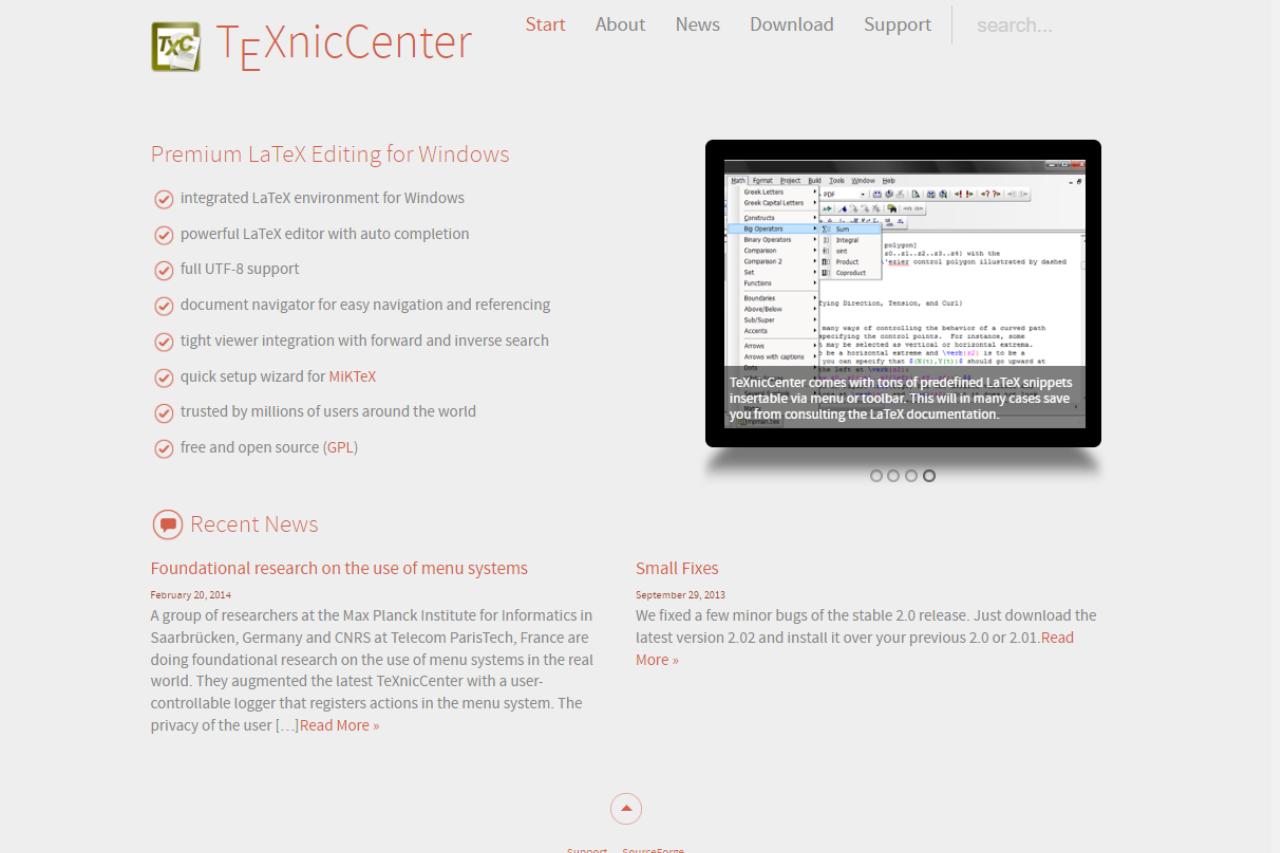
TeXnicCenter is a robust LaTeX editor that provides a straightforward interface for users who want to create high-quality documents with LaTeX. It stands out for its ease of use and flexibility, making it an excellent choice for both beginners and experienced users, competing effectively with other editors like TeXstudio.
✅ Pros & ❌ Cons
Pros:
User-Friendly Interface: Designed to be intuitive, allowing for easy navigation and document creation.
Customizable Templates: Offers a variety of templates to streamline the document preparation process.
Built-In PDF Viewer: Provides a convenient way to view documents without needing external applications.
Cons:
Limited Features: Lacks some advanced functionalities that other editors may offer.
Windows Only: Primarily available on Windows, which may limit accessibility for users on other operating systems.
Less Frequent Updates: Updates and new features may not be as frequent as competing software.
📖 About TeXnicCenter
TeXnicCenter is a free and open-source LaTeX editor that provides a comprehensive environment for creating LaTeX documents. It is particularly popular among students and researchers for its straightforward setup and powerful document handling capabilities.
🗓️ How It Works
Setup and Installation: Easily downloadable and installable on Windows systems.
Document Creation: Users can create and edit documents using a user-friendly interface that simplifies LaTeX coding.
Compilation and Preview: Supports direct compilation of documents with an integrated PDF viewer for immediate feedback.
💲 Pricing Overview
TeXnicCenter is completely free to use, making it an accessible option for anyone looking to create LaTeX documents without the need for expensive software licenses.
🥊 Competition
Feature
TeXnicCenter
TeXstudio
User Interface
Intuitive
Highly customizable
Template Availability
Good
Extensive
Built-In Viewer
Yes
Yes, with additional features
Platform Compatibility
Windows only
Cross-platform (Windows, macOS, Linux)
Advanced Features
Basic
Extensive
📌 Conclusion
TeXnicCenter is a solid choice for users seeking a straightforward, user-friendly LaTeX editor that allows for efficient document creation. While it may lack some of the advanced features found in competitors like TeXstudio, its accessibility and ease of use make it a valuable tool for academics and researchers.
TeXnicCenter: Your Gateway to Effortless LaTeX Document Creation
The honest case for TeXnicCenter is narrow and strong: you are on Windows, you want a free editor, and you would rather configure a build profile once than fight a heavier interface every day. Against the cross-platform editors, TeXmaker and TeXstudio give you the same toolchain on any operating system and more out-of-the-box assistants, at the cost of a busier screen. Against WinEdt, the trade is money: WinEdt is more polished but charges a license fee, while TeXnicCenter stays free and open source.
For academic writing specifically, the project view and the named output profiles are what keep a long thesis manageable. You set the PDF or DVI workflow once, point the editor at your MiKTeX install, and forward and inverse search lets you jump between the source line and the rendered page. If your work ever moves to a Mac or a shared browser-based setup, that is the point to look at a cross-platform tool instead.
Last updated: 17 June 2026. Feature and pricing notes verified against the current TeXnicCenter release for Windows.
Related read: TeXnicCenter is a Windows-focused IDE for LaTeX. For a cross-platform editor that also comes bundled with your TeX distribution, TeXworks runs the same on macOS and Linux.
Related read: TeXnicCenter and WinEdt are the two Windows-only answers to the same question, and the split is price against depth. TeXnicCenter is free and stays out of your way. WinEdt asks for a one-off license after a 31-day trial and gives you an editor you can rebuild around your own macros.
Related read: the comparison above stops at features, and the one that decides it for most people is the Windows-only line in the cons. If you move between a Windows desktop and a Mac or Linux machine, TeXstudio is the closest thing to the same editor on all three, with the built-in viewer and forward and inverse search you would be giving up otherwise.
LyX is a powerful document processor that caters to academics and researchers, offering an intuitive interface while harnessing the full power of LaTeX. It stands out in the market as a tool that balances ease of use with advanced typesetting capabilities, making it a strong contender against platforms like Overleaf.
✅ Pros & ❌ Cons
Pros:
Rich Text Editing: Combines WYSIWYG editing with LaTeX typesetting, allowing users to focus on content without worrying about formatting.
Document Structure Management: Offers powerful tools for managing complex documents with sections, subsections, and bibliography support.
Cross-Platform Compatibility: Available on multiple operating systems, ensuring accessibility for a diverse user base.
Cons:
Learning Curve: While user-friendly, it may take time for new users to familiarize themselves with its unique interface.
Limited Collaboration Features: Lacks real-time collaboration tools that platforms like Overleaf offer, which can hinder teamwork on documents.
Less Community Support: Compared to Overleaf, it has a smaller user community, which may limit the availability of resources and support.
📖 About LyX
LyX is a document processor that empowers users to create structured documents with the powerful typesetting capabilities of LaTeX, without requiring extensive knowledge of LaTeX syntax. It is particularly popular among academics for its ability to manage complex documents efficiently.
🗓️ How It Works
Setup and Download: Downloadable for free on various operating systems, including Windows, macOS, and Linux.
Document Creation: Users can create documents using a rich set of features that integrate LaTeX typesetting seamlessly.
Export Options: Supports multiple formats for exporting documents, including PDF and LaTeX.
💲 Pricing Overview
LyX is completely free to use, making it accessible for students, researchers, and professionals alike. There are no hidden fees or premium versions, which is a significant advantage for users looking for cost-effective solutions.
🥊 Competition
Feature
LyX
Overleaf
Real-Time Collaboration
Limited
Strong with detailed history
File Compatibility
Excellent with LaTeX
Good with native formats
Pricing Flexibility
Free
Free tier; paid plans
User Interface
Functional but unique
Highly intuitive
📌 Conclusion
LyX presents a compelling option for users seeking a powerful document processor that leverages LaTeX’s typesetting capabilities while remaining user-friendly. Although it may not offer the collaboration features found in Overleaf, its cost-effectiveness and robust document management make it a valuable tool for researchers and academics.
Related read: LyX hides the markup behind a visual document model. If you would rather write LaTeX source directly with a PDF preview beside it, Texmaker is the editor to compare.
Related read: LyX hides LaTeX behind a visual document model. If you would rather see the source with a PDF preview beside it, TeXworks is a simple editor to try.
Related read: LyX deliberately keeps the LaTeX source out of sight and shows you the document instead. That is the right trade until the day a journal template fights you and the fix is three lines in the preamble. TeXstudio takes the opposite position: you write the source, and the editor spends its effort on making the source easier to write, with structure view, code folding and an assistant for commands you do not have memorised.
Apache OpenOffice remains a strong contender in the office suite market with its long-standing history and commitment to open-source development. It offers a full suite of office applications for free, making it an attractive choice for those on a budget or who prefer a software with open development.
✅ Pros & ❌ Cons
Pros:
No Cost: Completely free to use, which is ideal for budget-conscious users or organizations.
Open Source: Allows for community-driven improvements and customizations.
Wide Compatibility: Supports a variety of file formats, ensuring easy data exchange.
Cons:
Infrequent Updates: Less frequent updates compared to some competitors, which may affect the introduction of new features.
Limited Cloud Integration: Does not offer as seamless cloud integration as some modern alternatives.
User Interface: The interface might feel outdated compared to newer office suites.
📖 About Apache OpenOffice
Apache OpenOffice is an open-source office software suite for word processing, spreadsheets, presentations, graphics, databases and more. It is available in many languages and works on all common computers.
🗓️ How It Works
Download and Installation: Freely download and install from the OpenOffice website.
Document Creation: Use tools like Writer, Calc, and Impress for various document needs.
File Management: Open and save documents in multiple formats, including Microsoft Office files.
💲 Pricing Overview
Completely Free: Apache OpenOffice is available at no cost.
🥊 Competition
Feature
Apache OpenOffice
LibreOffice Writer
Cost
Free
Free
Updates
Less frequent
More frequent
User Interface
Classic style
More modern
Features
Standard suite
More extensive and regularly updated
Community Support
Good, but smaller community
Larger, more active community
📌 Conclusion
Apache OpenOffice is ideal for those who need a reliable, cost-free office suite without the need for cutting-edge features. Its open-source nature and wide format support make it a dependable choice for many users worldwide.
Apache OpenOffice: Open, Free, and Still Essential
Quoll Writer is a free and open-source writing application designed to support writers in organizing and managing their novels. It is particularly appreciated for its focus on user privacy and its extensive range of features that facilitate a more structured approach to storytelling. The tool stands out for writers who seek an application that integrates well with their creative process without overwhelming them with excessive features.
✅ Pros & ❌ Cons
Pros:
📖 Focused Writing Environment: Quoll Writer offers a distraction-free interface that helps writers focus on their narratives without unnecessary clutter.
🧩 Integrated Research Tools: Includes features to organize research, character details, and plot points effectively within the project workspace.
🔧 Customization Options: Allows for a high degree of customization in terms of layout and functionality, catering to personal workflow preferences.
🛡 Privacy-Focused: Does not require internet access to function, ensuring that all data remains on the user’s computer without the risk of cloud storage.
Cons:
🔄 Limited File Compatibility: Exports primarily in basic formats and may require additional formatting in other software before publication.
📱 No Mobile Version: Lacks a mobile application, limiting accessibility for those who prefer to write or revise on-the-go.
💻 Interface Learning Curve: The interface, while clean, has a learning curve due to its unique design and array of features.
📖 About Quoll Writer
Quoll Writer is a free software developed for writers who need a structured environment to organize their novels, research, and ideas. It’s known for its focus on privacy and ease of data management, making it a favorite among writers who prefer offline tools.
🗓️ How It Works
Download and Installation: Available for free from the Quoll Writer website.
Project Setup: Start a new project and outline its structure.
Character and Plot Development: Utilize built-in tools to create detailed character sketches and plot outlines.
Writing and Editing: Write your manuscript with scene management and chapter organization.
Exporting Your Work: Export your work in standard text formats for further processing or publication.
💲 Pricing Overview
Completely Free: No cost to download or use, all features included.
🥊 Competition
Feature
Quoll Writer
yWriter
Pricing
Free
Free, optional paid version
Platform Support
Windows, macOS and Linux
Windows, with some support for other platforms
Functionality
Focuses on deep project organization
Strong on project structuring and statistics
Ease of Use
Intuitive once familiar, steeper learning curve
Generally user-friendly, but with complex features
Mobility
Desktop only
Desktop, more adaptable to mobile via third-party tools
📌 Conclusion
Quoll Writer is ideal for writers who need a comprehensive, privacy-focused writing tool without the bells and whistles of cloud-based platforms. Its robust organizational features make it a compelling choice for serious writers focused on large, complex writing projects.
Yes, and it stays free. There is no paid tier, no trial window, and no account to create. Quoll Writer is open source under the Apache 2.0 license, written in Java, with the full source published at github.com/garybentley/quollwriter. Development runs on donations rather than sales, so the build you download is the complete one. Projects sit in a folder on your own disk, which also means there is no subscription to cancel and nothing to export if you stop using it.
What platforms does Quoll Writer run on?
Windows, macOS and Linux. Version 3 rebuilt the app for all three, and the project publishes a separate installer for each. Older writeups still describe it as Windows only, which was true of version 2 and is not true now. It is a desktop program, so there is no mobile app and no browser version, and it runs without a connection.
Is Quoll Writer still maintained?
Yes, but slowly. The last tagged release on GitHub is 3.0.4 from March 2025, the 3.0.5 installers on the project’s CDN are dated May 2025, and the repository was last updated that same month. This is one developer’s project, so versions arrive years apart rather than monthly: 3.0.1 shipped in January 2023 and 3.0.2 in February 2025. Nothing is archived or abandoned. If you need a tool that ships fixes on a schedule, that cadence is the thing to weigh. If you want a stable offline editor that keeps working, it matters less, and your manuscripts stay readable on your own machine either way.
How does Quoll Writer compare to yWriter, Manuskript and Scrivener?
yWriter is the closest match on price and philosophy, and it goes deeper on statistics and per-scene tracking, where Quoll Writer puts the weight on notes, characters and research sitting beside the draft. Manuskript is the other free open-source option and leans on outlining and the snowflake method. Scrivener is the paid one, with the widest export and compile options, which matters if you format for publication yourself. Quoll Writer’s argument against all three is that everything stays offline and organized in a single window.
Related read: Quoll Writer wraps a novel in a project of chapter and character notes, which is what makes it worth opening. When the thing you are writing is one long document and that project shell is overhead, Typora gives you the same quiet page over a single Markdown file.
Quoll Writer Troubleshooting
Quoll Writer comes from one developer, so its issue tracker is short enough to read in a sitting. These are the failures you are most likely to hit, with what is known about each. All of them were open on the project’s GitHub in September 2026.
The download site no longer answers
quollwriter.com stopped responding during 2026. The domain still resolves, so a browser sits there loading instead of showing a clear error, and older guides keep sending people to it. The project itself is still alive. Its source sits at github.com/garybentley/quollwriter under the Apache 2.0 license, and the 3.0.5 installers dated May 2025 are still served from the project’s own CDN at quollwritercdn.sfo2.digitaloceanspaces.com, as a Windows .exe, a macOS .dmg and a Linux .deb. Each one runs to roughly 110 MB because a Java runtime is bundled inside it, which is also why you do not install Java yourself.
The app closes with “Unable to Open Project”
In the one open report of this, the project folder lived inside a OneDrive directory that had not finished syncing, so the files Quoll Writer expected were not on disk yet. The error takes the whole app down rather than dropping you back at the project list, which makes it look worse than it is. Keep projects on local disk. If you do sync them, let the sync settle before you open the project.
Exporting to .docx fails
Reported on 3.0.5 under Windows 11 and traced by the reporter to orphaned custom Asset fields: add a custom field to an Asset, delete the field later, and the Word exporter stops on what it leaves behind. Until it is fixed, export to another format, or rebuild the affected asset without the removed field.
EPUB export fails while .docx works
One report covers MX Linux 23.1, with the project directory inside a SyncThing share. Word export from the same project succeeded. Both that report and the startup failure above have the project folder sitting inside a sync client, so copy the project somewhere plain and local and retry before you conclude the exporter is at fault.
Newly installed fonts do not show up
Also on 3.0.5 under Windows 11: fonts installed after Quoll Writer was set up never appear in its font list, and reinstalling the app does not pull them in. No workaround has been posted. If you depend on a particular typeface, confirm it appears before you commit a manuscript to the tool.
The Editors Service will not register
The Editors Service is the feature for sending chapters to an editor from inside the app. Registration returns an Internal Service Error, and the report is still open. The project’s own website is down too, so do not wait on a fix for this. Export to Word or EPUB and send your editor the file.
Squibler is hailed as the “world’s most dangerous writing app,” designed to propel writers past writer’s block and into a flow state by providing a streamlined, distraction-free environment. It’s particularly valued for its simplicity and effectiveness in facilitating fast drafting and brainstorming. Squibler is perfect for writers who need a push to start writing and keep writing.
✅ Pros & ❌ Cons
Pros:
✒️ Distraction-Free Interface: Offers a clean, minimal interface that helps writers focus solely on writing.
⏱ Timed Writing Sessions: Features like the “Pomodoro timer” encourage productive writing sessions, helping users meet their writing goals.
🔄 Version Control: Automatically saves every change, allowing writers to explore different directions without losing previous work.
🌍 Multi-Platform Support: Available across various devices, enabling writers to work from anywhere at any time.
Cons:
🔧 Limited Formatting Tools: More focused on the drafting phase, with fewer formatting options than Scrivener.
📚 Less Robust Organizational Features: Does not offer as extensive organizational tools as Scrivener for managing large projects.
💲 Subscription Model: Only available through a monthly or annual subscription, which may not appeal to everyone.
📖 About Squibler
Squibler is a writing app designed to minimize distractions and maximize productivity. The tool caters primarily to novelists and bloggers who require a focused environment to complete their drafts swiftly.
🗓️ How It Works
Sign Up: Register on the Squibler website.
Choose Your Workspace: Set up your writing environment based on your project needs.
Start Writing: Utilize the timed sessions to maintain focus and build momentum.
Review & Edit: Access your drafts and revisions easily to refine your work.
Export: Once satisfied, export your document to various formats for publication.
💲 Pricing Overview
Here are the detailed pricing options for Squibler:
Free Plan:
Price: Free
Features: Basic AI writing features, limited project and file capacity, and standard support response time.
Pro Plan:
Monthly Price: $16 (discounted from $29)
Annual Savings: Save 45% when choosing the annual option
Features: Unlimited AI writing and manuscript generation, advanced formatting for distribution, priority support, and more.
These plans cater to a variety of user needs, from casual writers to serious authors looking for extensive writing tools and support.
🥊 Competition
Feature
Squibler
Scrivener
Primary Use
Quick drafting and brainstorming
Comprehensive project management
User Interface
Minimalist and distraction-free
Detailed with complex features
Pricing Structure
Subscription only
One-time purchase
Customization
Limited
Extensive
Platform Support
Web-based and cross-platform
Desktop-centric with limited mobile support
📌 Conclusion
For writers who thrive under a bit of pressure and need a straightforward tool to get words on the page, Squibler is an excellent choice. While it might not replace Scrivener for those who need in-depth organizational tools, its unique approach to fostering writing productivity makes it a valuable tool in any writer’s arsenal.
Related read: Squibler pushes you through a first draft with a timer and a bare screen. Novlr is the calmer version of the same idea: goal tracking instead of a countdown, and a route from the finished draft to an ePub file without moving to another tool.
This website uses cookies to ensure you get the best experience on our website. Surfing the website you are authorizing the use of cookies.
Privacy & Cookies Policy
Privacy Overview
This website uses cookies to improve your experience while you navigate through the website. Out of these cookies, the cookies that are categorized as necessary are stored on your browser as they are essential for the working of basic functionalities of the website. We also use third-party cookies that help us analyze and understand how you use this website. These cookies will be stored in your browser only with your consent. You also have the option to opt-out of these cookies. But opting out of some of these cookies may have an effect on your browsing experience.
Necessary cookies are absolutely essential for the website to function properly. This category only includes cookies that ensures basic functionalities and security features of the website. These cookies do not store any personal information.
Any cookies that may not be particularly necessary for the website to function and is used specifically to collect user personal data via analytics, ads, other embedded contents are termed as non-necessary cookies. It is mandatory to procure user consent prior to running these cookies on your website.