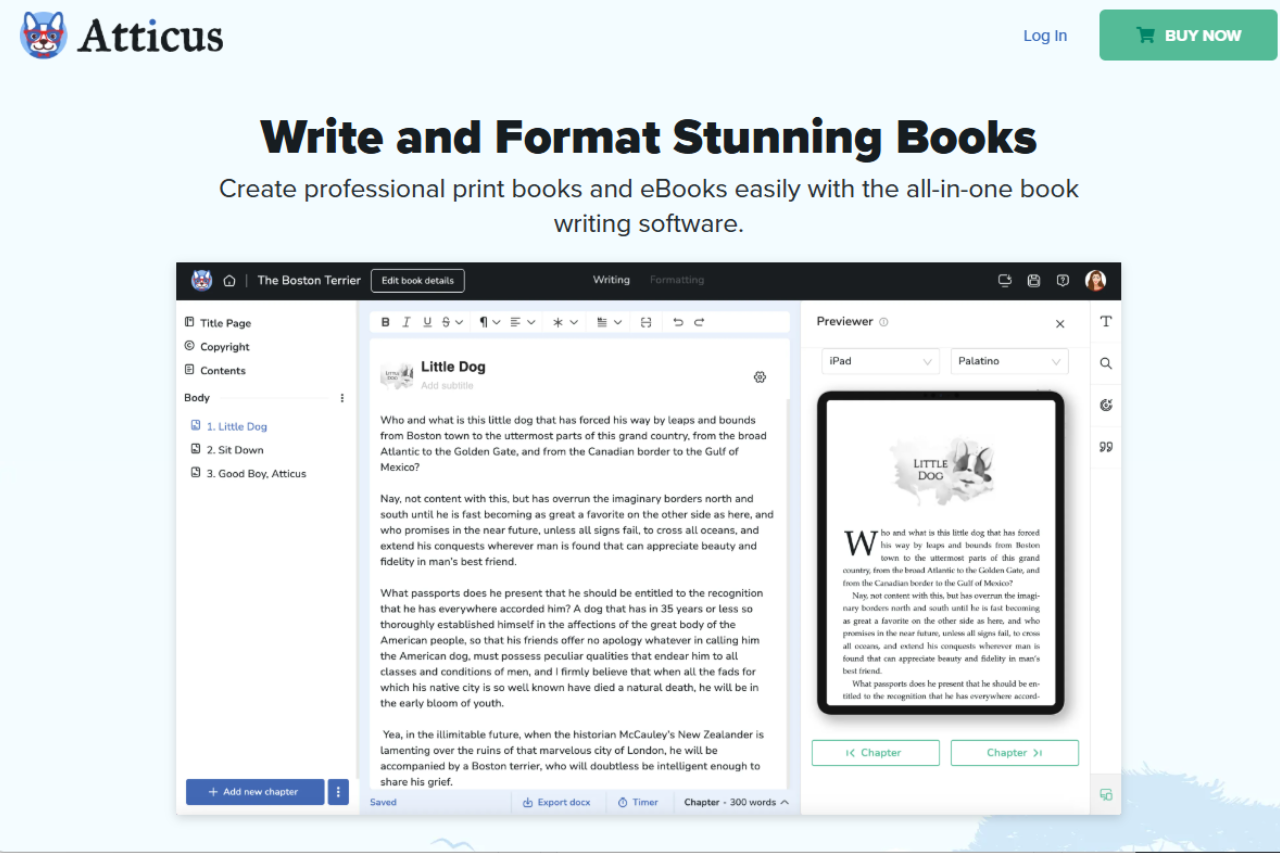
Atticus is a robust book writing software that caters to both amateur and professional writers looking to streamline the creation of print books and eBooks. With its platform-independent functionality, Atticus offers a flexible solution that works on Windows, Mac, Linux, and Chrome. It integrates the entire book creation process from writing to formatting and publishing, making it an indispensable tool for writers who value efficiency and simplicity. While it lacks some of the more complex literary tools provided by its competitors, its user-friendly interface and all-in-one capability make it a compelling choice for authors who need a straightforward, reliable writing environment.
✅ Pros & ❌ Cons
Pros
Cross-Platform Compatibility: Works across multiple operating systems.
User-Friendly Interface: Intuitive design that simplifies the writing process.
Integrated Publishing Tools: Allows users to write, format, and publish all within the same software.
Cloud-Based: Ensures work is saved and accessible from any device.
Affordable Pricing: Competitive one-time pricing with a 30-day satisfaction guarantee.
Cons
Limited Advanced Literary Tools: Does not offer as extensive tools as some competitors for complex literary projects.
No Real-Time Collaboration: Lacks features for live collaboration with other authors or editors.
Performance Issues: Can experience slowdowns with larger files.
📖 About
Atticus is designed to provide a seamless book writing experience by combining writing, formatting, and publishing tools into a single software solution. It supports various text formats and is tailored to handle everything from novel writing to complex non-fiction projects efficiently.
🗓️ How It Works
Sign In to get started and Open Atticus: Accessible through any modern web browser or download the desktop application.
Start a New Project: Set up your book with customizable templates and settings.
Write and Format: Utilize the integrated tools to write and format your text directly in Atticus.
Review and Edit: Apply finishing touches with built-in editing and proofreading tools.
Publish: Export your finished book to multiple formats ready for printing or digital distribution.
💲 Pricing Overview
Atticus offers a one-time purchase price of $147, which includes all features with no additional subscriptions or hidden fees. This pricing is competitive within the market, especially considering the all-in-one functionality it provides.
🥊 Competition
Feature
Atticus
Scrivener
Platform Compatibility
Windows, Mac, Linux, Chrome
Mac, Windows, iOS
User Interface
Intuitive and easy to navigate
Complex with a steep learning curve
Literary Tools
Basic to intermediate
Extensive and advanced
Collaboration
Not supported
Limited support
Pricing
One-time fee with a 30-day guarantee
One-time fee varies by platform
Publishing Integration
Direct publishing tools
Requires additional steps for formatting
📌 Conclusion
Atticus stands out in the realm of writing software by offering a simplified, all-in-one solution for authors who need an efficient pathway from concept to publication. It may not have the depth of literary tools that some competitors offer, but its ease of use, affordability, and robust publishing features make it a valuable asset for writers focused on productivity and simplicity.
Related read: Atticus starts working once the manuscript exists, and formatting is the easy half. For the year before that, The Book Incubator is novelist Mary Adkins’ coaching program for writers who want a publishable draft by year-end. Our review covers the fee, the application, and the complaints past members raise.
Earlier in the process: Atticus is a one-time purchase that pays off at the formatting stage, where a finished manuscript becomes print and ebook files. For the drafting that comes first, Quoll Writer is a free desktop workspace, though check its export notes if you need EPUB.
The other way to pay: Atticus is $147 once and earns its keep at the formatting stage, after the draft exists. If you would rather pay monthly and sell the finished book inside the same app, Chapterly covers drafting, formatting and a reader marketplace for $9.99 a month plus 10% of what you earn.
The Book Incubator does not list a public price; you get the cost after a short application. It is a 12-month coaching program for novelists, and past cohorts report a fee in the low four figures, often cited around $1,500 for the full track. Confirm the current price and any payment plans through the application on the official site.
The Book Incubator is a 12-month structured program for fiction writers who want a publishable manuscript by year-end. Reviews from past members describe it as accountability-heavy: weekly deadlines, peer review groups, and direct feedback from founder Mary Adkins. Critics note that the price ($1,500+) is steep for self-directed writers.
Last updated 31 July 2026. Founder attribution and pricing corrected. The Book Incubator is Mary Adkins’ novel-writing program. The Author Incubator, run by Angela Lauria, is a separate non-fiction program that is often confused with it.
The Book Incubator is Mary Adkins’ year-long coaching program for novelists who want to finish a publishable manuscript. Adkins is a novelist published by HarperCollins and has run the program since 2021. The price is not posted publicly; you get a figure after a short application, and past cohorts report a fee in the low four figures. It suits writers who keep stalling on a draft and can commit to a full year. It is a poor fit if you want a finished book in weeks, or a cheap self-paced course.
🏆 Our Verdict
The Book Incubator presents a unique, immersive program specifically designed for serious writers aiming to refine and complete their novels. With a hands-on, mentor-driven approach that combines rigorous workshops with personalized feedback, The Book Incubator excels at transforming rough manuscripts into polished, publishable works. While it may not offer the wide platform compatibility of software-based solutions, its in-depth, personalized coaching and community support make it invaluable for writers committed to making significant progress on their novels.
✅ Pros & ❌ Cons
Pros
Personalized Feedback: Direct mentorship from experienced authors and editors.
Comprehensive Curriculum: Covers all stages from drafting to revision.
Community Support: Robust community engagement that fosters peer learning.
Goal-Oriented: Structured to help authors complete a manuscript.
Exclusive Workshops: Access to workshops that focus on both craft and the practical aspects of publishing.
Cons
High Cost: More expensive compared to self-guided writing tools.
Limited Platform Flexibility: Primarily in-person or Zoom-based, without a dedicated writing app.
Geographical Limitations: Best suited for those who can attend sessions in specific locations or online at set times.
Intensive Commitment: Requires a significant time investment, which may be challenging for some writers.
Niche Focus: Primarily aimed at novel writers, less suited for other types of writers.
📖 About
The Book Incubator is more than a writing course; it’s a comprehensive program designed to take a novel from concept to completion. Founded by a novelist frustrated by traditional solitary writing processes, it offers a structured, community-focused approach that provides the tools, knowledge, and support necessary for writing and revising a publishable novel.
🗓️ How It Works
Enrollment and Orientation: Writers join the program and are oriented on goals and processes.
Regular Workshops and Meetings: Participants engage in scheduled workshops focusing on different aspects of novel writing.
Drafting and Feedback: Writers work on their manuscripts, receiving ongoing feedback from mentors.
Peer Reviews and Revisions: Manuscripts are critiqued by peers and revised based on feedback.
Final Review and Preparation for Publishing: The final draft is polished for submission to publishers or agents.
💲 Pricing Overview
The specific pricing details for The Book Incubator are not publicly displayed on their website. They invite potential participants to fill out a form to receive more information, including details about pricing and payment plans. This approach suggests a tailored experience, possibly with varying pricing structures depending on the level of engagement and resources provided. For exact pricing, you would need to contact them directly through their website: The Book Incubator.
🥊 Competition
Feature
The Book Incubator
iA Writer
Platform
In-person/Online (Zoom)
Cross-platform (iOS, Android, Mac, Windows)
Focus
Novel writing and publishing
Distraction-free writing environment
Feedback
Personalized, in-depth feedback
Limited to syntactical suggestions
Community
Strong, with peer and mentor support
None
Pricing
High, with comprehensive support
One-time or subscription-based pricing for app
📌 Conclusion
The Book Incubator is an exceptional program for writers who are serious about completing and polishing a novel with the aim of publication. It stands out by providing a structured, supportive community that guides writers through the complex process of novel writing. While it requires a significant investment of both time and money, the potential returns— a finished, market-ready manuscript—are well worth the commitment.
The Book Incubator: From First Draft to Published Book
The program has run since 2021 under founder Mary Adkins, a novelist whose books have been published by HarperCollins. Its site names the instructors, lists alumni testimonials, and sells through an application rather than an open checkout. Before you go looking for reviews, note that The Book Incubator is not The Author Incubator. That is a separate non-fiction program run by Angela Lauria, and reviews of the two get mixed together.
Book Incubator pricing and refund policy
The Book Incubator does not publish a price. You get a figure after a short application, and past cohorts report a fee in the low four figures for the full 12-month track. Refund terms are not posted publicly either. Ask for them in writing, along with the payment schedule and what happens if you leave mid-cohort, before you pay a deposit.
Book Incubator vs. self-publishing courses
The Book Incubator focuses on completing a first-draft manuscript. Self-publishing courses, like Self-Publishing School or 20Booksto50K Academy, focus on what happens after the manuscript exists: cover design, ad spend, KDP setup, and launch lists. Picking between them comes down to where you are in the process. Pre-draft writers usually need the Incubator. Finished-manuscript writers need a self-publishing course.
The Book Incubator reviews: is it worth it for novelists?
Most people searching for The Book Incubator want to know one thing before they commit: does the structured, course-style approach actually help finish a novel, or does it get in the way? Here is an honest read on where it fits.
What writers tend to like
The draw is the guided structure. Instead of a blank page, you get a method that walks a manuscript from premise to finished draft, with the writing tool and the teaching wrapped together. Writers who stall on planning, or who have started several novels and finished none, are the ones who report the biggest difference.
Where it is not the right fit
If you already have a process that works and just want a clean editor, the method can feel like extra scaffolding. Plotters with a detailed outline, or anyone who only needs distraction-free drafting, will get there faster with a lighter tool.
How to decide
Try it on a project you have struggled to finish, not one that is already flowing. The structure earns its keep when momentum is the problem, not the typing.
Is The Book Incubator right for you?
The Book Incubator is a year-long, high-touch coaching program, and the commitment reflects that. It fits some writers well and is the wrong tool for others. Here is a quick gut check before you apply.
It is likely a good fit if:
You have a book you keep stalling on and want structure plus real accountability to finally finish it.
You can commit to a full year and the coaching investment is within reach.
You want a done-with-you process with feedback, not a self-paced course you work through alone.
It is probably not a fit if:
You mainly want templates or a low-cost self-study course.
You need a finished manuscript in a few weeks rather than over a year.
You are weighing it purely on price against a cheap online course. It is a different category, so that comparison will always look unfavourable.
If the structure and the year-long commitment match where you are, it can be worth it. If you want a low-cost, self-paced option, a standard writing course will serve you better.
iA Writer is designed to enhance focus and clarity for writers across various platforms. Its clean, distraction-free interface and full Markdown support make it a favorite among writers who prefer simplicity and efficiency in their writing tools. While it offers fewer organizational tools compared to some competitors, its focus on writing without distractions makes it highly effective for those dedicated to the craft. For writers looking for a straightforward writing tool without the complexities of broader project management, iA Writer proves to be an excellent choice.
✅ Pros & ❌ Cons
Pros
Distraction-Free Interface: Offers a minimalistic design that reduces clutter.
Focus Mode: Blurs out all text except the current sentence or paragraph to enhance concentration.
Markdown Support: Full support for Markdown with live preview.
Cross-Platform Availability: Available on macOS, iOS, Windows, and Android.
Synchronization: Seamless cloud integration with iCloud and Dropbox.
Cons
Limited Text Formatting: Primarily focuses on plain text and Markdown, limiting rich text formatting.
No In-App Collaboration: Lacks real-time collaborative writing features.
Limited Organizational Tools: Not ideal for managing large projects or complex writing structures.
Premium Price: Requires a purchase after a trial period.
📖 About
iA Writer is renowned for its minimalist design that keeps the user’s focus strictly on writing. The app supports Markdown, a plain text formatting system that is intuitive and easy to learn, with built-in templates for different types of content. It’s designed to work seamlessly across all devices, keeping your documents accessible and synchronized wherever you go.
🗓️ How It Works
Installation and Setup: Download and install iA Writer on your preferred device.
Choose Your Template: Select from various templates based on your writing needs.
Write with Focus: Use the Focus Mode to enhance concentration on the current text.
Use Markdown Tools: Employ Markdown commands to format your text efficiently.
Review and Export: Preview your documents in HTML or PDF and export them in various formats.
💲 Pricing Overview
iA Writer offers a free trial, after which a one-time purchase is required to continue using the app. Pricing varies slightly between platforms.
Here are the details about purchasing iA Writer:
Mac Purchase: $49.99 available at the Apple App Store.
iPad and iPhone Purchase: $49.99 available at the Apple App Store.
Windows Purchase: $29.99 available at the Microsoft Store and iA Store.
Additional information:
Pricing Model: Buying the app gives access to the current version and minor updates; major updates may require additional costs.
Multiplatform Use: Purchases are platform-specific and not transferable between different operating systems.
Educational Discounts: A 20% discount is available for Windows users in the education sector.
Volume Purchases: Available through Apple Business Manager and direct contact for Windows volume purchases.
License Management: On Apple devices, licenses are linked to your Apple ID. For Windows, direct contact is required for license management.
iA Writer excels in providing a focused, minimalistic writing environment ideal for writers who need to concentrate without distractions. While it may lack advanced features found in other writing apps like Ulysses, its straightforward approach to text editing and support for Markdown makes it a strong contender for those who value simplicity and focus in their writing tools.
Related read: iA Writer keeps you in a focused, local Markdown file on your own machine. If you would rather draft in the browser and sync across devices without installing anything, our StackEdit review covers an online Markdown editor with the same live-preview model and cloud sync built in.
Related read: iA Writer keeps the writing surface calm and focused. Developers who want that same Markdown-first feel with code syntax highlighting often compare it against Boostnote.
Last updated 27 April 2026. FocusWriter is at version 1.8.x; the review below covers behavior on Linux and Windows, plus a note on running it under macOS via compatibility layers.
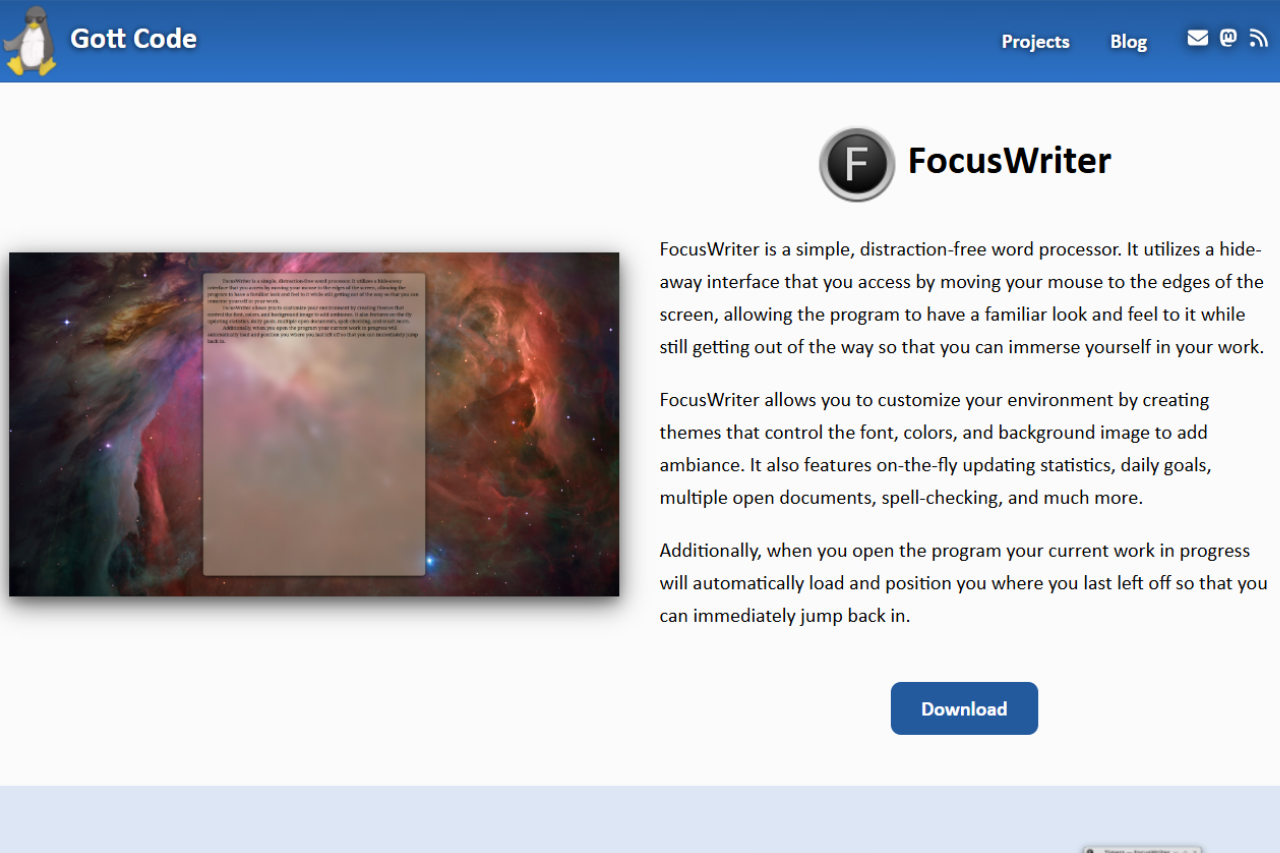
FocusWriter is a free, GPL-3.0 writing application developed by Graeme Gott. It runs on Linux and Windows and hides the desktop behind a full-screen writing surface. Features include customizable themes, typewriter sound effects, daily word-count goals, session statistics, and export to .odt and .docx. There is no macOS build, no mobile version, and no cloud sync.
🏆 Our Verdict
FocusWriter is a minimalist writing environment designed to eliminate distractions and enhance productivity for writers. Available for Linux and Windows, this tool is favored for its simplicity and effectiveness, providing a hide-away interface that appears only when needed. While it lacks the cross-platform flexibility and rich text editing features of some competitors, its commitment to a clutter-free workspace makes it a strong contender for those seeking focused writing sessions.
✅ Pros & ❌ Cons
Pros
Distraction-Free Interface: Helps maintain focus with a clean, hide-away design.
Customizable Themes: Allows users to tailor the writing environment to their liking.
Typewriter Sound Effects: Offers an immersive writing experience.
Goal Setting: Enables writers to set daily word count or time goals.
Portable Mode: Can run from a USB stick without installation on the host computer.
No Native macOS Support: Lacks direct compatibility with macOS, though it can be run using compatibility layers.
Basic Text Editing: Lacks advanced formatting tools, suitable mostly for plain text writing.
No Mobile Version: No availability on mobile platforms for writing on the go.
No Real-Time Cloud Sync: Does not offer built-in cloud synchronization options.
📖 About
FocusWriter is developed with the intention of providing writers a peaceful place to concentrate solely on their writing. It is engineered to reduce distractions by featuring a full-screen mode that isolates the writing tool from other desktop clutter, enhancing focus and potentially increasing productivity.
🗓️ How It Works
Download and Install: Easily install FocusWriter on compatible operating systems from the official website.
Customize Your Workspace: Adjust the themes and settings to create your ideal writing environment.
Set Goals: Utilize the built-in timers and word count goals to track writing sessions.
Write in Peace: Begin writing in a user-friendly interface that stays out of the way until you need it.
Save and Manage Documents: Use session management to save progress and manage multiple documents easily.
A concrete NaNoWriMo workflow
A concrete 2026 workflow looks like this: install FocusWriter 1.8.x on Linux or Windows, point its auto-save folder at a synced directory (Syncthing, Synology Drive, or iCloud Drive on macOS via the Files app), and use one theme per project so visual context tells you which manuscript you’re in. Set a 1,667-word daily goal during NaNoWriMo (or 500 words on non-novel days), let auto-save fire every minute, and never quit on a blank page — leave a half-finished sentence so tomorrow’s session starts warm.
💲 Pricing Overview
FocusWriter is free under the GPLv3 open-source license. Every feature works without payment. The developer accepts donations via the official site at gottcode.org/focuswriter for users who want to support continued development; donations are voluntary and unlock no premium features.
🥊 Competition
Feature
FocusWriter
iA Writer
Platform Compatibility
Windows, Linux
Windows, Mac, iOS, Android
Interface
Distraction-free, minimal
Streamlined, modern
File Format Support
TXT, RTF, basic ODT
DOCX, Markdown, PDF
Syncing Capabilities
None
Seamless cloud sync across all devices
Pricing
Free
Paid (subscription model)
Typewriter Sounds
Yes
No
Related distraction-free writing tools
If you write primarily in Markdown and want export to EPUB or PDF that FocusWriter does not natively offer, our Typora review covers a paid alternative that pairs a clean editor with broader export formats; for a Windows-only freebie, see our MarkdownPad review.
Three alternatives covered on Startup Stack are useful neighbors: Manuskript for a structured long-form novelist tool with character and plot tracking, Highland 2 for screenplays in the Fountain format, and iA Writer if you need a native macOS or iOS option (FocusWriter has no signed macOS build).
Tool
Pricing (2026)
Platforms
Distraction-free mode
Export formats
FocusWriter
Free (GPLv3)
Linux, Windows, macOS via compatibility layer
Default — full-screen, themeable
TXT, RTF, ODT
Manuskript
Free (GPLv3)
Linux, Windows, macOS
Yes (full-screen mode)
DOCX, ODT, HTML, Markdown
iA Writer
$49.99 desktop / $4.99 mo iOS
macOS, iOS, Windows, Android
Default — focus mode + typewriter scroll
DOCX, PDF, HTML, Markdown
Typora
$14.99 one-time (3 devices)
Linux, Windows, macOS
Yes (zen + focus modes)
DOCX, PDF, HTML, EPUB, Markdown
How FocusWriter compares to the other distraction-free writing apps we cover in 2026. For Markdown-first writers, see our Typora review; Windows users on a budget should also look at our MarkdownPad review.
FocusWriter and NaNoWriMo in 2026
FocusWriter 1.9.0 shipped in February 2025, adding keyboard shortcuts for heading levels and fixing several rendering bugs. The version on the official site is current as of this update.
The 1,667 words-per-day goal built into FocusWriter’s tracker maps to a 50,000-word November draft. That number comes from the original National Novel Writing Month format — write 50,000 words in 30 days. The organization behind NaNoWriMo shut down on March 31, 2025, following two years of public disputes: first over forum moderation failures and allegations of delayed response to reports of misconduct, then over the board’s decision not to take a position against AI-generated text in submissions, which prompted several prominent authors to resign from the advisory board.
The event itself has not disappeared. A group of longtime NaNoWriMo volunteers, educators, and the original founder Chris Baty launched nano2.org as a community-led replacement that runs the same November challenge. A separate group, the Order of the Written Word, formed specifically for writers who want a space that does not permit AI-generated content. FocusWriter’s goal-tracking feature works with either community — or with no community at all if you prefer to write in private.
❓ Frequently asked questions about FocusWriter
Is FocusWriter free?
Yes. FocusWriter is released under the GPL-3.0 license and costs nothing. The developer, Graeme Gott, accepts voluntary donations through the official site, but every feature works without payment. There is no paid tier, no trial watermark, and no feature-gated edition.
FocusWriter vs iA Writer: which one should I pick?
Choose FocusWriter if you write on Linux or Windows, want a free tool, and need daily word-count goals. Choose iA Writer if you work on macOS or iOS, write in Markdown, and want iCloud sync across devices. The two tools do not overlap on platform: FocusWriter has no macOS build, and iA Writer has no Linux build.
Does FocusWriter run on macOS?
No native macOS build exists. FocusWriter runs on Linux and Windows, and also ships a portable .zip for Windows that runs from a USB drive without installation. Some users run it on macOS via Wine or CrossOver, but Graeme Gott does not maintain or test a macOS version, so compatibility is not guaranteed and may break on OS updates.
Can I use FocusWriter for NaNoWriMo or long-form writing?
Yes. FocusWriter includes daily word-count goal tracking and a session timer, which map directly onto the standard 1,667 words-per-day target for a 50,000-word November draft. You set the goal in the preferences, and the status bar shows your progress as a percentage. For long-form work, each chapter can be a separate file; the application does not have a built-in project manager, so a dedicated folder per project is the standard approach.
Can I sync FocusWriter with Dropbox or iCloud?
FocusWriter has no built-in sync. You can point FocusWriter at a folder inside your Dropbox or Google Drive directory and the cloud client will upload the file each time you save — but that is the desktop sync client doing the work, not FocusWriter. There is no real-time sync, no version history inside the app, and no conflict resolution if two devices write to the same file simultaneously. iCloud Drive works the same way on machines where the iCloud client runs, though FocusWriter itself has no macOS build, so iCloud is only relevant if you run FocusWriter on a Windows machine with iCloud installed.
Does FocusWriter export to .docx?
Yes. FocusWriter exports to both .odt (OpenDocument Text) and .docx (Microsoft Word) in addition to plain .txt and .rtf. The .docx export covers body text, bold, italic, and paragraph breaks. Complex formatting such as headers, footnotes, and tracked changes will not carry over because FocusWriter does not support those features in its editor — so what you write is what exports. If you need those elements, open the .odt file in LibreOffice Writer after export.
📌 Conclusion
FocusWriter stands out as a preferred tool for writers who prioritize a focused and minimalist writing environment. It strips away the bells and whistles of more complex word processors in favor of a straightforward, distraction-free experience. While it may not suit those needing advanced formatting or cloud-based features, for writers dedicated to simplicity and productivity, FocusWriter is an excellent choice.
FocusWriter: Simplify Your Writing Space, Amplify Your Words
Related read: FocusWriter clears the screen so you can draft without distraction, but it leaves the structure to you. If you want that same free, open-source spirit with an outliner, character sheets, and plot tracking built in, our Manuskript review covers a tool made for organising a long manuscript.
When the draft outgrows a blank screen: FocusWriter deliberately holds nothing but the text. Once a project needs chapters, character sheets and research in the same place, Quoll Writer keeps the same free, offline, no-account footing and adds the structure.
Troubleshooting FocusWriter: negative goals, missing dictionaries and silent sound effects
FocusWriter has one maintainer and a short bug list, so most of what gets reported has already been fixed in a later build. The current release is 1.9.1, published on 23 July 2026. Check your version before anything else, because three of the four problems below were closed in it.
The daily goal shows a negative word count
This is a known defect, not something you configured wrong. Daily progress was sometimes reported as a negative number, and the fix shipped in 1.9.1. Update and the counter reads correctly again. If you are stuck on an older build because of a package repository that lags, the goal itself still tracks; only the figure on the status bar is wrong.
Spell check underlines every word, or your language is missing
FocusWriter does not ship its own dictionaries. It uses hunspell, which the Windows builds bundle at version 1.7.3 and which Linux expects you to install separately alongside Qt. On Linux, install the hunspell package for your language through your distribution and FocusWriter picks it up. If the dictionaries live somewhere non-standard, set the DICPATH environment variable to that folder: support for it was added in 1.8.10 for exactly this case.
Typewriter sounds go silent on accented characters
Two separate bugs, both closed. Sound effects did not play for smart quotes, which was fixed in 1.9.0, and they did not play for composed text, which was fixed in 1.9.1. Composed text is what you get from a dead key or an input method, so this hit anyone typing accents, umlauts or a non-Latin script. Nothing in the preferences works around it. The update is the fix.
Scene list entries overlap on Windows 11
A rendering fault in the scene list on Windows 11, closed in 1.9.1. Entries drew on top of each other and made the list unreadable while the document underneath stayed intact. Nothing is lost, and no reinstall is needed beyond moving to the current build.
Your work does not reopen where you left it
FocusWriter is meant to reload your work in progress on launch and put the cursor back where it was, so a session that opens blank means the program is not seeing its own settings. That is usually a second copy: a portable build unzipped somewhere new keeps its state in its own folder, not next to the installed version’s. Run one or the other, not both.
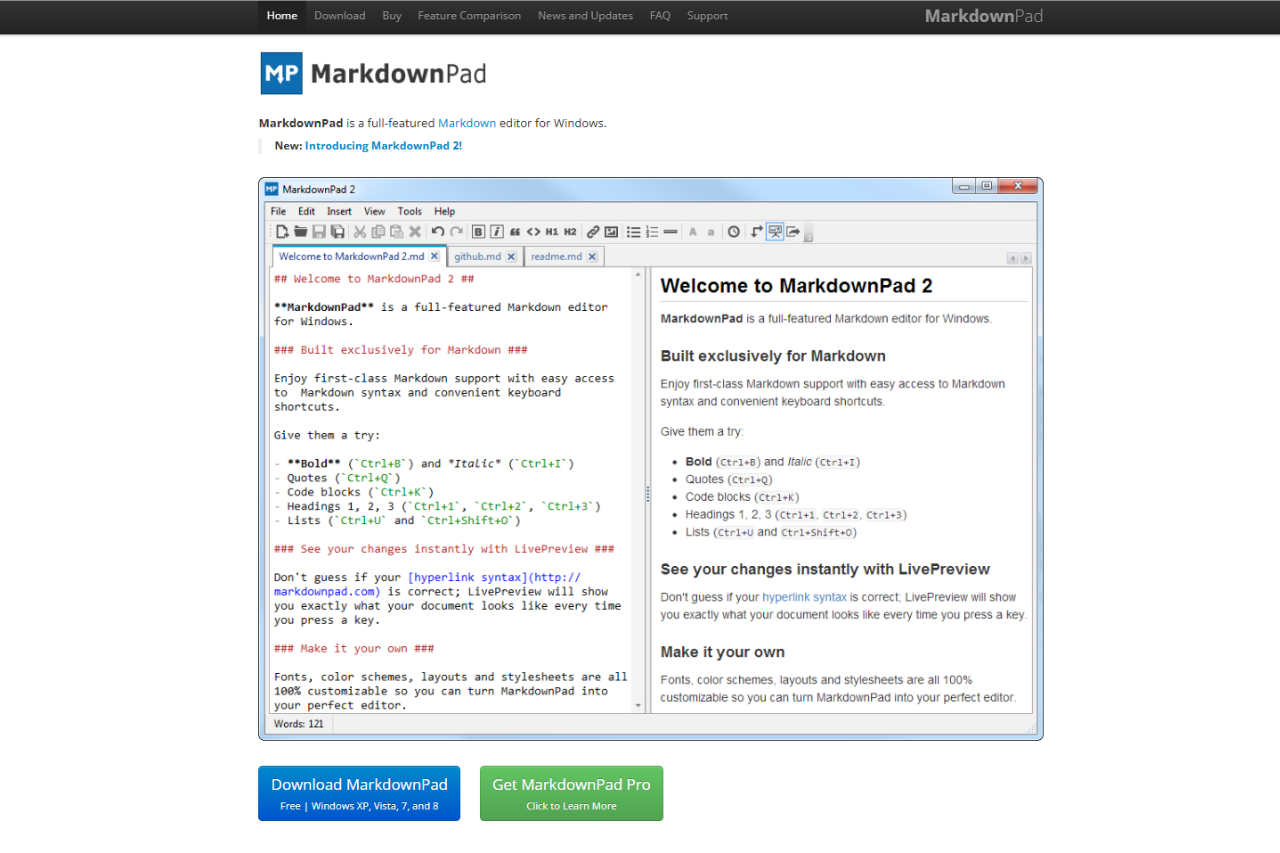
MarkdownPad 2.5 came out on 24 December 2014, and on 29 September 2026 it is still the latest version. The official site lists Windows XP, Vista, 7 and 8. If LivePreview shows “This view has crashed!”, install the Awesomium 1.6.6 SDK from the MarkdownPad FAQ. A Pro license costs $14.95 for one user. On macOS or Linux, try Typora instead.
🏆 Our Verdict
MarkdownPad is a dedicated Markdown editor optimized for Windows users, combining a user-friendly interface with effective functionality. Its real-time preview and customizable themes make it ideal for those who need to convert plain text into well-formatted documents quickly. Despite lacking some advanced features such as full cross-platform support and extensive multimedia integration, MarkdownPad’s straightforward design and strong core functionalities make it an attractive choice for Markdown enthusiasts on Windows.
✅ Pros & ❌ Cons
Pros
Real-Time Preview: Instantly see how your Markdown translates into formatted text.
Customizable Interface: Alter the editor’s appearance with custom themes and layouts.
Windows Optimization: Specifically designed for Windows, ensuring smooth performance and integration.
Extensive Format Support: Handles various Markdown extensions for tables, code syntax highlighting, and more.
Affordable Licensing: Offers a straightforward and low-cost license compared to subscription models.
Cons
No Cross-Platform Support: Limited to Windows, unavailable on macOS or Linux.
Limited Multimedia Support: Does not natively embed multimedia content like videos.
No Mobile Version: No options for editing on mobile devices.
Basic Collaboration Tools: Lacks features for real-time collaboration or advanced version control.
Dependency on .NET: Requires .NET Framework to operate, which might be a barrier for some users.
📖 About
MarkdownPad is tailored for Windows users who need a powerful yet straightforward tool to write and convert text into HTML using the Markdown language. It is designed to offer a seamless experience with features like instant HTML previews, customizable CSS, and full control over the editor’s interface.
🗓️ How It Works
Open MarkdownPad: Download and install MarkdownPad on your Windows device.
Start a New Document: Begin typing in Markdown syntax.
Customize Appearance: Adjust the theme and layout to suit your preferences.
Preview Your Work: Utilize the split-screen feature to view your Markdown and HTML side by side.
Export Your Document: Save or export your document as HTML, PDF, or another supported format.
💲 Pricing Overview
MarkdownPad offers two versions: Basic and Pro. The Basic version is free, while the Pro version requires a one-time payment that grants access to additional features like advanced customization and extended export options.
🥊 Competition
Feature
MarkdownPad
Typora
Platform
Windows only
Cross-platform (Windows, Mac, Linux)
Real-Time Preview
Yes
Yes
Theme Customization
Limited
Extensive
Pricing
Free and Pro (one-time fee)
Free during beta; Paid post-beta
Offline Access
Yes
Yes
Export Options
HTML, PDF
HTML, PDF, Word, and more
Collaboration
Basic
Basic
User Interface
Traditional with customization
Minimalist and modern
📌 Conclusion
MarkdownPad shines as a robust Markdown editor specifically for Windows users, focusing on efficiency and simplicity. While it serves its purpose admirably for individual projects and basic web writing tasks, those requiring more extensive features or cross-platform compatibility might consider alternatives like Typora. Despite these limitations, MarkdownPad remains a favored choice for those committed to the Windows platform.
MarkdownPad: Simplify Your Writing, Optimize Your Workflow
MarkdownPad keeps files local on Windows. If cloud sync across machines matters more than a native installer, see our StackEdit review for the browser-first alternative.
Related read: MarkdownPad is a Windows-only Markdown editor. For a cross-platform notebook with code-block highlighting and local files you keep offline, Boostnote is worth a look.
WinEdt is a highly customizable and feature-rich LaTeX editor designed for users who prefer a more traditional, desktop-based approach to document creation. It stands out for its extensive configurability, making it an excellent choice for advanced users who want a powerful, flexible tool. While it may not be as beginner-friendly as some cloud-based alternatives, WinEdt offers a vast array of tools and integrations, making it a great option for experienced LaTeX users and those working on large, complex documents.
✅ Pros & ❌ Cons
Pros:
Highly Customizable: WinEdt allows users to tailor nearly every aspect of the editor to suit their needs.
Supports Multiple LaTeX Tools: Seamless integration with MiKTeX and TeX Live.
Lightweight: WinEdt is a fast and efficient desktop application that consumes fewer resources compared to some alternatives.
Advanced Features: Includes powerful syntax highlighting, customizable toolbars, and multiple integration options.
Local Compilation: Users have full control over compiling and managing LaTeX documents locally.
Cons:
Learning Curve: Due to its many features and customization options, new users may find it challenging to get started.
Windows-Only: WinEdt is only available on Windows, which limits its accessibility for macOS and Linux users.
Less Collaboration: Unlike cloud-based alternatives, it lacks built-in collaboration features for real-time editing.
No Cloud Integration: Unlike Overleaf and other cloud-based editors, WinEdt does not natively support cloud syncing or version control.
Paid Software: WinEdt requires a paid license after a trial period, which may deter users looking for free options.
📖 About
WinEdt is a powerful LaTeX editor designed for Windows, aimed at both novice and advanced LaTeX users. With features like a customizable user interface, syntax highlighting, and integrated spell-checking, it offers a versatile and user-friendly experience. WinEdt is particularly popular among academic professionals, researchers, and technical writers for creating complex documents with LaTeX. Although it is a desktop application, WinEdt’s robust set of tools and extensive options make it an ideal choice for users with specific formatting needs.
🗓️ How It Works
Download and Install: Download WinEdt from the official website and install it on your Windows system.
Configure Settings: Customize the editor to fit your workflow, including integrating LaTeX distributions like MiKTeX or TeX Live.
Create or Open a Document: Start a new LaTeX project or open an existing one to begin editing.
Compile the Document: Use WinEdt’s powerful compile tools to process your LaTeX document and preview the output.
Refine and Export: Make changes as necessary and export the document to your desired format.
💲 Pricing Overview
WinEdt runs for a 31-day evaluation period, fully featured, and then starts reminding you that registration is overdue. A personal license is a one-off registration fee, not a subscription, and it carries free upgrades for five years from purchase. Prices below are the ones published on winedt.com and were checked on 2026-09-03:
Student License: US $50
Educational License: US $80, for school and university personnel
Business/Government License: US $150
For multi-user licenses or specific requirements, please contact WinEdt directly at orders@winedt.com for a personalized quote.
Every cell was checked against each vendor’s own site on 21 September 2026.
📌 Conclusion
WinEdt offers a robust, customizable solution for LaTeX users who need advanced features and control over their documents. While it may not be as user-friendly as some alternatives like TeXstudio or Overleaf, it excels in providing a feature-rich experience for seasoned LaTeX users. If you’re looking for a LaTeX editor that prioritizes customization and local control, WinEdt is a top choice, especially if you’re working on long-term, complex documents.
Free alternative: WinEdt is a polished Windows editor, but it asks for a license fee once the trial ends. Students and academics who want the same Windows-native workflow without paying usually land on TeXnicCenter, which is free and open source.
Related read: WinEdt rewards the time you spend configuring it, and it costs money after the trial. For a free editor that works out of the box on a first document, see our TeXworks review.
Related read: WinEdt earns its learning curve when the output has to be typeset exactly and you want local control over the compile. For documents that only need headings, code blocks and the occasional equation, Typora renders MathJax math live and drops the compile step entirely.
Set up WinEdt 11 step by step, from TeX system to first PDF
WinEdt is only the editor. A separate TeX system does the compiling, so this walkthrough starts there. Each step below follows WinEdt’s installation page and its Quick Guide, checked on 15 October 2026.
Install MiKTeX or TeX Live. WinEdt cannot compile anything without one of them. If you add it after WinEdt, restart WinEdt and it finds the TeX system by itself.
Download and run winedt11.exe. It is the 15.8 MB 64-bit installer on winedt.com, for Windows 11 and 10. Windows shows a User Account Control prompt; if it names WinEdt Inc. as the verified publisher, the copy is genuine. The default options suit most people. Untick User Profile Creation only if you want a portable install that keeps its settings next to the program.
Restart WinEdt before you do any work. If the installer launched it, it is running with administrator rights, and WinEdt’s own instructions say never to run it that way. Close it and open it again from the desktop shortcut.
Check wrapping and Unicode in Options, then Preferences. The defaults are soft wrapping and UTF-8 for TeX files. Change them now if you need something else, before you have documents saved the other way.
Confirm WinEdt found your TeX system. Open Options, then Execution Modes, and go to the Diagnosis tab. The summary should say your TeX installation appears to be fine. If it does not, reinstall the TeX system and restart WinEdt. WinEdt itself does not need reinstalling.
Open a document and make it the main file. Document, then Samples has ready-made files if you have none of your own. Click the Set Main File button at the left of the tree panel’s toolbar, so every compile starts from that file even while you edit a chapter.
Compile with F9. Press F9 or click the PDFTeXify button, and the console at the bottom shows TeX’s output. The first run with MiKTeX can be slow, because it installs missing packages as it goes. The PDF then opens in WinEdt’s own viewer. Double-click a word in the PDF to jump to its source line, or double-click the left margin beside a line in the editor to jump the other way.
Troubleshooting WinEdt: four problems and what actually fixes them
WinEdt is configurable to a fault, which is why the same four things trip people up. Every fix below is WinEdt’s own documented answer, so none of it needs a third-party add-on.
WinEdt cannot find MiKTeX or TeX Live, so nothing compiles
WinEdt ships with automatic detection for both distributions, and the detection is what breaks, usually after you install or move a TeX system with WinEdt already on the machine. The diagnostic is the Execution Modes dialog under Options, which is the tool WinEdt’s own support page names for TeX system integration problems. It shows you what WinEdt believes it found and where. Fix the path there rather than editing the macro scripts. If the compiler runs but the errors look unfamiliar, check whether they came from WinEdt or from TeX before you go looking: they are separate programs and the messages read very differently.
An upgrade wiped your customizations
Two upgrade paths exist and they are not interchangeable. To move between WinEdt 11 builds, install the new one over the old, then run Options, then Maintenance, then Upgrade Local, then restart. Uninstalling the previous build first is what loses the settings. Coming from WinEdt 10 or earlier is a different job: install WinEdt 11 alongside the old version rather than over it, because there is no automatic import and the configuration format changed. Copy what you need across by hand once both are installed.
You cannot find your configuration, or your edits to it do nothing
A standard install keeps your settings in your own profile, under AppData\Roaming\WinEdt Team\WinEdt 11. A portable install keeps them in a Local folder inside the installation directory instead, which is the setting you want on a USB stick or a locked-down lab machine. Pick one at install time: an admin installation needs user profile creation enabled, a portable one needs it disabled. Files you drop into WinEdt’s install folder by hand are not the ones it reads, and running the editor with elevated privileges to make them stick is not the answer either.
Your registration is refused, or the key is gone
The key goes in through the Help menu, then Register WinEdt, and it has to be entered exactly as it was supplied, including the name it was issued to. A personal license is tied to you rather than to a machine, so the same key is valid on every computer you use yourself. Save it somewhere you will still have it in five years: WinEdt states that privacy rules may stop it verifying and restoring a lost key more than two years after purchase. For anything the manual and the Quick Guide do not answer, the community moved to the WinEdt discussion forum on GitHub when the mailing list closed in February 2024.
Related read: WinEdt is Windows-only and asks for a one-off license after a 31-day trial, in exchange for an editor you can rebuild around your own macros. Texmaker takes the other position: free, on Windows, macOS and Linux, with the compile chain and the PDF viewer already wired up. Worth comparing before you pay for configurability you may not use.
WinEdt FAQ
Is there a WinEdt for Mac?
No. WinEdt is a Windows program. The download page offers one 64-bit Windows installer, and winedt.com says the editor was tested under Windows 11 and 10. There is no macOS or Linux build. On a Mac, the closest desktop options are TeXstudio and Texmaker, which are both free and both ship a macOS version. If you would rather not install anything, Overleaf runs in the browser, so it works on any system. On Linux, Kile is a free choice, and it also has a Windows build in the Microsoft Store.
How much does WinEdt cost?
You get 31 days to evaluate it with every feature switched on. After that you need a license, paid once rather than every year: US $50 for students, US $80 for school and university staff, and US $150 for business or government use. The license covers free upgrades for five years from the day you buy it. WinEdt says a paid upgrade was needed only twice in more than 30 years, for WinEdt 6 in 2011 and WinEdt 11 in 2022.
Where do I download WinEdt, and what else do I need for LaTeX?
Download it from winedt.com. The installer is 15.8 MB. WinEdt is the editor only. It does not compile LaTeX by itself, so you also need a TeX system. WinEdt is built to work with MiKTeX and TeX Live and detects either one automatically. You can install the TeX system before or after WinEdt. If it comes second, restart WinEdt once it is installed.
Is WinEdt 11 the latest version?
Yes. WinEdt 11 is the official version, and 11.2 (build 20240613) is the current release. WinEdt 10 keeps working if you install 11 next to it. Your WinEdt 10 settings and macro scripts do not move across on their own, so plan for some manual work if you customized them heavily.
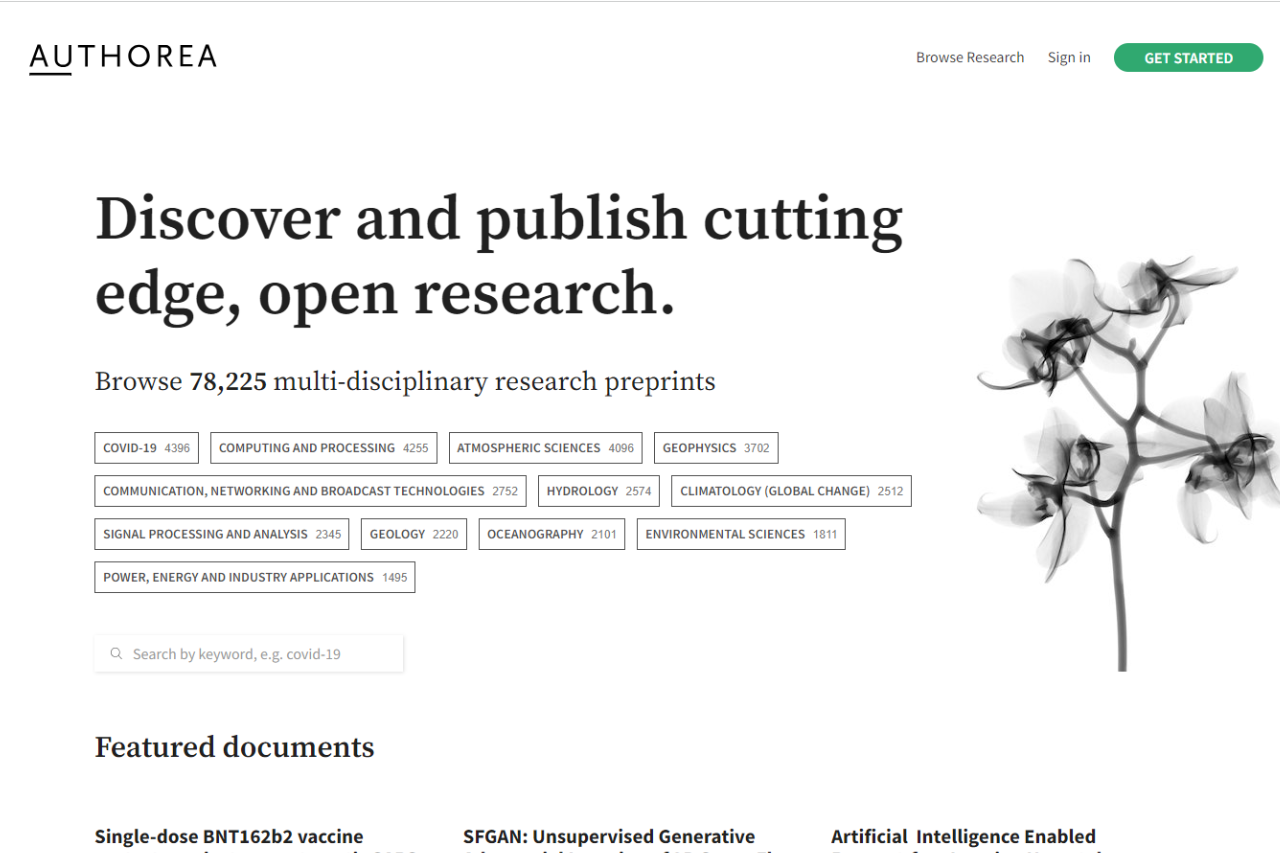
Authorea sets itself apart as a dynamic platform designed to enhance the way academics, scientists, and researchers collaborate on documents. With its robust set of features that support direct data integration, comprehensive citation options, and live multi-user editing, Authorea offers a significant advantage over traditional word processors like Overleaf. It’s not just about writing; it’s about creating a seamless integration between textual and data-driven content, making it an invaluable tool for modern research teams.
✅ Pros & ❌ Cons
Pros:
Direct Data Integration: Allows embedding of data that readers can interact with, not just static figures.
Rich Text and LaTeX Editor: Users can write in LaTeX directly within a rich text document.
Collaborative Tools: Real-time, multi-author editing and tracked changes enhance teamwork.
Academic-Focused Features: Built-in features like automatic formatting of citations and references adhere to academic standards.
Cons:
Complex Interface: May require a learning curve for users unfamiliar with advanced document and data management.
Limited Template Variety: Compared to Overleaf, there are fewer templates available, which might limit options for quick project setups.
Performance Issues: With extensive data or large collaborative groups, the platform can experience slowdowns.
📖 About
Authorea is built to cater to the needs of researchers and academics, facilitating not just the writing process but also the publication and sharing of scientific knowledge. It supports a variety of content formats including markdown, HTML, and LaTeX, and is geared towards enhancing the reproducibility and transparency of research outputs.
🗓️ How It Works
Sign Up: Users start by creating an account, which offers access to both free and subscription-based features.
Start a Document: Choose from various templates or start a blank document.
Collaborate: Invite co-authors to contribute and edit documents simultaneously.
Incorporate Data: Directly embed datasets and visualizations into documents.
Publish and Share: Submit directly to journals, post preprints, or share publicly with the academic community.
💲 Pricing Overview
Free Plan
Availability: Authorea is free for all users.
Features: All users can read, write, and post scholarly content on Authorea at no cost. This makes it accessible for a wide range of users, from individual researchers to academic enthusiasts.
Access: Users can access basic features, but some advanced features are reserved for paid plans, which are more suitable for teams.
Community Plan
Cost: $1,200 per year.
Features and Services:
Dedicated Community Portal: Provides a personalized space on authorea.com/yourname for community interaction.
Subcollections: Up to 5 subcollections allow for organized content management.
Management Tools: Includes tools for member and editor management.
Integration: Fully integrated with submission systems for ease of document handling.
Review Systems: Offers features for screening and peer review to maintain content quality.
Customization: Allows for a custom logo and banner to enhance brand identity.
Support: Basic helpdesk support is included for troubleshooting and assistance.
Collection Plan
Cost: Pricing is customized; interested parties should contact Authorea directly for a quote.
Features and Services:
Branded Collection Portal: Provides a fully branded portal running on yourdomain.com, ideal for large institutions or publishers.
Subcollections: Unlimited subcollections for extensive content categorization.
Management Tools: Comprehensive tools for member and editor management are included.
Integration and Review: Integrated with submission systems and includes screening and peer review functionalities.
Customization: Offers custom branding, custom DOIs for unique identification, and transactional email capabilities.
Support: Priority support ensures faster response times and issue resolution.
Additional Information
For further details on the specific features or to get a quote for the Collection plan, users are encouraged to reach out via the contact options provided on Authorea’s website. The platform also offers extensive help pages for more common questions regarding plans and usage.
This structure provides flexibility for different types of users, from free access for individuals to comprehensive, customizable options for larger organizations or research groups. For more information on these plans or to contact Authorea directly, visit their official website.
🥊 Competition
Feature
Authorea
Overleaf
Data Integration
Extensive
Limited
Editor Type
Rich Text and LaTeX
Primarily LaTeX
Real-Time Collaboration
Yes
Yes
Templates
Fewer, highly specialized
Extensive, varied
Target Audience
Academics and researchers
Academics, general LaTeX users
📌 Conclusion
Authorea is more than just a document editor; it’s a comprehensive research tool that breaks down the barriers between data analysis and scholarly writing. While it might present a steeper learning curve than platforms like Overleaf, its superior integration of data and collaborative features makes it a powerful ally in the pursuit of academic excellence.
Authorea: Write, Collaborate, Publish – All in One Place
Related read: Authorea aims at the whole publishing workflow, from drafting to submission. If the job is simply writing the paper on your own machine, TeXworks handles it with a source pane and a PDF preview.
WriterDuet stands out as a cutting-edge tool tailored for screenwriters who thrive in collaborative environments. Unlike its competitors, such as Final Draft, WriterDuet emphasizes real-time co-writing, offering a cloud-based platform that allows instant updates and seamless communication among team members. Its intuitive interface and robust feature set make it a top choice for both amateur and professional screenwriters looking to streamline their workflow and enhance productivity.
✅ Pros & ❌ Cons
Pros:
Real-Time Collaboration: Facilitates simultaneous script editing and commenting among multiple users.
Cross-Platform Accessibility: Accessible via web, and includes apps for iOS and Android, ensuring flexibility in how and where users can write.
Intuitive Interface: Easy to navigate, promoting an efficient and distraction-free writing environment.
Extensive Import/Export Options: Supports a wide range of formats, enhancing compatibility with other writing tools.
Cons:
Dependence on Internet Connection: Requires a stable internet connection for most functionalities, which can be limiting in areas with poor connectivity.
Subscription-Based Pricing: May deter those who prefer a one-time purchase software.
Complexity for Beginners: The array of features can be overwhelming for new users unfamiliar with scriptwriting software.
📖 About
WriterDuet is designed to optimize the screenwriting process through enhanced collaboration. It integrates advanced scriptwriting tools with communication features, allowing users to interact and make changes to documents in real-time. This focus on teamwork and accessibility makes it especially useful for writing groups and educational settings where collaboration is key.
🗓️ How It Works
Create an Account: Sign up on the WriterDuet website or through the app.
Start a Project: Initiate a new script or import an existing draft.
Invite Collaborators: Add co-writers to join the project and set permissions.
Write and Edit: Utilize the real-time editing features to write and receive immediate feedback.
Export and Share: Export the completed script in various formats for final use or distribution.
💲 Pricing Overview
Monthly Subscription Plans
Free Plan
Price: $0 per month
Features:
Up to three projects
Industry-standard templates
Accessibility from computer and mobile devices
Google Drive/Dropbox backups
Plus Plan
Price: $9.99 per month
Features:
Includes everything in the Free plan
Unlimited projects
Real-time collaboration
Desktop application
Offline writing with auto-sync
Pro Plan
Price: $11.99 per month
Features:
Includes everything in the Plus plan
Additional customization options
Dialogue and character filters
Document stats and format checker
Production tools and colored revisions
Premium Plan
Price: $13.99 per month
Features:
Includes everything in the Pro plan
Rewind document or line history
Script narration with distinct voices
Simultaneous scene format and tools
Script translation to multiple languages
Yearly Subscription Plans (Billed Annually)
Plus Plan
Price: $7.49 per month (billed annually)
Features:
Same as the monthly Plus plan
Pro Plan
Price: $8.99 per month (billed annually)
Features:
Same as the monthly Pro plan
Premium Plan
Price: $10.49 per month (billed annually)
Features:
Same as the monthly Premium plan
These plans are designed to cater to a range of needs from beginner screenwriters who just need basic tools, to professional writers who require advanced features for detailed script editing and production. Whether opting for a monthly or yearly billing, WriterDuet offers flexible pricing options to suit different budgets and requirements.
🥊 Competition
Feature
WriterDuet
Final Draft
Collaboration
Extensive real-time tools
Basic collaboration features
Platform Accessibility
Fully cloud-based, cross-platform
Primarily desktop with limited cloud integration
Pricing Model
Subscription-based
One-time purchase with optional upgrades
Import/Export Options
Supports multiple formats
Limited to standard screenplay formats
📌 Conclusion
WriterDuet is a powerful choice for writers who prioritize collaboration and versatility in their software. While it may require ongoing investment due to its subscription model, the benefits of its real-time collaborative features and broad accessibility make it a valuable tool in the modern screenwriter’s toolkit.
Offline-first companion: WriterDuet is built for real-time collaboration in the browser. If most of your drafting happens offline on one machine, Kit Scenarist keeps the project local and only syncs to the cloud when you choose to.
Mac-native alternative: WriterDuet is built for real-time collaboration in the browser. If you write solo on a Mac and prefer a native app, Highland 2 is the streamlined, Fountain-based option built for Mac.
Celtx emerges as a comprehensive tool that streamlines screenwriting, production planning, and collaboration. It’s designed to challenge industry giants like Final Draft by offering a versatile, web-based platform that supports not just writing but extensive pre-production processes. Celtx’s integration of scriptwriting with essential production features makes it invaluable for teams looking for an all-in-one solution.
✅ Pros & ❌ Cons
Pros:
All-in-One Platform: Combines scriptwriting with storyboard, budgeting, and scheduling tools.
Cloud-Based Collaboration: Facilitates teamwork with real-time updates and shared project access.
Affordable and Accessible: Offers a competitive price point and is accessible from any device with internet connectivity.
Extensive Pre-Production Features: Includes tools for budgeting, scheduling, and storyboarding, which are not typically found in traditional screenwriting software.
Cons:
Internet Dependency: Requires an internet connection to access all features, which can be limiting in areas with poor connectivity.
Less Focus on Deep Writing Features: While versatile, it may lack some of the advanced scriptwriting functionalities that dedicated screenwriting programs like Final Draft offer.
Learning Curve: The breadth of features can be overwhelming for new users or those only interested in scriptwriting.
📖 About
Celtx is a robust scriptwriting and production management tool designed to cater to the needs of both individual screenwriters and large production teams. Its goal is to simplify the process from the initial concept to the day of the shoot. The platform is particularly noted for integrating writing tools with powerful pre-production planning features, making it unique among its competitors.
🗓️ How It Works
Sign Up and Set Up: Users start by creating an account on the Celtx website.
Choose Your Project Type: Select from various templates for films, games, videos, and more.
Write and Collaborate: Utilize scriptwriting tools and collaborate in real-time with other team members.
Plan Your Production: Access scheduling, budgeting, and other pre-production tools directly within the platform.
Export and Share: Export scripts and other production documents in various formats for easy sharing.
💲 Pricing Overview
For both individual writers and teams, here’s a detailed look at the monthly and yearly subscription plans available:
Monthly Plans
Writer
Price: $14.99 USD/month
Features: Ideal for beginners, this plan includes:
Up to 3 projects
Unlimited comments
Options: Subscribe now or start a free trial.
Writer Pro
Price: $24.99 USD/month
Features: Designed for more experienced writers, this plan offers:
Unlimited projects
Unlimited comments
Story development tools
Options: Subscribe now or start a free trial.
Team
Price: $59.95 USD/month for up to 5 members
Features: Best for small teams, includes:
Unlimited projects
Unlimited comments
Story development tools
Production planning tools
Options: Subscribe now or start a free trial.
Yearly Plans (Billed Annually)
Writer
Price: $11.24 USD/month (billed yearly)
Features: Includes the same benefits as the monthly Writer plan:
Up to 3 projects
Unlimited comments
Options: Subscribe now or start a free trial.
Writer Pro
Price: $18.74 USD/month (billed yearly)
Features: Includes the same benefits as the monthly Writer Pro plan:
Unlimited projects
Unlimited comments
Story development tools
Options: Subscribe now or start a free trial.
Team
Price: $44.95 USD/month (billed yearly) for up to 5 members
Features: Includes the same benefits as the monthly Team plan:
Unlimited projects
Unlimited comments
Story development tools
Production planning tools
Options: Subscribe now or start a free trial.
Each plan is structured to cater to different levels of expertise and team sizes, with flexibility in payment options to provide the best value according to usage and need.
🥊 Competition
Feature
Celtx
Final Draft
Scriptwriting
Yes
Yes
Collaborative Tools
Extensive, cloud-based
Limited, not cloud-based
Production Planning
Comprehensive suite
Not available
Pricing
Subscription-based
One-time purchase
Accessibility
Web-based
Desktop application
📌 Conclusion
Celtx stands out as a multifunctional tool ideal for writers and production teams who value comprehensive project management alongside traditional scriptwriting. While it may not delve as deeply into scriptwriting as Final Draft, its suite of pre-production tools offers significant added value.
For drafting only: Celtx covers production planning end to end. If you want a smaller-surface tool just for the screenplay draft itself, Highland 2 is the Mac plain-text option that pairs well with Celtx for the production phase.
Desktop-first counterpart: Celtx wraps scriptwriting inside a cloud production suite. If a writer prefers a desktop-only tool focused on the script itself, the long-running option is Movie Magic Screenwriter.
Offline desktop counterpart: Celtx is a browser-first all-in-one production tool, useful if you need scheduling and budgets in the same app. Screenwriters who want a focused offline desktop tool that stays out of the way while drafting the script often pick Highland 2 instead.
From script to set: Celtx covers writing through to light production planning. For dedicated call sheets, shot lists, and crew scheduling once the script is locked, StudioBinder is the production-focused companion.
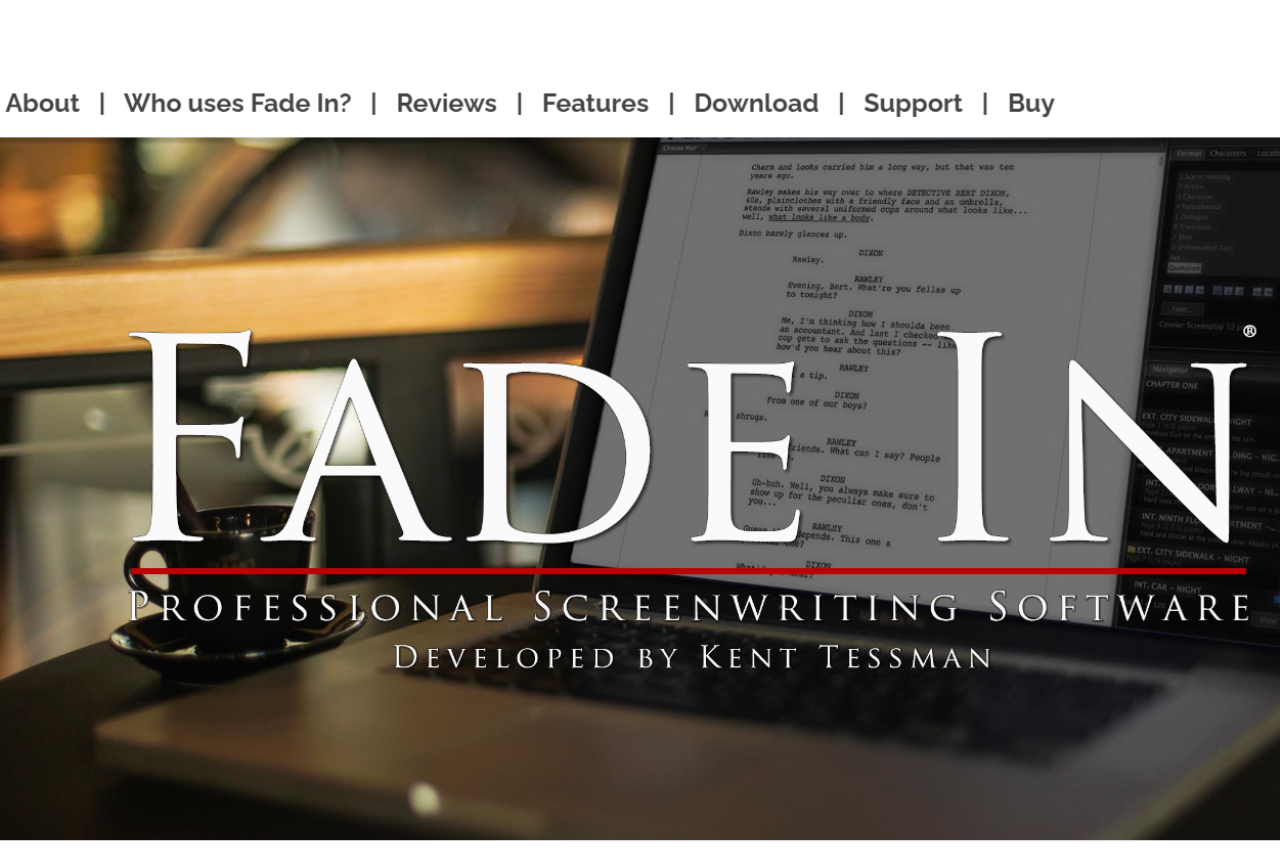
Fade In is professional screenwriting software made by Kent Tessman. It runs on Mac, Windows, and Linux and supports industry-standard formatting, revision modes, and Final Draft (.fdx) import and export. Fade In costs $79.95 as a one-time purchase â there is no subscription â which makes it significantly cheaper than Final Draft’s $249.99 license. For a Mac-only alternative, see our Highland 2 review.
🏆 Our Verdict
Fade In is a robust screenwriting software that stands out for its affordability and comprehensive feature set. It competes directly with Final Draft, offering a seamless user experience tailored to both novice and professional screenwriters. With its straightforward interface and powerful writing tools, Fade In simplifies the screenwriting process, making it an excellent choice for writers focused on producing industry-standard scripts.
✅ Pros & ❌ Cons
Pros:
Affordable Pricing: One-time purchase that offers significant savings over competitors.
Intuitive Interface: Easy to navigate and conducive to writing without distractions.
Comprehensive Formatting Tools: Automatically formats scripts to industry standards.
Cross-Platform Compatibility: Available on Mac, Windows, and Linux with a mobile app for writing on the go.
Cons:
Limited Collaboration Features: While capable, its collaboration tools are not as developed as those in Final Draft.
Simpler Feature Set: Some advanced features available in Final Draft are missing here.
Occasional Glitches: Users have reported minor bugs, especially when using the Chromebook or switching between devices.
📖 About
Fade In is dedicated to providing a streamlined and efficient environment for screenwriters. It includes essential tools such as scene navigation, character tracking, and extensive editing features, all wrapped in a user-friendly interface. Its goal is to make professional screenwriting accessible to everyone, without the steep learning curve associated with other software.
🗓️ How It Works
Download and Install: Begin by purchasing and downloading the software from the Fade In website.
Create a Project: Start a new script with pre-formatted templates.
Write and Structure: Use tools like tab-completion and script notes to efficiently structure your screenplay.
Revise and Edit: Utilize the revision mode and compare scripts feature to polish your drafts.
Export and Share: Export your script in various file formats, including PDF and Final Draft files for easy sharing with collaborators or submission to studios.
💲 Pricing Overview
Special Offer Price: $79.95 (Regularly $99.95)
Step-by-Step Purchase Process:
Trial Version: Start by downloading the free trial version of Fade In from the official website to see if it meets your needs. This allows you to test the software’s capabilities before making a purchase.
Purchase Full Version:
Visit the Fade In online store to buy the full version. The reduced price of $79.95 is significantly more affordable compared to many competing screenwriting software options.
The payment process is secure and handled by FastSpring, ensuring that your transaction details remain safe.
Additional Purchase Options:
Gift Purchase: Fade In can also be purchased as a gift. If you wish to gift the software, there’s a specific option available on the purchase page.
Educational Pricing: Students can avail themselves of special pricing, details of which are available through a dedicated link for educational discounts.
Site or Multiuser Licensing: For those needing multiple licenses, for instance for educational institutions or production companies, there is an option to inquire about site or multiuser licensing.
Key Benefits of Purchasing Fade In:
Cost Efficiency: The one-time purchase price includes all features, with free updates. This is a fraction of the cost of purchasing new copies of some competitors’ software or even their updates.
Comparative Advantage: For just $79.95, you get a comprehensive software package that offers all the functionalities of higher-priced alternatives like Final Draft, plus additional features unique to Fade In.
Relevant Costs:
Taxes: Be aware that relevant taxes may apply, which are handled by the payment processor during the transaction.
Security and Reliability:
Purchases are sold and fulfilled by FastSpring, a trusted reseller and partner, which uses a secure system to handle transactions, ensuring peace of mind during your purchase.
This detailed guide should help you understand the full scope of purchasing Fade In, including the cost benefits and the straightforward process involved, making it an attractive option for both new and experienced screenwriters.
🥊 Competition
Feature
Fade In
Final Draft
Pricing
More affordable
More expensive
User Interface
Simple and efficient
More complex but feature-rich
Collaboration
Basic real-time collaboration
Advanced collaboration tools
Mobile App
Basic functionality
More robust and feature-rich
Cross-Platform
Available on multiple platforms
Limited to iOS for mobile
Script Formatting
Excellent
Excellent
📌 Conclusion
Fade In provides an effective, budget-friendly alternative to more expensive screenwriting software, making it especially appealing to those new to screenwriting or those who prefer a more straightforward tool. Its focus on essential features and usability ensures that writers can concentrate on storytelling rather than navigating complex software.
Fade In matches Final Draft on formatting fidelity and .fdx interchange but costs roughly a third the price ($79.95 vs $249.99). Final Draft has more advanced production features like revision-mode tracking with built-in SmartType, whereas Fade In favours a lighter, faster interface. For writing and export the two are interchangeable; for working inside a studio or network that mandates Final Draft for production revisions, stick with Final Draft.
Is Fade In free?
Fade In offers a free demo that watermarks exports â you can write, edit, and save .fadein files without paying. To export clean PDFs, Final Draft .fdx, or .fountain files without the watermark requires the $79.95 one-time licence. There is no subscription and no feature-gated edition; the paid licence unlocks all export formats.
Does Fade In work on Mac?
Yes. Fade In ships native builds for macOS, Windows, and Linux, and a single licence covers all three platforms on up to two machines. The Mac version is an Apple Silicon (arm64) binary that runs natively on M1/M2/M3 without Rosetta.
Can Fade In open Final Draft files?
Yes. Fade In reads and writes Final Draft .fdx directly, preserving scene numbers, character names, revisions, and element formatting. Round-tripping a script through Fade In and back into Final Draft is lossless for text; complex revision-mode colouring may need manual reconciliation. Fade In also imports .fountain, .celtx, and several older .txt formatting conventions.
Is Fade In still being updated?
Yes. Kent Tessman ships point releases through 2026 and maintains public changelogs on the Fade In site. Major version upgrades have historically been free for existing licence-holders, which is unusual in the screenwriting tool market.
Mac-native alternative: Fade In runs cross-platform. If you write entirely on macOS and want a Fountain-first plain-text drafting tool from the creator of the format, Highland 2 is the closest sibling and exports cleanly into Fade In for production.
Legacy counterpart: Fade In is the modern indie pick with a flat one-off price. The older studio-pipeline tool some production offices still require on submission is Movie Magic Screenwriter.
Mac-native counterpart: Fade In is the cross-platform one-time-paid alternative to Final Draft. Writers who work only on Mac and want the same plain-text Fountain workflow without a layout engine in the way tend to land on Highland 2.
This website uses cookies to ensure you get the best experience on our website. Surfing the website you are authorizing the use of cookies.
Privacy & Cookies Policy
Privacy Overview
This website uses cookies to improve your experience while you navigate through the website. Out of these cookies, the cookies that are categorized as necessary are stored on your browser as they are essential for the working of basic functionalities of the website. We also use third-party cookies that help us analyze and understand how you use this website. These cookies will be stored in your browser only with your consent. You also have the option to opt-out of these cookies. But opting out of some of these cookies may have an effect on your browsing experience.
Necessary cookies are absolutely essential for the website to function properly. This category only includes cookies that ensures basic functionalities and security features of the website. These cookies do not store any personal information.
Any cookies that may not be particularly necessary for the website to function and is used specifically to collect user personal data via analytics, ads, other embedded contents are termed as non-necessary cookies. It is mandatory to procure user consent prior to running these cookies on your website.