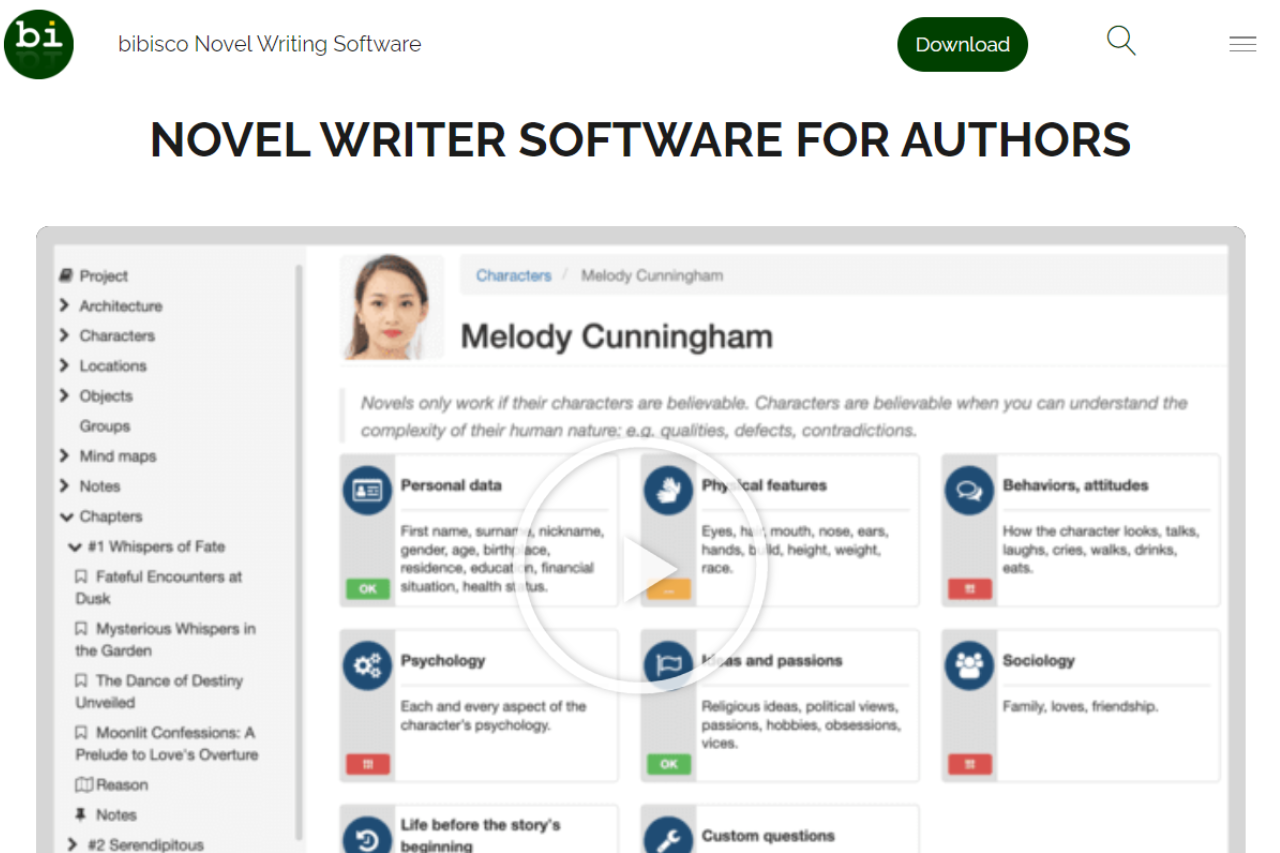
Bibisco: Empowering Writers with Structured Creativity

πŸ† Our Verdict

Bibisco is a dedicated writing application that caters to novelists and storytellers seeking a structured approach to crafting their narratives. Known for its focus on character development and plot structuring, Bibisco offers writers the tools to delve deep into the intricacies of their stories, making it a practical alternative to more general writing software.

βœ… Pros & ❌ Cons

Pros:

  • 🧠 Character Development Tools: Extensive features for developing complex characters, including interviews and character evolution charts.
  • πŸ“– Organizational Structure: Provides detailed analysis of narrative structure, scenes, and sequencing to enhance storytelling.
  • 🌍 Support for Multiple Languages: Available in many languages, which is ideal for international writers.
  • πŸ”’ Open Source: Free Community version available, with an affordable Supporters Edition that includes additional features.

Cons:

  • πŸ–₯ Limited Formatting Options: Not as robust as Scrivener in terms of formatting and exporting content for publication.
  • πŸ“± Mobile Costs Extra: The desktop app has no mobile version. Phone, tablet and cloud sync come from bibisco Everywhere, a separate subscription at $3.49 per month or $29.99 per year.
  • πŸ’Ύ User Interface: While functional, the interface can feel less modern and intuitive compared to competitors like Scrivener.

πŸ“– About Bibisco

Bibisco is an open-source writing tool designed to help writers organize their ideas, build characters, structure their plot, and ultimately create compelling stories. It’s particularly useful for first-time novelists who need guidance through the writing process.

πŸ—“οΈ How It Works

  • Download and Installation: Available for free as a community edition or paid supporters edition with more features.
  • Setup Your Project: Start a new project and define your novel’s structure and elements.
  • Character and Plot Development: Utilize tools to develop characters and plot out your narrative.
  • Write Your Story: Progress through the writing phase with organizational tools at your disposal.
  • Revise and Export: Finalize your manuscript and export it in standard document formats.

πŸ’² Pricing Overview

Here is a detailed bullet list for the pricing and features of Bibisco’s editions:

COMMUNITY EDITION (Version 5.1 | Linux, MacOS, Windows)

  • Price: Free
  • Features:
    • 30-day Supporters Edition trial included
    • Unlimited projects
    • Tools for premise, fabula, setting, narrative strands
    • Characters interview
    • Locations description
    • Management of chapters and scenes
    • Analysis tools
    • Export options: PDF, DOCX, TXT, archive
    • Automatic backups
    • Mind maps and timeline
    • Groups and unlimited notes
    • Objects management (magic wand, gun, treasure map, etc.)
    • Profile picture for characters, places, and objects
    • Customized questions for character interviews
    • Prologue, epilogue, and parts organization
    • Ability to move scenes to another chapter
    • Dark theme
    • Search, find/replace functions
    • Sequel creation
    • Distraction-free mode
    • Insert images into the text, comments, footnotes
    • Novel reading mode
    • Writing goals

SUPPORTERS EDITION (Version 5.1 | Linux, MacOS, Windows)

  • Price: $69 one-time, with 2 years of free updates and a 30-day money-back guarantee. Students and educators get 20% off by emailing info@bibisco.com with proof of enrollment.
  • Features:
    • Includes all features of the Community Edition
    • Export to EPUB
    • Additional fonts
    • One-time payment, no subscriptions
    • 2 years of free updates
    • 30-day money-back guarantee
    • VAT may apply if required at the stated price

This pricing structure offers an accessible way for users to choose the version that best fits their needs, with the Supporters Edition providing additional functionality for more serious writers.

πŸ₯Š Competition

FeatureBibiscoScrivener
FocusStory planning and chavracter developmentComprehensive writing and project management
PlatformDesktop onlyDesktop and mobile, with better integration
PricingFree version available, low-cost full versionOne-time purchase, generally more expensive
User InterfaceBasic and straightforwardComplex with steep learning curve
Export OptionsBasic export optionsExtensive export and formatting options

πŸ“Œ Conclusion

Bibisco is an excellent choice for writers who need help structuring their novels and prefer a straightforward, cost-effective tool. While it may not have the extensive formatting capabilities of Scrivener, its specialized focus on narrative and character development makes it a valuable resource in any writer’s toolkit.

Bibisco: Bring Your Stories to Life, One Chapter at a Time

Outliner-first counterpart: Bibisco leans hard on character and setting questionnaires. If you want a lighter outliner plus distraction-free writing surface with the same open-source pedigree, the natural sibling is Manuskript.

Free alternative: bibisco splits into a free Community edition and a paid Supporters edition, so the fuller feature set costs money. For the same offline, character-first approach with nothing held back, Quoll Writer is the Apache-licensed option and runs on Windows, macOS and Linux.

Bibisco FAQ: mobile, licenses and what the price actually buys

The pricing table above covers the two desktop editions. These are the questions that come after it, and the answers that decide whether bibisco fits how you write. All of them were checked against bibisco.com in September 2026.

Can I write on my phone?

Yes, but not with the desktop app. Mobile arrives through bibisco Everywhere, an Android and iOS app with cloud sync that costs $3.49 per month or $29.99 per year, with a 14-day free trial. It syncs the same project between phone, tablet and desktop, so you can draft a scene on a train and keep working on it at home. Your desktop install has to be version 5.1.3 or later for the sync to connect.

Does the Supporters Edition include bibisco Everywhere?

No. They are two separate products and you can buy either one without the other. Everywhere works with the free Community Edition just as well as with Supporters, and paying for Everywhere does not unlock the Supporters features on your desktop. If you want EPUB export and the extra fonts on your laptop plus the app on your phone, you are buying both: $69 once, and then the subscription.

What happens to my novel if I stop paying for Everywhere?

You lose the mobile app and the syncing, not the book. bibisco’s own wording is that the cloud handles sync, not storage, so the project files sit on your own machine the whole time and the desktop app keeps opening them. Cancel from inside the app under Info, then Manage Everywhere subscription, or through your Lemon Squeezy receipt if you bought on the web, or through the App Store if you subscribed there.

Can I install one license on more than one computer?

Yes. bibisco is released under the GNU GPL, and the Supporters license covers the computers you or your family own. There is no separate license per operating system either, so a Windows desktop and a Mac laptop are one purchase. The floor is Windows 10, macOS High Sierra 10.13, or Linux, all 64-bit only, on a screen of at least 1024 by 768.

What languages does it speak, and what can it export?

The interface ships in 15 languages: Czech, Dutch, English, French, German, Italian, Polish, Portuguese for Brazil and for Portugal, Russian, Serbian, Slovenian, Spanish, Turkish and Ukrainian. Exports are PDF, DOCX and TXT on every edition, with EPUB reserved for Supporters. There is a built-in spellchecker, and the editor stays out of the way of Grammarly desktop or Ludwig if you already run one of those.
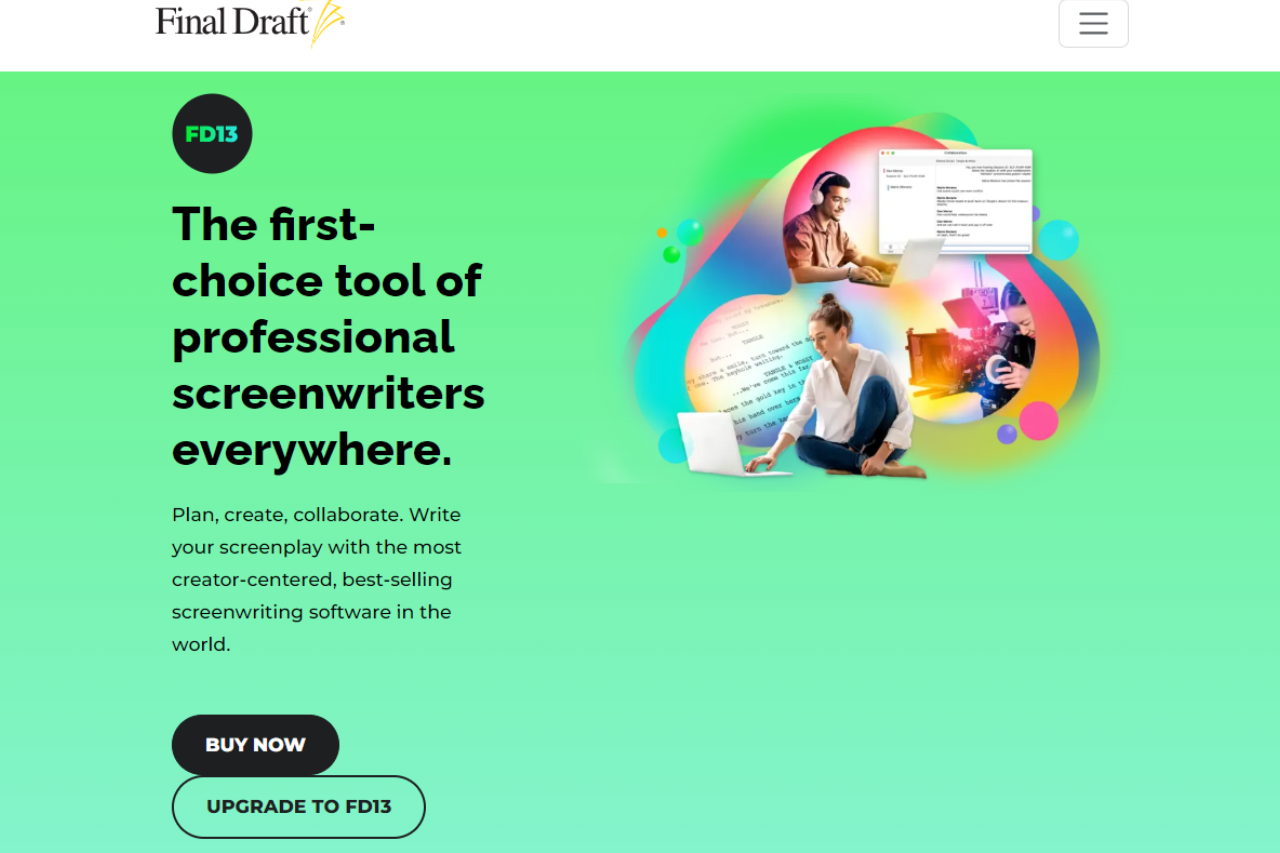
Final Draft: The Ultimate Tool for Screenwriters

πŸ† Our Verdict

Final Draft is heralded as the industry standard for screenwriting software, extensively used by professionals in the film and television industry. It excels in script formatting, allowing writers to focus on crafting compelling narratives without worrying about technical details. With its robust set of features specifically designed for scriptwriting, Final Draft simplifies the transition from script to screen.

βœ… Pros & ❌ Cons

Pros:

  • 🎬 Industry Standard: Widely accepted by most studios and production companies, ensuring compatibility and professionalism.
  • πŸ“‘ Advanced Script Formatting: Automatically formats scripts to industry standards, saving time and effort.
  • πŸ”— Collaboration Tools: Offers real-time collaboration features, making it easy to work with co-writers and editors.
  • πŸ“Š Story Mapping: Provides high-level views of your script’s structure, helping with pacing and development.

Cons:

  • πŸ’΅ Price: More expensive compared to many other writing apps, which might be a barrier for new screenwriters.
  • πŸ–₯ Platform Dependence: Heavily tailored for macOS and Windows, with limited support for other platforms.
  • πŸ›  Complex Features: Can be overwhelming for beginners due to its professional focus and feature depth.

πŸ“– About Final Draft

Final Draft is specifically tailored for the needs of screenwriters, offering tools that streamline the process of writing screenplays. It includes features like automatic pagination, character tracking, and a built-in library of templates that adhere to industry formatting guidelines.

πŸ—“οΈ How It Works

  • Get a Trial or Purchase and Installation: Buy Final Draft from the official website and install it on your computer.
  • Set Up Your Script: Choose from various templates or start with a blank page.
  • Write and Format: Utilize intuitive formatting tools to write your screenplay.
  • Review and Revise: Use editing and annotation tools to refine dialogues and descriptions.
  • Collaborate: Share your script with collaborators directly within the software.
  • Export: Export your script in professional formats ready for submission.

πŸ’² Pricing Overview

Here are the detailed pricing options for Final Draft:

  • Final Draft 13 Personal:
    • Regular Price: $249.99
    • Sale Price: $199.99 (20% off)
  • Upgrade to Final Draft 13:
    • Price for upgrading from older versions: $99.99
  • Educational Edition:
    • Regular Price: $129.99
    • Sale Price: $99.99 (over 20% off for students and educators)
  • Volume Licensing:
    • Pricing varies for organizations, schools, and enterprises, with specific packages tailored to the needs of production companies, educational institutions, and nonprofits.
  • For more detailed information on each plan and to see the options available, you can visit the Final Draft Pricing Page.

πŸ₯Š Competition

FeatureFinal DraftScrivener
FocusDedicated screenwritingFlexible writing for various formats
Industry RecognitionStandard in film and TVPopular among novelists and researchers
FormattingAutomatic screenplay formattingCustomizable formatting options
ToolsBuilt for script editing and layoutGeared towards managing complex projects
PriceHigher, one-time purchaseLower, one-time purchase with free updates

πŸ“Œ Conclusion

Final Draft remains the top choice for professional screenwriters seeking comprehensive tools tailored to the nuances of screenplay formatting and production. While its price may be higher, the value it provides through advanced features justifies the investment for serious professionals.

Final Draft: From Concept to Credits

Long-running alternative: Final Draft is the default in most studio writers’ rooms. If the licensing model is a blocker, the established sibling many production teams still accept on a script is Movie Magic Screenwriter.

Plain-text counterpart: Final Draft is the studio submission standard, but the workflow is heavy and the license is recurring. Screenwriters who do not need production paperwork and prefer to write in Fountain markdown often pick Highland 2, the Mac app from Fountain creator John August.

Free alternative: Final Draft is the studio standard, and it’s priced like one. If you want a full screenwriting setup without the licence fee, Kit Scenarist is the open-source option. It imports and exports Fountain, so you can still hand a producer the FDX or PDF they ask for.

After the draft: Final Draft takes your screenplay to a shooting script. When you move into scheduling the shoot and sending call sheets, StudioBinder picks up where the script ends.

Dabble: Simplifying Your Writing Journey

πŸ† Our Verdict

Dabble emerges as a strong contender in the writing software arena, especially for authors who prioritize simplicity and cloud-based functionality. With its intuitive design and focus on helping writers organize their stories effortlessly, Dabble caters to both new writers and seasoned authors looking for a straightforward tool to streamline their writing process.

βœ… Pros & ❌ Cons

Pros:

  • 🌐 Cloud-Based: Access your work from anywhere, ensuring seamless synchronization across devices.
  • πŸ‘₯ User-Friendly Interface: Designed for ease of use, Dabble’s interface is clean and straightforward, making navigation and writing a breeze.
  • πŸ“ Plot Grid: Offers a unique plotting tool that helps writers organize their thoughts and story structure effectively.
  • 🀝 Real-Time Collaboration: Allows for easy sharing and collaboration, making it ideal for projects involving multiple contributors.

Cons:

  • πŸ’» Internet Dependency: Being primarily cloud-based, it requires an internet connection to access full functionality.
  • πŸ›  Limited Formatting Options: Compared to Scrivener, Dabble might offer fewer formatting tools, which can be a downside for users needing complex formatting capabilities.
  • πŸ’΅ Subscription Model: Unlike Scrivener’s one-time purchase, Dabble operates on a subscription basis, which might add up over time.

πŸ“– About Dabble

Dabble is a cloud-based writing tool designed to help writers focus on creating stories without the distraction of complex software mechanics. It provides essential tools like the Plot Grid and note-taking features to support story development from concept to completion.

πŸ—“οΈ How It Works

  • Sign Up: Register for Dabble on their website and choose a subscription plan.
  • Set Up Your Project: Start with templates or from scratch and organize your chapters and notes.
  • Write and Organize: Utilize Dabble’s writing and structural tools to develop your manuscript.
  • Collaborate and Share: Share your work with editors or co-writers directly within the platform.
  • Publish: Export your finished manuscript to standard formats ready for publishing.

πŸ’² Pricing Overview

Here are the detailed pricing options for Dabble:

  • Monthly Subscription:
    • Basic: $9/month
    • Standard: $19/month
    • Premium: $29/month
  • Annual Subscription (Save 20%):
    • Basic: $7/month (billed annually)
    • Standard: $15/month (billed annually)
    • Premium: $23/month (billed annually)
  • Lifetime Access:
    • One-time payment: $699

These subscriptions provide various features, including unlimited manuscripts, cloud backup, and more advanced writing tools in higher tiers. For detailed features and to choose your plan, you can visit Dabble Pricing.

πŸ₯Š Competition

FeatureDabbleScrivener
PlatformCloud-based, accessible anywhereDesktop-based, limited cloud sync
User InterfaceSimplified and modernComprehensive and feature-rich
PricingSubscription-basedOne-time purchase with free updates
Target AudienceCasual and serious writersProfessional writers and researchers
ToolsBasic writing and plotting toolsExtensive writing, compiling, and formatting tools

πŸ“Œ Conclusion

Dabble is perfect for writers seeking a minimalist, effective tool to help bring their stories to life without the steep learning curve associated with more complex software. Its cloud-based nature and user-friendly design make it a great choice for modern writers on the go.

Dabble: Write Your Story, Anywhere, Anytime

Related read: Dabble and Novlr are the two cloud-first tools aimed at writers who want to open a browser and start, rather than learn a manuscript manager first. Novlr adds daily goal tracking and export straight to ePub, so it is the one to compare if you plan to publish the draft yourself.

Related read: Dabble’s internet dependency and its $9 to $29 per month subscription are the same trade seen from two sides. Bibisco inverts it: the app is free and local, your files stay on your own disk, and the cloud is an optional extra rather than the front door.

LivingWriter: Streamline Your Storytelling Process

πŸ† Our Verdict

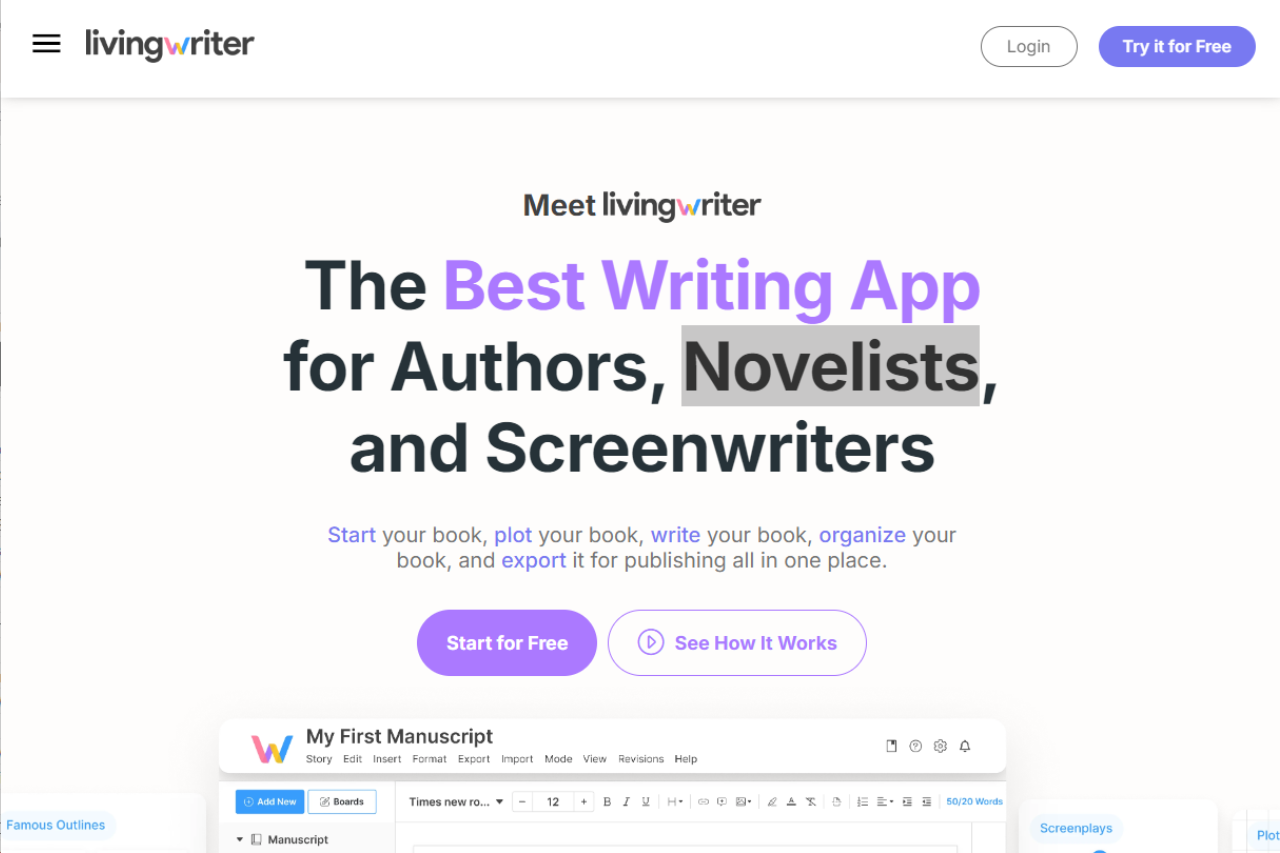
LivingWriter stands out as a modern, cloud-based writing platform designed specifically for storytellers and novelists. It integrates well-thought-out features such as story templates and smart outlines, which cater to both seasoned authors and aspiring writers. With its focus on organization and story development, LivingWriter offers a compelling alternative to traditional word processors and competes favorably with Scrivener for the attention of today’s digital-savvy writers.

βœ… Pros & ❌ Cons

Pros:

  • πŸ“š Story Templates: Offers a variety of pre-built story structures that help writers start and structure their novels effectively.
  • ☁️ Cloud-Based: Enables real-time writing and access from any device, anywhere, promoting flexibility in the writing process.
  • πŸ”— Real-Time Collaboration: Allows multiple users to work on the document simultaneously, ideal for co-authored projects.
  • πŸ–‹οΈ Intuitive Interface: Clean, user-friendly interface that reduces the learning curve for new users.

Cons:

  • 🌐 Internet Dependency: Being cloud-based means it requires a constant internet connection, which can be a limitation in offline environments.
  • πŸ—ƒοΈ Less Robust Export Options: Compared to Scrivener, it may offer fewer options for exporting files in various formats.
  • πŸ’Έ Subscription Model: Unlike Scrivener’s one-time purchase, LivingWriter requires a monthly or yearly subscription.

πŸ“– About LivingWriter

LivingWriter is a cloud-based writing platform that brings novel writing into the 21st century. Designed with input from best-selling authors, it incorporates tools to plan, organize, and write stories with an emphasis on ease of use and accessibility.

πŸ—“οΈ How It Works

  • Sign Up and Setup: Create an account and choose a subscription plan that suits your needs.
  • Choose a Template: Select from various story templates or start with a blank slate.
  • Organize Your Story: Use the Smart Outline feature to plot your story and keep track of characters, settings, and timelines.
  • Write and Collaborate: Begin writing in a distraction-free environment and invite collaborators to join.
  • Review and Export: Use the revision features to polish your manuscript and export it in your desired format for publishing.

πŸ’² Pricing Overview

Here are the detailed pricing options for LivingWriter:

  • Best Value Plan:
    • $12.00 per month
    • Billed annually at $144
  • Regular Payments Plan:
    • $14.99 per month
    • Billed monthly
  • No Commitment Plan:
    • Free 14-day trial
  • Lifetime Access:
    • One-time fee of $699 after registering for the free trial

For further details and to view these plans, you can visit LivingWriter Pricing.

πŸ₯Š Competition

FeatureLivingWriterScrivener
PlatformCloud-based, accessible on any deviceDesktop-based, with limited mobile app
Pricing ModelSubscriptionOne-time purchase
CollaborationBuilt-in real-time collaborationLimited to sharing project files
UsabilityUser-friendly with minimal setupRequires more initial setup and learning
FlexibilityHighly flexible with cloud accessMore robust in offline settings

πŸ“Œ Conclusion

LivingWriter is ideally suited for writers who value structure, flexibility, and the ability to collaborate easily. Its modern approach to writing software makes it a preferred choice for authors who are comfortable with subscription-based tools and cloud technology.

LivingWriter: Write More, Worry Less

Related read: LivingWriter hands you a story template and a smart outline before you write a word. Novlr starts from the opposite end, with a blank page, a word count target and a writers’ community attached. Which one helps depends on whether structure or momentum is the thing stopping you.

Related read: LivingWriter charges $12 to $14.99 a month and needs a connection to open your manuscript. For the same story templates and outlining without a recurring bill, Bibisco is free to start and $69 once if you want the full edition.

Ulysses: Streamlining Writing for Creators and Professionals

πŸ† Our Verdict

Ulysses is recognized for its streamlined, clean interface that helps writers focus on creating content without distractions. It combines elegance and functionality, offering tools tailored for writers who need organization and efficiency in managing multiple projects. With its seamless integration across Apple devices, Ulysses is a formidable tool for those entrenched in the iOS and macOS ecosystems.

βœ… Pros & ❌ Cons

Pros:

  • πŸ“ Distraction-Free Environment: Ulysses offers a minimalistic writing environment that helps maintain focus.
  • πŸ”„ Seamless Sync: Excellent synchronization across all Apple devices, ensuring work continuity wherever you are.
  • 🏷 Organizational Capabilities: Superior organizational features such as tagging, folders, and filtering make managing large projects easy.
  • πŸ“Š Markdown Support: Full markdown support allows for exporting documents to various formats cleanly and efficiently.

Cons:

  • 🍏 Platform Limitation: Primarily available only for macOS and iOS, limiting access for users on other platforms.
  • πŸ’³ Subscription Model: Unlike one-time purchase options, Ulysses requires a recurring subscription, which might not appeal to all users.
  • πŸ›  Less Flexible for Complex Formatting: More suited for prose than for works requiring intricate formatting like complex tables or multimedia elements.

πŸ“– About Ulysses

Ulysses is a writing app designed to provide an enjoyable and focused writing experience. It is built around a simple text editor that supports markdown, which simplifies the process of formatting text and inserting images, meant to streamline the workflow for bloggers, authors, and journalists alike.

πŸ—“οΈ How It Works

  • Subscription and Setup: Sign up for a subscription via the Ulysses app or website.
  • Interface Customization: Tailor the writing environment to personal preferences (themes, fonts).
  • Write and Organize: Use the organizational tools to structure projects, write in a distraction-free mode, and utilize markdown for formatting.
  • Publish or Export: Directly publish to platforms like WordPress and Medium or export to formats like PDF, DOCX, and ePub.

πŸ’² Pricing Overview

Here are the detailed pricing options for Ulysses:

  • Monthly Subscription: $5.99 per month
  • Annual Subscription: $39.99 per year

These prices include access to Ulysses on all your Macs, iPads, and iPhones with full iCloud synchronization. The subscription also covers frequent improvements, feature additions, bug fixes, updates to new operating systems & devices, and new releases delivered automatically through the App Store. Apple Family Sharing is included, allowing you to share Ulysses with up to five other family members. There is also reduced pricing available for students.

For detailed pricing in your country, please check the App Store. For businesses and organizations, Ulysses offers volume licensing outside the App Store.

For more information, you can visit the Ulysses Pricing Page.

πŸ₯Š Competition

FeatureUlyssesScrivener
Platform AvailabilityiOS, macOSWindows, macOS, iOS
FocusStreamlined writing and organizationExtensive project management features
Pricing ModelSubscriptionOne-time purchase
User InterfaceMinimalist and cleanComplex with more customizable options
Target UserBloggers, journalists, novelistsNovelists, researchers, screenwriters

πŸ“Œ Conclusion

Ulysses is an excellent choice for writers looking for a sleek, efficient tool that harmonizes well with the Apple ecosystem. While its subscription model and platform limitation may deter some, its robust writing and organizational capabilities make it a worthy investment for serious writers.

Ulysses: Simplify Your Writing, Amplify Your Productivity

TeXstudio: Elevating LaTeX Editing to New Heights

πŸ† Our Verdict

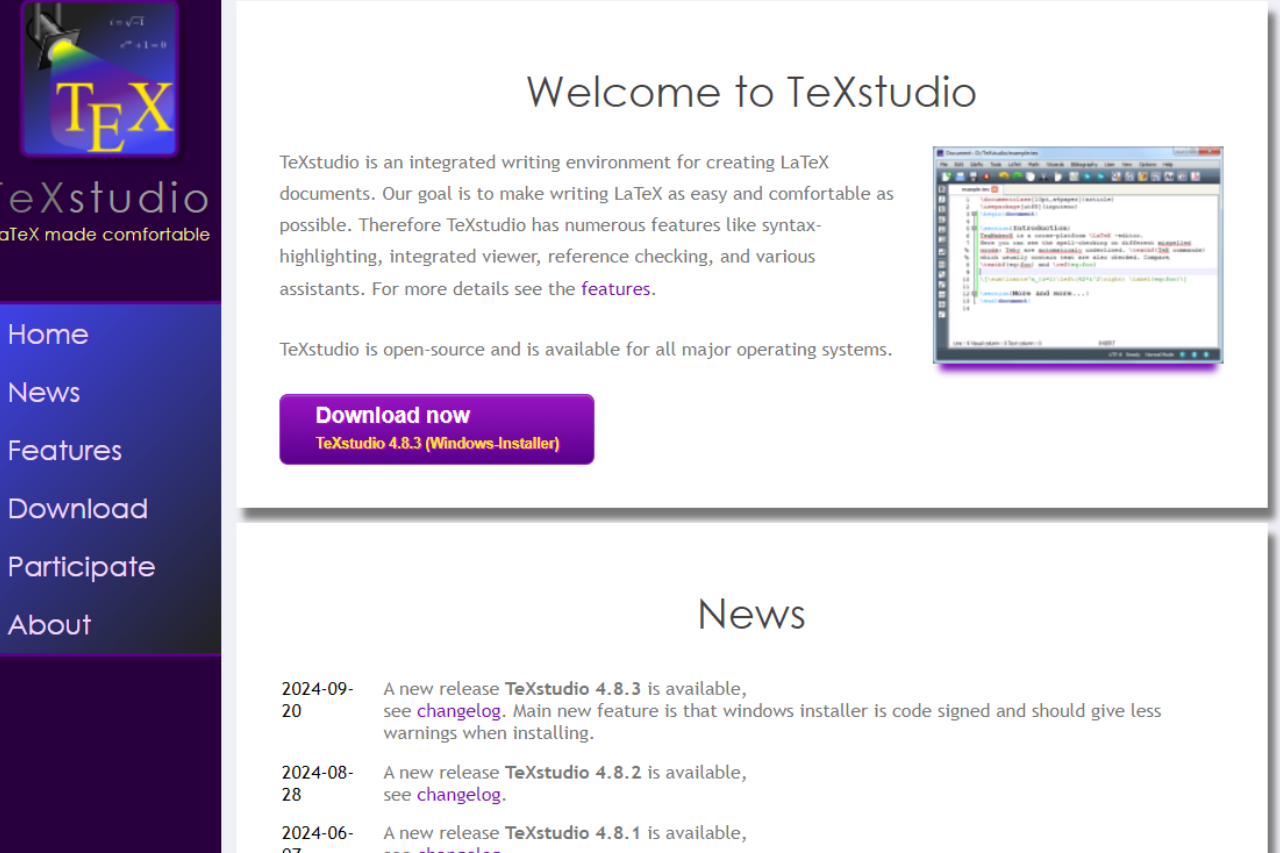
TeXstudio is a comprehensive LaTeX editor that seamlessly combines ease of use with powerful features, making it an indispensable tool for academics, writers, and anyone who requires precision in document creation. It stands out for its depth of LaTeX support and a suite of features that are both robust and intuitive, offering a serious alternative to other LaTeX editors like TeXmaker.

βœ… Pros & ❌ Cons

Pros:

  • πŸ“„ Rich Editing Features: Offers a wide range of LaTeX editing tools, including syntax highlighting, code folding, and a built-in PDF viewer.
  • πŸ”„ Real-Time Collaboration: Supports collaborative writing with real-time preview, making it ideal for team projects.
  • πŸ”§ Customizable Interface: Highly customizable, allowing users to tailor the environment to their workflow.
  • πŸ” Integrated Assistance: Features an integrated assistant that provides interactive help for LaTeX commands.

Cons:

  • πŸ’» Resource Intensive: Can be heavy on system resources, especially with complex documents.
  • πŸ‘¨β€πŸ’» Steep Learning Curve: New users may find the interface and plethora of features daunting.
  • πŸ”„ Compatibility Issues: While generally compatible with TeXmaker documents, some features may not transfer perfectly.

πŸ“– About TeXstudio

Developed by an active community of LaTeX enthusiasts, TeXstudio is designed to offer a versatile and comprehensive writing environment. It focuses on facilitating easy access to all tools needed to create and edit LaTeX documents efficiently. The software is open source and maintained by contributions from users around the world, ensuring it stays relevant and up-to-date.

πŸ—“οΈ How It Works

  • Download and Install: Accessible for free; download from the TeXstudio website and install it on your device.
  • Setup and Customize: Customize settings and layout to fit personal preferences for optimal usability.
  • Write and Edit: Utilize the extensive LaTeX editing tools and document templates to start creating documents.
  • Compile and Review: Compile documents within the editor and use the integrated PDF viewer to review your work.

πŸ’² Pricing Overview

TeXstudio is a free, open-source software available for Windows, macOS, and Linux. There are no hidden fees or subscription charges, making it accessible to anyone without financial burden.

πŸ₯Š Competition

FeatureTeXstudioTeXmaker
User InterfaceHighly customizable and detailedSimpler and cleaner, less intimidating
FeaturesExtensive, with more advanced toolsComprehensive but more streamlined
PerformanceCan be resource-intensiveGenerally lighter on system resources
Ease of UseSteeper learning curveEasier for beginners

πŸ“Œ Conclusion

TeXstudio is a top-tier LaTeX editor that balances advanced functionality with user-centric design, making it ideal for anyone serious about high-quality document production. Its robust features support a wide range of documentation needs, from simple articles to complex reports.

TeXstudio: Mastering LaTeX Editing for Precision and Efficiency

Related read: TeXstudio began life as a Texmaker fork. If you want the leaner editor it grew from, Texmaker is still widely used and simpler to pick up.

Leaner Windows option: TeXstudio bundles a built-in viewer, live preview, and a large set of assistants, which can be more interface than a short paper needs. If you want a more focused Windows IDE that still handles multi-file projects and forward and inverse search, TeXnicCenter is the simpler pick.

Related read: TeXstudio grew out of Texmaker and packs in advanced tooling. If you would rather start with the minimal editor that ships inside TeX Live, TeXworks is the lighter place to begin.

Related read: TeXstudio gives you code folding and a built-in PDF viewer out of the box, with sensible defaults you rarely have to touch. WinEdt takes the opposite position: almost nothing is fixed, and you are expected to shape the editor around your own compile workflow. Worth comparing before you commit to either.

Scrivener: Unleashing Creative Writing Potential

πŸ† Our Verdict

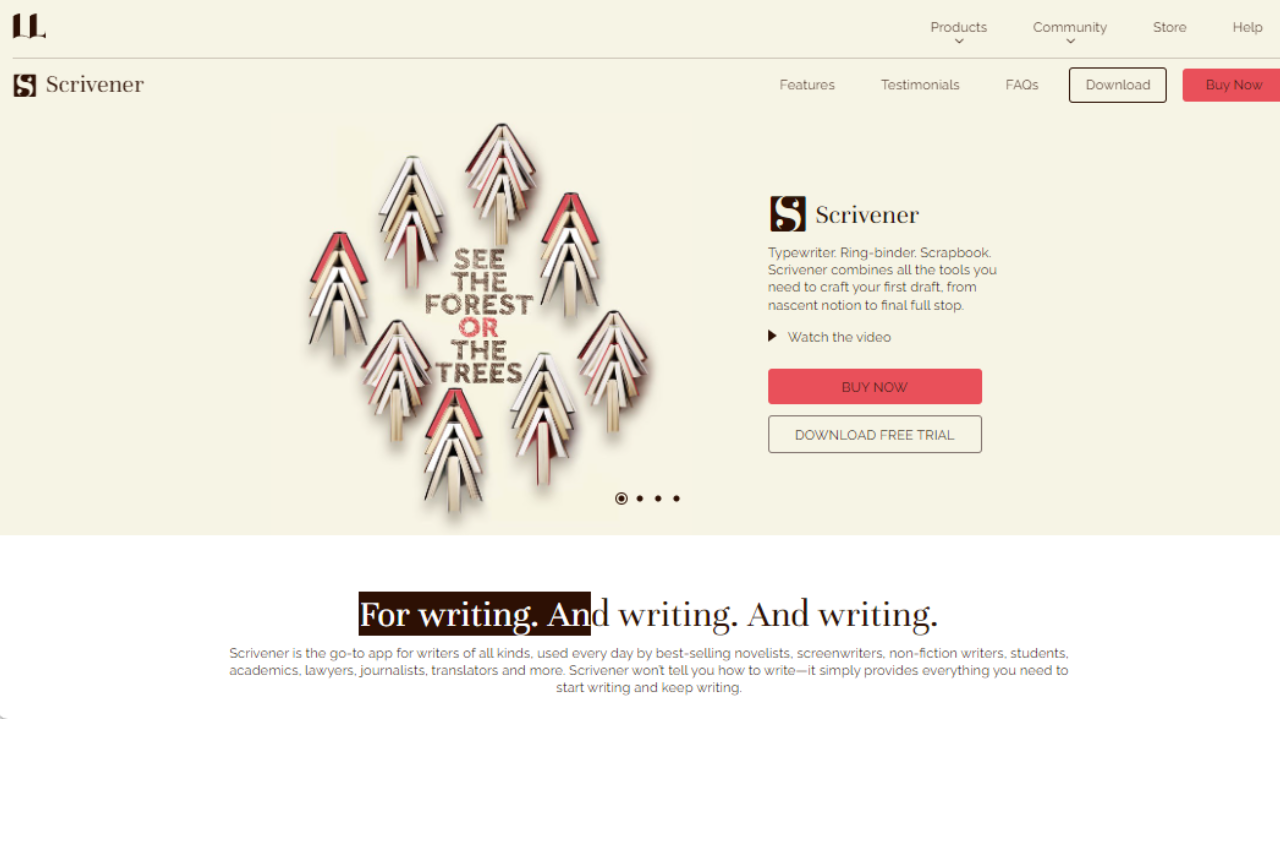
Scrivener is a powerhouse for writers who need more than a simple word processor. Its rich feature set allows for detailed organizing, formatting, and writing, making it particularly suited for long-form projects like novels, research papers, and scripts. With its robust management tools and customizable interface, Scrivener supports a writer’s workflow from brainstorming to final draft.

βœ… Pros & ❌ Cons

Pros:

  • πŸ“š Comprehensive Writing Suite: Scrivener integrates all writing tools in one applicationβ€”writing, organizing, and formatting.
  • πŸ”— Powerful Organization Tools: Offers corkboard, outlining tools, and a research folder making the management of large projects straightforward.
  • πŸ‘€ Focused Writing Modes: Includes a full-screen mode to minimize distractions and a “typewriter” mode to keep the text centered.
  • πŸ”„ Extensive Format Support: Exports to a variety of formats including DOCX, PDF, HTML, ePub, and more.

Cons:

  • πŸ‘©β€πŸ’» Steep Learning Curve: New users may find Scrivener’s vast array of features overwhelming.
  • πŸ”„ Compatibility Issues: Syncing between devices, especially non-Mac devices, can be cumbersome.
  • πŸ’Ό No Mobile Version for Android: While there is an iOS app, Android users are left without a mobile option.

πŸ“– About Scrivener

Developed by Literature and Latte, Scrivener is designed specifically for writers who need to structure complex writing projects. Whether it’s drafting a novel, scripting a film, or compiling research, Scrivener provides a flexible platform that accommodates a variety of writing endeavors.

πŸ—“οΈ How It Works

  • Download and Install: Download Scrivener from Literature and Latte’s website and install it on your computer.
  • Set Up Your Project: Choose from various templates (novel, screenplay, non-fiction, etc.) or start with a blank project.
  • Write and Organize: Utilize the corkboard, binder, and outliner to structure your work. Import research, images, and PDFs directly into the project.
  • Compile and Export: Once your project is complete, compile your manuscript into a single document for printing, self-publishing, or submitting to publishers.

πŸ’² Pricing Overview

Here’s the corrected information for Scrivener’s pricing:

  • Standard Licence for Windows: $59.99
  • Educational Licence for Windows: $50.99

These prices apply for the full version of Scrivener 3 for Windows. For further details and to make purchases, you can visit Scrivener’s official store.

πŸ₯Š Competition

FeatureScrivenerUlysses
PlatformWindows, macOS, iOSmacOS, iOS
PricingOne-time purchaseSubscription-based
Target UserNovelists, researchers, academicsWriters preferring Apple devices
Writing ToolsExtensive, customizableStreamlined, minimalistic
SupportIn-depth tutorials, forumsLimited to online guides

πŸ“Œ Conclusion

Scrivener stands out for its comprehensive writing tools and organizational capabilities, catering especially to those managing complex writing projects. While it has a steeper learning curve, its benefits far outweigh the initial investment in time, making it a vital tool for serious writers.

Scrivener: Your Writing, Structured Your Way

Free open-source counterpart: Scrivener is the paid market leader for long-form fiction, but the license is a real cost for a first novel. Writers looking for a free cross-platform alternative with the same corkboard plus outliner workflow tend to land on Manuskript.

Related read: Scrivener is a full writing studio with a corkboard, research binder, and compile pipeline. If you want something free and stripped back to just the words, Quoll Writer gives you a distraction-free editor with light chapter and character organisation.

Structure vs blank canvas: Scrivener gives you a powerful workspace but leaves the method to you. If you want the process taught alongside the tool, The Book Incubator pairs a writing app with a step-by-step path to a finished novel.

Related read: the steep learning curve is the honest cost of everything Scrivener can do. If you want the structure without the week of setup, Bibisco hands you a fixed novel workflow instead of a blank toolbox: premise, narrative strands, character interviews, and a free edition to test the fit on.

Overleaf: Revolutionizing Collaborative Writing and Publishing

πŸ† Our Verdict

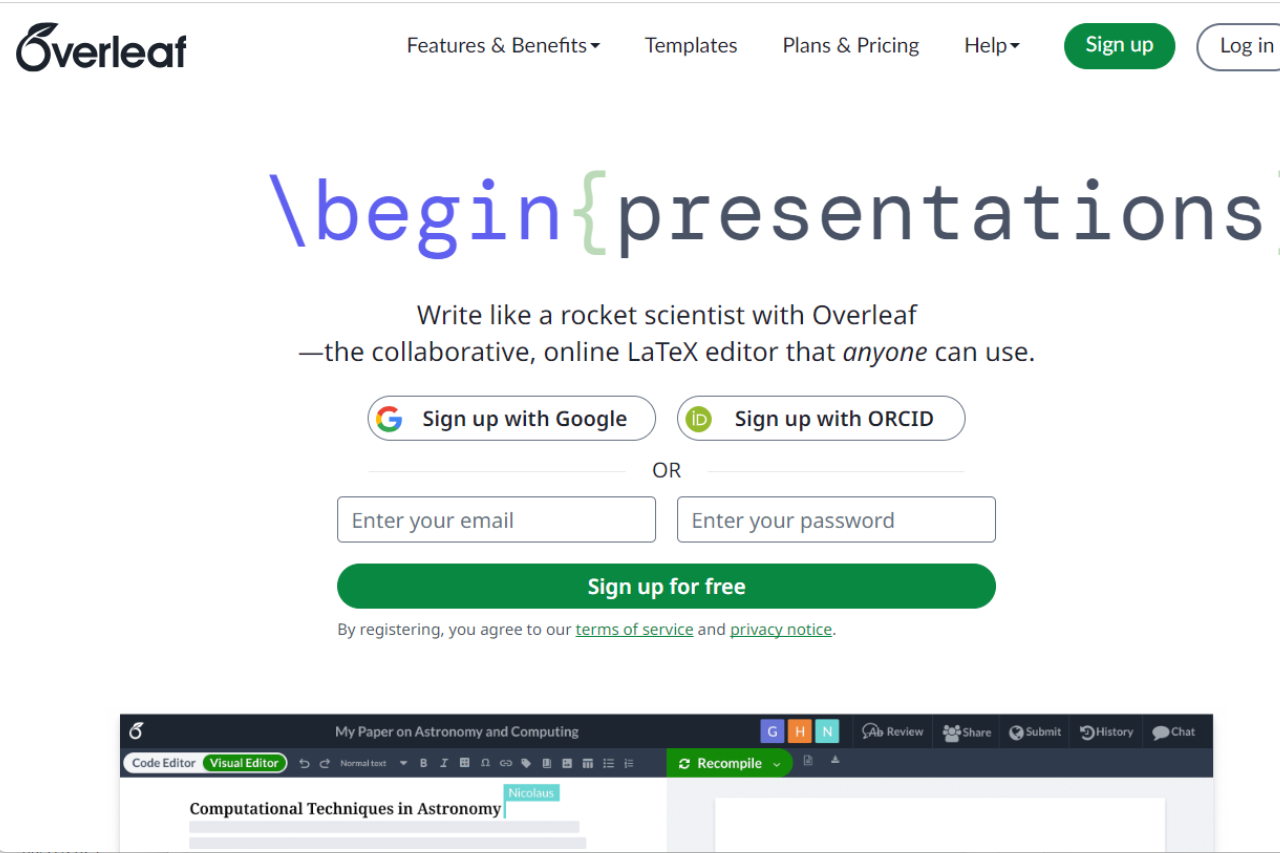
Overleaf sets itself apart as an exceptional online LaTeX editor, offering seamless collaboration and real-time synchronization. Designed for academics, researchers, and students, it integrates well with a host of reference management tools and publishing services, making document creation and sharing both efficient and user-friendly.

βœ… Pros & ❌ Cons

Pros:

  • 🀝 Real-Time Collaboration: Enables multiple users to work simultaneously on a document with instant updates.
  • πŸ“˜ Rich Text Editor: Provides a user-friendly interface for those who might not be familiar with LaTeX code.
  • πŸ“ Version Control: Offers a robust version control system that keeps track of changes and simplifies the revision process.
  • 🌐 Integration with Academic Tools: Seamlessly integrates with bibliographic tools like Mendeley and Zotero, and supports direct submissions to several scientific journals.

Cons:

  • 🌍 Internet Dependency: Requires an active internet connection to access and edit documents, which can be limiting in offline scenarios.
  • πŸ’Ύ Limited Offline Functionality: While there is some support for offline work, it’s not as robust as desktop applications.
  • πŸ–₯️ Performance with Large Documents: Can experience slowdowns or become less responsive with very large or complex documents.

πŸ“– About Overleaf

Overleaf is a cloud-based LaTeX editor that simplifies the process of creating, editing, and publishing academic documents. It’s particularly favored in the scientific community for its collaborative features and direct integration with scholarly publishers and repositories.

πŸ—“οΈ How It Works

  • Sign Up: Register on the Overleaf platform to start creating or importing projects.
  • Choose a Template: Select from numerous templates designed for various types of documents such as articles, theses, and presentations.
  • Collaborate and Edit: Invite collaborators to work on the document. Use LaTeX directly or the Rich Text mode to edit content.
  • Compile and Review: Instantly compile your document to see the output and make necessary revisions.
  • Publish or Export: Submit directly to journals, export to multiple formats, or share with others for feedback.

πŸ’² Pricing Overview

Overleaf offers a variety of subscription plans for individuals and groups:

  • Free Plan: $0 forever
    • 1 collaborator per project
    • Unlimited projects
    • Basic compile timeout on fast servers
    • Ready-to-use templates
  • Standard Plan: $199/year or $21/month
    • 10 collaborators per project
    • Longer compile timeout on faster servers
    • Full document history
    • Advanced reference search
    • Git, GitHub, Dropbox, Mendeley, and Zotero integrations
  • Professional Plan: $399/year or $42/month
    • Unlimited collaborators per project
    • Includes all features from the Standard plan with the fastest compile servers

For more details, you can visit Overleaf’s pricing page.

πŸ₯Š Competition

FeatureOverleafVisual Studio Code
FocusScientific writing and collaborationGeneral coding and development
CollaborationReal-time, with multiple collaboratorsPrimarily single-user, with extensions for collaboration
IntegrationDirect with scholarly tools and publishersExtensive with development tools and languages
Ease of UseHigh for LaTeX and scientific documentsHigh for programmers and developers
Offline CapabilityLimitedExtensive

πŸ“Œ Conclusion

Overleaf is a powerful tool for anyone involved in academic writing, particularly in fields where LaTeX is standard. It stands out for its collaborative features and integrations, providing a modern solution for document management and publication.

Overleaf: Write, Collaborate, Publish – Seamlessly

Related read: Overleaf keeps LaTeX in the browser so co-authors can edit the same file. To write offline with no account and no compile queue, the TeXworks editor installs free with TeX Live and MiKTeX.

Related read: real-time collaboration is what Overleaf is for, and internet dependence is the price of it. When you are writing alone, on a plane, or on a document that cannot leave your machine, Texmaker is the offline answer to the same job, free and installed locally.

Quillbot: Your Ultimate Writing Assistant

πŸ† Our Verdict

Quillbot shines as a versatile writing assistant, catering to individuals seeking to enhance their writing and grammar skills. Its user-friendly interface and extensive features make it an excellent choice for writers, students, and professionals alike.

βœ… Pros & ❌ Cons Pros:

Pros:

  • πŸ”„ Seamless Writing Assistance: Quillbot offers comprehensive writing support, including grammar correction, sentence rewriting, and vocabulary enhancement.
  • πŸ“Š In-Depth Analysis: Advanced analytics and reporting tools help users track their writing progress.
  • 🌐 Integration-Friendly: Quillbot easily integrates with various writing platforms, making it a valuable addition to any writing toolkit.
  • πŸ§‘β€πŸ’Ό User-Friendly Design: Its intuitive interface is complemented by robust training resources and guides.

Cons:

  • πŸ’² Premium Features Cost: Access to some advanced features may require a paid subscription.
  • πŸ“ Limited Customization: Lower-tier plans have limited customization options for more specific writing needs.
  • πŸ“š Learning Curve: Users may experience a slight learning curve when exploring the more advanced features.

πŸ“– About Quillbot

Quillbot, established to empower writers in 2017, has evolved into a prominent writing assistance tool, focusing on improving grammar, sentence structure, and overall writing quality.

🎯 What’s In It For You?

Quillbot offers a comprehensive suite of features to enhance your writing endeavors, including sentence rewriting, grammar correction, and vocabulary enrichment.

πŸš€ How It Works

Signing Up for Quillbot

  1. Visit the Quillbot Website
    • Go to Quillbot’s website.
    • Locate the Sign-Up Option.
  2. Choose a Plan
    • Review the available plans, including free and premium options.
    • Select the plan that aligns with your writing needs.
  3. Create an Account
    • Provide your email, create a password, and enter necessary details.
    • Optionally, input information about your writing preferences.
  4. Account Verification
    • Check your email for a verification link sent by Quillbot.
    • Click the link to activate your account.
  5. Set Up Your Account
    • Complete the onboarding process, customizing your Quillbot experience.
    • Explore training materials and tutorials.
  6. Integrate Your Writing Tools
    • Connect Quillbot with your preferred writing platforms, granting authorization.
  7. Explore Quillbot Features
    • Familiarize yourself with Quillbot’s writing and editing capabilities.
    • Utilize available resources for maximum efficiency.
  8. Start Using Quillbot
    • Begin enhancing your writing with Quillbot’s assistance.

πŸ”— Helpful Tips

  • Take advantage of Quillbot’s free training resources and guides.
  • Reach out to Quillbot’s customer support for any assistance.

πŸ’² Quillbot Pricing Overview

🌟 Pricing Tiers Quillbot offers a range of pricing tiers, catering to various writing needs and budgets.

βœ… Free Tools

  • Basic features for grammar correction and sentence rewriting.
  • Suitable for casual writers and students.

πŸ’Ό Starter Plans

  • Designed for writers seeking enhanced writing support.
  • Includes additional features for more productive writing.

πŸš€ Professional Plans

  • Ideal for writers and professionals with advanced writing needs.
  • Offers automation, detailed analytics, and customization options.

🏒 Enterprise Plans

  • Tailored for businesses and enterprises with extensive writing requirements.
  • Premium features, scalability, and customization are the highlights.

πŸ€” Considerations

  • Quillbot’s pricing scales with your writing needs, providing more features as your requirements grow.
  • The ecosystem of integrations and add-ons allows for a personalized experience.

πŸ₯Š Competition Quillbot vs. Grammarly

βœ… Pros

  • Quillbot offers an accessible and user-friendly interface.
  • Comprehensive writing assistance, including grammar correction and sentence rewriting.
  • Emphasis on improving content quality through writing.

❌ Cons

  • Limited customization options in lower-tier plans.
  • Costs may increase for access to premium features.

πŸ“Œ Conclusion

Quillbot emerges as a robust writing assistant, catering to a diverse range of users. Whether you’re a writer, student, or professional, Quillbot’s user-friendly interface and writing enhancements can empower your writing journey.

“Enhance Your Writing with Quillbot.”

ProWritingAid: Enhance Your Writing with Advanced Editing Tools

πŸ† Our Verdict

ProWritingAid is a comprehensive writing assistant designed to improve the accuracy, readability, and overall quality of your writing. It’s an essential tool for writers, editors, and students alike.

Key Features πŸ”‘

Advanced Grammar Checker

ProWritingAid’s grammar checker goes beyond basic spell checks, offering detailed feedback to enhance your writing.

Style and Strength Analysis

It provides in-depth analysis of writing style, helping you strengthen your prose and maintain a consistent voice.

Readability Reports

The tool offers readability reports, ensuring your writing is accessible and engaging for your target audience.

βœ… Pros & ❌ Cons

Pros

  • Comprehensive writing feedback
  • Integrates with various platforms
  • User-friendly interface

Cons

  • Some features might be overwhelming for new users
  • Limited free version compared to paid plans

🎯 What’s In It For You?

Using ProWritingAid offers several advantages that can significantly enhance your writing skills and process:

  1. Improved Writing Quality: ProWritingAid’s comprehensive grammar, style, and readability checks help you produce clear, error-free, and engaging content.
  2. Enhanced Efficiency: With its advanced editing tools, you can save time on proofreading and editing, allowing for a quicker writing process.
  3. Learning and Development: The detailed explanations and suggestions provided by ProWritingAid offer a learning opportunity to understand and avoid common writing mistakes.
  4. Versatility: Whether you’re writing a novel, an academic paper, a business report, or a simple email, ProWritingAid’s diverse features cater to a wide range of writing needs.
  5. Integration with Other Platforms: The tool integrates with various writing platforms and tools, streamlining your writing process across different applications.
  6. Customization: You can tailor ProWritingAid to suit your specific writing style and preferences, making it a personalized writing assistant.
  7. Confidence in Your Writing: With the assurance that your work is grammatically sound and stylistically polished, you can write with greater confidence.

Overall, ProWritingAid offers a comprehensive suite of tools that not only improve the quality of your writing but also enhance your understanding and efficiency as a writer.

πŸš€ How to Get Started on ProWritingAid

Starting with ProWritingAid is a straightforward process. Here’s how you can begin enhancing your writing with this tool:

  1. Visit the ProWritingAid Website: Go to ProWritingAid’s website to get an overview of what the tool offers.
  2. Create an Account: Sign up for an account. You can usually start with a free version to try out basic features.
  3. Choose Your Plan: Decide if the free version suffices or if you need more advanced features available in the premium plans. Consider factors like word count limits, full-text checks, and integrations with other platforms.
  4. Download and Install: Depending on your preference, download the ProWritingAid application for your desktop or add it as an extension to your preferred browser or word processor.
  5. Explore the Interface: Familiarize yourself with the ProWritingAid interface. Spend some time understanding how to navigate through the various features like the editing tool, reports, and settings.
  6. Input Your Text: Start by inputting your text into ProWritingAid. You can either write directly in the tool, copy-paste text, or upload a document.
  7. Run Analysis: Use the analysis feature to check your writing. ProWritingAid will provide reports on grammar, style, readability, and more.
  8. Review Suggestions: Carefully review the suggestions made by ProWritingAid. It offers explanations for each suggestion, which is helpful for learning and improving your writing skills.
  9. Make Edits: Apply the suggested changes to your text. You can accept suggestions with a click or edit manually based on the feedback.
  10. Learn and Adapt: Use ProWritingAid’s feedback not just for immediate edits but also to learn common mistakes and improve your overall writing style.
  11. Integrate with Other Tools: If you prefer writing in other software like Microsoft Word, Google Docs, or Scrivener, integrate ProWritingAid with these tools for a seamless writing experience.
  12. Stay Updated: Keep an eye on updates and new features from ProWritingAid to continually enhance your writing experience.

By following these steps, you can make the most out of ProWritingAid and improve your writing skills significantly. Whether you’re working on a novel, an academic paper, a blog post, or any other written content, ProWritingAid can help you refine your work to perfection.

πŸ’° ProWritingAid Pricing Overview

ProWritingAid’s pricing is structured as follows:

  • Monthly Plans:
    • Premium: $30/month
    • Premium Pro: $36/month
  • Yearly Plans:
    • Premium: $120/year
    • Premium Pro: $144/year
  • Lifetime Access:
    • Premium: $399 (one-time payment)
    • Premium Pro: $699 (one-time payment)

πŸ₯Š Competition

ProWritingAid:

  • Pros: Offers in-depth reports for style and strengths analysis, good for long-form content, and integrates with various platforms.
  • Cons: Can have a steeper learning curve for new users, and the free version is limited compared to paid plans.

Grammarly:

  • Pros: Known for its user-friendly interface and broad appeal. Offers real-time grammar and spelling checks, and is suitable for both short and long-form content.
  • Cons: May lack some advanced stylistic suggestions compared to ProWritingAid, and some features are only available in the premium version.

Both tools are excellent for grammar checking and improving writing quality, with ProWritingAid being more detailed and Grammarly more user-friendly.

Conclusion

ProWritingAid stands out for its depth of analysis and versatility, catering to a wide range of writing needs. Whether you’re a novelist, a student, or a professional writer, ProWritingAid offers the tools to refine your writing, ensuring clarity, correctness, and impact.

“Publish without self-doubt.”