Hunter Templates: Find the Best-Performing Cold Email Templates

⚖️ Our Verdict

There are instances where the same, bland cold emails are not just enough. Customers and clients do not want to open unpersonalized, cold emails. This is where a great tool like Hunter Templates come in handy. 

With this awesome tool, you can send personalized cold email templates that will convert readers into clients and customers! You can find hundreds of pre-made cold email templates from experts that are guaranteed to increase your click-through rate and conversions!

👍 Pros 👎 Cons
👍 Hundreds of curated cold email templates
👍 Sorted by category
👍 Create a free account
👍 Templates by experts
👎 Hunter templates are free to use, and the templates are created by experts. What more can we ask for?

🌟 About Hunter Templates

Hunter is a company founded not just to provide you with cold email templates, it’s made to give professionals the power to create new connections with people that matter. They offer a variety of software you can use to expand and grow your business efficiently. 

Their products are simple and highly accessible. The goal is to create a profound global impact to professionals by tackling ambitious challenges for you.

🎁 What’s In It For You?

It’s pretty straightforward, isn’t it? You can use Hunter Templates to get inspiration from the best and brightest. These templates are created by experts, and they are proven to convert. And Hunter Templates is giving you an all access ticket to it all. 

Starting next week, tune into our regularly scheduled Live Hunter Demos. The first webinar is on November 19th at 5 pm CET. See you there: https://app.livestorm.co/hunterio/hunter-live-demo

Posted by Hunter.io on Wednesday, November 11, 2020

🖥️ How Does It Work?

As we said, the tool is pretty straightforward. All you have to do are the following steps:

  1. Visit Hunter’s website.
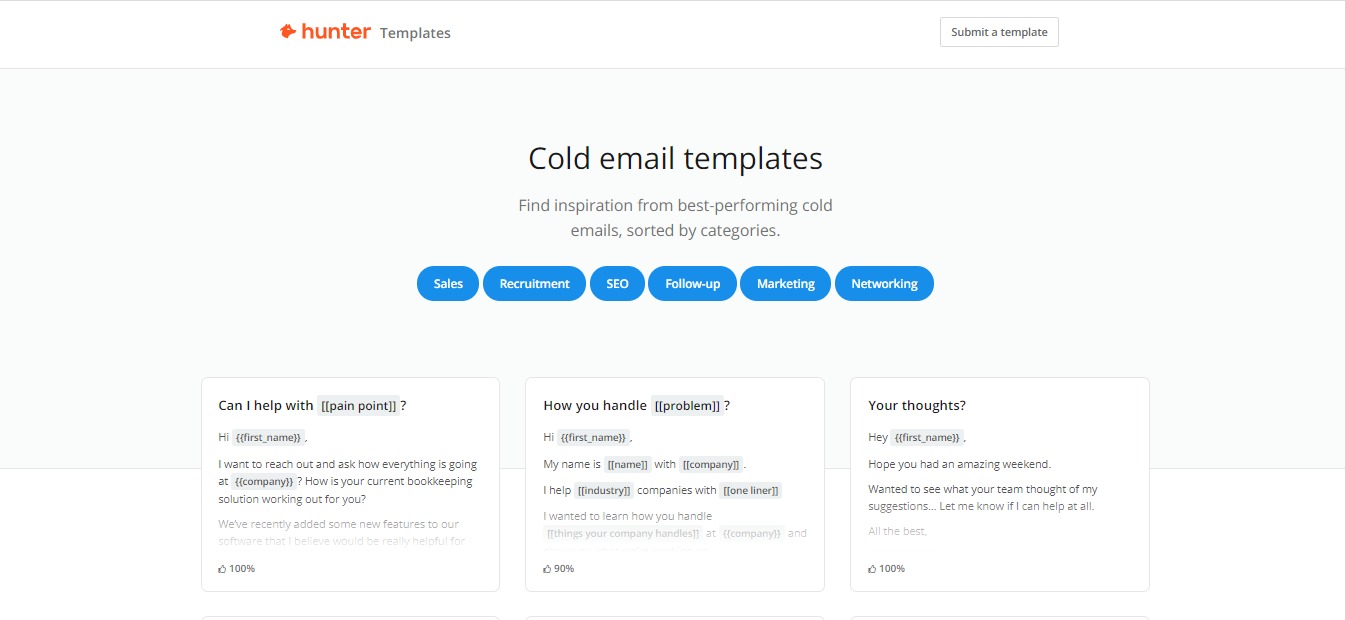
  1. Instantly, you will see examples of categorized cold email templates you can use.
  1. The company also provides sound advice for professionals that you can use to learn.
  1. You can create a free account if you wish
  1. Sign up with your company email
  1. After that, you can start composing campaigns and schedule follow-ups, all from your Gmail account – for free!

💲 Pricing Plans & Support

Hunter Templates is free, you can choose to create a free account to get access to the whole list of templates. But they do offer paid plans for their different tools. 

📍 The Competition

Naturally, there is a lot of email automation software out there. But none quite like the Hunter Templates. 

What makes this software truly one-of-a-kind is the fact that you get what you’re advertised: Free Cold Email Templates. This is why, in our books, there is no competition for this tool. It’s just that great. 

Find the Best-Performing Cold Email Templates with Hunter Templates!

LingvaNex: Expand Your Reach with this Translation Tool

⚖️ Our Verdict

Marketing and running a business is not a walk in the park. It is all the more difficult when you’re trying to expand your reach worldwide. Fortunately, there are tools such as LingvaNex that are designed to make some aspects of the job easier for you. 

LingvaNex can translate everything and everywhere. It can translate text, voice, text on photos, files, websites, and more. Anything you want to translate, LingvaNex can do it in 110 different languages online and offline.

The best part is, you can use this amazing tool anywhere you are! LingvaNex works on mobile, desktop, web, messenger, wearables, and even on voice assistant platforms. 

👍 Pros 👎 Cons
👍 Translate everything to 110 different languages
👍 Use it anywhere and everywhere
👍 Unlimited translation 
👍 Remove language barriers wherever you are
👎 We honestly cannot find a fault with this product! It does what it advertises to do, and we can all benefit from it!

🌟 About LingvaNex

Since 2012, Nordicwise Limited company from Larnaca (Cyprus) has started working on translation solutions. Fast forward to today, they are one of the leading services for translation solutions

The company boasts about 25 millions of application downloads. They have hundreds of thousands users monthly.

🎁 What’s In It For You?

LingvaNex can help your business with its Machine Translation Solutions. They offer a cloud API and on-premise translation server. Both of these applications will work with 110 different languages. 

The Cloud API is best for user-generated content translation, business analysis, website localization, communication with international audiences. You can also use it for language learning services, and patent search. It’s very easy to integrate with free technical support, and there are no attribution requirements. 

They also offer the on-premise translation server for those who need real privacy. This awesome feature can translate text and documents of 20 format types — and you won’t even need internet connection for it!

All the data is stored privately on your service, and you can get unlimited translations. How cool is that?

🖥️ How Does It Work?

  1. If you are interested to see LingvaNex in action, visit https://lingvanex.com/demo.

2. Type in anything you want to translate and see it work its magic!

3. You can choose the language you want to translate it to.

4. You can also click on any word, and the Dictionary will tell you what it means:

5. Download their apps on your devices to use LingvaNex anywhere!

6. Get fast and accurate translations on all your devices with LingvaNex

💲 Pricing Plans & Support

LingvaNex is free to use for everyone. However, if you’re interested in using their on-premise translation services, you may contact them here and request a quote.

📍 The Competition

👍 Pros 👎 Cons
👍 Easy & free to use
👍 Can be used on web browsers and mobile browsers
👍 Voice search
👎 Things can get lost in translation
👎 The quality of translation is dependent on the language pair

All Language Translator

👍 Pros 👎 Cons
👍 Free voice translation
👍 Text translation
👍 Livechat
👎 Low accuracy level

Expand Your Reach Worldwide with this LingvaNex!

V.One: Build Your App with No Codes!

⚖️ Our Verdict

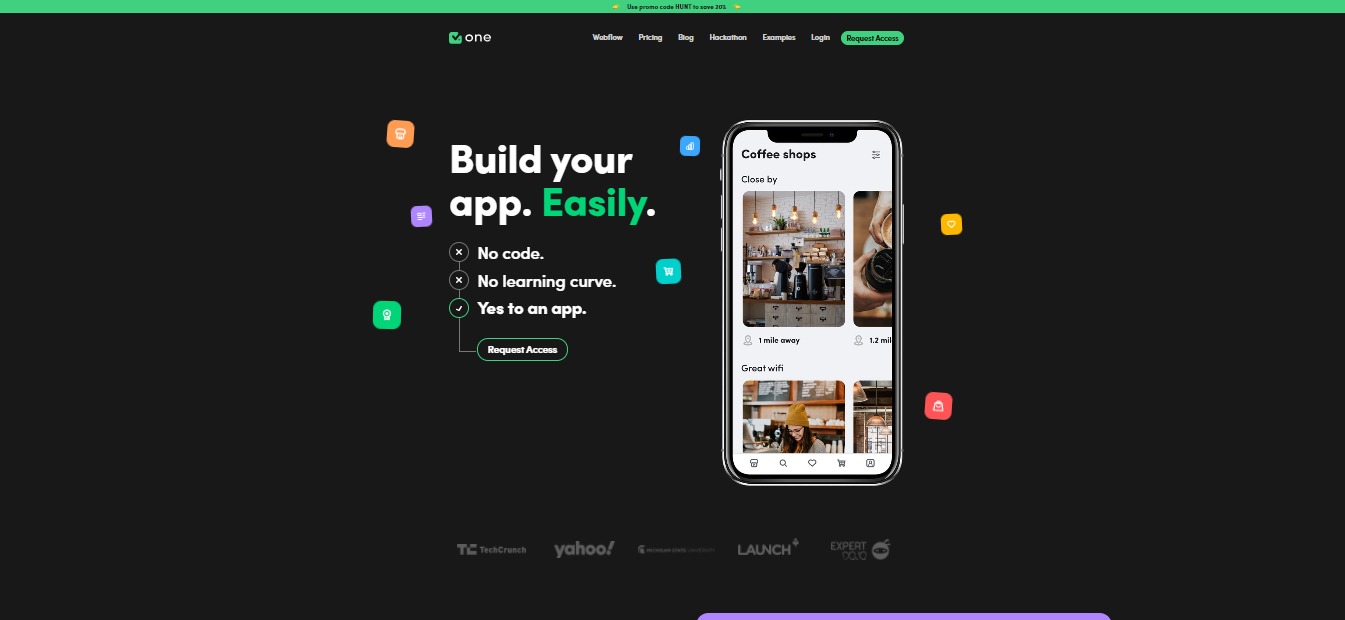
Building an app from scratch no longer needs to be a hassle! Thanks to V.One, you can create a functional app without the need of codes. This no-code app builder will help save you time, money and effort as you create the best app out there!

It features a straightforward interface that will allow users to create apps without hassles. As of right now, V.One is still a work in progress, but we have sampled the product, and we think it’s ready for the market soon!

👍 Pros👎 Cons
👍 Create and design apps without codes
👍 Simple user interface
👍 Use designs you already have
👍 Easily launch in App Store or Google Play Store
👍 Earn money
👍 Focus on user experience
👍 Trainings are available
👎As of right now, V.One is still in its early stages, but there are definitely a lot of potential here!

🌟 About V.One

V.One was built by a non-technical founder and entrepreneur, Jermey Redman. It was his brainchild. V.One was created to help non-technical people to build an app. It is an empowering tool that can help millions of entrepreneurs today. 

Jeremy wanted to create a tool that’s easily accessible to everyone. The team behind V.One knows exactly what their customers have been through, and they focused on creating an easier solution. 

🎁 What’s In It For You?

As we have mentioned above, V.One is a pretty straightforward tool. You can use it to create mobile apps without any knowledge of code. You can simply create the design within this tool, and let V.One do the rest. 

Using this amazing tool, you can create and build your ideas from scratch. You can build functional apps with your design skills. 

V.One allows everyone to create app designs inside their app builder. You can also upload any designs that you already have. Once you’re done, you can download the source code and extend it if you want a technically-skilled teammate to build onto it. Or, you can launch your app to TestFlight to test with beta customers.

This awesome tool also allows you to launch straight to the App Store or Google Play Store with one click. With this, you can focus on your user experience instead of burying your head in a sand of codes!

Not only that, but you can also reach out to V.One’s support team and request a feature. Pretty cool, right?

The possibilities are endless with this tool! There are no more complexities when it comes to creating apps.

They also have built-in integrations with different tools such as Airtable, Canva, Stripe, Zapier, and more.  

🖥️ How Does It Work?

V.One works with a simple drag and drop feature. You can simply choose your modules, connect your data and publish. Right now, it is only available to customers who request access.

Go to https://www.yourvone.com/

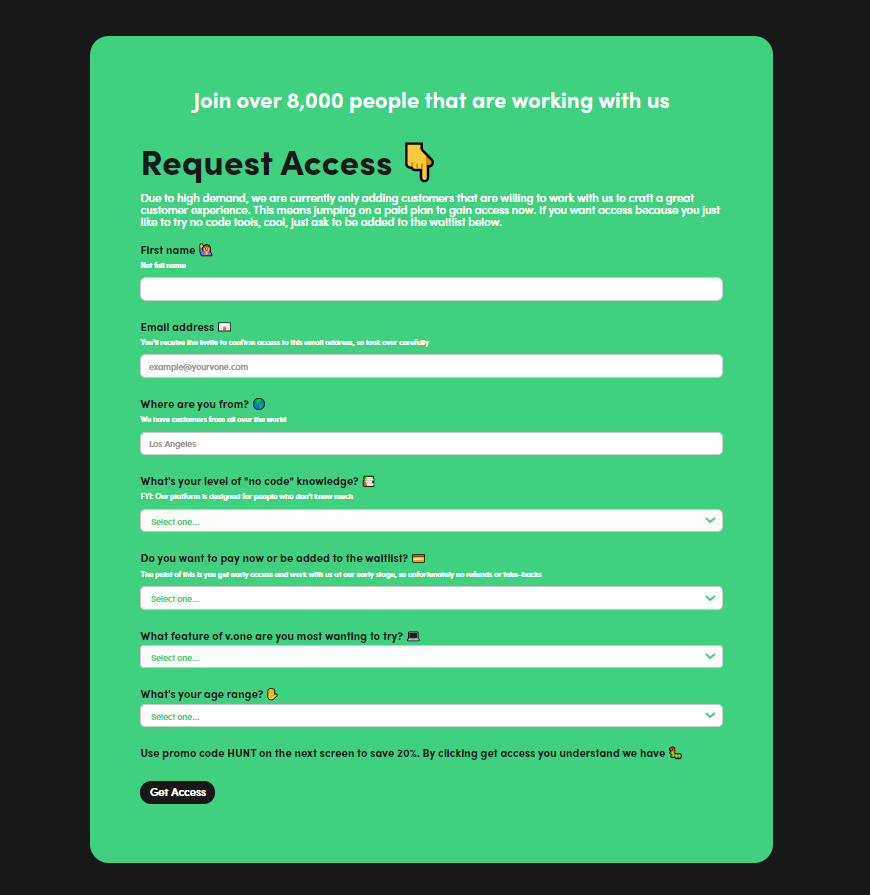
Click on “Request Access” and fill out the form.

You can choose to start working with the app now by paying an annual fee of $96, or wait for the free version.

You can also check out how the whole tool works with Jeremy Redman’s video below:

💲 Pricing Plans & Support

💎 Free – $0 per month

〰️ Access to all modules

〰️ Build first screen free

〰️ No Full Airtable integration

〰️ No 1:1 build sessions

〰️ No sell memberships

〰️ No premium support

〰️ No connect to Weblfow, Shopify & WooCommerce

〰️ No custom admin panel to manage users, data, etc

💎 Start Here – $8 per month / Billed at $96 Annually

〰️ Access to all modules

〰️ Build multiple screens

〰️ Full Airtable integration

〰️ 1:1 build sessions

〰️ Sell memberships

〰️ No premium support

〰️ No connect to Webflow, Shopify & WooCommerce

〰️ No custom admin panel to manage users, data, etc

💎 Growth – $79 Per Month / Billed Annually

〰️ Access to all modules

〰️ Build multiple screens

〰️ Full Airtable integration

〰️ 1:1 build sessions

〰️ Sell memberships

〰️ Premium support

〰️ Connect to Webflow, Shopify & WooCommerce

〰️ Custom admin panel to manage users, data, etc

📍 The Competition

👍 Pros👎 Cons
👍 Create visually stunning apps
👍 Add interactions and database configuration
👍 One-click launch to App & Google Store
👎 Newly launched, limited features, room for improvement
👍 Pros👎 Cons
👍 Cross-platform mobile apps
👍 Hybrid mobile apps
👍 Progressive web apps
👍 Connect & Automate feature
👎 Limited features and functionality

Build your no-code apps with V.One!

PFPMaker: Create Awesome Profile Pic From Any Photo

⚖️ Our Verdict

Profile photos are the first thing clients, colleagues, friends and family see in every profile you have! So why not make it look more professional? We get it, editing photos can be time-consuming and a little bit tricky. But with PFPMaker, you no longer have to spend countless hours in front of the computer screen trying to make your photos look more professional.

With this awesome tool, you can create professional and creative profile pics from any photo! It automatically removes any background, and generates dozens of photo options to choose from. All of this within seconds! How cool, right?

👍 Pros 👎 Cons
👍 Generate profile photos within seconds
👍 Variety of backgrounds to choose from
👍 Easy editing app
👍 Free to use
👍 Request a feature
👎 No smartphone app yet, but they’re working on it!

🌟 About PFPMaker

PFPMaker is a startup tool that helps you generate professional and creative profile photos from any current photos you have. It was created for everyone who wants to step up their social media with a professional or created profile photo. 

The company only launched a few weeks ago, but we can see it going in the right direction! So far, there is no app like in the market. It truly is the first of its kind!

🎁 What’s In It For You?

This incredible tool is pretty straightforward. You use it if you want to generate a new profile photo, but don’t want to go through the hassles of getting your photo taken professionally. 

With PFPMaker, you can use photos taken from your smartphone and your digital cameras. All you have to do is upload it on PFPMaker’s website, and boom! You have dozens of professional and creative profile photos to choose from.

This awesome tool features an automatic background remover that removes the background from your photos completely and precisely. You can choose from a wide variety of studio-grade filters to get aesthetically pleasing profile photos. All the photos you upload are automatically deleted after being processed, too!

Did you know that there’s a latest research that shows social media and professional profiles with profile photos gets 14x more clicks and interest? PFPMaker does just that!  It saves you time, money and effort! Who doesn’t want that, right?

🖥️ How Does It Work?

As we have mentioned above, PFPMaker is pretty straightforward. Here’s how you use it:

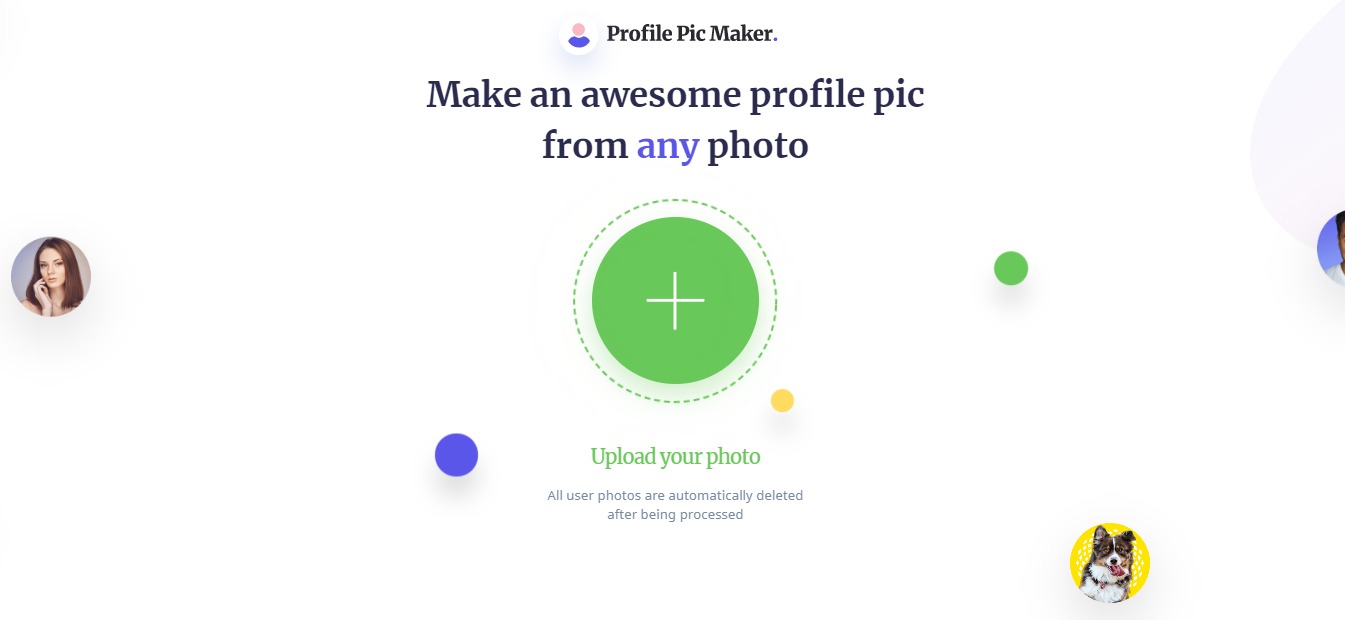
  1. Visit their website at https://pfpmaker.com/.

2. Upload a photo from your computer.

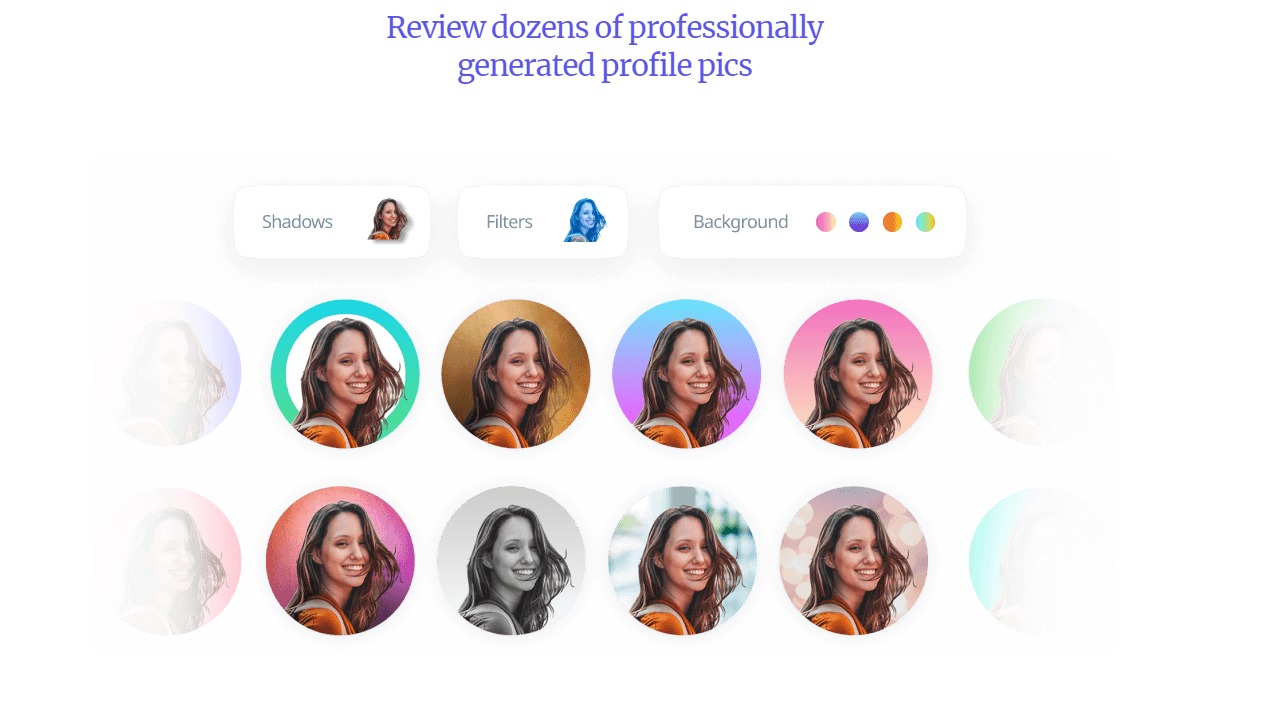
3. Wait for a few seconds while PFPMaker generates filters & removes your photo background.

4. And viola! You now have dozens of auto-generated profile photos to choose from! 

You can also edit the color of the backgrounds and the design using their editor. 

And adjust the shadows if necessary

And adjust the photo itself.

💲 Pricing Plans & Support

PFPMaker is a free tool that can be used by anyone on the internet. They also have a business plan available. To get access, feel free to contact b2b@pfpmaker.com.

📍 The Competition

We have mentioned above that PFPMaker is the first tool of its kind. While there are countless photo editing tools out there, none are as straightforward and easy to use as this one!

Create awesome profile pics with PFPMaker!

Write Every Day: Unleash Your Creativity

⚖️ Our Verdict

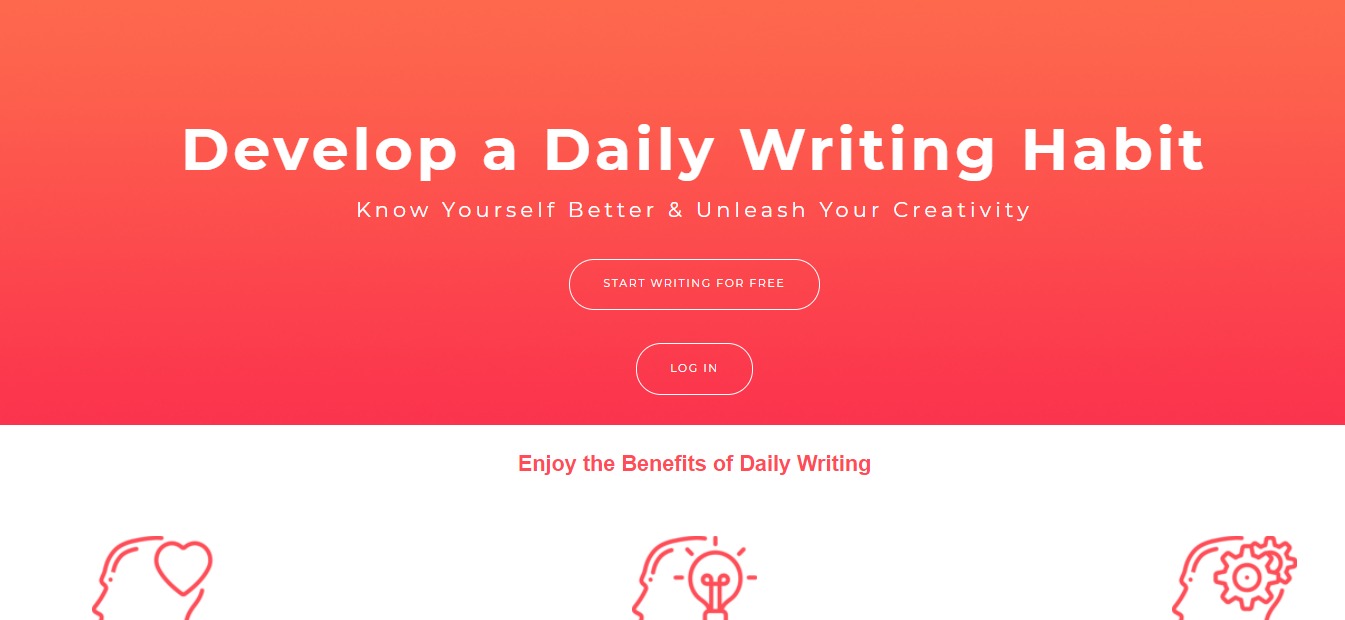
Know yourself better and unleash your creativity with Write Every Day. This incredible app allows you to truly be yourself when writing. This way, you can unleash your creativity and the genius inside you.

We highly recommend this app not just for aspiring writers, but for everyone who wants to get better at writing. It’s an easy and efficient way to improve and hone your writing skills!

👍 Pros👎 Cons
👍 User-friendly interface
👍 Promotes positive feelings
👍 Unleash your creativity
👍 Write better
👍 Progress tracker
👍 Safe and secured
👎 So far, we cannot say a single bad thing about Write Every Day. It’s an effective tool that does its job.

🌟 About Write Every Day

Alex Hawker, the creator of Write Every Day built this app to facilitate a regular, health-boosting writing habit. This amazing app promotes feelings of happiness, positive moods, and more. It also helps keep its users sharp, and helps deal with past trauma. Best of all, Write Every Day allows you to know yourself better, see what you’re capable of, and where you can improve.

🎁 What’s In It For You?

Having the Write Every Day app is like having a conversation with your subconscious. It allows you to discover the things you’re truly feeling inside. It is a proven fact that writing can help clear the mind, and release negative emotions. This incredible app encourages you to write freely and bring out the genius you never knew was inside you.

Some refer to Write Every Day App as a form of digital therapy.  Here, you can set your daily goals, gain deep insights into your personality, and more. You can also get access to hundreds of writing prompts that were designed to elicit meaningful writing about your innermost self. 

Write Every Day App also features a “Writing Challenge” where you can join other writers and complete challenges. You can track your daily, monthly, and yearly progress. Additionally, you will gain access to fun, motivating, and deep insights into your writing habits. 

You can expect total privacy with this app. Rest assured that no one else will see what you’re writing, and you can choose to export it at any time. 

Aside from that, this app Day allows you to set your own goals. You can decide what you want to achieve for each day, and the website will record your goals for you. With this amazing app, there is a 91% chance for you to succeed. 

The app also offers a monthly writers challenge and several personality analysis. You will get an in-depth analysis based on the top 5 personality traits. You can be a part of an online community of like-minded writers. Currently, Write Every Day is available on iPhone, Android, and different browsers.

🖥️ How Does It Work?

  1. To use Write Every Day, simply create an account on https://www.writeeveryday.app/.

2. Click on “Sign Up” and enter the necessary details.

3. Upon signing up, you will be redirected to the main app where you can start writing.

4. You can write random stuff to get stuff out of your chest and mind. On the left, you can see the different settings:

💲 Pricing Plans & Support

Write Every Day offers a 30-day free trial for everyone. After that trial period, you can continue using this awesome app for just $5.99 per month. 

📍 The Competition

👍 Pros👎 Cons
👍 Distraction-free text editor
👍 User-friendly interface
👍 Organized & elegant workspace
👎 Only works for iOS
👍 Pros👎 Cons
👍 Works on mobile phones, tablets, and computers
👍 Automatically detects grammar errors
👍 User-friendly interface
👍 Punctuation mistake correction
👎 Does not recognize math symbols

Unleash your creativity with Write Every Day!

Matter: The Future of Feedback

⚖️ Our Verdict

Your professional career is a great journey. And just like in every journey, feedback matters to help you improve and progress along the way! Matter is an incredible app that helps you discover your strengths and reach your aspirations as a professional. 

This awesome tool helps you gather feedback instantly to become the best version of yourself. We highly recommend this amazing feedback tool to help you & your peers gather feedback on your own terms. With this tool, you have the ability to grow, improve, and hone your professional skills. 

👍 Pros👎 Cons
👍 User-friendly interface
👍 Gather feedback from your peers and colleagues
👍 Promotes self-improvement
👍 Perform better
👎 We have used Matter for a few months, and we have no complaints!

🌟 About Matter

Matter is an incredible app created to help people perform better, get monthly peer feedback, and more! This awesome tool makes feedback easier, pleasant and more productive. 

Everyone deserves feedback, and Matter’s mission is to change the whole way you approach receiving and giving feedback. With Matter, you’re in control.

🎁 What’s In It For You?

With Matter, you can gather feedback on your own terms from peers and colleagues. It features 360-degree feedback where you can grow, improve and hone your skills!

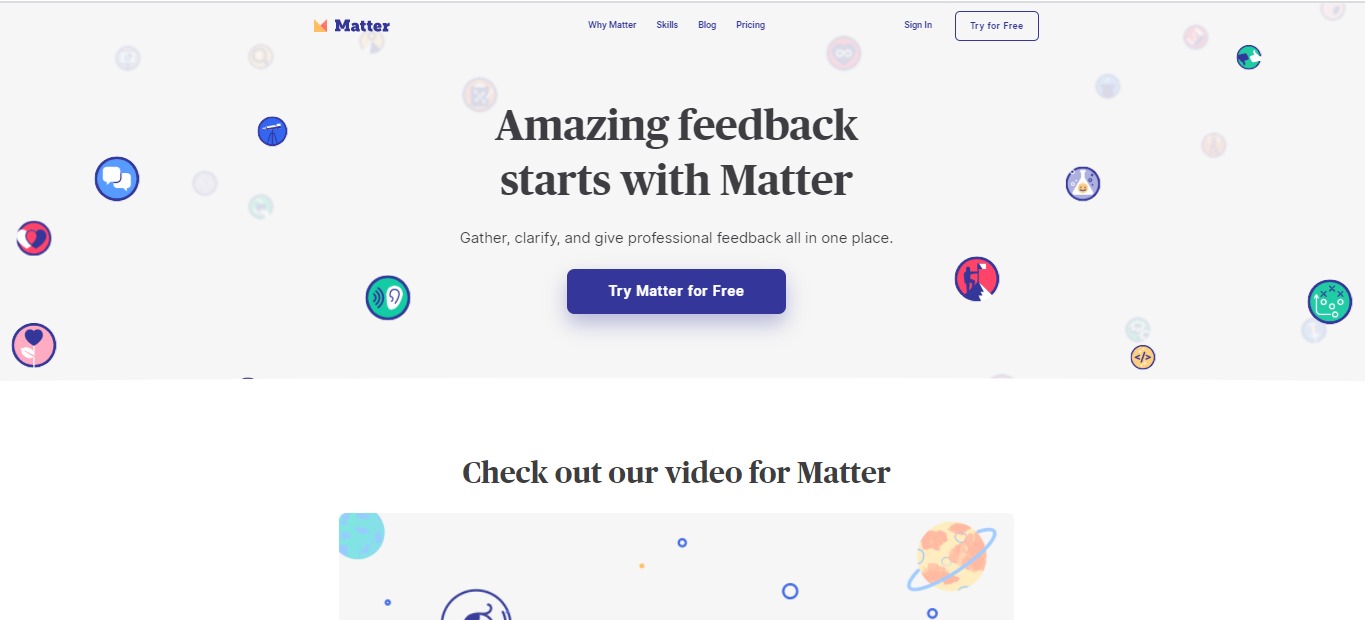
You can gather, clarify and give professional feedback all in one place. Using Matter, you can build your confidence at work. You will know exactly where you stand, focus on areas you need to improve, and learn about your blind spots.

You can grow skills that matter. Bring your peers along, gather feedback all-year round, and clarify feedback with ease. 

🖥️ How Does It Work?

Matter is very easy to use. It is designed with a beginner and user-friendly interface, and everyone can use it. To try Matter for yourself, simply visit MatterApp.com

  1. Once you’re on the website, simply click the “Try for Free” button.
  2. You will be redirected to a page where you can Sign Up for an account.

  1. From here, you can choose your occupation.

  1. Put your years of experience

  1. Choose the skills you want feedback on.

  1. The next thing to do is Find Your Peers, or you can also choose to do this later.

  1. After that, you can see the interface and your feedback.

💲 Pricing Plans & Support

As of now, this incredible app is available for a Free plan. But they are working on Pro features that comes out soon!

💎 Free

〰️ Unlimited feedback 🙌

〰️ Unlimited skills 🌱

〰️ Continuous feedback BETA

💎 Pro

For early access to the Pro features, be sure to contact Matter’s support team

The Future of Feedback is Matter

Raindrop All-in-One Book Manager

⚖️ Our Verdict

Browsing the web can get messy really fast! This is what bookmarks are for. But sometimes, bookmarks can get messy and unorganized, too. Keep your bookmarks organized for faster and hassle-free browsing with Raindrop! 

Raindrop is an all-in-one book manager that can help you organize your bookmarks on your computer browser, tablets, and smartphones! It’s an easy way to keep everything neat. The best part is that Raindrop keeps a backup of your bookmarks so you can get to it anywhere, anytime.

👍 Pros👎 Cons
👍 User-Friendly Interface
👍 Multiple Views
👍 Instant Previews
👍 Full-text Search
👍 Great for Teamwork
👍 No Limits
👍 Safe & Secure
👎 Integrations can get a little buggy sometimes

🌟 About Raindrop

Raindrop was created to keep all of your bookmarks saved in an organized pile. Rustem Mussabekov created this incredible app back in late 2013 to improve how everyone deals with bookmarks.

Best of all, Raindrop doesn’t sell your data to anyone. It’s made for everyone to feel safe and secured when saving bookmarks on the internet. Your data will be secured and considered highly confidential.

🎁 What’s In It For You?

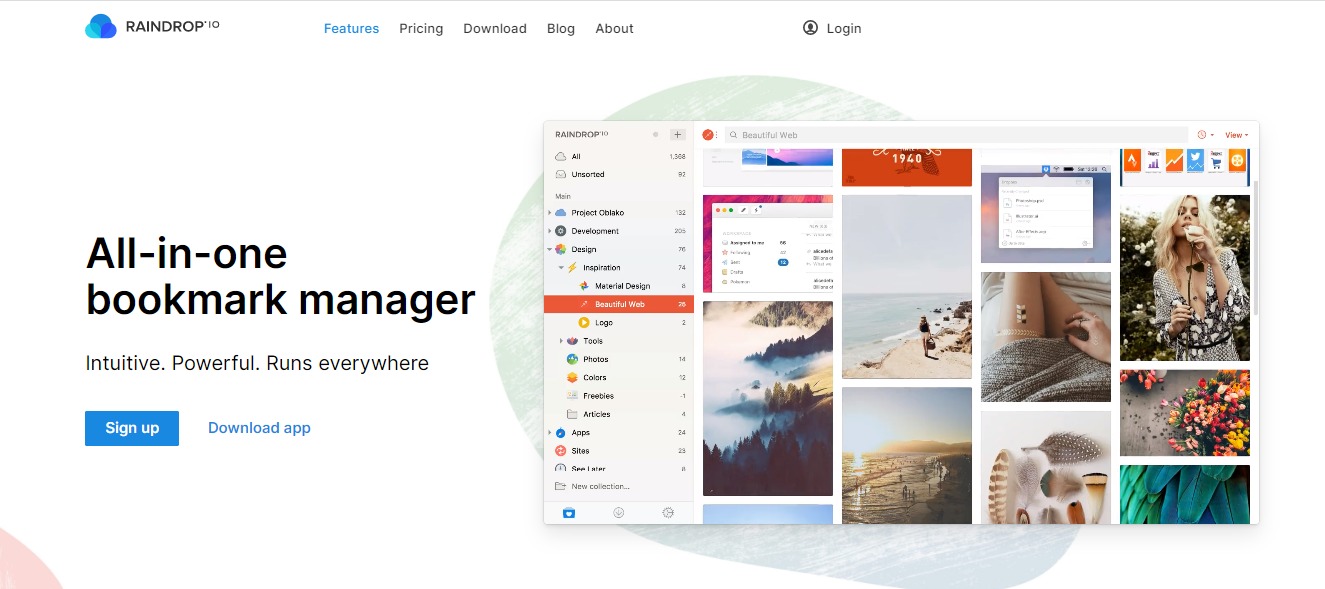
This incredible app is the best place to keep all your favorite articles, books, songs and everything you bookmark on the internet. It’s a modern bookmark manager made to keep up with modern times. 

You can keep your bookmarks organized with collections, tags and filters to classify items, and search efficiently. Best of all, Raindrop keeps your data clean. It helps you find duplicates and pages that are no longer accessible.

With Raindrop, you can view bookmarks whatever way you look. The app features Grid, Headlines, Masonry or List View modes. It also features an instant preview where you can read articles, view videos, and browse the web without leaving your library, how cool is that?

🖥️ How Does It Work?

  1. If you want to try how Raindrop works, you can do so for Free. Simply visit https://raindrop.io/.

2. Click on Download App and it will redirect you to another webpage where you can choose the browser you often use.

3. For this example, we chose Chrome. Click on “Ädd to Chrome”

4. Make sure to click on “Add extension” to your browser.

5.  It will lead you to this webpage, choose the appearance you prefer.

6. Sign up to create an account. 

7. This is what the interface looks like. Here, you can organize your bookmarks.

💲 Pricing Plans & Support

Raindrop offers a Free plan, but you can also choose the Pro Plan for a fee. Check out the difference below.

💎 Free

〰️Unlimited bookmarks

〰️Unlimited collections

〰️Unlimited devices

〰️More than 2,600 integrations 

〰️Apps for Mac, iOS, Android, Chrome, Safari, Firefox and Edge

〰️Share and collaborate 

〰️Upload 60 Mb of files per month

〰️All essential features 

💎 Pro – $3 per month or $28 per year

〰️Everything on the Free plan, plus

〰️Full-text search 

〰️Permanent library 

〰️Nested collections 

〰️Autosuggested tags

〰️Duplicate and broken links finder 

〰️Cloud backup 

〰️Upload 10 Gb of files per month 

〰️Priority support by email

〰️Enabled in all platforms

📍 The Competition

👍 Pros👎 Cons
👍 Good customer service
👍 Website management
👍 Ease of use
👎 No version control
👎 No document indexing
👍 Pros👎 Cons
👍 Save content from anywhere
👍 Organize saved items with tags
👍 Easily share links on social media
👎 High premium price

Manage your bookmarks better with Raindrop.

Taskade: Collaborate, Organize & Get Things Done

⚖️ Our Verdict

No matter what your job is, and who you are, getting organized is something most of us struggle with. Even the best of us struggle with organization sometimes. Fortunately, there’s an easy way to keep things on track. With Taskade, you can collaborate, organize and get things done!

This incredible tool is perfect for busy moms, entrepreneurs, managers, freelancers, students, and more! In short, it’s for everyone. We highly recommend Taskade if you want to get organized and get things done!

👍 Pros👎 Cons
👍Simple and effective way to collaborate
👍Organize tasks easily
👍Share tasks with team members
👍Mobile access
👍Spreadsheet view
👍Time tracking
👍Timeline view
👍Task management
👎We’ve used Taskade, and it gets the job done every time. So far, we have no cons!

🌟 About Taskade

Taskade 3.0 is an incredible collaboration tool. It was created by a team of remote workers. It’s an effective collaboration tool that allows every team member to communicate and coordinate remotely.

No matter where you are in the world, you can use Taskade to get organized. It was created to allow teams to manage projects, brainstorm ideas, chat and all each other seamlessly. Everything you put inside this incredible app gets synced real-time across all devices. 

The creators of Taskade believe that the future of work is remote, asynchronous and real time. This is why having a unified workspace such as this tool is the answer to getting work done.

You can download Taskade on iOS, Android, Mac & Windows.

🎁 What’s In It For You?

As we’ve mentioned above, Taskade is a simple tool. It’s flexible, and it allows you to manage tasks, organize between teams, and communicate. 

With Taskade, you can create chats with team members, assign and organize tasks, map out your workflow and more. All of these can be done inside this unified workspace.

Its simple user interface is perfect for everyone; from beginners to experts. You can customize the interface and transform it into any workflow. 

Taskade also features a team roadmap where you can plan, organize and prioritize tasks days, or even weeks ahead. With its tracking feature, you can see which team members are working on which tasks, and how far along they are in the process.

🖥️ How Does It Work?

  1. You can try Taskade for yourself by visiting https://www.taskade.com/new


2. As you can see, the interface is very simple, yet it is so effective. Over here, you can make calls and chat with team members.

3. You can also click on “List” here to change the interface.

4. This is what the “Board” view looks like

5. This is what the “Action” view looks like:

6. The “Mindmap”

7. And the “Org Chart”

8. You can customize the presets and colors here

9. And view all features by clicking on “New”

💲 Pricing Plans & Support

The best part about Taskade is that it’s free for freelancers and growing teams. They have three options: Free, Unlimited, and Enterprise. Check them out below.

💎 Free

〰️free forever

〰️100MB Storage

〰️Unlimited Tasks

〰️Unlimited Projects

〰️Unlimited Collaborators

💎Unlimited

〰️user per month

〰️Unlimited Storage

〰️Unlimited Tasks

〰️Unlimited Projects

〰️Unlimited Collaborators

💎Enterprise

For organizations that need additional security, control, and support. contact Taskade here.

To see a full price comparison, visit https://www.taskade.com/pricing.

📍 The Competition

Taskade is up with some big competitors in the market. Check them out below:

👍Pros👎Cons
👍Free trial
👍Reporting & project tracking
👍Skill tracking
👍Collaboration tools
👍Drag & drop interface
👎No forecasting
👍Pros👎Cons
👍Free trial
👍Collaboration tools
👍Employee activity monitoring
👍Remote access
👎No video chatNo timezone trackingNo livechat

Collaborate, Organize & Get Things Done with Taskade!

Startup 4: Bootstrap Builder to Create Websites

⚖️ Our Verdict

There was a time when creating your own website and app took a lot of time, skills and effort. Not to mention money. These days, almost everything is automated and ready to go. Startup 4 is the best tool to do that in! It’s latest feature, a cool new Online Editor is an online app builder that makes the job a whole lot easier.

Startup 4’s innovative drag and drop builder is curated just for you and your brand. It’s a fantastic and unique tool that helps save a lot of time, money and effort on your part. This awesome tool gives you a fast and easy way to make your presence felt online! If you’re ready to rock the online world with your business, get started with Startup 4!

👍 Pros 👎 Cons
👍 Easy & fast way to create websites and apps
👍 Full control over codes
👍 Full control over the UI
👍 Drag and drop feature
👍 Responsive design
👍 Unlimited style options👍 Clean and understandable codes
👎 What can we say? We have nothing bad to say about this incredible tool. It’s just that good, trust us!

🌟 About Startup 4

Startup4 is a bootstrap builder created by designers and developers. It’s made for everyone, from designers, developers, digital nomads, and even to those who are just starting to learn how to create a website. 

The creators of this incredible tool wanted to make it easier for everyone to go live fast online. With this, you can start making your website today and immediately scale your business. They update and improve their features constantly so there’s always something to look forward to. 

🎁 What’s In It For You?

So, what’s in it for you? Well, we’ve already given you a preview of the incredible things you can do with this tool. Startup 4 is a browser-based editor, which means you can do it using your favorite browser, no app installs necessary!

And it gets better, too, because this latest release is serving you with some amazing features that you will surely love! For instance, you can build your website within minutes. You don’t really need to be an expert programmer and web developer to have your website up!

It features more than 300 blocks with pre-designed and pre-coded elements and styles that you can easily customize. This means you can add just about anything you want in your app or your website. 

The best part is, Startup 4 is optimized for mobile so you know it works and looks beautiful on all devices. You can easily change all the text styles with one click. 

You can even publish content fast, and download the design anywhere you want. That means exporting your website including every image, text and styles directly to your computer. Check out their video below:

🖥️ How Does It Work?

As we said above, using Startup 4 is pretty easy. If you want to try it out for yourself (and we highly recommend that you do), follow the steps below.

  1. Visit their website at https://designmodo.com/startup/. Then click the “Create Your Website” button.

2. You will be redirected to a demo version of their browser-based editor. 

3. You can play around with the different elements and blocks. Hover over the blocks to choose from their ready-made templates.

4. Pick the design you want and simply drag which block you want and drop it in the editor.

5. Once you drag and dropped your block, an editor will appear at the right-side corner. Here, you can customize everything from the text colors, color pallette, background images, and more.

6. To edit the text, simply click on which text you want to edit.

7. You can sign up and download your template for free. 

However, we highly recommend trying their paid versions to unlock all the features. Check out their pricing below.

💲 Pricing Plans & Support

You can always use Startup 4 for free, if you’re a beginner. However, it’s paid versions offer a lot more. 

💎 Starter – Free

Create your first Bootstrap website with Startup – 100% free.

〰️Full access to all features

〰️Demo components

〰️Free Figma sources

〰️Support

💎 Quarterly – $89 per quarter

Need to build a few Bootstrap sites? Pay quarterly.

〰️Full access to all features

〰️All components

〰️Unlimited exports

〰️Billed each quarter

〰️Free Figma sources

〰️Priority support

💎 Annually – $249 per year

Frequently generate Bootstrap websites for clients? Pick this plan. Save $107

〰️Full access to all features

〰️All components

〰️Unlimited exports

〰️Billed annually

〰️Free Figma sources

〰️Priority support

📍 The Competition

👍 Pros👎 Cons
👍 Create on-page sites👍 Simple & responsive UX👍 Free to use👎 Limited features

👍 Pros👎 Cons
👍 Responsive UX
👍 Free to use
👍 Instantly downloadable
👎 Experiences bugs from time to time

Create your websites and landing pages with Startup4!