Mastering Appointments: A Deep Dive into Book Like A Boss

πŸ† Our Verdict

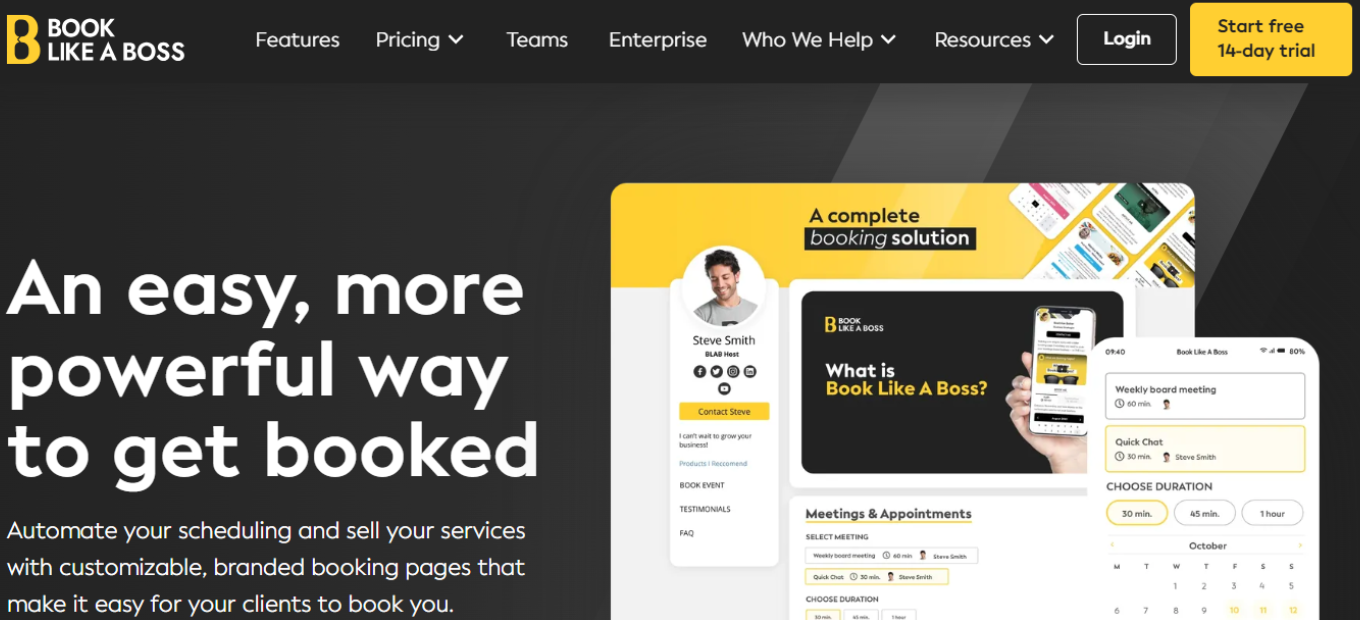
Book Like A Boss distinguishes itself as a comprehensive appointment scheduling solution, tailored to meet the needs of businesses of all sizes. With its intuitive interface and rich feature set, it delivers seamless booking solutions across diverse industries and requirements.

βœ… Pros & ❌ Cons

Pros:

  • πŸ”„ Flexible Appointment Scheduling: Allows effortless customization of appointment types and availability.
  • πŸ”— Seamless Calendar Integration: Integrates smoothly with popular calendar platforms for efficient scheduling.
  • πŸ“… Client Self-Booking: Empowers clients to book appointments at their convenience, minimizing administrative tasks.
  • πŸ“Š Comprehensive Appointment Management: Offers advanced features for managing appointments, cancellations, and rescheduling.
  • 🌐 Wide Range of Integrations: Provides extensive third-party integrations to enhance scheduling capabilities.

Cons:

  • πŸ’² Pricing: Some users may find the pricing plans relatively higher compared to competitors.
  • πŸ“‰ Learning Curve: New users may experience a learning curve while familiarizing themselves with the platform’s features.
  • πŸ“š Limited Customization: Customization options may be somewhat restricted in certain areas compared to other scheduling tools.

πŸ“– About Book Like A Boss

Established as a frontrunner in the appointment scheduling industry, Book Like A Boss strives to simplify the booking process for businesses and clients alike. Its user-centric interface and comprehensive feature suite make it a preferred choice for seamless appointment scheduling.

πŸ—“οΈ How It Works

  • Visit the Book Like A Boss Website: Navigate to the Book Like A Boss website to commence the signup process.
  • Choose a Plan: Explore the available pricing plans and select the one that aligns with your business needs.
  • Create an Account: Provide your email address, create a password, and fill in the necessary details to establish your account.
  • Account Setup: Complete the setup process by entering your business information and customizing your scheduling preferences.
  • Calendar Integration: Integrate your calendar with Book Like A Boss to synchronize appointments seamlessly.
  • Customize Booking Page: Personalize your booking page to mirror your brand and scheduling requirements.
  • Explore Features: Familiarize yourself with the various features of Book Like A Boss, including appointment types, reminders, and reporting.
  • Start Scheduling: Commence scheduling appointments with clients, leveraging Book Like A Boss’s user-friendly interface and automation features.

πŸ’² Pricing Overview

🌟 Pricing Tiers

Book Like A Boss offers a range of pricing plans to cater to diverse business needs and scales. From basic plans for individual professionals to advanced solutions for teams and enterprises, there’s an option for every requirement.

βœ… Free Tools Overview: Book Like A Boss provides essential scheduling tools in its free offering. Included Features: Basic features such as appointment scheduling, calendar integration, and client management are typically included.

πŸ’Ό Starter Plans Target Audience: Ideal for individual professionals or small businesses seeking advanced scheduling capabilities. Key Features: Enhanced functionalities over the free tier, including customizable booking pages, appointment types, and reminders.

πŸš€ Professional Plans Designed For: Medium-sized businesses and teams looking for more advanced scheduling solutions. Advanced Features: Includes features such as group scheduling, class booking, and payment integration for enhanced scheduling experiences.

🏒 Enterprise Plans Suited For: Large businesses and enterprises requiring scalable scheduling solutions with advanced customization and support. Premium Offerings: Advanced features like custom branding, dedicated support, and API access for seamless integration with existing systems.

πŸ₯Š Competition

Book Like A Boss VS Acuity Scheduling

Pros – Flexible appointment scheduling – Easy-to-use interface

  • Seamless calendar integration – Seamless integration with various platforms
  • Client self-booking capability – Versatile scheduling options
  • Comprehensive appointment management – User-friendly interface
  • Wide range of integrations – Extensive third-party integrations

Cons – Relatively higher pricing for some users – Limited customization options

  • Learning curve for new users – Higher pricing for advanced features
  • Limited customization compared to competitors – Advanced features may require higher-priced plans

πŸ“Œ Conclusion

Book Like A Boss emerges as a robust appointment scheduling solution, offering a comprehensive suite of features to streamline the booking process for businesses and clients. With its user-friendly interface, extensive integrations, and flexible pricing options, it’s an ideal choice for businesses seeking to optimize their appointment scheduling workflows.

“Master Your Appointments with Book Like A Boss.”
SimplyBook.me: Streamline Your Appointment Scheduling Effortlessly

πŸ† Our Verdict

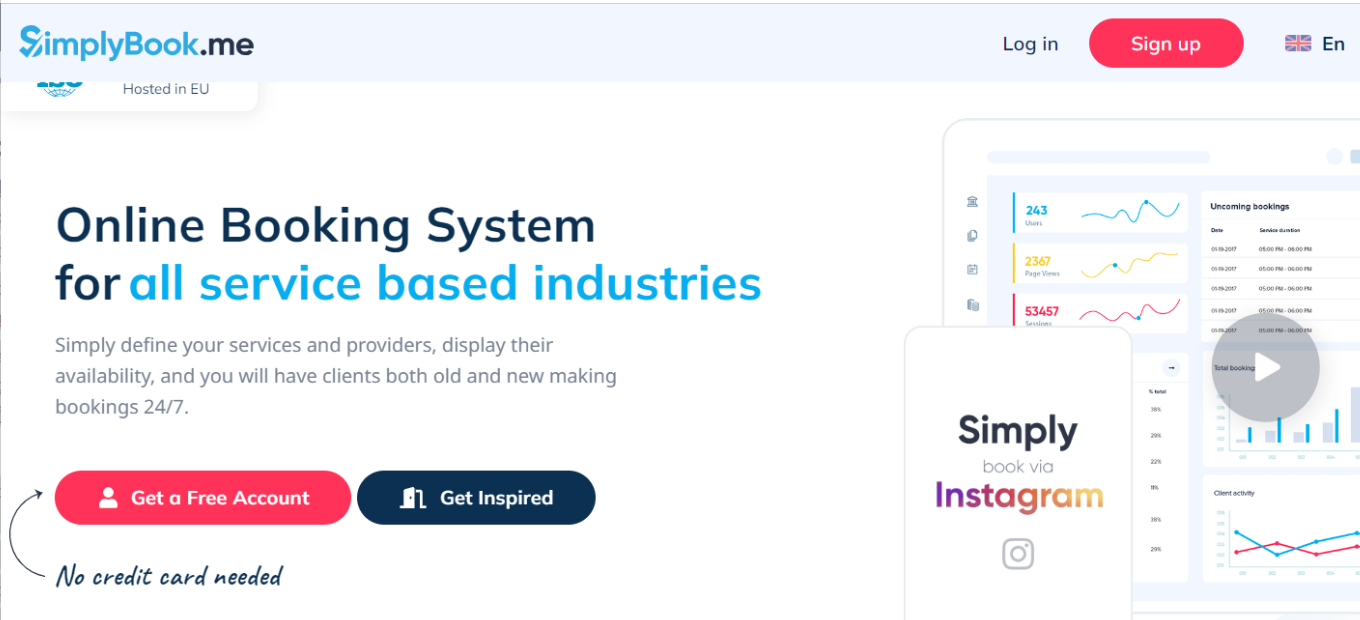
SimplyBook.me stands out as a comprehensive appointment scheduling solution, offering versatile tools suitable for businesses of all sizes. With its intuitive interface and extensive feature set, it provides seamless booking solutions across various industries and needs.

βœ… Pros & ❌ Cons

Pros:

  • πŸ”„ Flexible Appointment Scheduling: Allows easy customization of appointment types and availability.
  • πŸ”— Seamless Calendar Integration: Integrates smoothly with popular calendar platforms for efficient scheduling.
  • πŸ“… Client Self-Booking: Empowers clients to book appointments at their convenience, reducing administrative tasks.
  • πŸ“Š Comprehensive Appointment Management: Offers advanced features for managing appointments, cancellations, and rescheduling.
  • 🌐 Wide Range of Integrations: Provides extensive third-party integrations to enhance scheduling capabilities.

Cons:

  • πŸ’² Pricing: Some users may find the pricing plans relatively higher compared to competitors.
  • πŸ“‰ Learning Curve: New users may experience a learning curve while familiarizing themselves with the platform’s features.
  • πŸ“š Limited Customization: Customization options may be somewhat restricted in certain areas compared to other scheduling tools.

πŸ“– About SimplyBook.me

Established as a leader in the appointment scheduling industry, SimplyBook.me aims to simplify the booking process for businesses and clients alike. Its user-friendly interface and comprehensive feature set make it a preferred choice for scheduling appointments seamlessly.

πŸ—“οΈ How It Works

Signing Up for SimplyBook.me

  1. Visit the SimplyBook.me Website: Navigate to the SimplyBook.me website to begin the signup process.
  2. Choose a Plan: Explore the available pricing plans and select the one that aligns with your business needs.
  3. Create an Account: Provide your email address, create a password, and fill in the necessary details to create your account.
  4. Account Setup: Complete the setup process by entering your business information and customizing your scheduling preferences.
  5. Calendar Integration: Integrate your calendar with SimplyBook.me to sync appointments seamlessly.
  6. Customize Booking Page: Personalize your booking page to reflect your brand and scheduling requirements.
  7. Explore Features: Familiarize yourself with the various features of SimplyBook.me, including appointment types, reminders, and reporting.
  8. Start Scheduling: Begin scheduling appointments with clients, utilizing SimplyBook.me’s user-friendly interface and automation features.

πŸ’² Pricing Overview

🌟 Pricing Tiers

SimplyBook.me offers a range of pricing plans to accommodate different business needs and scales. From basic plans for individual professionals to advanced solutions for teams and enterprises, there’s an option for everyone.

βœ… Free Tools Overview: SimplyBook.me provides essential scheduling tools in its free offering. Included Features: Basic features such as appointment scheduling, calendar integration, and client management are typically included.

πŸ’Ό Starter Plans Target Audience: Ideal for individual professionals or small businesses seeking advanced scheduling capabilities. Key Features: Enhanced functionalities over the free tier, including customizable booking pages, appointment types, and reminders.

πŸš€ Professional Plans Designed For: Medium-sized businesses and teams looking for more advanced scheduling solutions. Advanced Features: Includes features such as group scheduling, class booking, and payment integration for enhanced scheduling experiences.

🏒 Enterprise Plans Suited For: Large businesses and enterprises requiring scalable scheduling solutions with advanced customization and support. Premium Offerings: Advanced features like custom branding, dedicated support, and API access for seamless integration with existing systems.

πŸ₯Š Competition

SimplyBook.meBookafy
Pros– Flexible appointment scheduling– Easy-to-use interface
– Seamless calendar integration– Seamless integration with various platforms
– Client self-booking capability– Versatile scheduling options
– Comprehensive appointment management– User-friendly interface
– Wide range of integrations– Extensive third-party integrations
Cons– Relatively higher pricing for some users– Limited customization options
– Learning curve for new users– Higher pricing for advanced features
– Limited customization compared to competitors– Advanced features may require higher-priced plans

πŸ“Œ Conclusion

SimplyBook.me emerges as a robust appointment scheduling solution, offering a comprehensive suite of features to simplify the booking process for businesses and clients. With its user-friendly interface, extensive integrations, and flexible pricing options, it’s an ideal choice for businesses looking to streamline their appointment scheduling workflows.

“Effortlessly Manage Your Appointments with SimplyBook.me.”

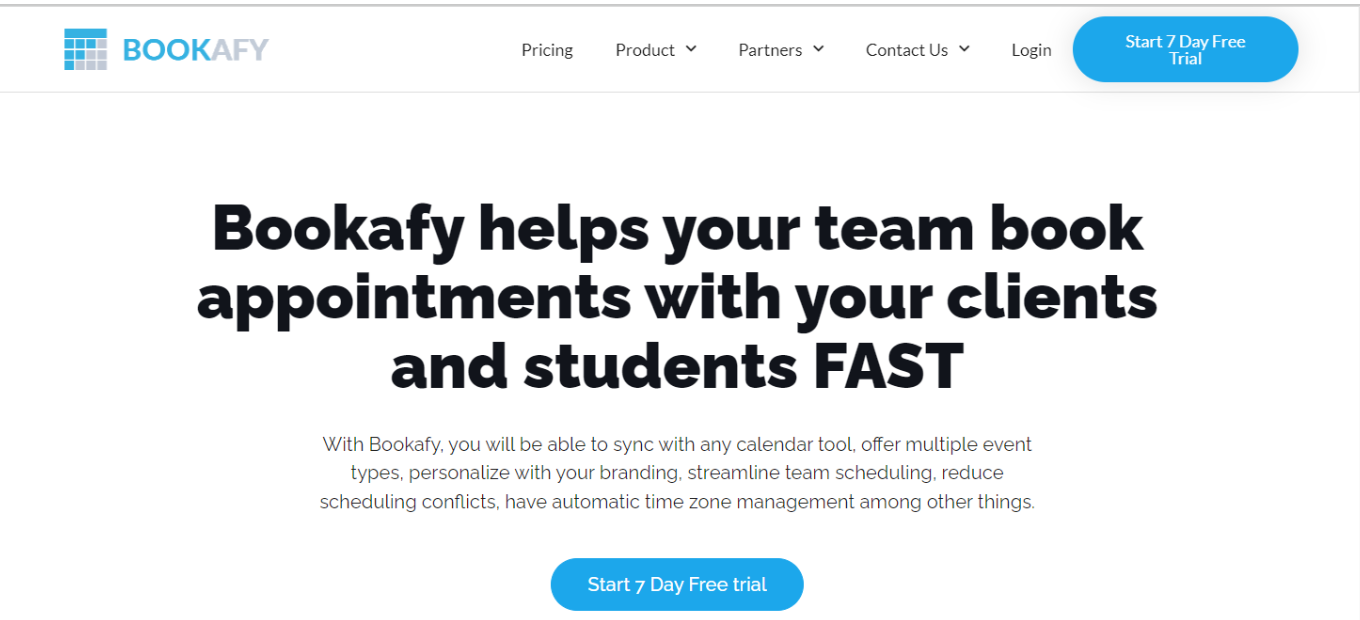
Bookafy: Elevate Your Appointment Scheduling Experience

πŸ† Our Verdict

Bookafy emerges as a powerful solution for appointment scheduling, offering a versatile array of features suitable for businesses of all sizes. With its intuitive interface and comprehensive functionality, it streamlines scheduling processes and enhances client satisfaction.

βœ… Pros & ❌ Cons

Pros:

  • πŸ”„ Flexible Appointment Scheduling: Easily customize appointment types and availability to suit your business needs.
  • πŸ”— Seamless Calendar Integration: Integrate with popular calendar platforms for efficient scheduling and organization.
  • πŸ“… Client Self-Booking: Empower clients to book appointments conveniently, reducing administrative tasks.
  • πŸ“Š Comprehensive Appointment Management: Access advanced features for managing appointments, cancellations, and rescheduling effortlessly.
  • 🌐 Wide Range of Integrations: Benefit from extensive third-party integrations to enhance scheduling capabilities.

Cons:

  • πŸ’² Pricing: Some users may find the pricing plans relatively higher compared to competitors.
  • πŸ“‰ Learning Curve: New users may experience a learning curve while familiarizing themselves with the platform’s features.
  • πŸ“š Limited Customization: Customization options may be somewhat restricted in certain areas compared to other scheduling tools.

πŸ“– About Bookafy

Established as a leader in the appointment scheduling industry, Bookafy aims to simplify the booking process for businesses and clients alike. Its intuitive interface and comprehensive feature set make it a preferred choice for scheduling appointments seamlessly.

πŸ—“οΈ How It Works

Signing Up for Bookafy:

  1. Visit the Bookafy Website: Navigate to the Bookafy website to begin the signup process.
  2. Choose a Plan: Explore the available pricing plans and select the one that aligns with your business needs.
  3. Create an Account: Provide your email address, create a password, and fill in the necessary details to create your account.
  4. Account Setup: Complete the setup process by entering your business information and customizing your scheduling preferences.
  5. Calendar Integration: Integrate your calendar with Bookafy to sync appointments seamlessly.
  6. Customize Booking Page: Personalize your booking page to reflect your brand and scheduling requirements.
  7. Explore Features: Familiarize yourself with the various features of Bookafy, including appointment types, reminders, and reporting.
  8. Start Scheduling: Begin scheduling appointments with clients, utilizing Bookafy’s user-friendly interface and automation features.

πŸ’² Pricing Overview

🌟 Pricing Tiers Bookafy offers a range of pricing plans to accommodate different business needs and scales. From basic plans for individual professionals to advanced solutions for teams and enterprises, there’s an option for everyone.

βœ… Free Tools Overview: Bookafy provides essential scheduling tools in its free offering. Basic features such as appointment scheduling, calendar integration, and client management are typically included.

πŸ’Ό Starter Plans: Ideal for individual professionals or small businesses seeking advanced scheduling capabilities. Enhanced functionalities over the free tier include customizable booking pages, appointment types, and reminders.

πŸš€ Professional Plans: Designed for medium-sized businesses and teams looking for more advanced scheduling solutions. Includes features such as group scheduling, class booking, and payment integration for enhanced scheduling experiences.

🏒 Enterprise Plans: Suited for large businesses and enterprises requiring scalable scheduling solutions with advanced customization and support. Premium offerings include custom branding, dedicated support, and API access for seamless integration.

πŸ₯Š Competition

ProsBookafySimplyBook.me
Flexible appointment schedulingβœ”βœ”
Seamless calendar integrationβœ”βœ”
Client self-booking capabilityβœ”βœ”
Comprehensive appointment managementβœ”βœ”
Wide range of integrationsβœ”βœ”
Cons
Relatively higher pricing for some usersβœ”βœ”
Learning curve for new usersβœ”βœ”
Limited customization compared to competitorsβœ”βœ”

πŸ“Œ Conclusion

Bookafy emerges as a robust appointment scheduling solution, offering a comprehensive suite of features to simplify the booking process for businesses and clients. With its user-friendly interface, extensive integrations, and flexible pricing options, it’s an ideal choice for businesses looking to streamline their appointment scheduling workflows.

“Effortlessly Manage Your Appointments with Bookafy.”

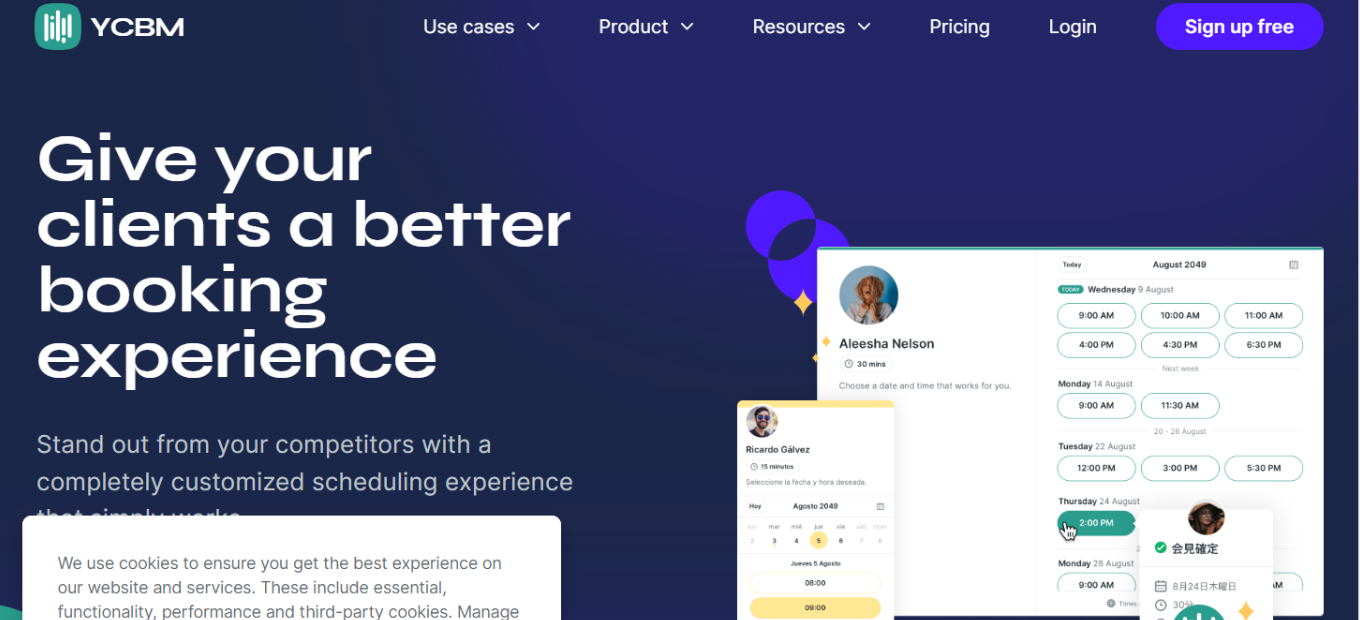
YouCanBook.me: Streamline Your Booking Process

πŸ† Our Verdict

YouCanBook.me offers a streamlined booking experience, ideal for businesses and professionals seeking efficient scheduling solutions. Its intuitive interface and customizable features make it a top choice for organizations of all sizes.

βœ… Pros & ❌ Cons

Pros:

  • πŸ”„ Flexible Booking Options: Provides versatile scheduling options to accommodate various appointment types and preferences.
  • 🎨 Customizable Booking Pages: Offers extensive customization for booking pages, allowing users to tailor the booking experience to their brand.
  • πŸ“… Seamless Calendar Integration: Integrates smoothly with popular calendar platforms, ensuring real-time availability updates.
  • πŸ“ˆ Analytics and Reporting: Provides insights into booking trends and performance metrics to optimize scheduling processes.

Cons:

  • πŸ’² Pricing Structure: Some users may find the pricing plans relatively higher compared to similar scheduling platforms.
  • πŸ“‰ Learning Curve: New users might experience a learning curve when initially setting up and customizing their booking system.
  • πŸ›  Limited Customization in Basic Plans: Advanced customization options may be restricted to higher-tier subscription plans.

πŸ“– About YouCanBook.me

YouCanBook.me has become a leading online scheduling platform, empowering businesses and individuals to manage appointments effectively. Its user-friendly interface and comprehensive feature set cater to a diverse range of scheduling needs.

🎯 What’s In It For You?

YouCanBook.me offers a hassle-free booking solution, allowing users to streamline their scheduling processes and improve client engagement. With features tailored for customization and integration, it provides a seamless booking experience for both businesses and clients.

πŸš€ How It Works

1. Setting Up Your Booking System

  • Navigate to the YouCanBook.me website and sign up for an account.
  • Customize your booking page with branding elements and scheduling preferences.
  • Integrate your calendar to sync availability and avoid double bookings.

2. Configuring Appointment Settings

  • Define appointment types, durations, and availability windows according to your preferences.
  • Enable booking notifications and reminders to keep clients informed about their appointments.

3. Embedding Booking Links

  • Embed booking links on your website, social media profiles, or email signatures for easy access.
  • Share booking links with clients to facilitate hassle-free appointment scheduling.

πŸ”— Helpful Tips

  • Take advantage of YouCanBook.me’s customization options to create a seamless booking experience tailored to your brand.
  • Utilize the analytics features to track booking trends and optimize your scheduling strategy for improved efficiency.

πŸ’² YouCanBook.me Pricing Overview

YouCanBook.me provides users with a transparent pricing model, offering a single flat price that encompasses all features. For users seeking additional customization options, the option to upgrade is available, with pricing determined by the number of connected calendars. Here’s a breakdown of the features included in each plan:

Paid Plan:

  • Price: $10.80 per calendar per month (when billed annually).
  • Customization: Choose how to display availability, add custom colors, logos, and branding to booking pages.
  • Automated Workflows: Enjoy unlimited automated workflows with customized reminders and no-show management capabilities.
  • Booking Form: Create unlimited booking form questions for gathering necessary information from clients.
  • Booking Management: Accept or decline bookings, utilize expiring booking links, and offer multiple appointment types or team members on the same page.
  • Team Collaboration: Utilize round-robin scheduling for teams, enable group bookings, and display mutual availability.
  • Integrations: Benefit from powerful integrations with other tools and services to streamline your workflow.

Free Plan:

  • Price: $0 (Free forever).
  • Features: Enjoy a reliable booking page with essential features.
  • Notifications: Receive best-practice notifications and booking form questions.
  • Availability: Set different availability for each day.
  • Booking Management: Provide cancellation and rescheduling links, set prices, and accept payments.
  • Calendar Integration: Connect one calendar from your Google or Microsoft account.
  • Video Meetings: Seamlessly connect to Zoom, Microsoft Teams, or Google Meet for virtual appointments.

Both plans offer users the flexibility to get started for free, with no credit card required. The free plan provides essential features for individuals or small businesses, while the paid plan unlocks advanced customization options and additional functionality for those with more complex scheduling needs.

πŸ₯Š Competition

YouCanBook.me βœ… Pros

  • Flexible booking options catering to various appointment types.
  • Extensive customization for booking pages to align with brand identity.
  • Seamless integration with popular calendar platforms.
  • Third-party integrations for enhanced functionality.
  • Insights into booking trends and performance metrics.

❌ Cons

  • Pricing plans may be relatively higher compared to competitors.
  • Learning curve for new users during setup and customization.
  • Advanced customization options limited to higher-tier plans.

Calendly βœ… Pros

  • Intuitive and user-friendly interface.
  • Seamless integration with calendar platforms and productivity tools.
  • Versatile scheduling options to accommodate different needs.
  • Extensive third-party integrations for enhanced functionality.

❌ Cons

  • Pricing plans may be expensive for users with budget constraints.
  • Limited customization options for booking pages and emails.
  • Some advanced features available only in higher-priced plans.

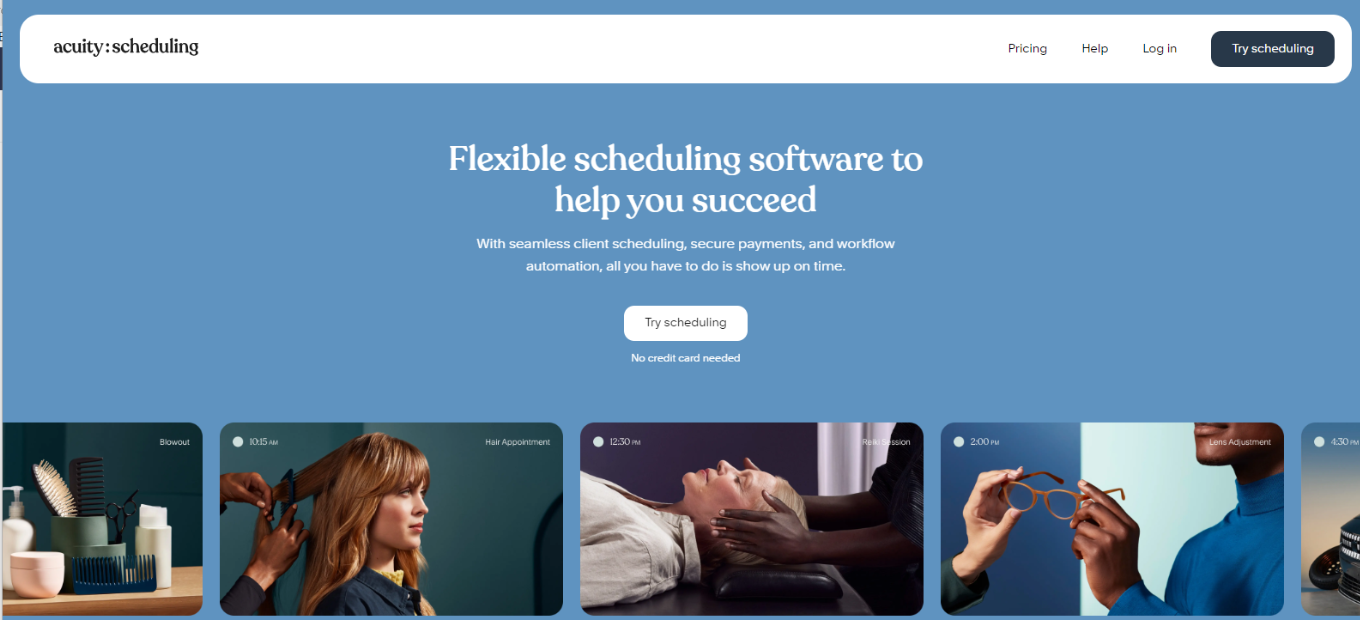
Acuity Scheduling: Your Appointment Scheduling Solution

πŸ† Our Verdict

Acuity Scheduling emerges as a versatile appointment scheduling tool, catering to businesses of all sizes. With its user-friendly interface and robust feature set, it offers seamless scheduling solutions for various industries and needs.

βœ… Pros & ❌ Cons

Pros:

  • πŸ”„ Flexible Appointment Scheduling: Allows for easy customization of appointment types and availability.
  • πŸ”— Seamless Calendar Integration: Integrates smoothly with popular calendar platforms for efficient scheduling.
  • πŸ“… Client Self-Booking: Empowers clients to book appointments at their convenience, reducing administrative tasks.
  • πŸ“Š Comprehensive Appointment Management: Offers advanced features for managing appointments, cancellations, and rescheduling.
  • 🌐 Wide Range of Integrations: Provides extensive third-party integrations to enhance scheduling capabilities.

Cons:

  • πŸ’² Pricing: Some users may find the pricing plans relatively higher compared to competitors.
  • πŸ“‰ Learning Curve: New users may experience a learning curve while familiarizing themselves with the platform’s features.
  • πŸ“š Limited Customization: Customization options may be somewhat restricted in certain areas compared to other scheduling tools.

πŸ“– About Acuity Scheduling

Established as a leader in the appointment scheduling industry, Acuity Scheduling aims to simplify the booking process for businesses and clients alike. Its intuitive interface and comprehensive feature set make it a preferred choice for scheduling appointments seamlessly.

πŸ—“οΈ How It Works

Signing Up for Acuity Scheduling

  1. Visit the Acuity Scheduling Website: Navigate to the Acuity Scheduling website to begin the signup process.
  2. Choose a Plan: Explore the available pricing plans and select the one that aligns with your business needs.
  3. Create an Account: Provide your email address, create a password, and fill in the necessary details to create your account.
  4. Account Setup: Complete the setup process by entering your business information and customizing your scheduling preferences.
  5. Calendar Integration: Integrate your calendar with Acuity Scheduling to sync appointments seamlessly.
  6. Customize Booking Page: Personalize your booking page to reflect your brand and scheduling requirements.
  7. Explore Features: Familiarize yourself with the various features of Acuity Scheduling, including appointment types, reminders, and reporting.
  8. Start Scheduling: Begin scheduling appointments with clients, utilizing Acuity Scheduling’s user-friendly interface and automation features.

πŸ’² Pricing Overview

🌟 Pricing Tiers Acuity Scheduling offers a range of pricing plans to accommodate different business needs and scales. From basic plans for individual professionals to advanced solutions for teams and enterprises, there’s an option for everyone.

βœ… Free Tools Overview: Acuity Scheduling provides essential scheduling tools in its free offering. Included Features: Basic features such as appointment scheduling, calendar integration, and client management are typically included.

πŸ’Ό Starter Plans Target Audience: Ideal for individual professionals or small businesses seeking advanced scheduling capabilities. Key Features: Enhanced functionalities over the free tier, including customizable booking pages, appointment types, and reminders.

πŸš€ Professional Plans Designed For: Medium-sized businesses and teams looking for more advanced scheduling solutions. Advanced Features: Includes features such as group scheduling, class booking, and payment integration for enhanced scheduling experiences.

🏒 Enterprise Plans Suited For: Large businesses and enterprises requiring scalable scheduling solutions with advanced customization and support. Premium Offerings: Advanced features like custom branding, dedicated support, and API access for seamless integration with existing systems.

πŸ₯Š Competition

Acuity SchedulingCalendly
Pros– Flexible appointment scheduling– Easy-to-use interface
– Seamless calendar integration– Seamless integration with various platforms
– Client self-booking capability– Versatile scheduling options
– Comprehensive appointment management– User-friendly interface
– Wide range of integrations– Extensive third-party integrations
Cons– Relatively higher pricing for some users– Limited customization options
– Learning curve for new users– Higher pricing for advanced features
– Limited customization compared to competitors– Advanced features may require higher-priced plans

πŸ“Œ Conclusion

Acuity Scheduling emerges as a robust appointment scheduling solution, offering a comprehensive suite of features to simplify the booking process for businesses and clients. With its user-friendly interface, extensive integrations, and flexible pricing options, it’s an ideal choice for businesses looking to streamline their appointment scheduling workflows.

“Effortlessly Manage Your Appointments with Acuity Scheduling.”

OnceHub: Streamline Your Appointment Scheduling

πŸ† Our Verdict

OnceHub stands out as a robust appointment scheduling platform, ideal for businesses seeking seamless booking and calendar management solutions. Its comprehensive features and user-friendly interface make it a top choice for businesses of all sizes.

βœ… Pros & ❌ Cons

Pros:

  • πŸ”„ Flexible Scheduling: Offers versatile options for appointment scheduling to accommodate various needs.
  • πŸ“… Calendar Integration: Seamlessly integrates with popular calendar platforms for efficient management.
  • πŸ”— Customizable Booking Pages: Allows users to personalize booking pages to reflect their brand and preferences.
  • πŸš€ Automated Reminders: Sends automated reminders to reduce no-shows and streamline communication.

Cons:

  • πŸ’² Pricing: Higher pricing plans may be costly for smaller businesses or individual users.
  • πŸ“‰ Learning Curve: Some users may find the initial setup and customization process slightly complex.
  • πŸ“š Limited Customization: Customization options may be limited compared to other scheduling platforms.

πŸ“– About OnceHub

Established in [Year], OnceHub has become a leading provider of appointment scheduling and calendar management solutions. It offers a range of features designed to simplify the booking process and enhance customer experience.

🎯 What’s In It For You?

OnceHub provides businesses with a centralized platform to manage appointments, bookings, and calendars efficiently. With features tailored to streamline scheduling processes, businesses can save time and improve productivity.

πŸš€ How It Works

  1. Signup: Visit the OnceHub website and sign up for an account.
  2. Setup: Customize your booking page and availability settings.
  3. Integration: Integrate OnceHub with your preferred calendar platform.
  4. Share: Share your booking page link with clients or embed it on your website.
  5. Bookings: Receive and manage bookings seamlessly through the OnceHub dashboard.

πŸ’² Pricing Overview

OnceHub offers various pricing plans, including a free option with limited features and tiered plans catering to different business needs and scales.

This pricing plan offers four tiers: Basic, Schedule, Route, and Engage.

  • Basic: Ideal for individuals, offering one user and one booking link with basic online scheduling features.
  • Schedule: Geared towards businesses, providing unlimited booking links, meetings, and advanced integrations.
  • Route: Suited for teams seeking optimization with qualification, routing, and distribution features.
  • Engage: Tailored for teams focusing on maximizing engagement with scheduling, live chat, and instant calls.

Each tier comes with increasing features and capabilities, catering to different needs and scales of businesses.

πŸ₯Š Competition

CriteriaOnceHubCalendly
Pros
Customizable Booking PagesπŸ”— Offers extensive customization optionsπŸ“… Known for its intuitive and user-friendly interface
Flexible SchedulingπŸ”„ Provides versatile scheduling optionsπŸ”— Integrates seamlessly with various calendar platforms and productivity tools
Calendar IntegrationπŸ“… Seamlessly integrates with popular calendar platformsπŸ”„ Offers flexible scheduling options to accommodate different needs
Cons
PricingπŸ’² Higher pricing plans may be costly for smaller businesses or individual usersπŸ’² Higher pricing plans may be expensive for users with budget constraints
Learning CurveπŸ“‰ Some users may find the initial setup and customization process slightly complexπŸ“‰ Limited Customization: Customization options for booking pages and emails may be limited
Limited CustomizationπŸ“š Customization options may be limited compared to other scheduling platformsπŸ“š Some advanced features may be available only in higher-priced plans

πŸ“Œ Conclusion

OnceHub offers a comprehensive appointment scheduling solution tailored to meet the needs of businesses and professionals. With its user-friendly interface and robust features, it’s an excellent choice for streamlining booking processes and enhancing customer experience.

“Optimize Your Appointment Scheduling with OnceHub.”

Clockwise: Enhance Your Time Management

πŸ† Our Verdict

Clockwise emerges as a robust time management solution, offering smart calendar automation to optimize productivity and schedule efficiency. With its intuitive interface and intelligent features, Clockwise is an excellent choice for individuals and teams aiming to reclaim their time and focus on high-impact tasks.

βœ… Pros & ❌ Cons

Pros:

  • πŸ”„ Smart calendar automation for seamless scheduling.
  • πŸ“Š Insights into meeting patterns and time allocation.
  • 🌐 Integration with popular calendar platforms like Google Calendar and Outlook.
  • πŸ§‘β€πŸ’Ό User-friendly interface with straightforward setup.

Cons:

  • πŸ’² Premium features might come with a higher cost.
  • πŸ“ Limited customization options for specific needs.
  • πŸ“š Learning curve for mastering advanced settings.

πŸ“– About Clockwise

Established as a leader in time optimization, Clockwise provides users with tools to streamline scheduling, prioritize tasks, and maximize productivity. Its innovative solutions empower individuals and teams to make the most of their time and achieve their goals efficiently.

🎯 What’s In It For You?

Clockwise offers:

  • Automated scheduling to eliminate conflicts and optimize time.
  • Insights into meeting habits and time usage for better decision-making.
  • Seamless integration with existing calendar tools for enhanced workflow.
  • User-friendly interface and straightforward setup for quick adoption.

πŸš€ How It Works

Getting started with Clockwise:

  1. Visit the Clockwise Website.
  2. Sign Up for an Account.
  3. Connect Your Calendar.
  4. Set Your Preferences.
  5. Let Clockwise Optimize Your Schedule.
  6. Explore Advanced Features.
  7. Enjoy Increased Productivity.

πŸ”— Helpful Tips

  • Explore the Knowledge Base for tutorials and guides.
  • Engage with the Clockwise community for insights and best practices.

πŸ’² Clockwise Pricing Overview

Here’s a summary of the pricing options for Clockwise:

  1. Free Plan
    • Price: $0 USD per user per month
    • Features: Smart calendar assistant for task scheduling, protection of personal time, and calendar integration with productivity tools.
  2. Teams Plan
    • Price: $6.75 USD per user per month, billed annually
    • Features: Includes all features of the Free plan, with additional benefits such as optimizing meeting times, protecting deep work time with auto-scheduled Focus Time holds, and scheduling seamlessly outside the organization with Clockwise Links.
  3. Business Plan
    • Price: $11.50 USD per user per month, billed annually
    • Features: Offers everything in the Teams plan, along with features like measuring meeting load and focus time across the entire organization, advanced billing management, admin controls, and custom workshops to improve meeting culture.
  4. Enterprise Plan
    • Price: Custom pricing
    • Features: Tailored for organizations with advanced security and customization needs, including all features of the Business plan plus options for centrally managing user provisioning, custom data processing for enhanced security, and preferred support and maintenance.

πŸ₯Š Competition

here’s a comparison table for Clockwise and Harvest:

ClockwiseHarvest
AdvantagesπŸ‘ Smart Calendar Automation: Streamlines scheduling for increased efficiency.
πŸ”— Seamless Integration: Works well with popular calendar platforms.
🎯 Time Optimization: Provides insights and tools to maximize productivity.
πŸš€ User-Friendly Interface: Intuitive design for easy navigation.
πŸ› οΈ Time Tracking: Robust tools for tracking billable hours and project expenses.
🏒 Invoicing Features: Streamlines invoicing processes for freelancers and businesses.
πŸ“Š Detailed Reporting: Provides insights into project performance and profitability.
βš™οΈ Integrations: Supports integration with various project management and accounting tools.
DisadvantagesπŸ’² Higher Cost: Premium features may come with a higher price tag.
πŸ“ Limited Customization: Some users might find options for customization lacking.
πŸ“š Learning Curve: Mastery of advanced settings might require time and effort.
🀯 Complexity: Might be overwhelming for new users or small teams.
πŸͺ™ Higher Cost: Advanced features may come with a higher price point.
πŸ‘¨β€πŸ’Ό Resource-Intensive Implementation: Requires dedicated resources for optimal setup and management.

πŸ“Œ Conclusion

Clockwise offers a comprehensive solution for time optimization, making it an invaluable tool for individuals and teams striving to boost productivity and efficiency.

“Take Control of Your Time with Clockwise.”

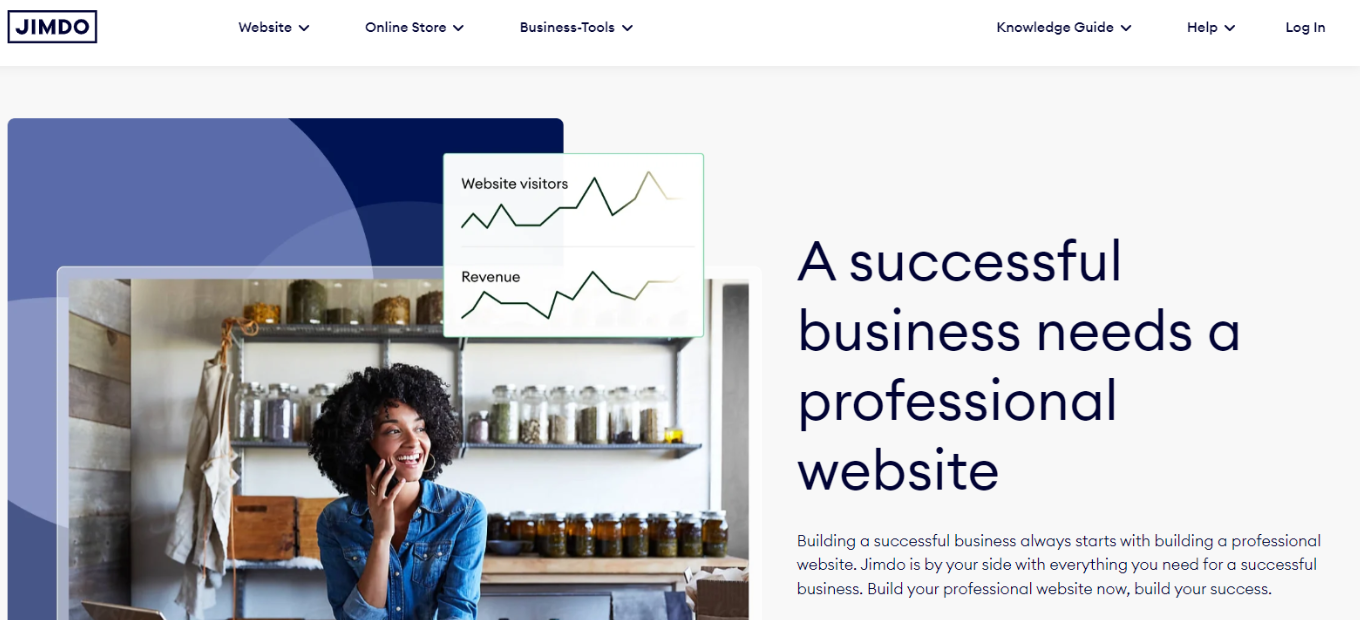
Jimdo: Your Website Building Solution

πŸ† Our Verdict

Jimdo emerges as a user-friendly website building platform, offering intuitive tools for individuals and small businesses to create and manage their online presence. With its simplicity and versatility, Jimdo is a solid choice for those seeking an easy-to-use website builder.

βœ… Pros & ❌ Cons

Pros:

  • πŸ› οΈ Easy-to-use interface for building websites.
  • 🌐 Customizable templates for various industries.
  • πŸ’Ό E-commerce functionality for online stores.
  • πŸ”„ Mobile-responsive designs for seamless viewing on all devices.

Cons:

  • πŸ’² Limited customization compared to other platforms.
  • πŸ“ Some advanced features may be lacking.

πŸ“– About Jimdo

Established with a mission to make website creation accessible to everyone, Jimdo provides a platform where users can effortlessly build and manage their websites without needing technical expertise. It offers a range of templates and features to suit different needs.

🎯 What’s In It For You?

Jimdo offers:

  • Easy website creation with drag-and-drop functionality.
  • E-commerce capabilities for selling products online.
  • Mobile-responsive designs for optimal viewing on smartphones and tablets.
  • SEO tools to improve website visibility on search engines.

πŸš€ How It Works

Getting started with Jimdo:

  1. Visit the Jimdo Website.
  2. Choose a Plan.
  3. Select a Template.
  4. Customize Your Website.
  5. Add Content and Features.
  6. Preview and Publish.

πŸ”— Helpful Tips

  • Explore Jimdo’s Help Center for tutorials and guides.
  • Utilize Jimdo’s customer support for assistance.

πŸ’² Jimdo Pricing Overview

Jimdo offers various pricing plans, including free and premium options, tailored to different user needs and budgets.

  1. PLAY: Free
    • Includes all base features
    • .jimdosite.com subdomain
    • Suitable for personal websites
  2. START: $9 per month
    • All PLAY features
    • Domain included
    • Ad-free
    • Ideal for personal websites
  3. GROW: $15 per month
    • All START features
    • Search Engine Optimization (SEO)
    • Visitor statistics
    • Personalized support within 4 hours
    • Designed for business websites
  4. UNLIMITED: $39 per month
    • Everything plus plan
    • Unlimited storage
    • Professional design analysis
    • Premium support within an hour
    • Recommended for extensive business needs

πŸ₯Š Jimdo vs. Wix

FeatureJimdoWix
Ease of UseSimple interface for quick website building.Intuitive drag-and-drop editor with extensive customization options.
TemplatesCustomizable templates for various industries.Extensive collection of templates with advanced design options.
E-commerceBasic e-commerce functionality available.Robust e-commerce features with advanced selling tools.
CustomizationLimited customization compared to Wix.Extensive customization options for personalized websites.

πŸ“Œ Conclusion

Jimdo offers a straightforward solution for individuals and small businesses to create and manage their websites. While it may have some limitations compared to other platforms, its ease of use and affordability make it a compelling choice for those looking to establish an online presence.

“Build Your Website Effortlessly with Jimdo.”

Weebly: Your Simple Solution for Building Websites

πŸ† Our Verdict

Weebly emerges as an intuitive website builder, offering easy-to-use tools for creating professional-looking websites without the need for extensive technical expertise. With its straightforward interface and versatile features, Weebly is an excellent choice for individuals and small businesses looking to establish an online presence quickly.

βœ… Pros & ❌ Cons

Pros:

  • πŸ› οΈ User-friendly drag-and-drop website builder.
  • πŸ’² Competitive pricing plans, including a free option.
  • 🌟 Wide range of customizable templates.
  • πŸš€ Built-in eCommerce functionality for online stores.

Cons:

  • πŸ“± Limited scalability compared to more robust platforms.
  • πŸ”„ Less flexibility in design compared to some competitors.
  • πŸ“Š Basic analytics and reporting features.

πŸ“– About Weebly

Weebly is a website building platform founded in 2006, offering users the ability to create websites and online stores with ease. Acquired by Square in 2018, Weebly continues to provide accessible tools for individuals and businesses to establish their online presence.

🎯 What’s In It For You?

Weebly offers:

  • πŸ—οΈ Intuitive website building tools for beginners.
  • πŸ’Ό Seamless integration with Square for eCommerce.
  • 🎨 Customizable templates to suit various industries and styles.
  • πŸ“ˆ Scalable solutions for growing businesses.

πŸš€ How It Works

Getting started with Weebly:

  1. Visit the Weebly Website.
  2. Choose a Plan.
  3. Create Your Account.
  4. Select a Template.
  5. Customize Your Website.
  6. Add Content and Features.
  7. Preview and Publish Your Site.

πŸ’² Weebly Pricing Overview

Weebly offers several pricing tiers:

  • Free: Basic features with Weebly branding.
  • Personal: Affordable plan for individuals.
  • Professional: Ideal for entrepreneurs and small businesses.
  • Performance: Advanced features for growing businesses.
  • eCommerce: Comprehensive solution for online stores.

πŸ₯Š Weebly vs. Wix

FeatureWeeblyWix
Ease of UseπŸ› οΈ Intuitive drag-and-drop builder.πŸ”„ Flexible design options.
PricingπŸ’² Competitive pricing plans.πŸ’Έ Various pricing tiers with additional features.
Templates🌟 Wide range of customizable templates.🎨 Extensive template library.
eCommerceπŸš€ Built-in eCommerce functionality.πŸ’Ό eCommerce-focused features.
ScalabilityπŸ“ˆ Limited scalability for larger businesses.πŸš€ Scalable solutions for growing businesses.

πŸ“Œ Conclusion

Weebly offers a straightforward solution for building websites and online stores, making it an ideal choice for individuals and small businesses looking to establish their online presence without the complexity of more advanced platforms.

“Build Your Online Presence with Ease with Weebly.”

Oracle: Powering Your Business Solutions

πŸ† Our Verdict

Oracle stands as a leading provider of business solutions, offering a comprehensive suite of tools to enhance organizational efficiency and productivity. With its extensive range of products and services, Oracle is an optimal choice for businesses seeking robust enterprise solutions.

βœ… Pros & ❌ Cons

Pros:

  • πŸ› οΈ Versatile range of business solutions.
  • 🌐 Global scalability and reliability.
  • πŸ”’ Strong emphasis on data security.
  • πŸ“Š Advanced analytics for informed decision-making.

Cons:

  • πŸ’² Higher initial investment.
  • πŸ“ˆ Steeper learning curve for complex features.

πŸ“– About Oracle

Established as a global leader in enterprise technology, Oracle provides businesses with a wide array of software and hardware solutions, including database management systems, cloud applications, and integrated platforms. With a focus on innovation and scalability, Oracle enables organizations to optimize their operations and drive growth.

🎯 What’s In It For You?

Oracle offers:

  • Versatile business solutions tailored to diverse industry needs.
  • Scalable cloud infrastructure for flexible deployment options.
  • Robust security measures to safeguard sensitive data.
  • Advanced analytics tools for actionable insights.

πŸš€ How It Works

Signing Up for Oracle:

  1. Visit the Oracle Website.
  2. Explore Products and Solutions.
  3. Choose a Plan or Request a Demo.
  4. Create an Account.
  5. Account Verification.
  6. Set Up Your Account Preferences.
  7. Access Resources and Support.
  8. Start Implementing Oracle Solutions.

πŸ”— Helpful Tips

  • Utilize Oracle’s extensive documentation and training resources.
  • Engage with the Oracle community for insights and best practices.

πŸ’² Oracle Pricing Overview

Oracle offers a wide range of products and services, and the pricing can vary significantly depending on the specific solutions and customization required by each business. Oracle typically provides customized pricing tailored to the needs of individual organizations. As a result, there isn’t a fixed price available on their website. Businesses interested in Oracle’s products and services usually need to contact Oracle’s sales team or request a quote directly from their website to get pricing details specific to their requirements.

πŸ₯Š Oracle vs. IBM

FeatureOracleIBM
Business SolutionsVersatile range of enterprise tools.Diverse suite of business software.
Global ReachEstablished global presence.Extensive network of clients.
Data SecurityRobust security measures in place.Emphasis on data protection.
AnalyticsAdvanced analytics capabilities.Strong analytics offerings.
PricingCustomized pricing structures.Tailored pricing options available.

πŸ“Œ Conclusion

Oracle stands as a reliable partner for businesses seeking scalable and innovative solutions to drive their digital transformation initiatives. With its comprehensive offerings and commitment to excellence, Oracle empowers organizations to thrive in today’s dynamic business landscape.

“Empower Your Business with Oracle’s Cutting-Edge Solutions.”